
Chapter 2 OperatingSystem Structures Operating System Concepts 9
- Slides: 35
Chapter 2: Operating-System Structures Operating System Concepts – 9 th Edition Silberschatz, Galvin and Gagne © 2013
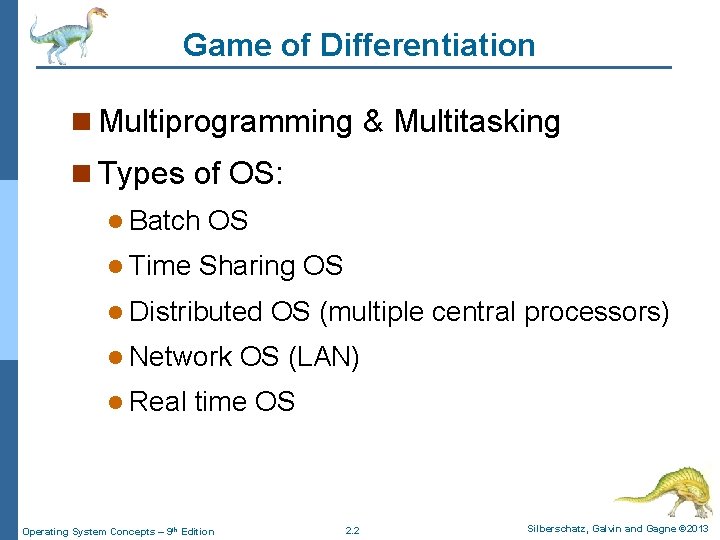
Game of Differentiation n Multiprogramming & Multitasking n Types of OS: l Batch l Time OS Sharing OS l Distributed l Network l Real OS (multiple central processors) OS (LAN) time OS Operating System Concepts – 9 th Edition 2. 2 Silberschatz, Galvin and Gagne © 2013
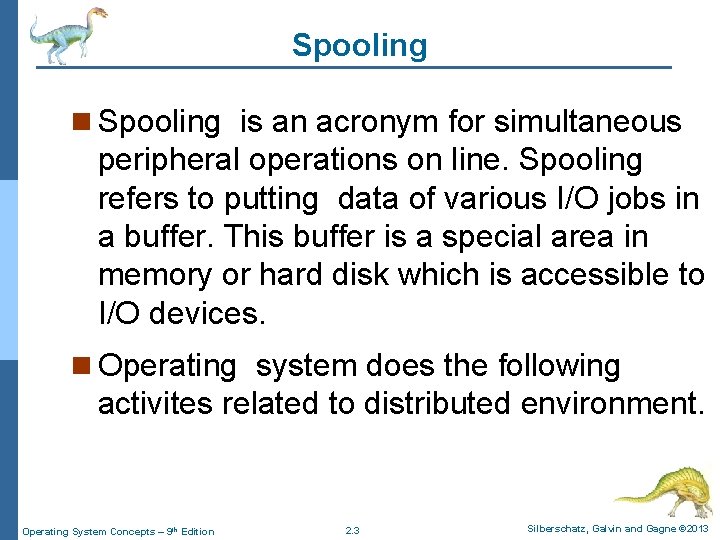
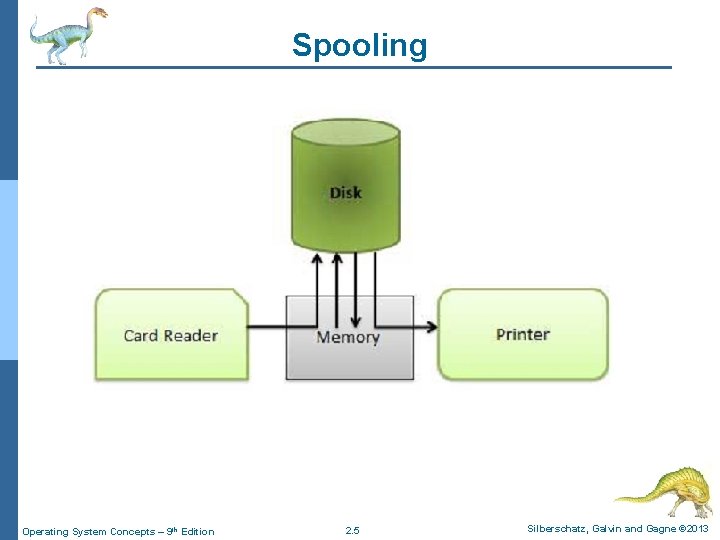
Spooling n Spooling is an acronym for simultaneous peripheral operations on line. Spooling refers to putting data of various I/O jobs in a buffer. This buffer is a special area in memory or hard disk which is accessible to I/O devices. n Operating system does the following activites related to distributed environment. Operating System Concepts – 9 th Edition 2. 3 Silberschatz, Galvin and Gagne © 2013
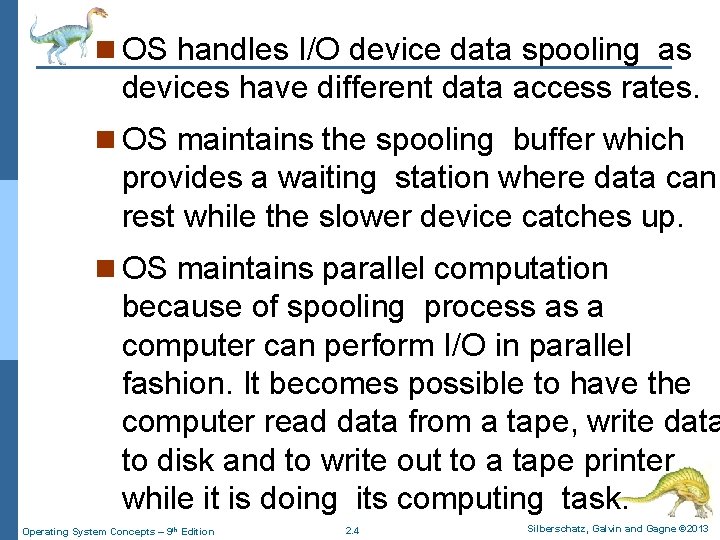
n OS handles I/O device data spooling as devices have different data access rates. n OS maintains the spooling buffer which provides a waiting station where data can rest while the slower device catches up. n OS maintains parallel computation because of spooling process as a computer can perform I/O in parallel fashion. It becomes possible to have the computer read data from a tape, write data to disk and to write out to a tape printer while it is doing its computing task. Operating System Concepts – 9 th Edition 2. 4 Silberschatz, Galvin and Gagne © 2013
Spooling Operating System Concepts – 9 th Edition 2. 5 Silberschatz, Galvin and Gagne © 2013
Accessing OS services - System Calls n Operating system services (reading or writing files for example) can only be accessed when the CPU is in supervisor mode, but user programs must run in user mode. n The connection can be made through software interrupts. n Specifically , the interrupt table for software interrupts is initialized by the OS to point to code that changes to supervisor mode and calls appropriate OS routines. (The correct routine either be directly determined by the number of the SW interrupt or by one of the parameters to the system call. ) n Such a table and the ISRs must be protected by the OS. Operating System Concepts – 9 th Edition 2. 6 Silberschatz, Galvin and Gagne © 2013
Chapter 2: Operating-System Structures n Operating System Services n User Operating System Interface n System Calls n Types of System Calls n System Programs n Operating System Design and Implementation n Operating System Structure Operating System Concepts – 9 th Edition 2. 7 Silberschatz, Galvin and Gagne © 2013
Objectives n To describe the services an operating system provides to users, processes, and other systems n To discuss the various ways of structuring an operating system n To explain how operating systems are installed and customized and how they boot Operating System Concepts – 9 th Edition 2. 8 Silberschatz, Galvin and Gagne © 2013
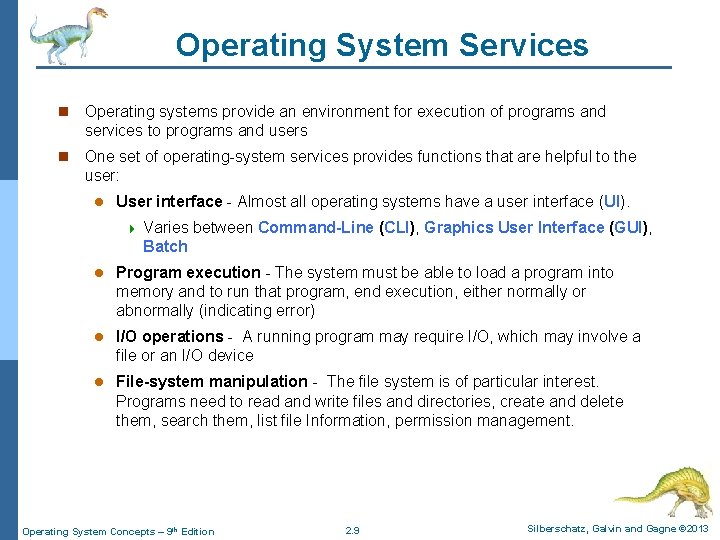
Operating System Services n Operating systems provide an environment for execution of programs and services to programs and users n One set of operating-system services provides functions that are helpful to the user: l User interface - Almost all operating systems have a user interface (UI). 4 Varies between Command-Line (CLI), Graphics User Interface (GUI), Batch l Program execution - The system must be able to load a program into memory and to run that program, end execution, either normally or abnormally (indicating error) l I/O operations - A running program may require I/O, which may involve a file or an I/O device l File-system manipulation - The file system is of particular interest. Programs need to read and write files and directories, create and delete them, search them, list file Information, permission management. Operating System Concepts – 9 th Edition 2. 9 Silberschatz, Galvin and Gagne © 2013
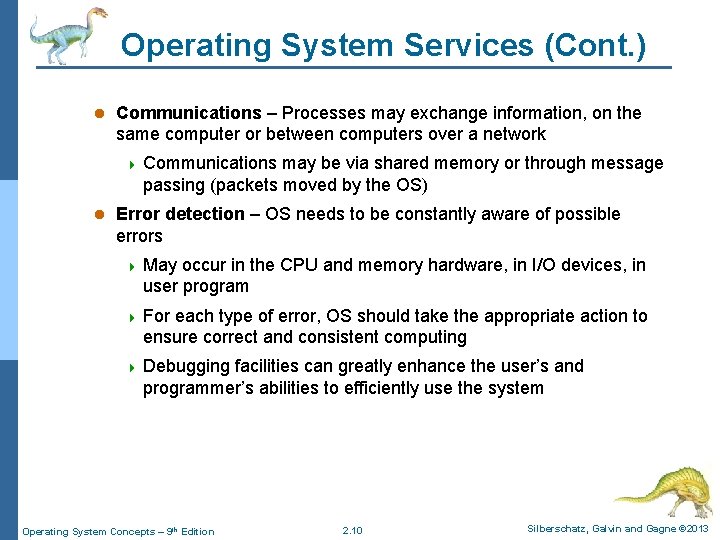
Operating System Services (Cont. ) l Communications – Processes may exchange information, on the same computer or between computers over a network 4 Communications may be via shared memory or through message passing (packets moved by the OS) l Error detection – OS needs to be constantly aware of possible errors 4 May occur in the CPU and memory hardware, in I/O devices, in user program 4 For each type of error, OS should take the appropriate action to ensure correct and consistent computing 4 Debugging facilities can greatly enhance the user’s and programmer’s abilities to efficiently use the system Operating System Concepts – 9 th Edition 2. 10 Silberschatz, Galvin and Gagne © 2013
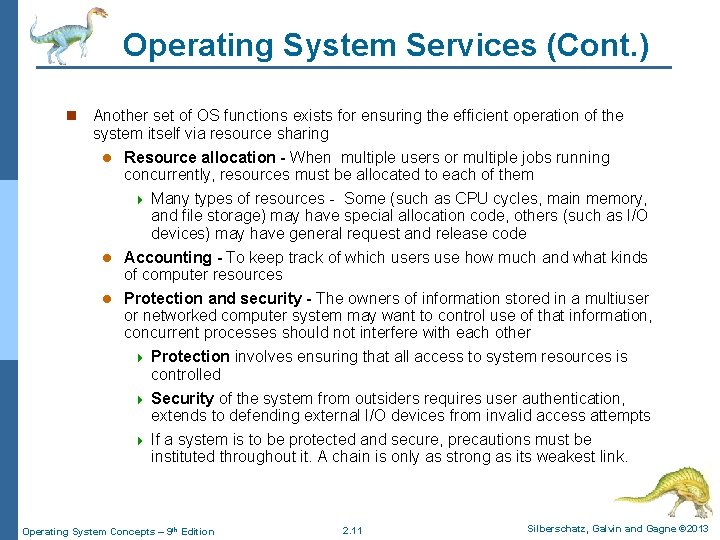
Operating System Services (Cont. ) n Another set of OS functions exists for ensuring the efficient operation of the system itself via resource sharing Resource allocation - When multiple users or multiple jobs running concurrently, resources must be allocated to each of them 4 Many types of resources - Some (such as CPU cycles, main memory, and file storage) may have special allocation code, others (such as I/O devices) may have general request and release code l Accounting - To keep track of which users use how much and what kinds of computer resources l Protection and security - The owners of information stored in a multiuser or networked computer system may want to control use of that information, concurrent processes should not interfere with each other 4 Protection involves ensuring that all access to system resources is controlled 4 Security of the system from outsiders requires user authentication, extends to defending external I/O devices from invalid access attempts 4 If a system is to be protected and secure, precautions must be instituted throughout it. A chain is only as strong as its weakest link. l Operating System Concepts – 9 th Edition 2. 11 Silberschatz, Galvin and Gagne © 2013
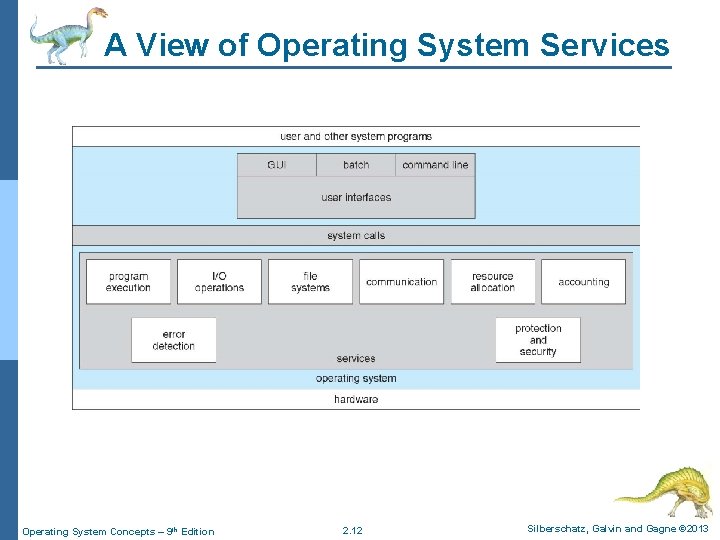
A View of Operating System Services Operating System Concepts – 9 th Edition 2. 12 Silberschatz, Galvin and Gagne © 2013
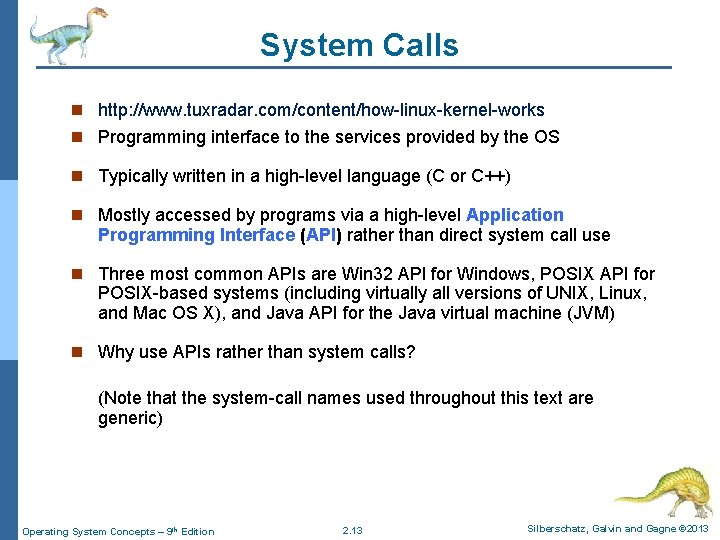
System Calls n http: //www. tuxradar. com/content/how-linux-kernel-works n Programming interface to the services provided by the OS n Typically written in a high-level language (C or C++) n Mostly accessed by programs via a high-level Application Programming Interface (API) rather than direct system call use n Three most common APIs are Win 32 API for Windows, POSIX API for POSIX-based systems (including virtually all versions of UNIX, Linux, and Mac OS X), and Java API for the Java virtual machine (JVM) n Why use APIs rather than system calls? (Note that the system-call names used throughout this text are generic) Operating System Concepts – 9 th Edition 2. 13 Silberschatz, Galvin and Gagne © 2013
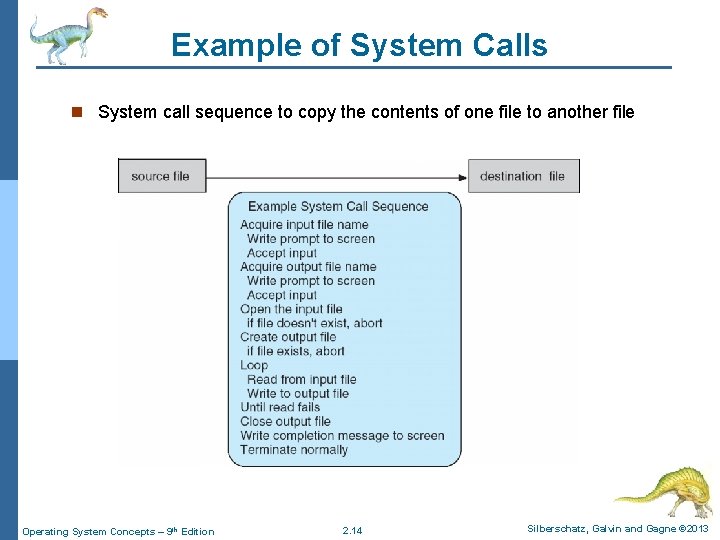
Example of System Calls n System call sequence to copy the contents of one file to another file Operating System Concepts – 9 th Edition 2. 14 Silberschatz, Galvin and Gagne © 2013
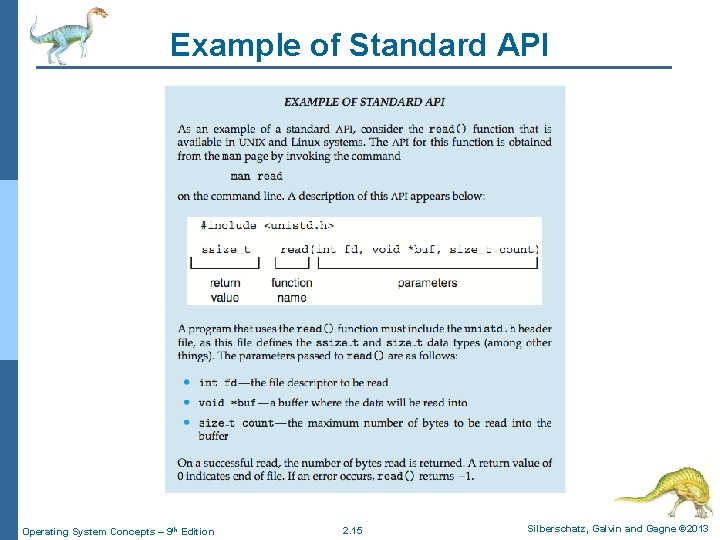
Example of Standard API Operating System Concepts – 9 th Edition 2. 15 Silberschatz, Galvin and Gagne © 2013
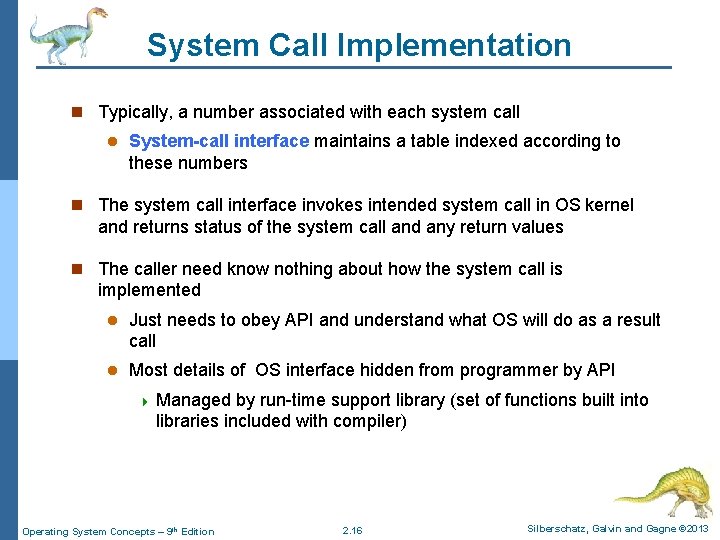
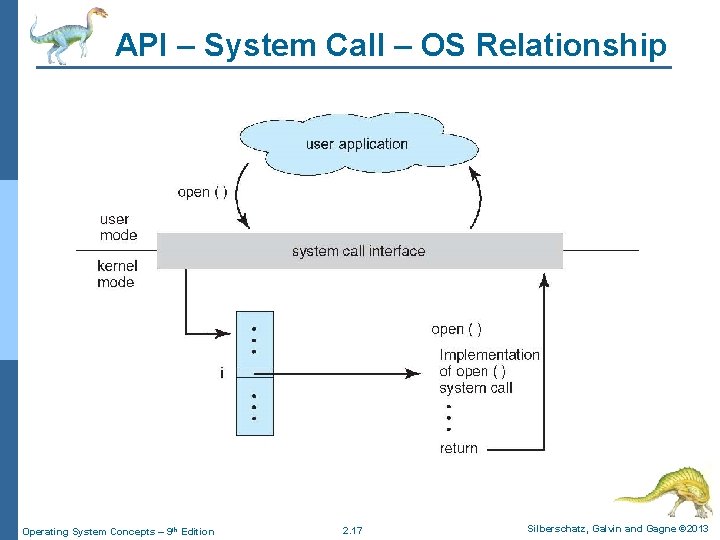
System Call Implementation n Typically, a number associated with each system call l System-call interface maintains a table indexed according to these numbers n The system call interface invokes intended system call in OS kernel and returns status of the system call and any return values n The caller need know nothing about how the system call is implemented l Just needs to obey API and understand what OS will do as a result call l Most details of OS interface hidden from programmer by API 4 Managed by run-time support library (set of functions built into libraries included with compiler) Operating System Concepts – 9 th Edition 2. 16 Silberschatz, Galvin and Gagne © 2013
API – System Call – OS Relationship Operating System Concepts – 9 th Edition 2. 17 Silberschatz, Galvin and Gagne © 2013
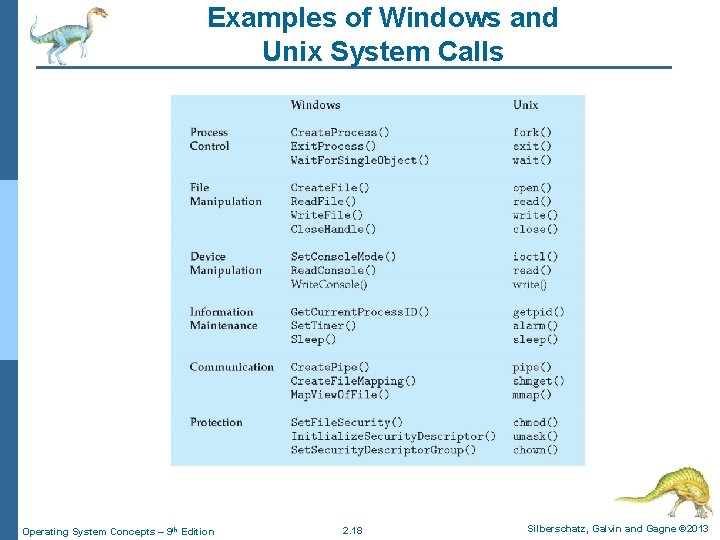
Examples of Windows and Unix System Calls Operating System Concepts – 9 th Edition 2. 18 Silberschatz, Galvin and Gagne © 2013
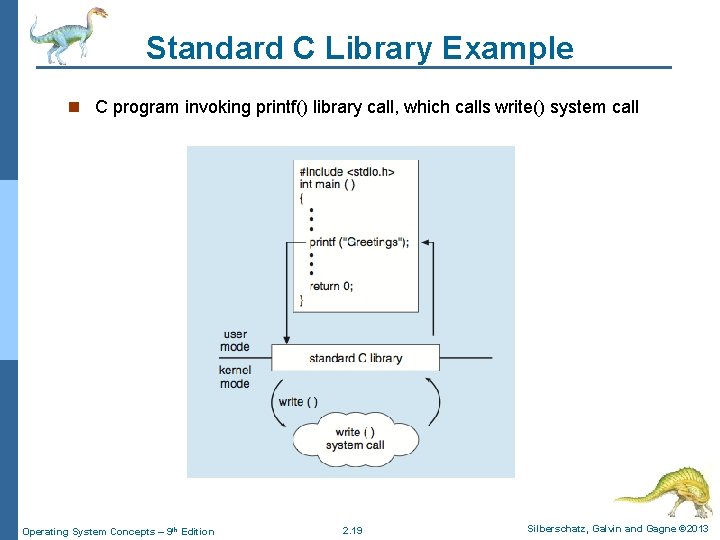
Standard C Library Example n C program invoking printf() library call, which calls write() system call Operating System Concepts – 9 th Edition 2. 19 Silberschatz, Galvin and Gagne © 2013
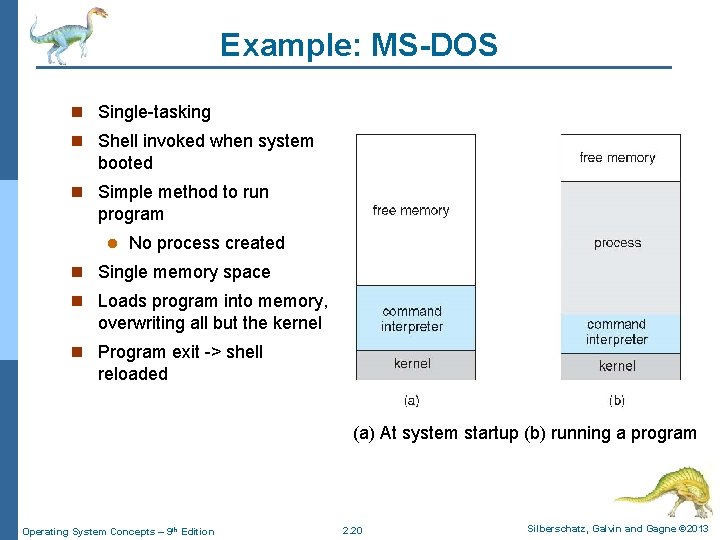
Example: MS-DOS n Single-tasking n Shell invoked when system booted n Simple method to run program l No process created n Single memory space n Loads program into memory, overwriting all but the kernel n Program exit -> shell reloaded (a) At system startup (b) running a program Operating System Concepts – 9 th Edition 2. 20 Silberschatz, Galvin and Gagne © 2013
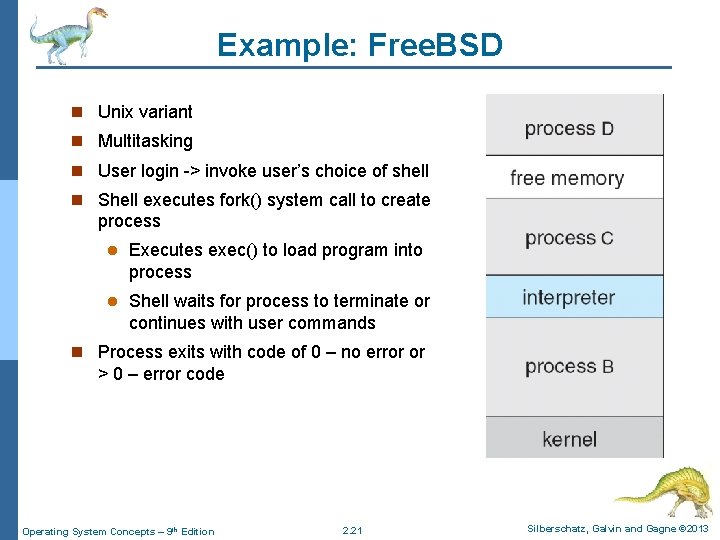
Example: Free. BSD n Unix variant n Multitasking n User login -> invoke user’s choice of shell n Shell executes fork() system call to create process l Executes exec() to load program into process l Shell waits for process to terminate or continues with user commands n Process exits with code of 0 – no error or > 0 – error code Operating System Concepts – 9 th Edition 2. 21 Silberschatz, Galvin and Gagne © 2013
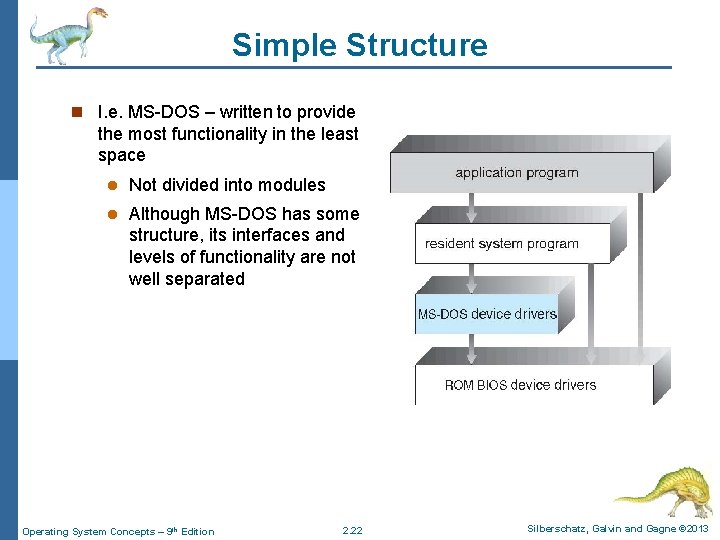
Simple Structure n I. e. MS-DOS – written to provide the most functionality in the least space l Not divided into modules l Although MS-DOS has some structure, its interfaces and levels of functionality are not well separated Operating System Concepts – 9 th Edition 2. 22 Silberschatz, Galvin and Gagne © 2013
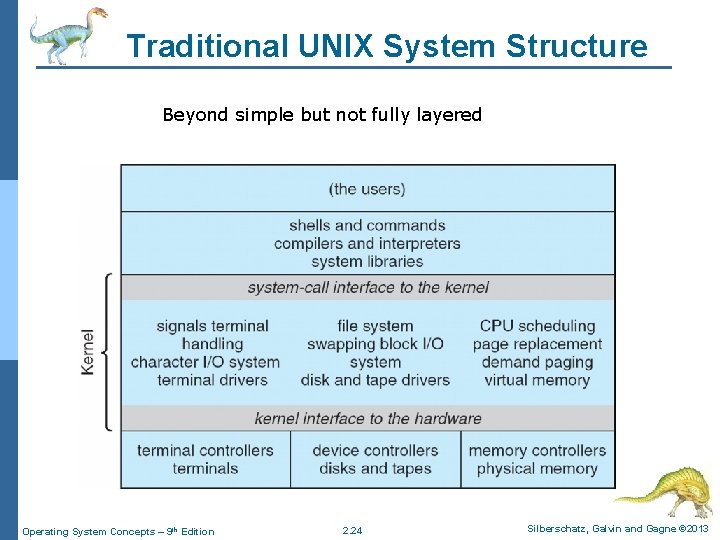
UNIX n UNIX – limited by hardware functionality, the original UNIX operating system had limited structuring. The UNIX OS consists of two separable parts l Systems programs l The kernel 4 Consists of everything below the system-call interface and above the physical hardware 4 Provides the file system, CPU scheduling, memory management, and other operating-system functions; a large number of functions for one level Operating System Concepts – 9 th Edition 2. 23 Silberschatz, Galvin and Gagne © 2013
Traditional UNIX System Structure Beyond simple but not fully layered Operating System Concepts – 9 th Edition 2. 24 Silberschatz, Galvin and Gagne © 2013
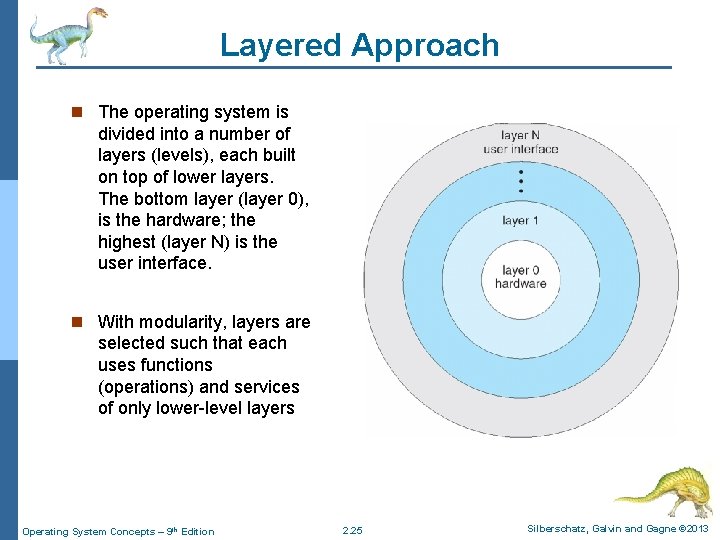
Layered Approach n The operating system is divided into a number of layers (levels), each built on top of lower layers. The bottom layer (layer 0), is the hardware; the highest (layer N) is the user interface. n With modularity, layers are selected such that each uses functions (operations) and services of only lower-level layers Operating System Concepts – 9 th Edition 2. 25 Silberschatz, Galvin and Gagne © 2013
Microkernel System Structure n Moves as much from the kernel into user space n Mach example of microkernel l Mac OS X kernel (Darwin) partly based on Mach n Communication takes place between user modules using message passing n Benefits: l Easier to extend a microkernel l Easier to port the operating system to new architectures l More reliable (less code is running in kernel mode) l More secure n Detriments: l Performance overhead of user space to kernel space communication Operating System Concepts – 9 th Edition 2. 26 Silberschatz, Galvin and Gagne © 2013
Microkernel System Structure Operating System Concepts – 9 th Edition 2. 27 Silberschatz, Galvin and Gagne © 2013
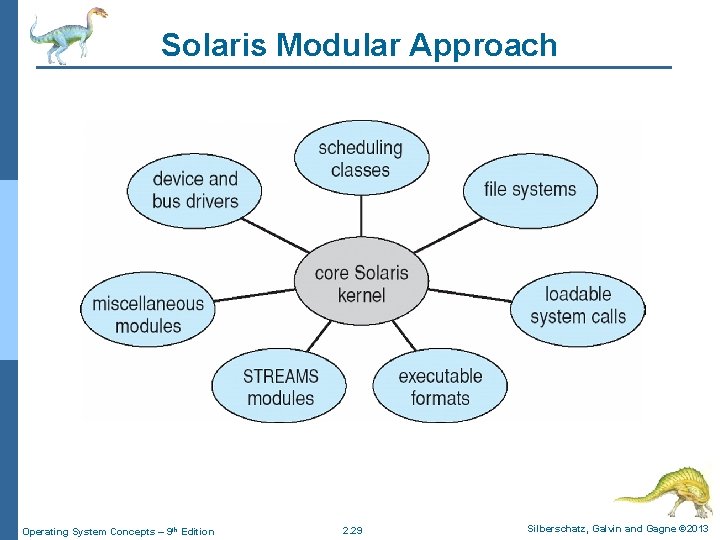
Modules n Most modern operating systems implement loadable kernel modules l Uses object-oriented approach l Each core component is separate l Each talks to the others over known interfaces l Each is loadable as needed within the kernel n Overall, similar to layers but with more flexible l Linux, Solaris, etc Operating System Concepts – 9 th Edition 2. 28 Silberschatz, Galvin and Gagne © 2013
Solaris Modular Approach Operating System Concepts – 9 th Edition 2. 29 Silberschatz, Galvin and Gagne © 2013
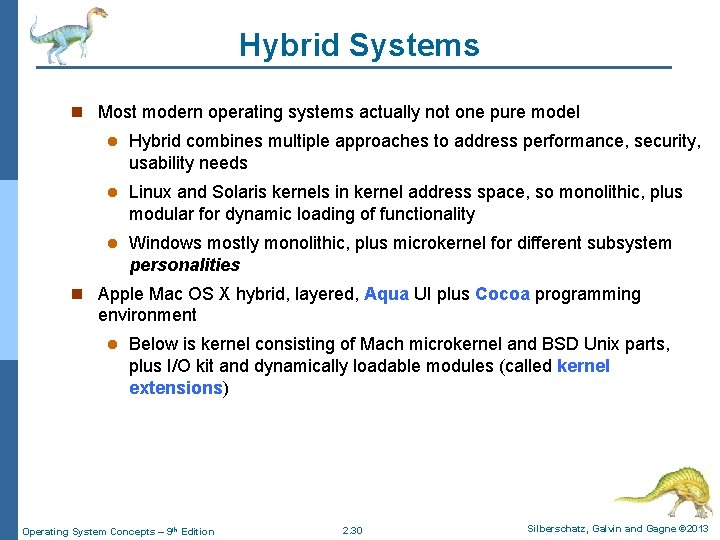
Hybrid Systems n Most modern operating systems actually not one pure model l Hybrid combines multiple approaches to address performance, security, usability needs l Linux and Solaris kernels in kernel address space, so monolithic, plus modular for dynamic loading of functionality l Windows mostly monolithic, plus microkernel for different subsystem personalities n Apple Mac OS X hybrid, layered, Aqua UI plus Cocoa programming environment l Below is kernel consisting of Mach microkernel and BSD Unix parts, plus I/O kit and dynamically loadable modules (called kernel extensions) Operating System Concepts – 9 th Edition 2. 30 Silberschatz, Galvin and Gagne © 2013
Mac OS X Structure Operating System Concepts – 9 th Edition 2. 31 Silberschatz, Galvin and Gagne © 2013
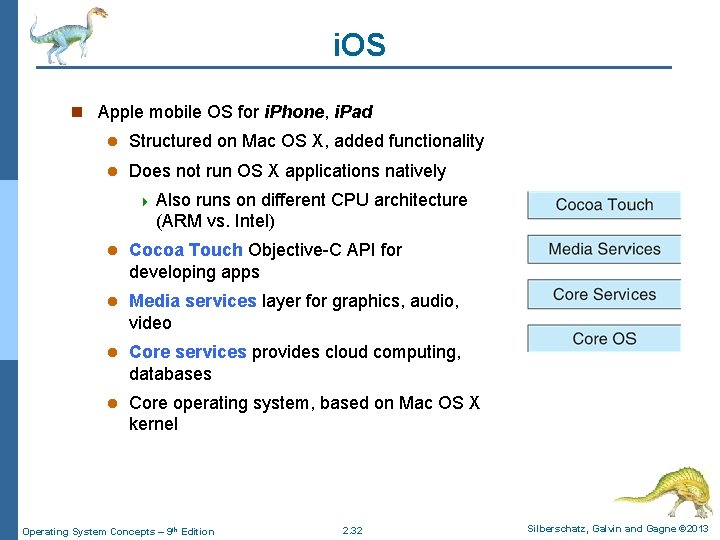
i. OS n Apple mobile OS for i. Phone, i. Pad l Structured on Mac OS X, added functionality l Does not run OS X applications natively 4 Also runs on different CPU architecture (ARM vs. Intel) l Cocoa Touch Objective-C API for developing apps l Media services layer for graphics, audio, video l Core services provides cloud computing, databases l Core operating system, based on Mac OS X kernel Operating System Concepts – 9 th Edition 2. 32 Silberschatz, Galvin and Gagne © 2013
Android n Developed by Open Handset Alliance (mostly Google) l Open Source n Similar stack to IOS n Based on Linux kernel but modified l Provides process, memory, device-driver management l Adds power management n Runtime environment includes core set of libraries and Dalvik virtual machine l Apps developed in Java plus Android API 4 Java class files compiled to Java bytecode then translated to executable than runs in Dalvik VM n Libraries include frameworks for web browser (webkit), database (SQLite), multimedia, smaller libc Operating System Concepts – 9 th Edition 2. 33 Silberschatz, Galvin and Gagne © 2013
Android Architecture Operating System Concepts – 9 th Edition 2. 34 Silberschatz, Galvin and Gagne © 2013
End of Chapter 2 Operating System Concepts – 9 th Edition Silberschatz, Galvin and Gagne © 2013