
CHAPTER 2 Motherboard MOBO PCM Chapter 3 MOBO
CHAPTER 2 Motherboard (MOBO) PCM Chapter 3: MOBO 1
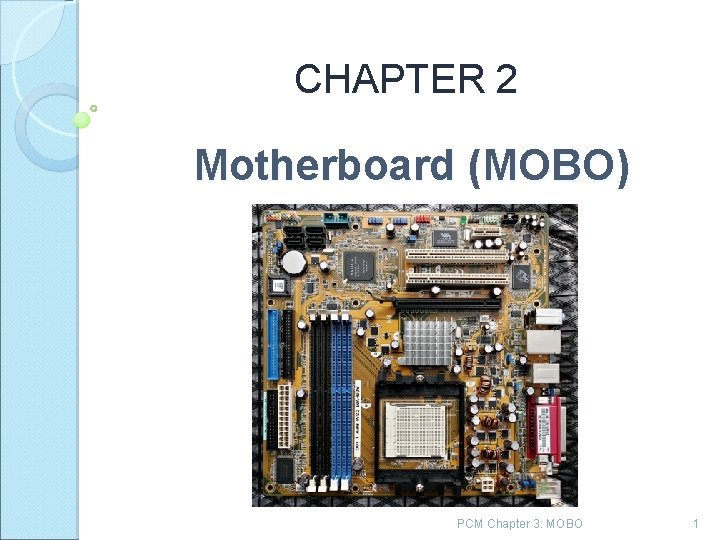
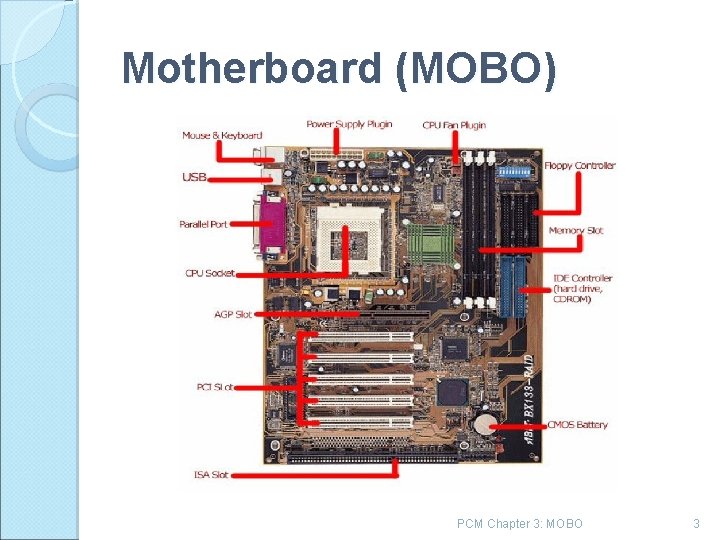
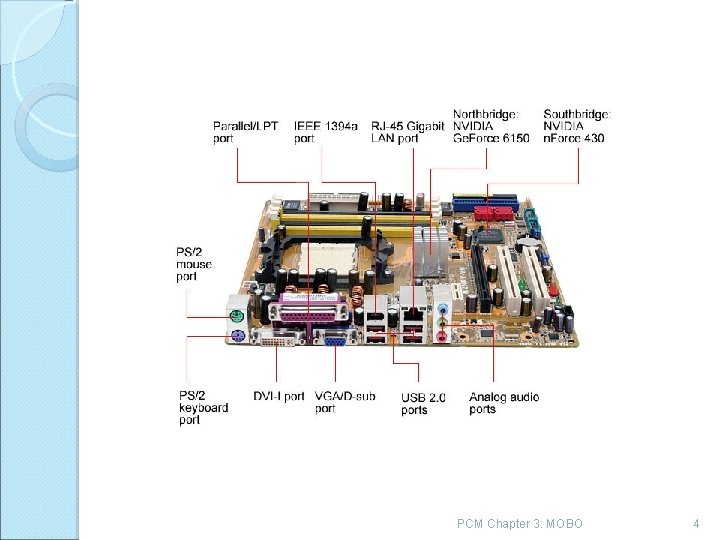
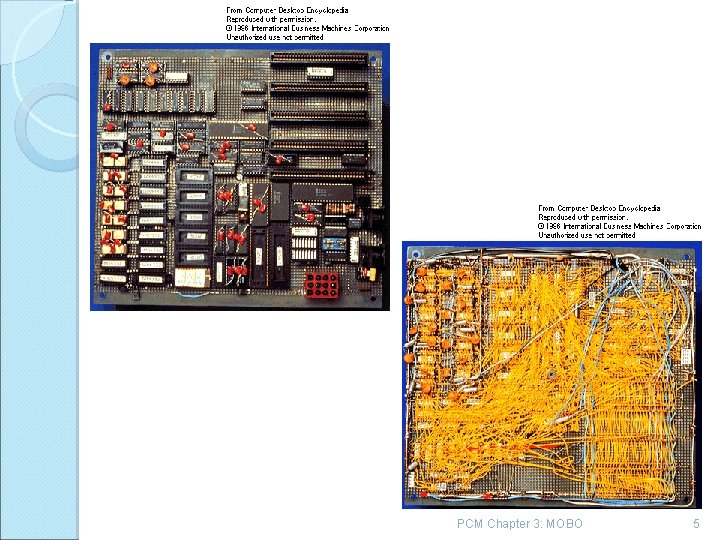
Motherboard (MOBO) A modern motherboard has several components built into it. Most modern motherboards have at least the following major components. : ◦ ◦ ◦ ◦ Processor socket/slot Chipset ROM BIOS Memory sockets/slots ISA, PCI/AGP slots CPU voltage regulator Battery Some motherborards also include integrated video, audio, networking, SCSI Audio Modem Riser (AMR) and etc. PCM Chapter 3: MOBO 2
Motherboard (MOBO) PCM Chapter 3: MOBO 3
PCM Chapter 3: MOBO 4
PCM Chapter 3: MOBO 5
MOBO: Structure and purpose The motherboard, more or less, is your computer. It defines your computer type, upgradeability, and expansion capability 2 types of MOBO: Non-Integrated Motherboards /Embedded Motherboards PCM Chapter 3: MOBO 6
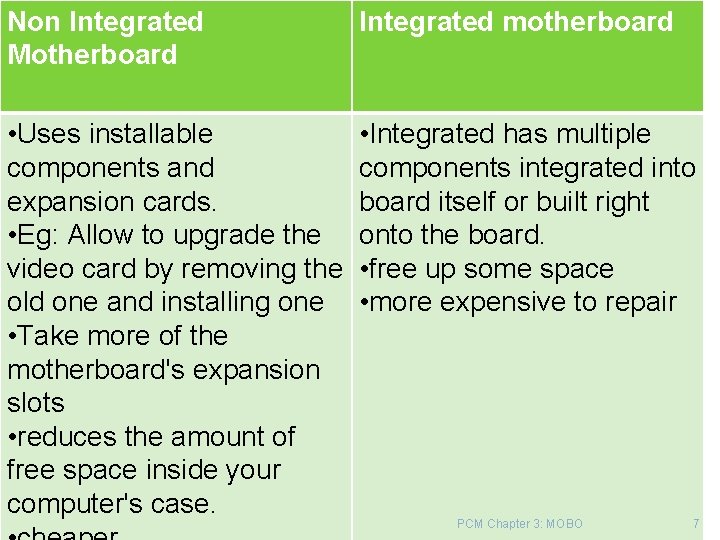
Non Integrated Motherboard Integrated motherboard • Uses installable components and expansion cards. • Eg: Allow to upgrade the video card by removing the old one and installing one • Take more of the motherboard's expansion slots • reduces the amount of free space inside your computer's case. • Integrated has multiple components integrated into board itself or built right onto the board. • free up some space • more expensive to repair PCM Chapter 3: MOBO 7
MOBO characterized The chipset The type and form factor The type of processor socket used The input output connectors PCM Chapter 3: MOBO 8
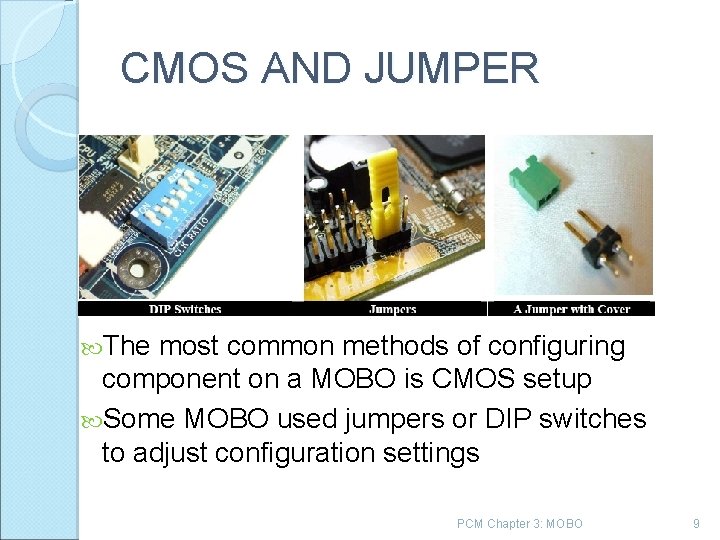
CMOS AND JUMPER The most common methods of configuring component on a MOBO is CMOS setup Some MOBO used jumpers or DIP switches to adjust configuration settings PCM Chapter 3: MOBO 9
Chipset is a CPU support chips Determines motherboard main characteristics what processors its supports what RAM types what bus types Bus speeds its supports whether it supports standards such as AGP, PCI Express or USB 2. 0 PCM Chapter 3: MOBO 10
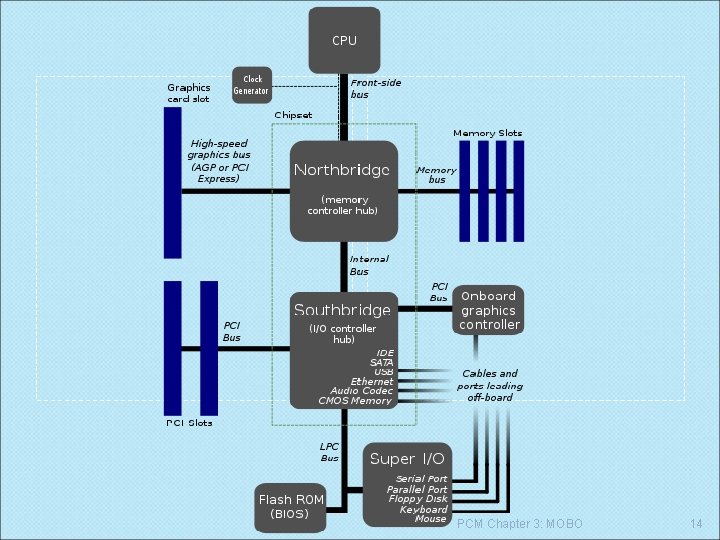
Common PC Chipset The Northbridge chip links the CPU to very high speed buses, especially the device such as main memory and graphics controllers. The Southbridge chip manages lower speed buses, such as PCI or ISA slots. In many modern chipsets, the southbridge actually contains some on chip integrated peripherals, such as Ethernet, USB, and audio devices PCM Chapter 3: MOBO 11
Chipsets The chipset contains the processor bus interface (called front side bus, or FSB), memory controllers, bus con trollers, I/O controllers, and more. In the PC, the chipset represents the connection between the processor and everything else. processor cannot talk to the memory, adapter boards, devices, and so on without going through the chipset. The chipset is the main hub and central nervous system of the PC. If you think of the processors as the brain, the chipset is the spine and central nervous system. PCM Chapter 3: MOBO 12
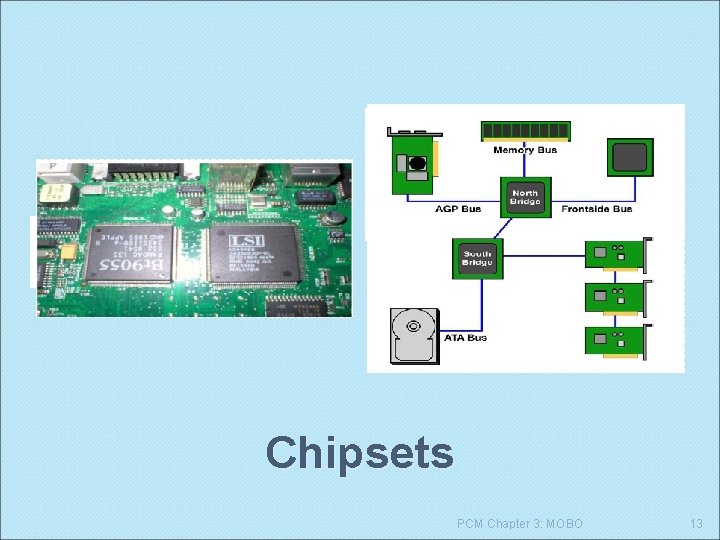
North bridge (memory controller) and south bridge (I/O controller) connecting different component together Chipsets PCM Chapter 3: MOBO 13
PCM Chapter 3: MOBO 14
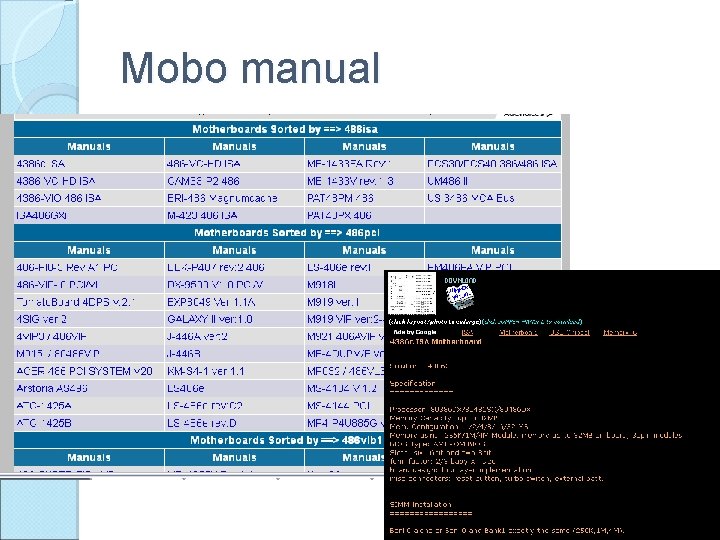
Identifying chipset Why? To make upgrade decisions based on chipset, or troubleshooting PC fault, How? Motherboard Manual Windows Identification – System Device Category in Device Manager Only if chipset driver installed properly 3 rd party software – Smith Micro Check. It, Linux Live. CD – Knoppix, Si. Soft Sandra Motherboard Type – usually branded motherboard PCM Chapter 3: MOBO 15
Mobo manual PCM Chapter 3: MOBO 16
BUS Definition: BUS a set of electronic signal pathways that allows information and signals to travel between components inside or outside of a computer. A computer's bus can be divided into two different types, Internal and External ◦ The Internal Bus connects the different components inside the case: The CPU, system memory, and all other components on the motherboard. It's also referred to as the System Bus. ◦ The External Bus connects the different external devices, peripherals, expansion slots, I/O ports and drive connections to the rest of the computer. In other words, the External Bus allows various devices to be added to the computer. It allows for the expansion of the computer's capabilities. It is generally slower than PCM Chapter 3: MOBO the system bus. Another name for the External Bus, is 17
BUS There are dedicated pathways for system bus which are as folows: Data bus Address bus/Memory bus Control bus Topic on System Bus, we will discuss further in chapter 5. There also other Bus architectures developed overtime which we will discuss on the next slide. PCM Chapter 3: MOBO 18
Early bus architecture : ISA Industry Standard Architecture (ISA) was the original PC bus There are several attempts to improve or replace ISA which is as follows: ◦ Micro. Channel Architecture (MCA) bus incompatible with ISA and failed to catch on ◦ Extended ISA (EISA) not widely supported ◦ Video Electronics Standards Association (VESA) local bus extension extended the PCM Chapter 3: MOBO ISA slot to create a 32 -bit, higher-speed bus 19
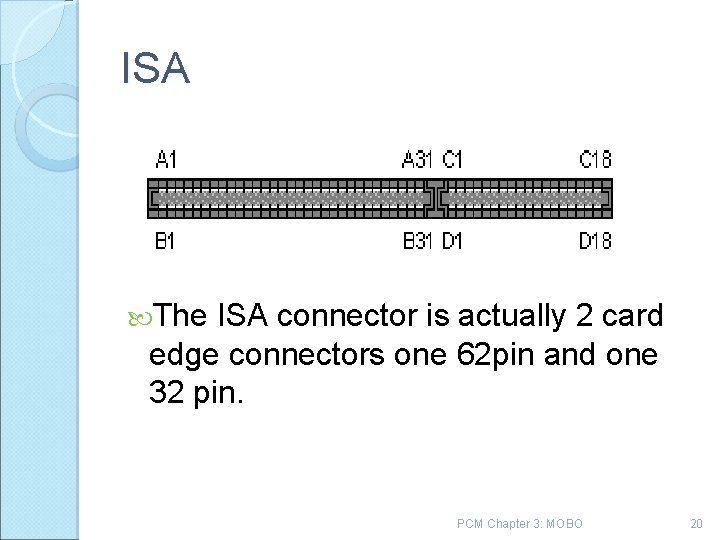
ISA The ISA connector is actually 2 card edge connectors one 62 pin and one 32 pin. PCM Chapter 3: MOBO 20
PCI bus : How it operates? The Peripheral Component Interconnect (PCI) local bus design creates a main data highway between the processor and other devices. PCI expansion cards are configured by the motherboard's Pn. P (plug 'n' play) system, allocating resources (IRQ, I/O address) automatically. PCM Chapter 3: MOBO 21
PCM Chapter 3: MOBO 22
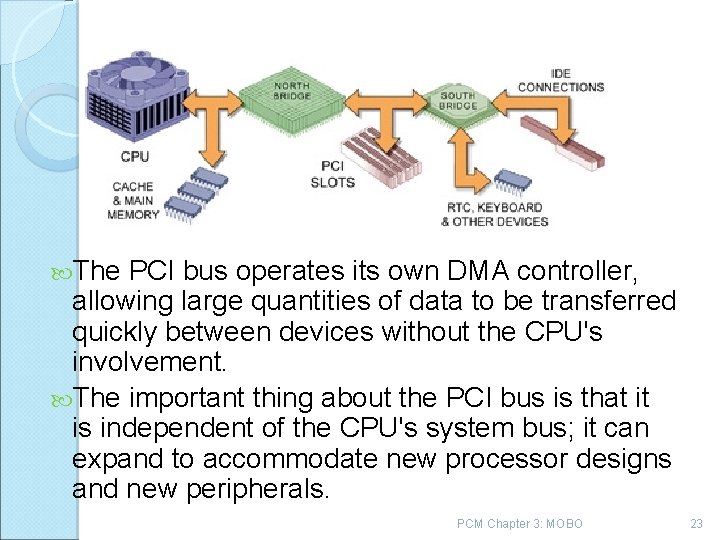
The PCI bus operates its own DMA controller, allowing large quantities of data to be transferred quickly between devices without the CPU's involvement. The important thing about the PCI bus is that it is independent of the CPU's system bus; it can expand to accommodate new processor designs and new peripherals. PCM Chapter 3: MOBO 23
AGP Accelerated Graphics Port (AGP) modified the PCI bus design to handle the high data traffic associated with three dimensional graphics. ◦ provides a 32 bit video channel that runs at 66 MHz in basic 1 X video mode. ◦ supports three high speed modes that include 2 X (5. 33 MBps), 4 X (1. 07 GBps), and 8 X (2. 1 GBps). AGP provides a direct channel between the AGP graphic controller and the system's main memory, instead of using the expansion buses for video data. This removes the video data traffic from the PCI buses. The speed provided by this direct link permits video data to be stored in system RAM PCM Chapter 3: MOBO 24
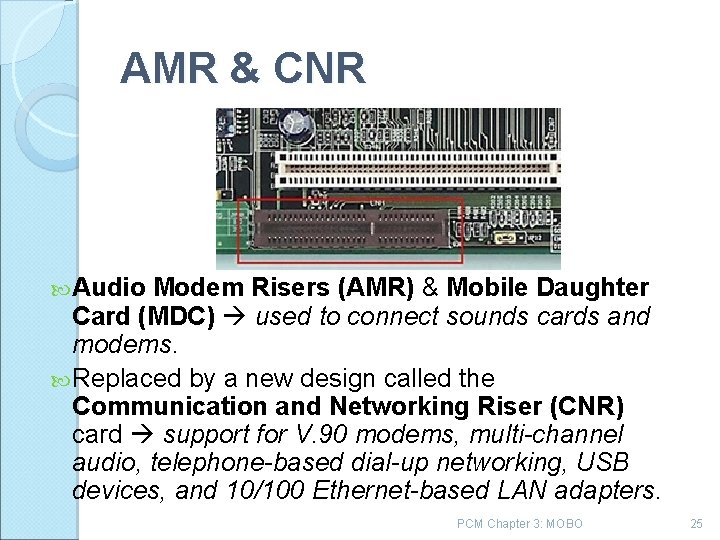
AMR & CNR Audio Modem Risers (AMR) & Mobile Daughter Card (MDC) used to connect sounds cards and modems. Replaced by a new design called the Communication and Networking Riser (CNR) card support for V. 90 modems, multi-channel audio, telephone-based dial-up networking, USB devices, and 10/100 Ethernet-based LAN adapters. PCM Chapter 3: MOBO 25
Drawback AMR Eliminates one PCI slot. Not plug play Not allow for hardware accelerated card. Expansion slot found on mobo of some pentium III and 4 and Athlon PC. 46 pin PCM Chapter 3: MOBO 26
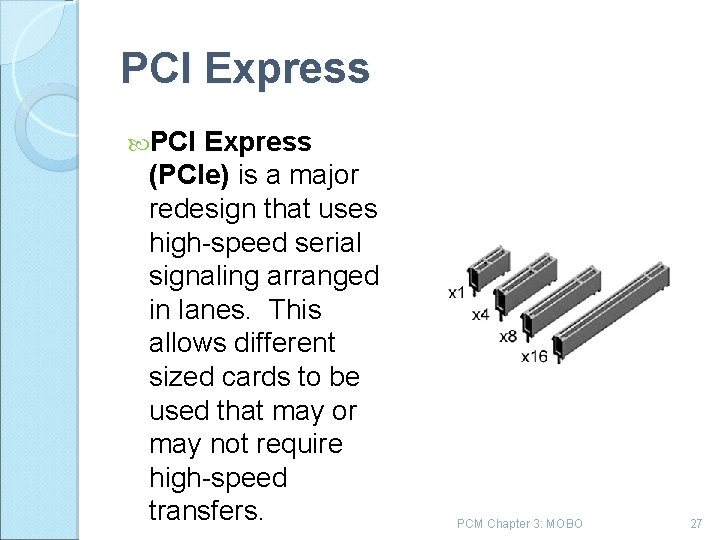
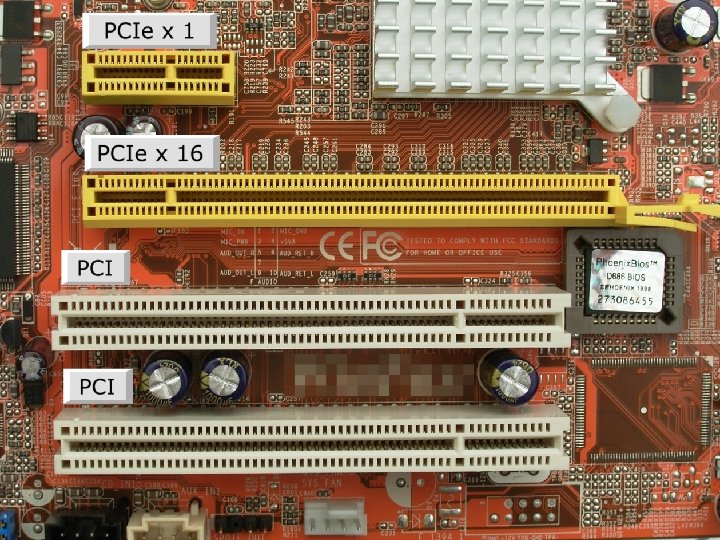
PCI Express (PCIe) is a major redesign that uses high speed serial signaling arranged in lanes. This allows different sized cards to be used that may or may not require high speed transfers. PCM Chapter 3: MOBO 27
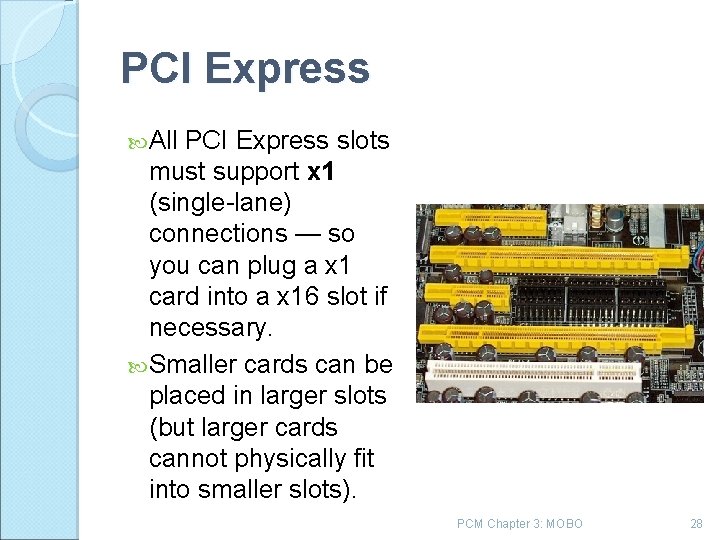
PCI Express All PCI Express slots must support x 1 (single lane) connections — so you can plug a x 1 card into a x 16 slot if necessary. Smaller cards can be placed in larger slots (but larger cards cannot physically fit into smaller slots). PCM Chapter 3: MOBO 28
PCI E Provide more bandwidth Compatible with existing Operating System Uses different architecture , slot sizes and incompatible with PCI and PCI x. PCM Chapter 3: MOBO 29
FORM FACTOR / EVOLUTION Form factors refers to the physical dimensions and size of the boards and dictates what type of the case the board will fit into. Its define the size, shape, and screw placement on a motherboard. PCM Chapter 3: MOBO 30
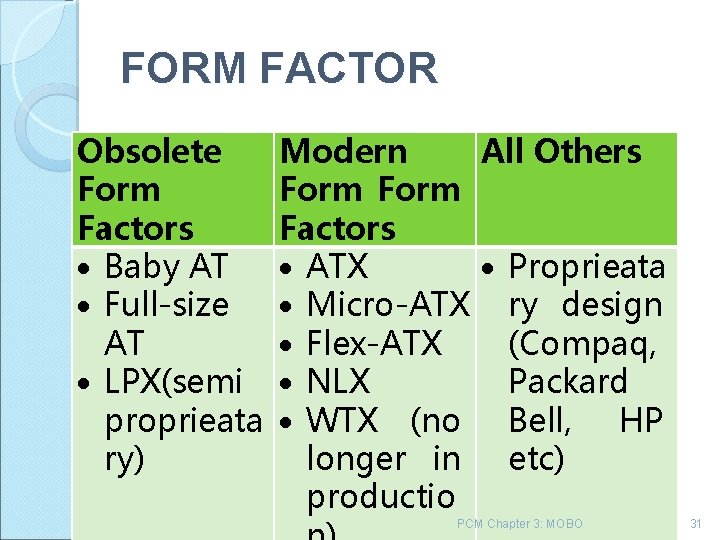
FORM FACTOR Obsolete Form Factors Baby AT Full-size AT LPX(semi proprieata ry) Modern All Others Form Factors ATX Proprieata Micro-ATX ry design Flex-ATX (Compaq, NLX Packard WTX (no Bell, HP longer in etc) productio PCM Chapter 3: MOBO 31
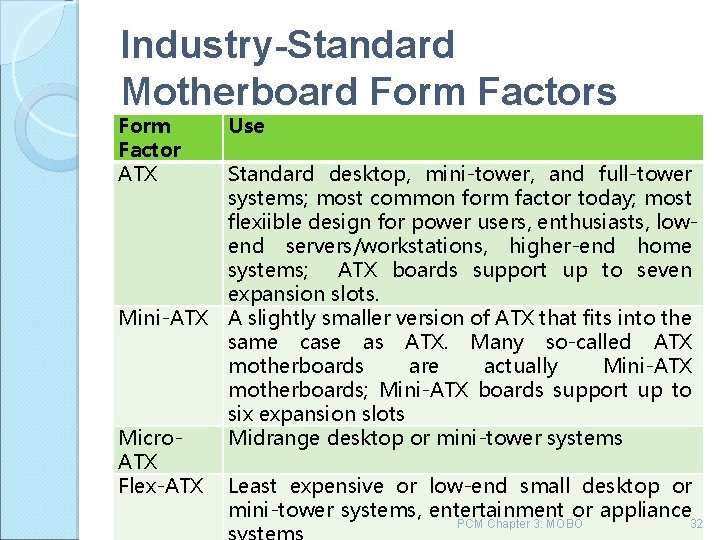
Industry-Standard Motherboard Form Factors Form Factor ATX Mini-ATX Micro. ATX Flex-ATX Use Standard desktop, mini-tower, and full-tower systems; most common form factor today; most flexiible design for power users, enthusiasts, lowend servers/workstations, higher-end home systems; ATX boards support up to seven expansion slots. A slightly smaller version of ATX that fits into the same case as ATX. Many so-called ATX motherboards are actually Mini-ATX motherboards; Mini-ATX boards support up to six expansion slots Midrange desktop or mini-tower systems Least expensive or low-end small desktop or mini-tower systems, entertainment or appliance PCM Chapter 3: MOBO 32
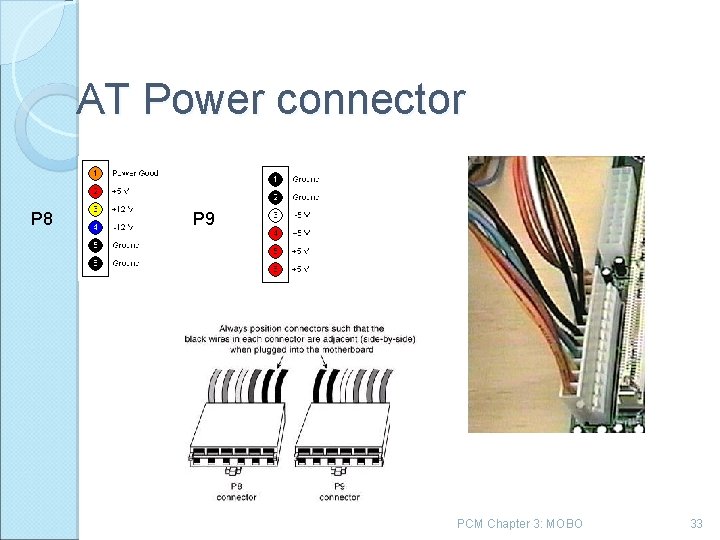
AT Power connector P 8 P 9 PCM Chapter 3: MOBO 33
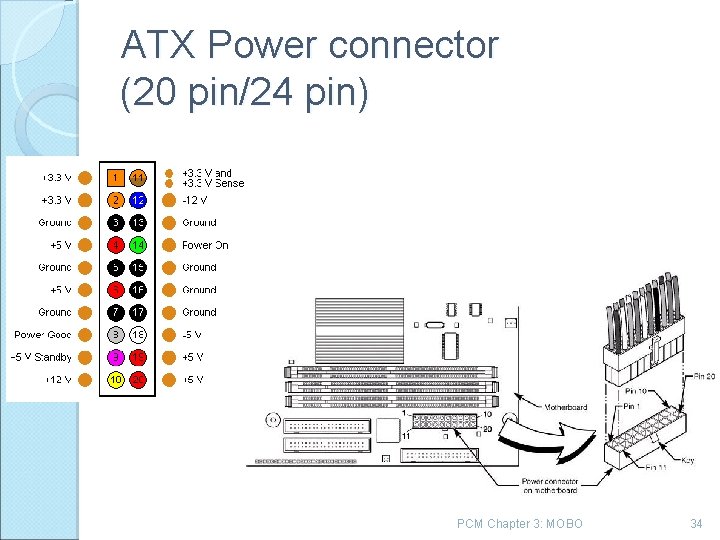
ATX Power connector (20 pin/24 pin) PCM Chapter 3: MOBO 34
Connector Mini connector connect to a floppy drive. Molex Connector can connect to all forms CD/DVD devices, internal hard drive , tape drive, fan, video adapters and internal SCSI devices PCM Chapter 3: MOBO 35
Note: Newer motherboard those who have PCI Express slot would have 24 pin ATX power connector. DO NOT connects 20 -pin ATX Power Supply Unit (PSU) to the motherboard, which have a 24 -pin ATX power connector since the PSU would not be able to supply enough power to the motherboard. However 24 -pin ATX PSU can be installed on a motherboard that has 20 -pin ATX PCM Chapter 3: MOBO 36
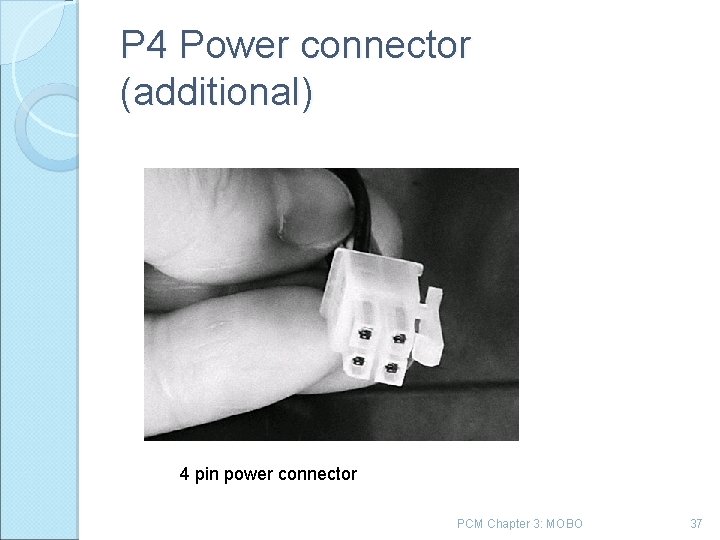
P 4 Power connector (additional) 4 pin power connector PCM Chapter 3: MOBO 37
Choosing motherboard Cost Which CPU to use Uses right chipset Mobo support processor Avoid hybrid mobo Check documentation support, updates Expansion slots Jumperless PCM Chapter 3: MOBO 38
- Slides: 38