
Chapter 2 Introduction to Transaction Processing Introduction to
- Slides: 51
Chapter 2 Introduction to Transaction Processing
Introduction to Transaction Processing Financial Transaction n An economic event that affects the assets and equities of the firm. n Three transaction cycles process most of the firm’s economic activity n n n the expenditure cycle, the conversion cycle, and the revenue cycle
Expenditure Cycle n Business activities begin with the acquisition of materials, property, and labor in exchange for cash—the expenditure cycle n Most expenditure transactions are based on a credit relationship between the trading parties n This transaction has two parts: n n physical component (acquisition of goods) financial component (cash disbursements to the supplier)
Expenditure Cycle Purchases/accounts payable system. This system recognizes the need to acquire physical inventory (such as raw materials) and places an order with the vendor. When the goods are received, the purchases system records the event by increasing inventory and establishing an account payable to be paid at a later date. Cash disbursements system. When the obligation created in the purchases system is due, the cash disbursements system authorizes the payment, disburses the funds to the vendor, and records the transaction by reducing the cash and accounts payable accounts Fixed asset system. A firm’s fixed asset system processes transactions pertaining to the acquisition, maintenance, and disposal of its fixed assets
Conversion Cycle n Conversion Cycle : This transaction has two subsystems: n n n the production system (planning, scheduling, and control of the physical product through the manufacturing process) the cost accounting system (monitors the flow of cost information related to production). This includes determining raw material requirements, authorizing the work to be performed and the release of raw materials into production, and directing the movement of the work-in-process through its various stages of manufacturing.
Revenue Cycle This transaction has two parts: n physical component (sales order processing) n financial component (cash receipts)
Revenue Cycle n Sales order processing, preparing sales orders, granting credit, shipping products (or rendering of a service) to the customer, billing customers, and recording the transaction in the accounts (accounts receivable, inventory, expenses, and sales). n Cash receipts. For credit sales, some period of time (days or weeks) passes between the point of sale and the receipt of cash. Cash receipts processing includes collecting cash, depositing cash in the bank, and recording these events in the accounts (accounts receivable and cash)
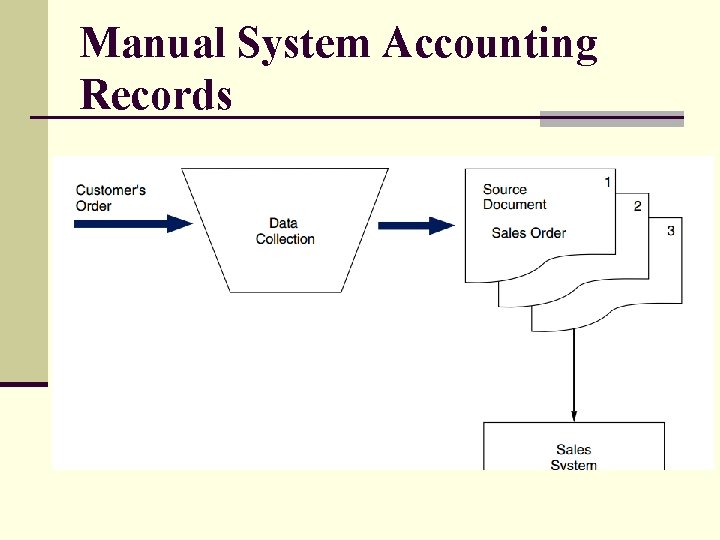
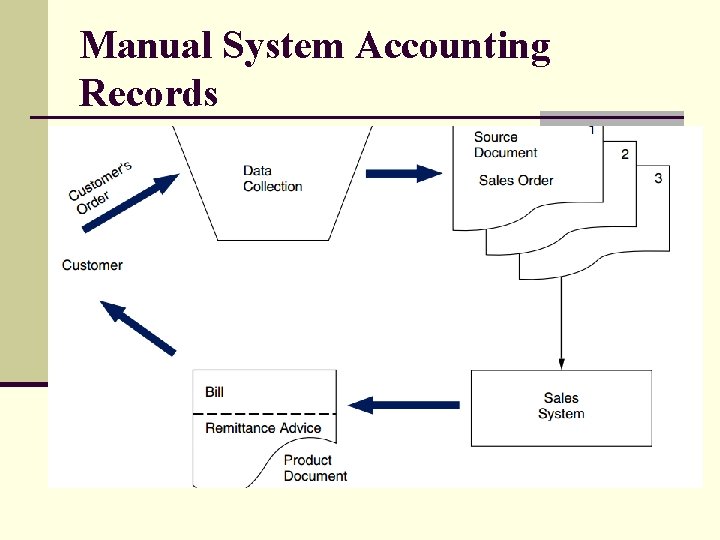
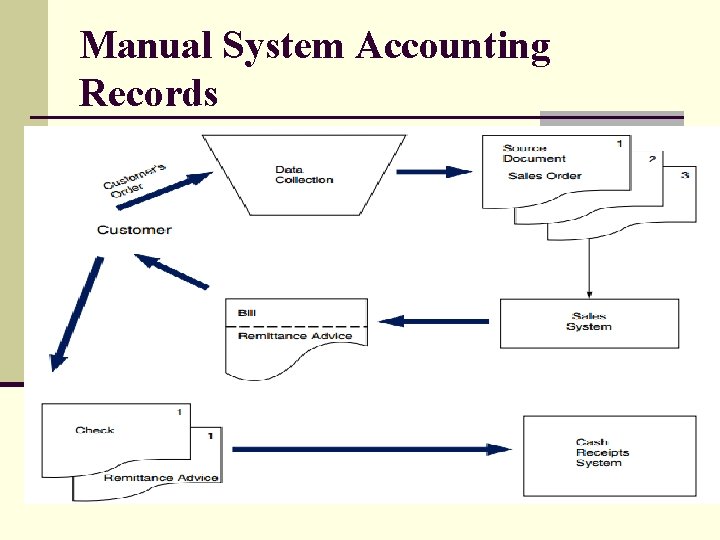
Manual System Accounting Records n A document provides evidence of an economic event and may be used to initiate transaction processing Some documents are a result of transaction processing. n Source Documents - used to capture and formalize transaction data needed for transaction processing n Product Documents - the result of transaction processing n Turnaround Documents - a product document of one system that becomes a source document for another system
Manual System Accounting Records
Manual System Accounting Records
Manual System Accounting Records
Manual System Accounting Records n Journals - a record of chronological entry n n n special journals - specific classes of transactions that occur in high frequency Such transactions can be grouped together in a special journal and processed more efficiently than a general journal permits. At the end of the processing period (month, week, or day), a clerk posts the amounts in the columns to the ledger accounts indicated general journal - nonrecurring, infrequent, and dissimilar transactions. periodic depreciation and closing entries are recorded in the general journal Journal vouchers are used to record summaries of routine transactions, non-routine transactions, adjusting entries, and closing entries
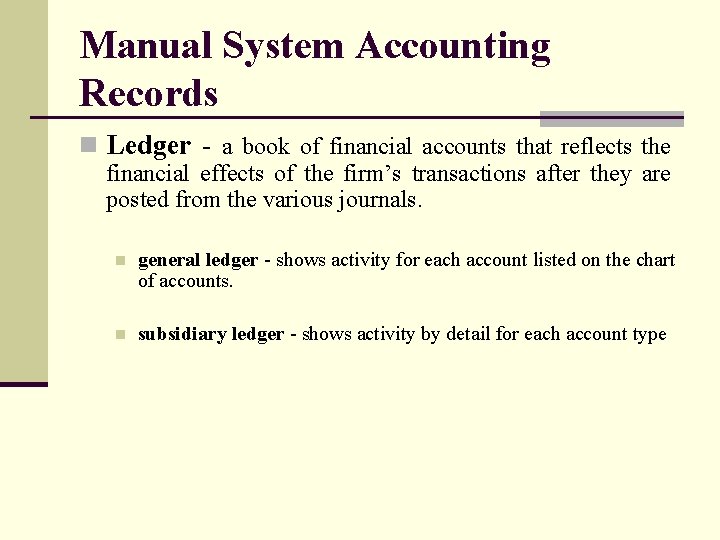
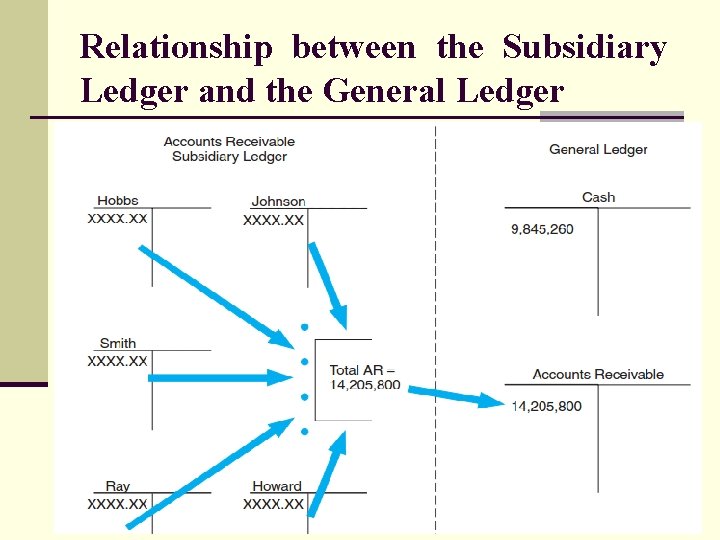
Manual System Accounting Records n Ledger - a book of financial accounts that reflects the financial effects of the firm’s transactions after they are posted from the various journals. n general ledger - shows activity for each account listed on the chart of accounts. n subsidiary ledger - shows activity by detail for each account type
Relationship between the Subsidiary Ledger and the General Ledger
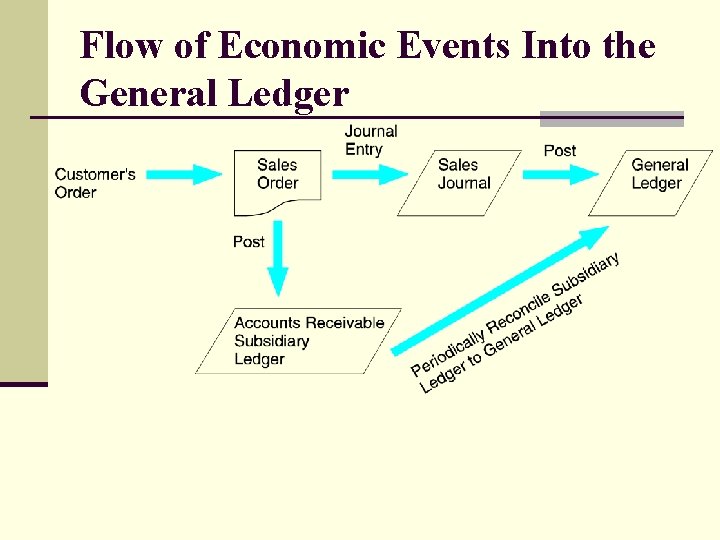
Flow of Economic Events Into the General Ledger
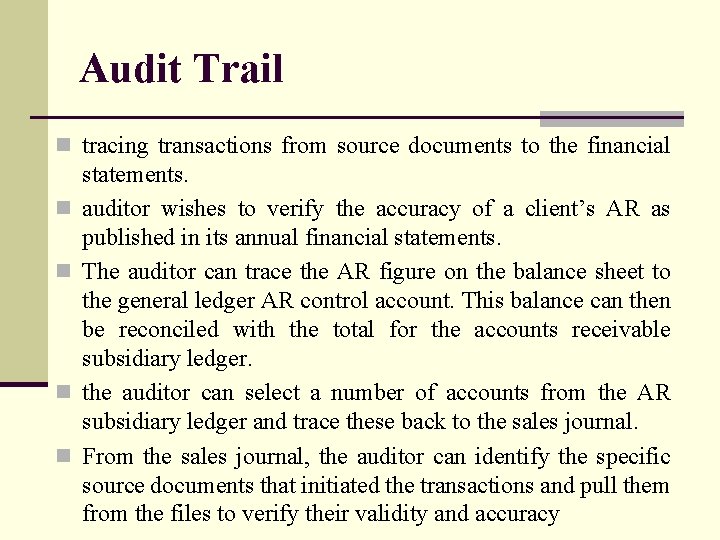
Audit Trail n tracing transactions from source documents to the financial n n statements. auditor wishes to verify the accuracy of a client’s AR as published in its annual financial statements. The auditor can trace the AR figure on the balance sheet to the general ledger AR control account. This balance can then be reconciled with the total for the accounts receivable subsidiary ledger. the auditor can select a number of accounts from the AR subsidiary ledger and trace these back to the sales journal. From the sales journal, the auditor can identify the specific source documents that initiated the transactions and pull them from the files to verify their validity and accuracy
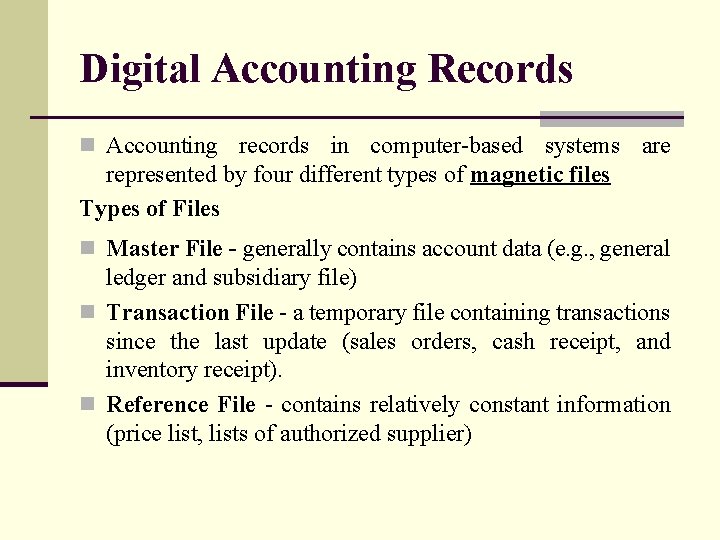
Digital Accounting Records n Accounting records in computer-based systems are represented by four different types of magnetic files Types of Files n Master File - generally contains account data (e. g. , general ledger and subsidiary file) n Transaction File - a temporary file containing transactions since the last update (sales orders, cash receipt, and inventory receipt). n Reference File - contains relatively constant information (price list, lists of authorized supplier)
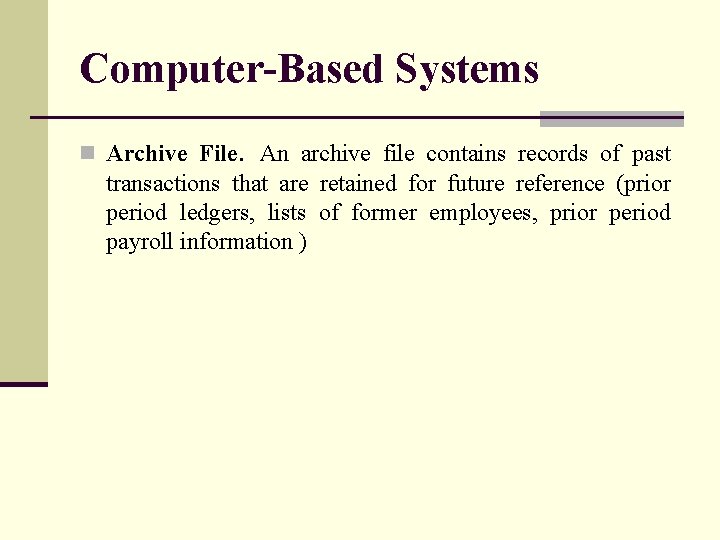
Computer-Based Systems n Archive File. An archive file contains records of past transactions that are retained for future reference (prior period ledgers, lists of former employees, prior period payroll information )
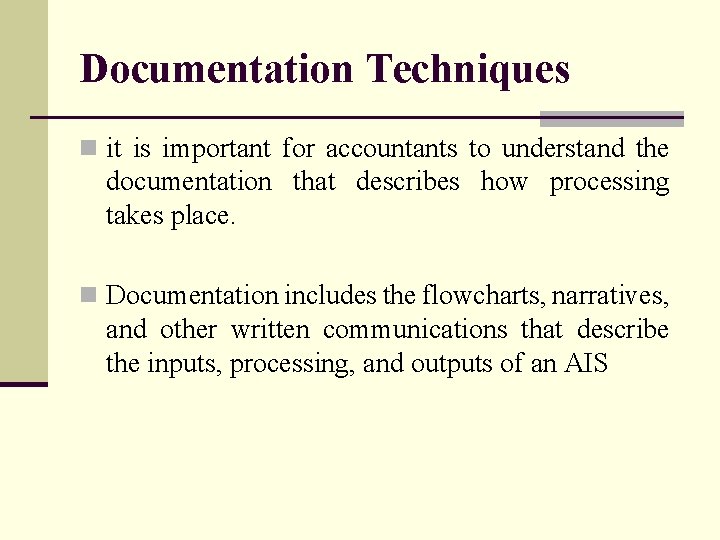
Documentation Techniques n it is important for accountants to understand the documentation that describes how processing takes place. n Documentation includes the flowcharts, narratives, and other written communications that describe the inputs, processing, and outputs of an AIS
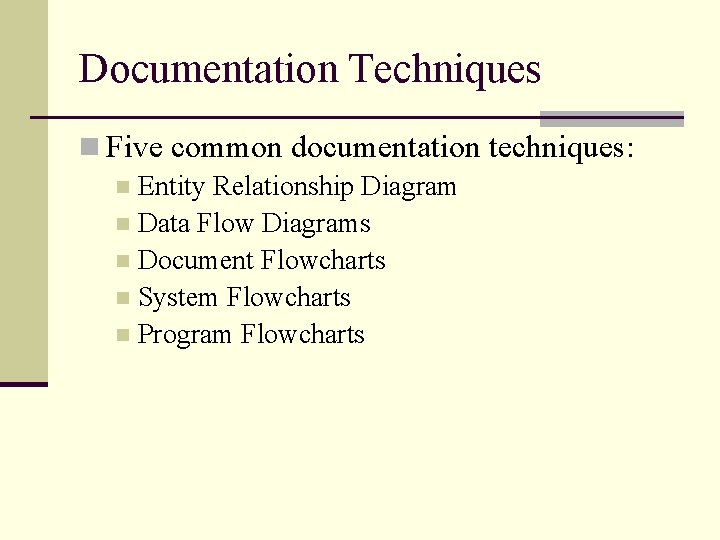
Documentation Techniques n Five common documentation techniques: n Entity Relationship Diagram n Data Flow Diagrams n Document Flowcharts n System Flowcharts n Program Flowcharts
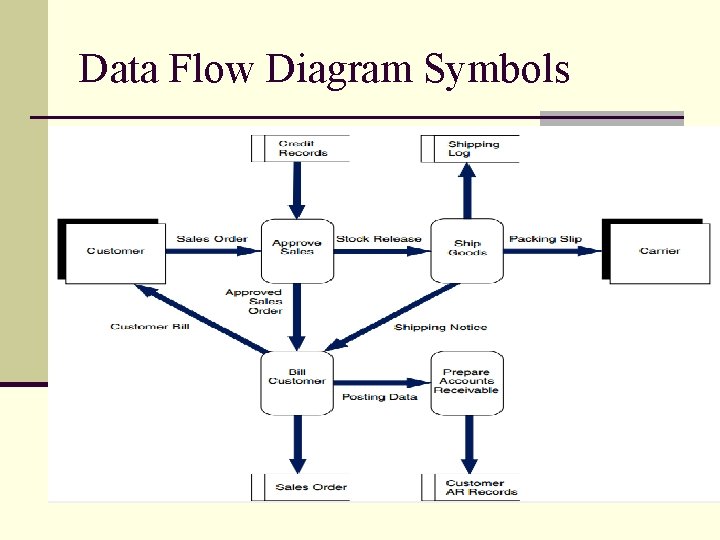
Data Flow Diagrams (DFD) n Use symbols to represent the processes, data sources, data flows, and entities in a system n Entities represent the sources of Data. n Entities may be external to the organization such as customer or supplier. n Data stores represent the accounting records used in each process, and labeled arrows represent the data flows between processes, data stores, and entities
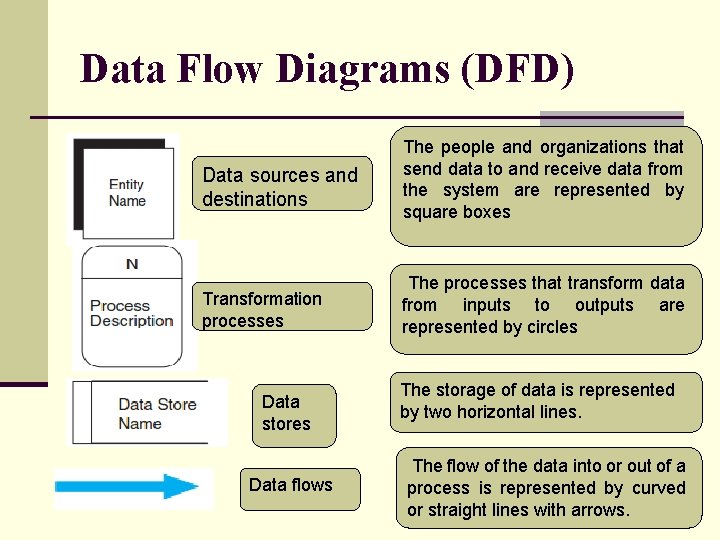
Data Flow Diagrams (DFD) Data sources and destinations The people and organizations that send data to and receive data from the system are represented by square boxes Transformation processes The processes that transform data from inputs to outputs are represented by circles Data stores Data flows The storage of data is represented by two horizontal lines. The flow of the data into or out of a process is represented by curved or straight lines with arrows.
Data Flow Diagram Symbols
System Flowcharts n A system flowchart is the graphical representation of the physical relationships among key elements of a system. n These elements may include organizational departments, manual activities, computer programs, hard-copy accounting records (documents, journals, ledgers, and files), and digital records (reference files, transaction files, archive files, and master files)
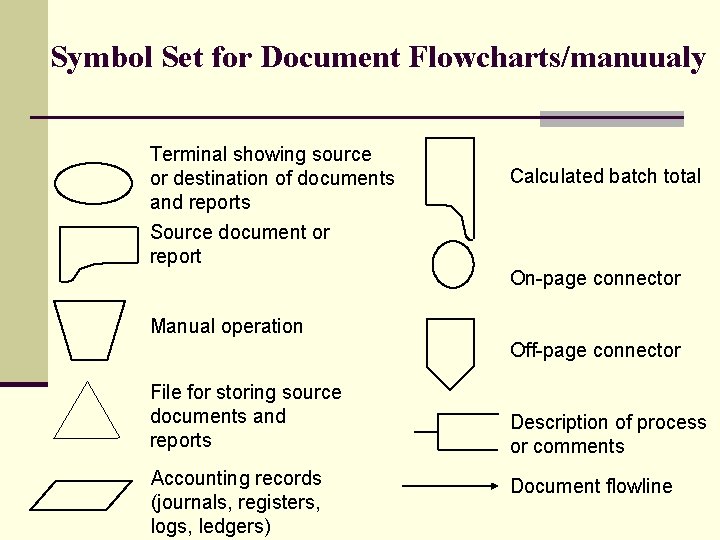
Symbol Set for Document Flowcharts/manuualy Terminal showing source or destination of documents and reports Source document or report Calculated batch total On-page connector Manual operation Off-page connector File for storing source documents and reports Accounting records (journals, registers, logs, ledgers) Description of process or comments Document flowline
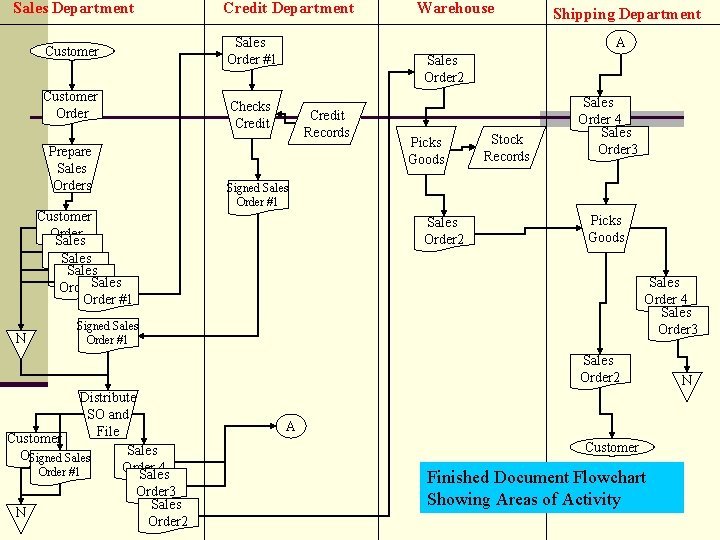
Sales Department Customer Order Prepare Sales Orders Credit Department Shipping Department A Sales Order #1 Sales Order 2 Checks Credit Records Picks Goods Stock Records Sales Order 4 Sales Order 3 Signed Sales Order #1 Customer Order Sales Order #1 Order. Sales #1 Order #1 N Warehouse Sales Order 2 Picks Goods Sales Order 4 Sales Order 3 Signed Sales Order #1 Sales Order 2 Distribute SO and File Customer Sales Order Signed Sales Order 4 Order #1 Sales Order 3 Sales N Order 2 A Customer Finished Document Flowchart Showing Areas of Activity N
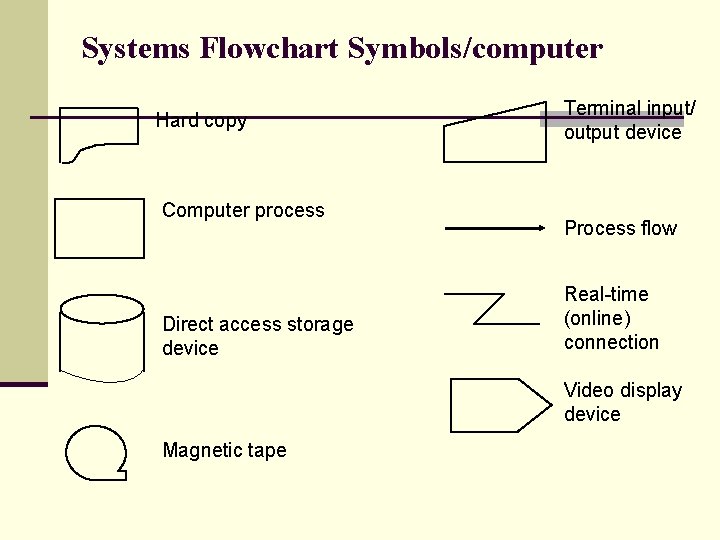
Systems Flowchart Symbols/computer Hard copy Computer process Direct access storage device Terminal input/ output device Process flow Real-time (online) connection Video display device Magnetic tape
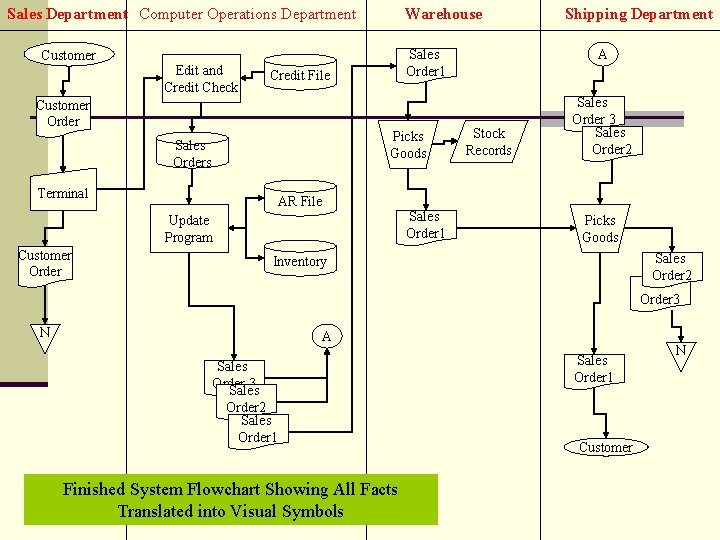
Sales Department Computer Operations Department Customer Edit and Credit Check Warehouse Customer Order Picks Goods Sales Orders Terminal AR File Update Program Customer Order A Sales Order 1 Credit File Sales Order 1 Shipping Department Stock Records Sales Order 3 Sales Order 2 Picks Goods Sales Order 2 Sales Order 3 Inventory N A Sales Order 3 Sales Order 2 Sales Order 1 Finished System Flowchart Showing All Facts Translated into Visual Symbols Sales Order 1 Customer N
Flowcharting Computer Processes 1. A clerk in the sales department receives a customer order by mail and enters the information into a computer terminal that is networked to a centralized computer program in the computer operations department. The original customer order is filed in the sales department. 2. A computer program edits the transactions, checks the customers’ credit by referencing a credit history file, and produces a transaction file of sales orders. 3. The sales order transaction file is then processed by an update program that posts the transactions to corresponding records in AR and inventory files
Flowcharting Computer Processes 4. Finally, the update program produces three hard copies of the sales order. Copy 1 is sent to the warehouse, and Copies 2 and 3 are sent to the shipping department. 5. On receipt of Copy 1, the warehouse clerk picks the products from the shelves. Using Copy 1 and the warehouse personal computer (PC), the clerk records the inventory transfer in the digital stock records that are kept on the PC. Next, the clerk sends the physical inventory and Copy 1 to the shipping department.
Flowcharting Computer Processes 6. The shipping department receives Copy 1 and the goods from the warehouse. The clerk reconciles the goods with Copies 1, 2, and 3 and attaches Copy 1 as a packing slip. Next, the clerk ships the goods (with Copy 1 attached) to the customer. Finally, the clerk records the shipment in the hardcopy shipping log and files Copies 2 and 3 in the shipping department
Computer-Based Accounting Systems n Two broad classes of systems: n batch systems: gather transactions into groups or batches and processing the entire batch as a single event. n real-time systems: process transact ions individually at the moment the event occurs.
Differences Between Batch And Real-time Systems Information Time Frame n Batch systems assemble transactions into groups for n n n processing There is always a time lag between the point at which an economic event occurs and the point at which it is reflected in the firm’s accounts. The amount of lag depends on the frequency of batch processing A time lag exists between the event and the processing Payroll processing is an example of a typical batch system. At the end of the period, the paychecks for all employees are prepared together as a batch
Differences Between Batch And Realtime Systems Information Time Frame n Real-Time Systems Process transactions individually at the moment the economic event occurs. n Have no time lag between the economic event and the processing. n An example of real-time processing is an airline reservations system, which processes requests for services from one traveler at a time while he or she waits
Differences Between Batch And Real-time Systems Resources n batch systems demand fewer organizational resources than real-time systems. For example, batch systems can use sequential files stored on magnetic tape. Real-time systems use direct access files that require more expensive storage devices, such as magnetic disks. batch systems use computer capacity only when the program is being run. When the batch job completes processing, the freed capacity can be reallocated to other applications
Differences Between Batch And Realtime Systems Resources n Real-time systems require dedicated processing capacity. n Real-time systems must deal with transactions as they occur. Some types of systems must be available 24 hours a day whether they are being used or not. n The computer capacity dedicated to such systems cannot be used for other purposes.
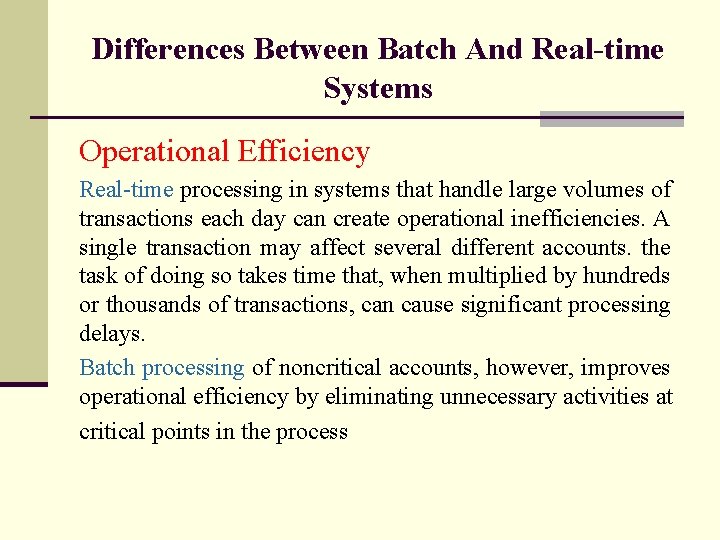
Differences Between Batch And Real-time Systems Operational Efficiency Real-time processing in systems that handle large volumes of transactions each day can create operational inefficiencies. A single transaction may affect several different accounts. the task of doing so takes time that, when multiplied by hundreds or thousands of transactions, can cause significant processing delays. Batch processing of noncritical accounts, however, improves operational efficiency by eliminating unnecessary activities at critical points in the process
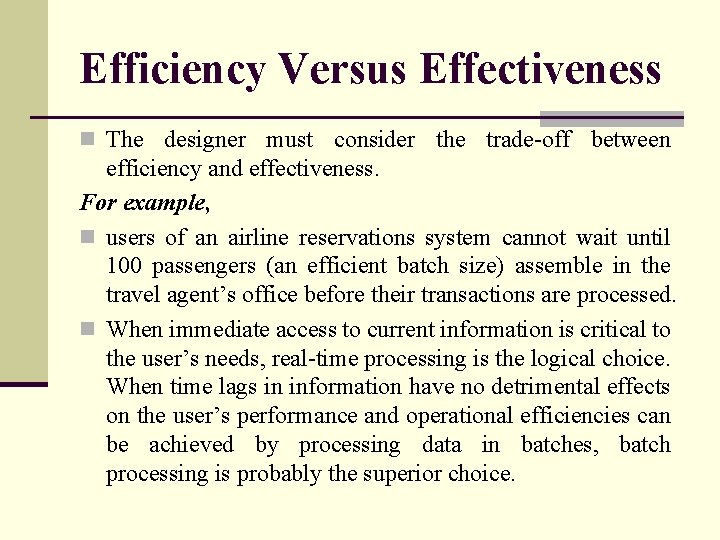
Efficiency Versus Effectiveness n The designer must consider the trade-off between efficiency and effectiveness. For example, n users of an airline reservations system cannot wait until 100 passengers (an efficient batch size) assemble in the travel agent’s office before their transactions are processed. n When immediate access to current information is critical to the user’s needs, real-time processing is the logical choice. When time lags in information have no detrimental effects on the user’s performance and operational efficiencies can be achieved by processing data in batches, batch processing is probably the superior choice.
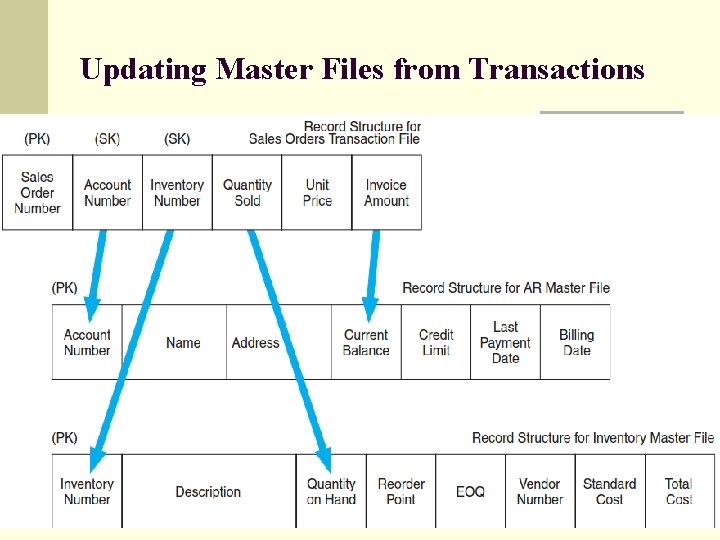
Updating Master Files from Transactions
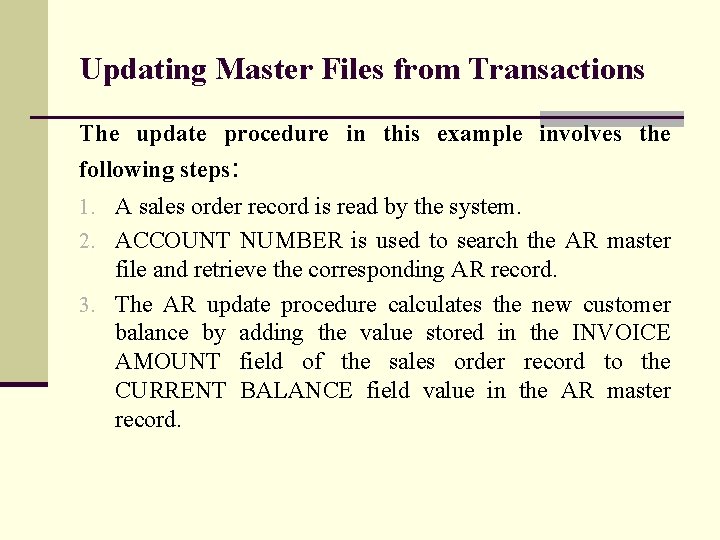
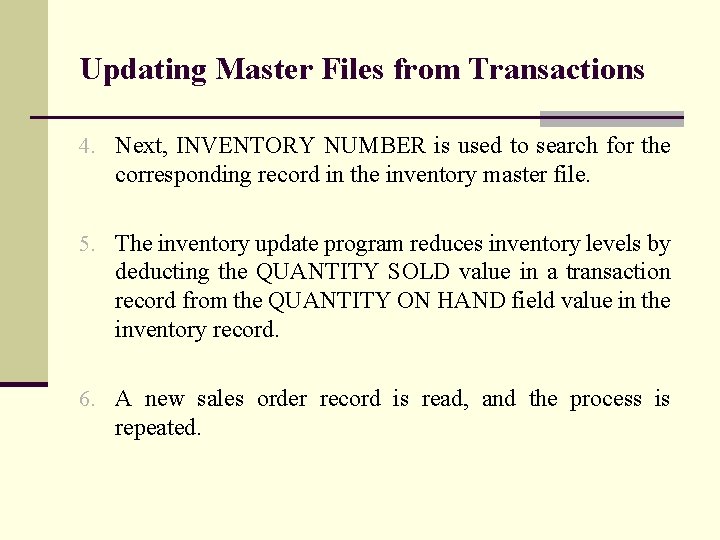
Updating Master Files from Transactions The update procedure in this example involves the following steps: 1. A sales order record is read by the system. 2. ACCOUNT NUMBER is used to search the AR master file and retrieve the corresponding AR record. 3. The AR update procedure calculates the new customer balance by adding the value stored in the INVOICE AMOUNT field of the sales order record to the CURRENT BALANCE field value in the AR master record.
Updating Master Files from Transactions 4. Next, INVENTORY NUMBER is used to search for the corresponding record in the inventory master file. 5. The inventory update program reduces inventory levels by deducting the QUANTITY SOLD value in a transaction record from the QUANTITY ON HAND field value in the inventory record. 6. A new sales order record is read, and the process is repeated.
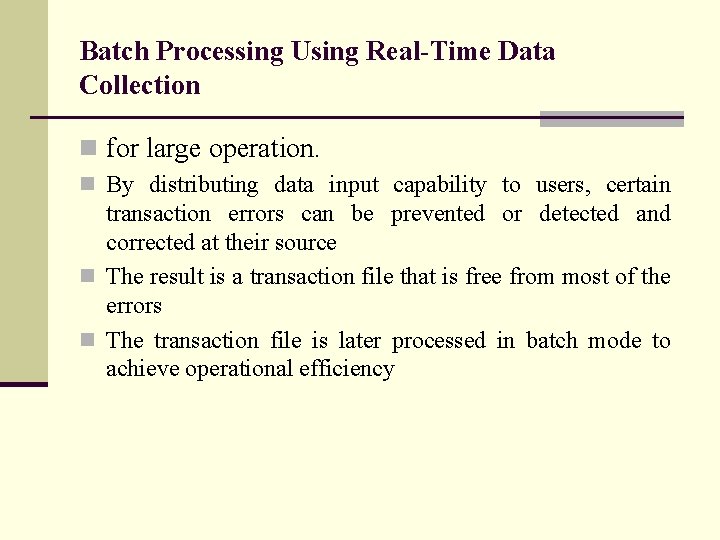
Batch Processing Using Real-Time Data Collection n for large operation. n By distributing data input capability to users, certain transaction errors can be prevented or detected and corrected at their source n The result is a transaction file that is free from most of the errors n The transaction file is later processed in batch mode to achieve operational efficiency
Batch Processing Using Real-Time Data Collection
Batch Processing Collection Using Real-Time Data
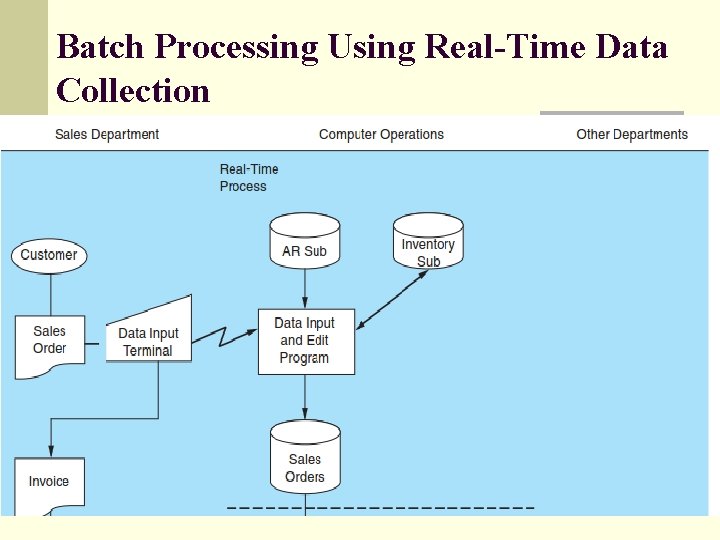
Batch Processing Using Real-Time Data Collection n The sales department clerk captures customer sales data pertaining to the item(s) being purchased and the customer’s account. n The system then checks the customer’s credit limit from data in the customer record (account receivable subsidiary file) and updates his or her account balance to reflect the amount of the sale. n Next the system updates the quantity on hand field in the inventory record (inventory subsidiary file) to reflect the reduction in inventory. This provides up-to-date information to other clerks as to inventory availability
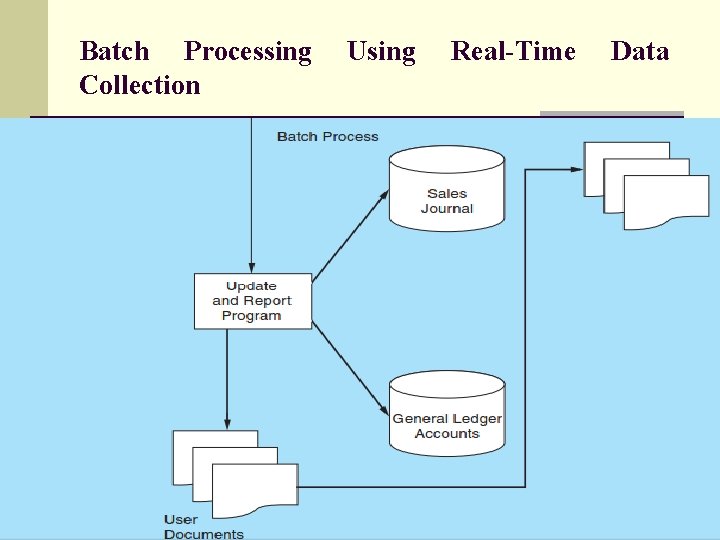
Batch Processing Using Real-Time Data Collection n A record of the sale is then added to the sales order file (transaction file), which is processed in batch mode at the end of the business day. This batch process records each transaction in the sales journal and updates the affected general ledger accounts. why the sales journal and general ledger accounts are being processed in batch mode. Why not update them in real time along with the subsidiary accounts? The answer is to achieve operational efficiency HOW?
Batch Processing Using Real-Time Data Collection Each customer sale affects the following six accounting records: n Customer account receivable (Subsidiary—unique) n Inventory item (Subsidiary—almost unique) n Inventory control (GL—common) n Account receivable control (GL—common) n Sales (GL—common) n Cost of good sold (GL—common) once a record has been accessed for processing, it is locked by the system and made unavailable to other users until its processing is complete.
Batch Processing Using Real-Time Data Collection n When processing a customer account receivable subsidiary record, the rule has no implications for other users of the system. Each user accesses only his or her unique record.
Batch Processing Using Real-Time Data Collection n Updating the inventory subsidiary record is almost unique. n Since it is possible that both Mary Jones and John Smith are independently purchasing the same item at the same time. n Mary Jones may be kept waiting a few seconds until John Smith’s transaction releases the lock on the inventory account. n This will be a relatively rare event, and any such conflicts will be of little inconvenience to customers. n Therefore, master file records that are unique to a transaction such as customer accounts and individual inventory records can be updated in real time without causing operational delays
Batch Processing Using Real-Time Data Collection n All general ledger accounts previously listed need to be updated by every sales transaction. n If the processing of John Smith’s transaction begins before Mary Jones’s, then she must wait until all six records have been updated before her transaction can proceed n This problem becomes manifest as transaction volumes increase. n Each of the 500 customers must wait until the person ahead of him or her in the queue has completed processing their transaction
End of Chapter 1