
Chapter 2 Introduction to Java Elements Complied by
Chapter 2 Introduction to Java Elements Complied by: Haftom D. Kahase G.
Introduction Java Development Environment What is Java? A language for writing steps is called a programming language, and Java is just one of several thousand useful programming languages In the Java programming language, all source code is first written in plain text files ending with the. java extension. Those source files are then compiled into. class files by the java compiler(javac). Write source code using editor program e. g JEdit, Notepad++, Notepad … Popular IDEs include Eclipse and Net. Beans
Cont’d … • A. class file does not contain code that is native to your processor; it instead contains bytecodes. Bytecodes a highly optimized set of instructions designed to be executed by the Java run-time system, which is called the Java Virtual Machine(JVM). That is, • in its standard form, the JVM is an interpreter for bytecode.
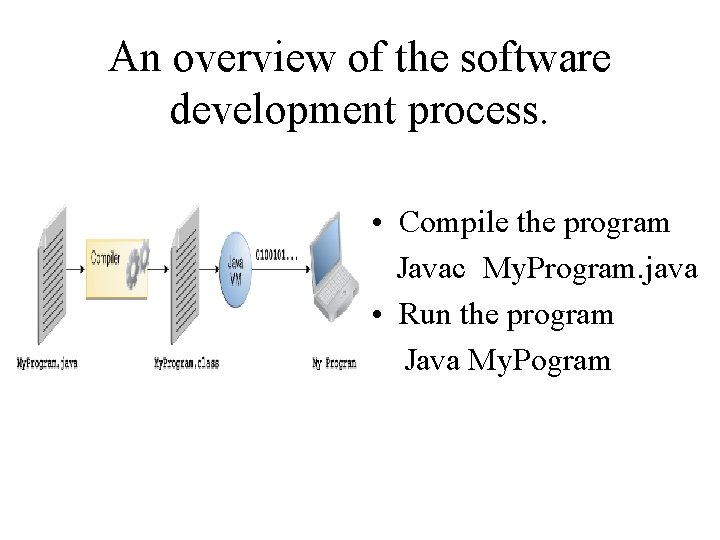
An overview of the software development process. • Compile the program Javac My. Program. java • Run the program Java My. Pogram
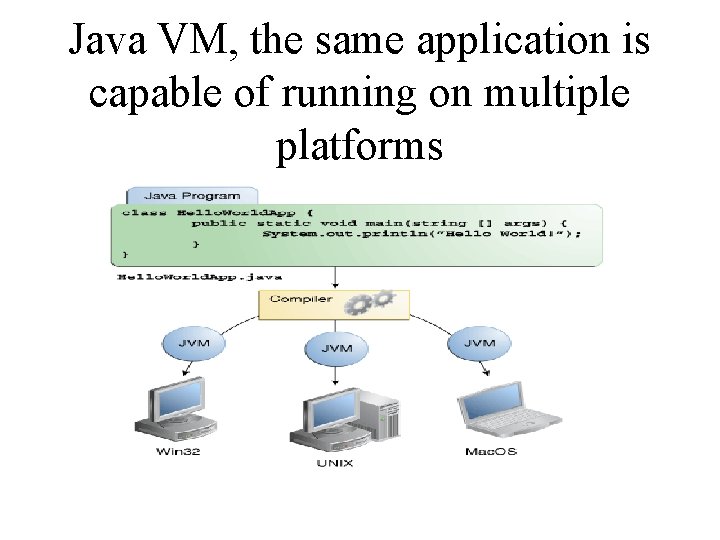
Java VM, the same application is capable of running on multiple platforms
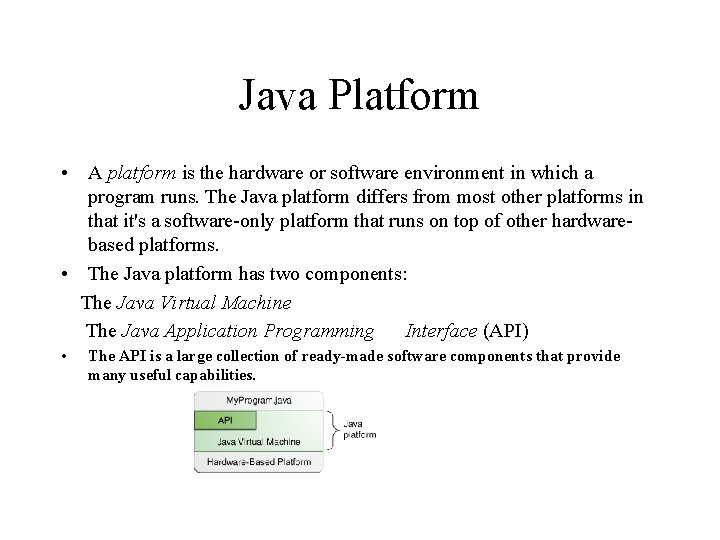
Java Platform • A platform is the hardware or software environment in which a program runs. The Java platform differs from most other platforms in that it's a software-only platform that runs on top of other hardwarebased platforms. • The Java platform has two components: The Java Virtual Machine The Java Application Programming Interface (API) • The API is a large collection of ready-made software components that provide many useful capabilities.
Notice for java Programmer • ∼ Java is a case sensitive language • ∼ Braces must occur on matching pairs • ∼ Coding styles should be followed. • You can create each class and method you need to form your Java programs. However, most Java programmers take advantage of the rich collections of existing classes and methods in the Java class libraries, which are also known as the Java APIs (Application Programming Interfaces).
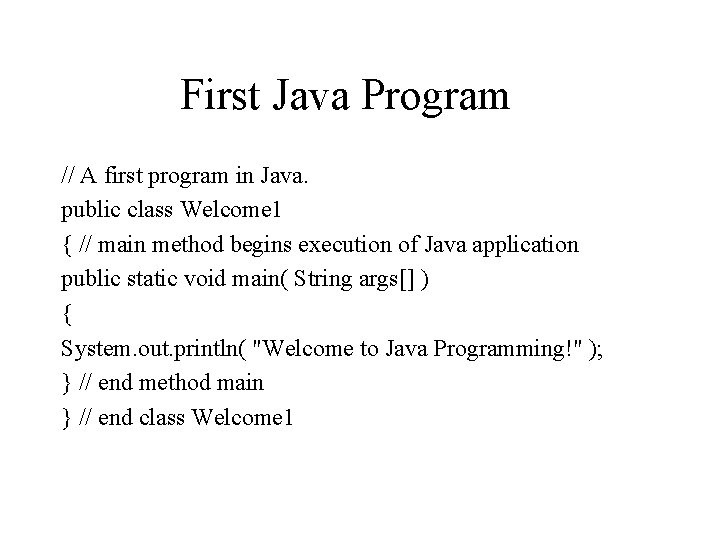
First Java Program // A first program in Java. public class Welcome 1 { // main method begins execution of Java application public static void main( String args[] ) { System. out. println( "Welcome to Java Programming!" ); } // end method main } // end class Welcome 1
Explanation of the program • Using comments clarify the difficult concepts used in a program and improve their readability. • Single Line Comment A comment that begins with //. • Multiple Line Comment : 2 forms • begins with delimiter /* and ends with delimiter */. • a documentation comment is delimited by /** and */ are called Javadoc comments.
…. Declaring a Class • public class Welcome 1 • These classes are known as programmer-defined classes, or user-defined classes. Begins a class declaration for class Welcome 1. The class keyword introduces a class declaration and is immediately followed by the class name(Welcome 1). By convention, all class names in Java begin with a capital letter and have a capital letter for every word in the class name
…Class Names and Identifiers A class name is an identifier—a series of characters consisting of letters, digits, underscores (_) and dollar signs ($) that does not begin with a digit and does not contain spaces. . Some valid identifiers are Welcome 1, $value, m_input. Field 1 and button 7 . The name 7 button is not a valid identifier because it begins with a digit, and the name input field is not a valid identifier because it contains a space
…. main program • A left brace {, begins the body of every class declaration. A corresponding right brace }, must end each class declaration. • public static void main( String[] args ) • is the starting point of every Java application. The parentheses after the identifier main indicate that it’s a program building block called a method. Java class declarations normally contain one or more methods. For a Java application, one of the methods must be called main otherwise, the Java Virtual Machine (JVM) will not execute the application. • Methods perform tasks and can return information when they complete their tasks. Keyword void indicates that this method will not return any information
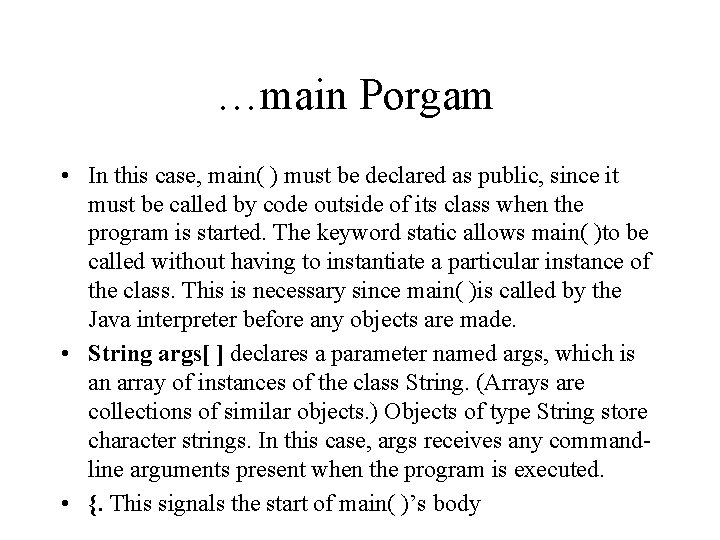
…main Porgam • In this case, main( ) must be declared as public, since it must be called by code outside of its class when the program is started. The keyword static allows main( )to be called without having to instantiate a particular instance of the class. This is necessary since main( )is called by the Java interpreter before any objects are made. • String args[ ] declares a parameter named args, which is an array of instances of the class String. (Arrays are collections of similar objects. ) Objects of type String store character strings. In this case, args receives any commandline arguments present when the program is executed. • {. This signals the start of main( )’s body
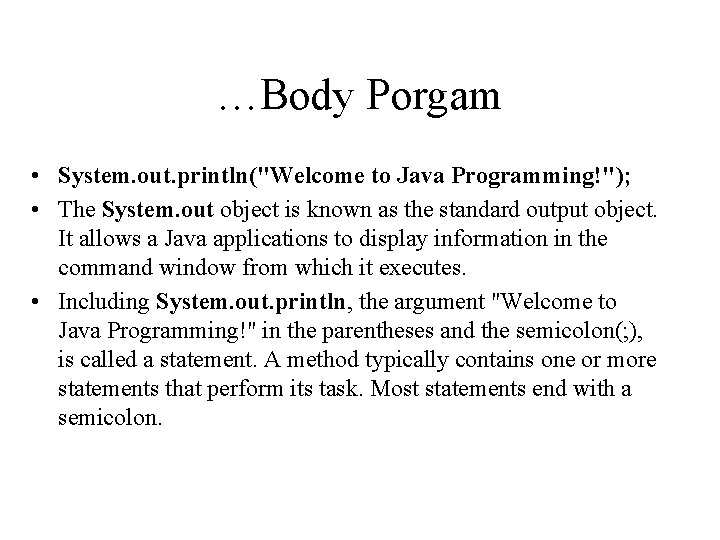
…Body Porgam • System. out. println("Welcome to Java Programming!"); • The System. out object is known as the standard output object. It allows a Java applications to display information in the command window from which it executes. • Including System. out. println, the argument "Welcome to Java Programming!" in the parentheses and the semicolon(; ), is called a statement. A method typically contains one or more statements that perform its task. Most statements end with a semicolon.
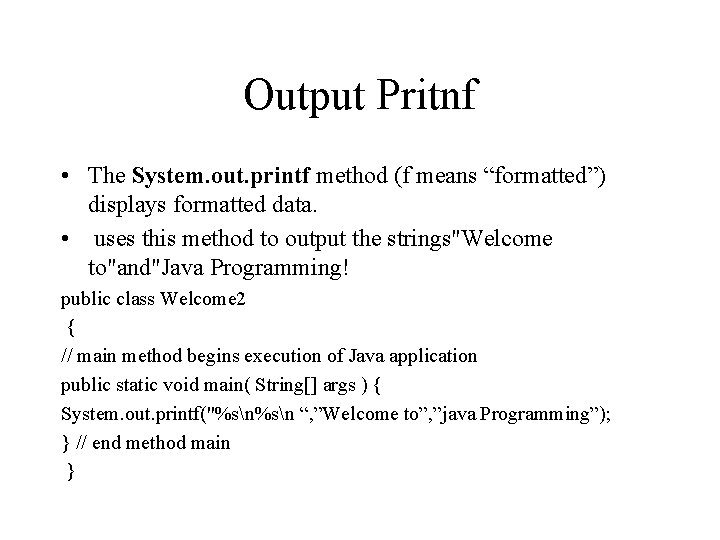
Output Pritnf • The System. out. printf method (f means “formatted”) displays formatted data. • uses this method to output the strings"Welcome to"and"Java Programming! public class Welcome 2 { // main method begins execution of Java application public static void main( String[] args ) { System. out. printf("%sn “, ”Welcome to”, ”java Programming”); } // end method main }
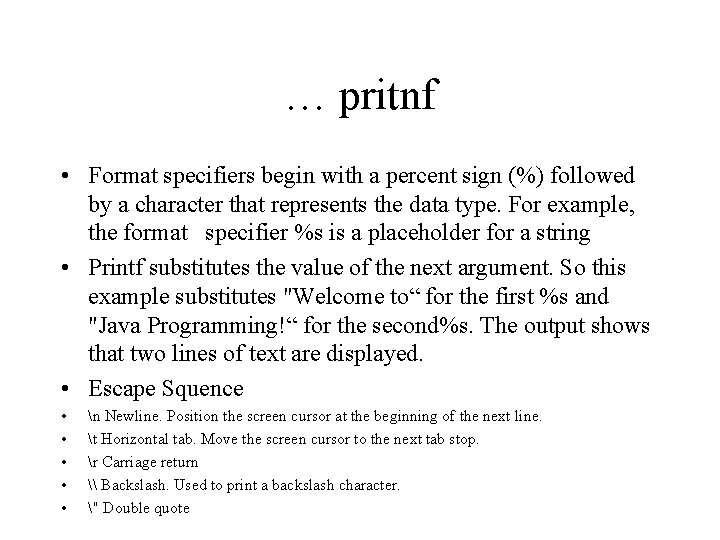
… pritnf • Format specifiers begin with a percent sign (%) followed by a character that represents the data type. For example, the format specifier %s is a placeholder for a string • Printf substitutes the value of the next argument. So this example substitutes "Welcome to“ for the first %s and "Java Programming!“ for the second%s. The output shows that two lines of text are displayed. • Escape Squence • • • n Newline. Position the screen cursor at the beginning of the next line. t Horizontal tab. Move the screen cursor to the next tab stop. r Carriage return \ Backslash. Used to print a backslash character. " Double quote
Adding to Numbers
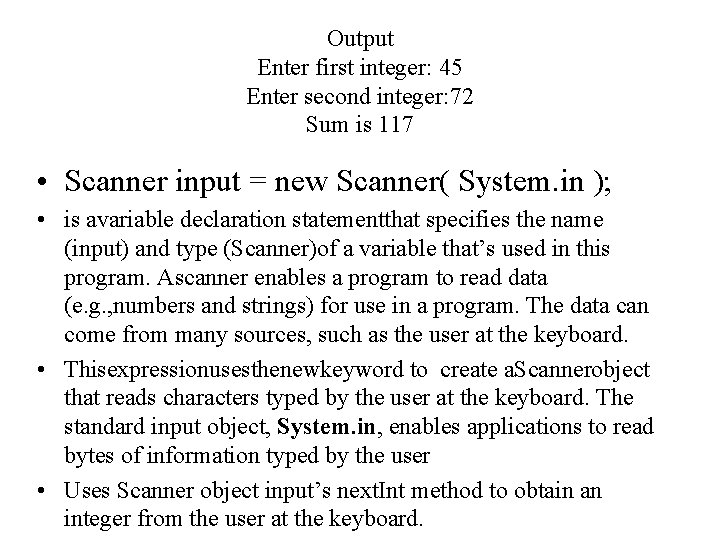
Output Enter first integer: 45 Enter second integer: 72 Sum is 117 • Scanner input = new Scanner( System. in ); • is avariable declaration statementthat specifies the name (input) and type (Scanner)of a variable that’s used in this program. Ascanner enables a program to read data (e. g. , numbers and strings) for use in a program. The data can come from many sources, such as the user at the keyboard. • Thisexpressionusesthenewkeyword to create a. Scannerobject that reads characters typed by the user at the keyboard. The standard input object, System. in, enables applications to read bytes of information typed by the user • Uses Scanner object input’s next. Int method to obtain an integer from the user at the keyboard.
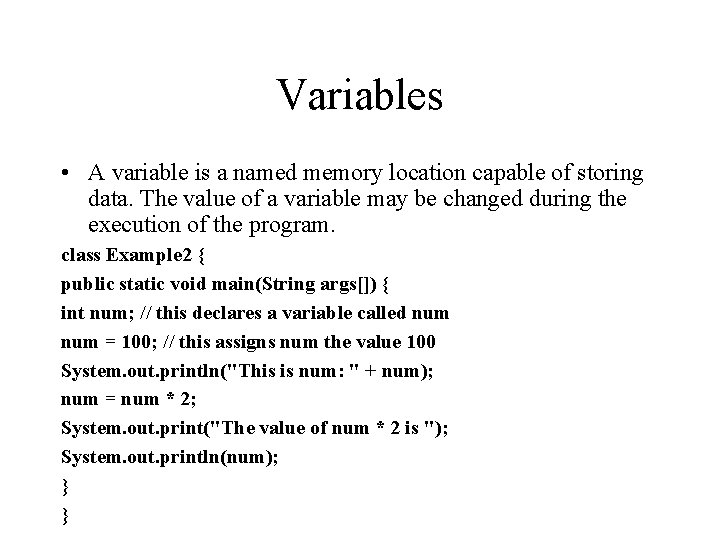
Variables • A variable is a named memory location capable of storing data. The value of a variable may be changed during the execution of the program. class Example 2 { public static void main(String args[]) { int num; // this declares a variable called num = 100; // this assigns num the value 100 System. out. println("This is num: " + num); num = num * 2; System. out. print("The value of num * 2 is "); System. out. println(num); } }
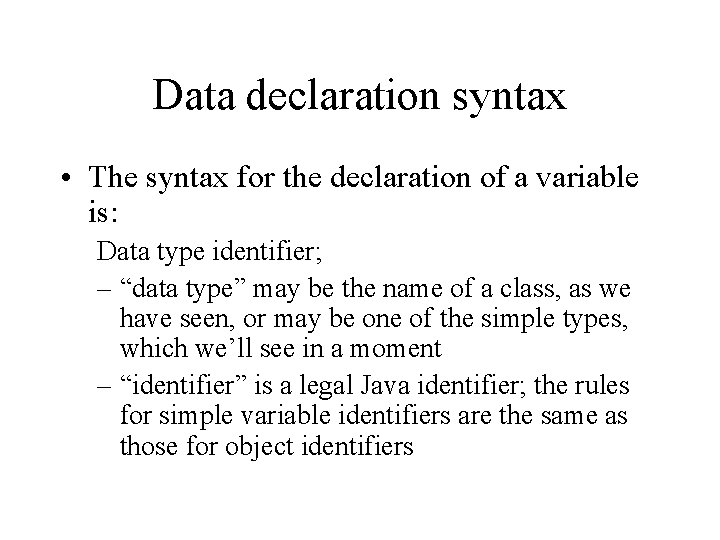
Data declaration syntax • The syntax for the declaration of a variable is: Data type identifier; – “data type” may be the name of a class, as we have seen, or may be one of the simple types, which we’ll see in a moment – “identifier” is a legal Java identifier; the rules for simple variable identifiers are the same as those for object identifiers
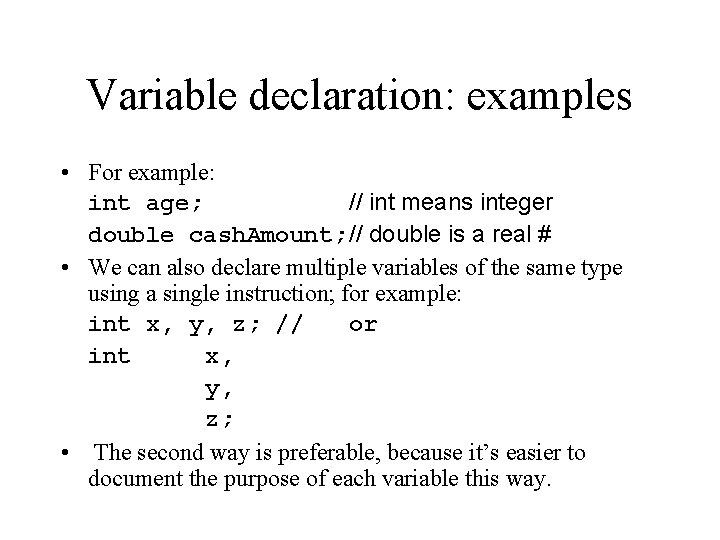
Variable declaration: examples • For example: int age; // int means integer double cash. Amount; // double is a real # • We can also declare multiple variables of the same type using a single instruction; for example: int x, y, z; // or int x, y, z; • The second way is preferable, because it’s easier to document the purpose of each variable this way.
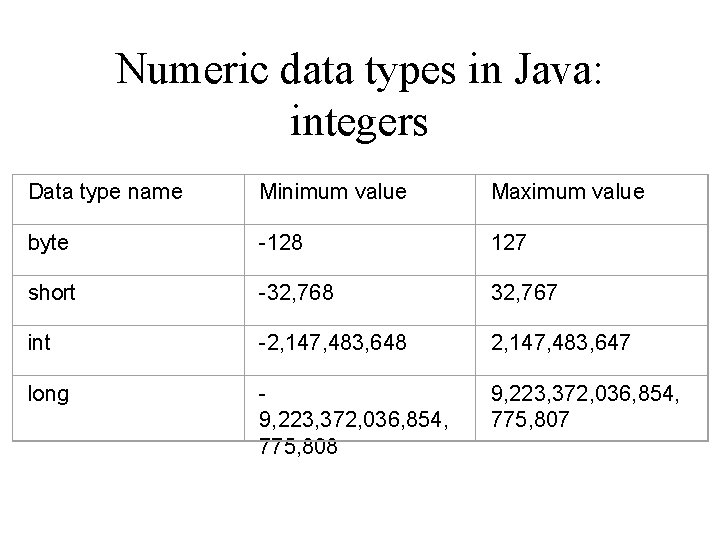
Numeric data types in Java: integers Data type name Minimum value Maximum value byte -128 127 short -32, 768 32, 767 int -2, 147, 483, 648 2, 147, 483, 647 long 9, 223, 372, 036, 854, 775, 808 9, 223, 372, 036, 854, 775, 807
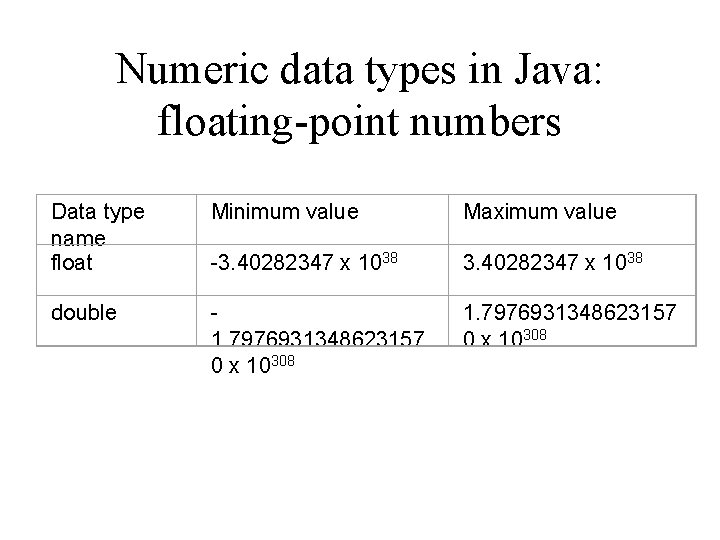
Numeric data types in Java: floating-point numbers Data type name float Minimum value Maximum value -3. 40282347 x 1038 double 1. 7976931348623157 0 x 10308
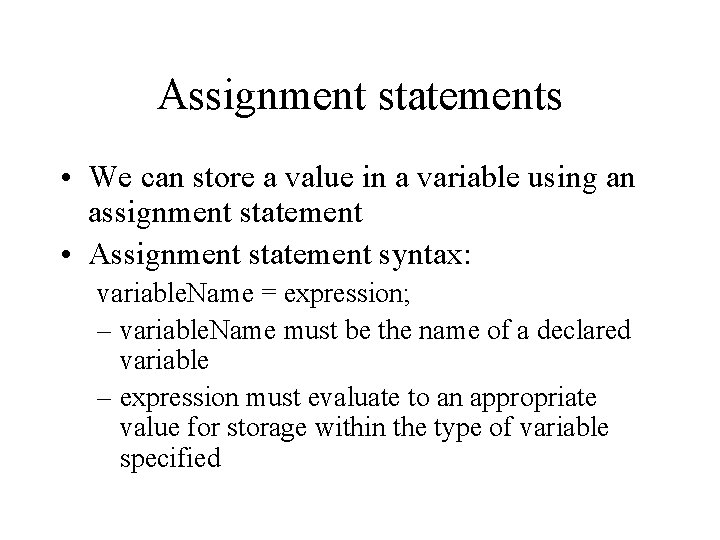
Assignment statements • We can store a value in a variable using an assignment statement • Assignment statement syntax: variable. Name = expression; – variable. Name must be the name of a declared variable – expression must evaluate to an appropriate value for storage within the type of variable specified
Arithmetic expressions • An expression is a set of symbols that represents a value • An arithmetic expression represents a numeric value • Simple expressions are single values; examples: 18 -4 1. 245 e 3 • Previously-declared and initialized variables or constants can also be simple expressions
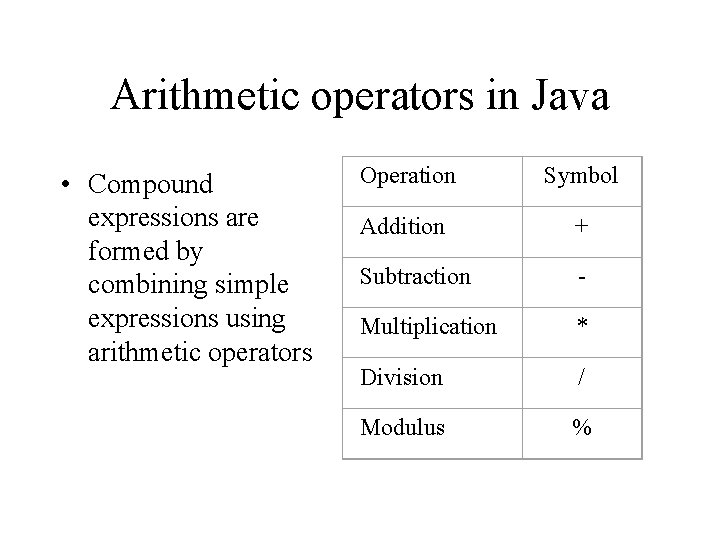
Arithmetic operators in Java • Compound expressions are formed by combining simple expressions using arithmetic operators Operation Symbol Addition + Subtraction - Multiplication * Division / Modulus %
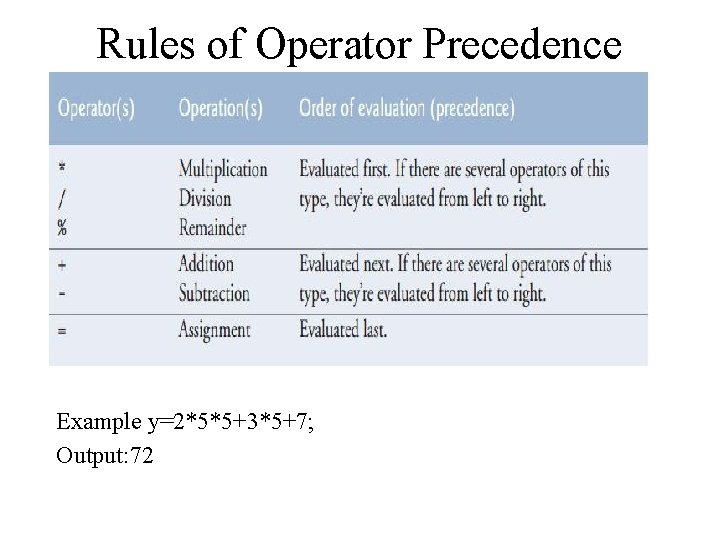
Rules of Operator Precedence Example y=2*5*5+3*5+7; Output: 72
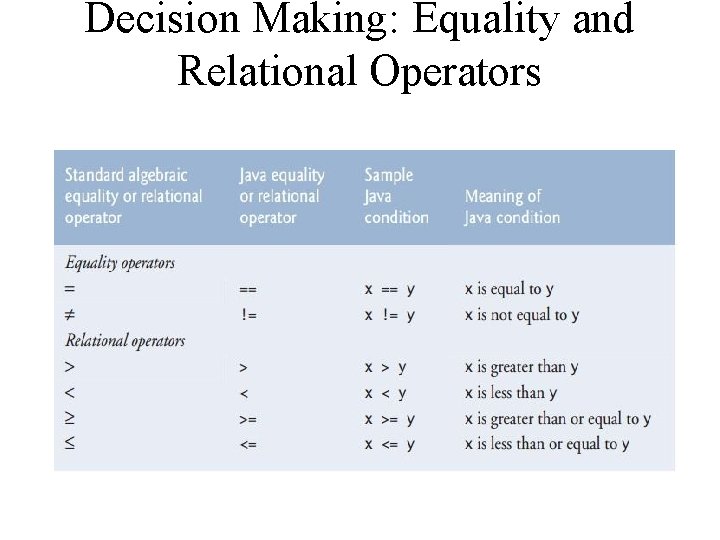
Decision Making: Equality and Relational Operators
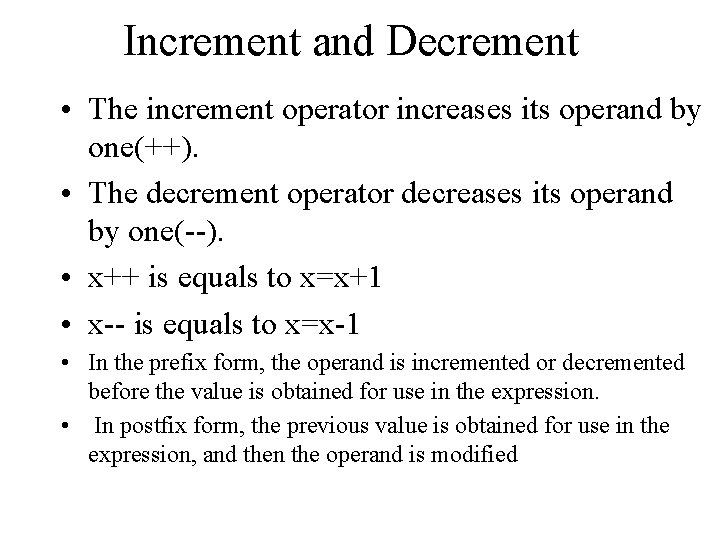
Increment and Decrement • The increment operator increases its operand by one(++). • The decrement operator decreases its operand by one(--). • x++ is equals to x=x+1 • x-- is equals to x=x-1 • In the prefix form, the operand is incremented or decremented before the value is obtained for use in the expression. • In postfix form, the previous value is obtained for use in the expression, and then the operand is modified
![// Demonstrate ++. class Inc. Dec { public static void main(String args[]) { int](http://slidetodoc.com/presentation_image_h2/0e1903c9f36fdfb19b1f2721e7273f14/image-30.jpg "// Demonstrate ++. class Inc. Dec { public static void main(String args[]) { int")
// Demonstrate ++. class Inc. Dec { public static void main(String args[]) { int a = 1; int b = 2; int c; int d; c = ++b; d = a++; c++; System. out. println("a = " + a); System. out. println("b = " + b); System. out. println("c = " + c); System. out. println("d = " + d); } } Output a=2 b=3 c=4 d=1
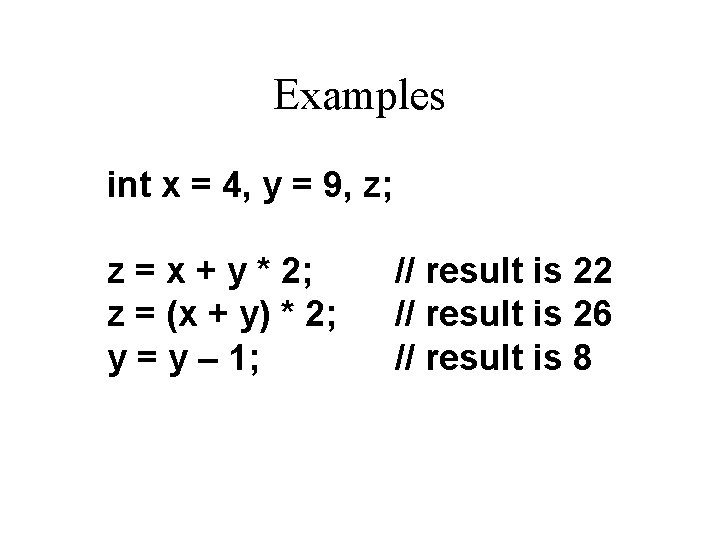
Examples int x = 4, y = 9, z; z = x + y * 2; z = (x + y) * 2; y = y – 1; // result is 22 // result is 26 // result is 8
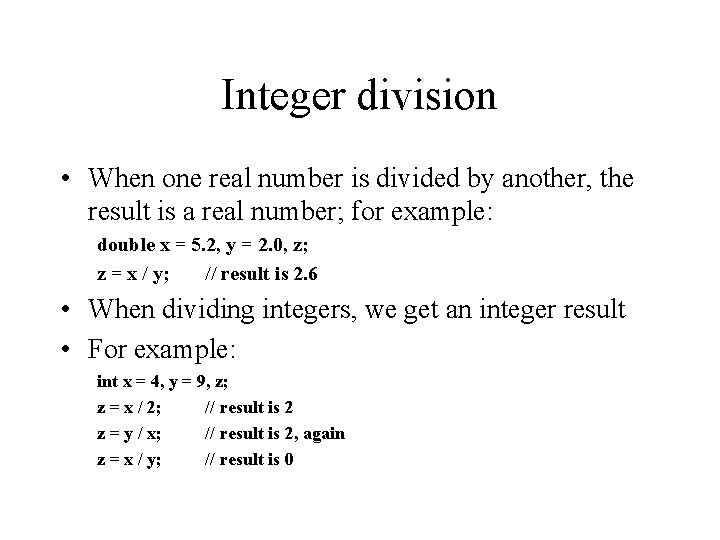
Integer division • When one real number is divided by another, the result is a real number; for example: double x = 5. 2, y = 2. 0, z; z = x / y; // result is 2. 6 • When dividing integers, we get an integer result • For example: int x = 4, y = 9, z; z = x / 2; // result is 2 z = y / x; // result is 2, again z = x / y; // result is 0
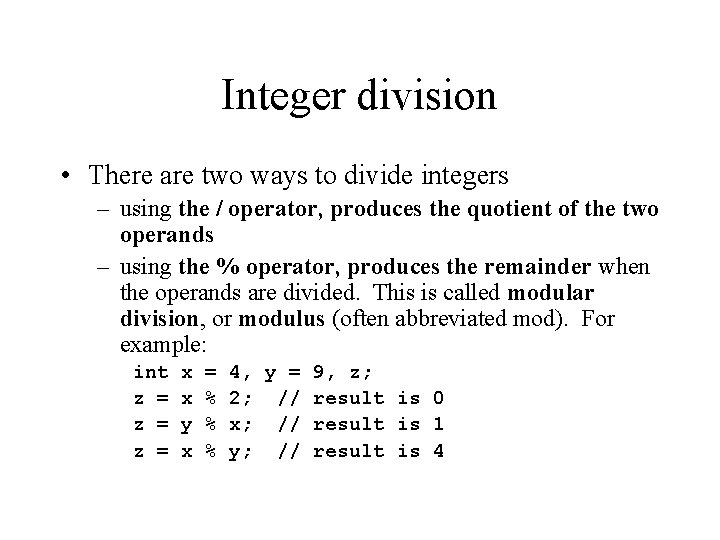
Integer division • There are two ways to divide integers – using the / operator, produces the quotient of the two operands – using the % operator, produces the remainder when the operands are divided. This is called modular division, or modulus (often abbreviated mod). For example: int z = z = x x y x = % % % 4, y = 9, z; 2; // result is 0 x; // result is 1 y; // result is 4
Mixed-type expressions • A mixed-type expression is one that involves operands of different data types – Like other expressions, such an expression will evaluate to a single result – The data type of that value will be the type of the operand with the highest precision – What this means, for all practical purposes, is that, if an expression that involves both real numbers and whole numbers, the result will be a real number. • The numeric promotion that takes place in a mixed-type expression is also known as implicit type casting
Explicit type casting • We can perform a deliberate type conversion of an operand or expression through the explicit cast mechanism • Explicit casts mean the operand or expression is evaluated as a value of the specified type rather than the type of the actual result • The syntax for an explicit cast is: (data type) operand (data type) (expression) -or-
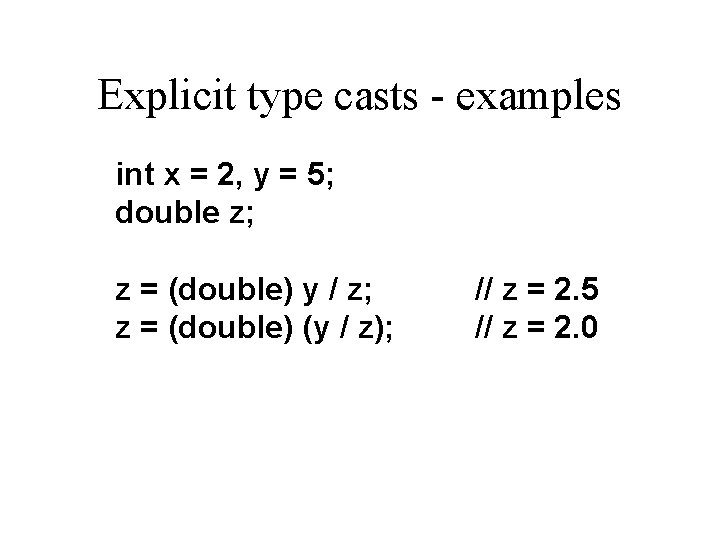
Explicit type casts - examples int x = 2, y = 5; double z; z = (double) y / z; z = (double) (y / z); // z = 2. 5 // z = 2. 0
Assignment conversion • Another kind of implicit conversion can take place when an expression of one type is assigned to a variable of another type • For example, an integer can be assigned to a real-number type variable; in this case, an implicit promotion of the integer value occurs
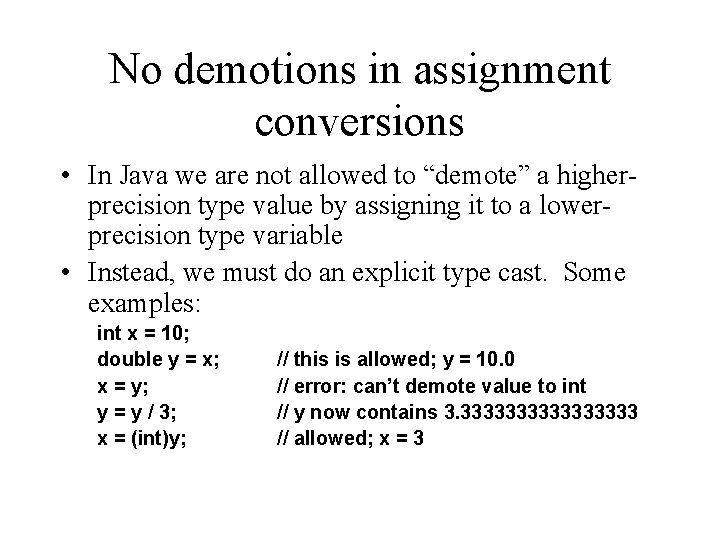
No demotions in assignment conversions • In Java we are not allowed to “demote” a higherprecision type value by assigning it to a lowerprecision type variable • Instead, we must do an explicit type cast. Some examples: int x = 10; double y = x; x = y; y = y / 3; x = (int)y; // this is allowed; y = 10. 0 // error: can’t demote value to int // y now contains 3. 33333333 // allowed; x = 3
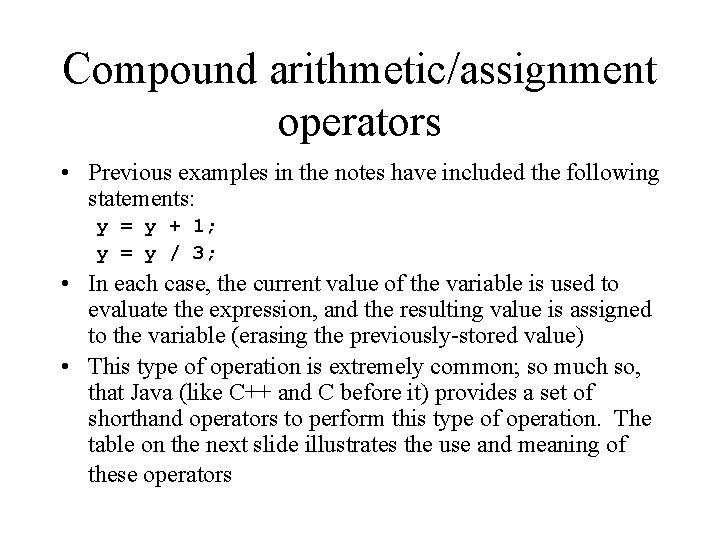
Compound arithmetic/assignment operators • Previous examples in the notes have included the following statements: y = y + 1; y = y / 3; • In each case, the current value of the variable is used to evaluate the expression, and the resulting value is assigned to the variable (erasing the previously-stored value) • This type of operation is extremely common; so much so, that Java (like C++ and C before it) provides a set of shorthand operators to perform this type of operation. The table on the next slide illustrates the use and meaning of these operators
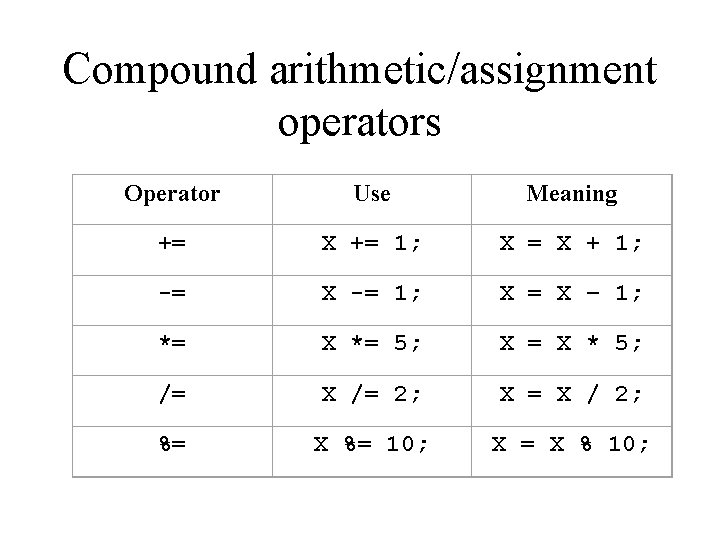
Compound arithmetic/assignment operators Operator Use Meaning += X += 1; X = X + 1; -= X -= 1; X = X – 1; *= X *= 5; X = X * 5; /= X /= 2; X = X / 2; %= X %= 10; X = X % 10;
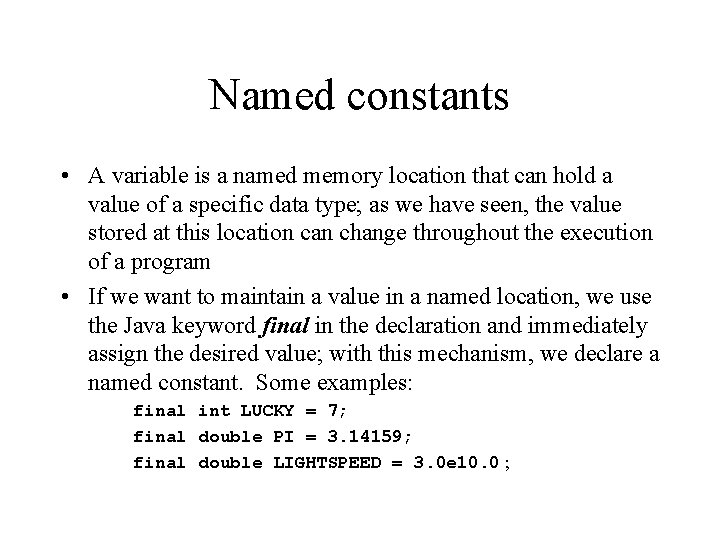
Named constants • A variable is a named memory location that can hold a value of a specific data type; as we have seen, the value stored at this location can change throughout the execution of a program • If we want to maintain a value in a named location, we use the Java keyword final in the declaration and immediately assign the desired value; with this mechanism, we declare a named constant. Some examples: final int LUCKY = 7; final double PI = 3. 14159; final double LIGHTSPEED = 3. 0 e 10. 0 ;
Named constants • The name of the constant is used in expressions but cannot be assigned a new value. For example, to calculate the value of variable circle. Area using the variable radius and the value , we could write: circle. Area = 2 * PI * radius; • The use of named constants is considered good programming practice, because it: – eliminates (or at least minimizes) the use of “magic” numbers in a program; it is easier to read code that contains meaningful names – allows a programmer to make global changes in calculations easily
Using named constants: example • Suppose, for example, that you are writing a program that involves adding sales tax and subtracting discounts from users’ totals • If the tax rate is 5% and the discount rate is 10%, the calculation could look like this: total = total – (total *. 1) + ((total *. 1) * (1 +. 05)); • By itself, this isn’t too bad; but suppose there are several places in the program that use these values?
Example continued • If, for example, the discount changes to 12%, the programmer who has to maintain the code would have to change the value. 1 to. 12 everywhere in the program – at least, everywhere that it actually refers to the discount. – The value. 1 could very well mean something else in a different expression. – If we use named constants instead, the value has to change in just one place, and there is no ambiguity about what the number means in context; with named constants, the revised code might read: total = total – (total * discount) + ((total * discount) * (1 + taxrate));
Calculations using Java’s Math class • The standard Java class Math contains class methods and constants that are useful in performing calculations that go beyond simple arithmetic operations. • The constants defined in the Math class are Math. PI and Math. E, which are defined values for and e (the base for natural logs), respectively
Math class methods • Math. abs(a): returns the absolute value of its argument (a), which can be of type int, long, float, or double • Math. sin(a): returns the sine of its argument, a double value representing an angle in radians; similar trigonometric functions include Math. cos(a) for cosine, Math. tan(a) for tangent, Math. acos(a), Math. asin(a) and Math. atan(a), which provide arccosine, arcsine, and arctangent, respectively
Math class methods • Math. to. Degrees(a): converts a, a double value representing an angle in radians, to the corresponding value in degrees • Math. to. Radians(a): converts a, a double value representing an angle in degrees to the corresponding value in radians
Math class methods • Math. sqrt(a): returns the square root of a, a value of type double • Math. cbrt(a): returns the cube root of a, a value of type double • Math. pow(a, b): returns the value of ab • Math. log(a): returns the natural log of a, a double value • Math. log 10(a): returns the log base 10 of a, a double value
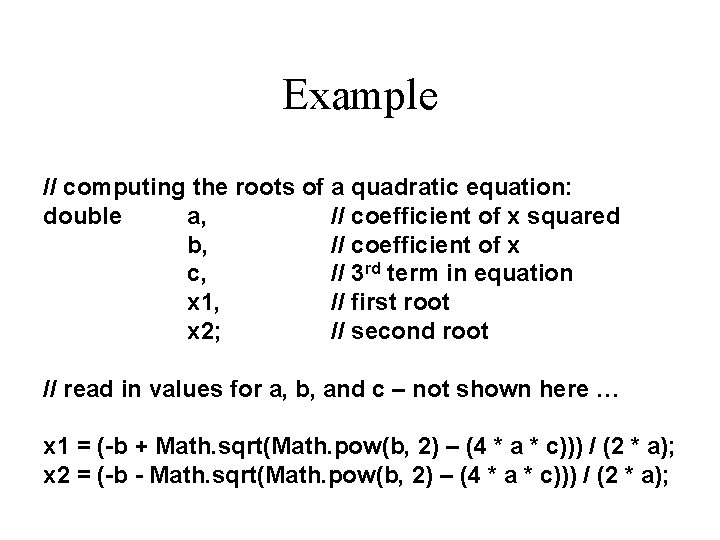
Example // computing the roots of a quadratic equation: double a, // coefficient of x squared b, // coefficient of x c, // 3 rd term in equation x 1, // first root x 2; // second root // read in values for a, b, and c – not shown here … x 1 = (-b + Math. sqrt(Math. pow(b, 2) – (4 * a * c))) / (2 * a); x 2 = (-b - Math. sqrt(Math. pow(b, 2) – (4 * a * c))) / (2 * a);
Chapter 2 -Part 2 Control Statements
Cont’d … • Now we will examine programming statements that allow us to: § make decisions § repeat processing steps in a loop Java’s program control statements can be put into the following categories: selection, iteration, and jump. Selection statements allow your program to choose different paths of execution based upon the outcome of an expression or the state of a variable. Iteration statements enable program execution to repeat one or more statements (that is, iteration statements form loops). Jumps tatements allow your program to execute in a nonlinear fashion Complied by haftom & Kahase
Flow of Control • Unless specified otherwise, the order of statement execution through a method is linear: one statement after another in sequence • Some programming statements allow us to: § decide whether or not to execute a particular statement § execute a statement over and over, repetitively • These decisions are based on boolean expressions (or conditions) that evaluate to true or false • The order of statement execution is called the flow of control Complied by haftom & Kahase
Conditional Statements • A conditional statement lets us choose which statement will be executed next • Therefore they are sometimes called selection statements • Conditional statements give us the power to make basic decisions • The Java conditional statements are the: § if statement § if-else statement § switch statement Complied by haftom & Kahase
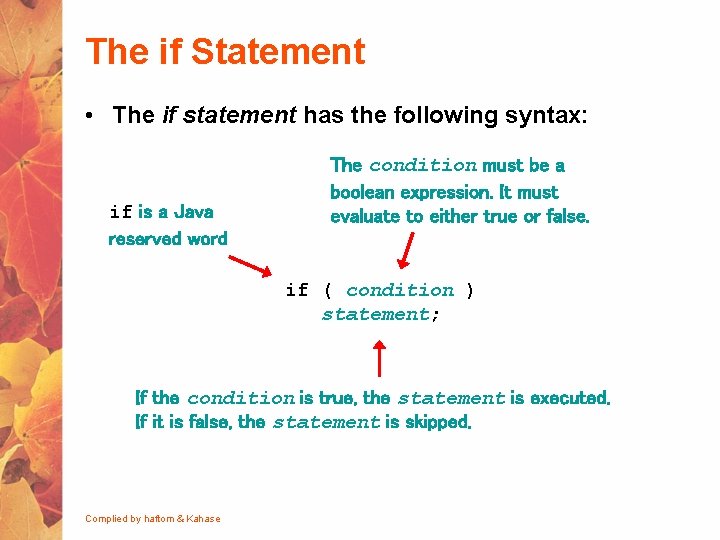
The if Statement • The if statement has the following syntax: if is a Java reserved word The condition must be a boolean expression. It must evaluate to either true or false. if ( condition ) statement; If the condition is true, the statement is executed. If it is false, the statement is skipped. Complied by haftom & Kahase
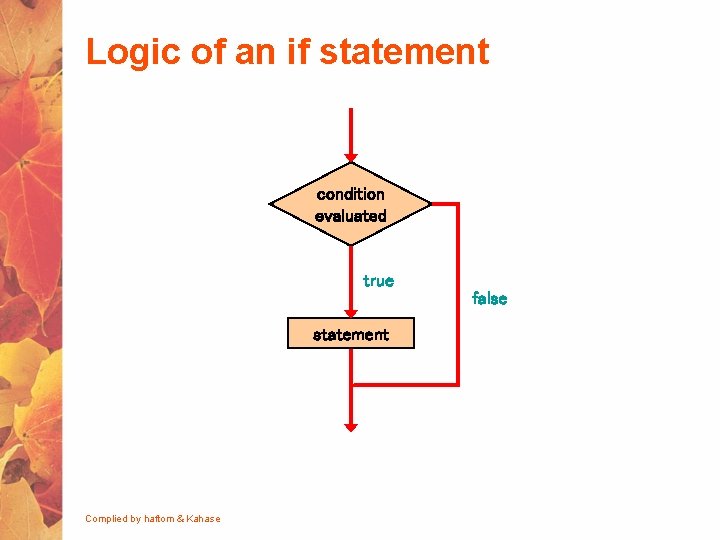
Logic of an if statement condition evaluated true false statement Complied by haftom & Kahase
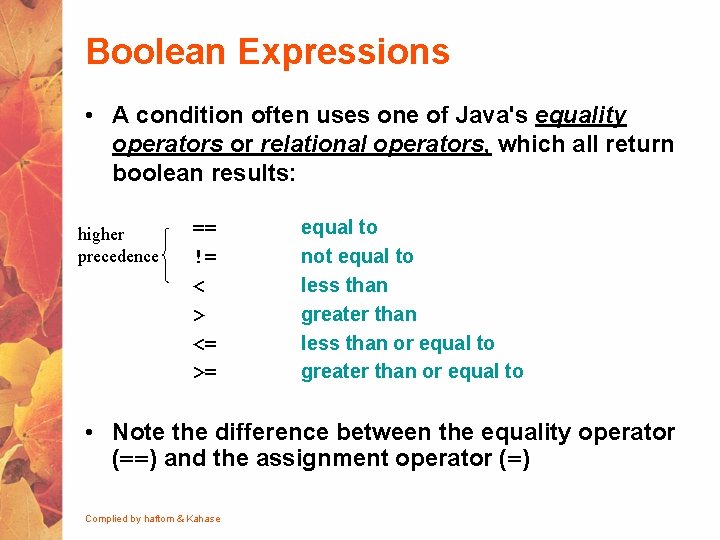
Boolean Expressions • A condition often uses one of Java's equality operators or relational operators, which all return boolean results: higher precedence == != < > <= >= equal to not equal to less than greater than less than or equal to greater than or equal to • Note the difference between the equality operator (==) and the assignment operator (=) Complied by haftom & Kahase
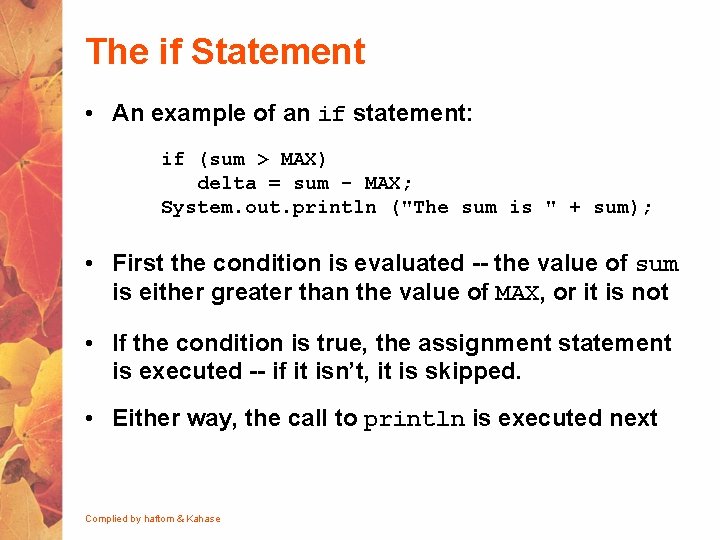
The if Statement • An example of an if statement: if (sum > MAX) delta = sum - MAX; System. out. println ("The sum is " + sum); • First the condition is evaluated -- the value of sum is either greater than the value of MAX, or it is not • If the condition is true, the assignment statement is executed -- if it isn’t, it is skipped. • Either way, the call to println is executed next Complied by haftom & Kahase
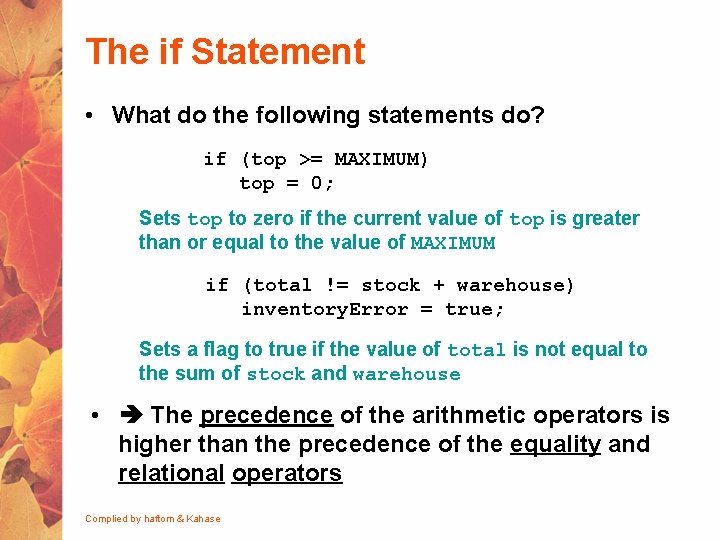
The if Statement • What do the following statements do? if (top >= MAXIMUM) top = 0; Sets top to zero if the current value of top is greater than or equal to the value of MAXIMUM if (total != stock + warehouse) inventory. Error = true; Sets a flag to true if the value of total is not equal to the sum of stock and warehouse • The precedence of the arithmetic operators is higher than the precedence of the equality and relational operators Complied by haftom & Kahase
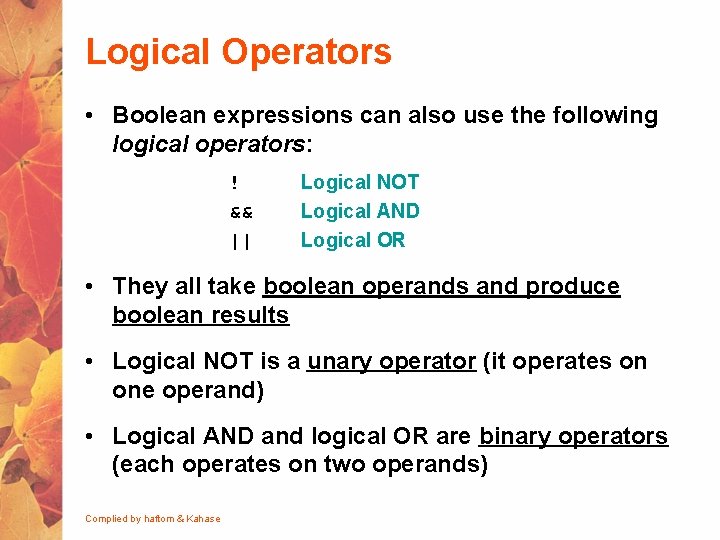
Logical Operators • Boolean expressions can also use the following logical operators: ! && || Logical NOT Logical AND Logical OR • They all take boolean operands and produce boolean results • Logical NOT is a unary operator (it operates on one operand) • Logical AND and logical OR are binary operators (each operates on two operands) Complied by haftom & Kahase
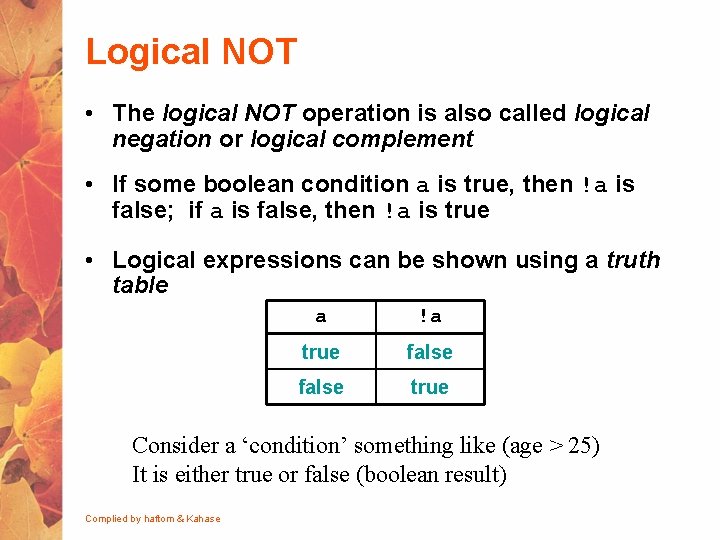
Logical NOT • The logical NOT operation is also called logical negation or logical complement • If some boolean condition a is true, then !a is false; if a is false, then !a is true • Logical expressions can be shown using a truth table a !a true false true Consider a ‘condition’ something like (age > 25) It is either true or false (boolean result) Complied by haftom & Kahase
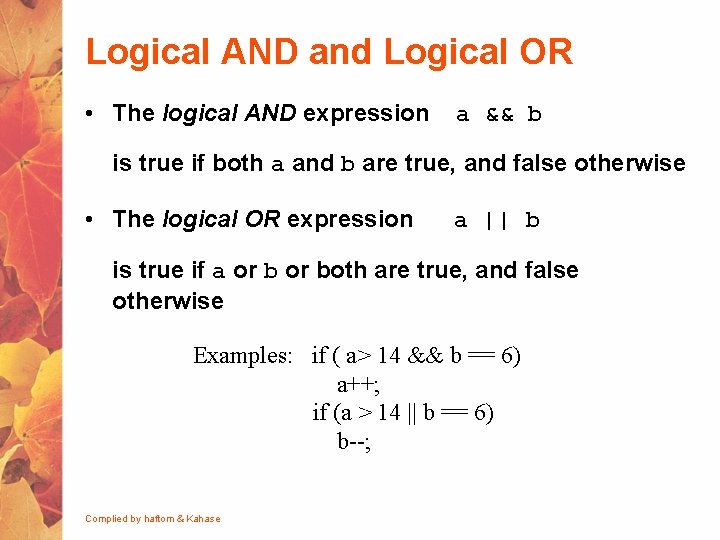
Logical AND and Logical OR • The logical AND expression a && b is true if both a and b are true, and false otherwise • The logical OR expression a || b is true if a or both are true, and false otherwise Examples: if ( a> 14 && b == 6) a++; if (a > 14 || b == 6) b--; Complied by haftom & Kahase
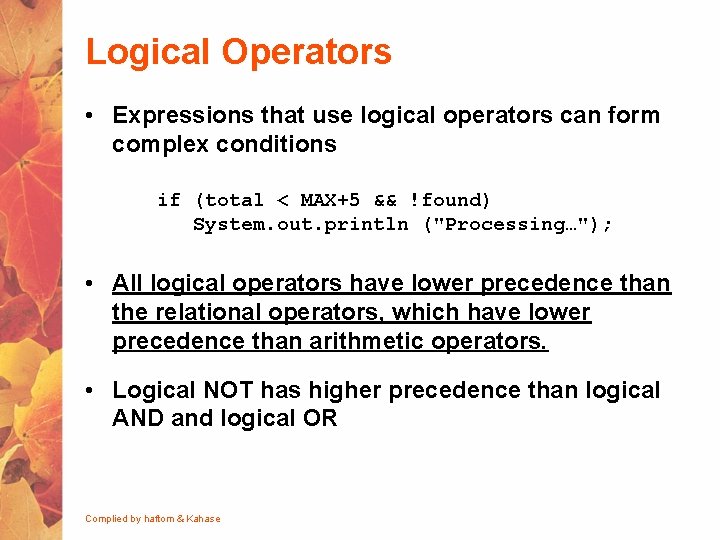
Logical Operators • Expressions that use logical operators can form complex conditions if (total < MAX+5 && !found) System. out. println ("Processing…"); • All logical operators have lower precedence than the relational operators, which have lower precedence than arithmetic operators. • Logical NOT has higher precedence than logical AND and logical OR Complied by haftom & Kahase
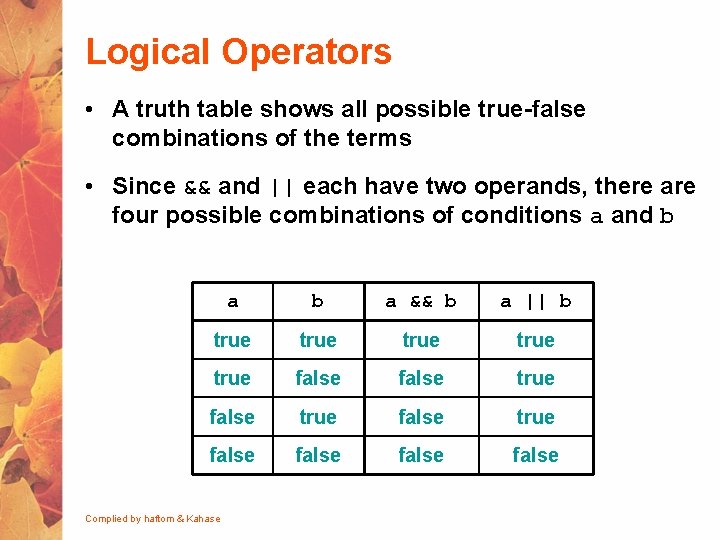
Logical Operators • A truth table shows all possible true-false combinations of the terms • Since && and || each have two operands, there are four possible combinations of conditions a and b a && b a || b true true false true false Complied by haftom & Kahase
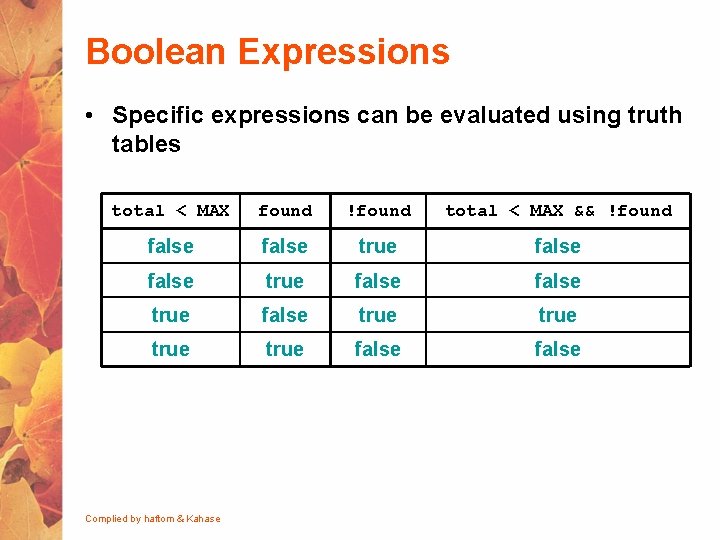
Boolean Expressions • Specific expressions can be evaluated using truth tables total < MAX found !found total < MAX && !found false true false true false Complied by haftom & Kahase
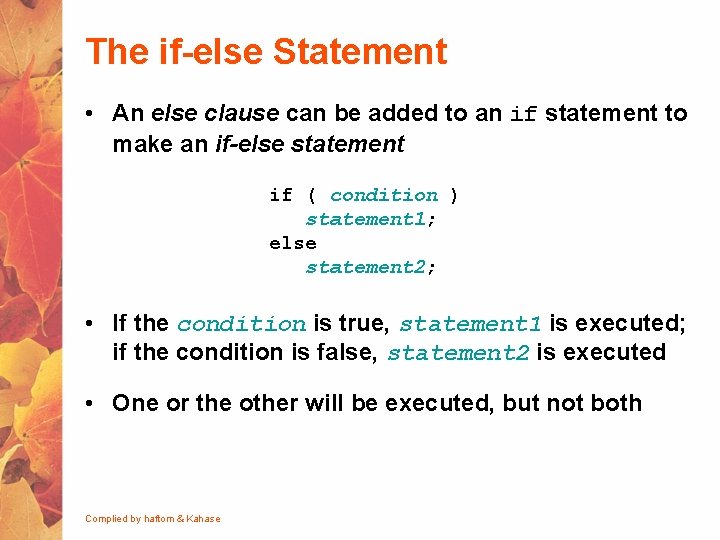
The if-else Statement • An else clause can be added to an if statement to make an if-else statement if ( condition ) statement 1; else statement 2; • If the condition is true, statement 1 is executed; if the condition is false, statement 2 is executed • One or the other will be executed, but not both Complied by haftom & Kahase
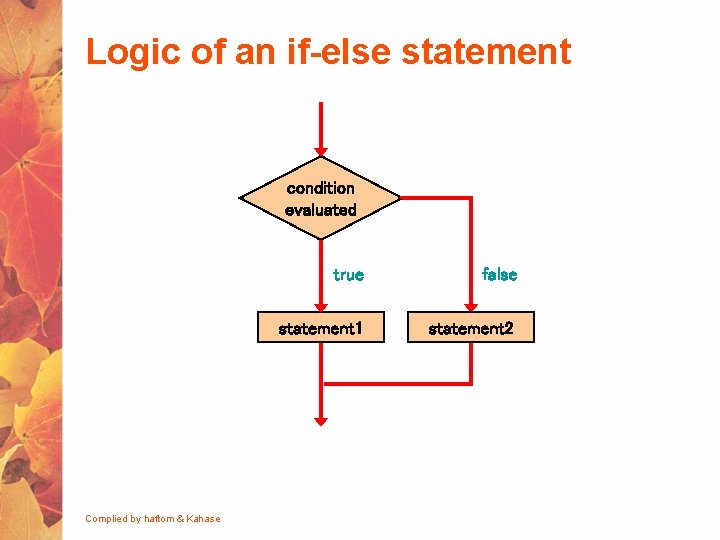
Logic of an if-else statement condition evaluated Complied by haftom & Kahase true false statement 1 statement 2
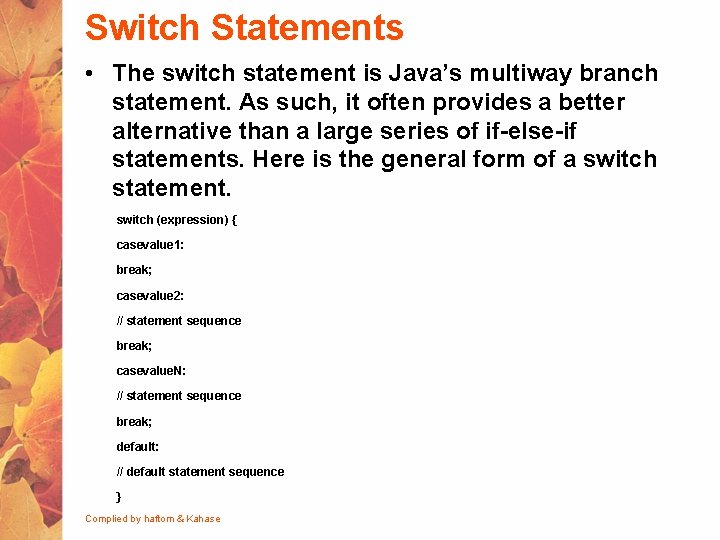
Switch Statements • The switch statement is Java’s multiway branch statement. As such, it often provides a better alternative than a large series of if-else-if statements. Here is the general form of a switch statement. switch (expression) { casevalue 1: break; casevalue 2: // statement sequence break; casevalue. N: // statement sequence break; default: // default statement sequence } Complied by haftom & Kahase
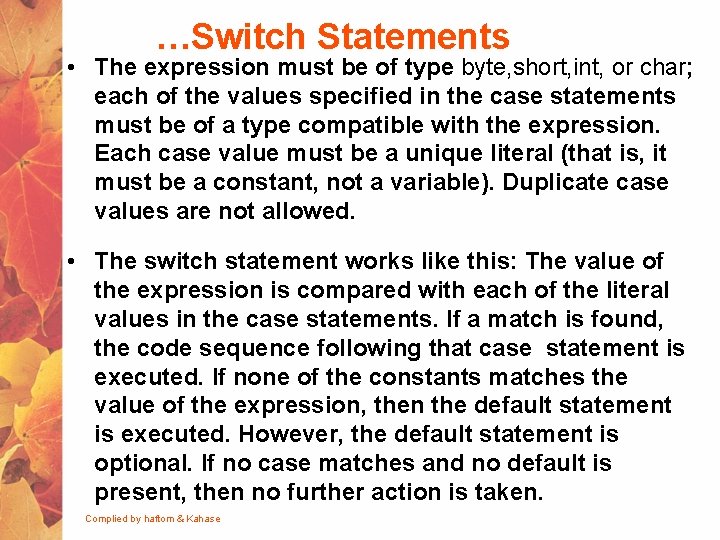
…Switch Statements • The expression must be of type byte, short, int, or char; each of the values specified in the case statements must be of a type compatible with the expression. Each case value must be a unique literal (that is, it must be a constant, not a variable). Duplicate case values are not allowed. • The switch statement works like this: The value of the expression is compared with each of the literal values in the case statements. If a match is found, the code sequence following that case statement is executed. If none of the constants matches the value of the expression, then the default statement is executed. However, the default statement is optional. If no case matches and no default is present, then no further action is taken. Complied by haftom & Kahase
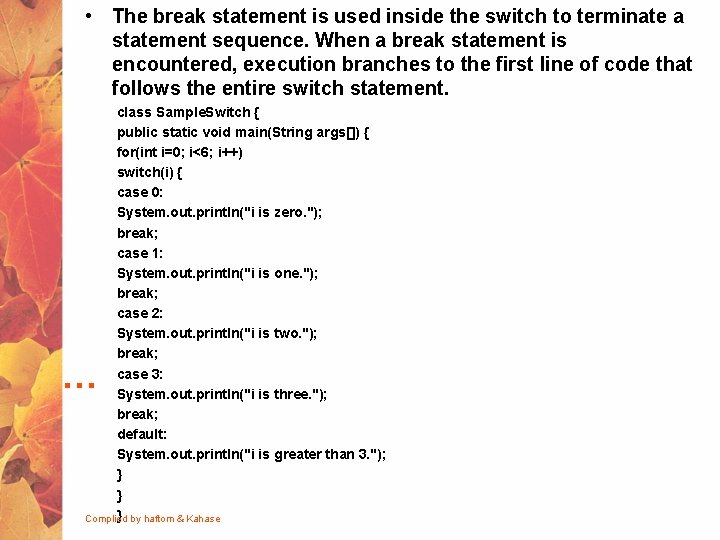
• The break statement is used inside the switch to terminate a statement sequence. When a break statement is encountered, execution branches to the first line of code that follows the entire switch statement. class Sample. Switch { public static void main(String args[]) { for(int i=0; i<6; i++) switch(i) { case 0: System. out. println("i is zero. "); break; case 1: System. out. println("i is one. "); break; case 2: System. out. println("i is two. "); break; case 3: System. out. println("i is three. "); break; default: System. out. println("i is greater than 3. "); } } } by haftom & Kahase Complied …
![class Switch { public static void main(String args[]) { int month = 4; String](http://slidetodoc.com/presentation_image_h2/0e1903c9f36fdfb19b1f2721e7273f14/image-70.jpg "class Switch { public static void main(String args[]) { int month = 4; String")
class Switch { public static void main(String args[]) { int month = 4; String season; switch (month) { case 12: case 1: case 2: season = "Winter"; break; case 3: case 4: case 5: season = "Spring"; break; case 6: case 7: case 8: season = "Summer"; break; case 9: case 10: case 11: season = "Autumn"; break; default: season = "Bogus Month"; } System. out. println("April is in the " + season + ". "); } Complied by haftom & Kahase }
Repetition Statements • Repetition statements allow us to execute a statement multiple times • Often they are referred to as loops • Like conditional statements, they are controlled by boolean expressions • Java has three kinds of repetition statements: § the while loop § the do loop § the for loop • The programmer should choose the right kind of loop for the situation Complied by haftom & Kahase
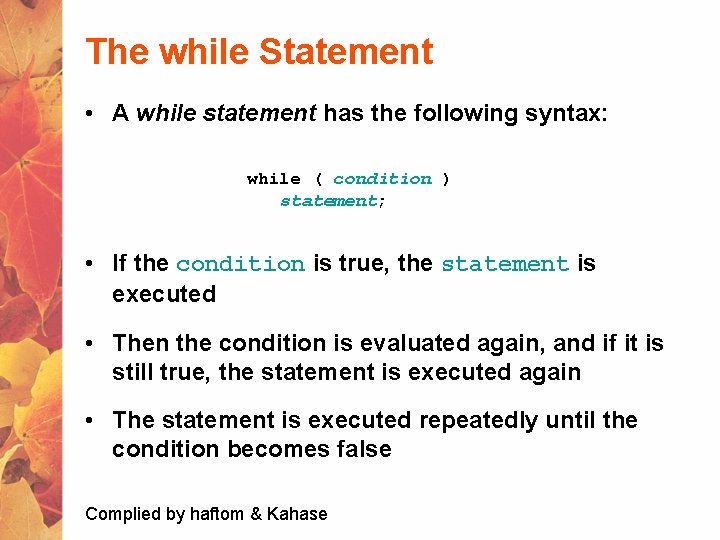
The while Statement • A while statement has the following syntax: while ( condition ) statement; • If the condition is true, the statement is executed • Then the condition is evaluated again, and if it is still true, the statement is executed again • The statement is executed repeatedly until the condition becomes false Complied by haftom & Kahase
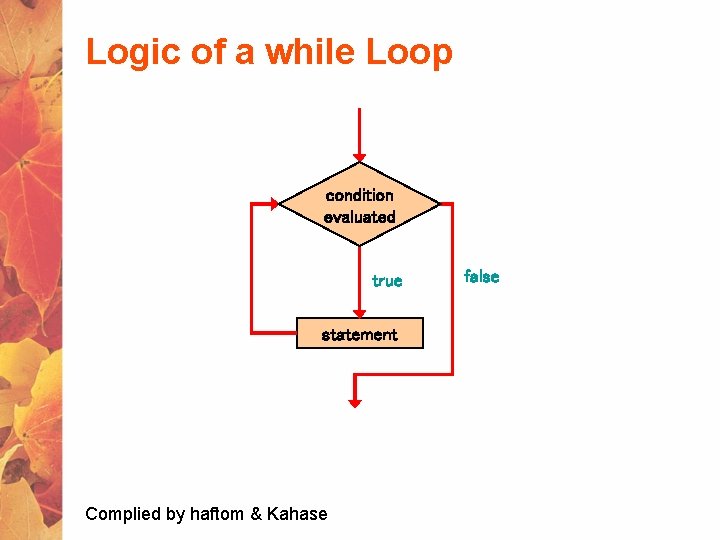
Logic of a while Loop condition evaluated true statement Complied by haftom & Kahase false
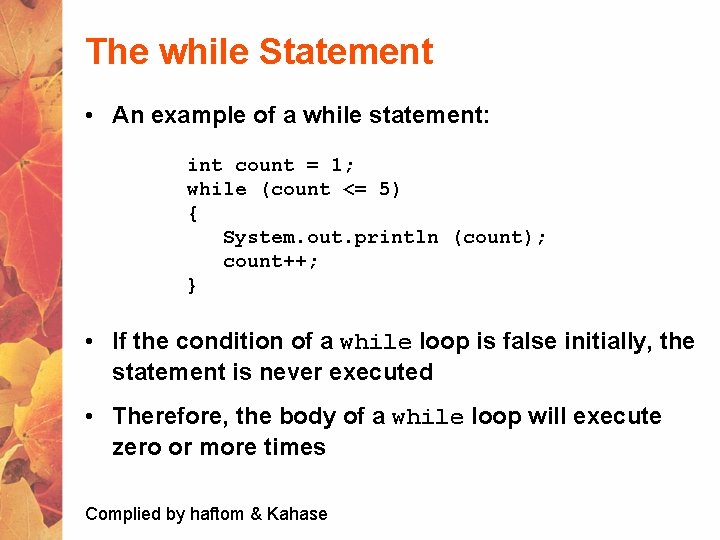
The while Statement • An example of a while statement: int count = 1; while (count <= 5) { System. out. println (count); count++; } • If the condition of a while loop is false initially, the statement is never executed • Therefore, the body of a while loop will execute zero or more times Complied by haftom & Kahase
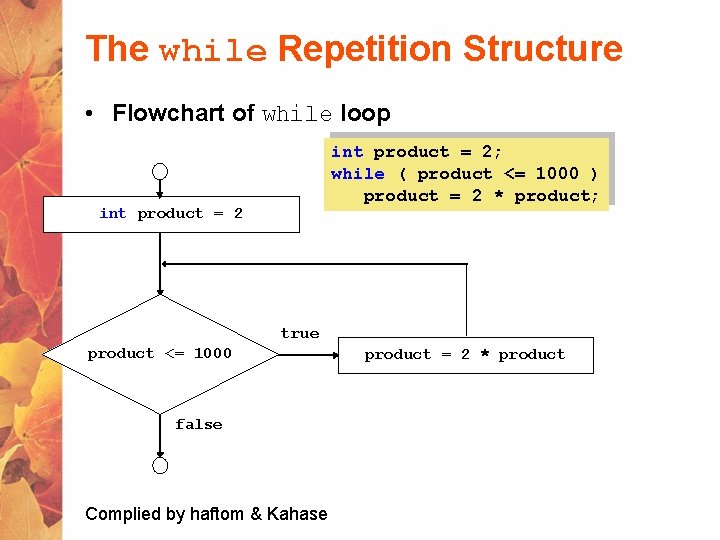
The while Repetition Structure • Flowchart of while loop int product = 2; while ( product <= 1000 ) product = 2 * product; int product = 2 true product <= 1000 false Complied by haftom & Kahase product = 2 * product
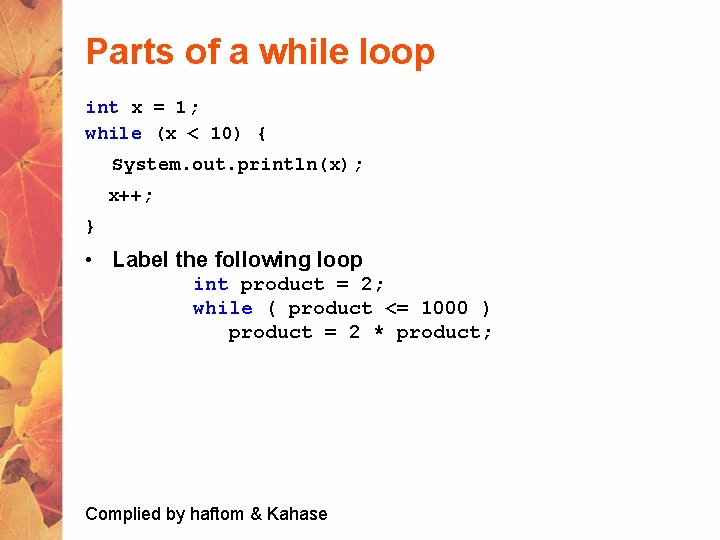
Parts of a while loop int x = 1; while (x < 10) { System. out. println(x); x++; } • Label the following loop int product = 2; while ( product <= 1000 ) product = 2 * product; Complied by haftom & Kahase
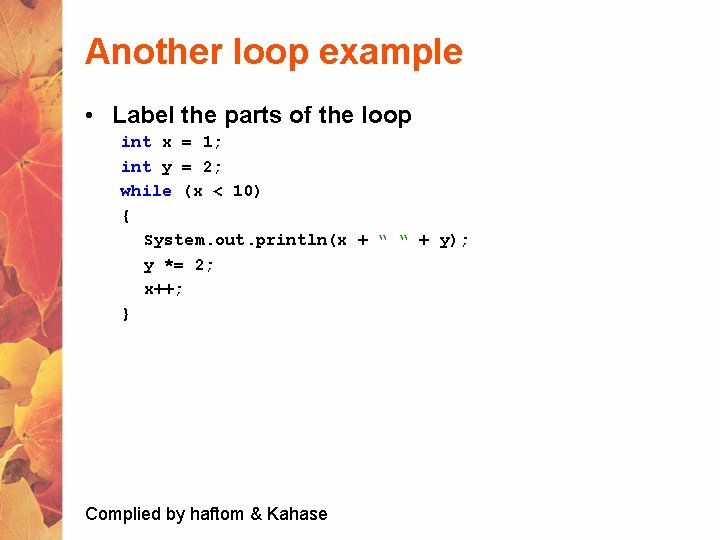
Another loop example • Label the parts of the loop int x = 1; int y = 2; while (x < 10) { System. out. println(x + “ “ + y); y *= 2; x++; } Complied by haftom & Kahase
while loop format • Sum the numbers from 1 to 100 Complied by haftom & Kahase
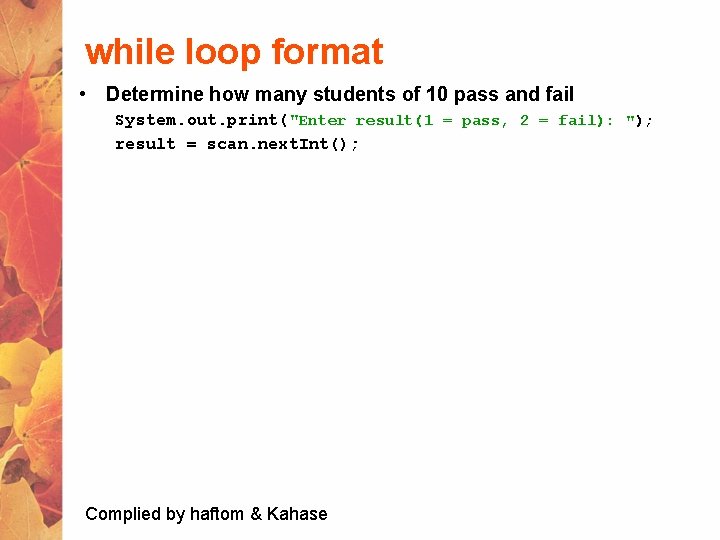
while loop format • Determine how many students of 10 pass and fail System. out. print("Enter result(1 = pass, 2 = fail): "); result = scan. next. Int(); Complied by haftom & Kahase
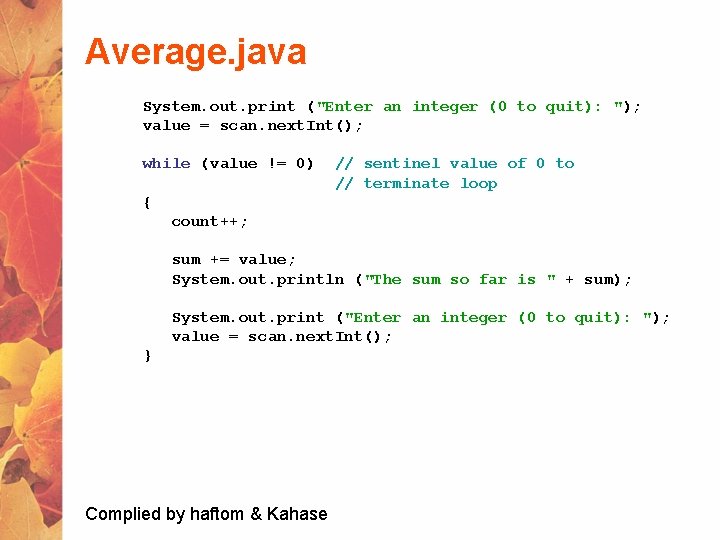
Average. java System. out. print ("Enter an integer (0 to quit): "); value = scan. next. Int(); while (value != 0) // sentinel value of 0 to // terminate loop { count++; sum += value; System. out. println ("The sum so far is " + sum); System. out. print ("Enter an integer (0 to quit): "); value = scan. next. Int(); } Complied by haftom & Kahase
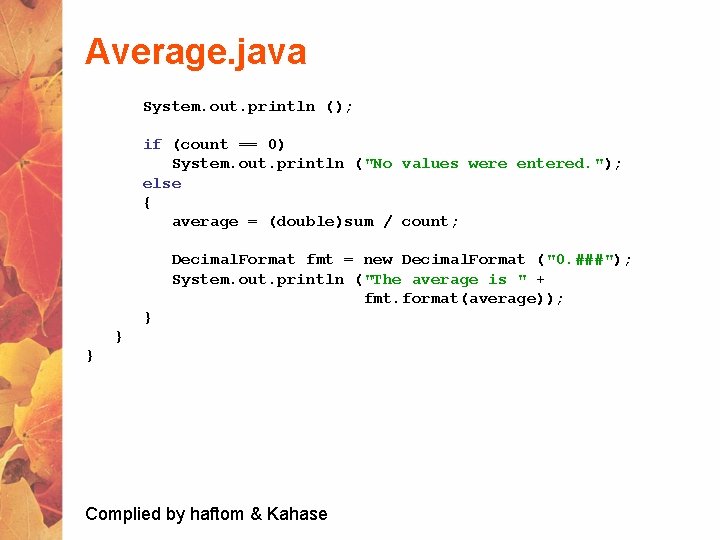
Average. java System. out. println (); if (count == 0) System. out. println ("No values were entered. "); else { average = (double)sum / count; Decimal. Format fmt = new Decimal. Format ("0. ###"); System. out. println ("The average is " + fmt. format(average)); } } } Complied by haftom & Kahase
Infinite Loops • The body of a while loop eventually must make the condition false • If not, it is called an infinite loop, which will execute until the user interrupts the program • This is a common logical error • You should always double check the logic of a program to ensure that your loops will terminate normally Complied by haftom & Kahase
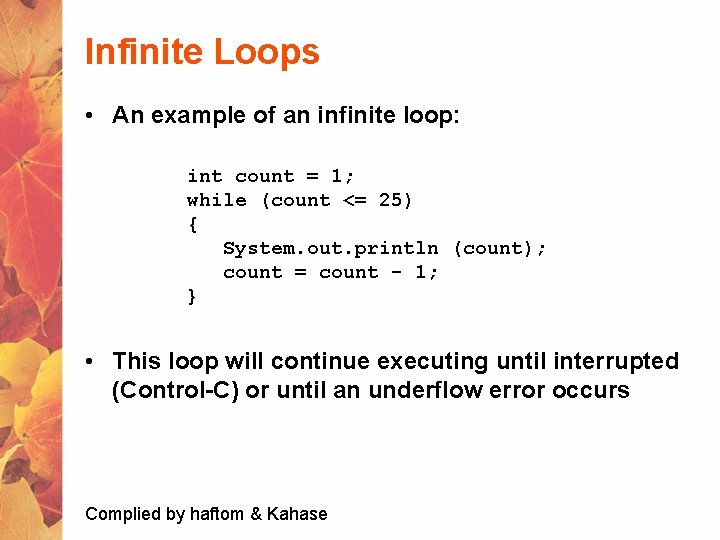
Infinite Loops • An example of an infinite loop: int count = 1; while (count <= 25) { System. out. println (count); count = count - 1; } • This loop will continue executing until interrupted (Control-C) or until an underflow error occurs Complied by haftom & Kahase
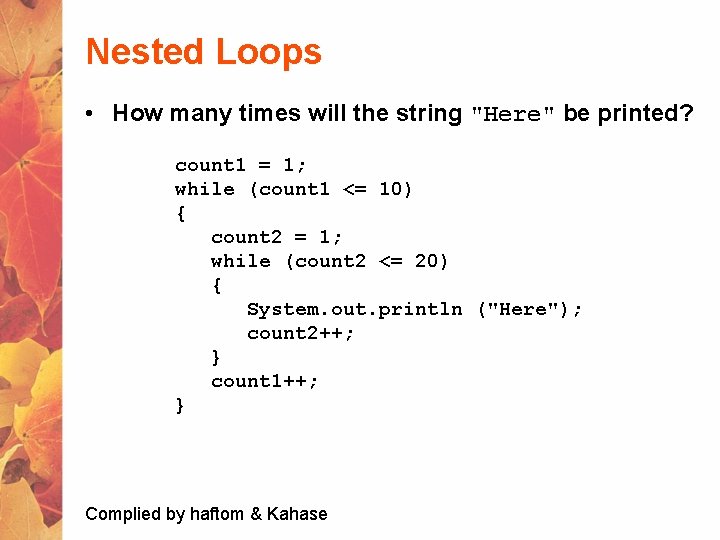
Nested Loops • How many times will the string "Here" be printed? count 1 = 1; while (count 1 <= 10) { count 2 = 1; while (count 2 <= 20) { System. out. println ("Here"); count 2++; } count 1++; } Complied by haftom & Kahase
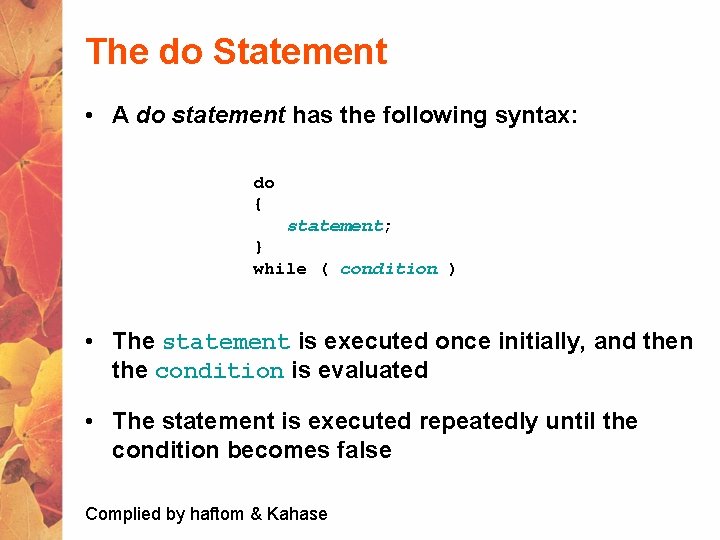
The do Statement • A do statement has the following syntax: do { statement; } while ( condition ) • The statement is executed once initially, and then the condition is evaluated • The statement is executed repeatedly until the condition becomes false Complied by haftom & Kahase
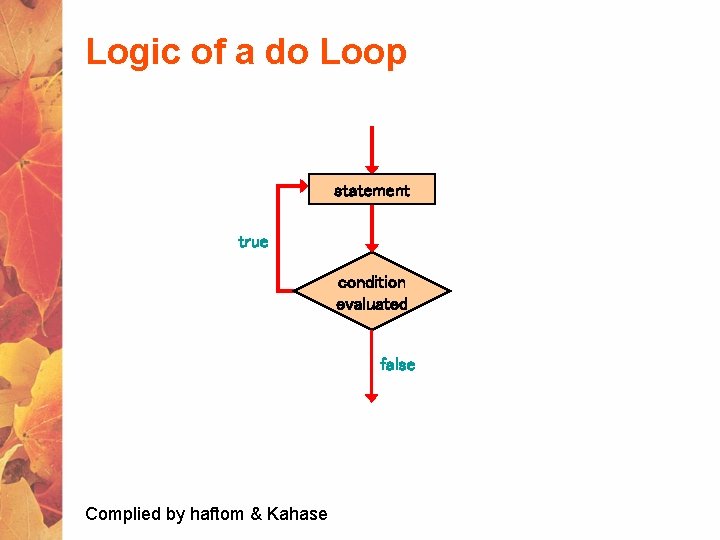
Logic of a do Loop statement true condition evaluated false Complied by haftom & Kahase
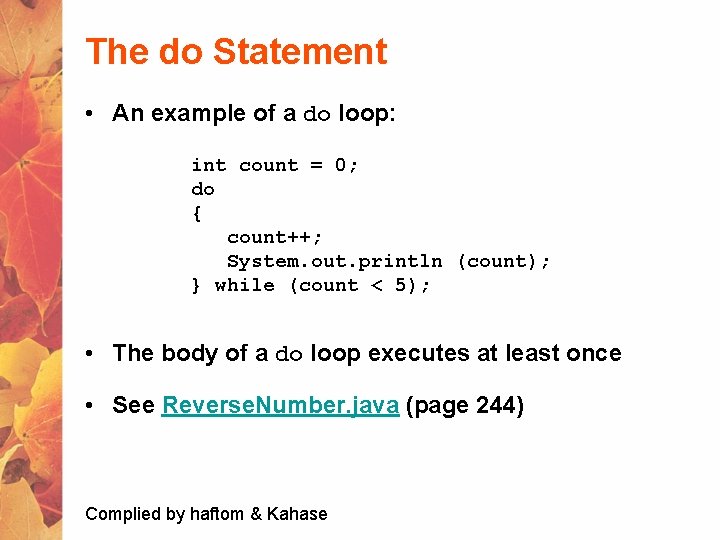
The do Statement • An example of a do loop: int count = 0; do { count++; System. out. println (count); } while (count < 5); • The body of a do loop executes at least once • See Reverse. Number. java (page 244) Complied by haftom & Kahase
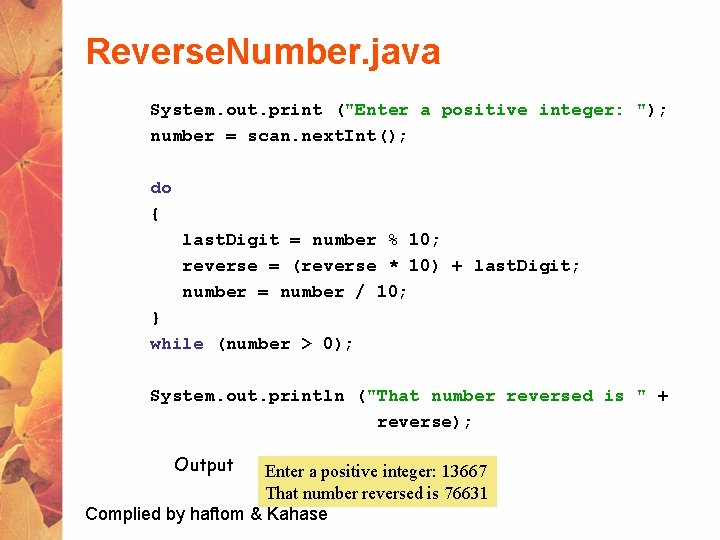
Reverse. Number. java System. out. print ("Enter a positive integer: "); number = scan. next. Int(); do { last. Digit = number % 10; reverse = (reverse * 10) + last. Digit; number = number / 10; } while (number > 0); System. out. println ("That number reversed is " + reverse); Output Enter a positive integer: 13667 That number reversed is 76631 Complied by haftom & Kahase
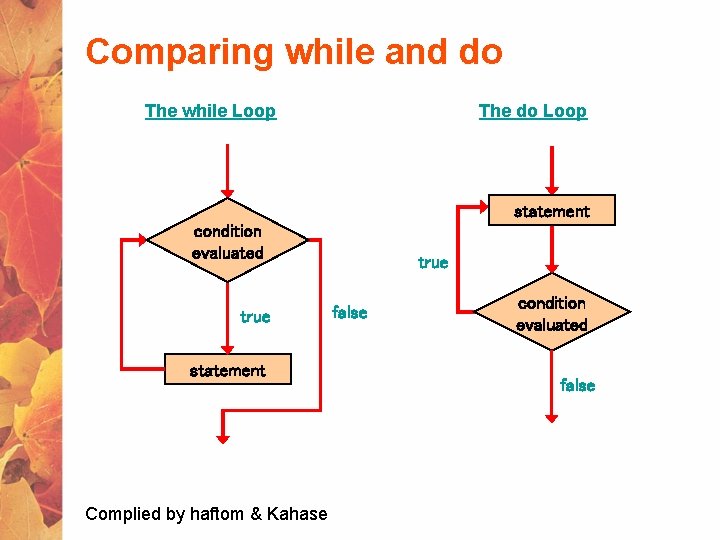
Comparing while and do The while Loop The do Loop statement condition evaluated true statement Complied by haftom & Kahase true false condition evaluated false
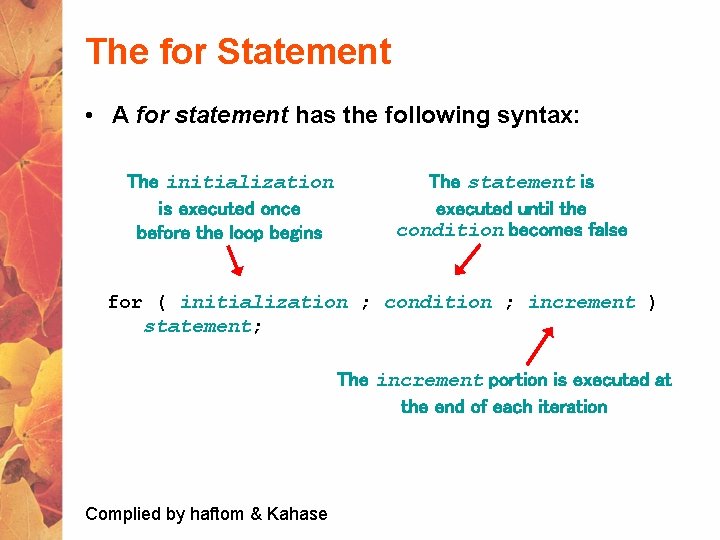
The for Statement • A for statement has the following syntax: The initialization is executed once before the loop begins The statement is executed until the condition becomes false for ( initialization ; condition ; increment ) statement; The increment portion is executed at the end of each iteration Complied by haftom & Kahase
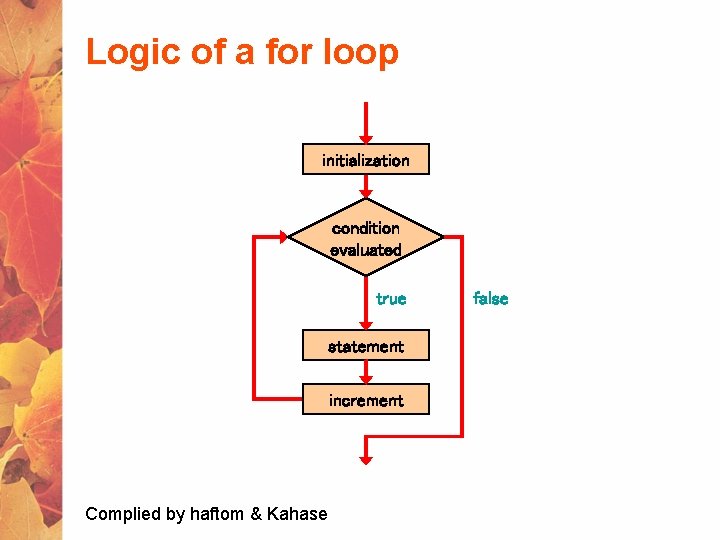
Logic of a for loop initialization condition evaluated true statement increment Complied by haftom & Kahase false
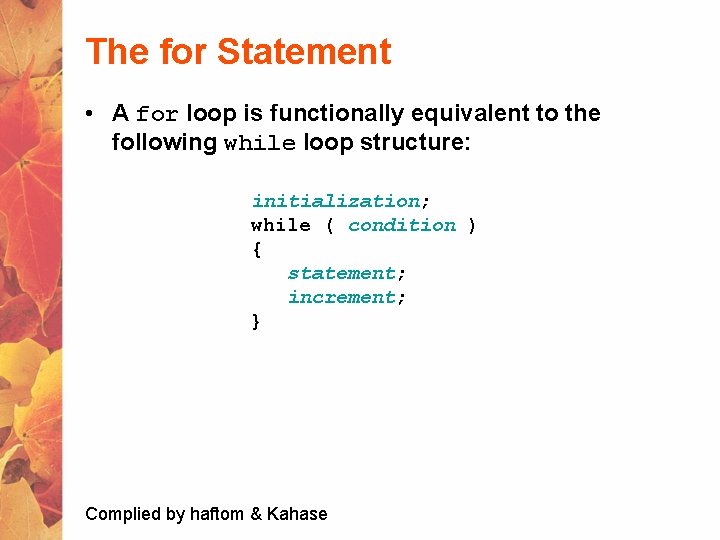
The for Statement • A for loop is functionally equivalent to the following while loop structure: initialization; while ( condition ) { statement; increment; } Complied by haftom & Kahase
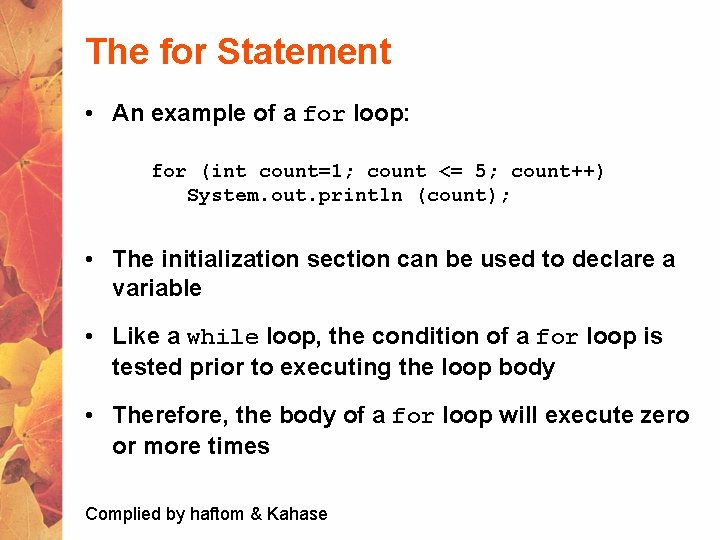
The for Statement • An example of a for loop: for (int count=1; count <= 5; count++) System. out. println (count); • The initialization section can be used to declare a variable • Like a while loop, the condition of a for loop is tested prior to executing the loop body • Therefore, the body of a for loop will execute zero or more times Complied by haftom & Kahase
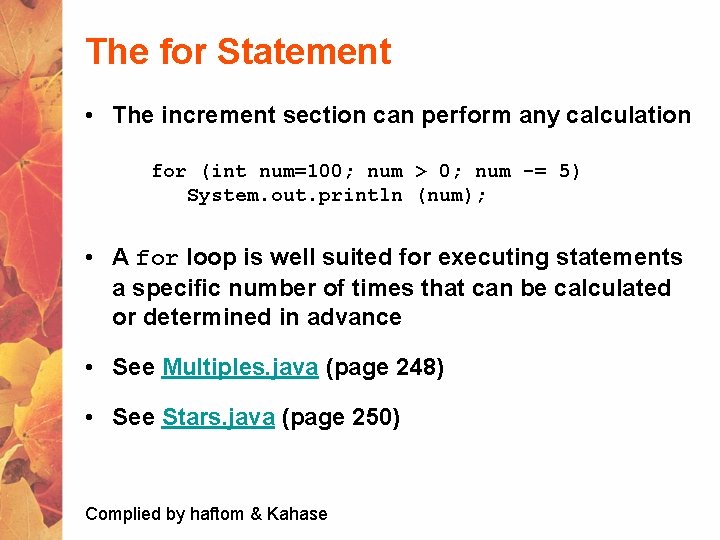
The for Statement • The increment section can perform any calculation for (int num=100; num > 0; num -= 5) System. out. println (num); • A for loop is well suited for executing statements a specific number of times that can be calculated or determined in advance • See Multiples. java (page 248) • See Stars. java (page 250) Complied by haftom & Kahase
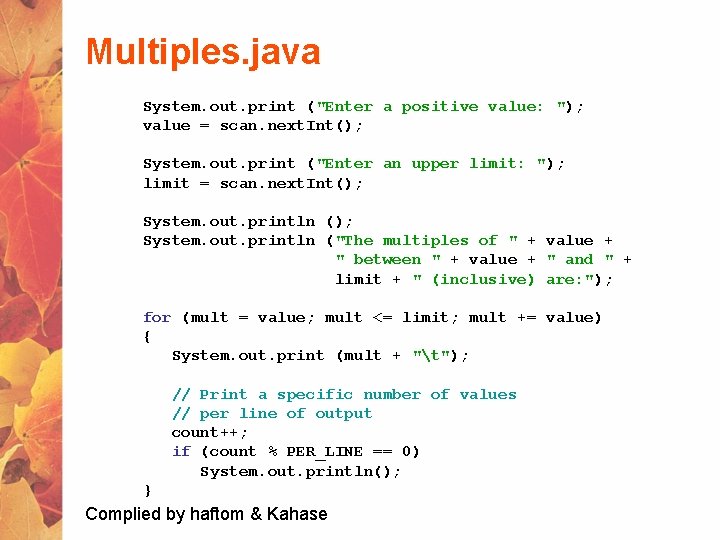
Multiples. java System. out. print ("Enter a positive value: "); value = scan. next. Int(); System. out. print ("Enter an upper limit: "); limit = scan. next. Int(); System. out. println ("The multiples of " + value + " between " + value + " and " + limit + " (inclusive) are: "); for (mult = value; mult <= limit; mult += value) { System. out. print (mult + "t"); // Print a specific number of values // per line of output count++; if (count % PER_LINE == 0) System. out. println(); } Complied by haftom & Kahase
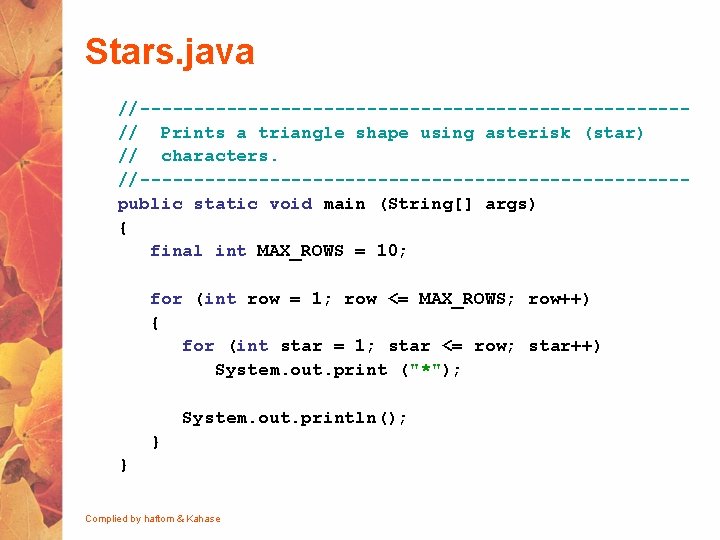
Stars. java //-------------------------// Prints a triangle shape using asterisk (star) // characters. //-------------------------public static void main (String[] args) { final int MAX_ROWS = 10; for (int row = 1; row <= MAX_ROWS; row++) { for (int star = 1; star <= row; star++) System. out. print ("*"); System. out. println(); } } Complied by haftom & Kahase
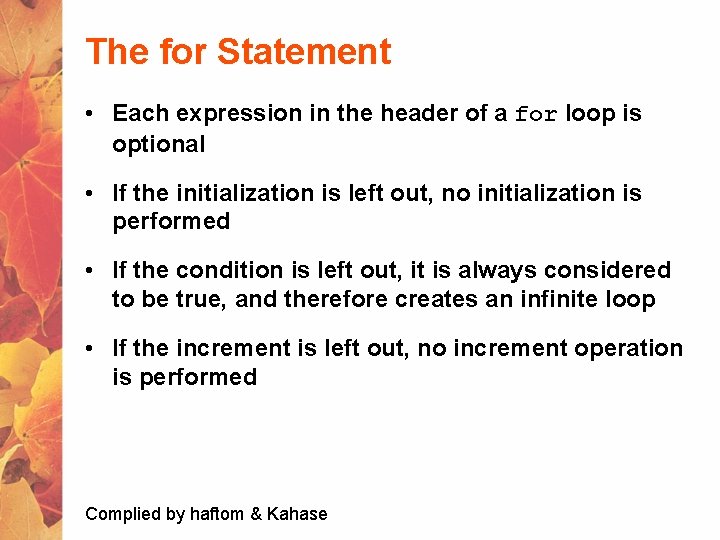
The for Statement • Each expression in the header of a for loop is optional • If the initialization is left out, no initialization is performed • If the condition is left out, it is always considered to be true, and therefore creates an infinite loop • If the increment is left out, no increment operation is performed Complied by haftom & Kahase
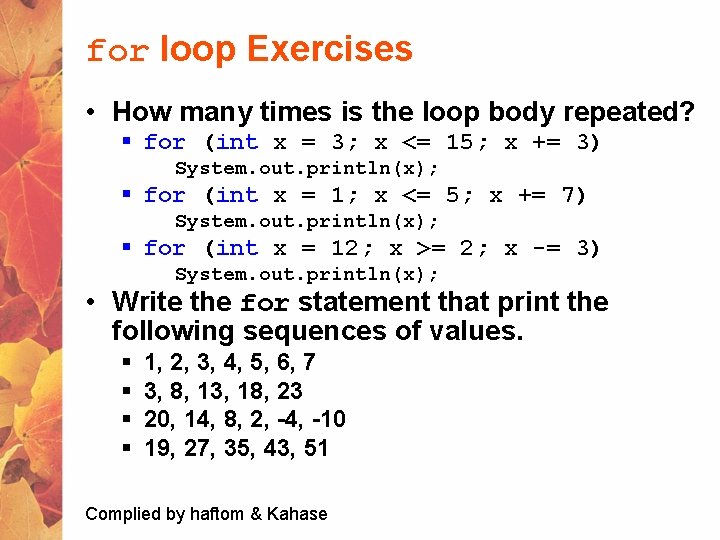
for loop Exercises • How many times is the loop body repeated? § for (int x = 3; x <= 15; x += 3) System. out. println(x); § for (int x = 1; x <= 5; x += 7) System. out. println(x); § for (int x = 12; x >= 2; x -= 3) System. out. println(x); • Write the for statement that print the following sequences of values. § § 1, 2, 3, 4, 5, 6, 7 3, 8, 13, 18, 23 20, 14, 8, 2, -4, -10 19, 27, 35, 43, 51 Complied by haftom & Kahase
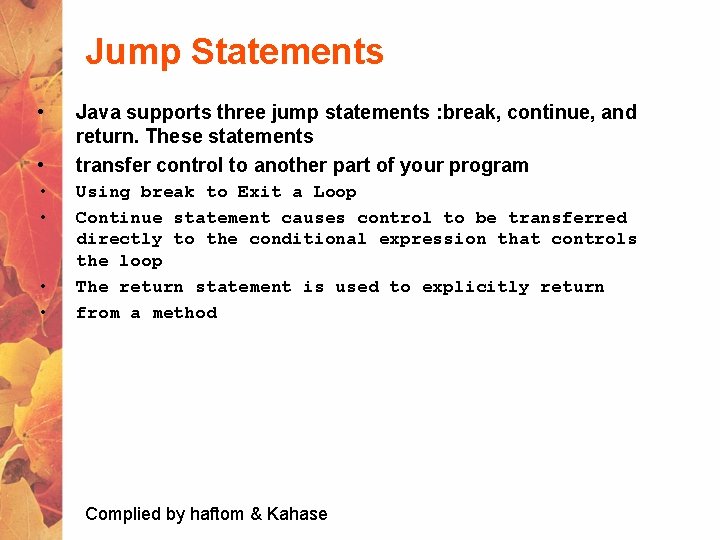
Jump Statements • • • Java supports three jump statements : break, continue, and return. These statements transfer control to another part of your program Using break to Exit a Loop Continue statement causes control to be transferred directly to the conditional expression that controls the loop The return statement is used to explicitly return from a method Complied by haftom & Kahase
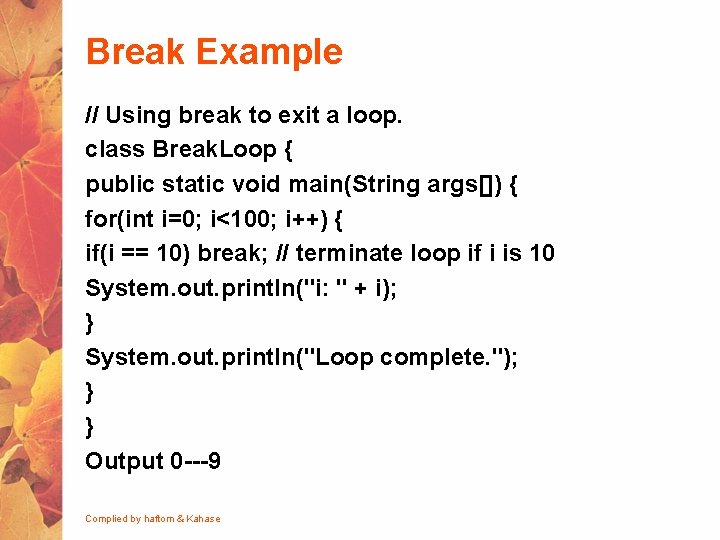
Break Example // Using break to exit a loop. class Break. Loop { public static void main(String args[]) { for(int i=0; i<100; i++) { if(i == 10) break; // terminate loop if i is 10 System. out. println("i: " + i); } System. out. println("Loop complete. "); } } Output 0 ---9 Complied by haftom & Kahase
![Continue Example(odd numbers) class Continue { public static void main(String args[]) { for(int i=0;](http://slidetodoc.com/presentation_image_h2/0e1903c9f36fdfb19b1f2721e7273f14/image-101.jpg "Continue Example(odd numbers) class Continue { public static void main(String args[]) { for(int i=0;")
Continue Example(odd numbers) class Continue { public static void main(String args[]) { for(int i=0; i<10; i++) { if (i%2 == 0) continue; System. out. print(i + " "); } } } Output 1, 3, 5, 7, 9 Complied by haftom & Kahase
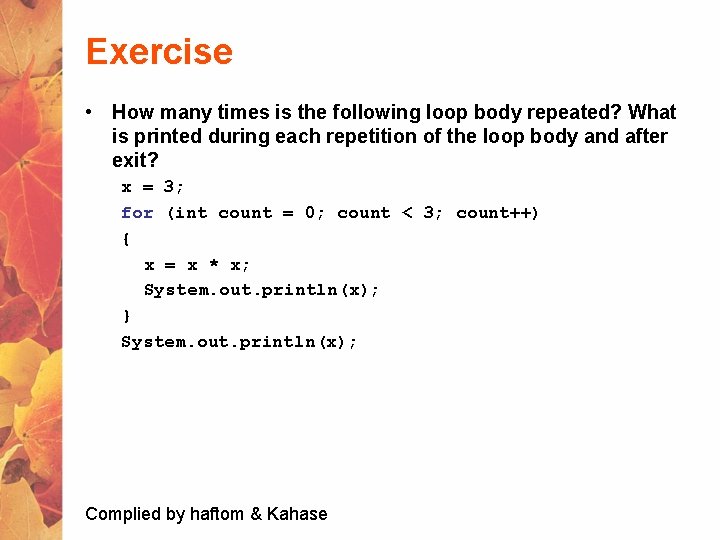
Exercise • How many times is the following loop body repeated? What is printed during each repetition of the loop body and after exit? x = 3; for (int count = 0; count < 3; count++) { x = x * x; System. out. println(x); } System. out. println(x); Complied by haftom & Kahase
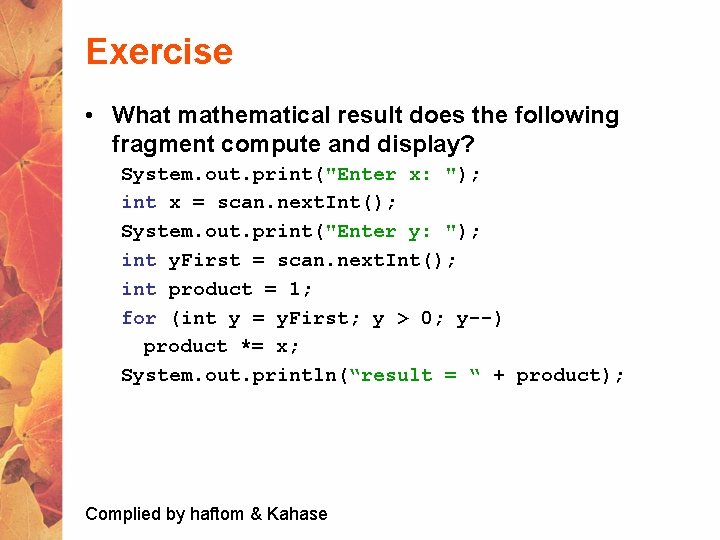
Exercise • What mathematical result does the following fragment compute and display? System. out. print("Enter x: "); int x = scan. next. Int(); System. out. print("Enter y: "); int y. First = scan. next. Int(); int product = 1; for (int y = y. First; y > 0; y--) product *= x; System. out. println(“result = “ + product); Complied by haftom & Kahase
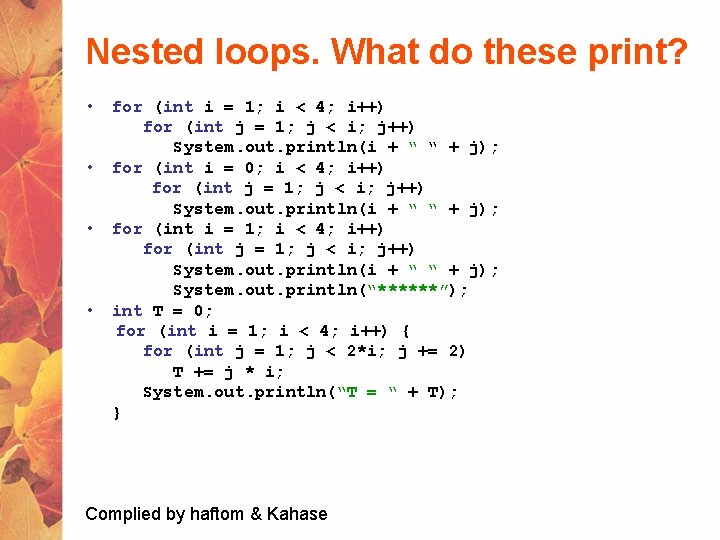
Nested loops. What do these print? • for (int i = 1; i < 4; i++) for (int j = 1; j < i; j++) System. out. println(i + “ “ + j); • for (int i = 0; i < 4; i++) for (int j = 1; j < i; j++) System. out. println(i + “ “ + j); • for (int i = 1; i < 4; i++) for (int j = 1; j < i; j++) System. out. println(i + “ “ + j); System. out. println(“******”); • int T = 0; for (int i = 1; i < 4; i++) { for (int j = 1; j < 2*i; j += 2) T += j * i; System. out. println(“T = “ + T); } Complied by haftom & Kahase
Using a loop to find if a number is prime • Prime numbers are only divisible by 1 and themselves Complied by haftom & Kahase
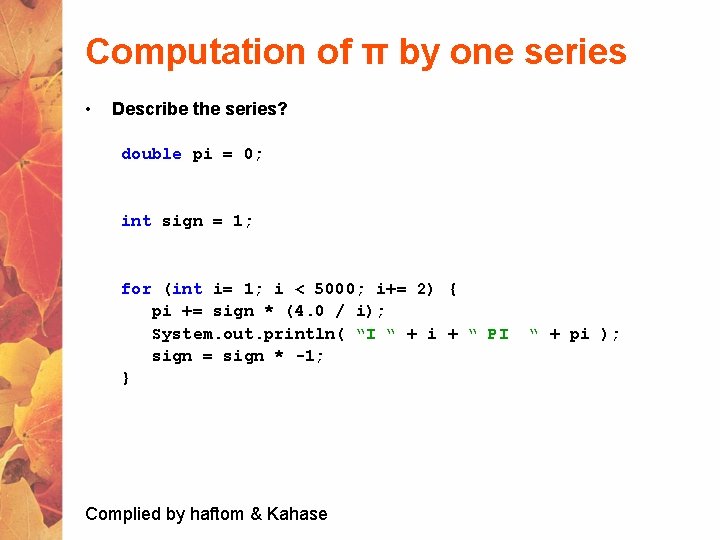
Computation of π by one series • Describe the series? double pi = 0; int sign = 1; for (int i= 1; i < 5000; i+= 2) { pi += sign * (4. 0 / i); System. out. println( “I “ + i + “ PI sign = sign * -1; } Complied by haftom & Kahase “ + pi );
Array Declaring an Array Variable • Do not have to create an array while declaring array variable § <type> [] variable_name; § int [] prime; § int prime[]; • Both syntaxes are equivalent • No memory allocation at this point Complied by haftom & Kahase
![Defining an Array • Define an array as follows: § variable_name=new <type>[N]; § primes=new](http://slidetodoc.com/presentation_image_h2/0e1903c9f36fdfb19b1f2721e7273f14/image-108.jpg "Defining an Array • Define an array as follows: § variable_name=new <type>[N]; § primes=new")
Defining an Array • Define an array as follows: § variable_name=new <type>[N]; § primes=new int[10]; • Declaring and defining in the same statement: § int[] primes=new int[10]; • In JAVA, int is of 4 bytes, total space=4*10=40 bytes Complied by haftom & Kahase
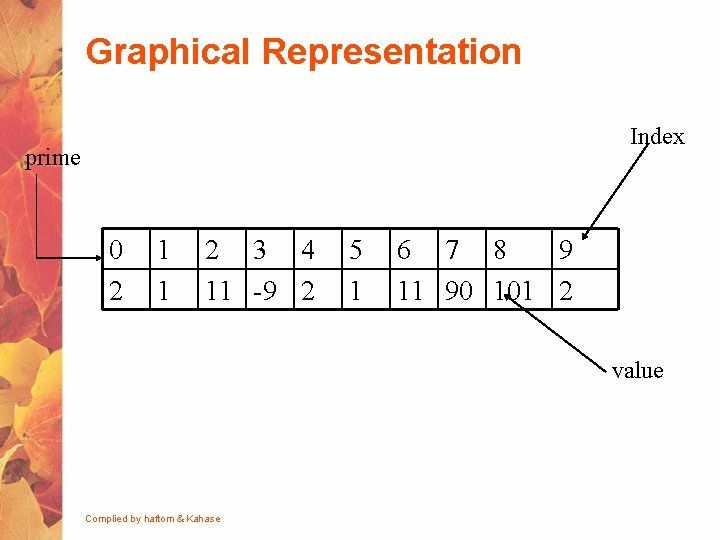
Graphical Representation Index prime 0 2 1 1 2 3 4 11 -9 2 5 1 6 7 8 9 11 90 101 2 value Complied by haftom & Kahase
Default Initialization • When array is created, array elements are initialized § § Numeric values (int, double, etc. ) to 0 Boolean values to false Char values to ‘u 0000’ (unicode for blank character) Class types to null Complied by haftom & Kahase
Accessing Array Elements • Index of an array is defined as § Positive int, byte or short values § Expression that results into these types • Any other types used for index will give error § long, double, etc. § Incase Expression results in long, then type cast to int • Indexing starts from 0 and ends at N-1 primes[2]=0; int k = primes[2]; … Complied by haftom & Kahase
Validating Indexes • JAVA checks whether the index values are valid at runtime § If index is negative or greater than the size of the array then an Index. Out. Of. Bound. Exception will be thrown § Program will normally be terminated unless handled in the try {} catch {} Complied by haftom & Kahase
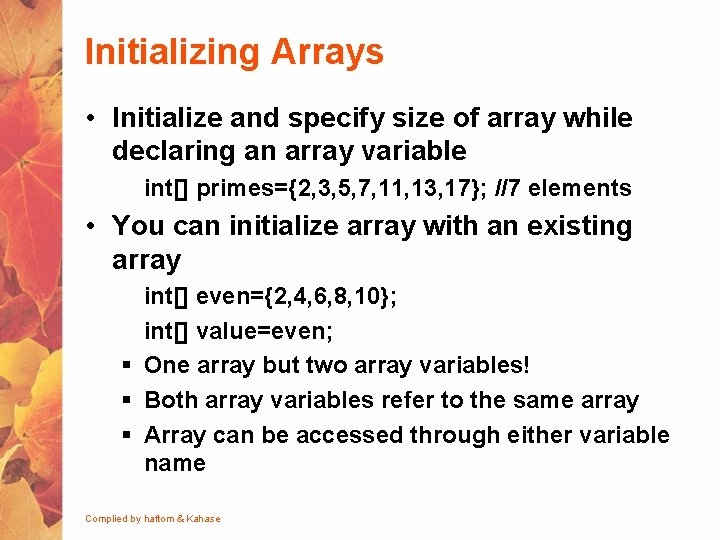
Initializing Arrays • Initialize and specify size of array while declaring an array variable int[] primes={2, 3, 5, 7, 11, 13, 17}; //7 elements • You can initialize array with an existing array int[] even={2, 4, 6, 8, 10}; int[] value=even; § One array but two array variables! § Both array variables refer to the same array § Array can be accessed through either variable name Complied by haftom & Kahase
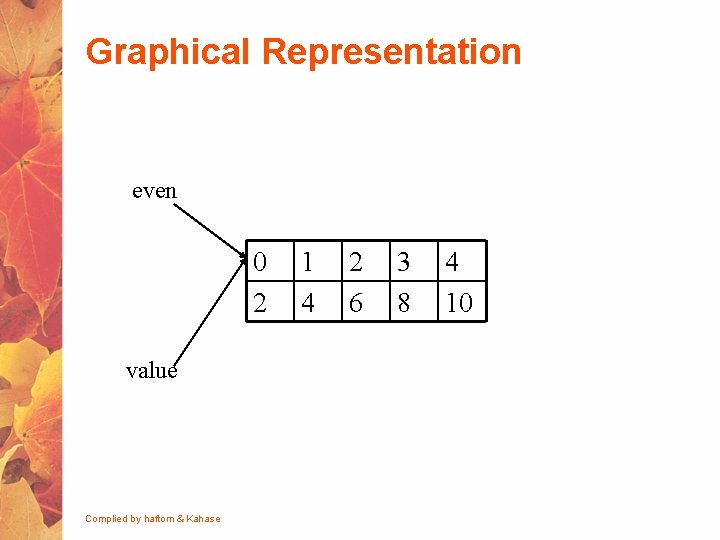
Graphical Representation even 0 2 value Complied by haftom & Kahase 1 4 2 6 3 8 4 10
![Demonstration long[] primes = new long[20]; primes[0] = 2; primes[1] = 3; long[] primes](http://slidetodoc.com/presentation_image_h2/0e1903c9f36fdfb19b1f2721e7273f14/image-115.jpg "Demonstration long[] primes = new long[20]; primes[0] = 2; primes[1] = 3; long[] primes")
Demonstration long[] primes = new long[20]; primes[0] = 2; primes[1] = 3; long[] primes 2=primes; System. out. println(primes 2[0]); primes 2[0]=5; System. out. println(primes[0]); Complied by haftom & Kahase
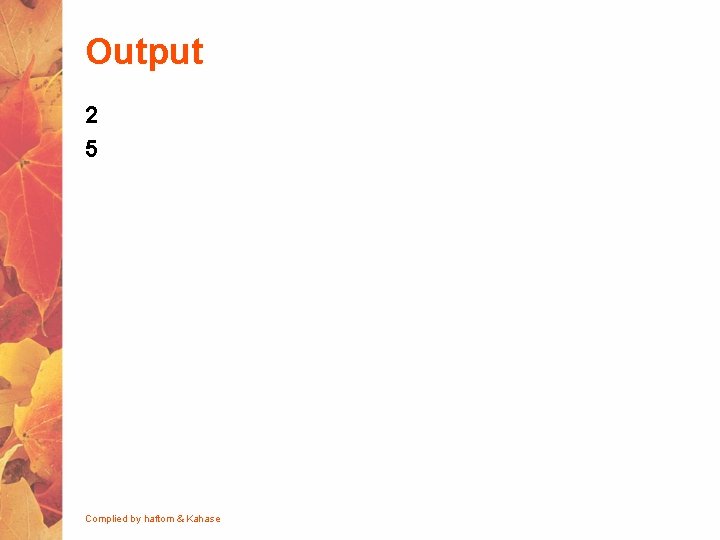
Output 2 5 Complied by haftom & Kahase
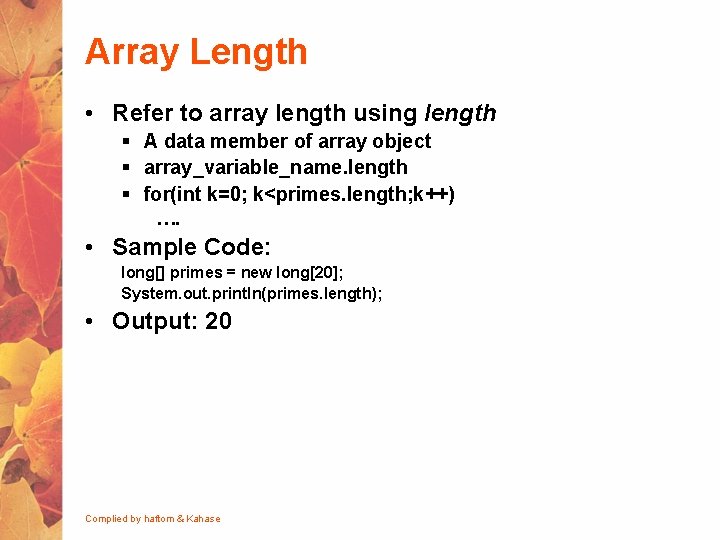
Array Length • Refer to array length using length § A data member of array object § array_variable_name. length § for(int k=0; k<primes. length; k++) …. • Sample Code: long[] primes = new long[20]; System. out. println(primes. length); • Output: 20 Complied by haftom & Kahase
![Sample Program class Min. Algorithm { public static void main ( String[] args )](http://slidetodoc.com/presentation_image_h2/0e1903c9f36fdfb19b1f2721e7273f14/image-118.jpg "Sample Program class Min. Algorithm { public static void main ( String[] args )")
Sample Program class Min. Algorithm { public static void main ( String[] args ) { int[] array = { -20, 19, 1, 5, -1, 27, 19, 5 } ; int min=array[0]; // initialize the current minimum for ( int index=0; index < array. length; index++ ) if ( array[ index ] < min ) min = array[ index ] ; System. out. println("The minimum of this array is: " + min ); } } taken from: http: //chortle. ccsu. edu/CS 151/Notes/chap 47/ch 47_10. html Complied by*Program haftom & Kahase
![Arrays of Arrays • Two-Dimensional arrays § § § float[][] temperature=new float[10][365]; 10 arrays](http://slidetodoc.com/presentation_image_h2/0e1903c9f36fdfb19b1f2721e7273f14/image-119.jpg "Arrays of Arrays • Two-Dimensional arrays § § § float[][] temperature=new float[10][365]; 10 arrays")
Arrays of Arrays • Two-Dimensional arrays § § § float[][] temperature=new float[10][365]; 10 arrays each having 365 elements First index: specifies array (row) Second Index: specifies element in that array (column) In JAVA float is 4 bytes, total Size=4*10*365=14, 600 bytes Complied by haftom & Kahase
![Graphical Representation Sample[0] 0 1 2 3 4 5 6 7 8 9 Sample[1]](http://slidetodoc.com/presentation_image_h2/0e1903c9f36fdfb19b1f2721e7273f14/image-120.jpg "Graphical Representation Sample[0] 0 1 2 3 4 5 6 7 8 9 Sample[1]")
Graphical Representation Sample[0] 0 1 2 3 4 5 6 7 8 9 Sample[1] 0 1 2 3 4 5 6 7 8 9 Sample[2] 0 1 2 3 4 5 6 7 8 9 Complied by haftom & Kahase
![Initializing Array of Arrays int[][] array 2 D = { {99, 42, 74, 83,](http://slidetodoc.com/presentation_image_h2/0e1903c9f36fdfb19b1f2721e7273f14/image-121.jpg "Initializing Array of Arrays int[][] array 2 D = { {99, 42, 74, 83,")
Initializing Array of Arrays int[][] array 2 D = { {99, 42, 74, 83, 100}, {90, 91, 72, 88, 95}, {88, 61, 74, 89, 96}, {61, 89, 82, 98, 93}, {93, 75, 78, 99}, {50, 65, 92, 87, 94}, {43, 98, 78, 56, 99} }; //5 arrays with 5 elements each Complied by haftom & Kahase
Arrays of Varying Length • All arrays do not have to be of the same length float[][] samples; samples=new float[6][]; //defines # of arrays samples[2]=new float[6]; samples[5]=new float[101]; • Not required to define all arrays Complied by haftom & Kahase
![Initializing Varying Size Arrays int[][] uneven = { { 1, 9, 4 }, {](http://slidetodoc.com/presentation_image_h2/0e1903c9f36fdfb19b1f2721e7273f14/image-123.jpg "Initializing Varying Size Arrays int[][] uneven = { { 1, 9, 4 }, {")
Initializing Varying Size Arrays int[][] uneven = { { 1, 9, 4 }, { 0, 2}, { 0, 1, 2, 3, 4 } }; //Three arrays //First array has 3 elements //Second array has 2 elements //Third array has 5 elements Complied by haftom & Kahase
![Array of Arrays Length long[][] primes = new long[20][]; primes[2] = new long[30]; System.](http://slidetodoc.com/presentation_image_h2/0e1903c9f36fdfb19b1f2721e7273f14/image-124.jpg "Array of Arrays Length long[][] primes = new long[20][]; primes[2] = new long[30]; System.")
Array of Arrays Length long[][] primes = new long[20][]; primes[2] = new long[30]; System. out. println(primes. length); //Number of arrays System. out. println(primes[2]. length); //Number of elements in the second array OUTPUT: 20 30 Complied by haftom & Kahase
![Sample Program class uneven. Example 3 { public static void main( String[] arg )](http://slidetodoc.com/presentation_image_h2/0e1903c9f36fdfb19b1f2721e7273f14/image-125.jpg "Sample Program class uneven. Example 3 { public static void main( String[] arg )")
Sample Program class uneven. Example 3 { public static void main( String[] arg ) { // declare and construct a 2 D array int[][] uneven = { { 1, 9, 4 }, { 0, 2}, { 0, 1, 2, 3, 4 } }; // print out the array for ( int row=0; row < uneven. length; row++ ) //changes row { System. out. print("Row " + row + ": "); for ( int col=0; col < uneven[row]. length; col++ ) //changes column System. out. print( uneven[row][col] + " "); System. out. println(); } } } Complied by haftom & Kahase
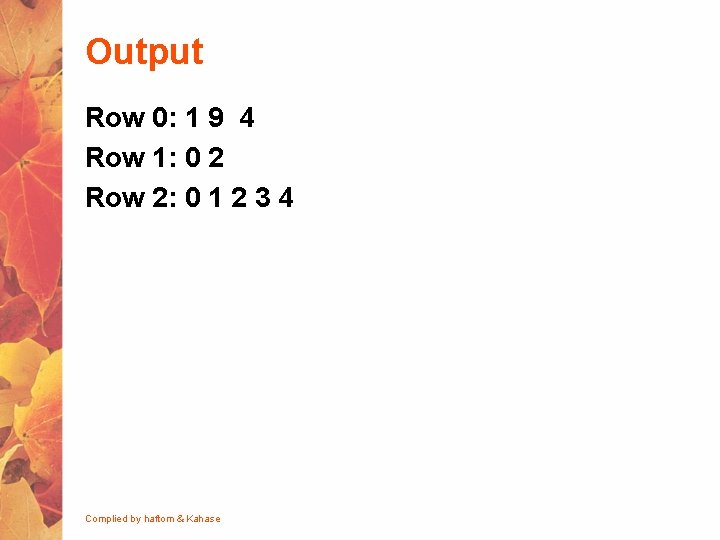
Output Row 0: 1 9 4 Row 1: 0 2 Row 2: 0 1 2 3 4 Complied by haftom & Kahase
- Slides: 126