
Chapter 2 Flowcharts Extended Prelude to Programming Concepts

- Slides: 17
Chapter 2: Flowcharts Extended Prelude to Programming Concepts & Design, 3/e by Stewart Venit and Elizabeth Drake
Design the program • Create a detailed description of program – Use charts or ordinary language (pseudocode) • Identify algorithms needed – Algorithm: a step-by-step method to solve a problem or complete a task • Algorithms must be: – – Well defined Well ordered Must produce some result Must terminate in a finite time 2
Program Design • Modular programming – Determine the major tasks that the program must accomplish. Each of these tasks will be a module. – Some modules will be complex themselves, and they will be broken into submodules, and those submodules may also be broken into even smaller submodules. – This is called top-down design 3
Documentation for other programmers • In-program documentation (remarks) • Program maintenance manual – For programming experts to help them fix or enhance code written by other programmers • Design documentation – Written by programmer to explain rationale behind methods and code used • Trade Study documentation – A research tool – An attempt to find the best solution 4
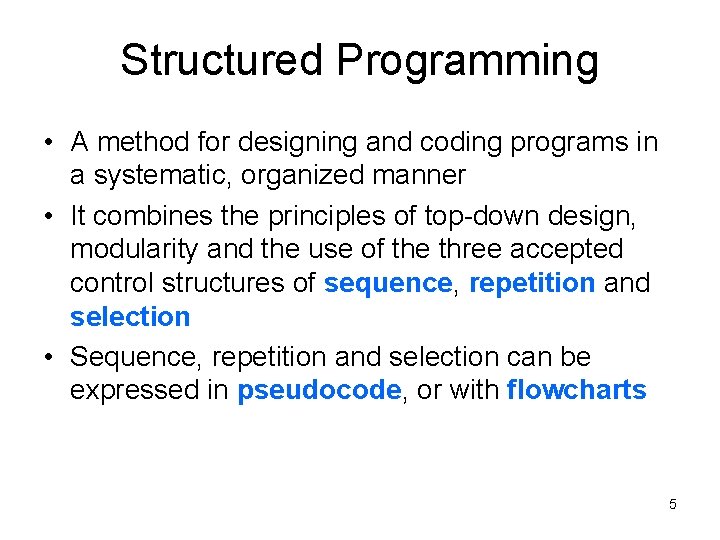
Structured Programming • A method for designing and coding programs in a systematic, organized manner • It combines the principles of top-down design, modularity and the use of the three accepted control structures of sequence, repetition and selection • Sequence, repetition and selection can be expressed in pseudocode, or with flowcharts 5
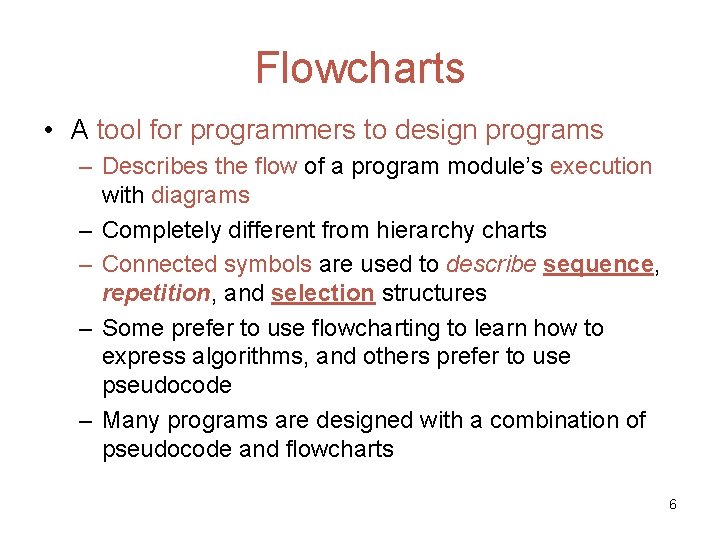
Flowcharts • A tool for programmers to design programs – Describes the flow of a program module’s execution with diagrams – Completely different from hierarchy charts – Connected symbols are used to describe sequence, repetition, and selection structures – Some prefer to use flowcharting to learn how to express algorithms, and others prefer to use pseudocode – Many programs are designed with a combination of pseudocode and flowcharts 6
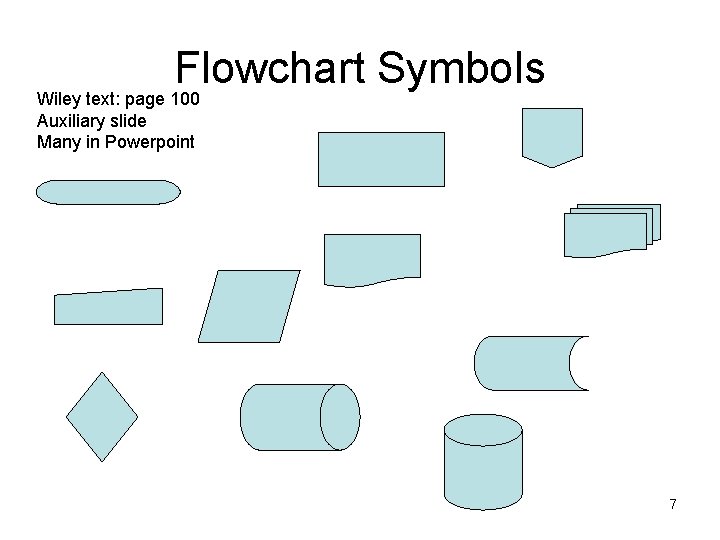
Flowchart Symbols Wiley text: page 100 Auxiliary slide Many in Powerpoint 7
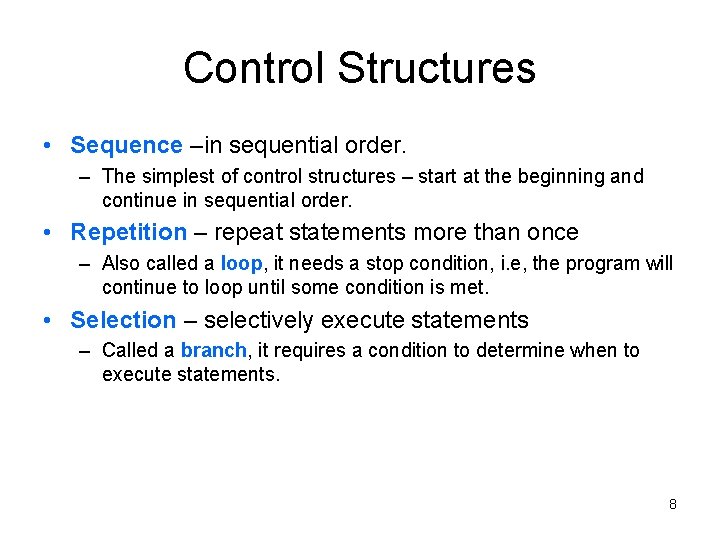
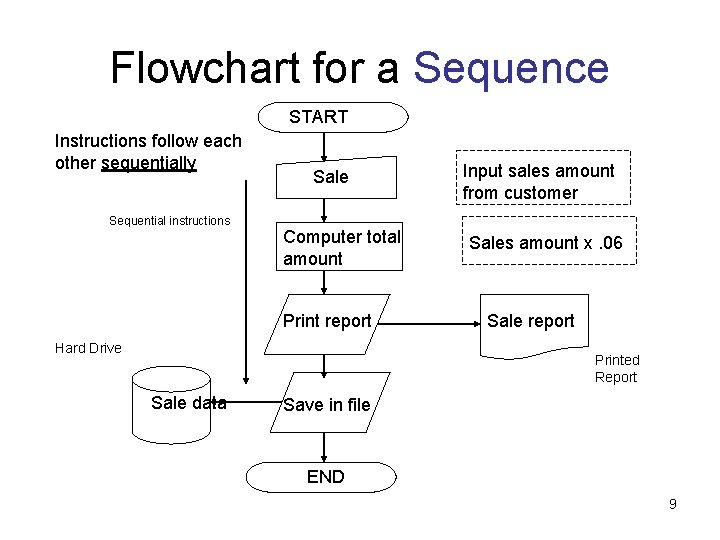
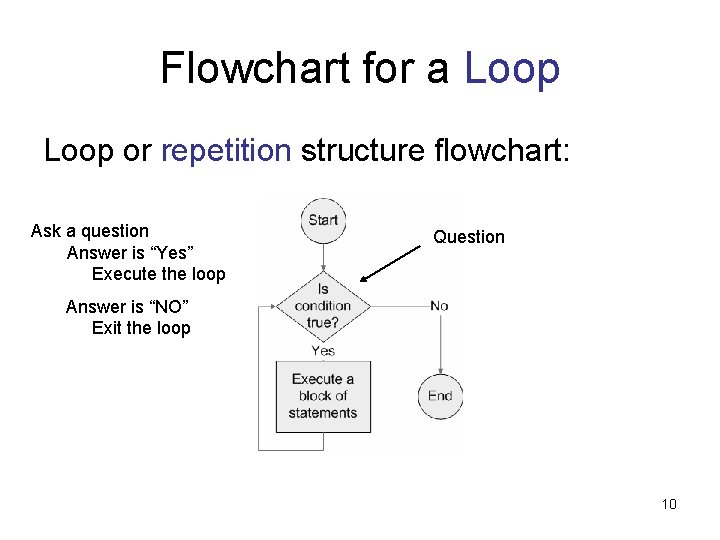
Control Structures • Sequence –in sequential order. – The simplest of control structures – start at the beginning and continue in sequential order. • Repetition – repeat statements more than once – Also called a loop, it needs a stop condition, i. e, the program will continue to loop until some condition is met. • Selection – selectively execute statements – Called a branch, it requires a condition to determine when to execute statements. 8
Flowchart for a Sequence START Instructions follow each other sequentially Sequential instructions Sale Computer total amount Print report Hard Drive Input sales amount from customer Sales amount x. 06 Sale report Printed Report Sale data Save in file END 9
Flowchart for a Loop or repetition structure flowchart: Ask a question Answer is “Yes” Execute the loop Question Answer is “NO” Exit the loop 10
Flowchart for a Decision or selection structure flowchart: IF --- THEN --- ELSE CASE statement Answer is “YES” (true) Question Answer is “NO” (false) 11
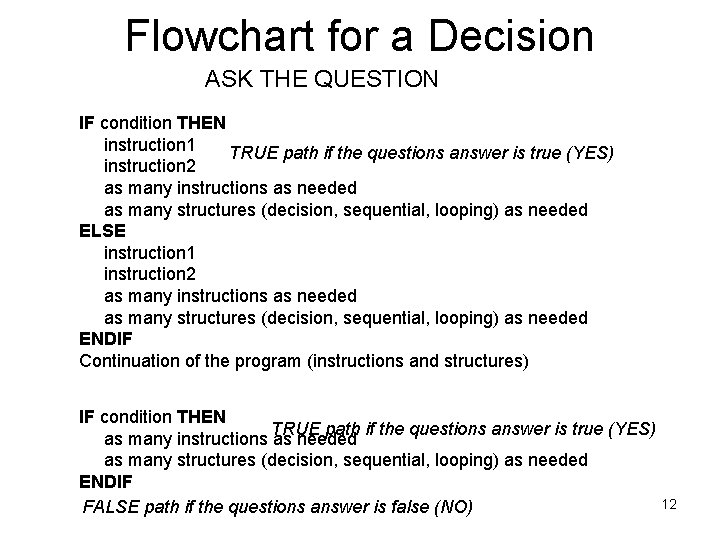
Flowchart for a Decision ASK THE QUESTION IF condition THEN instruction 1 TRUE path if the questions answer is true (YES) instruction 2 as many instructions as needed as many structures (decision, sequential, looping) as needed ELSE instruction 1 instruction 2 as many instructions as needed as many structures (decision, sequential, looping) as needed ENDIF Continuation of the program (instructions and structures) IF condition THEN TRUE path if the questions answer is true (YES) as many instructions as needed as many structures (decision, sequential, looping) as needed ENDIF 12 FALSE path if the questions answer is false (NO)
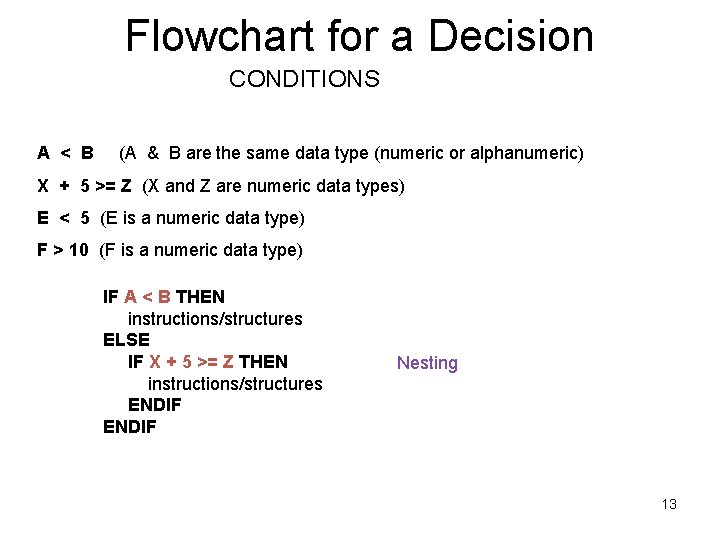
Flowchart for a Decision CONDITIONS A < B (A & B are the same data type (numeric or alphanumeric) X + 5 >= Z (X and Z are numeric data types) E < 5 (E is a numeric data type) F > 10 (F is a numeric data type) IF A < B THEN instructions/structures ELSE IF X + 5 >= Z THEN instructions/structures ENDIF Nesting 13
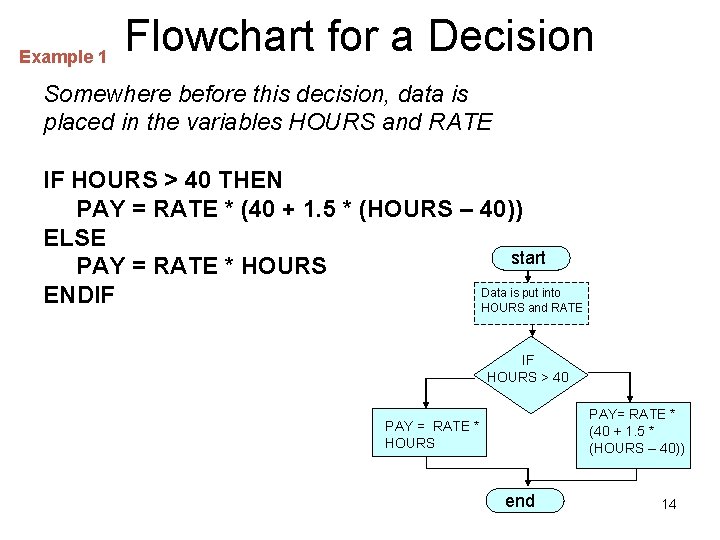
Example 1 Flowchart for a Decision Somewhere before this decision, data is placed in the variables HOURS and RATE IF HOURS > 40 THEN PAY = RATE * (40 + 1. 5 * (HOURS – 40)) ELSE start PAY = RATE * HOURS Data is put into ENDIF HOURS and RATE IF HOURS > 40 PAY= RATE * (40 + 1. 5 * (HOURS – 40)) PAY = RATE * HOURS end 14
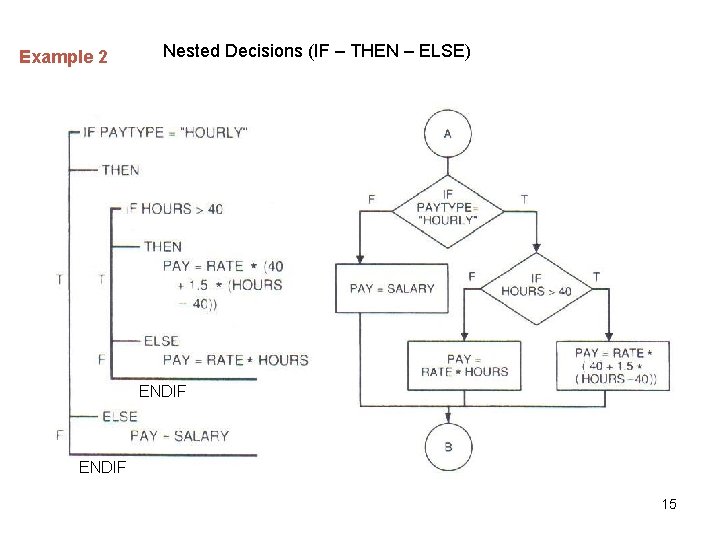
Example 2 Nested Decisions (IF – THEN – ELSE) ENDIF 15
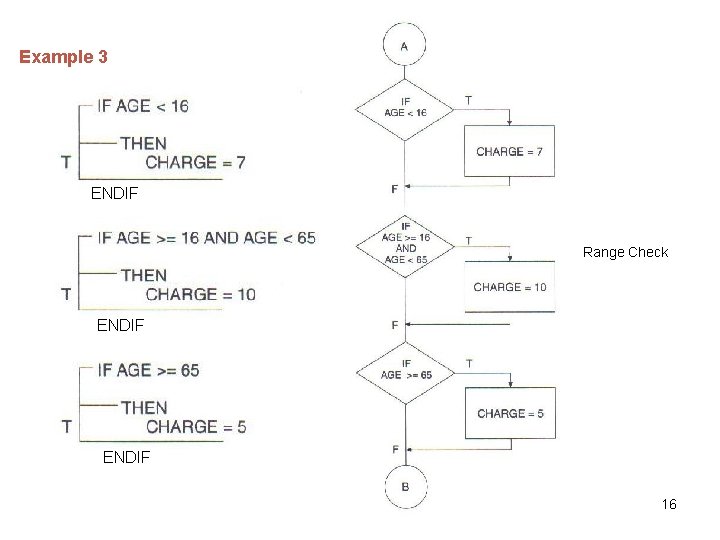
Example 3 ENDIF Range Check ENDIF 16
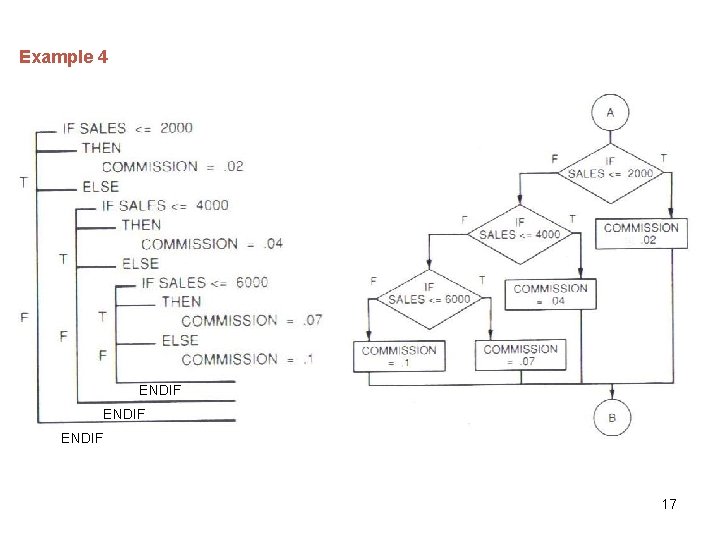
Example 4 ENDIF 17