
Chapter 2 Elementary Programming Introduction to Java Programming

- Slides: 78
Chapter 2 Elementary Programming Introduction to Java Programming, Tenth Edition, (c) 2015 Pearson Education, Inc. All rights reserved and modified by Dr. Feda Al. Shahwan 1
MOTIVATIONS In the preceding chapter, you learned how to create, compile, and run a Java program. Starting from this chapter, you will learn how to solve practical problems programmatically. Through these problems, you will learn Java primitive data types and related subjects, such as variables, constants, data types, operators, expressions, and input and output. Introduction to Java Programming, Tenth Edition, (c) 2015 Pearson Education, Inc. All rights reserved and modified by Dr. Feda Al. Shahwan 2
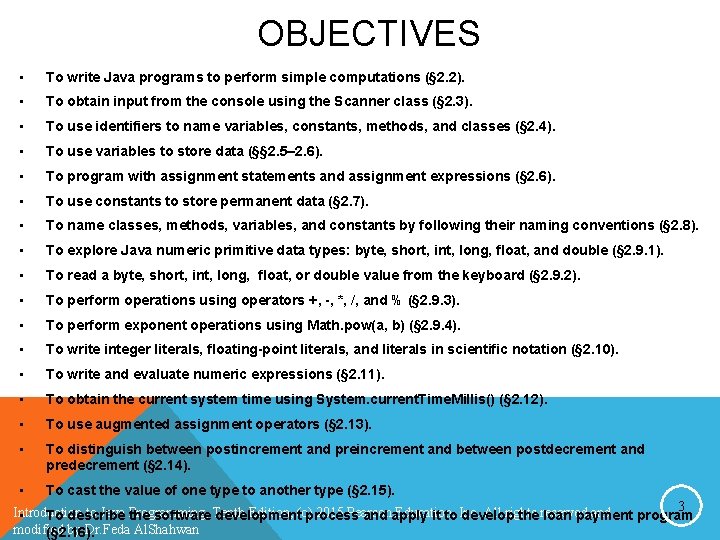
OBJECTIVES • To write Java programs to perform simple computations (§ 2. 2). • To obtain input from the console using the Scanner class (§ 2. 3). • To use identifiers to name variables, constants, methods, and classes (§ 2. 4). • To use variables to store data (§§ 2. 5– 2. 6). • To program with assignment statements and assignment expressions (§ 2. 6). • To use constants to store permanent data (§ 2. 7). • To name classes, methods, variables, and constants by following their naming conventions (§ 2. 8). • To explore Java numeric primitive data types: byte, short, int, long, float, and double (§ 2. 9. 1). • To read a byte, short, int, long, float, or double value from the keyboard (§ 2. 9. 2). • To perform operations using operators +, -, *, /, and % (§ 2. 9. 3). • To perform exponent operations using Math. pow(a, b) (§ 2. 9. 4). • To write integer literals, floating-point literals, and literals in scientific notation (§ 2. 10). • To write and evaluate numeric expressions (§ 2. 11). • To obtain the current system time using System. current. Time. Millis() (§ 2. 12). • To use augmented assignment operators (§ 2. 13). • To distinguish between postincrement and preincrement and between postdecrement and predecrement (§ 2. 14). • To cast the value of one type to another type (§ 2. 15). 3 Introduction to Java Programming, Edition, (c) 2015 Pearson Education, All rights and • To describe the software Tenth development process and apply it to Inc. develop the reserved loan payment program modified by Dr. Feda Al. Shahwan (§ 2. 16).
PROGRAMMING WRITING • Involves designing a strategy for solving the problem and then using a programming language to implement that strategy. • Writing a program involves designing algorithms and translating algorithms into programming instructions, or code. Introduction to Java Programming, Tenth Edition, (c) 2015 Pearson Education, Inc. All rights reserved and modified by Dr. Feda Al. Shahwan 4
PROGRAMMING WRITING • Involves designing a strategy for solving the problem and then using a programming language to implement that strategy. • Writing a program involves designing algorithms and translating algorithms into programming instructions, or code. Introduction to Java Programming, Tenth Edition, (c) 2015 Pearson Education, Inc. All rights reserved and modified by Dr. Feda Al. Shahwan 5
ALGORITHM § Algorithm describes how a problem is solved by listing the actions that need to be taken and the order of their execution. § Algorithms can help programmer plan a program before writing it in a programming language. § Algorithms can be described: F Natural languages F Pseudocode Natural language mixed with some programming code Introduction to Java Programming, Tenth Edition, (c) 2015 Pearson Education, Inc. All rights reserved and modified by Dr. Feda Al. Shahwan 6
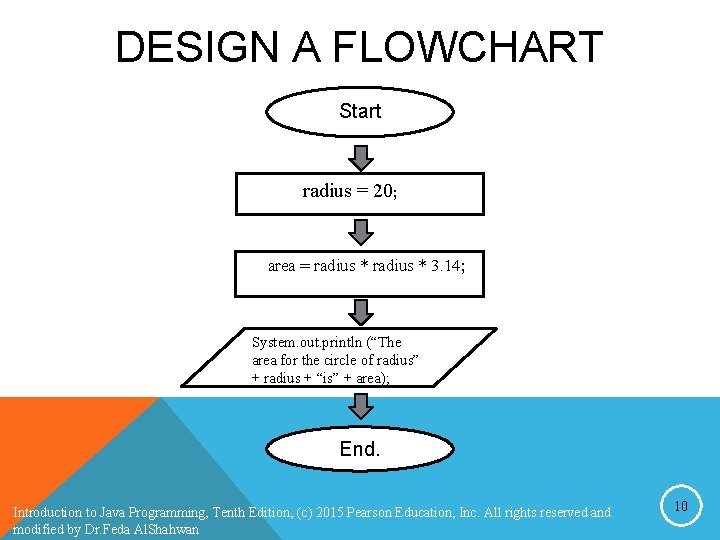
FLOWCHART § A flowchart is a type of diagram that represents an algorithm, workflow or process. § The flowchart shows the steps as boxes of various kinds, and their order by connecting the boxes with arrows. § This diagrammatic representation illustrates a solution model to a given problem. Introduction to Java Programming, Tenth Edition, (c) 2015 Pearson Education, Inc. All rights reserved and modified by Dr. Feda Al. Shahwan 7
INTRODUCING PROGRAMMING WITH AN EXAMPLE Listing 2. 1 Computing the Area of a Circle This program computes the area of the circle. Introduction to Java Programming, Tenth Edition, (c) 2015 Pearson Education, Inc. All rights reserved and modified by Dr. Feda Al. Shahwan 8
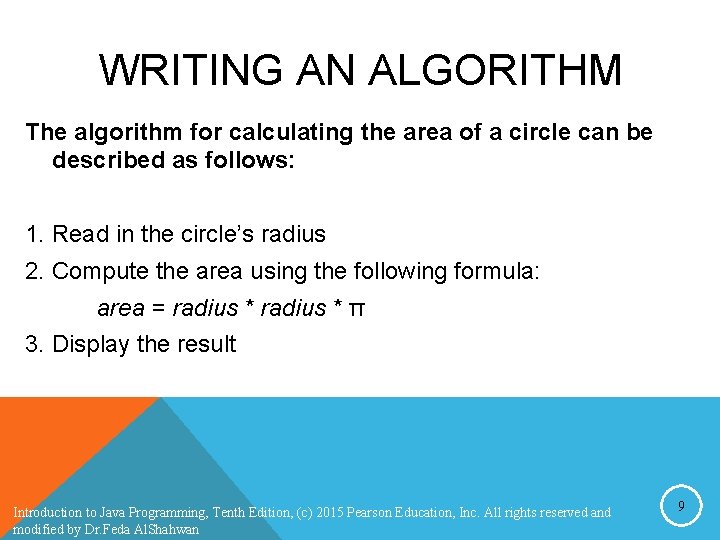
WRITING AN ALGORITHM The algorithm for calculating the area of a circle can be described as follows: 1. Read in the circle’s radius 2. Compute the area using the following formula: area = radius * π 3. Display the result Introduction to Java Programming, Tenth Edition, (c) 2015 Pearson Education, Inc. All rights reserved and modified by Dr. Feda Al. Shahwan 9
DESIGN A FLOWCHART Start radius = 20; area = radius * 3. 14; System. out. println (“The area for the circle of radius” + radius + “is” + area); End. Introduction to Java Programming, Tenth Edition, (c) 2015 Pearson Education, Inc. All rights reserved and modified by Dr. Feda Al. Shahwan 10
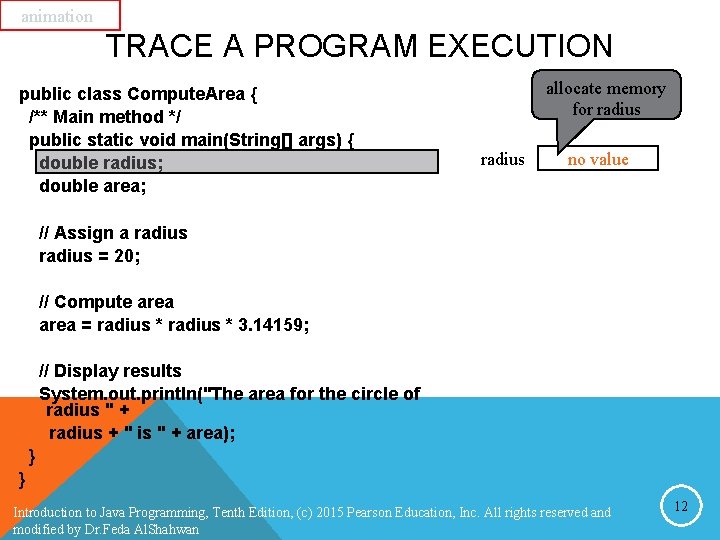
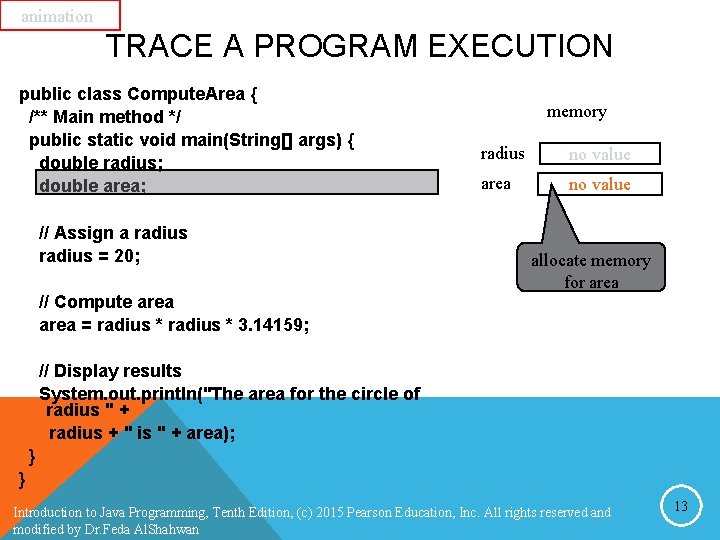
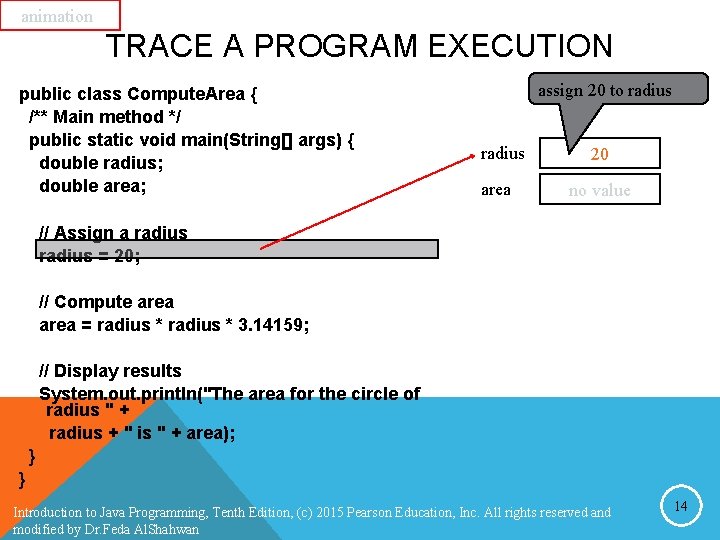
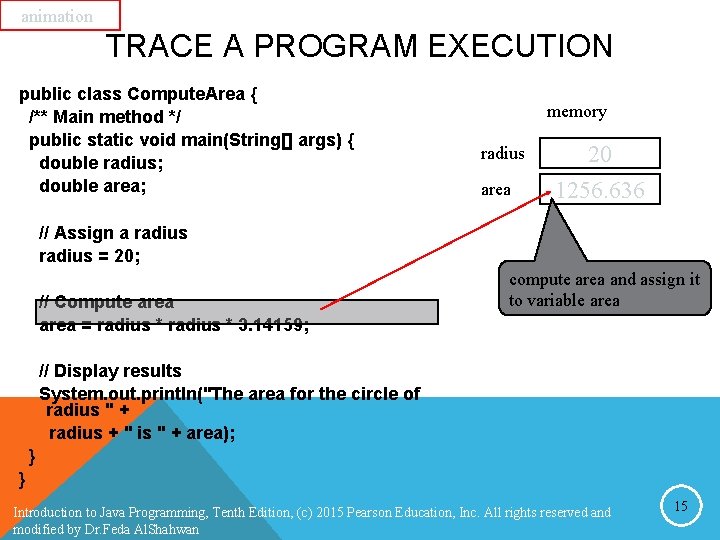
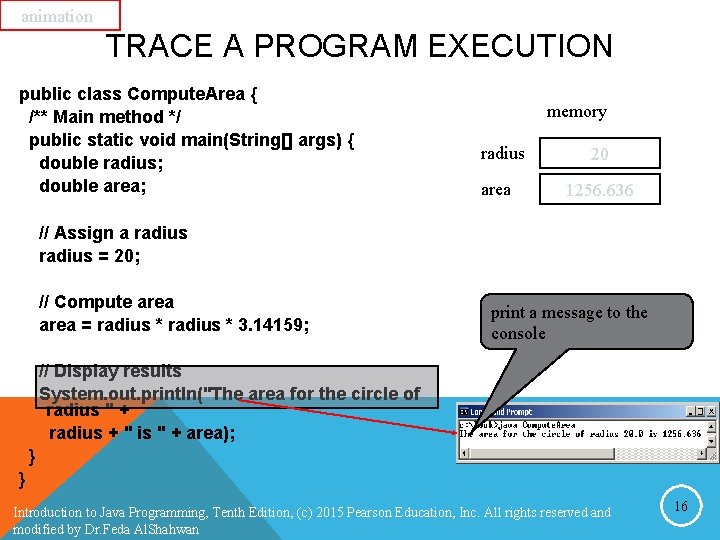
TRACING A PROGRAM EXECUTION • This method of reviewing how a program works is called tracing a program. • Tracing programs are helpful for understanding how programs work, and they are useful tools for finding errors in programs. Introduction to Java Programming, Tenth Edition, (c) 2015 Pearson Education, Inc. All rights reserved and modified by Dr. Feda Al. Shahwan 11
animation TRACE A PROGRAM EXECUTION public class Compute. Area { /** Main method */ public static void main(String[] args) { double radius; double area; allocate memory for radius no value // Assign a radius = 20; // Compute area = radius * 3. 14159; // Display results System. out. println("The area for the circle of radius " + radius + " is " + area); } } Introduction to Java Programming, Tenth Edition, (c) 2015 Pearson Education, Inc. All rights reserved and modified by Dr. Feda Al. Shahwan 12
animation TRACE A PROGRAM EXECUTION public class Compute. Area { /** Main method */ public static void main(String[] args) { double radius; double area; // Assign a radius = 20; memory radius no value area no value allocate memory for area // Compute area = radius * 3. 14159; // Display results System. out. println("The area for the circle of radius " + radius + " is " + area); } } Introduction to Java Programming, Tenth Edition, (c) 2015 Pearson Education, Inc. All rights reserved and modified by Dr. Feda Al. Shahwan 13
animation TRACE A PROGRAM EXECUTION public class Compute. Area { /** Main method */ public static void main(String[] args) { double radius; double area; assign 20 to radius area 20 no value // Assign a radius = 20; // Compute area = radius * 3. 14159; // Display results System. out. println("The area for the circle of radius " + radius + " is " + area); } } Introduction to Java Programming, Tenth Edition, (c) 2015 Pearson Education, Inc. All rights reserved and modified by Dr. Feda Al. Shahwan 14
animation TRACE A PROGRAM EXECUTION public class Compute. Area { /** Main method */ public static void main(String[] args) { double radius; double area; memory radius area 20 1256. 636 // Assign a radius = 20; // Compute area = radius * 3. 14159; compute area and assign it to variable area // Display results System. out. println("The area for the circle of radius " + radius + " is " + area); } } Introduction to Java Programming, Tenth Edition, (c) 2015 Pearson Education, Inc. All rights reserved and modified by Dr. Feda Al. Shahwan 15
animation TRACE A PROGRAM EXECUTION public class Compute. Area { /** Main method */ public static void main(String[] args) { double radius; double area; memory radius area 20 1256. 636 // Assign a radius = 20; // Compute area = radius * 3. 14159; print a message to the console // Display results System. out. println("The area for the circle of radius " + radius + " is " + area); } } Introduction to Java Programming, Tenth Edition, (c) 2015 Pearson Education, Inc. All rights reserved and modified by Dr. Feda Al. Shahwan 16
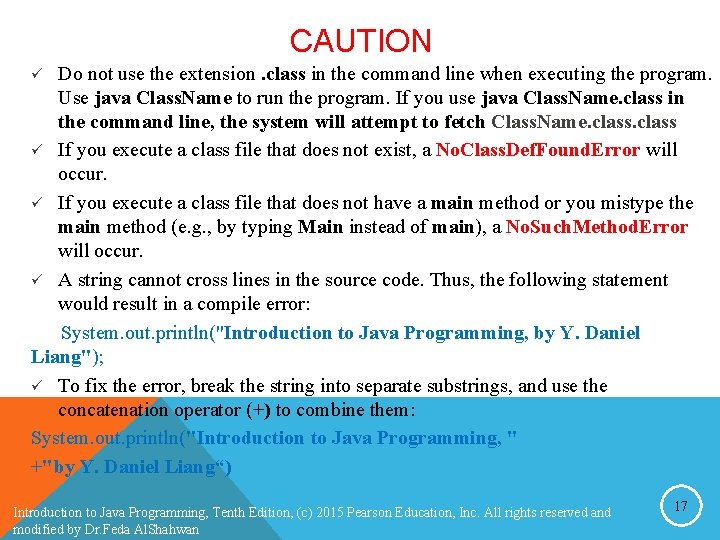
CAUTION Do not use the extension. class in the command line when executing the program. Use java Class. Name to run the program. If you use java Class. Name. class in the command line, the system will attempt to fetch Class. Name. class ü If you execute a class file that does not exist, a No. Class. Def. Found. Error will occur. ü If you execute a class file that does not have a main method or you mistype the main method (e. g. , by typing Main instead of main), a No. Such. Method. Error will occur. ü A string cannot cross lines in the source code. Thus, the following statement would result in a compile error: System. out. println("Introduction to Java Programming, by Y. Daniel Liang"); ü To fix the error, break the string into separate substrings, and use the concatenation operator (+) to combine them: System. out. println("Introduction to Java Programming, " +"by Y. Daniel Liang“) ü Introduction to Java Programming, Tenth Edition, (c) 2015 Pearson Education, Inc. All rights reserved and modified by Dr. Feda Al. Shahwan 17
READING INPUT FROM THE CONSOLE F Reading input from the console enables the program to accept input from the user F Java uses System. out to refer to the standard output (monitor) device and System. in to the standard input device (keyboard) F To perform console output, you simply use the println method to display a primitive value or a string to the console. F Console input is not directly supported in Java F Scanner class is used to create an object to read input from System. in Introduction to Java Programming, Tenth Edition, (c) 2015 Pearson Education, Inc. All rights reserved and modified by Dr. Feda Al. Shahwan 18
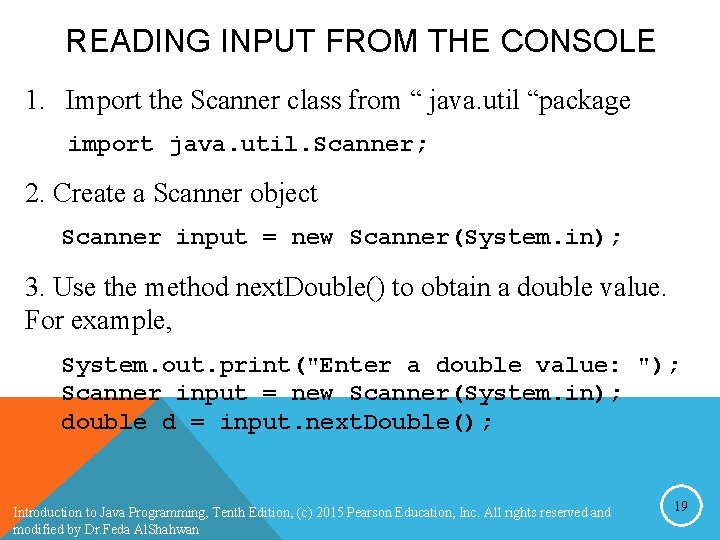
READING INPUT FROM THE CONSOLE 1. Import the Scanner class from “ java. util “package import java. util. Scanner; 2. Create a Scanner object Scanner input = new Scanner(System. in); 3. Use the method next. Double() to obtain a double value. For example, System. out. print("Enter a double value: "); Scanner input = new Scanner(System. in); double d = input. next. Double(); Introduction to Java Programming, Tenth Edition, (c) 2015 Pearson Education, Inc. All rights reserved and modified by Dr. Feda Al. Shahwan 19
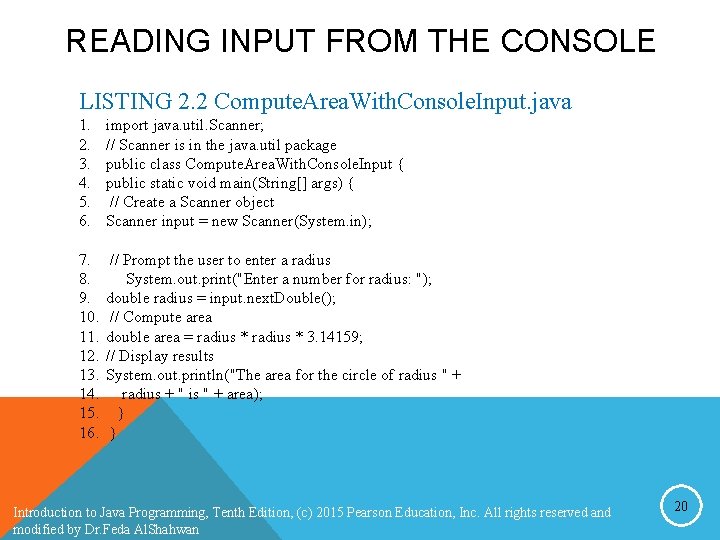
READING INPUT FROM THE CONSOLE LISTING 2. 2 Compute. Area. With. Console. Input. java 1. 2. 3. 4. 5. 6. import java. util. Scanner; // Scanner is in the java. util package public class Compute. Area. With. Console. Input { public static void main(String[] args) { // Create a Scanner object Scanner input = new Scanner(System. in); 7. 8. 9. 10. 11. 12. 13. 14. 15. 16. // Prompt the user to enter a radius System. out. print("Enter a number for radius: "); double radius = input. next. Double(); // Compute area double area = radius * 3. 14159; // Display results System. out. println("The area for the circle of radius " + radius + " is " + area); } } Introduction to Java Programming, Tenth Edition, (c) 2015 Pearson Education, Inc. All rights reserved and modified by Dr. Feda Al. Shahwan 20
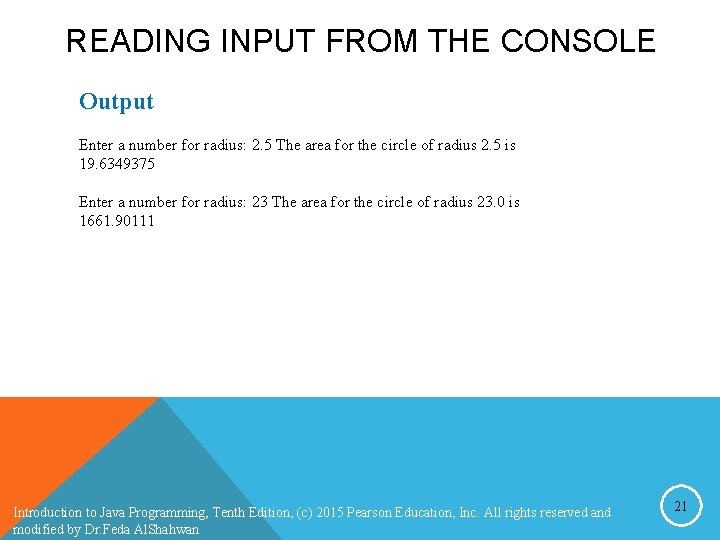
READING INPUT FROM THE CONSOLE Output Enter a number for radius: 2. 5 The area for the circle of radius 2. 5 is 19. 6349375 Enter a number for radius: 23 The area for the circle of radius 23. 0 is 1661. 90111 Introduction to Java Programming, Tenth Edition, (c) 2015 Pearson Education, Inc. All rights reserved and modified by Dr. Feda Al. Shahwan 21
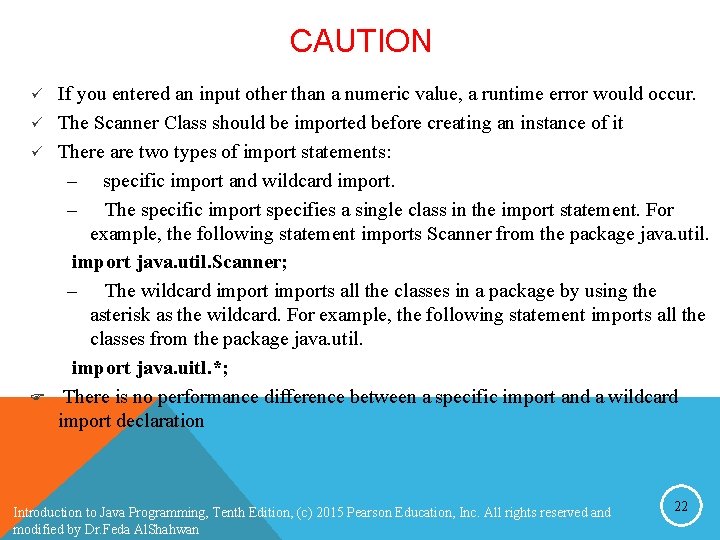
CAUTION ü ü ü F If you entered an input other than a numeric value, a runtime error would occur. The Scanner Class should be imported before creating an instance of it There are two types of import statements: – specific import and wildcard import. – The specific import specifies a single class in the import statement. For example, the following statement imports Scanner from the package java. util. import java. util. Scanner; – The wildcard imports all the classes in a package by using the asterisk as the wildcard. For example, the following statement imports all the classes from the package java. util. import java. uitl. *; There is no performance difference between a specific import and a wildcard import declaration Introduction to Java Programming, Tenth Edition, (c) 2015 Pearson Education, Inc. All rights reserved and modified by Dr. Feda Al. Shahwan 22
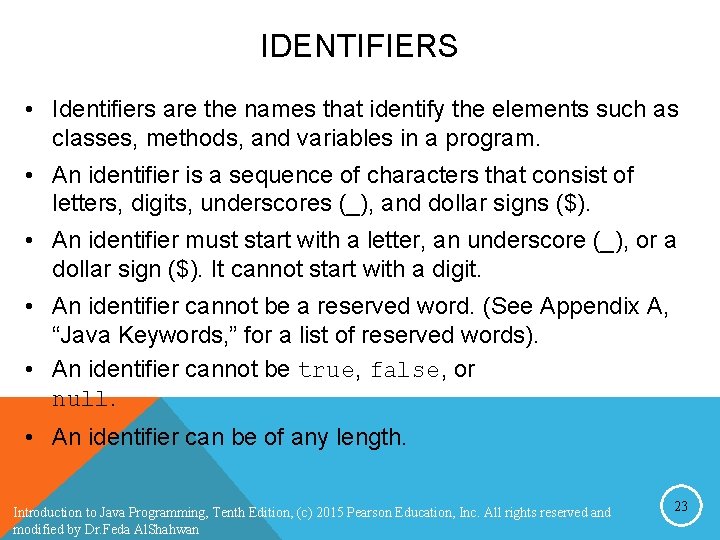
IDENTIFIERS • Identifiers are the names that identify the elements such as classes, methods, and variables in a program. • An identifier is a sequence of characters that consist of letters, digits, underscores (_), and dollar signs ($). • An identifier must start with a letter, an underscore (_), or a dollar sign ($). It cannot start with a digit. • An identifier cannot be a reserved word. (See Appendix A, “Java Keywords, ” for a list of reserved words). • An identifier cannot be true, false, or null. • An identifier can be of any length. Introduction to Java Programming, Tenth Edition, (c) 2015 Pearson Education, Inc. All rights reserved and modified by Dr. Feda Al. Shahwan 23
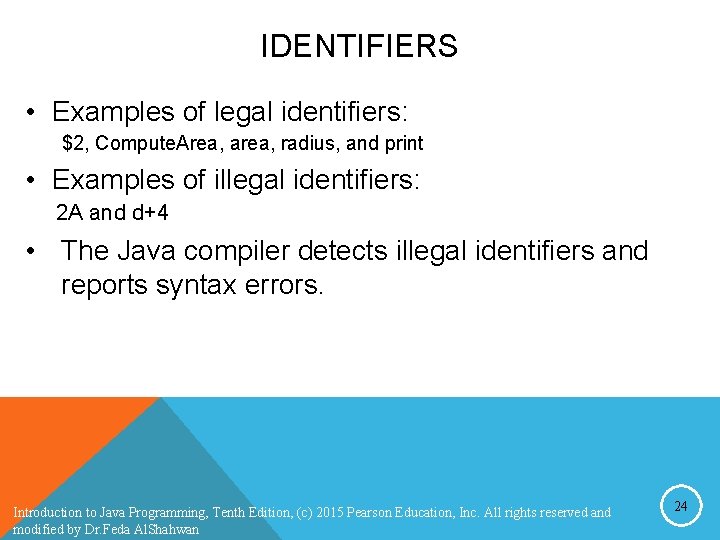
IDENTIFIERS • Examples of legal identifiers: $2, Compute. Area, area, radius, and print • Examples of illegal identifiers: 2 A and d+4 • The Java compiler detects illegal identifiers and reports syntax errors. Introduction to Java Programming, Tenth Edition, (c) 2015 Pearson Education, Inc. All rights reserved and modified by Dr. Feda Al. Shahwan 24
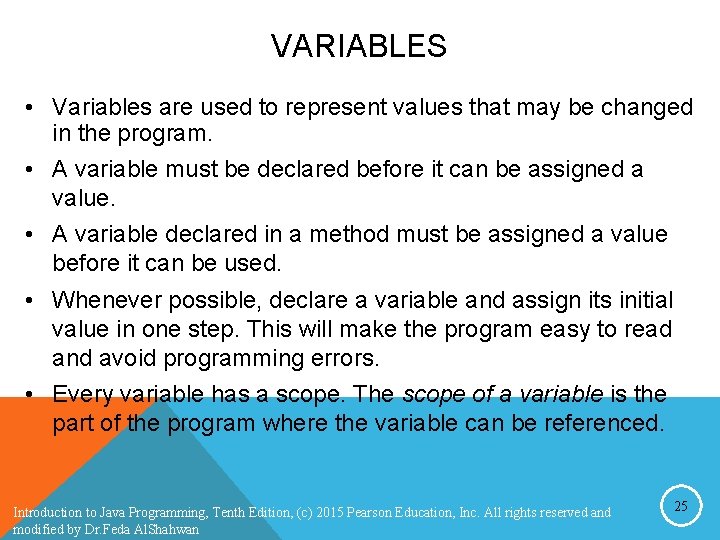
VARIABLES • Variables are used to represent values that may be changed in the program. • A variable must be declared before it can be assigned a value. • A variable declared in a method must be assigned a value before it can be used. • Whenever possible, declare a variable and assign its initial value in one step. This will make the program easy to read and avoid programming errors. • Every variable has a scope. The scope of a variable is the part of the program where the variable can be referenced. Introduction to Java Programming, Tenth Edition, (c) 2015 Pearson Education, Inc. All rights reserved and modified by Dr. Feda Al. Shahwan 25
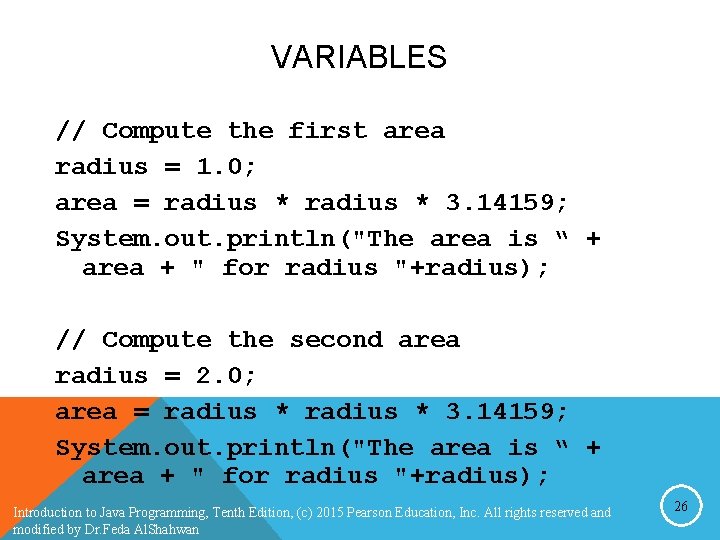
VARIABLES // Compute the first area radius = 1. 0; area = radius * 3. 14159; System. out. println("The area is “ + area + " for radius "+radius); // Compute the second area radius = 2. 0; area = radius * 3. 14159; System. out. println("The area is “ + area + " for radius "+radius); Introduction to Java Programming, Tenth Edition, (c) 2015 Pearson Education, Inc. All rights reserved and modified by Dr. Feda Al. Shahwan 26
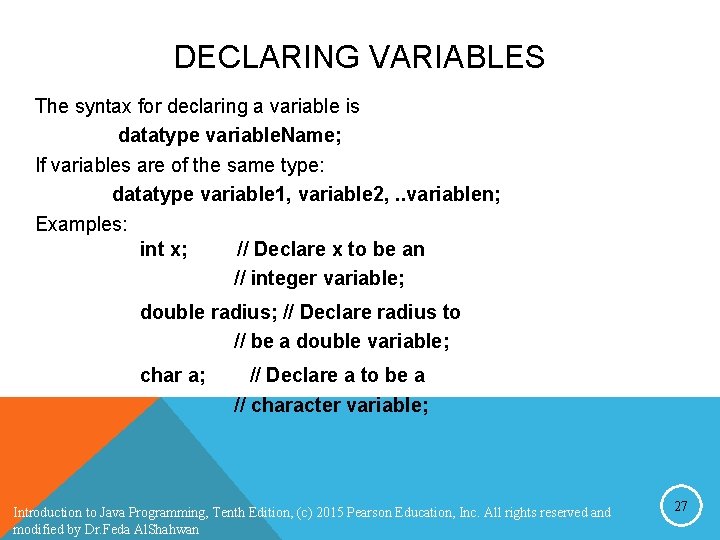
DECLARING VARIABLES The syntax for declaring a variable is datatype variable. Name; If variables are of the same type: datatype variable 1, variable 2, . . variablen; Examples: int x; // Declare x to be an // integer variable; double radius; // Declare radius to // be a double variable; char a; // Declare a to be a // character variable; Introduction to Java Programming, Tenth Edition, (c) 2015 Pearson Education, Inc. All rights reserved and modified by Dr. Feda Al. Shahwan 27
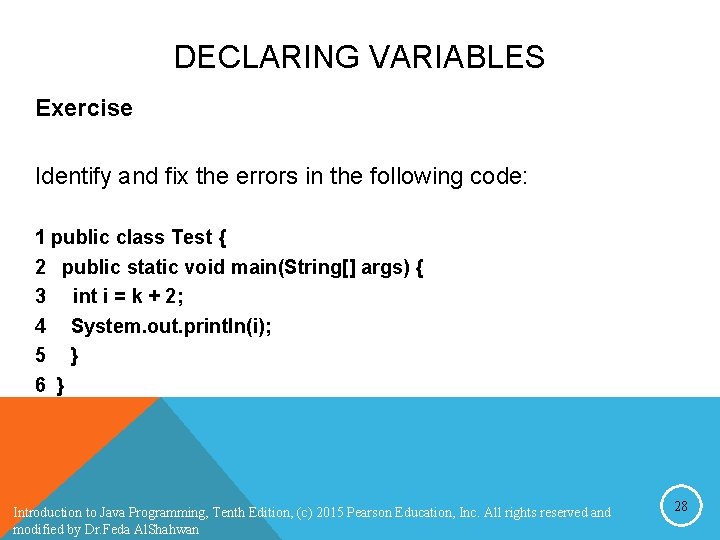
DECLARING VARIABLES Exercise Identify and fix the errors in the following code: 1 public class Test { 2 public static void main(String[] args) { 3 int i = k + 2; 4 System. out. println(i); 5 } 6 } Introduction to Java Programming, Tenth Edition, (c) 2015 Pearson Education, Inc. All rights reserved and modified by Dr. Feda Al. Shahwan 28
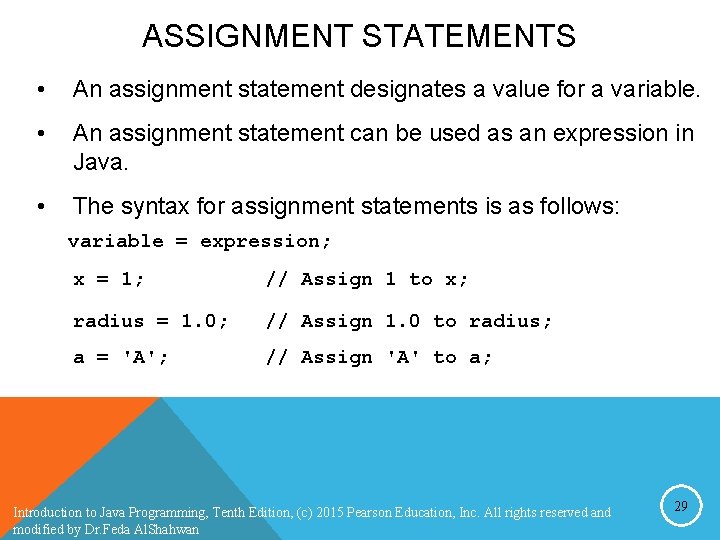
ASSIGNMENT STATEMENTS • An assignment statement designates a value for a variable. • An assignment statement can be used as an expression in Java. • The syntax for assignment statements is as follows: variable = expression; x = 1; // Assign 1 to x; radius = 1. 0; // Assign 1. 0 to radius; a = 'A'; // Assign 'A' to a; Introduction to Java Programming, Tenth Edition, (c) 2015 Pearson Education, Inc. All rights reserved and modified by Dr. Feda Al. Shahwan 29
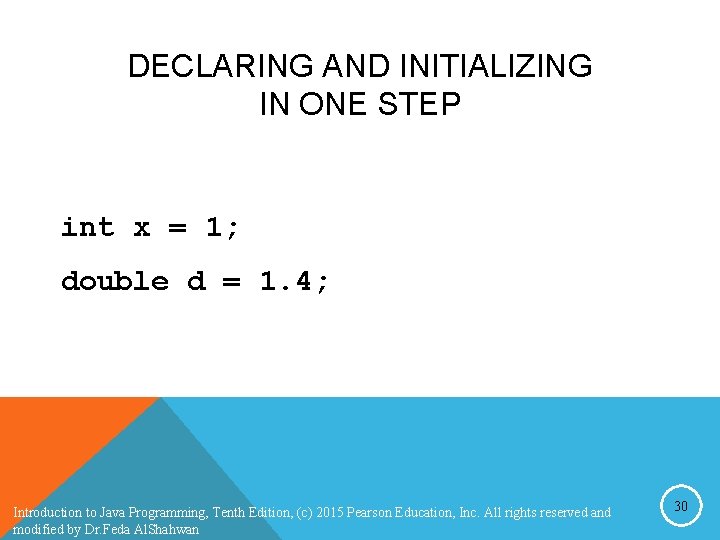
DECLARING AND INITIALIZING IN ONE STEP int x = 1; double d = 1. 4; Introduction to Java Programming, Tenth Edition, (c) 2015 Pearson Education, Inc. All rights reserved and modified by Dr. Feda Al. Shahwan 30
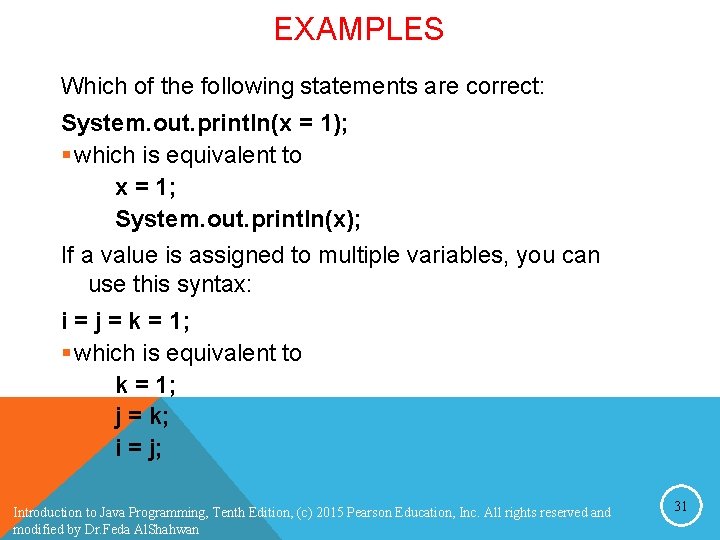
EXAMPLES Which of the following statements are correct: System. out. println(x = 1); § which is equivalent to x = 1; System. out. println(x); If a value is assigned to multiple variables, you can use this syntax: i = j = k = 1; § which is equivalent to k = 1; j = k; i = j; Introduction to Java Programming, Tenth Edition, (c) 2015 Pearson Education, Inc. All rights reserved and modified by Dr. Feda Al. Shahwan 31
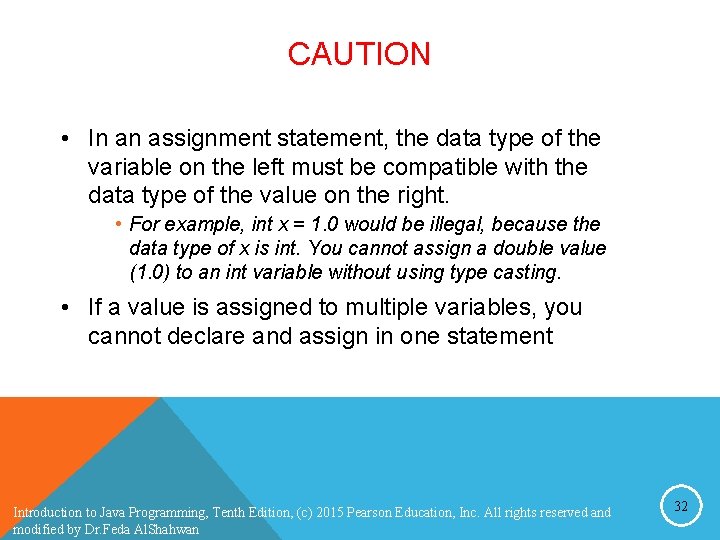
CAUTION • In an assignment statement, the data type of the variable on the left must be compatible with the data type of the value on the right. • For example, int x = 1. 0 would be illegal, because the data type of x is int. You cannot assign a double value (1. 0) to an int variable without using type casting. • If a value is assigned to multiple variables, you cannot declare and assign in one statement Introduction to Java Programming, Tenth Edition, (c) 2015 Pearson Education, Inc. All rights reserved and modified by Dr. Feda Al. Shahwan 32
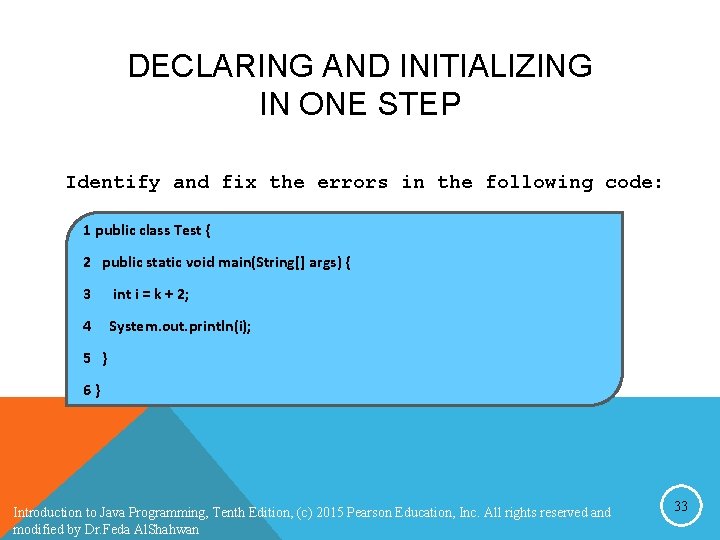
DECLARING AND INITIALIZING IN ONE STEP Identify and fix the errors in the following code: 1 public class Test { 2 public static void main(String[] args) { 3 int i = k + 2; 4 System. out. println(i); 5 } 6} Introduction to Java Programming, Tenth Edition, (c) 2015 Pearson Education, Inc. All rights reserved and modified by Dr. Feda Al. Shahwan 33
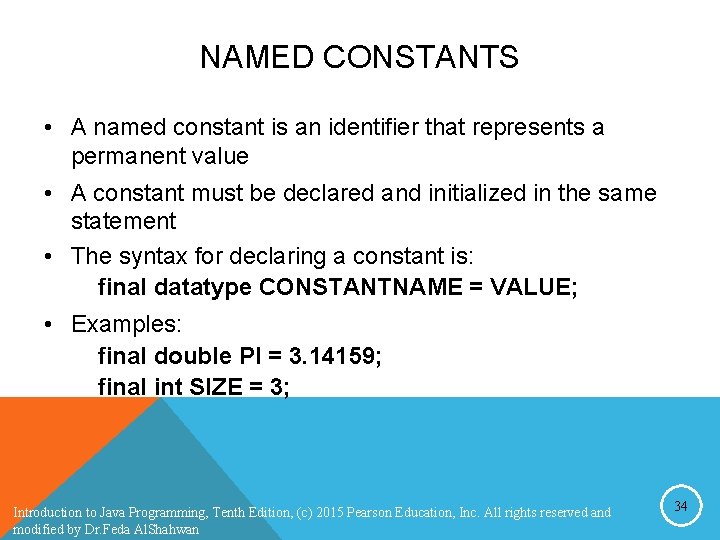
NAMED CONSTANTS • A named constant is an identifier that represents a permanent value • A constant must be declared and initialized in the same statement • The syntax for declaring a constant is: final datatype CONSTANTNAME = VALUE; • Examples: final double PI = 3. 14159; final int SIZE = 3; Introduction to Java Programming, Tenth Edition, (c) 2015 Pearson Education, Inc. All rights reserved and modified by Dr. Feda Al. Shahwan 34
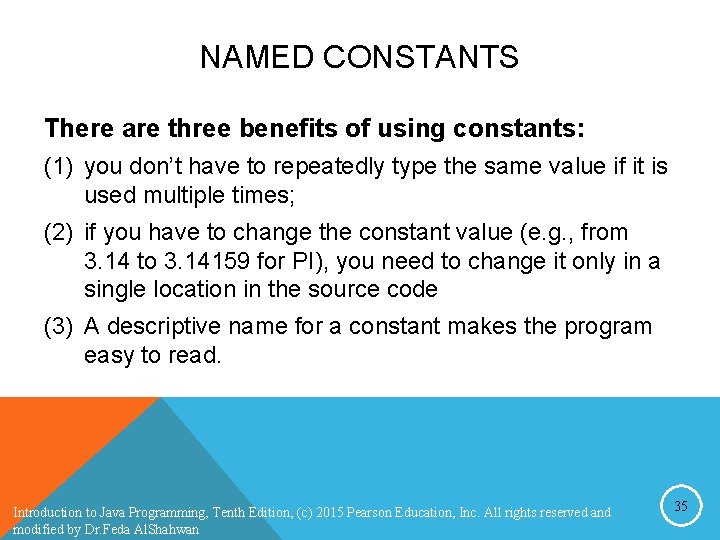
NAMED CONSTANTS There are three benefits of using constants: (1) you don’t have to repeatedly type the same value if it is used multiple times; (2) if you have to change the constant value (e. g. , from 3. 14 to 3. 14159 for PI), you need to change it only in a single location in the source code (3) A descriptive name for a constant makes the program easy to read. Introduction to Java Programming, Tenth Edition, (c) 2015 Pearson Education, Inc. All rights reserved and modified by Dr. Feda Al. Shahwan 35
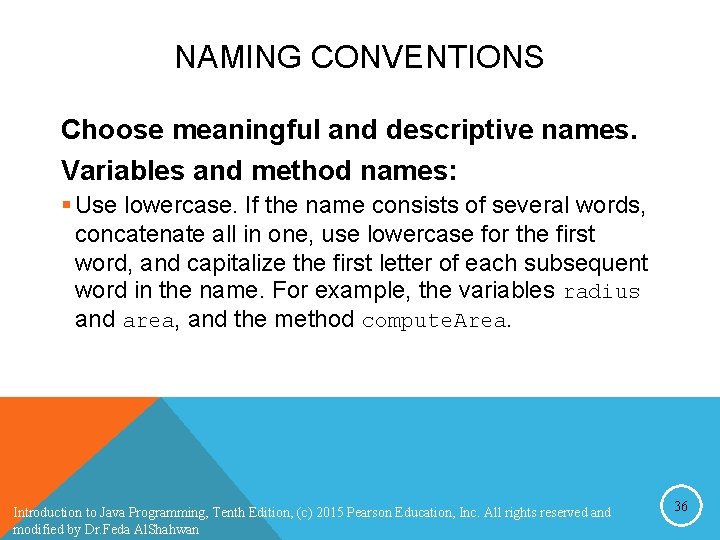
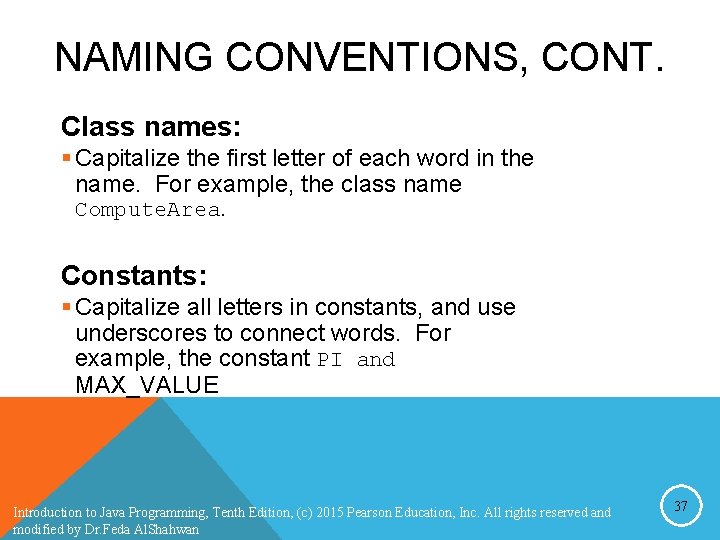
NAMING CONVENTIONS Choose meaningful and descriptive names. Variables and method names: § Use lowercase. If the name consists of several words, concatenate all in one, use lowercase for the first word, and capitalize the first letter of each subsequent word in the name. For example, the variables radius and area, and the method compute. Area. Introduction to Java Programming, Tenth Edition, (c) 2015 Pearson Education, Inc. All rights reserved and modified by Dr. Feda Al. Shahwan 36
NAMING CONVENTIONS, CONT. Class names: § Capitalize the first letter of each word in the name. For example, the class name Compute. Area. Constants: § Capitalize all letters in constants, and use underscores to connect words. For example, the constant PI and MAX_VALUE Introduction to Java Programming, Tenth Edition, (c) 2015 Pearson Education, Inc. All rights reserved and modified by Dr. Feda Al. Shahwan 37
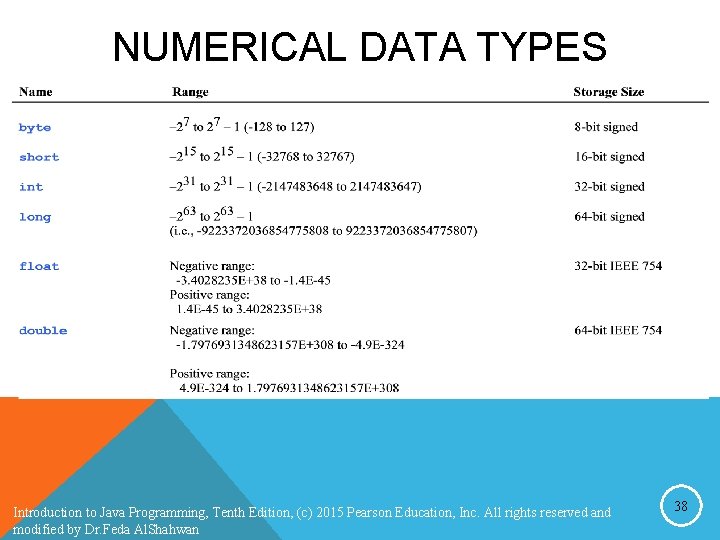
NUMERICAL DATA TYPES Introduction to Java Programming, Tenth Edition, (c) 2015 Pearson Education, Inc. All rights reserved and modified by Dr. Feda Al. Shahwan 38
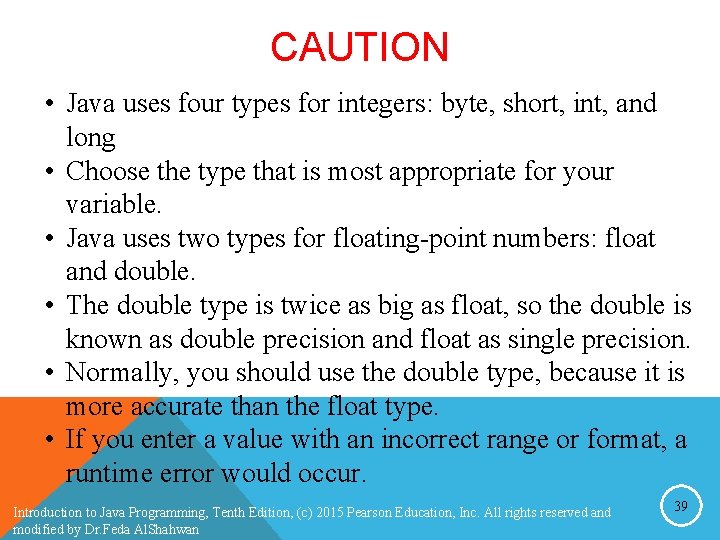
CAUTION • Java uses four types for integers: byte, short, int, and long • Choose the type that is most appropriate for your variable. • Java uses two types for floating-point numbers: float and double. • The double type is twice as big as float, so the double is known as double precision and float as single precision. • Normally, you should use the double type, because it is more accurate than the float type. • If you enter a value with an incorrect range or format, a runtime error would occur. Introduction to Java Programming, Tenth Edition, (c) 2015 Pearson Education, Inc. All rights reserved and modified by Dr. Feda Al. Shahwan 39
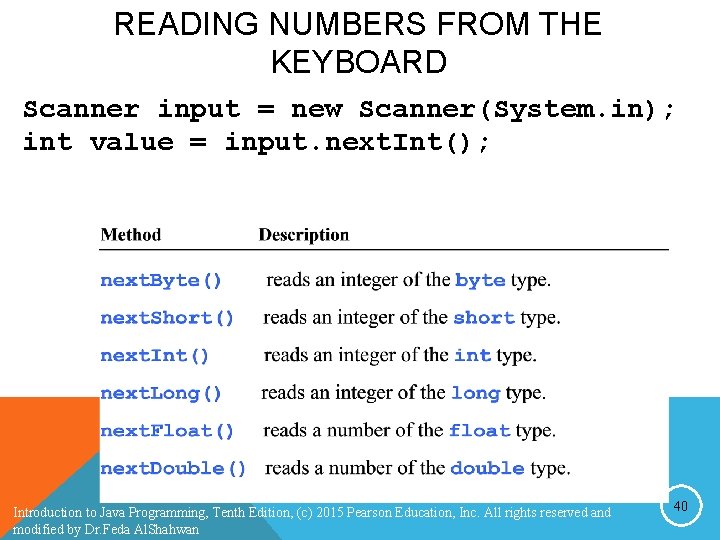
READING NUMBERS FROM THE KEYBOARD Scanner input = new Scanner(System. in); int value = input. next. Int(); Introduction to Java Programming, Tenth Edition, (c) 2015 Pearson Education, Inc. All rights reserved and modified by Dr. Feda Al. Shahwan 40
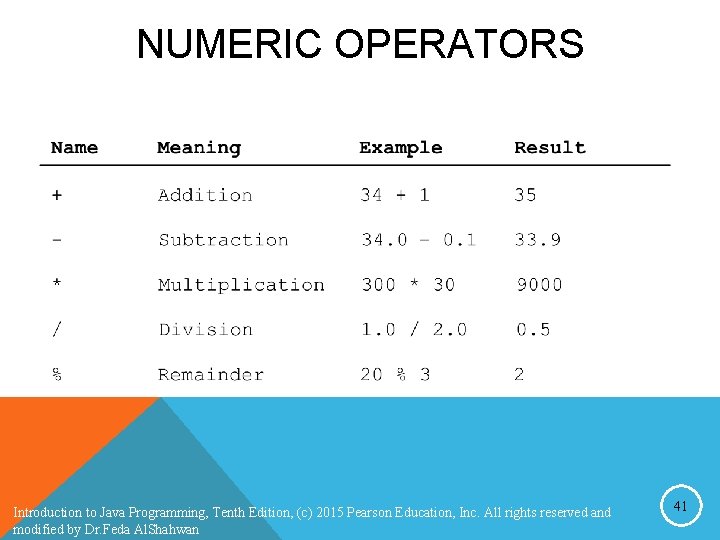
NUMERIC OPERATORS Introduction to Java Programming, Tenth Edition, (c) 2015 Pearson Education, Inc. All rights reserved and modified by Dr. Feda Al. Shahwan 41
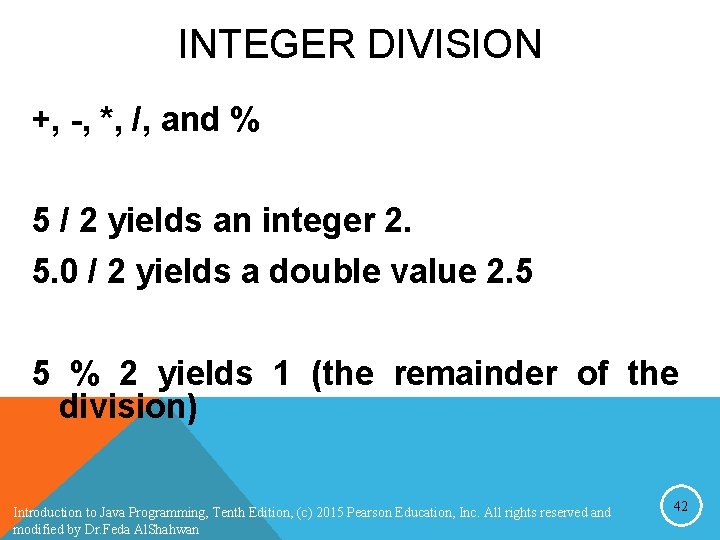
INTEGER DIVISION +, -, *, /, and % 5 / 2 yields an integer 2. 5. 0 / 2 yields a double value 2. 5 5 % 2 yields 1 (the remainder of the division) Introduction to Java Programming, Tenth Edition, (c) 2015 Pearson Education, Inc. All rights reserved and modified by Dr. Feda Al. Shahwan 42
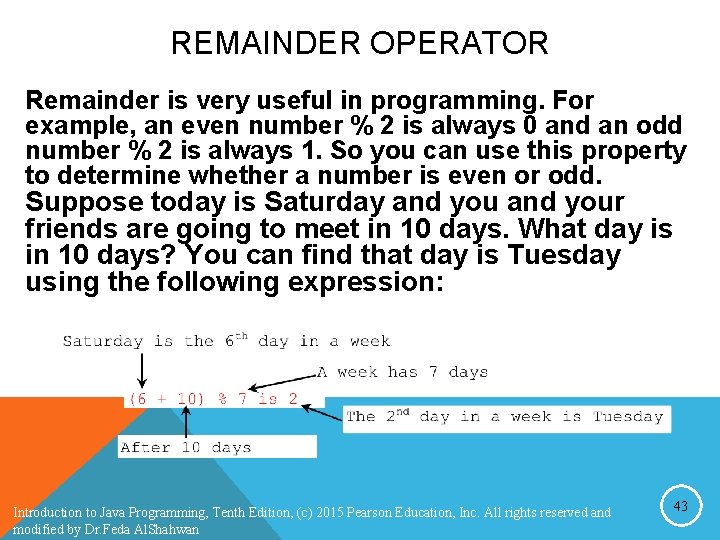
REMAINDER OPERATOR Remainder is very useful in programming. For example, an even number % 2 is always 0 and an odd number % 2 is always 1. So you can use this property to determine whether a number is even or odd. Suppose today is Saturday and your friends are going to meet in 10 days. What day is in 10 days? You can find that day is Tuesday using the following expression: Introduction to Java Programming, Tenth Edition, (c) 2015 Pearson Education, Inc. All rights reserved and modified by Dr. Feda Al. Shahwan 43
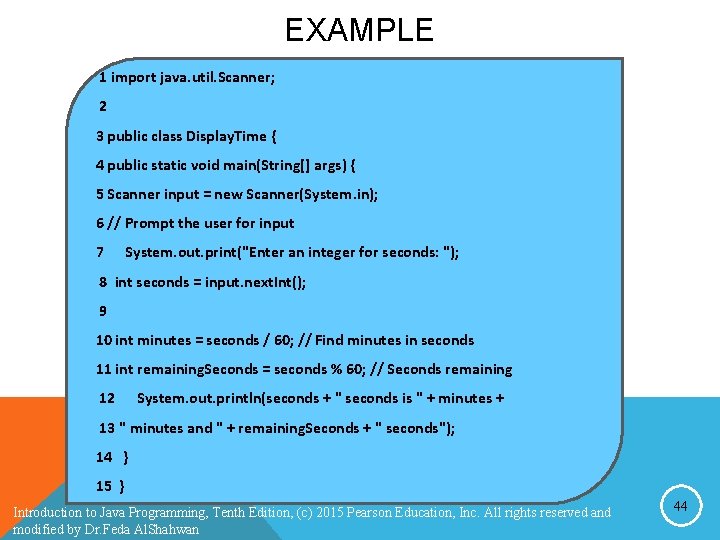
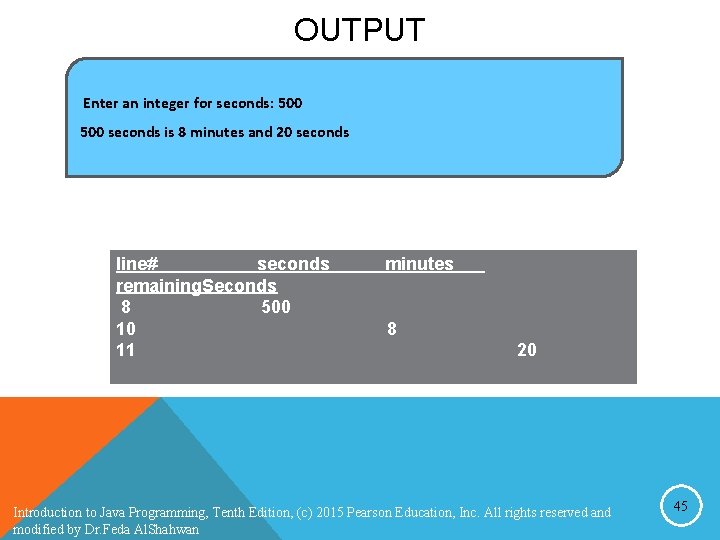
EXAMPLE 1 import java. util. Scanner; 2 3 public class Display. Time { 4 public static void main(String[] args) { 5 Scanner input = new Scanner(System. in); 6 // Prompt the user for input 7 System. out. print("Enter an integer for seconds: "); 8 int seconds = input. next. Int(); 9 10 int minutes = seconds / 60; // Find minutes in seconds 11 int remaining. Seconds = seconds % 60; // Seconds remaining 12 System. out. println(seconds + " seconds is " + minutes + 13 " minutes and " + remaining. Seconds + " seconds"); 14 } 15 } Introduction to Java Programming, Tenth Edition, (c) 2015 Pearson Education, Inc. All rights reserved and modified by Dr. Feda Al. Shahwan 44
OUTPUT Enter an integer for seconds: 500 seconds is 8 minutes and 20 seconds line# seconds remaining. Seconds 8 500 10 11 minutes 8 20 Introduction to Java Programming, Tenth Edition, (c) 2015 Pearson Education, Inc. All rights reserved and modified by Dr. Feda Al. Shahwan 45
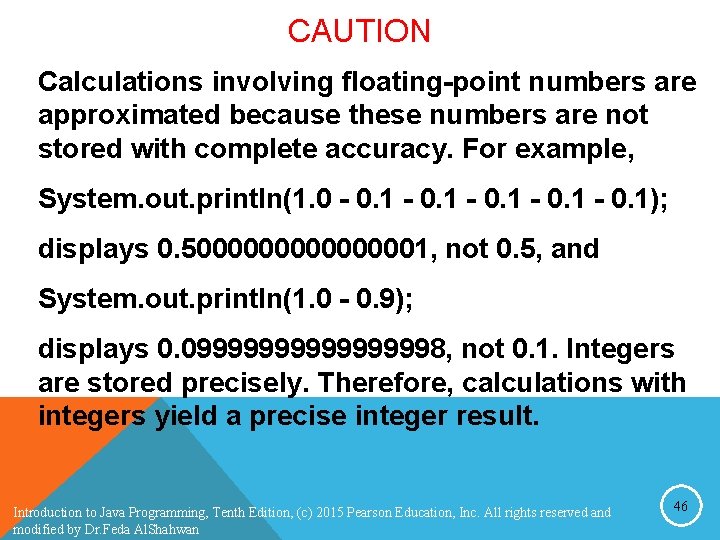
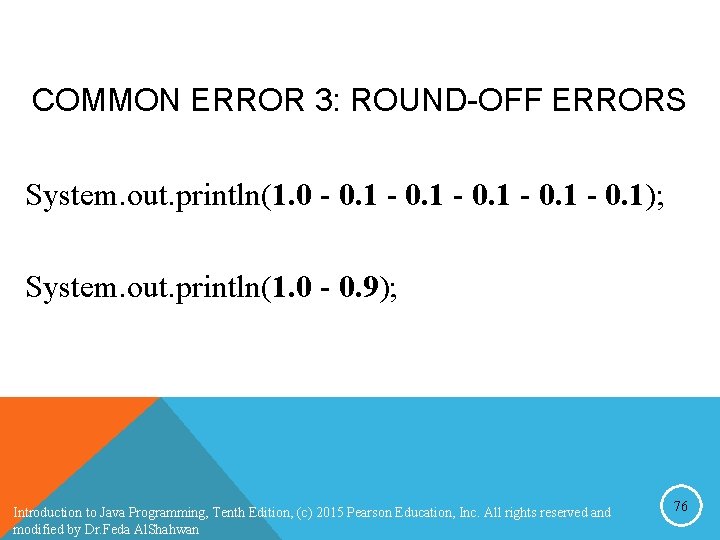
CAUTION Calculations involving floating-point numbers are approximated because these numbers are not stored with complete accuracy. For example, System. out. println(1. 0 - 0. 1); displays 0. 500000001, not 0. 5, and System. out. println(1. 0 - 0. 9); displays 0. 0999999998, not 0. 1. Integers are stored precisely. Therefore, calculations with integers yield a precise integer result. Introduction to Java Programming, Tenth Edition, (c) 2015 Pearson Education, Inc. All rights reserved and modified by Dr. Feda Al. Shahwan 46
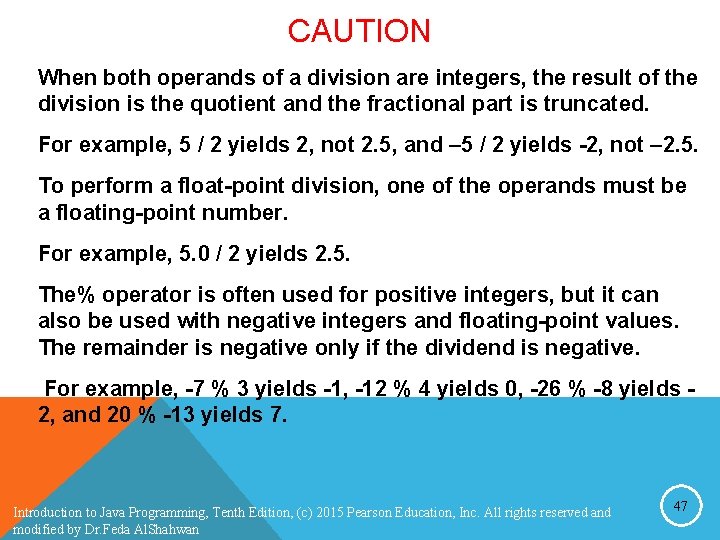
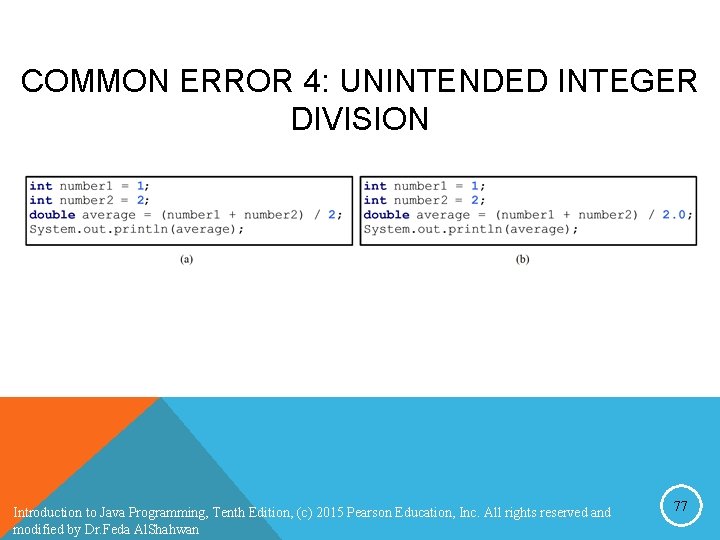
CAUTION When both operands of a division are integers, the result of the division is the quotient and the fractional part is truncated. For example, 5 / 2 yields 2, not 2. 5, and – 5 / 2 yields -2, not – 2. 5. To perform a float-point division, one of the operands must be a floating-point number. For example, 5. 0 / 2 yields 2. 5. The% operator is often used for positive integers, but it can also be used with negative integers and floating-point values. The remainder is negative only if the dividend is negative. For example, -7 % 3 yields -1, -12 % 4 yields 0, -26 % -8 yields 2, and 20 % -13 yields 7. Introduction to Java Programming, Tenth Edition, (c) 2015 Pearson Education, Inc. All rights reserved and modified by Dr. Feda Al. Shahwan 47
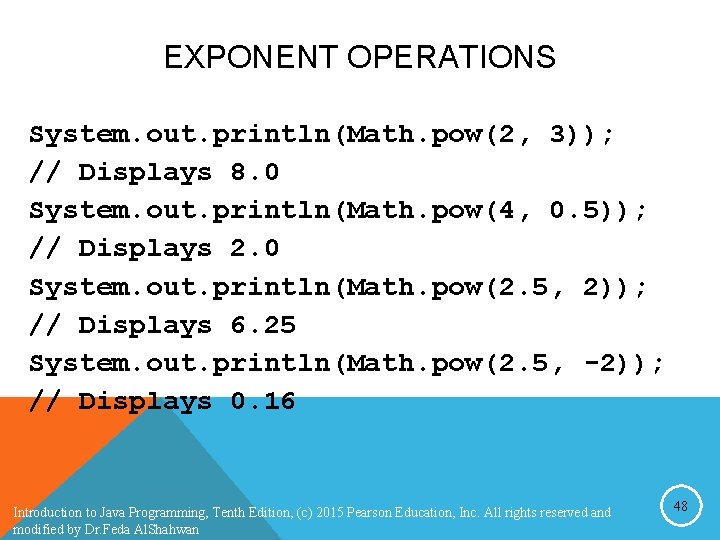
EXPONENT OPERATIONS System. out. println(Math. pow(2, 3)); // Displays 8. 0 System. out. println(Math. pow(4, 0. 5)); // Displays 2. 0 System. out. println(Math. pow(2. 5, 2)); // Displays 6. 25 System. out. println(Math. pow(2. 5, -2)); // Displays 0. 16 Introduction to Java Programming, Tenth Edition, (c) 2015 Pearson Education, Inc. All rights reserved and modified by Dr. Feda Al. Shahwan 48
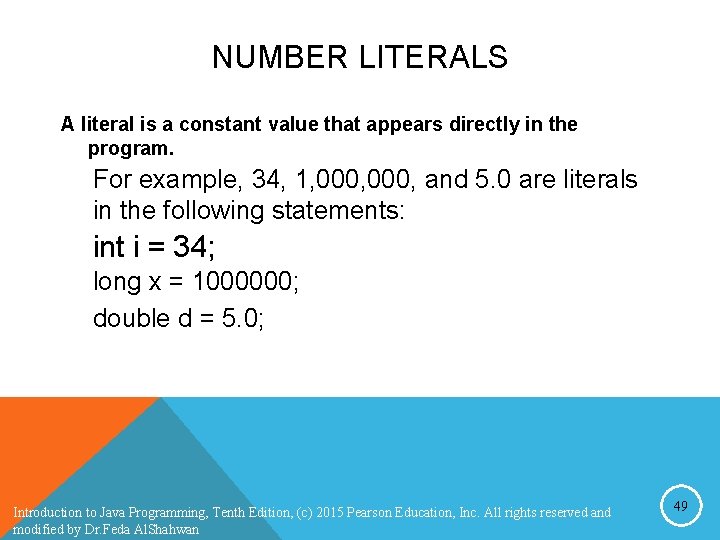
NUMBER LITERALS A literal is a constant value that appears directly in the program. For example, 34, 1, 000, and 5. 0 are literals in the following statements: int i = 34; long x = 1000000; double d = 5. 0; Introduction to Java Programming, Tenth Edition, (c) 2015 Pearson Education, Inc. All rights reserved and modified by Dr. Feda Al. Shahwan 49
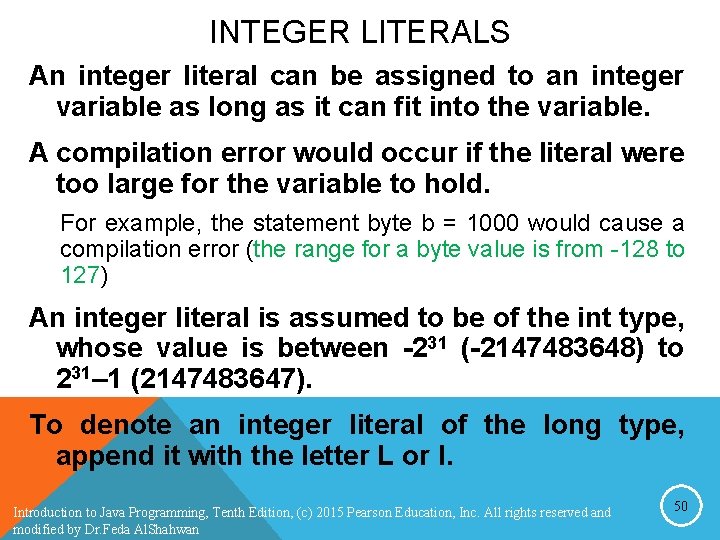
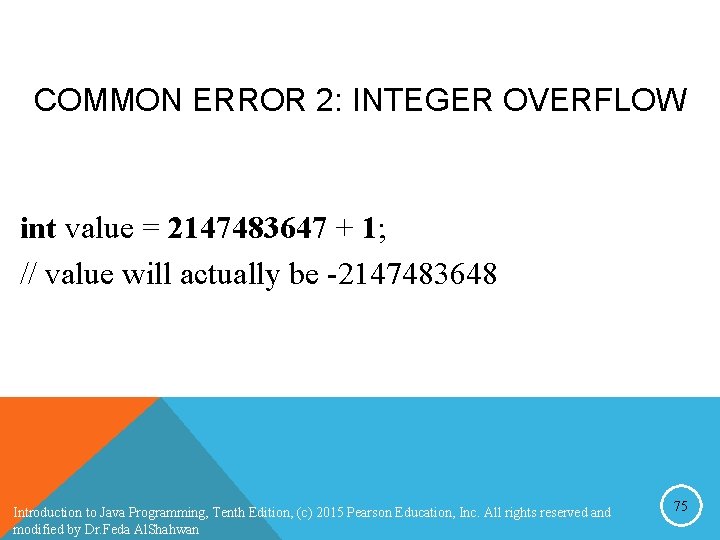
INTEGER LITERALS An integer literal can be assigned to an integer variable as long as it can fit into the variable. A compilation error would occur if the literal were too large for the variable to hold. For example, the statement byte b = 1000 would cause a compilation error (the range for a byte value is from -128 to 127) An integer literal is assumed to be of the int type, whose value is between -231 (-2147483648) to 231– 1 (2147483647). To denote an integer literal of the long type, append it with the letter L or l. Introduction to Java Programming, Tenth Edition, (c) 2015 Pearson Education, Inc. All rights reserved and modified by Dr. Feda Al. Shahwan 50
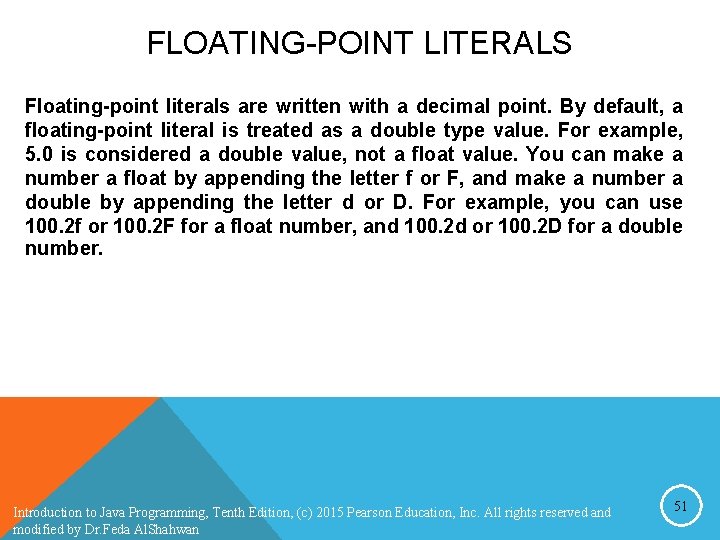
FLOATING-POINT LITERALS Floating-point literals are written with a decimal point. By default, a floating-point literal is treated as a double type value. For example, 5. 0 is considered a double value, not a float value. You can make a number a float by appending the letter f or F, and make a number a double by appending the letter d or D. For example, you can use 100. 2 f or 100. 2 F for a float number, and 100. 2 d or 100. 2 D for a double number. Introduction to Java Programming, Tenth Edition, (c) 2015 Pearson Education, Inc. All rights reserved and modified by Dr. Feda Al. Shahwan 51
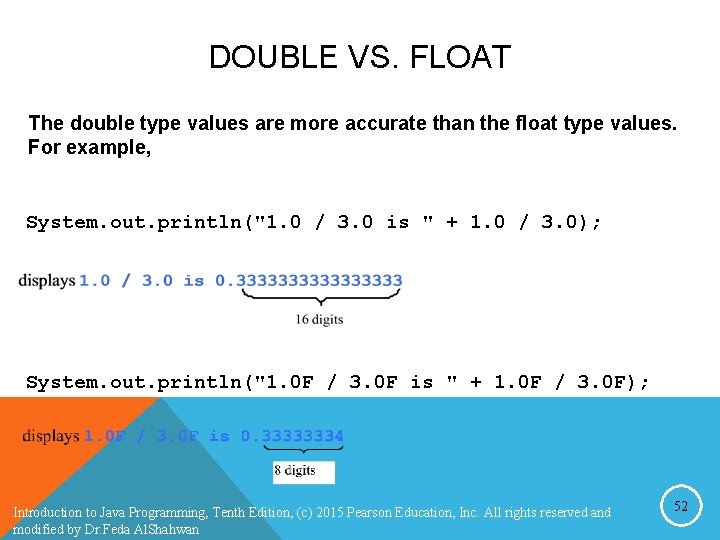
DOUBLE VS. FLOAT The double type values are more accurate than the float type values. For example, System. out. println("1. 0 / 3. 0 is " + 1. 0 / 3. 0); System. out. println("1. 0 F / 3. 0 F is " + 1. 0 F / 3. 0 F); Introduction to Java Programming, Tenth Edition, (c) 2015 Pearson Education, Inc. All rights reserved and modified by Dr. Feda Al. Shahwan 52
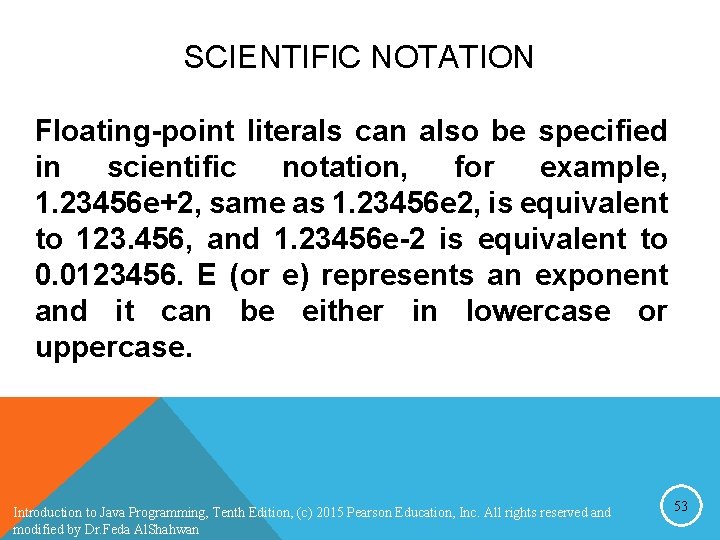
SCIENTIFIC NOTATION Floating-point literals can also be specified in scientific notation, for example, 1. 23456 e+2, same as 1. 23456 e 2, is equivalent to 123. 456, and 1. 23456 e-2 is equivalent to 0. 0123456. E (or e) represents an exponent and it can be either in lowercase or uppercase. Introduction to Java Programming, Tenth Edition, (c) 2015 Pearson Education, Inc. All rights reserved and modified by Dr. Feda Al. Shahwan 53
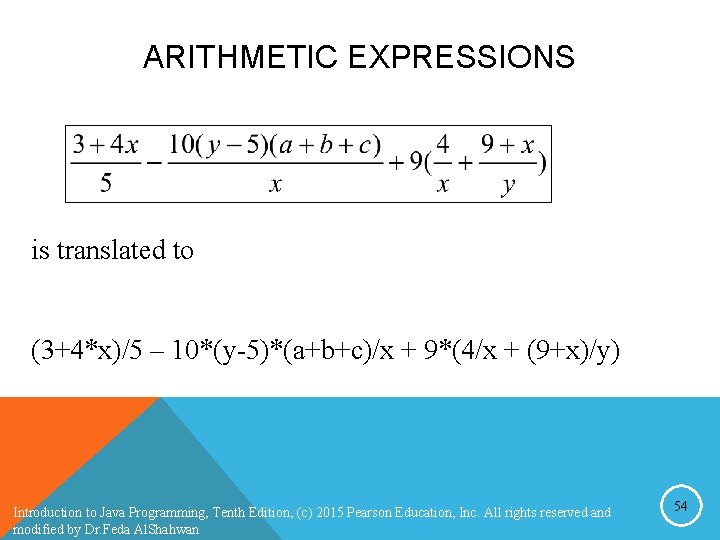
ARITHMETIC EXPRESSIONS is translated to (3+4*x)/5 – 10*(y-5)*(a+b+c)/x + 9*(4/x + (9+x)/y) Introduction to Java Programming, Tenth Edition, (c) 2015 Pearson Education, Inc. All rights reserved and modified by Dr. Feda Al. Shahwan 54
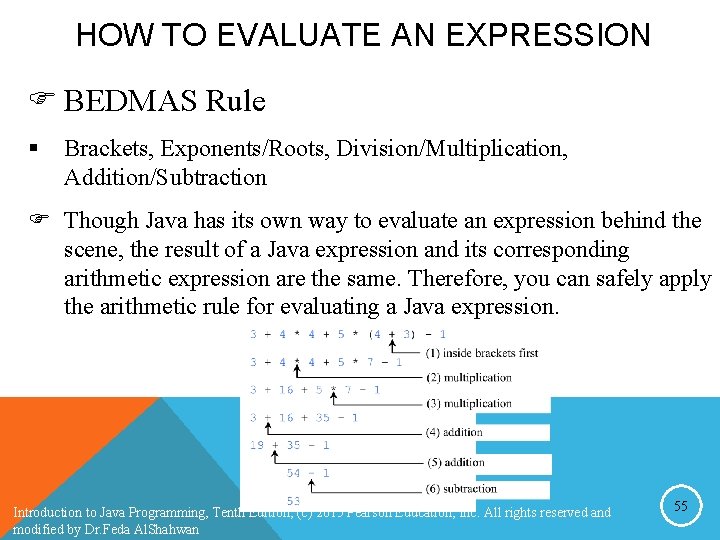
HOW TO EVALUATE AN EXPRESSION F BEDMAS Rule § Brackets, Exponents/Roots, Division/Multiplication, Addition/Subtraction F Though Java has its own way to evaluate an expression behind the scene, the result of a Java expression and its corresponding arithmetic expression are the same. Therefore, you can safely apply the arithmetic rule for evaluating a Java expression. Introduction to Java Programming, Tenth Edition, (c) 2015 Pearson Education, Inc. All rights reserved and modified by Dr. Feda Al. Shahwan 55
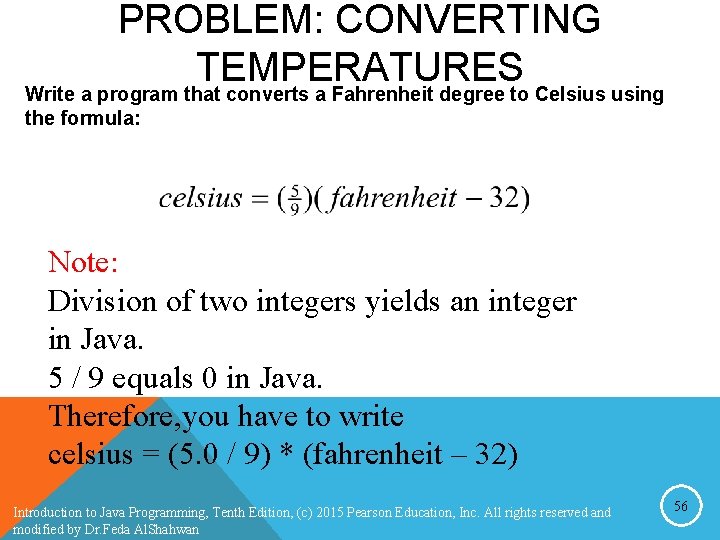
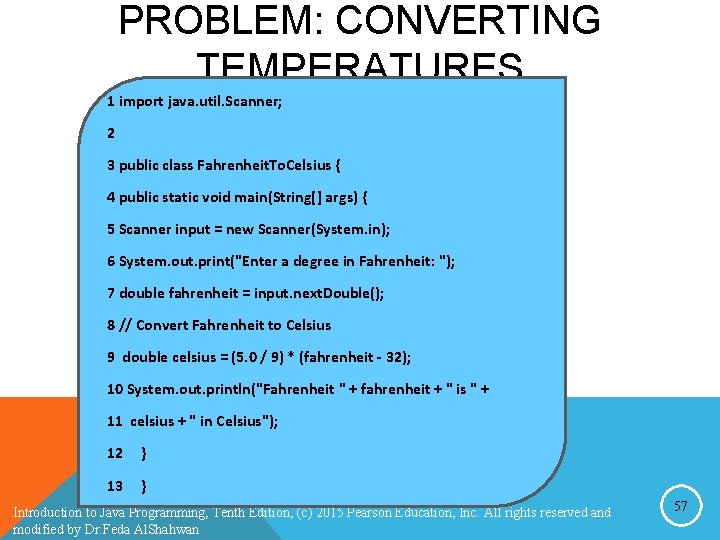
PROBLEM: CONVERTING TEMPERATURES Write a program that converts a Fahrenheit degree to Celsius using the formula: Note: Division of two integers yields an integer in Java. 5 / 9 equals 0 in Java. Therefore, you have to write celsius = (5. 0 / 9) * (fahrenheit – 32) Introduction to Java Programming, Tenth Edition, (c) 2015 Pearson Education, Inc. All rights reserved and modified by Dr. Feda Al. Shahwan 56
PROBLEM: CONVERTING TEMPERATURES 1 import java. util. Scanner; 2 3 public class Fahrenheit. To. Celsius { 4 public static void main(String[] args) { 5 Scanner input = new Scanner(System. in); 6 System. out. print("Enter a degree in Fahrenheit: "); 7 double fahrenheit = input. next. Double(); 8 // Convert Fahrenheit to Celsius 9 double celsius = (5. 0 / 9) * (fahrenheit - 32); 10 System. out. println("Fahrenheit " + fahrenheit + " is " + 11 celsius + " in Celsius"); 12 } 13 } Introduction to Java Programming, Tenth Edition, (c) 2015 Pearson Education, Inc. All rights reserved and modified by Dr. Feda Al. Shahwan 57
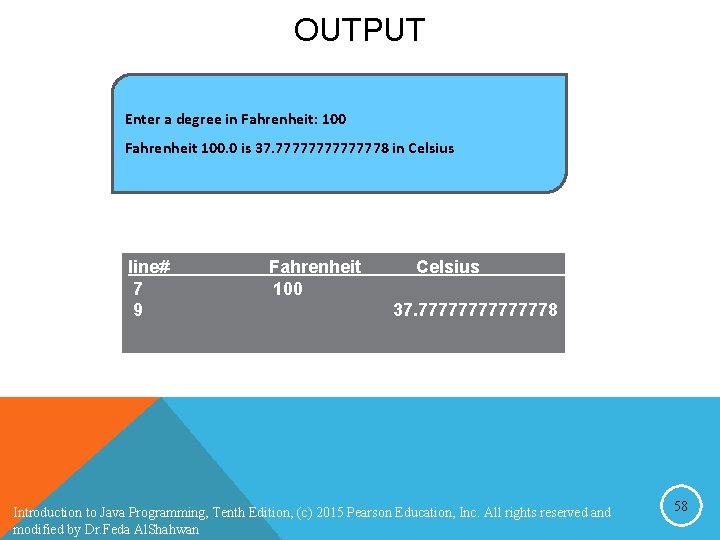
OUTPUT Enter a degree in Fahrenheit: 100 Fahrenheit 100. 0 is 37. 77777778 in Celsius line# 7 9 Fahrenheit 100 Celsius 37. 77777778 Introduction to Java Programming, Tenth Edition, (c) 2015 Pearson Education, Inc. All rights reserved and modified by Dr. Feda Al. Shahwan 58
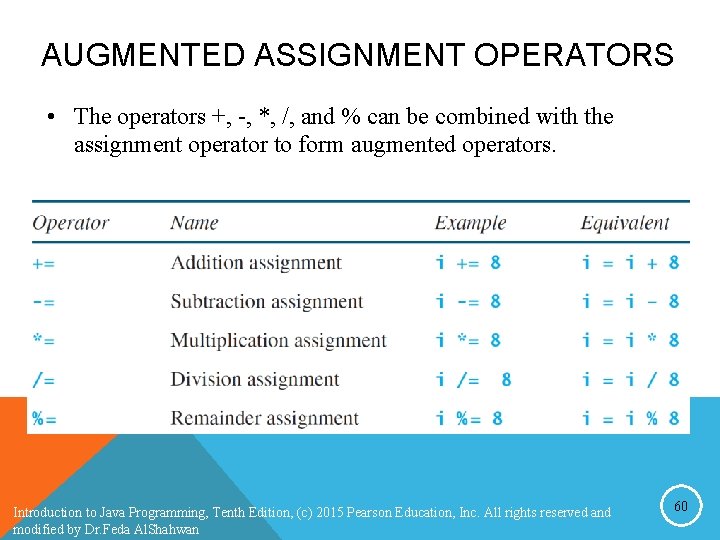
AUGMENTED ASSIGNMENT OPERATORS • The operators +, -, *, /, and % can be combined with the assignment operator to form augmented operators. Introduction to Java Programming, Tenth Edition, (c) 2015 Pearson Education, Inc. All rights reserved and modified by Dr. Feda Al. Shahwan 60
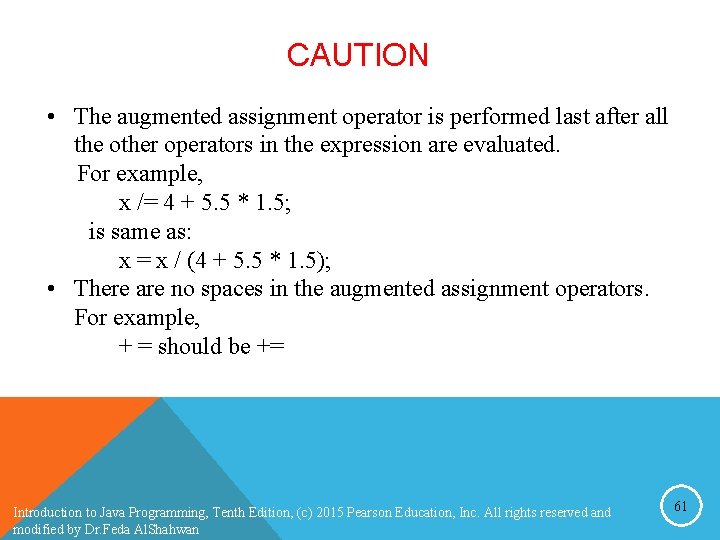
CAUTION • The augmented assignment operator is performed last after all the other operators in the expression are evaluated. For example, x /= 4 + 5. 5 * 1. 5; is same as: x = x / (4 + 5. 5 * 1. 5); • There are no spaces in the augmented assignment operators. For example, + = should be += Introduction to Java Programming, Tenth Edition, (c) 2015 Pearson Education, Inc. All rights reserved and modified by Dr. Feda Al. Shahwan 61
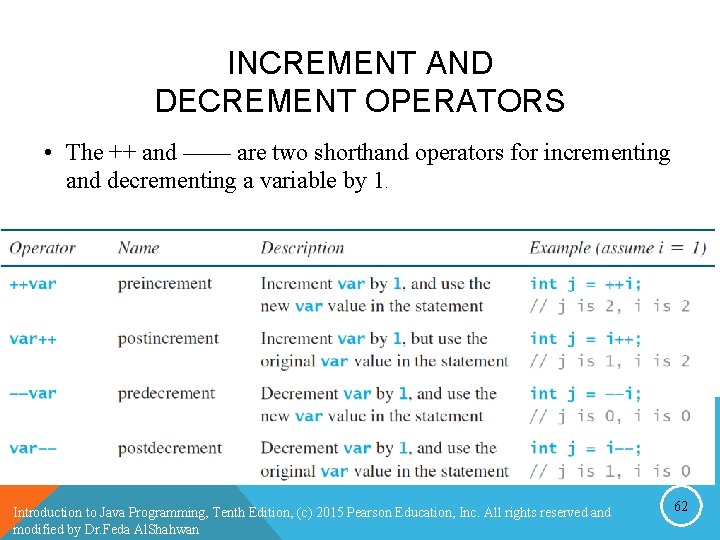
INCREMENT AND DECREMENT OPERATORS • The ++ and —— are two shorthand operators for incrementing and decrementing a variable by 1. Introduction to Java Programming, Tenth Edition, (c) 2015 Pearson Education, Inc. All rights reserved and modified by Dr. Feda Al. Shahwan 62
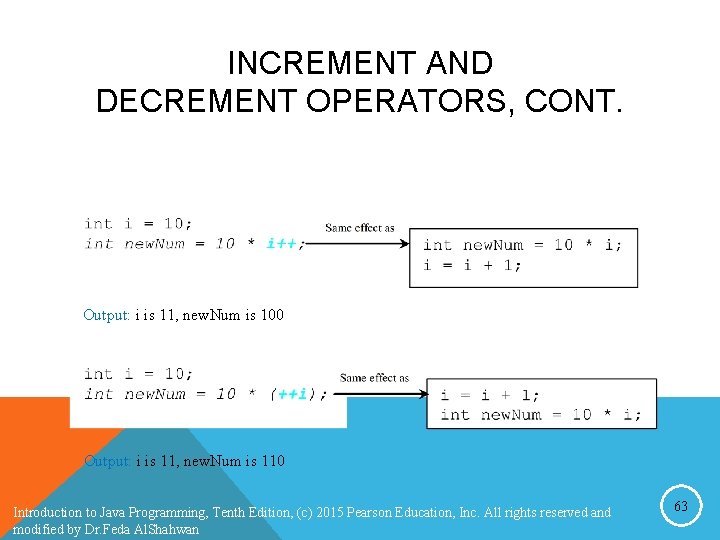
INCREMENT AND DECREMENT OPERATORS, CONT. Output: i is 11, new. Num is 100 Output: i is 11, new. Num is 110 Introduction to Java Programming, Tenth Edition, (c) 2015 Pearson Education, Inc. All rights reserved and modified by Dr. Feda Al. Shahwan 63
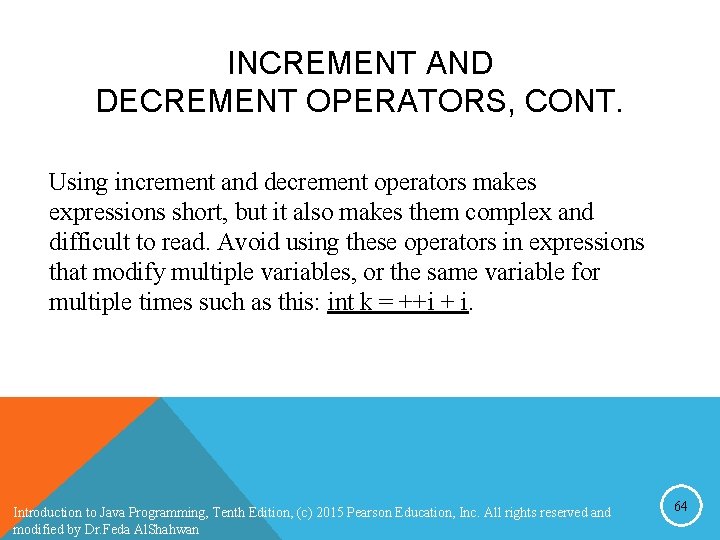
INCREMENT AND DECREMENT OPERATORS, CONT. Using increment and decrement operators makes expressions short, but it also makes them complex and difficult to read. Avoid using these operators in expressions that modify multiple variables, or the same variable for multiple times such as this: int k = ++i + i. Introduction to Java Programming, Tenth Edition, (c) 2015 Pearson Education, Inc. All rights reserved and modified by Dr. Feda Al. Shahwan 64
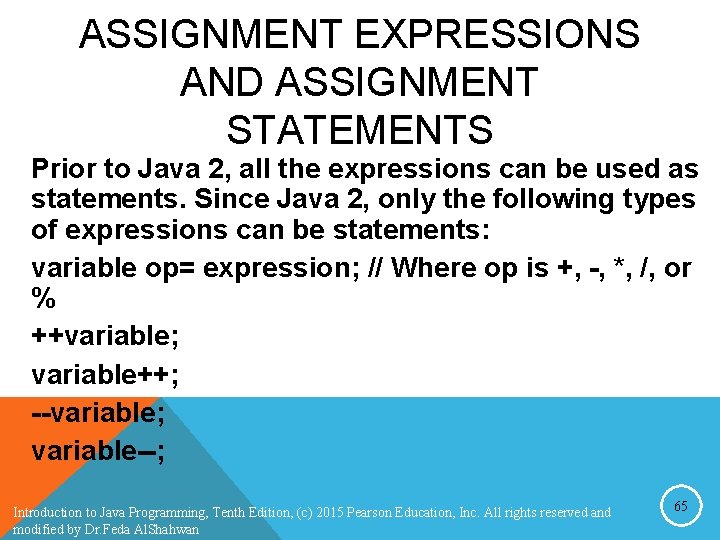
ASSIGNMENT EXPRESSIONS AND ASSIGNMENT STATEMENTS Prior to Java 2, all the expressions can be used as statements. Since Java 2, only the following types of expressions can be statements: variable op= expression; // Where op is +, -, *, /, or % ++variable; variable++; --variable; variable--; Introduction to Java Programming, Tenth Edition, (c) 2015 Pearson Education, Inc. All rights reserved and modified by Dr. Feda Al. Shahwan 65
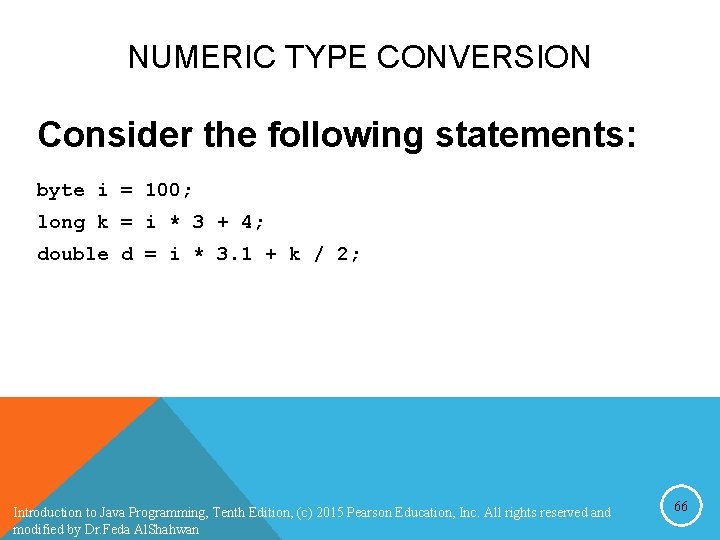
NUMERIC TYPE CONVERSION Consider the following statements: byte i = 100; long k = i * 3 + 4; double d = i * 3. 1 + k / 2; Introduction to Java Programming, Tenth Edition, (c) 2015 Pearson Education, Inc. All rights reserved and modified by Dr. Feda Al. Shahwan 66
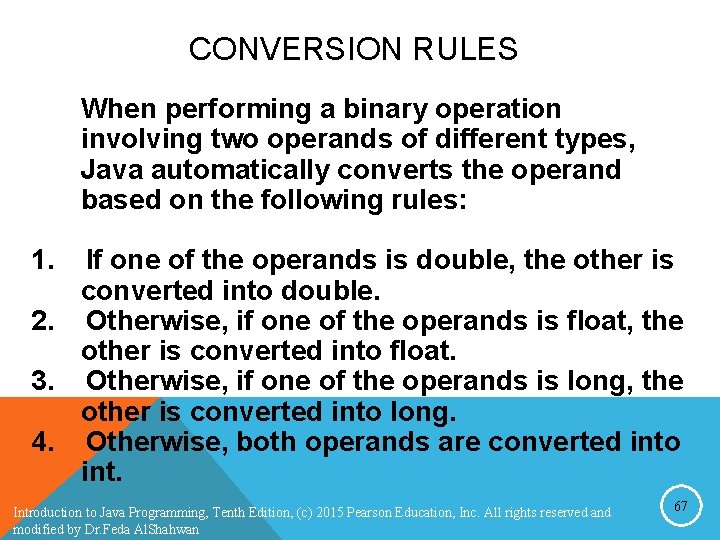
CONVERSION RULES When performing a binary operation involving two operands of different types, Java automatically converts the operand based on the following rules: 1. If one of the operands is double, the other is converted into double. 2. Otherwise, if one of the operands is float, the other is converted into float. 3. Otherwise, if one of the operands is long, the other is converted into long. 4. Otherwise, both operands are converted into int. Introduction to Java Programming, Tenth Edition, (c) 2015 Pearson Education, Inc. All rights reserved and modified by Dr. Feda Al. Shahwan 67
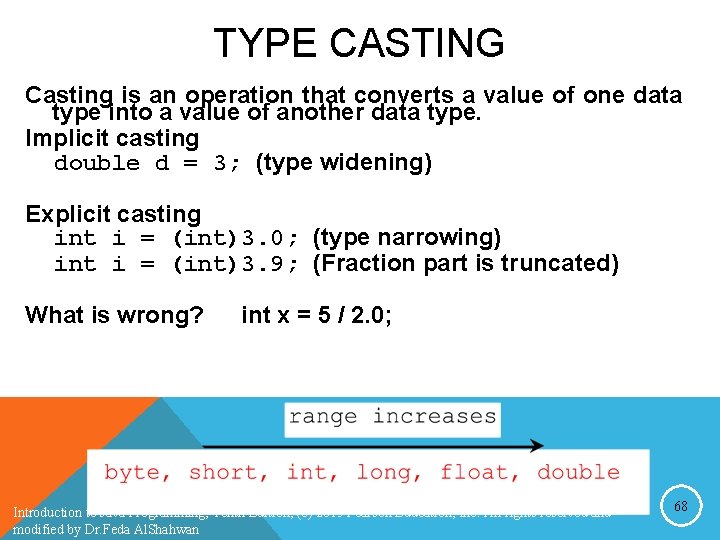
TYPE CASTING Casting is an operation that converts a value of one data type into a value of another data type. Implicit casting double d = 3; (type widening) Explicit casting int i = (int)3. 0; (type narrowing) int i = (int)3. 9; (Fraction part is truncated) What is wrong? int x = 5 / 2. 0; Introduction to Java Programming, Tenth Edition, (c) 2015 Pearson Education, Inc. All rights reserved and modified by Dr. Feda Al. Shahwan 68
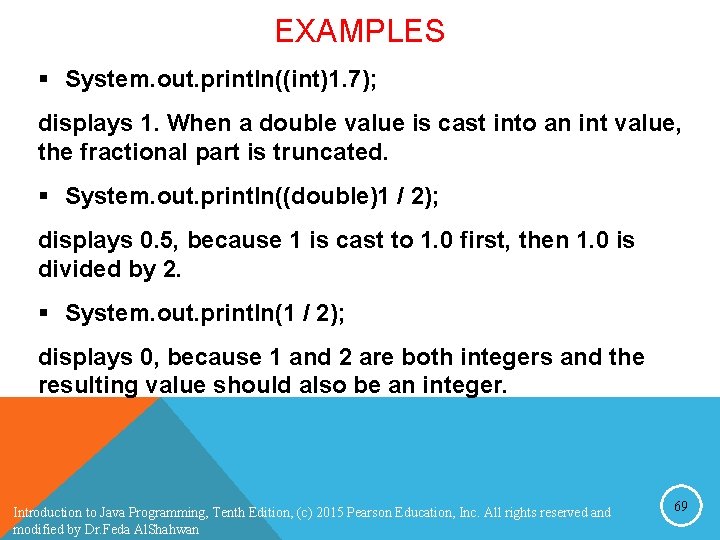
EXAMPLES § System. out. println((int)1. 7); displays 1. When a double value is cast into an int value, the fractional part is truncated. § System. out. println((double)1 / 2); displays 0. 5, because 1 is cast to 1. 0 first, then 1. 0 is divided by 2. § System. out. println(1 / 2); displays 0, because 1 and 2 are both integers and the resulting value should also be an integer. Introduction to Java Programming, Tenth Edition, (c) 2015 Pearson Education, Inc. All rights reserved and modified by Dr. Feda Al. Shahwan 69
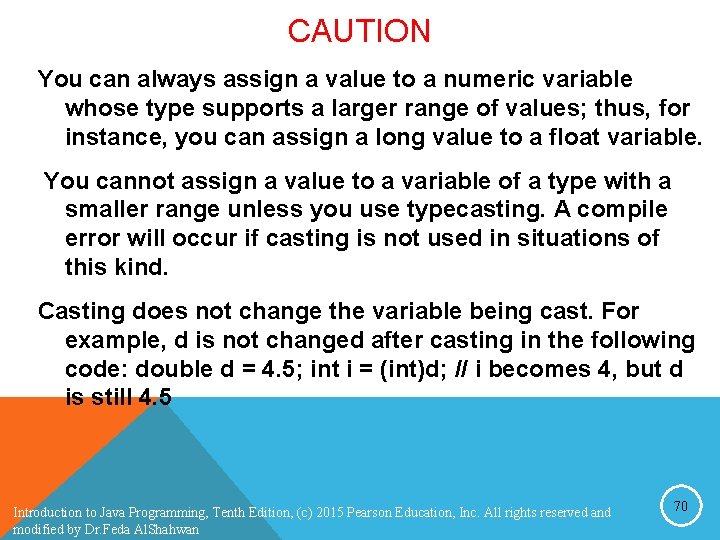
CAUTION You can always assign a value to a numeric variable whose type supports a larger range of values; thus, for instance, you can assign a long value to a float variable. You cannot assign a value to a variable of a type with a smaller range unless you use typecasting. A compile error will occur if casting is not used in situations of this kind. Casting does not change the variable being cast. For example, d is not changed after casting in the following code: double d = 4. 5; int i = (int)d; // i becomes 4, but d is still 4. 5 Introduction to Java Programming, Tenth Edition, (c) 2015 Pearson Education, Inc. All rights reserved and modified by Dr. Feda Al. Shahwan 70
PROBLEM: KEEPING TWO DIGITS AFTER DECIMAL POINTS Write a program that displays the sales tax with two digits after the decimal point. Introduction to Java Programming, Tenth Edition, (c) 2015 Pearson Education, Inc. All rights reserved and modified by Dr. Feda Al. Shahwan 71
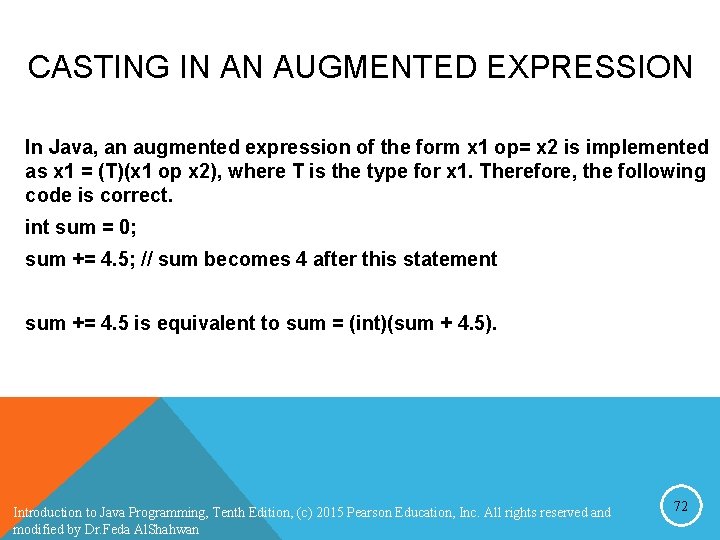
CASTING IN AN AUGMENTED EXPRESSION In Java, an augmented expression of the form x 1 op= x 2 is implemented as x 1 = (T)(x 1 op x 2), where T is the type for x 1. Therefore, the following code is correct. int sum = 0; sum += 4. 5; // sum becomes 4 after this statement sum += 4. 5 is equivalent to sum = (int)(sum + 4. 5). Introduction to Java Programming, Tenth Edition, (c) 2015 Pearson Education, Inc. All rights reserved and modified by Dr. Feda Al. Shahwan 72
COMMON ERRORS AND PITFALLS F Common Error 1: Undeclared/Uninitialized Variables and Unused Variables F Common Error 2: Integer Overflow F Common Error 3: Round-off Errors F Common Error 4: Unintended Integer Division F Common Error 5: Redundant Input Objects F Common Pitfall 1: Redundant Input Objects Introduction to Java Programming, Tenth Edition, (c) 2015 Pearson Education, Inc. All rights reserved and modified by Dr. Feda Al. Shahwan 73
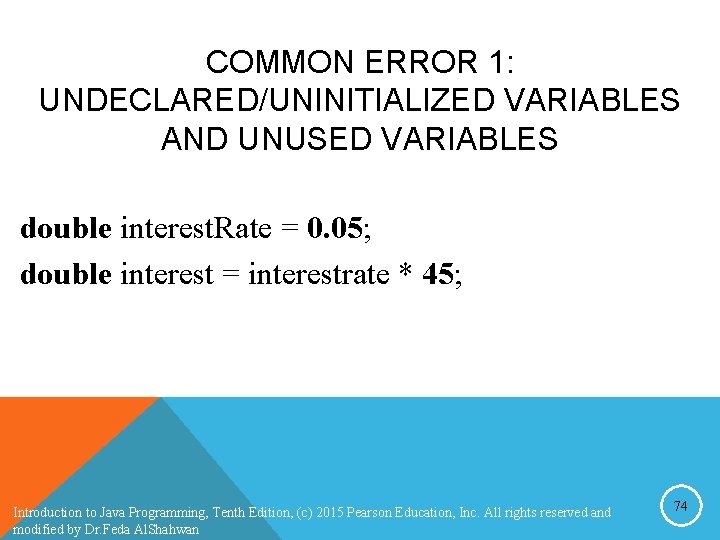
COMMON ERROR 1: UNDECLARED/UNINITIALIZED VARIABLES AND UNUSED VARIABLES double interest. Rate = 0. 05; double interest = interestrate * 45; Introduction to Java Programming, Tenth Edition, (c) 2015 Pearson Education, Inc. All rights reserved and modified by Dr. Feda Al. Shahwan 74
COMMON ERROR 2: INTEGER OVERFLOW int value = 2147483647 + 1; // value will actually be -2147483648 Introduction to Java Programming, Tenth Edition, (c) 2015 Pearson Education, Inc. All rights reserved and modified by Dr. Feda Al. Shahwan 75
COMMON ERROR 3: ROUND-OFF ERRORS System. out. println(1. 0 - 0. 1); System. out. println(1. 0 - 0. 9); Introduction to Java Programming, Tenth Edition, (c) 2015 Pearson Education, Inc. All rights reserved and modified by Dr. Feda Al. Shahwan 76
COMMON ERROR 4: UNINTENDED INTEGER DIVISION Introduction to Java Programming, Tenth Edition, (c) 2015 Pearson Education, Inc. All rights reserved and modified by Dr. Feda Al. Shahwan 77
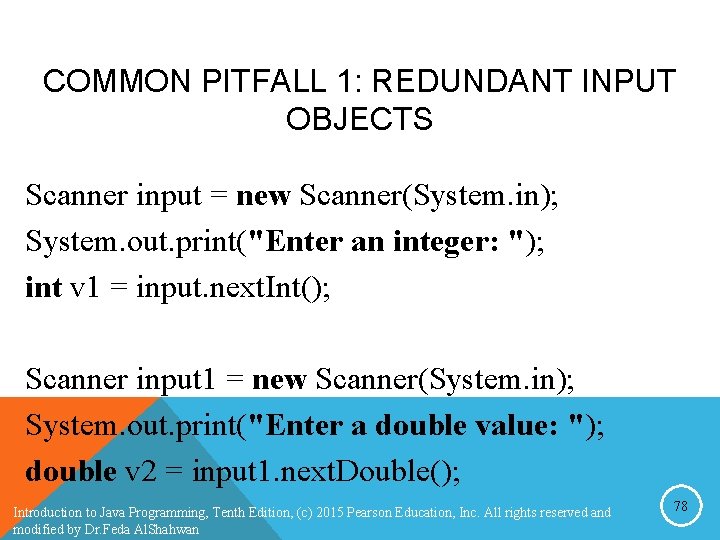
COMMON PITFALL 1: REDUNDANT INPUT OBJECTS Scanner input = new Scanner(System. in); System. out. print("Enter an integer: "); int v 1 = input. next. Int(); Scanner input 1 = new Scanner(System. in); System. out. print("Enter a double value: "); double v 2 = input 1. next. Double(); Introduction to Java Programming, Tenth Edition, (c) 2015 Pearson Education, Inc. All rights reserved and modified by Dr. Feda Al. Shahwan 78
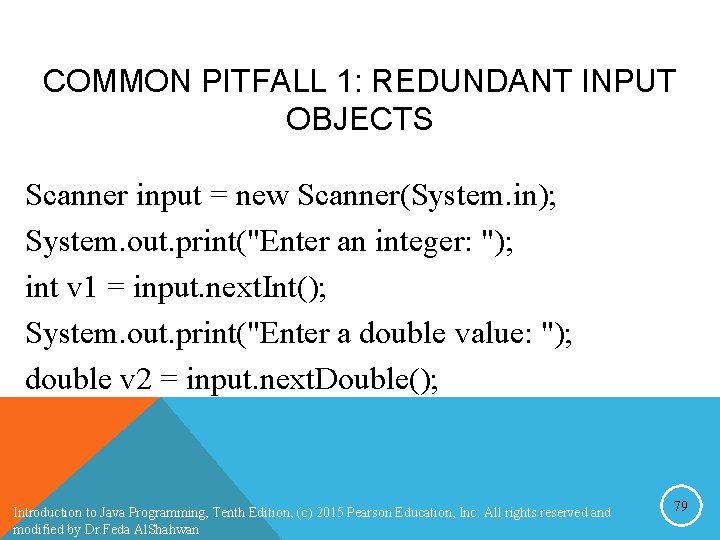
COMMON PITFALL 1: REDUNDANT INPUT OBJECTS Scanner input = new Scanner(System. in); System. out. print("Enter an integer: "); int v 1 = input. next. Int(); System. out. print("Enter a double value: "); double v 2 = input. next. Double(); Introduction to Java Programming, Tenth Edition, (c) 2015 Pearson Education, Inc. All rights reserved and modified by Dr. Feda Al. Shahwan 79