
Chapter 2 Data and Expressions Objectives How to
Chapter 2 Data and Expressions
Objectives • How to store data • How to process data • What kind of data types? • Discuss the use of character strings, concatenation, and escape sequences • Explore the declaration and use of variables • Describe the Java primitive data types • Discuss the syntax and processing of expressions • Define the types of data conversions and the mechanisms for accomplishing them • Introduce the Scanner class to create interactive programs 1 -2
Content 1. 2. 3. 4. 5. 6. Character strings Variables and assignment Primitive data types Expressions Data conversion Reading input data 1 -3
![1. Character Strings • Programs usually process data. • [Q] What kind of data](http://slidetodoc.com/presentation_image_h2/4c468c3ff501091b74d6f94b49135591/image-4.jpg "1. Character Strings • Programs usually process data. • [Q] What kind of data")
1. Character Strings • Programs usually process data. • [Q] What kind of data can we use? Where to store? How to process them? • [Q] Can you see data in the following program? public class Lincoln { public static void main(String[] args) { System. out. println("A quote by Abraham Lincoln: "); System. out. println("Whatever you are, be a good one. "); } } When methods are used, they will be given data. 2 -4

1. Character Strings • A string of characters can be represented as a string literal by putting double quotes around it. • Examples: – – "This is a string literal. " "123 Main Street" "X" "&_23 d", . . . • Every character string is an object in Java, defined by the String class. • Every string literal represents a String object. • We will discuss about objects and classes again and again through out the course. • [Q] How do you print values, e. g. , strings? 2 -5
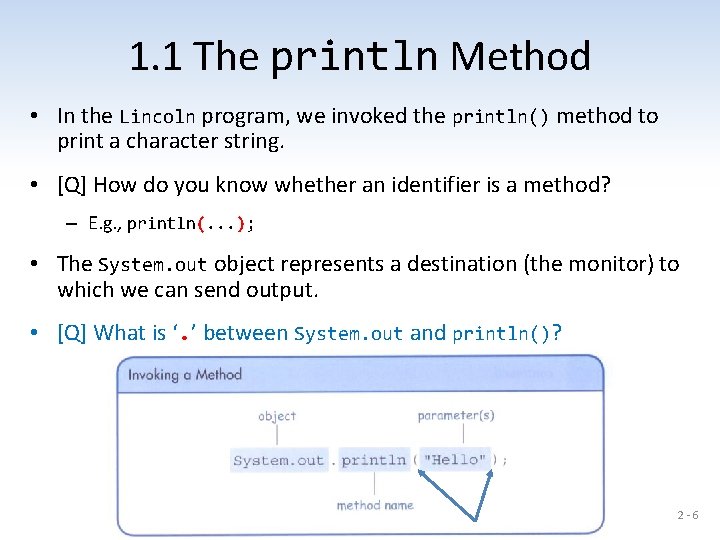
1. 1 The println Method • In the Lincoln program, we invoked the println() method to print a character string. • [Q] How do you know whether an identifier is a method? – E. g. , println(. . . ); • The System. out object represents a destination (the monitor) to which we can send output. • [Q] What is ‘. ’ between System. out and println()? 2 -6
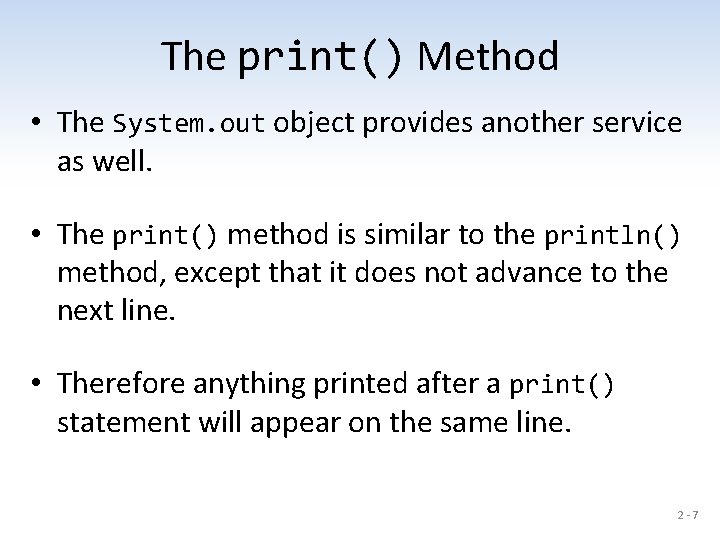
The print() Method • The System. out object provides another service as well. • The print() method is similar to the println() method, except that it does not advance to the next line. • Therefore anything printed after a print() statement will appear on the same line. 2 -7
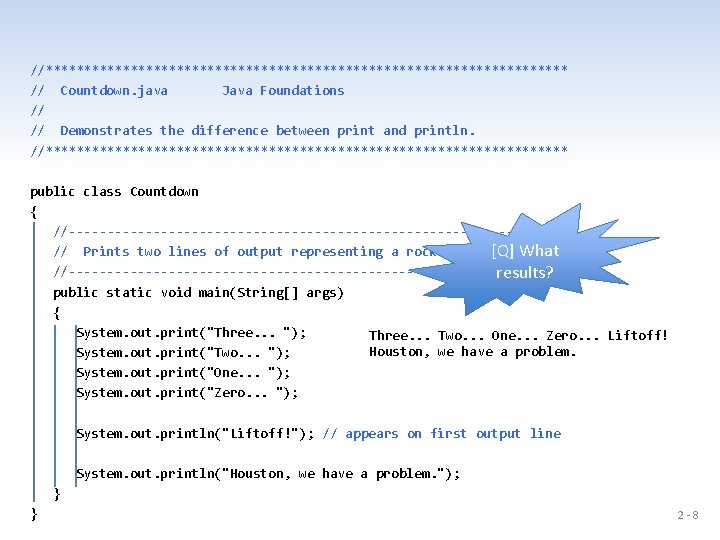
//********************************** // Countdown. java Java Foundations // // Demonstrates the difference between print and println. //********************************** public class Countdown { //--------------------------------// Prints two lines of output representing a rocket countdown. [Q] What //--------------------------------results? public static void main(String[] args) { System. out. print("Three. . . "); Three. . . Two. . . One. . . Zero. . . Liftoff! Houston, we have a problem. System. out. print("Two. . . "); System. out. print("One. . . "); System. out. print("Zero. . . "); System. out. println("Liftoff!"); // appears on first output line System. out. println("Houston, we have a problem. "); } } 2 -8
![• [X] Let’s try to write Woderful. java that prints – "What an](http://slidetodoc.com/presentation_image_h2/4c468c3ff501091b74d6f94b49135591/image-9.jpg "• [X] Let’s try to write Woderful. java that prints – \"What an")
• [X] Let’s try to write Woderful. java that prints – "What an interesting " – "course, COMP 1130 -04!" • You need to use two print() or println() methods. But the above strings should be displayed in the same line. 2 -9
![• [Q] How about System. out. println("Correct or wrong? "); • [Q] For](http://slidetodoc.com/presentation_image_h2/4c468c3ff501091b74d6f94b49135591/image-10.jpg "• [Q] How about System. out. println(\"Correct or wrong? \"); • [Q] For")
• [Q] How about System. out. println("Correct or wrong? "); • [Q] For what do we use white spaces? • [Q] Do we always need to use white spaces? 2 - 10
Intermediate Summary • In the previous slides, we discussed strings, one type of data. • [Q] How to manipulate them? – print(), println() • [X] Let’s try to write a Java program to print "What a wonderful world!". • [Q] Any operations with strings? 2 - 11
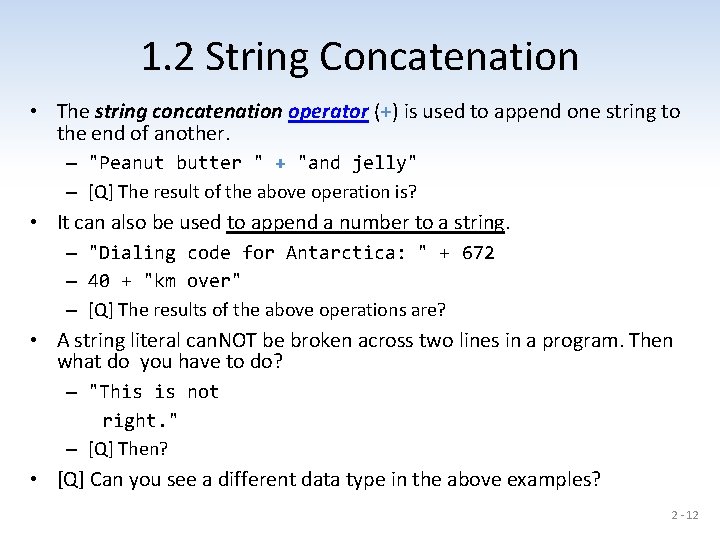
1. 2 String Concatenation • The string concatenation operator (+) is used to append one string to the end of another. – "Peanut butter " + "and jelly" – [Q] The result of the above operation is? • It can also be used to append a number to a string. – "Dialing code for Antarctica: " + 672 – 40 + "km over" – [Q] The results of the above operations are? • A string literal can. NOT be broken across two lines in a program. Then what do you have to do? – "This is not right. " – [Q] Then? • [Q] Can you see a different data type in the above examples? 2 - 12
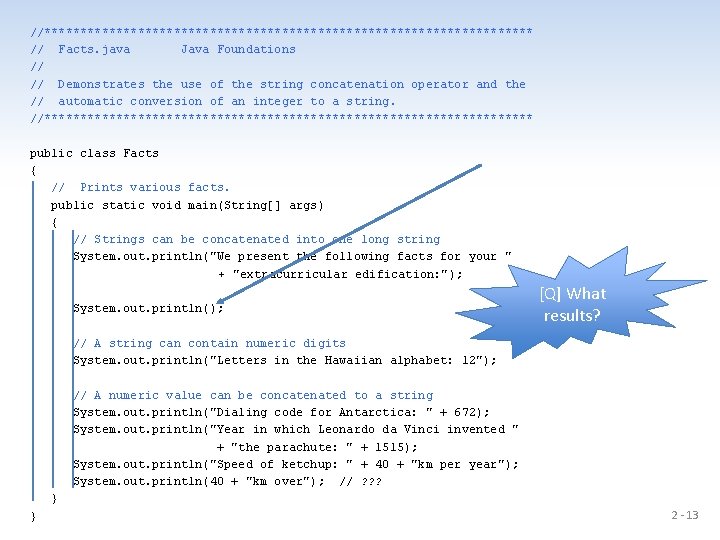
//********************************** // Facts. java Java Foundations // // Demonstrates the use of the string concatenation operator and the // automatic conversion of an integer to a string. //********************************** public class Facts { // Prints various facts. public static void main(String[] args) { // Strings can be concatenated into one long string System. out. println("We present the following facts for your " + "extracurricular edification: "); System. out. println(); [Q] What results? // A string can contain numeric digits System. out. println("Letters in the Hawaiian alphabet: 12"); // A numeric value can be concatenated to a string System. out. println("Dialing code for Antarctica: " + 672); System. out. println("Year in which Leonardo da Vinci invented " + "the parachute: " + 1515); System. out. println("Speed of ketchup: " + 40 + "km per year"); System. out. println(40 + "km over"); // ? ? ? } } 2 - 13
• The + operator is also used for arithmetic addition. • The function that it performs depends on the type of the information on which it operates. • If both operands are strings, or if one is a string and one is a number, it performs string concatenation. • If both operands are numeric, it adds them. • The + operator is evaluated left to right, but parentheses can be used to force the order. 2 - 14
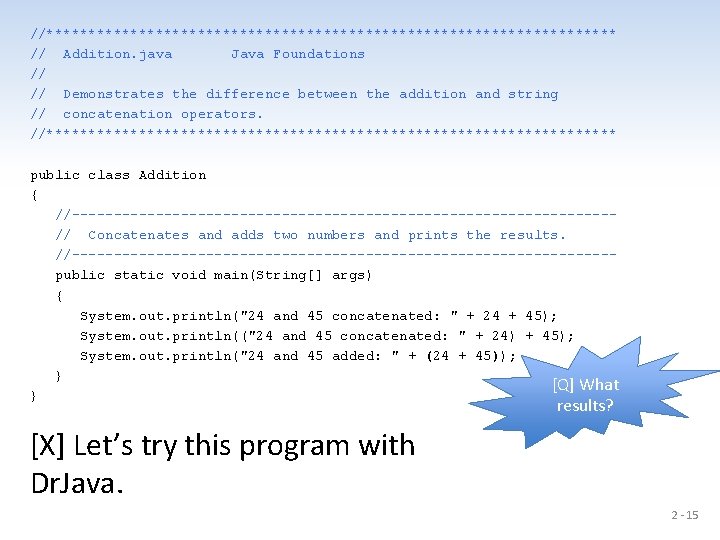
//********************************** // Addition. java Java Foundations // // Demonstrates the difference between the addition and string // concatenation operators. //********************************** public class Addition { //--------------------------------// Concatenates and adds two numbers and prints the results. //--------------------------------public static void main(String[] args) { System. out. println("24 and 45 concatenated: " + 24 + 45); System. out. println(("24 and 45 concatenated: " + 24) + 45); System. out. println("24 and 45 added: " + (24 + 45)); } [Q] What } results? [X] Let’s try this program with Dr. Java. 2 - 15
![Intermediate Summary • Operator, ‘+’ – String concatenation – Arithmetic addition • [X] Let’s](http://slidetodoc.com/presentation_image_h2/4c468c3ff501091b74d6f94b49135591/image-16.jpg "Intermediate Summary • Operator, ‘+’ – String concatenation – Arithmetic addition • [X] Let’s")
Intermediate Summary • Operator, ‘+’ – String concatenation – Arithmetic addition • [X] Let’s try to write a Java program that prints the summation of three integer values 1234, 2345, and 3456. 2 - 16
![1. 3 Escape Sequences • [Q] What if we wanted to print a the](http://slidetodoc.com/presentation_image_h2/4c468c3ff501091b74d6f94b49135591/image-17.jpg "1. 3 Escape Sequences • [Q] What if we wanted to print a the")
1. 3 Escape Sequences • [Q] What if we wanted to print a the quote character? • The following line would confuse the compiler because it would interpret the second quote as the end of the string. [Q] What will happen? System. out. println("I said "Hello" to you. "); System. out. println("I said " Hello " to you. "); • An escape sequence is a series of characters that represents a special character. • An escape sequence begins with a backslash character (). System. out. println("I said "Hello" to you. "); 2 - 17
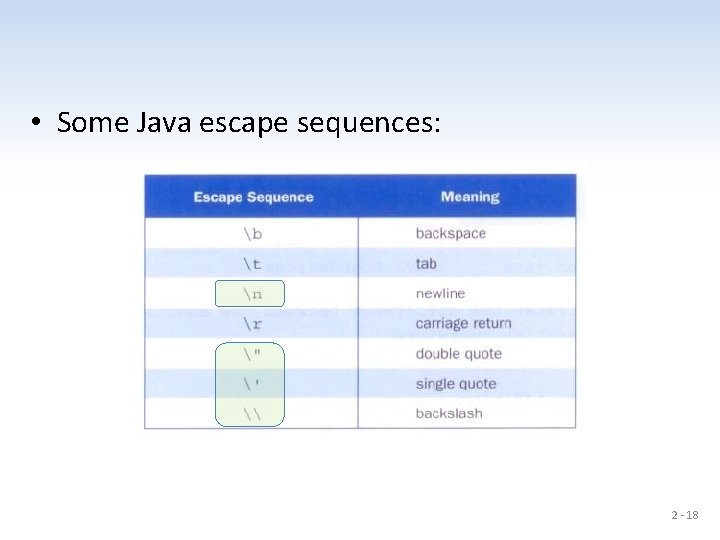
• Some Java escape sequences: 2 - 18
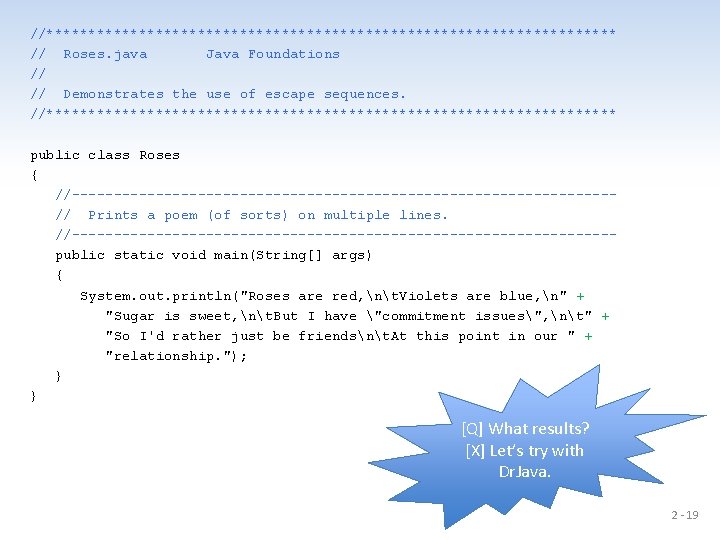
//********************************** // Roses. java Java Foundations // // Demonstrates the use of escape sequences. //********************************** public class Roses { //--------------------------------// Prints a poem (of sorts) on multiple lines. //--------------------------------public static void main(String[] args) { System. out. println("Roses are red, nt. Violets are blue, n" + "Sugar is sweet, nt. But I have "commitment issues", nt" + "So I'd rather just be friendsnt. At this point in our " + "relationship. "); } } [Q] What results? [X] Let’s try with Dr. Java. 2 - 19
![Intermediate Summary • [Q] How many different kinds of data so far? – Strings,](http://slidetodoc.com/presentation_image_h2/4c468c3ff501091b74d6f94b49135591/image-20.jpg "Intermediate Summary • [Q] How many different kinds of data so far? – Strings,")
Intermediate Summary • [Q] How many different kinds of data so far? – Strings, integers • [Q] How many different operators so far? – String concatenation: + – Integer addition: + 2 - 20
2. Variables and Assignment • We have discussed so far how to deal with strings in the previous section. • [Q] Now, how can we store data in main memory, so that we can deal with them? • [Q] For example, how to read 100 values and find the average? We need to know how to save those values somewhere. 2 - 21
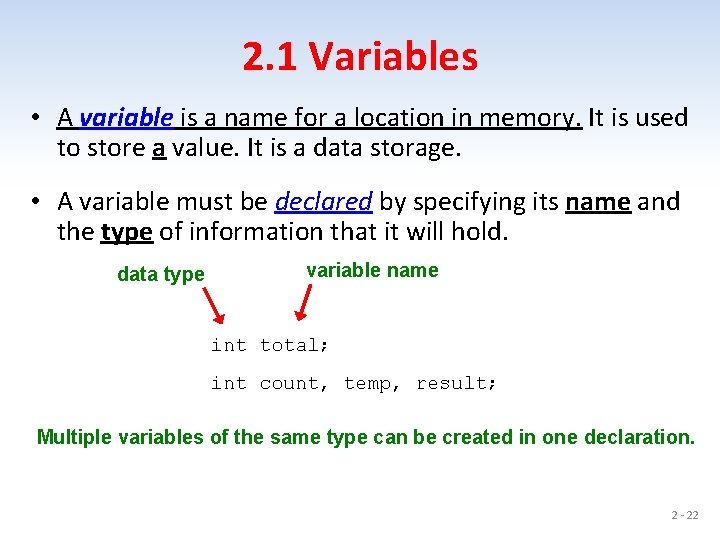
2. 1 Variables • A variable is a name for a location in memory. It is used to store a value. It is a data storage. • A variable must be declared by specifying its name and the type of information that it will hold. data type variable name int total; int count, temp, result; Multiple variables of the same type can be created in one declaration. 2 - 22
![• Variables are like buckets. • [Q] How to store data into variables?](http://slidetodoc.com/presentation_image_h2/4c468c3ff501091b74d6f94b49135591/image-23.jpg "• Variables are like buckets. • [Q] How to store data into variables?")
• Variables are like buckets. • [Q] How to store data into variables? 2 - 23
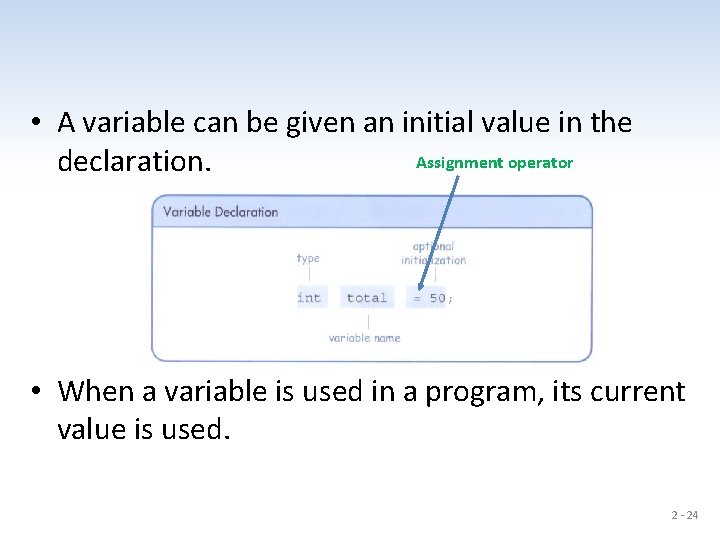
• A variable can be given an initial value in the Assignment operator declaration. • When a variable is used in a program, its current value is used. 2 - 24
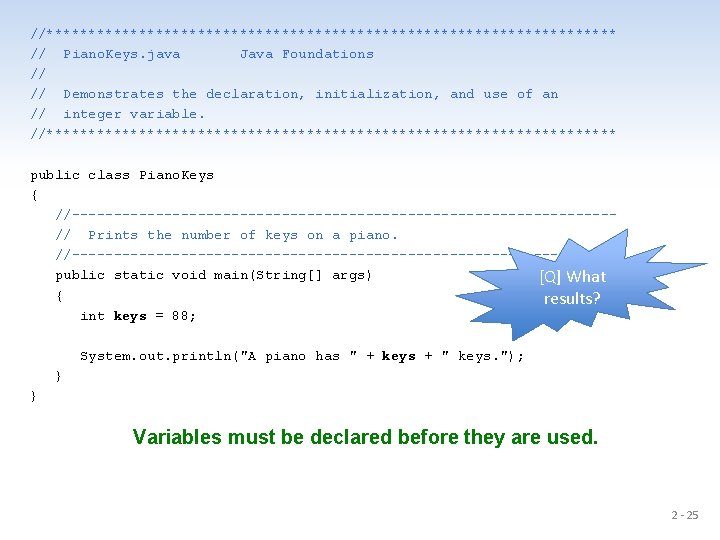
//********************************** // Piano. Keys. java Java Foundations // // Demonstrates the declaration, initialization, and use of an // integer variable. //********************************** public class Piano. Keys { //--------------------------------// Prints the number of keys on a piano. //--------------------------------public static void main(String[] args) [Q] What { results? int keys = 88; System. out. println("A piano has " + keys + " keys. "); } } Variables must be declared before they are used. 2 - 25
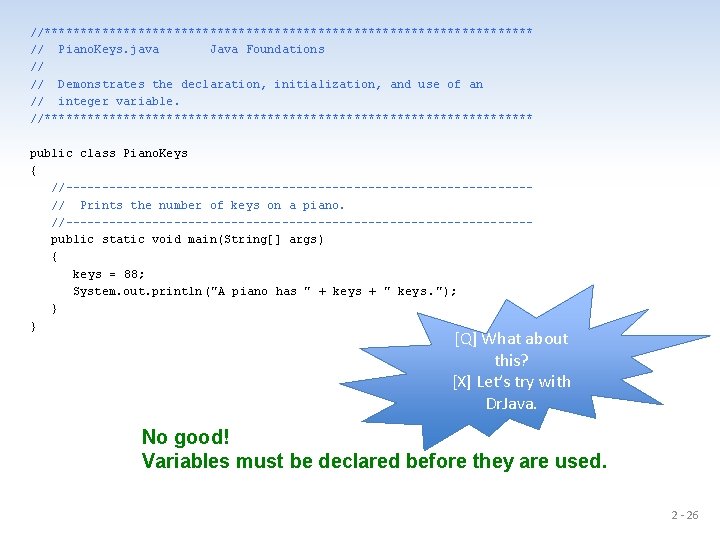
//********************************** // Piano. Keys. java Java Foundations // // Demonstrates the declaration, initialization, and use of an // integer variable. //********************************** public class Piano. Keys { //--------------------------------// Prints the number of keys on a piano. //--------------------------------public static void main(String[] args) { keys = 88; System. out. println ("A piano has " + keys + " keys. "); } } [Q] What about this? [X] Let’s try with Dr. Java. No good! Variables must be declared before they are used. 2 - 26
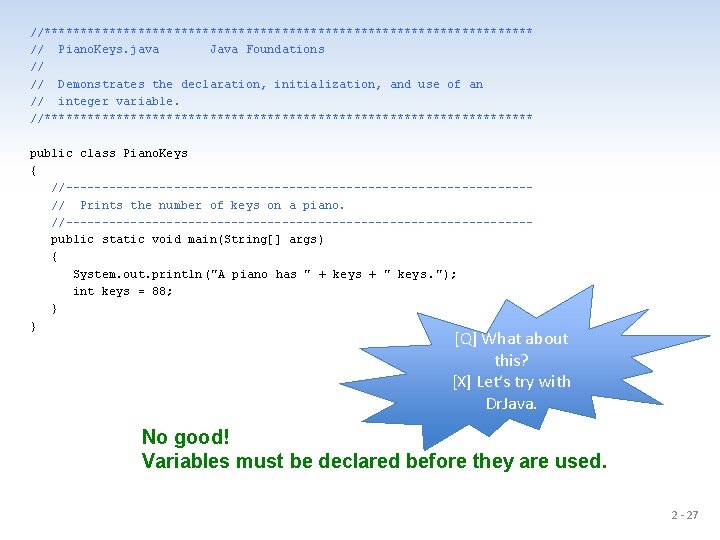
//********************************** // Piano. Keys. java Java Foundations // // Demonstrates the declaration, initialization, and use of an // integer variable. //********************************** public class Piano. Keys { //--------------------------------// Prints the number of keys on a piano. //--------------------------------public static void main(String[] args) { System. out. println ("A piano has " + keys + " keys. "); int keys = 88; } } [Q] What about this? [X] Let’s try with Dr. Java. No good! Variables must be declared before they are used. 2 - 27
![2. 2 Assignment Operator • [Q] How to save values in variables? 2 -](http://slidetodoc.com/presentation_image_h2/4c468c3ff501091b74d6f94b49135591/image-28.jpg "2. 2 Assignment Operator • [Q] How to save values in variables? 2 -")
2. 2 Assignment Operator • [Q] How to save values in variables? 2 - 28
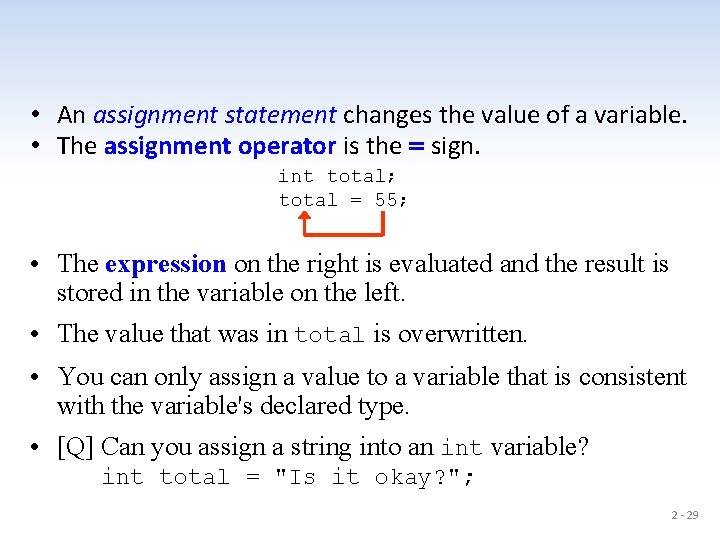
• An assignment statement changes the value of a variable. • The assignment operator is the = sign. int total; total = 55; • The expression on the right is evaluated and the result is stored in the variable on the left. • The value that was in total is overwritten. • You can only assign a value to a variable that is consistent with the variable's declared type. • [Q] Can you assign a string into an int variable? int total = "Is it okay? "; 2 - 29
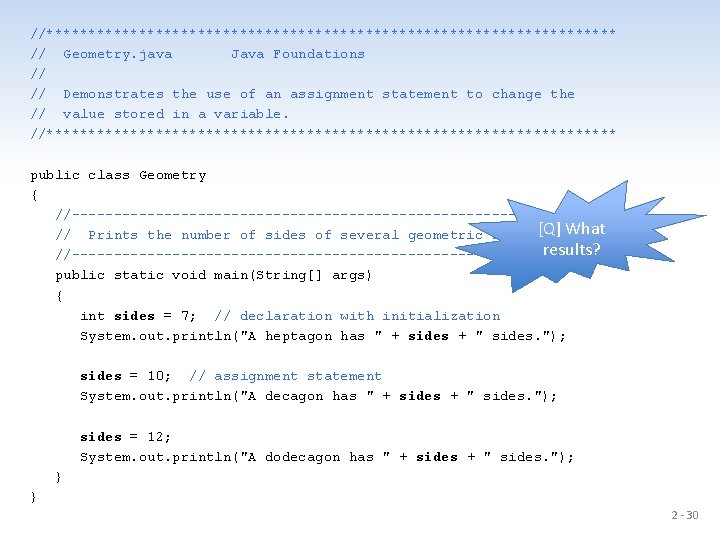
//********************************** // Geometry. java Java Foundations // // Demonstrates the use of an assignment statement to change the // value stored in a variable. //********************************** public class Geometry { //--------------------------------[Q] What // Prints the number of sides of several geometric shapes. results? //--------------------------------public static void main(String[] args) { int sides = 7; // declaration with initialization System. out. println("A heptagon has " + sides + " sides. "); sides = 10; // assignment statement System. out. println("A decagon has " + sides + " sides. "); sides = 12; System. out. println("A dodecagon has " + sides + " sides. "); } } 2 - 30
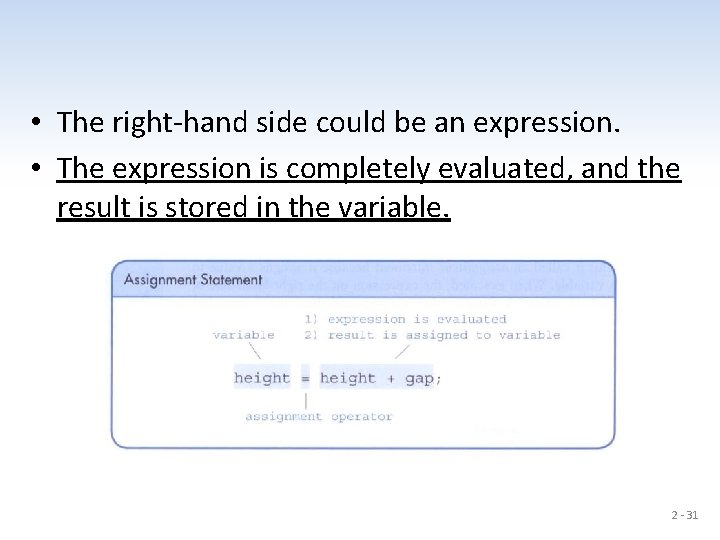
• The right-hand side could be an expression. • The expression is completely evaluated, and the result is stored in the variable. 2 - 31
Intermediate Summary • Data types – String – int • Expression and operators – +, =, (), . • Statement – Assignment statement • [Q] How many operators have we discussed so far? • [X] Let’s write a Java program that assigns two numbers 10 and 20 into two separate variables, adds them, saves the result into another variable, and prints the result. 2 - 32
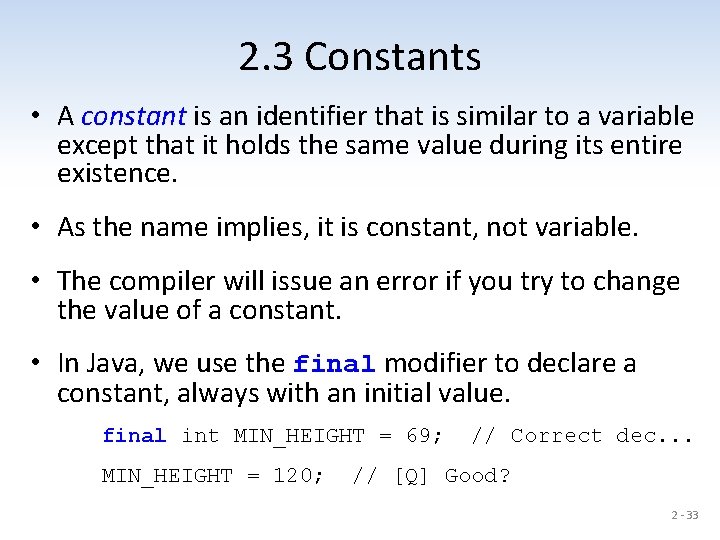
2. 3 Constants • A constant is an identifier that is similar to a variable except that it holds the same value during its entire existence. • As the name implies, it is constant, not variable. • The compiler will issue an error if you try to change the value of a constant. • In Java, we use the final modifier to declare a constant, always with an initial value. final int MIN_HEIGHT = 69; MIN_HEIGHT = 120; // Correct dec. . . // [Q] Good? 2 - 33
• Constants are useful for three important reasons. – First, they give meaning to otherwise unclear literal values. • For example, MAX_LOAD means more than the literal 250. – Second, they facilitate program maintenance. • If a constant is used in multiple places, its value need only be updated in one place. • Constants are usually declared early. – Third, they formally establish that a value should not change, avoiding inadvertent errors by other programmers. • Usually upper case letters with ‘_’: MIN_HEIGHT 2 - 34
3. Primitive Data Types • There are eight primitive data types in Java. • Four of them represent integers – byte, short, int, long Let’s always use int and double for numbers in this course. • Two of them represent floating point numbers (what ? ? ? ) – float, double • One of them represents characters – char • And one of them represents boolean values – boolean – [Q] Examples of boolean type values? 2 - 35
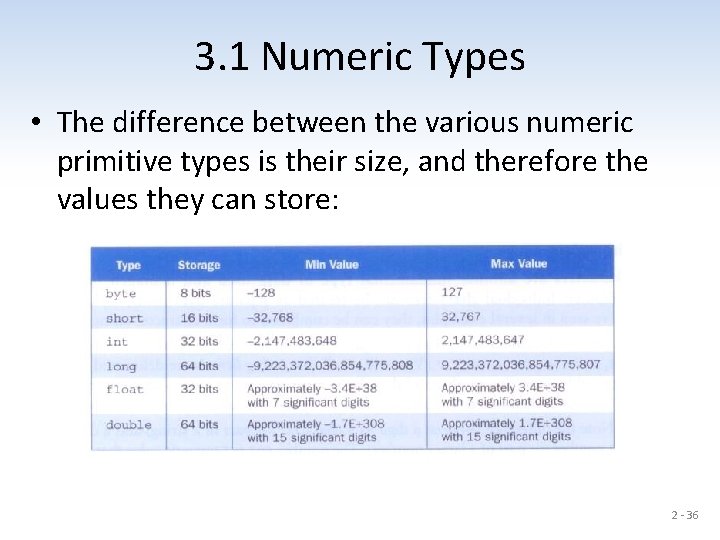
3. 1 Numeric Types • The difference between the various numeric primitive types is their size, and therefore the values they can store: 2 - 36
3. 2 Characters • A char variable stores a single character. • Character literals are delimited by single quotes: 'a' 'X' '7' '$' ', ' 'n' ''' • [Q] How about "a" and "X"? • Example declarations char top. Grade = 'A'; char terminator = '; ', separator = ' '; • Note the distinction between a primitive character variable, which holds only one character, and a String object, which can hold multiple characters. • [Q] How about the following? Anything wrong? char c 1 = ''; //no space char c 2 = ' '; //two spaces No good! 2 - 37
Character Sets • A character set is an ordered list of characters, with each character corresponding to a unique number. • A char variable in Java can store any character from the Unicode character set. • The Unicode character set uses sixteen bits per character. ([Q] How many bytes are 16 bits? ) • It is an international character set, containing symbols and characters from many world languages. 2 - 38
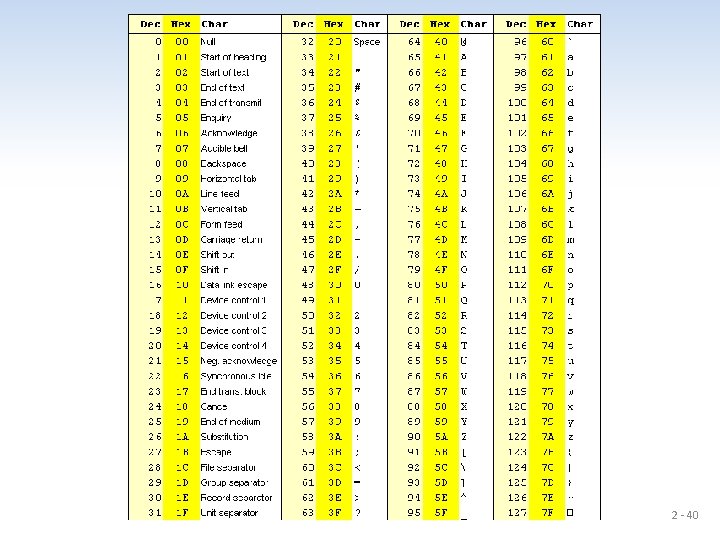
Characters • The ASCII character set is older and smaller than Unicode. • The ASCII characters are a subset of the Unicode character set, including: uppercase letters lowercase letters punctuation digits special symbols control characters A, B, C, … a, b, c, … period, semi-colon, … 0, 1, 2, … &, |, , … carriage return, tab, . . . 2 - 39
2 - 40
3. 3 Booleans • A boolean value represents a true or false condition. • The reserved words true and false are the only valid values for a boolean type. [Q] Are they strings? boolean done = false; boolean done = "false"; // [Q] ? ? ? • A boolean variable can also be used to represent any two states, such as a light bulb being on or off. 2 - 41
Intermediate Summary • List all the data types with their corresponding Java identifiers and example values. 2 - 42
4. Expressions • An expression is a combination of one or more operators and operands. 2 - 43
4. 1 Arithmetic Operators • Arithmetic expressions compute numeric results and make use of the arithmetic operators. – Addition – Subtraction – Multiplication – Division – Remainder + * / % double kilometers = 1. 6 miles; // No good double kilometers = 1. 6 * miles; // Good; [Q] What is miles? • If either or both operands used by an arithmetic operator are floating point, then the result is a floating point. 2 - 44
Division and Remainder • If both operands to the division operator (/) are integers, the result is an integer (the fractional part is discarded). 14 / 3 equals 4, not 4. 6666… 8 / 12 8. 5 / 10 equals 0, not 0. 6… 0. 85, not 0 • The remainder operator (%) returns the remainder after dividing the second operand into the first. The operator is used usually for non-negative integers. 14 % 3 8 % 12 8. 5 % 12 equals 2 8 8. 5 2 - 45
![4. 2 Operator Precedence • Operators can be combined into complex expressions. [Q] What](http://slidetodoc.com/presentation_image_h2/4c468c3ff501091b74d6f94b49135591/image-46.jpg "4. 2 Operator Precedence • Operators can be combined into complex expressions. [Q] What")
4. 2 Operator Precedence • Operators can be combined into complex expressions. [Q] What is the result of the following code? int result, total = 300, count = 5, max = 100, offset = 10; result = total + count / max - offset; • Operators have a well-defined precedence which determines the order in which they are evaluated. • Multiplication, division, and remainder are evaluated prior to addition, subtraction, and string concatenation. • Arithmetic operators with the same precedence are evaluated from left to right, but parentheses can be used to force the evaluation order. 2 - 46
![• [Q] What is the order of evaluation in the following expressions? The](http://slidetodoc.com/presentation_image_h2/4c468c3ff501091b74d6f94b49135591/image-47.jpg "• [Q] What is the order of evaluation in the following expressions? The")
• [Q] What is the order of evaluation in the following expressions? The results? int a = 1, b = 2, c = 3, d = -4, e = 2; a + b + c + d + e a + b * c - d / e a / (b + c) - d % e a / (b * (c + (d - e))) 2 - 47
![• [Q] What is the order of evaluation in the following expressions? The](http://slidetodoc.com/presentation_image_h2/4c468c3ff501091b74d6f94b49135591/image-48.jpg "• [Q] What is the order of evaluation in the following expressions? The")
• [Q] What is the order of evaluation in the following expressions? The results? int a = 1, b = 2, c = 3, d = -4, e = 2; a + b + c + d + e 1 2 3 4 a + b * c - d / e 3 1 4 2 a / (b + c) - d % e 2 1 4 3 a / (b * (c + (d - e))) 4 3 2 1 2 - 48
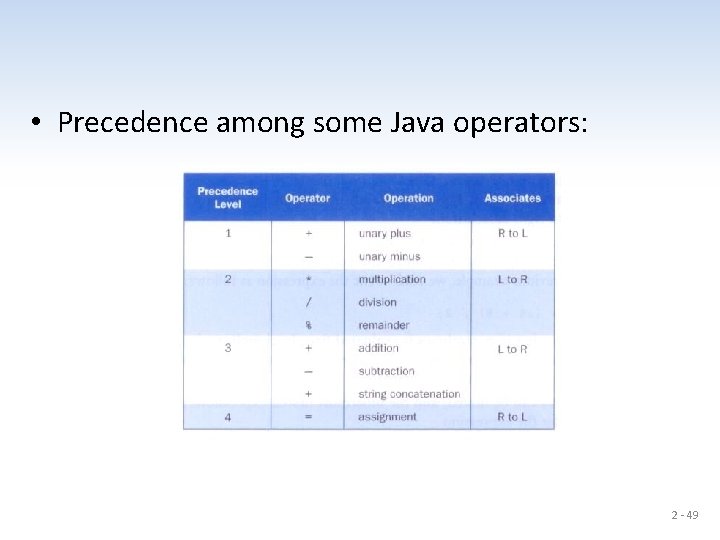
• Precedence among some Java operators: 2 - 49
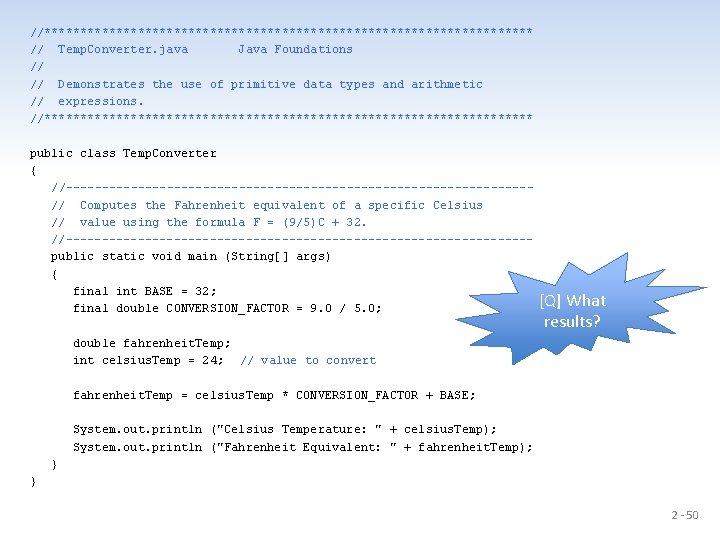
//********************************** // Temp. Converter. java Java Foundations // // Demonstrates the use of primitive data types and arithmetic // expressions. //********************************** public class Temp. Converter { //--------------------------------// Computes the Fahrenheit equivalent of a specific Celsius // value using the formula F = (9/5)C + 32. //--------------------------------public static void main (String[] args) { final int BASE = 32; final double CONVERSION_FACTOR = 9. 0 / 5. 0; [Q] What results? double fahrenheit. Temp; int celsius. Temp = 24; // value to convert fahrenheit. Temp = celsius. Temp * CONVERSION_FACTOR + BASE; System. out. println ("Celsius Temperature: " + celsius. Temp); System. out. println ("Fahrenheit Equivalent: " + fahrenheit. Temp); } } 2 - 50
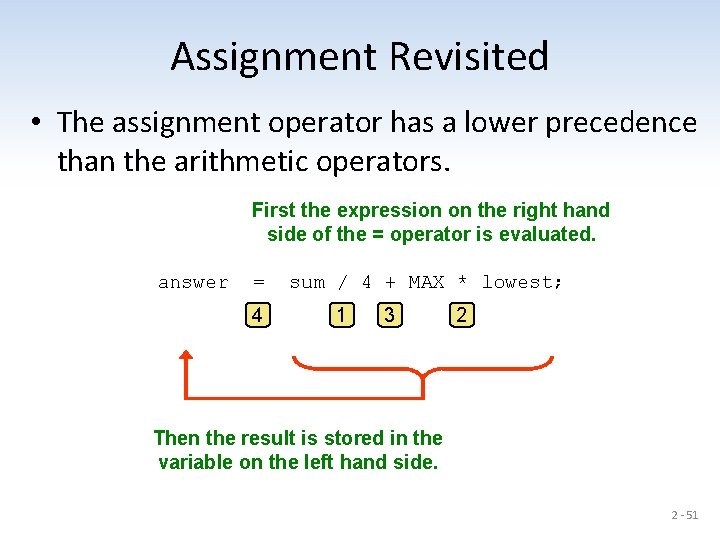
Assignment Revisited • The assignment operator has a lower precedence than the arithmetic operators. First the expression on the right hand side of the = operator is evaluated. answer = 4 sum / 4 + MAX * lowest; 1 3 2 Then the result is stored in the variable on the left hand side. 2 - 51
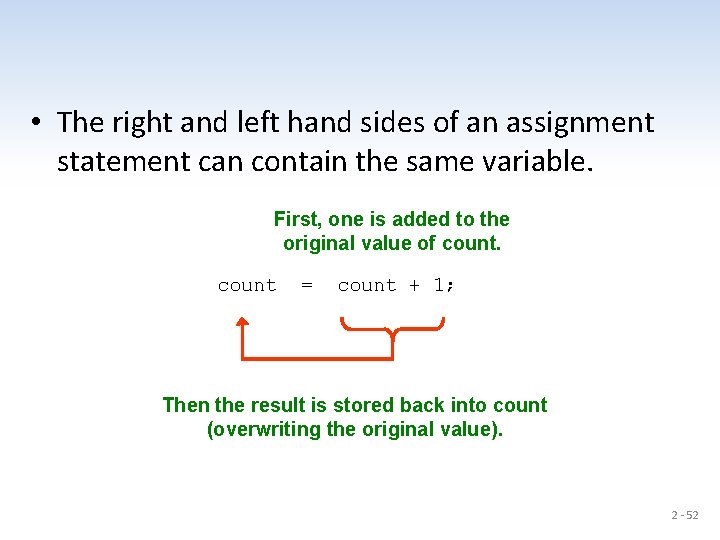
• The right and left hand sides of an assignment statement can contain the same variable. First, one is added to the original value of count = count + 1; Then the result is stored back into count (overwriting the original value). 2 - 52
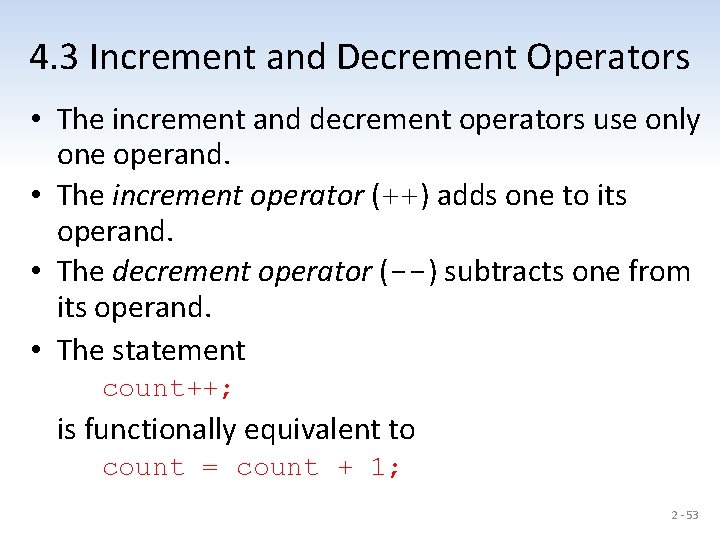
4. 3 Increment and Decrement Operators • The increment and decrement operators use only one operand. • The increment operator (++) adds one to its operand. • The decrement operator (--) subtracts one from its operand. • The statement count++; is functionally equivalent to count = count + 1; 2 - 53
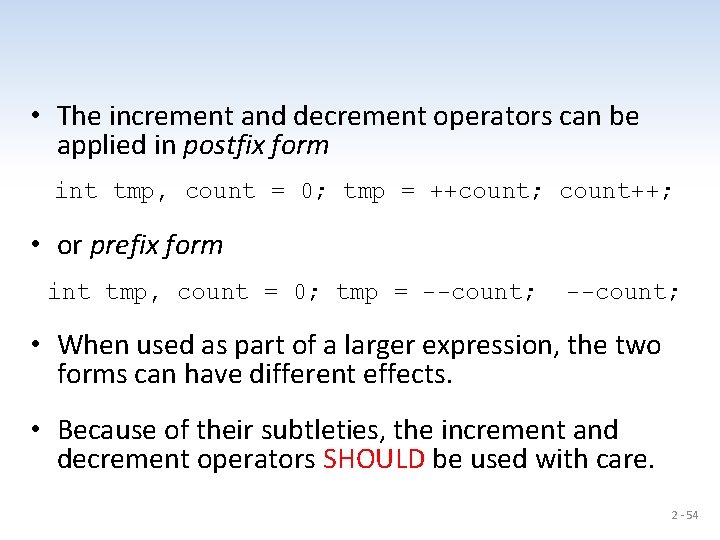
• The increment and decrement operators can be applied in postfix form int tmp, count = 0; tmp = ++count; count++; • or prefix form int tmp, count = 0; tmp = --count; • When used as part of a larger expression, the two forms can have different effects. • Because of their subtleties, the increment and decrement operators SHOULD be used with care. 2 - 54
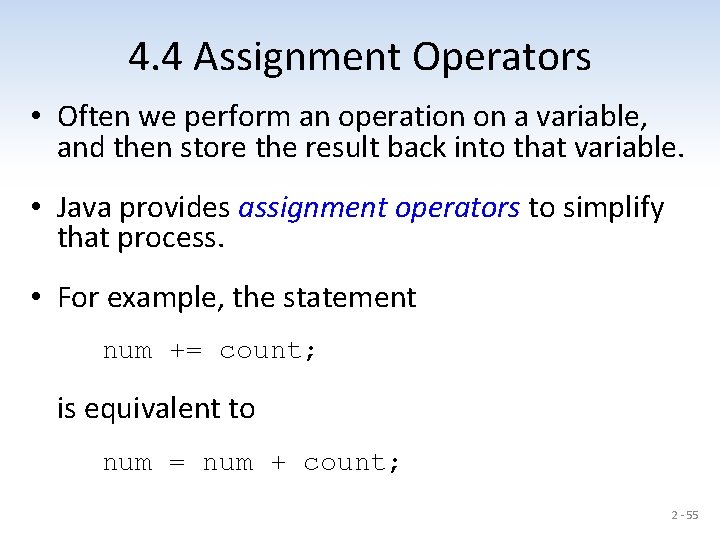
4. 4 Assignment Operators • Often we perform an operation on a variable, and then store the result back into that variable. • Java provides assignment operators to simplify that process. • For example, the statement num += count; is equivalent to num = num + count; 2 - 55
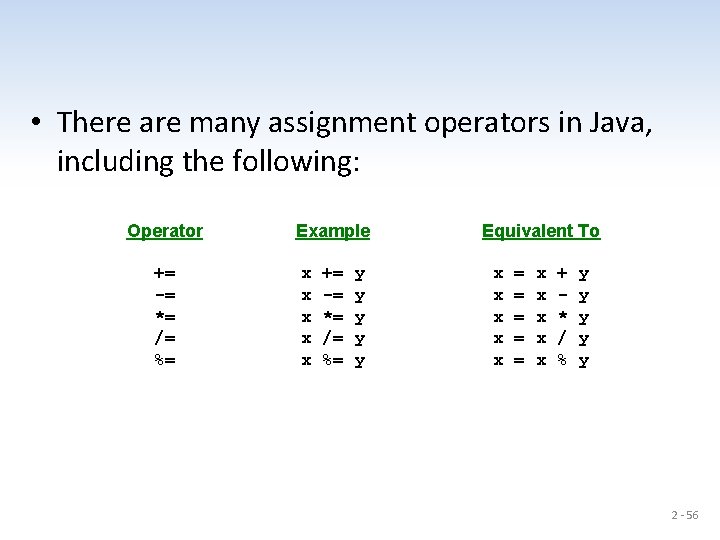
• There are many assignment operators in Java, including the following: Operator += -= *= /= %= Example x x x += -= *= /= %= y y y Equivalent To x x x = = = x x x + * / % y y y 2 - 56
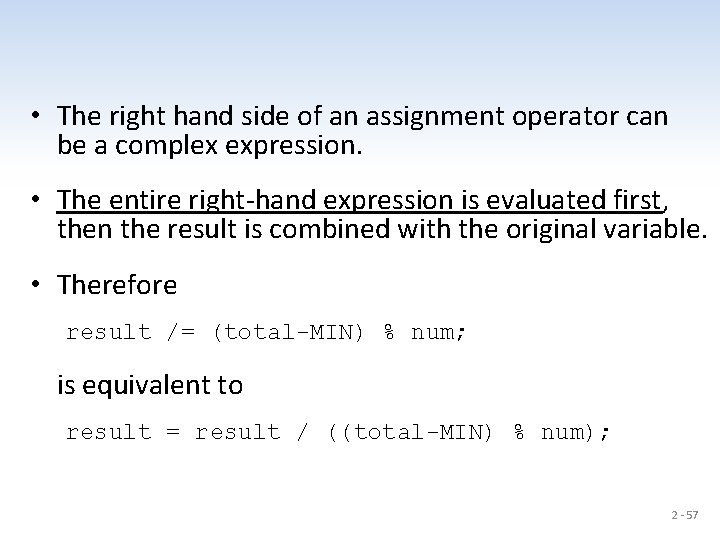
• The right hand side of an assignment operator can be a complex expression. • The entire right-hand expression is evaluated first, then the result is combined with the original variable. • Therefore result /= (total-MIN) % num; is equivalent to result = result / ((total-MIN) % num); 2 - 57
• The behavior of some assignment operators depends on the types of the operands. • If the operands to the += operator are strings, the assignment operator performs string concatenation. • The behavior of an assignment operator (+=) is always consistent with the behavior of the corresponding operator (+). 2 - 58
2 - 59
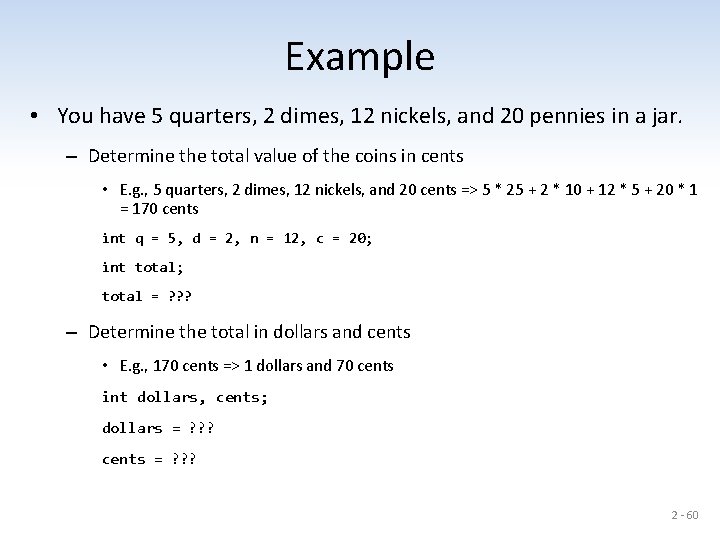
Example • You have 5 quarters, 2 dimes, 12 nickels, and 20 pennies in a jar. – Determine the total value of the coins in cents • E. g. , 5 quarters, 2 dimes, 12 nickels, and 20 cents => 5 * 25 + 2 * 10 + 12 * 5 + 20 * 1 = 170 cents int q = 5, d = 2, n = 12, c = 20; int total; total = ? ? ? – Determine the total in dollars and cents • E. g. , 170 cents => 1 dollars and 70 cents int dollars, cents; dollars = ? ? ? cents = ? ? ? 2 - 60
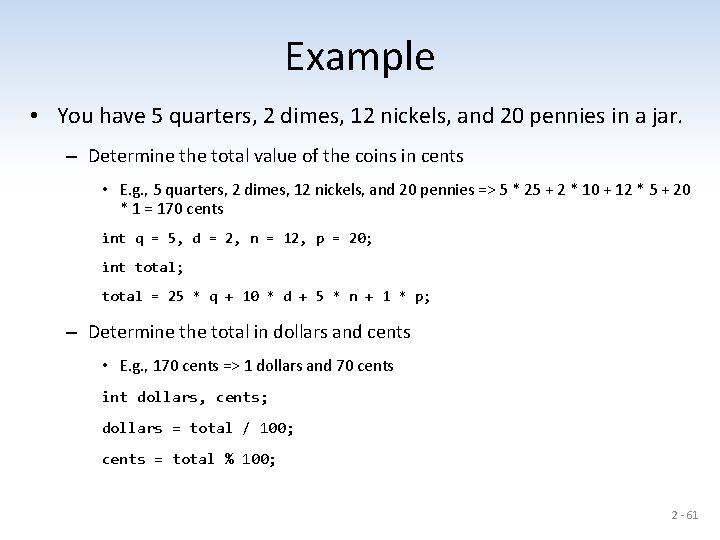
Example • You have 5 quarters, 2 dimes, 12 nickels, and 20 pennies in a jar. – Determine the total value of the coins in cents • E. g. , 5 quarters, 2 dimes, 12 nickels, and 20 pennies => 5 * 25 + 2 * 10 + 12 * 5 + 20 * 1 = 170 cents int q = 5, d = 2, n = 12, p = 20; int total; total = 25 * q + 10 * d + 5 * n + 1 * p; – Determine the total in dollars and cents • E. g. , 170 cents => 1 dollars and 70 cents int dollars, cents; dollars = total / 100; cents = total % 100; 2 - 61
5. Data Conversions • Sometimes it is convenient to convert data from one type to another, especially integers and floating point values. • For example, in a particular situation we may want to treat an integer as a floating point value. • These conversions do not change the type of a variable or the value that's stored in it – they only convert a value as part of a computation. 2 - 62
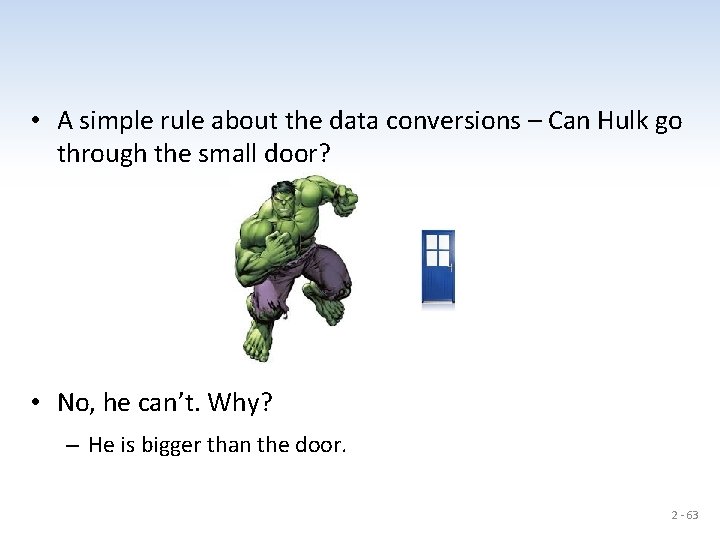
• A simple rule about the data conversions – Can Hulk go through the small door? • No, he can’t. Why? – He is bigger than the door. 2 - 63
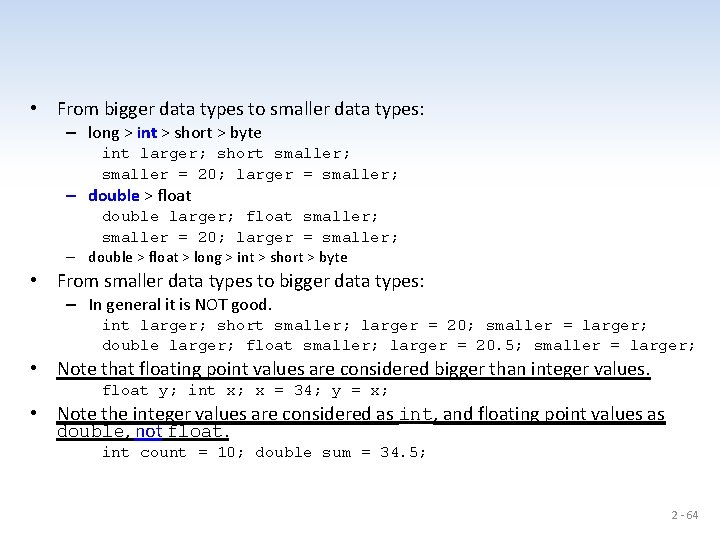
• From bigger data types to smaller data types: – long > int > short > byte int larger; short smaller; smaller = 20; larger = smaller; – double > float double larger; float smaller; smaller = 20; larger = smaller; – double > float > long > int > short > byte • From smaller data types to bigger data types: – In general it is NOT good. int larger; short smaller; larger = 20; smaller = larger; double larger; float smaller; larger = 20. 5; smaller = larger; • Note that floating point values are considered bigger than integer values. float y; int x; x = 34; y = x; • Note the integer values are considered as int, and floating point values as double, not float. int count = 10; double sum = 34. 5; 2 - 64
• Conversions must be handled carefully to avoid losing information. • Widening conversions are safest because they tend to go from a small data type to a larger one (such as a short to an int). • Narrowing conversions can lose information because they tend to go from a large data type to a smaller one. • In Java, data conversions can occur in three ways – assignment conversion – promotion – casting 2 - 65
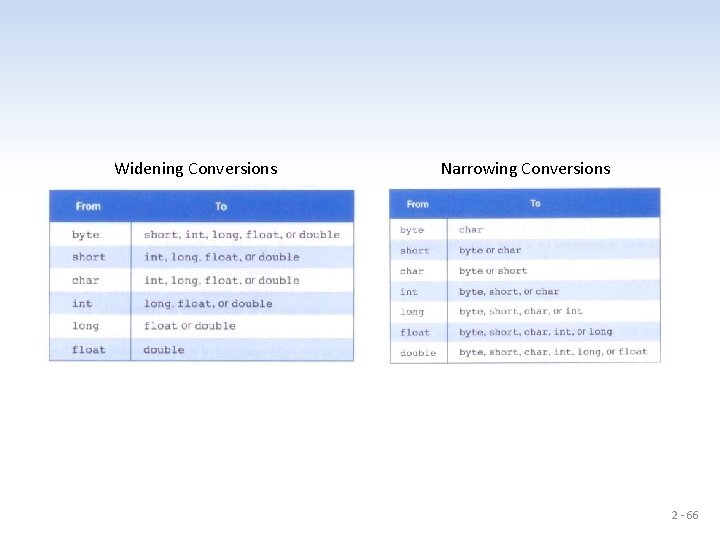
Widening Conversions Narrowing Conversions 2 - 66
Assignment Conversion • Assignment conversion occurs when a value of one type is assigned to a variable of another. • If money is a float variable and dollars is an int variable, the following assignment converts the value in dollars to a float. money = dollars; • Only widening conversions can happen via assignment. • Note that the value or type of dollars did not change. • Note that floating point values are considered bigger than integer values. 2 - 67
Promotion • Promotion happens automatically when operators in expressions convert their operands. • For example, if sum is a float and count is an int, the value of count is converted to a floating point value to perform the following calculation. result = sum / count; 2 - 68
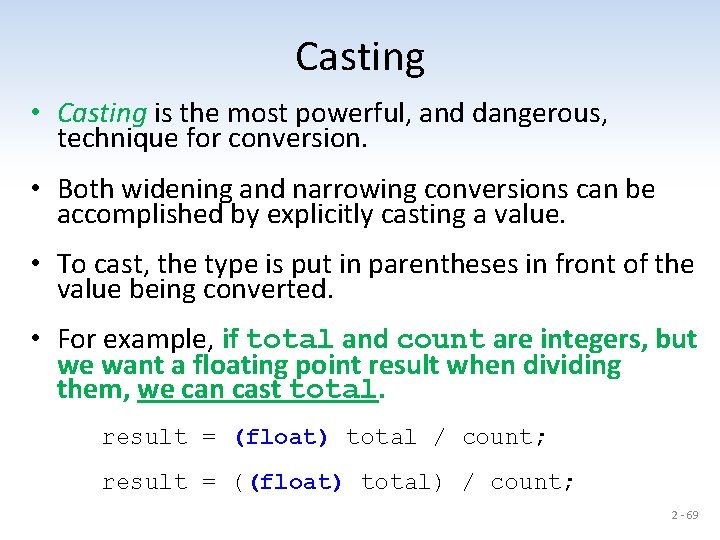
Casting • Casting is the most powerful, and dangerous, technique for conversion. • Both widening and narrowing conversions can be accomplished by explicitly casting a value. • To cast, the type is put in parentheses in front of the value being converted. • For example, if total and count are integers, but we want a floating point result when dividing them, we can cast total. result = (float) total / count; result = ((float) total) / count; 2 - 69
6. Reading Input Data • Data can be submitted to a running program, and the program can process the data. • [Q] How do Java programs read data from the user? 2 - 70
The Scanner Class • The Scanner class provides convenient methods for reading input values of various types. • A Scanner object can be set up to read input from various sources, including the user typing values on the keyboard. • Keyboard input is represented by the System. in object. 2 - 71
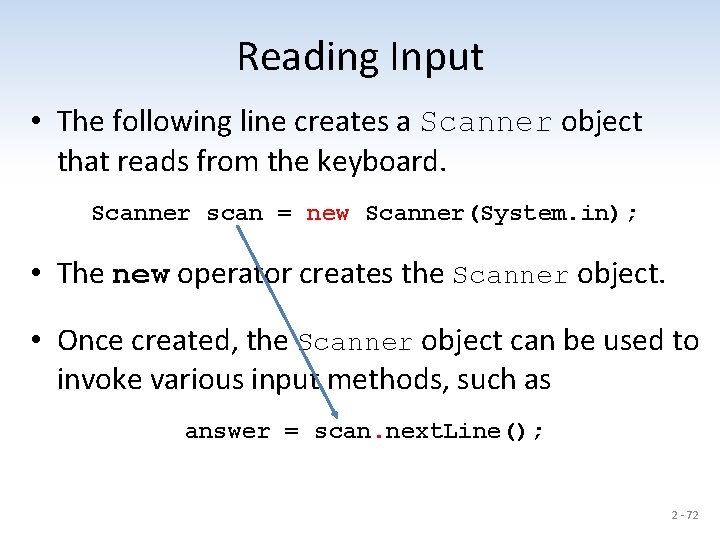
Reading Input • The following line creates a Scanner object that reads from the keyboard. Scanner scan = new Scanner(System. in); • The new operator creates the Scanner object. • Once created, the Scanner object can be used to invoke various input methods, such as answer = scan. next. Line(); 2 - 72
• The Scanner class is part of the java. util class library, and must be imported into a program to be used. • The next. Line() method reads all of input until the end of the line is found. • We'll discuss the details of object creation and class libraries later. 2 - 73
next. Line() • The Scanner class method next. Line() reads a string up to "n". • next(), next. Int(), next. Double(), etc. do not consume the last newline character ("n"). Thus that newline is consumed in the next call to next. Line(). • After calling next(), next. Int(), next. Double(), etc, it is necessary to have an additional next. Line() to consume the previous newline before calling next. Line() to read a string. 2 - 74
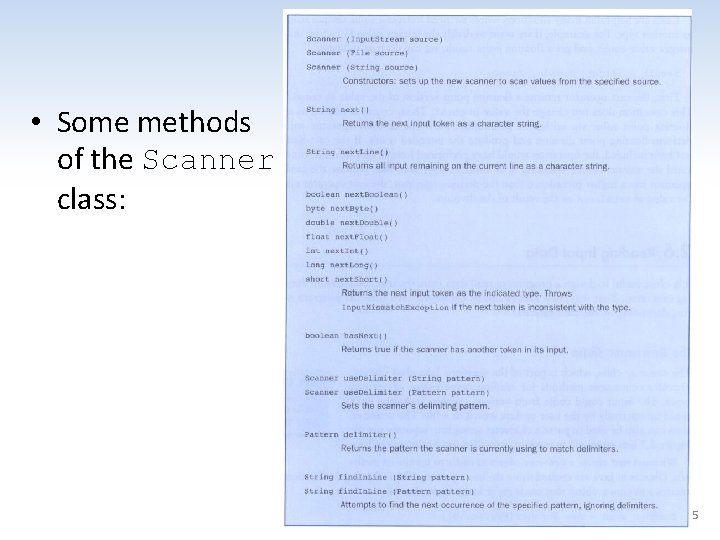
xxx • Some methods of the Scanner class: 2 - 75
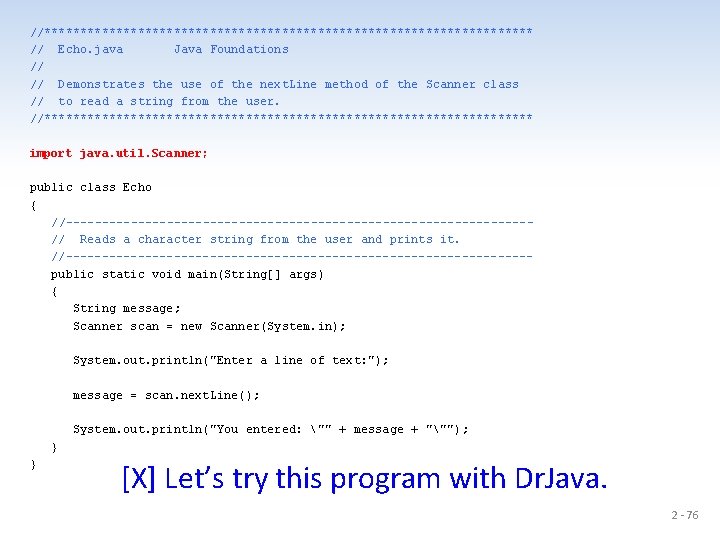
//********************************** // Echo. java Java Foundations // // Demonstrates the use of the next. Line method of the Scanner class // to read a string from the user. //********************************** import java. util. Scanner; public class Echo { //--------------------------------// Reads a character string from the user and prints it. //--------------------------------public static void main(String[] args) { String message; Scanner scan = new Scanner(System. in); System. out. println("Enter a line of text: "); message = scan. next. Line(); System. out. println("You entered: "" + message + """); } } [X] Let’s try this program with Dr. Java. 2 - 76
Input Tokens • Unless specified otherwise, white space is used to separate the elements (called tokens) of the input. • White space includes space characters, tabs, new line characters. • The next() method of the Scanner class reads the next input token and returns it as a string. • Methods such as next. Int() and next. Double() read data of particular types. 2 - 77
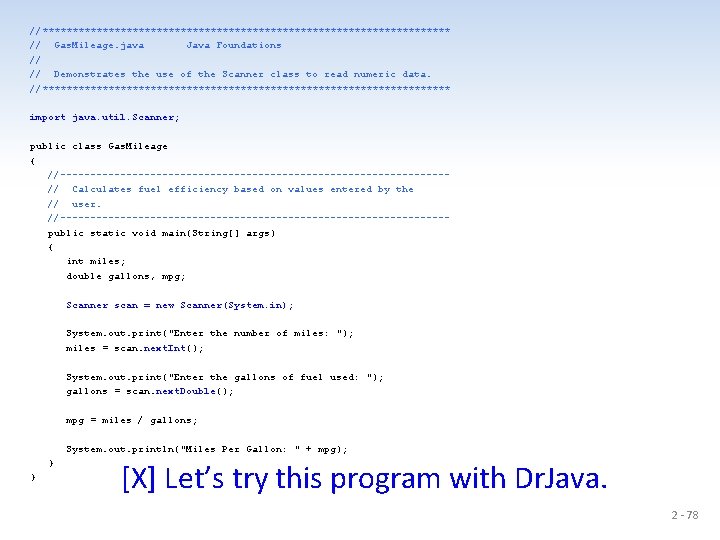
//********************************** // Gas. Mileage. java Java Foundations // // Demonstrates the use of the Scanner class to read numeric data. //********************************** import java. util. Scanner; public class Gas. Mileage { //--------------------------------// Calculates fuel efficiency based on values entered by the // user. //--------------------------------public static void main(String[] args) { int miles; double gallons, mpg; Scanner scan = new Scanner(System. in); System. out. print("Enter the number of miles: "); miles = scan. next. Int(); System. out. print("Enter the gallons of fuel used: "); gallons = scan. next. Double(); mpg = miles / gallons; System. out. println("Miles Per Gallon: " + mpg); } } [X] Let’s try this program with Dr. Java. 2 - 78
![• [X] Let’s try to write a Java program that reads 5 integer](http://slidetodoc.com/presentation_image_h2/4c468c3ff501091b74d6f94b49135591/image-79.jpg "• [X] Let’s try to write a Java program that reads 5 integer")
• [X] Let’s try to write a Java program that reads 5 integer values, and prints the average. 2 - 79
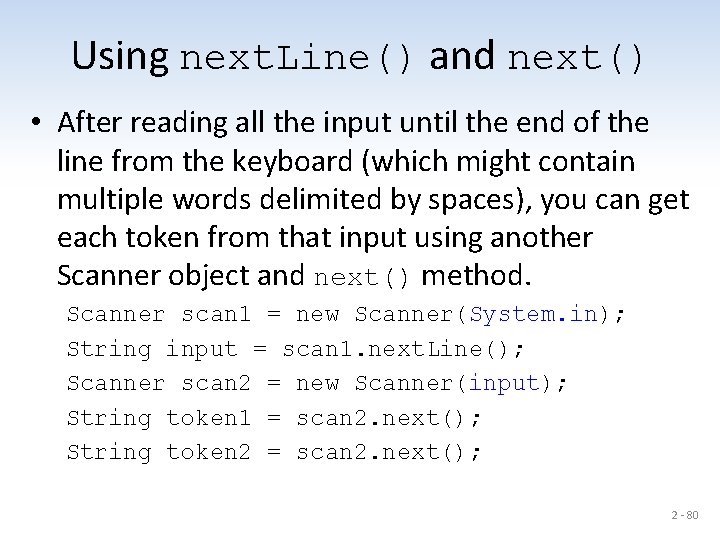
Using next. Line() and next() • After reading all the input until the end of the line from the keyboard (which might contain multiple words delimited by spaces), you can get each token from that input using another Scanner object and next() method. Scanner scan 1 = new Scanner(System. in); String input = scan 1. next. Line(); Scanner scan 2 = new Scanner(input); String token 1 = scan 2. next(); String token 2 = scan 2. next(); 2 - 80
![import java. util. Scanner; public class Token. Test { public static void main(String[] args)](http://slidetodoc.com/presentation_image_h2/4c468c3ff501091b74d6f94b49135591/image-81.jpg "import java. util. Scanner; public class Token. Test { public static void main(String[] args)")
import java. util. Scanner; public class Token. Test { public static void main(String[] args) { String input, token 1, token 2, token 3; Scanner scan 1 = new Scanner(System. in); System. out. print("Enter at least three words: "); input = scan 1. next. Line(); Scanner scan 2 = new Scanner(input); token 1 = scan 2. next(); token 2 = scan 2. next(); token 3 = scan 2. next(); System. out. println("Your first word: " + token 1); System. out. println("Your second word: " + token 2); System. out. println("Your third word: " + token 3); } } 2 - 81
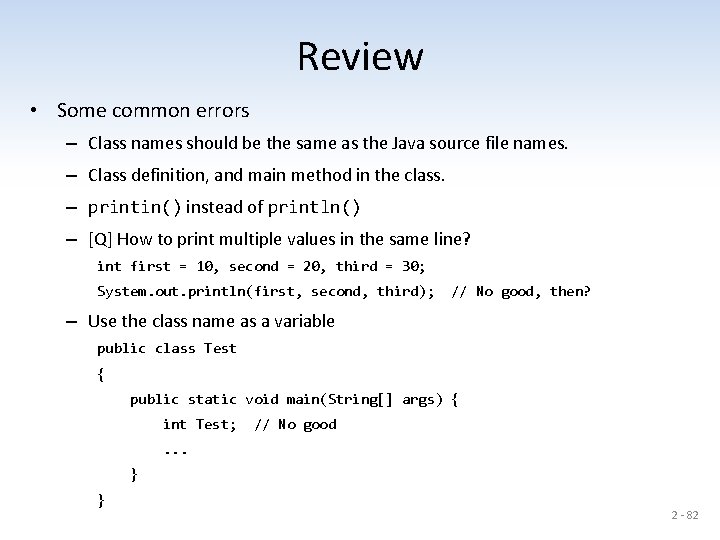
Review • Some common errors – Class names should be the same as the Java source file names. – Class definition, and main method in the class. – printin() instead of println() – [Q] How to print multiple values in the same line? int first = 10, second = 20, third = 30; System. out. println(first, second, third); // No good, then? – Use the class name as a variable public class Test { public static void main(String[] args) { int Test; // No good . . . } } 2 - 82
![• [Q] How to read values from the user – import java. util.](http://slidetodoc.com/presentation_image_h2/4c468c3ff501091b74d6f94b49135591/image-83.jpg "• [Q] How to read values from the user – import java. util.")
• [Q] How to read values from the user – import java. util. Scanner; before the class definition import java. util. Scanner; public class Test {. . . } • Data conversions float factor = 1. 6; // Note that floating point values are // considered as double type. • Integer division 2 - 83
![import java. util. Scanner; public class Review 1 { public static void main(String[] args);](http://slidetodoc.com/presentation_image_h2/4c468c3ff501091b74d6f94b49135591/image-84.jpg "import java. util. Scanner; public class Review 1 { public static void main(String[] args);")
import java. util. Scanner; public class Review 1 { public static void main(String[] args); { int quarters, dimes, nickels, pennies; float factor = 1. 6, cents; double miles, kilometers, dollars; Scanner scan = new Scanner(System. in); quarters = scan. next. Int(); // What if the user enters 34. 5? dimes = scan. next. Int(); pennies = scan. next. Int(); miles = scan. next. Double(); kilometers = 1. 6 * miles; System. out. printin("The three values are ", quarters, dimes, pennies); System. out. printin(miles + " miles = " + kilometers + " kilometers"); cents = quarters * 25 + dimes * 10 + nickels * 5 + pennies; dollars = cents / 100; cents %= 100; System. out. println(dollars + " dollars and " + cents + " cents"); } } 2 - 84
Example • Read integer values that represent the number of quarters, dimes, nickels, and pennies. – Determines the total value of the coins in cents • E. g. , 5 quarters, 2 dimes, 12 nickels, and 20 cents => 5 * 25 + 2 * 10 + 12 * 5 + 20 * 1 = 170 cents – Determines the total in dollars and cents • E. g. , 245 cents => 2 dollars and 45 cents total = 245; Dollars = total / 100; Cents = total % 100; 2 - 85
Example • Read integer values that represent the number of quarters, dimes, nickels, and pennies. – Determine the total value of the coins in cents • E. g. , 5 quarters, 2 dimes, 12 nickels, and 20 pennies => 5 * 25 + 2 * 10 + 12 * 5 + 20 * 1 = 170 cents int q, d, n, p, total; q = scan. next. Int(); . . . total =. . . – Determine the total in dollars and cents • E. g. , 170 cents => 1 dollars and 70 cents int dollars, cents; dollars = total / 100; cents =. . . 2 - 86
Review Questions 2 - 87
- Slides: 87