
CHAPTER 2 CONT Input Devices Giving Commands Alternative

- Slides: 27
CHAPTER 2 CONT.
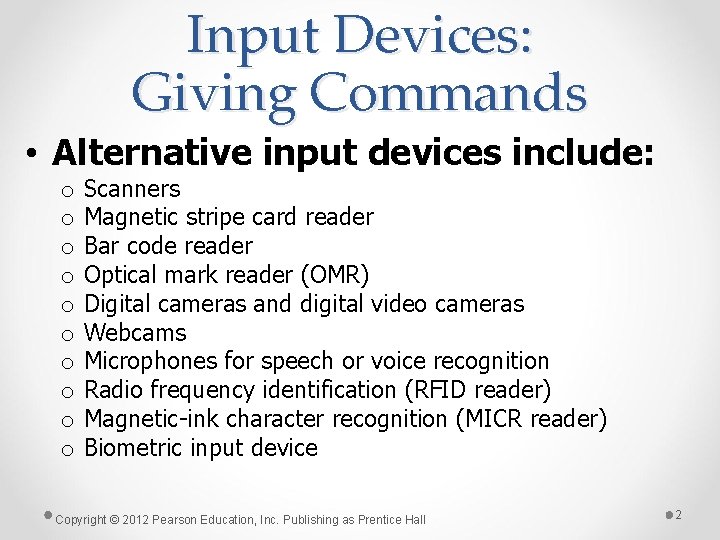
Input Devices: Giving Commands • Alternative input devices include: o o o o o Scanners Magnetic stripe card reader Bar code reader Optical mark reader (OMR) Digital cameras and digital video cameras Webcams Microphones for speech or voice recognition Radio frequency identification (RFID reader) Magnetic-ink character recognition (MICR reader) Biometric input device Copyright © 2012 Pearson Education, Inc. Publishing as Prentice Hall 2
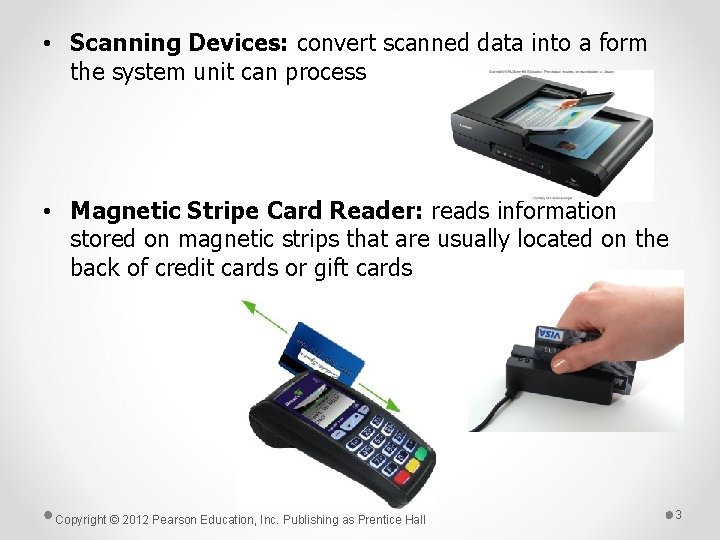
• Scanning Devices: convert scanned data into a form the system unit can process • Magnetic Stripe Card Reader: reads information stored on magnetic strips that are usually located on the back of credit cards or gift cards Copyright © 2012 Pearson Education, Inc. Publishing as Prentice Hall 3
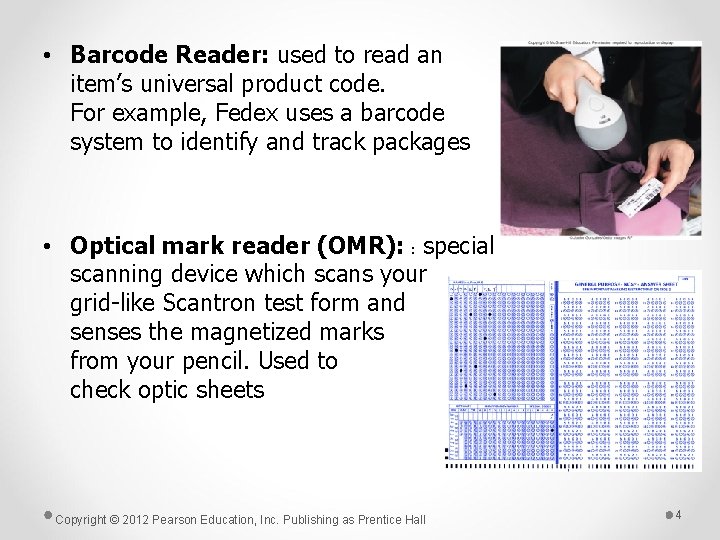
• Barcode Reader: used to read an item’s universal product code. For example, Fedex uses a barcode system to identify and track packages • Optical mark reader (OMR): : special scanning device which scans your grid-like Scantron test form and senses the magnetized marks from your pencil. Used to check optic sheets Copyright © 2012 Pearson Education, Inc. Publishing as Prentice Hall 4
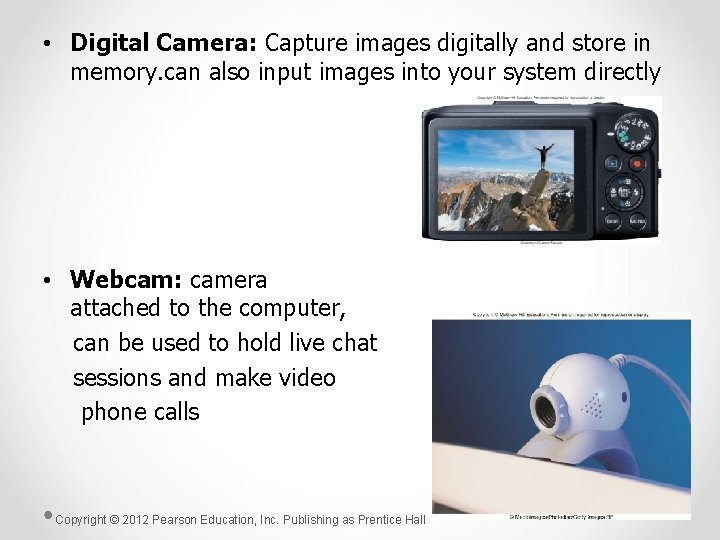
• Digital Camera: Capture images digitally and store in memory. can also input images into your system directly • Webcam: camera attached to the computer, can be used to hold live chat sessions and make video phone calls Copyright © 2012 Pearson Education, Inc. Publishing as Prentice Hall 5
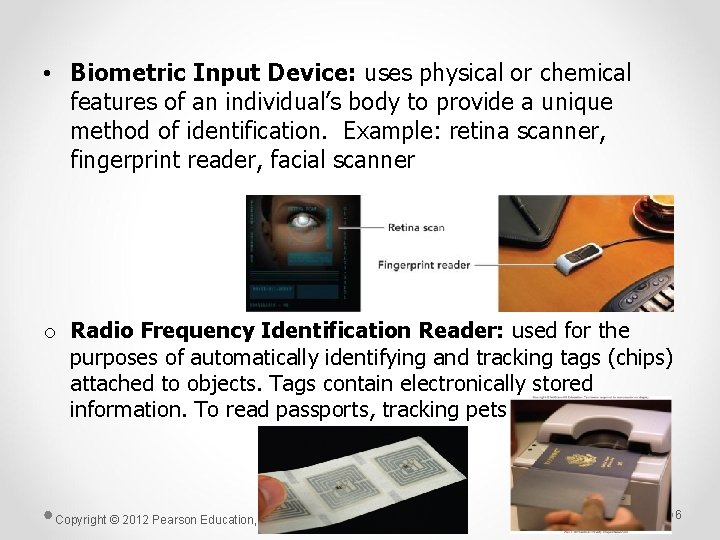
• Biometric Input Device: uses physical or chemical features of an individual’s body to provide a unique method of identification. Example: retina scanner, fingerprint reader, facial scanner o Radio Frequency Identification Reader: used for the purposes of automatically identifying and tracking tags (chips) attached to objects. Tags contain electronically stored information. To read passports, tracking pets Copyright © 2012 Pearson Education, Inc. Publishing as Prentice Hall 6
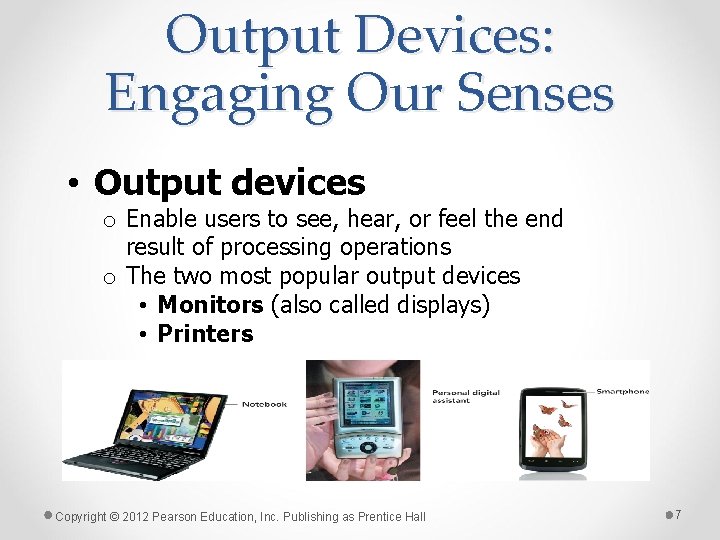
Output Devices: Engaging Our Senses • Output devices o Enable users to see, hear, or feel the end result of processing operations o The two most popular output devices • Monitors (also called displays) • Printers Copyright © 2012 Pearson Education, Inc. Publishing as Prentice Hall 7
Output Devices: Engaging Our Senses • Monitors o Known as screens or display screens and present visual images of text and graphic o Display a temporary copy (soft copy) of processed data o Types of monitors include: Cathode-ray tube (CRT, legacy technology), Liquid crystal display (LCD, older monitors), Light Emitting Diode (LED, more advanced backlighting) Copyright © 2012 Pearson Education, Inc. Publishing as Prentice Hall 8
Output Devices: Engaging Our Senses • Monitors (con’t. ) o LCD (flat-panel) displays: • Have a thin profile • Are used with newer desktops and notebooks • Have largely replaced CRT monitors • May accommodate high-definition video Copyright © 2012 Pearson Education, Inc. Publishing as Prentice Hall 9
Output Devices: Engaging Our Senses • Monitors (con’t. ) o Size is diagonal measurement o Size is straightforward for LCDs but more complex for CRTs. o Quoted size—the size of the screen o Viewable area—the area unobstructed by the housing o Both must be disclosed by the manufacturer. Copyright © 2012 Pearson Education, Inc. Publishing as Prentice Hall 10
Output Devices: Engaging Our Senses • Resolution o Refers to the sharpness of an image o Number of pixels (picture elements) controls the resolution o Video Graphics Array (VGA)—lowest resolution standard (640 × 480) o Extended Graphics Array (XGA)—most used by computers today (1024 × 768) Copyright © 2012 Pearson Education, Inc. Publishing as Prentice Hall 11
Output Devices: Engaging Our Senses • Printers o Supply a hard copy of output displayed on a computer’s monitor o Types include: • Inkjet • Laser • Dot-matrix • Thermal-transfer (sometimes called dye sublimation printers) • Photo • Plotters • 3 D Printers Copyright © 2012 Pearson Education, Inc. Publishing as Prentice Hall 12
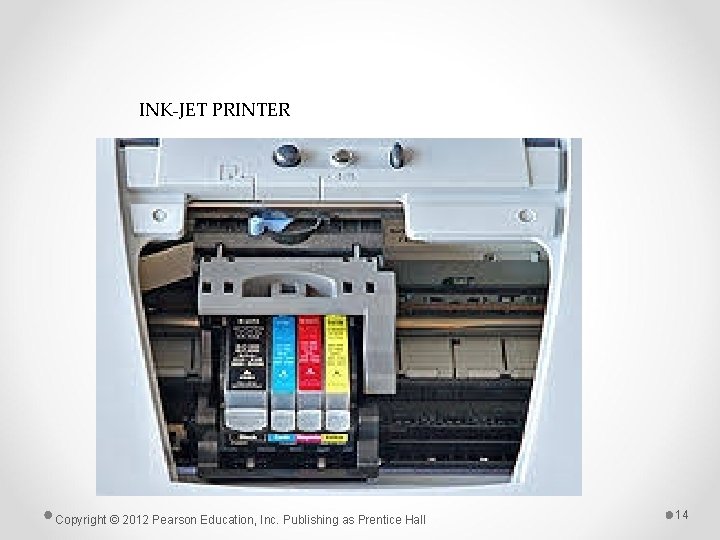
Output Devices: Engaging Our Senses • Printers (con’t. ) o Inkjet —popular with home users • Provide excellent images—made up of small dots • Advantages: o Inexpensive o Generate professional color output • Disadvantages: o Relatively slow Copyright © 2012 Pearson Education, Inc. Publishing as Prentice Hall 13
INK-JET PRINTER Copyright © 2012 Pearson Education, Inc. Publishing as Prentice Hall 14
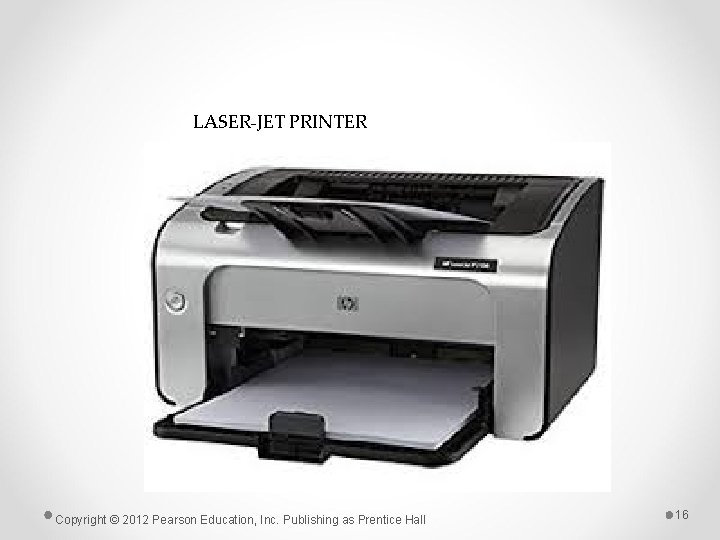
Output Devices: Engaging Our Senses • Printers (con’t. ) o Laser • Use electrostatic reproductive technology to produce high-quality output • Advantages: o High-resolution o Print faster than inkjet printers o Black-and-white printing costs less per page than inkjet printing • Disadvantages o Color laser printers more expensive Copyright © 2012 Pearson Education, Inc. Publishing as Prentice Hall 15
LASER-JET PRINTER Copyright © 2012 Pearson Education, Inc. Publishing as Prentice Hall 16
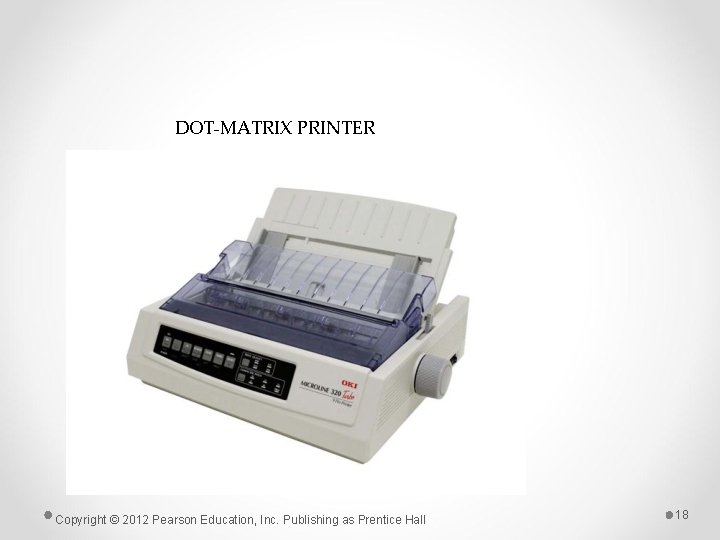
Output Devices: Engaging Our Senses • Printers (con’t. ) o Dot-matrix (impact) • Older, less popular • Used mostly for printing multipart forms and backup copies • Advantages o Able to print 3, 000 lines per minute • Disadvantages o Poor print quality o Noisy Copyright © 2012 Pearson Education, Inc. Publishing as Prentice Hall 17
DOT-MATRIX PRINTER Copyright © 2012 Pearson Education, Inc. Publishing as Prentice Hall 18
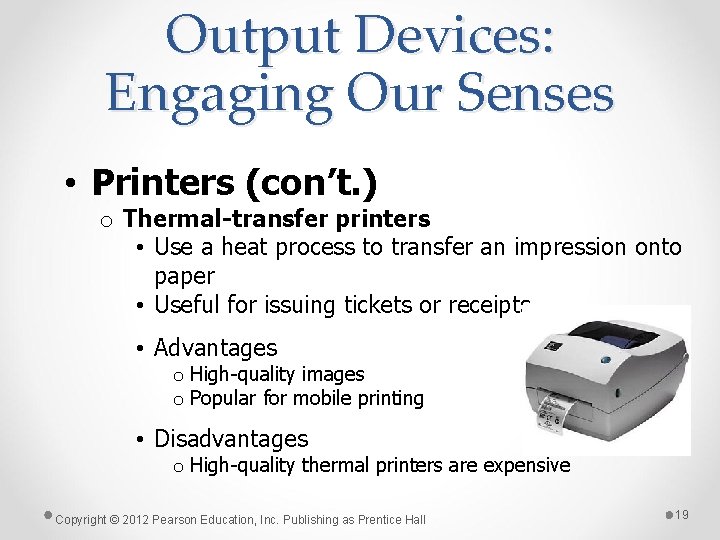
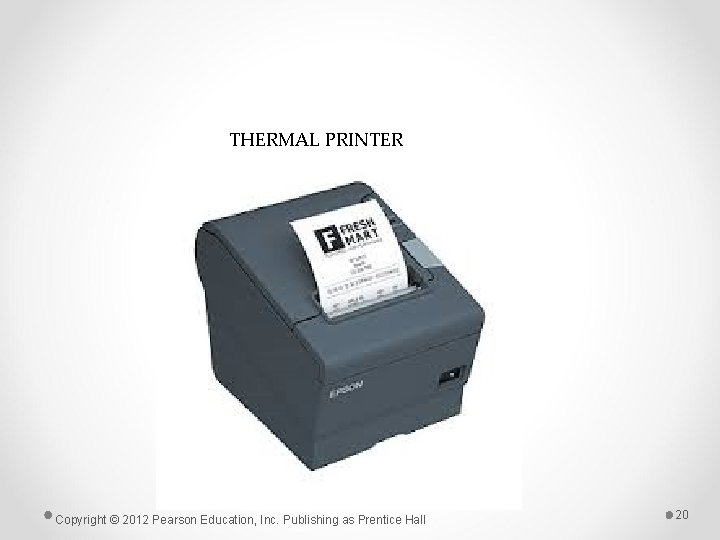
Output Devices: Engaging Our Senses • Printers (con’t. ) o Thermal-transfer printers • Use a heat process to transfer an impression onto paper • Useful for issuing tickets or receipts • Advantages o High-quality images o Popular for mobile printing • Disadvantages o High-quality thermal printers are expensive Copyright © 2012 Pearson Education, Inc. Publishing as Prentice Hall 19
THERMAL PRINTER Copyright © 2012 Pearson Education, Inc. Publishing as Prentice Hall 20
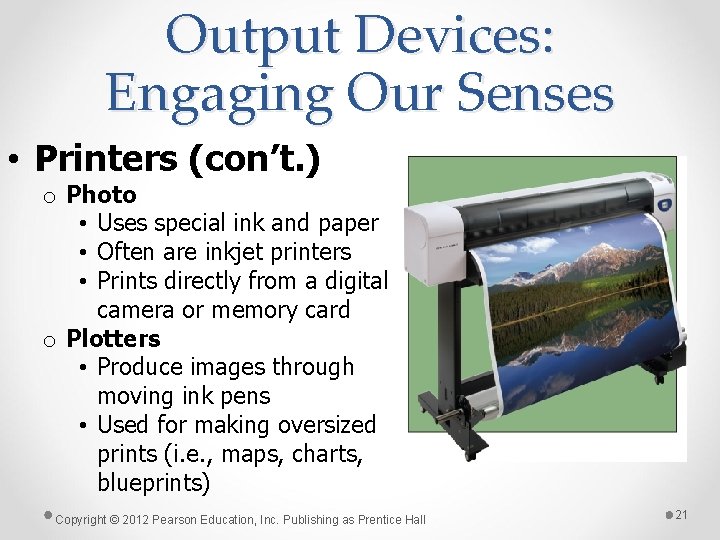
Output Devices: Engaging Our Senses • Printers (con’t. ) o Photo • Uses special ink and paper • Often are inkjet printers • Prints directly from a digital camera or memory card o Plotters • Produce images through moving ink pens • Used for making oversized prints (i. e. , maps, charts, blueprints) Copyright © 2012 Pearson Education, Inc. Publishing as Prentice Hall 21
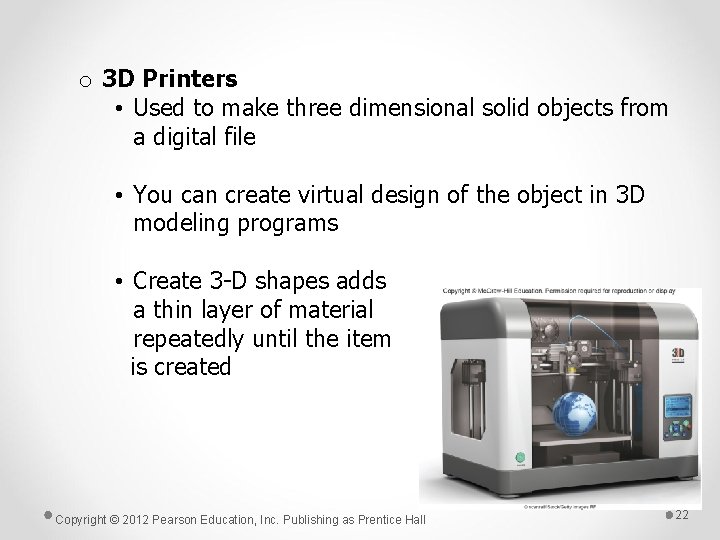
o 3 D Printers • Used to make three dimensional solid objects from a digital file • You can create virtual design of the object in 3 D modeling programs • Create 3 -D shapes adds a thin layer of material repeatedly until the item is created Copyright © 2012 Pearson Education, Inc. Publishing as Prentice Hall 22
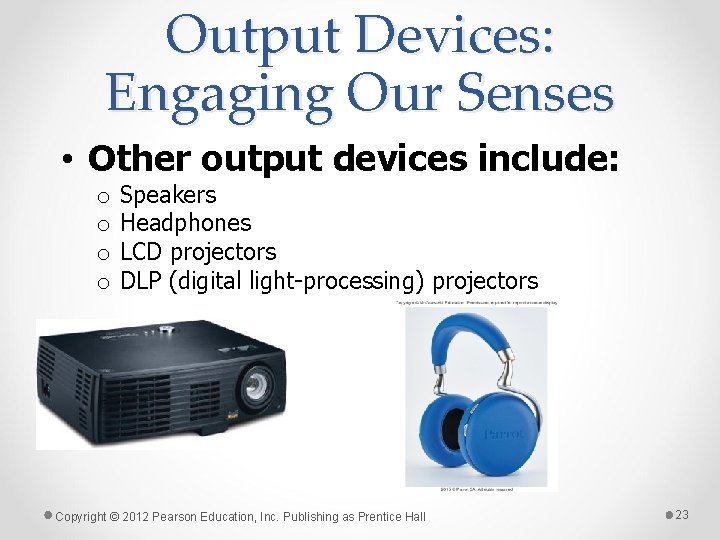
Output Devices: Engaging Our Senses • Other output devices include: o o Speakers Headphones LCD projectors DLP (digital light-processing) projectors Copyright © 2012 Pearson Education, Inc. Publishing as Prentice Hall 23
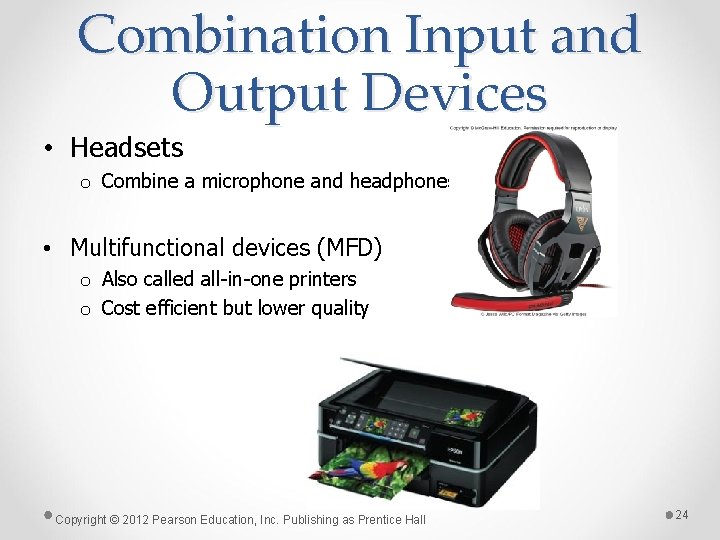
Combination Input and Output Devices • Headsets o Combine a microphone and headphones • Multifunctional devices (MFD) o Also called all-in-one printers o Cost efficient but lower quality Copyright © 2012 Pearson Education, Inc. Publishing as Prentice Hall 24
Summary • Explain the various types of keyboards and the purpose of the special keys on the keyboard, identify the commonly used pointing devices, and list alternative input devices. • List the types of monitors and the characteristics that determine a monitor’s quality. Copyright © 2012 Pearson Education, Inc. Publishing as Prentice Hall 25
Summary • Identify the two major types of printers and indicate the advantages and disadvantages of each. Copyright © 2012 Pearson Education, Inc. Publishing as Prentice Hall 26
All rights reserved. No part of this publication may be reproduced, stored in a retrieval system, or transmitted, in any form or by any means, electronic, mechanical, photocopying, recording, or otherwise, without the prior written permission of the publisher. Printed in the United States of America. Copyright © 2012 Pearson Education, Inc. Publishing as Prentice Hall Copyright © 2012 Pearson Education, Inc. Publishing as Prentice Hall 27