
Chapter 2 ComputerSystem Structures n Computer System Operation
- Slides: 37
Chapter 2 Computer-System Structures n Computer System Operation n I/O Structure n Storage Hierarchy n Hardware Protection n Network Structure Operating System Concepts 2. 1 Thanks to Silberschatz, Galvin and Gagne 2002
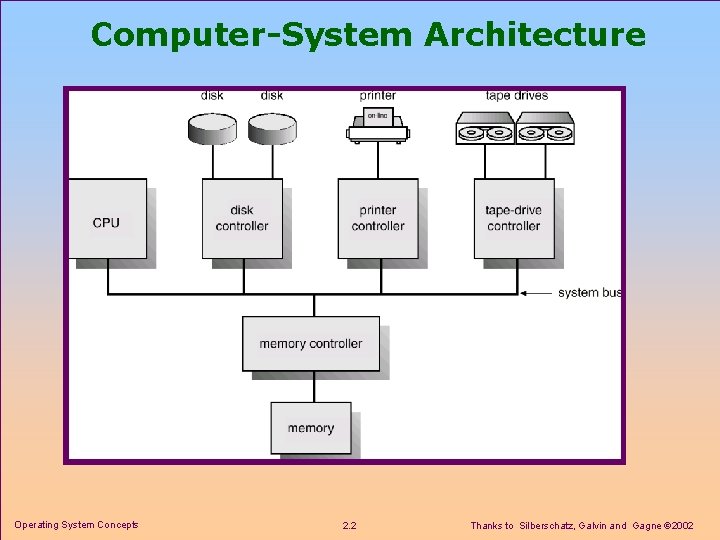
Computer-System Architecture Operating System Concepts 2. 2 Thanks to Silberschatz, Galvin and Gagne 2002
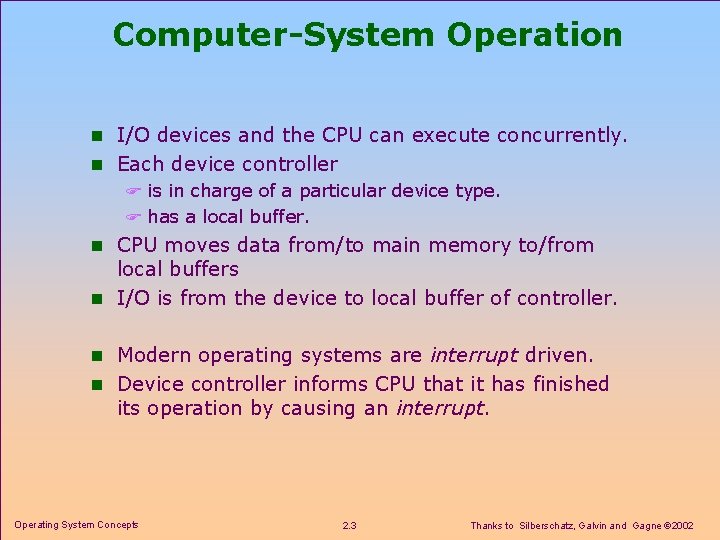
Computer-System Operation n I/O devices and the CPU can execute concurrently. n Each device controller F is in charge of a particular device type. F has a local buffer. n CPU moves data from/to main memory to/from local buffers n I/O is from the device to local buffer of controller. n Modern operating systems are interrupt driven. n Device controller informs CPU that it has finished its operation by causing an interrupt. Operating System Concepts 2. 3 Thanks to Silberschatz, Galvin and Gagne 2002
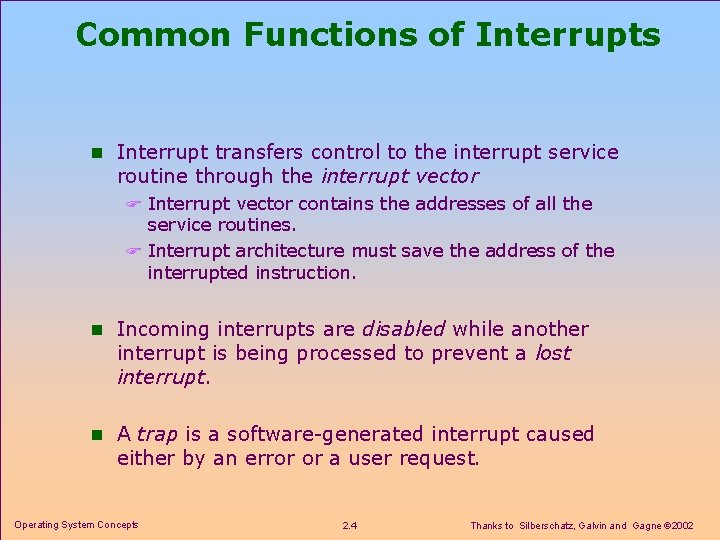
Common Functions of Interrupts n Interrupt transfers control to the interrupt service routine through the interrupt vector F Interrupt vector contains the addresses of all the service routines. F Interrupt architecture must save the address of the interrupted instruction. n Incoming interrupts are disabled while another interrupt is being processed to prevent a lost interrupt. n A trap is a software-generated interrupt caused either by an error or a user request. Operating System Concepts 2. 4 Thanks to Silberschatz, Galvin and Gagne 2002
Interrupt Handling n The operating system preserves the state of the CPU by storing registers and the program counter. n Also determines which type of interrupt has occurred: F polling F vectored interrupt system n Separate segments of code determine what action should be taken for each type of interrupt Operating System Concepts 2. 5 Thanks to Silberschatz, Galvin and Gagne 2002
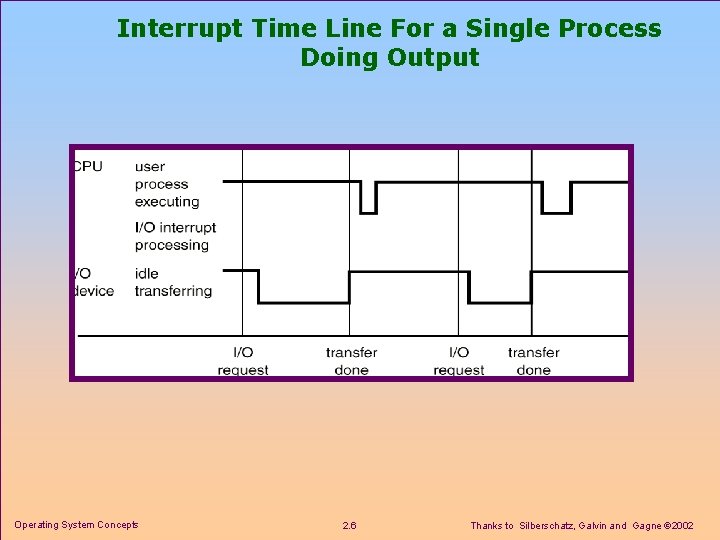
Interrupt Time Line For a Single Process Doing Output Operating System Concepts 2. 6 Thanks to Silberschatz, Galvin and Gagne 2002
Chapter 2 Computer-System Structures n Computer System Operation n I/O Structure F I/O Interrupts F DMA Structure n Storage Hierarchy n Hardware Protection n Network Structure Operating System Concepts 2. 7 Thanks to Silberschatz, Galvin and Gagne 2002
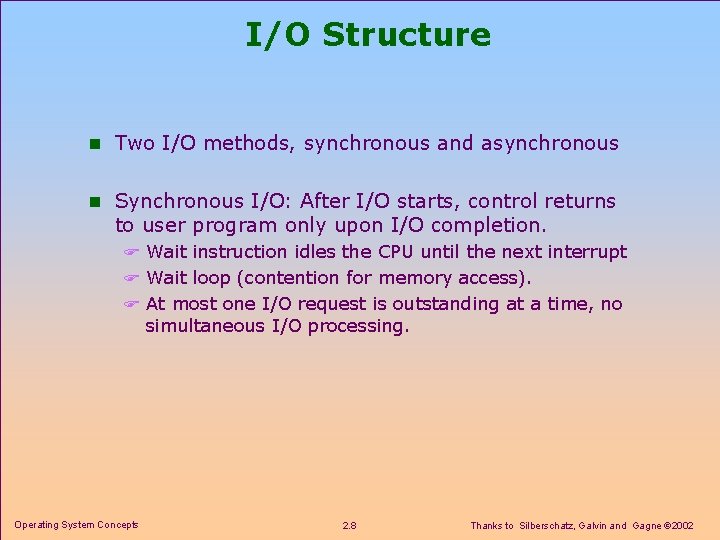
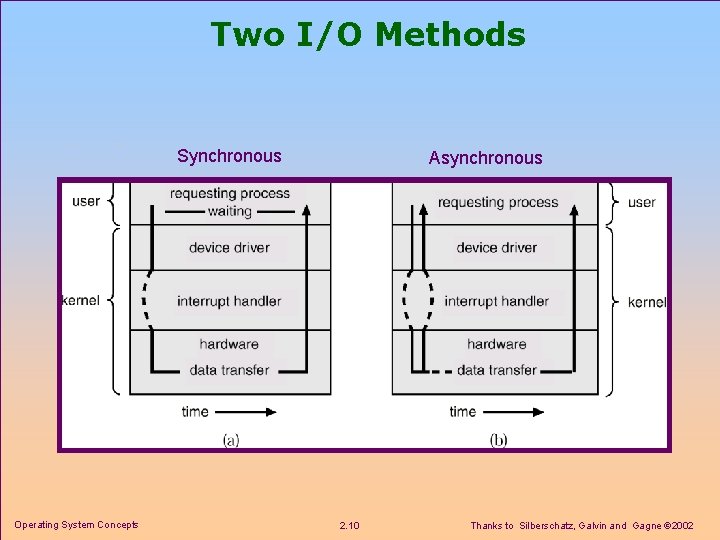
I/O Structure n Two I/O methods, synchronous and asynchronous n Synchronous I/O: After I/O starts, control returns to user program only upon I/O completion. F Wait instruction idles the CPU until the next interrupt F Wait loop (contention for memory access). F At most one I/O request is outstanding at a time, no simultaneous I/O processing. Operating System Concepts 2. 8 Thanks to Silberschatz, Galvin and Gagne 2002
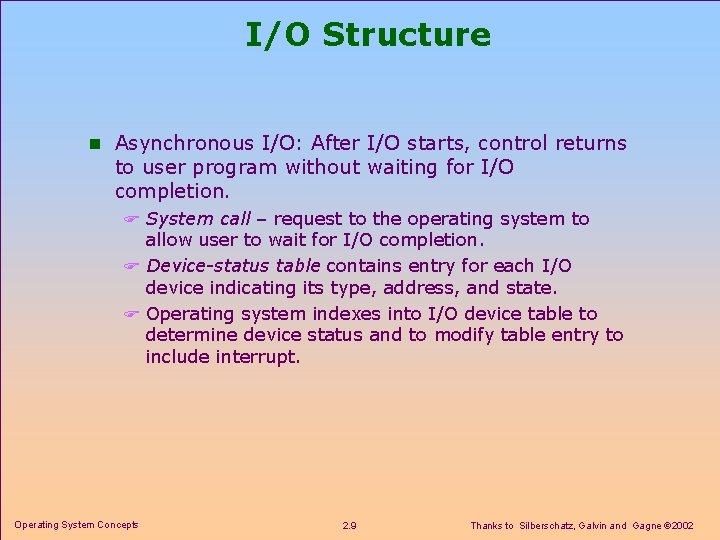
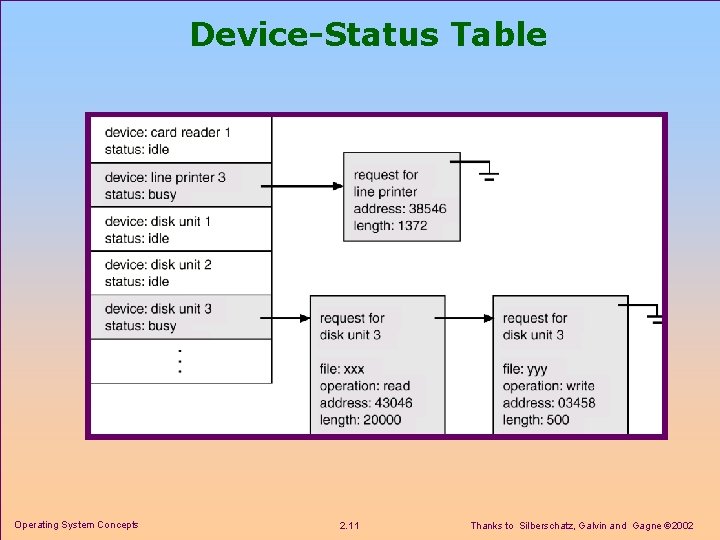
I/O Structure n Asynchronous I/O: After I/O starts, control returns to user program without waiting for I/O completion. F System call – request to the operating system to allow user to wait for I/O completion. F Device-status table contains entry for each I/O device indicating its type, address, and state. F Operating system indexes into I/O device table to determine device status and to modify table entry to include interrupt. Operating System Concepts 2. 9 Thanks to Silberschatz, Galvin and Gagne 2002
Two I/O Methods Synchronous Operating System Concepts Asynchronous 2. 10 Thanks to Silberschatz, Galvin and Gagne 2002
Device-Status Table Operating System Concepts 2. 11 Thanks to Silberschatz, Galvin and Gagne 2002
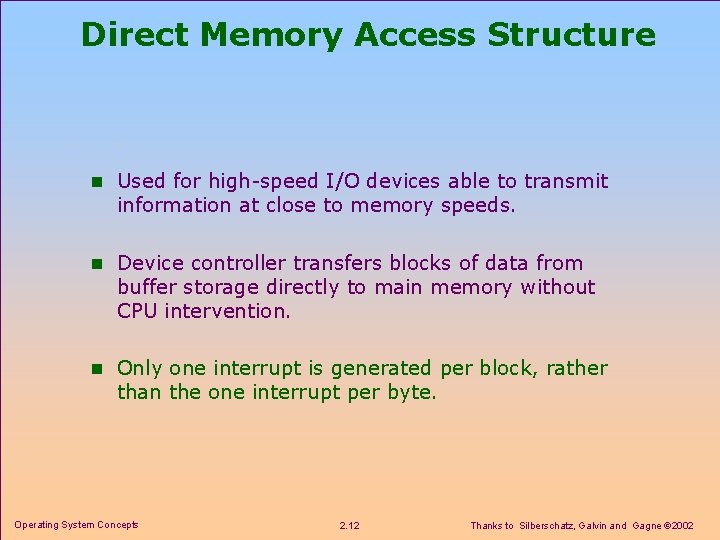
Direct Memory Access Structure n Used for high-speed I/O devices able to transmit information at close to memory speeds. n Device controller transfers blocks of data from buffer storage directly to main memory without CPU intervention. n Only one interrupt is generated per block, rather than the one interrupt per byte. Operating System Concepts 2. 12 Thanks to Silberschatz, Galvin and Gagne 2002
Chapter 2 Computer-System Structures n Computer System Operation n I/O Structure n Storage Structure F Main Memory F Magnetic Disks F Magnetic Tapes n Storage Hierarchy n Hardware Protection n Network Structure Operating System Concepts 2. 13 Thanks to Silberschatz, Galvin and Gagne 2002
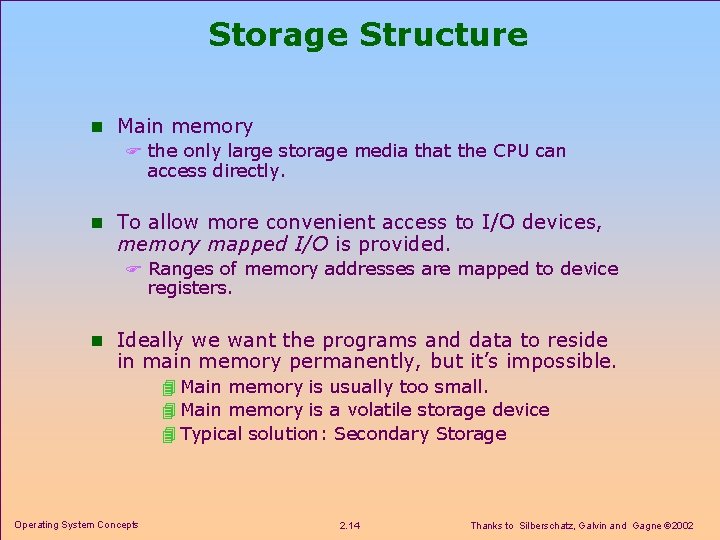
Storage Structure n Main memory F the only large storage media that the CPU can access directly. n To allow more convenient access to I/O devices, memory mapped I/O is provided. F Ranges of memory addresses are mapped to device registers. n Ideally we want the programs and data to reside in main memory permanently, but it’s impossible. 4 Main memory is usually too small. 4 Main memory is a volatile storage device 4 Typical solution: Secondary Storage Operating System Concepts 2. 14 Thanks to Silberschatz, Galvin and Gagne 2002
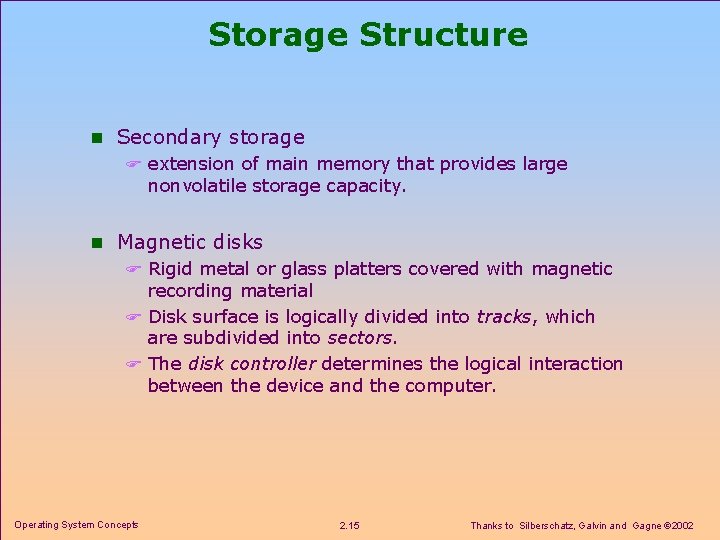
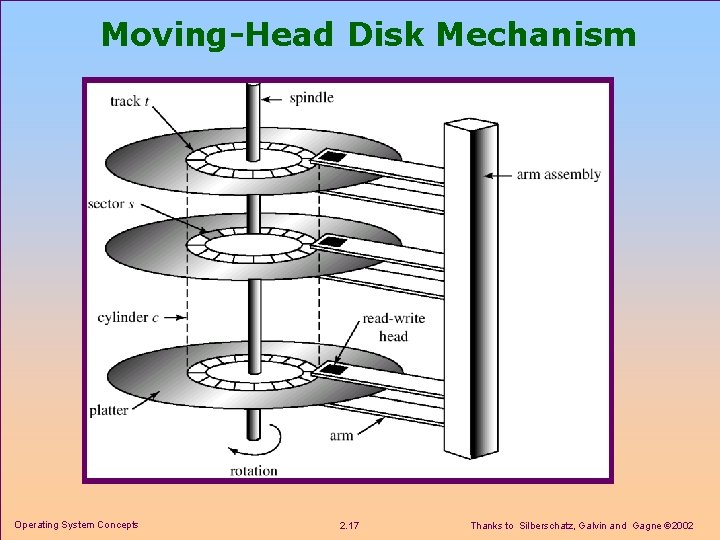
Storage Structure n Secondary storage F extension of main memory that provides large nonvolatile storage capacity. n Magnetic disks F Rigid metal or glass platters covered with magnetic recording material F Disk surface is logically divided into tracks, which are subdivided into sectors. F The disk controller determines the logical interaction between the device and the computer. Operating System Concepts 2. 15 Thanks to Silberschatz, Galvin and Gagne 2002
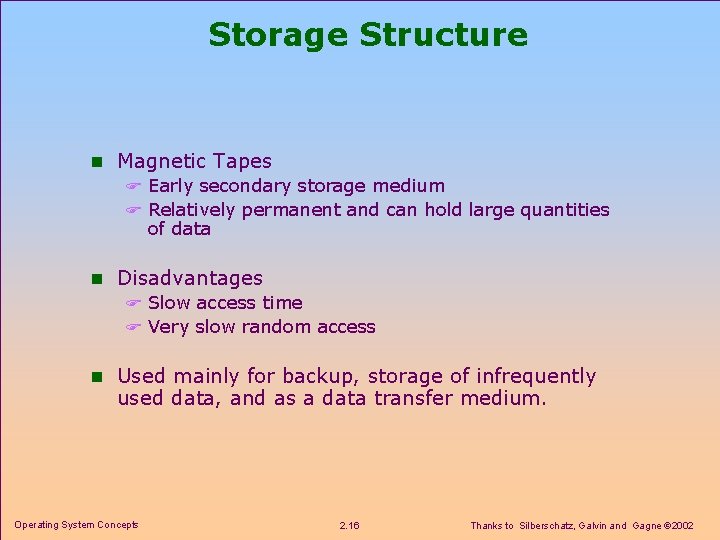
Storage Structure n Magnetic Tapes F Early secondary storage medium F Relatively permanent and can hold large quantities of data n Disadvantages F Slow access time F Very slow random access n Used mainly for backup, storage of infrequently used data, and as a data transfer medium. Operating System Concepts 2. 16 Thanks to Silberschatz, Galvin and Gagne 2002
Moving-Head Disk Mechanism Operating System Concepts 2. 17 Thanks to Silberschatz, Galvin and Gagne 2002
Chapter 2 Computer-System Structures n Computer System Operation n I/O Structure n Storage Hierarchy F Caching F Coherency and Consistency n Hardware Protection n Network Structure Operating System Concepts 2. 18 Thanks to Silberschatz, Galvin and Gagne 2002
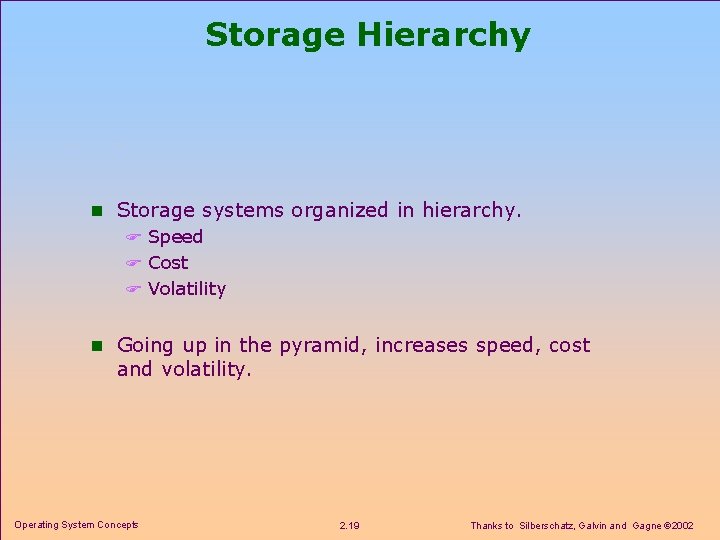
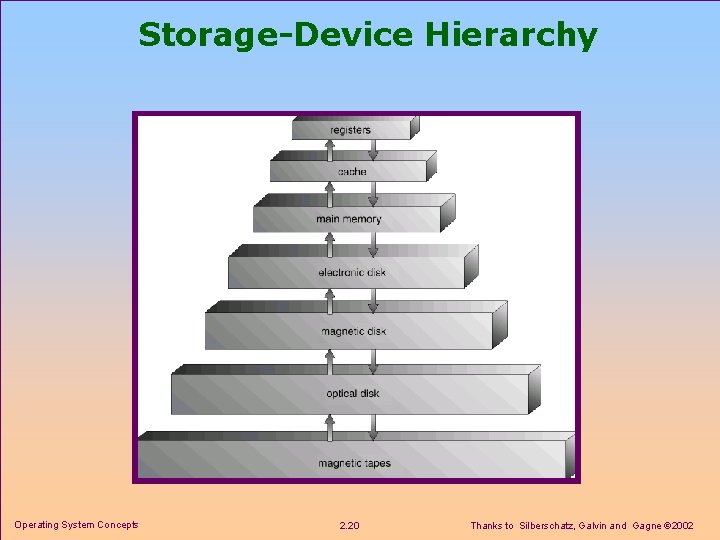
Storage Hierarchy n Storage systems organized in hierarchy. F Speed F Cost F Volatility n Going up in the pyramid, increases speed, cost and volatility. Operating System Concepts 2. 19 Thanks to Silberschatz, Galvin and Gagne 2002
Storage-Device Hierarchy Operating System Concepts 2. 20 Thanks to Silberschatz, Galvin and Gagne 2002
Caching n Caching F Copying information into faster storage system F Main memory can be viewed as a last cache for secondary storage. n Use of high-speed memory to hold recently- accessed data. F Requires a cache management policy. n Caching introduces another level in storage hierarchy. This requires data that is simultaneously stored in more than one level to be consistent. Operating System Concepts 2. 21 Thanks to Silberschatz, Galvin and Gagne 2002
Coherency and Consistency n Regarding the hierarchical storage structure, the same data may appear in different levels F Requires mechanisms to provide Coherency and Consistency n Coherency: In a multiprocessor environment, every variable value update in one cache must immediately be reflected in all other caches where the variable resides. n Consistency: In a distributed environment, when a replica is updated all other replicas must be updated as soon as possible. Operating System Concepts 2. 22 Thanks to Silberschatz, Galvin and Gagne 2002
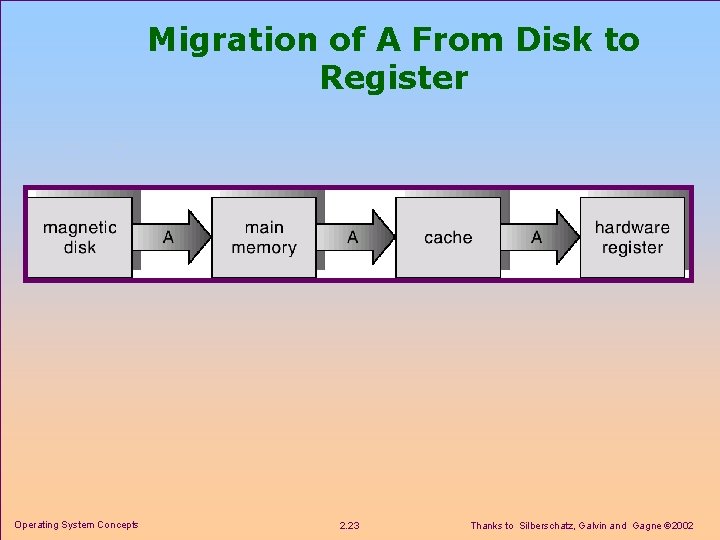
Migration of A From Disk to Register Operating System Concepts 2. 23 Thanks to Silberschatz, Galvin and Gagne 2002
Chapter 2 Computer-System Structures n Computer System Operation n I/O Structure n Storage Hierarchy n Hardware Protection F Dual-Mode Operation F I/O Protection F Memory Protection F CPU Protection n Network Structure Operating System Concepts 2. 24 Thanks to Silberschatz, Galvin and Gagne 2002
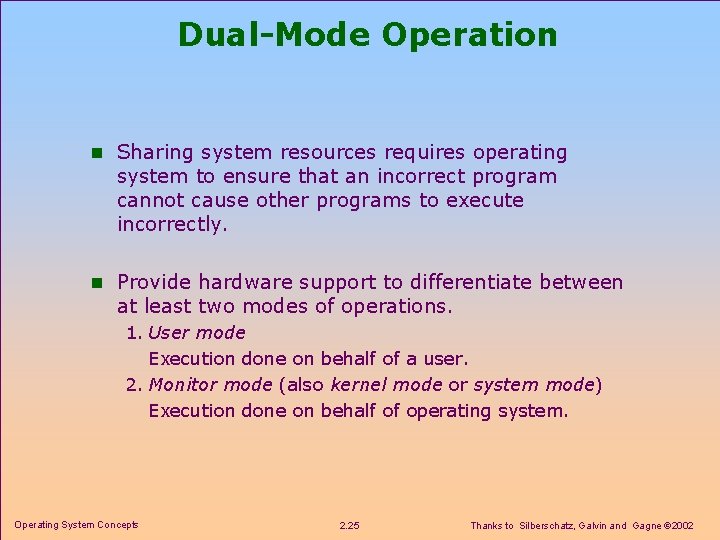
Dual-Mode Operation n Sharing system resources requires operating system to ensure that an incorrect program cannot cause other programs to execute incorrectly. n Provide hardware support to differentiate between at least two modes of operations. 1. User mode Execution done on behalf of a user. 2. Monitor mode (also kernel mode or system mode) Execution done on behalf of operating system. Operating System Concepts 2. 25 Thanks to Silberschatz, Galvin and Gagne 2002
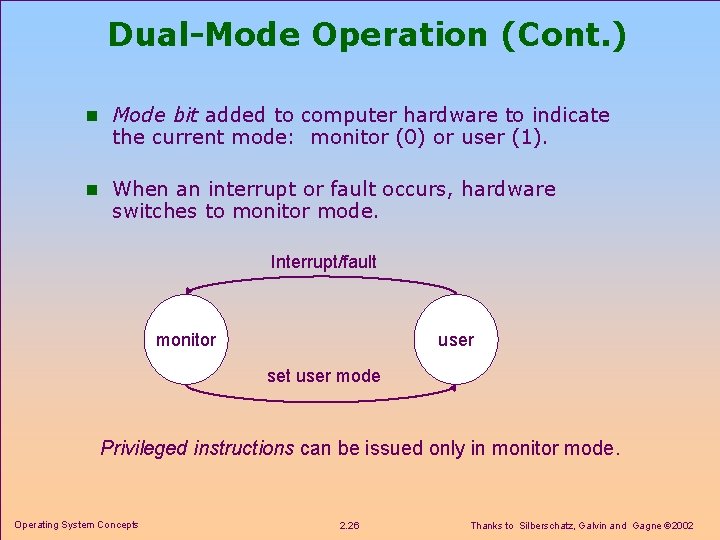
Dual-Mode Operation (Cont. ) n Mode bit added to computer hardware to indicate the current mode: monitor (0) or user (1). n When an interrupt or fault occurs, hardware switches to monitor mode. Interrupt/fault monitor user set user mode Privileged instructions can be issued only in monitor mode. Operating System Concepts 2. 26 Thanks to Silberschatz, Galvin and Gagne 2002
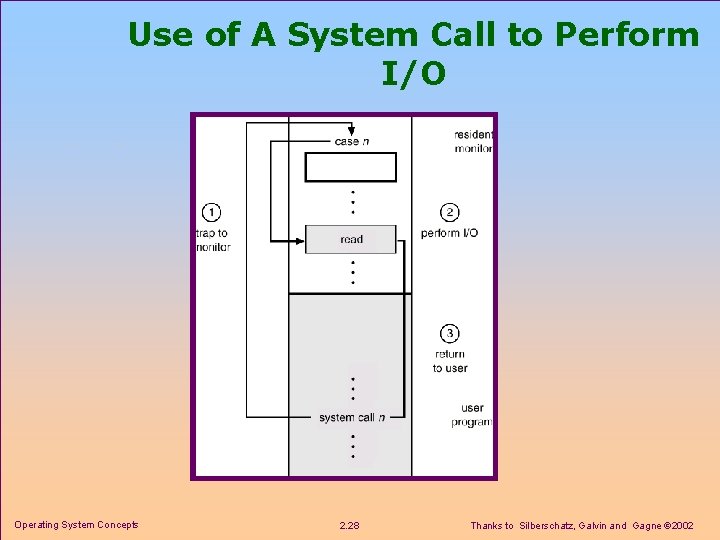
I/O Protection n All I/O instructions are privileged instructions. n Must ensure that a user program could never gain control of the computer in monitor mode (i. e. , a user program that, as part of its execution, stores a new address in the interrupt vector). Operating System Concepts 2. 27 Thanks to Silberschatz, Galvin and Gagne 2002
Use of A System Call to Perform I/O Operating System Concepts 2. 28 Thanks to Silberschatz, Galvin and Gagne 2002
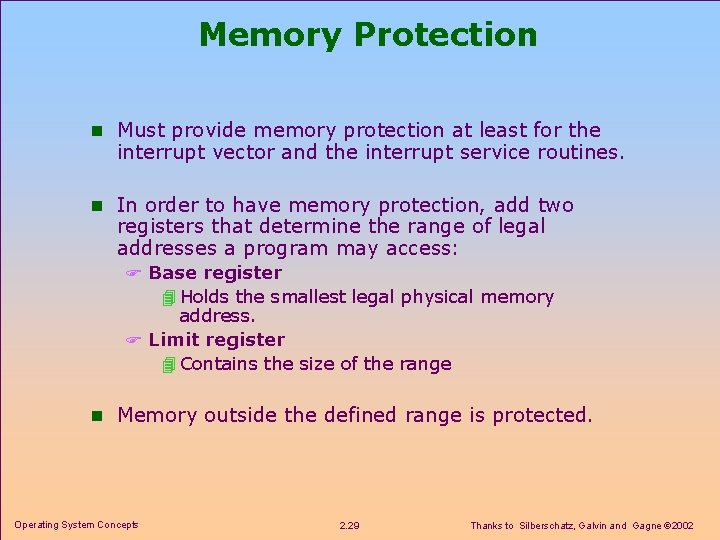
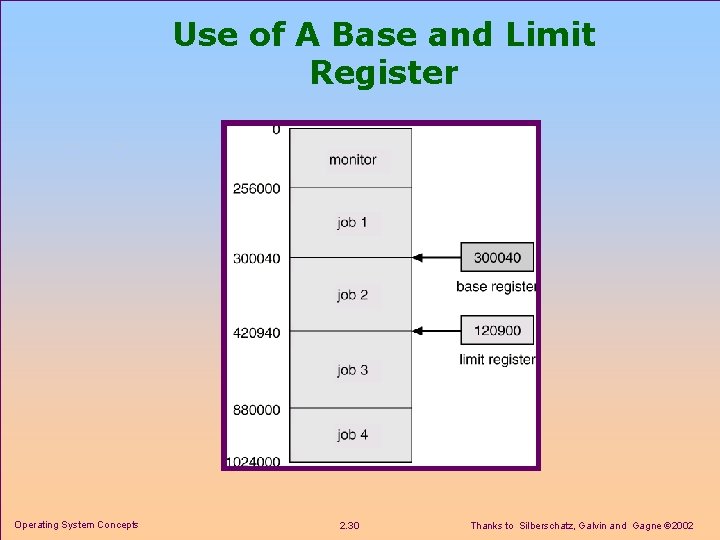
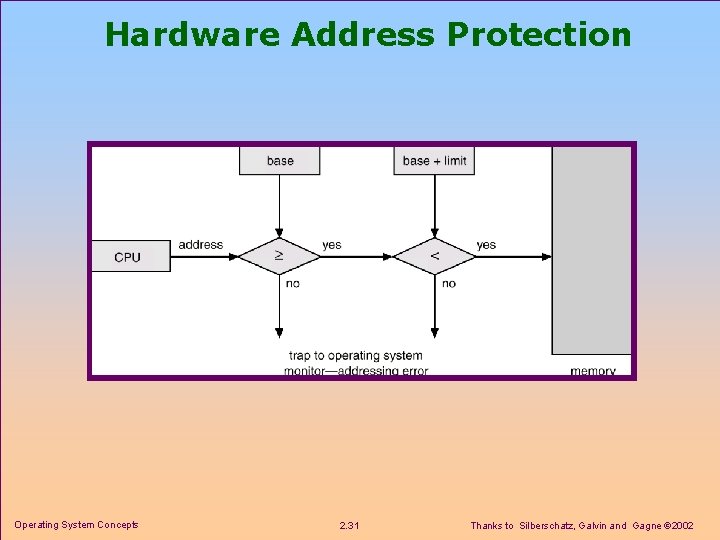
Memory Protection n Must provide memory protection at least for the interrupt vector and the interrupt service routines. n In order to have memory protection, add two registers that determine the range of legal addresses a program may access: F Base register 4 Holds the smallest legal physical memory address. F Limit register 4 Contains the size of the range n Memory outside the defined range is protected. Operating System Concepts 2. 29 Thanks to Silberschatz, Galvin and Gagne 2002
Use of A Base and Limit Register Operating System Concepts 2. 30 Thanks to Silberschatz, Galvin and Gagne 2002
Hardware Address Protection Operating System Concepts 2. 31 Thanks to Silberschatz, Galvin and Gagne 2002
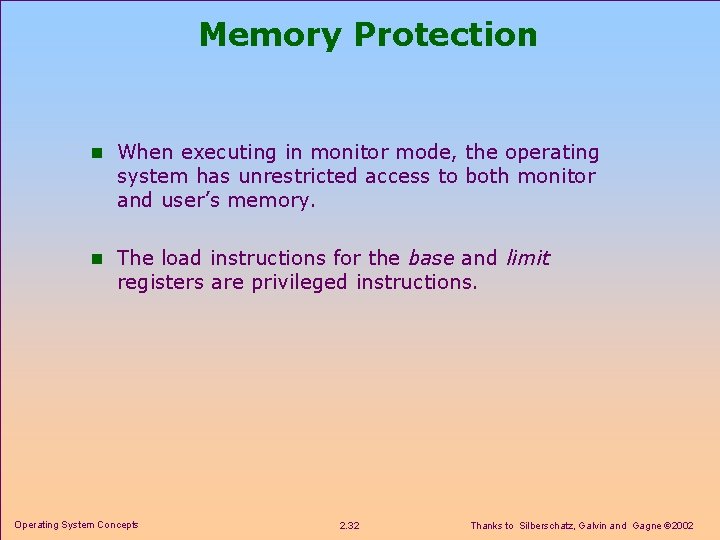
Memory Protection n When executing in monitor mode, the operating system has unrestricted access to both monitor and user’s memory. n The load instructions for the base and limit registers are privileged instructions. Operating System Concepts 2. 32 Thanks to Silberschatz, Galvin and Gagne 2002
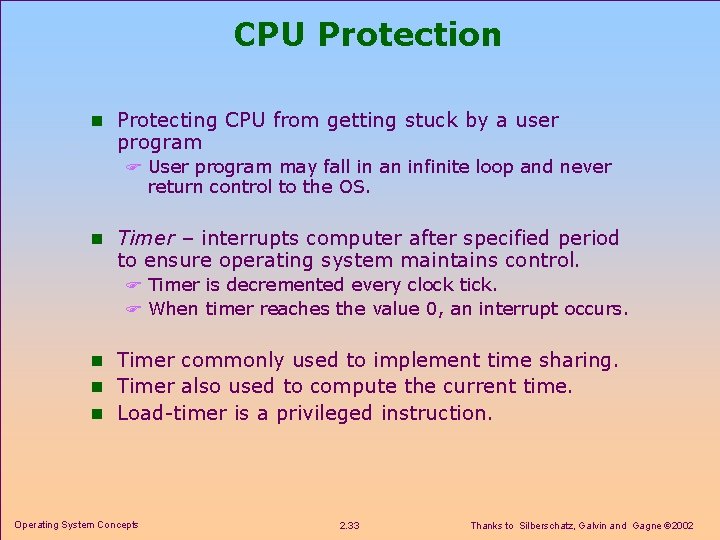
CPU Protection n Protecting CPU from getting stuck by a user program F User program may fall in an infinite loop and never return control to the OS. n Timer – interrupts computer after specified period to ensure operating system maintains control. F Timer is decremented every clock tick. F When timer reaches the value 0, an interrupt occurs. n Timer commonly used to implement time sharing. n Timer also used to compute the current time. n Load-timer is a privileged instruction. Operating System Concepts 2. 33 Thanks to Silberschatz, Galvin and Gagne 2002
Chapter 2 Computer-System Structures n Computer System Operation n I/O Structure n Storage Hierarchy n Hardware Protection n Network Structure F Local Area Networks (LAN) F Wide Area Networks (WAN) Operating System Concepts 2. 34 Thanks to Silberschatz, Galvin and Gagne 2002
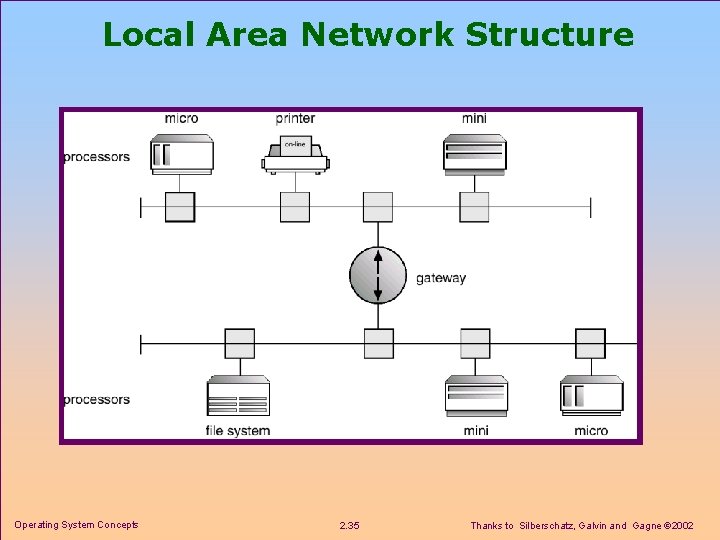
Local Area Network Structure Operating System Concepts 2. 35 Thanks to Silberschatz, Galvin and Gagne 2002
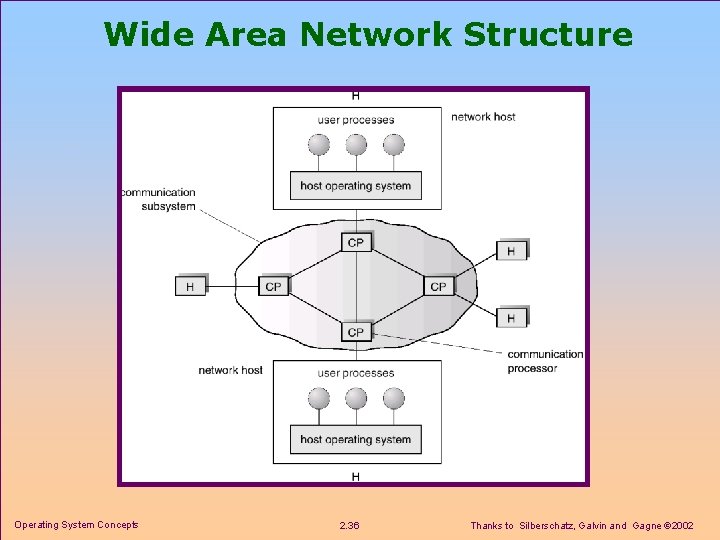
Wide Area Network Structure Operating System Concepts 2. 36 Thanks to Silberschatz, Galvin and Gagne 2002
Exercises n Answer these exercises F 1, 3, 5, 6, 7, 8, 11 n Send your answers in two weeks to the teacher assistant. n Late Policy F You will lose half the score in the case of less than 3 days latency. F You will lose all the score after that. Operating System Concepts 2. 37 Thanks to Silberschatz, Galvin and Gagne 2002