
Chapter 2 Computer Hardware System Unit Digital Data
- Slides: 34
Chapter 2 Computer Hardware – System Unit
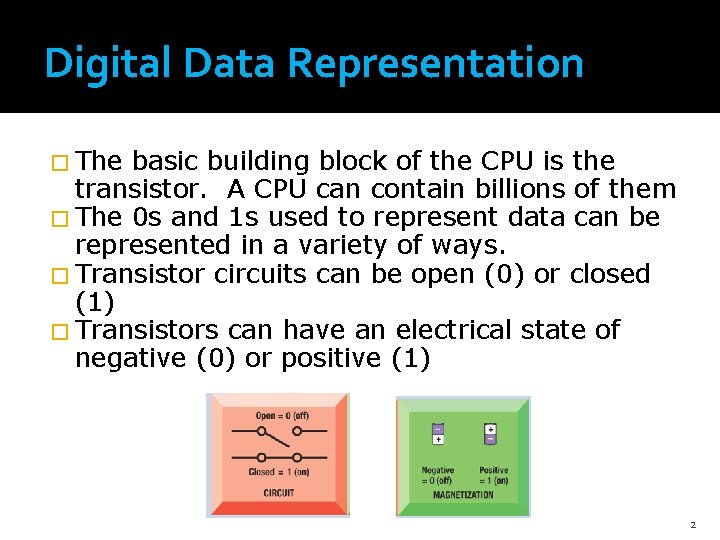
Digital Data Representation � The basic building block of the CPU is the transistor. A CPU can contain billions of them � The 0 s and 1 s used to represent data can be represented in a variety of ways. � Transistor circuits can be open (0) or closed (1) � Transistors can have an electrical state of negative (0) or positive (1) 2
Digital Data Representation �A numbering system that uses only 0’s and 1’s is the Binary numbering system. � Each transistor represents one Bit. � A bit by itself is not sufficient to represent information. � The basic unit for representing information in a computing system is the Byte. � A Byte is made up of 8 Bits. 3
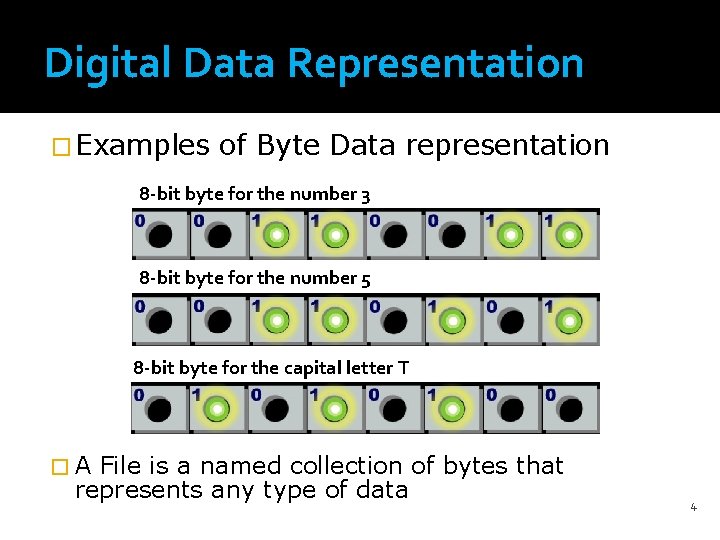
Digital Data Representation � Examples of Byte Data representation 8 -bit byte for the number 3 8 -bit byte for the number 5 8 -bit byte for the capital letter T �A File is a named collection of bytes that represents any type of data 4
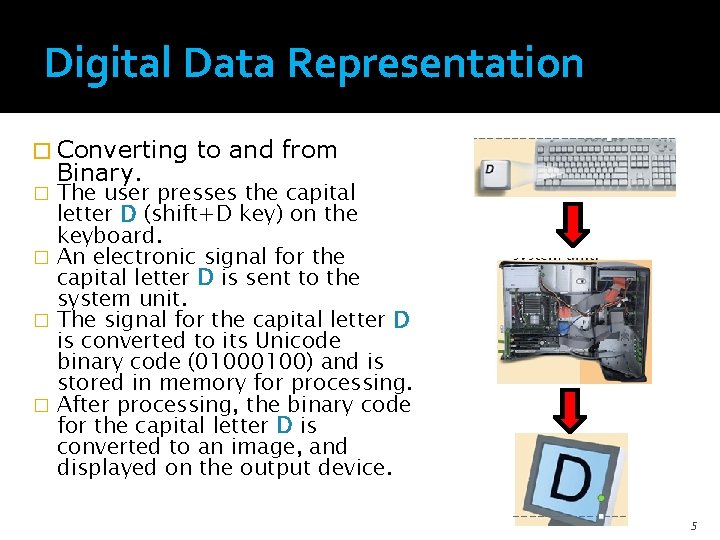
Digital Data Representation � Converting Binary. to and from The user presses the capital letter D (shift+D key) on the keyboard. � An electronic signal for the capital letter D is sent to the system unit. � The signal for the capital letter D is converted to its Unicode binary code (0100) and is stored in memory for processing. � After processing, the binary code for the capital letter D is converted to an image, and displayed on the output device. � 5
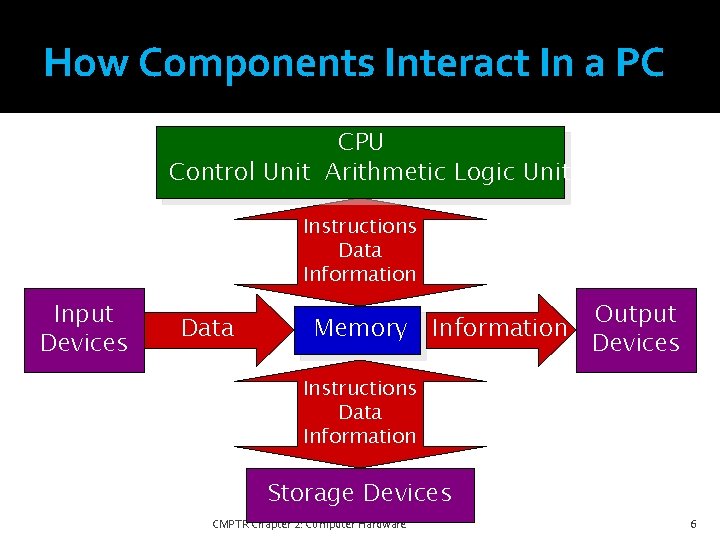
How Components Interact In a PC CPU Control Unit Arithmetic Logic Unit Instructions Data Information Input Devices Data Memory Output Information Devices Instructions Data Information Storage Devices CMPTR Chapter 2: Computer Hardware 6
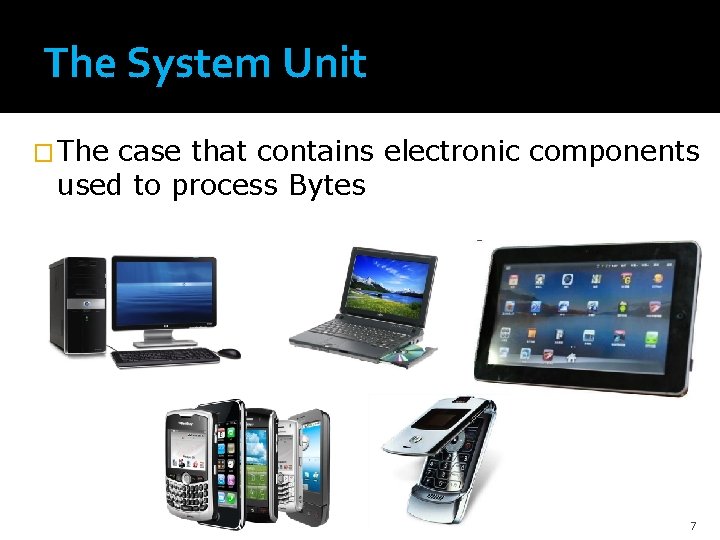
The System Unit � The case that contains electronic components used to process Bytes 7
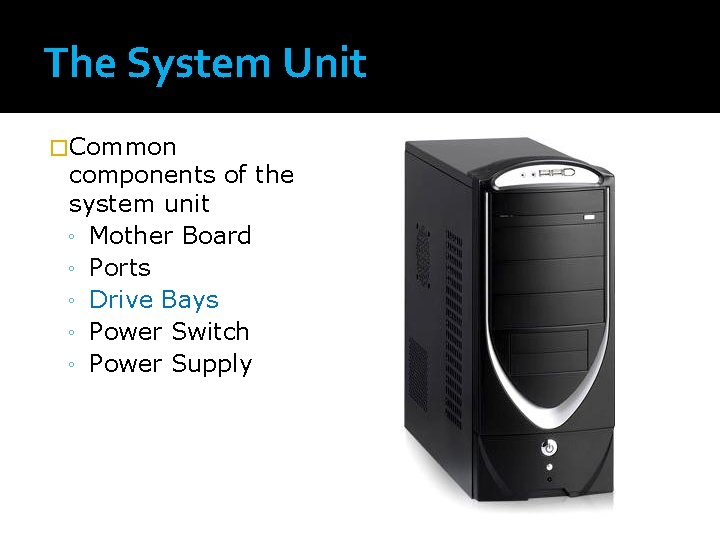
The System Unit �Common components of the system unit ◦ Mother Board ◦ Ports ◦ Drive Bays ◦ Power Switch ◦ Power Supply
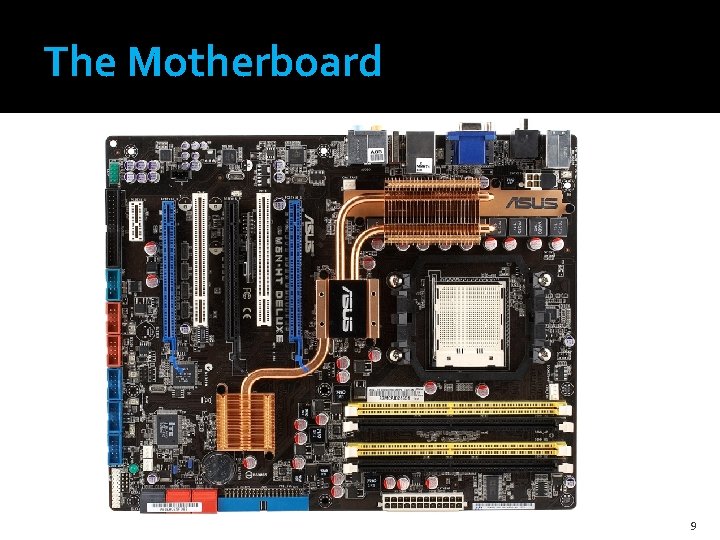
The Motherboard 9
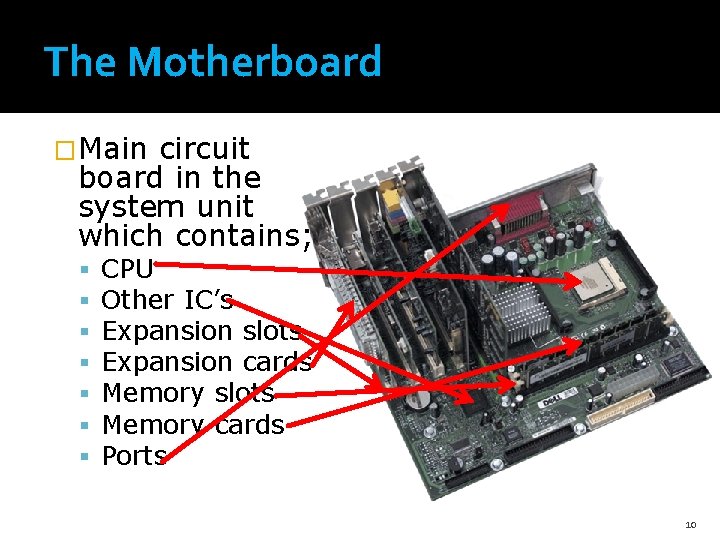
The Motherboard �Main circuit board in the system unit which contains; CPU Other IC’s Expansion slots Expansion cards Memory slots Memory cards Ports 10
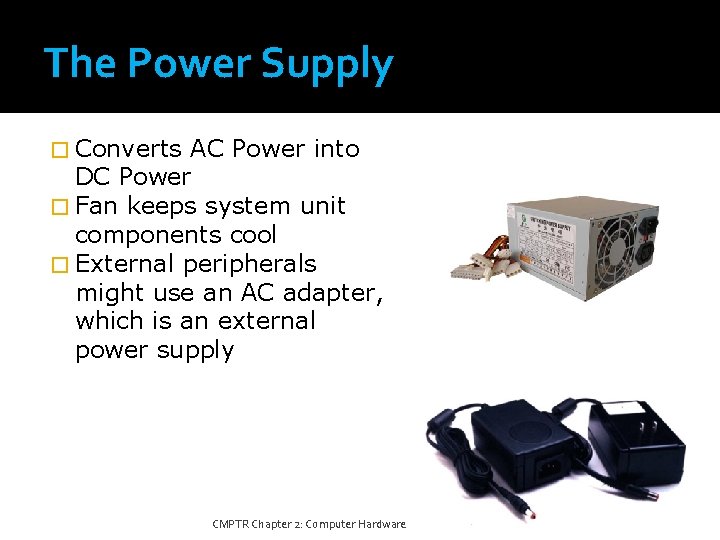
The Power Supply � Converts AC Power into DC Power � Fan keeps system unit components cool � External peripherals might use an AC adapter, which is an external power supply CMPTR Chapter 2: Computer Hardware 11
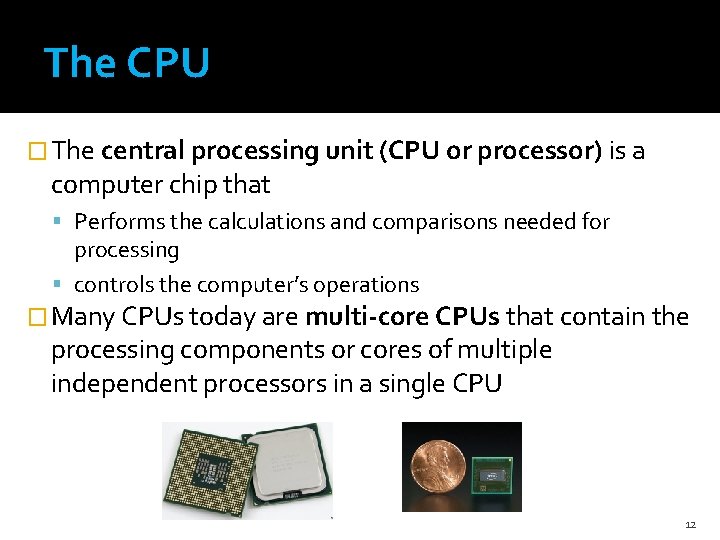
The CPU � The central processing unit (CPU or processor) is a computer chip that Performs the calculations and comparisons needed for processing controls the computer’s operations � Many CPUs today are multi-core CPUs that contain the processing components or cores of multiple independent processors in a single CPU 12
The System Clock and Machine Cycle � In order to synchronize all of a computer’s operations, a system clock—a small quartz crystal located on the motherboard—is used. � Whenever the CPU processes a single piece of microcode, it is referred to as a machine cycle 13
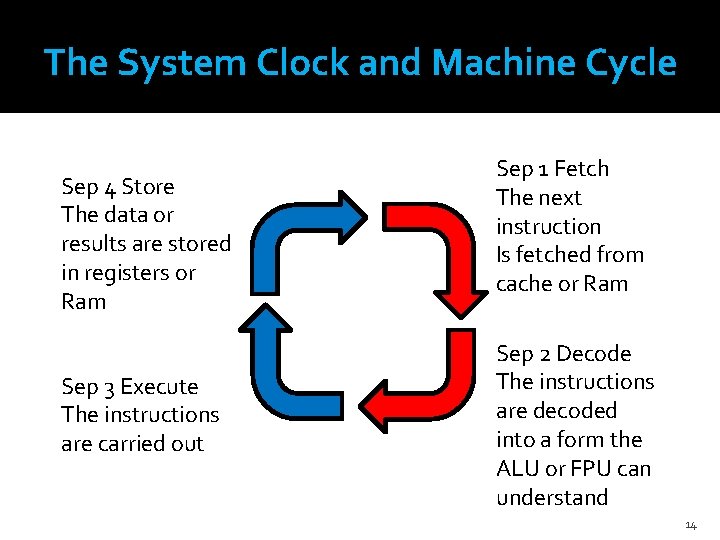
The System Clock and Machine Cycle Sep 4 Store The data or results are stored in registers or Ram Sep 3 Execute The instructions are carried out Sep 1 Fetch The next instruction Is fetched from cache or Ram Sep 2 Decode The instructions are decoded into a form the ALU or FPU can understand 14
CPU Cache Memory �a special group of very fast memory circuitry located on or close to the CPU �Is used to speed up processing by storing the data and instructions that may be needed next by the CPU in handy locations. 15
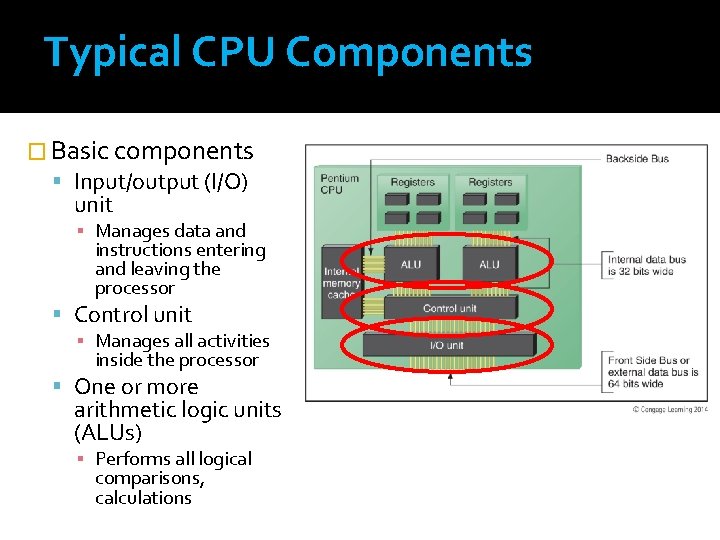
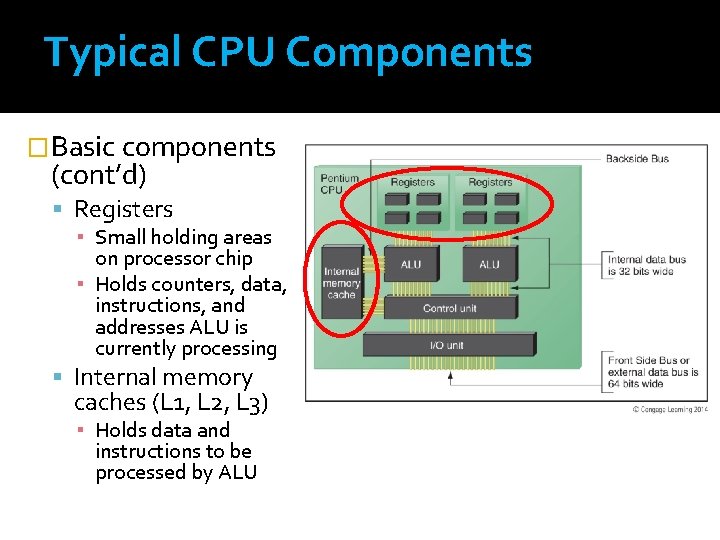
Typical CPU Components � Basic components Input/output (I/O) unit ▪ Manages data and instructions entering and leaving the processor Control unit ▪ Manages all activities inside the processor One or more arithmetic logic units (ALUs) ▪ Performs all logical comparisons, calculations
Typical CPU Components �Basic components (cont’d) Registers ▪ Small holding areas on processor chip ▪ Holds counters, data, instructions, and addresses ALU is currently processing Internal memory caches (L 1, L 2, L 3) ▪ Holds data and instructions to be processed by ALU
Memory �Memory is chips located inside the system unit that the computer uses to store data and instructions while it is working with them. �Two types of Memory volatile memory - loses its contents when computer's power is turned off nonvolatile memory - does NOT lose its contents when computer’s power is turned off. 18
Memory �RAM (random access memory) is used to store the essential parts of the operating system while the computer is running the programs and data that the computer is currently using. 19
Memory �A register is high-speed memory built into the CPU that temporarily stores data during processing �ROM (read-only memory) consists of nonvolatile chips that permanently store data or programs. �Flash memory consists of nonvolatile memory chips that the user or computer can use for storage. Flash memory chips have begun to replace ROM for storing system information. 20
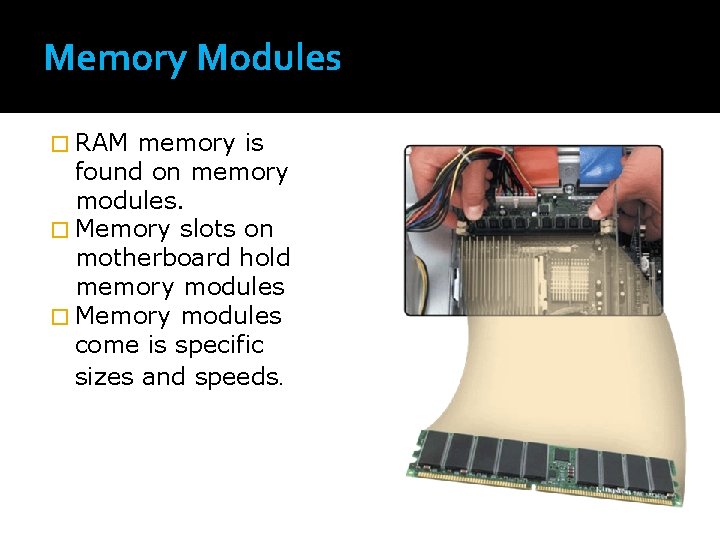
Memory Modules � RAM memory is found on memory modules. � Memory slots on motherboard hold memory modules � Memory modules come is specific sizes and speeds.
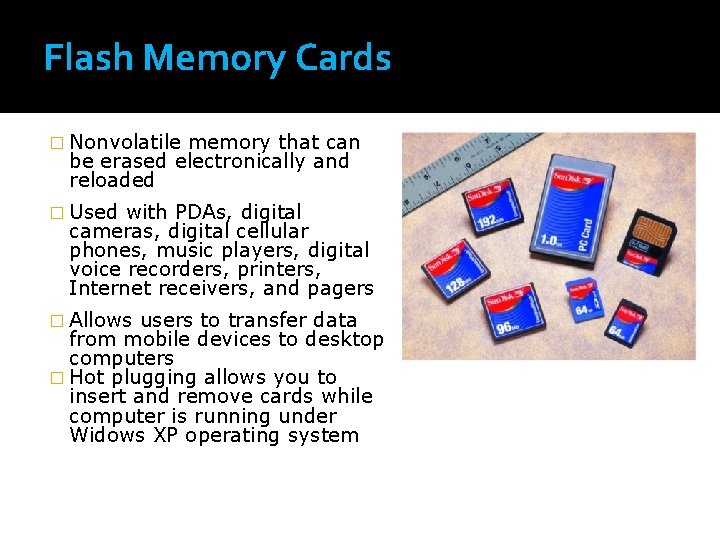
Flash Memory Cards � Nonvolatile memory that can be erased electronically and reloaded � Used with PDAs, digital cameras, digital cellular phones, music players, digital voice recorders, printers, Internet receivers, and pagers � Allows users to transfer data from mobile devices to desktop computers � Hot plugging allows you to insert and remove cards while computer is running under Widows XP operating system
Expansion Slots, Expansion Cards, and Express. Card Modules � An expansion slot is a socket on the motherboard where a expansion card are inserted. � Expansion cards are used to improve the quality of the existing components on the mother board including � Plug and Play - the computer automatically configures cards and other devices as you install them 23
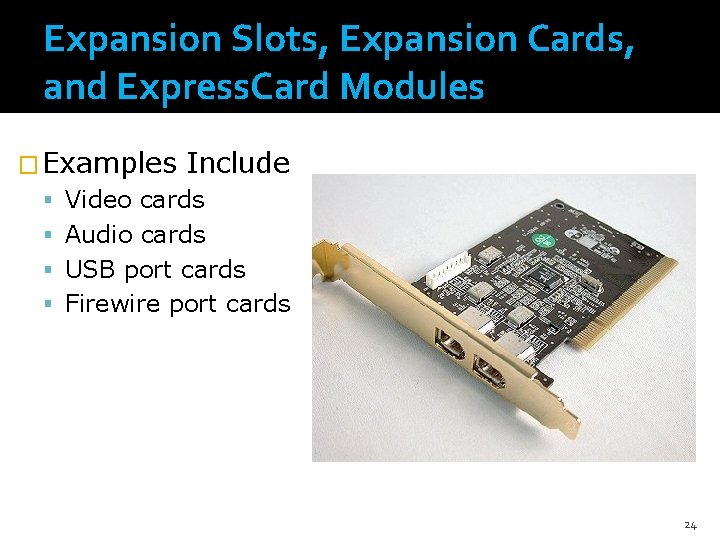
Expansion Slots, Expansion Cards, and Express. Card Modules � Examples Include Video cards Audio cards USB port cards Firewire port cards 24
Expansion Slots, Expansion Cards, and Express. Card Modules � Today most notebook and netbook computers use the newer Express. Card modules. 25
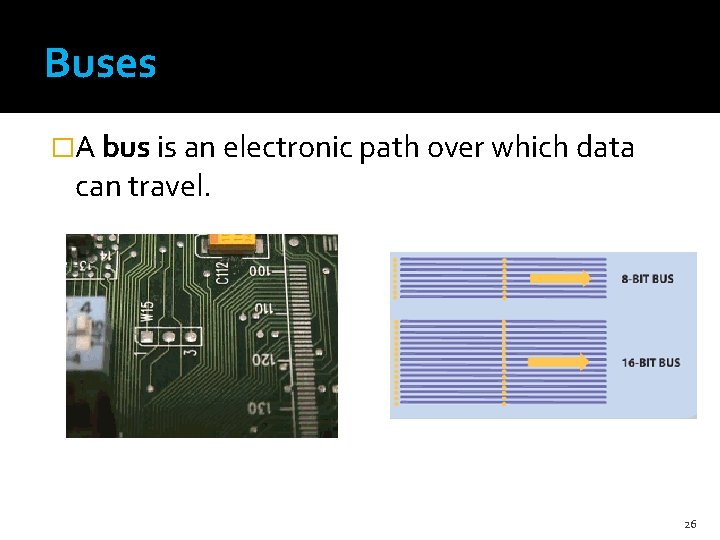
Buses �A bus is an electronic path over which data can travel. 26
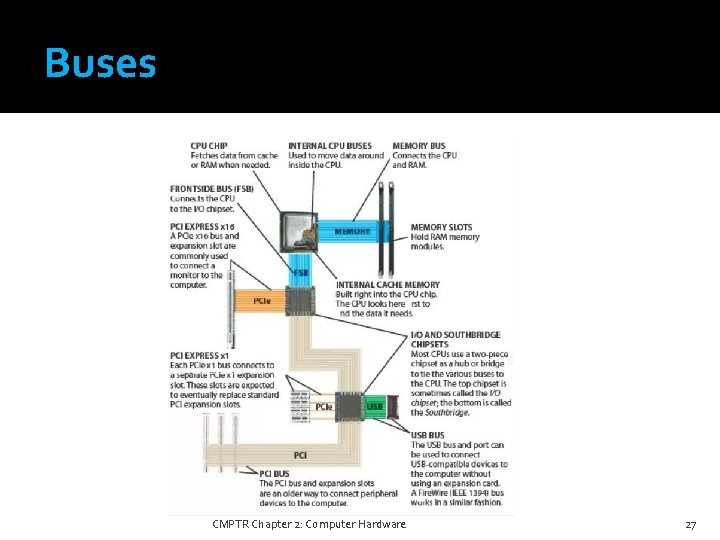
Buses CMPTR Chapter 2: Computer Hardware 27
Ports and Connectors �Ports are the connectors located on the exterior of the system unit that are used to connect external hardware devices. �Each port is attached to the appropriate bus on the mother board so that when a device is plugged into a port, the device can communicate with the CPU and other computer components. 28
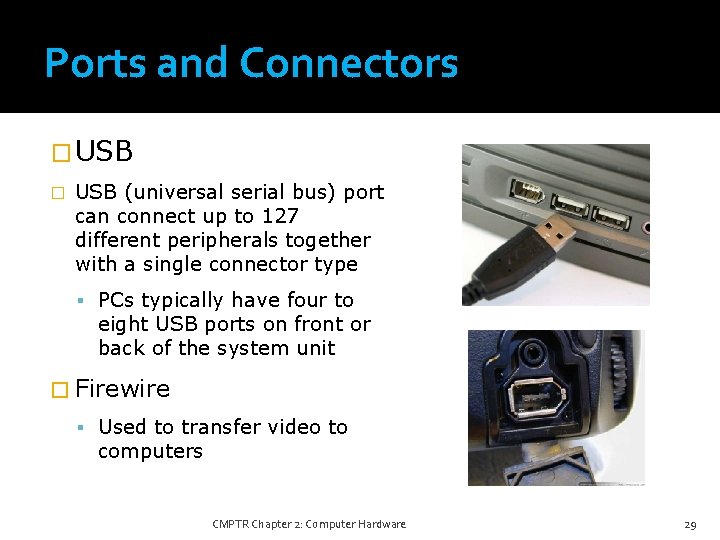
Ports and Connectors � USB (universal serial bus) port can connect up to 127 different peripherals together with a single connector type PCs typically have four to eight USB ports on front or back of the system unit � Firewire Used to transfer video to computers CMPTR Chapter 2: Computer Hardware 29
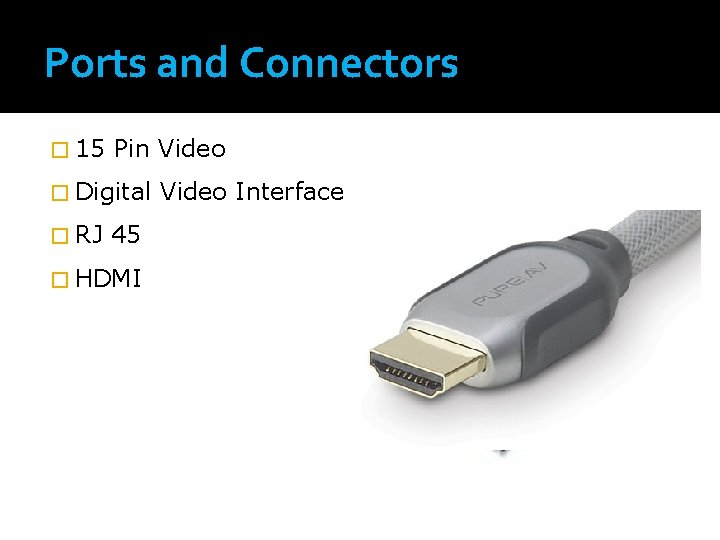
Ports and Connectors � 15 Pin Video � Digital � RJ 45 � HDMI Video Interface
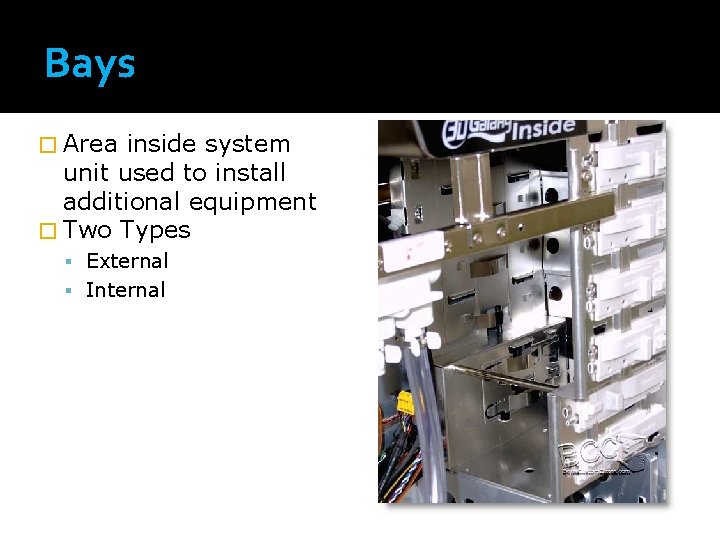
Bays � Area inside system unit used to install additional equipment � Two Types External Internal
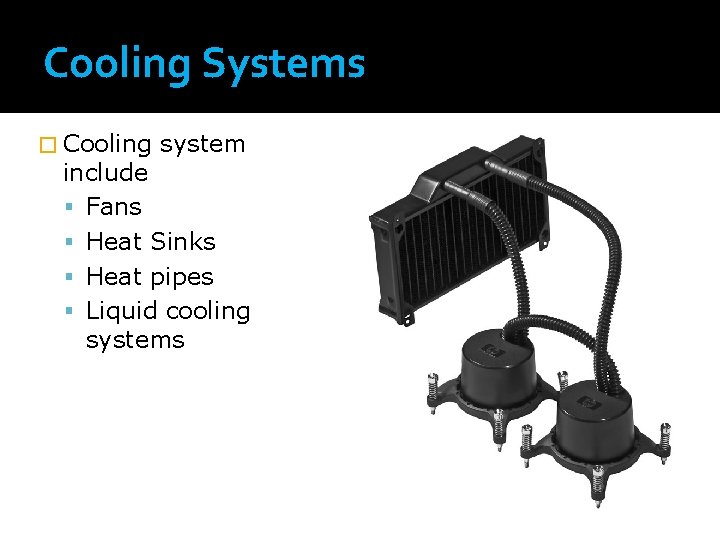
Cooling Systems � Cooling system include Fans Heat Sinks Heat pipes Liquid cooling systems
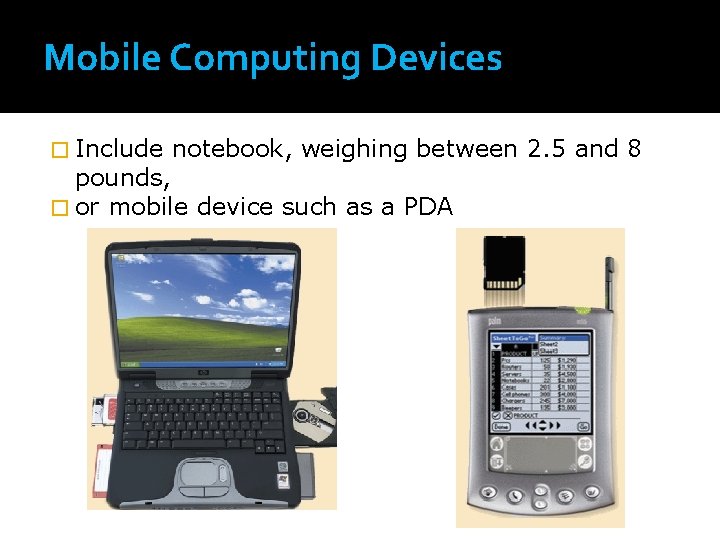
Mobile Computing Devices � Include notebook, weighing between 2. 5 and 8 pounds, � or mobile device such as a PDA
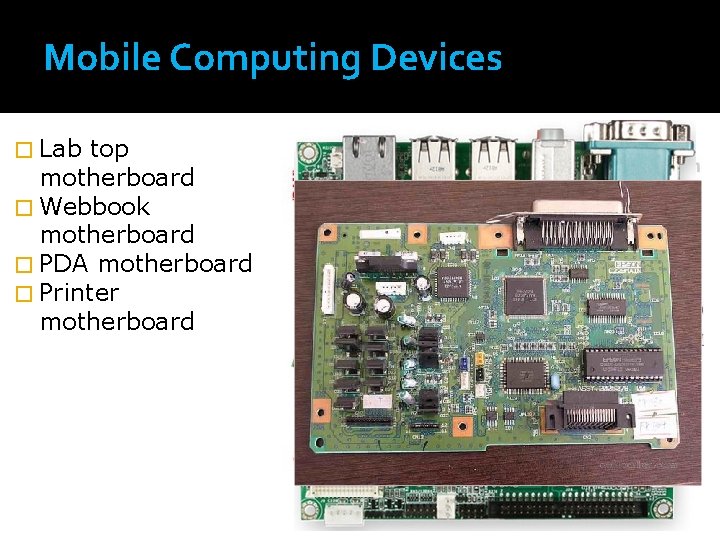
Mobile Computing Devices � Lab top motherboard � Webbook motherboard � PDA motherboard � Printer motherboard