
Chapter 2 Application layer Adopted from textbooks slides
Chapter 2: Application layer Adopted from textbook’s slides 2: Application Layer 1
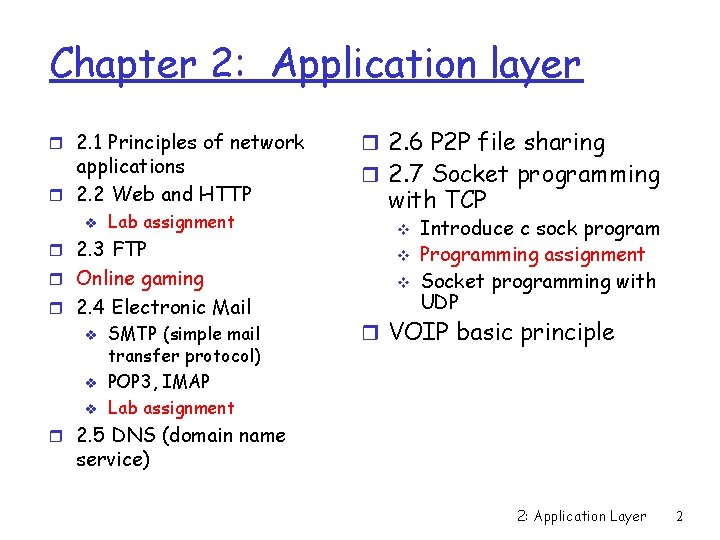
Chapter 2: Application layer r 2. 1 Principles of network applications r 2. 2 Web and HTTP v Lab assignment r 2. 3 FTP r Online gaming r 2. 4 Electronic Mail v v v SMTP (simple mail transfer protocol) POP 3, IMAP Lab assignment r 2. 6 P 2 P file sharing r 2. 7 Socket programming with TCP v v v Introduce c sock program Programming assignment Socket programming with UDP r VOIP basic principle r 2. 5 DNS (domain name service) 2: Application Layer 2
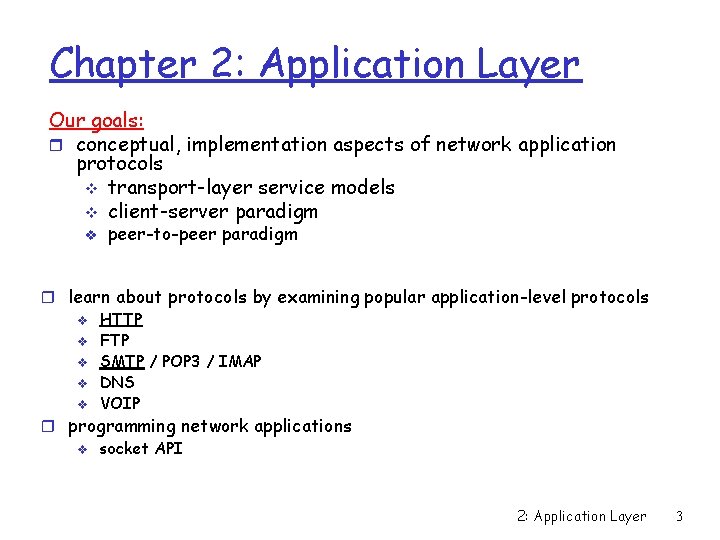
Chapter 2: Application Layer Our goals: r conceptual, implementation aspects of network application protocols v transport-layer service models v client-server paradigm v peer-to-peer paradigm r learn about protocols by examining popular application-level protocols v HTTP v FTP v SMTP / POP 3 / IMAP v DNS v VOIP r programming network applications v socket API 2: Application Layer 3
Some network apps r E-mail r Web r Instant messaging r P 2 P file sharing r Multi-user network games r streaming stored video (You. Tube, Hulu, Netflix) r Internet telephone (skype) r Real-time video conference r Massive parallel computing v Grid computing r social networking r search r …… 2: Application Layer 4
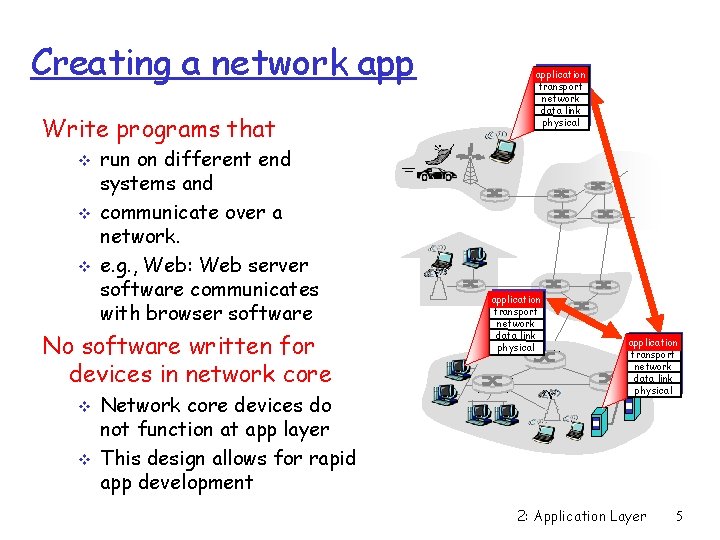
Creating a network app Write programs that v v v run on different end systems and communicate over a network. e. g. , Web: Web server software communicates with browser software No software written for devices in network core v v Network core devices do not function at app layer This design allows for rapid app development application transport network data link physical 2: Application Layer 5

Chapter 2: Application layer r 2. 1 Principles of r r network applications 2. 2 Web and HTTP 2. 3 FTP Online gaming 2. 4 Electronic Mail v v SMTP, POP 3, IMAP r 2. 6 P 2 P file sharing r 2. 7 Socket programming with TCP v v v Introduce c sock program Programming assignment Socket programming with UDP r VOIP basic principle r 2. 5 DNS 2: Application Layer 6
Application architectures r Client-server r Peer-to-peer (P 2 P) r Hybrid of client-server and P 2 P 2: Application Layer 7
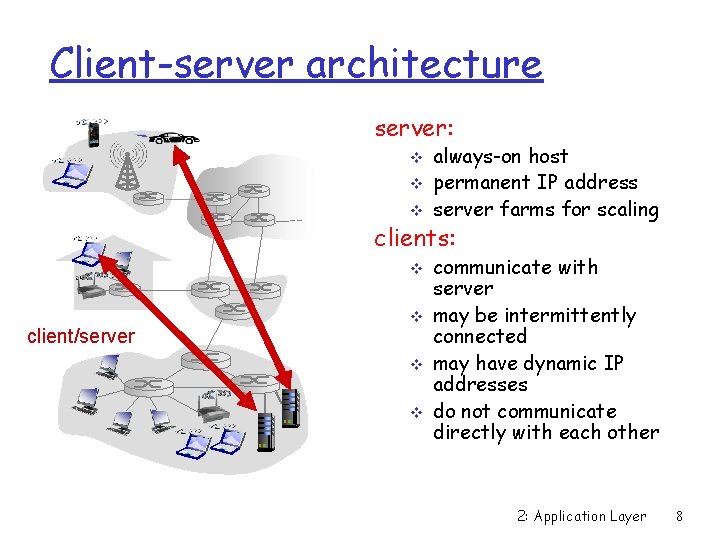
Client-server architecture server: v v v always-on host permanent IP address server farms for scaling clients: v v client/server v v communicate with server may be intermittently connected may have dynamic IP addresses do not communicate directly with each other 2: Application Layer 8
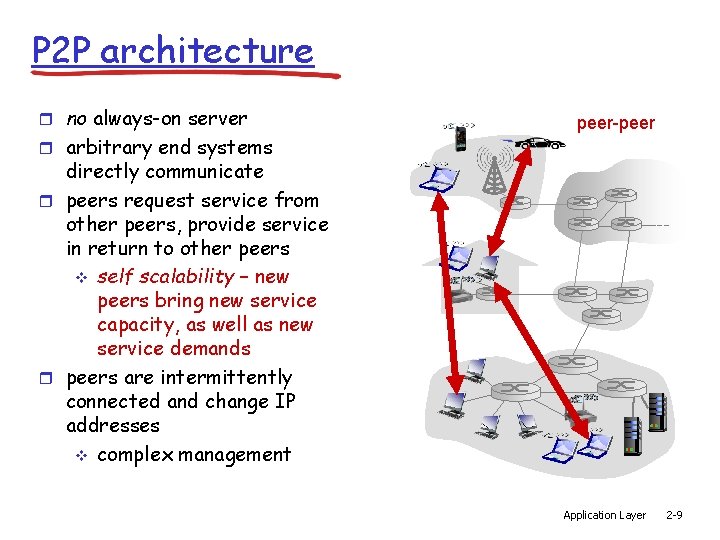
P 2 P architecture r no always-on server r arbitrary end systems peer-peer directly communicate r peers request service from other peers, provide service in return to other peers v self scalability – new peers bring new service capacity, as well as new service demands r peers are intermittently connected and change IP addresses v complex management Application Layer 2 -9
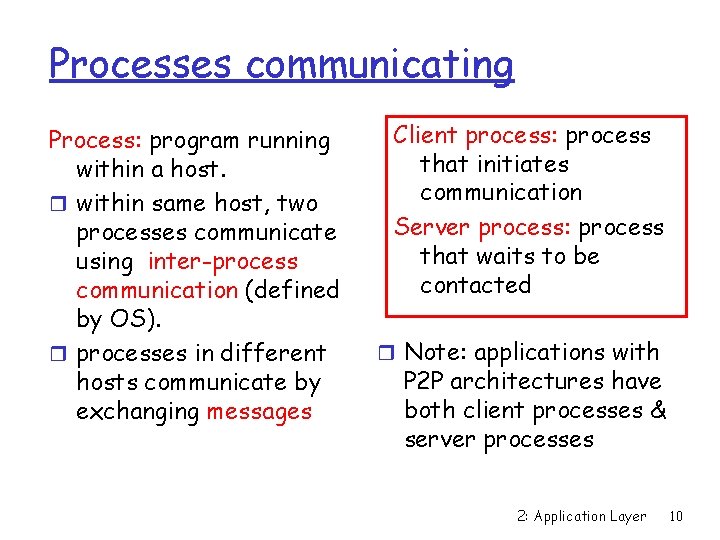
Processes communicating Process: program running within a host. r within same host, two processes communicate using inter-process communication (defined by OS). r processes in different hosts communicate by exchanging messages Client process: process that initiates communication Server process: process that waits to be contacted r Note: applications with P 2 P architectures have both client processes & server processes 2: Application Layer 10
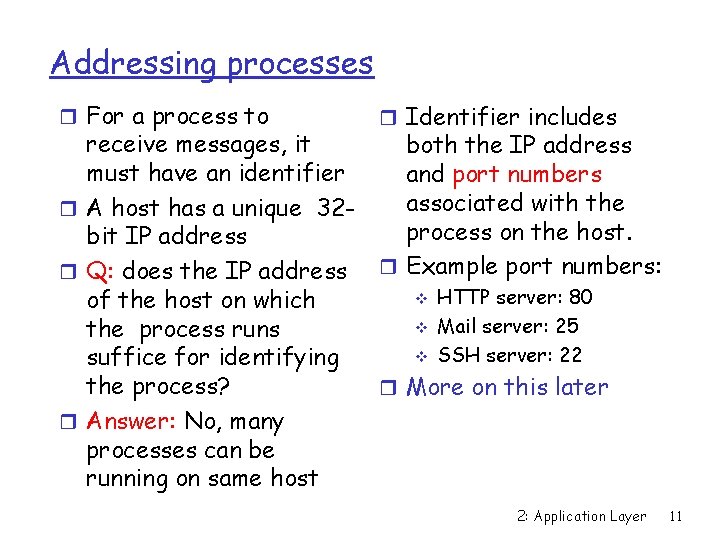
Addressing processes r For a process to r Identifier includes receive messages, it both the IP address must have an identifier and port numbers associated with the r A host has a unique 32 process on the host. bit IP address r Example port numbers: r Q: does the IP address v HTTP server: 80 of the host on which v Mail server: 25 the process runs v SSH server: 22 suffice for identifying the process? r More on this later r Answer: No, many processes can be running on same host 2: Application Layer 11
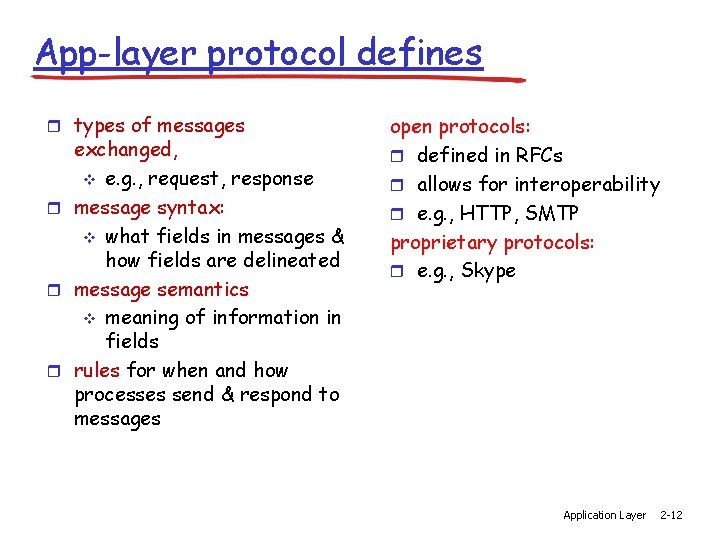
App-layer protocol defines r types of messages exchanged, v e. g. , request, response r message syntax: v what fields in messages & how fields are delineated r message semantics v meaning of information in fields r rules for when and how processes send & respond to messages open protocols: r defined in RFCs r allows for interoperability r e. g. , HTTP, SMTP proprietary protocols: r e. g. , Skype Application Layer 2 -12
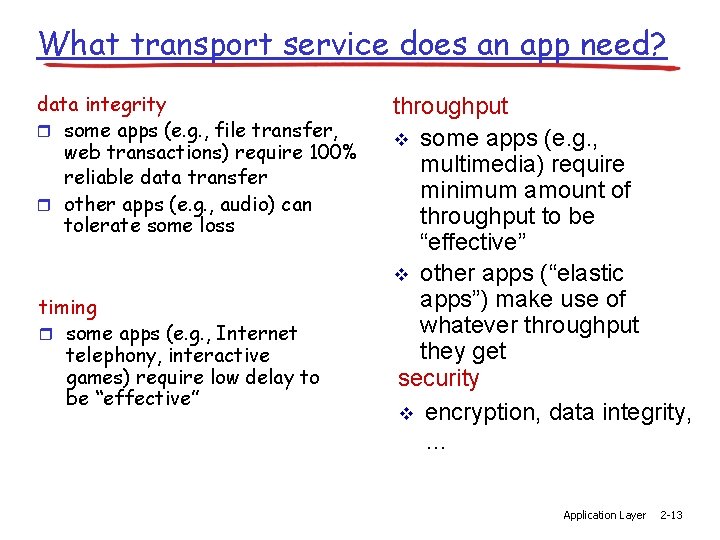
What transport service does an app need? data integrity r some apps (e. g. , file transfer, web transactions) require 100% reliable data transfer r other apps (e. g. , audio) can tolerate some loss timing r some apps (e. g. , Internet telephony, interactive games) require low delay to be “effective” throughput v some apps (e. g. , multimedia) require minimum amount of throughput to be “effective” v other apps (“elastic apps”) make use of whatever throughput they get security v encryption, data integrity, … Application Layer 2 -13
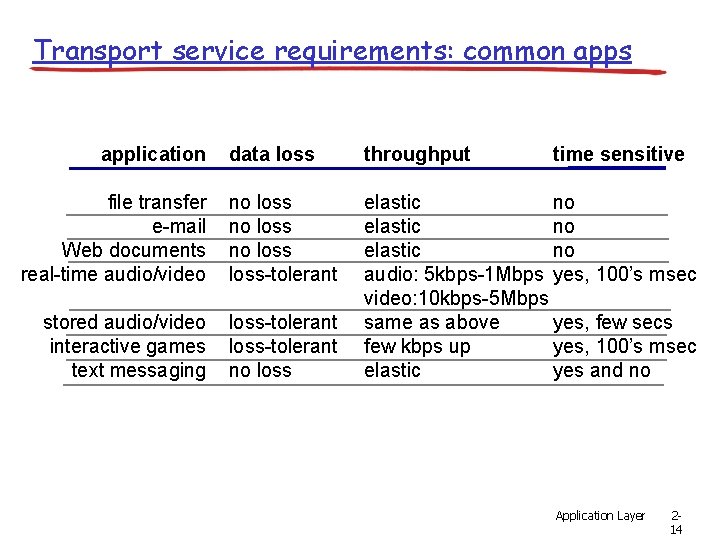
Transport service requirements: common apps application data loss throughput file transfer e-mail Web documents real-time audio/video no loss-tolerant stored audio/video interactive games text messaging loss-tolerant no loss elastic no audio: 5 kbps-1 Mbps yes, 100’s msec video: 10 kbps-5 Mbps same as above yes, few secs few kbps up yes, 100’s msec elastic yes and no time sensitive Application Layer 214
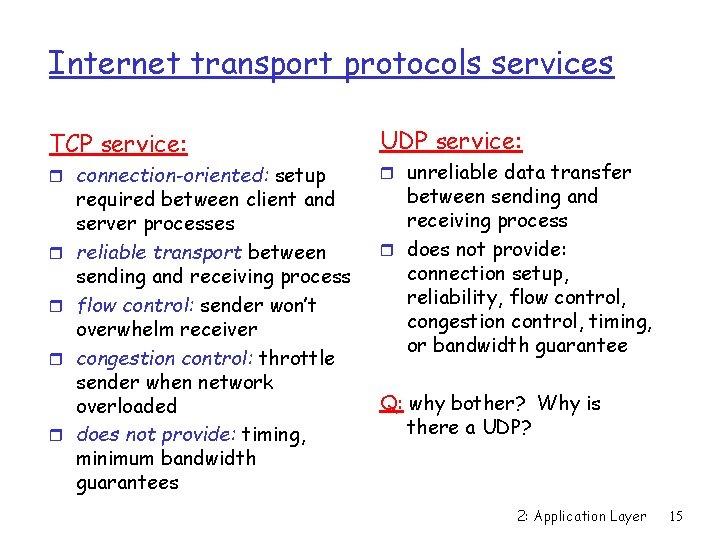
Internet transport protocols services TCP service: r connection-oriented: setup r r required between client and server processes reliable transport between sending and receiving process flow control: sender won’t overwhelm receiver congestion control: throttle sender when network overloaded does not provide: timing, minimum bandwidth guarantees UDP service: r unreliable data transfer between sending and receiving process r does not provide: connection setup, reliability, flow control, congestion control, timing, or bandwidth guarantee Q: why bother? Why is there a UDP? 2: Application Layer 15

Internet apps: application, transport protocols application e-mail remote terminal access Web file transfer streaming multimedia Internet telephony DNS application layer protocol underlying transport protocol SMTP [RFC 2821] Telnet [RFC 854] HTTP [RFC 2616] FTP [RFC 959] HTTP (e. g. , You. Tube), RTP [RFC 1889] SIP, RTP, proprietary (e. g. , Skype) [RFC 1035, 1123, 2181] TCP TCP TCP or UDP UDP or TCP Application Layer 216
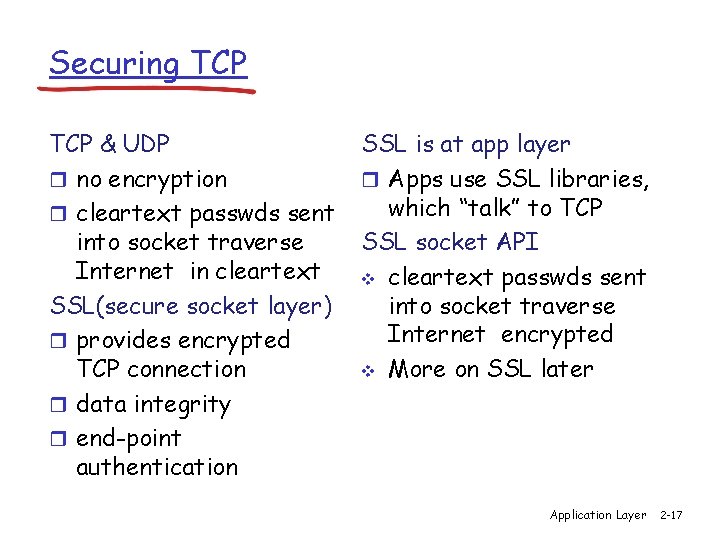
Securing TCP & UDP r no encryption r cleartext passwds sent into socket traverse Internet in cleartext SSL(secure socket layer) r provides encrypted TCP connection r data integrity r end-point authentication SSL is at app layer r Apps use SSL libraries, which “talk” to TCP SSL socket API v cleartext passwds sent into socket traverse Internet encrypted v More on SSL later Application Layer 2 -17
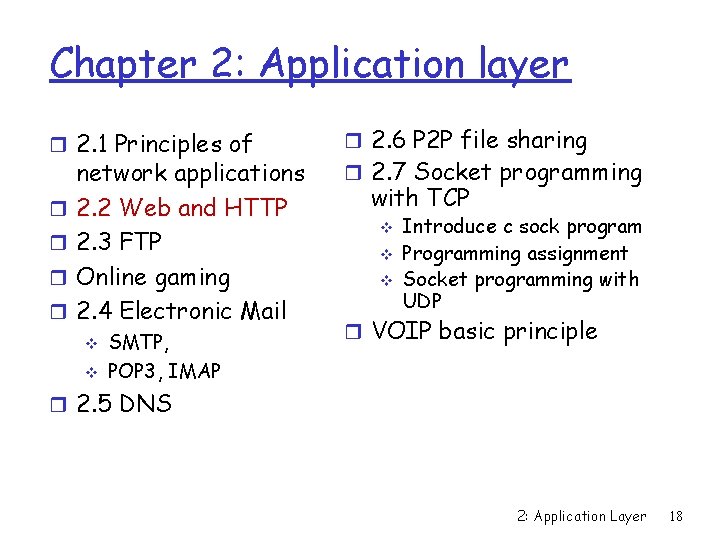
Chapter 2: Application layer r 2. 1 Principles of r r network applications 2. 2 Web and HTTP 2. 3 FTP Online gaming 2. 4 Electronic Mail v v SMTP, POP 3, IMAP r 2. 6 P 2 P file sharing r 2. 7 Socket programming with TCP v v v Introduce c sock program Programming assignment Socket programming with UDP r VOIP basic principle r 2. 5 DNS 2: Application Layer 18
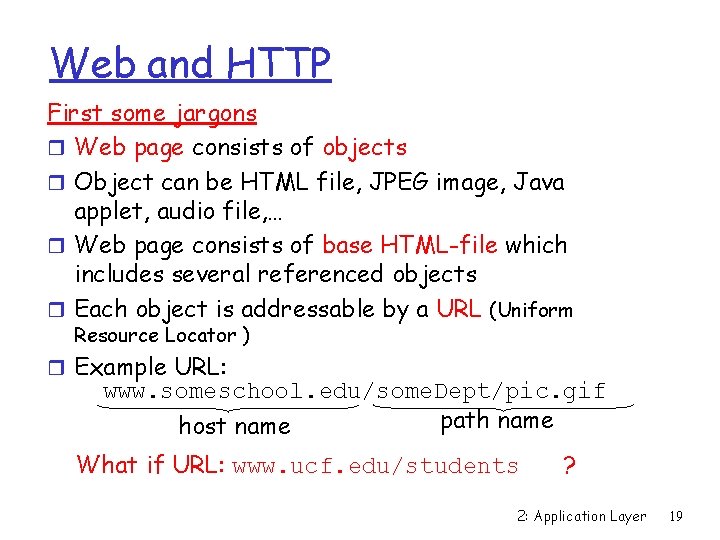
Web and HTTP First some jargons r Web page consists of objects r Object can be HTML file, JPEG image, Java applet, audio file, … r Web page consists of base HTML-file which includes several referenced objects r Each object is addressable by a URL (Uniform Resource Locator ) r Example URL: www. someschool. edu/some. Dept/pic. gif path name host name What if URL: www. ucf. edu/students ? 2: Application Layer 19
Default Webpage Filename r When a URL is specified in a web browser without a specific filename at the end, the web server looks for a default page to show r Each OS defines its own default page names that you can use, such as: index. html, index. htm, default. htm, index. php… v If the directory has no default files, browser will display a list of all the files in that directory (or deny it when configured) v Possibly cause security and privacy leakage v 2: Application Layer 20
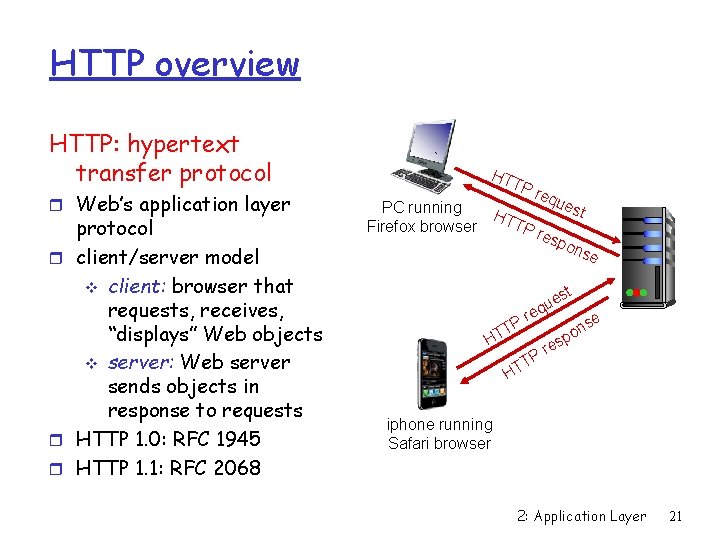
HTTP overview HTTP: hypertext transfer protocol r Web’s application layer protocol r client/server model v client: browser that requests, receives, “displays” Web objects v server: Web server sends objects in response to requests r HTTP 1. 0: RFC 1945 r HTTP 1. 1: RFC 2068 HT PC running Firefox browser TP HT TP req u est res p ons e st P T HT ue q e r T HT P se n po s re iphone running Safari browser 2: Application Layer 21
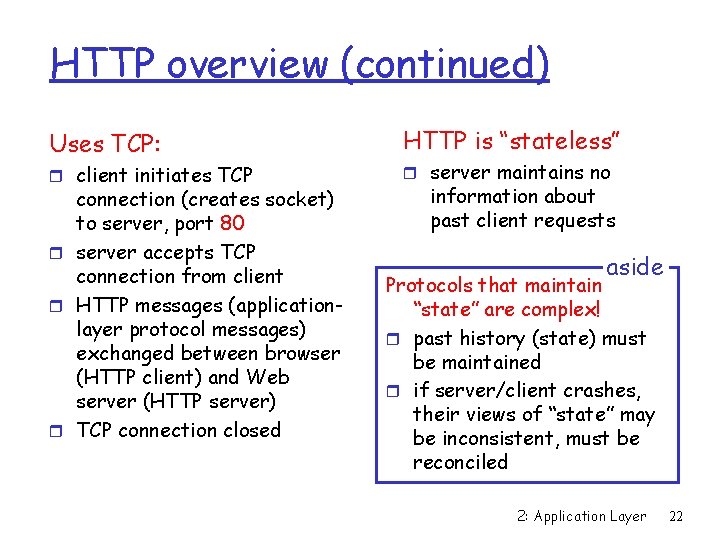
HTTP overview (continued) Uses TCP: r client initiates TCP connection (creates socket) to server, port 80 r server accepts TCP connection from client r HTTP messages (applicationlayer protocol messages) exchanged between browser (HTTP client) and Web server (HTTP server) r TCP connection closed HTTP is “stateless” r server maintains no information about past client requests aside Protocols that maintain “state” are complex! r past history (state) must be maintained r if server/client crashes, their views of “state” may be inconsistent, must be reconciled 2: Application Layer 22
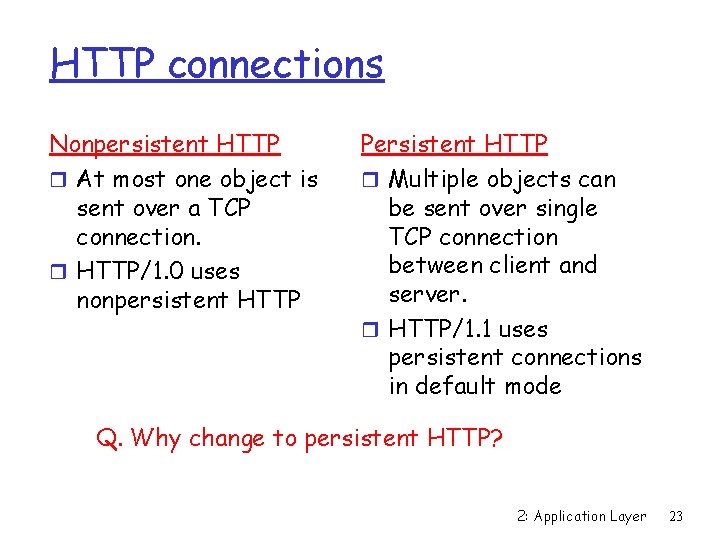
HTTP connections Nonpersistent HTTP r At most one object is sent over a TCP connection. r HTTP/1. 0 uses nonpersistent HTTP Persistent HTTP r Multiple objects can be sent over single TCP connection between client and server. r HTTP/1. 1 uses persistent connections in default mode Q. Why change to persistent HTTP? 2: Application Layer 23
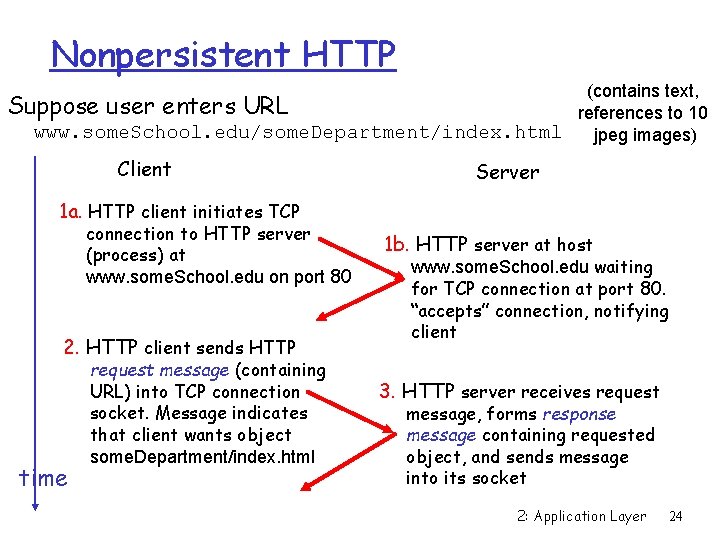
Nonpersistent HTTP (contains text, Suppose user enters URL references to 10 www. some. School. edu/some. Department/index. html jpeg images) Client Server 1 a. HTTP client initiates TCP connection to HTTP server (process) at www. some. School. edu on port 80 2. HTTP client sends HTTP time request message (containing URL) into TCP connection socket. Message indicates that client wants object some. Department/index. html 1 b. HTTP server at host www. some. School. edu waiting for TCP connection at port 80. “accepts” connection, notifying client 3. HTTP server receives request message, forms response message containing requested object, and sends message into its socket 2: Application Layer 24
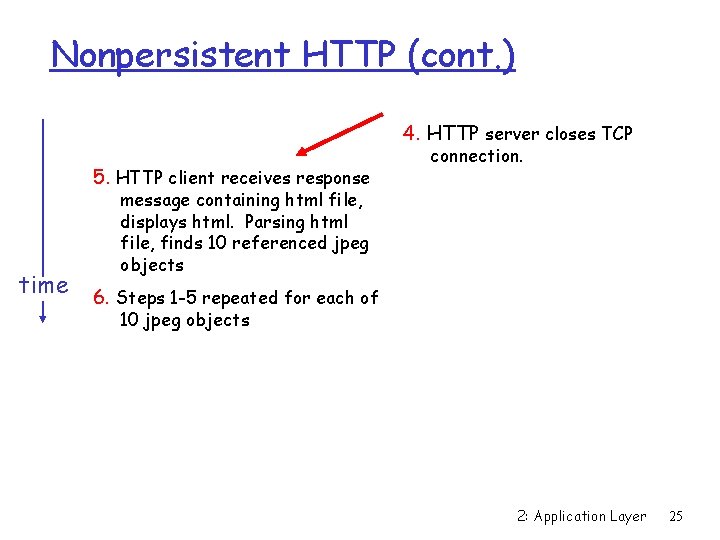
Nonpersistent HTTP (cont. ) 4. HTTP server closes TCP 5. HTTP client receives response connection. message containing html file, displays html. Parsing html file, finds 10 referenced jpeg objects time 6. Steps 1 -5 repeated for each of 10 jpeg objects 2: Application Layer 25
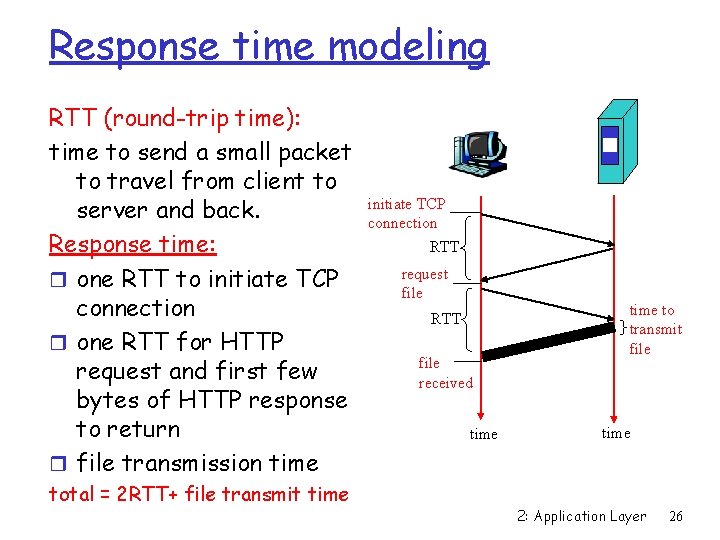
Response time modeling RTT (round-trip time): time to send a small packet to travel from client to server and back. Response time: r one RTT to initiate TCP connection r one RTT for HTTP request and first few bytes of HTTP response to return r file transmission time total = 2 RTT+ file transmit time initiate TCP connection RTT request file RTT file received time to transmit file time 2: Application Layer 26
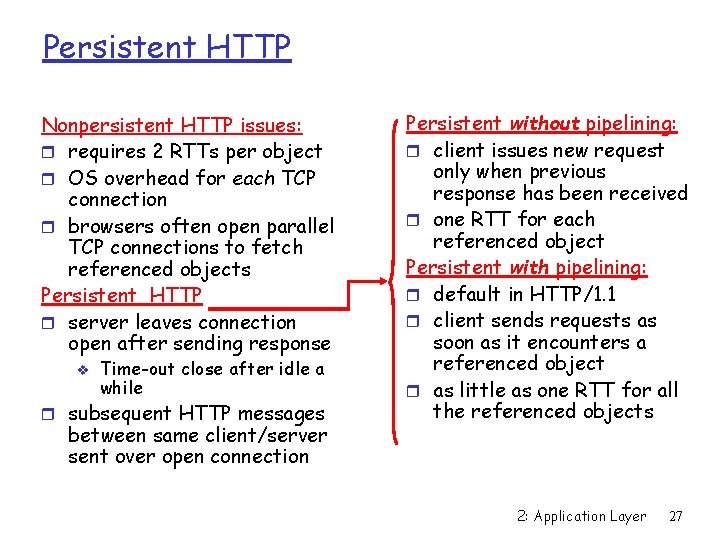
Persistent HTTP Nonpersistent HTTP issues: r requires 2 RTTs per object r OS overhead for each TCP connection r browsers often open parallel TCP connections to fetch referenced objects Persistent HTTP r server leaves connection open after sending response v Time-out close after idle a while r subsequent HTTP messages between same client/server sent over open connection Persistent without pipelining: r client issues new request only when previous response has been received r one RTT for each referenced object Persistent with pipelining: r default in HTTP/1. 1 r client sends requests as soon as it encounters a referenced object r as little as one RTT for all the referenced objects 2: Application Layer 27
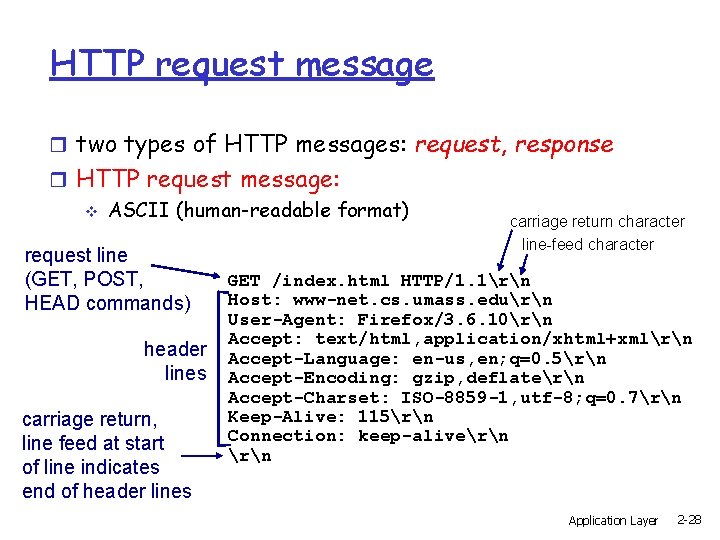
HTTP request message r two types of HTTP messages: request, response r HTTP request message: v ASCII (human-readable format) request line (GET, POST, HEAD commands) header lines carriage return, line feed at start of line indicates end of header lines carriage return character line-feed character GET /index. html HTTP/1. 1rn Host: www-net. cs. umass. edurn User-Agent: Firefox/3. 6. 10rn Accept: text/html, application/xhtml+xmlrn Accept-Language: en-us, en; q=0. 5rn Accept-Encoding: gzip, deflatern Accept-Charset: ISO-8859 -1, utf-8; q=0. 7rn Keep-Alive: 115rn Connection: keep-alivern Application Layer 2 -28
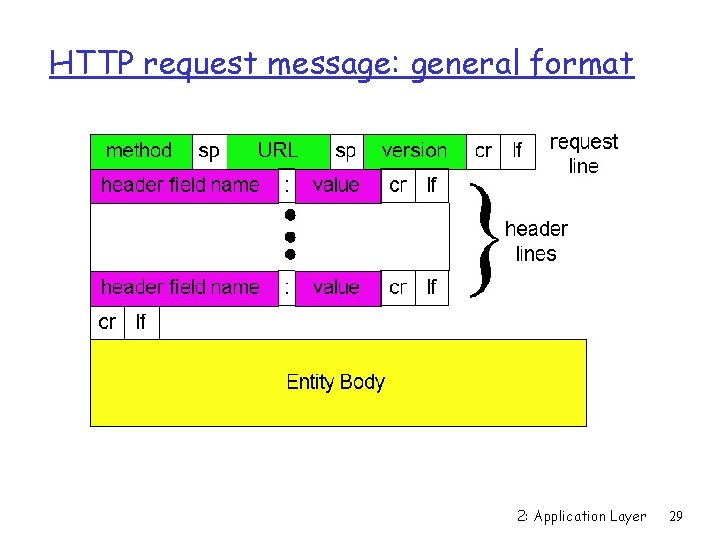
HTTP request message: general format 2: Application Layer 29
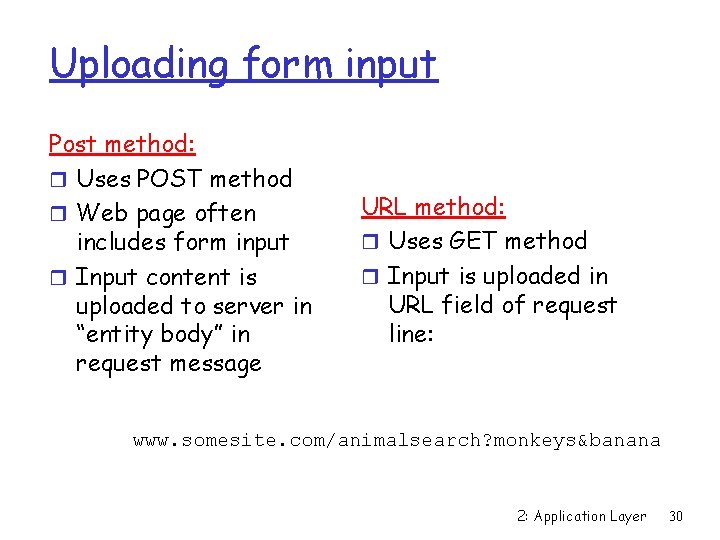
Uploading form input Post method: r Uses POST method r Web page often includes form input r Input content is uploaded to server in “entity body” in request message URL method: r Uses GET method r Input is uploaded in URL field of request line: www. somesite. com/animalsearch? monkeys&banana 2: Application Layer 30
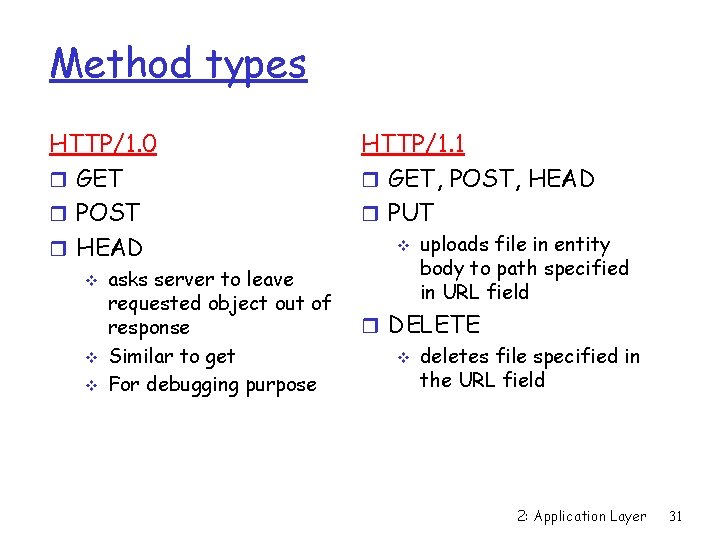
Method types HTTP/1. 0 r GET r POST r HEAD v v v asks server to leave requested object out of response Similar to get For debugging purpose HTTP/1. 1 r GET, POST, HEAD r PUT v uploads file in entity body to path specified in URL field r DELETE v deletes file specified in the URL field 2: Application Layer 31
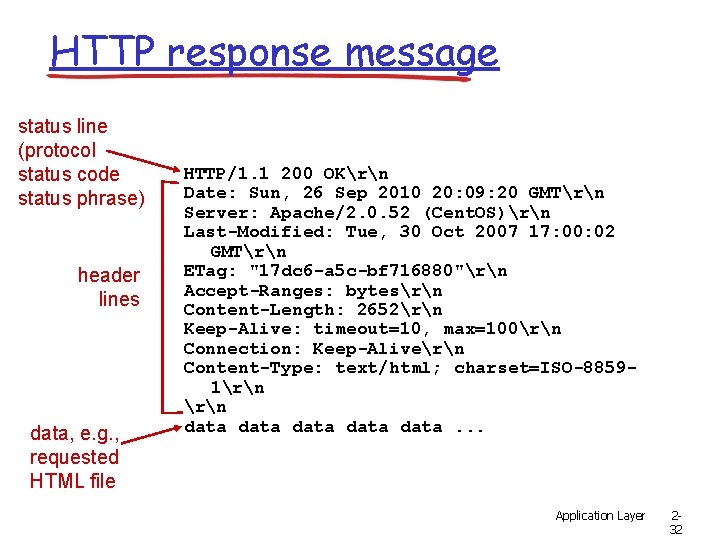
HTTP response message status line (protocol status code status phrase) header lines data, e. g. , requested HTML file HTTP/1. 1 200 OKrn Date: Sun, 26 Sep 2010 20: 09: 20 GMTrn Server: Apache/2. 0. 52 (Cent. OS)rn Last-Modified: Tue, 30 Oct 2007 17: 00: 02 GMTrn ETag: "17 dc 6 -a 5 c-bf 716880"rn Accept-Ranges: bytesrn Content-Length: 2652rn Keep-Alive: timeout=10, max=100rn Connection: Keep-Alivern Content-Type: text/html; charset=ISO-88591rn data data. . . Application Layer 232
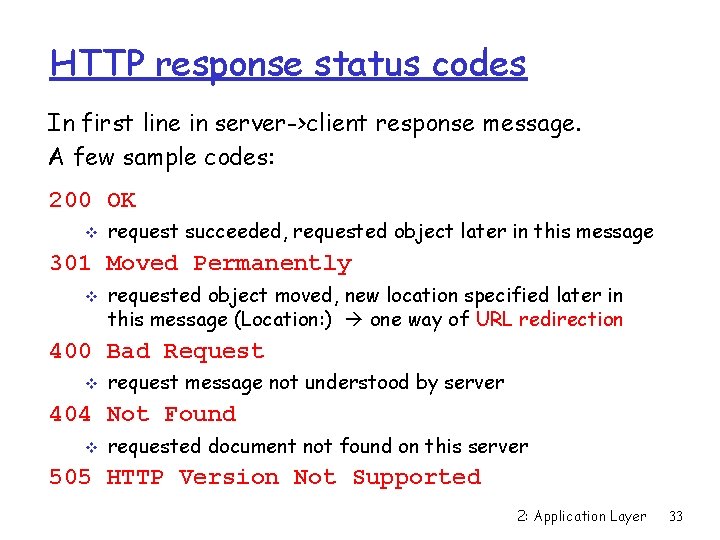
HTTP response status codes In first line in server->client response message. A few sample codes: 200 OK v request succeeded, requested object later in this message 301 Moved Permanently v requested object moved, new location specified later in this message (Location: ) one way of URL redirection 400 Bad Request v request message not understood by server 404 Not Found v requested document not found on this server 505 HTTP Version Not Supported 2: Application Layer 33
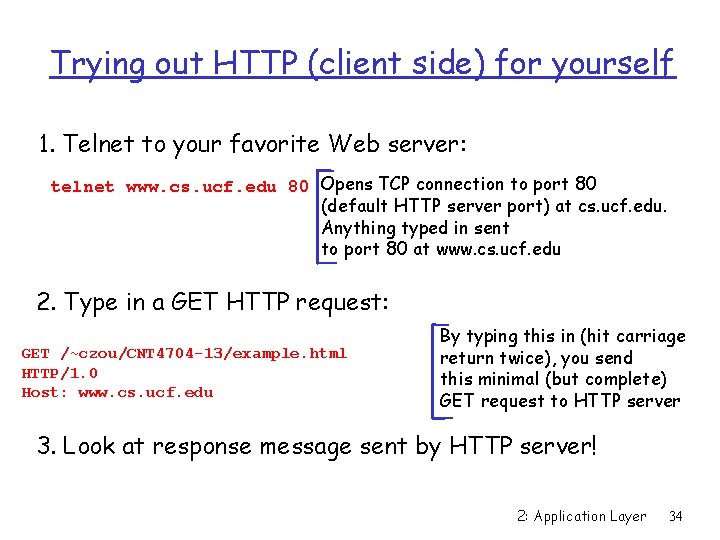
Trying out HTTP (client side) for yourself 1. Telnet to your favorite Web server: telnet www. cs. ucf. edu 80 Opens TCP connection to port 80 (default HTTP server port) at cs. ucf. edu. Anything typed in sent to port 80 at www. cs. ucf. edu 2. Type in a GET HTTP request: GET /~czou/CNT 4704 -13/example. html HTTP/1. 0 Host: www. cs. ucf. edu By typing this in (hit carriage return twice), you send this minimal (but complete) GET request to HTTP server 3. Look at response message sent by HTTP server! 2: Application Layer 34
Let’s look at HTTP in action r Telnet example v “GET” must be Capital letters! v Must have “host” header! • For web proxy reason – A proxy can know where to forward the GET request v What if type in “HTTP/1. 0” ? r Wireshark example 2: Application Layer 35
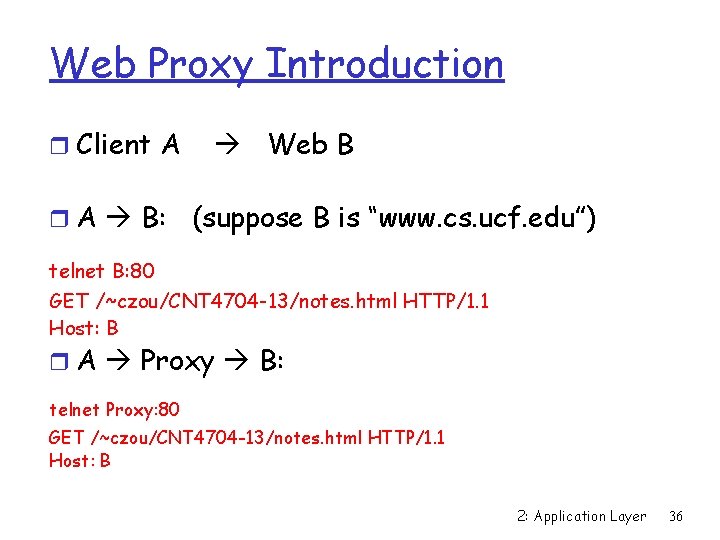
Web Proxy Introduction r Client A r A B: Web B (suppose B is “www. cs. ucf. edu”) telnet B: 80 GET /~czou/CNT 4704 -13/notes. html HTTP/1. 1 Host: B r A Proxy B: telnet Proxy: 80 GET /~czou/CNT 4704 -13/notes. html HTTP/1. 1 Host: B 2: Application Layer 36
User-server state: cookies Many major Web sites use cookies: Web server to identify user (user’s ID, preference) 1) cookie file kept on user’s host, managed by user’s browser 2) Corresponding info on backend database at Web server Example: v v v Susan access Internet always from same PC She visits a specific ecommerce site for first time When initial HTTP requests arrives at site, site creates a unique ID and creates an entry in backend database for ID 2: Application Layer 37
Cookie File Management r Cookies management for Firefox and IE: FF: tools -> options -> privacy -> remove individual cookies IE: Internet options -> general -> settings (in Browse history) -> view files r Where is the Cookie file? v It changes a lot with different browsers and different versions v IE 7, IE 8: • ? ? v Firefox: • ? ? • FF 15: “option”->”privacy” -> “remove individual cookies” 2: Application Layer 38
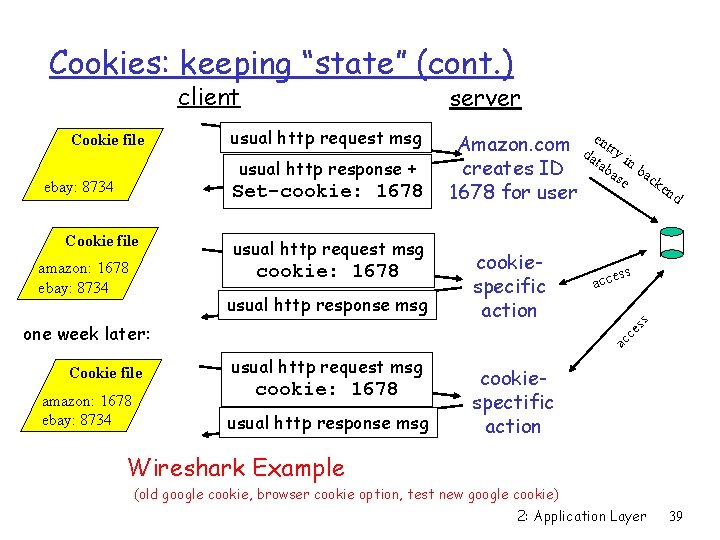
Cookies: keeping “state” (cont. ) client usual http request msg usual http response + ebay: 8734 Set-cookie: 1678 Cookie file amazon: 1678 ebay: 8734 usual http request msg cookie: 1678 usual http response msg Cookie file amazon: 1678 ebay: 8734 cookiespecific action ss acce ac ce one week later: e Amazon. com da ntry tab in b creates ID as ac e ke nd 1678 for user ss Cookie file server usual http request msg cookie: 1678 usual http response msg cookiespectific action Wireshark Example (old google cookie, browser cookie option, test new google cookie) 2: Application Layer 39
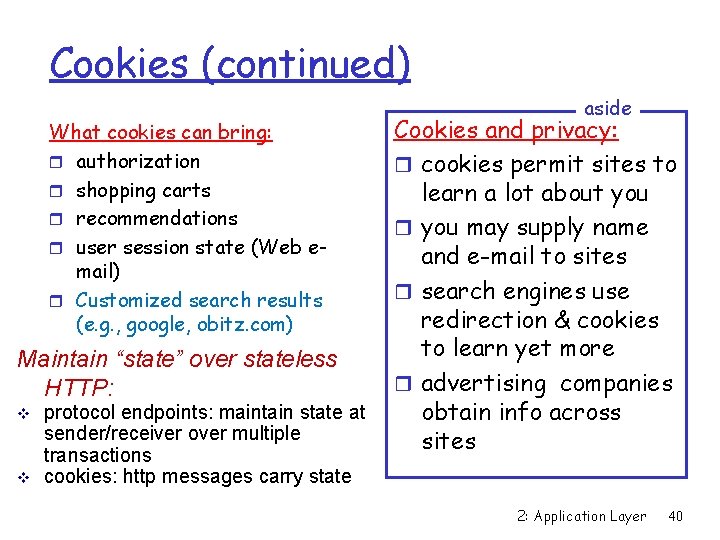
Cookies (continued) What cookies can bring: r authorization r shopping carts r recommendations r user session state (Web email) r Customized search results (e. g. , google, obitz. com) Maintain “state” over stateless HTTP: v v protocol endpoints: maintain state at sender/receiver over multiple transactions cookies: http messages carry state aside Cookies and privacy: r cookies permit sites to learn a lot about you r you may supply name and e-mail to sites r search engines use redirection & cookies to learn yet more r advertising companies obtain info across sites 2: Application Layer 40
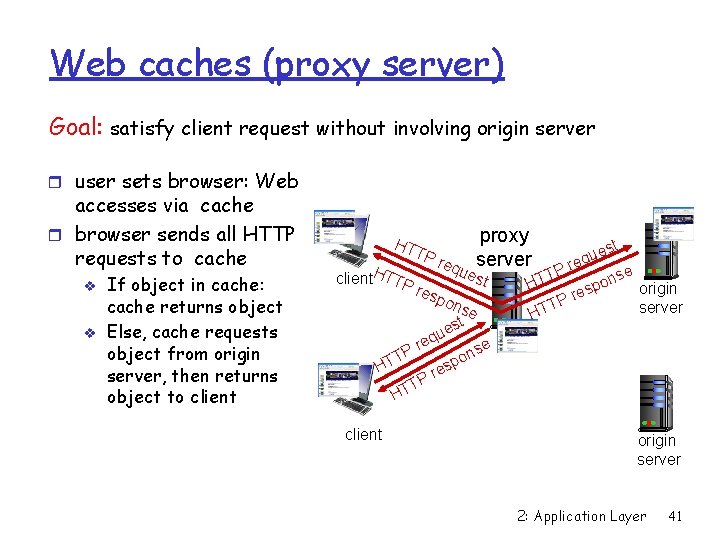
Web caches (proxy server) Goal: satisfy client request without involving origin server r user sets browser: Web accesses via cache r browser sends all HTTP requests to cache v v If object in cache: cache returns object Else, cache requests object from origin server, then returns object to client HT client. HTTP proxy TP req server ue res pon u eq Pr TT H se t es es r TP st st e u req P T se n o HT p origin res P T server HT se n po HT client origin server 2: Application Layer 41
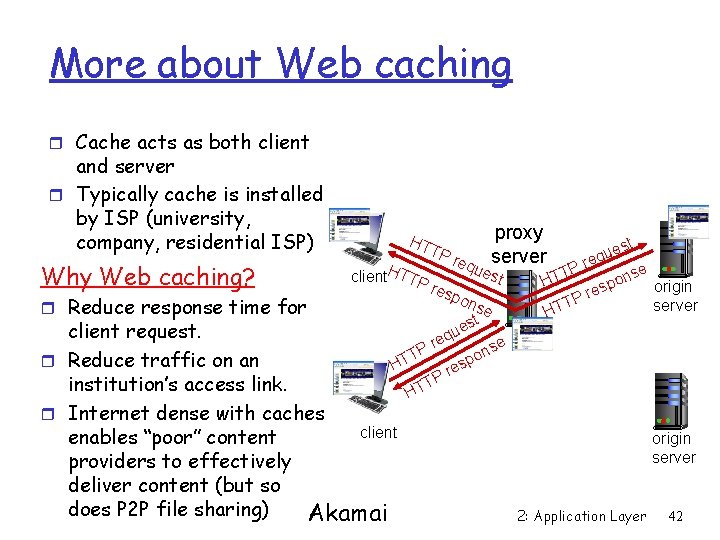
More about Web caching r Cache acts as both client and server r Typically cache is installed by ISP (university, company, residential ISP) Why Web caching? r Reduce response time for HT client. HTTP proxy TP req server ue res pon st se t es u client request. eq r se P n T o p r Reduce traffic on an HT es r TP institution’s access link. HT r Internet dense with caches client enables “poor” content providers to effectively deliver content (but so does P 2 P file sharing) Akamai est u q re P T se n o HT origin esp r TP server HT origin server 2: Application Layer 42
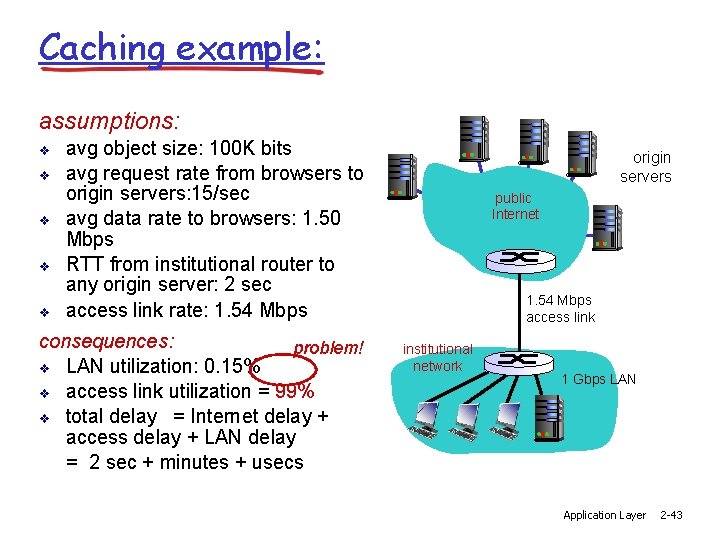
Caching example: assumptions: v v v avg object size: 100 K bits avg request rate from browsers to origin servers: 15/sec avg data rate to browsers: 1. 50 Mbps RTT from institutional router to any origin server: 2 sec access link rate: 1. 54 Mbps consequences: problem! v LAN utilization: 0. 15% v access link utilization = 99% v total delay = Internet delay + access delay + LAN delay = 2 sec + minutes + usecs origin servers public Internet 1. 54 Mbps access link institutional network 1 Gbps LAN Application Layer 2 -43
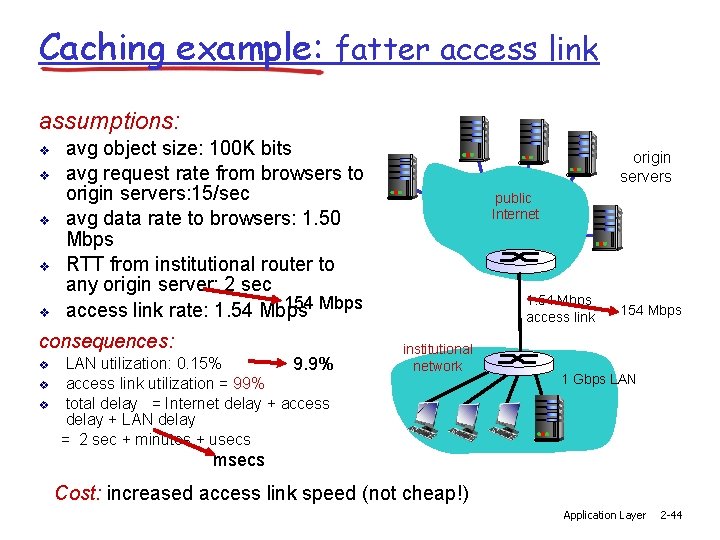
Caching example: fatter access link assumptions: v v v avg object size: 100 K bits avg request rate from browsers to origin servers: 15/sec avg data rate to browsers: 1. 50 Mbps RTT from institutional router to any origin server: 2 sec 154 Mbps access link rate: 1. 54 Mbps consequences: v v v LAN utilization: 0. 15% 9. 9% access link utilization = 99% total delay = Internet delay + access delay + LAN delay = 2 sec + minutes + usecs origin servers public Internet 1. 54 Mbps access link institutional network 154 Mbps 1 Gbps LAN msecs Cost: increased access link speed (not cheap!) Application Layer 2 -44
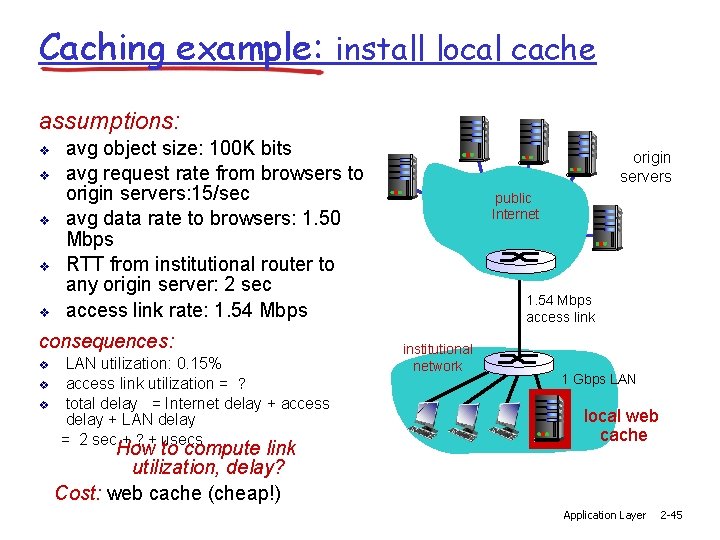
Caching example: install local cache assumptions: v v v avg object size: 100 K bits avg request rate from browsers to origin servers: 15/sec avg data rate to browsers: 1. 50 Mbps RTT from institutional router to any origin server: 2 sec access link rate: 1. 54 Mbps consequences: v v v LAN utilization: 0. 15% access link utilization = ? total delay = Internet delay + access delay + LAN delay = 2 sec + ? + usecs How to compute link utilization, delay? Cost: web cache (cheap!) origin servers public Internet 1. 54 Mbps access link institutional network 1 Gbps LAN local web cache Application Layer 2 -45
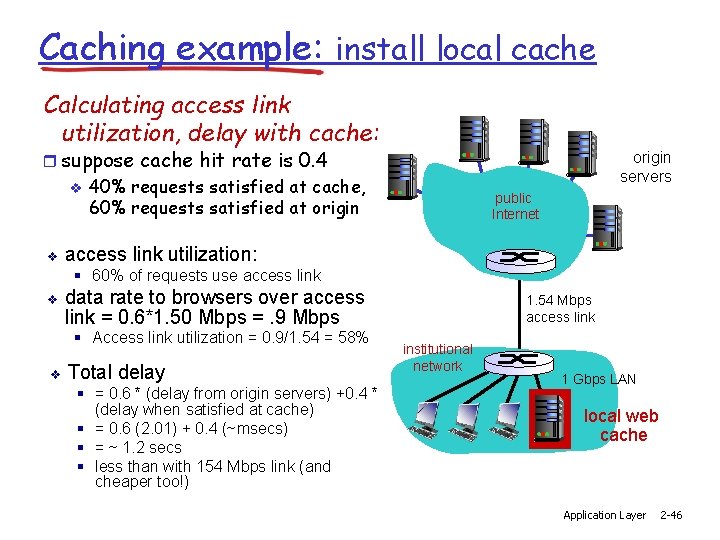
Caching example: install local cache Calculating access link utilization, delay with cache: r suppose cache hit rate is 0. 4 v 40% requests satisfied at cache, 60% requests satisfied at origin v origin servers public Internet access link utilization: § 60% of requests use access link v data rate to browsers over access link = 0. 6*1. 50 Mbps =. 9 Mbps § Access link utilization = 0. 9/1. 54 = 58% v Total delay § = 0. 6 * (delay from origin servers) +0. 4 * (delay when satisfied at cache) § = 0. 6 (2. 01) + 0. 4 (~msecs) § = ~ 1. 2 secs § less than with 154 Mbps link (and cheaper too!) 1. 54 Mbps access link institutional network 1 Gbps LAN local web cache Application Layer 2 -46
Cache Maintained by Browser r Each Browser also keeps caching previously obtained Web contents r If the “back” button is pressed, the local cached version of a page may be displayed instead of a new request being sent to the web server. v You need to click “refresh” or “reload” to let the browser send new requests. r Just like institutional cache, browser cache achieves the similar performance improvement r HTTP protocol helps the caching procedure 2: Application Layer 47
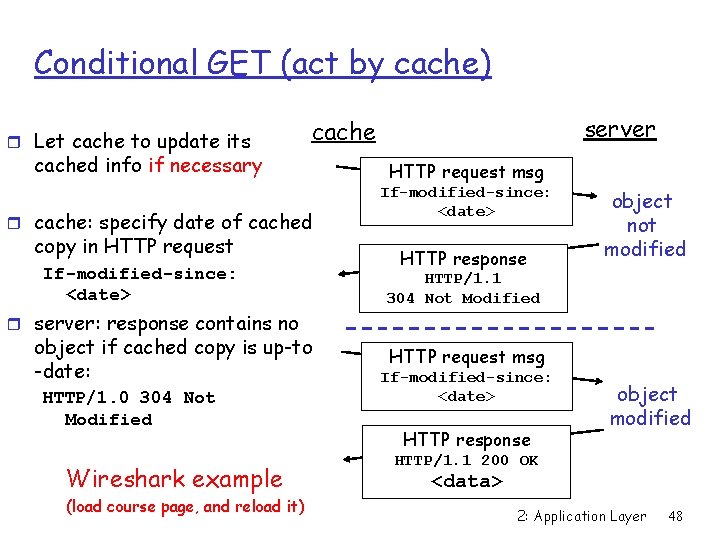
Conditional GET (act by cache) r Let cache to update its server cached info if necessary r cache: specify date of cached copy in HTTP request If-modified-since: <date> HTTP request msg If-modified-since: <date> HTTP response object not modified HTTP/1. 1 304 Not Modified r server: response contains no object if cached copy is up-to -date: HTTP/1. 0 304 Not Modified Wireshark example (load course page, and reload it) HTTP request msg If-modified-since: <date> HTTP response object modified HTTP/1. 1 200 OK <data> 2: Application Layer 48
Expire HTTP Header (act by sever) r Conditional GET v Cache actively keeps its content fresh r Can a sever be responsible for cache refresh? v HTTP header option: Expire v Server tells cache when an object need update v Expires: Fri, 30 Oct 2005 14: 19: 41 GMT 2: Application Layer 49
- Slides: 49