
Chapter 2 3 Basic Elements of Java Chapter
Chapter 2 -3: Basic Elements of Java
Chapter Objectives • Discover how to use arithmetic operators. • Examine how a program evaluates arithmetic expressions. • Learn about type casting. • Become familiar with the String type. • Learn what an assignment statement is and what it does. • Discover how to input data into memory by using input statements. • Become familiar with the use of increment and decrement operators. Java Programming: From Problem Analysis to Program Design, Third Edition • Explore how mixed expressions are evaluated. 2
Chapter Objectives • Examine ways to output results using output statements. • Discover how to create a Java application program. • Explore how to properly structure a program, including using comments to document a program. Java Programming: From Problem Analysis to Program Design, Third Edition • Learn how to import packages and why they are necessary. 3
![Example public class Welcome { public static void main(String [] args) { System. out.](http://slidetodoc.com/presentation_image_h2/ec97abbf1f4e2453ddaf637c2dd53d9b/image-4.jpg "Example public class Welcome { public static void main(String [] args) { System. out.")
Example public class Welcome { public static void main(String [] args) { System. out. print(“Welcome to Java”); } }
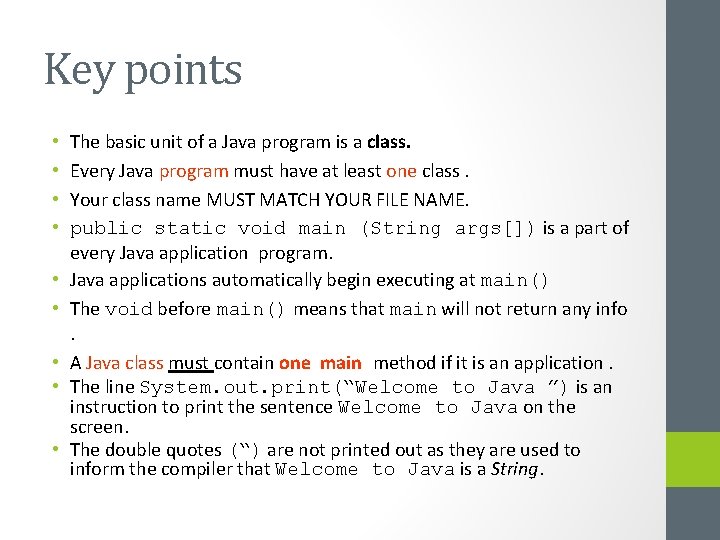
Key points • • • The basic unit of a Java program is a class. Every Java program must have at least one class. Your class name MUST MATCH YOUR FILE NAME. public static void main (String args[]) is a part of every Java application program. Java applications automatically begin executing at main() The void before main() means that main will not return any info. A Java class must contain one main method if it is an application. The line System. out. print(“Welcome to Java ”) is an instruction to print the sentence Welcome to Java on the screen. The double quotes (“) are not printed out as they are used to inform the compiler that Welcome to Java is a String.
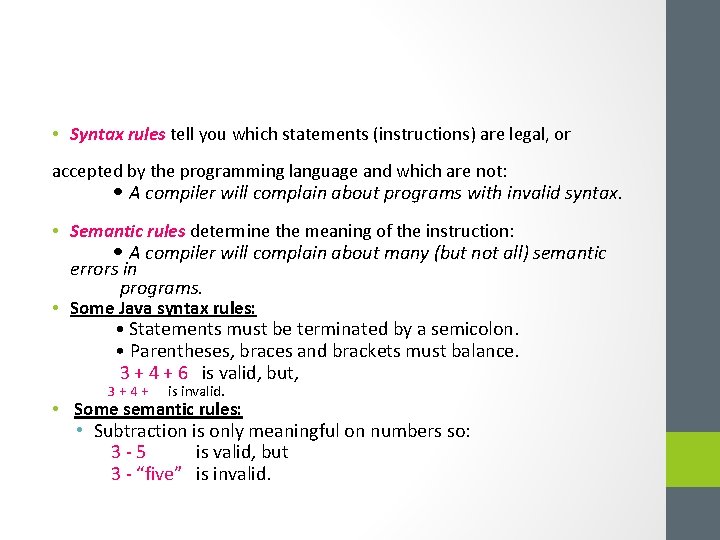
• Syntax rules tell you which statements (instructions) are legal, or accepted by the programming language and which are not: • A compiler will complain about programs with invalid syntax. • Semantic rules determine the meaning of the instruction: • A compiler will complain about many (but not all) semantic errors in programs. • Some Java syntax rules: • Statements must be terminated by a semicolon. • Parentheses, braces and brackets must balance. 3 + 4 + 6 is valid, but, 3+4+ is invalid. • Some semantic rules: • Subtraction is only meaningful on numbers so: 3 -5 is valid, but 3 - “five” is invalid.
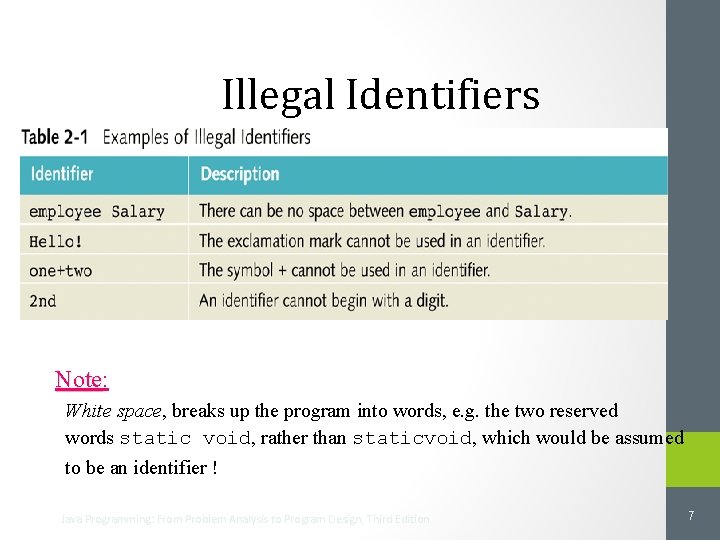
Illegal Identifiers Note: Note White space, space breaks up the program into words, e. g. the two reserved words static void, rather than staticvoid, which would be assumed to be an identifier ! Java Programming: From Problem Analysis to Program Design, Third Edition 7
The Basics of a Java Program • Java program: A collection of classes. • Token: The smallest individual unit of a program. It is either special symbols , word symbols, or identifiers. Java Programming: From Problem Analysis to Program Design, Third Edition • There is a main method in every Java application program. 8
![1. public class Message 2. { 3. public static void main(String[] arg) 4. {](http://slidetodoc.com/presentation_image_h2/ec97abbf1f4e2453ddaf637c2dd53d9b/image-9.jpg "1. public class Message 2. { 3. public static void main(String[] arg) 4. {")
1. public class Message 2. { 3. public static void main(String[] arg) 4. { 5. System. out. println("This is a message"); 6. } 7. } Note: Blank is a special symbol. Java Programming: From Problem Analysis to Program Design, Third Edition Special Symbols 9
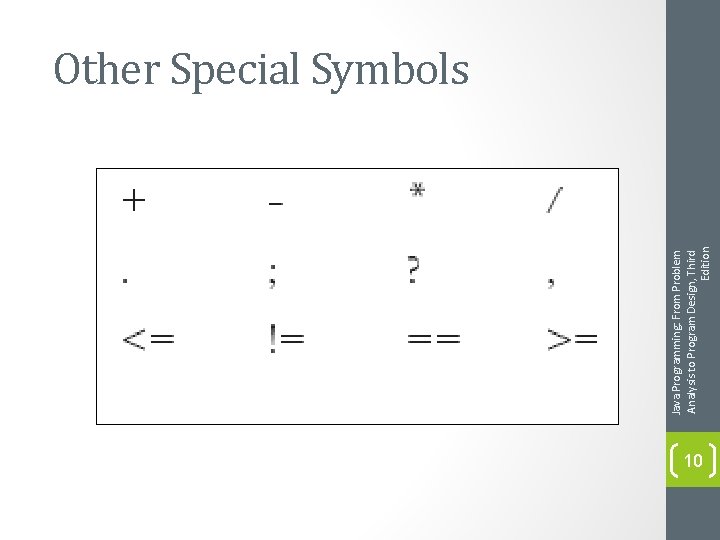
Java Programming: From Problem Analysis to Program Design, Third Edition Other Special Symbols 10
![1. public class Message 2. { 3. public static void main(String[] arg) 4. {](http://slidetodoc.com/presentation_image_h2/ec97abbf1f4e2453ddaf637c2dd53d9b/image-11.jpg "1. public class Message 2. { 3. public static void main(String[] arg) 4. {")
1. public class Message 2. { 3. public static void main(String[] arg) 4. { 5. System. out. println("This is a message"); 6. } 7. } • Also called reserved words or keywords. • They are words that mean something special to Java. • Cannot be redefined. • Always lowercase. • Complete list in Appendix A (second ed. ). Java Programming: From Problem Analysis to Program Design, Third Edition Word Symbols( reserved words) 11
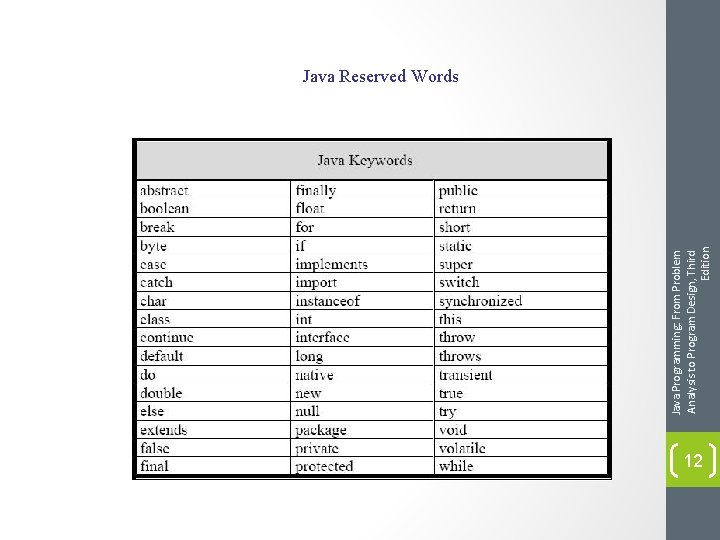
Java Programming: From Problem Analysis to Program Design, Third Edition Java Reserved Words 12
s Java identifiers can be any length. s Unlike reserved words, predefined identifiers can be redefined, but it would not be wise to do so. s Some predefined identifiers: print, println, next. Line • Names should be descriptive: • Message – the name of a program that prints out a message. Java Programming: From Problem Analysis to Program Design, Third Edition Java Identifiers • System. out. println – the name for a part of Java that prints a line of output to the screen. 13
Primitive Data Types char Data Type: • is used to represent single characters. It can represent any key on your keyboard. Ex : ‘a’ , ‘+’, ‘ 7’ • ‘abc’, ‘!=‘ are NOT char value. • Java uses the Unicode character set. • Each character has a predefined order in the set collating sequence • Value 13 = 14 th character = ‘n’= new line • Value 65 ‘A’ • Value 43 ‘+’ • Value 66 ‘B’ • ‘A’ < ‘B’ ; ‘+’ < ‘A’ Java Programming: From Problem Analysis to Program Design, Third Edition Integral data types: s 14
• • • Five arithmetic operators: + addition - subtraction * multiplication / division % mod (modulus) / with integral data types integer results. Both operands for the % operator MUST be integer values. Can’t do 23. 2 % 5 Unary operator: An operator that has one operand. Ex: -5 Binary operator: An operator that has two operands. Ex: 7 - 5 + , - can be unary or binary; *, / , % are always binary. Java Programming: From Problem Analysis to Program Design, Third Edition Arithmetic Operators and Operator Precedence 15
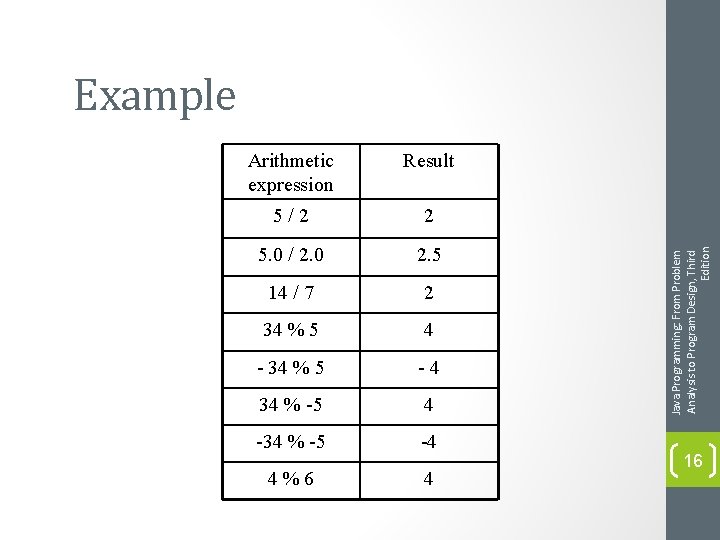
Arithmetic expression Result 5/2 2 5. 0 / 2. 0 2. 5 14 / 7 2 34 % 5 4 - 34 % 5 -4 34 % -5 4 -34 % -5 -4 4%6 4 Java Programming: From Problem Analysis to Program Design, Third Edition Example 16
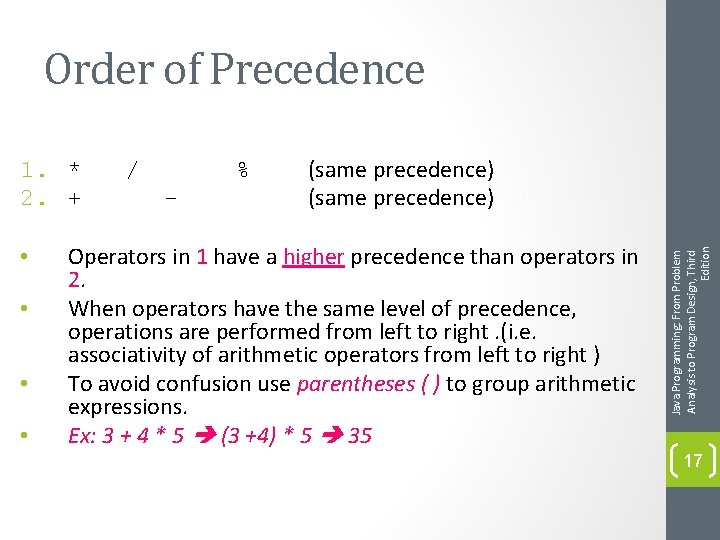
Order of Precedence • • / % - (same precedence) Operators in 1 have a higher precedence than operators in 2. When operators have the same level of precedence, operations are performed from left to right. (i. e. associativity of arithmetic operators from left to right ) To avoid confusion use parentheses ( ) to group arithmetic expressions. Ex: 3 + 4 * 5 (3 +4) * 5 35 Java Programming: From Problem Analysis to Program Design, Third Edition 1. * 2. + 17
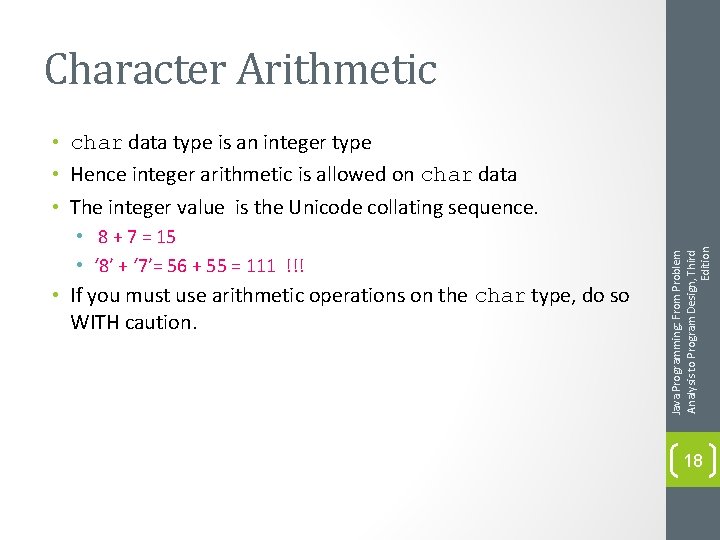
Character Arithmetic • 8 + 7 = 15 • ‘ 8’ + ‘ 7’= 56 + 55 = 111 !!! • If you must use arithmetic operations on the char type, do so WITH caution. Java Programming: From Problem Analysis to Program Design, Third Edition • char data type is an integer type • Hence integer arithmetic is allowed on char data • The integer value is the Unicode collating sequence. 18
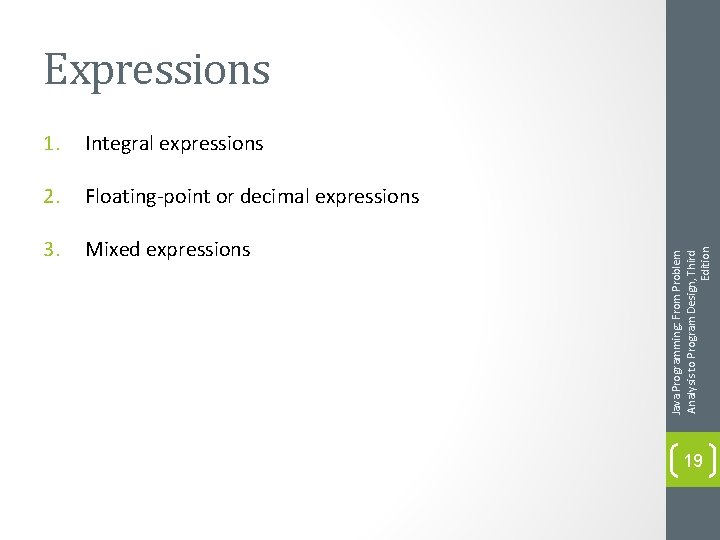
1. Integral expressions 2. Floating-point or decimal expressions 3. Mixed expressions Java Programming: From Problem Analysis to Program Design, Third Edition Expressions 19
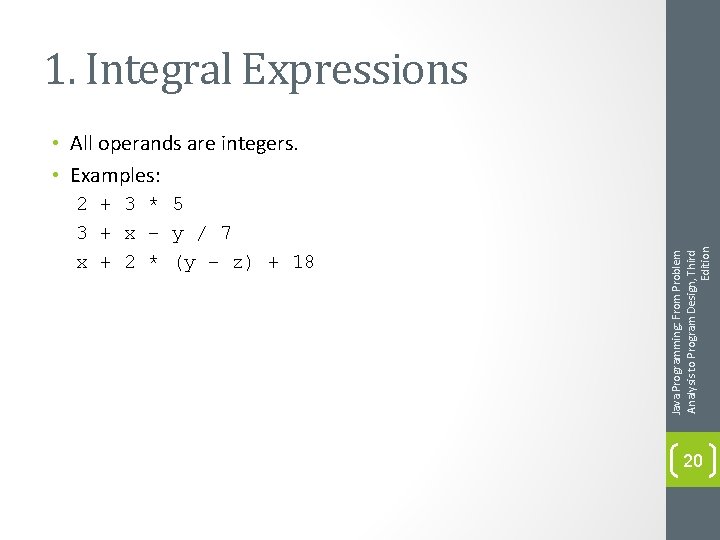
1. Integral Expressions 2 + 3 * 5 3 + x – y / 7 x + 2 * (y – z) + 18 Java Programming: From Problem Analysis to Program Design, Third Edition • All operands are integers. • Examples: 20
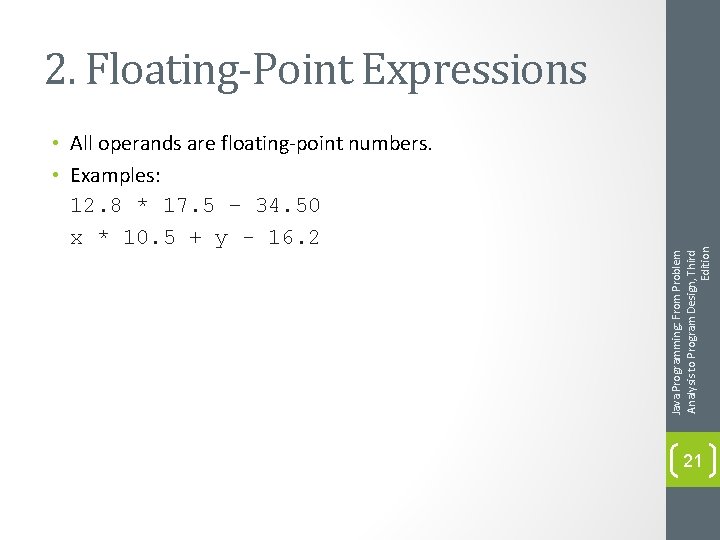
• All operands are floating-point numbers. • Examples: 12. 8 * 17. 5 – 34. 50 x * 10. 5 + y - 16. 2 Java Programming: From Problem Analysis to Program Design, Third Edition 2. Floating-Point Expressions 21
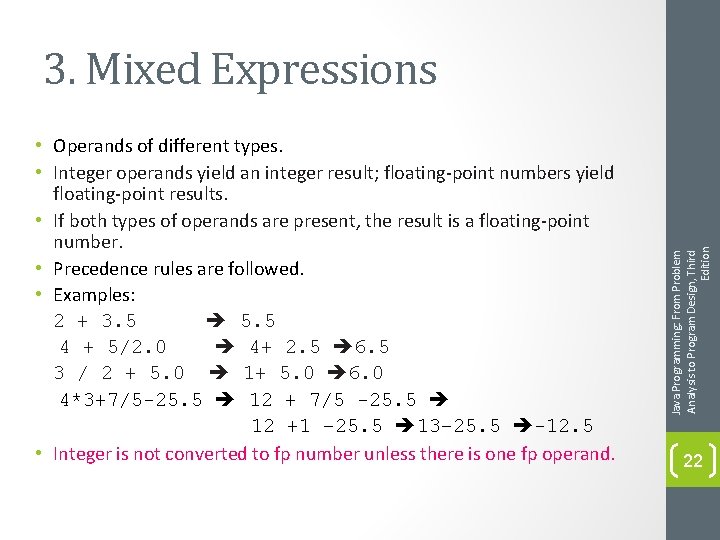
• Operands of different types. • Integer operands yield an integer result; floating-point numbers yield floating-point results. • If both types of operands are present, the result is a floating-point number. • Precedence rules are followed. • Examples: 2 + 3. 5 5. 5 4 + 5/2. 0 4+ 2. 5 6. 5 3 / 2 + 5. 0 1+ 5. 0 6. 0 4*3+7/5 -25. 5 12 + 7/5 -25. 5 12 +1 – 25. 5 13– 25. 5 -12. 5 • Integer is not converted to fp number unless there is one fp operand. Java Programming: From Problem Analysis to Program Design, Third Edition 3. Mixed Expressions 22
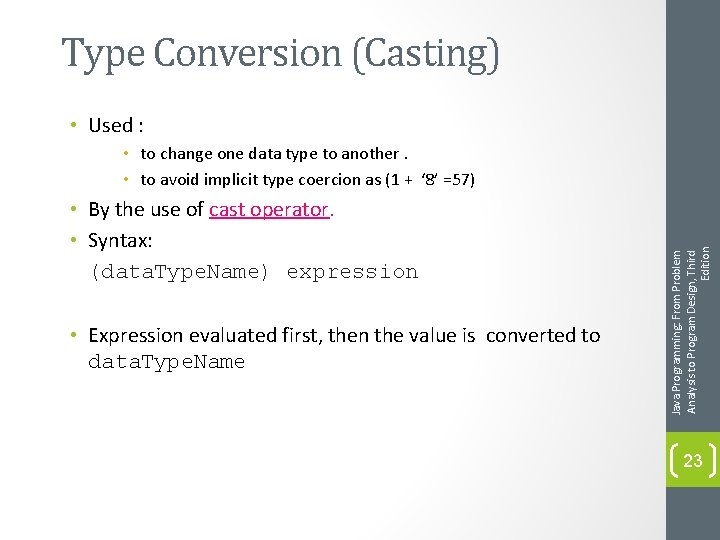
Type Conversion (Casting) • Used : • By the use of cast operator. • Syntax: (data. Type. Name) expression • Expression evaluated first, then the value is converted to data. Type. Name Java Programming: From Problem Analysis to Program Design, Third Edition • to change one data type to another. • to avoid implicit type coercion as (1 + ‘ 8’ =57) 23
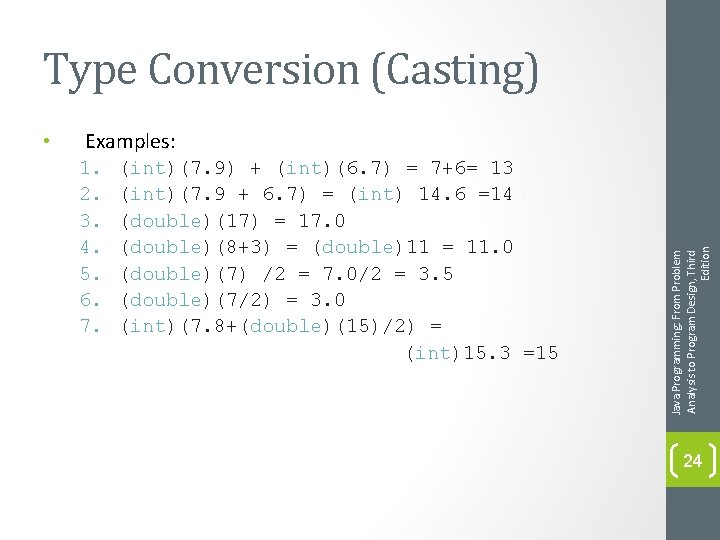
Type Conversion (Casting) Examples: 1. 2. 3. 4. 5. 6. 7. (int)(7. 9) + (int)(6. 7) = 7+6= 13 (int)(7. 9 + 6. 7) = (int) 14. 6 =14 (double)(17) = 17. 0 (double)(8+3) = (double)11 = 11. 0 (double)(7) /2 = 7. 0/2 = 3. 5 (double)(7/2) = 3. 0 (int)(7. 8+(double)(15)/2) = (int)15. 3 =15 Java Programming: From Problem Analysis to Program Design, Third Edition • 24
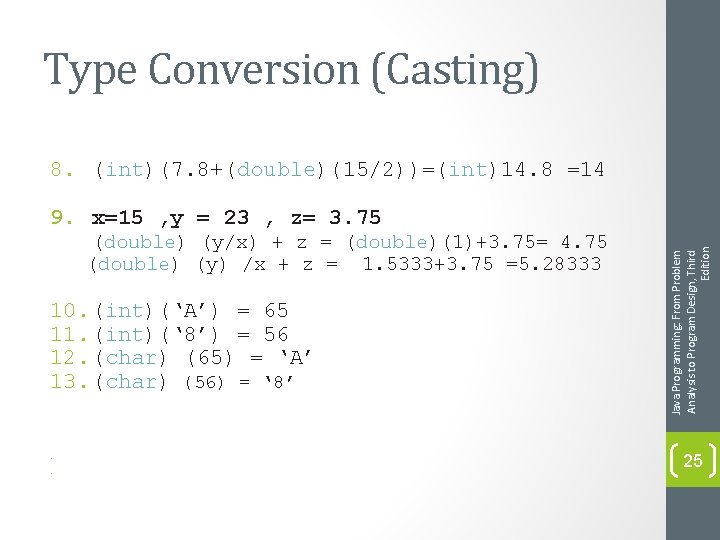
Type Conversion (Casting) 8. (int)(7. 8+(double)(15/2))=(int)14. 8 =14 (double) (y/x) + z = (double)(1)+3. 75= 4. 75 (double) (y) /x + z = 1. 5333+3. 75 =5. 28333 10. (int)(‘A’) = 65 11. (int)(‘ 8’) = 56 12. (char) (65) = ‘A’ 13. (char) (56) = ‘ 8’ • • Java Programming: From Problem Analysis to Program Design, Third Edition 9. x=15 , y = 23 , z= 3. 75 25
• We've seen almost all of the primitive types in use. • Java also defines a lot of types in addition to the primitive types. • Let's say you want a value to which is more than one character. In English we'd call this a string. But there is NO string primitive type!! • In Java, there is a class called String. It provides a lot of methods that allow you to manipulate sequences of characters. • A type that comes from a class always starts with a capital letter (String). • Have you noticed that all primitive type names start with lower case letters? (int, short, long, double, float, byte, char. . . ) Java Programming: From Problem Analysis to Program Design, Third Edition The class String 26
The class String • • • Sequence of zero or more characters. Enclosed in double quotation marks ““. Is processed as a single unit. Null or empty strings have no characters. ““ Every character in a string has a relative position in that string , the first character is in position 0. Java Programming: From Problem Analysis to Program Design, Third Edition • Contains operations to manipulate strings. • String: 27
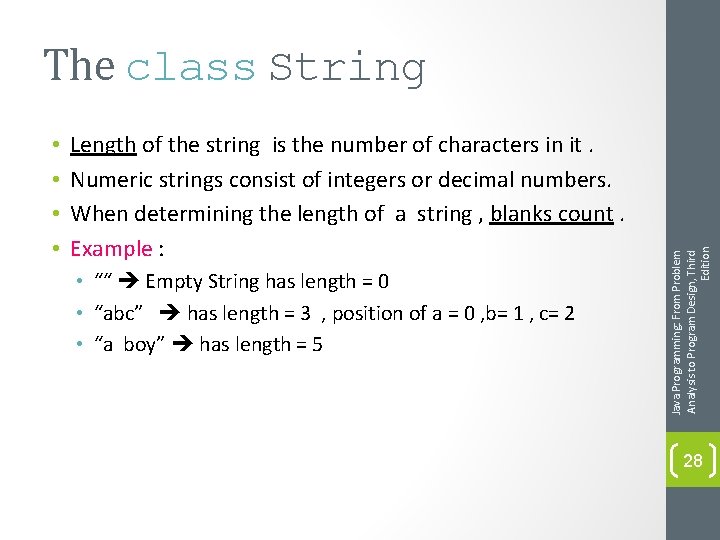
• • Length of the string is the number of characters in it. Numeric strings consist of integers or decimal numbers. When determining the length of a string , blanks count. Example : • ““ Empty String has length = 0 • “abc” has length = 3 , position of a = 0 , b= 1 , c= 2 • “a boy” has length = 5 Java Programming: From Problem Analysis to Program Design, Third Edition The class String 28
The class String • String: “William Jacob” • Position of ‘W’: • Position of second ‘i’: • Position of ‘ ‘: • Length of the Sting: Java Programming: From Problem Analysis to Program Design, Third Edition • More examples: 29
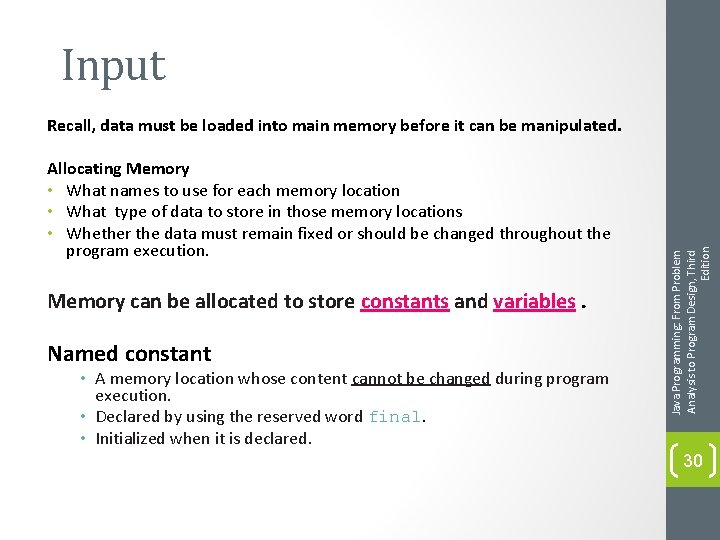
Input Allocating Memory • What names to use for each memory location • What type of data to store in those memory locations • Whether the data must remain fixed or should be changed throughout the program execution. Memory can be allocated to store constants and variables. Named constant • A memory location whose content cannot be changed during program execution. • Declared by using the reserved word final. • Initialized when it is declared. Java Programming: From Problem Analysis to Program Design, Third Edition Recall, data must be loaded into main memory before it can be manipulated. 30
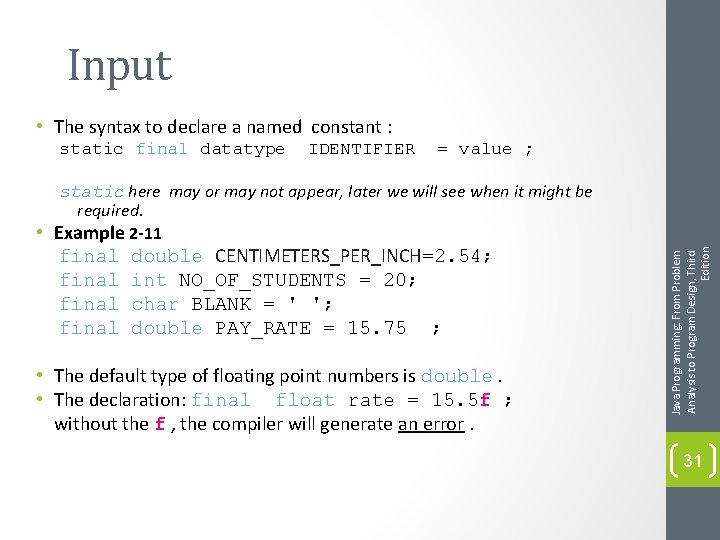
Input • The syntax to declare a named constant : static final datatype IDENTIFIER = value ; final double CENTIMETERS_PER_INCH=2. 54; int NO_OF_STUDENTS = 20; char BLANK = ' '; double PAY_RATE = 15. 75 ; • The default type of floating point numbers is double. • The declaration: final float rate = 15. 5 f ; without the f , the compiler will generate an error. Java Programming: From Problem Analysis to Program Design, Third Edition static here may or may not appear, later we will see when it might be required. • Example 2 -11 31
Input • If the fixed data changes, no need to edit the entire program. • Avoid typing the same value again and again. Java Programming: From Problem Analysis to Program Design, Third Edition Why using constants? 32
Input • A memory location whose content may change during program execution. • Must be declared before it can be used. • Java programmers typically use lowercase letters to declare variables. • If new value is assigned, old one is destroyed. • Syntax: data. Type identifier 1, identifier 2, …, identifier. N; Example 2 -12 double int char int amount. Due; counter; ch; x, y; Java Programming: From Problem Analysis to Program Design, Third Edition Variable (name, value, data type, size) 33
Input Putting data into Variables: 1. 2. an assignment statement (=) an input (read) statement. Java Programming: From Problem Analysis to Program Design, Third Edition Two common ways to place data into a variable are: 34
The Assignment Statement • Syntax: variable = expression; • Value of expression should match the data type of the variable. • Expression on right is evaluated, value is assigned to variable on the left. • Java is strongly typed; you cannot assign a value to a variable that is not compatible with its data type. • Associativity of assignment operator is from right to left. Example: x = y = z ; Java Programming: From Problem Analysis to Program Design, Third Edition Input 35
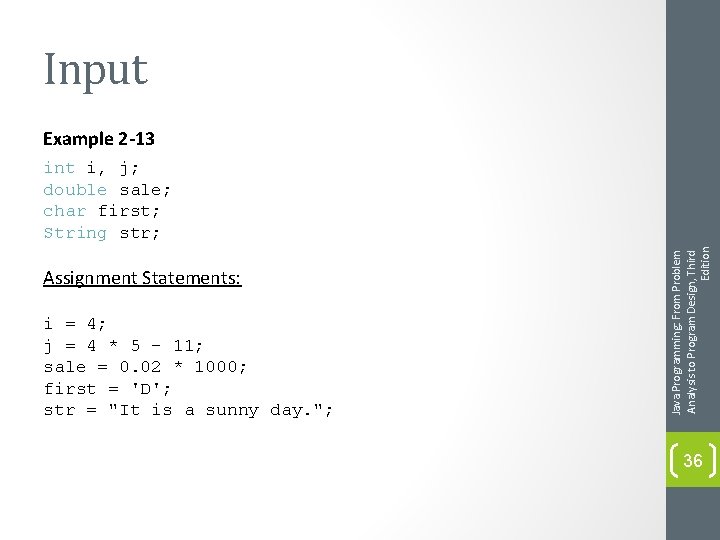
Input Example 2 -13 Assignment Statements: i = 4; j = 4 * 5 - 11; sale = 0. 02 * 1000; first = 'D'; str = "It is a sunny day. "; Java Programming: From Problem Analysis to Program Design, Third Edition int i, j; double sale; char first; String str; 36
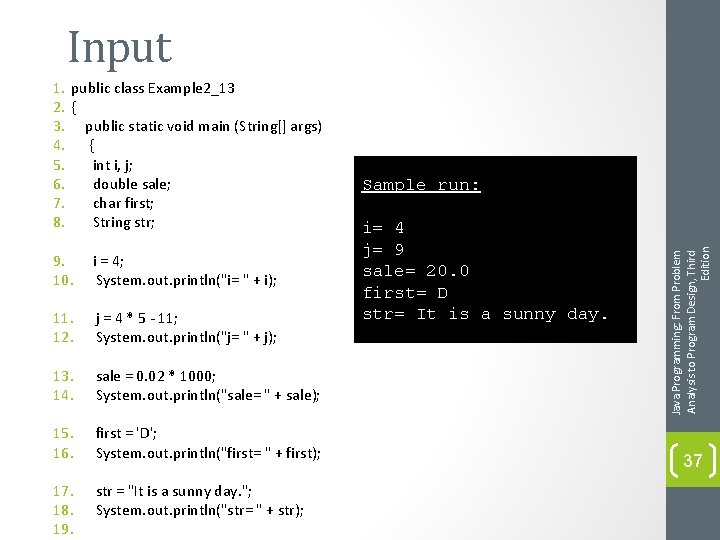
Input 9. 10. i = 4; System. out. println("i= " + i); 11. 12. j = 4 * 5 - 11; System. out. println("j= " + j); 13. 14. sale = 0. 02 * 1000; System. out. println("sale= " + sale); 15. 16. first = 'D'; System. out. println("first= " + first); 17. 18. 19. str = "It is a sunny day. "; System. out. println("str= " + str); Sample run: i= 4 j= 9 sale= 20. 0 first= D str= It is a sunny day. Java Programming: From Problem Analysis to Program Design, Third Edition 1. public class Example 2_13 2. { 3. public static void main (String[] args) 4. { 5. int i, j; 6. double sale; 7. char first; 8. String str; 37
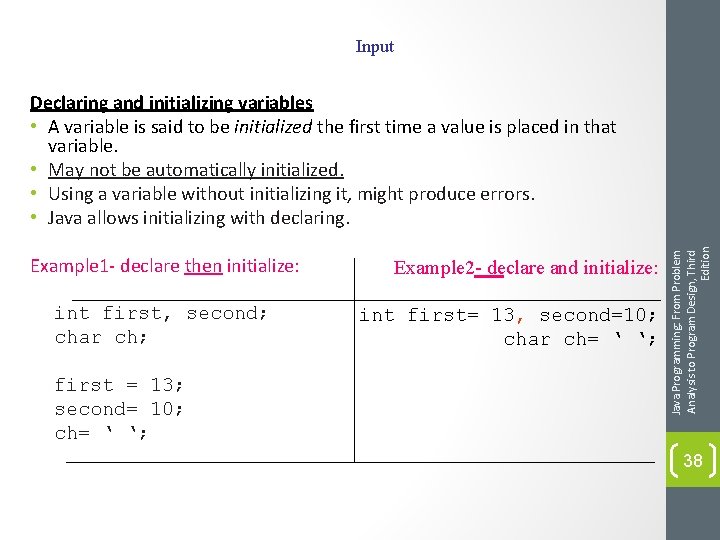
Input Example 1 - declare then initialize: int first, second; char ch; first = 13; second= 10; ch= ‘ ‘; Example 2 - declare and initialize: int first= 13, second=10; char ch= ‘ ‘; Java Programming: From Problem Analysis to Program Design, Third Edition Declaring and initializing variables • A variable is said to be initialized the first time a value is placed in that variable. • May not be automatically initialized. • Using a variable without initializing it, might produce errors. • Java allows initializing with declaring. 38
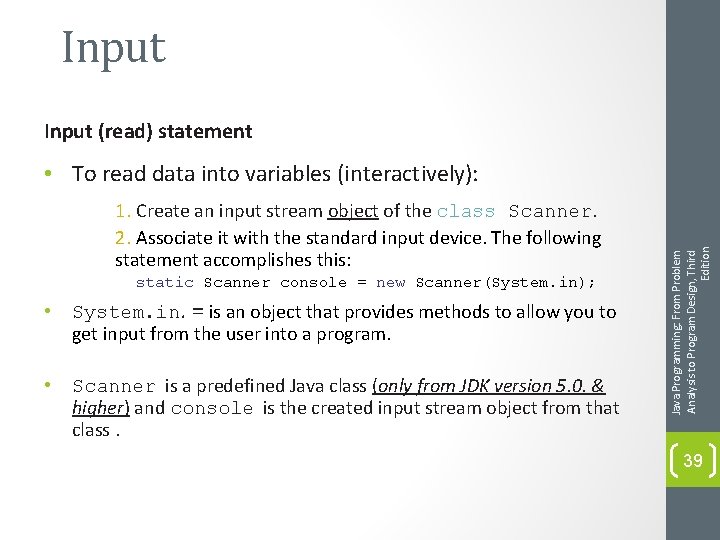
Input (read) statement 1. Create an input stream object of the class Scanner. 2. Associate it with the standard input device. The following statement accomplishes this: static Scanner console = new Scanner(System. in); • System. in. = is an object that provides methods to allow you to get input from the user into a program. • Scanner is a predefined Java class (only from JDK version 5. 0. & higher) and console is the created input stream object from that class. Java Programming: From Problem Analysis to Program Design, Third Edition • To read data into variables (interactively): 39
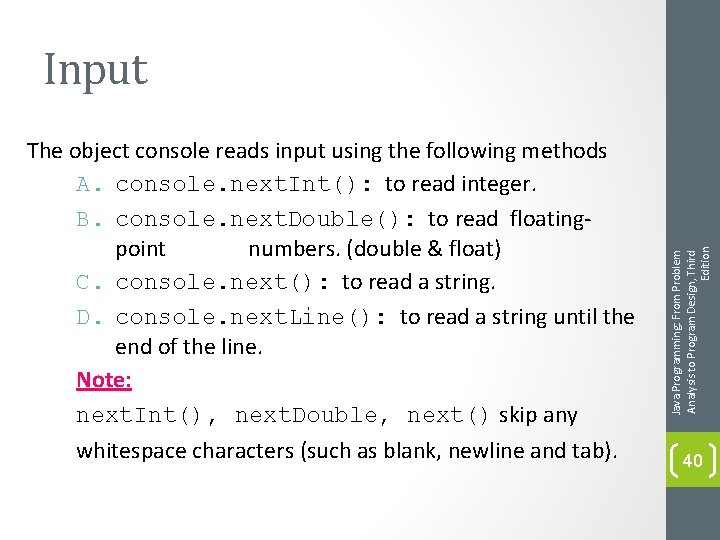
The object console reads input using the following methods A. console. next. Int(): to read integer. B. console. next. Double(): to read floatingpoint numbers. (double & float) C. console. next(): to read a string. D. console. next. Line(): to read a string until the end of the line. Note: next. Int(), next. Double, next() skip any whitespace characters (such as blank, newline and tab). Java Programming: From Problem Analysis to Program Design, Third Edition Input 40
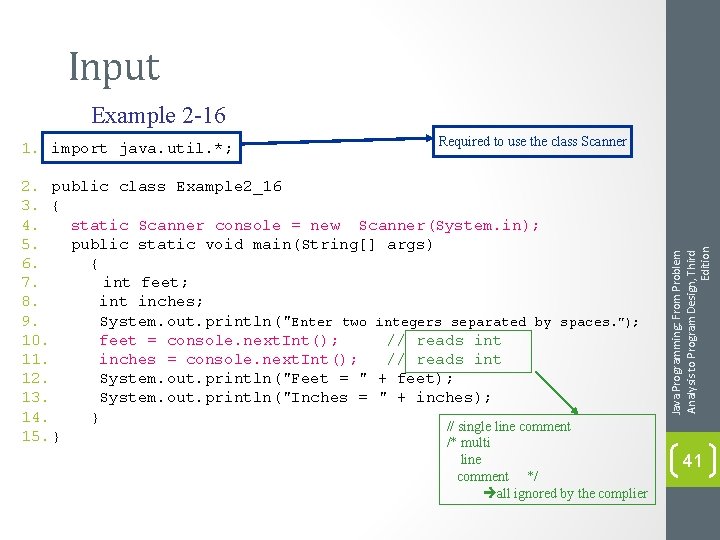
Input Example 2 -16 Required to use the class Scanner 2. public class Example 2_16 3. { 4. static Scanner console = new Scanner(System. in); 5. public static void main(String[] args) 6. { 7. int feet; 8. int inches; 9. System. out. println("Enter two integers separated by spaces. "); 10. feet = console. next. Int(); // reads int 11. inches = console. next. Int(); // reads int 12. System. out. println("Feet = " + feet); 13. System. out. println("Inches = " + inches); 14. } // single line comment 15. } /* multi line comment */ all ignored by the complier Java Programming: From Problem Analysis to Program Design, Third Edition 1. import java. util. *; 41
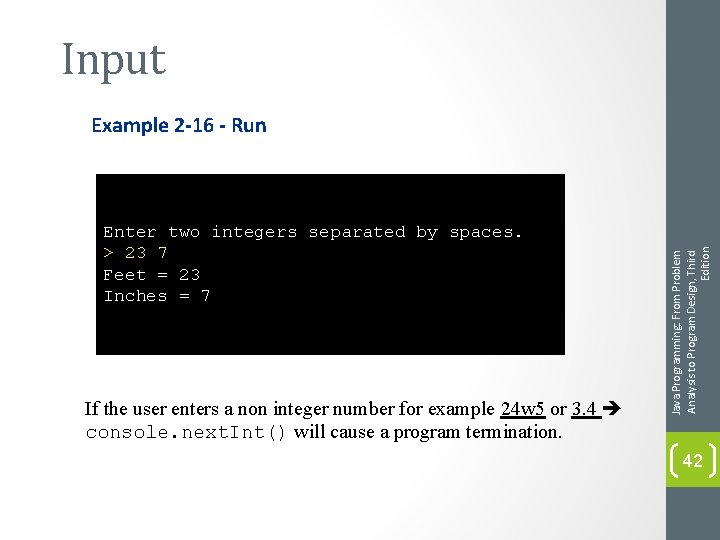
Input Enter two integers separated by spaces. > 23 7 Feet = 23 Inches = 7 If the user enters a non integer number for example 24 w 5 or 3. 4 console. next. Int() will cause a program termination. Java Programming: From Problem Analysis to Program Design, Third Edition Example 2 -16 - Run 42
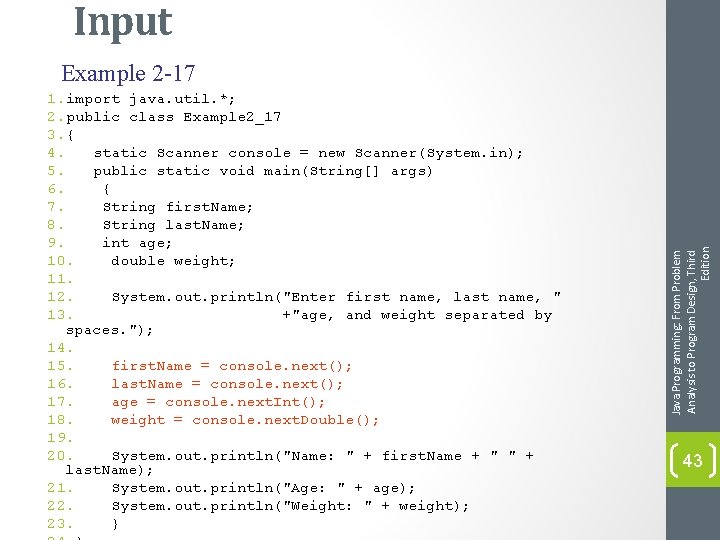
Input 1. import java. util. *; 2. public class Example 2_17 3. { 4. static Scanner console = new Scanner(System. in); 5. public static void main(String[] args) 6. { 7. String first. Name; 8. String last. Name; 9. int age; 10. double weight; 11. 12. System. out. println("Enter first name, last name, " 13. +"age, and weight separated by spaces. "); 14. 15. first. Name = console. next(); 16. last. Name = console. next(); 17. age = console. next. Int(); 18. weight = console. next. Double(); 19. 20. System. out. println("Name: " + first. Name + " " + last. Name); 21. System. out. println("Age: " + age); 22. System. out. println("Weight: " + weight); 23. } Java Programming: From Problem Analysis to Program Design, Third Edition Example 2 -17 43
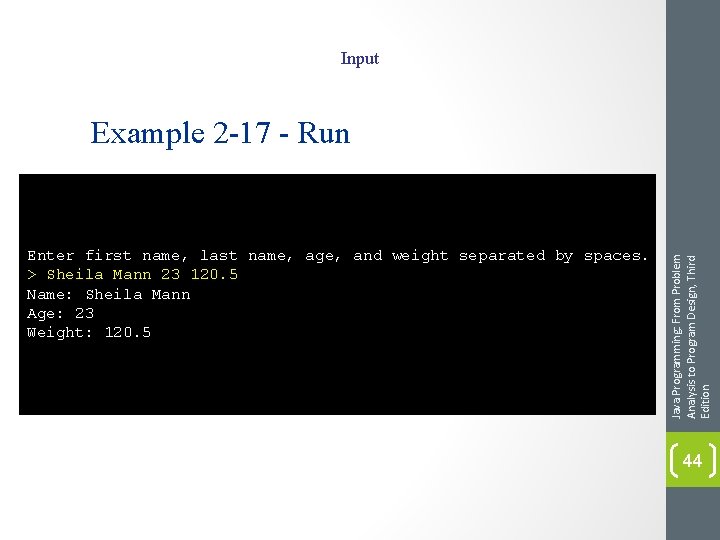
Input Enter first name, last name, age, and weight separated by spaces. > Sheila Mann 23 120. 5 Name: Sheila Mann Age: 23 Weight: 120. 5 Java Programming: From Problem Analysis to Program Design, Third Edition Example 2 -17 - Run 44
• When a variable is declared, Java might not automatically put a meaningful value into it. • If you declare a variable and then use it in an expression without first initializing it, when you compile the program you are likely to get an error. Therefore Java allows you to initialize variables while they are being declared. • Consider the following declaration: int feet; You can initialize the variable feet to a value of 35 either by using the assignment statement: feet = 35; or by executing the following statement and entering 35 during program execution: feet = console. next. Int(); Java Programming: From Problem Analysis to Program Design, Third Edition Variable Initialization 45
Input ch = console. next(). char. At(0); Java Programming: From Problem Analysis to Program Design, Third Edition • Reading a Single Character if ch is a char variable. To input A into ch, you can use the following statement: 46
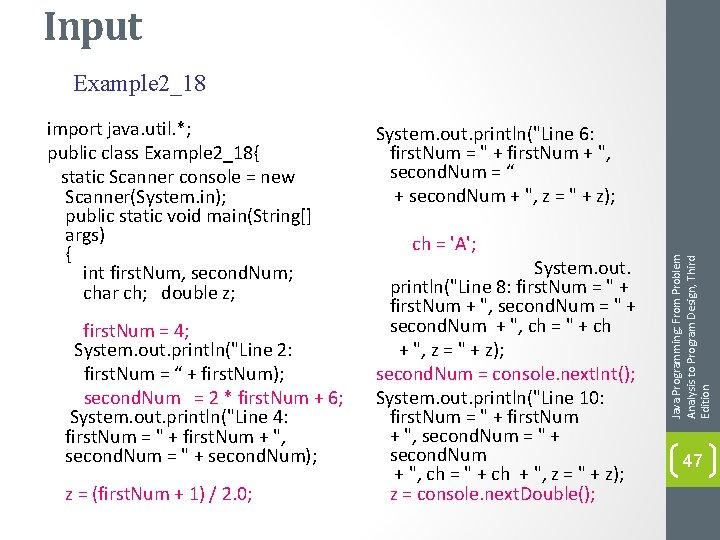
Input Example 2_18 first. Num = 4; System. out. println("Line 2: first. Num = “ + first. Num); second. Num = 2 * first. Num + 6; System. out. println("Line 4: first. Num = " + first. Num + ", second. Num = " + second. Num); z = (first. Num + 1) / 2. 0; System. out. println("Line 6: first. Num = " + first. Num + ", second. Num = “ + second. Num + ", z = " + z); ch = 'A'; System. out. println("Line 8: first. Num = " + first. Num + ", second. Num = " + second. Num + ", ch = " + ch + ", z = " + z); second. Num = console. next. Int(); System. out. println("Line 10: first. Num = " + first. Num + ", second. Num = " + second. Num + ", ch = " + ch + ", z = " + z); z = console. next. Double(); Java Programming: From Problem Analysis to Program Design, Third Edition import java. util. *; public class Example 2_18{ static Scanner console = new Scanner(System. in); public static void main(String[] args) { int first. Num, second. Num; char ch; double z; 47
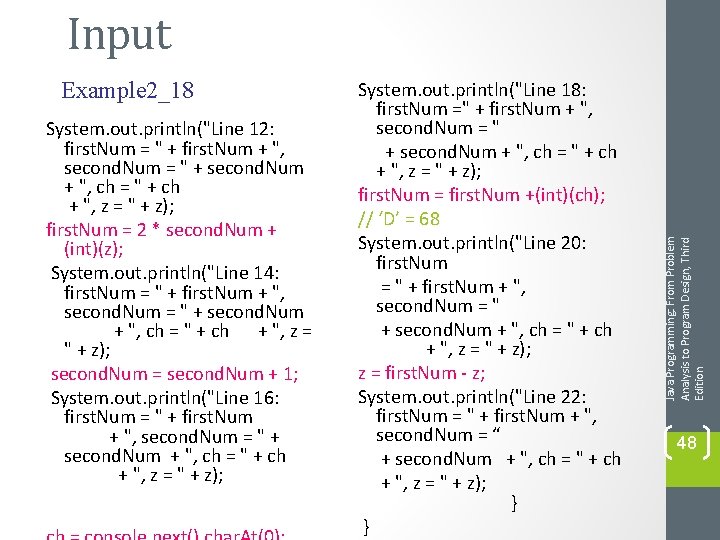
Example 2_18 System. out. println("Line 12: first. Num = " + first. Num + ", second. Num = " + second. Num + ", ch = " + ch + ", z = " + z); first. Num = 2 * second. Num + (int)(z); System. out. println("Line 14: first. Num = " + first. Num + ", second. Num = " + second. Num + ", ch = " + ch + ", z = " + z); second. Num = second. Num + 1; System. out. println("Line 16: first. Num = " + first. Num + ", second. Num = " + second. Num + ", ch = " + ch + ", z = " + z); System. out. println("Line 18: first. Num =" + first. Num + ", second. Num = " + second. Num + ", ch = " + ch + ", z = " + z); first. Num = first. Num +(int)(ch); // ‘D’ = 68 System. out. println("Line 20: first. Num = " + first. Num + ", second. Num = " + second. Num + ", ch = " + ch + ", z = " + z); z = first. Num - z; System. out. println("Line 22: first. Num = " + first. Num + ", second. Num = “ + second. Num + ", ch = " + ch + ", z = " + z); } } Java Programming: From Problem Analysis to Program Design, Third Edition Input 48
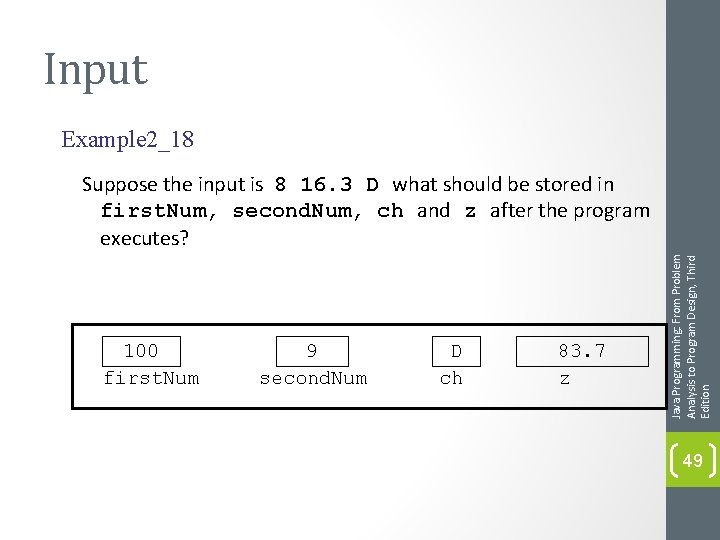
Input Example 2_18 100 first. Num 9 second. Num D ch 83. 7 z Java Programming: From Problem Analysis to Program Design, Third Edition Suppose the input is 8 16. 3 D what should be stored in first. Num, second. Num, ch and z after the program executes? 49
Increment and Decrement Operators • ++ increments the value of its operand by 1. • Syntax: Pre-increment: ++variable Post-increment: variable++ Pre-decrement: --variable Post-decrement: variable-- Java Programming: From Problem Analysis to Program Design, Third Edition • -- decrements the value of its operand by 1. 50
Increment and Decrement Operators • Example : ; // same as count =count+1 • The meaning of pre and post differ when the variable using these operators is used in an expression. • The pre-increment adds 1 to the variable before the expression is evaluated. Similarly, the pre-decrement subtracts 1 from the variable before it is evaluated in an expression while. • The post-increment adds 1 to the variable after the expression is evaluated. Similarly, post-decrement subtracts the value 1 from the variable after the expression is evaluated. Java Programming: From Problem Analysis to Program Design, Third Edition int count =1 ; count ++ ; or ++ count 51
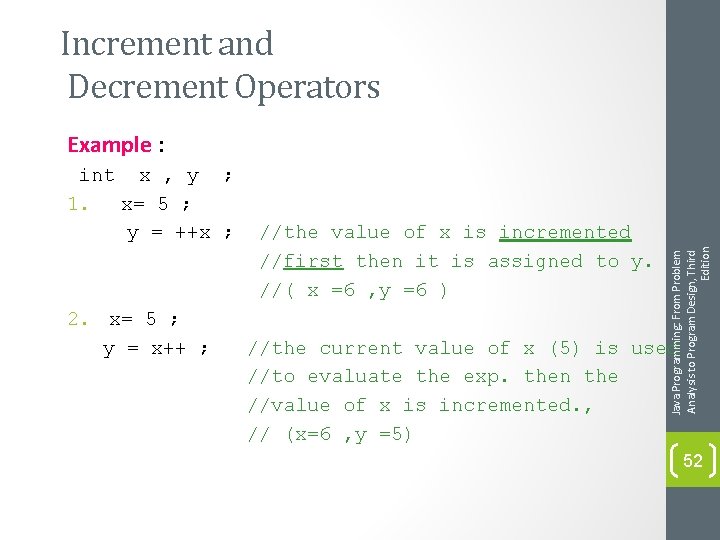
Increment and Decrement Operators int x , y ; 1. x= 5 ; y = ++x ; 2. x= 5 ; y = x++ ; //the value of x is incremented //first then it is assigned to y. //( x =6 , y =6 ) Java Programming: From Problem Analysis to Program Design, Third Edition Example : //the current value of x (5) is used //to evaluate the exp. then the //value of x is incremented. , // (x=6 , y =5) 52
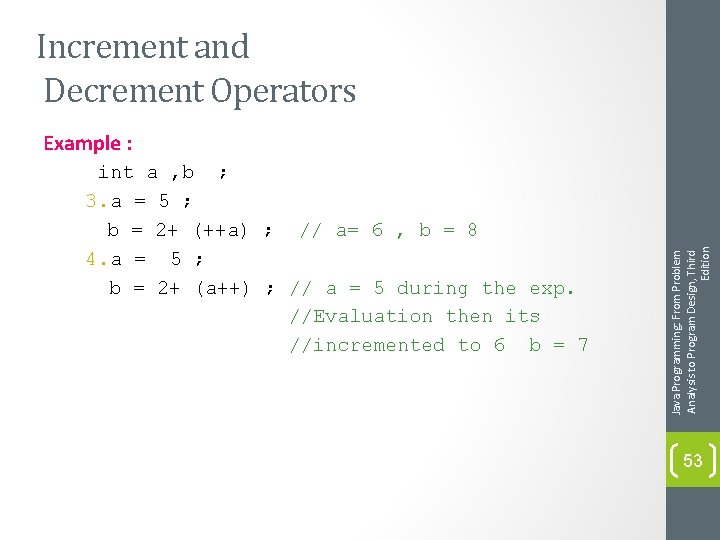
Increment and Decrement Operators int a , b ; 3. a = 5 ; b = 2+ (++a) ; // a= 6 , b = 8 4. a = 5 ; b = 2+ (a++) ; // a = 5 during the exp. //Evaluation then its //incremented to 6 b = 7 Java Programming: From Problem Analysis to Program Design, Third Edition Example : 53
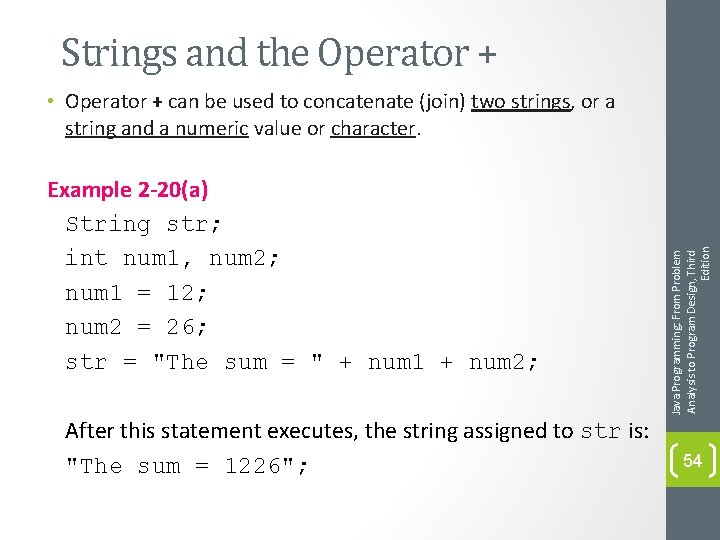
Strings and the Operator + Example 2 -20(a) String str; int num 1, num 2; num 1 = 12; num 2 = 26; str = "The sum = " + num 1 + num 2; After this statement executes, the string assigned to str is: "The sum = 1226"; Java Programming: From Problem Analysis to Program Design, Third Edition • Operator + can be used to concatenate (join) two strings, or a string and a numeric value or character. 54
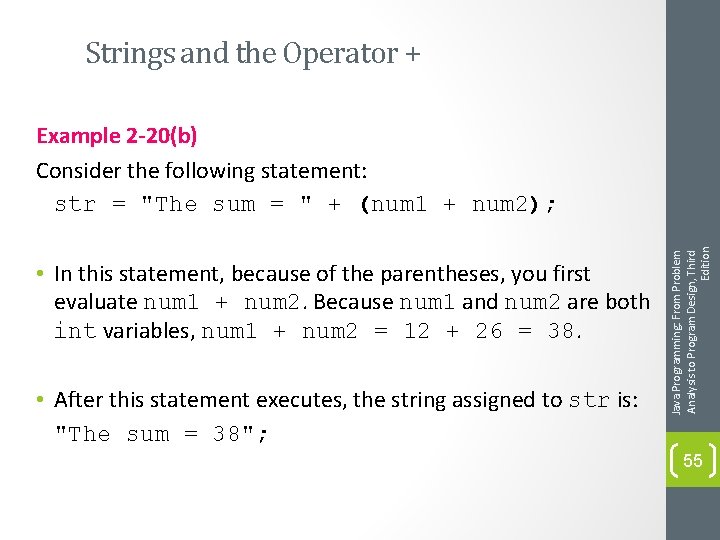
Strings and the Operator + • In this statement, because of the parentheses, you first evaluate num 1 + num 2. Because num 1 and num 2 are both int variables, num 1 + num 2 = 12 + 26 = 38. • After this statement executes, the string assigned to str is: "The sum = 38"; Java Programming: From Problem Analysis to Program Design, Third Edition Example 2 -20(b) Consider the following statement: str = "The sum = " + (num 1 + num 2); 55
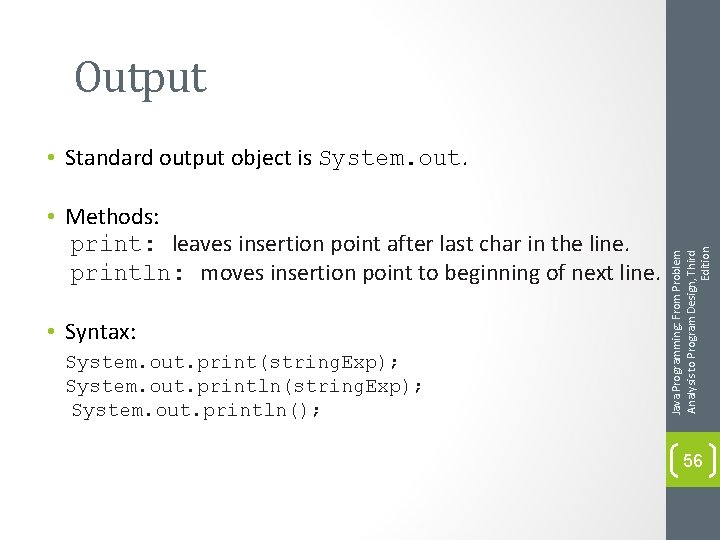
Output • Methods: print: leaves insertion point after last char in the line. println: moves insertion point to beginning of next line. • Syntax: System. out. print(string. Exp); System. out. println(); Java Programming: From Problem Analysis to Program Design, Third Edition • Standard output object is System. out. 56
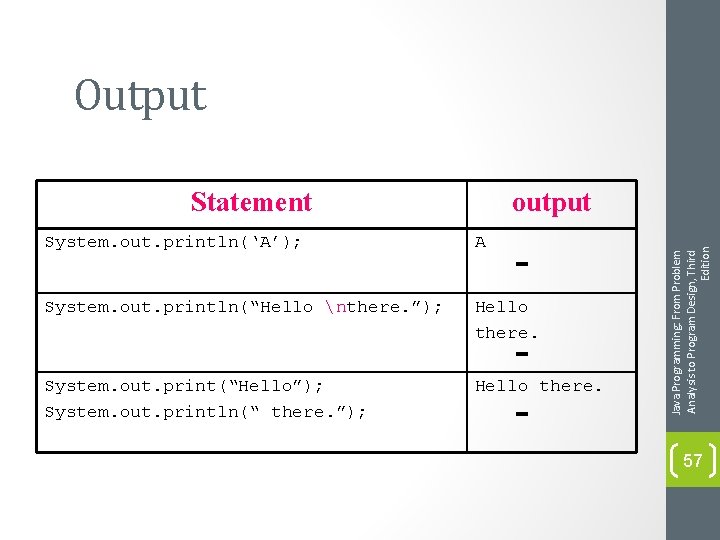
Output output System. out. println(‘A’); A System. out. println(“Hello nthere. ”); Hello there. System. out. print(“Hello”); System. out. println(“ there. ”); Hello there. Java Programming: From Problem Analysis to Program Design, Third Edition Statement 57
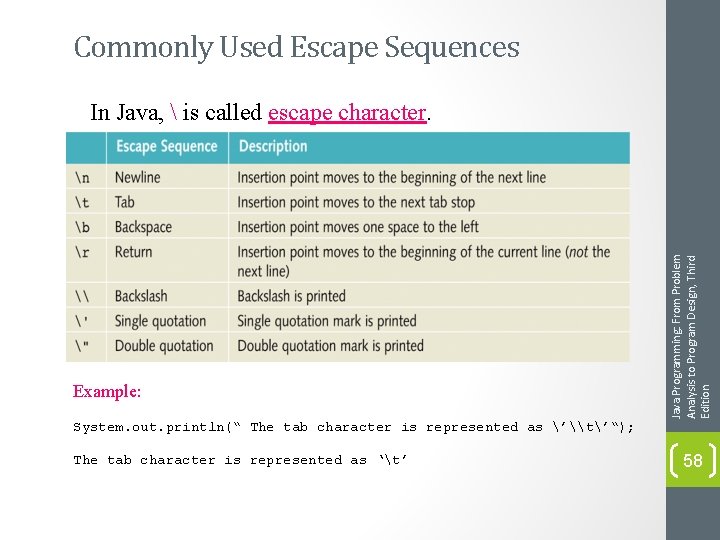
Commonly Used Escape Sequences Example: System. out. println(“ The tab character is represented as ’\t’“); The tab character is represented as ‘t’ Java Programming: From Problem Analysis to Program Design, Third Edition In Java, is called escape character. 58
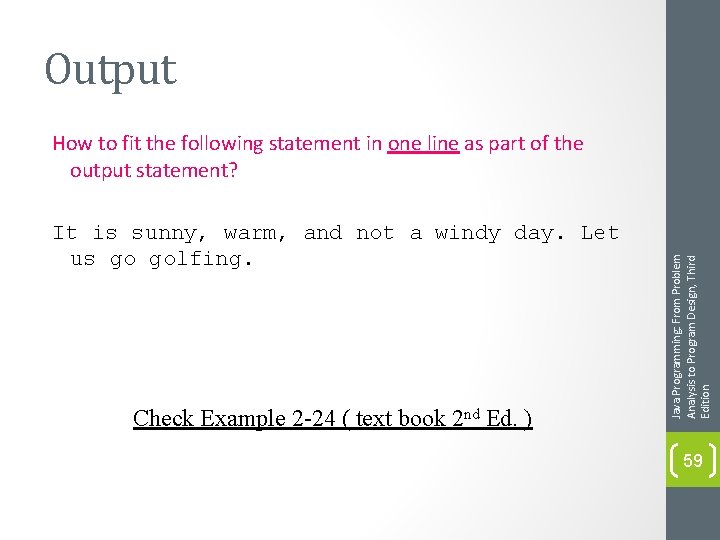
Output It is sunny, warm, and not a windy day. Let us go golfing. Check Example 2 -24 ( text book 2 nd Ed. ) Java Programming: From Problem Analysis to Program Design, Third Edition How to fit the following statement in one line as part of the output statement? 59
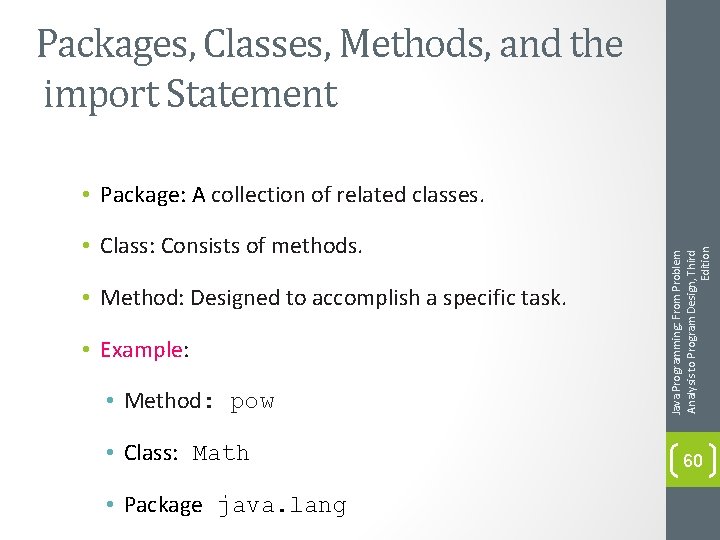
Packages, Classes, Methods, and the import Statement • Class: Consists of methods. • Method: Designed to accomplish a specific task. • Example: • Method: pow • Class: Math • Package java. lang Java Programming: From Problem Analysis to Program Design, Third Edition • Package: A collection of related classes. 60
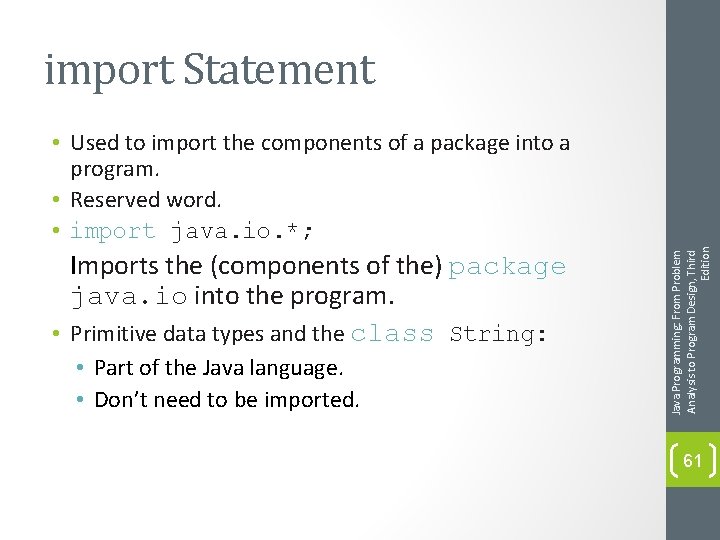
import Statement Imports the (components of the) package java. io into the program. • Primitive data types and the class String: • Part of the Java language. • Don’t need to be imported. Java Programming: From Problem Analysis to Program Design, Third Edition • Used to import the components of a package into a program. • Reserved word. • import java. io. *; 61
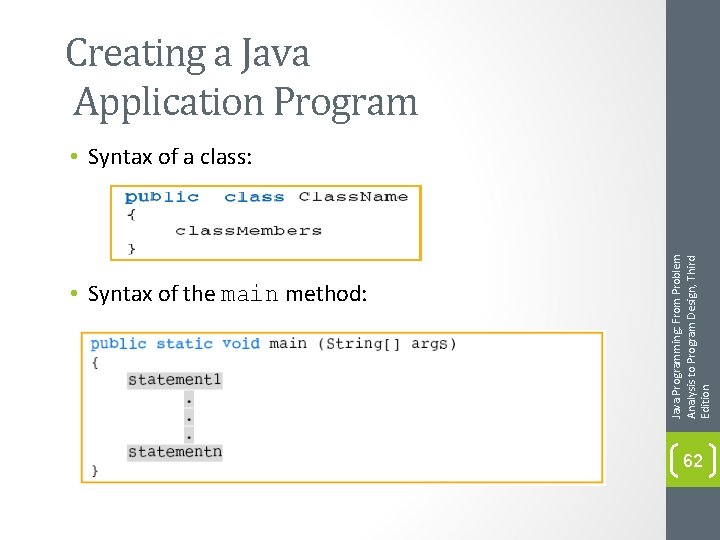
Creating a Java Application Program • Syntax of the main method: Java Programming: From Problem Analysis to Program Design, Third Edition • Syntax of a class: 62
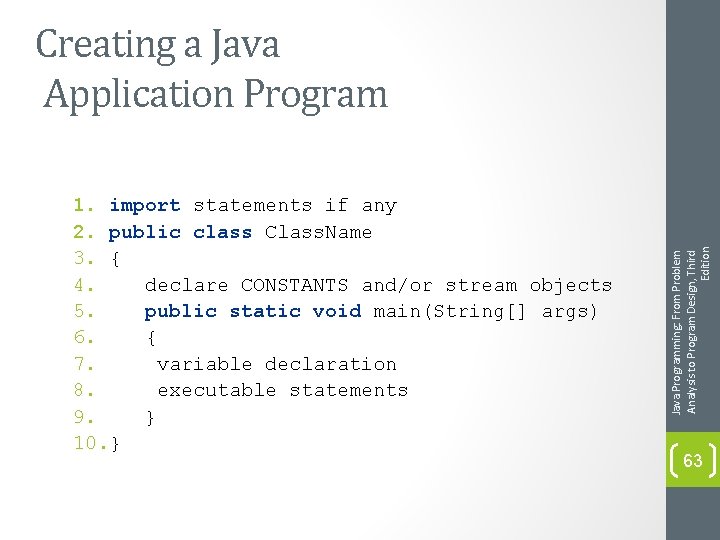
1. import statements if any 2. public class Class. Name 3. { 4. declare CONSTANTS and/or stream objects 5. public static void main(String[] args) 6. { 7. variable declaration 8. executable statements 9. } 10. } Java Programming: From Problem Analysis to Program Design, Third Edition Creating a Java Application Program 63
Programming Style and Form • Know common syntax errors and rules. • Use blanks appropriately. • Important to have well-documented code. • Good practice to follow traditional rules for naming identifiers. • Use prompt lines to inform the user what to do. • Add multi-line comment at the top of a program to briefly explain the program and to give information about the programmer. • Take a look at example 2 -29. Java Programming: From Problem Analysis to Program Design, Third Edition • Use a semicolon as a statement terminator. 64
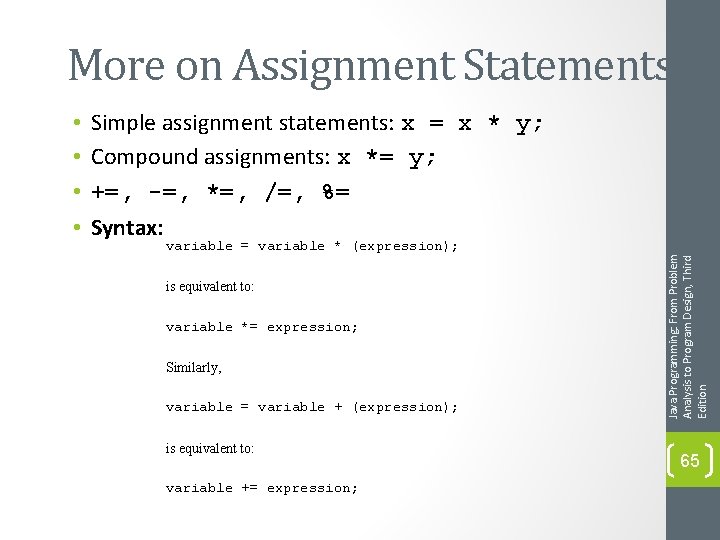
More on Assignment Statements Simple assignment statements: x = x * y; Compound assignments: x *= y; +=, -=, *=, /=, %= Syntax: variable = variable * (expression); is equivalent to: variable *= expression; Similarly, variable = variable + (expression); is equivalent to: variable += expression; Java Programming: From Problem Analysis to Program Design, Third Edition • • 65
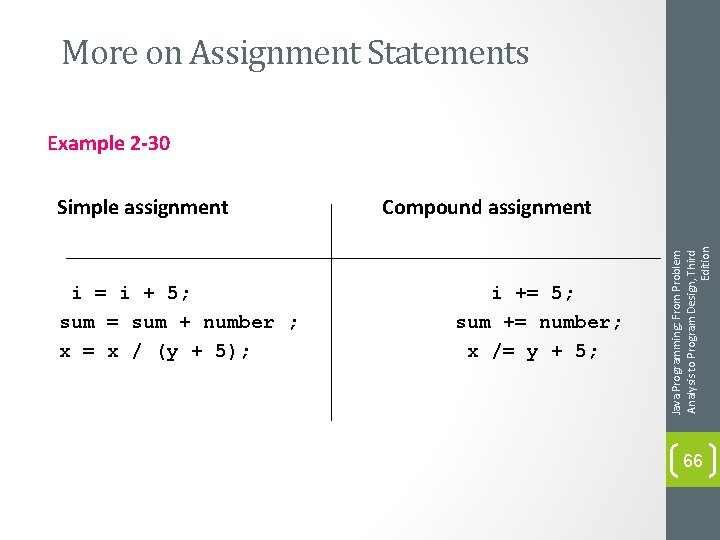
More on Assignment Statements Example 2 -30 i = i + 5; sum = sum + number ; x = x / (y + 5); Compound assignment i += 5; sum += number; x /= y + 5; Java Programming: From Problem Analysis to Program Design, Third Edition Simple assignment 66
Programming Examples • Convert Length program: (Conversion. java) • Input: Length in feet and inches. Java Programming: From Problem Analysis to Program Design, Third Edition • Output: Equivalent length in centimeters. 67
Chapter Summary • • The main method Reserved words Special symbols Expressions Input Output Statements Java Programming: From Problem Analysis to Program Design, Third Edition • Basic elements of a Java program include: 68
Chapter Summary • To create a Java application, it is important to understand: • Syntax rules. • How to manipulate strings and numbers. • How to declare variables and named constants. • How to receive input and display output. • Good programming style and form. Java Programming: From Problem Analysis to Program Design, Third Edition • Semantic rules. 69
- Slides: 69