
Chapter 19 Dynamic HTML Structured Graphics Active X
- Slides: 30
Chapter 19 – Dynamic HTML: Structured Graphics Active. X Control Outline 19. 1 19. 2 19. 3 Introduction Shape Primitives Moving Shapes with Translate 19. 4 19. 5 19. 6 Rotation Mouse Events and External Source Files Scaling 2000 Deitel & Associates, Inc. All rights reserved.
19. 1 Introduction • Structured Graphics Active. X Control – Included with IE 5 – Add with OBJECT tag – Web interface for Direct. Animation subset of Microsoft’s Direct. X software http: //www. microsoft. com/directx/dxm/help/da/default. htm 2000 Deitel & Associates, Inc. All rights reserved.
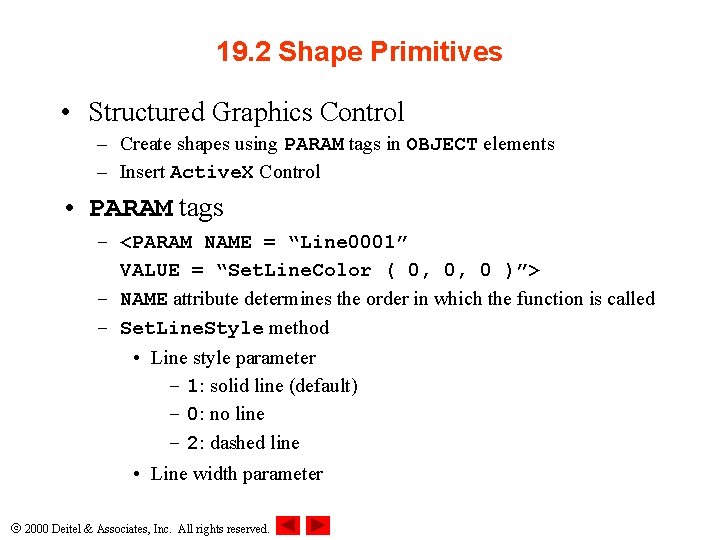
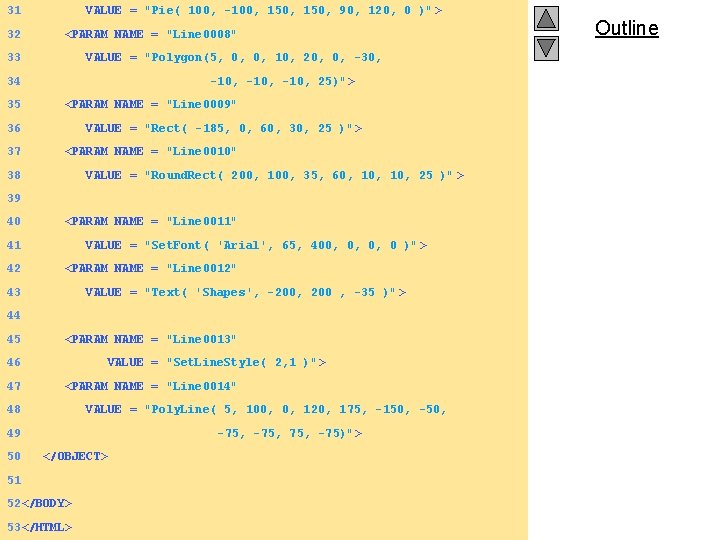
19. 2 Shape Primitives • Structured Graphics Control – Create shapes using PARAM tags in OBJECT elements – Insert Active. X Control • PARAM tags – <PARAM NAME = “Line 0001” VALUE = “Set. Line. Color ( 0, 0, 0 )”> – NAME attribute determines the order in which the function is called – Set. Line. Style method • Line style parameter – 1: solid line (default) – 0: no line – 2: dashed line • Line width parameter 2000 Deitel & Associates, Inc. All rights reserved.
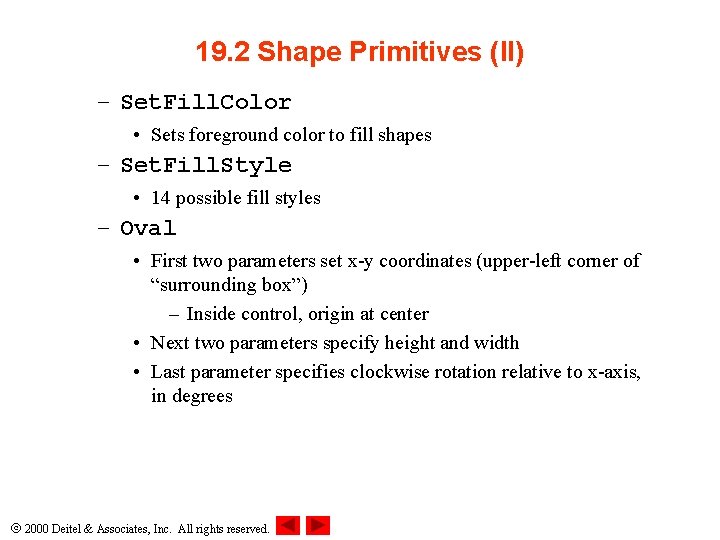
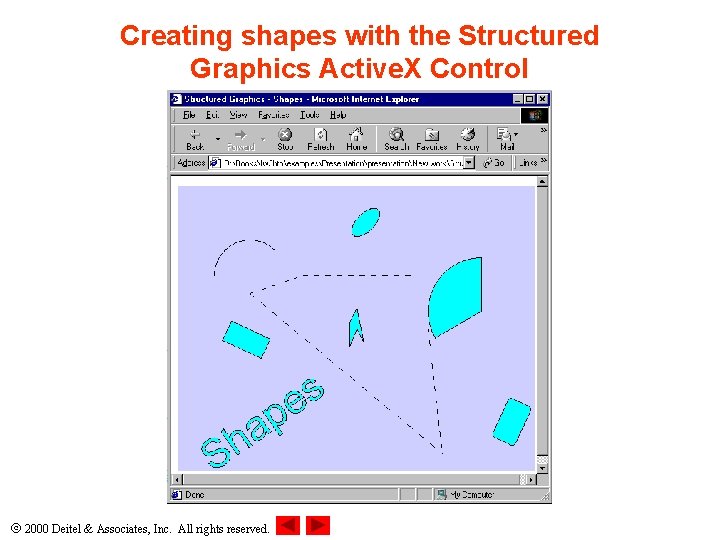
19. 2 Shape Primitives (II) – Set. Fill. Color • Sets foreground color to fill shapes – Set. Fill. Style • 14 possible fill styles – Oval • First two parameters set x-y coordinates (upper-left corner of “surrounding box”) – Inside control, origin at center • Next two parameters specify height and width • Last parameter specifies clockwise rotation relative to x-axis, in degrees 2000 Deitel & Associates, Inc. All rights reserved.
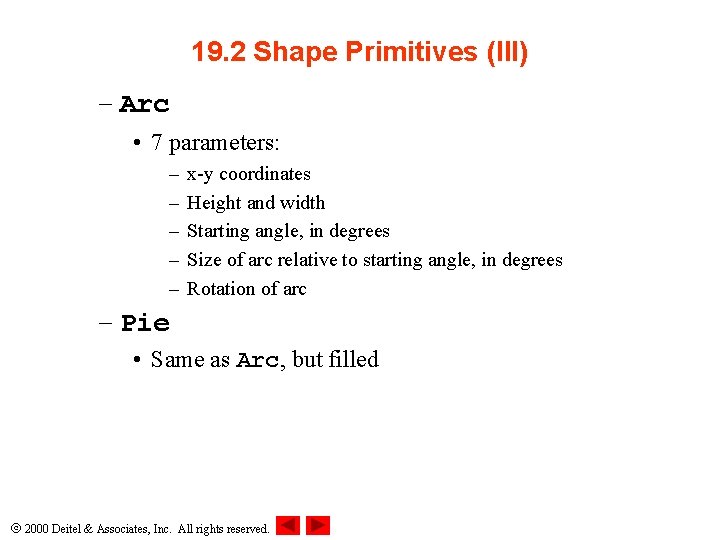
19. 2 Shape Primitives (III) – Arc • 7 parameters: – – – x-y coordinates Height and width Starting angle, in degrees Size of arc relative to starting angle, in degrees Rotation of arc – Pie • Same as Arc, but filled 2000 Deitel & Associates, Inc. All rights reserved.
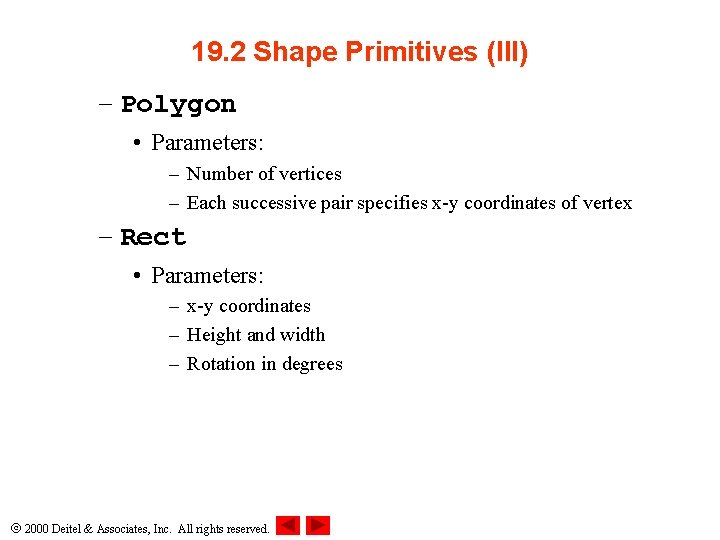
19. 2 Shape Primitives (III) – Polygon • Parameters: – Number of vertices – Each successive pair specifies x-y coordinates of vertex – Rect • Parameters: – x-y coordinates – Height and width – Rotation in degrees 2000 Deitel & Associates, Inc. All rights reserved.
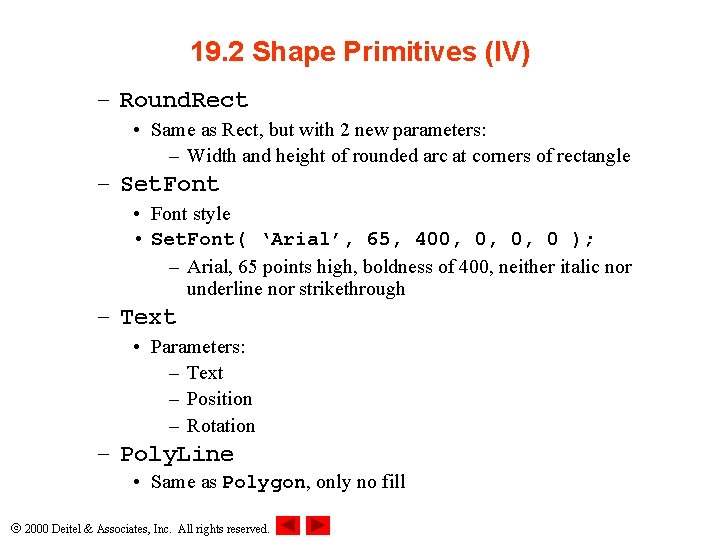
19. 2 Shape Primitives (IV) – Round. Rect • Same as Rect, but with 2 new parameters: – Width and height of rounded arc at corners of rectangle – Set. Font • Font style • Set. Font( ‘Arial’, 65, 400, 0, 0, 0 ); – Arial, 65 points high, boldness of 400, neither italic nor underline nor strikethrough – Text • Parameters: – Text – Position – Rotation – Poly. Line • Same as Polygon, only no fill 2000 Deitel & Associates, Inc. All rights reserved.
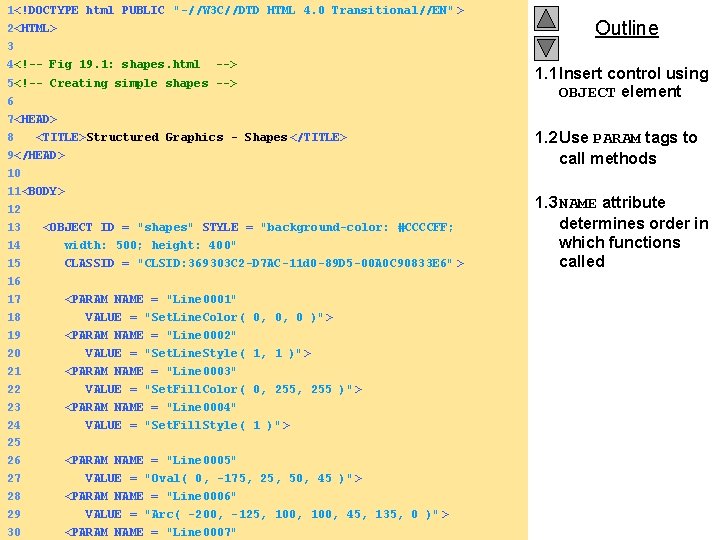
1<!DOCTYPE html PUBLIC "-//W 3 C//DTD HTML 4. 0 Transitional//EN" > 2<HTML> 3 4<!-- Fig 19. 1: shapes. html --> 5<!-- Creating simple shapes --> 6 7<HEAD> 8 <TITLE>Structured Graphics - Shapes </TITLE> 9</HEAD> 10 11<BODY> 12 13 <OBJECT ID = "shapes" STYLE = "background-color: #CCCCFF; 14 width: 500; height: 400" 15 CLASSID = "CLSID: 369303 C 2 -D 7 AC-11 d 0 -89 D 5 -00 A 0 C 90833 E 6" > 16 17 <PARAM NAME = "Line 0001" 18 VALUE = "Set. Line. Color( 0, 0, 0 )" > 19 <PARAM NAME = "Line 0002" 20 VALUE = "Set. Line. Style( 1, 1 )"> 21 <PARAM NAME = "Line 0003" 22 VALUE = "Set. Fill. Color( 0, 255 )" > 23 <PARAM NAME = "Line 0004" 24 VALUE = "Set. Fill. Style( 1 )"> 25 26 <PARAM NAME = "Line 0005" 27 VALUE = "Oval( 0, -175, 25, 50, 45 )" > 28 <PARAM NAME = "Line 0006" 29 VALUE = "Arc( -200, -125, 100, 45, 135, 0 )" > 2000 Deitel & Associates, All rights reserved. 30 <PARAM NAME =Inc. "Line 0007" Outline 1. 1 Insert control using OBJECT element 1. 2 Use PARAM tags to call methods 1. 3 NAME attribute determines order in which functions called
31 32 VALUE = "Pie( 100, -100, 150, 90, 120, 0 )" > <PARAM NAME = "Line 0008" 33 VALUE = "Polygon(5, 0, 0, 10, 20, 0, -30, 34 35 -10, 25)"> <PARAM NAME = "Line 0009" 36 37 VALUE = "Rect( -185, 0, 60, 30, 25 )" > <PARAM NAME = "Line 0010" 38 VALUE = "Round. Rect( 200, 100, 35, 60, 10, 25 )" > 39 40 <PARAM NAME = "Line 0011" 41 42 VALUE = "Set. Font( 'Arial', 65, 400, 0, 0, 0 )" > <PARAM NAME = "Line 0012" 43 VALUE = "Text( 'Shapes', -200, 200 , -35 )" > 44 45 <PARAM NAME = "Line 0013" 46 47 VALUE = "Set. Line. Style( 2, 1 )"> <PARAM NAME = "Line 0014" 48 VALUE = "Poly. Line( 5, 100, 0, 120, 175, -150, -50, 49 50 -75, 75, -75)"> </OBJECT> 51 52</BODY> 53</HTML> 2000 Deitel & Associates, Inc. All rights reserved. Outline
Creating shapes with the Structured Graphics Active. X Control 2000 Deitel & Associates, Inc. All rights reserved.
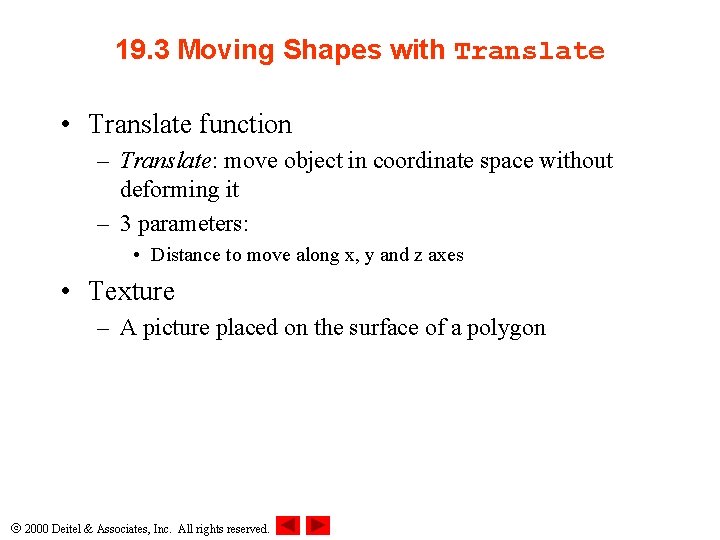
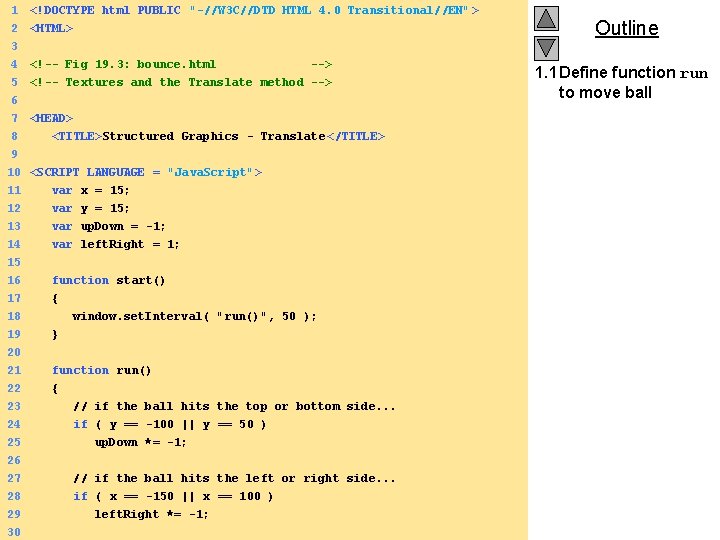
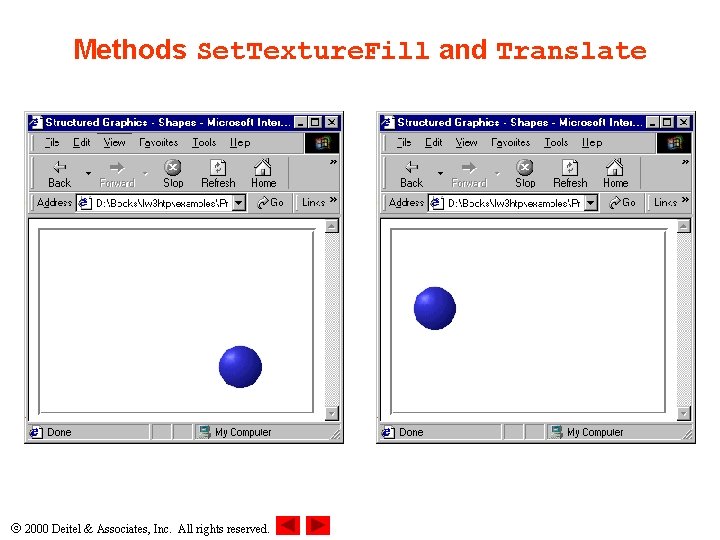
19. 3 Moving Shapes with Translate • Translate function – Translate: move object in coordinate space without deforming it – 3 parameters: • Distance to move along x, y and z axes • Texture – A picture placed on the surface of a polygon 2000 Deitel & Associates, Inc. All rights reserved.
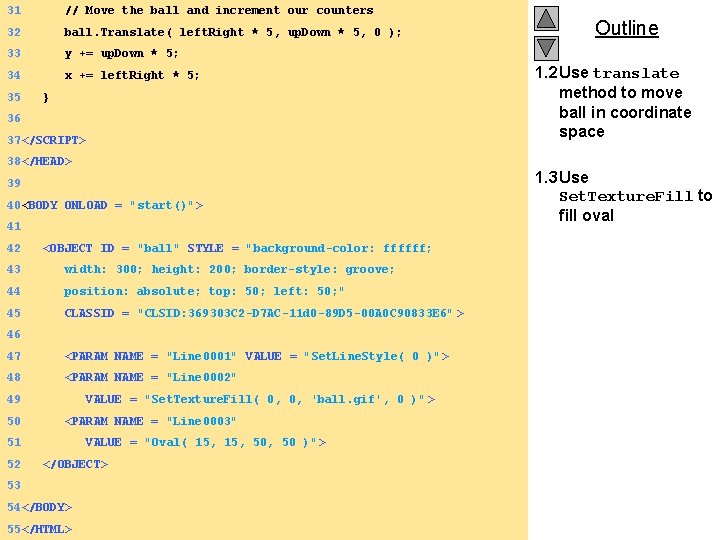
1 <!DOCTYPE html PUBLIC "-//W 3 C//DTD HTML 4. 0 Transitional//EN" > 2 3 4 5 6 <HTML> 7 <HEAD> 8 9 <!-- Fig 19. 3: bounce. html --> <!-- Textures and the Translate method --> <TITLE>Structured Graphics - Translate </TITLE> 10 <SCRIPT LANGUAGE = "Java. Script"> 11 var x = 15; 12 var y = 15; 13 14 var up. Down = -1; var left. Right = 1; 15 16 17 function start() { 18 window. set. Interval( "run()", 50 ); 19 20 } 21 22 23 24 25 26 function run() { // if the ball hits the top or bottom side. . . if ( y == -100 || y == 50 ) up. Down *= -1; 27 // if the ball hits the left or right side. . . 28 if ( x == -150 || x == 100 ) 29 left. Right *= -1; 2000 Deitel & Associates, Inc. All rights reserved. 30 Outline 1. 1 Define function run to move ball
31 // Move the ball and increment our counters 32 ball. Translate( left. Right * 5, up. Down * 5, 0 ); 33 y += up. Down * 5; 34 x += left. Right * 5; 35 } 36 37</SCRIPT> 38</HEAD> 39 40<BODY ONLOAD = "start()"> 41 42 <OBJECT ID = "ball" STYLE = "background-color: ffffff; 43 width: 300; height: 200; border-style: groove; 44 position: absolute; top: 50; left: 50; " 45 CLASSID = "CLSID: 369303 C 2 -D 7 AC-11 d 0 -89 D 5 -00 A 0 C 90833 E 6" > 46 47 <PARAM NAME = "Line 0001" VALUE = "Set. Line. Style( 0 )"> 48 <PARAM NAME = "Line 0002" 49 50 VALUE = "Set. Texture. Fill( 0, 0, 'ball. gif', 0 )" > <PARAM NAME = "Line 0003" 51 52 VALUE = "Oval( 15, 50, 50 )" > </OBJECT> 53 54</BODY> 55</HTML> 2000 Deitel & Associates, Inc. All rights reserved. Outline 1. 2 Use translate method to move ball in coordinate space 1. 3 Use Set. Texture. Fill to fill oval
Methods Set. Texture. Fill and Translate 2000 Deitel & Associates, Inc. All rights reserved.
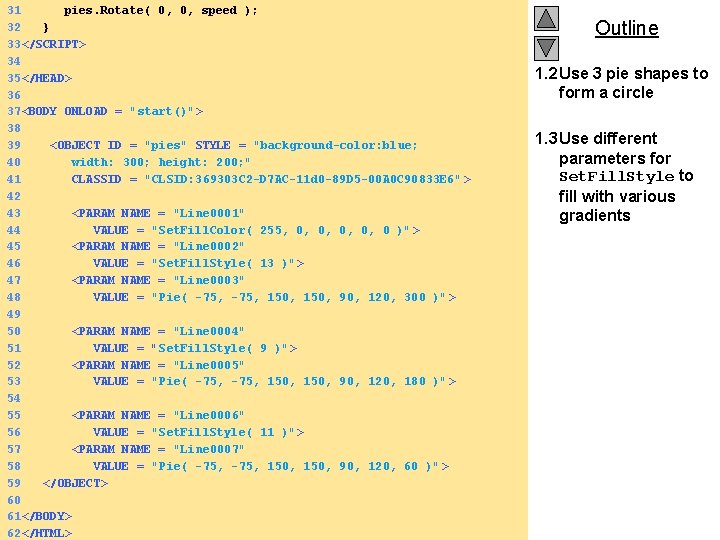
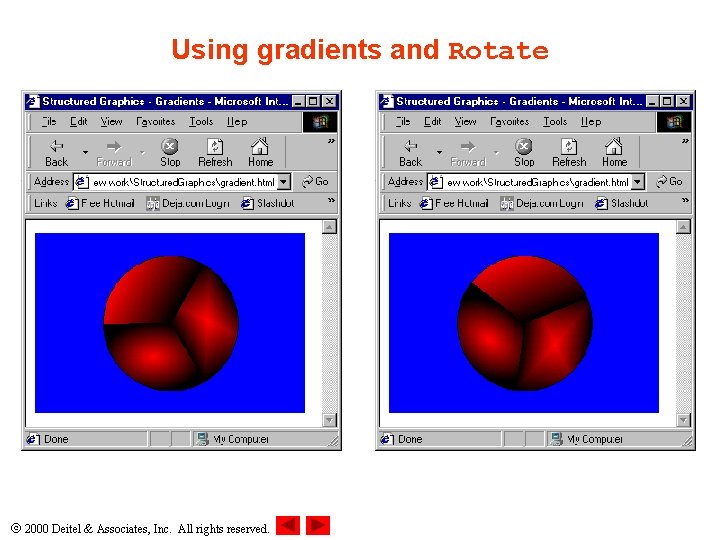
19. 4 Rotation • Rotate method – Rotate shapes in 3 D space – 3 parameters specify rotation around the x, y and z axis • Set. Fill. Style – 9: linear gradient fill from foreground color to background color – 11: circular gradient – 13: rectangular gradient 2000 Deitel & Associates, Inc. All rights reserved.
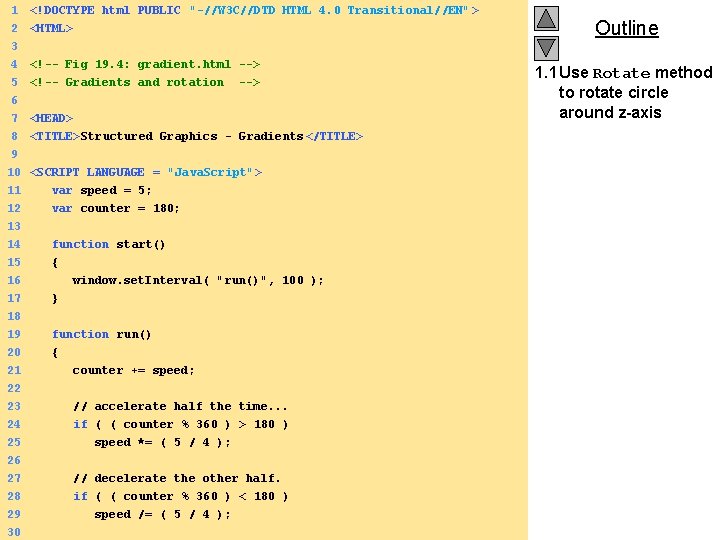
1 <!DOCTYPE html PUBLIC "-//W 3 C//DTD HTML 4. 0 Transitional//EN" > 2 3 4 5 6 <HTML> 7 <HEAD> 8 9 <TITLE>Structured Graphics - Gradients </TITLE> <!-- Fig 19. 4: gradient. html --> <!-- Gradients and rotation --> 10 <SCRIPT LANGUAGE = "Java. Script"> 11 var speed = 5; 12 var counter = 180; 13 14 15 16 17 function start() { window. set. Interval( "run()", 100 ); } 18 19 20 21 22 23 24 25 26 function run() { counter += speed; // accelerate half the time. . . if ( ( counter % 360 ) > 180 ) speed *= ( 5 / 4 ); 27 // decelerate the other half. 28 if ( ( counter % 360 ) < 180 ) 29 speed /= ( 5 / 4 ); 2000 Deitel & Associates, Inc. All rights reserved. 30 Outline 1. 1 Use Rotate method to rotate circle around z-axis
31 pies. Rotate( 0, 0, speed ); 32 } 33</SCRIPT> 34 35</HEAD> 36 37<BODY ONLOAD = "start()"> 38 39 <OBJECT ID = "pies" STYLE = "background-color: blue; 40 width: 300; height: 200; " 41 CLASSID = "CLSID: 369303 C 2 -D 7 AC-11 d 0 -89 D 5 -00 A 0 C 90833 E 6" > 42 43 <PARAM NAME = "Line 0001" 44 VALUE = "Set. Fill. Color( 255, 0, 0, 0 )" > 45 <PARAM NAME = "Line 0002" 46 VALUE = "Set. Fill. Style( 13 )"> 47 <PARAM NAME = "Line 0003" 48 VALUE = "Pie( -75, 150, 90, 120, 300 )" > 49 50 <PARAM NAME = "Line 0004" 51 VALUE = "Set. Fill. Style( 9 )"> 52 <PARAM NAME = "Line 0005" 53 VALUE = "Pie( -75, 150, 90, 120, 180 )" > 54 55 <PARAM NAME = "Line 0006" 56 VALUE = "Set. Fill. Style( 11 )"> 57 <PARAM NAME = "Line 0007" 58 VALUE = "Pie( -75, 150, 90, 120, 60 )" > 59 </OBJECT> 60 61</BODY> 2000 Deitel & Associates, Inc. All rights reserved. 62</HTML> Outline 1. 2 Use 3 pie shapes to form a circle 1. 3 Use different parameters for Set. Fill. Style to fill with various gradients
Using gradients and Rotate 2000 Deitel & Associates, Inc. All rights reserved.
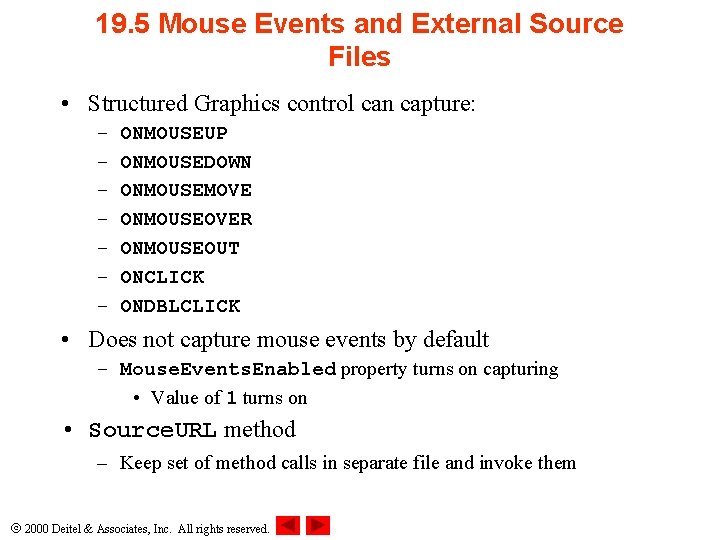
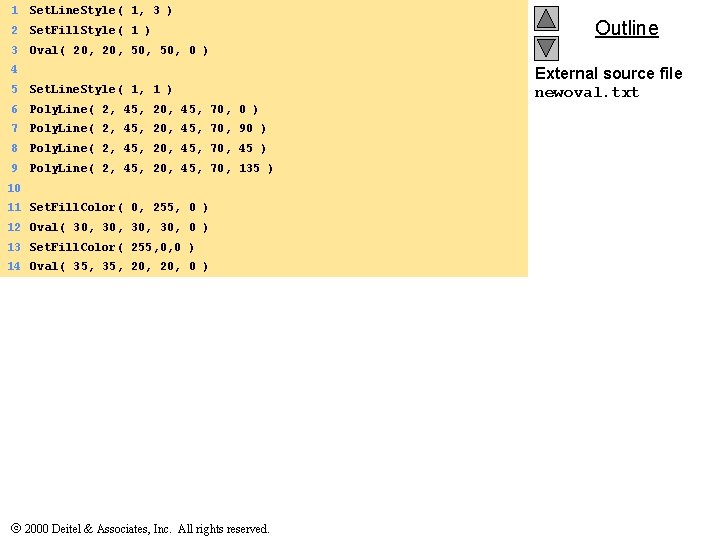
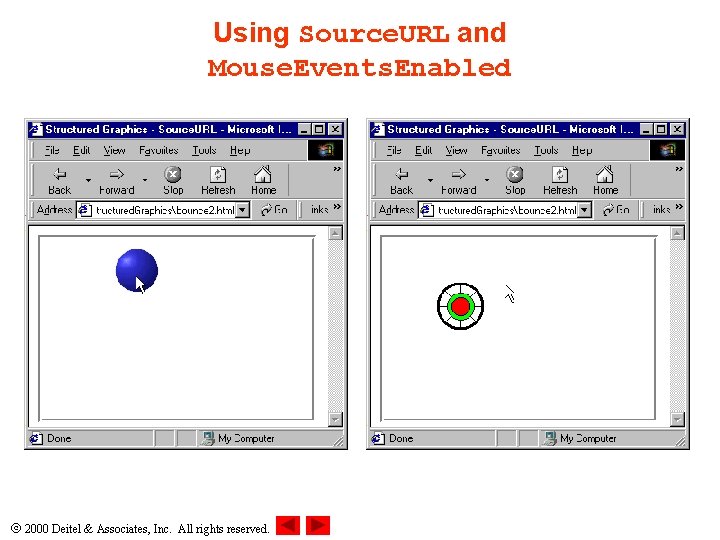
19. 5 Mouse Events and External Source Files • Structured Graphics control can capture: – – – – ONMOUSEUP ONMOUSEDOWN ONMOUSEMOVE ONMOUSEOVER ONMOUSEOUT ONCLICK ONDBLCLICK • Does not capture mouse events by default – Mouse. Events. Enabled property turns on capturing • Value of 1 turns on • Source. URL method – Keep set of method calls in separate file and invoke them 2000 Deitel & Associates, Inc. All rights reserved.
1 Set. Line. Style( 1, 3 ) 2 Set. Fill. Style( 1 ) 3 Oval( 20, 50, 0 ) 4 5 Set. Line. Style( 1, 1 ) 6 Poly. Line( 2, 45, 20, 45, 70, 0 ) 7 Poly. Line( 2, 45, 20, 45, 70, 90 ) 8 Poly. Line( 2, 45, 20, 45, 70, 45 ) 9 Poly. Line( 2, 45, 20, 45, 70, 135 ) 10 11 Set. Fill. Color( 0, 255, 0 ) 12 Oval( 30, 30, 0 ) 13 Set. Fill. Color( 255, 0, 0 ) 14 Oval( 35, 20, 0 ) 2000 Deitel & Associates, Inc. All rights reserved. Outline External source file newoval. txt
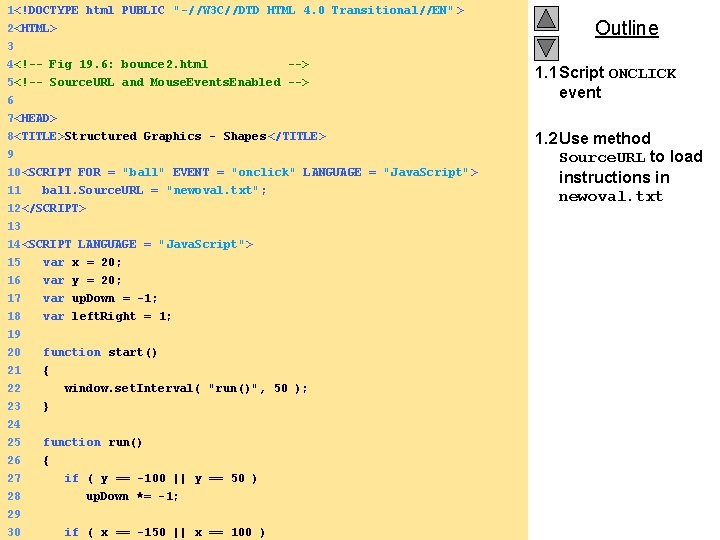
1<!DOCTYPE html PUBLIC "-//W 3 C//DTD HTML 4. 0 Transitional//EN" > 2<HTML> 3 4<!-- Fig 19. 6: bounce 2. html --> 5<!-- Source. URL and Mouse. Events. Enabled --> 6 Outline 1. 1 Script ONCLICK event 7<HEAD> 8<TITLE>Structured Graphics - Shapes </TITLE> 9 10<SCRIPT FOR = "ball" EVENT = "onclick" LANGUAGE = "Java. Script"> 11 ball. Source. URL = "newoval. txt"; 12</SCRIPT> 13 14<SCRIPT LANGUAGE = "Java. Script"> 15 16 17 var x = 20; var y = 20; var up. Down = -1; 18 var left. Right = 1; 19 20 function start() 21 22 23 24 25 26 { window. set. Interval( "run()", 50 ); } function run() { 27 if ( y == -100 || y == 50 ) 28 up. Down *= -1; 29 2000 Deitel Inc. || All xrights 30 if & ( Associates, x == -150 == reserved. 100 ) 1. 2 Use method Source. URL to load instructions in newoval. txt
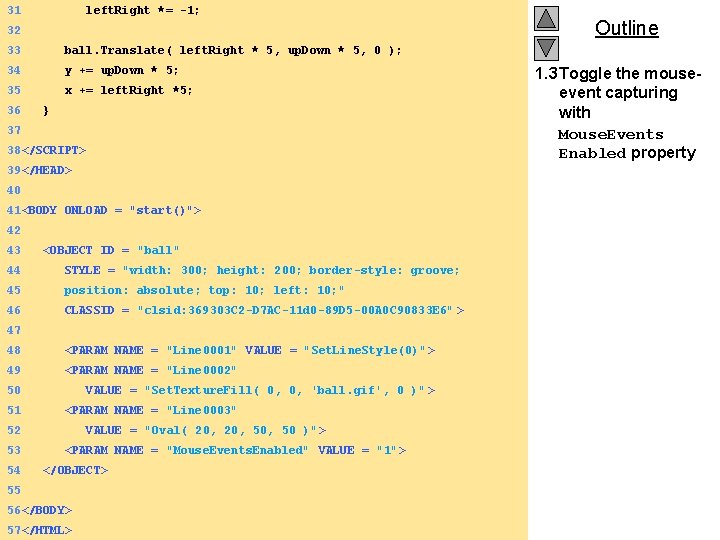
31 left. Right *= -1; 32 33 ball. Translate( left. Right * 5, up. Down * 5, 0 ); 34 y += up. Down * 5; 35 x += left. Right *5; 36 } 37 38</SCRIPT> 39</HEAD> 40 41<BODY ONLOAD = "start()"> 42 43 <OBJECT ID = "ball" 44 STYLE = "width: 300; height: 200; border-style: groove; 45 position: absolute; top: 10; left: 10; " 46 CLASSID = "clsid: 369303 C 2 -D 7 AC-11 d 0 -89 D 5 -00 A 0 C 90833 E 6" > 47 48 <PARAM NAME = "Line 0001" VALUE = "Set. Line. Style(0)"> 49 <PARAM NAME = "Line 0002" 50 51 VALUE = "Set. Texture. Fill( 0, 0, 'ball. gif', 0 )" > <PARAM NAME = "Line 0003" 52 53 54 VALUE = "Oval( 20, 50, 50 )" > <PARAM NAME = "Mouse. Events. Enabled" VALUE = "1"> </OBJECT> 55 56</BODY> 2000 Deitel & Associates, Inc. All rights reserved. 57</HTML> Outline 1. 3 Toggle the mouseevent capturing with Mouse. Events Enabled property
Using Source. URL and Mouse. Events. Enabled 2000 Deitel & Associates, Inc. All rights reserved.
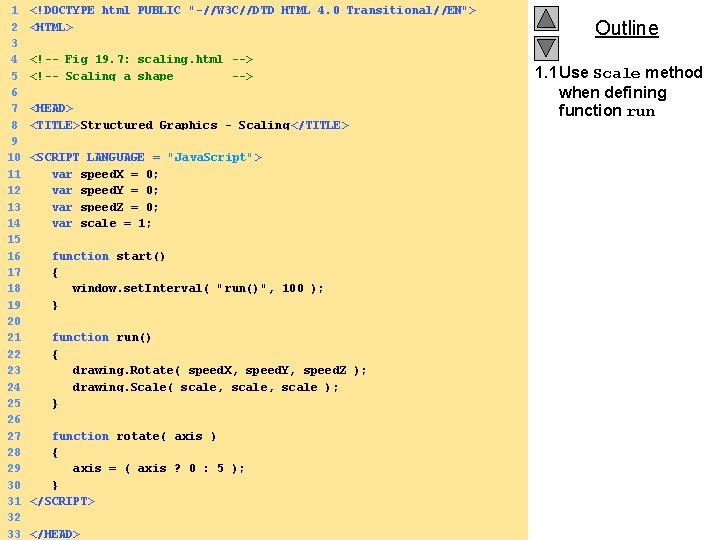
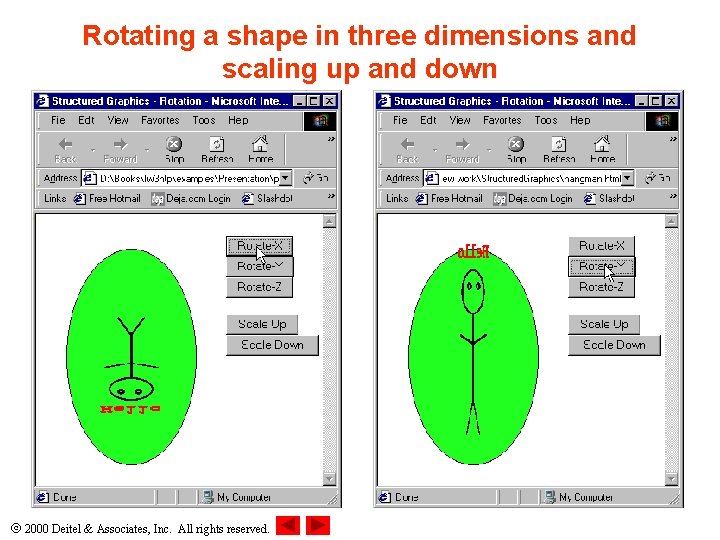
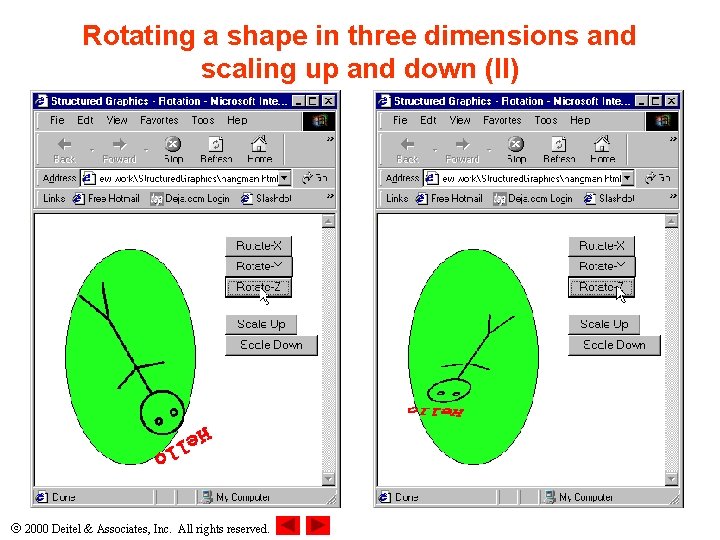
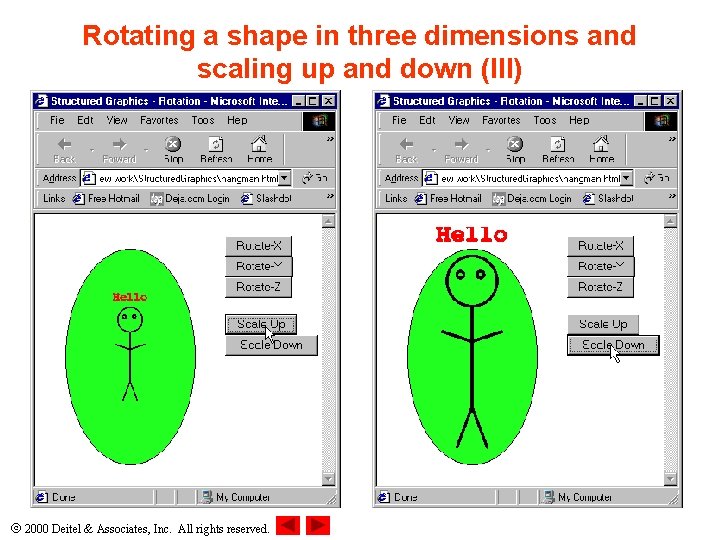
19. 6 Scaling • Scaling – Modifies the size of an object while retaining its position and shape – Scale method • 3 parameters for the 3 dimensions 2000 Deitel & Associates, Inc. All rights reserved.
1 <!DOCTYPE html PUBLIC "-//W 3 C//DTD HTML 4. 0 Transitional//EN"> 2 <HTML> 3 4 <!-- Fig 19. 7: scaling. html --> 5 <!-- Scaling a shape --> 6 7 <HEAD> 8 <TITLE>Structured Graphics - Scaling </TITLE> 9 10 <SCRIPT LANGUAGE = "Java. Script"> 11 var speed. X = 0; 12 var speed. Y = 0; 13 var speed. Z = 0; 14 var scale = 1; 15 16 function start() 17 { 18 window. set. Interval( "run()", 100 ); 19 } 20 21 function run() 22 { 23 drawing. Rotate( speed. X, speed. Y, speed. Z ); 24 drawing. Scale( scale, scale ); 25 } 26 27 function rotate( axis ) 28 { 29 axis = ( axis ? 0 : 5 ); 30 } 31 </SCRIPT> 32 2000 Deitel & Associates, Inc. All rights reserved. 33 </HEAD> Outline 1. 1 Use Scale method when defining function run
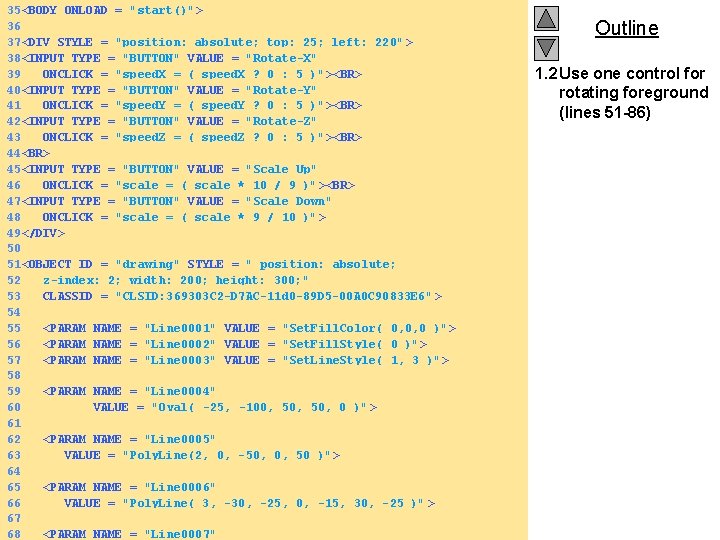
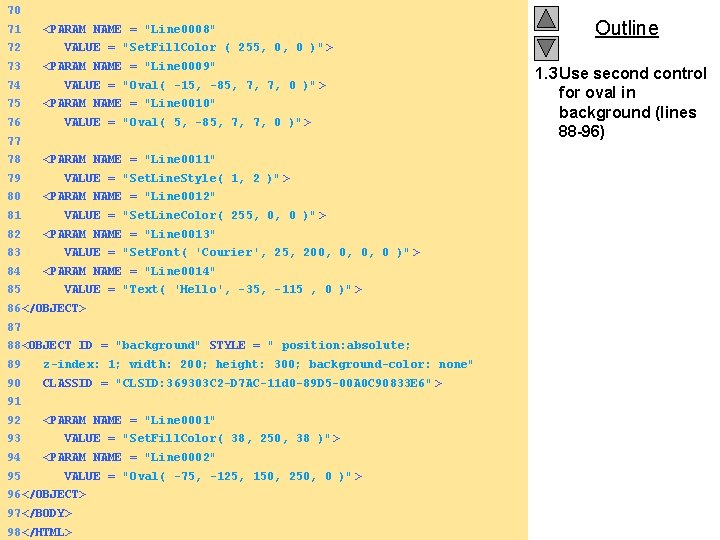
35<BODY ONLOAD = "start()"> 36 37<DIV STYLE = "position: absolute; top: 25; left: 220" > 38<INPUT TYPE = "BUTTON" VALUE = "Rotate-X" 39 ONCLICK = "speed. X = ( speed. X ? 0 : 5 )" ><BR> 40<INPUT TYPE = "BUTTON" VALUE = "Rotate-Y" 41 ONCLICK = "speed. Y = ( speed. Y ? 0 : 5 )" ><BR> 42<INPUT TYPE = "BUTTON" VALUE = "Rotate-Z" 43 ONCLICK = "speed. Z = ( speed. Z ? 0 : 5 )" ><BR> 44<BR> 45<INPUT TYPE = "BUTTON" VALUE = "Scale Up" 46 ONCLICK = "scale = ( scale * 10 / 9 )" ><BR> 47<INPUT TYPE = "BUTTON" VALUE = "Scale Down" 48 ONCLICK = "scale = ( scale * 9 / 10 )" > 49</DIV> 50 51<OBJECT ID = "drawing" STYLE = " position: absolute; 52 z-index: 2; width: 200; height: 300; " 53 CLASSID = "CLSID: 369303 C 2 -D 7 AC-11 d 0 -89 D 5 -00 A 0 C 90833 E 6" > 54 55 <PARAM NAME = "Line 0001" VALUE = "Set. Fill. Color( 0, 0, 0 )"> 56 <PARAM NAME = "Line 0002" VALUE = "Set. Fill. Style( 0 )"> 57 <PARAM NAME = "Line 0003" VALUE = "Set. Line. Style( 1, 3 )"> 58 59 <PARAM NAME = "Line 0004" 60 VALUE = "Oval( -25, -100, 50, 0 )" > 61 62 <PARAM NAME = "Line 0005" 63 VALUE = "Poly. Line(2, 0, -50, 0, 50 )" > 64 65 <PARAM NAME = "Line 0006" 66 VALUE = "Poly. Line( 3, -30, -25, 0, -15, 30, -25 )" > 67 2000<PARAM Deitel &NAME Associates, Inc. All rights reserved. 68 = "Line 0007" Outline 1. 2 Use one control for rotating foreground (lines 51 -86)
70 71 72 73 74 75 76 <PARAM NAME = "Line 0008" VALUE = "Set. Fill. Color ( 255, 0, 0 )" > <PARAM NAME = "Line 0009" VALUE = "Oval( -15, -85, 7, 7, 0 )" > <PARAM NAME = "Line 0010" VALUE = "Oval( 5, -85, 7, 7, 0 )" > 77 78 79 80 81 82 83 84 85 <PARAM NAME = "Line 0011" VALUE = "Set. Line. Style( 1, 2 )"> <PARAM NAME = "Line 0012" VALUE = "Set. Line. Color( 255, 0, 0 )" > <PARAM NAME = "Line 0013" VALUE = "Set. Font( 'Courier', 25, 200, 0, 0, 0 )" > <PARAM NAME = "Line 0014" VALUE = "Text( 'Hello', -35, -115 , 0 )" > 86</OBJECT> 87 88<OBJECT ID = "background" STYLE = " position: absolute; 89 z-index: 1; width: 200; height: 300; background-color: none" 90 CLASSID = "CLSID: 369303 C 2 -D 7 AC-11 d 0 -89 D 5 -00 A 0 C 90833 E 6" > 91 92 93 94 95 Outline <PARAM NAME = "Line 0001" VALUE = "Set. Fill. Color( 38, 250, 38 )" > <PARAM NAME = "Line 0002" VALUE = "Oval( -75, -125, 150, 250, 0 )" > 96</OBJECT> 97</BODY> 2000 Deitel & Associates, Inc. All rights reserved. 98</HTML> 1. 3 Use second control for oval in background (lines 88 -96)
Rotating a shape in three dimensions and scaling up and down 2000 Deitel & Associates, Inc. All rights reserved.
Rotating a shape in three dimensions and scaling up and down (II) 2000 Deitel & Associates, Inc. All rights reserved.
Rotating a shape in three dimensions and scaling up and down (III) 2000 Deitel & Associates, Inc. All rights reserved.