
Chapter 18 Dynamic HTML Data Binding with Tabular
Chapter 18 – Dynamic HTML: Data Binding with Tabular Data Control Outline 18. 1 18. 2 18. 3 18. 4 18. 5 18. 6 Introduction Simple Data Binding Moving a Recordset Binding to an IMG Binding to a TABLE Sorting TABLE Data 18. 7 18. 8 Advanced Sorting and Filtering Data Binding Elements 2000 Deitel & Associates, Inc. All rights reserved.
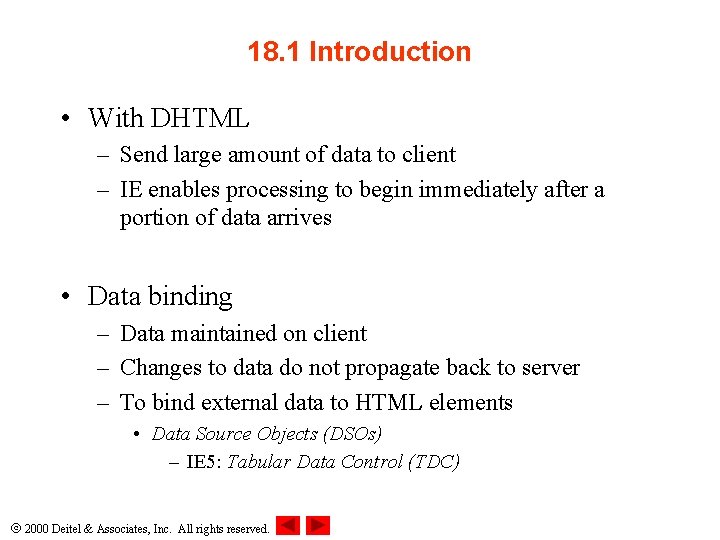
18. 1 Introduction • With DHTML – Send large amount of data to client – IE enables processing to begin immediately after a portion of data arrives • Data binding – Data maintained on client – Changes to data do not propagate back to server – To bind external data to HTML elements • Data Source Objects (DSOs) – IE 5: Tabular Data Control (TDC) 2000 Deitel & Associates, Inc. All rights reserved.
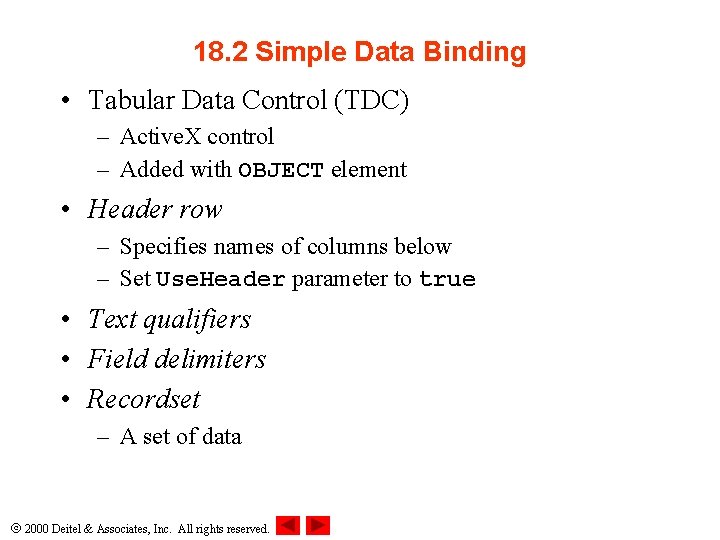
18. 2 Simple Data Binding • Tabular Data Control (TDC) – Active. X control – Added with OBJECT element • Header row – Specifies names of columns below – Set Use. Header parameter to true • Text qualifiers • Field delimiters • Recordset – A set of data 2000 Deitel & Associates, Inc. All rights reserved.
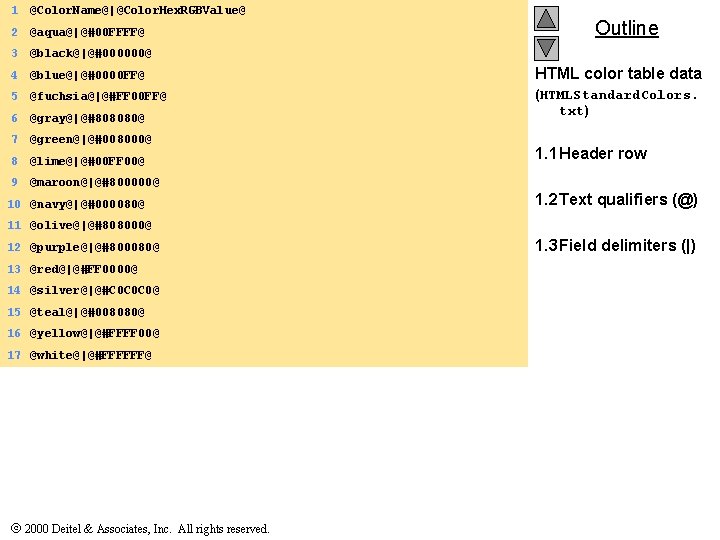
1 @Color. Name@|@Color. Hex. RGBValue@ 2 @aqua@|@#00 FFFF@ 3 @black@|@#000000@ 4 @blue@|@#0000 FF@ HTML color table data 5 @fuchsia@|@#FF 00 FF@ 6 @gray@|@#808080@ (HTMLStandard. Colors. txt) 7 @green@|@#008000@ 8 @lime@|@#00 FF 00@ 9 @maroon@|@#800000@ 10 @navy@|@#000080@ Outline 1. 1 Header row 1. 2 Text qualifiers (@) 11 @olive@|@#808000@ 12 @purple@|@#800080@ 13 @red@|@#FF 0000@ 14 @silver@|@#C 0 C 0 C 0@ 15 @teal@|@#008080@ 16 @yellow@|@#FFFF 00@ 17 @white@|@#FFFFFF@ 2000 Deitel & Associates, Inc. All rights reserved. 1. 3 Field delimiters (|)
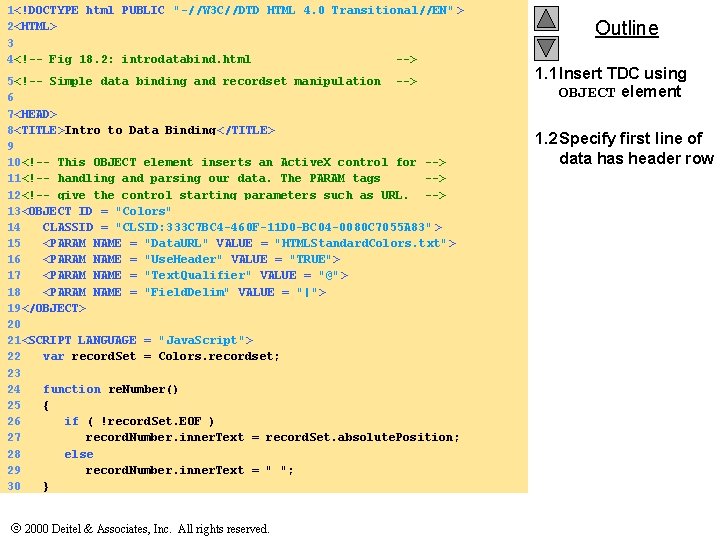
1<!DOCTYPE html PUBLIC "-//W 3 C//DTD HTML 4. 0 Transitional//EN" > 2<HTML> 3 4<!-- Fig 18. 2: introdatabind. html --> 5<!-- Simple data binding and recordset manipulation --> 6 7<HEAD> 8<TITLE>Intro to Data Binding</TITLE> 9 10<!-- This OBJECT element inserts an Active. X control for --> 11<!-- handling and parsing our data. The PARAM tags --> 12<!-- give the control starting parameters such as URL. --> 13<OBJECT ID = "Colors" 14 CLASSID = "CLSID: 333 C 7 BC 4 -460 F-11 D 0 -BC 04 -0080 C 7055 A 83" > 15 <PARAM NAME = "Data. URL" VALUE = "HTMLStandard. Colors. txt" > 16 <PARAM NAME = "Use. Header" VALUE = "TRUE"> 17 <PARAM NAME = "Text. Qualifier" VALUE = "@"> 18 <PARAM NAME = "Field. Delim" VALUE = "|"> 19</OBJECT> 20 21<SCRIPT LANGUAGE = "Java. Script"> 22 var record. Set = Colors. recordset; 23 24 function re. Number() 25 { 26 if ( !record. Set. EOF ) 27 record. Number. inner. Text = record. Set. absolute. Position; 28 else 29 record. Number. inner. Text = " "; 30 } 2000 Deitel & Associates, Inc. All rights reserved. Outline 1. 1 Insert TDC using OBJECT element 1. 2 Specify first line of data has header row
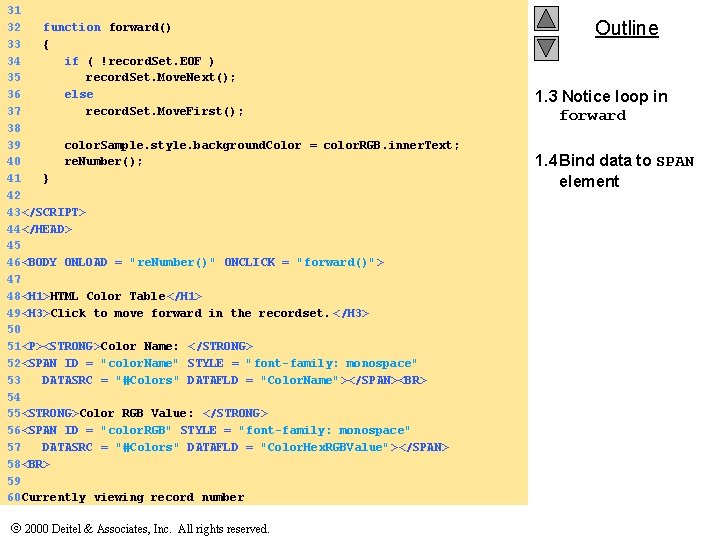
31 32 function forward() 33 { 34 if ( !record. Set. EOF ) 35 record. Set. Move. Next(); 36 else 37 record. Set. Move. First(); 38 39 color. Sample. style. background. Color = color. RGB. inner. Text; 40 re. Number(); 41 } 42 43</SCRIPT> 44</HEAD> 45 46<BODY ONLOAD = "re. Number()" ONCLICK = "forward()"> 47 48<H 1>HTML Color Table</H 1> 49<H 3>Click to move forward in the recordset. </H 3> 50 51<P><STRONG>Color Name: </STRONG> 52<SPAN ID = "color. Name" STYLE = "font-family: monospace" 53 DATASRC = "#Colors" DATAFLD = "Color. Name"></SPAN><BR> 54 55<STRONG>Color RGB Value: </STRONG> 56<SPAN ID = "color. RGB" STYLE = "font-family: monospace" 57 DATASRC = "#Colors" DATAFLD = "Color. Hex. RGBValue"></SPAN> 58<BR> 59 60 Currently viewing record number 2000 Deitel & Associates, Inc. All rights reserved. Outline 1. 3 Notice loop in forward 1. 4 Bind data to SPAN element

61<SPAN ID = "record. Number" STYLE = "font-weight: 900"></SPAN> 62<BR> Outline 63 64<SPAN ID = "color. Sample" STYLE = "background-color: aqua; 65 color: 888888; font-size: 30 pt" >Color Sample</SPAN> 66</P> 67 68</BODY> 69</HTML> 2000 Deitel & Associates, Inc. All rights reserved. 2. Page rendered by browser
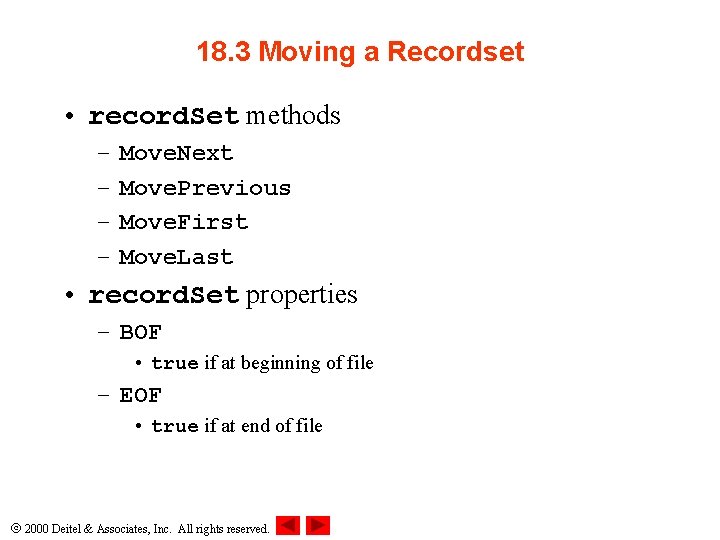
18. 3 Moving a Recordset • record. Set methods – – Move. Next Move. Previous Move. First Move. Last • record. Set properties – BOF • true if at beginning of file – EOF • true if at end of file 2000 Deitel & Associates, Inc. All rights reserved.
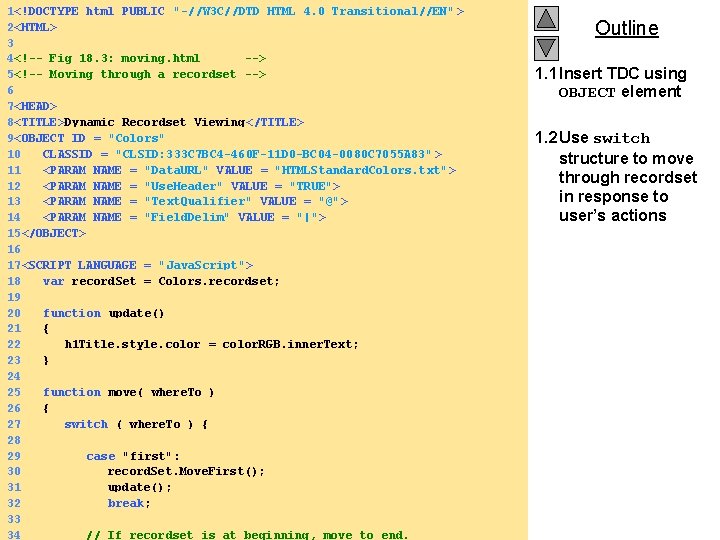
1<!DOCTYPE html PUBLIC "-//W 3 C//DTD HTML 4. 0 Transitional//EN" > 2<HTML> 3 4<!-- Fig 18. 3: moving. html --> 5<!-- Moving through a recordset --> 6 7<HEAD> 8<TITLE>Dynamic Recordset Viewing </TITLE> 9<OBJECT ID = "Colors" 10 CLASSID = "CLSID: 333 C 7 BC 4 -460 F-11 D 0 -BC 04 -0080 C 7055 A 83" > 11 <PARAM NAME = "Data. URL" VALUE = "HTMLStandard. Colors. txt" > 12 <PARAM NAME = "Use. Header" VALUE = "TRUE"> 13 <PARAM NAME = "Text. Qualifier" VALUE = "@"> 14 <PARAM NAME = "Field. Delim" VALUE = "|"> 15</OBJECT> 16 17<SCRIPT LANGUAGE = "Java. Script"> 18 var record. Set = Colors. recordset; 19 20 function update() 21 { 22 h 1 Title. style. color = color. RGB. inner. Text; 23 } 24 25 function move( where. To ) 26 { 27 switch ( where. To ) { 28 29 case "first": 30 record. Set. Move. First(); 31 update(); 32 break; 33 2000 Deitel & Associates, Inc. All rights reserved. 34 // If recordset is at beginning, move to end. Outline 1. 1 Insert TDC using OBJECT element 1. 2 Use switch structure to move through recordset in response to user’s actions
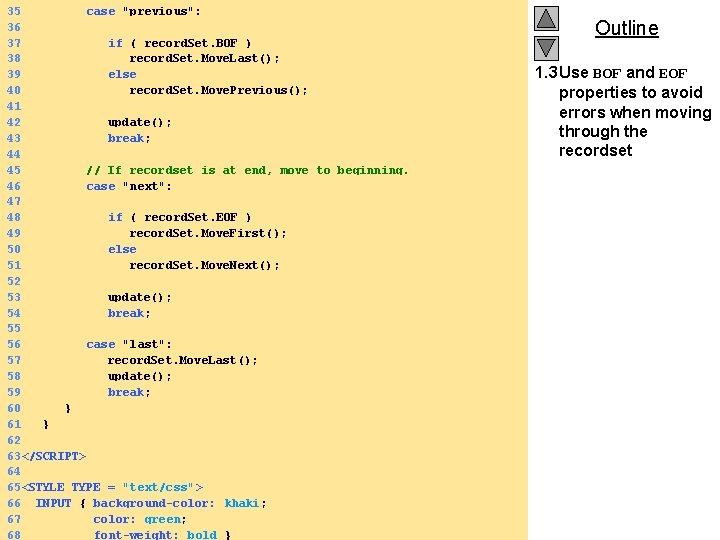
35 case "previous": 36 37 if ( record. Set. BOF ) 38 record. Set. Move. Last(); 39 else 40 record. Set. Move. Previous(); 41 42 update(); 43 break; 44 45 // If recordset is at end, move to beginning. 46 case "next": 47 48 if ( record. Set. EOF ) 49 record. Set. Move. First(); 50 else 51 record. Set. Move. Next(); 52 53 update(); 54 break; 55 56 case "last": 57 record. Set. Move. Last(); 58 update(); 59 break; 60 } 61 } 62 63</SCRIPT> 64 65<STYLE TYPE = "text/css"> 66 INPUT { background-color: khaki; 67 color: green; 2000 Deitel & Associates, Inc. All rights reserved. 68 font-weight: bold } Outline 1. 3 Use BOF and EOF properties to avoid errors when moving through the recordset
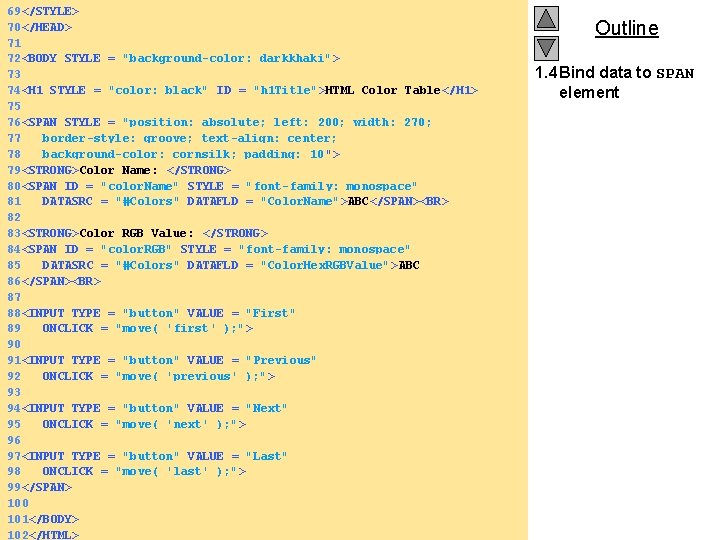
69</STYLE> 70</HEAD> 71 72<BODY STYLE = "background-color: darkkhaki" > 73 74<H 1 STYLE = "color: black" ID = "h 1 Title">HTML Color Table</H 1> 75 76<SPAN STYLE = "position: absolute; left: 200; width: 270; 77 border-style: groove; text-align: center; 78 background-color: cornsilk; padding: 10 "> 79<STRONG>Color Name: </STRONG> 80<SPAN ID = "color. Name" STYLE = "font-family: monospace" 81 DATASRC = "#Colors" DATAFLD = "Color. Name">ABC</SPAN><BR> 82 83<STRONG>Color RGB Value: </STRONG> 84<SPAN ID = "color. RGB" STYLE = "font-family: monospace" 85 DATASRC = "#Colors" DATAFLD = "Color. Hex. RGBValue">ABC 86</SPAN><BR> 87 88<INPUT TYPE = "button" VALUE = "First" 89 ONCLICK = "move( 'first' ); "> 90 91<INPUT TYPE = "button" VALUE = "Previous" 92 ONCLICK = "move( 'previous' ); "> 93 94<INPUT TYPE = "button" VALUE = "Next" 95 ONCLICK = "move( 'next' ); "> 96 97<INPUT TYPE = "button" VALUE = "Last" 98 ONCLICK = "move( 'last' ); "> 99</SPAN> 100 101</BODY> 2000 Deitel & Associates, Inc. All rights reserved. 102</HTML> Outline 1. 4 Bind data to SPAN element
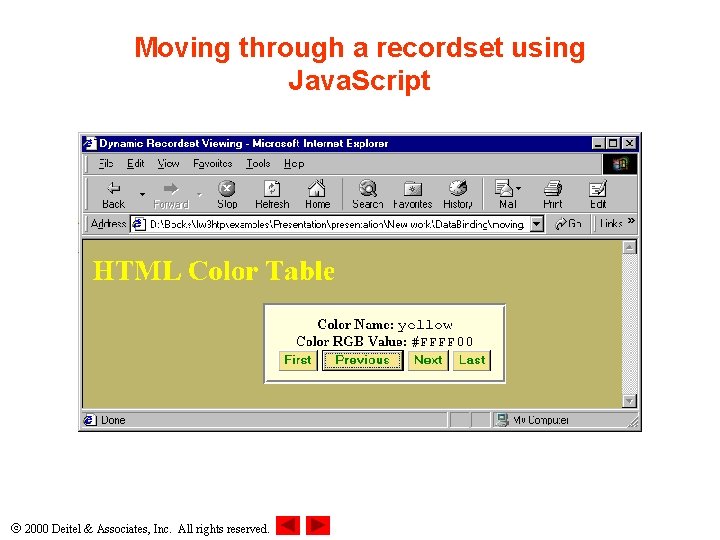
Moving through a recordset using Java. Script 2000 Deitel & Associates, Inc. All rights reserved.
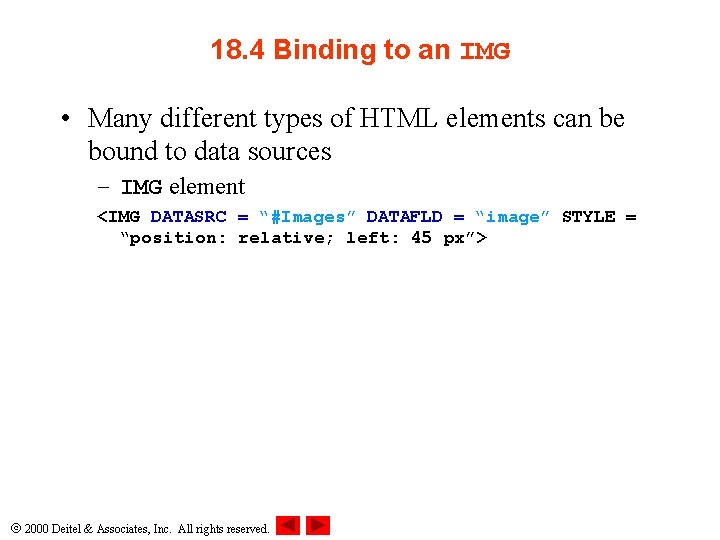
18. 4 Binding to an IMG • Many different types of HTML elements can be bound to data sources – IMG element <IMG DATASRC = “#Images” DATAFLD = “image” STYLE = “position: relative; left: 45 px”> 2000 Deitel & Associates, Inc. All rights reserved.
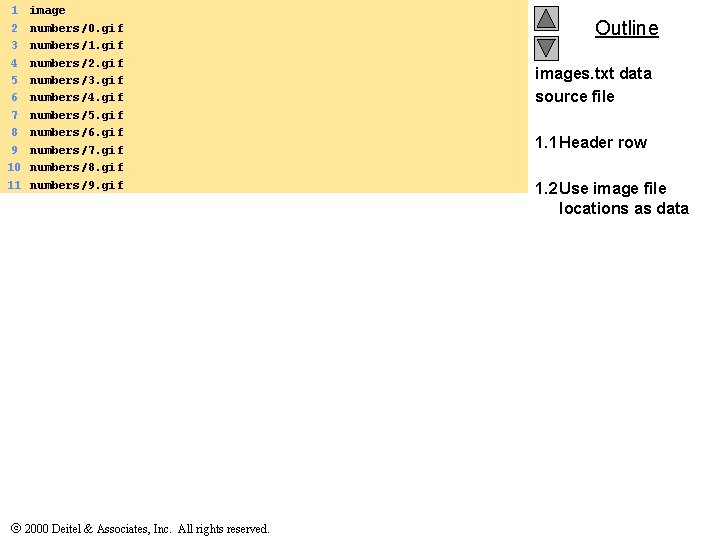
1 2 3 4 5 6 7 8 9 10 11 image numbers/0. gif numbers/1. gif numbers/2. gif numbers/3. gif numbers/4. gif numbers/5. gif numbers/6. gif numbers/7. gif numbers/8. gif numbers/9. gif 2000 Deitel & Associates, Inc. All rights reserved. Outline images. txt data source file 1. 1 Header row 1. 2 Use image file locations as data
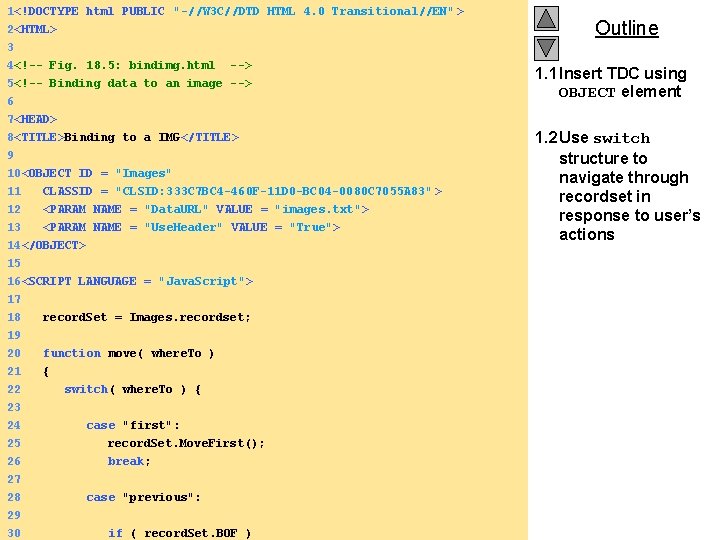
1<!DOCTYPE html PUBLIC "-//W 3 C//DTD HTML 4. 0 Transitional//EN" > 2<HTML> 3 4<!-- Fig. 18. 5: bindimg. html --> 5<!-- Binding data to an image --> 6 Outline 1. 1 Insert TDC using OBJECT element 7<HEAD> 8<TITLE>Binding to a IMG</TITLE> 9 10<OBJECT ID = "Images" 11 CLASSID = "CLSID: 333 C 7 BC 4 -460 F-11 D 0 -BC 04 -0080 C 7055 A 83" > 12 <PARAM NAME = "Data. URL" VALUE = "images. txt"> 13 <PARAM NAME = "Use. Header" VALUE = "True"> 14</OBJECT> 15 16<SCRIPT LANGUAGE = "Java. Script"> 17 18 record. Set = Images. recordset; 19 20 function move( where. To ) 21 22 23 24 25 26 { switch( where. To ) { case "first": record. Set. Move. First(); break; 27 28 case "previous": 29 2000 Deitel & Associates, Inc. All rights reserved. 30 if ( record. Set. BOF ) 1. 2 Use switch structure to navigate through recordset in response to user’s actions
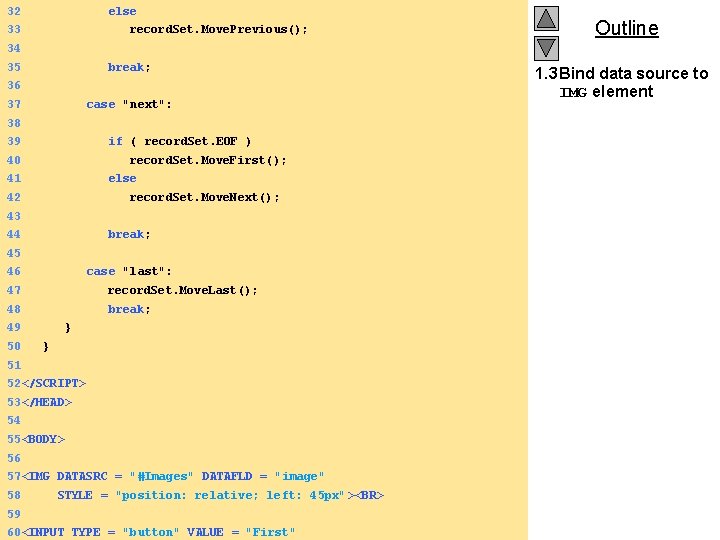
32 else 33 record. Set. Move. Previous(); Outline 34 35 break; 36 37 case "next": 38 39 if ( record. Set. EOF ) 40 record. Set. Move. First(); 41 else 42 record. Set. Move. Next(); 43 44 break; 45 46 case "last": 47 record. Set. Move. Last(); 48 break; 49 50 } } 51 52</SCRIPT> 53</HEAD> 54 55<BODY> 56 57<IMG DATASRC = "#Images" DATAFLD = "image" 58 59 STYLE = "position: relative; left: 45 px" ><BR> 2000 Deitel & Associates, Inc. All rights reserved. 60<INPUT TYPE = "button" VALUE = "First" 1. 3 Bind data source to IMG element
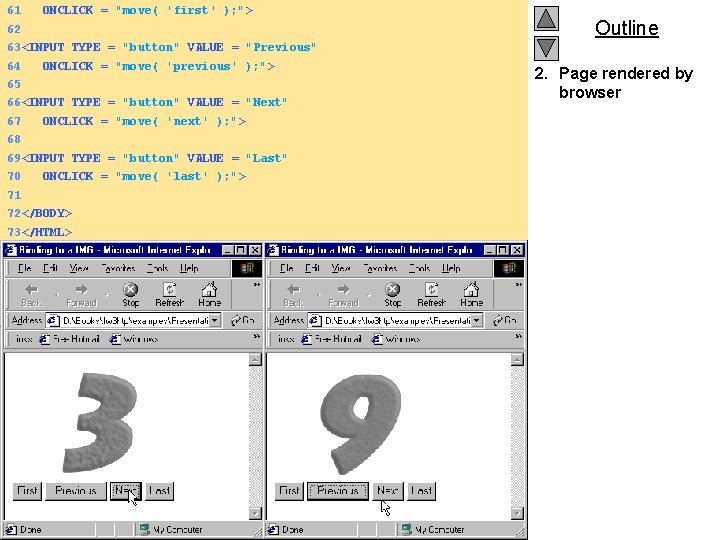
61 ONCLICK = "move( 'first' ); "> 62 Outline 63<INPUT TYPE = "button" VALUE = "Previous" 64 ONCLICK = "move( 'previous' ); "> 65 66<INPUT TYPE = "button" VALUE = "Next" 67 ONCLICK = "move( 'next' ); "> 68 69<INPUT TYPE = "button" VALUE = "Last" 70 ONCLICK = "move( 'last' ); "> 71 72</BODY> 73</HTML> 2000 Deitel & Associates, Inc. All rights reserved. 2. Page rendered by browser
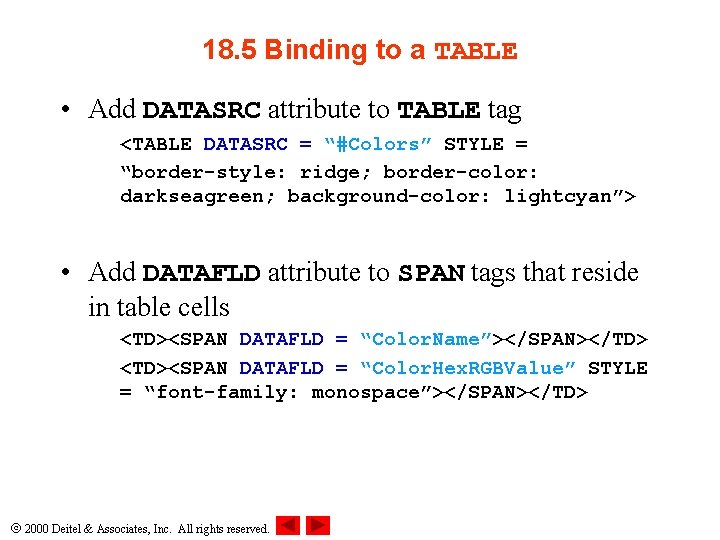
18. 5 Binding to a TABLE • Add DATASRC attribute to TABLE tag <TABLE DATASRC = “#Colors” STYLE = “border-style: ridge; border-color: darkseagreen; background-color: lightcyan”> • Add DATAFLD attribute to SPAN tags that reside in table cells <TD><SPAN DATAFLD = “Color. Name”></SPAN></TD> <TD><SPAN DATAFLD = “Color. Hex. RGBValue” STYLE = “font-family: monospace”></SPAN></TD> 2000 Deitel & Associates, Inc. All rights reserved.
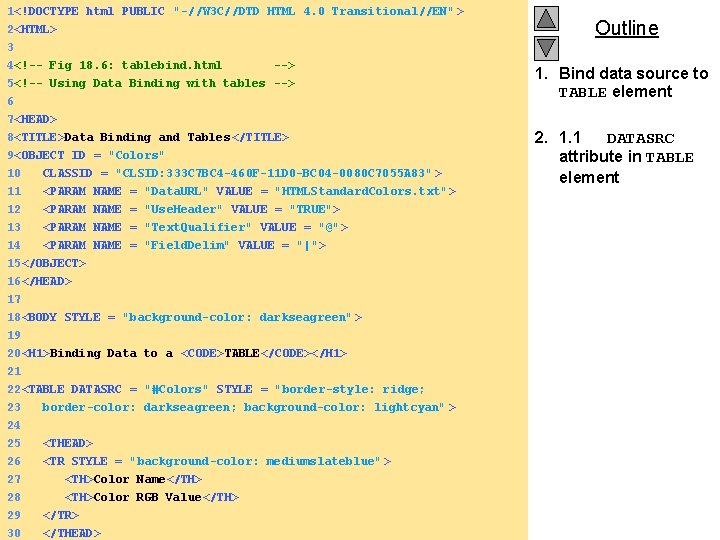
1<!DOCTYPE html PUBLIC "-//W 3 C//DTD HTML 4. 0 Transitional//EN" > 2<HTML> 3 4<!-- Fig 18. 6: tablebind. html --> 5<!-- Using Data Binding with tables --> 6 Outline 1. Bind data source to TABLE element 7<HEAD> 8<TITLE>Data Binding and Tables</TITLE> 9<OBJECT ID = "Colors" 10 11 12 CLASSID = "CLSID: 333 C 7 BC 4 -460 F-11 D 0 -BC 04 -0080 C 7055 A 83" > <PARAM NAME = "Data. URL" VALUE = "HTMLStandard. Colors. txt" > <PARAM NAME = "Use. Header" VALUE = "TRUE"> 13 14 <PARAM NAME = "Text. Qualifier" VALUE = "@"> <PARAM NAME = "Field. Delim" VALUE = "|"> 15</OBJECT> 16</HEAD> 17 18<BODY STYLE = "background-color: darkseagreen" > 19 20<H 1>Binding Data to a <CODE>TABLE</CODE></H 1> 21 22<TABLE DATASRC = "#Colors" STYLE = "border-style: ridge; 23 border-color: darkseagreen; background-color: lightcyan" > 24 25 <THEAD> 26 <TR STYLE = "background-color: mediumslateblue" > 27 <TH>Color Name</TH> 28 <TH>Color RGB Value</TH> 29 </TR> 2000 Deitel & Associates, Inc. All rights reserved. 30 </THEAD> 2. 1. 1 DATASRC attribute in TABLE element
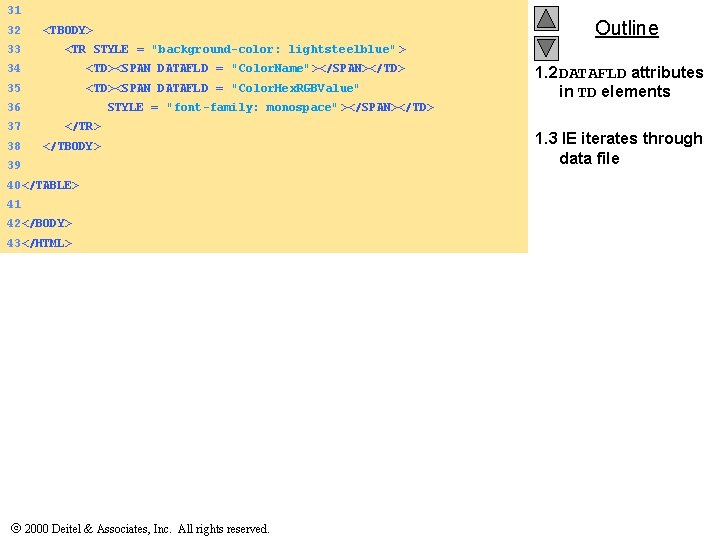
31 32 Outline <TBODY> 33 <TR STYLE = "background-color: lightsteelblue" > 34 <TD><SPAN DATAFLD = "Color. Name"></SPAN></TD> 35 <TD><SPAN DATAFLD = "Color. Hex. RGBValue" 36 STYLE = "font-family: monospace" ></SPAN></TD> 37 </TR> 38 </TBODY> 39 40</TABLE> 41 42</BODY> 43</HTML> 2000 Deitel & Associates, Inc. All rights reserved. 1. 2 DATAFLD attributes in TD elements 1. 3 IE iterates through data file
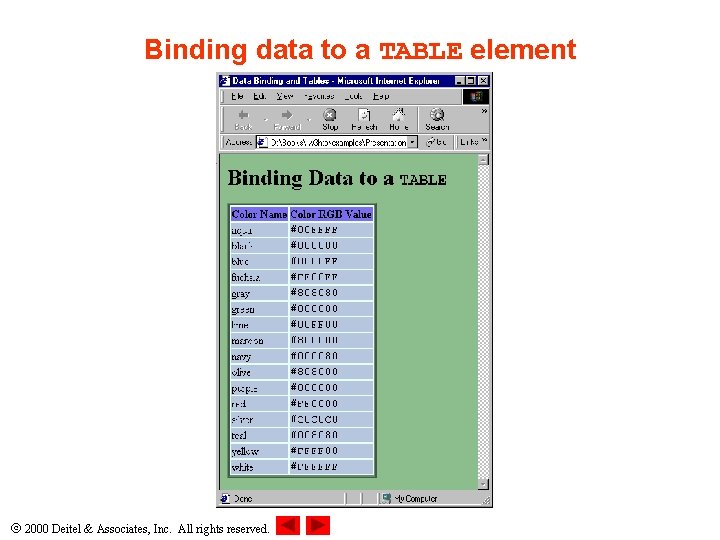
Binding data to a TABLE element 2000 Deitel & Associates, Inc. All rights reserved.
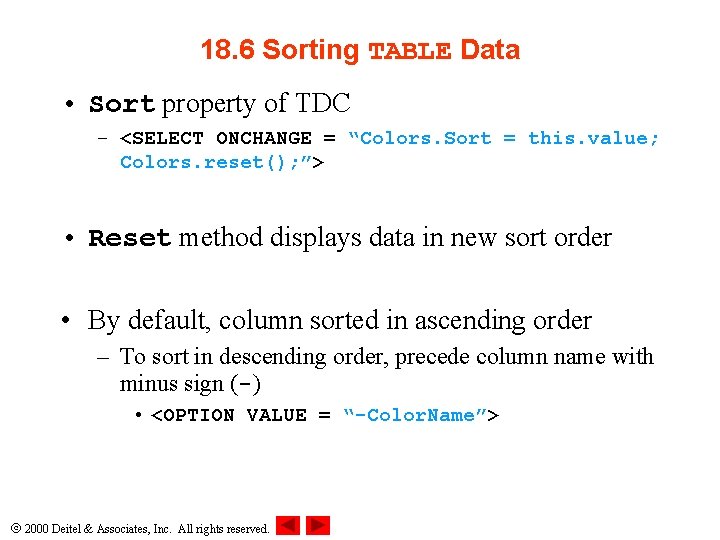
18. 6 Sorting TABLE Data • Sort property of TDC – <SELECT ONCHANGE = “Colors. Sort = this. value; Colors. reset(); ”> • Reset method displays data in new sort order • By default, column sorted in ascending order – To sort in descending order, precede column name with minus sign (-) • <OPTION VALUE = “-Color. Name”> 2000 Deitel & Associates, Inc. All rights reserved.
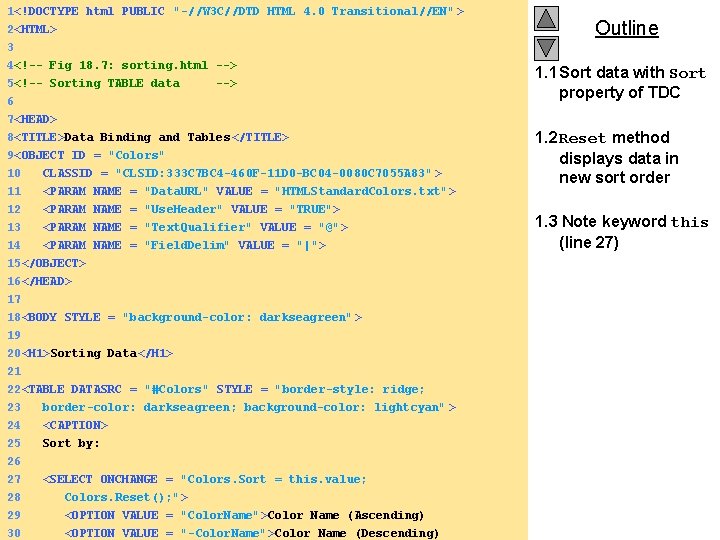
1<!DOCTYPE html PUBLIC "-//W 3 C//DTD HTML 4. 0 Transitional//EN" > 2<HTML> 3 4<!-- Fig 18. 7: sorting. html --> 5<!-- Sorting TABLE data --> 6 Outline 1. 1 Sort data with Sort property of TDC 7<HEAD> 8<TITLE>Data Binding and Tables</TITLE> 9<OBJECT ID = "Colors" 10 11 12 CLASSID = "CLSID: 333 C 7 BC 4 -460 F-11 D 0 -BC 04 -0080 C 7055 A 83" > <PARAM NAME = "Data. URL" VALUE = "HTMLStandard. Colors. txt" > <PARAM NAME = "Use. Header" VALUE = "TRUE"> 13 14 <PARAM NAME = "Text. Qualifier" VALUE = "@"> <PARAM NAME = "Field. Delim" VALUE = "|"> 15</OBJECT> 16</HEAD> 17 18<BODY STYLE = "background-color: darkseagreen" > 19 20<H 1>Sorting Data</H 1> 21 22<TABLE DATASRC = "#Colors" STYLE = "border-style: ridge; 23 border-color: darkseagreen; background-color: lightcyan" > 24 <CAPTION> 25 Sort by: 26 27 <SELECT ONCHANGE = "Colors. Sort = this. value; 28 Colors. Reset(); "> 29 <OPTION VALUE = "Color. Name">Color Name (Ascending) 2000 Deitel & Associates, Inc. All rights reserved. 30 <OPTION VALUE = "-Color. Name">Color Name (Descending) 1. 2 Reset method displays data in new sort order 1. 3 Note keyword this (line 27)
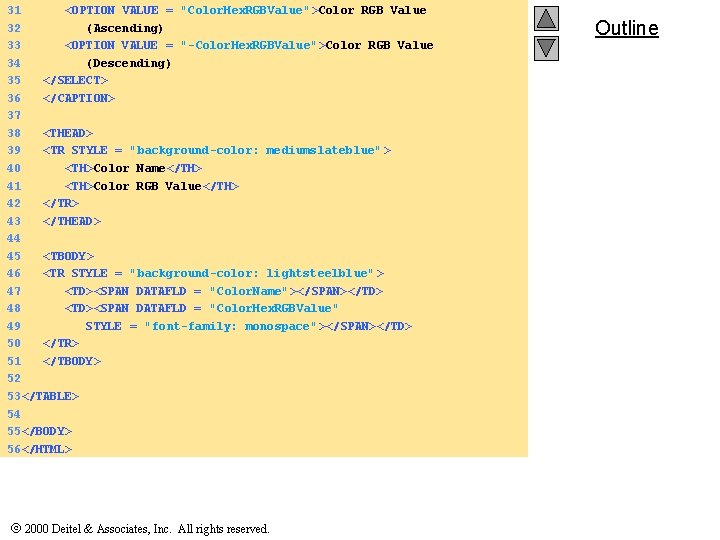
31 <OPTION VALUE = "Color. Hex. RGBValue">Color RGB Value 32 (Ascending) 33 <OPTION VALUE = "-Color. Hex. RGBValue">Color RGB Value 34 (Descending) 35 </SELECT> 36 </CAPTION> 37 38 <THEAD> 39 <TR STYLE = "background-color: mediumslateblue" > 40 <TH>Color Name</TH> 41 <TH>Color RGB Value</TH> 42 </TR> 43 </THEAD> 44 45 <TBODY> 46 <TR STYLE = "background-color: lightsteelblue" > 47 <TD><SPAN DATAFLD = "Color. Name"></SPAN></TD> 48 <TD><SPAN DATAFLD = "Color. Hex. RGBValue" 49 STYLE = "font-family: monospace" ></SPAN></TD> 50 </TR> 51 </TBODY> 52 53</TABLE> 54 55</BODY> 56</HTML> 2000 Deitel & Associates, Inc. All rights reserved. Outline
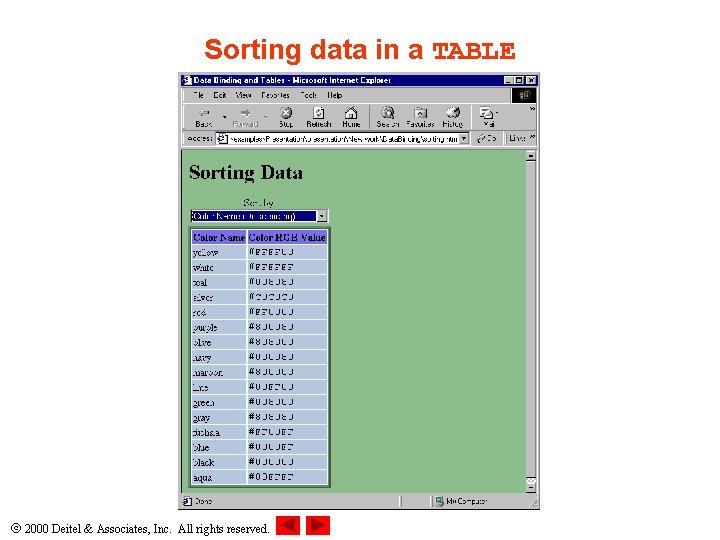
Sorting data in a TABLE 2000 Deitel & Associates, Inc. All rights reserved.
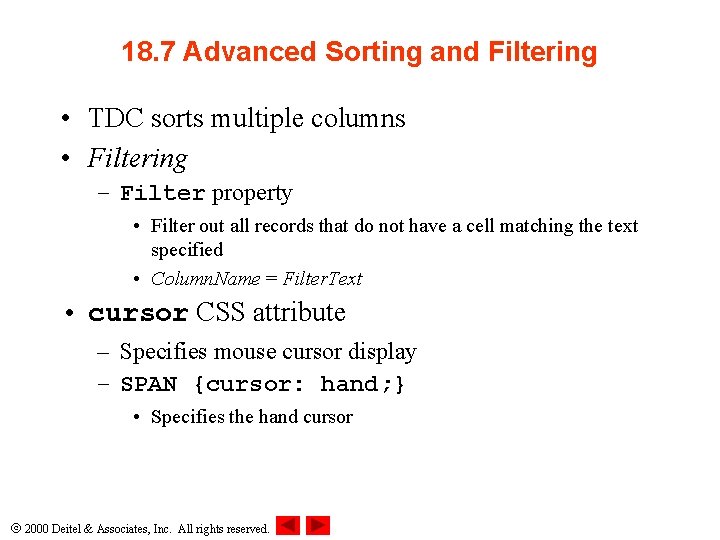
18. 7 Advanced Sorting and Filtering • TDC sorts multiple columns • Filtering – Filter property • Filter out all records that do not have a cell matching the text specified • Column. Name = Filter. Text • cursor CSS attribute – Specifies mouse cursor display – SPAN {cursor: hand; } • Specifies the hand cursor 2000 Deitel & Associates, Inc. All rights reserved.
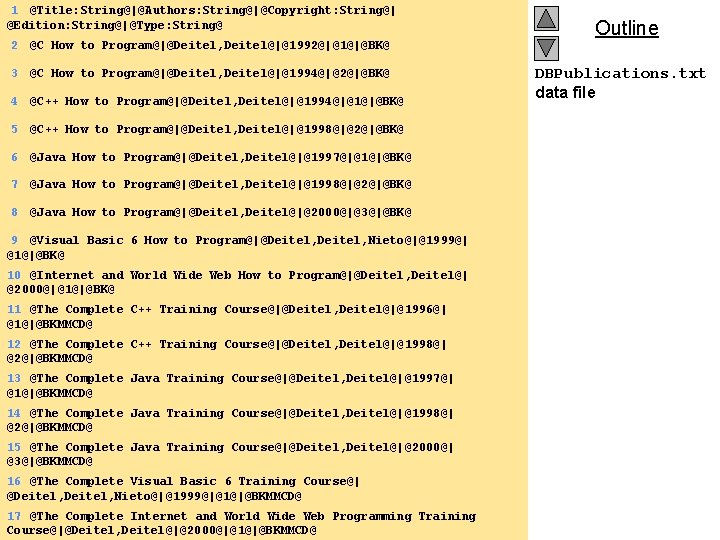
1 @Title: String@|@Authors: String@|@Copyright: String@| @Edition: String@|@Type: String@ 2 @C How to Program@|@Deitel, Deitel@|@1992@|@1@|@BK@ 3 @C How to Program@|@Deitel, Deitel@|@1994@|@2@|@BK@ 4 @C++ How to Program@|@Deitel, Deitel@|@1994@|@1@|@BK@ 5 @C++ How to Program@|@Deitel, Deitel@|@1998@|@2@|@BK@ 6 @Java How to Program@|@Deitel, Deitel@|@1997@|@1@|@BK@ 7 @Java How to Program@|@Deitel, Deitel@|@1998@|@2@|@BK@ 8 @Java How to Program@|@Deitel, Deitel@|@2000@|@3@|@BK@ 9 @Visual Basic 6 How to Program@|@Deitel, Nieto@|@1999@| @1@|@BK@ 10 @Internet and World Wide Web How to Program@|@Deitel, Deitel@| @2000@|@1@|@BK@ 11 @The Complete C++ Training Course@|@Deitel, Deitel@|@1996@| @1@|@BKMMCD@ 12 @The Complete C++ Training Course@|@Deitel, Deitel@|@1998@| @2@|@BKMMCD@ 13 @The Complete Java Training Course@|@Deitel, Deitel@|@1997@| @1@|@BKMMCD@ 14 @The Complete Java Training Course@|@Deitel, Deitel@|@1998@| @2@|@BKMMCD@ 15 @The Complete Java Training Course@|@Deitel, Deitel@|@2000@| @3@|@BKMMCD@ 16 @The Complete Visual Basic 6 Training Course@| @Deitel, Nieto@|@1999@|@1@|@BKMMCD@ 17 @The Complete Internet and World Wide Web Programming Training 2000 Deitel & Associates, Inc. All rights reserved. Course@|@Deitel, Deitel@|@2000@|@1@|@BKMMCD@ Outline DBPublications. txt data file
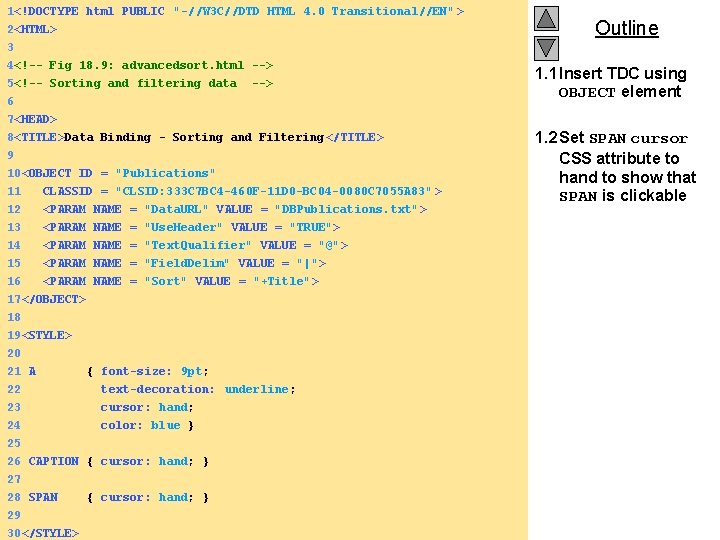
1<!DOCTYPE html PUBLIC "-//W 3 C//DTD HTML 4. 0 Transitional//EN" > 2<HTML> 3 4<!-- Fig 18. 9: advancedsort. html --> 5<!-- Sorting and filtering data --> 6 Outline 1. 1 Insert TDC using OBJECT element 7<HEAD> 8<TITLE>Data Binding - Sorting and Filtering </TITLE> 9 10<OBJECT ID = "Publications" 11 CLASSID = "CLSID: 333 C 7 BC 4 -460 F-11 D 0 -BC 04 -0080 C 7055 A 83" > 12 <PARAM NAME = "Data. URL" VALUE = "DBPublications. txt"> 13 14 <PARAM NAME = "Use. Header" VALUE = "TRUE"> <PARAM NAME = "Text. Qualifier" VALUE = "@"> 15 <PARAM NAME = "Field. Delim" VALUE = "|"> 16 <PARAM NAME = "Sort" VALUE = "+Title"> 17</OBJECT> 18 19<STYLE> 20 21 A { font-size: 9 pt; 22 text-decoration: underline; 23 cursor: hand; 24 color: blue } 25 26 CAPTION { cursor: hand; } 27 28 SPAN { cursor: hand; } 29 2000 Deitel & Associates, Inc. All rights reserved. 30</STYLE> 1. 2 Set SPAN cursor CSS attribute to hand to show that SPAN is clickable
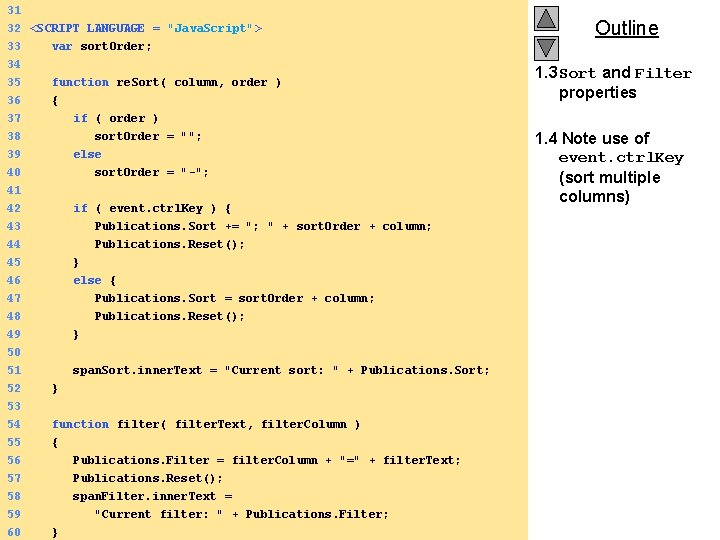
31 32 <SCRIPT LANGUAGE = "Java. Script"> 33 var sort. Order; 34 35 function re. Sort( column, order ) 36 { 37 if ( order ) 38 39 sort. Order = ""; else 40 41 42 sort. Order = "-"; if ( event. ctrl. Key ) { 43 44 Publications. Sort += "; " + sort. Order + column; Publications. Reset(); 45 46 47 } else { Publications. Sort = sort. Order + column; 48 Publications. Reset(); 49 50 } 51 52 53 54 55 56 span. Sort. inner. Text = "Current sort: " + Publications. Sort; } function filter( filter. Text, filter. Column ) { Publications. Filter = filter. Column + "=" + filter. Text; 57 Publications. Reset(); 58 span. Filter. inner. Text = 59 "Current filter: " + Publications. Filter; 2000 Deitel & Associates, Inc. All rights reserved. 60 } Outline 1. 3 Sort and Filter properties 1. 4 Note use of event. ctrl. Key (sort multiple columns)
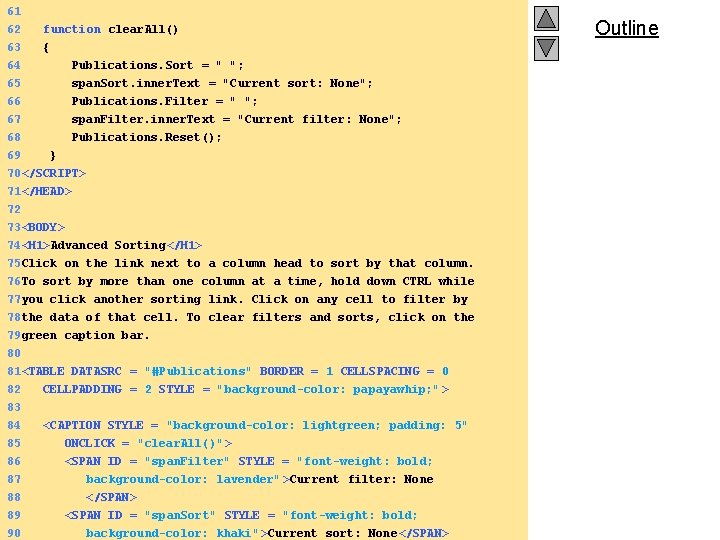
61 62 63 64 65 66 function clear. All() { Publications. Sort = " "; span. Sort. inner. Text = "Current sort: None"; Publications. Filter = " "; 67 span. Filter. inner. Text = "Current filter: None"; 68 69 Publications. Reset(); } 70</SCRIPT> 71</HEAD> 72 73<BODY> 74<H 1>Advanced Sorting</H 1> 75 Click on the link next to a column head to sort by that column. 76 To sort by more than one column at a time, hold down CTRL while 77 you click another sorting link. Click on any cell to filter by 78 the data of that cell. To clear filters and sorts, click on the 79 green caption bar. 80 81<TABLE DATASRC = "#Publications" BORDER = 1 CELLSPACING = 0 82 CELLPADDING = 2 STYLE = "background-color: papayawhip; " > 83 84 <CAPTION STYLE = "background-color: lightgreen; padding: 5" 85 ONCLICK = "clear. All()"> 86 <SPAN ID = "span. Filter" STYLE = "font-weight: bold; 87 background-color: lavender" >Current filter: None 88 </SPAN> 89 <SPAN ID = "span. Sort" STYLE = "font-weight: bold; 2000 Deitel & Associates, Inc. All rights reserved. 90 background-color: khaki" >Current sort: None</SPAN> Outline
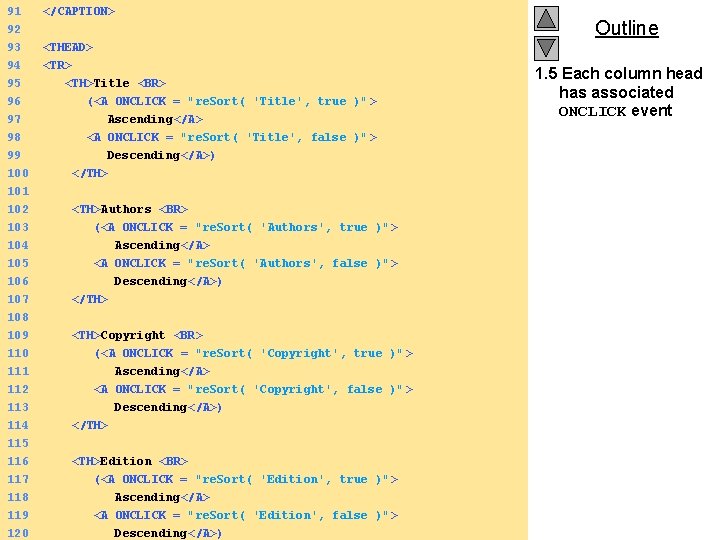
91 </CAPTION> 92 93 94 95 96 <THEAD> <TR> <TH>Title <BR> (<A ONCLICK = "re. Sort( 'Title', true )" > 97 98 99 100 101 102 Ascending</A> <A ONCLICK = "re. Sort( 'Title', false )" > Descending</A>) </TH> <TH>Authors <BR> 103 104 (<A ONCLICK = "re. Sort( 'Authors', true )" > Ascending</A> 105 106 107 <A ONCLICK = "re. Sort( 'Authors', false )" > Descending</A>) </TH> 108 109 110 <TH>Copyright <BR> (<A ONCLICK = "re. Sort( 'Copyright', true )" > 111 112 113 114 115 116 Ascending</A> <A ONCLICK = "re. Sort( 'Copyright', false )" > Descending</A>) </TH> <TH>Edition <BR> 117 (<A ONCLICK = "re. Sort( 'Edition', true )" > 118 Ascending</A> 119 <A ONCLICK = "re. Sort( 'Edition', false )" > 2000 Deitel & Associates, Inc. All rights reserved. 120 Descending</A>) Outline 1. 5 Each column head has associated ONCLICK event
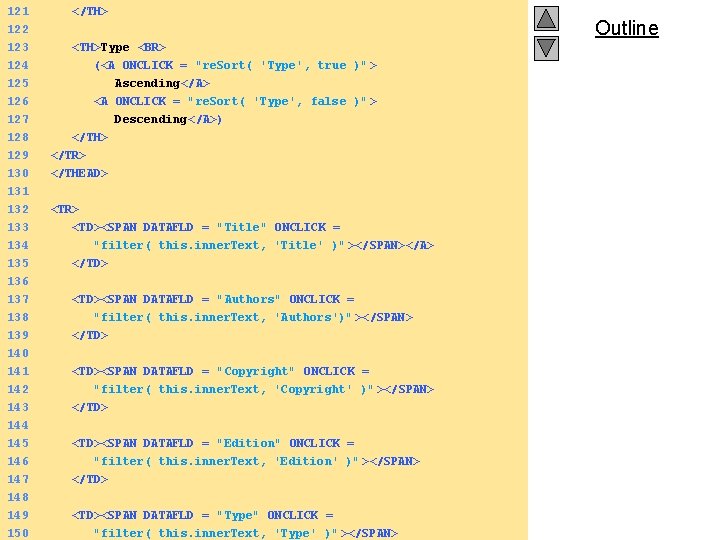
121 </TH> 122 123 124 125 126 <TH>Type <BR> (<A ONCLICK = "re. Sort( 'Type', true )" > Ascending</A> <A ONCLICK = "re. Sort( 'Type', false )" > 127 Outline Descending</A>) 128 129 </TH> </TR> 130 131 132 </THEAD> <TR> 133 134 <TD><SPAN DATAFLD = "Title" ONCLICK = "filter( this. inner. Text, 'Title' )" ></SPAN></A> 135 136 137 </TD> 138 <TD><SPAN DATAFLD = "Authors" ONCLICK = "filter( this. inner. Text, 'Authors')" ></SPAN> 139 140 </TD> 141 142 143 144 145 146 <TD><SPAN DATAFLD = "Copyright" ONCLICK = "filter( this. inner. Text, 'Copyright' )" ></SPAN> </TD> <TD><SPAN DATAFLD = "Edition" ONCLICK = "filter( this. inner. Text, 'Edition' )" ></SPAN> 147 </TD> 148 149 <TD><SPAN DATAFLD = "Type" ONCLICK = 2000 Deitel & Associates, Inc. All rights reserved. 150 "filter( this. inner. Text, 'Type' )" ></SPAN>
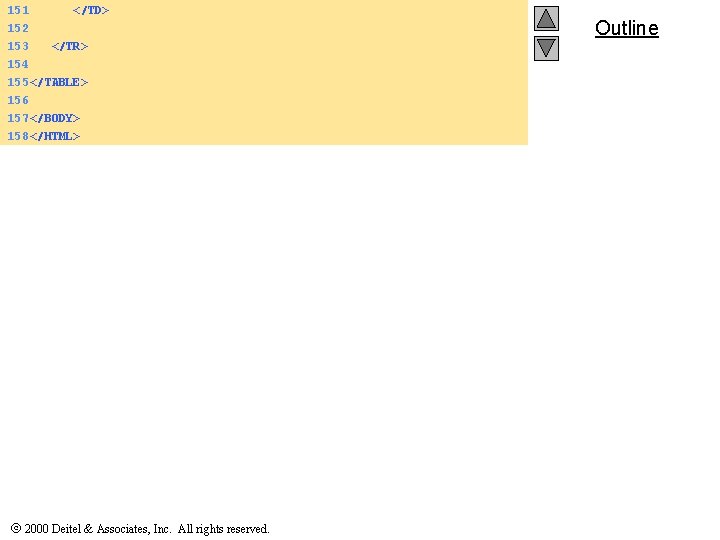
151 </TD> 152 153 </TR> 154 155 </TABLE> 156 157 </BODY> 158 </HTML> 2000 Deitel & Associates, Inc. All rights reserved. Outline
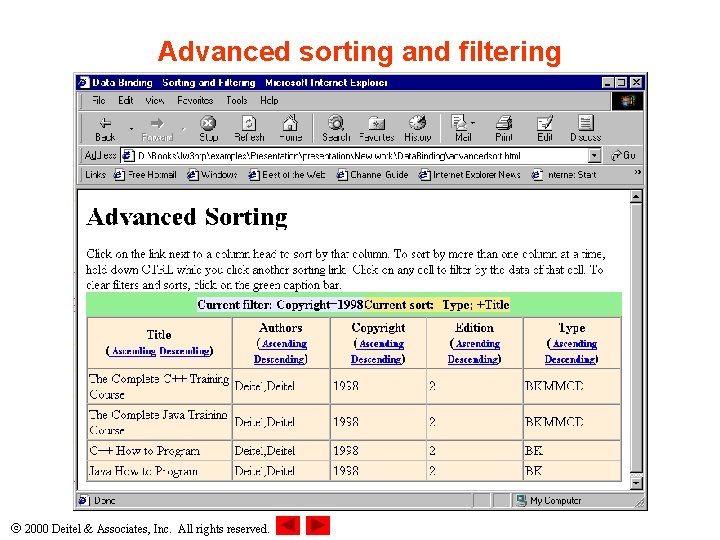
Advanced sorting and filtering 2000 Deitel & Associates, Inc. All rights reserved.
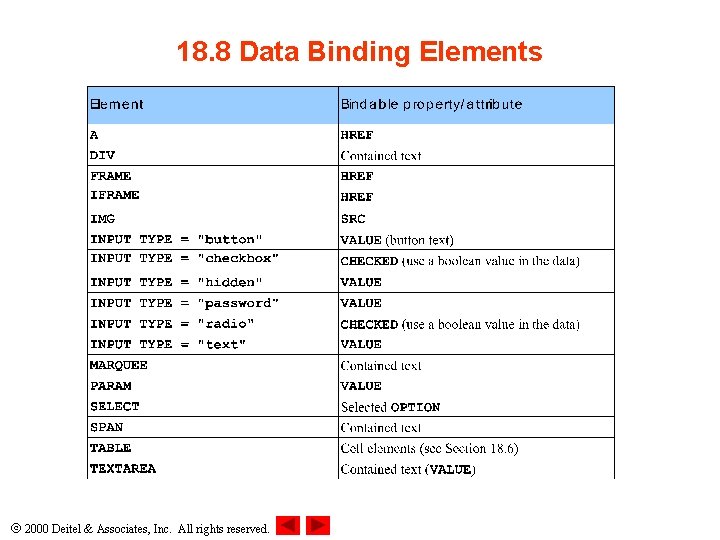
18. 8 Data Binding Elements 2000 Deitel & Associates, Inc. All rights reserved.
- Slides: 35