
Chapter 16 The World Wide Web The World
Chapter 16 The World Wide Web
The World Wide Web (Web) is an infrastructure of distributed information combined with software that uses networks as a vehicle to exchange that information. The Internet makes the communication possible, but the Web makes that communication easier, more productive, and more enjoyable. 2
The World Wide Web A Web page is a document that contains or references various kinds of data, such as text, images, graphics, and programs. Web pages also contain links to other Web pages so that the user can “move around. ” It’s these links that turn text documents into hypertext. A Web site is a collection of related Web pages, connected by links. 3
Web Browser A browser is a software tool that acts as a network client. It issues requests for the Web pages we want and displays them when they arrive. We often talk about “visiting” a Web site, as if we were going there. In truth, we request the information we want, and it is served to us. 4
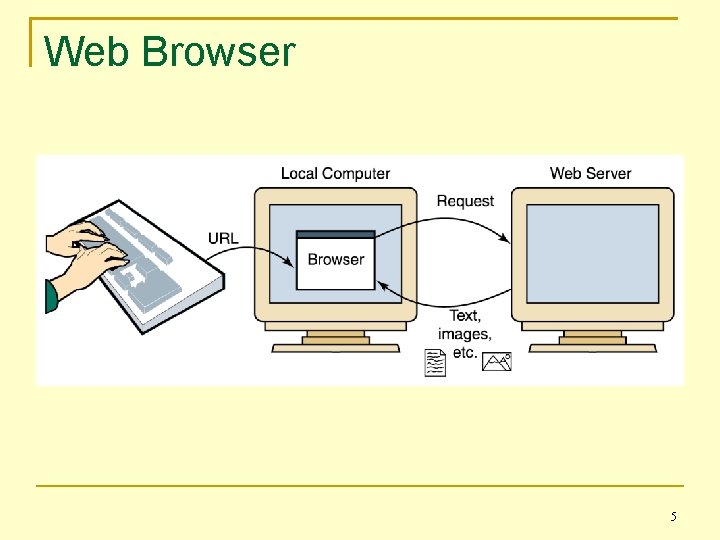
Web Browser 5
URLs The request sent by the browser is called a Uniform Resource Locator, or URL. It uniquely identifies the page you want among all of the files stored anywhere in the world accessible to the Internet. This identification contains the file’s name and location, as well as the set of rules required to transfer it. 6
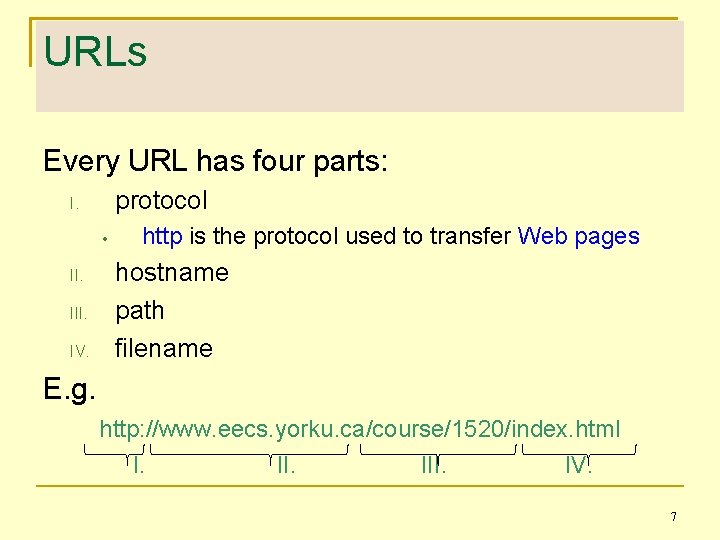
URLs Every URL has four parts: protocol I. • II. IV. http is the protocol used to transfer Web pages hostname path filename E. g. http: //www. eecs. yorku. ca/course/1520/index. html I. III. IV. 7
Search Engines Search Engine: A website to find other websites. Examples include: AIO Search, Ask Jeeves, Bing, Blippex, Google, kifi, Recusive, Omni, Search All, Search Me, Spotify, Yahoo Each maintains a database of information, including an index of keywords and URLs that feature them. The d. Base is maintained by “spider bots” that “crawl” the web, examining more than 1 trillion (1, 000, 000) unique URLs. 8
Search Engines When you enter keywords, the search engine produces a list of links to potentially useful sites. Of course, ‘useful’ means different things! There are two approaches to searching: Keyword searches Concept-based searches
Instant Messaging Instant messaging (IM): An application that allows people to send and receive messages in real time. Both sender and receiver must have an IM app running. Most IM applications use a proprietary protocol that dictates the precise format and structure of the messages that are sent across the network to the receiver. Instant messages are not secure! Except BBM 10
Blogs • Short for weblog • Publishing mechanism • Use has evolved • “citizen journalism”
Cookies Cookie: A small text file that a web server stores on your local computer’s hard disk. A cookie contains information about your visit to the site. Cookies can be used… to determine number of unique visitors to the site, to customize the site for your future visits, to implement shopping carts that can be maintained from visit to visit. Cookies are not dangerous! 12
HTML Web pages are created (or built) using a language called the Hypertext Markup Language, or HTML. The term markup language comes from the fact that the primary elements of the language take the form of tags that we insert into a standard text file to annotate the information stored there. 13
HTML Since web pages are standard text files they can be created with any text editor. They can also be transferred very quickly. The files are saved with the file extension. html (or. htm) so browsers will apply the appropriate rules to the text.
HTML – a brief history 1980 - Tim Berners-Lee began development of HTML at CERN. 1991 - First specification for HTML published. 1995 - Request for Comments 1866 specifies HTML 2. 0. 1996 - World Wide Web Consortium (W 3 C) maintains specifications for HTML. 1999 - HTML 4. 01 published. 2004 - development began on HTML 5.
HTML – the future 2011 - HTML 5 standard released HTML 5 responds to the regret of web designers over the conflation of Structure and Presentation in HTML. It looks very promising for serious developers, providing a streamlined tag system and support for dynamic content.
XHTML – the present HTML 5 is not yet widely supported by browsers, but the important shift in design philosophy is embodied in XHTML. The current style is to use XHTML to specify Structure, and Cascading Style Sheets (CSS) to specify Presentation.
What Is XHTML? XHTML - e. Xtensible Hyper. Text Markup Language • very similar to HTML 4. 01 • stricter and cleaner • HTML defined as an XML application • a W 3 C Recommendation of January 2000 • supported by all major browsers
Structure of an XHTML document An XHTML document consists of several parts: • the <!DOCTYPE… > declaration • the <head> section • the <body> section
Structure of an XHTML document <!DOCTYPE …> <html> <head> <title>appears in the Title Bar</title> </head> <body> … </body> </html> 20
XHTML The <!DOCTYPE> declaration is mandatory in XHTML. This declaration refers to a Document Type Definition (DTD) which specifies the rules for the markup language, so that the browsers render the content correctly. For example: <!DOCTYPE html PUBLIC "-//W 3 C//DTD XHTML 1. 0 Strict//EN" "http: //www. w 3. org/TR/xhtml 1/DTD/xhtml 1 -strict. dtd">
XHTML - Different Doctypes XHTML 1. 0 Strict This DTD contains all HTML elements and attributes, but does NOT INCLUDE presentational or deprecated elements (like font). Framesets are not allowed. The markup must also be written as well-formed XML. XHTML 1. 0 Transitional This DTD contains all HTML elements and attributes, INCLUDING presentational and deprecated elements (like font). Framesets are not allowed. The markup must also be written as well-formed XML. XHTML 1. 0 Frameset This DTD is equal to XHTML 1. 0 Transitional, but allows the use of Framesets. XHTML 1. 1 This DTD is equal to XHTML 1. 0 Strict, but allows you to add modules (for example to provide ruby support for East-Asian languages).
XHTML Some important differences between HTML and XHTML: • • XHTML elements must be properly nested. XHTML elements must always be closed. XHTML elements must be in lowercase. XHTML documents must have one root element.
XHTML - Tags A tag consists of a keyword enclosed in angle brackets. (<. . . >) Tags are most often used in pairs, with a start tag such as <body> and an end tag such as </body> surrounding the text to which they apply. A tag pair, along with its enclosed text, is called an element. 24
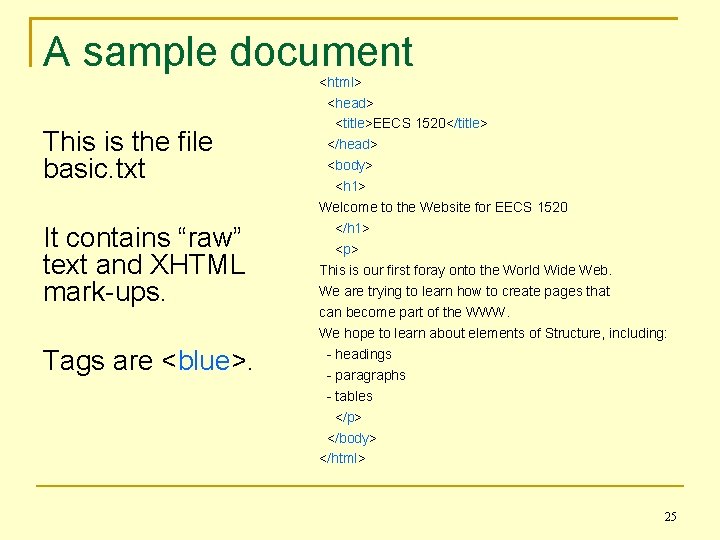
A sample document This is the file basic. txt It contains “raw” text and XHTML mark-ups. Tags are <blue>. <html> <head> <title>EECS 1520</title> </head> <body> <h 1> Welcome to the Website for EECS 1520 </h 1> <p> This is our first foray onto the World Wide Web. We are trying to learn how to create pages that can become part of the WWW. We hope to learn about elements of Structure, including: - headings - paragraphs - tables </p> </body> </html> 25
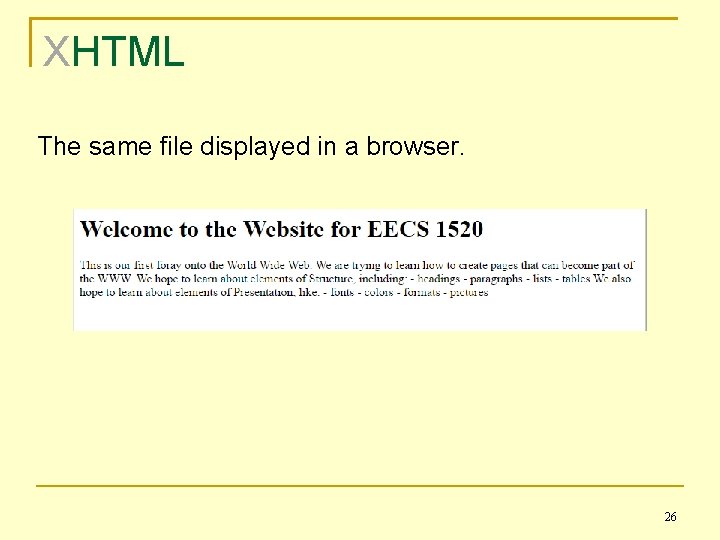
XHTML The same file displayed in a browser. 26
XHTML Note that the browser determines how the page should be displayed based on the tags. It ignores the way we format the XHTML source document. Tabs, carriage returns, extra spaces, and blank lines are called “whitespace” and are ignored by the browser. The browser takes into account the width and height of its window. When you resize the browser window, the contents of the Web page are reformatted to fit the new size. 27
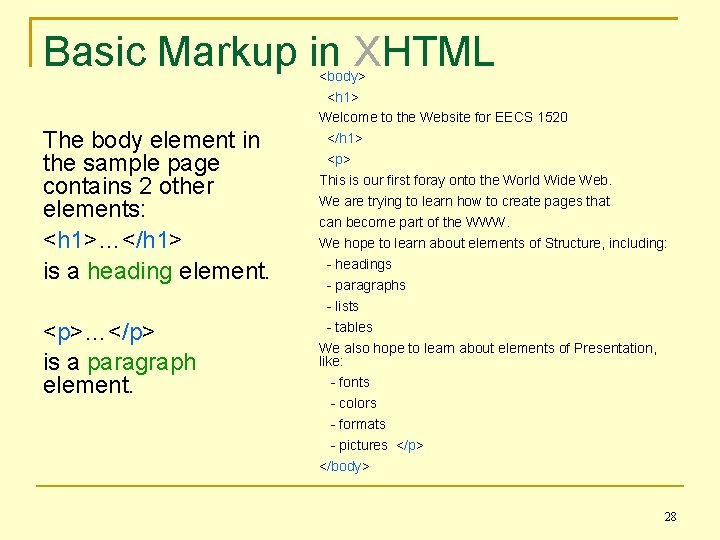
Basic Markup in XHTML The body element in the sample page contains 2 other elements: <h 1>…</h 1> is a heading element. <p>…</p> is a paragraph element. <body> <h 1> Welcome to the Website for EECS 1520 </h 1> <p> This is our first foray onto the World Wide Web. We are trying to learn how to create pages that can become part of the WWW. We hope to learn about elements of Structure, including: - headings - paragraphs - lists - tables We also hope to learn about elements of Presentation, like: - fonts - colors - formats - pictures </p> </body> 28
Basic Markup in XHTML Headings in a document. There are six predefined heading levels in XHTML: h 1, h 2, h 3, h 4, h 5, and h 6. The heading level determines the typeface and size of the text, and the vertical spacing below the text. Paragraphs (<p>. . . </p>) specify text that should be treated as a single paragraph. A paragraph always starts on a new line. Paragraphs are followed by vertical spacing. 29
Basic Markup in XHTML To cause text to start on a new line without vertical spacing, use the line break element: This empty element uses a single tag instead of a pair. To conform to the rule that all tags must be closed, the “ /” (space slash) are added to empty tags. 30
Lists in XHTML We often want to display a list of items. The <ul>…</ul> pair creates an unordered list, the <ol>…</ol> pair creates an ordered list, and the <li>…</li> pair distinguishes each list item. 31
A sample list <ul> <li>a list item</li> <li>another list item</li> <li>and another list item</li> </ul> This XHTML code will produce… 32
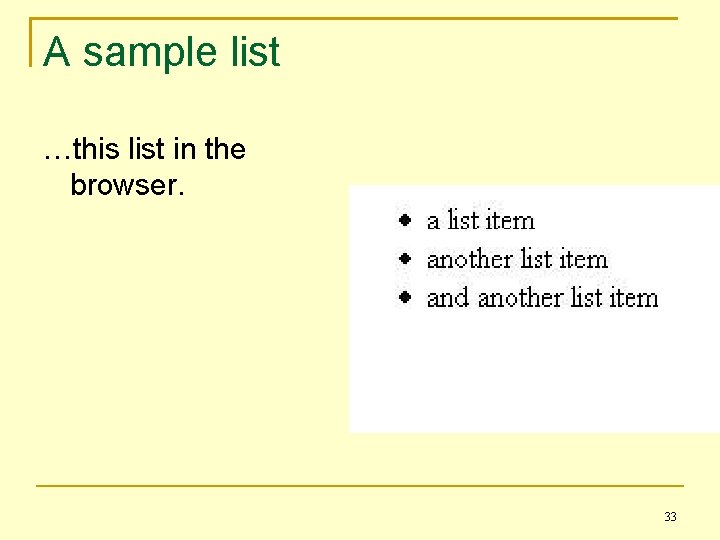
A sample list …this list in the browser. 33
Tables In XHTML, tabular data can be displayed by using a table comprised of rows of details. <table>…</table> tags surround the table <tr>…</tr> tags surround a row <td>…</td> tags define each detail (data) 34
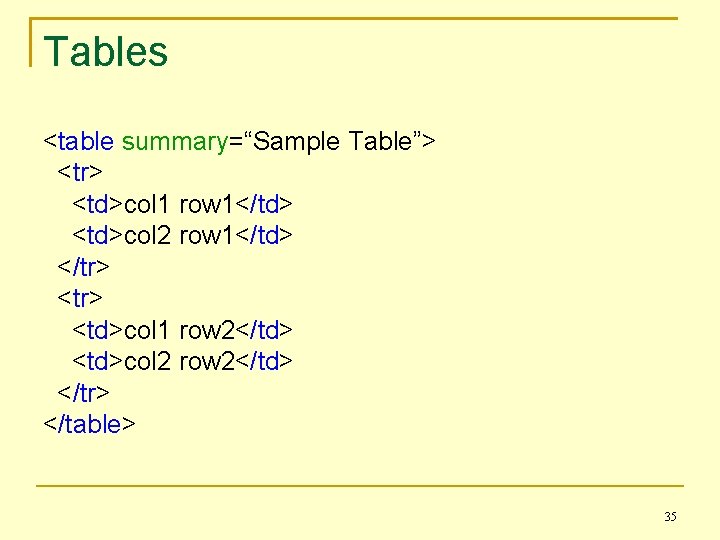
Tables <table summary=“Sample Table”> <tr> <td>col 1 row 1</td> <td>col 2 row 1</td> </tr> <td>col 1 row 2</td> <td>col 2 row 2</td> </tr> </table> 35
Tables XHTML requires that web pages be compatible with non-visual browsers. In the case of tables this means that a <table> tag must include a summary attribute. <table summary=“Brief Description”> The text in the summary provides a description of the table to users of non-visual browsers. 36
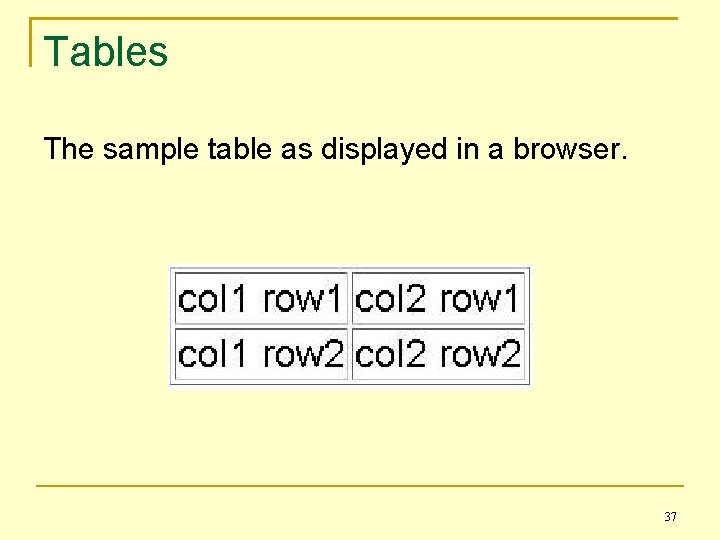
Tables The sample table as displayed in a browser. 37
Images An image can be incorporated into a Web page using the <img /> tag. This is another example of an empty element since it does not surround text, but instead indicates a point at which to insert the picture. 38
Images To specify where to find the picture to be inserted, the <img /> tag uses the mandatory src attribute. <img src=“path/filname. gif” alt=“alternate text” /> Note the other mandatory attribute - alt, which provides text to be displayed whenever the image cannot be. 39
Tag Attributes Note the syntax of tag attributes. The attribute name is followed by the equals sign (=), and then the attribute value, which is enclosed in quotes. – Either double or single quotes may be used. 40
Links A link is specified using the element a, which stands for anchor. The tag includes an attribute called href that specifies the URL of the destination document. 41
Links For example: <a href = "http: //www. eecs. yorku. ca/course/1520"> EECS 1520 Web Site</a> Notes: The URL is enclosed in quotes. The link text between the tags is displayed in the browser, usually in underlined blue. However, this can be changed. 42
Cascading Style Sheets CSS
CSS Style Rules tell the browser how a particular part of a web page is to be presented. Presentation refers to aspects of the display related to the text, like font, colour, size, etc. For example: body {background-color: yellow; } h 1 {color: blue; } p {font-family: verdana; font-size: smaller; }
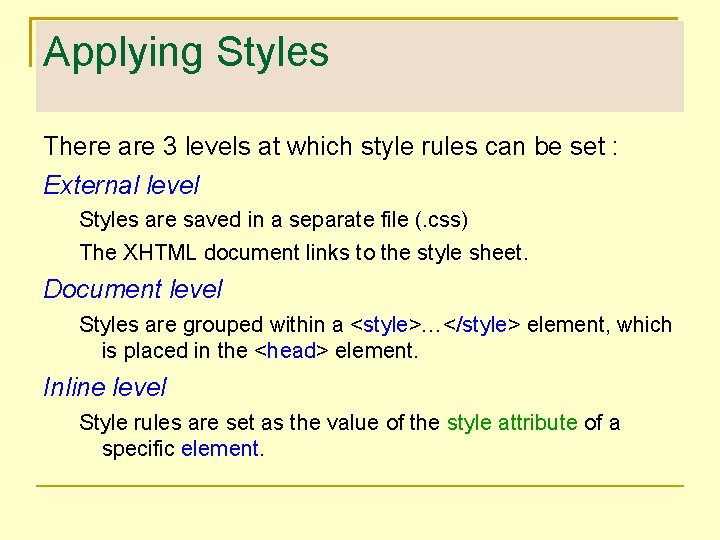
Applying Styles There are 3 levels at which style rules can be set : External level Styles are saved in a separate file (. css) The XHTML document links to the style sheet. Document level Styles are grouped within a <style>…</style> element, which is placed in the <head> element. Inline level Style rules are set as the value of the style attribute of a specific element.
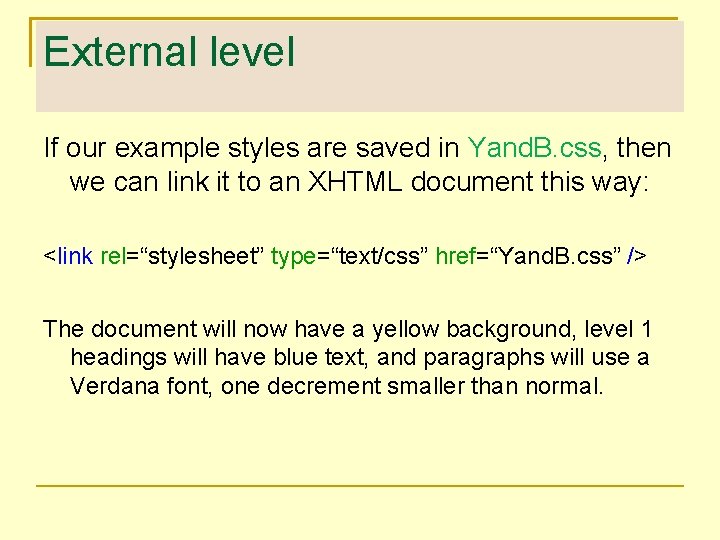
External level If our example styles are saved in Yand. B. css, then we can link it to an XHTML document this way: <link rel=“stylesheet” type=“text/css” href=“Yand. B. css” /> The document will now have a yellow background, level 1 headings will have blue text, and paragraphs will use a Verdana font, one decrement smaller than normal.
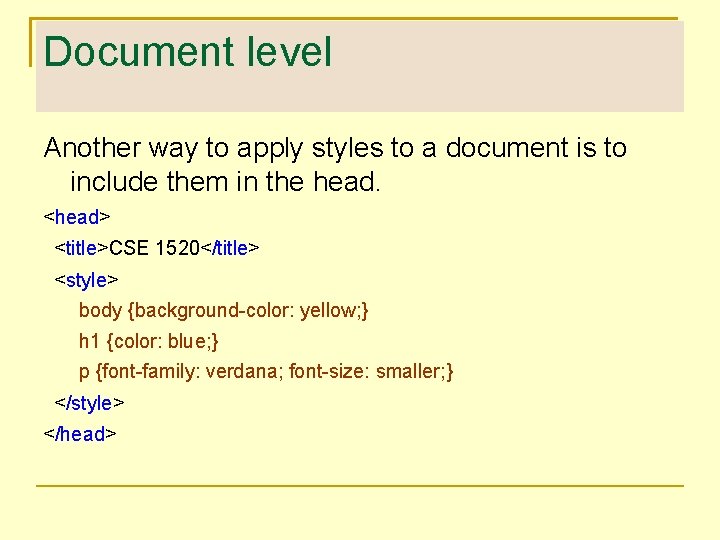
Document level Another way to apply styles to a document is to include them in the head. <head> <title>CSE 1520</title> <style> body {background-color: yellow; } h 1 {color: blue; } p {font-family: verdana; font-size: smaller; } </style> </head>
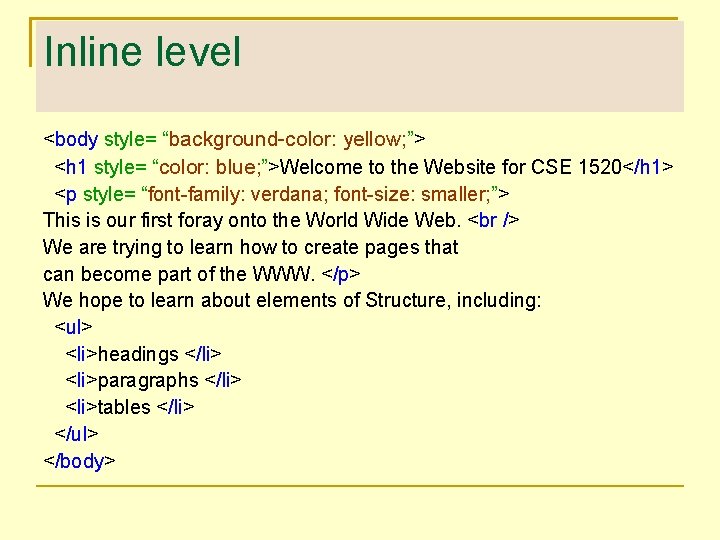
Inline level <body style= “background-color: yellow; ”> <h 1 style= “color: blue; ”>Welcome to the Website for CSE 1520</h 1> <p style= “font-family: verdana; font-size: smaller; ”> This is our first foray onto the World Wide Web. We are trying to learn how to create pages that can become part of the WWW. </p> We hope to learn about elements of Structure, including: <ul> <li>headings </li> <li>paragraphs </li> <li>tables </li> </ul> </body>
Cascading Styles The more local a style is defined, the higher is its priority. An External style applies to any document that links to the. css file. However, a style defined at the Document level will be replace an External style. Moreover, an Inline style will take precedence over either of the other two. This is why they’re called “cascading style sheets”.
Applying Style Sheets The advantages of applying style sheets at the External level, make it the current favourite. – Styles can be applied to the whole, or part(s) of a website without having to copy/paste them to multiple documents. – Modifying the presentation of the whole site, or any part of it, requires changes to only 1 file.
Interactive Web Pages
Interactive Web Pages When HTML was first developed, there was no way to interact with the text and graphics presented in a Web page. As users clamored for a more dynamic web, new technologies were developed to accommodate these requests. Many of the new ideas were offshoots of the newly developed Java programming language. 52
Web Page Behaviour This introduces a third aspect of web page design. In addition to Structure and Presentation, we now have – Behaviour. There are 2 levels at which web pages can interact, where we can program behaviour: • • Client-side Server-side
Programs that run “in the browser” CLIENT-SIDE BEHAVIOUR
Java Applets A Java applet is a program that is designed to be embedded in an HTML document using the applet tag. <applet code="My. Applet. class" width=“ 250” height=“ 150” > </applet > The file containing the program code is transferred over the Web, along with the text and graphics, then executed after the browser loads and displays the rest of the page. 55
Java Applets The browser has a built-in interpreter that executes the applet, which can collect input from the user and alter the page content. Consider the difficulties inherent in this situation. How can we expect a program that was written on one type of computer to run on possibly many other types of computers? 56
Java Applets Java programs are compiled into Bytecode, a low-level representation of a program that is not quite machine code because it’s not specific to any CPU. A Java interpreter is installed on each user’s machine to translate Bytecode into the machine code for that particular CPU. This interpreter executes the Bytecode. 57
Java Applets Java applets are restricted as to what they can do. The Java language has a carefully constructed security model. An applet, for instance, cannot access any local files or change any system settings. 58
Scripts An alternative to applets is the use of scripts programs written for a special run-time interpreter. These can be “embedded” or “external”. Java. Script and VB are examples of scripting languages.
Programs that run on the server. SERVER-SIDE BEHAVIOUR
Java Server Pages A Java Server Page, or JSP, is a Web page that has JSP scriptlets embedded in it. A scriptlet is a small piece of executable code intertwined among regular HTML content. A JSP scriptlet is encased in special tags beginning with <% and ending with %>. Imagine JSP scriptlets as having the expressive power of a full programming language. 61
Java Server Pages JSPs are executed on the server - where the Web pages are stored. This execution creates (X)HTML code that is sent to the browser. By the time it arrives at your computer, all active processing has taken place, producing a static (though dynamically created) Web page. JSPs are particularly good for coordinating the interaction between a Web page and an underlying database. 62
Server-side Languages There are several popular alternatives to JSP. • • ASP CGI Perl PHP Python Ruby Tcl Web. DNA
Structuring content XML
XML HTML is fixed. It has a predefined set of tags and each tag has its meaning. The tags specify how the content is organised, but there is nothing about HTML tags that indicates what the content represents. The e. Xtensible Markup Language, or XML, allows the creator of a document to describe its contents by defining their own set of tags. 65
XML is a metalanguage - a language for talking about, or defining, other languages. The Standard Generalized Markup Language (SGML) was used to define HTML. XML is a simplified version SGML used to enhance HTML. 66
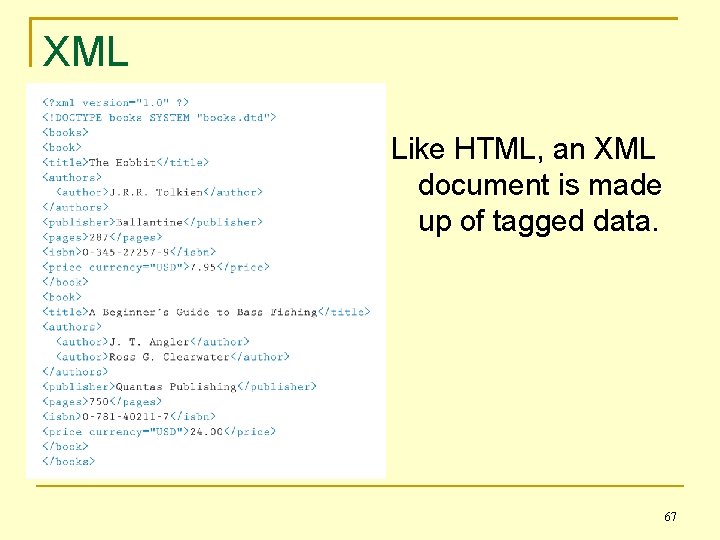
XML Like HTML, an XML document is made up of tagged data. 67
XML Note line 2 of the example: <!DOCTYPE books SYSTEM “books. dtd”> This indicates the file that contains the definition (organisation) for documents of that type. 68
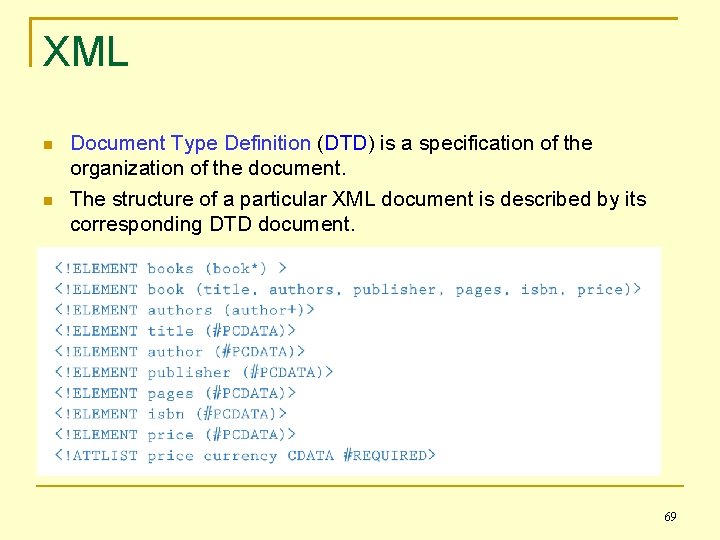
XML Document Type Definition (DTD) is a specification of the organization of the document. The structure of a particular XML document is described by its corresponding DTD document. 69
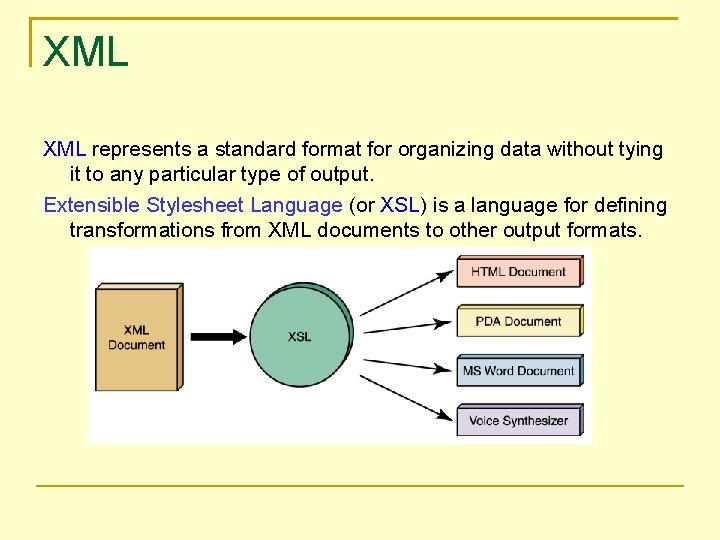
XML represents a standard format for organizing data without tying it to any particular type of output. Extensible Stylesheet Language (or XSL) is a language for defining transformations from XML documents to other output formats.
- Slides: 70