
Chapter 16 The World Wide Web The New
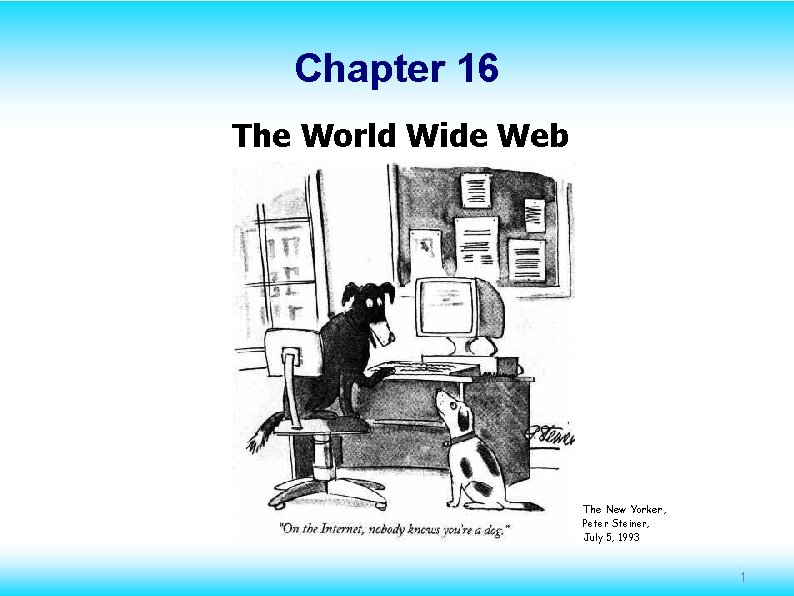
Chapter 16 The World Wide Web The New Yorker, Peter Steiner, July 5, 1993 1
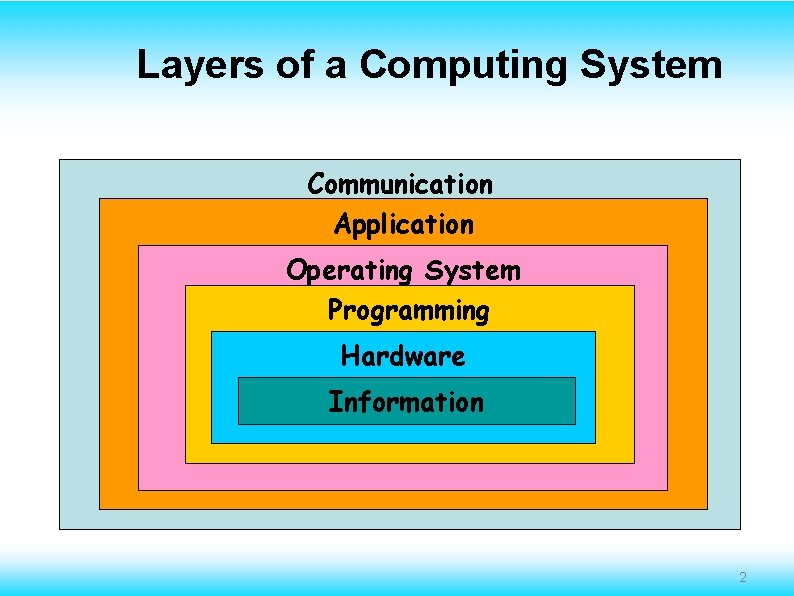
Layers of a Computing System Communication Application Operating System Programming Hardware Information 2
Chapter Goals Compare and contrast the Internet and the World Wide Web Describe general Web processing Write basic HTML documents Describe several specific HTML tags and their purposes 3
Chapter Goals Describe the processing of Java applets and Java server pages Compare and contrast HTML and XML Define basic XML documents and their corresponding DTDs Explain how XML documents are viewed 4
The World Wide Web The Web An infrastructure of distributed information combined with software that uses networks as a vehicle to exchange that information Web page A document that contains or references various kinds of data, such as text, images, graphics, and programs Links A connection between one web page and another that can be used “move around” as desired 5

Search Engines Search Engine A website that helps you find other websites For example, Snap and Google are search engines You enter keywords and the search engine produces a list if links to potentially useful sites There are two types of searches Keyword searches Concept-based searches 6
Instant Messaging Instant messaging (IM) An application that allows people to send and receive messages in real time Both sender and receiver must have an IM running Most IM applications use a proprietary protocol that dictates the precise format and structure of the messages that are sent across the network to the receiver. Instant messages are not secure 7
Cookies Cookie A small text file that a web server stores on your local computer’s hard disk A cookie contains information about your visit to the site Cookies can be used to determine number of unique visitors to the site to customize the site for your future visits to implement shopping carts that can be maintained from visit to visit Cookies are not dangerous 8
Web Browser A software tool that issues the request for the web page we want and displays it when it arrives We often talk about “visiting” a website, as if we were going there In truth, we actually specify the information we want, and it is brought to us The concept of visiting a site is understandable in that we often don’t know what’s at a particular site until we “go to it” and see 9
Web Browser Web server The computer that is set up to respond to web requests Web address The core part of a Uniform Resource Locator, or URL, which uniquely identifies the page you want out of all of the pages stored anywhere in the world 10
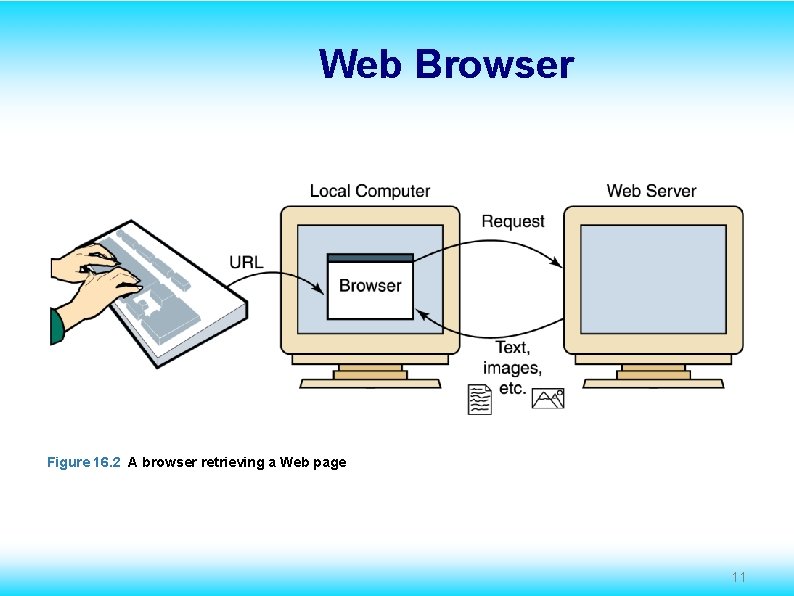
Web Browser Figure 16. 2 A browser retrieving a Web page 11
Uniform Resource Identifiers Uniform naming schema to identify resources on the Internet A resource can be anything: index. html mysong. mp 3 picture. jpg Example URIs: http: //www. cs. wisc. edu/~dbbook/index. html mailto: webmaster@bookstore. com 12
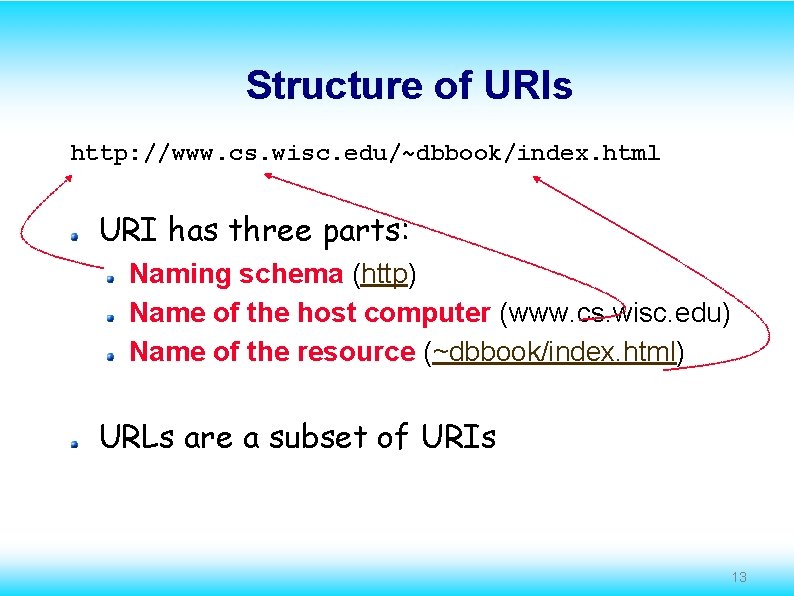
Structure of URIs http: //www. cs. wisc. edu/~dbbook/index. html URI has three parts: Naming schema (http) Name of the host computer (www. cs. wisc. edu) Name of the resource (~dbbook/index. html) URLs are a subset of URIs 13
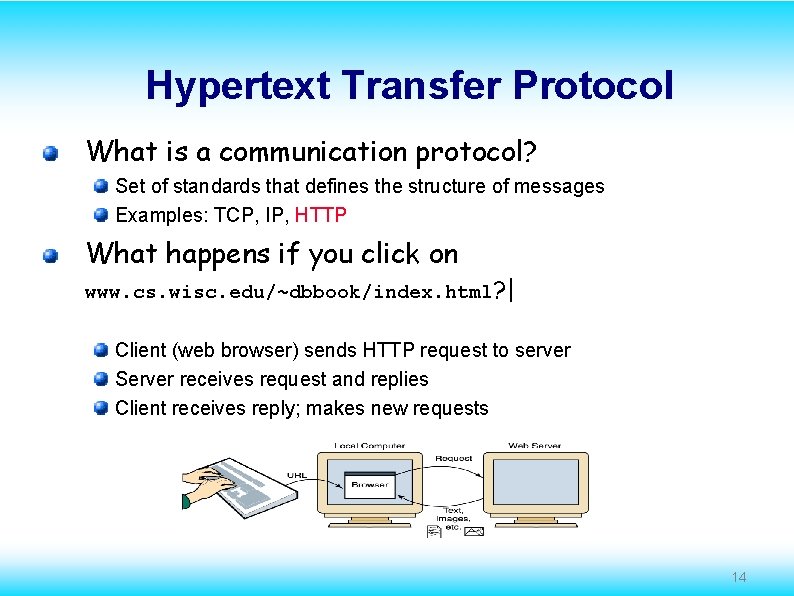
Hypertext Transfer Protocol What is a communication protocol? Set of standards that defines the structure of messages Examples: TCP, IP, HTTP What happens if you click on www. cs. wisc. edu/~dbbook/index. html? | Client (web browser) sends HTTP request to server Server receives request and replies Client receives reply; makes new requests 14
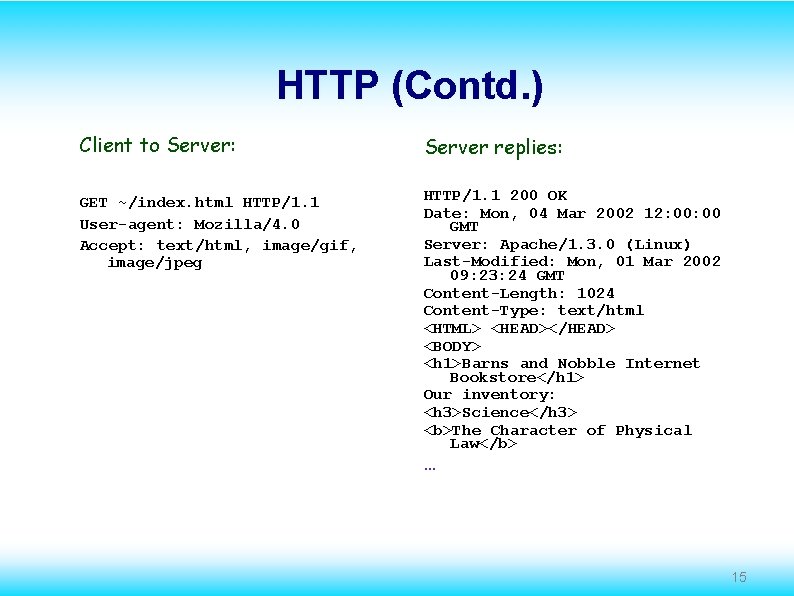
HTTP (Contd. ) Client to Server: Server replies: GET ~/index. html HTTP/1. 1 User-agent: Mozilla/4. 0 Accept: text/html, image/gif, image/jpeg HTTP/1. 1 200 OK Date: Mon, 04 Mar 2002 12: 00 GMT Server: Apache/1. 3. 0 (Linux) Last-Modified: Mon, 01 Mar 2002 09: 23: 24 GMT Content-Length: 1024 Content-Type: text/html <HTML> <HEAD></HEAD> <BODY> <h 1>Barns and Nobble Internet Bookstore</h 1> Our inventory: <h 3>Science</h 3> <b>The Character of Physical Law</b>. . . 15
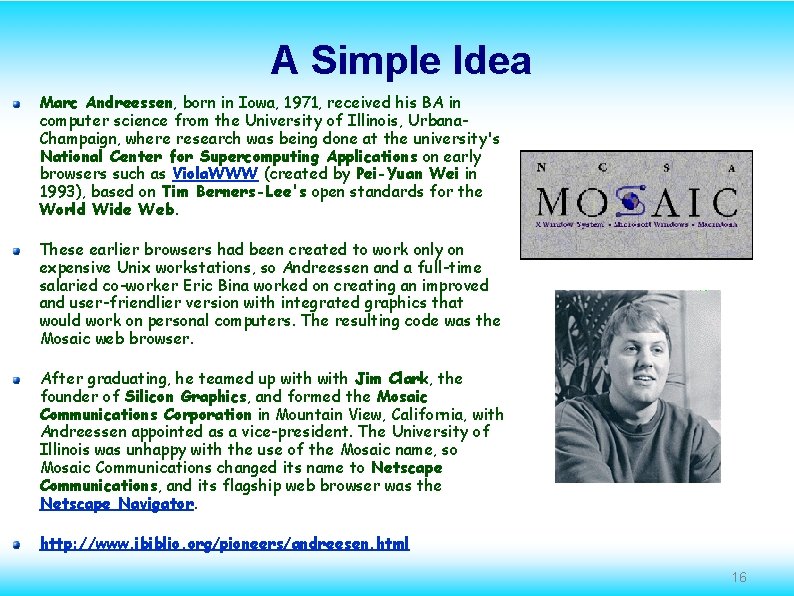
A Simple Idea Marc Andreessen, born in Iowa, 1971, received his BA in computer science from the University of Illinois, Urbana. Champaign, where research was being done at the university's National Center for Supercomputing Applications on early browsers such as Viola. WWW (created by Pei-Yuan Wei in 1993), based on Tim Berners-Lee's open standards for the World Wide Web. These earlier browsers had been created to work only on expensive Unix workstations, so Andreessen and a full-time salaried co-worker Eric Bina worked on creating an improved and user-friendlier version with integrated graphics that would work on personal computers. The resulting code was the Mosaic web browser. After graduating, he teamed up with Jim Clark, the founder of Silicon Graphics, and formed the Mosaic Communications Corporation in Mountain View, California, with Andreessen appointed as a vice-president. The University of Illinois was unhappy with the use of the Mosaic name, so Mosaic Communications changed its name to Netscape Communications, and its flagship web browser was the Netscape Navigator. http: //www. ibiblio. org/pioneers/andreesen. html 16
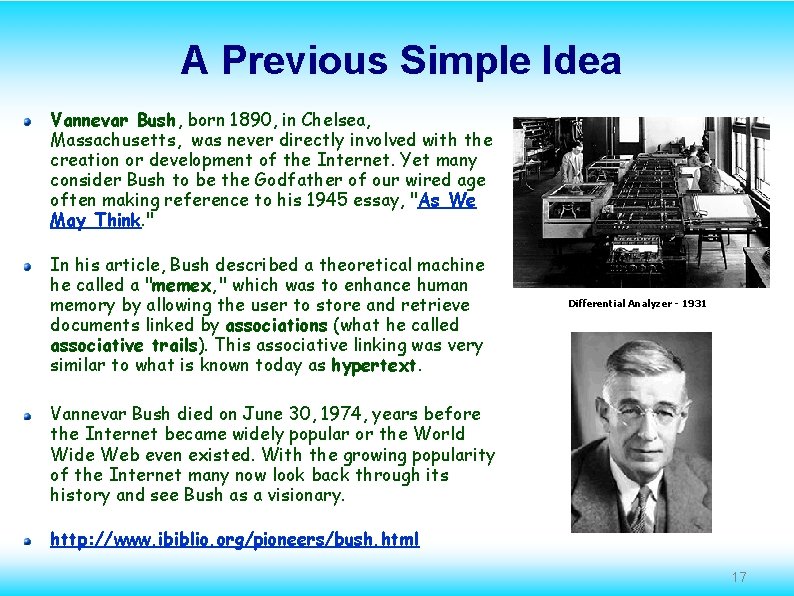
A Previous Simple Idea Vannevar Bush, born 1890, in Chelsea, Massachusetts, was never directly involved with the creation or development of the Internet. Yet many consider Bush to be the Godfather of our wired age often making reference to his 1945 essay, "As We May Think. " In his article, Bush described a theoretical machine he called a "memex, " which was to enhance human memory by allowing the user to store and retrieve documents linked by associations (what he called associative trails). This associative linking was very similar to what is known today as hypertext. Differential Analyzer - 1931 Vannevar Bush died on June 30, 1974, years before the Internet became widely popular or the World Wide Web even existed. With the growing popularity of the Internet many now look back through its history and see Bush as a visionary. http: //www. ibiblio. org/pioneers/bush. html 17
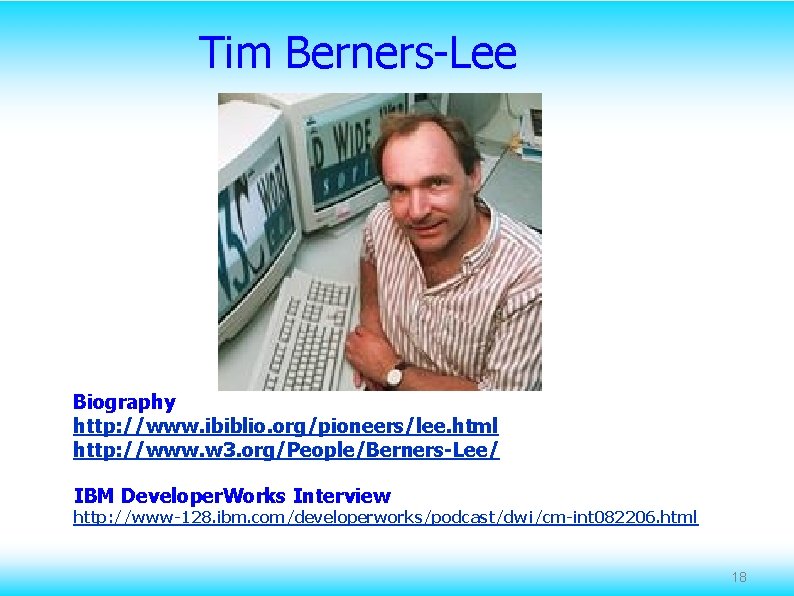
Tim Berners-Lee Biography http: //www. ibiblio. org/pioneers/lee. html http: //www. w 3. org/People/Berners-Lee/ IBM Developer. Works Interview http: //www-128. ibm. com/developerworks/podcast/dwi/cm-int 082206. html 18
HTML Web pages are created (or built) using a language called the Hypertext Markup Language, or HTML The term markup language comes from the fact that the primary elements of the language take the form of tags that we insert into a document to annotate the information stored there 19
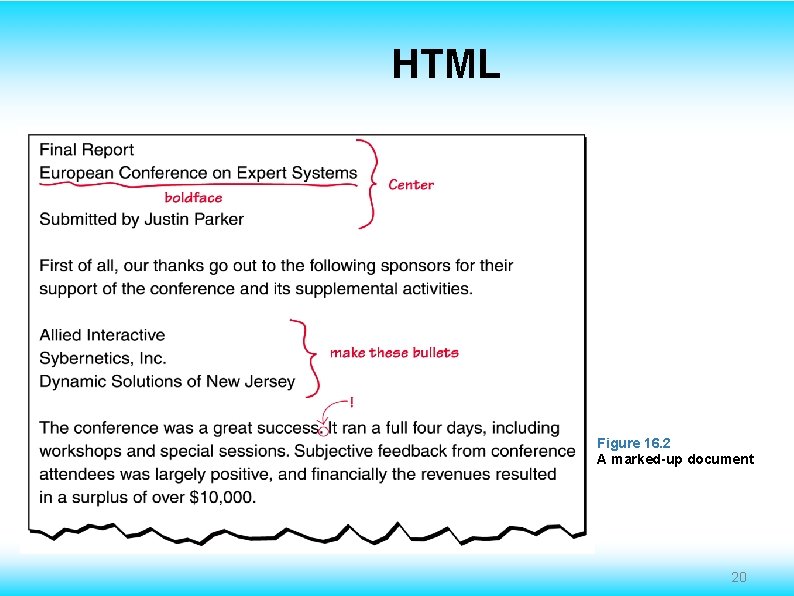
HTML Figure 16. 2 A marked-up document 20
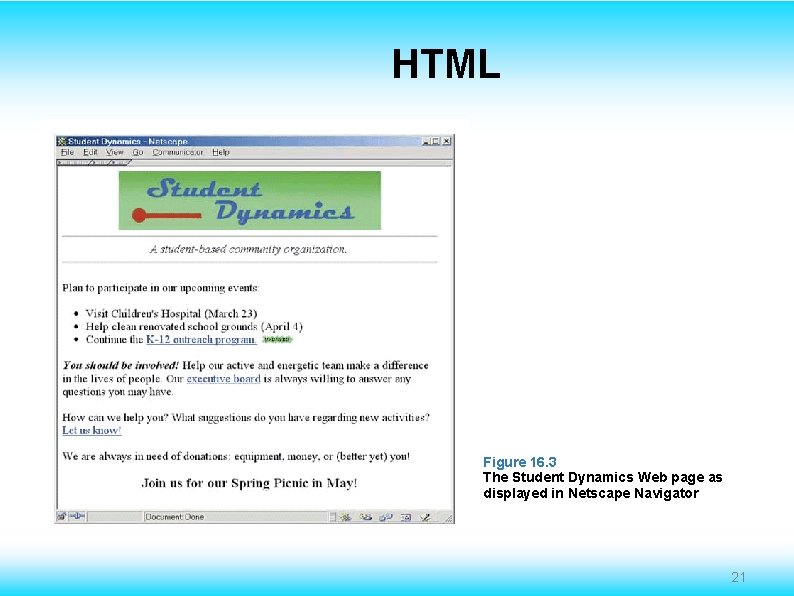
HTML Figure 16. 3 The Student Dynamics Web page as displayed in Netscape Navigator 21
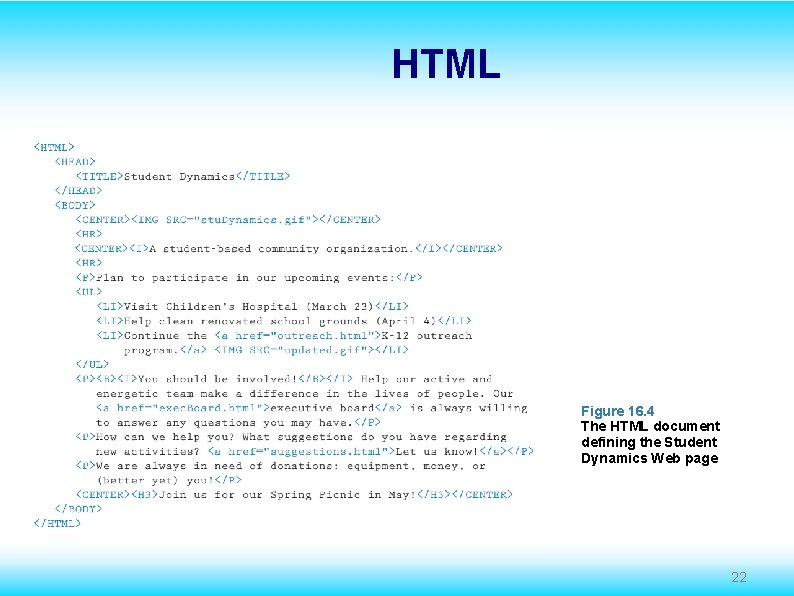
HTML Figure 16. 4 The HTML document defining the Student Dynamics Web page 22
HTML Tags are enclosed in angle brackets (<. . . >) Words such as HEAD, TITLE, and BODY are called elements and specify the type of the tag Tags are often used in pairs, with a start tag such as <BODY> and a corresponding end tag with a / before the element name, such as </BODY> 23
HTML The browser determines how the page should be displayed based on the tags The browser Ignores the way we format the HTML document using carriage returns, extra spaces, and blank lines Takes into account the width and height of the browser window Reformats the contents to fit your browser window 24
Basic HTML Formatting The paragraph tags (<P>. . . </P>) specify text that should be treated as a separate paragraph The center tags (<CENTER>. . . </CENTER>) indicate that the enclosed information should be centered in the browser window 25
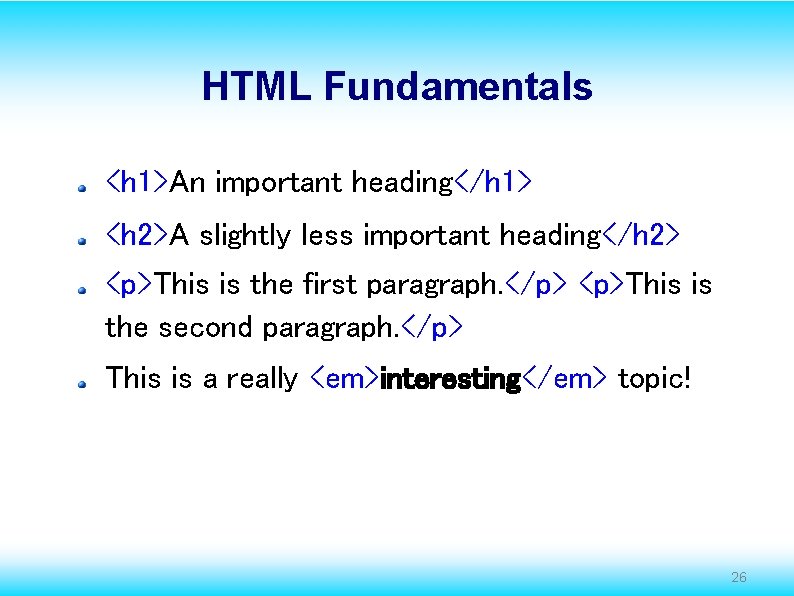
HTML Fundamentals <h 1>An important heading</h 1> <h 2>A slightly less important heading</h 2> <p>This is the first paragraph. </p> <p>This is the second paragraph. </p> This is a really <em>interesting</em> topic! 26
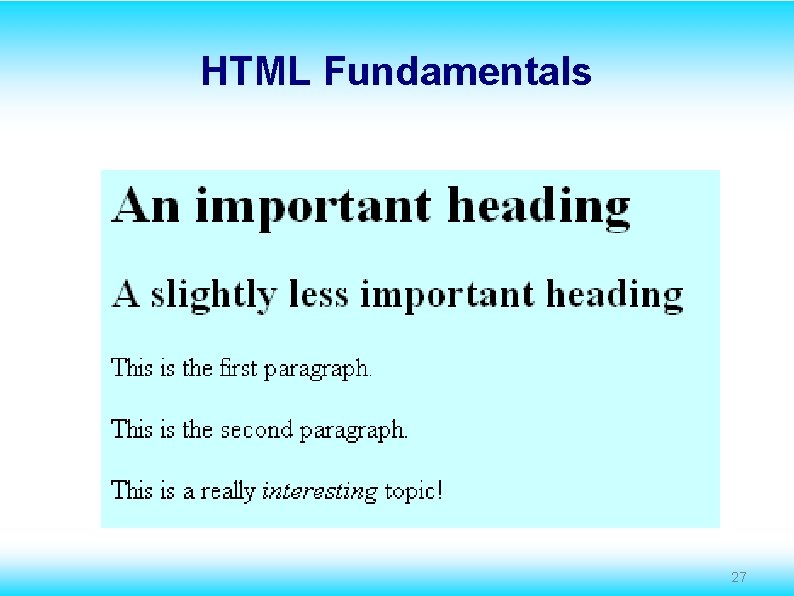
HTML Fundamentals 27
Basic HTML Formatting The B, I, and U elements are used to indicate that the enclosed text should be bold, italic, or underlined, respectively The <HR> tag inserts a horizontal rule (that is, a line) across the page 28
Basic HTML Formatting We often have cause to display a list of items The UL element stands for an unordered list, and the LI element represents a list item Several elements are used to define headings in a document There are six predefined heading elements defined in HTML: H 1, H 2, H 3, H 4, H 5, and H 6 29
Images and Links Many tags can contain attributes that indicate additional details about the information or how the enclosed information should be displayed An image can be incorporated into a web page using the IMG element, which takes an attribute that identifies the image file to display <IMG SRC = "my. Picture. gif"> 30
Images and Links (cont. ) A link is specified using the element A, which stands for anchor The tag includes an attribute called HREF that specifies the URL of the destination document. For example <A HREF = "http: //duke. csc. villanova. edu/docs/"> Documentation Central!</A> 31
The Basics of HTML http: //www. w 3. org/Mark. Up/Guide/ - Getting started with HTML http: //www. w 3. org/Mark. Up/Guide/Advanced. html More advanced features http: //www. w 3. org/Mark. Up/Guide/Style. html Adding a touch of style http: //www. w 3. org/People/Raggett/tidy/ HTMLTidy http: //validator. w 3. org/ - Ensures proper HTML code 32
Other Useful Websites http: //www. sitepoint. com/ - lots of helpful information and excellent books http: //www. csszengarden. com/– css Zen Garden http: //www. w 3. org/XML/ - everything you ever wanted to know about XML http: //www. w 3. org/Style/XSL/ - definitive source for XSL 33
Interactive Web Pages When HTML was first developed, there was no way to interact with the information and pictures presented in a web page As users have clamoured for a more dynamic web, new technologies were developed to accommodate these requests Many of the new ideas were offshoots of the newly developed Java programming language 34
Java Applets Java applet A program that is designed to be embedded into an HTML document and transferred over the Web to someone who wants to run the program An applet is embedded into an HTML document using the APPLET tag <APPLET code="My. Applet. class" width=250 height=150 ></APPLET> 35
Java Applets A browser has a built-in interpreter that executes the applet, allowing the user to interact with it. Consider the difficulties inherent in this situation How can we execute a program that was written on one type of computer on possibly many other types of computers? 36
Java Applets Java programs are compiled into Bytecode, a low-level representation of a program that is not the machine code for any particular type of CPU Java applets are restricted as to what they can do The Java language has a carefully constructed security model An applet, for instance, cannot access any local files or change any system settings 37
Java Server Pages A Java Server Page, or JSP, is a web page that has JSP scriptlets embedded in them Scriptlet A small piece of executable code intertwined among regular HTML content Also called a Servelet! 38
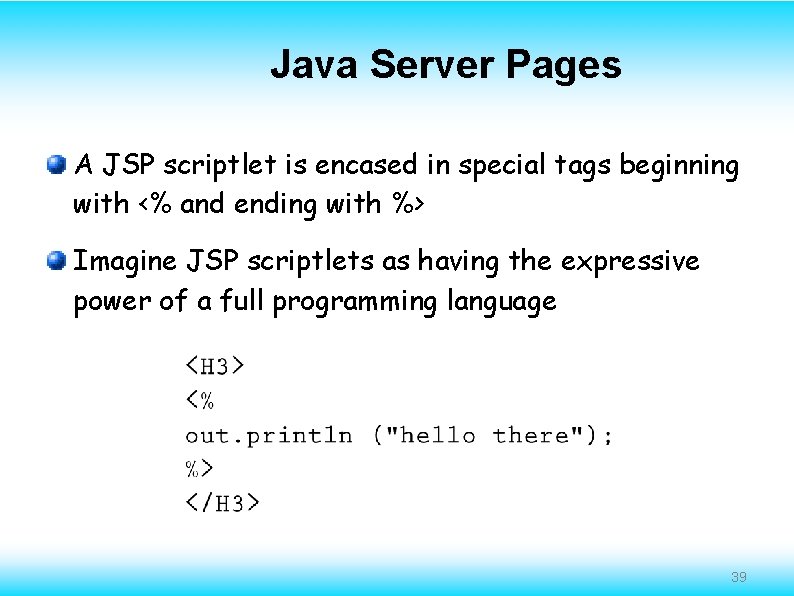
Java Server Pages A JSP scriptlet is encased in special tags beginning with <% and ending with %> Imagine JSP scriptlets as having the expressive power of a full programming language 39
Java Server Pages Note that JSPs are executed on the server side where the web page resides By the time it arrives at your computer, all active processing has taken place, producing a static (though dynamically created) web page JSPs are particularly good for coordinating the interaction between a web page and an underlying database 40
XML HTML has a predefined set of tags and each tag has its own meaning There is nothing about HTML tags that describes the true content of a document The Extensible Markup Language, or XML, allows the creator of a document to describe its contents by defining his or her own set of tags 41
XML • Metalanguage A language for talking about, or defining, other languages • XML is a metalanguage 42
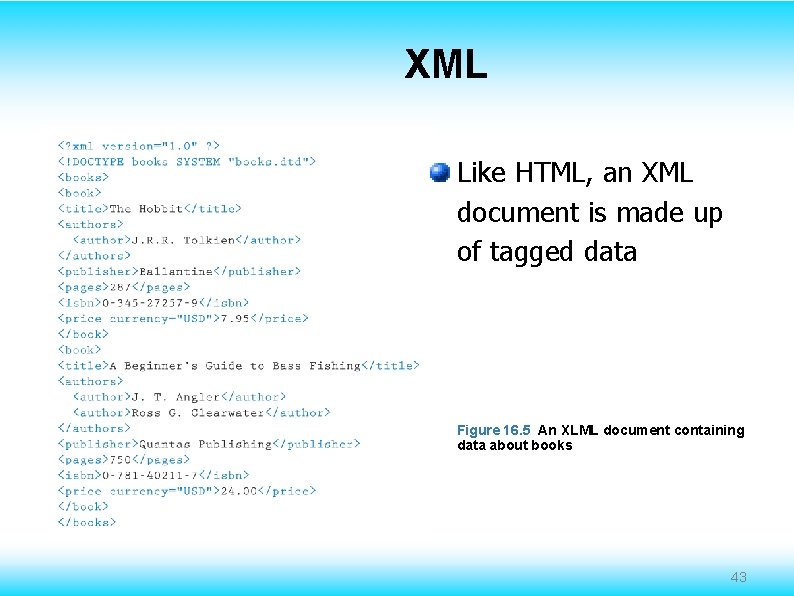
XML Like HTML, an XML document is made up of tagged data Figure 16. 5 An XLML document containing data about books 43
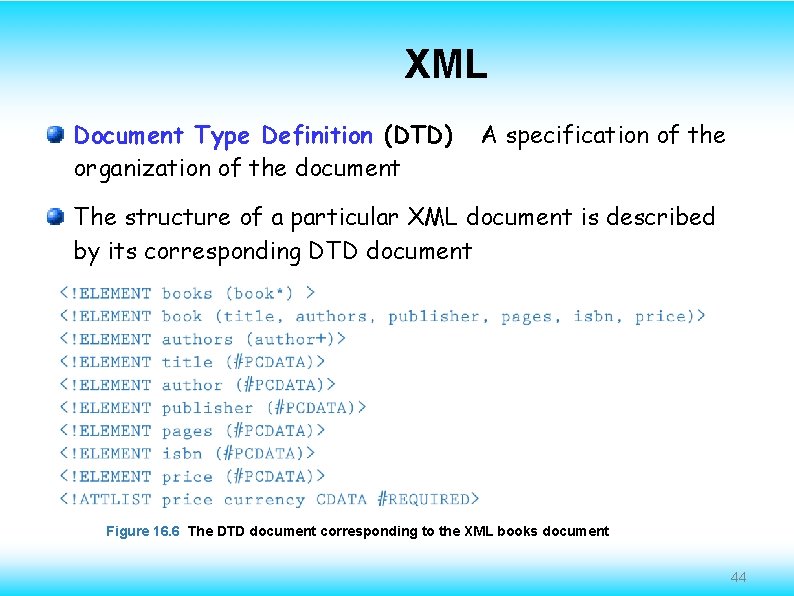
XML Document Type Definition (DTD) organization of the document A specification of the The structure of a particular XML document is described by its corresponding DTD document Figure 16. 6 The DTD document corresponding to the XML books document 44
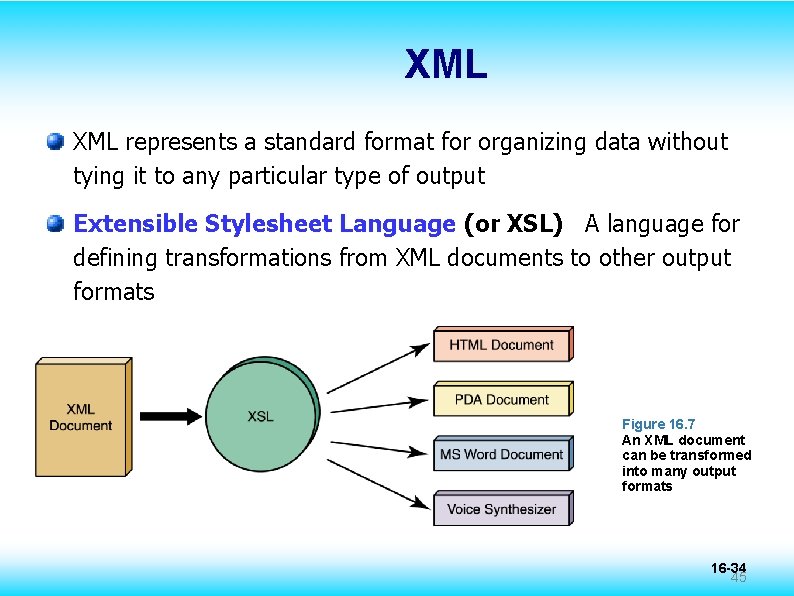
XML represents a standard format for organizing data without tying it to any particular type of output Extensible Stylesheet Language (or XSL) A language for defining transformations from XML documents to other output formats Figure 16. 7 An XML document can be transformed into many output formats 16 -34 45
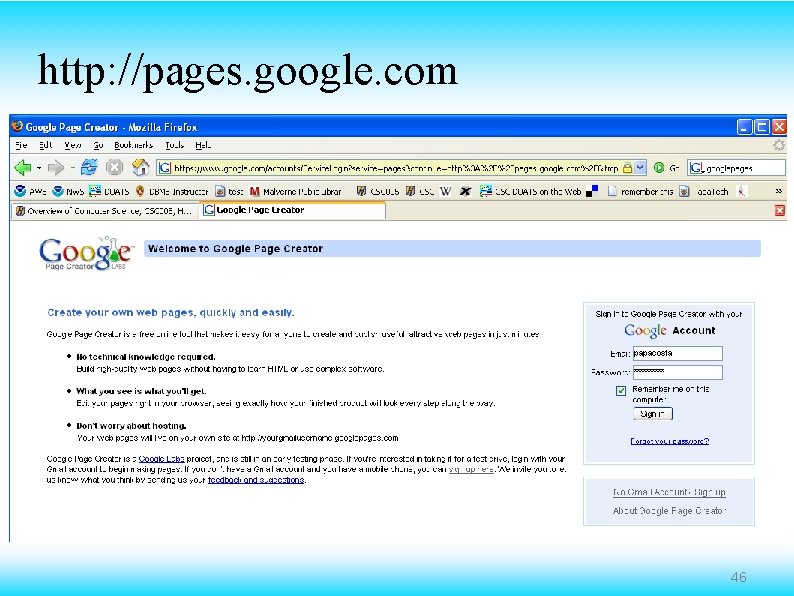
http: //pages. google. com 46
Previous Homework Get a gmail account. . . if you don't want to use your mobile (or you don't have one), send an email to: papacosta@gmail. com When you get an account, send me a message!papacosta@gmail. com This becomes our 1 st Assignment! 47
Assignment One Create A Simple Home Page – 6/10 pts Create A Complex Home Page – 8/10 pts Links, images, color fonts, multi-column layouts Create A Multilevel Site – 10/10 pts Tree structure Multiple pages Due Next Wednesday No lateness 48
Homework Read Chapter Sixteeen . . . be careful on the web! 49
- Slides: 49