
Chapter 16 Host Configuration BOOTP and DHCP Objectives
Chapter 16 Host Configuration: BOOTP and DHCP Objectives Upon completion you will be able to: • Know the types of information required by a system on boot-up • Know how BOOTP operates • Know how DHCP operates • Understand the differences between BOOTP and DHCP • Understand the DHCP transition state diagram TCP/IP Protocol Suite 1
16. 1 BOOTP The Bootstrap Protocol (BOOTP) is a client/server protocol that configures a diskless computer or a computer that is booted for the first time. BOOTP provides the IP address, net mask, the address of a default router, and the address of a name server. The topics discussed in this section include: Operation Packet Format TCP/IP Protocol Suite 2
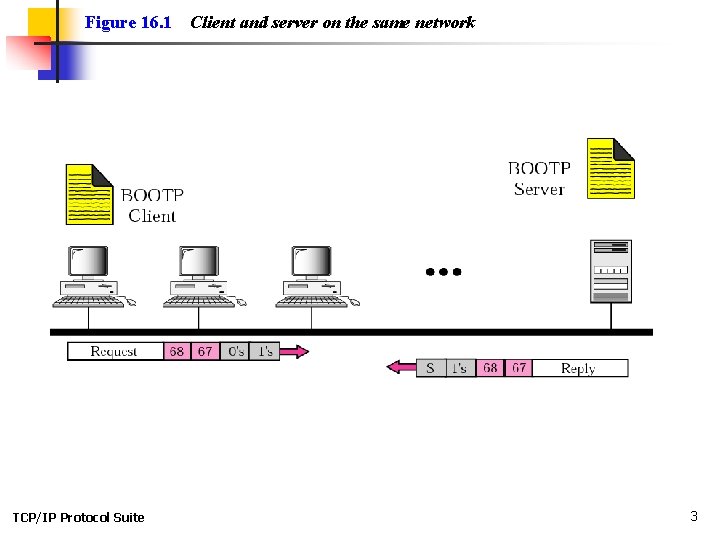
Figure 16. 1 TCP/IP Protocol Suite Client and server on the same network 3
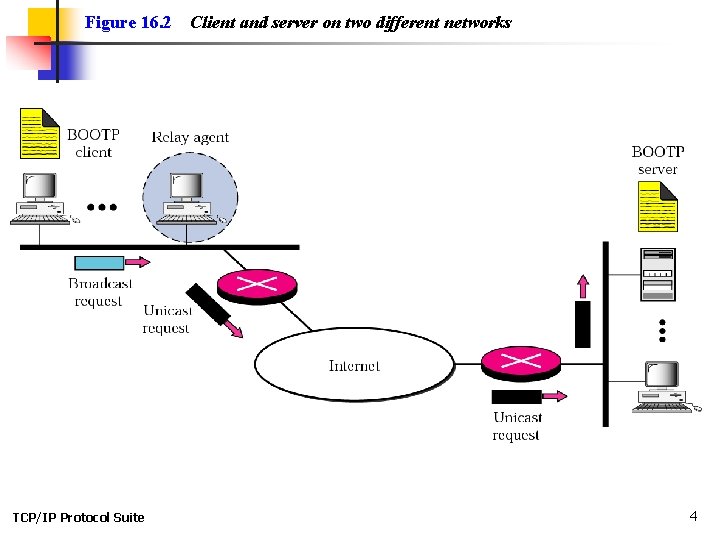
Figure 16. 2 TCP/IP Protocol Suite Client and server on two different networks 4

Figure 16. 3 TCP/IP Protocol Suite Use of UDP ports 5
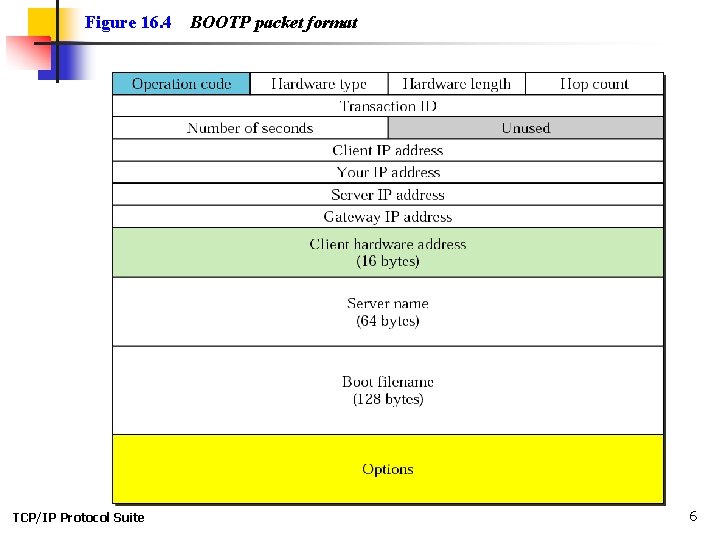
Figure 16. 4 TCP/IP Protocol Suite BOOTP packet format 6
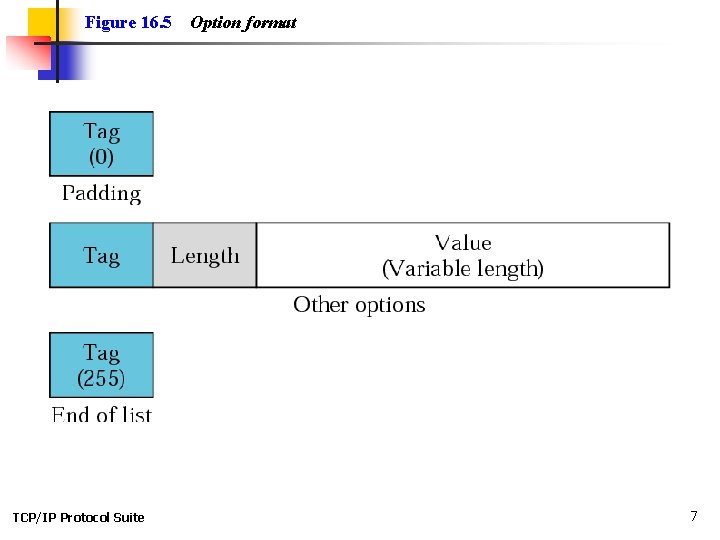
Figure 16. 5 TCP/IP Protocol Suite Option format 7
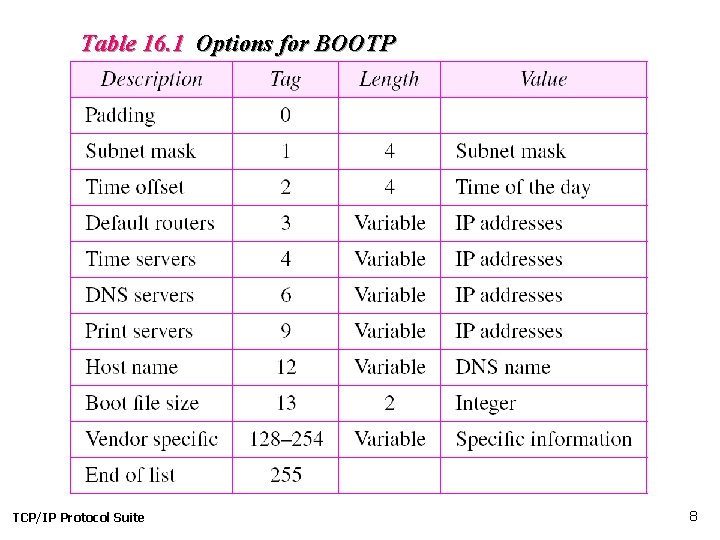
Table 16. 1 Options for BOOTP TCP/IP Protocol Suite 8

16. 2 DHCP The Dynamic Host Configuration Protocol (DHCP) provides static and dynamic address allocation that can be manual or automatic. The topics discussed in this section include: Static Address Allocation Dynamic Address Allocation Manual and Automatic Configuration Packet Format Transition States Exchanging Messages TCP/IP Protocol Suite 9

Note: DHCP provides static and dynamic address allocation that can be manual or automatic. TCP/IP Protocol Suite 10
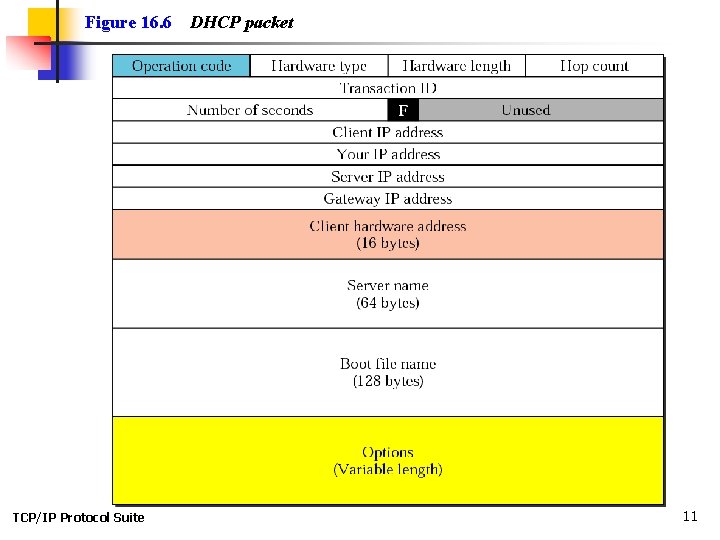
Figure 16. 6 TCP/IP Protocol Suite DHCP packet 11
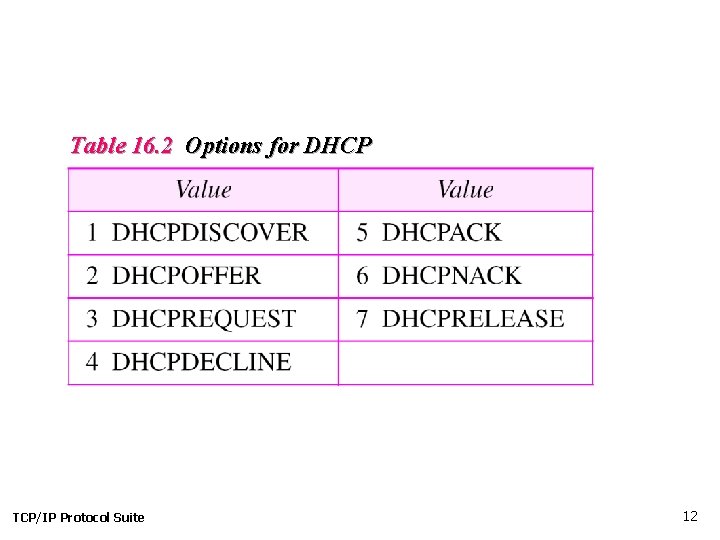
Table 16. 2 Options for DHCP TCP/IP Protocol Suite 12
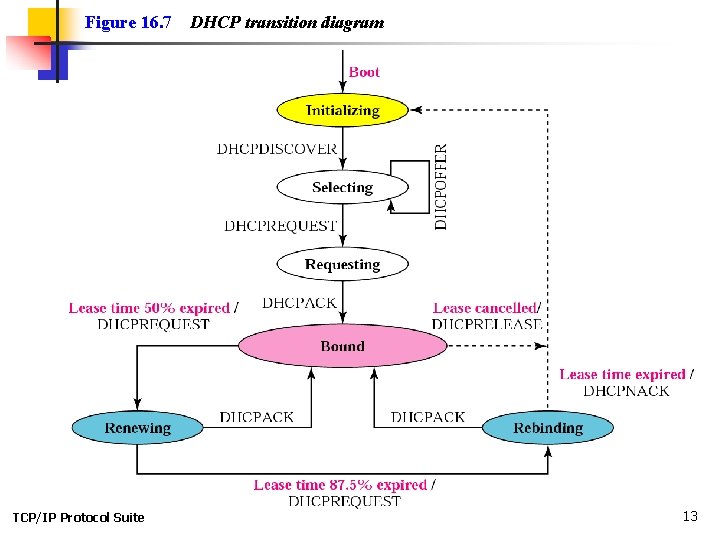
Figure 16. 7 TCP/IP Protocol Suite DHCP transition diagram 13
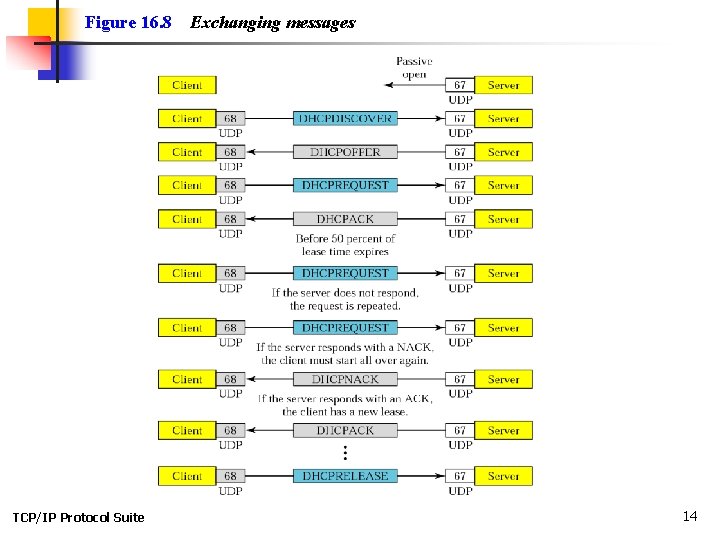
Figure 16. 8 TCP/IP Protocol Suite Exchanging messages 14
- Slides: 14