
Chapter 16 Computer Graphics and Entertainment Movies Games

- Slides: 33
Chapter 16 Computer Graphics and Entertainment: Movies, Games, and Virtual Communities
Learning Objectives (1 of 2) • • • Describe the changes in movie animation techniques caused by computer generated imagery (CGI) List the steps in the graphics pipeline Explain how to create a computer model of a 3 D object Understand how a transformation matrix can model the movement of an object Name three challenges involved in rendering a visual object
Learning Objectives (2 of 2) • • • Explain the purpose and function of a graphics processing unit (GPU) List and explain two techniques for achieving the real-time graphics required for video-game animation as opposed to movie animation Describe how large virtual communities work, and the particular challenges they face
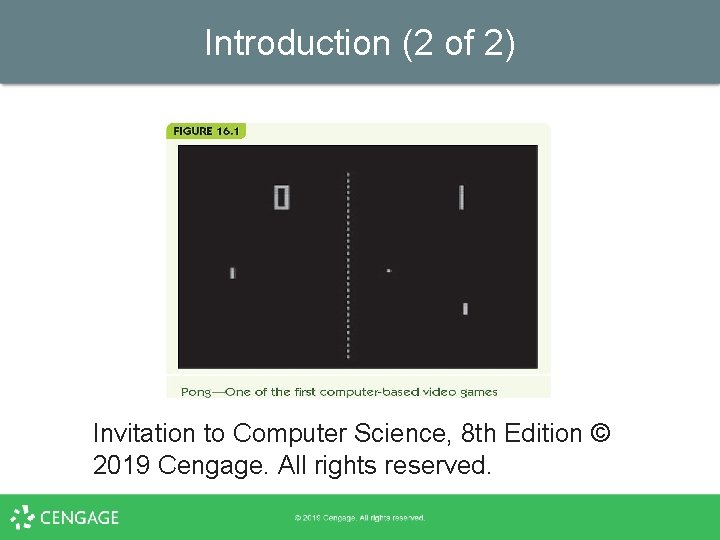
Introduction (1 of 2) • • • Early computers were too expensive and rare for use as entertainment (1950 s– 1960 s) When minicomputers arrived, college students began writing games for them (1970 s) Atari created Pong, first commercial game (1975) Use in movies grew in early 1990 s (Terminator 2, Jurassic Park) Now entertainment is a huge, multi-billion dollar segment of the industry
Introduction (2 of 2) Invitation to Computer Science, 8 th Edition © 2019 Cengage. All rights reserved.
Computer-Generated Imagery (CGI) (1 of 18) • Movie animation in the past – Hand-drawn (e. g. , Walt Disney) – Stop-motion animation § • Clay figures posed, photographed, then moved slightly repeatedly in a series of frames Computer animation developed in the 1980 s and 1990 s – Terminator 2: Judgment Day – Jurassic Park • Computer-generated imagery (CGI) produces photorealistic animation
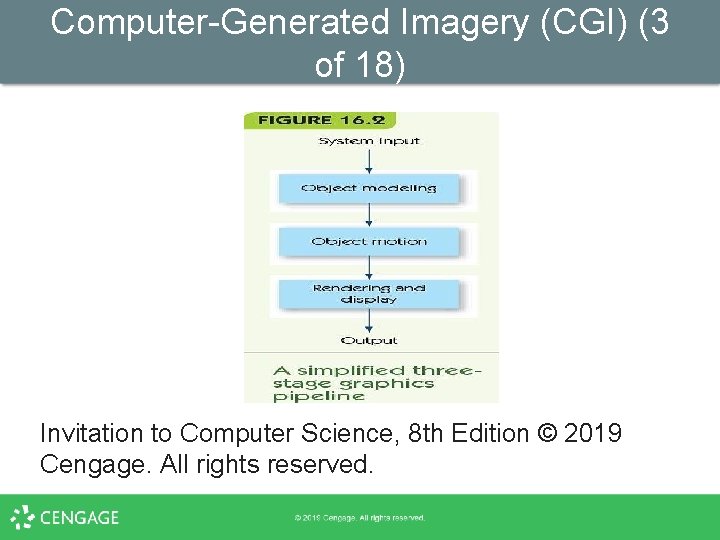
Computer-Generated Imagery (CGI) (2 of 18) • • The graphics pipeline: sequence of tasks to generate CGI images/movies Object modeling: create model of 3 D object Object motion: apply transformations to move objects Rendering and display: incorporate lighting, shadows, and textures
Computer-Generated Imagery (CGI) (3 of 18) Invitation to Computer Science, 8 th Edition © 2019 Cengage. All rights reserved.
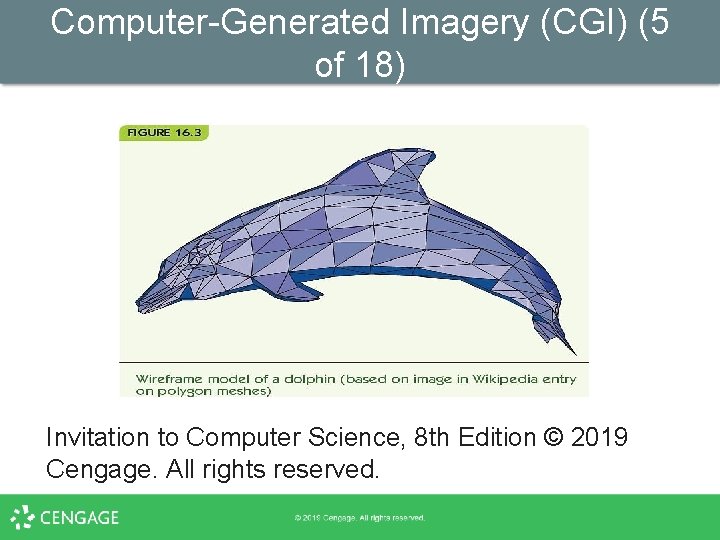
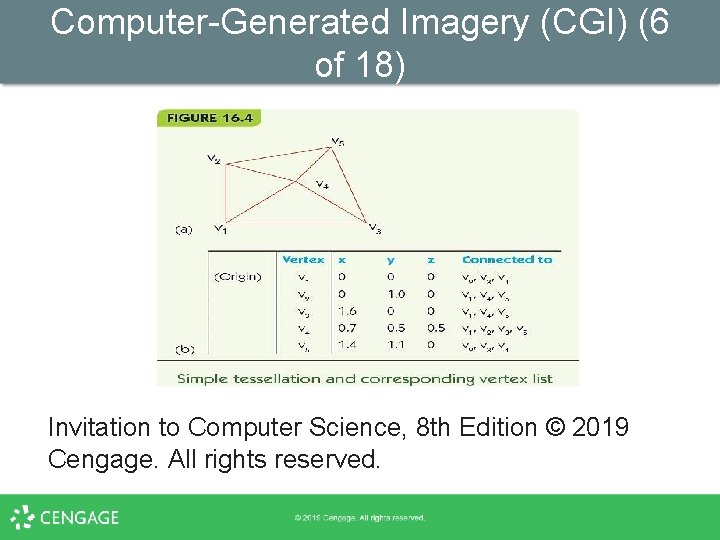
Computer-Generated Imagery (CGI) (4 of 18) • • Wireframe modeling is a common approach to object modeling Take an image and create a tessellation – Divide object surface into planar polygons § § § Polygons share edges and vertices Polygons completely cover object surface Polygon mesh: result looks like a wire model – Convert to three dimensions – Generate a vertex list, a table of all vertices and their 3 D position
Computer-Generated Imagery (CGI) (5 of 18) Invitation to Computer Science, 8 th Edition © 2019 Cengage. All rights reserved.
Computer-Generated Imagery (CGI) (6 of 18) Invitation to Computer Science, 8 th Edition © 2019 Cengage. All rights reserved.
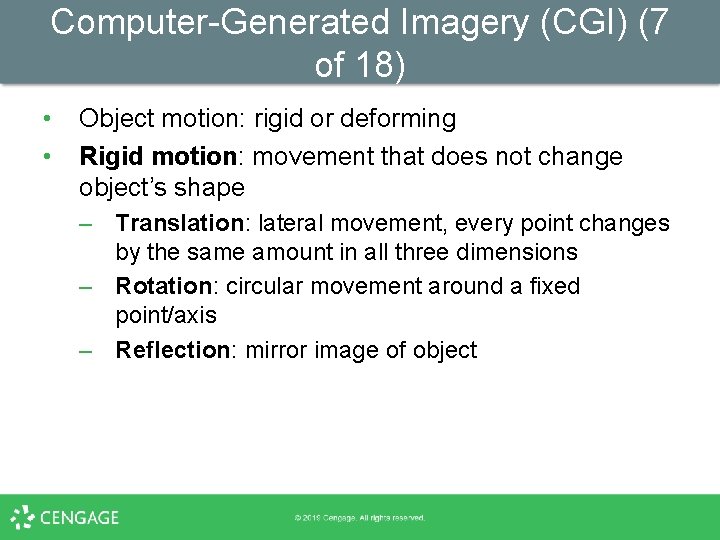
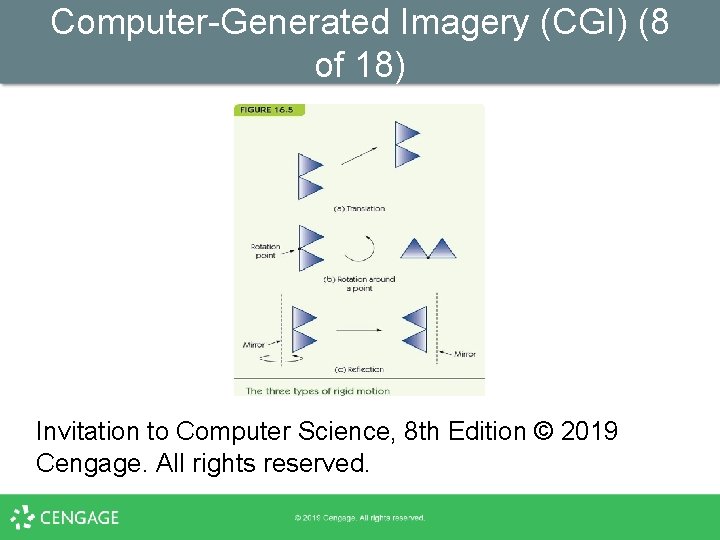
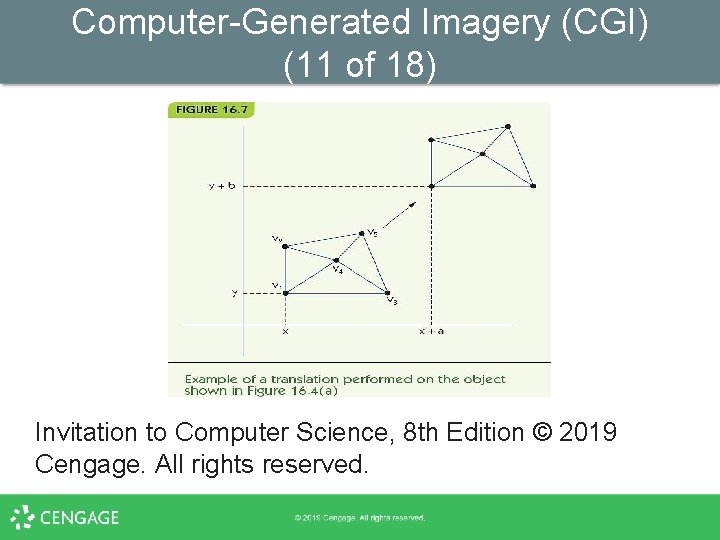
Computer-Generated Imagery (CGI) (7 of 18) • • Object motion: rigid or deforming Rigid motion: movement that does not change object’s shape – Translation: lateral movement, every point changes by the same amount in all three dimensions – Rotation: circular movement around a fixed point/axis – Reflection: mirror image of object
Computer-Generated Imagery (CGI) (8 of 18) Invitation to Computer Science, 8 th Edition © 2019 Cengage. All rights reserved.
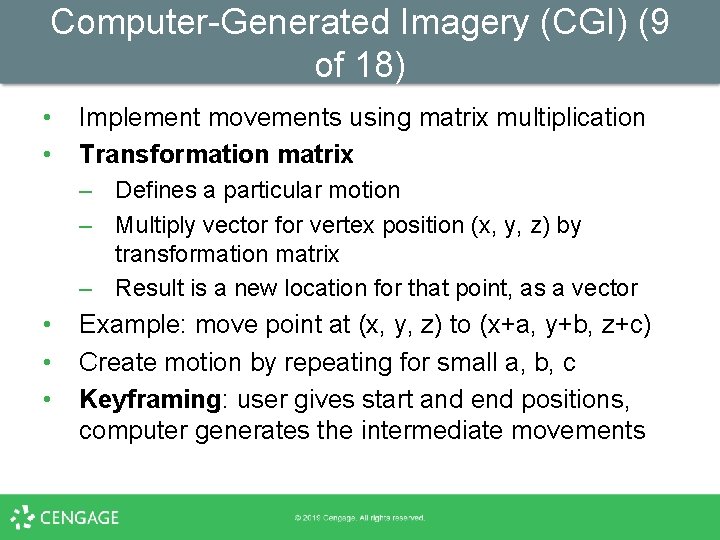
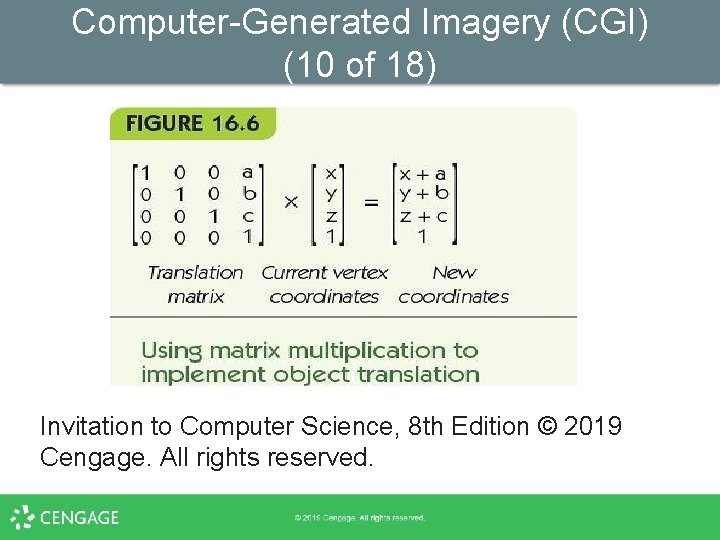
Computer-Generated Imagery (CGI) (9 of 18) • • Implement movements using matrix multiplication Transformation matrix – Defines a particular motion – Multiply vector for vertex position (x, y, z) by transformation matrix – Result is a new location for that point, as a vector • • • Example: move point at (x, y, z) to (x+a, y+b, z+c) Create motion by repeating for small a, b, c Keyframing: user gives start and end positions, computer generates the intermediate movements
Computer-Generated Imagery (CGI) (10 of 18) Invitation to Computer Science, 8 th Edition © 2019 Cengage. All rights reserved.
Computer-Generated Imagery (CGI) (11 of 18) Invitation to Computer Science, 8 th Edition © 2019 Cengage. All rights reserved.
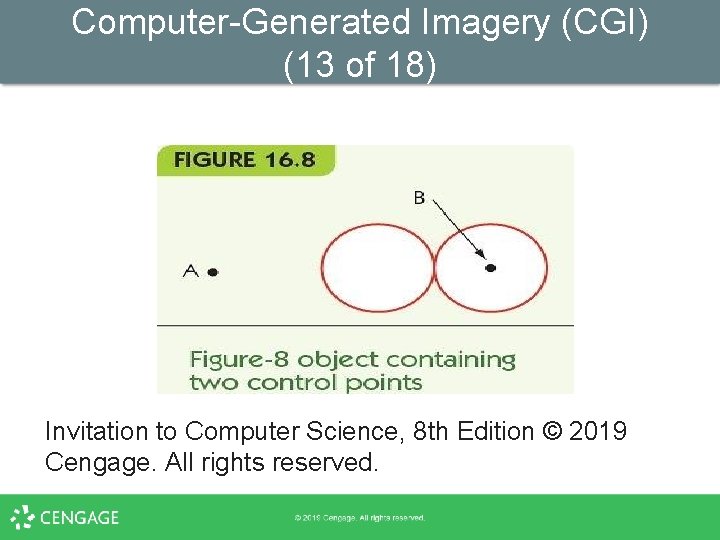
Computer-Generated Imagery (CGI) (12 of 18) • • • Control point (animation variable): a point or axis used to control motion Multiple control points allow movement of parts of an object Example: two rotation axes – One rotates right circle around center point – One rotates both circles around external point
Computer-Generated Imagery (CGI) (13 of 18) Invitation to Computer Science, 8 th Edition © 2019 Cengage. All rights reserved.
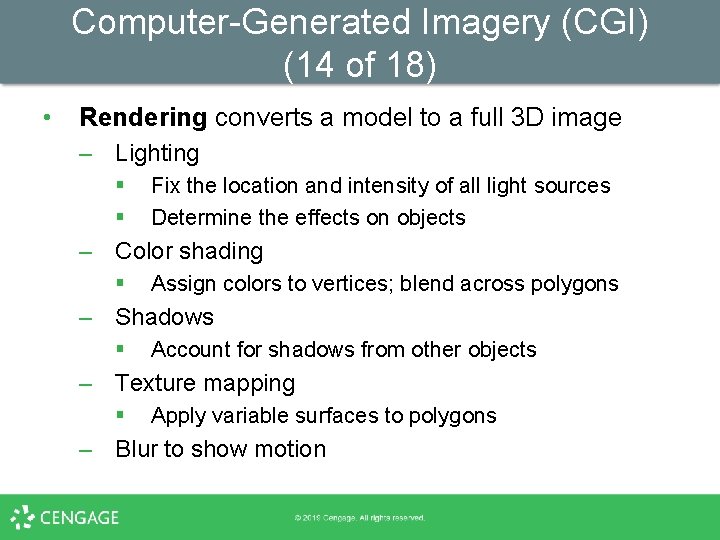
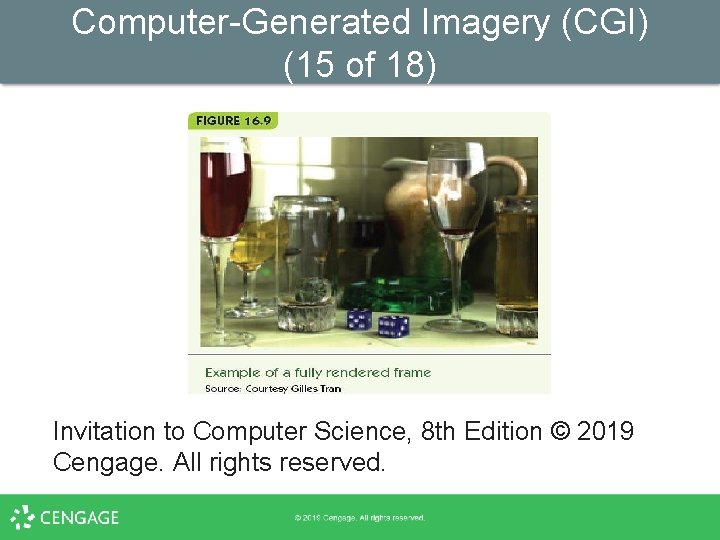
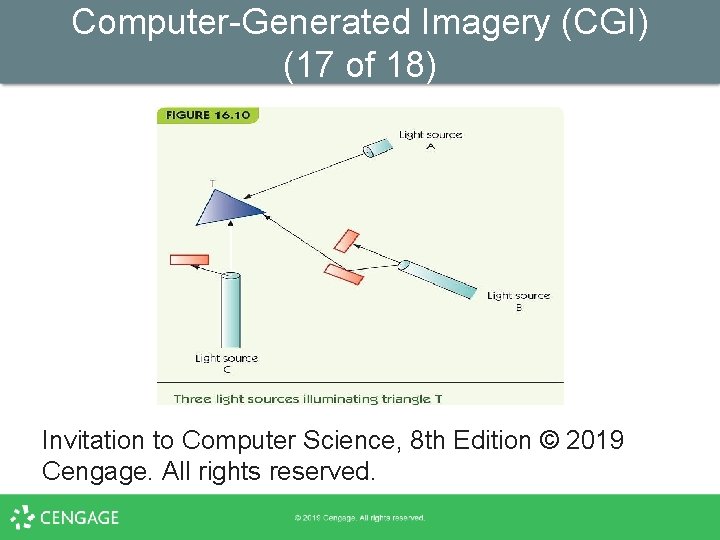
Computer-Generated Imagery (CGI) (14 of 18) • Rendering converts a model to a full 3 D image – Lighting § § Fix the location and intensity of all light sources Determine the effects on objects – Color shading § Assign colors to vertices; blend across polygons – Shadows § Account for shadows from other objects – Texture mapping § Apply variable surfaces to polygons – Blur to show motion
Computer-Generated Imagery (CGI) (15 of 18) Invitation to Computer Science, 8 th Edition © 2019 Cengage. All rights reserved.
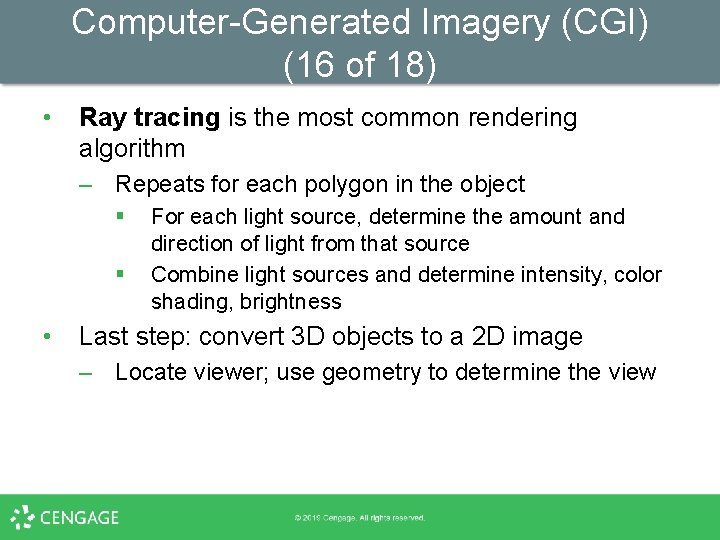
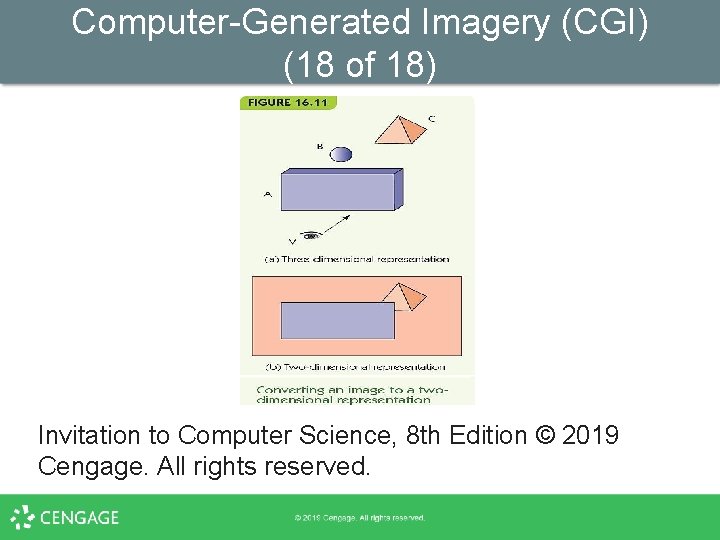
Computer-Generated Imagery (CGI) (16 of 18) • Ray tracing is the most common rendering algorithm – Repeats for each polygon in the object § § • For each light source, determine the amount and direction of light from that source Combine light sources and determine intensity, color shading, brightness Last step: convert 3 D objects to a 2 D image – Locate viewer; use geometry to determine the view
Computer-Generated Imagery (CGI) (17 of 18) Invitation to Computer Science, 8 th Edition © 2019 Cengage. All rights reserved.
Computer-Generated Imagery (CGI) (18 of 18) Invitation to Computer Science, 8 th Edition © 2019 Cengage. All rights reserved.
Video Gaming (1 of 4) • • Video-game images are similar to CGI assumes a static environment – Unlimited time to produce the images – Created once and shown many times • Video games are a dynamic environment – User choices change what must be displayed – Must render images in real-time: real-time graphics “If necessary, sacrifice image quality for speed of display”
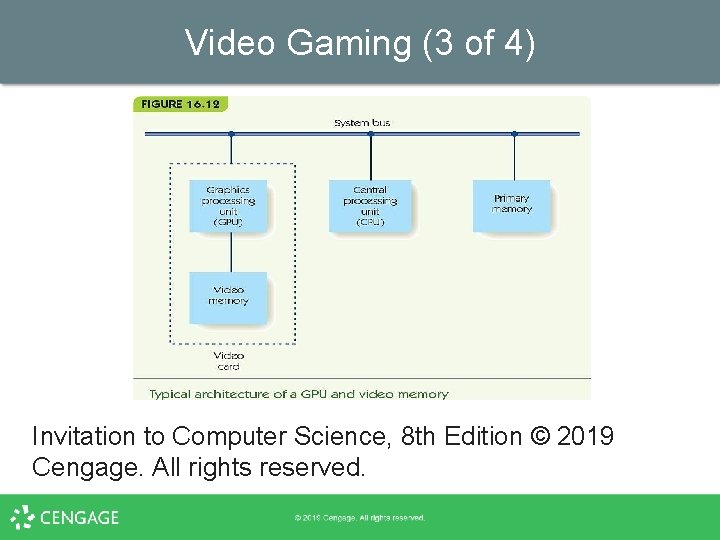
Video Gaming (2 of 4) • • • Frame rate is speed of image generation Computers improve frame rate with a dedicated GPU Graphics processing unit (GPU) – A separate processor optimized for CGI – Dedicated video memory on a video card (graphics card) • Most contemporary computers have GPUs – Some have multiple GPUs
Video Gaming (3 of 4) Invitation to Computer Science, 8 th Edition © 2019 Cengage. All rights reserved.
Video Gaming (4 of 4) • Other methods for achieving real-time graphics – Avoid time-consuming algorithms (e. g. , ray tracing) – Use fixed colors, with no shadows or shading – Culling: first determine what is visible, and only render visible elements – Cut-ins: pre-computed fully rendered objects § § Stored in a video library Dropped into the frame as needed
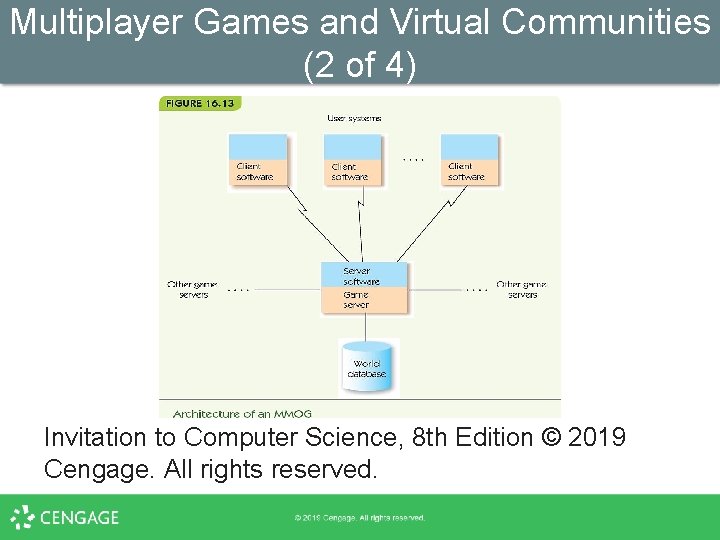
Multiplayer Games and Virtual Communities (1 of 4) • Massively multiplayer online games (MMOG) – Thousands of players – Simulated virtual world – Example: World of Warcraft • • • Game provided by online game servers Game world is always available and running Users log into the game with client software
Multiplayer Games and Virtual Communities (2 of 4) Invitation to Computer Science, 8 th Edition © 2019 Cengage. All rights reserved.
Multiplayer Games and Virtual Communities (3 of 4) • MMOG game designers must perform: – Game play management § Control game actions and render game images – Registration management § Control user accounts, new and returning users – Client/server protocols for multiple servers and thousands of clients – Security to ensure authorized access only – Database storage and retrieval § Store huge amounts of data, retrieve quickly
Multiplayer Games and Virtual Communities (4 of 4) • Virtual communities: – Noncompetitive MMOG, or metaverse – Goal is not to score points or win, but to explore and interact, create, and engage in virtual commerce – Example: Second Life, by Linden Labs § § Several thousand servers 100 trillion bytes of data 1 million active “residents” ~50, 000 online at any one time
Summary (1 of 2) • • • Use of computers and computer animation in the entertainment industry has grown as the power of computers has grown CGI allows for photorealistic animation The graphics pipeline includes object modeling, object motion, and rendering and display Objects are commonly modeled as tessellations of polygons in three dimensions Motion is created through matrix multiplication of transformation matrices with vertices of an object
Summary (2 of 2) • • • Rendering must apply color, shading, and texture to images Ray tracing is a common technique for rendering Video games must render images in real time GPUs perform video operations to speed up render time MMOGs are online games, large-scale computing Virtual communities like Second Life are noncompetitive MMOGs