
CHAPTER 16 Audio 2008 Cengage Learning EMEA LEARNING
- Slides: 19
CHAPTER 16 Audio © 2008 Cengage Learning EMEA
LEARNING OBJECTIVES n In this chapter you will learn about: – The fundamentals of sound – Direct. X Audio – Direct. Sound – XACT – XAudio 2
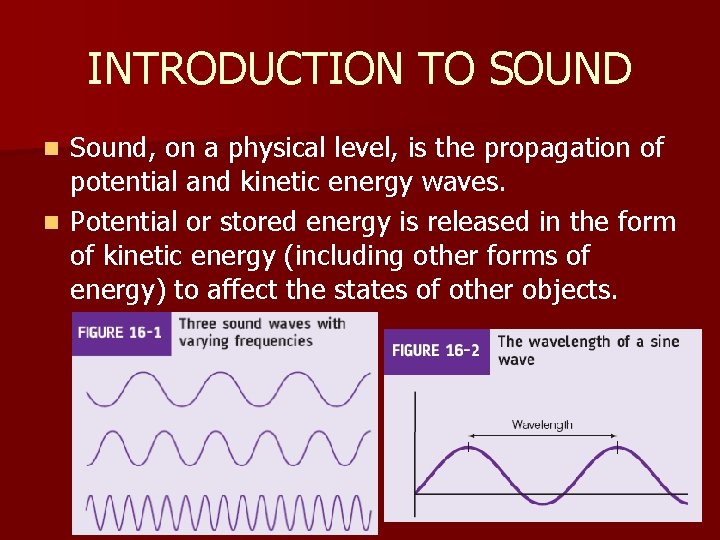
INTRODUCTION TO SOUND Sound, on a physical level, is the propagation of potential and kinetic energy waves. n Potential or stored energy is released in the form of kinetic energy (including other forms of energy) to affect the states of other objects. n
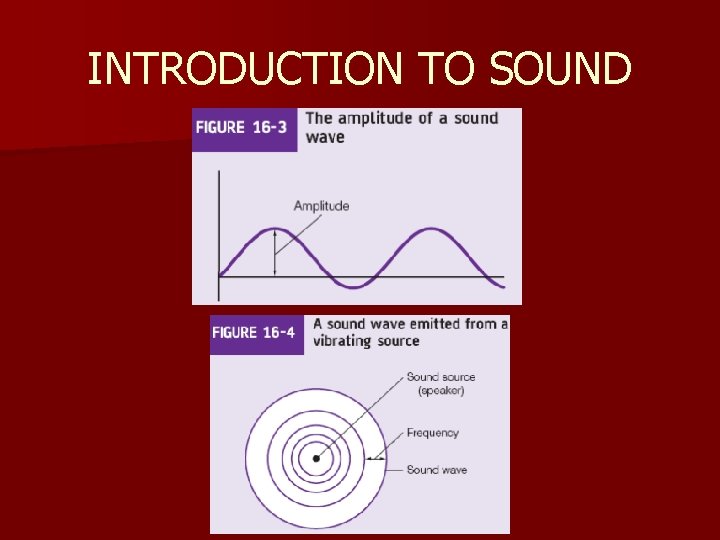
INTRODUCTION TO SOUND n. A sound wave (vibration that travels through some medium) is described by means of its frequency, wavelength, period, direction, speed, and amplitude. n Frequency is a measure of repeated occurrences over some period of time. n Wavelength is the distance between two repeating points of a sound wave.
INTRODUCTION TO SOUND
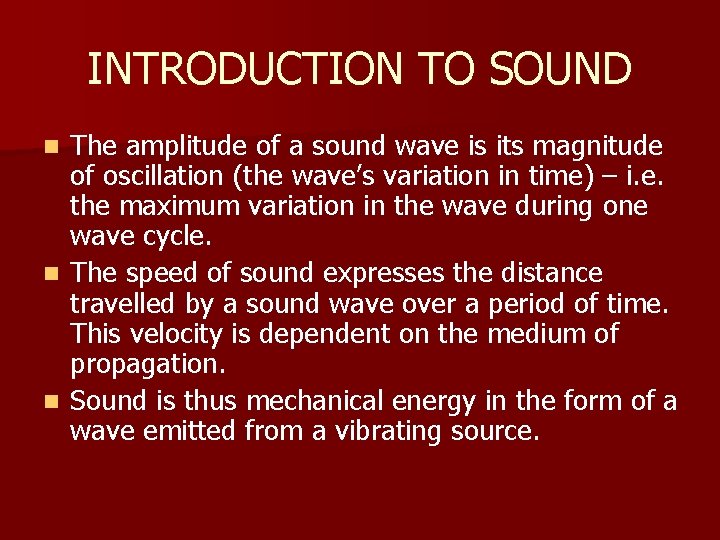
INTRODUCTION TO SOUND The amplitude of a sound wave is its magnitude of oscillation (the wave’s variation in time) – i. e. the maximum variation in the wave during one wave cycle. n The speed of sound expresses the distance travelled by a sound wave over a period of time. This velocity is dependent on the medium of propagation. n Sound is thus mechanical energy in the form of a wave emitted from a vibrating source. n
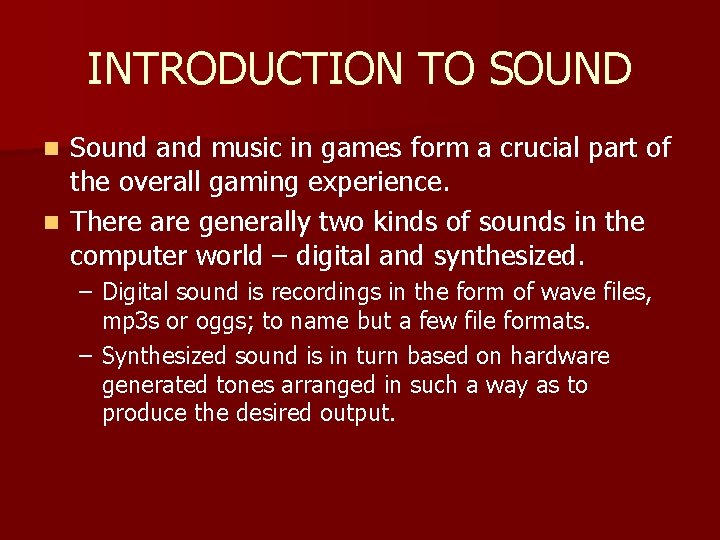
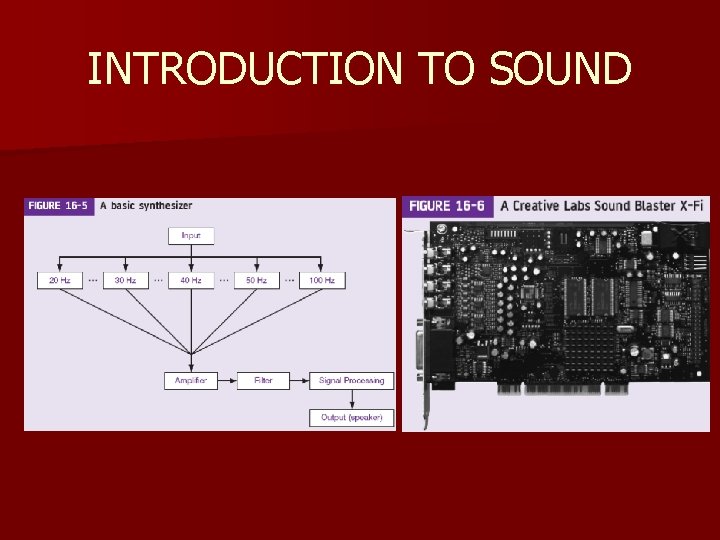
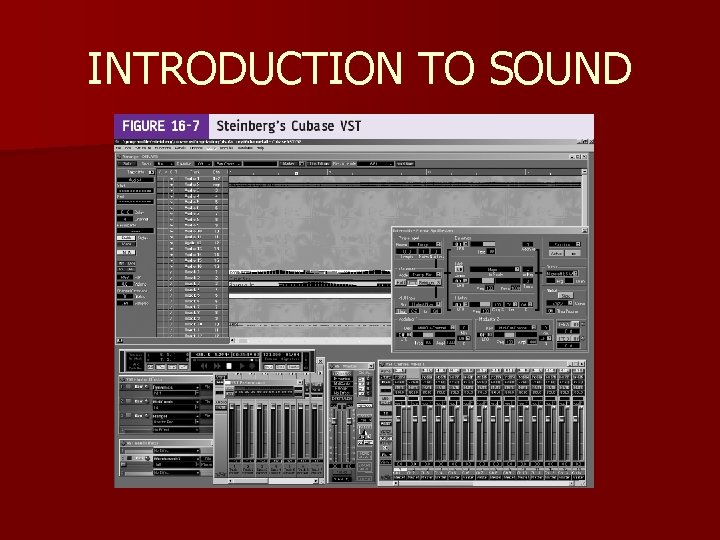
INTRODUCTION TO SOUND Sound and music in games form a crucial part of the overall gaming experience. n There are generally two kinds of sounds in the computer world – digital and synthesized. n – Digital sound is recordings in the form of wave files, mp 3 s or oggs; to name but a few file formats. – Synthesized sound is in turn based on hardware generated tones arranged in such a way as to produce the desired output.
INTRODUCTION TO SOUND
INTRODUCTION TO SOUND
DIRECTX AUDIO n Direct. X Audio is a collective term used to describe a number of Direct. X audio libraries, specifically: – X 3 DAudio – Microsoft Cross-Platform Audio Creation Tool (XACT) – XAudio 2 – Direct. Sound
Direct. Sound n The Direct. Sound library consists of three modules: – the run-time dynamic link libraries (dsound, . dll and dsound 3 d. dll), a compile-time library (dsound. lib), and the Direct. Sound header (dsound. h). n Direct. Sound allows for the simultaneous playback and manipulation of multiple wave sound files (. wav), the recording of audio, dynamic control over the addition of audio effects such as distortion and echo.
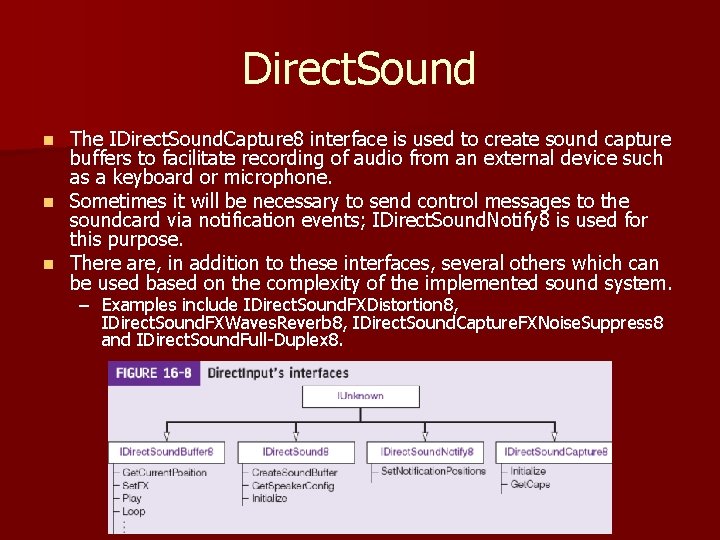
Direct. Sound, similar to Direct. Input, requires the creation of a main COM (Component Object Model) object from which all the other interfaces are requested. n Direct. Sound consequently consists of a number of COM interfaces. n – The main interface, IDirect. Sound 8, is responsible for initializing the Direct. Sound environment and for creating sound buffer objects. n We also specify an IDirect. Sound. Buffer 8 object to manage these created sound buffers.
Direct. Sound The IDirect. Sound. Capture 8 interface is used to create sound capture buffers to facilitate recording of audio from an external device such as a keyboard or microphone. n Sometimes it will be necessary to send control messages to the soundcard via notification events; IDirect. Sound. Notify 8 is used for this purpose. n There are, in addition to these interfaces, several others which can be used based on the complexity of the implemented sound system. n – Examples include IDirect. Sound. FXDistortion 8, IDirect. Sound. FXWaves. Reverb 8, IDirect. Sound. Capture. FXNoise. Suppress 8 and IDirect. Sound. Full-Duplex 8.
Direct. Sound n The general steps for setting up and playing audio via the Direct. Sound API are as follows: – Create a Direct. Sound IDirect. Sound 8 interface object via the Direct. Sound. Create 8 function – this object represents the default playback device. – Call the Create. Sound. Buffer IDirect. Sound 8 interface function to create a sound buffer which will be used for the storage and management of sound data. – Access the wave data (stored in an audio file) and write it to the private sound buffer. – Call the Lock IDirect. Sound. Buffer 8 interface function to prepare a secondary buffer for the write operation. – Call the Unlock IDirect. Sound. Buffer 8 interface function to transfer the audio data from the private buffer to the initialized secondary buffer. – Play the audio clip via the Play IDirect. Sound. Buffer 8 interface function and, if playback is set to loop, then we can stop it using the Stop IDirect. Sound. Buffer 8 interface function. [see the textbook and online source code for an example and detailed discussion].
XACT is more than just an audio API, it is a complete high-level engine and library for the authoring and playback of audio via XAudio exclusive to the Xbox, Direct. Sound for older versions of Windows and the session-based audio stack in Windows Vista. n XACT also features a helper library for 3 D audio spatialization, namely, X 3 DAudio. n XACT supports the following file formats: . wav, . aiff and. xma. n It also has support for 5. 1 surround sound as well as the grouping and queuing of sounds in so called wave and sound banks, respectively. n
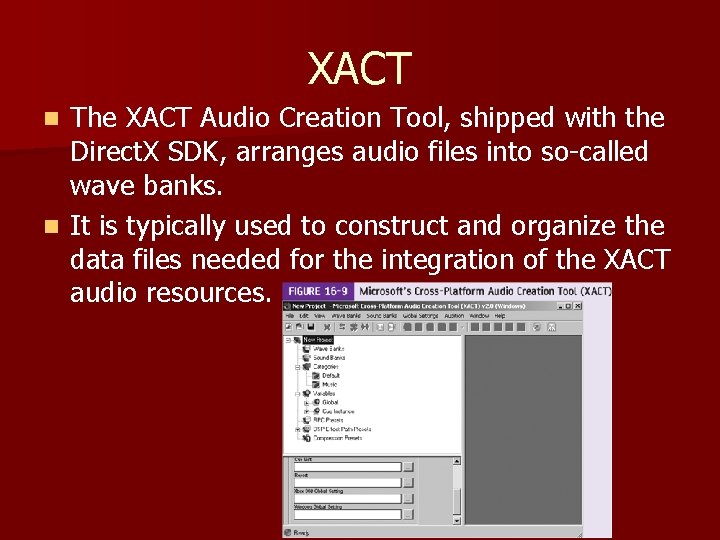
XACT The XACT Audio Creation Tool, shipped with the Direct. X SDK, arranges audio files into so-called wave banks. n It is typically used to construct and organize the data files needed for the integration of the XACT audio resources. n
XACT n The general steps for setting up and playing audio via the XACT API are: – Initialize the XACT sound engine. – Initialize an IXACTWave interface by first reading the. wave file into memory and then initializing the WAVEBANKENTRY XACT wave bank structure. – Create an IXACTWave interface with the loaded wave data. This is done via the Prepare. In. Memory. Wave IXACTEngine interface function. – Play the wave file using the Play IXACTWave interface function. – When finished using, destroy the IXACTEngine interface. [see the textbook and online source code for an example and detailed discussion].
XAudio 2 is a new, still under development (at the time of writing) cross-platform, low-level audio API for unified code development under Windows XP, Windows Vista and the Xbox 360 gaming console. n XAudio 2 serves as replacement of Direct. Sound as an extended version of the XAudio API for Xbox 360 development. n All code developed using the XAudio 2 API is exactly the same for both the Xbox and Windows platforms – thus resulting in a ‘write once, compile twice’ implementation. n
XAudio 2 n The general steps for setting up and playing audio via the XAudio 2 API are as follows: – Initialize the XAudio 2 sound engine. – Create a mastering voice to control the mixing format of all audio played by the application. – Load the wave file to play. – Create a source voice and load the audio data into it. – Play the source voice. – Cleanup the source voice and all associated data. – When finished using, release the XAudio 2 engine. [see the textbook and online source code for an example and detailed discussion].