
CHAPTER 15 THE JAVA COLLECTIONS FRAMEWORK Copyright 2013
- Slides: 46
CHAPTER 15 THE JAVA COLLECTIONS FRAMEWORK Copyright © 2013 by John Wiley & Sons. All rights reserved. Slides by Donald W. Smith Tech. Ne. Train. com
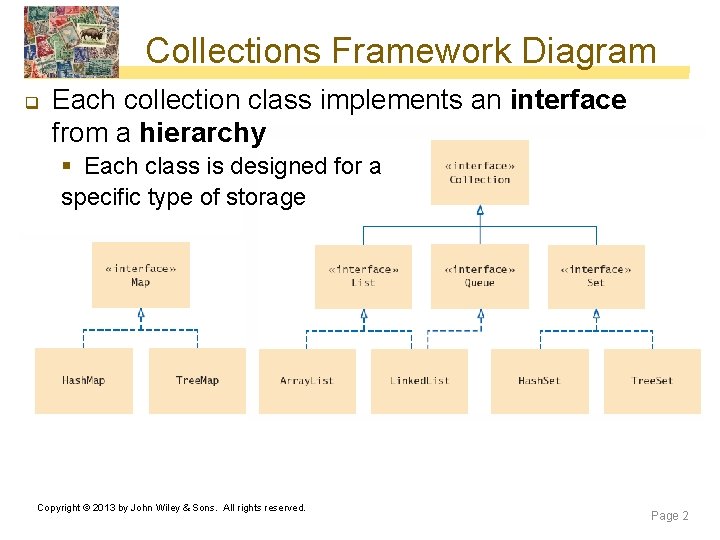
Collections Framework Diagram q Each collection class implements an interface from a hierarchy § Each class is designed for a specific type of storage Copyright © 2013 by John Wiley & Sons. All rights reserved. Page 2
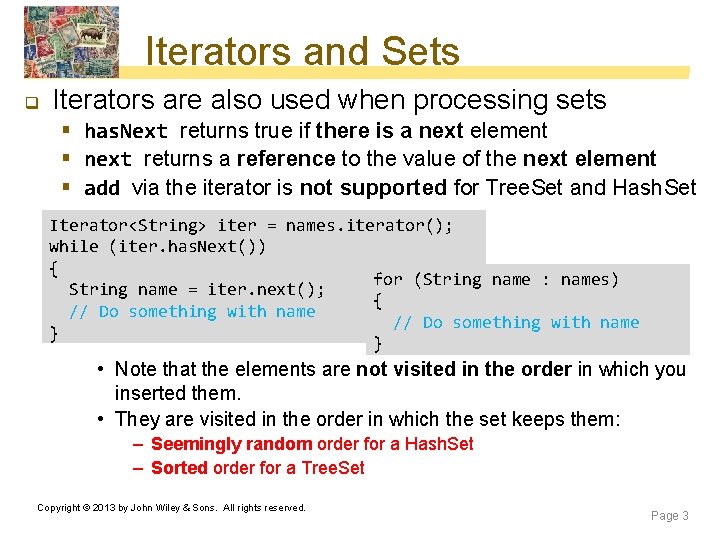
Iterators and Sets q Iterators are also used when processing sets § has. Next returns true if there is a next element § next returns a reference to the value of the next element § add via the iterator is not supported for Tree. Set and Hash. Set Iterator<String> iter = names. iterator(); while (iter. has. Next()) { for (String name : names) String name = iter. next(); { // Do something with name } } • Note that the elements are not visited in the order in which you inserted them. • They are visited in the order in which the set keeps them: – Seemingly random order for a Hash. Set – Sorted order for a Tree. Set Copyright © 2013 by John Wiley & Sons. All rights reserved. Page 3
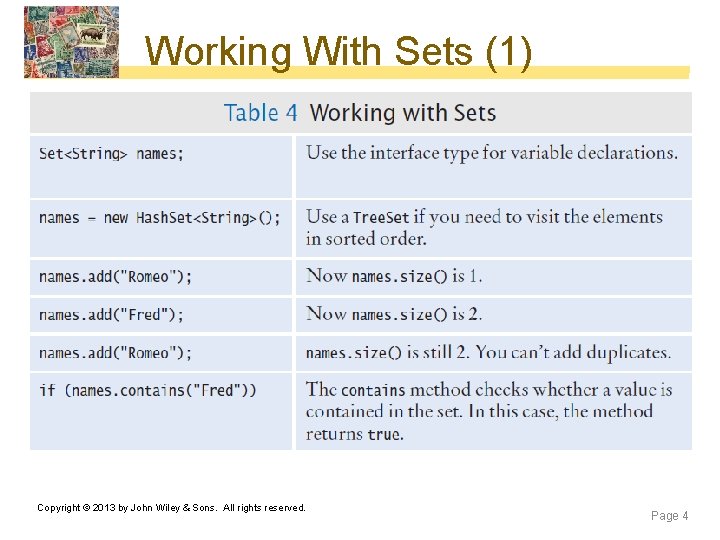
Working With Sets (1) Copyright © 2013 by John Wiley & Sons. All rights reserved. Page 4
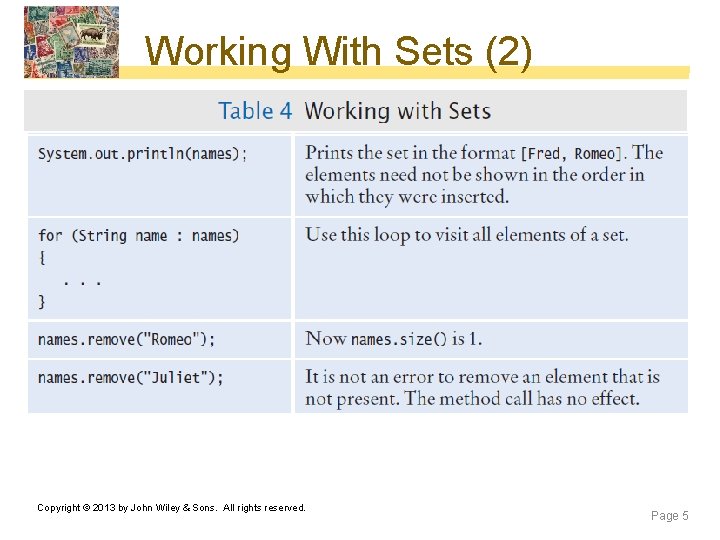
Working With Sets (2) Copyright © 2013 by John Wiley & Sons. All rights reserved. Page 5
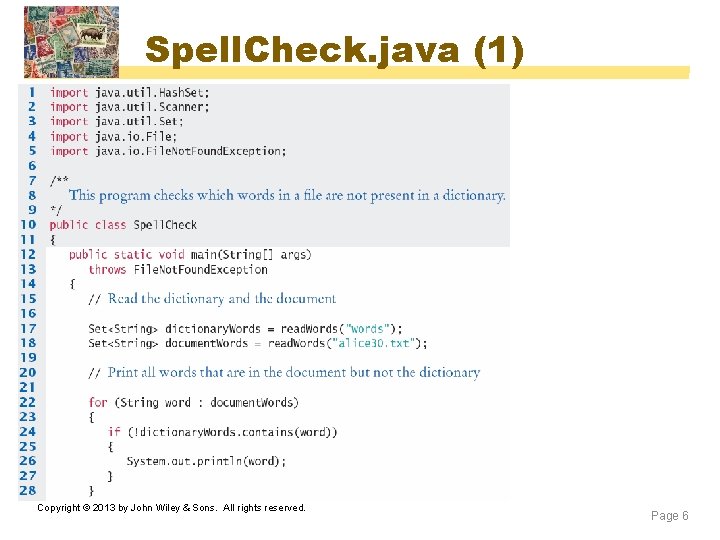
Spell. Check. java (1) Copyright © 2013 by John Wiley & Sons. All rights reserved. Page 6
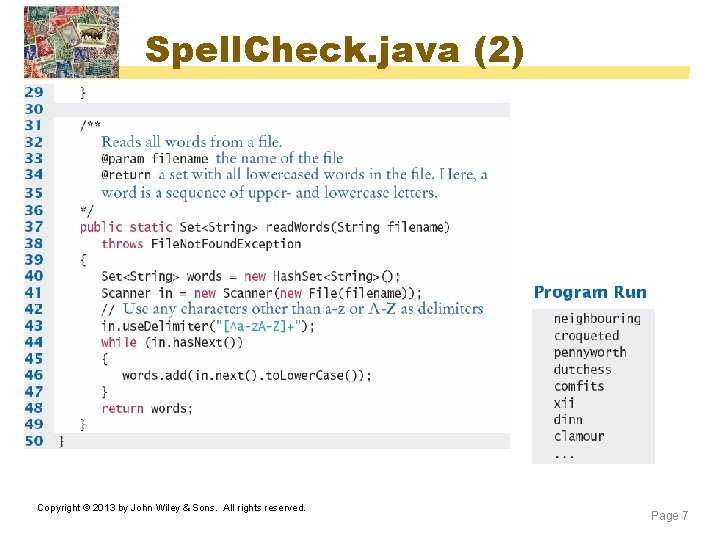
Spell. Check. java (2) Copyright © 2013 by John Wiley & Sons. All rights reserved. Page 7
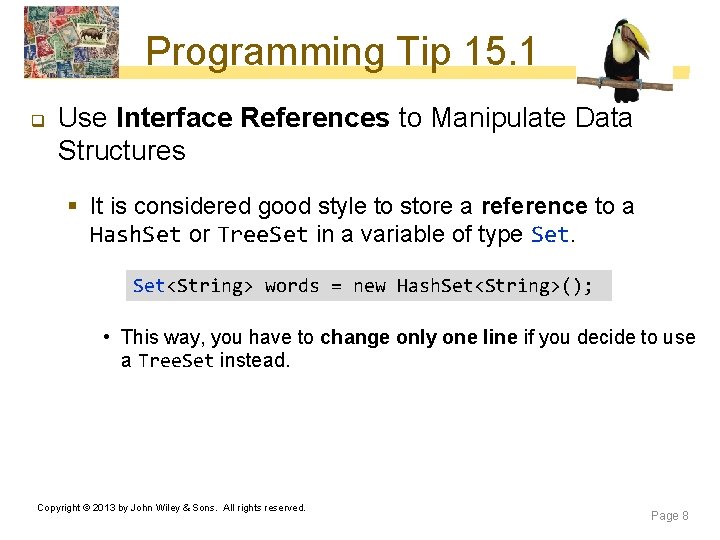
Programming Tip 15. 1 q Use Interface References to Manipulate Data Structures § It is considered good style to store a reference to a Hash. Set or Tree. Set in a variable of type Set<String> words = new Hash. Set<String>(); • This way, you have to change only one line if you decide to use a Tree. Set instead. Copyright © 2013 by John Wiley & Sons. All rights reserved. Page 8
Programming Tip 15. 1 (continued) § Unfortunately the same is not true of the Array. List, Linked. List and List classes • The get and set methods for random access are very inefficient (why) § Also, if a method can operate on arbitrary collections, use the Collection interface type for the parameter: public static void remove. Long. Words(Collection<String> words) Copyright © 2013 by John Wiley & Sons. All rights reserved. Page 9
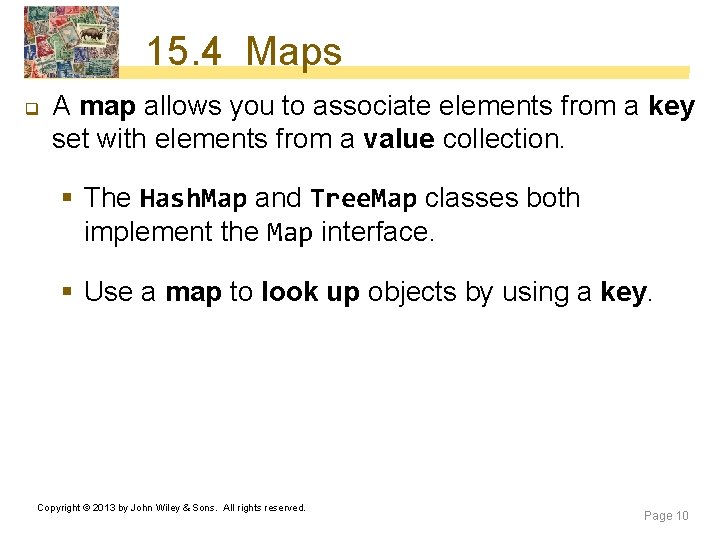
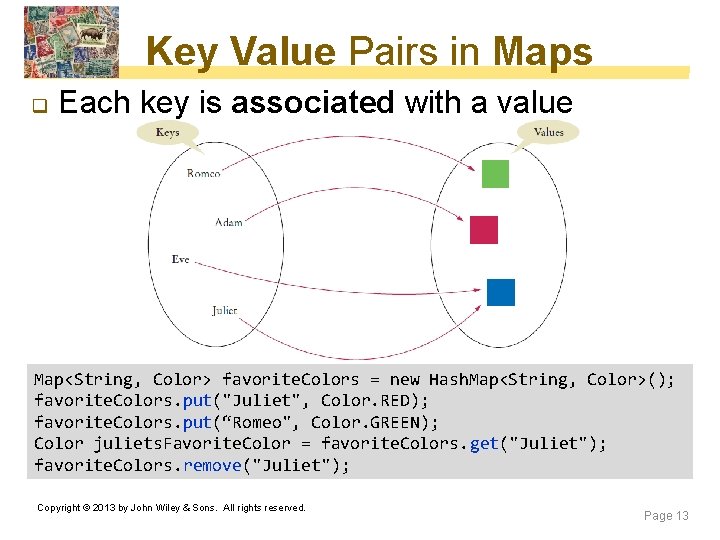
15. 4 Maps q A map allows you to associate elements from a key set with elements from a value collection. § The Hash. Map and Tree. Map classes both implement the Map interface. § Use a map to look up objects by using a key. Copyright © 2013 by John Wiley & Sons. All rights reserved. Page 10
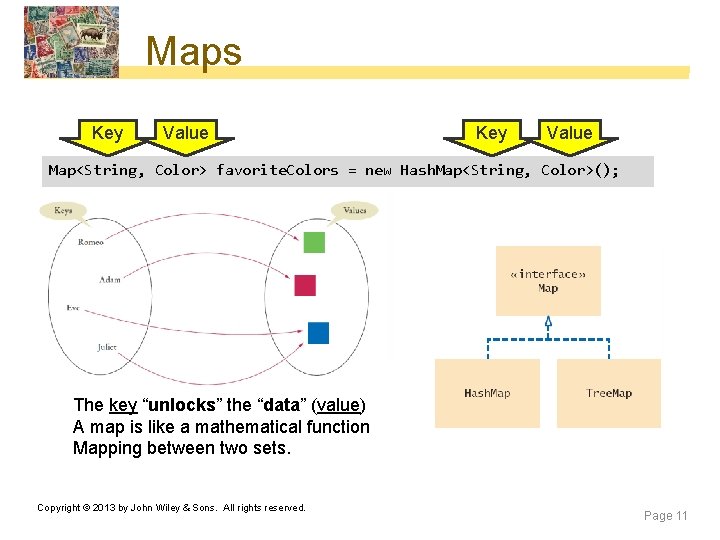
Maps Key Value Map<String, Color> favorite. Colors = new Hash. Map<String, Color>(); The key “unlocks” the “data” (value) A map is like a mathematical function Mapping between two sets. Copyright © 2013 by John Wiley & Sons. All rights reserved. Page 11
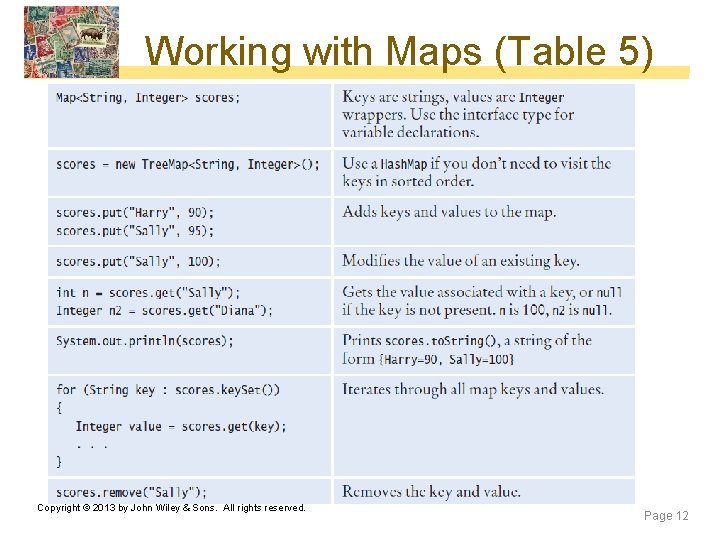
Working with Maps (Table 5) Copyright © 2013 by John Wiley & Sons. All rights reserved. Page 12
Key Value Pairs in Maps q Each key is associated with a value Map<String, Color> favorite. Colors = new Hash. Map<String, Color>(); favorite. Colors. put("Juliet", Color. RED); favorite. Colors. put(“Romeo", Color. GREEN); Color juliets. Favorite. Color = favorite. Colors. get("Juliet"); favorite. Colors. remove("Juliet"); Copyright © 2013 by John Wiley & Sons. All rights reserved. Page 13
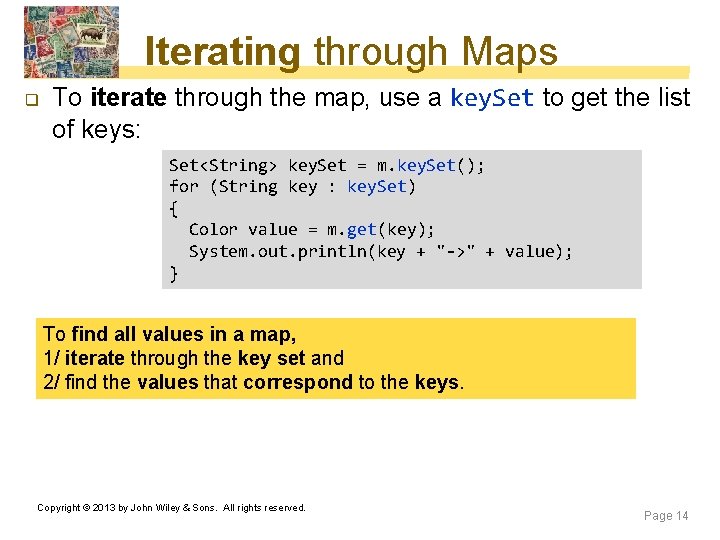
Iterating through Maps q To iterate through the map, use a key. Set to get the list of keys: Set<String> key. Set = m. key. Set(); for (String key : key. Set) { Color value = m. get(key); System. out. println(key + "->" + value); } To find all values in a map, 1/ iterate through the key set and 2/ find the values that correspond to the keys. Copyright © 2013 by John Wiley & Sons. All rights reserved. Page 14
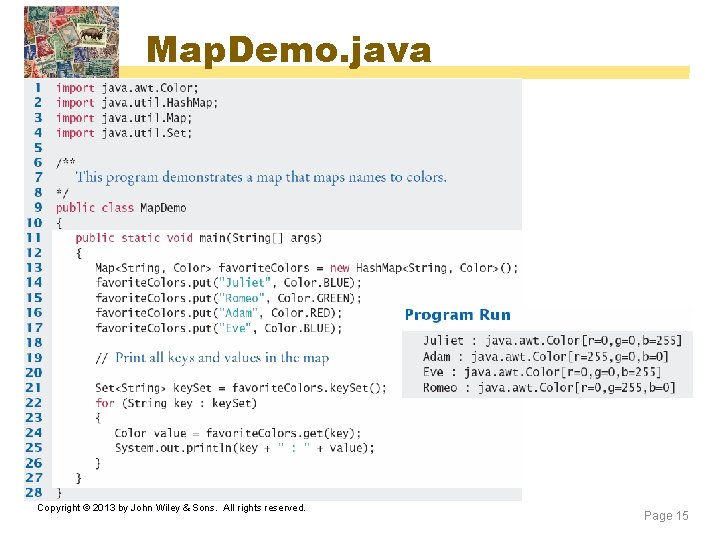
Map. Demo. java Copyright © 2013 by John Wiley & Sons. All rights reserved. Page 15
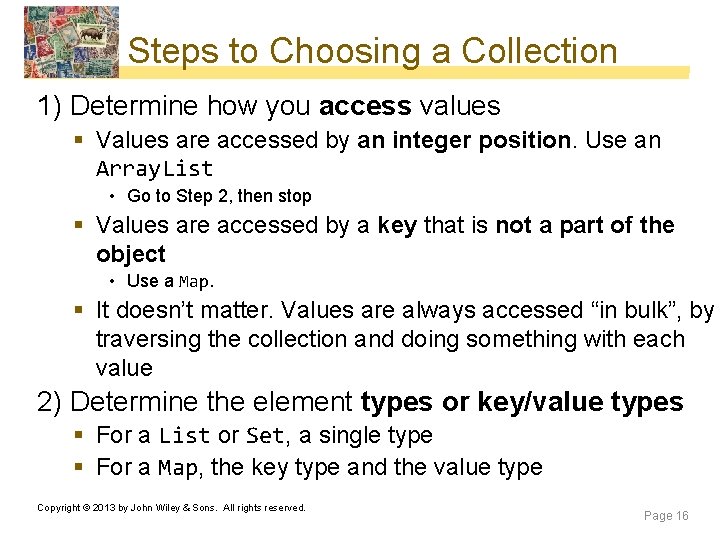
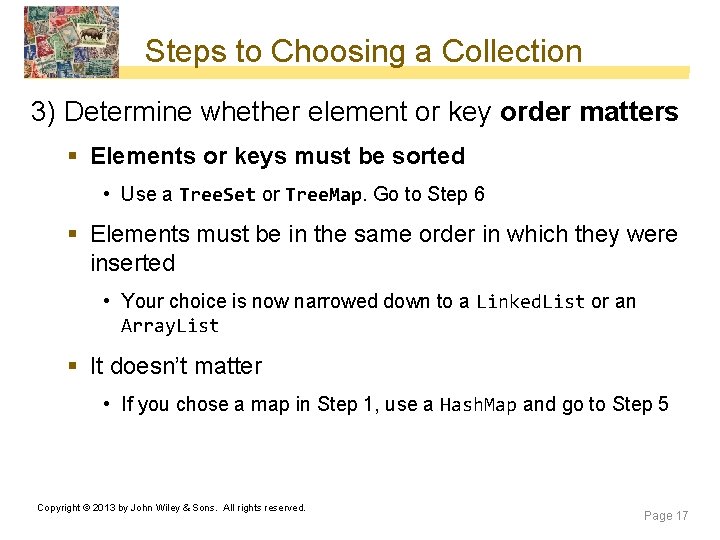
Steps to Choosing a Collection 1) Determine how you access values § Values are accessed by an integer position. Use an Array. List • Go to Step 2, then stop § Values are accessed by a key that is not a part of the object • Use a Map. § It doesn’t matter. Values are always accessed “in bulk”, by traversing the collection and doing something with each value 2) Determine the element types or key/value types § For a List or Set, a single type § For a Map, the key type and the value type Copyright © 2013 by John Wiley & Sons. All rights reserved. Page 16
Steps to Choosing a Collection 3) Determine whether element or key order matters § Elements or keys must be sorted • Use a Tree. Set or Tree. Map. Go to Step 6 § Elements must be in the same order in which they were inserted • Your choice is now narrowed down to a Linked. List or an Array. List § It doesn’t matter • If you chose a map in Step 1, use a Hash. Map and go to Step 5 Copyright © 2013 by John Wiley & Sons. All rights reserved. Page 17
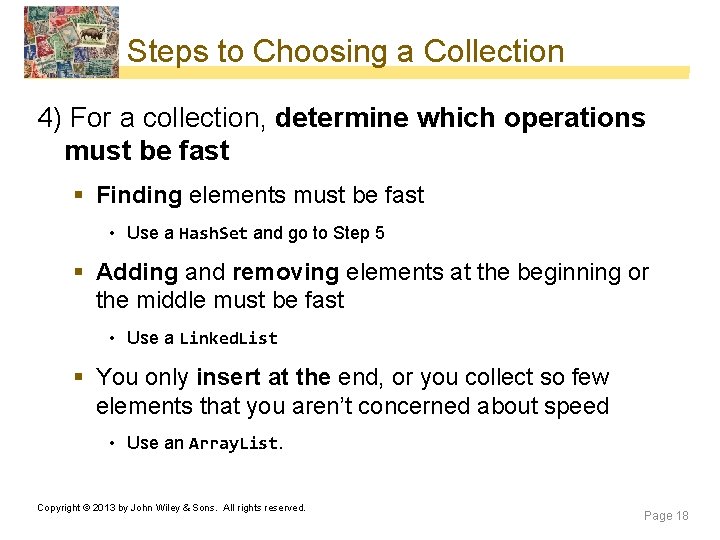
Steps to Choosing a Collection 4) For a collection, determine which operations must be fast § Finding elements must be fast • Use a Hash. Set and go to Step 5 § Adding and removing elements at the beginning or the middle must be fast • Use a Linked. List § You only insert at the end, or you collect so few elements that you aren’t concerned about speed • Use an Array. List. Copyright © 2013 by John Wiley & Sons. All rights reserved. Page 18
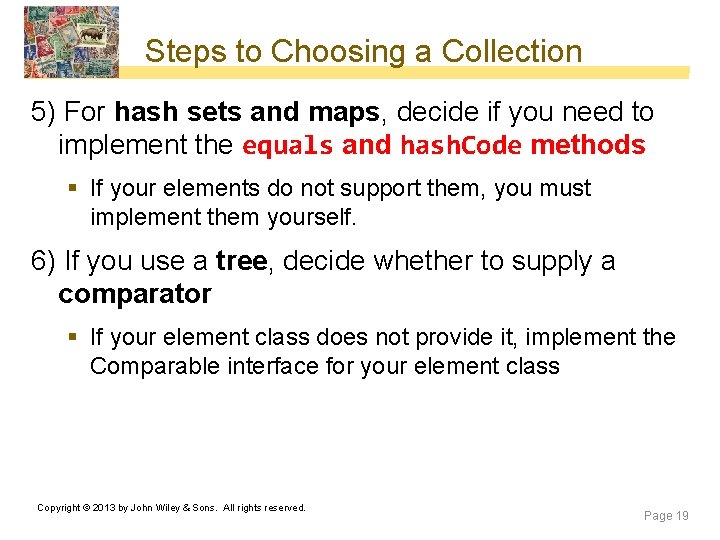
Steps to Choosing a Collection 5) For hash sets and maps, decide if you need to implement the equals and hash. Code methods § If your elements do not support them, you must implement them yourself. 6) If you use a tree, decide whether to supply a comparator § If your element class does not provide it, implement the Comparable interface for your element class Copyright © 2013 by John Wiley & Sons. All rights reserved. Page 19
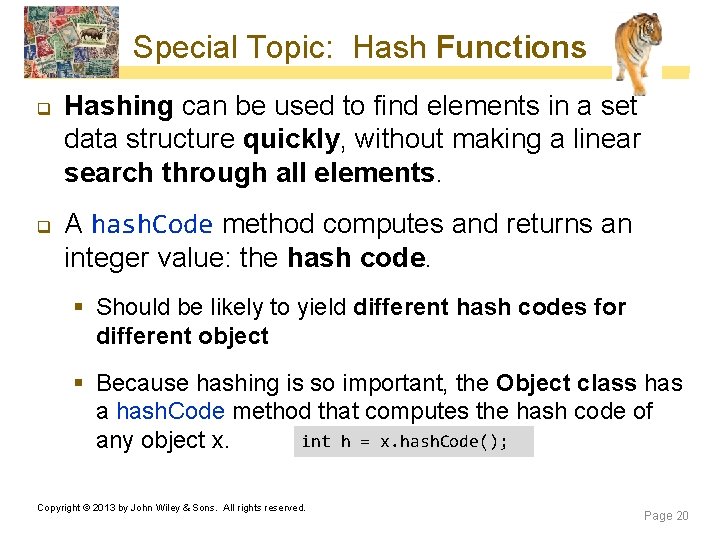
Special Topic: Hash Functions q q Hashing can be used to find elements in a set data structure quickly, without making a linear search through all elements. A hash. Code method computes and returns an integer value: the hash code. § Should be likely to yield different hash codes for different object § Because hashing is so important, the Object class has a hash. Code method that computes the hash code of int h = x. hash. Code(); any object x. Copyright © 2013 by John Wiley & Sons. All rights reserved. Page 20
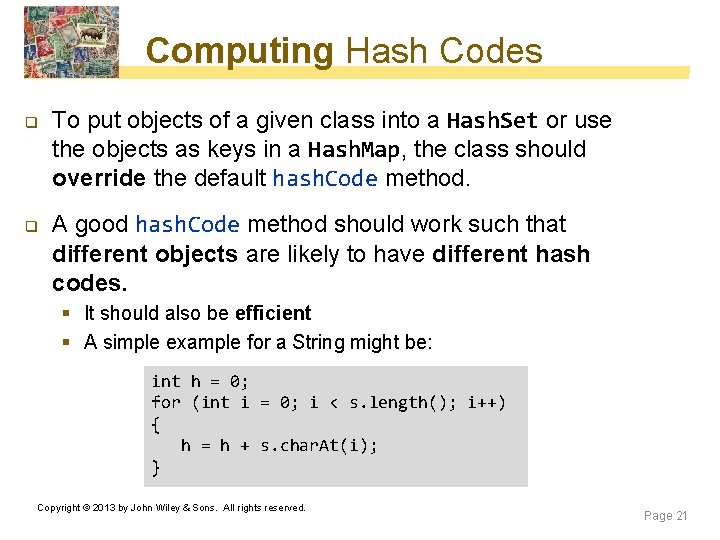
Computing Hash Codes q q To put objects of a given class into a Hash. Set or use the objects as keys in a Hash. Map, the class should override the default hash. Code method. A good hash. Code method should work such that different objects are likely to have different hash codes. § It should also be efficient § A simple example for a String might be: int h = 0; for (int i = 0; i < s. length(); i++) { h = h + s. char. At(i); } Copyright © 2013 by John Wiley & Sons. All rights reserved. Page 21
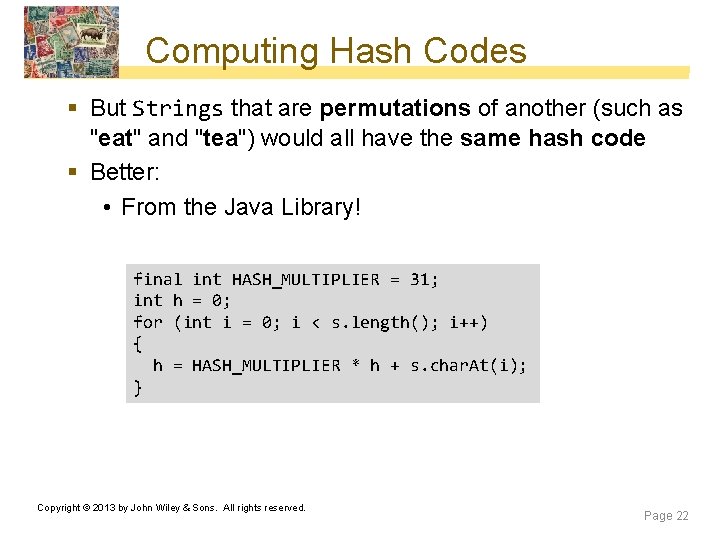
Computing Hash Codes § But Strings that are permutations of another (such as "eat" and "tea") would all have the same hash code § Better: • From the Java Library! final int HASH_MULTIPLIER = 31; int h = 0; for (int i = 0; i < s. length(); i++) { h = HASH_MULTIPLIER * h + s. char. At(i); } Copyright © 2013 by John Wiley & Sons. All rights reserved. Page 22
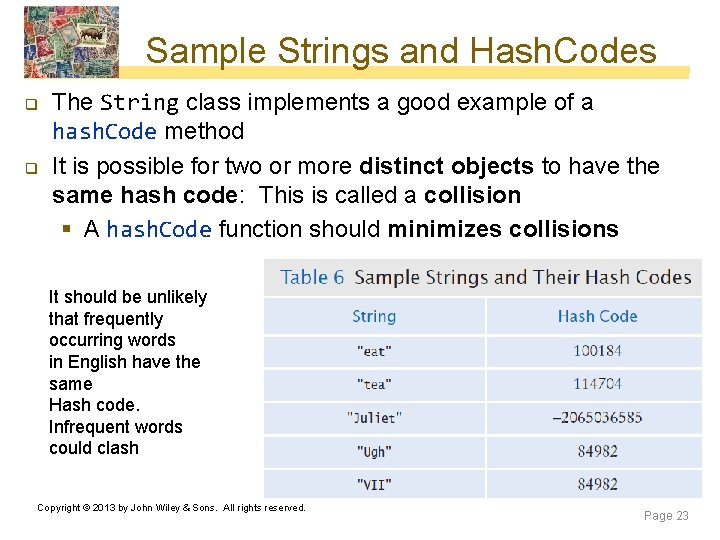
Sample Strings and Hash. Codes q q The String class implements a good example of a hash. Code method It is possible for two or more distinct objects to have the same hash code: This is called a collision § A hash. Code function should minimizes collisions It should be unlikely that frequently occurring words in English have the same Hash code. Infrequent words could clash Copyright © 2013 by John Wiley & Sons. All rights reserved. Page 23
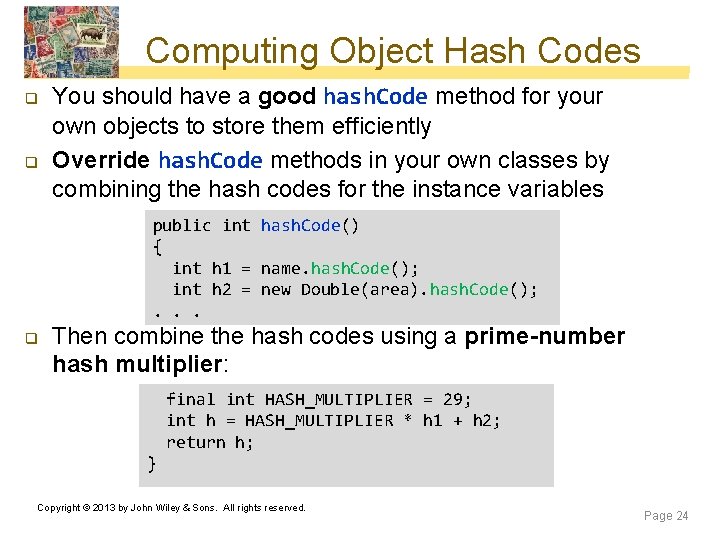
Computing Object Hash Codes q q You should have a good hash. Code method for your own objects to store them efficiently Override hash. Code methods in your own classes by combining the hash codes for the instance variables public int hash. Code() { int h 1 = name. hash. Code(); int h 2 = new Double(area). hash. Code(); . . . q Then combine the hash codes using a prime-number hash multiplier: final int HASH_MULTIPLIER = 29; int h = HASH_MULTIPLIER * h 1 + h 2; return h; } Copyright © 2013 by John Wiley & Sons. All rights reserved. Page 24
hash. Code and equals methods q hash. Code methods should be compatible with equals methods § If two objects are equal, their hash. Codes should match § a hash. Code method should use all instance variables § The hash. Code method of the Object class uses the memory location of the object, not the contents Copyright © 2013 by John Wiley & Sons. All rights reserved. Page 25
hash. Code and equals methods § Do not mix Object class hash. Code or equals methods with your own: • Use an existing class such as String. Its hash. Code and equals methods have already been implemented to work correctly. • Implement both hash. Code and equals. – Derive the hash code from the instance variables that the equals method compares, so that equal objects have the same hash code • Implement neither hash. Code nor equals. Then only identical objects are considered to be equal Copyright © 2013 by John Wiley & Sons. All rights reserved. Page 26
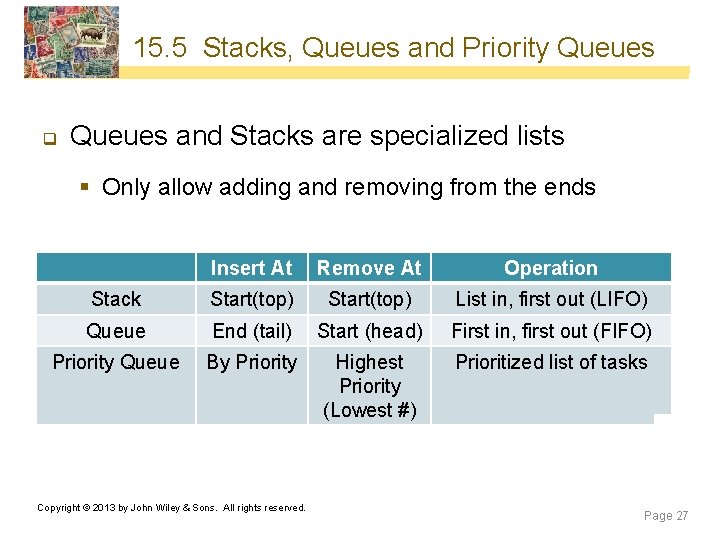
15. 5 Stacks, Queues and Priority Queues q Queues and Stacks are specialized lists § Only allow adding and removing from the ends Insert At Remove At Operation Stack Start(top) List in, first out (LIFO) Queue End (tail) Start (head) First in, first out (FIFO) Priority Queue By Priority Highest Priority (Lowest #) Prioritized list of tasks Copyright © 2013 by John Wiley & Sons. All rights reserved. Page 27
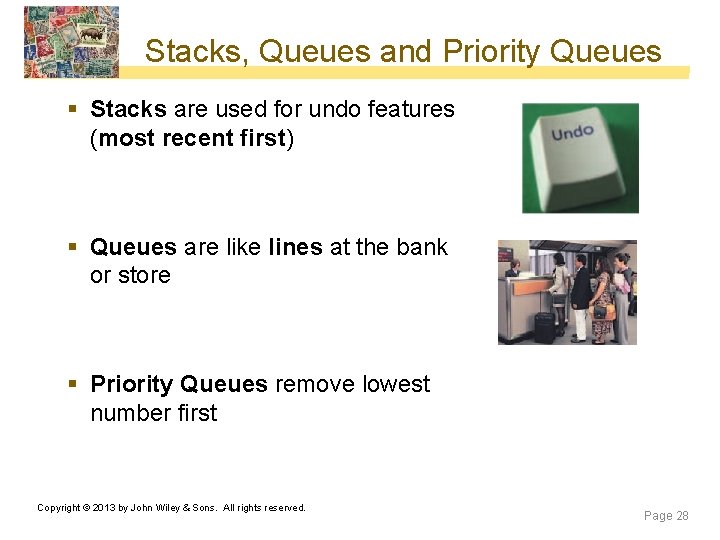
Stacks, Queues and Priority Queues § Stacks are used for undo features (most recent first) § Queues are like lines at the bank or store § Priority Queues remove lowest number first Copyright © 2013 by John Wiley & Sons. All rights reserved. Page 28
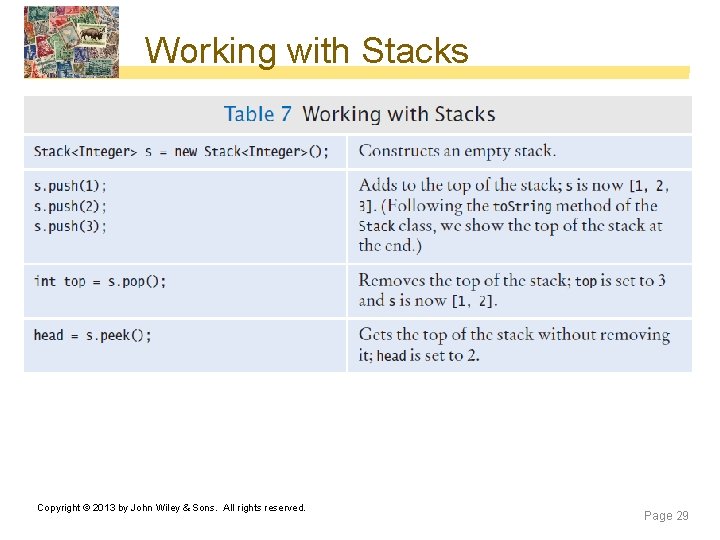
Working with Stacks Copyright © 2013 by John Wiley & Sons. All rights reserved. Page 29
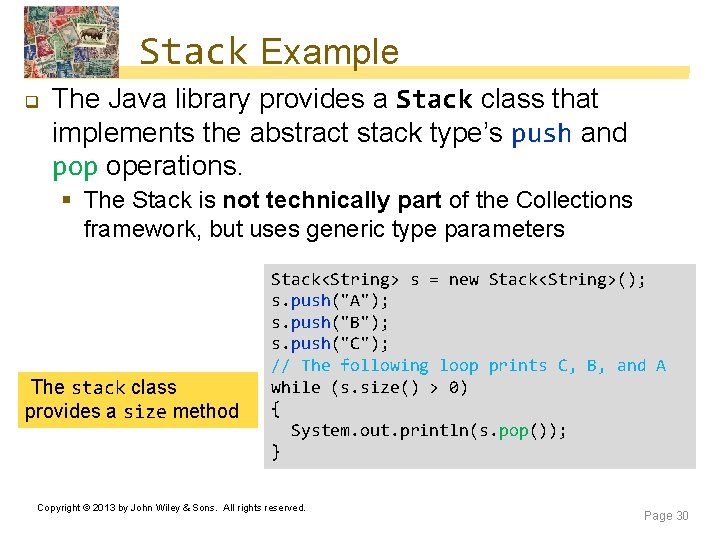
Stack Example q The Java library provides a Stack class that implements the abstract stack type’s push and pop operations. § The Stack is not technically part of the Collections framework, but uses generic type parameters The stack class provides a size method Stack<String> s = new Stack<String>(); s. push("A"); s. push("B"); s. push("C"); // The following loop prints C, B, and A while (s. size() > 0) { System. out. println(s. pop()); } Copyright © 2013 by John Wiley & Sons. All rights reserved. Page 30
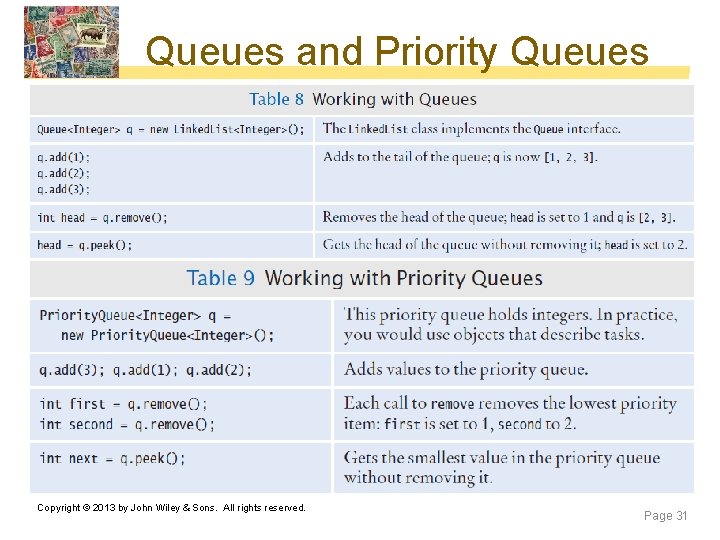
Queues and Priority Queues Copyright © 2013 by John Wiley & Sons. All rights reserved. Page 31
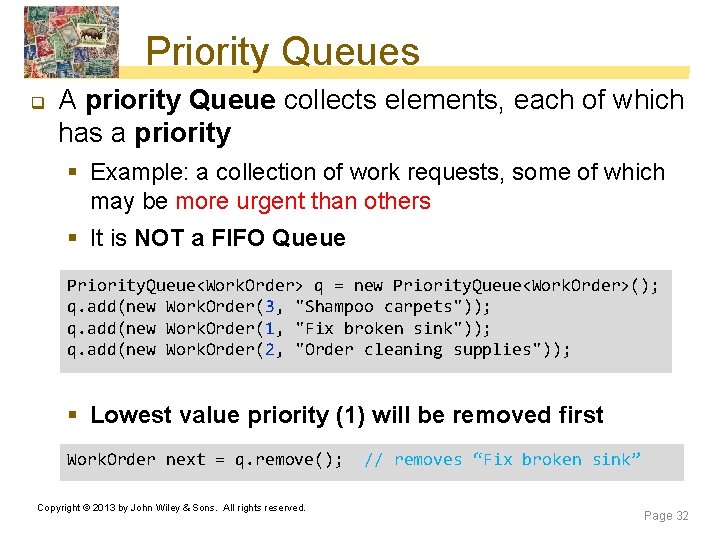
Priority Queues q A priority Queue collects elements, each of which has a priority § Example: a collection of work requests, some of which may be more urgent than others § It is NOT a FIFO Queue Priority. Queue<Work. Order> q = new Priority. Queue<Work. Order>(); q. add(new Work. Order(3, "Shampoo carpets")); q. add(new Work. Order(1, "Fix broken sink")); q. add(new Work. Order(2, "Order cleaning supplies")); § Lowest value priority (1) will be removed first Work. Order next = q. remove(); Copyright © 2013 by John Wiley & Sons. All rights reserved. // removes “Fix broken sink” Page 32
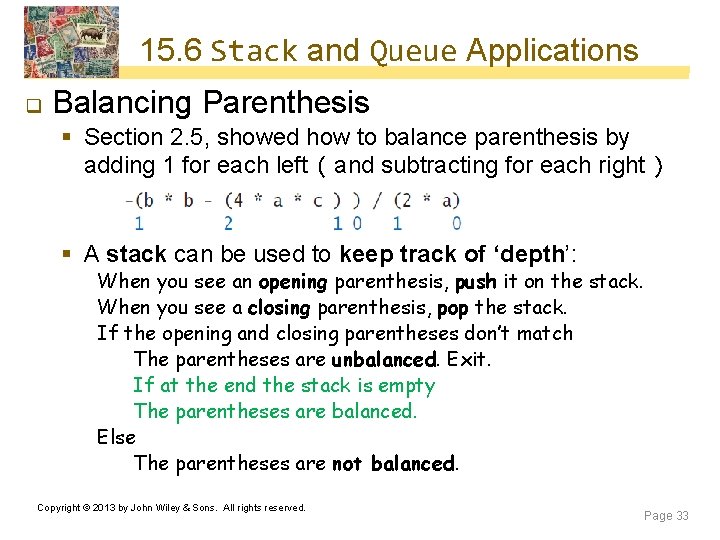
15. 6 Stack and Queue Applications q Balancing Parenthesis § Section 2. 5, showed how to balance parenthesis by adding 1 for each left ( and subtracting for each right ) § A stack can be used to keep track of ‘depth’: When you see an opening parenthesis, push it on the stack. When you see a closing parenthesis, pop the stack. If the opening and closing parentheses don’t match The parentheses are unbalanced. Exit. If at the end the stack is empty The parentheses are balanced. Else The parentheses are not balanced. Copyright © 2013 by John Wiley & Sons. All rights reserved. Page 33
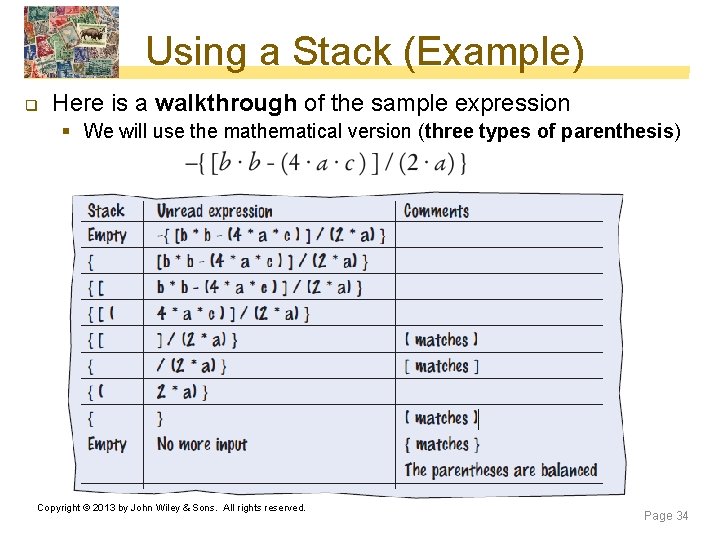
Using a Stack (Example) q Here is a walkthrough of the sample expression § We will use the mathematical version (three types of parenthesis) Copyright © 2013 by John Wiley & Sons. All rights reserved. Page 34
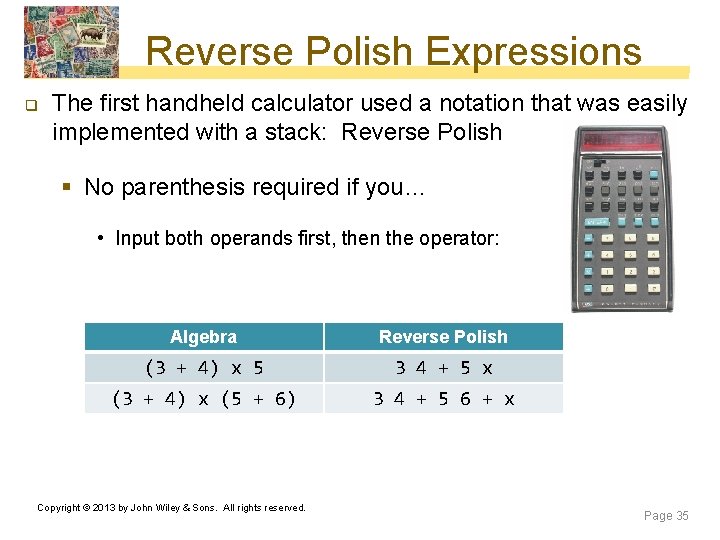
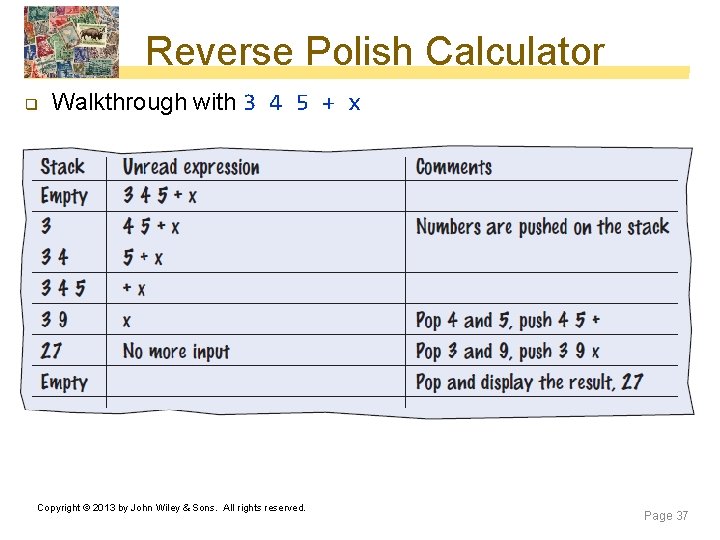
Reverse Polish Expressions q The first handheld calculator used a notation that was easily implemented with a stack: Reverse Polish § No parenthesis required if you… • Input both operands first, then the operator: Algebra Reverse Polish (3 + 4) x 5 3 4 + 5 x (3 + 4) x (5 + 6) 3 4 + 5 6 + x Copyright © 2013 by John Wiley & Sons. All rights reserved. Page 35
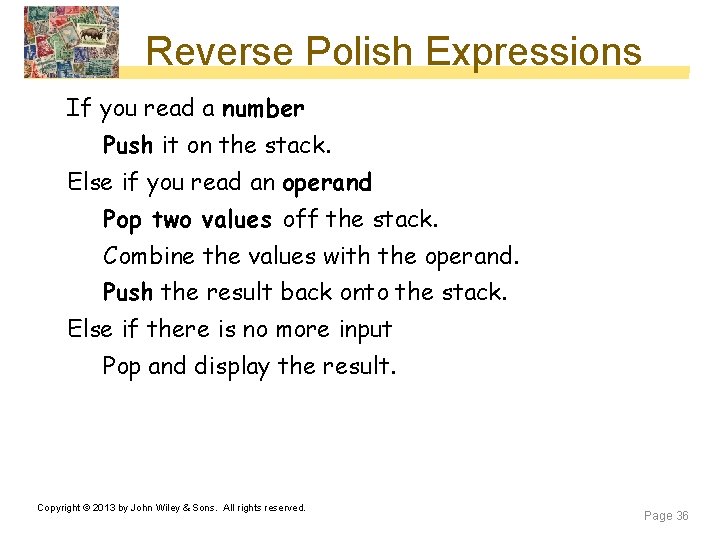
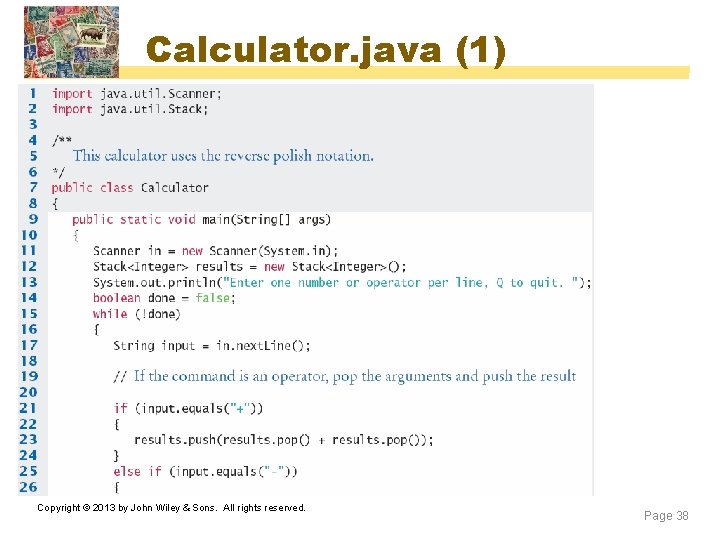
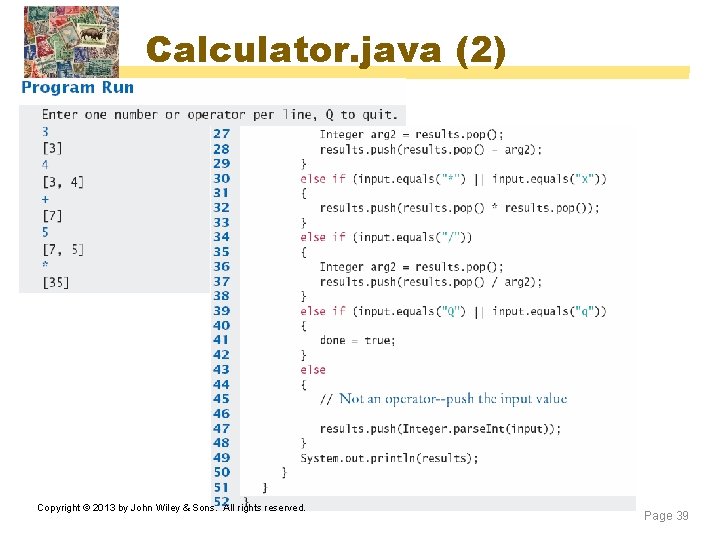
Reverse Polish Expressions If you read a number Push it on the stack. Else if you read an operand Pop two values off the stack. Combine the values with the operand. Push the result back onto the stack. Else if there is no more input Pop and display the result. Copyright © 2013 by John Wiley & Sons. All rights reserved. Page 36
Reverse Polish Calculator q Walkthrough with 3 4 5 + x Copyright © 2013 by John Wiley & Sons. All rights reserved. Page 37
Calculator. java (1) Copyright © 2013 by John Wiley & Sons. All rights reserved. Page 38
Calculator. java (2) Copyright © 2013 by John Wiley & Sons. All rights reserved. Page 39
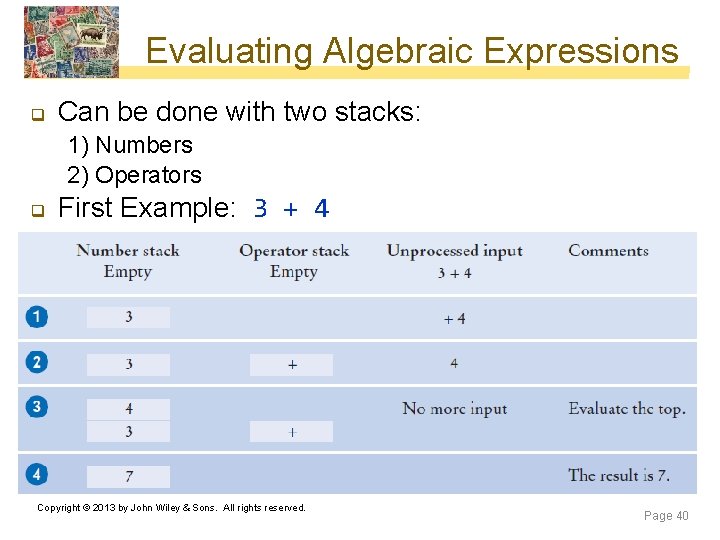
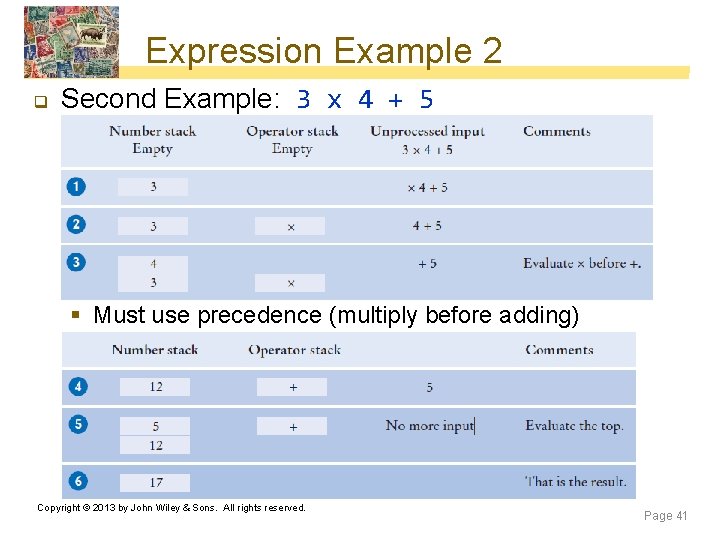
Evaluating Algebraic Expressions q Can be done with two stacks: 1) Numbers 2) Operators q First Example: 3 + 4 Copyright © 2013 by John Wiley & Sons. All rights reserved. Page 40
Expression Example 2 q Second Example: 3 x 4 + 5 § Must use precedence (multiply before adding) Copyright © 2013 by John Wiley & Sons. All rights reserved. Page 41
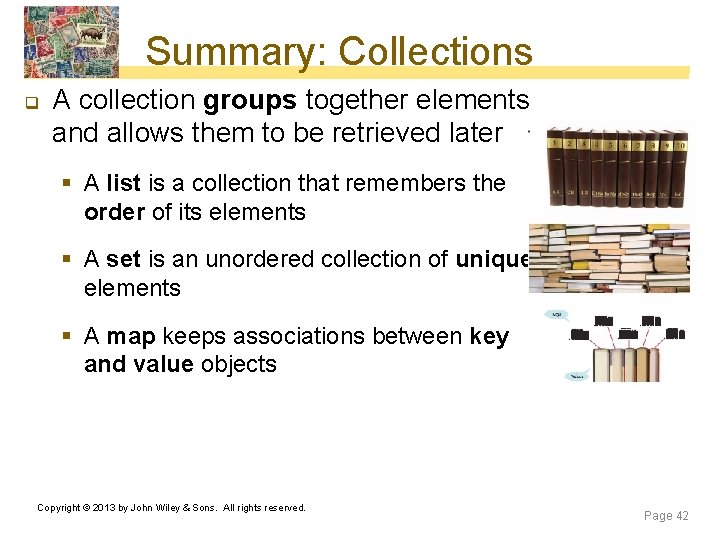
Summary: Collections q A collection groups together elements and allows them to be retrieved later § A list is a collection that remembers the order of its elements § A set is an unordered collection of unique elements § A map keeps associations between key and value objects Copyright © 2013 by John Wiley & Sons. All rights reserved. Page 42
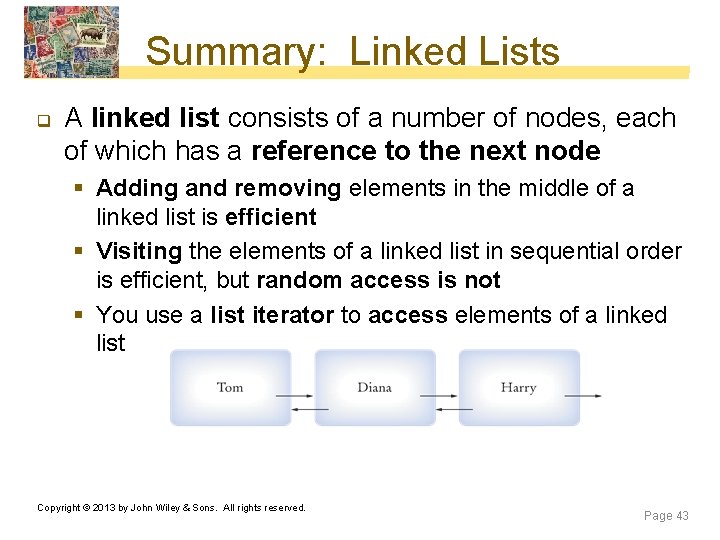
Summary: Linked Lists q A linked list consists of a number of nodes, each of which has a reference to the next node § Adding and removing elements in the middle of a linked list is efficient § Visiting the elements of a linked list in sequential order is efficient, but random access is not § You use a list iterator to access elements of a linked list Copyright © 2013 by John Wiley & Sons. All rights reserved. Page 43
Summary: Choosing a Set The Hash. Set and Tree. Set classes both implement the Set interface. 2. Set implementations arrange the elements so that they can locate them quickly. 3. You can form hash sets holding objects of type String, Integer, Double, Point, Rectangle, or Color. 4. You can form tree sets for any class that implements the Comparable interface, such as String or Integer. 5. Sets don’t have duplicates. Adding a duplicate of an element that is already present is silently ignored. 6. A set iterator visits the elements in the order in which the set implementation keeps them. 7. You cannot add an element to a set at an iterator Copyright © 2013 by John Wiley & Sons. All rights reserved. position. Page 44 1.
Summary: Maps q Maps associate keys with values § The Hash. Map and Tree. Map classes both implement the Map interface § To find all keys and values in a Map, iterate through the key set and find the values that correspond to the keys § A hash function computes an integer value from an object. § A good hash function minimizes collisions—identical hash codes for different objects. § Override hash. Code methods in your own classes by combining the hash codes for the instance variables. § A class’s hash. Code method must be compatible with its equals method. Copyright © 2013 by John Wiley & Sons. All rights reserved. Page 45
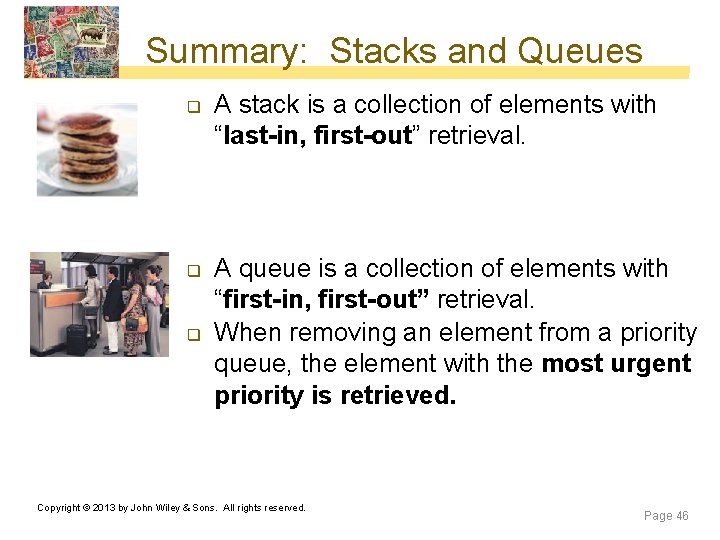
Summary: Stacks and Queues q q q A stack is a collection of elements with “last-in, first-out” retrieval. A queue is a collection of elements with “first-in, first-out” retrieval. When removing an element from a priority queue, the element with the most urgent priority is retrieved. Copyright © 2013 by John Wiley & Sons. All rights reserved. Page 46