
Chapter 15 Site Plan Layout Driveway style and
- Slides: 10
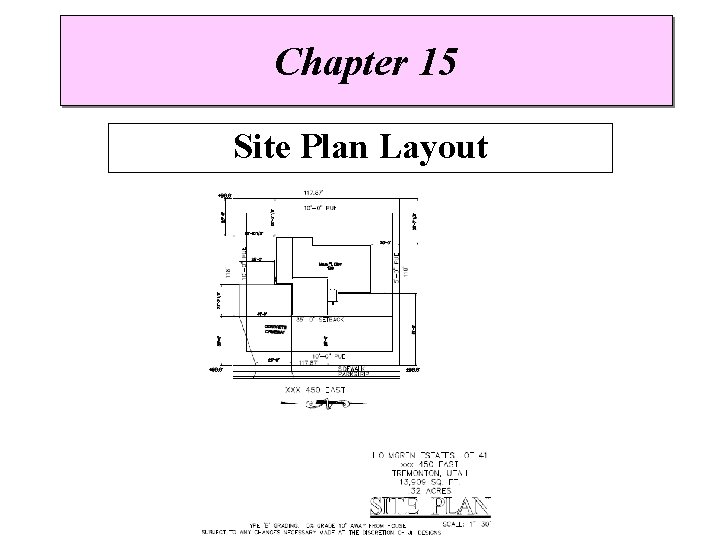
Chapter 15 Site Plan Layout
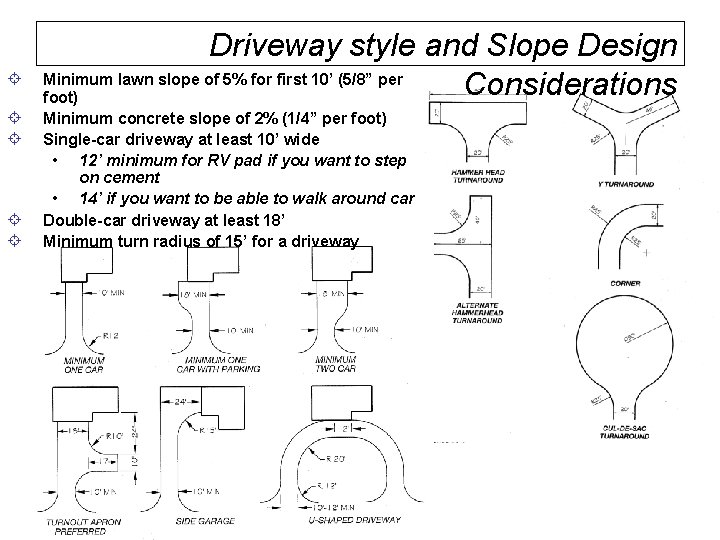
± ± ± Driveway style and Slope Design Minimum lawn slope of 5% for first 10’ (5/8” per Considerations foot) Minimum concrete slope of 2% (1/4” per foot) Single-car driveway at least 10’ wide • 12’ minimum for RV pad if you want to step on cement • 14’ if you want to be able to walk around car Double-car driveway at least 18’ Minimum turn radius of 15’ for a driveway
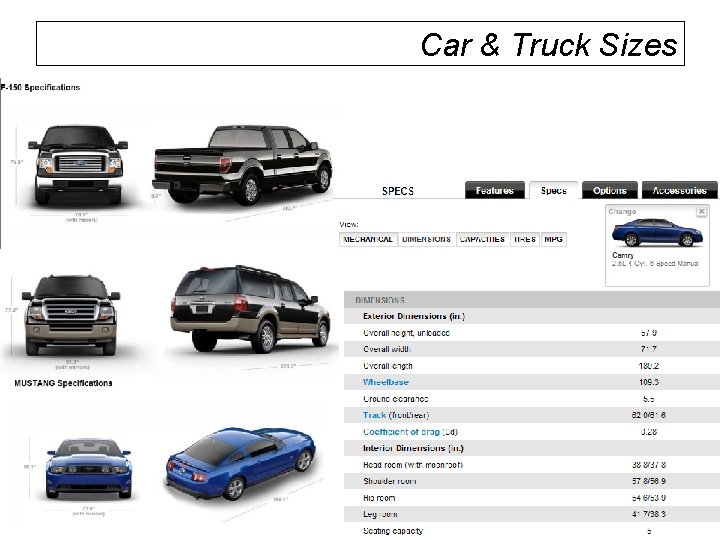
Car & Truck Sizes
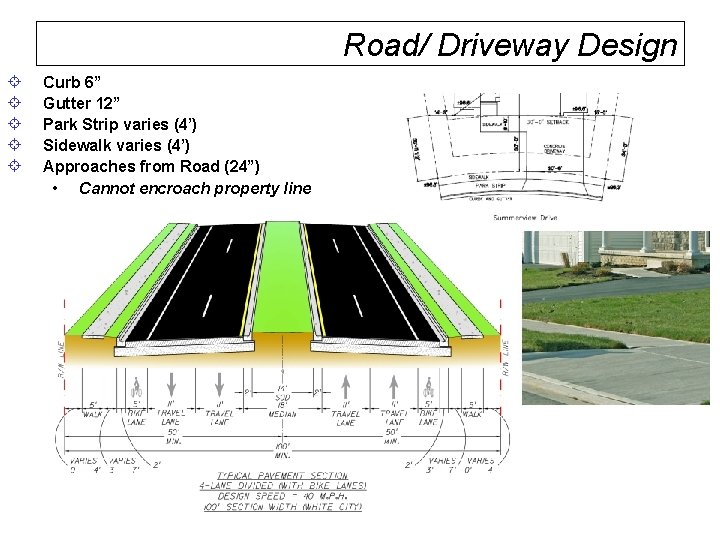
Road/ Driveway Design ± ± ± Curb 6” Gutter 12” Park Strip varies (4’) Sidewalk varies (4’) Approaches from Road (24”) • Cannot encroach property line
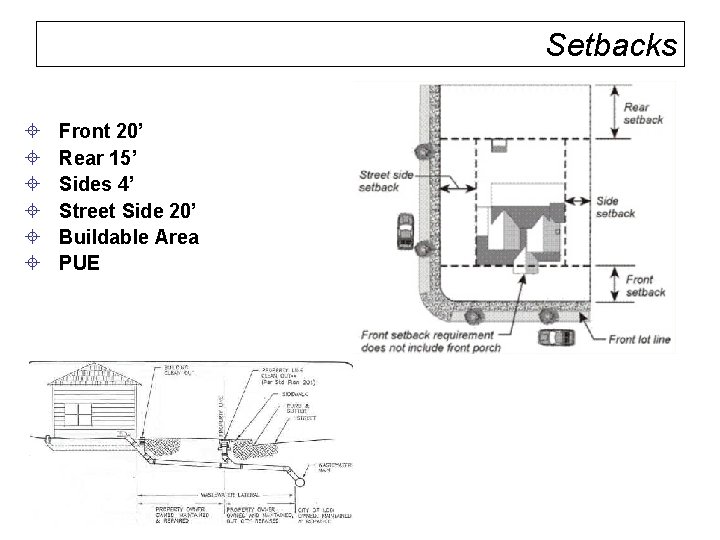
Setbacks ± ± ± Front 20’ Rear 15’ Sides 4’ Street Side 20’ Buildable Area PUE
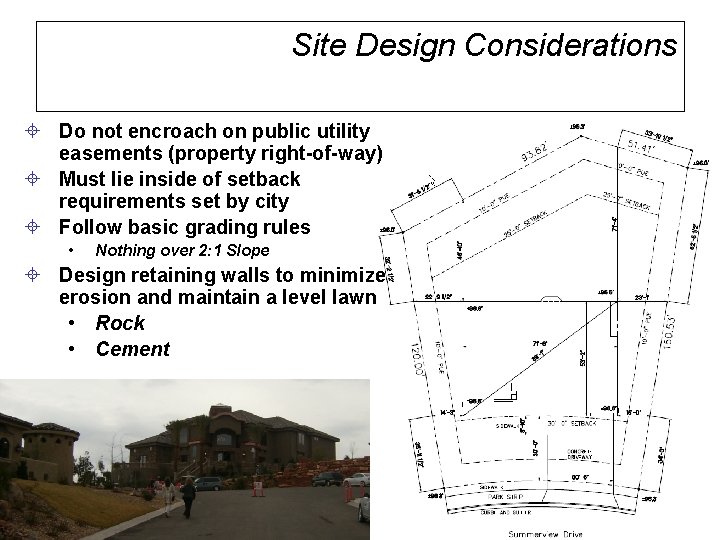
Site Design Considerations ± Do not encroach on public utility easements (property right-of-way) ± Must lie inside of setback requirements set by city ± Follow basic grading rules • Nothing over 2: 1 Slope ± Design retaining walls to minimize erosion and maintain a level lawn • Rock • Cement
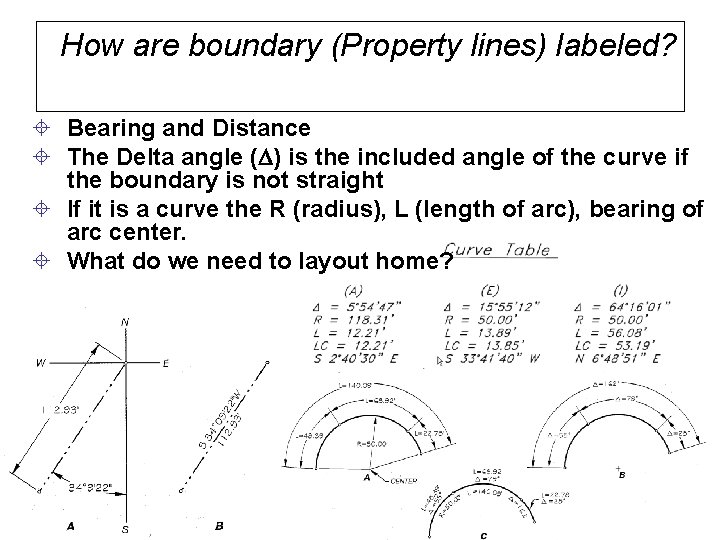
How are boundary (Property lines) labeled? ± Bearing and Distance ± The Delta angle ( ) is the included angle of the curve if the boundary is not straight ± If it is a curve the R (radius), L (length of arc), bearing of arc center. ± What do we need to layout home?
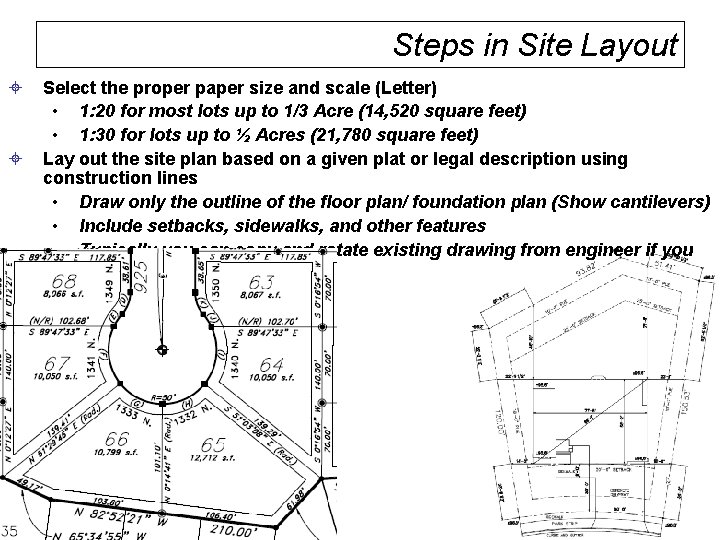
Steps in Site Layout ± ± Select the proper paper size and scale (Letter) • 1: 20 for most lots up to 1/3 Acre (14, 520 square feet) • 1: 30 for lots up to ½ Acres (21, 780 square feet) Lay out the site plan based on a given plat or legal description using construction lines • Draw only the outline of the floor plan/ foundation plan (Show cantilevers) • Include setbacks, sidewalks, and other features • Typically you can copy and rotate existing drawing from engineer if you request it.
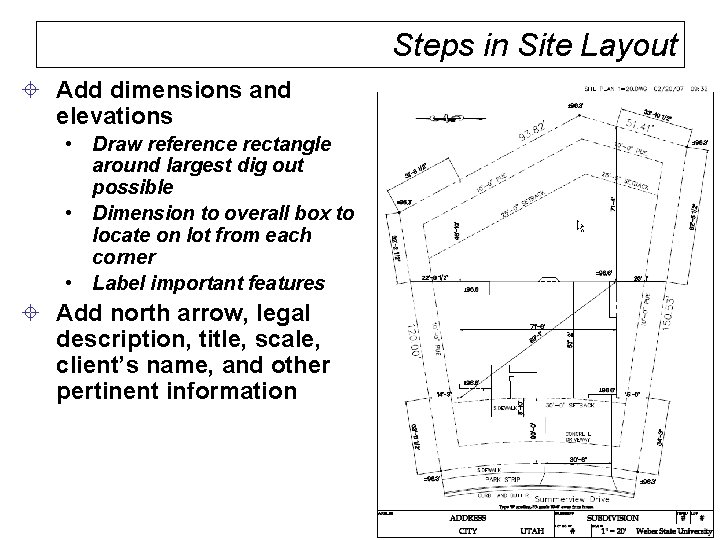
Steps in Site Layout ± Add dimensions and elevations • Draw reference rectangle around largest dig out possible • Dimension to overall box to locate on lot from each corner • Label important features ± Add north arrow, legal description, title, scale, client’s name, and other pertinent information
Drawing your Site Plan ± Refer to DGET 1360 Templates ± Open Template and save to your drive • Has layers, text, etc. to enable you to match properties from example • Move example to side and use match properties • Make sure your lot is rotated to show street on the bottom and one of the property lines at 90 degrees ± Use Plot Plan Layout Steps ± Example?