
CHAPTER 15 Information Search Designing the User Interface
- Slides: 62
CHAPTER 15: Information Search Designing the User Interface: Strategies for Effective Human-Computer Interaction Sixth Edition Ben Shneiderman, Catherine Plaisant, Maxine S. Cohen, Steven M. Jacobs, and Niklas Elmqvist in collaboration with Nicholas Diakopoulos Addison Wesley is an imprint of © 2017 Pearson Education, Inc. , Hoboken, NJ. All rights reserved.
Introduction to Information Search Topics 1. 2. 3. 4. Introduction Five-phase search framework Dynamic queries and faceted search Command languages and “natural” language queries 5. Multimedia Document Search & specialized search 6. The Social aspects of search 1 -2 © 2017 Pearson Education, Inc. , Hoboken, NJ. All rights reserved. 15 -2
Introduction to Information Search (continued) • The way users conduct searches have dramatically changed over the past decades. • This chapter’s main focus is on web or database searches of text & multimedia collections • Information retrieval and database management have evolved into: ‒ Information seeking, filtering, collaborative filtering, sensemaking, and visual analytics. ‒ Alternating these strategies is called “berry picking” • All the above is complicated by the increased volume of material to search ‒ Data mining ‒ Deep learning © 2017 Pearson Education, Inc. , Hoboken, NJ. All rights reserved. 1 -3 15 -3
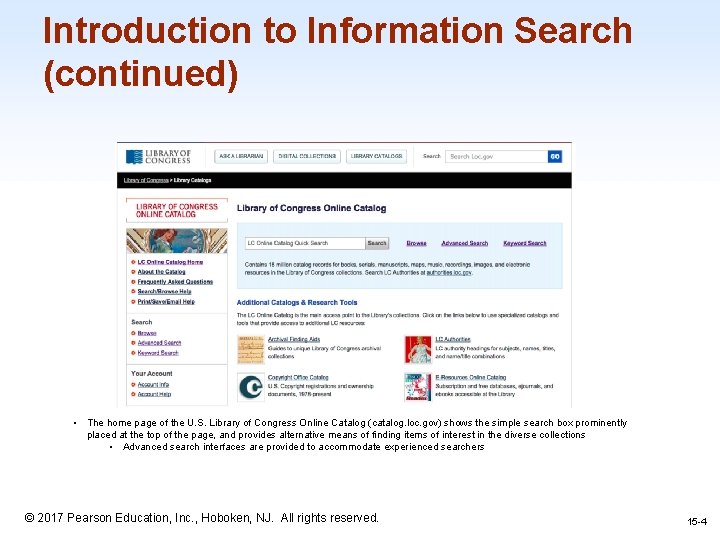
Introduction to Information Search (continued) • The home page of the U. S. Library of Congress Online Catalog (catalog. loc. gov) shows the simple search box prominently placed at the top of the page, and provides alternative means of finding items of interest in the diverse collections • Advanced search interfaces are provided to accommodate experienced searchers 1 -4 © 2017 Pearson Education, Inc. , Hoboken, NJ. All rights reserved. 15 -4
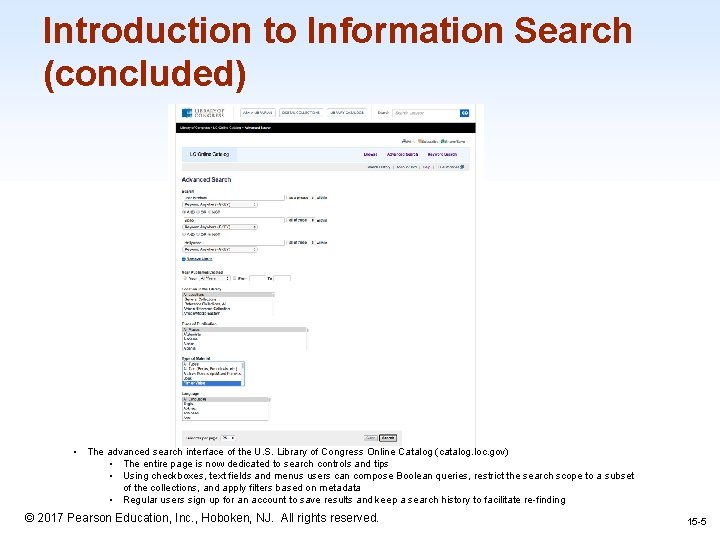
Introduction to Information Search (concluded) • The advanced search interface of the U. S. Library of Congress Online Catalog (catalog. loc. gov) • The entire page is now dedicated to search controls and tips • Using checkboxes, text fields and menus users can compose Boolean queries, restrict the search scope to a subset of the collections, and apply filters based on metadata • Regular users sign up for an account to save results and keep a search history to facilitate re-finding © 2017 Pearson Education, Inc. , Hoboken, NJ. All rights reserved. 1 -5 15 -5
Search terminology • Task objects (such as movies for rent) are stored in structured relational databases, textual document libraries, or multimedia document libraries • A structured relational database consists of relations and a schema to describe the relations • Relations have items (usually called tuples or records), and each item has multiple attributes (often called fields), which each have attribute values • A library consists of a set of collections (typically up to a few hundred collections per library) plus some descriptive attributes or metadata about the library (for example, name, location, owner) 1 -6 © 2017 Pearson Education, Inc. , Hoboken, NJ. All rights reserved. 15 -6
Search terminology (continued) • Digital libraries are generally sets of carefully selected and cataloged collections ‒ Digital archives tend to be more loosely organized • Directories hold metadata about the items in a library and point users to the appropriate locations ‒ for example, the NASA Global Change Master Directory helps scientists locate datasets in the many NASA’s archives • Items in unstructured collections like the web have no (or very few) attributes 1 -7 © 2017 Pearson Education, Inc. , Hoboken, NJ. All rights reserved. 15 -7
Search terminology (continued) • Task actions are decomposed into browsing or searching • Here are some examples of task actions: - Specific fact finding (known-item search) • Find the e-mail address of the President of the United States. - Extended fact finding • What other books are by the author of “Jurassic Park”? - Exploration of availability • Is there new work on voice recognition in the ACM digital library? - Open-ended browsing and problem analysis • Is there promising new research on fibromyalgia that might help my patient? 1 -8 © 2017 Pearson Education, Inc. , Hoboken, NJ. All rights reserved. 15 -8
Search terminology (concluded) • Once users have clarified their information needs, the first step towards satisfying those needs is deciding where to search • Supplemental finding aids can help users to clarify and pursue their information needs, e. g. table of contents or indexes • Additional preview and overview surrogates for items and collections can be created to facilitate browsing 1 -9 © 2017 Pearson Education, Inc. , Hoboken, NJ. All rights reserved. 15 -9
Five-phase framework for search user interfaces Information seeking is an iterative process. So these 5 steps can repeated many times until the users needs are met. 1. Formulation: expressing the search 2. Initiation of action: launching the search 3. Review of results: reading messages and outcomes 4. Refinement: formulating the next step 5. Use: compiling or disseminating insight 1 -10 © 2017 Pearson Education, Inc. , Hoboken, NJ. All rights reserved. 15 -10
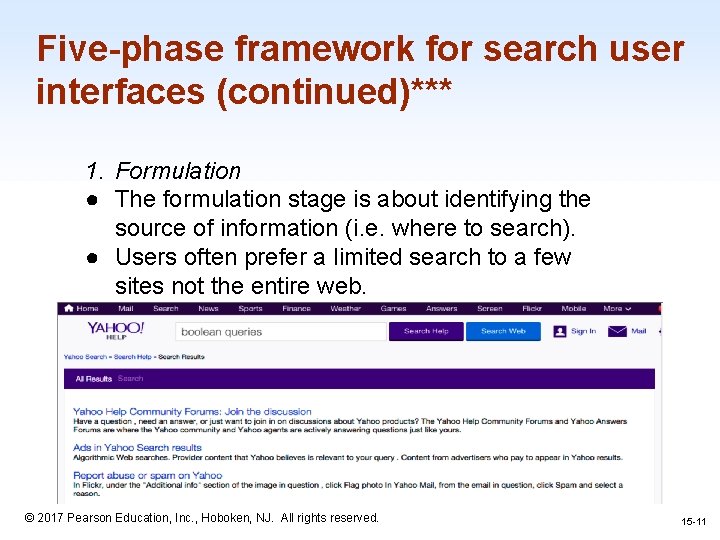
Five-phase framework for search user interfaces (continued)*** 1. Formulation ● The formulation stage is about identifying the source of information (i. e. where to search). ● Users often prefer a limited search to a few sites not the entire web. 1 -11 © 2017 Pearson Education, Inc. , Hoboken, NJ. All rights reserved. 15 -11
Five-phase framework for search user interfaces (continued)*** 2. Initiation of action ● Launching the action which may be implicit or explicit ● Explicit is the normal initiation of the search (pressing the Magnifying Glass ● Implicit initiation is when any change to any component of the formulation stage produces a new result ● Dynamic Queries are a way for users to adjusts query widgets to produce continuous updates 1 -12 © 2017 Pearson Education, Inc. , Hoboken, NJ. All rights reserved. 15 -12
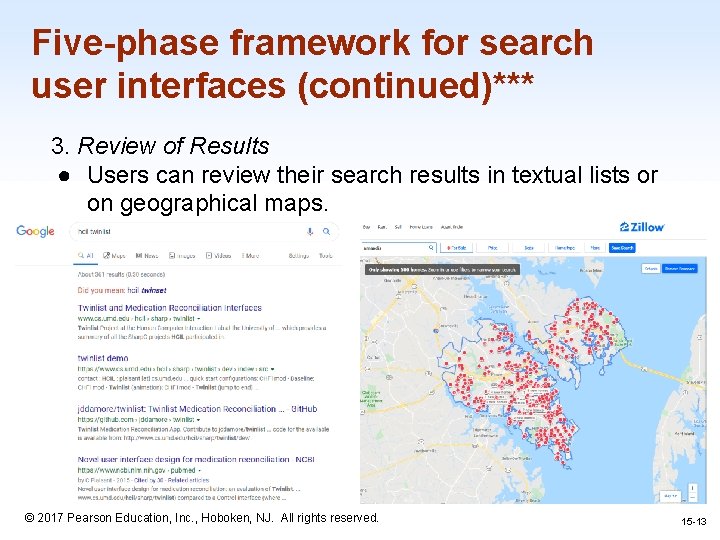
Five-phase framework for search user interfaces (continued)*** 3. Review of Results ● Users can review their search results in textual lists or on geographical maps. 1 -13 © 2017 Pearson Education, Inc. , Hoboken, NJ. All rights reserved. 15 -13
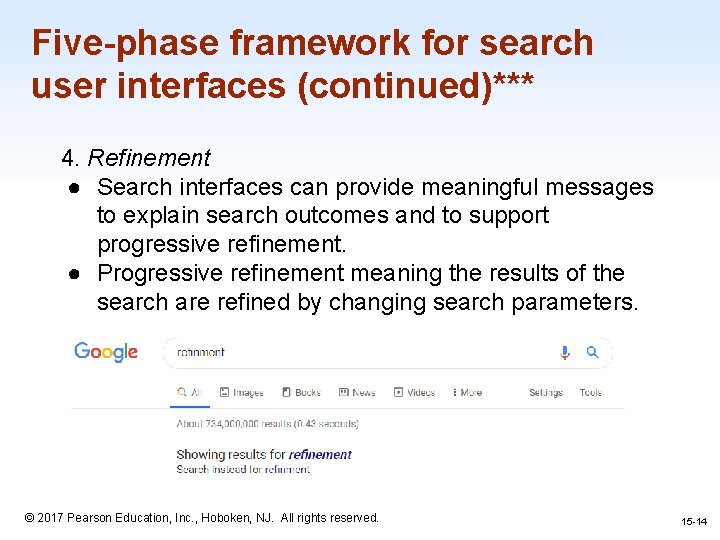
Five-phase framework for search user interfaces (continued)*** 4. Refinement ● Search interfaces can provide meaningful messages to explain search outcomes and to support progressive refinement. ● Progressive refinement meaning the results of the search are refined by changing search parameters. 1 -14 © 2017 Pearson Education, Inc. , Hoboken, NJ. All rights reserved. 15 -14
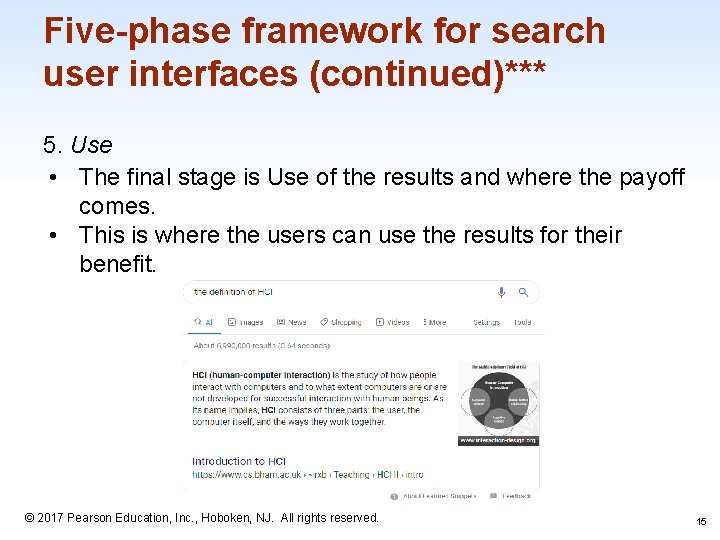
Five-phase framework for search user interfaces (continued)*** 5. Use • The final stage is Use of the results and where the payoff comes. • This is where the users can use the results for their benefit. 1 -15 © 2017 Pearson Education, Inc. , Hoboken, NJ. All rights reserved. 15
Dynamic Queries and Faceted Search (Presented by Christopher Eichstedt) 1 -16 © 2017 Pearson Education, Inc. , Hoboken, NJ. All rights reserved. 16
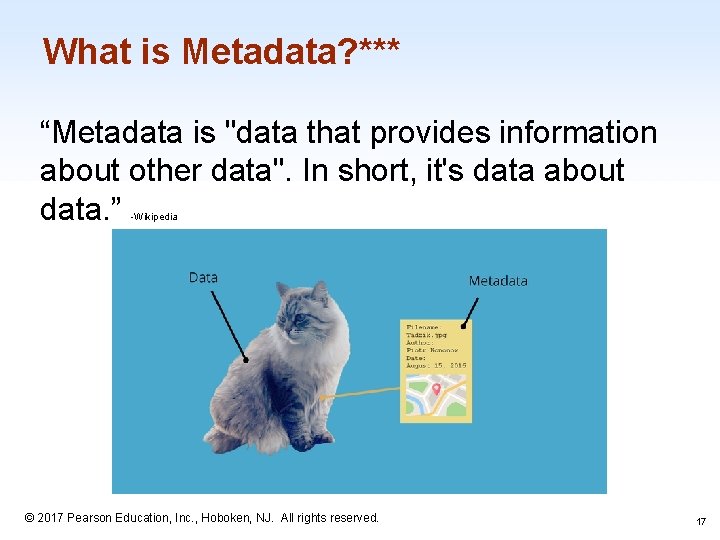
What is Metadata? *** “Metadata is "data that provides information about other data". In short, it's data about data. ” -Wikipedia 1 -17 © 2017 Pearson Education, Inc. , Hoboken, NJ. All rights reserved. 17
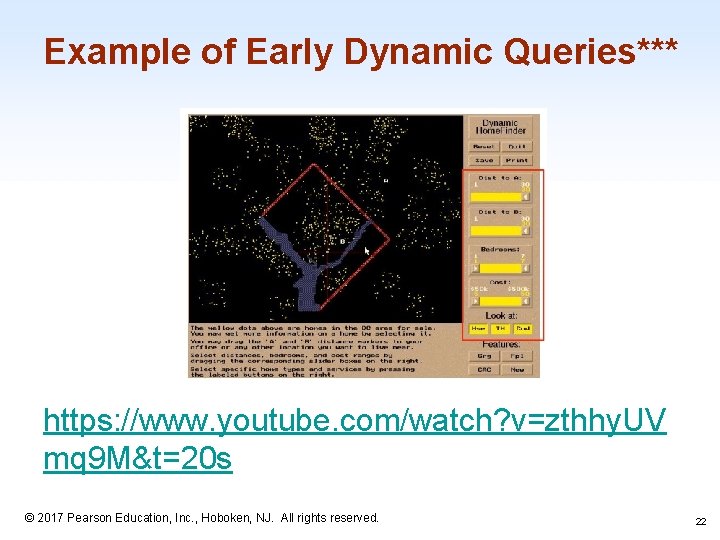
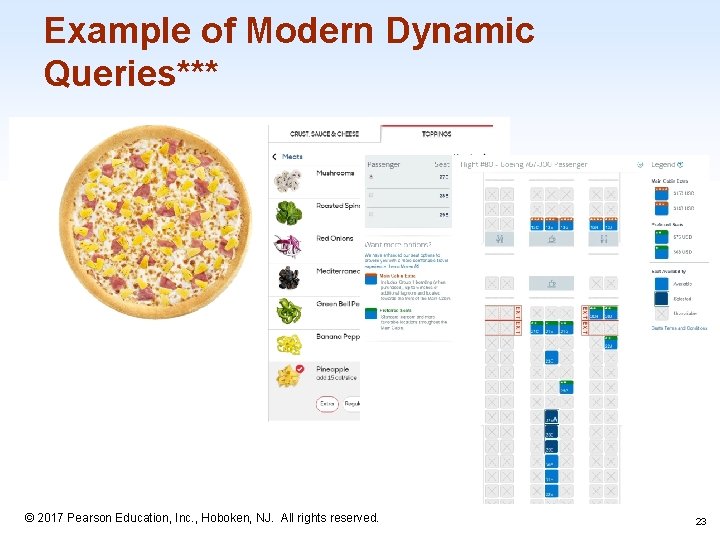
What are Dynamic Queries? *** When metadata is available, dynamic query interfaces provide: (1) a visual representation of the possible actions (e. g. , menus, sliders, or buttons to represent choices for each field), (2) a visual representation of the objects being queried (e. g. , a list of items, a map or any other visual overview), and (3) rapid, incremental, and reversible actions and immediate feedback. © 2017 Pearson Education, Inc. , Hoboken, NJ. All rights reserved. 1 -18 18
Why use Dynamic Queries? *** The dynamic query approach is appealing as it prevents errors and encourages exploration… They are attractive and can reduce error messages such as "data out of range" while providing information about data availability and a feeling of thoroughness to users. 1 -19 © 2017 Pearson Education, Inc. , Hoboken, NJ. All rights reserved. 19
Why use Dynamic Queries? (cont. )***. . . dynamic queries and query previews demonstrated the benefit of applying directmanipulation principles to queries… (tldr) Allow the user to see changes in real time via direct manipulation. 1 -20 © 2017 Pearson Education, Inc. , Hoboken, NJ. All rights reserved. 20
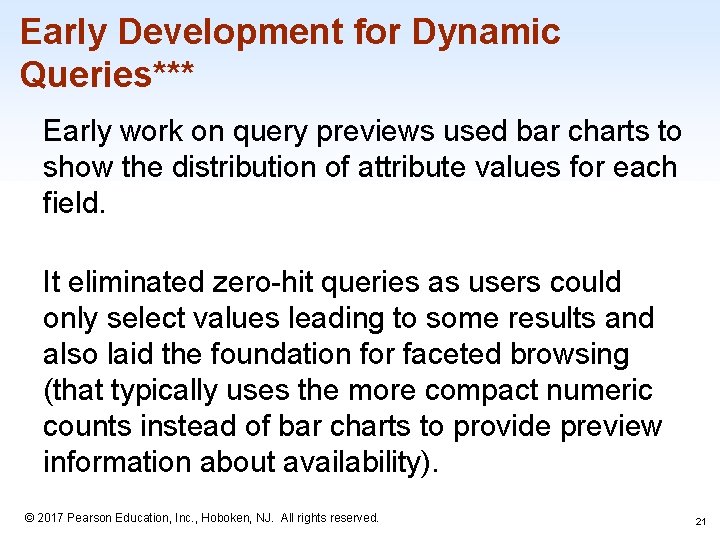
Early Development for Dynamic Queries*** Early work on query previews used bar charts to show the distribution of attribute values for each field. It eliminated zero-hit queries as users could only select values leading to some results and also laid the foundation for faceted browsing (that typically uses the more compact numeric counts instead of bar charts to provide preview information about availability). 1 -21 © 2017 Pearson Education, Inc. , Hoboken, NJ. All rights reserved. 21
Example of Early Dynamic Queries*** https: //www. youtube. com/watch? v=zthhy. UV mq 9 M&t=20 s 1 -22 © 2017 Pearson Education, Inc. , Hoboken, NJ. All rights reserved. 22
Example of Modern Dynamic Queries*** 1 -23 © 2017 Pearson Education, Inc. , Hoboken, NJ. All rights reserved. 23
What is a Faceted Search? *** "COMPUTING (of a search engine, browser, etc. ) allowing the use of multiple filters that specify different aspects and qualities of the type of thing being searched for. " -Wikipedia 1 -24 © 2017 Pearson Education, Inc. , Hoboken, NJ. All rights reserved. 24
How does Faceted search work? *** It tightly integrates category browsing with keyword searching (i. e. , navigation and search). Faceted search makes use of hierarchical faceted metadata presented as simultaneous menus and dynamically updated counts as a preview of the results. 1 -25 © 2017 Pearson Education, Inc. , Hoboken, NJ. All rights reserved. 25
What are the benefits of a Faceted search? *** It allows users to navigate explicitly along multiple conceptual dimensions that describe tile items and to progressively narrow or expand the scope of the query while browsing. It shows the structure as a starting point, organizes results in a recognizable structure, and gives control and flexibility over the order of metadata use and over when to navigate and when to search. 1 -26 © 2017 Pearson Education, Inc. , Hoboken, NJ. All rights reserved. 26
Interactive Faceted Search*** https: //www. amazon. com 1 -27 © 2017 Pearson Education, Inc. , Hoboken, NJ. All rights reserved. 27
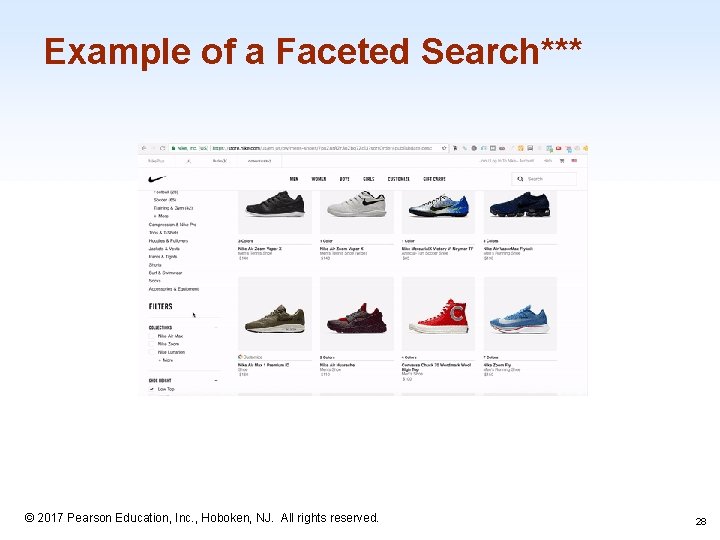
Example of a Faceted Search*** 1 -28 © 2017 Pearson Education, Inc. , Hoboken, NJ. All rights reserved. 28
Search Design Consistency*** The lack of consistency between search interfaces means that users have to discover how to search each time they use a different application. An analogy to the evolution of automobile user interfaces might clarify the need for standardization of search interfaces. Early competitors offered a profusion of controls, and each manufacturer had a distinct design. Some designs - such as having a brake pedal that was far from the gas pedal - were dangerous. Furthermore, if you were accustomed to driving a car with the brake to the left of the gas pedal and your neighbor's car had the reverse design, it might be risky to trade cars. It took half a century to achieve good design and appropriate consistency in automobiles; let's hope we can make the transition faster for search user interfaces. (tldr) Design convention is a good thing. 1 -29 © 2017 Pearson Education, Inc. , Hoboken, NJ. All rights reserved. 29
Further reading on Dynamic Queries and Faceted Search*** Graduate Thesis from Stefan Ganchev at the Univ. of Iowa https: //lib. dr. iastate. edu/cgi/viewcontent. cgi? article=4295&context=etd 1 -30 © 2017 Pearson Education, Inc. , Hoboken, NJ. All rights reserved. 30
Command Language and Natural Language Queries 1 -31 © 2017 Pearson Education, Inc. , Hoboken, NJ. All rights reserved. 31
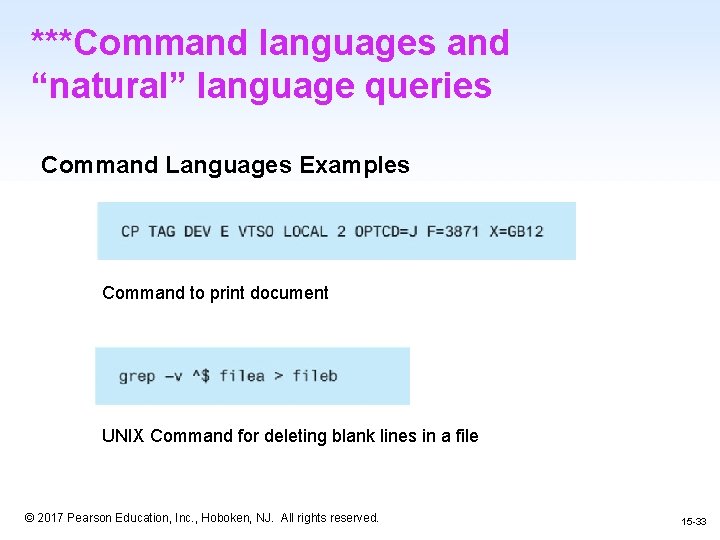
***Command languages and “natural” language queries Command Languages: language for job control in computing. ● Used for communication between the user and the OS Natural Languages: everyday phrases, the languages that humans speak 1 -32 © 2017 Pearson Education, Inc. , Hoboken, NJ. All rights reserved. 15 -32
***Command languages and “natural” language queries Command Languages Examples Command to print document UNIX Command for deleting blank lines in a file 1 -33 © 2017 Pearson Education, Inc. , Hoboken, NJ. All rights reserved. 15 -33
***Command languages and “natural” language queries What is a Query? 1 -34 © 2017 Pearson Education, Inc. , Hoboken, NJ. All rights reserved. 15 -34
***Command languages and “natural” language queries Query Definition: Request for information or data from a database ● Easier to view, add, delete or change data ● Find specific data quickly ● Calculate or summarize data ● Automate data management tasks 1 -35 © 2017 Pearson Education, Inc. , Hoboken, NJ. All rights reserved. 15 -35
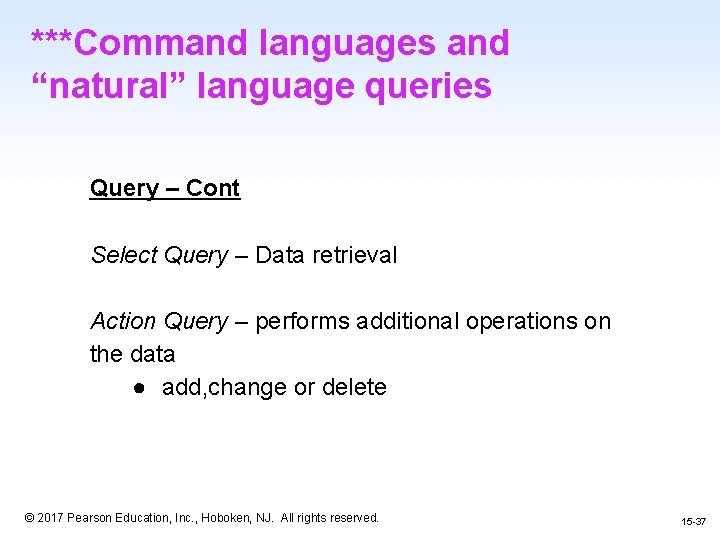
***Command languages and “natural” language queries Query – Cont Common Types of Queries: ● Select Queries ● Action Queries 1 -36 © 2017 Pearson Education, Inc. , Hoboken, NJ. All rights reserved. 15 -36
***Command languages and “natural” language queries Query – Cont Select Query – Data retrieval Action Query – performs additional operations on the data ● add, change or delete 1 -37 © 2017 Pearson Education, Inc. , Hoboken, NJ. All rights reserved. 15 -37
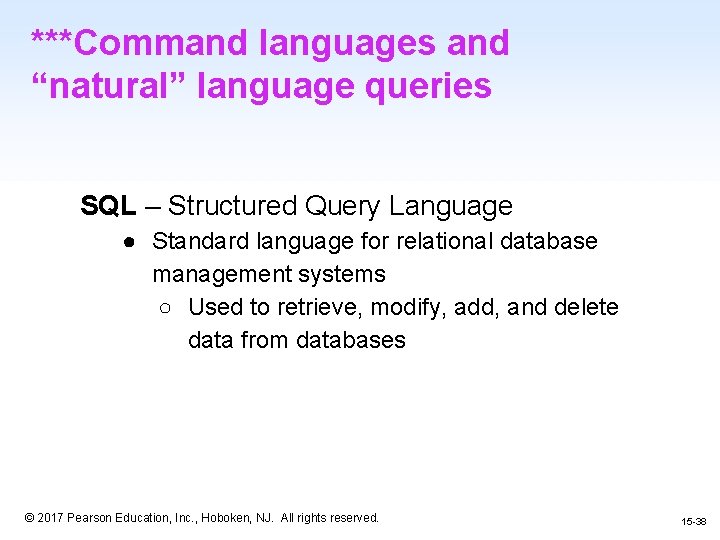
***Command languages and “natural” language queries SQL – Structured Query Language ● Standard language for relational database management systems ○ Used to retrieve, modify, add, and delete data from databases 1 -38 © 2017 Pearson Education, Inc. , Hoboken, NJ. All rights reserved. 15 -38
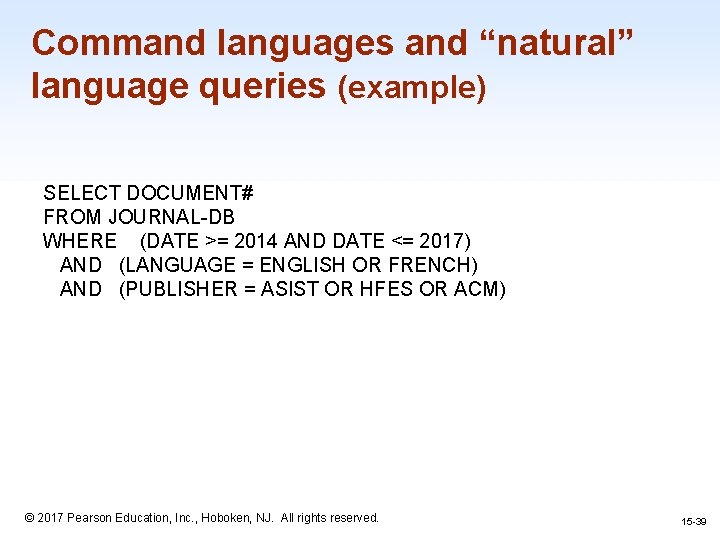
Command languages and “natural” language queries (example) SELECT DOCUMENT# FROM JOURNAL-DB WHERE (DATE >= 2014 AND DATE <= 2017) AND (LANGUAGE = ENGLISH OR FRENCH) AND (PUBLISHER = ASIST OR HFES OR ACM) 1 -39 © 2017 Pearson Education, Inc. , Hoboken, NJ. All rights reserved. 15 -39
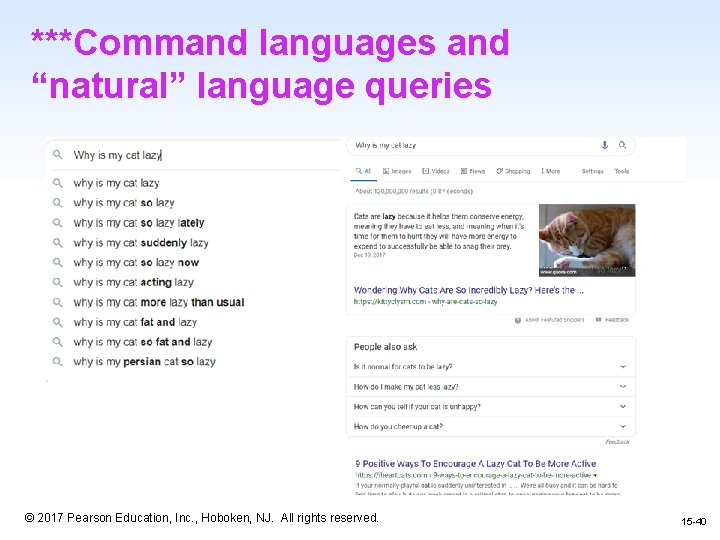
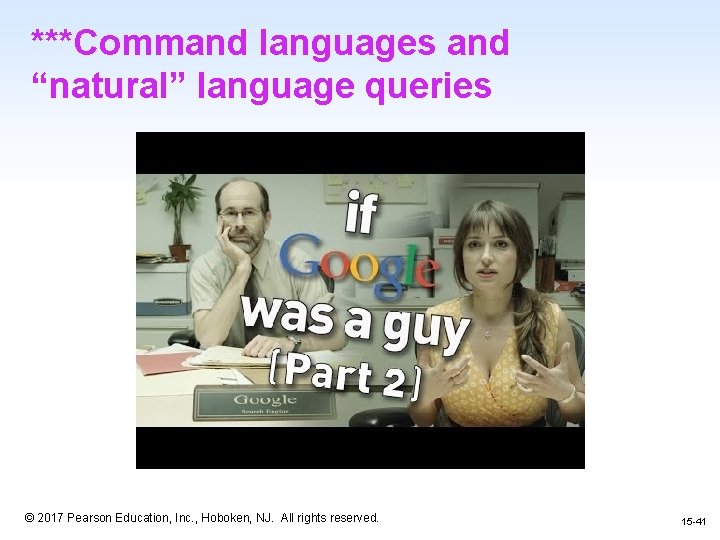
***Command languages and “natural” language queries 1 -40 © 2017 Pearson Education, Inc. , Hoboken, NJ. All rights reserved. 15 -40
***Command languages and “natural” language queries 1 -41 © 2017 Pearson Education, Inc. , Hoboken, NJ. All rights reserved. 15 -41
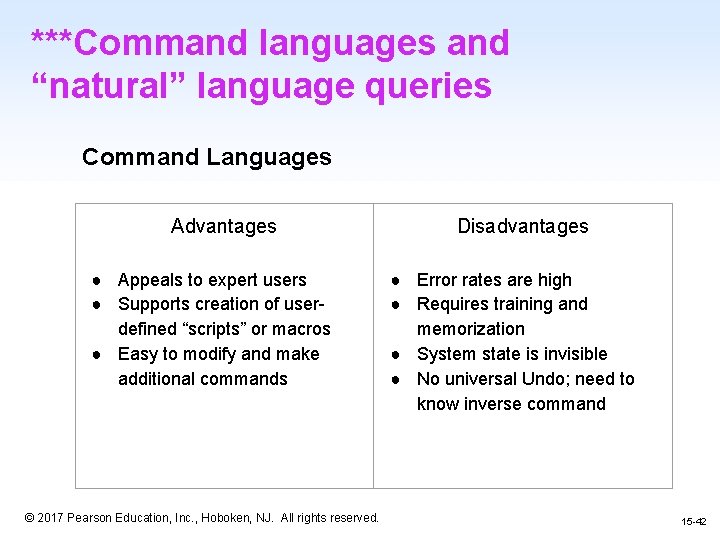
***Command languages and “natural” language queries Command Languages Advantages ● Appeals to expert users ● Supports creation of userdefined “scripts” or macros ● Easy to modify and make additional commands Disadvantages ● Error rates are high ● Requires training and memorization ● System state is invisible ● No universal Undo; need to know inverse command 1 -42 © 2017 Pearson Education, Inc. , Hoboken, NJ. All rights reserved. 15 -42
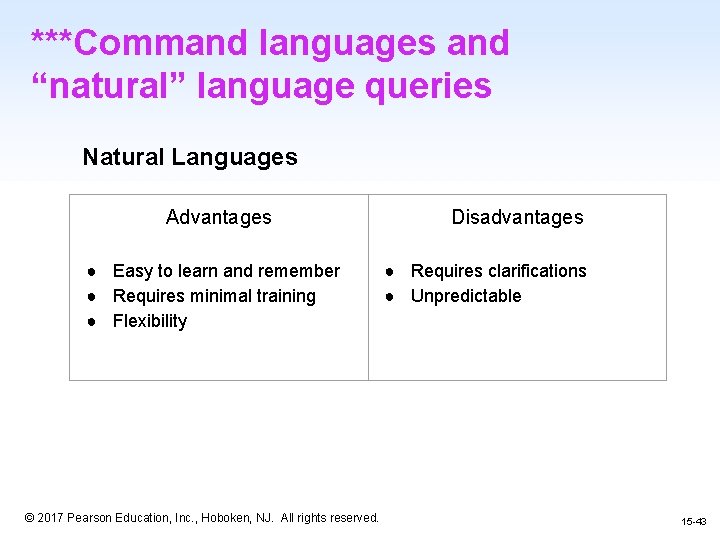
***Command languages and “natural” language queries Natural Languages Advantages ● Easy to learn and remember ● Requires minimal training ● Flexibility Disadvantages ● Requires clarifications ● Unpredictable 1 -43 © 2017 Pearson Education, Inc. , Hoboken, NJ. All rights reserved. 15 -43
Multimedia Document Search and Specialized Search 1 -44 © 2017 Pearson Education, Inc. , Hoboken, NJ. All rights reserved. 44
Multimedia Document Search and other specialized searches • • • Image search Video search Audio search Geographic information search Multilingual search Other specializes searches 1 -45 © 2017 Pearson Education, Inc. , Hoboken, NJ. All rights reserved. 15 -45
Image Search *** • • Difficult because photos are diverse and numerous Use features – • Lady Liberty’s torch or the seven spikes in the crown Downside: similarity – Colors on flags 1 -46 © 2017 Pearson Education, Inc. , Hoboken, NJ. All rights reserved. 46
Image Search *** • • “More success is attainable with searches based on similarity, where users provide an image and retrieve items with similar features” Photo tagging – Automatic tagging with human confirmation 1 -47 © 2017 Pearson Education, Inc. , Hoboken, NJ. All rights reserved. 47
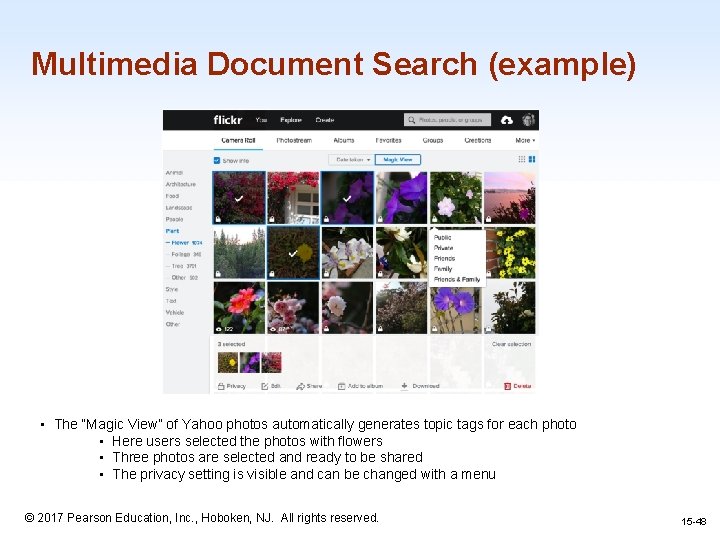
Multimedia Document Search (example) • The “Magic View” of Yahoo photos automatically generates topic tags for each photo • Here users selected the photos with flowers • Three photos are selected and ready to be shared • The privacy setting is visible and can be changed with a menu © 2017 Pearson Education, Inc. , Hoboken, NJ. All rights reserved. 1 -48 15 -48
Video Search *** • • Easy to search using title when the videos are short and have narrow focus Difficult to analyze videos and identify objects, actions, or events. – – Essentially image analysis on super hard mode Analysis of the text in the scenes and speechto-text transcripts help make large volumes of digital video more searchable. 1 -49 © 2017 Pearson Education, Inc. , Hoboken, NJ. All rights reserved. 49
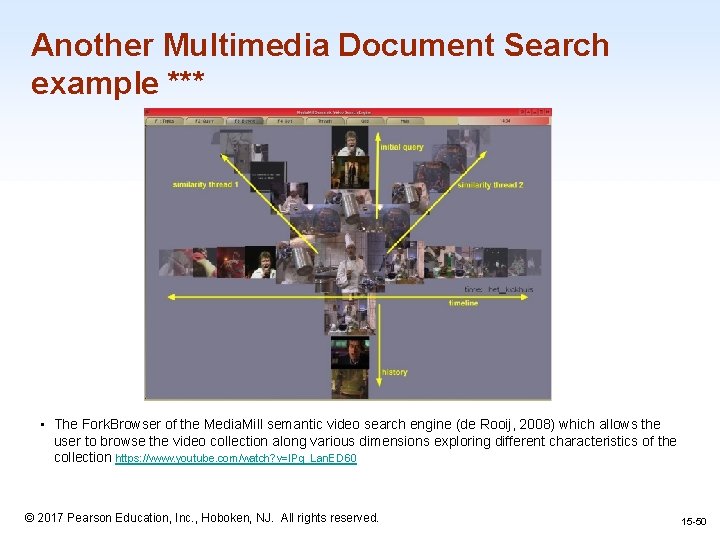
Another Multimedia Document Search example *** • The Fork. Browser of the Media. Mill semantic video search engine (de Rooij, 2008) which allows the user to browse the video collection along various dimensions exploring different characteristics of the collection https: //www. youtube. com/watch? v=IPq_Lan. ED 60 1 -50 © 2017 Pearson Education, Inc. , Hoboken, NJ. All rights reserved. 15 -50
Audio Search*** • Music-information retrieval systems can now use audio input – • • Shazam or Soundhound Using your voice to search Speaker identification (voice biometrics) 1 -51 © 2017 Pearson Education, Inc. , Hoboken, NJ. All rights reserved. 51
Geographic information search*** • • Looking for geographic information: Google maps Geographic information is complex, and many challenges need to be addressed: deciding what to show the map, designing dynamic legends that could summarize results, etc. 1 -52 © 2017 Pearson Education, Inc. , Hoboken, NJ. All rights reserved. 52
Multilingual searches and other specialized searches • • Not just translation but also a way to search for something that is in a language the user does not know Many other search interfaces are being designed to tackle specialized data types such as event sequences, graphs, structure document layouts, engineering diagrams, and so on. 1 -53 © 2017 Pearson Education, Inc. , Hoboken, NJ. All rights reserved. 53
The Social Aspects of Search 1 -54 © 2017 Pearson Education, Inc. , Hoboken, NJ. All rights reserved. 54
The social aspects of search • Social search as “an umbrella term” describing search acts that make use of social interactions with others ‒ ‒ ‒ May be explicit or implicit, co-located or remote, synchronous or asynchronous Social bookmarking and ranking, e. g. Reddit Personalized search built on user profiles, e. g. past site visits Collaborative filtering and recommender systems, e. g Netflix Music recommendation, e. g. Pandora 1 -55 © 2017 Pearson Education, Inc. , Hoboken, NJ. All rights reserved. 15 -55
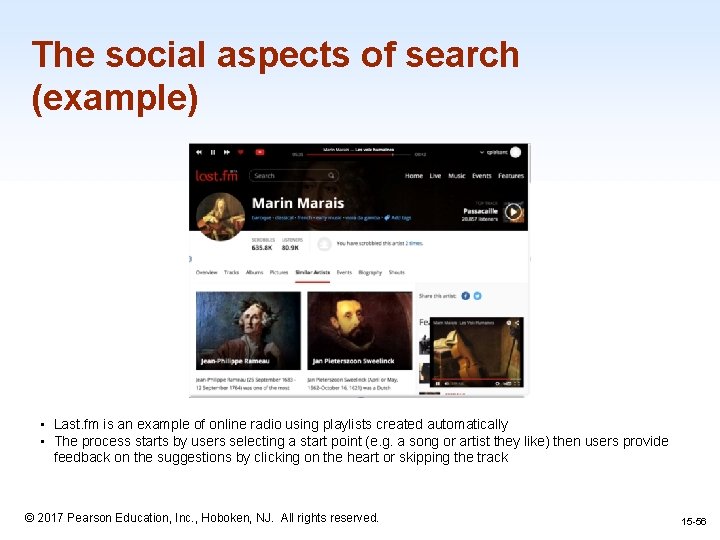
The social aspects of search (example) • Last. fm is an example of online radio using playlists created automatically • The process starts by users selecting a start point (e. g. a song or artist they like) then users provide feedback on the suggestions by clicking on the heart or skipping the track 1 -56 © 2017 Pearson Education, Inc. , Hoboken, NJ. All rights reserved. 15 -56
Explicit Search • To directly search for information ‒ ‒ Searching for a restaurant on Yelp, then filtering results by ratings Posting on Facebook for restaurant recommendations from friends • Explicit Filters – Dropdown menu to select options such as: “Most Viewed” or “Most Popular” – Social Bookmarking/Ranking (The wisdom of the crowd) 1 -57 © 2017 Pearson Education, Inc. , Hoboken, NJ. All rights reserved. 57
Implicit Search • Results presented to the user without ever making a query • An implicit “search” is an algorithm deciding what it believes you want to be shown • Implicit search signals – Time spent on a page, mouse trails, social media connections • Personalized Search – A profile is built about the user and personalized data is displayed that the user might search for 1 -58 © 2017 Pearson Education, Inc. , Hoboken, NJ. All rights reserved. 58
Implicit Search • Problem: implicit search creates filter bubbles – Filter bubbles are when the user is not being shown new ideas, subjects, products, or important information – Users are generally more satisfied when they known why the information is being shown to them – They like to know what those implicit filters are 1 -59 © 2017 Pearson Education, Inc. , Hoboken, NJ. All rights reserved. 59
Implicit Search • Solutions – – Designing algorithms differently to bring in new ideas Users should be consciously looking for new information Government regulation on information filtering Removal of explicit/implicit search bias from social platforms 1 -60 © 2017 Pearson Education, Inc. , Hoboken, NJ. All rights reserved. 60
Collaborative Search • Users work together to accomplish a search task • One person will do general search while another analyzes the searches information – ex: Family members planning a vacation • Collaborative Filtering – A user who rated a movie a 6/10 will be shown other movies watched by users that rated that movie the same way – ex: Netflix percentage “rating” based on how much they think you’d a movie 1 -61 © 2017 Pearson Education, Inc. , Hoboken, NJ. All rights reserved. 61
Questions? 1 -62 © 2017 Pearson Education, Inc. , Hoboken, NJ. All rights reserved. 62