
Chapter 14 Miscellaneous Topics C LEARN BY DOING
Chapter 14 Miscellaneous Topics C++: LEARN BY DOING Todd Breedlove Troy Scevers Randal L. Albert
14. 1 Command Line Arguments – Description • When double-clicked within Windows Explorer, a file is opened by an associated program • Windows associates files with specific extensions to be opened by certain programs • How does the program know which file to open? • The OS passes the name and path of the file to the program • Program catches the value in an optional parameter specified in the function header of main
14. 1 Command Line Arguments – argc and argv Definition • If multiple files are selected, each filename is passed as one row in a ragged array to the program • Number of strings passed to the program is stored in another parameter • These parameters can have any name, but usually called argc and argv • The argc parameter contains the number of strings stored in argv • The argc parameter refers to the argument count and argv refers to the argument vector • First string stored in argv is the path and name of the program
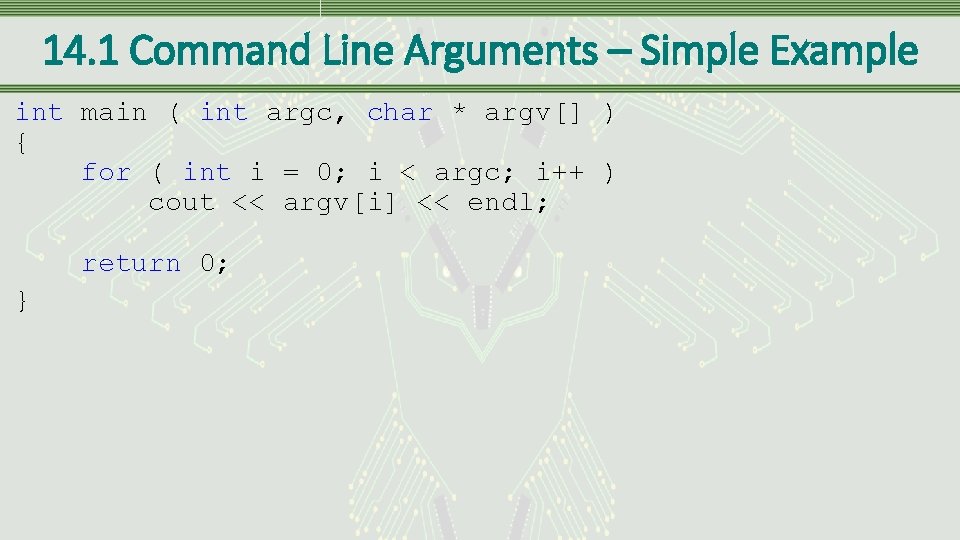
14. 1 Command Line Arguments – Simple Example int main ( int argc, char * argv[] ) { for ( int i = 0; i < argc; i++ ) cout << argv[i] << endl; return 0; }
14. 1 Command Line Arguments – Command Line • Command line • Textual interface into an operating system • Commands that manipulate the operating system are entered at the command prompt • To see in Windows • Go to Start menu and type cmd • OS uses a space to separate each string and passes that information to the program, along with the number of strings
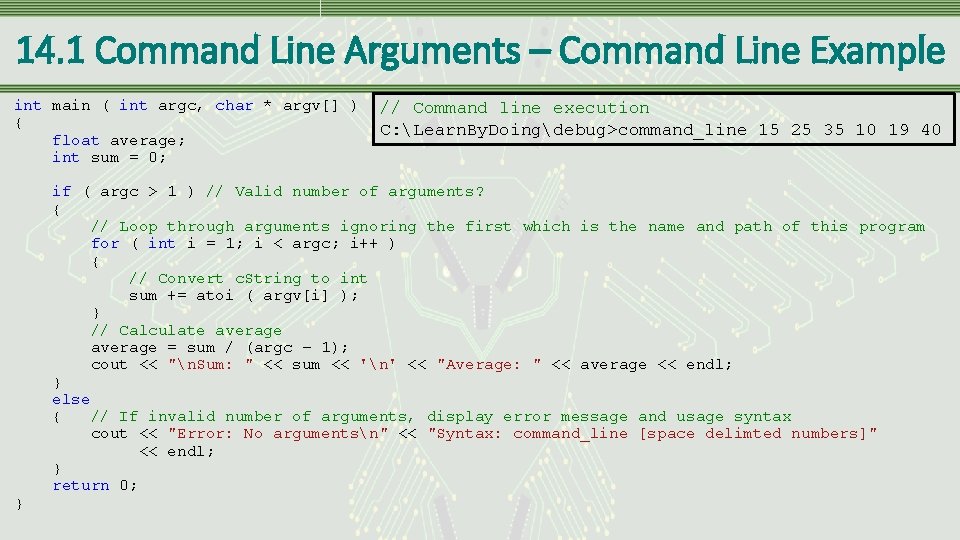
14. 1 Command Line Arguments – Command Line Example int main ( int argc, char * argv[] ) { float average; int sum = 0; } // Command line execution C: Learn. By. Doingdebug>command_line 15 25 35 10 19 40 if ( argc > 1 ) // Valid number of arguments? { // Loop through arguments ignoring the first which is the name and path of this program for ( int i = 1; i < argc; i++ ) { // Convert c. String to int sum += atoi ( argv[i] ); } // Calculate average = sum / (argc – 1); cout << "n. Sum: " << sum << 'n' << "Average: " << average << endl; } else { // If invalid number of arguments, display error message and usage syntax cout << "Error: No argumentsn" << "Syntax: command_line [space delimted numbers]" << endl; } return 0;
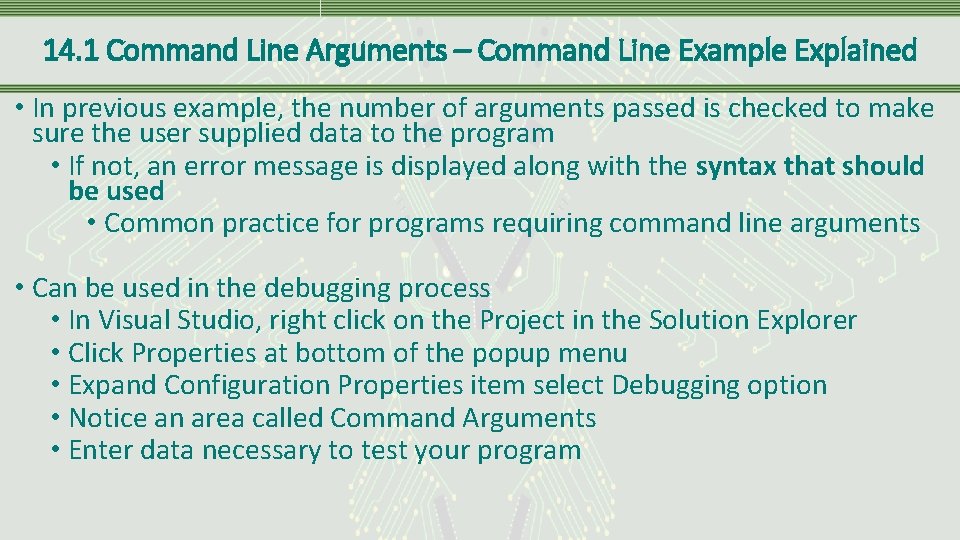
14. 1 Command Line Arguments – Command Line Example Explained • In previous example, the number of arguments passed is checked to make sure the user supplied data to the program • If not, an error message is displayed along with the syntax that should be used • Common practice for programs requiring command line arguments • Can be used in the debugging process • In Visual Studio, right click on the Project in the Solution Explorer • Click Properties at bottom of the popup menu • Expand Configuration Properties item select Debugging option • Notice an area called Command Arguments • Enter data necessary to test your program

14. 2 Conditional Compilation – Definition • A situation that often occurs involves the need to compile the code differently depending on some condition • A mechanism to change what gets compiled, which needs to occur prior to the compiler • This implies the preprocessor level
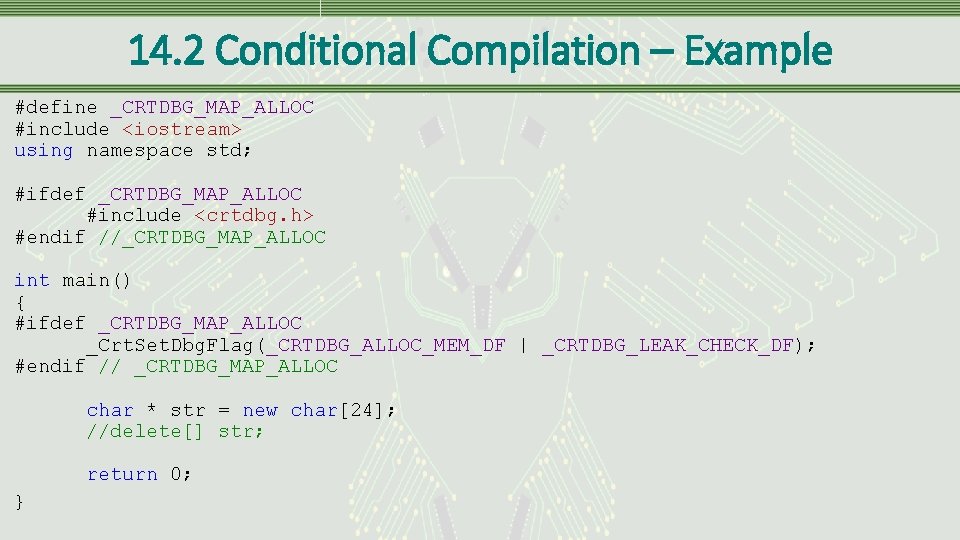
14. 2 Conditional Compilation – Example #define _CRTDBG_MAP_ALLOC #include <iostream> using namespace std; #ifdef _CRTDBG_MAP_ALLOC #include <crtdbg. h> #endif //_CRTDBG_MAP_ALLOC int main() { #ifdef _CRTDBG_MAP_ALLOC _Crt. Set. Dbg. Flag(_CRTDBG_ALLOC_MEM_DF | _CRTDBG_LEAK_CHECK_DF); #endif // _CRTDBG_MAP_ALLOC char * str = new char[24]; //delete[] str; return 0; }
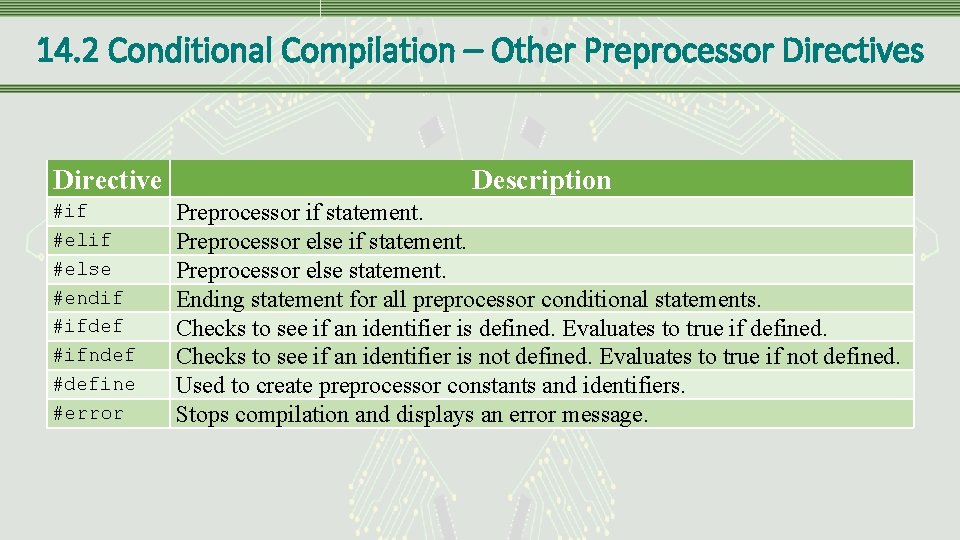
14. 2 Conditional Compilation – Other Preprocessor Directives Directive #if #else #endif #ifdef #ifndef #define #error Description Preprocessor if statement. Preprocessor else statement. Ending statement for all preprocessor conditional statements. Checks to see if an identifier is defined. Evaluates to true if defined. Checks to see if an identifier is not defined. Evaluates to true if not defined. Used to create preprocessor constants and identifiers. Stops compilation and displays an error message.
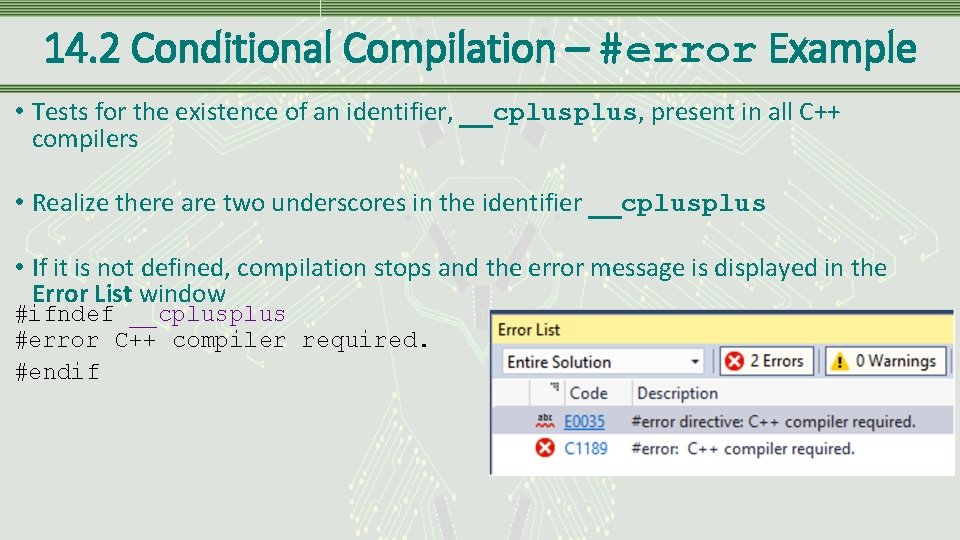
14. 2 Conditional Compilation – #error Example • Tests for the existence of an identifier, __cplus, present in all C++ compilers • Realize there are two underscores in the identifier __cplus • If it is not defined, compilation stops and the error message is displayed in the Error List window #ifndef __cplus #error C++ compiler required. #endif
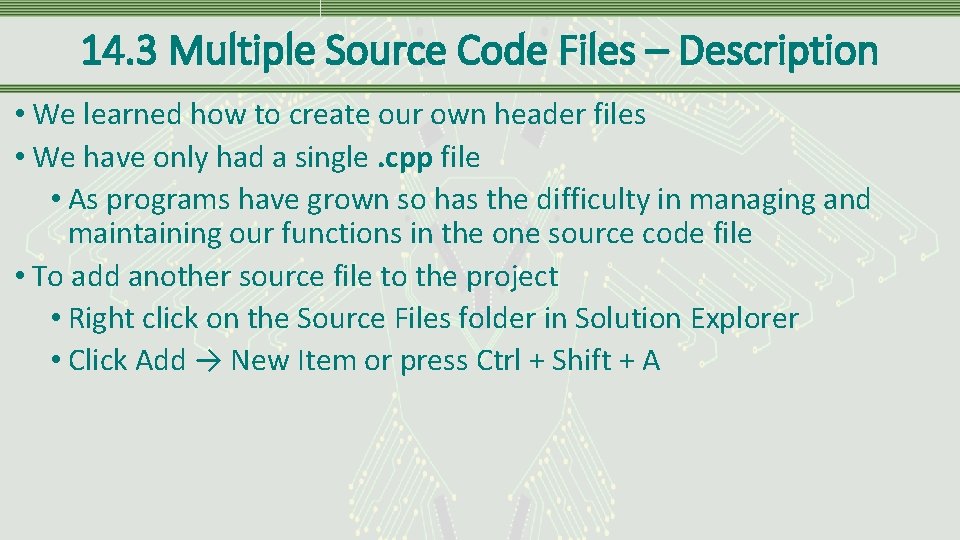
14. 3 Multiple Source Code Files – Description • We learned how to create our own header files • We have only had a single. cpp file • As programs have grown so has the difficulty in managing and maintaining our functions in the one source code file • To add another source file to the project • Right click on the Source Files folder in Solution Explorer • Click Add → New Item or press Ctrl + Shift + A
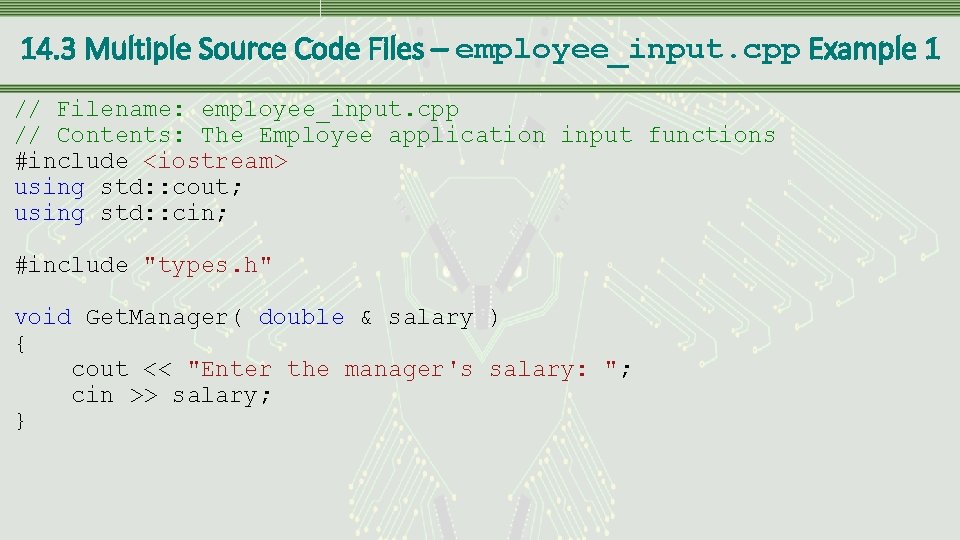
14. 3 Multiple Source Code Files – employee_input. cpp Example 1 // Filename: employee_input. cpp // Contents: The Employee application input functions #include <iostream> using std: : cout; using std: : cin; #include "types. h" void Get. Manager( double & salary ) { cout << "Enter the manager's salary: "; cin >> salary; }
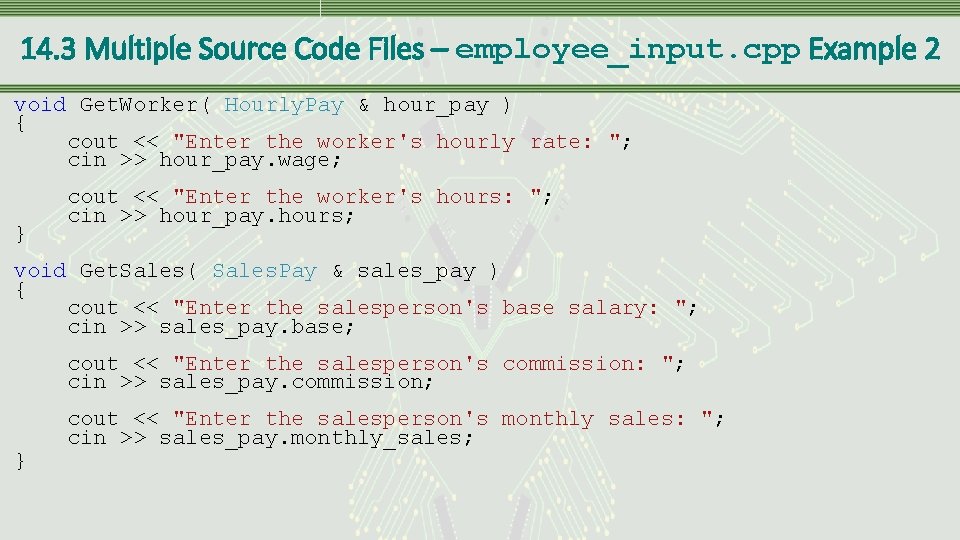
14. 3 Multiple Source Code Files – employee_input. cpp Example 2 void Get. Worker( Hourly. Pay & hour_pay ) { cout << "Enter the worker's hourly rate: "; cin >> hour_pay. wage; } cout << "Enter the worker's hours: "; cin >> hour_pay. hours; void Get. Sales( Sales. Pay & sales_pay ) { cout << "Enter the salesperson's base salary: "; cin >> sales_pay. base; cout << "Enter the salesperson's commission: "; cin >> sales_pay. commission; } cout << "Enter the salesperson's monthly sales: "; cin >> sales_pay. monthly_sales;
14. 3 Multiple Source Code Files – Problem • Have included functions with a similar purpose in a single source code file • Logical separation helps in locating specific functions as the size of your programs increase • Process may cause another issue which is easily rectified • Including the same header file in multiple source code files • Data types may be recognized as already defined by the compiler and linker • Can lead to multiple definitions of the same UDT
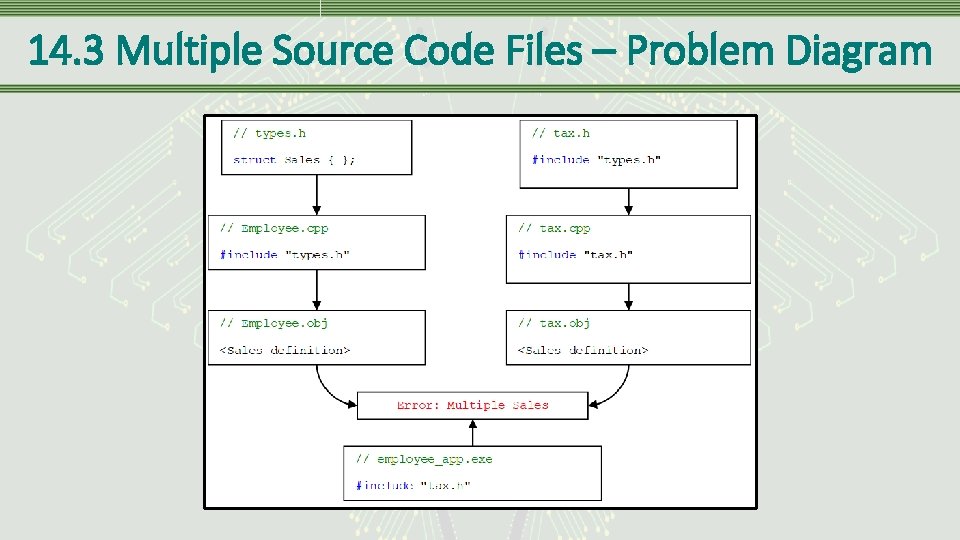
14. 3 Multiple Source Code Files – Problem Diagram
14. 3 Multiple Source Code Files – Problem Solution • When the employee_app program is compiled there are multiple definitions of the Sales type • UDT multiple definition solution • Preprocessor guards • #pragma once • These techniques are described in the next few slides
14. 3. 1 Preprocessor Guards – Definition • The #ifndef preprocessor directive is one of several methods to conditionally compile a section of code • Directive causes the preprocessor to check for the definition of an associated identifier • If the identifier is not defined, the code between the #ifndef and the ending #endif will be compiled • Make sure to define the identifier (exactly how it is in the #ifndef) within the guards • This will ensure the code won’t be compiled again
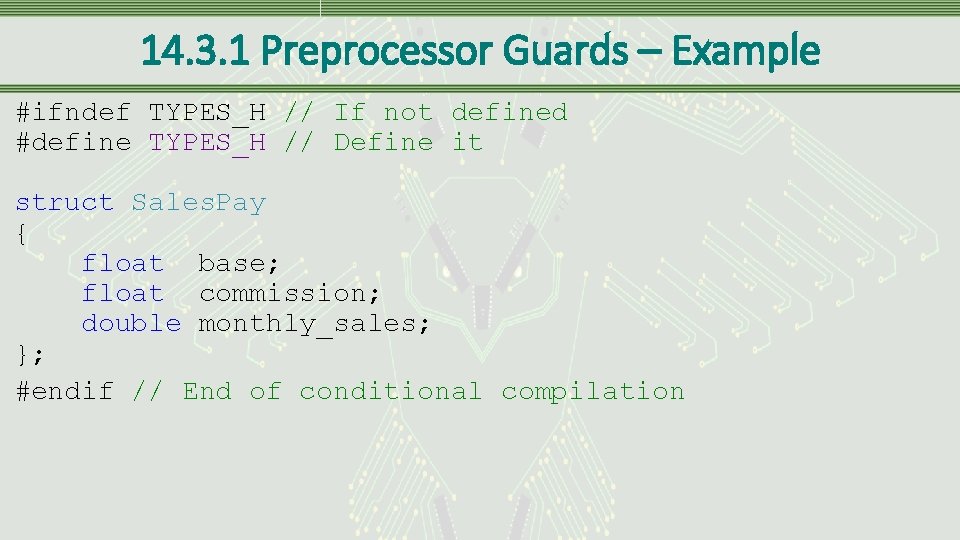
14. 3. 1 Preprocessor Guards – Example #ifndef TYPES_H // If not defined #define TYPES_H // Define it struct Sales. Pay { float base; float commission; double monthly_sales; }; #endif // End of conditional compilation
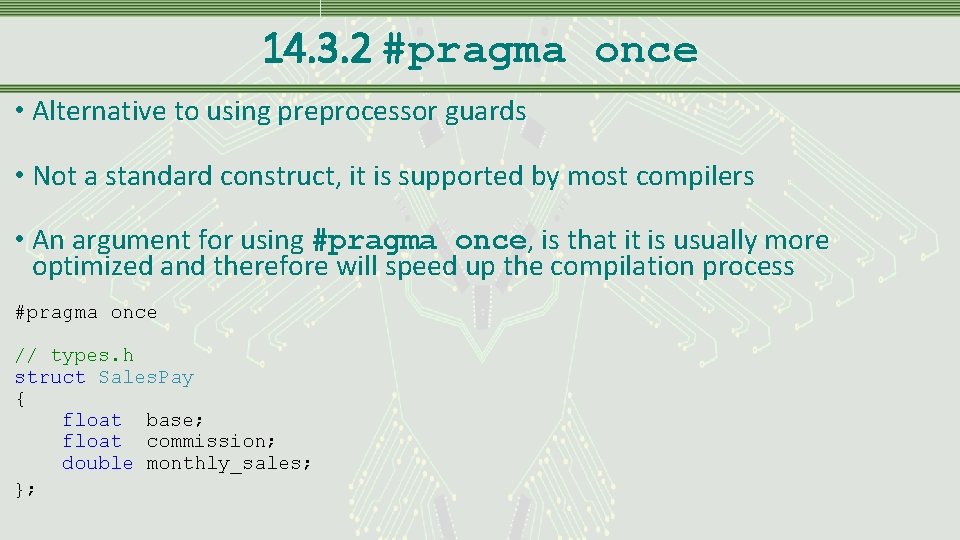
14. 3. 2 #pragma once • Alternative to using preprocessor guards • Not a standard construct, it is supported by most compilers • An argument for using #pragma once, is that it is usually more optimized and therefore will speed up the compilation process #pragma once // types. h struct Sales. Pay { float base; float commission; double monthly_sales; };
14. 4 Macros – Definition • Macros • Sections of code which replace the macro identifier during preprocessor execution • Created using #define • Using a #define to create a constant, in essence, creates a macro • Identifier associated with #define is replaced with the supplied value • Not limited to the simple replacement of an identifier with a constant • More complicated code fragments can be written, including passing parameters
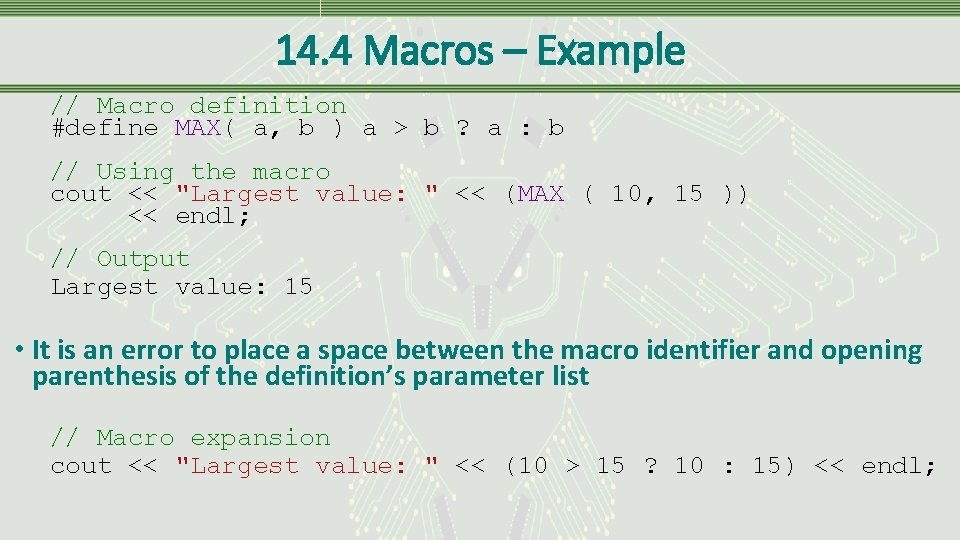
14. 4 Macros – Example // Macro definition #define MAX( a, b ) a > b ? a : b // Using the macro cout << "Largest value: " << (MAX ( 10, 15 )) << endl; // Output Largest value: 15 • It is an error to place a space between the macro identifier and opening parenthesis of the definition’s parameter list // Macro expansion cout << "Largest value: " << (10 > 15 ? 10 : 15) << endl;
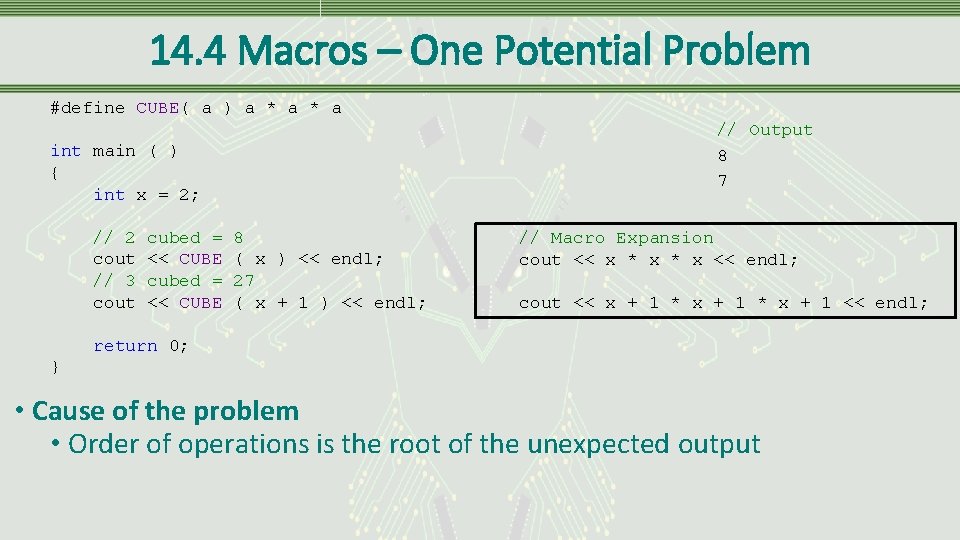
14. 4 Macros – One Potential Problem #define CUBE( a ) a * a // Output 8 7 int main ( ) { int x = 2; // 2 cout // 3 cout cubed = << CUBE 8 ( x ) << endl; 27 ( x + 1 ) << endl; // Macro Expansion cout << x * x << endl; cout << x + 1 * x + 1 << endl; return 0; } • Cause of the problem • Order of operations is the root of the unexpected output
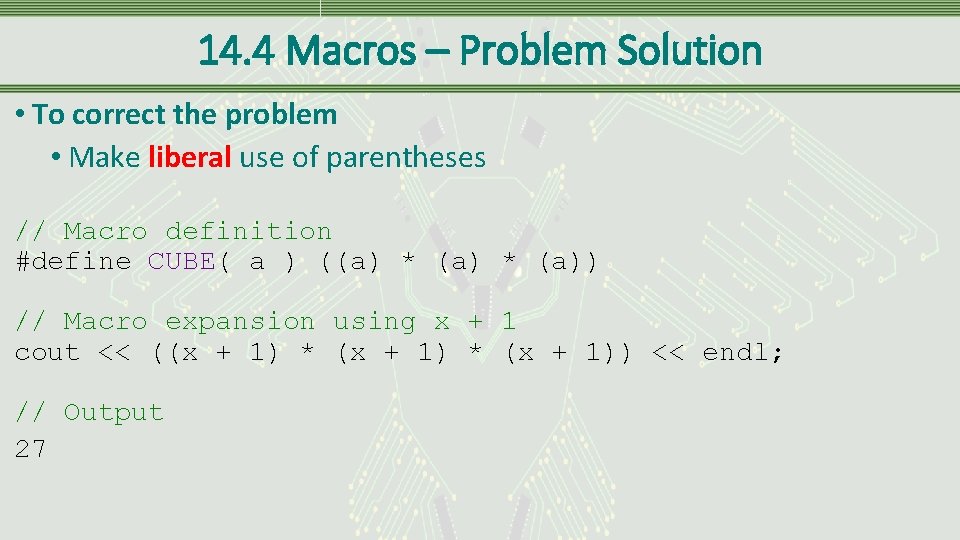
14. 4 Macros – Problem Solution • To correct the problem • Make liberal use of parentheses // Macro definition #define CUBE( a ) ((a) * (a)) // Macro expansion using x + 1 cout << ((x + 1) * (x + 1)) << endl; // Output 27
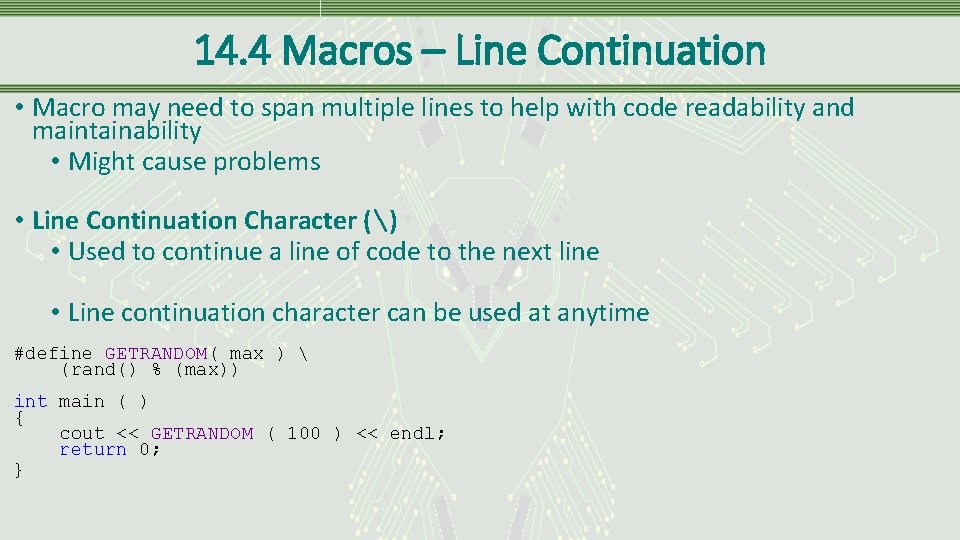
14. 4 Macros – Line Continuation • Macro may need to span multiple lines to help with code readability and maintainability • Might cause problems • Line Continuation Character () • Used to continue a line of code to the next line • Line continuation character can be used at anytime #define GETRANDOM( max ) (rand() % (max)) int main ( ) { cout << GETRANDOM ( 100 ) << endl; return 0; }
14. 4. 1 Advantages and Disadvantages – Speed Versus Size • When calling a function a few values, such as the return pointer and state of all local variables, are pushed onto the stack • Since this is done during runtime, program execution speed becomes negligibly slower • Macros are expanded during preprocessor execution and don’t push anything on the stack resulting in faster execution • Macros still participate in the modularity of your program • Large macro used many times increases size of the executable file • Macros are usually kept relatively small
14. 4. 1 Advantages and Disadvantages – Common Errors • Syntax errors appear on the line where the macro is used, not where defined • Can’t use the debugger to step into a macro • No type checking is done on the parameters of a macro • Style note • Common error is to place a semicolon at the end of the macro definition • Causes problems when the macro is embedded within another statement • Because of disadvantages associated with macros, using functions is preferred over using macros
14. 5 Storage Classes – Definition • Storage classes • Regulate lifetime, visibility or memory placement of a variable • Storage classes in C++ • register, static, extern • Other storage classes include mutable and thread_local which are not discussed in this book • Type qualifiers • Closely related to storage classes • Effects the variables type not its storage, giving it additional attributes • const and volatile
14. 5 Storage Classes – register Storage Class • register • Requests the variable be placed into a machine register to increase execution speed • VS tries to do this when certain optimizations are specified within the compiler • Optimization • Allows the compiler to decide upon a course of action based on the environment settings • This storage class is listed as deprecated in the C++17 standard
14. 5 Storage Classes – volatile Type Qualifier • volatile • Tells the compiler not to optimize a particular variable • Tells the system to retrieve the variable from memory on every access and not to use the one that may be cached • Might not be that important for most systems, but is vital in an embedded system where a variable might be changed by a piece of hardware
14. 5. 1 static – Definition • Accustomed to the fact that when a function ends, all local variables cease to exist • If the function is called again, the variables are recreated • static • Specifies that while the variable has local scope, it exists for the lifetime of the program • If a static variable is not explicitly initialized, it is initialized automatically to zero
14. 5. 1 static – Rules and Declaration static int counter = 0; • Can be used with any data type and arrays • static variables follow scoping rules • Only accessible by the function in which it is declared • Exists after the function ends
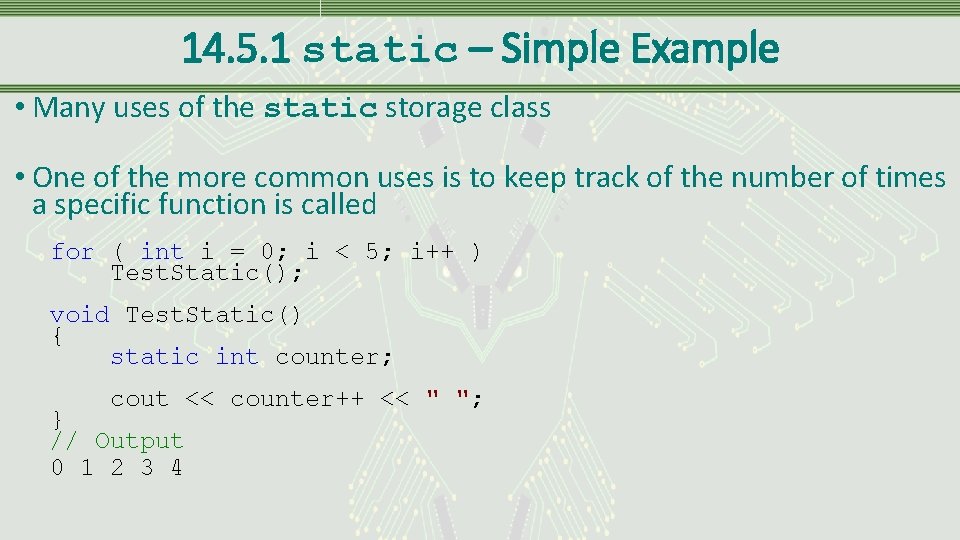
14. 5. 1 static – Simple Example • Many uses of the static storage class • One of the more common uses is to keep track of the number of times a specific function is called for ( int i = 0; i < 5; i++ ) Test. Static(); void Test. Static() { static int counter; cout << counter++ << " "; } // Output 0 1 2 3 4
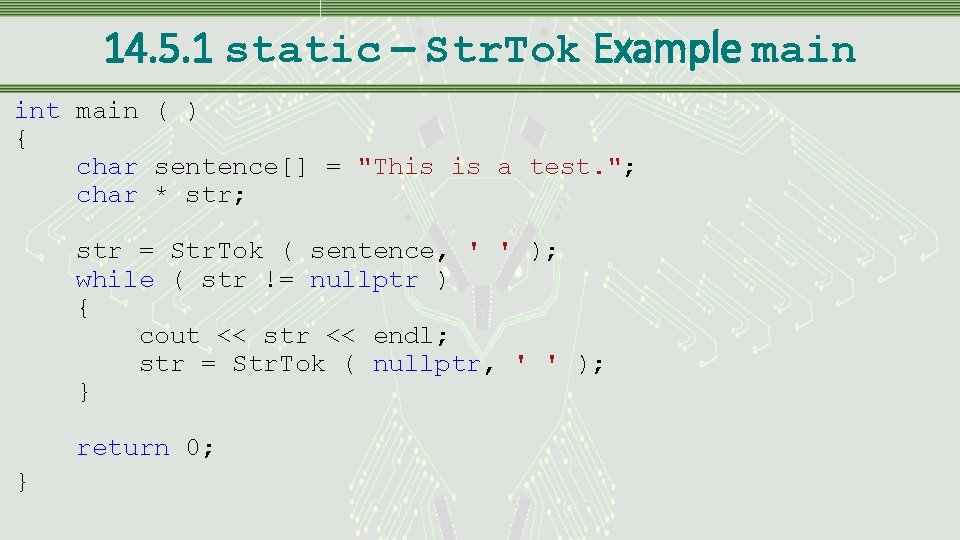
14. 5. 1 static – Str. Tok Example main int main ( ) { char sentence[] = "This is a test. "; char * str; str = Str. Tok ( sentence, ' ' ); while ( str != nullptr ) { cout << str << endl; str = Str. Tok ( nullptr, ' ' ); } return 0; }
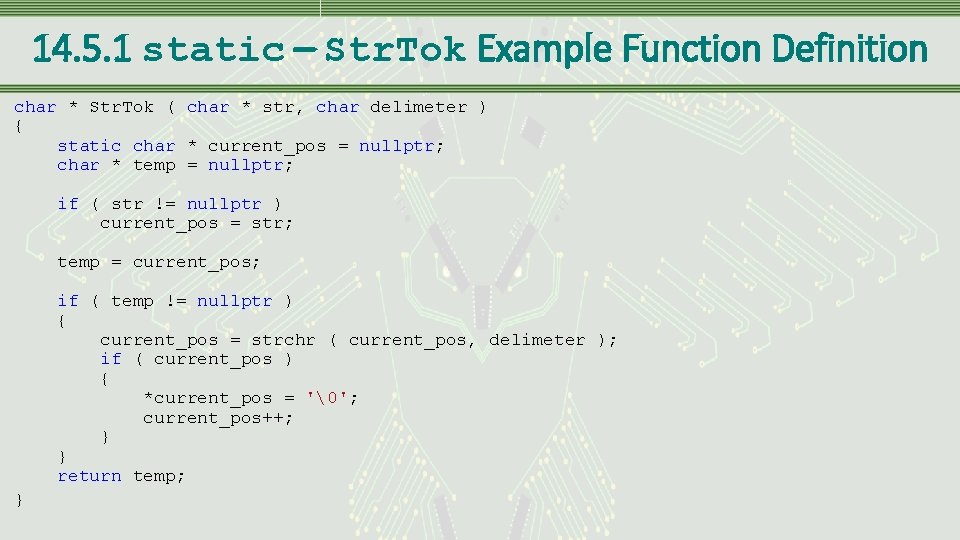
14. 5. 1 static – Str. Tok Example Function Definition char * Str. Tok ( char * str, char delimeter ) { static char * current_pos = nullptr; char * temp = nullptr; if ( str != nullptr ) current_pos = str; temp = current_pos; if ( temp != nullptr ) { current_pos = strchr ( current_pos, delimeter ); if ( current_pos ) { *current_pos = ''; current_pos++; } } return temp; }
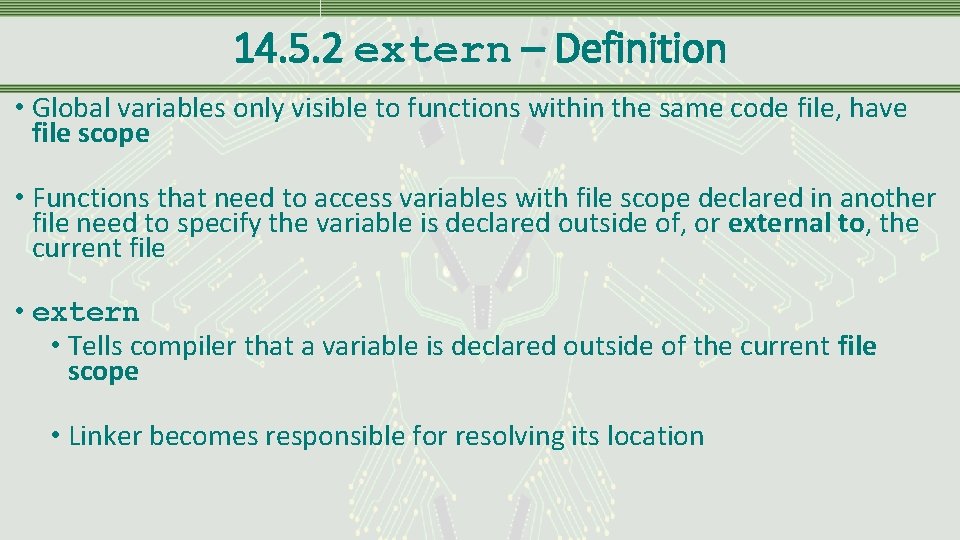
14. 5. 2 extern – Definition • Global variables only visible to functions within the same code file, have file scope • Functions that need to access variables with file scope declared in another file need to specify the variable is declared outside of, or external to, the current file • extern • Tells compiler that a variable is declared outside of the current file scope • Linker becomes responsible for resolving its location
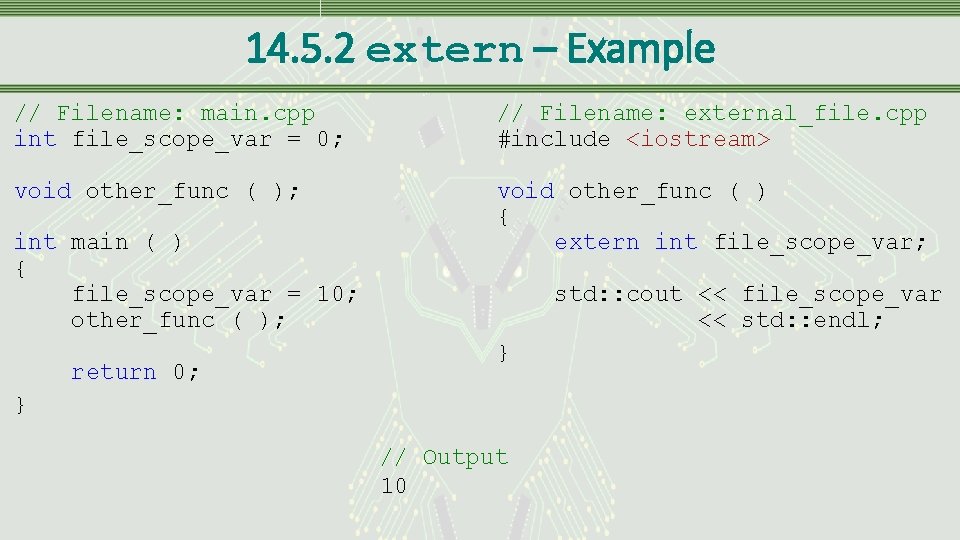
14. 5. 2 extern – Example // Filename: main. cpp int file_scope_var = 0; // Filename: external_file. cpp #include <iostream> void other_func ( ); void other_func ( ) { extern int file_scope_var; int main ( ) { file_scope_var = 10; other_func ( ); return 0; std: : cout << file_scope_var << std: : endl; } } // Output 10
14. 5. 2 extern – Example Explained • The variable file_scope_var is brought into the scope of the function other_func • Because the variable is specified as extern only other_func has access to the variable in external_file. cpp • Two options if other functions need access • Each function has to specify that file_scope_var is declared external to current scope • External specification has to be done at the file level of external_file. cpp
14. 6 Bitwise Operations • Many times it is useful to manipulate the individual bits of a piece of data • Can increase efficiency of memory resources as well as CPU usage • Following slides discuss the mechanics of bitwise manipulations and demonstrate some of their practical applications
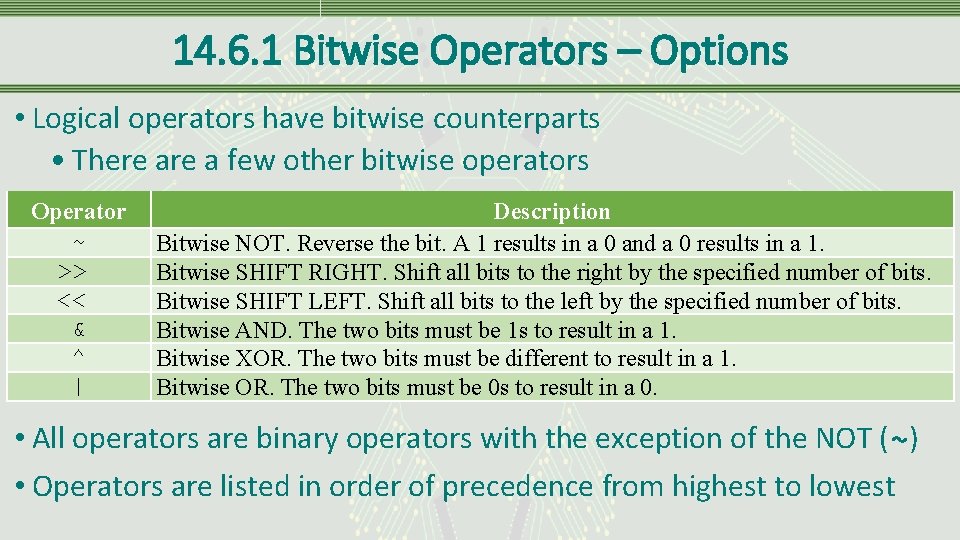
14. 6. 1 Bitwise Operators – Options • Logical operators have bitwise counterparts • There a few other bitwise operators Operator ~ >> << & ^ | Description Bitwise NOT. Reverse the bit. A 1 results in a 0 and a 0 results in a 1. Bitwise SHIFT RIGHT. Shift all bits to the right by the specified number of bits. Bitwise SHIFT LEFT. Shift all bits to the left by the specified number of bits. Bitwise AND. The two bits must be 1 s to result in a 1. Bitwise XOR. The two bits must be different to result in a 1. Bitwise OR. The two bits must be 0 s to result in a 0. • All operators are binary operators with the exception of the NOT (~) • Operators are listed in order of precedence from highest to lowest
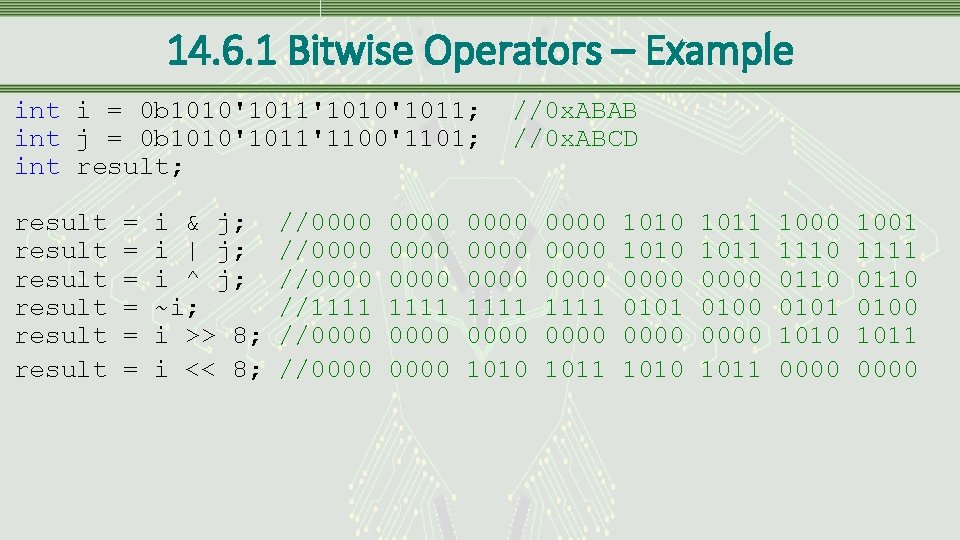
14. 6. 1 Bitwise Operators – Example int i = 0 b 1010'1011'1010'1011; int j = 0 b 1010'1011'1100'1101; int result; result result = = = i & j; i | j; i ^ j; ~i; i >> 8; i << 8; //0000 //1111 //0000 0000 1111 0000 //0 x. ABAB //0 x. ABCD 0000 1111 0000 1010 0000 1111 0000 1011 1010 0000 0101 0000 1011 0000 0100 0000 1011 1000 1110 0101 1010 0000 1001 1111 0110 0100 1011 0000
14. 6. 1 Bitwise Operators – Example Explained • Bitwise operators is applied to each bit within the operands • Shift left and shift right symbols are also used with cout and cin • If embedding any bitwise operations in an input or output statement use parentheses to avoid incorrect data or syntax errors • These operators always shift in zeros no matter the direction they are shifting
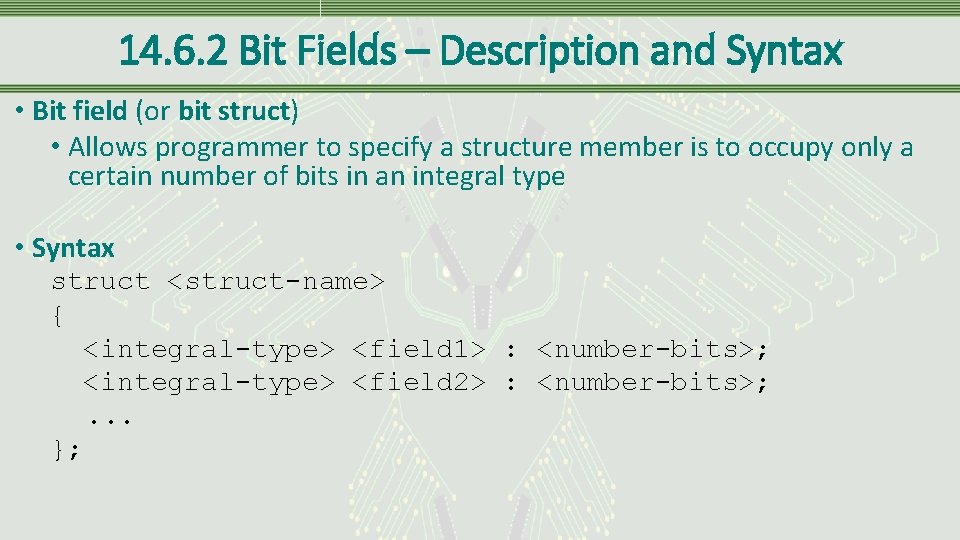
14. 6. 2 Bit Fields – Description and Syntax • Bit field (or bit struct) • Allows programmer to specify a structure member is to occupy only a certain number of bits in an integral type • Syntax struct <struct-name> { <integral-type> <field 1> : <number-bits>; <integral-type> <field 2> : <number-bits>; . . . };
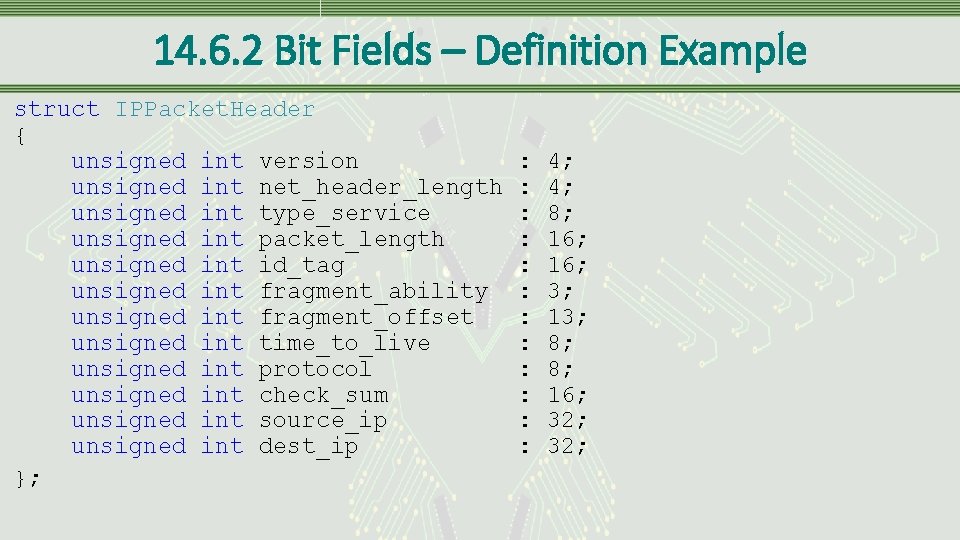
14. 6. 2 Bit Fields – Definition Example struct IPPacket. Header { unsigned int version unsigned int net_header_length unsigned int type_service unsigned int packet_length unsigned int id_tag unsigned int fragment_ability unsigned int fragment_offset unsigned int time_to_live unsigned int protocol unsigned int check_sum unsigned int source_ip unsigned int dest_ip }; : : : 4; 4; 8; 16; 3; 13; 8; 8; 16; 32;
14. 6. 2 Bit Fields – Definition Example Explained • Bit structure on the previous slide holds the header information for an IPv 4 network packet • Visual Studio, running on Intel’s architecture, places individual bits as shown on the next slide • Each compiler and architecture may store the information differently
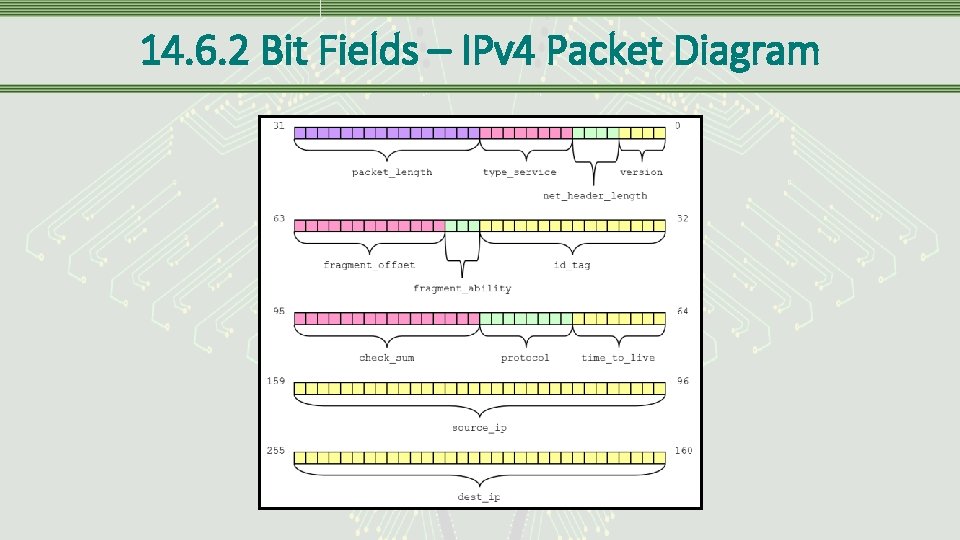
14. 6. 2 Bit Fields – IPv 4 Packet Diagram
14. 6. 2 Bit Fields – Anonymous Field • Anonymous field • A field without a name, usually used to align subsequent fields at particular bit boundary • Bit boundary • Skipping a specified number of bits • Unit Boundary • Skips to the beginning of the next specified unit, block of memory • Must be specified as a zero length field • Following example shows a bit structure using an anonymous field with a unit boundary alignment struct Anonymous { unsigned short }; field 1 : 4; field 2 : 10; : 0; field 3 : 16;
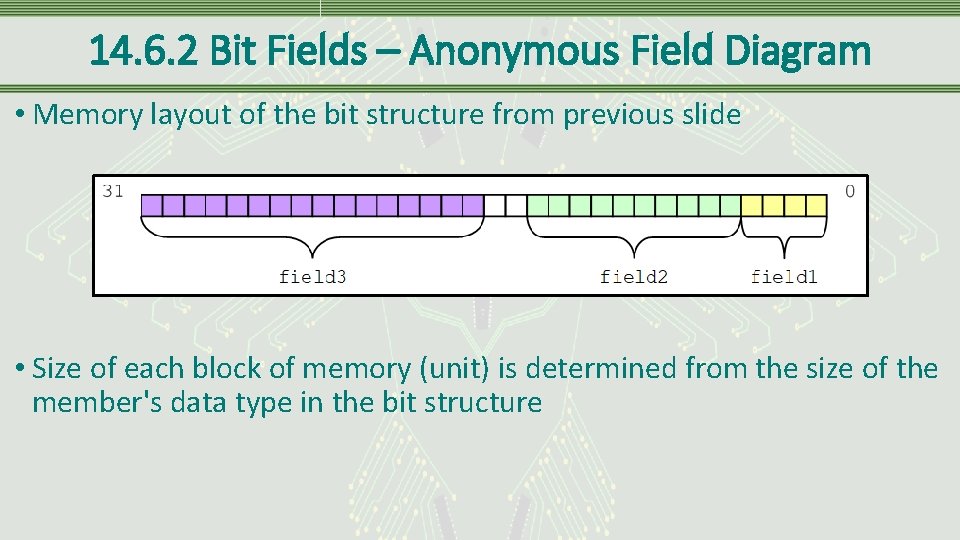
14. 6. 2 Bit Fields – Anonymous Field Diagram • Memory layout of the bit structure from previous slide • Size of each block of memory (unit) is determined from the size of the member's data type in the bit structure
14. 6. 3 Masking – Definition • Masking • Process of extracting information from a larger set of data using an operator and another piece of data • Each operator has its own unique properties to help isolate specific bits _Crt. Set. Dbg. Flag(_CRTDBG_ALLOC_MEM_DF | _CRTDBG_LEAK_CHECK_DF); • Above example uses the masks _CRTDBG_ALLOC_MEM_DF and _CRTDBG_LEAK_CHECK_DF to set specific bits in the parameter passed to the function
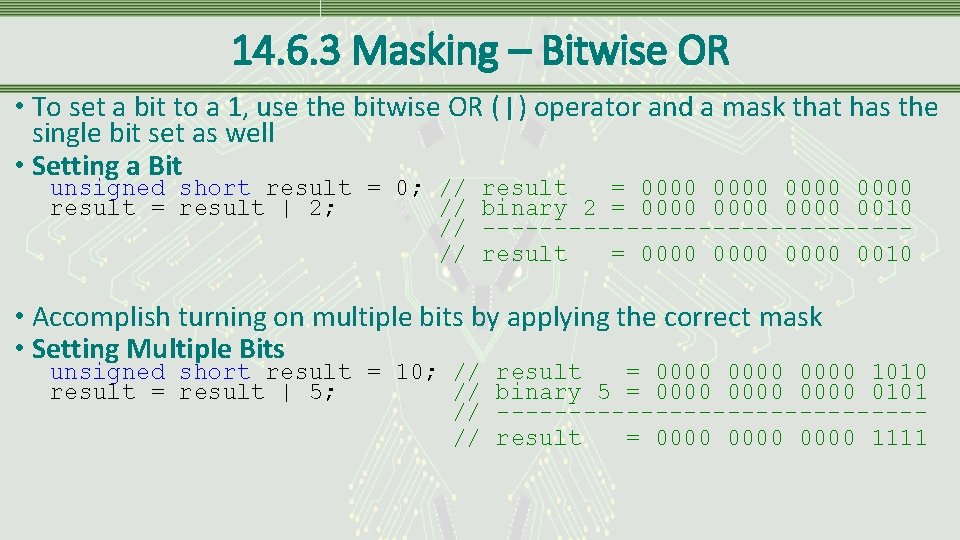
14. 6. 3 Masking – Bitwise OR • To set a bit to a 1, use the bitwise OR (|) operator and a mask that has the single bit set as well • Setting a Bit unsigned short result = 0; // result = result | 2; // // // result = 0000 binary 2 = 0000 0010 ---------------result = 0000 0010 • Accomplish turning on multiple bits by applying the correct mask • Setting Multiple Bits unsigned short result = 10; // result = result | 5; // // // result = 0000 1010 binary 5 = 0000 0101 ---------------result = 0000 1111
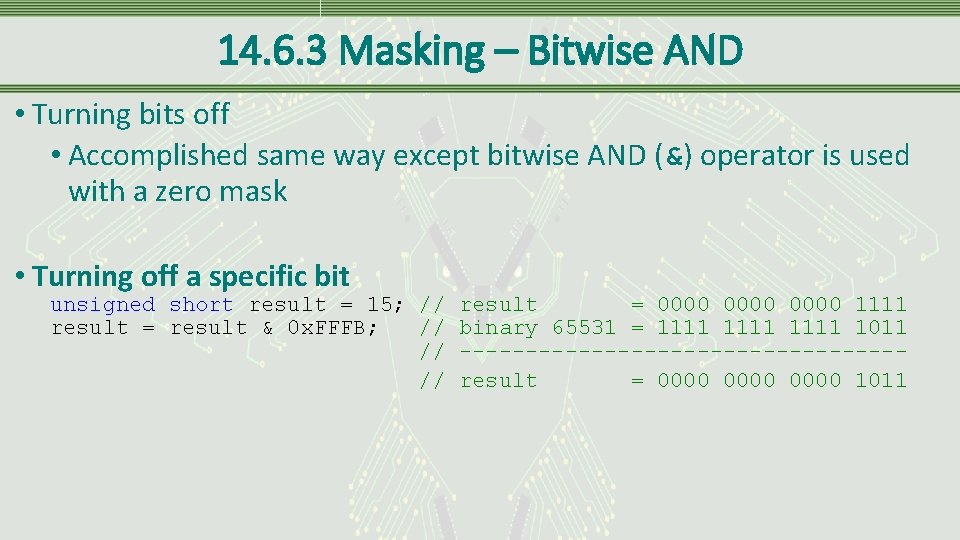
14. 6. 3 Masking – Bitwise AND • Turning bits off • Accomplished same way except bitwise AND (&) operator is used with a zero mask • Turning off a specific bit unsigned short result = 15; // result = 0000 1111 result = result & 0 x. FFFB; // binary 65531 = 1111 1011 // -----------------// result = 0000 1011
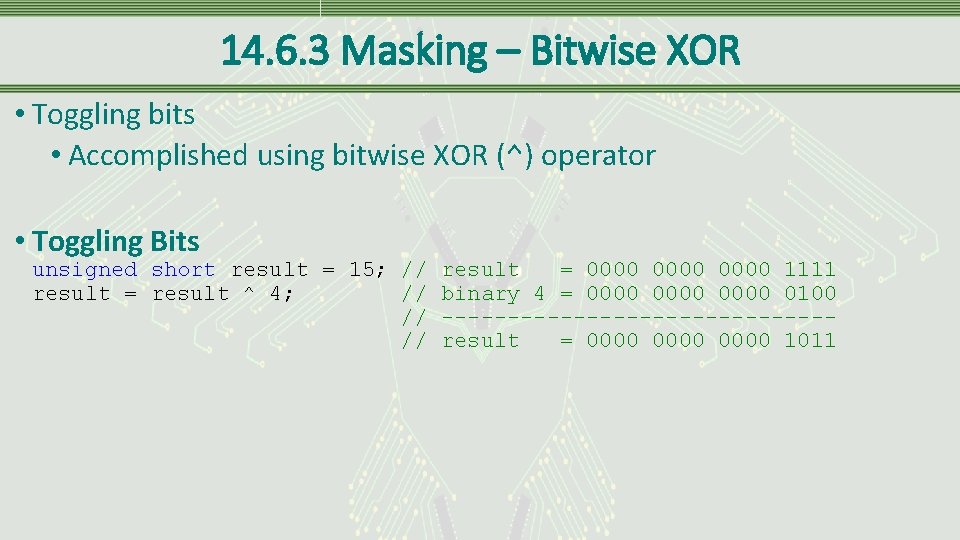
14. 6. 3 Masking – Bitwise XOR • Toggling bits • Accomplished using bitwise XOR (^) operator • Toggling Bits unsigned short result = 15; // result = result ^ 4; // // // result = 0000 1111 binary 4 = 0000 0100 ---------------result = 0000 1011
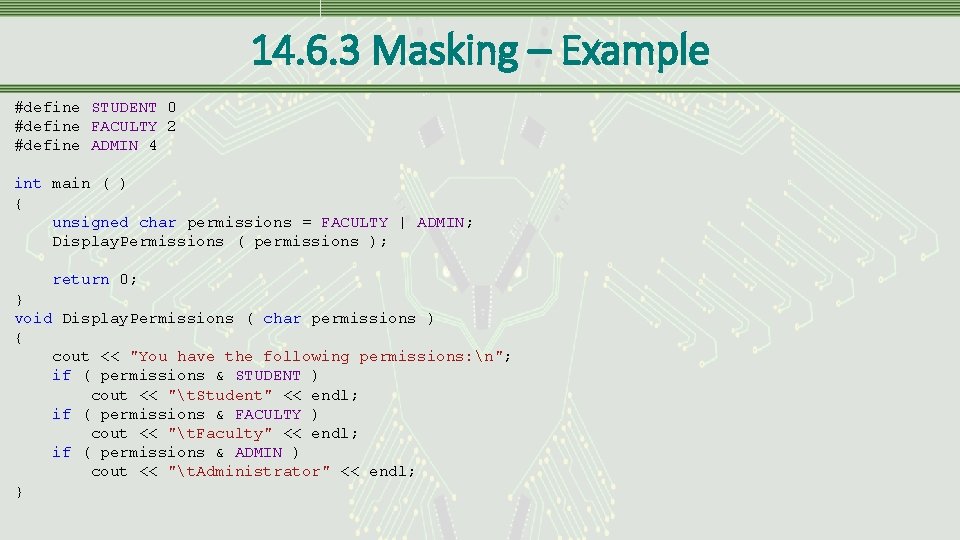
14. 6. 3 Masking – Example #define STUDENT 0 #define FACULTY 2 #define ADMIN 4 int main ( ) { unsigned char permissions = FACULTY | ADMIN; Display. Permissions ( permissions ); return 0; } void Display. Permissions ( char permissions ) { cout << "You have the following permissions: n"; if ( permissions & STUDENT ) cout << "t. Student" << endl; if ( permissions & FACULTY ) cout << "t. Faculty" << endl; if ( permissions & ADMIN ) cout << "t. Administrator" << endl; }
14. 6. 3 Masking – Endian • Another situation arises when converting between big-endian format to little-endian format • Little-endian • Writes information to memory least significant byte (little end) first • Big-endian • Writes information with the most significant byte (big end) first • Intel based computers use little-endian • Motorola typically uses big-endian formats • ARM are configurable to use either format • Converting between formats could be accomplished by reversing the bytes as shown on next page
![14. 6. 3 Masking – Endian Conversion Example char result[50]; unsigned short number =](http://slidetodoc.com/presentation_image_h2/0bcb3b1416a4341eb380659ae66bf71c/image-55.jpg "14. 6. 3 Masking – Endian Conversion Example char result[50]; unsigned short number =")
14. 6. 3 Masking – Endian Conversion Example char result[50]; unsigned short number = 0 x. FBA 4; unsigned short temp = number; itoa ( number, result, 2 ); cout << result << endl; number &= 0 x 00 FF; number <<= 8; // Clear out MSB // Shift LSB into MSB temp &= 0 x. FF 00; temp >>= 8; // Clear out LSB // Shift MSB into LSB number |= temp; // Put the two bytes back together itoa ( number, result, 2 ); cout << result << endl;
14. 6. 3 Masking – Summary • Bit manipulations no way limited to the few examples shown • Bit manipulations may save a significant amount of memory and processing time • This is especially true when dealing with embedded systems platforms
14. 7 Recursion – Definition • Recursive function • Function that calls itself • Can also refer to a function that calls another function that already exists on the call stack • Can always be replaced with iteration • Terminating condition • A condition that once met will stop the recursive calls • Starts the process of unwinding the call stack • Reducing clause • Alters a parameter so that it continues to approach the terminating condition
14. 7 Recursion – Algorithms • Some algorithms more easily written using recursion • When the reducing clause produces something that is essentially the same before as well as after the reducing clause, a solution involving a recursive algorithm works well
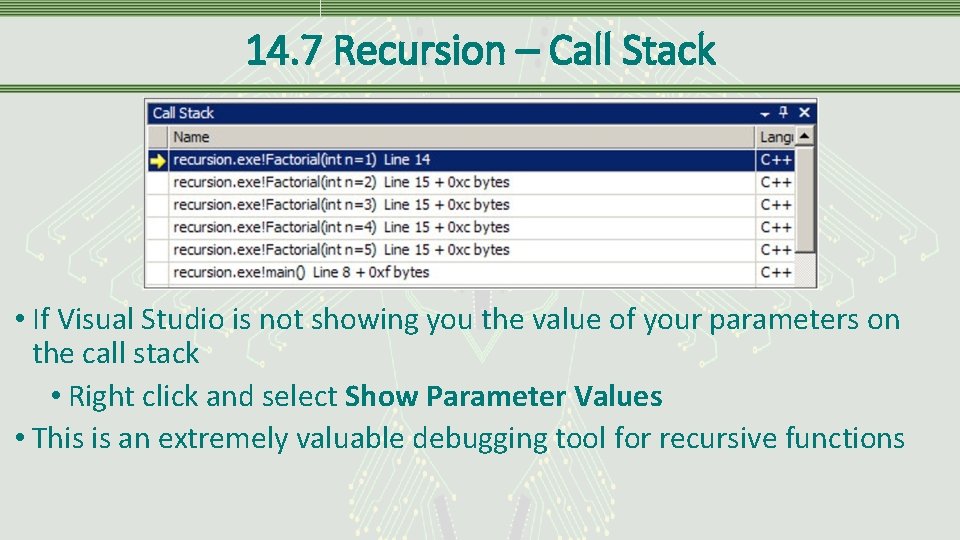
14. 7 Recursion – Call Stack • If Visual Studio is not showing you the value of your parameters on the call stack • Right click and select Show Parameter Values • This is an extremely valuable debugging tool for recursive functions
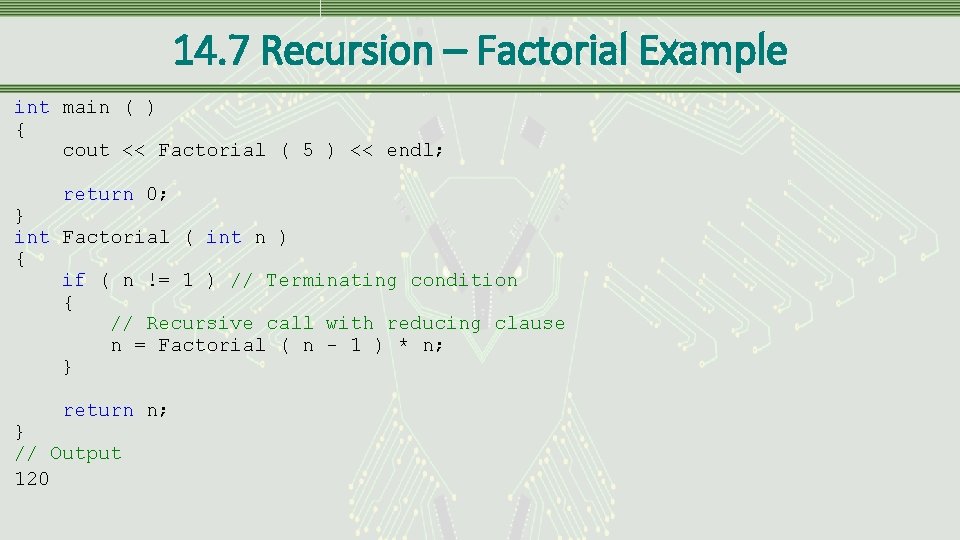
14. 7 Recursion – Factorial Example int main ( ) { cout << Factorial ( 5 ) << endl; return 0; } int Factorial ( int n ) { if ( n != 1 ) // Terminating condition { // Recursive call with reducing clause n = Factorial ( n - 1 ) * n; } return n; } // Output 120
- Slides: 60