
Chapter 14 Exception Handling n n Using try
![Line Plot Example //******************************* public static void main(String[] args) { Scanner std. In =](https://slidetodoc.com/presentation_image_h2/664e7d9e964784883b47d9ca668690c5/image-7.jpg "Line Plot Example //******************************* public static void main(String[] args) { Scanner std. In =")
![Understanding Exception Messages import java. util. Scanner; public class Number. List { private int[]](https://slidetodoc.com/presentation_image_h2/664e7d9e964784883b47d9ca668690c5/image-32.jpg "Understanding Exception Messages import java. util. Scanner; public class Number. List { private int[]")
- Slides: 35
Chapter 14 - Exception Handling n n Using try and catch Blocks to Handle "Dangerous" Method Calls Number. Format. Exception Line Plot Example try and catch Blocks - More Details n Two Types of Exceptions - Checked and Unchecked Exceptions Checked Exceptions Using API Documentation when Writing Exception-Handling Code When a try Block Throws Different Types of Exceptions The Exception Class and its get. Message Method Multiple catch blocks n Understanding Exception Messages n n n 1
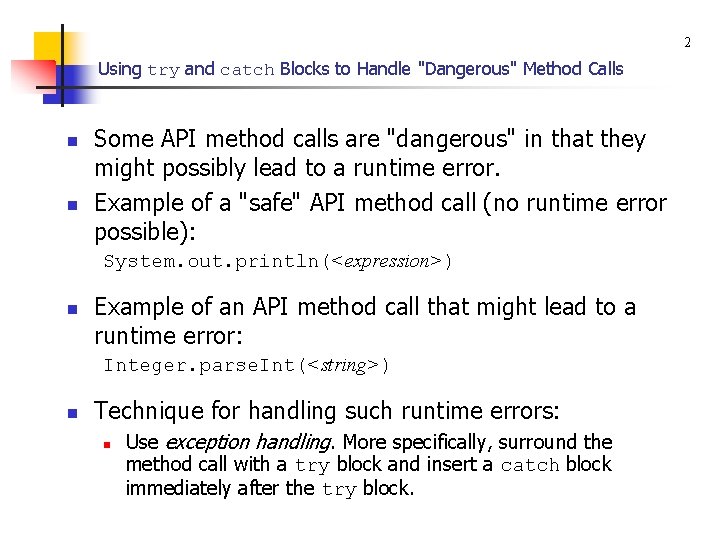
2 Using try and catch Blocks to Handle "Dangerous" Method Calls n n Some API method calls are "dangerous" in that they might possibly lead to a runtime error. Example of a "safe" API method call (no runtime error possible): System. out. println(<expression>) n Example of an API method call that might lead to a runtime error: Integer. parse. Int(<string>) n Technique for handling such runtime errors: n Use exception handling. More specifically, surround the method call with a try block and insert a catch block immediately after the try block.
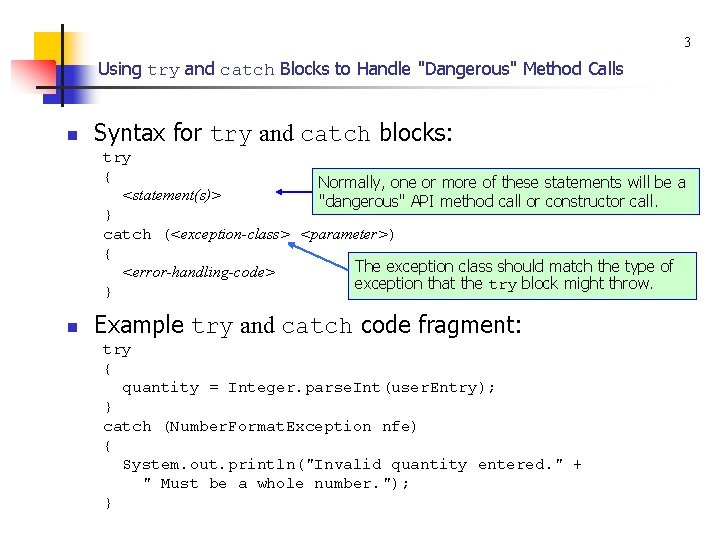
3 Using try and catch Blocks to Handle "Dangerous" Method Calls n Syntax for try and catch blocks: try { Normally, one or more of these statements will be a <statement(s)> "dangerous" API method call or constructor call. } catch (<exception-class> <parameter>) { The exception class should match the type of <error-handling-code> exception that the try block might throw. } n Example try and catch code fragment: try { quantity = Integer. parse. Int(user. Entry); } catch (Number. Format. Exception nfe) { System. out. println("Invalid quantity entered. " + " Must be a whole number. "); }
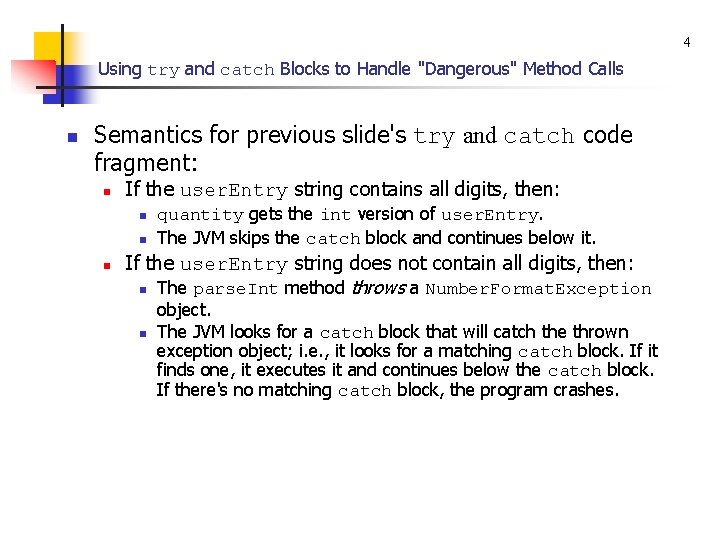
4 Using try and catch Blocks to Handle "Dangerous" Method Calls n Semantics for previous slide's try and catch code fragment: n If the user. Entry string contains all digits, then: n n n quantity gets the int version of user. Entry. The JVM skips the catch block and continues below it. If the user. Entry string does not contain all digits, then: n The parse. Int method throws a Number. Format. Exception n object. The JVM looks for a catch block that will catch the thrown exception object; i. e. , it looks for a matching catch block. If it finds one, it executes it and continues below the catch block. If there's no matching catch block, the program crashes.
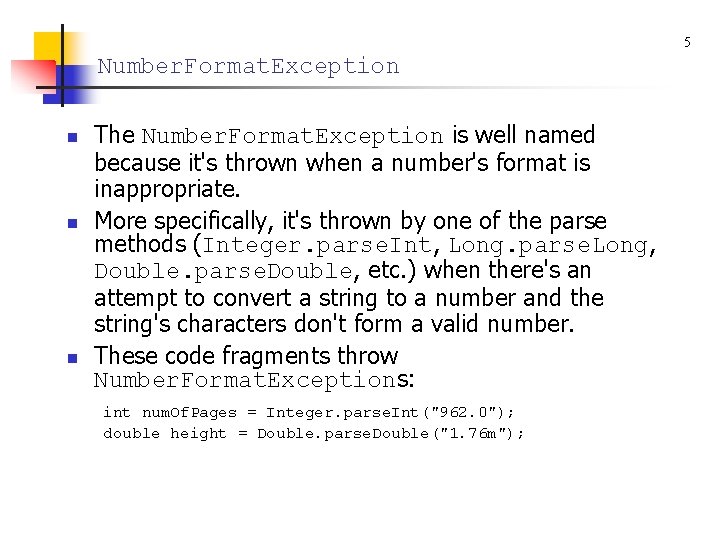
5 Number. Format. Exception n The Number. Format. Exception is well named because it's thrown when a number's format is inappropriate. More specifically, it's thrown by one of the parse methods (Integer. parse. Int, Long. parse. Long, Double. parse. Double, etc. ) when there's an attempt to convert a string to a number and the string's characters don't form a valid number. These code fragments throw Number. Format. Exceptions: int num. Of. Pages = Integer. parse. Int("962. 0"); double height = Double. parse. Double("1. 76 m");
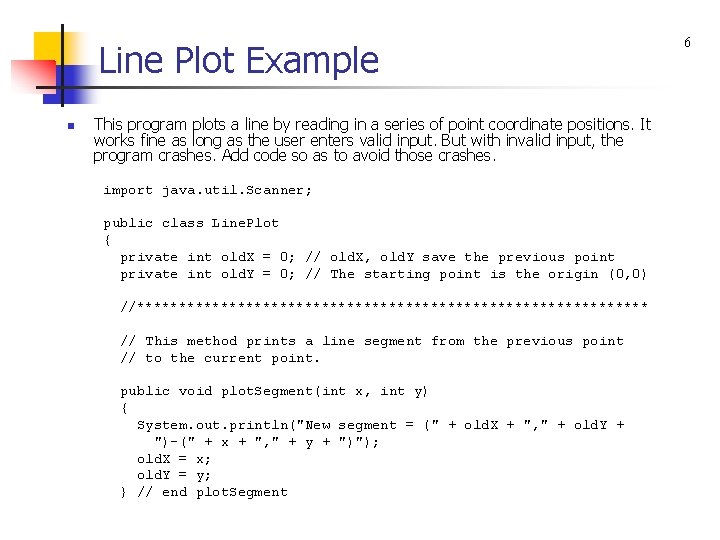
Line Plot Example n This program plots a line by reading in a series of point coordinate positions. It works fine as long as the user enters valid input. But with invalid input, the program crashes. Add code so as to avoid those crashes. import java. util. Scanner; public class Line. Plot { private int old. X = 0; // old. X, old. Y save the previous point private int old. Y = 0; // The starting point is the origin (0, 0) //******************************* // This method prints a line segment from the previous point // to the current point. public void plot. Segment(int x, int y) { System. out. println("New segment = (" + old. X + ", " + old. Y + ")-(" + x + ", " + y + ")"); old. X = x; old. Y = y; } // end plot. Segment 6
Line Plot Example //******************************* public static void main(String[] args) { Scanner std. In = new Scanner(System. in); Line. Plot line = new Line. Plot(); String x. Str, y. Str; // coordinates for a point (String form) int x, y; // coordinates for a point System. out. print("Enter x & y coordinates (q to quit): "); x. Str = std. In. next(); reads a group of characters while (!x. Str. equals. Ignore. Case("q")) and stops at whitespace { y. Str = std. In. next(); x = Integer. parse. Int(x. Str); y = Integer. parse. Int(y. Str); line. plot. Segment(x, y); System. out. print("Enter x & y coordinates (q to quit): "); x. Str = std. In. next(); } // end while } // end main } // end class Line. Plot 7
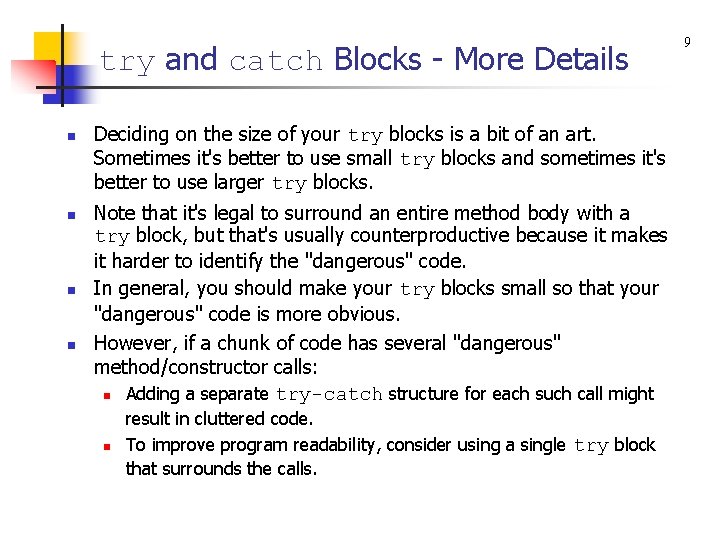
try and catch Blocks - More Details n n Deciding on the size of your try blocks is a bit of an art. Sometimes it's better to use small try blocks and sometimes it's better to use larger try blocks. Note that it's legal to surround an entire method body with a try block, but that's usually counterproductive because it makes it harder to identify the "dangerous" code. In general, you should make your try blocks small so that your "dangerous" code is more obvious. However, if a chunk of code has several "dangerous" method/constructor calls: n Adding a separate try-catch structure for each such call might n result in cluttered code. To improve program readability, consider using a single try block that surrounds the calls. 9
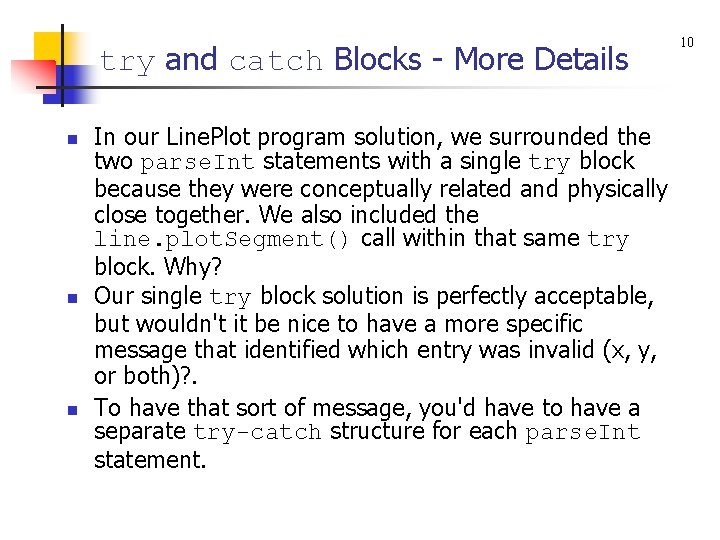
try and catch Blocks - More Details n n n In our Line. Plot program solution, we surrounded the two parse. Int statements with a single try block because they were conceptually related and physically close together. We also included the line. plot. Segment() call within that same try block. Why? Our single try block solution is perfectly acceptable, but wouldn't it be nice to have a more specific message that identified which entry was invalid (x, y, or both)? . To have that sort of message, you'd have to have a separate try-catch structure for each parse. Int statement. 10
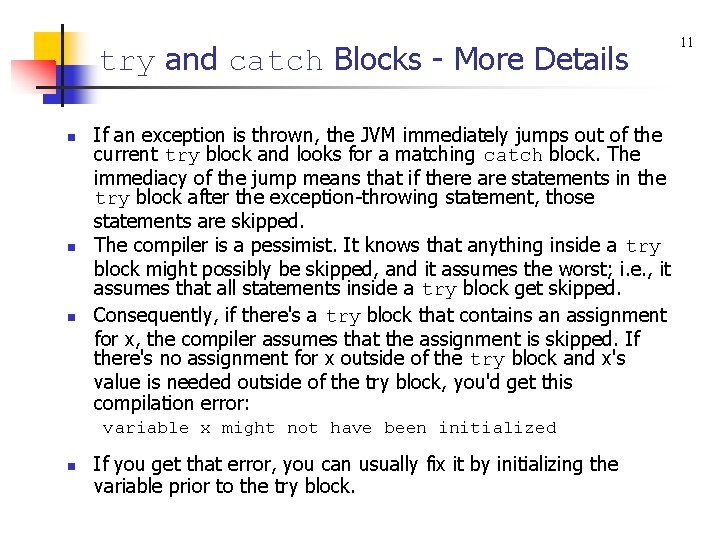
try and catch Blocks - More Details n n n If an exception is thrown, the JVM immediately jumps out of the current try block and looks for a matching catch block. The immediacy of the jump means that if there are statements in the try block after the exception-throwing statement, those statements are skipped. The compiler is a pessimist. It knows that anything inside a try block might possibly be skipped, and it assumes the worst; i. e. , it assumes that all statements inside a try block get skipped. Consequently, if there's a try block that contains an assignment for x, the compiler assumes that the assignment is skipped. If there's no assignment for x outside of the try block and x's value is needed outside of the try block, you'd get this compilation error: variable x might not have been initialized n If you get that error, you can usually fix it by initializing the variable prior to the try block. 11
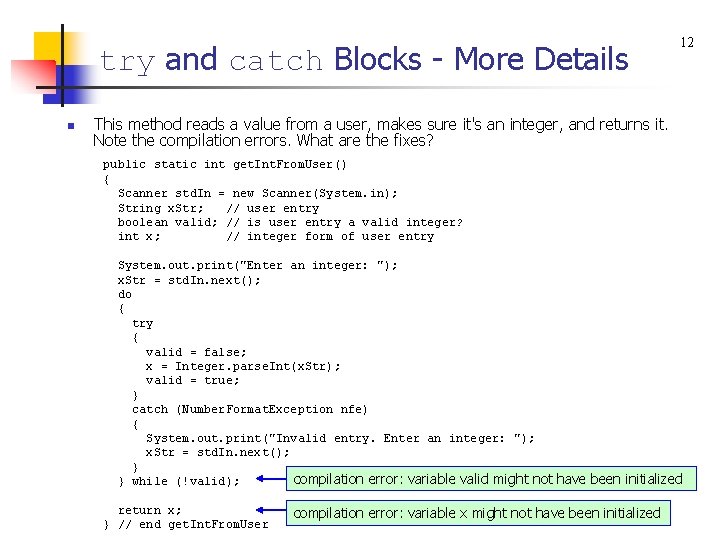
try and catch Blocks - More Details n 12 This method reads a value from a user, makes sure it's an integer, and returns it. Note the compilation errors. What are the fixes? public static int get. Int. From. User() { Scanner std. In = new Scanner(System. in); String x. Str; // user entry boolean valid; // is user entry a valid integer? int x; // integer form of user entry System. out. print("Enter an integer: "); x. Str = std. In. next(); do { try { valid = false; x = Integer. parse. Int(x. Str); valid = true; } catch (Number. Format. Exception nfe) { System. out. print("Invalid entry. Enter an integer: "); x. Str = std. In. next(); } compilation error: variable valid might not have been initialized } while (!valid); return x; } // end get. Int. From. User compilation error: variable x might not have been initialized
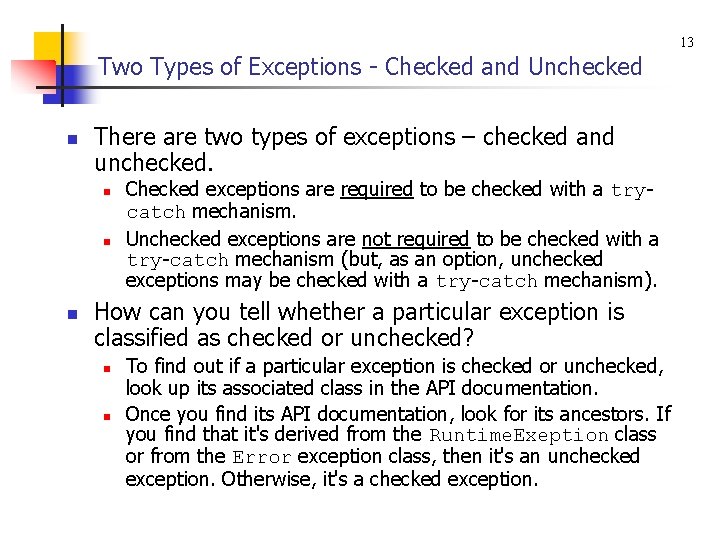
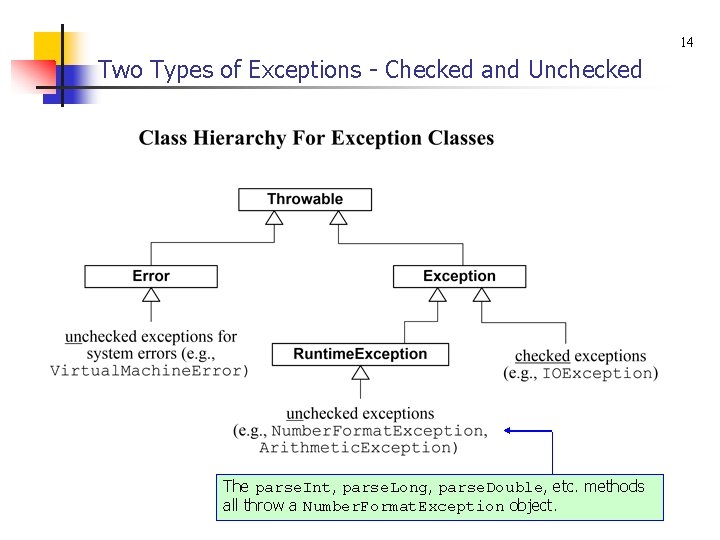
13 Two Types of Exceptions - Checked and Unchecked n There are two types of exceptions – checked and unchecked. n n n Checked exceptions are required to be checked with a trycatch mechanism. Unchecked exceptions are not required to be checked with a try-catch mechanism (but, as an option, unchecked exceptions may be checked with a try-catch mechanism). How can you tell whether a particular exception is classified as checked or unchecked? n n To find out if a particular exception is checked or unchecked, look up its associated class in the API documentation. Once you find its API documentation, look for its ancestors. If you find that it's derived from the Runtime. Exeption class or from the Error exception class, then it's an unchecked exception. Otherwise, it's a checked exception.
14 Two Types of Exceptions - Checked and Unchecked The parse. Int, parse. Long, parse. Double, etc. methods all throw a Number. Format. Exception object.
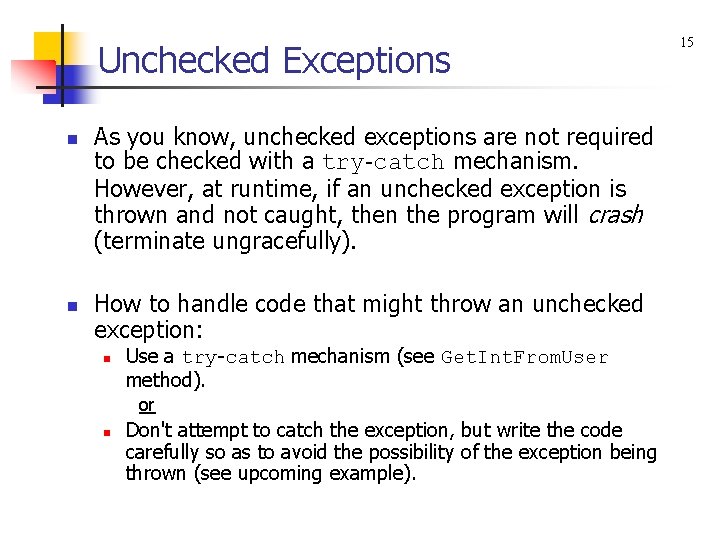
Unchecked Exceptions n n As you know, unchecked exceptions are not required to be checked with a try-catch mechanism. However, at runtime, if an unchecked exception is thrown and not caught, then the program will crash (terminate ungracefully). How to handle code that might throw an unchecked exception: n Use a try-catch mechanism (see Get. Int. From. User method). or n Don't attempt to catch the exception, but write the code carefully so as to avoid the possibility of the exception being thrown (see upcoming example). 15
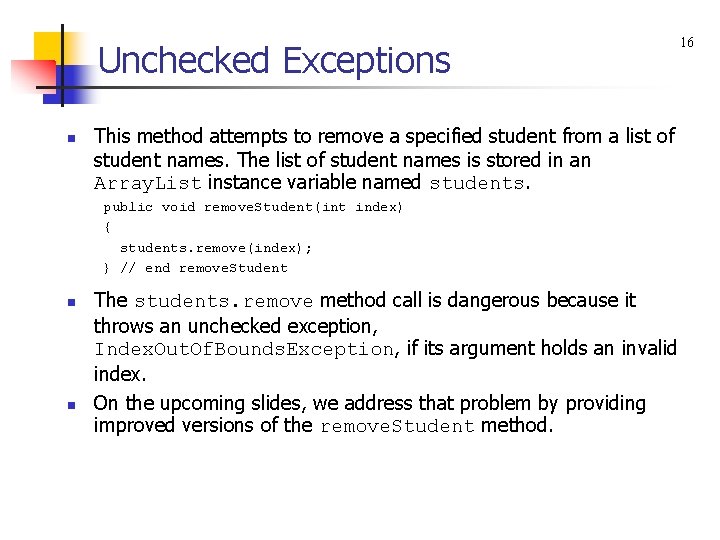
Unchecked Exceptions n This method attempts to remove a specified student from a list of student names. The list of student names is stored in an Array. List instance variable named students. public void remove. Student(int index) { students. remove(index); } // end remove. Student n n The students. remove method call is dangerous because it throws an unchecked exception, Index. Out. Of. Bounds. Exception, if its argument holds an invalid index. On the upcoming slides, we address that problem by providing improved versions of the remove. Student method. 16
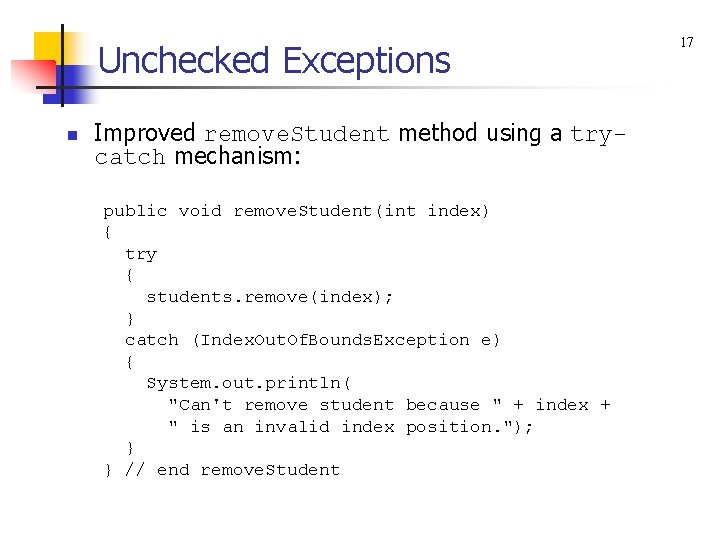
Unchecked Exceptions n Improved remove. Student method using a trycatch mechanism: public void remove. Student(int index) { try { students. remove(index); } catch (Index. Out. Of. Bounds. Exception e) { System. out. println( "Can't remove student because " + index + " is an invalid index position. "); } } // end remove. Student 17
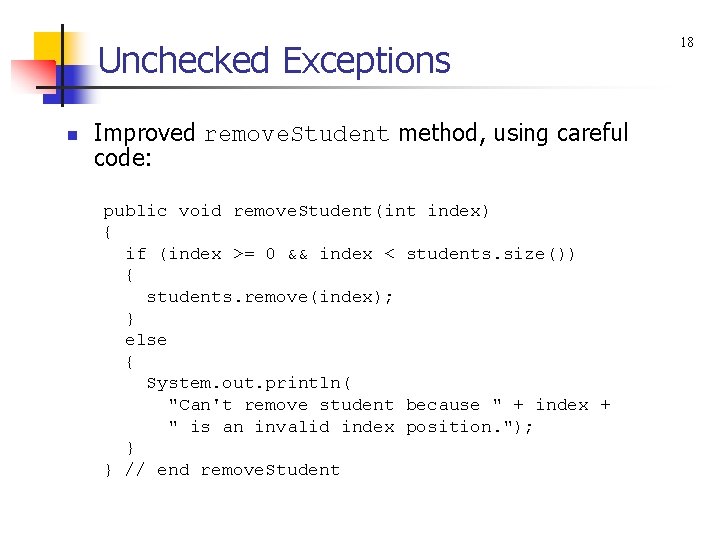
Unchecked Exceptions n Improved remove. Student method, using careful code: public void remove. Student(int index) { if (index >= 0 && index < students. size()) { students. remove(index); } else { System. out. println( "Can't remove student because " + index + " is an invalid index position. "); } } // end remove. Student 18
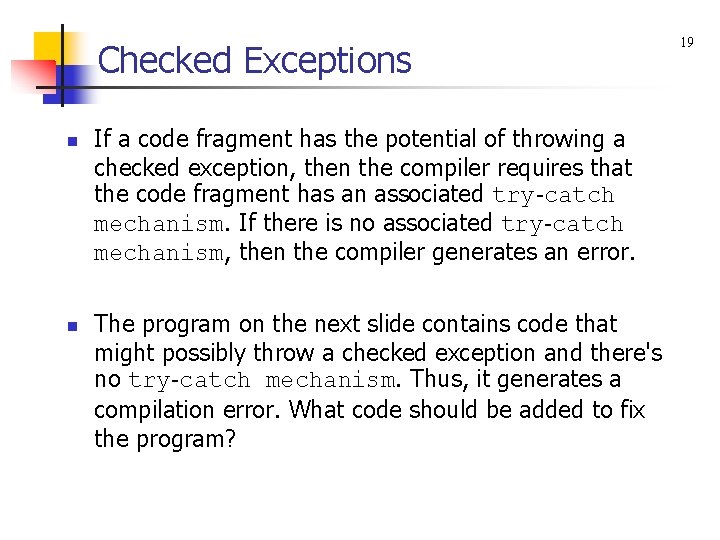
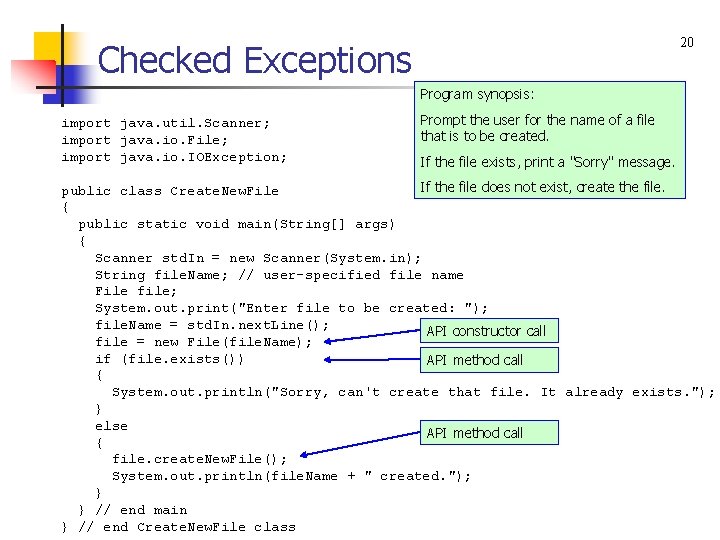
Checked Exceptions n n If a code fragment has the potential of throwing a checked exception, then the compiler requires that the code fragment has an associated try-catch mechanism. If there is no associated try-catch mechanism, then the compiler generates an error. The program on the next slide contains code that might possibly throw a checked exception and there's no try-catch mechanism. Thus, it generates a compilation error. What code should be added to fix the program? 19
20 Checked Exceptions Program synopsis: import java. util. Scanner; import java. io. File; import java. io. IOException; Prompt the user for the name of a file that is to be created. If the file exists, print a "Sorry" message. If the file does not exist, create the file. public class Create. New. File { public static void main(String[] args) { Scanner std. In = new Scanner(System. in); String file. Name; // user-specified file name File file; System. out. print("Enter file to be created: "); file. Name = std. In. next. Line(); API constructor call file = new File(file. Name); if (file. exists()) API method call { System. out. println("Sorry, can't create that file. It already exists. "); } else API method call { file. create. New. File(); System. out. println(file. Name + " created. "); } } // end main } // end Create. New. File class
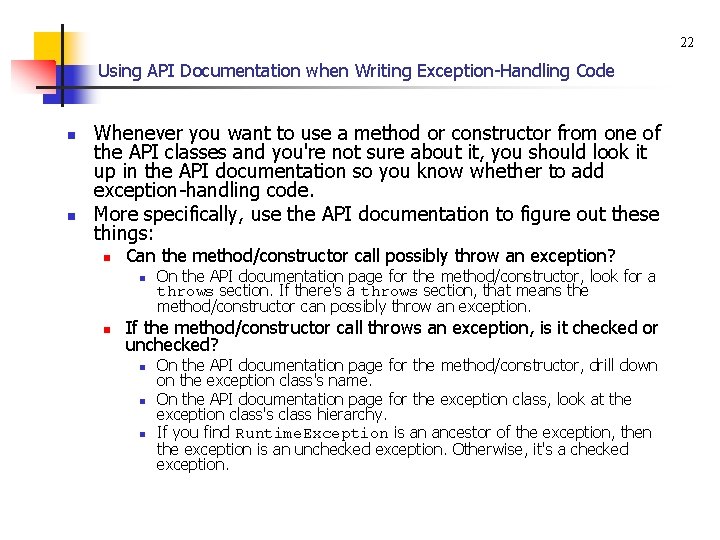
22 Using API Documentation when Writing Exception-Handling Code n n Whenever you want to use a method or constructor from one of the API classes and you're not sure about it, you should look it up in the API documentation so you know whether to add exception-handling code. More specifically, use the API documentation to figure out these things: n Can the method/constructor call possibly throw an exception? n n On the API documentation page for the method/constructor, look for a throws section. If there's a throws section, that means the method/constructor can possibly throw an exception. If the method/constructor call throws an exception, is it checked or unchecked? n n n On the API documentation page for the method/constructor, drill down on the exception class's name. On the API documentation page for the exception class, look at the exception class's class hierarchy. If you find Runtime. Exception is an ancestor of the exception, then the exception is an unchecked exception. Otherwise, it's a checked exception.
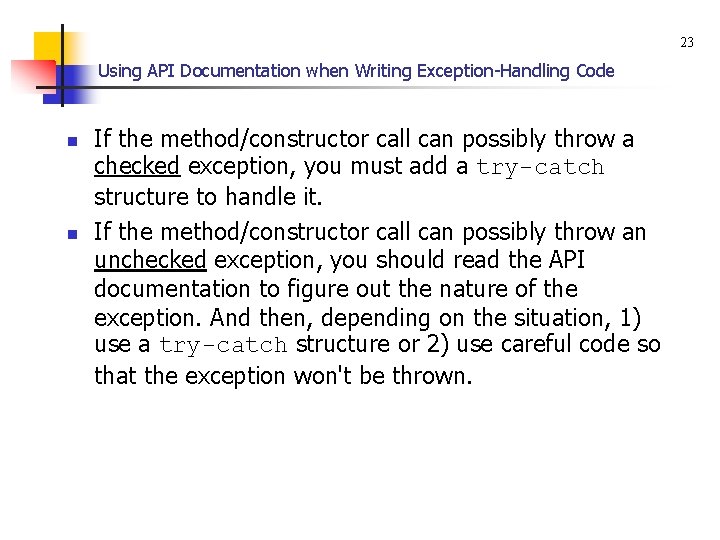
23 Using API Documentation when Writing Exception-Handling Code n n If the method/constructor call can possibly throw a checked exception, you must add a try-catch structure to handle it. If the method/constructor call can possibly throw an unchecked exception, you should read the API documentation to figure out the nature of the exception. And then, depending on the situation, 1) use a try-catch structure or 2) use careful code so that the exception won't be thrown.
24 When a try Block Throws Different Types of Exceptions n If several statements within a try block can possibly throw an exception and the exceptions are of different types, you should: n Provide a generic catch block that handles every type of exception that might be thrown. or n Provide a sequence of specific catch blocks, one for each type of exception that might be thrown.
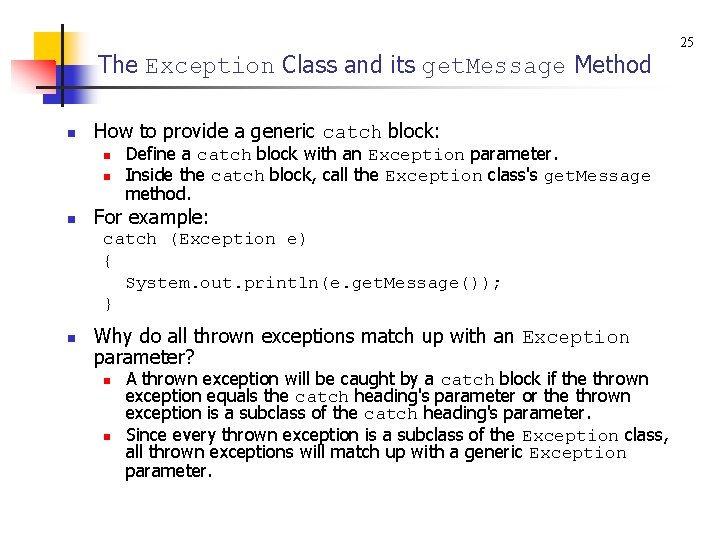
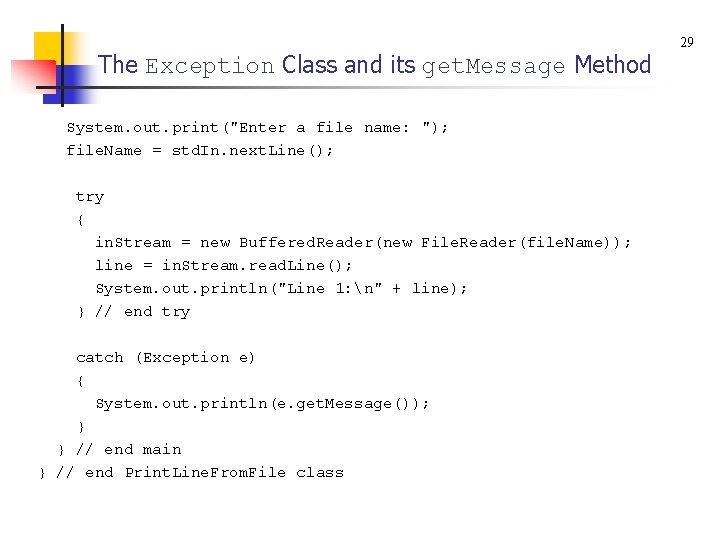
The Exception Class and its get. Message Method n How to provide a generic catch block: n n n Define a catch block with an Exception parameter. Inside the catch block, call the Exception class's get. Message method. For example: catch (Exception e) { System. out. println(e. get. Message()); } n Why do all thrown exceptions match up with an Exception parameter? n n A thrown exception will be caught by a catch block if the thrown exception equals the catch heading's parameter or the thrown exception is a subclass of the catch heading's parameter. Since every thrown exception is a subclass of the Exception class, all thrown exceptions will match up with a generic Exception parameter. 25
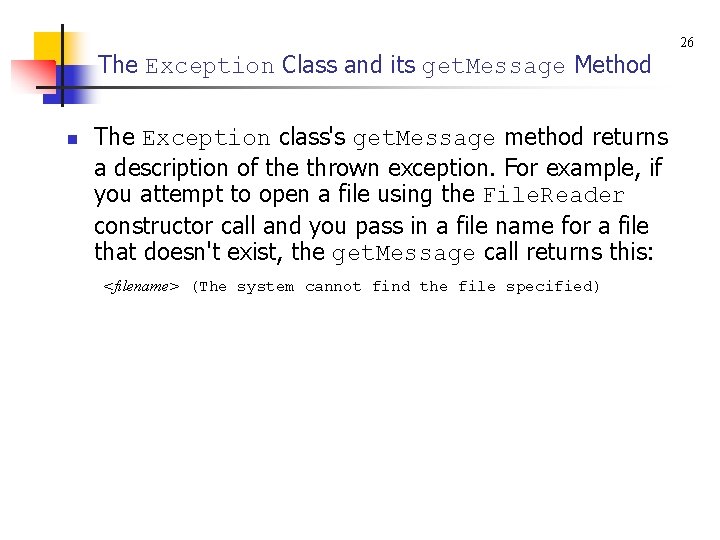
The Exception Class and its get. Message Method n The Exception class's get. Message method returns a description of the thrown exception. For example, if you attempt to open a file using the File. Reader constructor call and you pass in a file name for a file that doesn't exist, the get. Message call returns this: <filename> (The system cannot find the file specified) 26
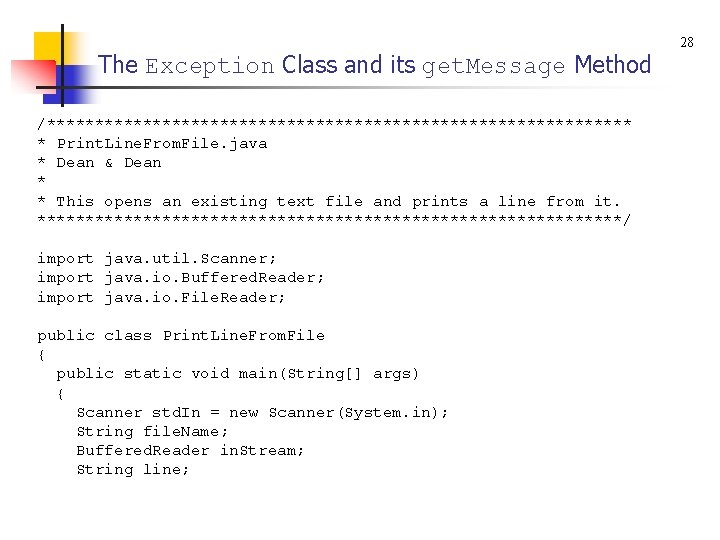
The Exception Class and its get. Message Method n The program on the next slide opens a user-specified file and prints the file's first line. n n n The File. Reader constructor is in charge of opening the file. In your constructor call, if you pass in a file name for a file that doesn't exist, the JVM throws a File. Not. Found. Exception. The read. Line method is in charge of reading a line from the opened file. If the file is corrupted and unreadable, the JVM throws an IOException. Note the generic catch block. It handles the different types of exceptions that might be thrown from within the try block. 27
The Exception Class and its get. Message Method /******************************* * Print. Line. From. File. java * Dean & Dean * * This opens an existing text file and prints a line from it. *******************************/ import java. util. Scanner; import java. io. Buffered. Reader; import java. io. File. Reader; public class Print. Line. From. File { public static void main(String[] args) { Scanner std. In = new Scanner(System. in); String file. Name; Buffered. Reader in. Stream; String line; 28
The Exception Class and its get. Message Method System. out. print("Enter a file name: "); file. Name = std. In. next. Line(); try { in. Stream = new Buffered. Reader(new File. Reader(file. Name)); line = in. Stream. read. Line(); System. out. println("Line 1: n" + line); } // end try catch (Exception e) { System. out. println(e. get. Message()); } } // end main } // end Print. Line. From. File class 29
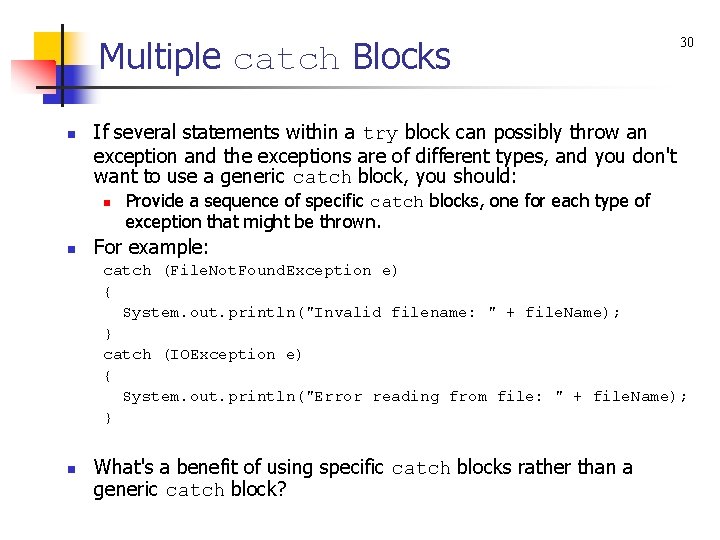
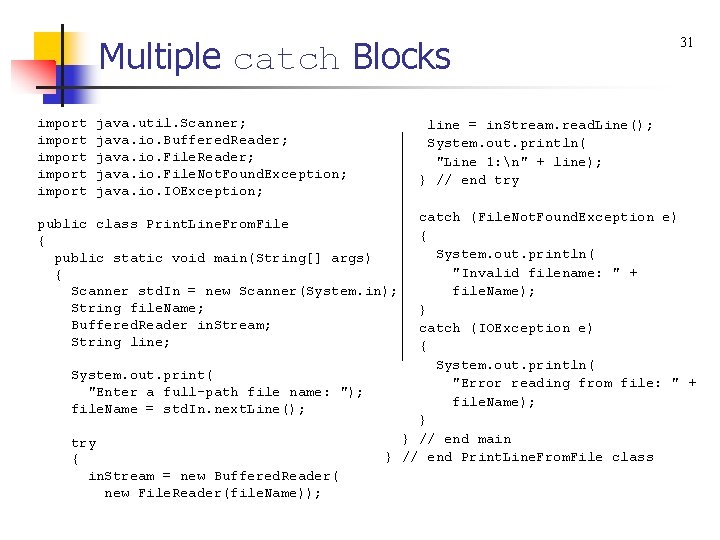
Multiple catch Blocks n If several statements within a try block can possibly throw an exception and the exceptions are of different types, and you don't want to use a generic catch block, you should: n n 30 Provide a sequence of specific catch blocks, one for each type of exception that might be thrown. For example: catch (File. Not. Found. Exception e) { System. out. println("Invalid filename: " + file. Name); } catch (IOException e) { System. out. println("Error reading from file: " + file. Name); } n What's a benefit of using specific catch blocks rather than a generic catch block?
Multiple catch Blocks import import java. util. Scanner; java. io. Buffered. Reader; java. io. File. Not. Found. Exception; java. io. IOException; line = in. Stream. read. Line(); System. out. println( "Line 1: n" + line); } // end try catch (File. Not. Found. Exception e) { System. out. println( "Invalid filename: " + file. Name); } catch (IOException e) { System. out. println( "Error reading from file: " + file. Name); } } // end main } // end Print. Line. From. File class public class Print. Line. From. File { public static void main(String[] args) { Scanner std. In = new Scanner(System. in); String file. Name; Buffered. Reader in. Stream; String line; System. out. print( "Enter a full-path file name: "); file. Name = std. In. next. Line(); try { in. Stream = new Buffered. Reader( new File. Reader(file. Name)); 31
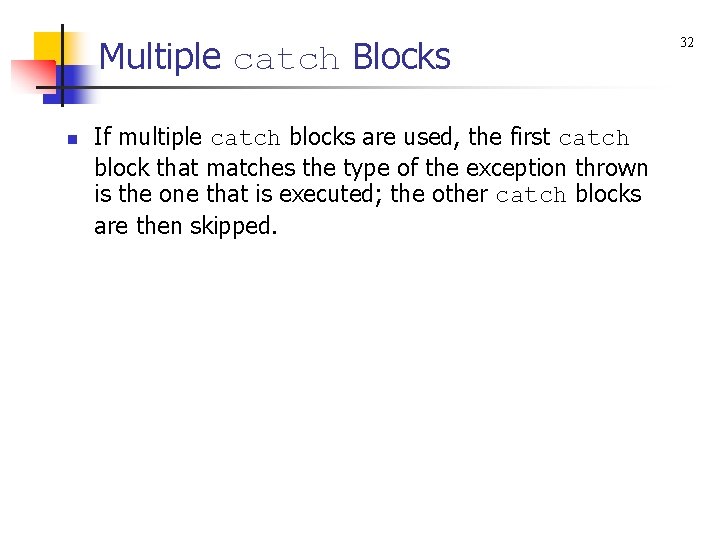
Multiple catch Blocks n If multiple catch blocks are used, the first catch block that matches the type of the exception thrown is the one that is executed; the other catch blocks are then skipped. 32
Understanding Exception Messages n n n As you know, if your code involves a checked exception being thrown, you must include a try/catch for that code. Without the try/catch, your program won't compile successfully. On the other hand, if your code involves an unchecked exception being thrown, it's optional whether you include a try/catch for that code. Without the try/catch, your program will compile successfully, but if an exception is thrown, your program will crash. If such a crash occurs, the JVM prints a runtime error message that describes the thrown exception. 33
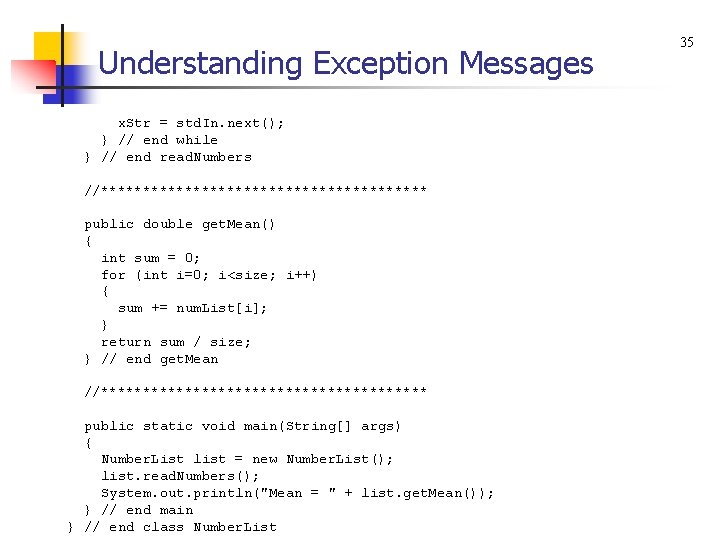
Understanding Exception Messages import java. util. Scanner; public class Number. List { private int[] num. List = new int[100]; // array of numbers private int size = 0; // number of numbers //******************** public void read. Numbers() { Scanner std. In = new Scanner(System. in); String x. Str; // user-entered number (String form) int x; // user-entered number System. out. print("Enter a whole number (q to quit): "); x. Str = std. In. next(); while (!x. Str. equals. Ignore. Case("q")) { x = Integer. parse. Int(x. Str); num. List[size] = x; size++; System. out. print("Enter a whole number (q to quit): "); 34
Understanding Exception Messages x. Str = std. In. next(); } // end while } // end read. Numbers //******************** public double get. Mean() { int sum = 0; for (int i=0; i<size; i++) { sum += num. List[i]; } return sum / size; } // end get. Mean //******************** public static void main(String[] args) { Number. List list = new Number. List(); list. read. Numbers(); System. out. println("Mean = " + list. get. Mean()); } // end main } // end class Number. List 35
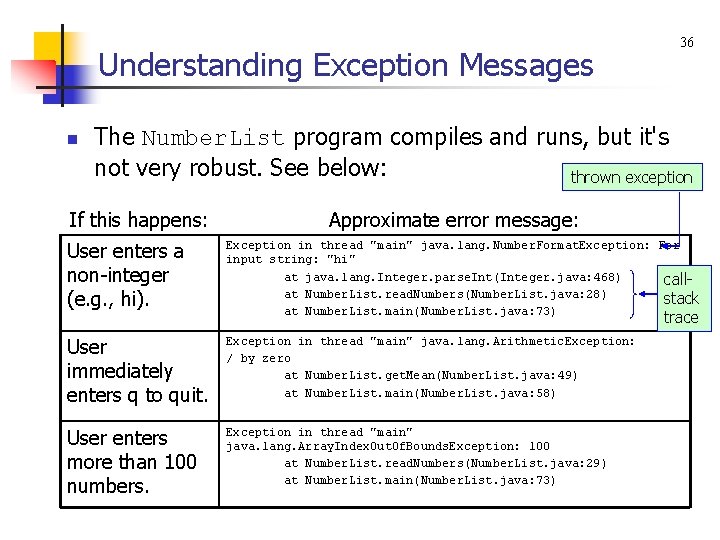
Understanding Exception Messages n 36 The Number. List program compiles and runs, but it's not very robust. See below: thrown exception If this happens: Approximate error message: User enters a non-integer (e. g. , hi). Exception in thread "main" java. lang. Number. Format. Exception: For input string: "hi" at java. lang. Integer. parse. Int(Integer. java: 468) callat Number. List. read. Numbers(Number. List. java: 28) stack at Number. List. main(Number. List. java: 73) User immediately enters q to quit. Exception in thread "main" java. lang. Arithmetic. Exception: / by zero at Number. List. get. Mean(Number. List. java: 49) at Number. List. main(Number. List. java: 58) User enters more than 100 numbers. Exception in thread "main" java. lang. Array. Index. Out. Of. Bounds. Exception: 100 at Number. List. read. Numbers(Number. List. java: 29) at Number. List. main(Number. List. java: 73) trace
Understanding Exception Messages n n n 37 As part of a runtime error, the JVM prints the exception that was thrown and then prints the call-stack trace. The call-stack trace shows the methods that were called prior to the crash. If you perform integer division with a denominator of zero, the JVM throws an Arithmetic. Exception object. If you access an array element with an array index that's < 0 or >= the array's size, the JVM throws an Array. Index. Out. Of. Bounds. Exception object.