
Chapter 13 Graphics classes Bjarne Stroustrup www stroustrup
Chapter 13 Graphics classes Bjarne Stroustrup www. stroustrup. com/Programming
Abstract n n Chapter 12 demonstrated how to create simple windows and display basic shapes: rectangle, circle, triangle, and ellipse. It showed how to manipulate such shapes: change colors and line style, add text, etc. Chapter 13 shows how these shapes and operations are implemented, and shows a few more examples. In Chapter 12, we were basically tool users; here we become tool builders. Stroustrup/Programming/2015 2
Overview n Graphing n n n Model Code organization Interface classes n n n n n Point Lines Grid Open Polylines Closed Polylines Color Text Unnamed objects Stroustrup/Programming/2015 3
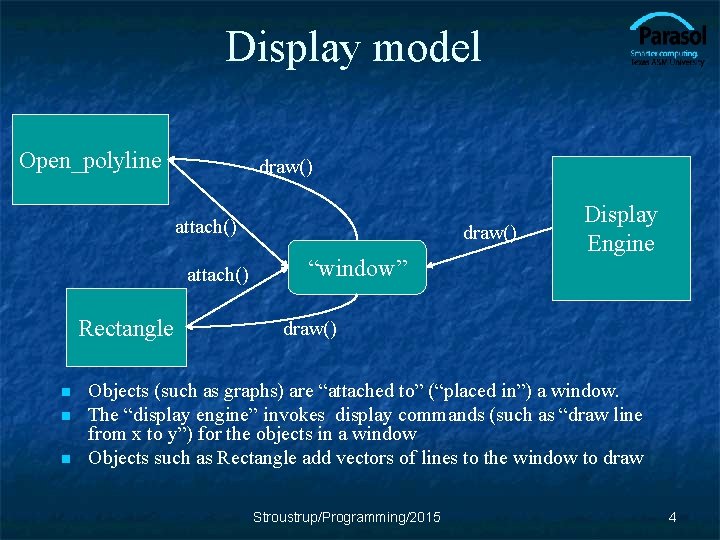
Display model Open_polyline draw() attach() Rectangle n n n draw() “window” Display Engine draw() Objects (such as graphs) are “attached to” (“placed in”) a window. The “display engine” invokes display commands (such as “draw line from x to y”) for the objects in a window Objects such as Rectangle add vectors of lines to the window to draw Stroustrup/Programming/2015 4
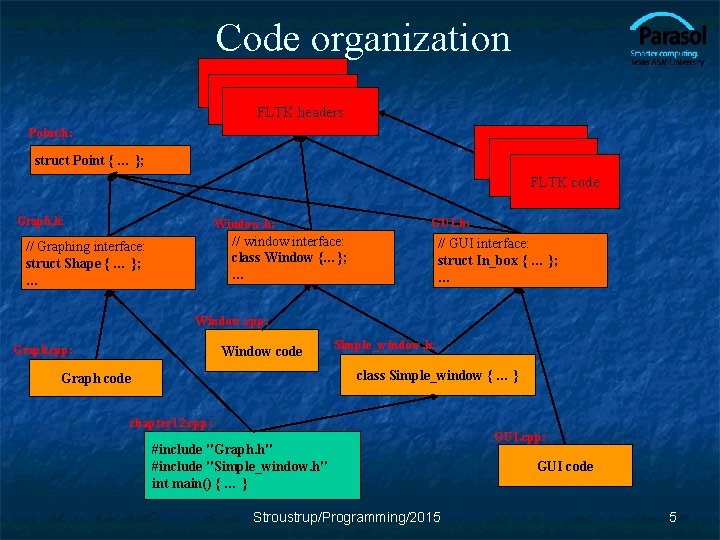
Code organization FLTK headers Point. h: struct Point { … }; FLTK code Graph. h: GUI. h: Window. h: // window interface: class Window {…}; … // Graphing interface: struct Shape { … }; … // GUI interface: struct In_box { … }; … Window. cpp: Graph. cpp: Window code Simple_window. h: class Simple_window { … } Graph code chapter 12. cpp: #include "Graph. h" #include "Simple_window. h" int main() { … } Stroustrup/Programming/2015 GUI. cpp: GUI code 5
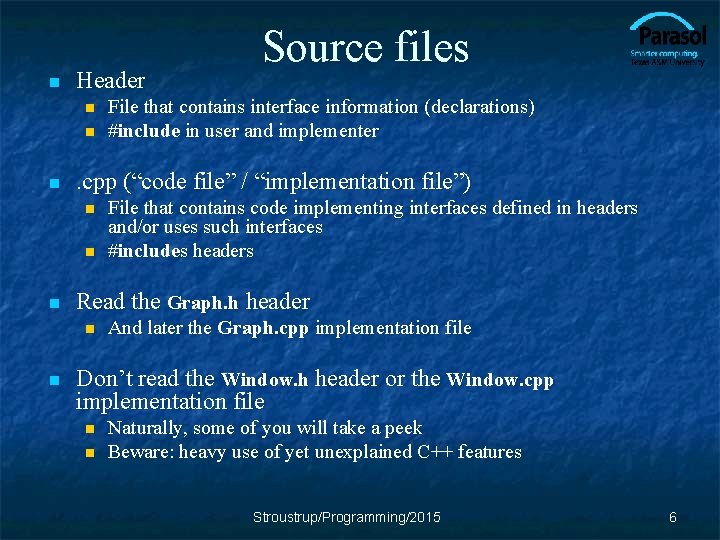
n Header n n File that contains code implementing interfaces defined in headers and/or uses such interfaces #includes headers Read the Graph. h header n n File that contains interface information (declarations) #include in user and implementer . cpp (“code file” / “implementation file”) n n Source files And later the Graph. cpp implementation file Don’t read the Window. h header or the Window. cpp implementation file n n Naturally, some of you will take a peek Beware: heavy use of yet unexplained C++ features Stroustrup/Programming/2015 6
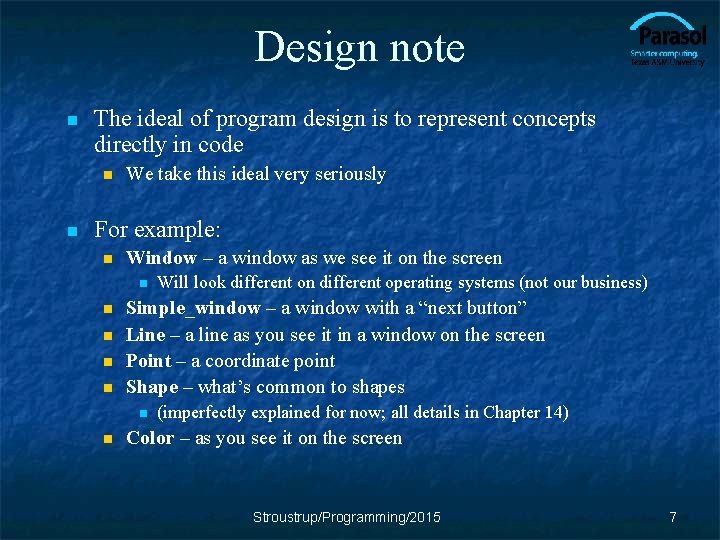
Design note n The ideal of program design is to represent concepts directly in code n n We take this ideal very seriously For example: n Window – a window as we see it on the screen n n Simple_window – a window with a “next button” Line – a line as you see it in a window on the screen Point – a coordinate point Shape – what’s common to shapes n n Will look different on different operating systems (not our business) (imperfectly explained for now; all details in Chapter 14) Color – as you see it on the screen Stroustrup/Programming/2015 7
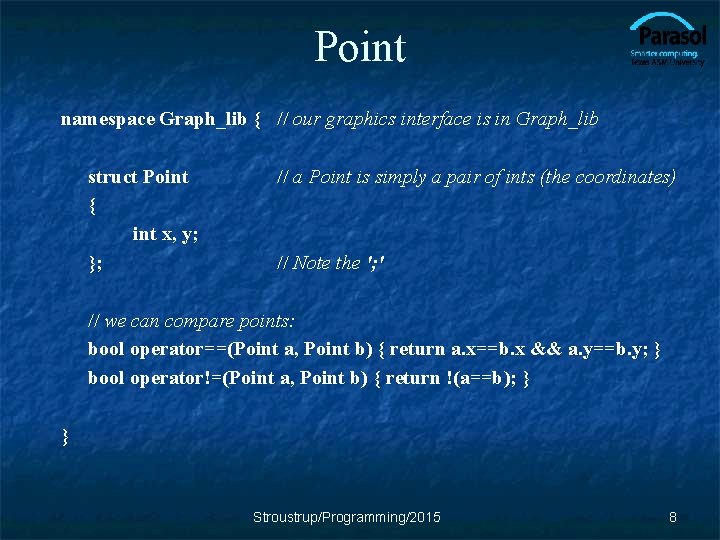
Point namespace Graph_lib { // our graphics interface is in Graph_lib struct Point { int x, y; }; // a Point is simply a pair of ints (the coordinates) // Note the '; ' // we can compare points: bool operator==(Point a, Point b) { return a. x==b. x && a. y==b. y; } bool operator!=(Point a, Point b) { return !(a==b); } } Stroustrup/Programming/2015 8
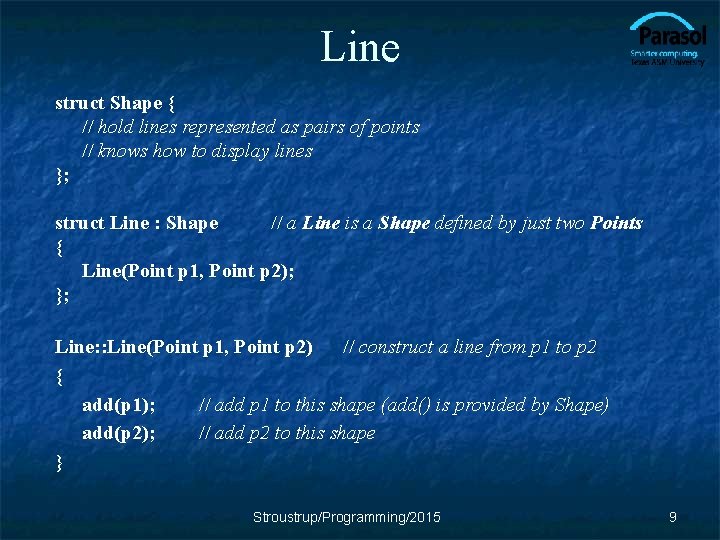
Line struct Shape { // hold lines represented as pairs of points // knows how to display lines }; struct Line : Shape // a Line is a Shape defined by just two Points { Line(Point p 1, Point p 2); }; Line: : Line(Point p 1, Point p 2) // construct a line from p 1 to p 2 { add(p 1); // add p 1 to this shape (add() is provided by Shape) add(p 2); // add p 2 to this shape } Stroustrup/Programming/2015 9
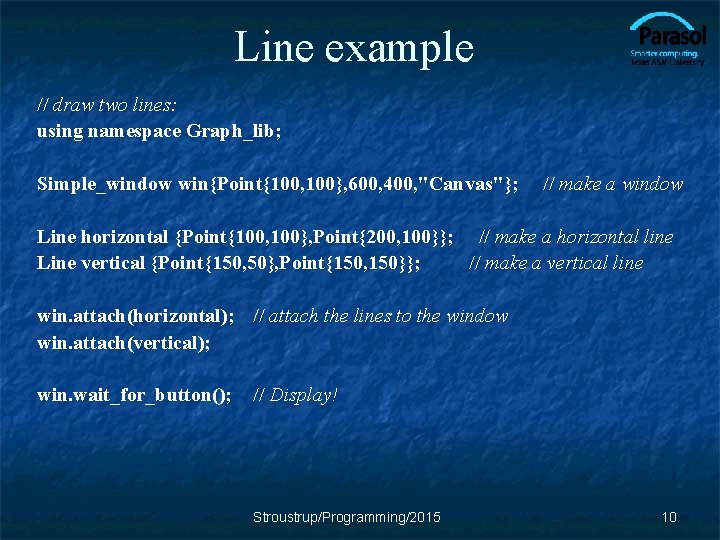
Line example // draw two lines: using namespace Graph_lib; Simple_window win{Point{100, 100}, 600, 400, "Canvas"}; // make a window Line horizontal {Point{100, 100}, Point{200, 100}}; // make a horizontal line Line vertical {Point{150, 50}, Point{150, 150}}; // make a vertical line win. attach(horizontal); // attach the lines to the window win. attach(vertical); win. wait_for_button(); // Display! Stroustrup/Programming/2015 10
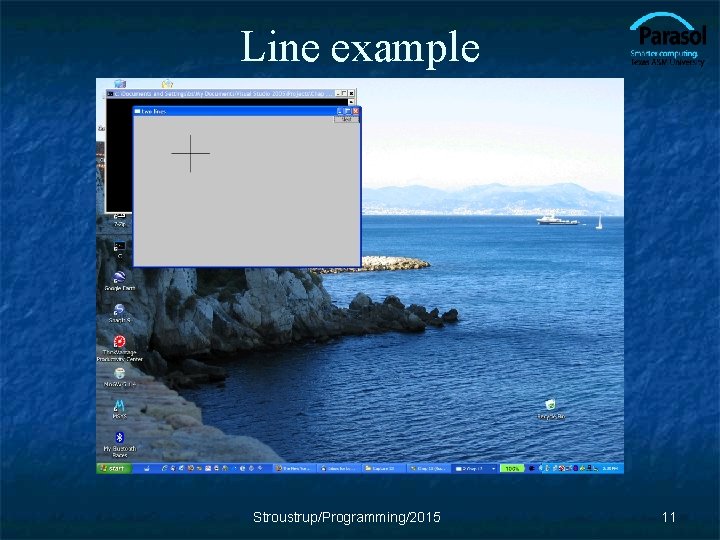
Line example Stroustrup/Programming/2015 11
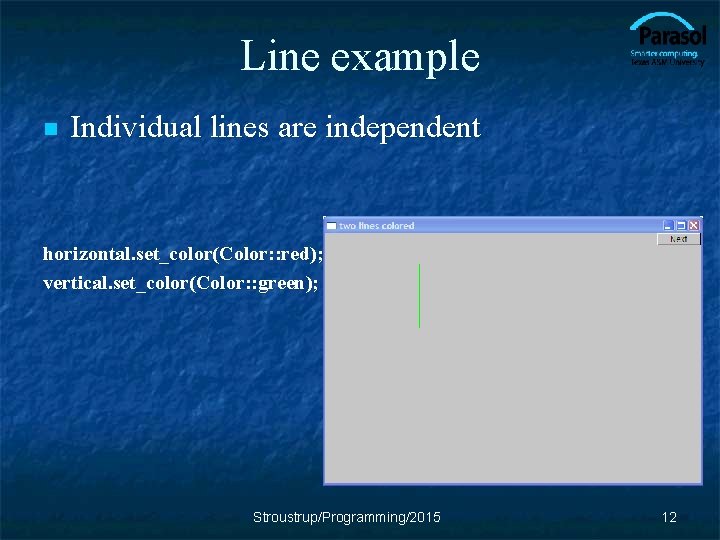
Line example n Individual lines are independent horizontal. set_color(Color: : red); vertical. set_color(Color: : green); Stroustrup/Programming/2015 12
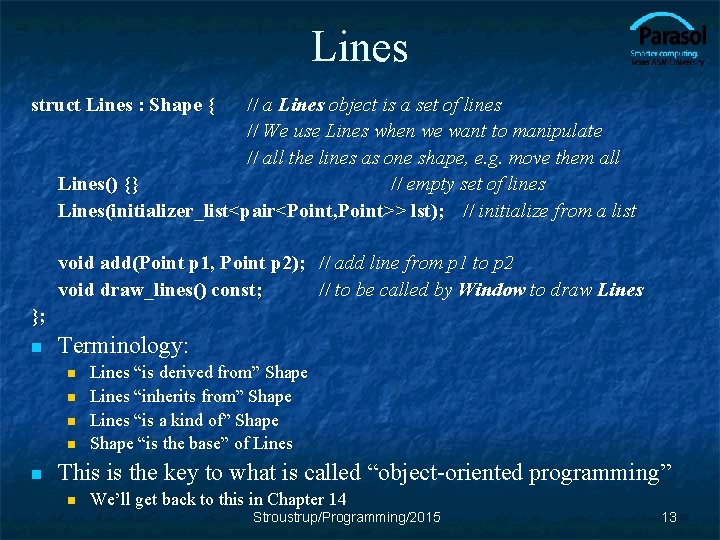
Lines struct Lines : Shape { // a Lines object is a set of lines // We use Lines when we want to manipulate // all the lines as one shape, e. g. move them all Lines() {} // empty set of lines Lines(initializer_list<pair<Point, Point>> lst); // initialize from a list void add(Point p 1, Point p 2); // add line from p 1 to p 2 void draw_lines() const; // to be called by Window to draw Lines }; n Terminology: n n n Lines “is derived from” Shape Lines “inherits from” Shape Lines “is a kind of” Shape “is the base” of Lines This is the key to what is called “object-oriented programming” n We’ll get back to this in Chapter 14 Stroustrup/Programming/2015 13
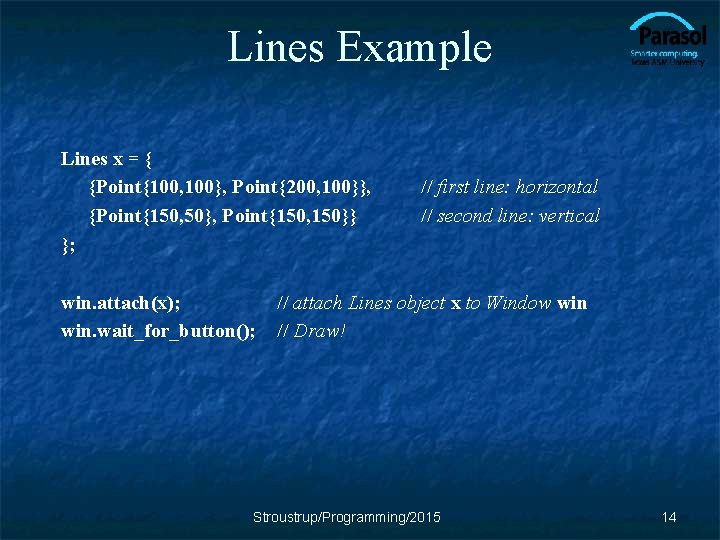
Lines Example Lines x = { {Point{100, 100}, Point{200, 100}}, {Point{150, 50}, Point{150, 150}} }; win. attach(x); win. wait_for_button(); // first line: horizontal // second line: vertical // attach Lines object x to Window win // Draw! Stroustrup/Programming/2015 14
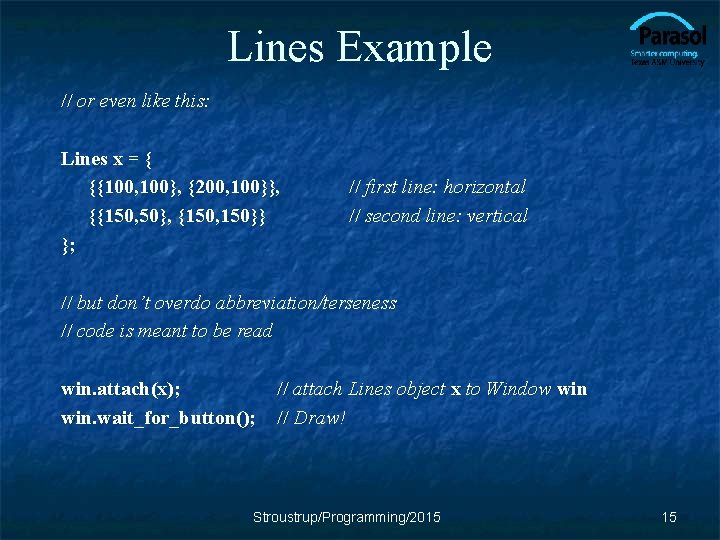
Lines Example // or even like this: Lines x = { {{100, 100}, {200, 100}}, {{150, 50}, {150, 150}} }; // first line: horizontal // second line: vertical // but don’t overdo abbreviation/terseness // code is meant to be read win. attach(x); win. wait_for_button(); // attach Lines object x to Window win // Draw! Stroustrup/Programming/2015 15
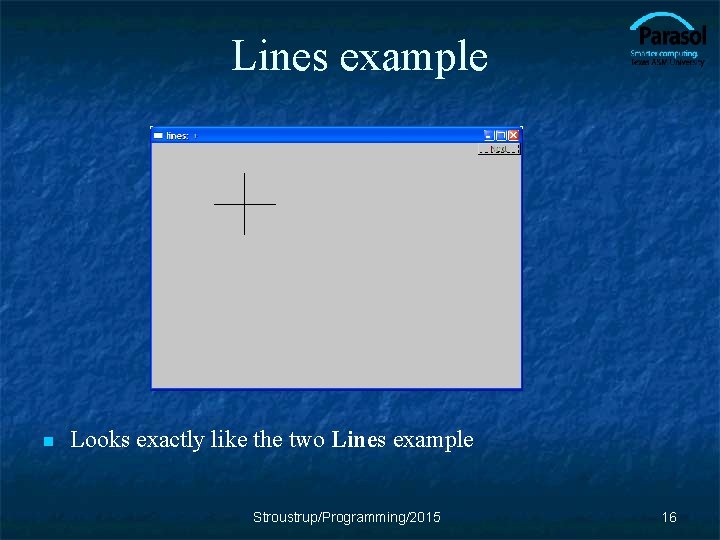
Lines example n Looks exactly like the two Lines example Stroustrup/Programming/2015 16
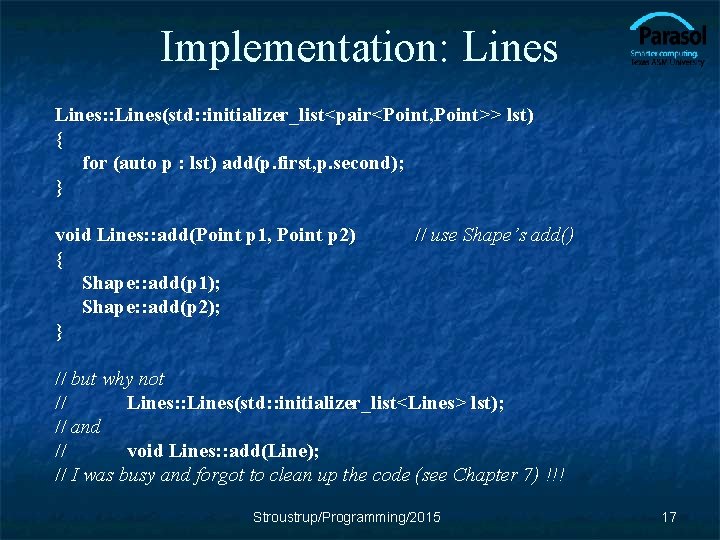
Implementation: Lines: : Lines(std: : initializer_list<pair<Point, Point>> lst) { for (auto p : lst) add(p. first, p. second); } void Lines: : add(Point p 1, Point p 2) { Shape: : add(p 1); Shape: : add(p 2); } // use Shape’s add() // but why not // Lines: : Lines(std: : initializer_list<Lines> lst); // and // void Lines: : add(Line); // I was busy and forgot to clean up the code (see Chapter 7) !!! Stroustrup/Programming/2015 17
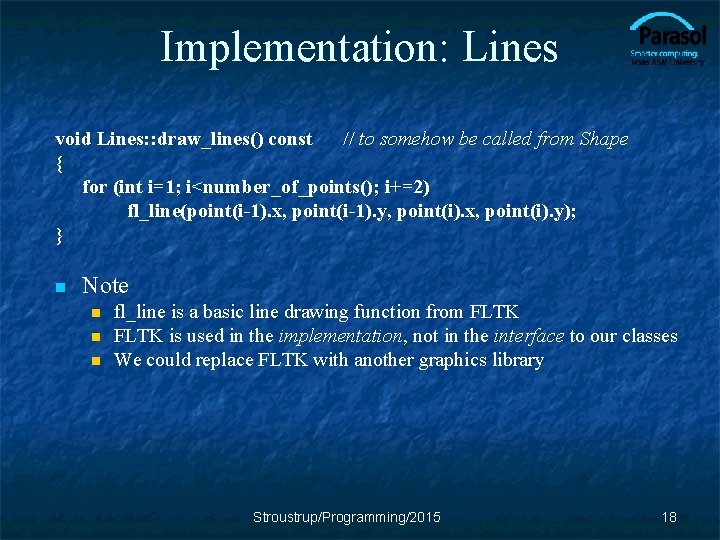
Implementation: Lines void Lines: : draw_lines() const // to somehow be called from Shape { for (int i=1; i<number_of_points(); i+=2) fl_line(point(i-1). x, point(i-1). y, point(i). x, point(i). y); } n Note n n n fl_line is a basic line drawing function from FLTK is used in the implementation, not in the interface to our classes We could replace FLTK with another graphics library Stroustrup/Programming/2015 18
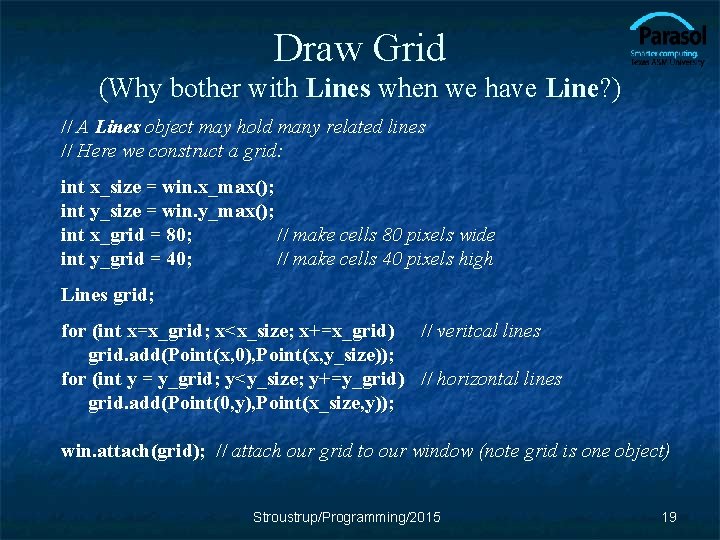
Draw Grid (Why bother with Lines when we have Line? ) // A Lines object may hold many related lines // Here we construct a grid: int x_size = win. x_max(); int y_size = win. y_max(); int x_grid = 80; // make cells 80 pixels wide int y_grid = 40; // make cells 40 pixels high Lines grid; for (int x=x_grid; x<x_size; x+=x_grid) // veritcal lines grid. add(Point(x, 0), Point(x, y_size)); for (int y = y_grid; y<y_size; y+=y_grid) // horizontal lines grid. add(Point(0, y), Point(x_size, y)); win. attach(grid); // attach our grid to our window (note grid is one object) Stroustrup/Programming/2015 19
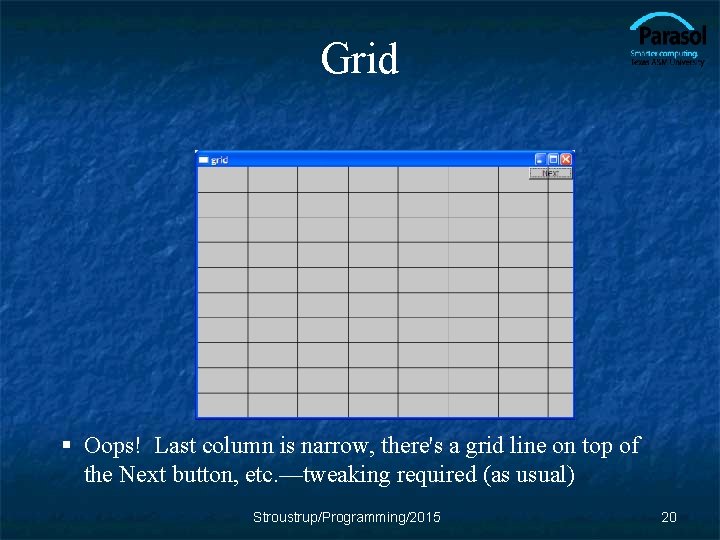
Grid § Oops! Last column is narrow, there's a grid line on top of the Next button, etc. —tweaking required (as usual) Stroustrup/Programming/2015 20
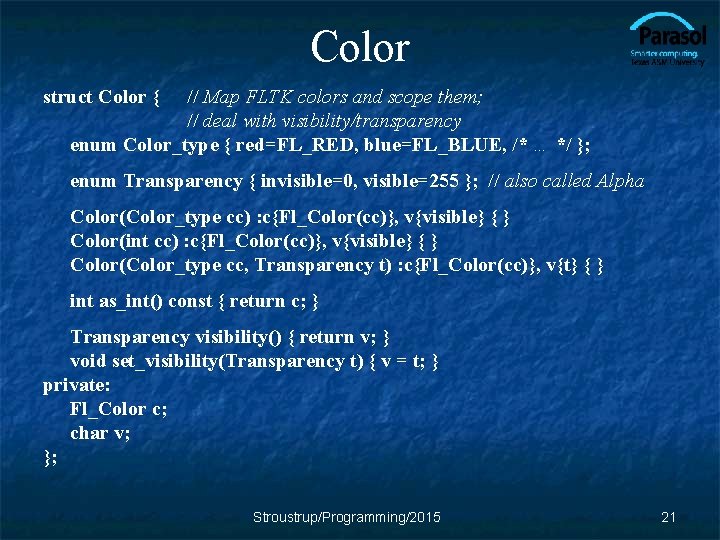
Color struct Color { // Map FLTK colors and scope them; // deal with visibility/transparency enum Color_type { red=FL_RED, blue=FL_BLUE, /* … */ }; enum Transparency { invisible=0, visible=255 }; // also called Alpha Color(Color_type cc) : c{Fl_Color(cc)}, v{visible} { } Color(int cc) : c{Fl_Color(cc)}, v{visible} { } Color(Color_type cc, Transparency t) : c{Fl_Color(cc)}, v{t} { } int as_int() const { return c; } Transparency visibility() { return v; } void set_visibility(Transparency t) { v = t; } private: Fl_Color c; char v; }; Stroustrup/Programming/2015 21
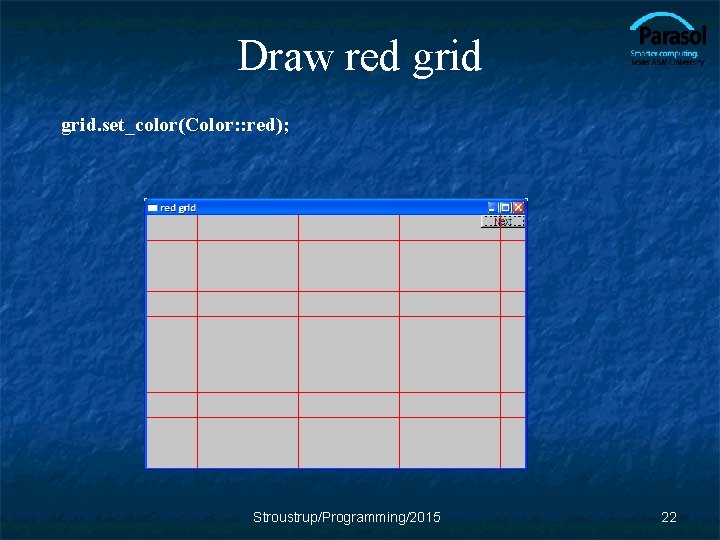
Draw red grid. set_color(Color: : red); Stroustrup/Programming/2015 22
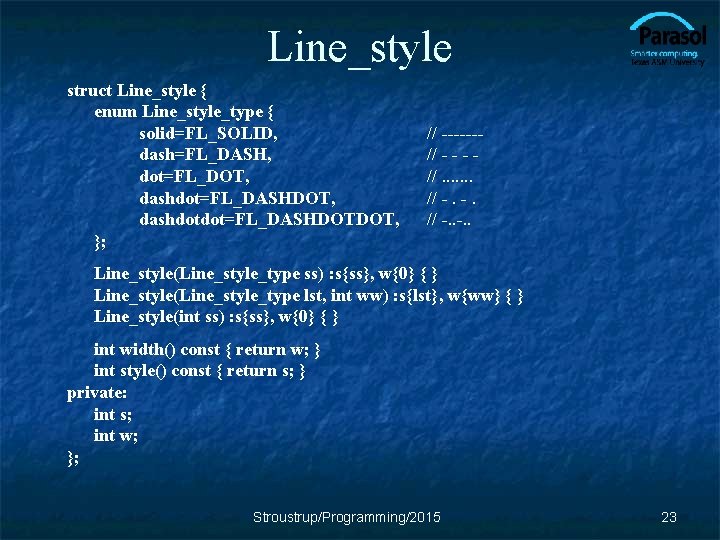
Line_style struct Line_style { enum Line_style_type { solid=FL_SOLID, dash=FL_DASH, dot=FL_DOT, dashdot=FL_DASHDOT, dashdotdot=FL_DASHDOTDOT, }; // ------// - - - //. . . . // -. -. // -. . Line_style(Line_style_type ss) : s{ss}, w{0} { } Line_style(Line_style_type lst, int ww) : s{lst}, w{ww} { } Line_style(int ss) : s{ss}, w{0} { } int width() const { return w; } int style() const { return s; } private: int s; int w; }; Stroustrup/Programming/2015 23
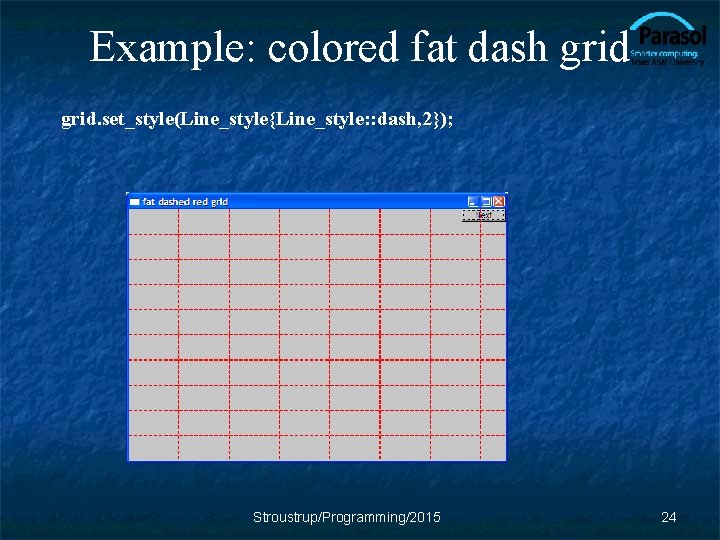
Example: colored fat dash grid. set_style(Line_style{Line_style: : dash, 2}); Stroustrup/Programming/2015 24
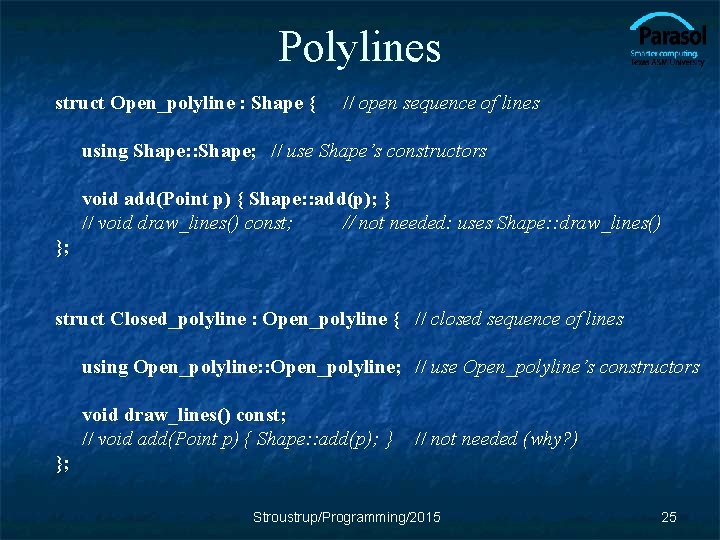
Polylines struct Open_polyline : Shape { // open sequence of lines using Shape: : Shape; // use Shape’s constructors void add(Point p) { Shape: : add(p); } // void draw_lines() const; // not needed: uses Shape: : draw_lines() }; struct Closed_polyline : Open_polyline { // closed sequence of lines using Open_polyline: : Open_polyline; // use Open_polyline’s constructors void draw_lines() const; // void add(Point p) { Shape: : add(p); } // not needed (why? ) }; Stroustrup/Programming/2015 25
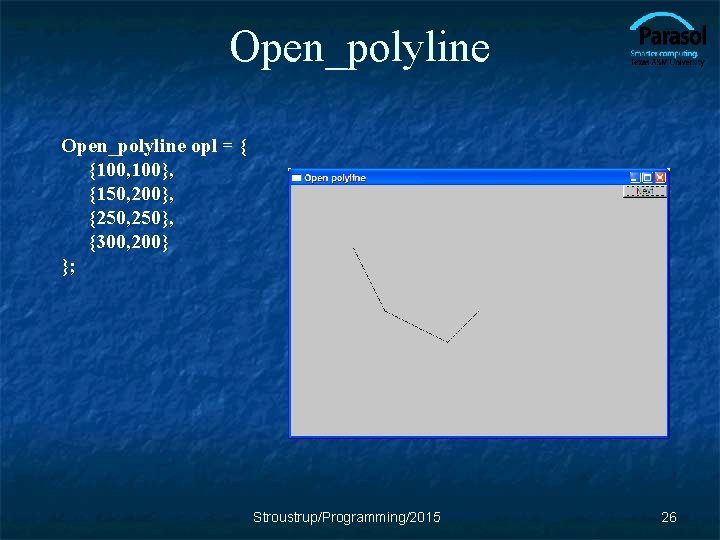
Open_polyline opl = { {100, 100}, {150, 200}, {250, 250}, {300, 200} }; Stroustrup/Programming/2015 26
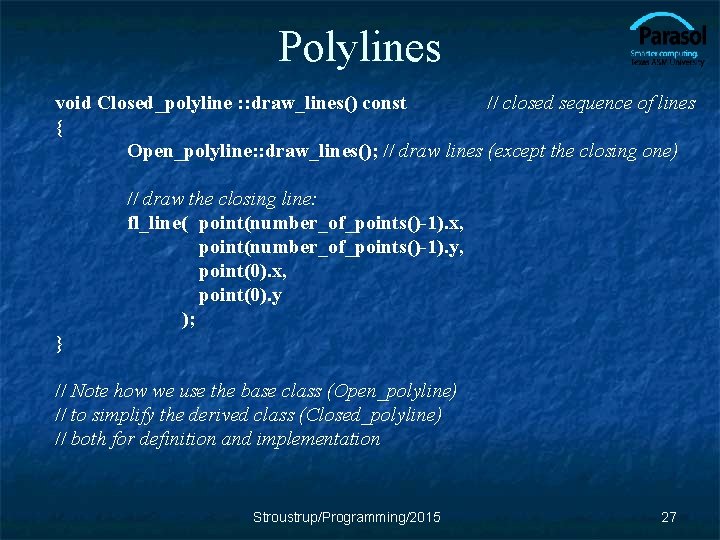
Polylines void Closed_polyline : : draw_lines() const // closed sequence of lines { Open_polyline: : draw_lines(); // draw lines (except the closing one) // draw the closing line: fl_line( point(number_of_points()-1). x, point(number_of_points()-1). y, point(0). x, point(0). y ); } // Note how we use the base class (Open_polyline) // to simplify the derived class (Closed_polyline) // both for definition and implementation Stroustrup/Programming/2015 27
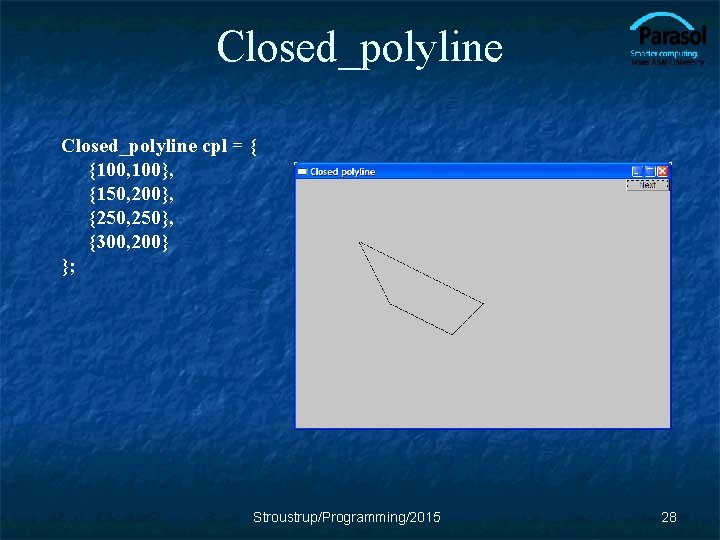
Closed_polyline cpl = { {100, 100}, {150, 200}, {250, 250}, {300, 200} }; Stroustrup/Programming/2015 28
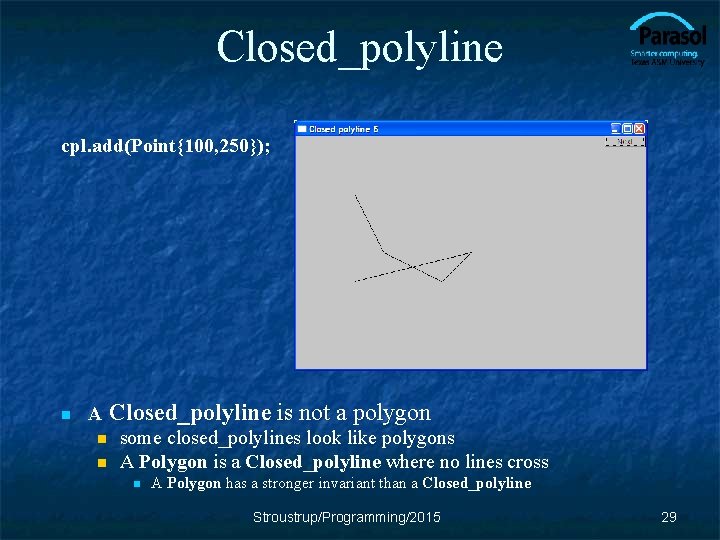
Closed_polyline cpl. add(Point{100, 250}); n A Closed_polyline is not a polygon n some closed_polylines look like polygons n A Polygon is a Closed_polyline where no lines cross n A Polygon has a stronger invariant than a Closed_polyline Stroustrup/Programming/2015 29
Text struct Text : Shape { Text(Point x, const string& s) // x is the bottom left of the first letter : lab{s} { add(x); } // store x in the Shape part of the Text object void draw_lines() const; // … the usual “getter and setter” member functions … private: string lab; // label Font fnt{fl_font()}; // character font of label, // with default int fnt_sz {fl_size()<14? 14: fl_size()}; // size of characters in pixels, // with default }; Stroustrup/Programming/2015 30
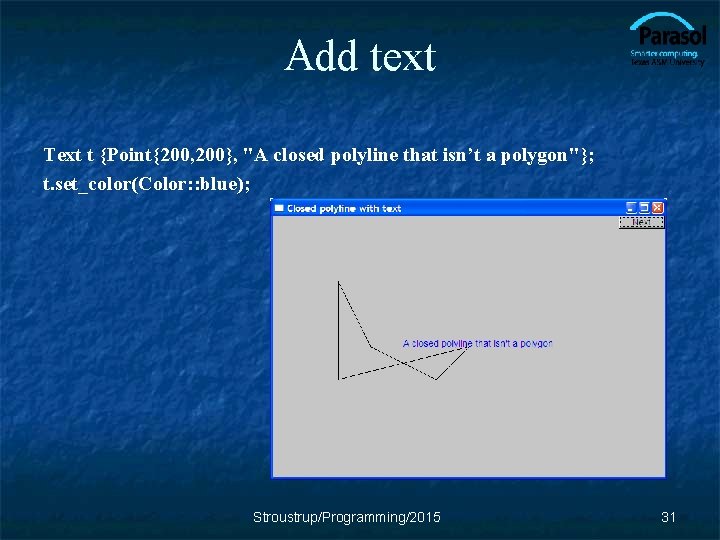
Add text Text t {Point{200, 200}, "A closed polyline that isn’t a polygon"}; t. set_color(Color: : blue); Stroustrup/Programming/2015 31
Implementation: Text void Text: : draw_lines() const { fl_draw(lab. c_str(), point(0). x, point(0). y); } // fl_draw() is a basic text drawing function from FLTK Stroustrup/Programming/2015 32
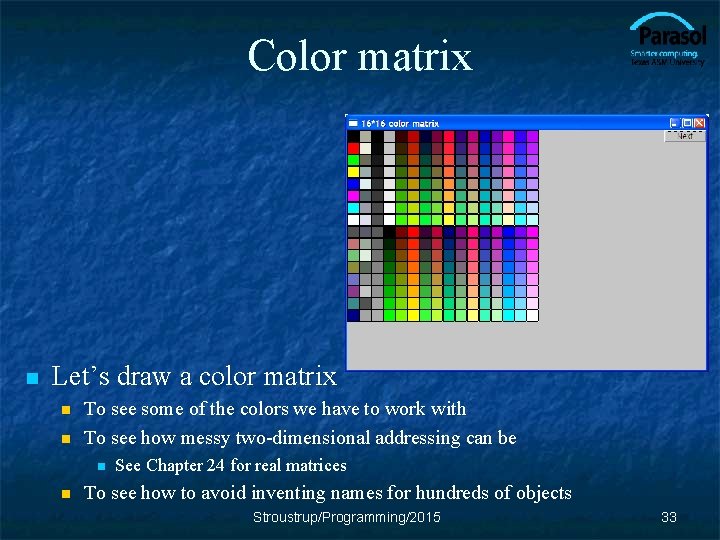
Color matrix n Let’s draw a color matrix n n To see some of the colors we have to work with To see how messy two-dimensional addressing can be n n See Chapter 24 for real matrices To see how to avoid inventing names for hundreds of objects Stroustrup/Programming/2015 33
Color Matrix (16*16) Simple_window win 20(pt, 600, 400, "16*16 color matrix"); Vector_ref<Rectangle> vr; // use like vector // but imagine that it holds references to objects for (int i = 0; i<16; ++i) { // i is the horizontal coordinate for (int j = 0; j<16; ++j) { // j is the vertical coordinate vr. push_back(new Rectangle(Point{i*20, j*20}, 20)); vr[vr. size()-1]. set_fill_color(Color{i*16+j}); win 20. attach(vr[vr. size()-1]); } // new makes an object that you can give to a Vector_ref to hold // Vector_ref is built using std: : vector, but is not in the standard library Stroustrup/Programming/2015 34
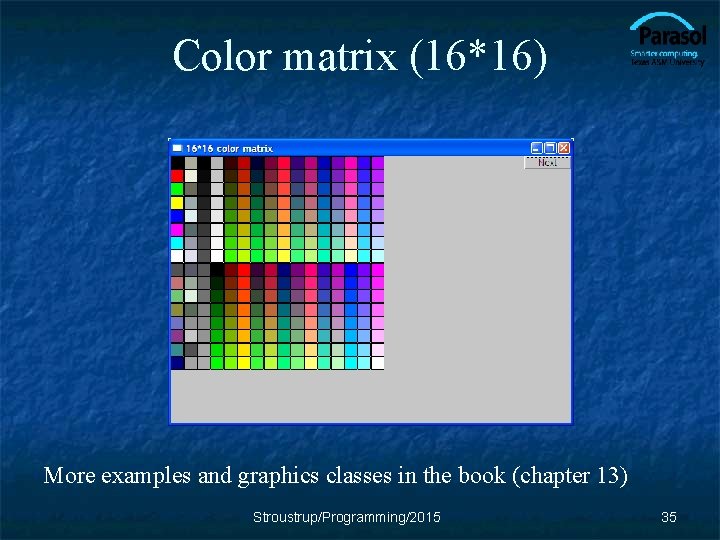
Color matrix (16*16) More examples and graphics classes in the book (chapter 13) Stroustrup/Programming/2015 35
Next lecture n n What is class Shape? Introduction to object-oriented programming Stroustrup/Programming/2015 36
- Slides: 36