
Chapter 12 Choosing interaction devices hardware components Introduction

- Slides: 17
Chapter 12 Choosing interaction devices: hardware components
Introduction n Every user interface consists of a mixture of design components ¨ Hardware components: also known as I/O devices, or interaction devices ¨ Software components: generated by the underlying computer program
Choosing Interaction Devices Interaction devices are tools used to complete a job n To choose between devices, you need to ask the right questions n ¨ Questions are driven by constraints of the technology and by the uses to which the technology will be put
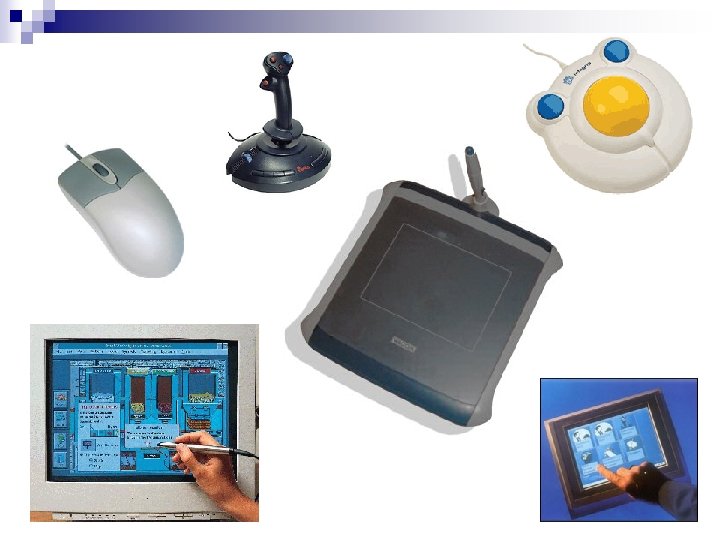
Input Devices Keyboards, keypads & buttons n Pointing devices n
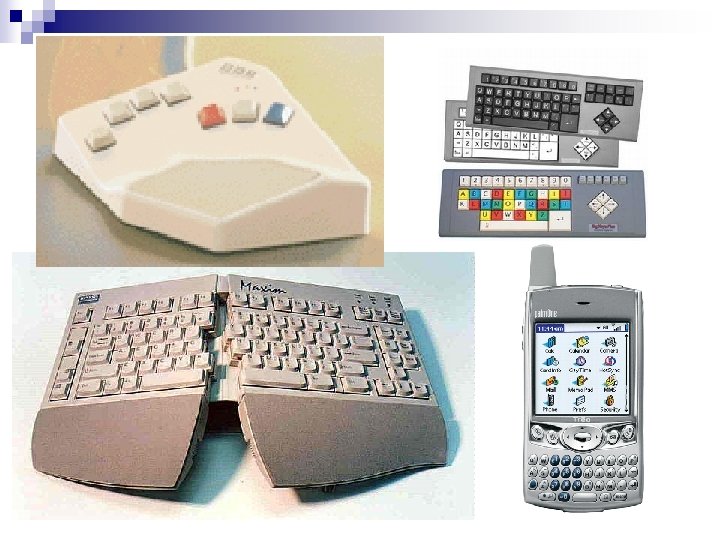
Input Devices n Keyboards, keypads & buttons ¨ Discrete input devices: can be used to enter individual items of information ¨ Questions: What size do the keys need to be? n What shape should the keyboard be? n How robust does the keyboard need to be? n Which keys/buttons are needed and how should they be labeled? n
Input Devices n Pointing Devices ¨ Continuous input devices: good at tasks that cannot be split easily into a number of discrete steps ¨ 2 types: Indirect: require the user to move a screen cursor using a secondary device n Direct: allow user to point directly at the relevant position on the screen n
Input Devices n Pointing Devices ¨ Questions: How easy to learn does the device need to be? n How accurate does the device need to be? n How much time will the user spend on the system? n How much space is there? n How robust does the device need to be? n How manually dexterous is the user? n
Input Devices n Alternative Approaches ¨ Gesture ¨ Iris & fingerprint recognition ¨ Eyetracking ¨ Handwriting recognition ¨ Speech recognition
Output Devices Screens n Loudspeakers n Simple output devices n
Output Devices n Screens ¨ Most common ¨ Can represent a wide variety of visual elements ¨ CRTs & LCDs
Output Devices n Screens ¨ Questions How detailed does the image need to be? n How many colors are needed? n How large does the screen need to be? n Does the screen need to be portable? n How much space is there? n
Output Devices n Loudspeakers ¨ Questions n How are the speakers going to be used?
Output Devices n Simple output devices ¨ Lights, dials, gauges and buzzers ¨ Questions n Will the data being output be better represented in analog or digital form?
Output Devices n Alternative approaches ¨ Head-up displays ¨ Head-mounted displays (virtual reality systems) ¨ Stereoscopic displays
Questions?