
Chapter 10 Writing and Printing Documents Getting Started
- Slides: 19
Chapter 10 Writing and Printing Documents
Getting Started • FAQs: – Can word processing software improve my writing? – How does word processing software help me format a document? – Does word processing software provide standard document styles? – What’s desktop publishing software? – Do I need DTP software? Practical PC 6 th Edition Chapter 10 2
Can word processing software improve my writing? • Word processing software provides tools for: – Entering and revising text – Adding graphical elements – Specifying formats – Printing documents • Use your word processing software to: – Organize your ideas – Clarify your wording Practical PC 6 th Edition Chapter 10 3
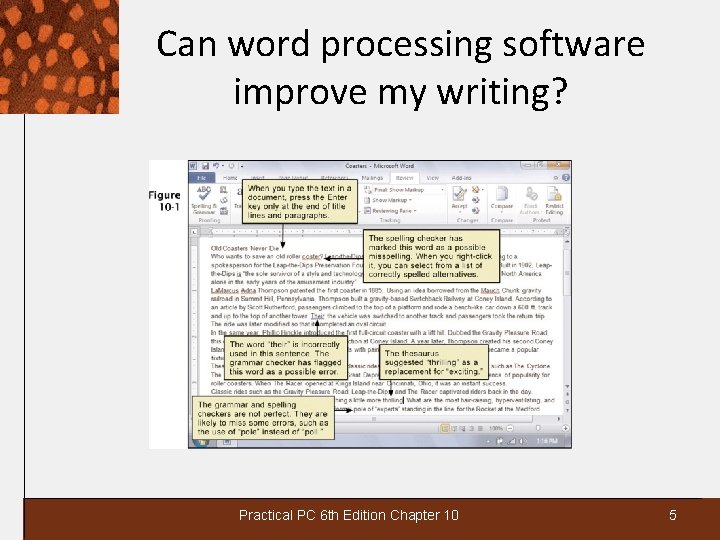
Can word processing software improve my writing? • When you type the “raw” text you do not need to press the Enter key except at the end of: – titles – paragraphs – bullet points • Software will word wrap to the next line if you do not press the Enter key • Tools to improve wording and sentence structure: – Grammar checker to check for grammar errors – Thesaurus to find dynamic synonyms – Spelling checker to check for spelling errors Practical PC 6 th Edition Chapter 10 4
Can word processing software improve my writing? Practical PC 6 th Edition Chapter 10 5
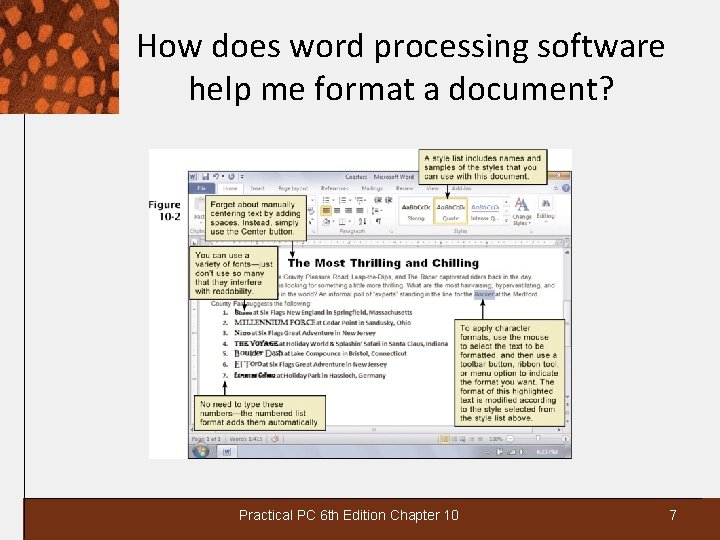
How does word processing software help me format a document? • You can format one or more characters in a document to change: – Text colors – Font: The design or typeface of each text character – Font size: Measured in points with 10 pt. being typical size • To apply formats, such as bold or italics, use the mouse to select the text, then use the toolbar button, ribbon tool, or menu option to indicate the format you want • Paragraph format options include margin settings, line spacing, lists, and alignment • Style is a set of character and paragraph attributes that you define and name Practical PC 6 th Edition Chapter 10 6
How does word processing software help me format a document? Practical PC 6 th Edition Chapter 10 7
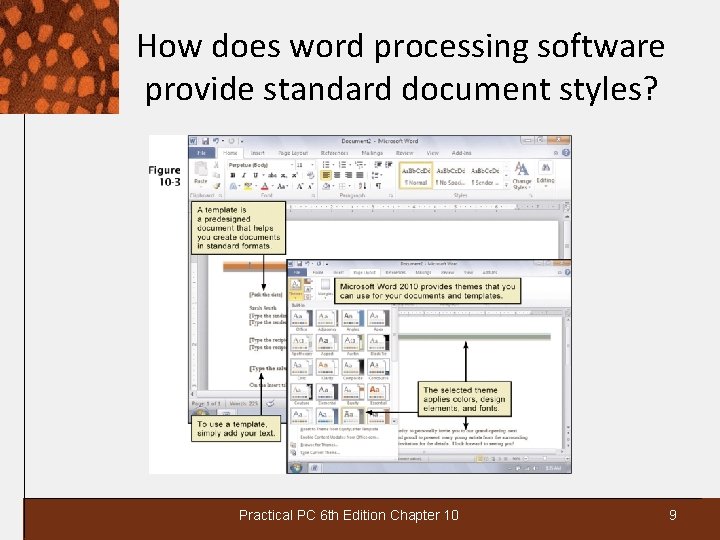
How does word processing software provide standard document styles? • Word processing software offers page format options: – Header text for the top of the page – Footer text for the bottom of the page – Portrait or landscape orientation • You can change the “look” of a document by using a style sheet (also called a theme) or template: – Style sheet or theme is a collection of format settings that you can apply – Template is a set of formats saved for later use • You can access predesigned templates that help guide you on the proper style of documents Practical PC 6 th Edition Chapter 10 8
How does word processing software provide standard document styles? Practical PC 6 th Edition Chapter 10 9
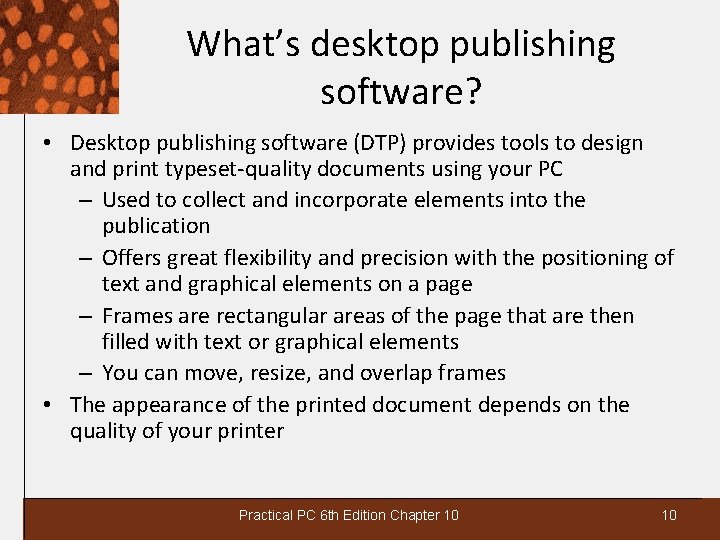
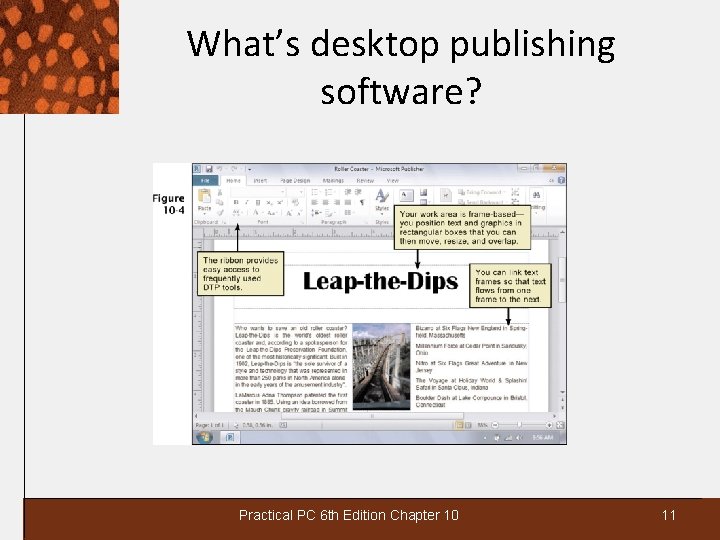
What’s desktop publishing software? • Desktop publishing software (DTP) provides tools to design and print typeset-quality documents using your PC – Used to collect and incorporate elements into the publication – Offers great flexibility and precision with the positioning of text and graphical elements on a page – Frames are rectangular areas of the page that are then filled with text or graphical elements – You can move, resize, and overlap frames • The appearance of the printed document depends on the quality of your printer Practical PC 6 th Edition Chapter 10 10
What’s desktop publishing software? Practical PC 6 th Edition Chapter 10 11
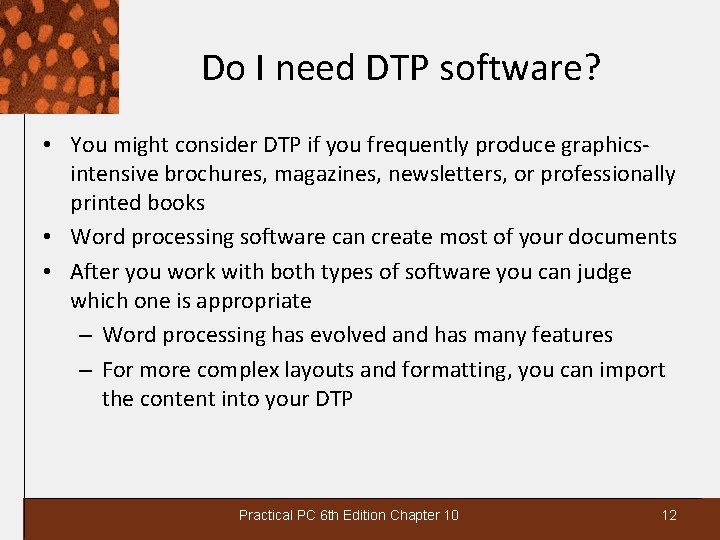
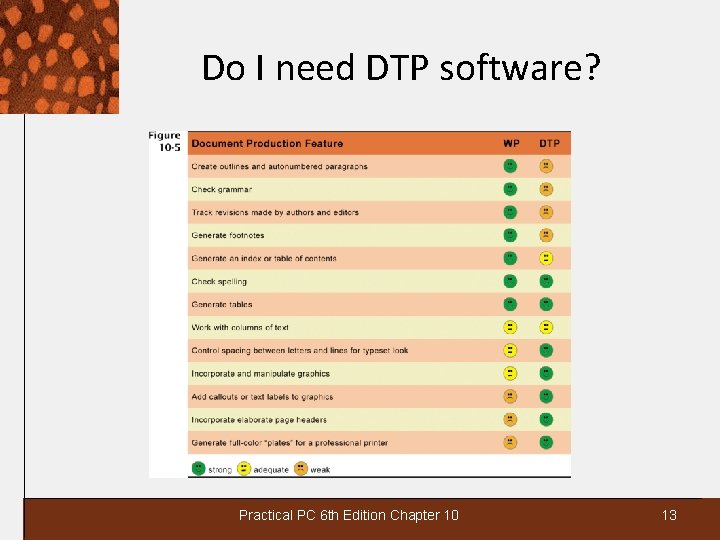
Do I need DTP software? • You might consider DTP if you frequently produce graphicsintensive brochures, magazines, newsletters, or professionally printed books • Word processing software can create most of your documents • After you work with both types of software you can judge which one is appropriate – Word processing has evolved and has many features – For more complex layouts and formatting, you can import the content into your DTP Practical PC 6 th Edition Chapter 10 12
Do I need DTP software? Practical PC 6 th Edition Chapter 10 13
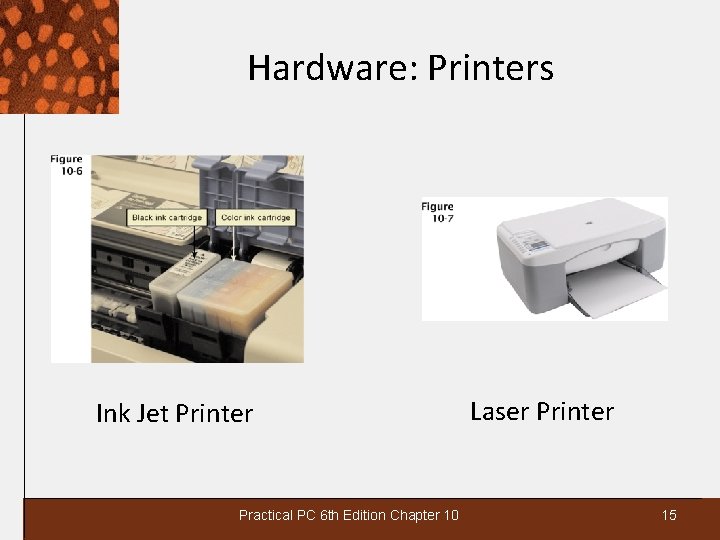
Hardware: Printers • A printer is a device that converts computer output into images on sheets of paper or other media − Print resolution is the density of the gridwork of dots that form the image − Measured in dots per linear inch (dpi) • Ink jet printer − Nozzle-like print head that sprays ink − Most use CMYK color, which is cyan, magenta, yellow, and black − Can print 12 pages per minute − Excellent resolution Practical PC 6 th Edition Chapter 10 14
Hardware: Printers Ink Jet Printer Practical PC 6 th Edition Chapter 10 Laser Printer 15
Hardware: Printers • Laser printers − Use same technology as photocopier to “paint” dots of light on a light-sensitive drum − Output can range from 10 -40 pages per minute − Duty cycle is specified in pages per month and indicates how much output you can expect without breaking down − High quality printing − Accepts commands from a PC using the Printer Control Language or Post. Script language Practical PC 6 th Edition Chapter 10 16
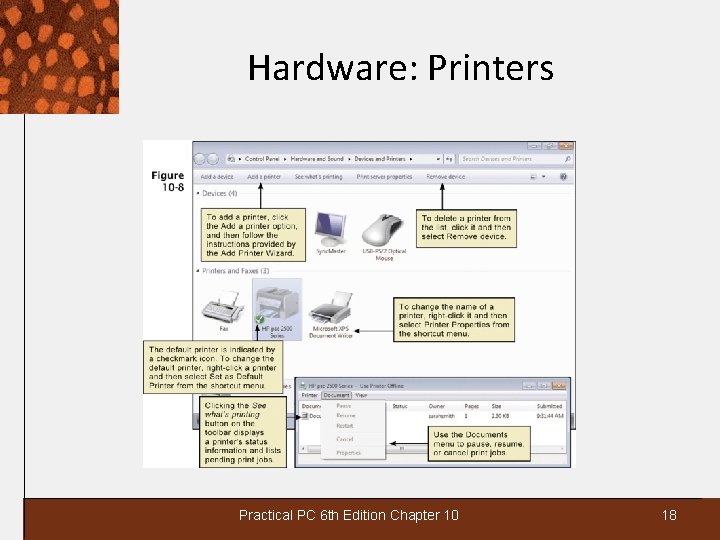
Hardware: Printers • Dot matrix printers − Introduced in late 1970’s and still in use − Prints using a matrix of fine wires − Speed is measured in characters per second (CPS) − Low quality printing − Windows includes driver software for many printers − The default printer is used for day-to-day print jobs Practical PC 6 th Edition Chapter 10 17
Hardware: Printers Practical PC 6 th Edition Chapter 10 18
What’s the truth got to do with it? • What do you think? – In your opinion, can people typically recognize false information in print, on the Web, or on TV? – Have you believed information from a reliable source that you later discovered was false? – Do you think that governments should penalize people who knowingly disseminate false information? Practical PC 6 th Edition Chapter 10 19