
Chapter 10 Switcher and Switching Kevin Bechet Preview
Chapter 10 - Switcher and Switching Kevin Bechet
Preview ü Key Terms ü Principles of Switching
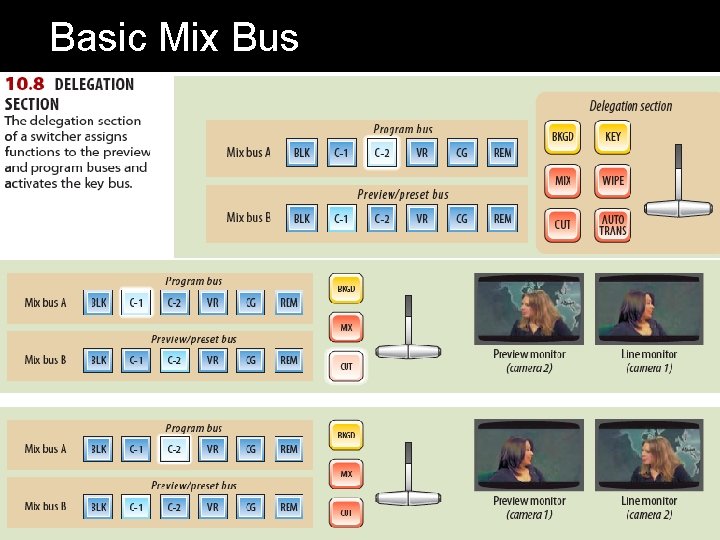
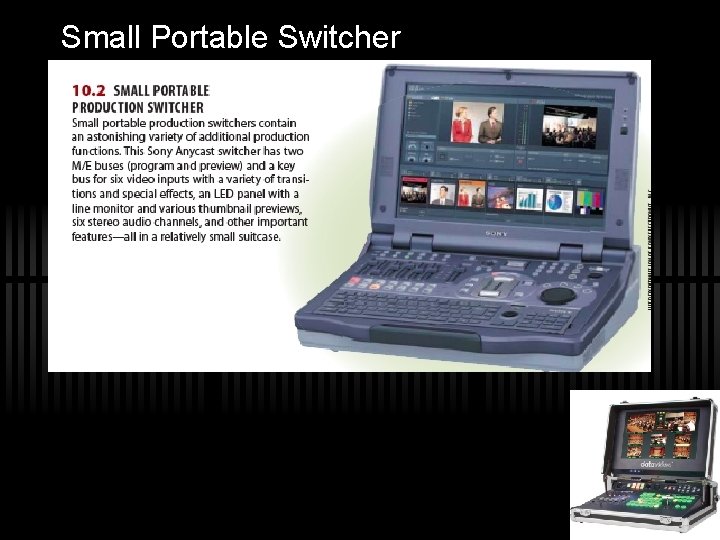
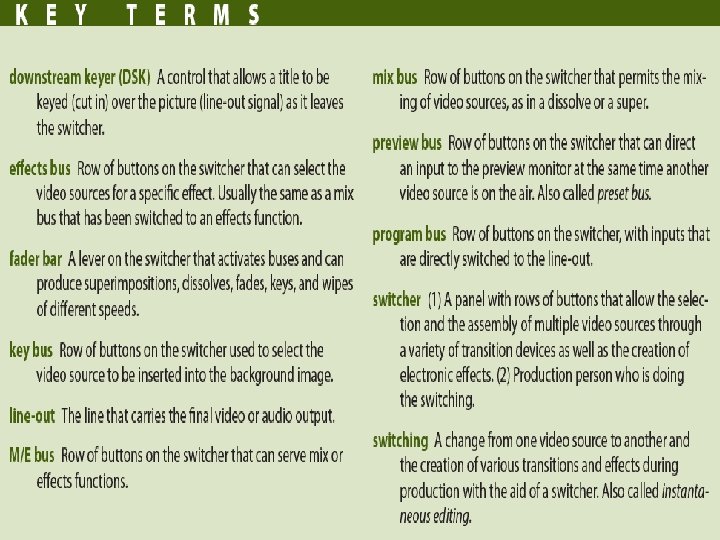
Key Terms ü Switcher- A panel with rows of buttons that allows the selection and the assembly of various video sources through a variety of transition devices as well as the creation of electronic effects. ü Switching- A change from one video source to another and the creation of various transitions and effects during production with the aide of a switcher. ü Preview Bus- Row of buttons on the switcher that can direct an input to the preview monitor. ü Program Bus- Row of buttons on the switcher, with inputs that are directly switched to the lineout.
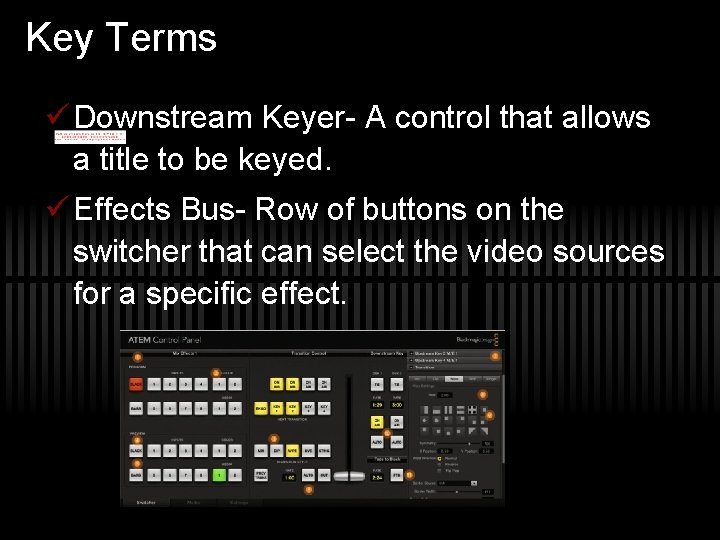
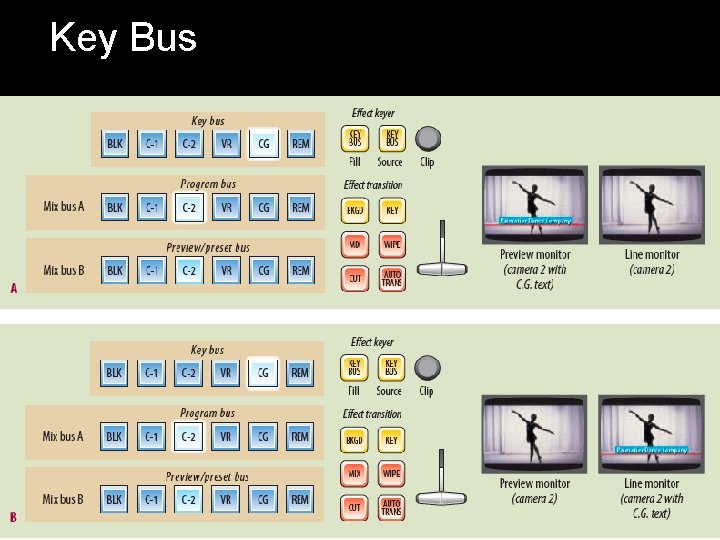
Key Terms ü Downstream Keyer- A control that allows a title to be keyed. ü Effects Bus- Row of buttons on the switcher that can select the video sources for a specific effect.
Key Terms ü Fader Bar- A level on the switcher that activates the buses and can producer superimpositions, dissolves, keys and wipes. ü Key Bus- Row of buttons on the switcher used to select the video source to be inserted in the background image.
Key Terms ü Line out- The line that carries the final video or audio output. ü M/E bus- Row of buttons on the switcher that can serve mix or effects functions. ü Mix Bus- Rows of buttons on the switcher that permit the mixing of video sources.
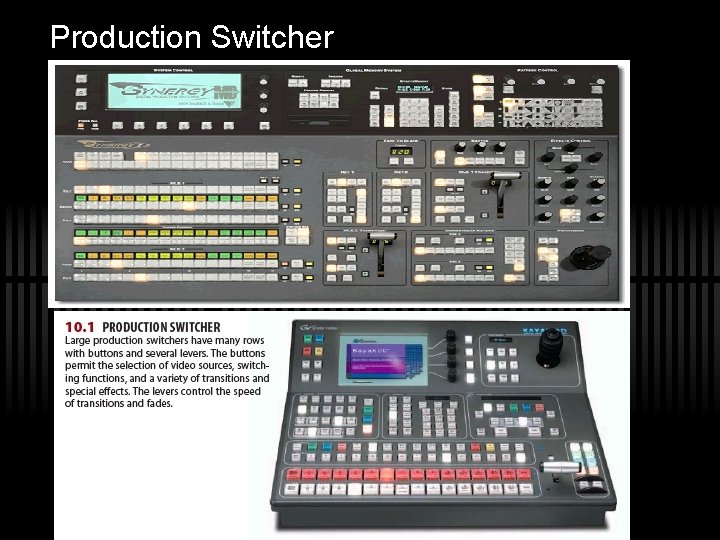
Production Switcher
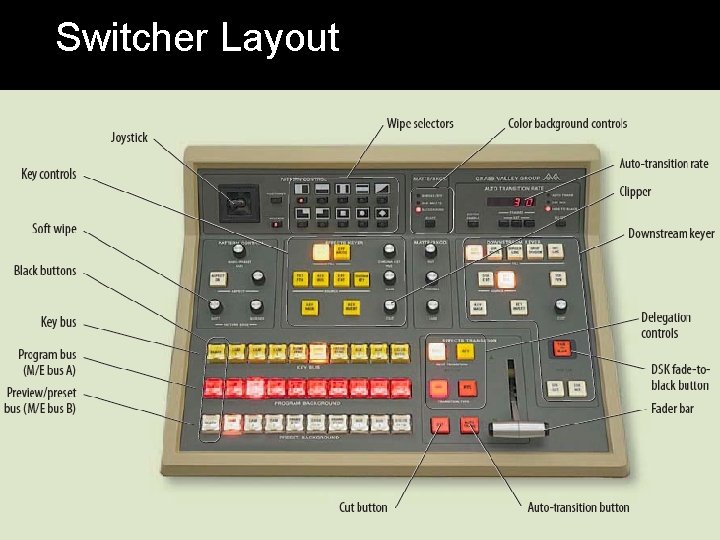
Switcher Layout
Basic Mix Bus
Key Bus
Small Portable Switcher

Virtual Switcher
- Slides: 13