
Chapter 10 Information Technology and Systems Infrastructure Assessment
- Slides: 16
Chapter 10 Information Technology and Systems Infrastructure Assessment 1 © 2007
EHR System Architecture • Computing architecture refers to the technical building blocks that support the operation and use of a computer system • Fundamental computer system architecture supports – Input/output – Processing – Storage © 2007
Input/Output (I/O) Devices • Also known as human-computer interfaces, because they are the connection between a human and the computing power of the application in the computer • Input/output devices: • • Personal computers Workstations Desktops Laptops/Notebooks Tablets PDAs Smart phones • • Keyboards Display screens Navigational devices Optical character recognition (OCR) Document scanners Bar codes Voice/speech input Printers © 2007
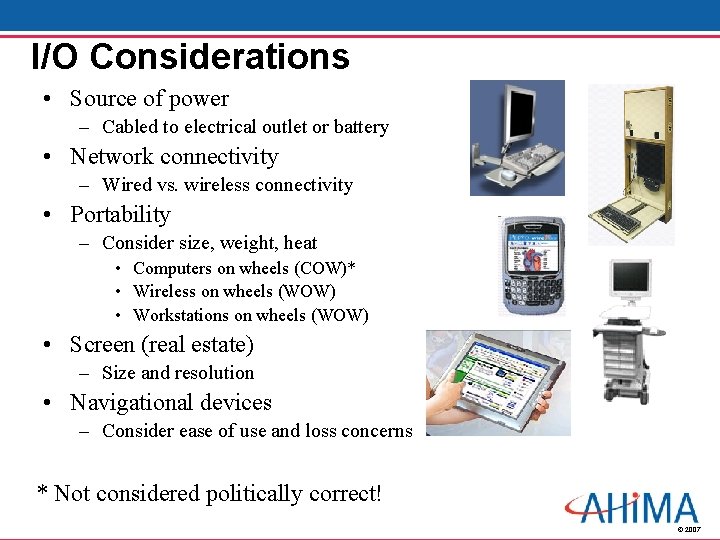
I/O Considerations • Source of power – Cabled to electrical outlet or battery • Network connectivity – Wired vs. wireless connectivity • Portability – Consider size, weight, heat • Computers on wheels (COW)* • Wireless on wheels (WOW) • Workstations on wheels (WOW) • Screen (real estate) – Size and resolution • Navigational devices – Consider ease of use and loss concerns * Not considered politically correct! © 2007
Data Storage • “Secondary” storage devices = drives – Secondary to primary storage in the computer’s processors • Storage media – – Magnetic tape Magnetic disks Optical disks Flash drives/USB drives • Storage configuration: RAID • Storage area networks (SAN) • Storage management © 2007
Computer Categories • • Supercomputer Mainframe computer Minicomputers Microcomputers Portable microcomputers Handheld computers Network computers (thin clients) © 2007
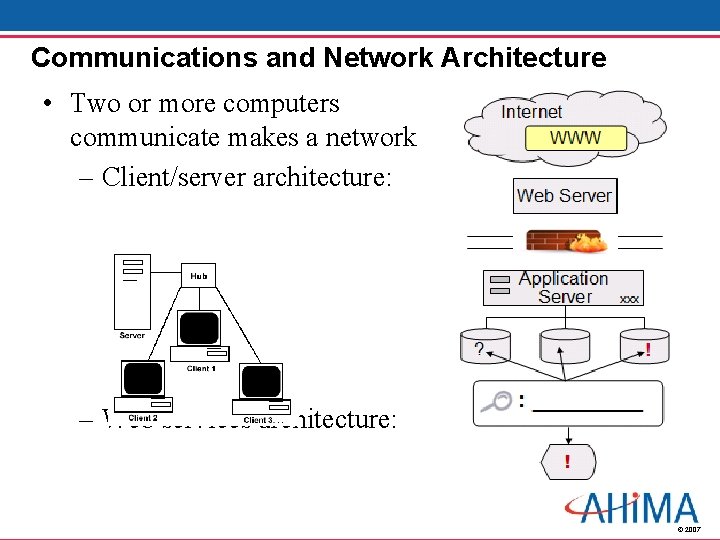
Communications and Network Architecture • Two or more computers communicate makes a network – Client/server architecture: – Web services architecture: © 2007
Network Configuration • • • LAN WLAN VPN Topology – Physical – Logical © 2007
Network Components • Network Operating System – Windows, Unix, or other • Network Interface – NIC, LAN Adapters, wireless access card • Transmission Medium – Hardwire cable, infrared light, radio frequencies • Other devices – – – Hub Bridge Router switch Gateway Multiplexor Modems © 2007
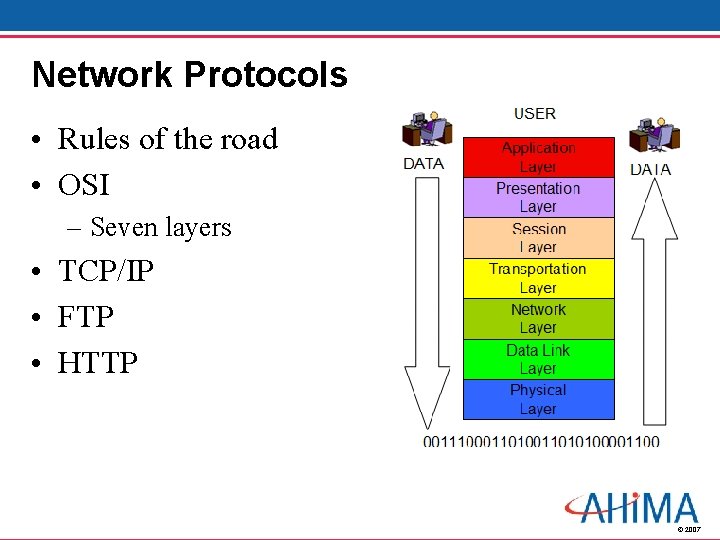
Network Protocols • Rules of the road • OSI – Seven layers • TCP/IP • FTP • HTTP © 2007
Application Software • Operating System (O/S) – Platform • Application software (source code) – Makes applications perform their functions • Application integration – Different applications which have been designed from the same platform to work together • Application interface – Hardware, software, data definition, messaging protocols to exchange data between applications from different systems © 2007
Standards Related Organizations • • HL 7 DICOM NCPDP IEEE ANSI-ASC X 12 N ASTM HITSP © 2007
Systems Reliability, Privacy & Security • Reliability – Errors – Crashes – Performance problems • Privacy and Security – HISPC – HIPAA Privacy Rule – HIPAA Security Rule – State data breach notification laws © 2007
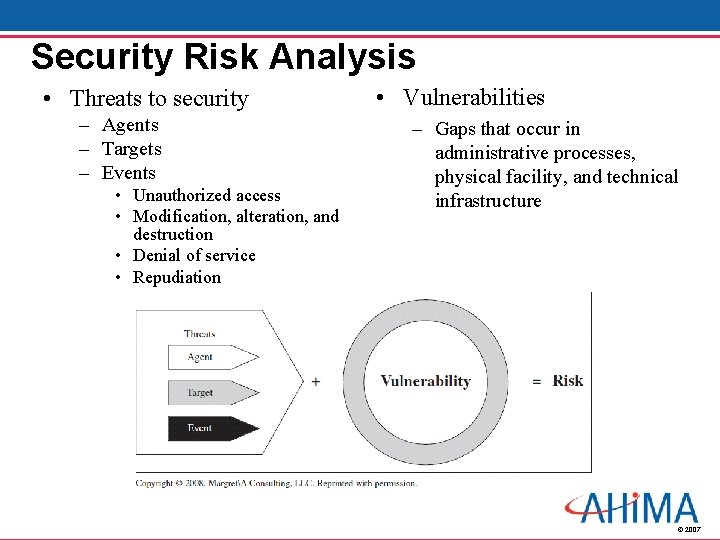
Security Risk Analysis • Threats to security – Agents – Targets – Events • Unauthorized access • Modification, alteration, and destruction • Denial of service • Repudiation • Vulnerabilities – Gaps that occur in administrative processes, physical facility, and technical infrastructure © 2007
Security Controls • • Management support Applications and data criticality analysis Policies and procedures Information security official User responsibility Administrative, physical, and technical controls Training Ongoing auditing and monitoring © 2007
Conclusion • Information technology and systems infrastructure assessment – Describes current environment – Compares to standards/user needs – Evaluates technical requirements for new applications – Plans for acquisition of technology – Plans for technology obsolescence © 2007