
Chapter 10 Exceptions Java Software Solutions Foundations of
- Slides: 36
Chapter 10: Exceptions Java Software Solutions Foundations of Program Design Sixth Edition by Lewis & Loftus Copyright © 2009 Pearson Education, Inc. Publishing as Pearson Addison-Wesley
Exceptions • Exception handling is an important aspect of object-oriented design • Chapter 10 focuses on: – – – – the purpose of exceptions exception messages the try-catch statement propagating exceptions the exception class hierarchy GUI mnemonics and tool tips more GUI components and containers Copyright © 2009 Pearson Education, Inc. Publishing as Pearson Addison-Wesley 2
Outline Exception Handling The try-catch Statement Exception Classes I/O Exceptions Tool Tips and Mnemonics Combo Boxes Scroll Panes and Split Panes Copyright © 2009 Pearson Education, Inc. Publishing as Pearson Addison-Wesley 3
Exceptions • An exception is an object that describes an unusual or erroneous situation • Exceptions are thrown by a program, and may be caught and handled by another part of the program • A program can be separated into a normal execution flow and an exception execution flow • An error is also represented as an object in Java, but usually represents a unrecoverable situation and should not be caught Copyright © 2009 Pearson Education, Inc. Publishing as Pearson Addison-Wesley 4
Exception Handling • Java has a predefined set of exceptions and errors that can occur during execution • A program can deal with an exception in one of three ways: – ignore it – handle it where it occurs – handle it an another place in the program • The manner in which an exception is processed is an important design consideration Copyright © 2009 Pearson Education, Inc. Publishing as Pearson Addison-Wesley 5
Exception Handling • If an exception is ignored by the program, the program will terminate abnormally and produce an appropriate message • The message includes a call stack trace that: – indicates the line on which the exception occurred – shows the method call trail that lead to the attempted execution of the offending line • See Zero. java Copyright © 2009 Pearson Education, Inc. Publishing as Pearson Addison-Wesley 6
Outline Exception Handling The try-catch Statement Exception Classes I/O Exceptions Tool Tips and Mnemonics Combo Boxes Scroll Panes and Split Panes Copyright © 2009 Pearson Education, Inc. Publishing as Pearson Addison-Wesley 7
The try Statement • To handle an exception in a program, the line that throws the exception is executed within a try block • A try block is followed by one or more catch clauses • Each catch clause has an associated exception type and is called an exception handler • When an exception occurs, processing continues at the first catch clause that matches the exception type • See Product. Codes. java Copyright © 2009 Pearson Education, Inc. Publishing as Pearson Addison-Wesley 8
The finally Clause • A try statement can have an optional clause following the catch clauses, designated by the reserved word finally • The statements in the finally clause always are executed • If no exception is generated, the statements in the finally clause are executed after the statements in the try block complete • If an exception is generated, the statements in the finally clause are executed after the statements in the appropriate catch clause complete Copyright © 2009 Pearson Education, Inc. Publishing as Pearson Addison-Wesley 9
Exception Propagation • An exception can be handled at a higher level if it is not appropriate to handle it where it occurs • Exceptions propagate up through the method calling hierarchy until they are caught and handled or until they reach the level of the main method • A try block that contains a call to a method in which an exception is thrown can be used to catch that exception • See Propagation. java • See Exception. Scope. java Copyright © 2009 Pearson Education, Inc. Publishing as Pearson Addison-Wesley 10
Outline Exception Handling The try-catch Statement Exception Classes I/O Exceptions Tool Tips and Mnemonics Combo Boxes Scroll Panes and Split Panes Copyright © 2009 Pearson Education, Inc. Publishing as Pearson Addison-Wesley 11
The Exception Class Hierarchy • Classes that define exceptions are related by inheritance, forming an exception class hierarchy • All error and exception classes are descendents of the Throwable class • A programmer can define an exception by extending the Exception class or one of its descendants • The parent class used depends on how the new exception will be used Copyright © 2009 Pearson Education, Inc. Publishing as Pearson Addison-Wesley 12
Checked Exceptions • An exception is either checked or unchecked • A checked exception either must be caught by a method, or must be listed in the throws clause of any method that may throw or propagate it • A throws clause is appended to the method header • The compiler will issue an error if a checked exception is not caught or asserted in a throws clause Copyright © 2009 Pearson Education, Inc. Publishing as Pearson Addison-Wesley 13
Unchecked Exceptions • An unchecked exception does not require explicit handling, though it could be processed that way • The only unchecked exceptions in Java are objects of type Runtime. Exception or any of its descendants • Errors are similar to Runtime. Exception and its descendants in that: – Errors should not be caught – Errors do not require a throws clause Copyright © 2009 Pearson Education, Inc. Publishing as Pearson Addison-Wesley 14
The throw Statement • Exceptions are thrown using the throw statement • Usually a throw statement is executed inside an if statement that evaluates a condition to see if the exception should be thrown • See Creating. Exceptions. java • See Out. Of. Range. Exception. java Copyright © 2009 Pearson Education, Inc. Publishing as Pearson Addison-Wesley 15
Outline Exception Handling The try-catch Statement Exception Classes I/O Exceptions Tool Tips and Mnemonics Combo Boxes Scroll Panes and Split Panes Copyright © 2009 Pearson Education, Inc. Publishing as Pearson Addison-Wesley 16
I/O Exceptions • Let's examine issues related to exceptions and I/O • A stream is a sequence of bytes that flow from a source to a destination • In a program, we read information from an input stream and write information to an output stream • A program can manage multiple streams simultaneously Copyright © 2009 Pearson Education, Inc. Publishing as Pearson Addison-Wesley 17
Standard I/O • There are three standard I/O streams: – standard output – defined by System. out – standard input – defined by System. in – standard error – defined by System. err • We use System. out when we execute println statements • System. out and System. err typically represent a particular window on the monitor screen • System. in typically represents keyboard input, which we've used many times with Scanner objects Copyright © 2009 Pearson Education, Inc. Publishing as Pearson Addison-Wesley 18
The IOException Class • Operations performed by some I/O classes may throw an IOException – A file might not exist – Even if the file exists, a program may not be able to find it – The file might not contain the kind of data we expect • An IOException is a checked exception Copyright © 2009 Pearson Education, Inc. Publishing as Pearson Addison-Wesley 19
Writing Text Files • In Chapter 5 we explored the use of the Scanner class to read input from a text file • Let's now examine other classes that let us write data to a text file • The File. Writer class represents a text output file, but with minimal support for manipulating data • Therefore, we also rely on Print. Stream objects, which have print and println methods defined for them Copyright © 2009 Pearson Education, Inc. Publishing as Pearson Addison-Wesley 20
Writing Text Files • Finally, we'll also use the Print. Writer class for advanced internationalization and error checking • We build the class that represents the output file by combining these classes appropriately • See Test. Data. java • Output streams should be closed explicitly Copyright © 2009 Pearson Education, Inc. Publishing as Pearson Addison-Wesley 21
Outline Exception Handling The try-catch Statement Exception Classes I/O Exceptions Tool Tips and Mnemonics Combo Boxes Scroll Panes and Split Panes Copyright © 2009 Pearson Education, Inc. Publishing as Pearson Addison-Wesley 22
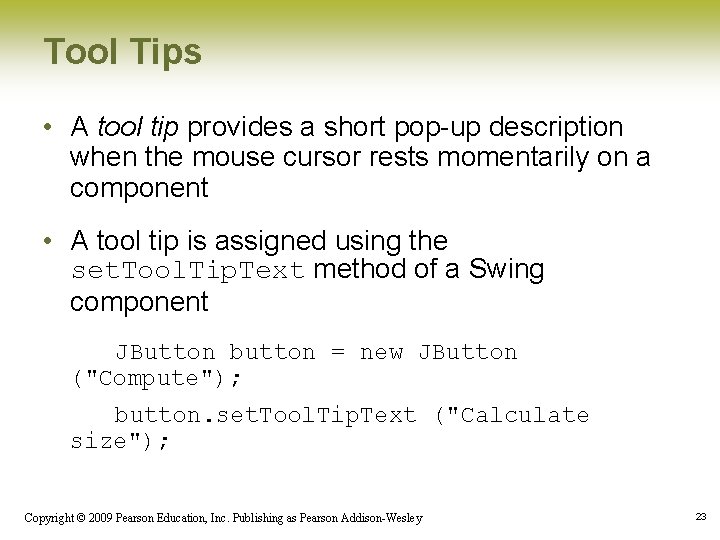
Tool Tips • A tool tip provides a short pop-up description when the mouse cursor rests momentarily on a component • A tool tip is assigned using the set. Tool. Tip. Text method of a Swing component JButton button = new JButton ("Compute"); button. set. Tool. Tip. Text ("Calculate size"); Copyright © 2009 Pearson Education, Inc. Publishing as Pearson Addison-Wesley 23
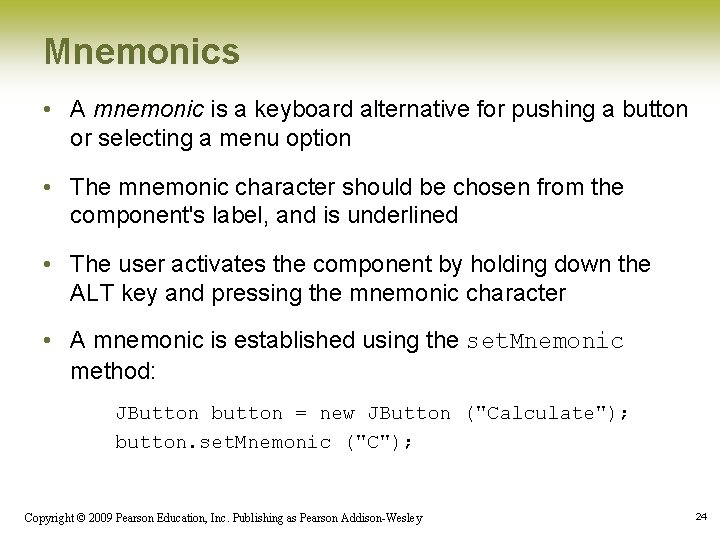
Mnemonics • A mnemonic is a keyboard alternative for pushing a button or selecting a menu option • The mnemonic character should be chosen from the component's label, and is underlined • The user activates the component by holding down the ALT key and pressing the mnemonic character • A mnemonic is established using the set. Mnemonic method: JButton button = new JButton ("Calculate"); button. set. Mnemonic ("C"); Copyright © 2009 Pearson Education, Inc. Publishing as Pearson Addison-Wesley 24
Disabled Components • Components can be disabled if they should not be used • A disabled component is "grayed out" and will not respond to user interaction • The status is set using the set. Enabled method: JButton button = new JButton (“Do It”); button. set. Enabled (false); Copyright © 2009 Pearson Education, Inc. Publishing as Pearson Addison-Wesley 25
GUI Design • The right combination of special features such as tool tips and mnemonics can enhance the usefulness of a GUI • See Light. Bulb. java • See Light. Bulb. Panel. java • See Light. Bulb. Controls. java Copyright © 2009 Pearson Education, Inc. Publishing as Pearson Addison-Wesley 26
Outline Exception Handling The try-catch Statement Exception Classes I/O Exceptions Tool Tips and Mnemonics Combo Boxes Scroll Panes and Split Panes Copyright © 2009 Pearson Education, Inc. Publishing as Pearson Addison-Wesley 27
Combo Boxes • A combo box provides a menu from which the user can choose one of several options • The currently selected option is shown in the combo box • A combo box shows its options only when the user presses it using the mouse • Options can be established using an array of strings or using the add. Item method Copyright © 2009 Pearson Education, Inc. Publishing as Pearson Addison-Wesley 28
The Juke. Box Program • A combo box generates an action event when the user makes a selection from it • See Juke. Box. java • See Juke. Box. Controls. java Copyright © 2009 Pearson Education, Inc. Publishing as Pearson Addison-Wesley 29
Outline Exception Handling The try-catch Statement Exception Classes I/O Exceptions Tool Tips and Mnemonics Combo Boxes Scroll Panes and Split Panes Copyright © 2009 Pearson Education, Inc. Publishing as Pearson Addison-Wesley 30
Scroll Panes • A scroll pane is useful for images or information too large to fit in a reasonably-sized area • A scroll pane offers a limited view of the component it contains • It provides vertical and/or horizontal scroll bars that allow the user to scroll to other areas of the component • No event listener is needed for a scroll pane • See Transit. Map. java Copyright © 2009 Pearson Education, Inc. Publishing as Pearson Addison-Wesley 31
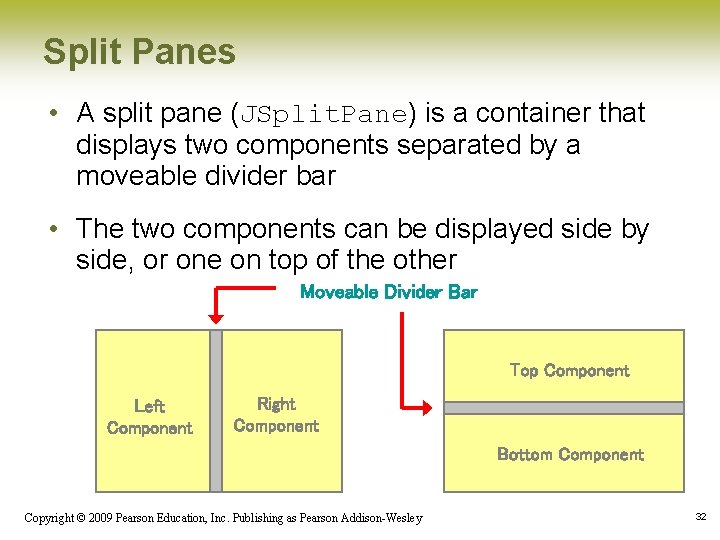
Split Panes • A split pane (JSplit. Pane) is a container that displays two components separated by a moveable divider bar • The two components can be displayed side by side, or one on top of the other Moveable Divider Bar Top Component Left Component Right Component Bottom Component Copyright © 2009 Pearson Education, Inc. Publishing as Pearson Addison-Wesley 32
Split Panes • The orientation of the split pane is set using the HORIZONTAL_SPLIT or VERTICAL_SPLIT constants • The divider bar can be set so that it can be fully expanded with one click of the mouse • The components can be continuously adjusted as the divider bar is moved, or wait until it stops moving • Split panes can be nested Copyright © 2009 Pearson Education, Inc. Publishing as Pearson Addison-Wesley 33
Lists • The Swing Jlist class represents a list of items from which the user can choose • The contents of a JList object can be specified using an array of objects • A JList object generates a list selection event when the current selection changes • See Pick. Image. java • See List. Panel. java Copyright © 2009 Pearson Education, Inc. Publishing as Pearson Addison-Wesley 34
Lists • A JList object can be set so that multiple items can be selected at the same time • The list selection mode can be one of three options: – single selection – only one item can be selected at a time – single interval selection – multiple, contiguous items can be selected at a time – multiple interval selection – any combination of items can be selected • The list selection mode is defined by a List. Selection. Model object Copyright © 2009 Pearson Education, Inc. Publishing as Pearson Addison-Wesley 35
Summary • Chapter 10 has focused on: • • the purpose of exceptions exception messages the try-catch statement propagating exceptions the exception class hierarchy GUI mnemonics and tool tips more GUI components and containers Copyright © 2009 Pearson Education, Inc. Publishing as Pearson Addison-Wesley 36