
Chapter 10 Designing and Writing ControlBreak Programs Types
Chapter 10 Designing and Writing Control-Break Programs
Types of Reports • Detail or Transaction Reports – Include one or more lines of output for each input record read • Exception Reports – Printout of individual records that meet fail to meet) certain criteria (or • Summary Reports – Summarizes rather than itemizes to provide more comprehensive information
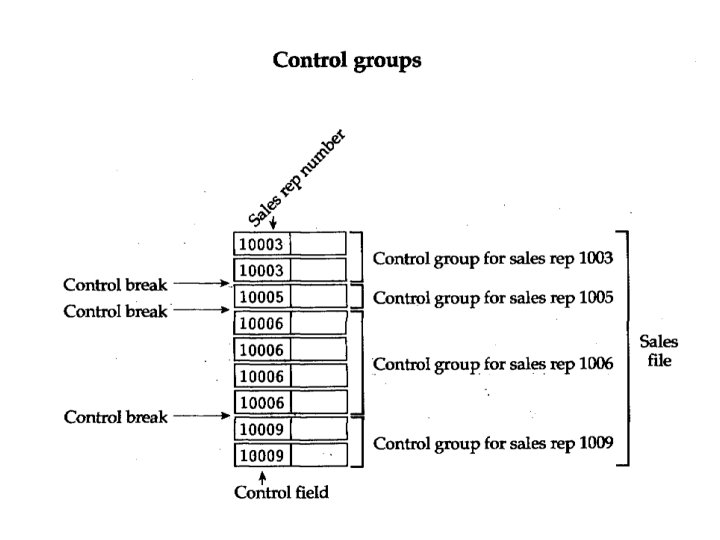
Topics • Single-Level Control-Break Programs – Sequence of input records is important – Data is sorted on the control-break field • Multiple-level Control-Break Programs – Input data is sorted on two or more fields • Control-Break is Similar to Page Breaks
Control-Break Processing • The input data must be sorted • (Note: Chapter 13 covers detail of how your program can sort a file) • For now, we will assume the input file is already sorted (i. e. , Sales Rep Number) • It could be sorted on two or three fields
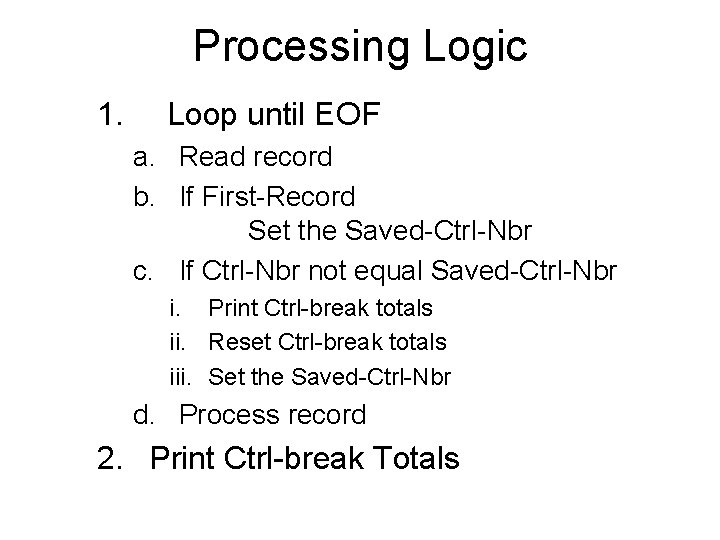
Processing Logic 1. Loop until EOF a. Read record b. If First-Record Set the Saved-Ctrl-Nbr c. If Ctrl-Nbr not equal Saved-Ctrl-Nbr i. Print Ctrl-break totals ii. Reset Ctrl-break totals iii. Set the Saved-Ctrl-Nbr d. Process record 2. Print Ctrl-break Totals
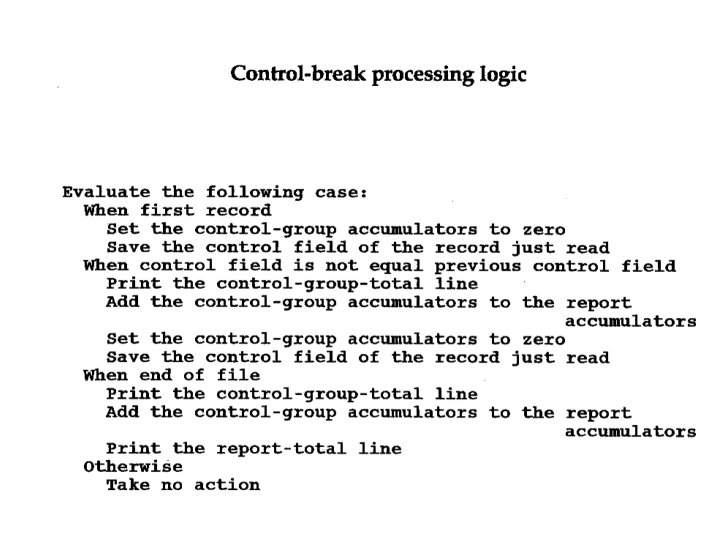
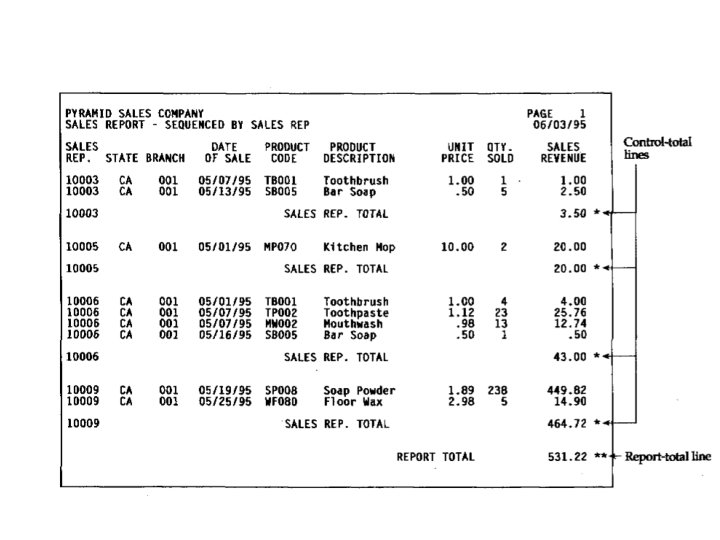
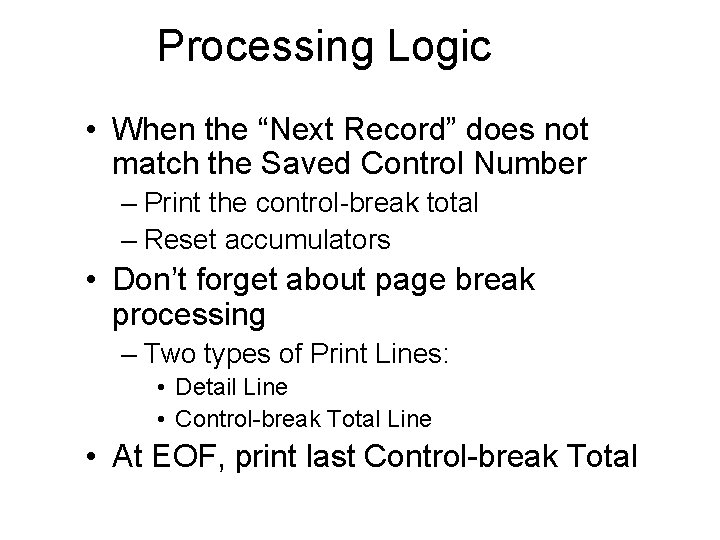
Processing Logic • When the “Next Record” does not match the Saved Control Number – Print the control-break total – Reset accumulators • Don’t forget about page break processing – Two types of Print Lines: • Detail Line • Control-break Total Line • At EOF, print last Control-break Total
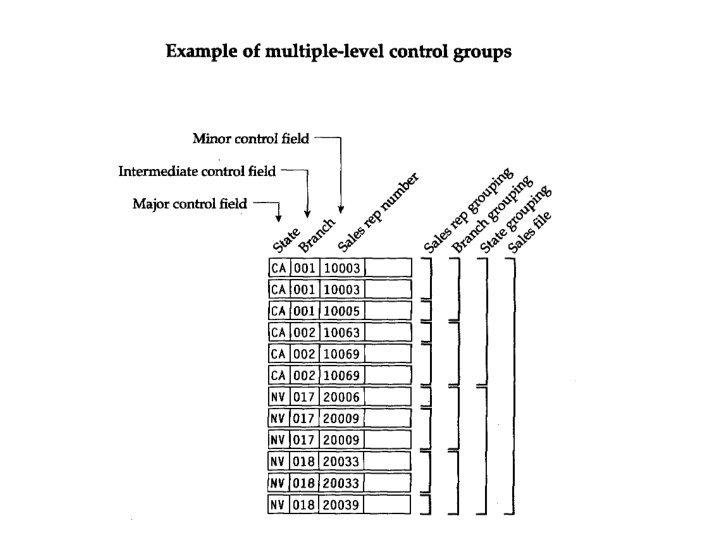
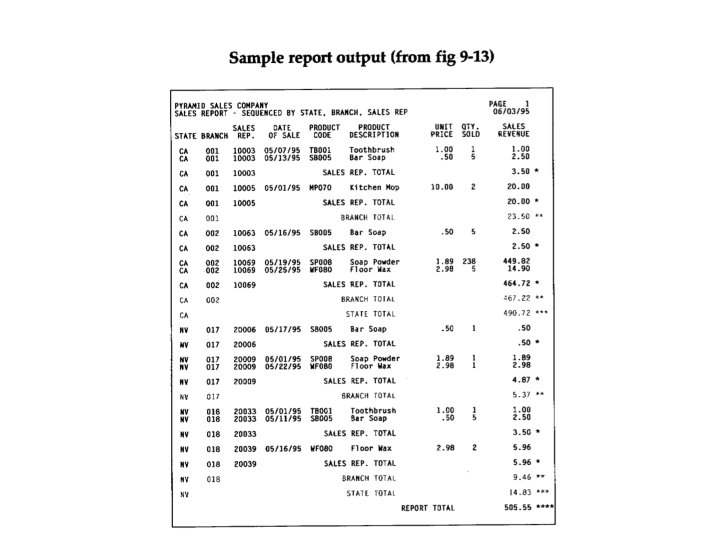
Complex Programs • Suppose there are two, or even three, control fields • The input file must be sorted on all fields (sorted in the proper sequence) • Sub-totals for each control-break
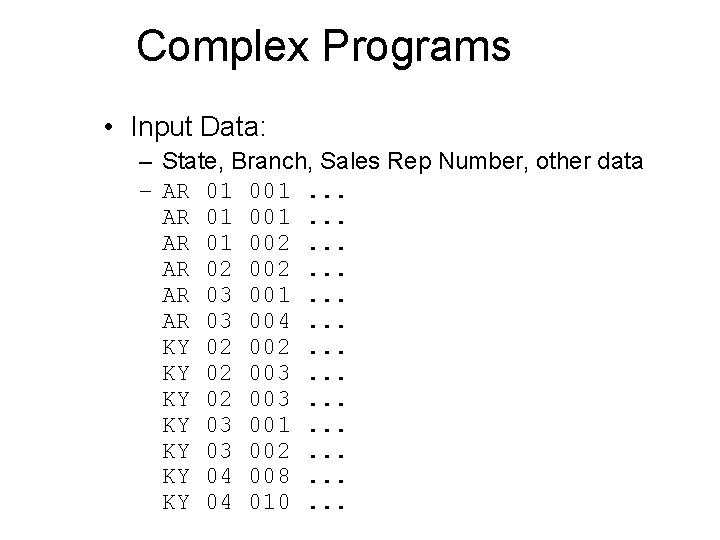
Complex Programs • Input Data: – State, Branch, Sales Rep Number, other data – AR 01 001. . . AR 01 002. . . AR 02 002. . . AR 03 001. . . AR 03 004. . . KY 02 002. . . KY 02 003. . . KY 03 001. . . KY 03 002. . . KY 04 008. . . KY 04 010. . .
- Slides: 13