
CHAPTER 10 Computer Peripherals The Architecture of Computer
- Slides: 47
CHAPTER 10: Computer Peripherals The Architecture of Computer Hardware, Systems Software & Networking: An Information Technology Approach 5 th Edition, Irv Englander John Wiley and Sons 2013 Power. Point slides authored by Angela Clark, University of South Alabama Power. Point slides for the 4 th edition were authored by Wilson Wong, Bentley University
Peripherals § Devices that are separate from the basic computer § Not the CPU, memory, or power source § Classified as input, output, and storage § Connect via § Ports § Interface to system bus Copyright 2013 John Wiley & Sons, Inc. 10 -2
Storage Devices § Primary memory § Secondary storage § Data and programs must be copied to primary memory for CPU access § Permanence of data – nonvolatile § Online storage § Offline storage – loaded when needed § Network file storage p File servers, web servers, database servers § Direct access storage devices (DASDs) Copyright 2013 John Wiley & Sons, Inc. 10 -3
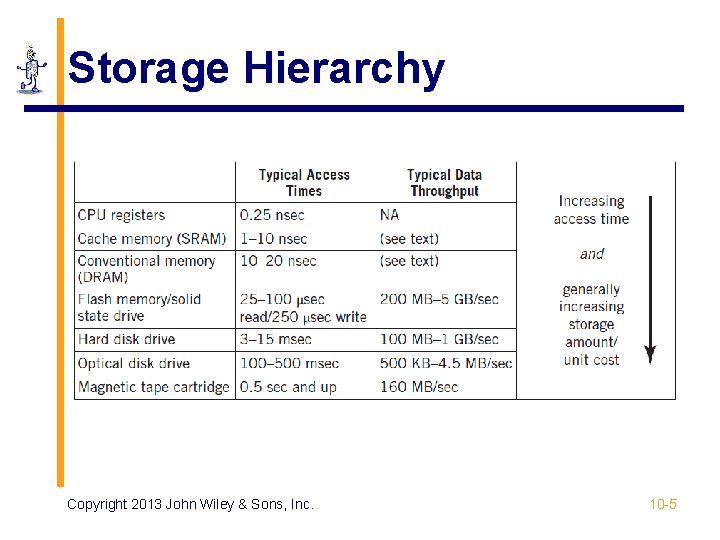
Speed § Measured by access time and data transfer rate § Access time: average time it takes a computer to locate data and read it § millisecond (msec) = one thousandth of a second; 0. 01 seconds § microsecond (μsec) = one millionth of a second § nanosecond (nsec) = one billionth of a second § Data transfer rate: amount of data moved per second Copyright 2013 John Wiley & Sons, Inc. 10 -4
Storage Hierarchy Copyright 2013 John Wiley & Sons, Inc. 10 -5
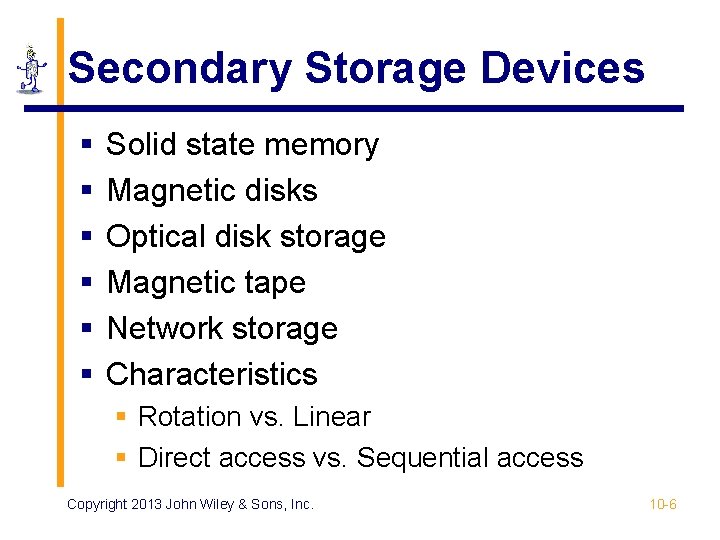
Secondary Storage Devices § § § Solid state memory Magnetic disks Optical disk storage Magnetic tape Network storage Characteristics § Rotation vs. Linear § Direct access vs. Sequential access Copyright 2013 John Wiley & Sons, Inc. 10 -6
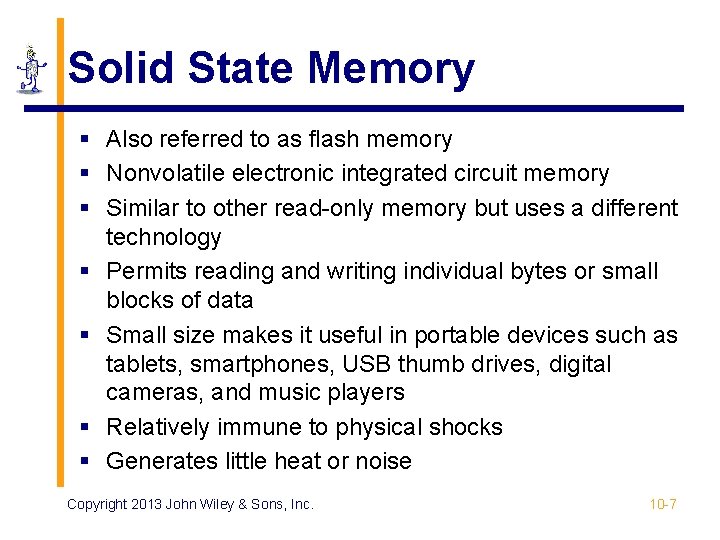
Solid State Memory § Also referred to as flash memory § Nonvolatile electronic integrated circuit memory § Similar to other read-only memory but uses a different technology § Permits reading and writing individual bytes or small blocks of data § Small size makes it useful in portable devices such as tablets, smartphones, USB thumb drives, digital cameras, and music players § Relatively immune to physical shocks § Generates little heat or noise Copyright 2013 John Wiley & Sons, Inc. 10 -7
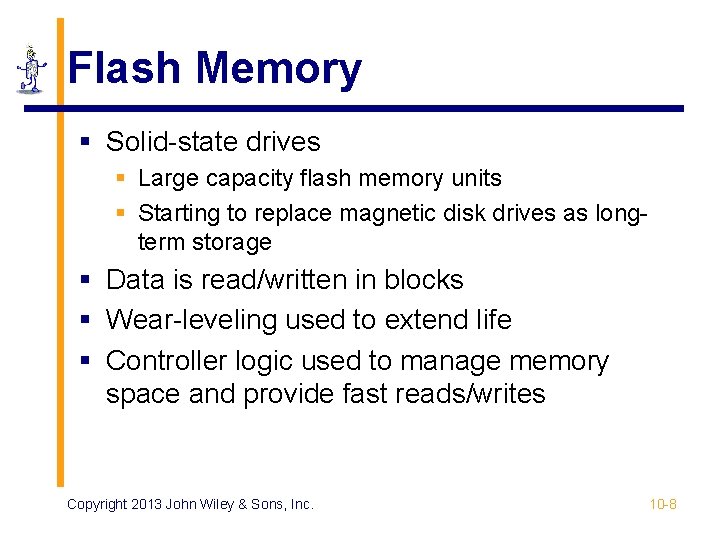
Flash Memory § Solid-state drives § Large capacity flash memory units § Starting to replace magnetic disk drives as longterm storage § Data is read/written in blocks § Wear-leveling used to extend life § Controller logic used to manage memory space and provide fast reads/writes Copyright 2013 John Wiley & Sons, Inc. 10 -8
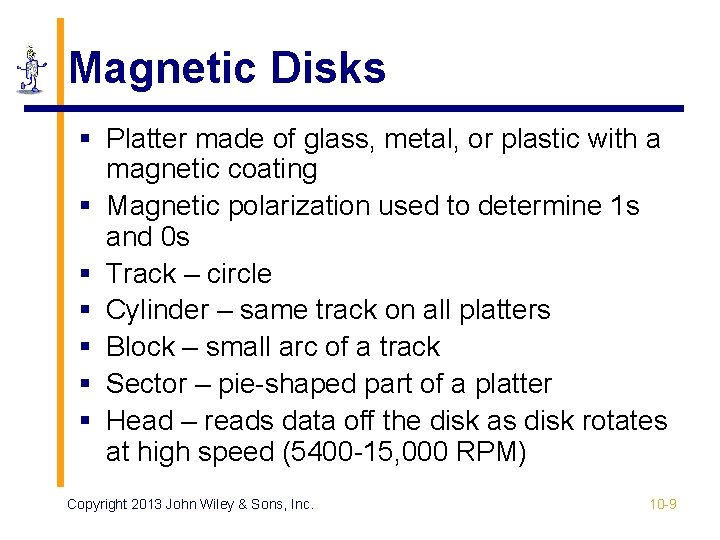
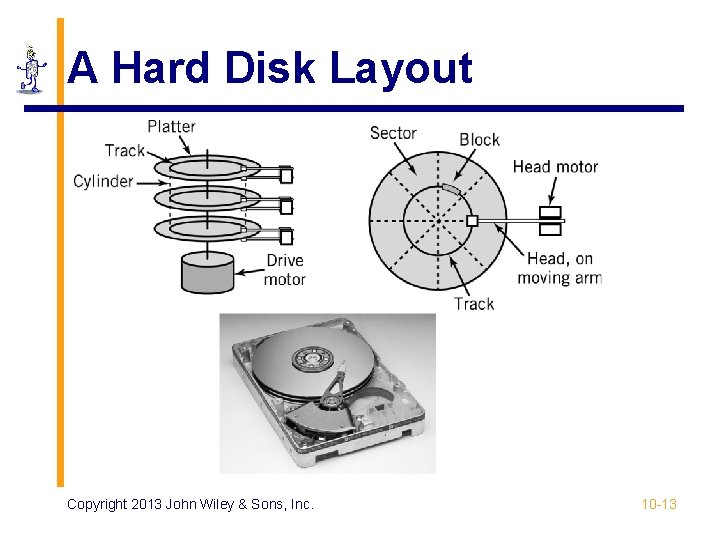
Magnetic Disks § Platter made of glass, metal, or plastic with a magnetic coating § Magnetic polarization used to determine 1 s and 0 s § Track – circle § Cylinder – same track on all platters § Block – small arc of a track § Sector – pie-shaped part of a platter § Head – reads data off the disk as disk rotates at high speed (5400 -15, 000 RPM) Copyright 2013 John Wiley & Sons, Inc. 10 -9
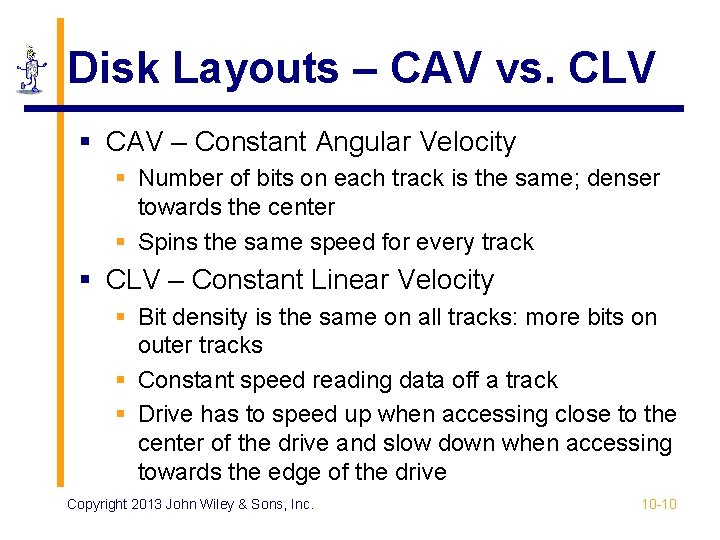
Disk Layouts – CAV vs. CLV § CAV – Constant Angular Velocity § Number of bits on each track is the same; denser towards the center § Spins the same speed for every track § CLV – Constant Linear Velocity § Bit density is the same on all tracks: more bits on outer tracks § Constant speed reading data off a track § Drive has to speed up when accessing close to the center of the drive and slow down when accessing towards the edge of the drive Copyright 2013 John Wiley & Sons, Inc. 10 -10
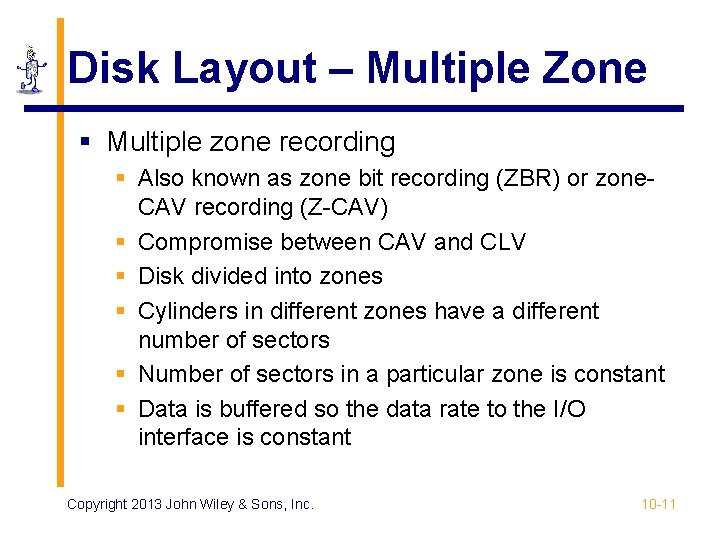
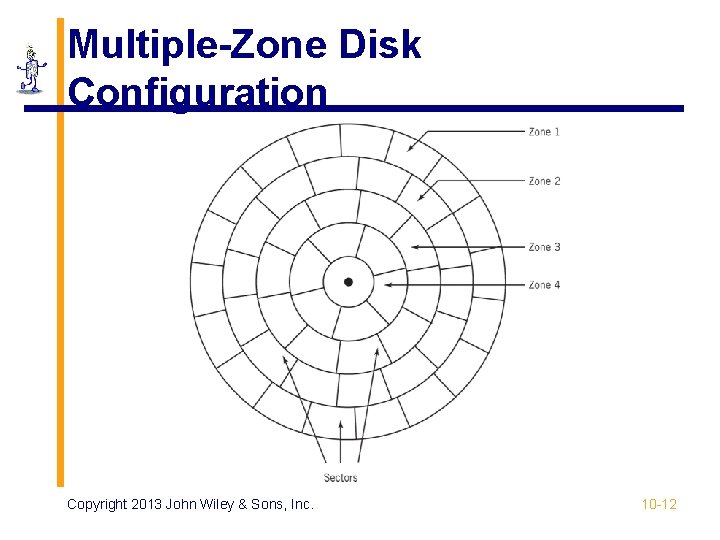
Disk Layout – Multiple Zone § Multiple zone recording § Also known as zone bit recording (ZBR) or zone. CAV recording (Z-CAV) § Compromise between CAV and CLV § Disk divided into zones § Cylinders in different zones have a different number of sectors § Number of sectors in a particular zone is constant § Data is buffered so the data rate to the I/O interface is constant Copyright 2013 John Wiley & Sons, Inc. 10 -11
Multiple-Zone Disk Configuration Copyright 2013 John Wiley & Sons, Inc. 10 -12
A Hard Disk Layout Copyright 2013 John Wiley & Sons, Inc. 10 -13
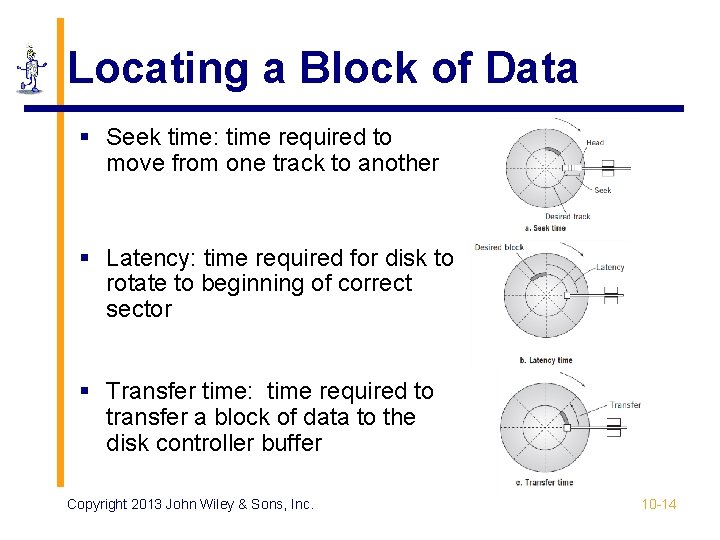
Locating a Block of Data § Seek time: time required to move from one track to another § Latency: time required for disk to rotate to beginning of correct sector § Transfer time: time required to transfer a block of data to the disk controller buffer Copyright 2013 John Wiley & Sons, Inc. 10 -14
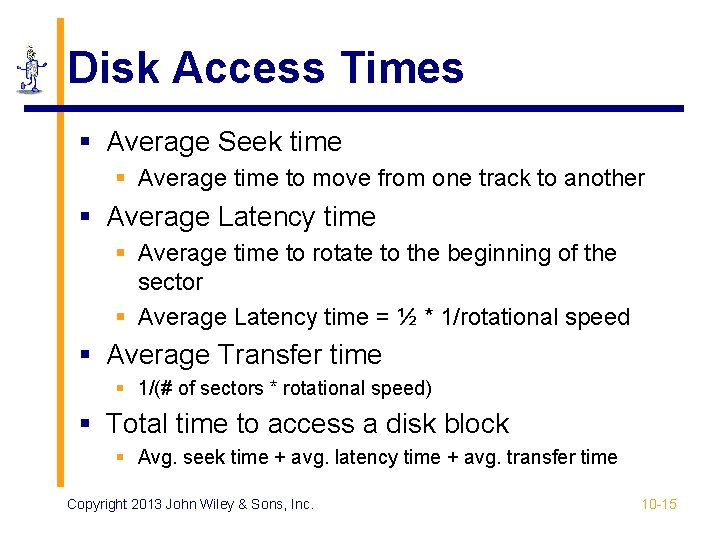
Disk Access Times § Average Seek time § Average time to move from one track to another § Average Latency time § Average time to rotate to the beginning of the sector § Average Latency time = ½ * 1/rotational speed § Average Transfer time § 1/(# of sectors * rotational speed) § Total time to access a disk block § Avg. seek time + avg. latency time + avg. transfer time Copyright 2013 John Wiley & Sons, Inc. 10 -15
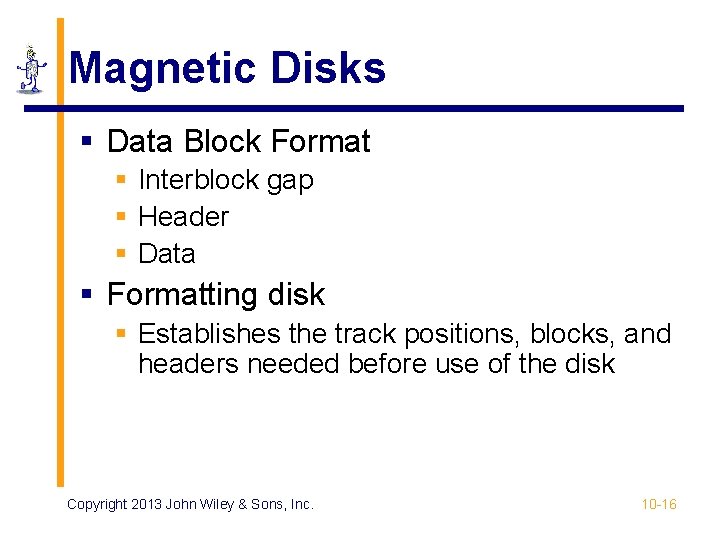
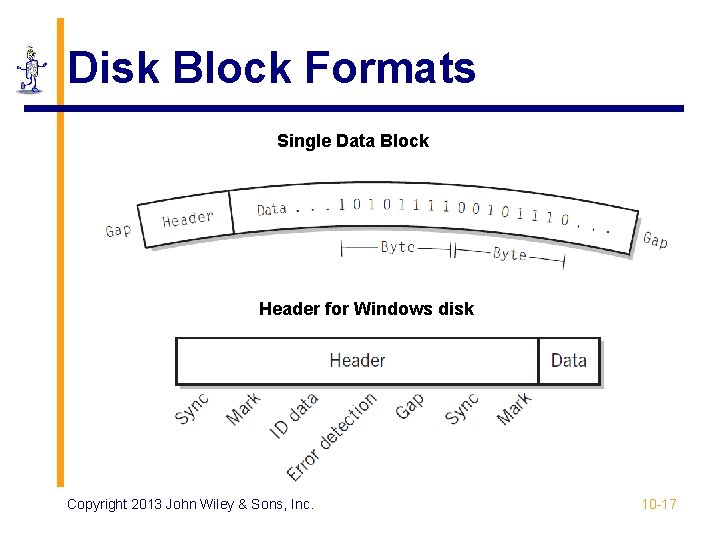
Magnetic Disks § Data Block Format § Interblock gap § Header § Data § Formatting disk § Establishes the track positions, blocks, and headers needed before use of the disk Copyright 2013 John Wiley & Sons, Inc. 10 -16
Disk Block Formats Single Data Block Header for Windows disk Copyright 2013 John Wiley & Sons, Inc. 10 -17
Disk Arrays § Grouping of multiple disks together § RAID – Redundant Array of Inexpensive Disks § Mirrored array § Striped array § RAID 0 to RAID 5 Copyright 2013 John Wiley & Sons, Inc. 10 -18
RAID – Mirrored § § § Two or more disks contain the exact same stores of data Reading data – alternate blocks of data are read from hard drives and combined Access time is reduced by approximately a factor equal to the number of disk drives in array Read failure – block is marked and then read from the mirrored drive When using three or more mirrored drives, majority logic is used in the event of a failure. Fault-tolerant computers use this technique. Copyright 2013 John Wiley & Sons, Inc. 10 -19
RAID – Striped § A file segment is stored divided into blocks on different disks § Minimum of three drives needed because one disk drive is reserved for error checking § Writes – block of parity words from each block of data is created and put on the reserved error checking disk § Reads – parity data is used to check original data Copyright 2013 John Wiley & Sons, Inc. 10 -20
RAID Levels § RAID 0 – not true RAID; no error checking or redundancy, but data is placed across all drives for increased speed § RAID 1 – mirrored array § RAID 2, 3, 4 – arrays that are striped in different ways § RAID 5 – error checking blocks are spread across all drives Copyright 2013 John Wiley & Sons, Inc. 10 -21
Optical Storage § Reflected light off a mirrored or pitted surface § CD-ROM § 650 MB of data, approximately 550 MB after formatting and error checking § Spiral 3 miles long, containing 15 billion bits! § CLV – all blocks are same physical length § Block – 2352 bytes 2 k of data (2048 bytes) p 16 bytes for header (12 start, 4 id) p 288 bytes for advanced error control p Copyright 2013 John Wiley & Sons, Inc. 10 -22
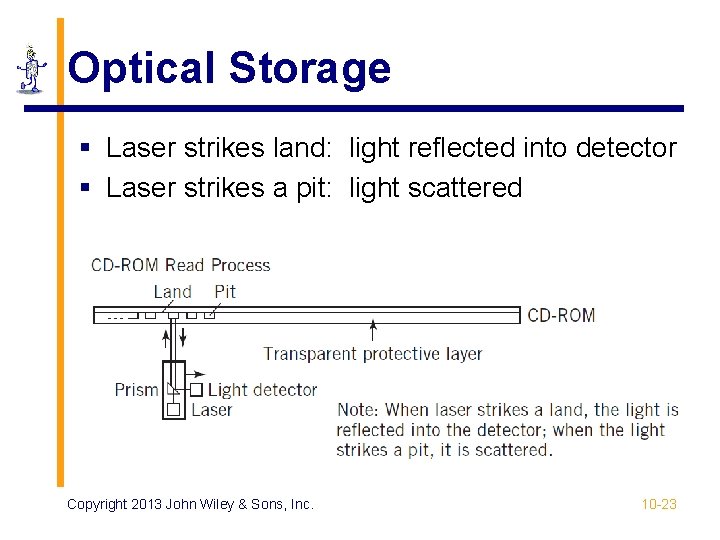
Optical Storage § Laser strikes land: light reflected into detector § Laser strikes a pit: light scattered Copyright 2013 John Wiley & Sons, Inc. 10 -23
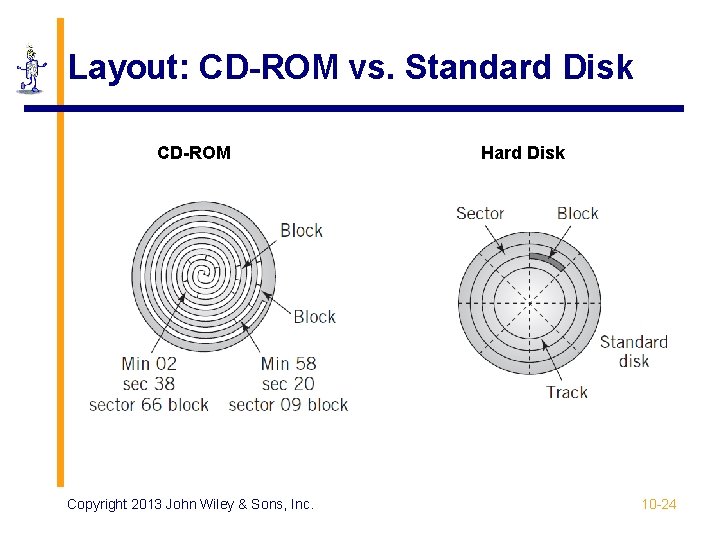
Layout: CD-ROM vs. Standard Disk CD-ROM Copyright 2013 John Wiley & Sons, Inc. Hard Disk 10 -24
Types of Optical Storage § Medium-powered laser blister technology also used for § CD-R, DVD-R, DVD+R § CD-RW, DVD+RW, DVD-RAM, DVD+RAMBD-RE § File compatibility issues between the different formats § DVD – similar technology to CD-ROM § Shorter wavelength § Uses both sides of disc § Capacity up to 17 GB § Blu-Ray DVD – holds more than 50 GB Copyright 2013 John Wiley & Sons, Inc. 10 -25
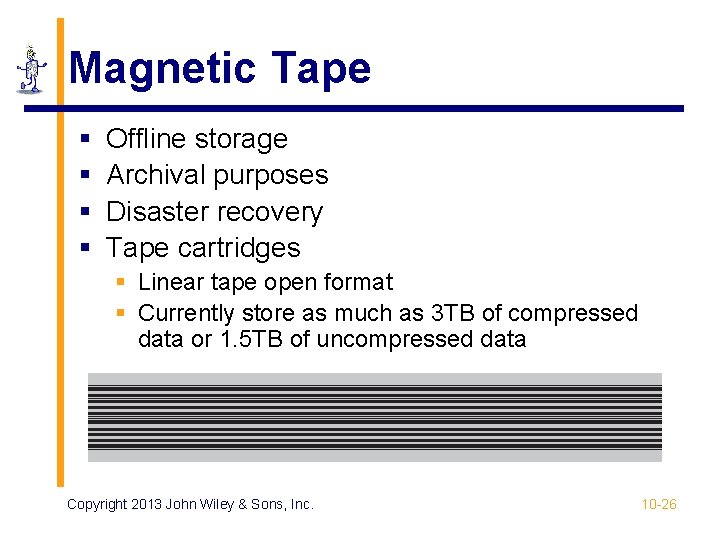
Magnetic Tape § § Offline storage Archival purposes Disaster recovery Tape cartridges § Linear tape open format § Currently store as much as 3 TB of compressed data or 1. 5 TB of uncompressed data Copyright 2013 John Wiley & Sons, Inc. 10 -26
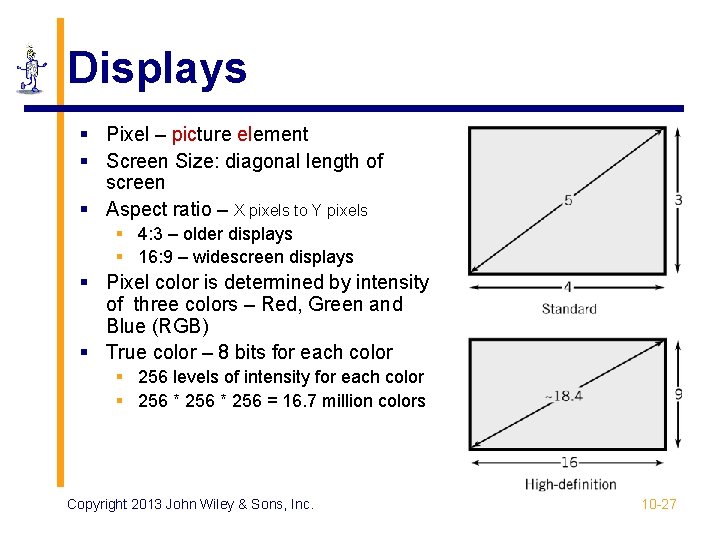
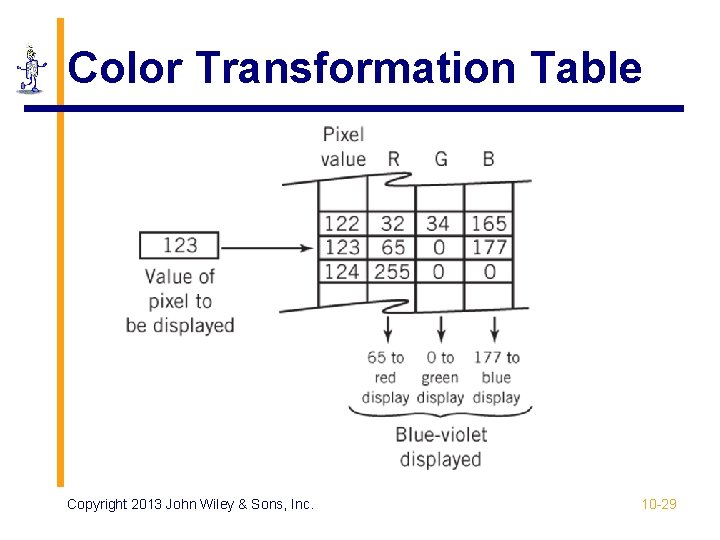
Displays § Pixel – picture element § Screen Size: diagonal length of screen § Aspect ratio – X pixels to Y pixels § 4: 3 – older displays § 16: 9 – widescreen displays § Pixel color is determined by intensity of three colors – Red, Green and Blue (RGB) § True color – 8 bits for each color § 256 levels of intensity for each color § 256 * 256 = 16. 7 million colors Copyright 2013 John Wiley & Sons, Inc. 10 -27
Resolution and Picture Size § Resolution § Measured as either number of pixels per inch or size of an individual pixel § Screen resolution examples: p p p 1024 x 768 1280 x 720 1920 x 1080 § Picture size calculation § Resolution * bits required to represent number of colors in picture § Example: resolution is 100 pixels by 50 pixels, 4 bits required for a 16 color image 100 * 50 * 4 bits = 20, 000 bits § Video memory requirements are significant! Copyright 2013 John Wiley & Sons, Inc. 10 -28
Color Transformation Table Copyright 2013 John Wiley & Sons, Inc. 10 -29
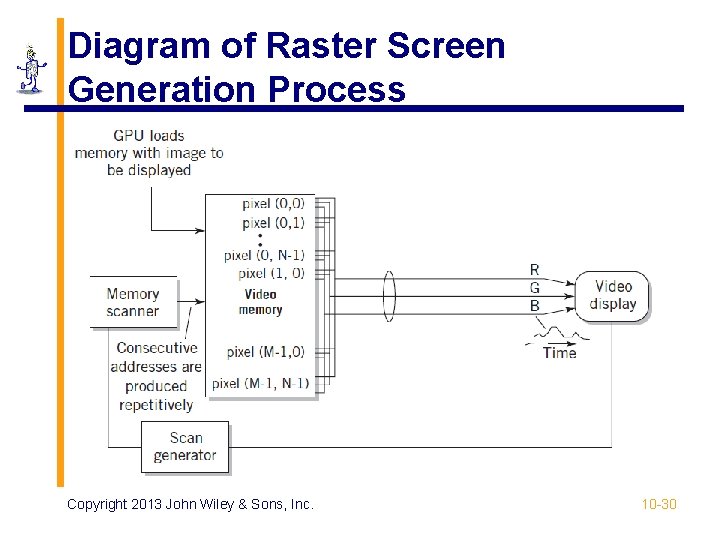
Diagram of Raster Screen Generation Process Copyright 2013 John Wiley & Sons, Inc. 10 -30
Graphical Processing Units § Modern graphics requirements need dedicated processing units § Application processing interfaces supply common graphics processing operations § Standards § Open. GL § Direct. X Copyright 2013 John Wiley & Sons, Inc. 10 -31
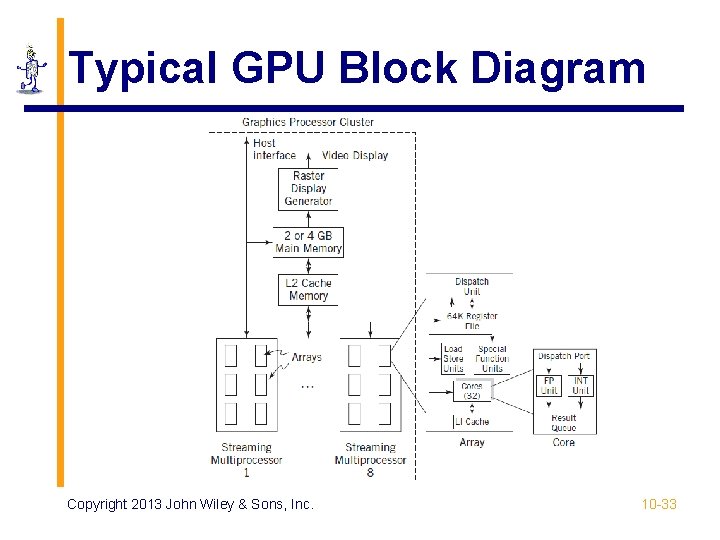
Graphical Processing Units § May be integrated, standalone units, or separate chips § Maximize number of operations by use of parallelization § Integrated multiple multicore processors § Streaming dispatches instructions to CPU cores in rapid succession Copyright 2013 John Wiley & Sons, Inc. 10 -32
Typical GPU Block Diagram Copyright 2013 John Wiley & Sons, Inc. 10 -33
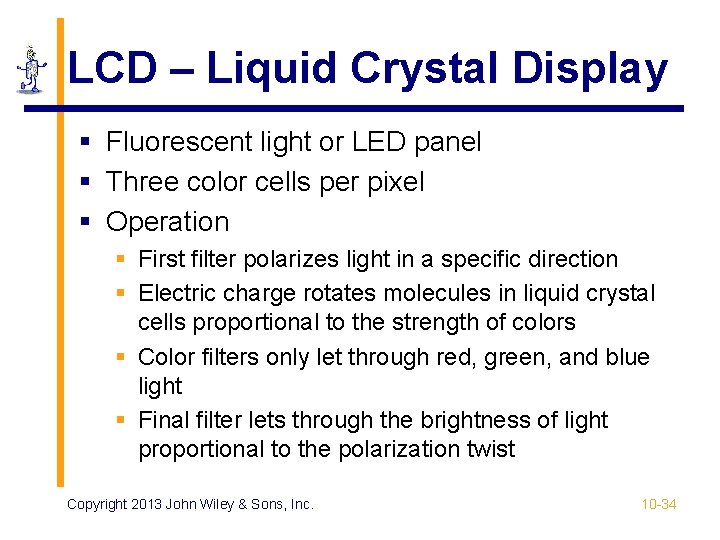
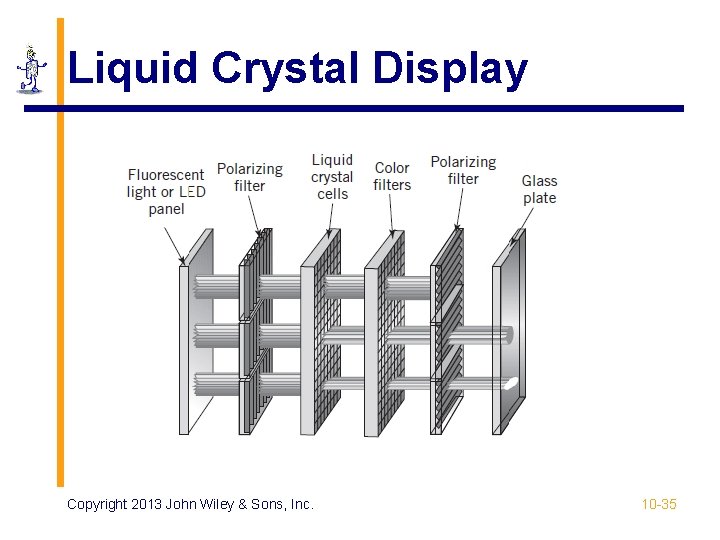
LCD – Liquid Crystal Display § Fluorescent light or LED panel § Three color cells per pixel § Operation § First filter polarizes light in a specific direction § Electric charge rotates molecules in liquid crystal cells proportional to the strength of colors § Color filters only let through red, green, and blue light § Final filter lets through the brightness of light proportional to the polarization twist Copyright 2013 John Wiley & Sons, Inc. 10 -34
Liquid Crystal Display Copyright 2013 John Wiley & Sons, Inc. 10 -35
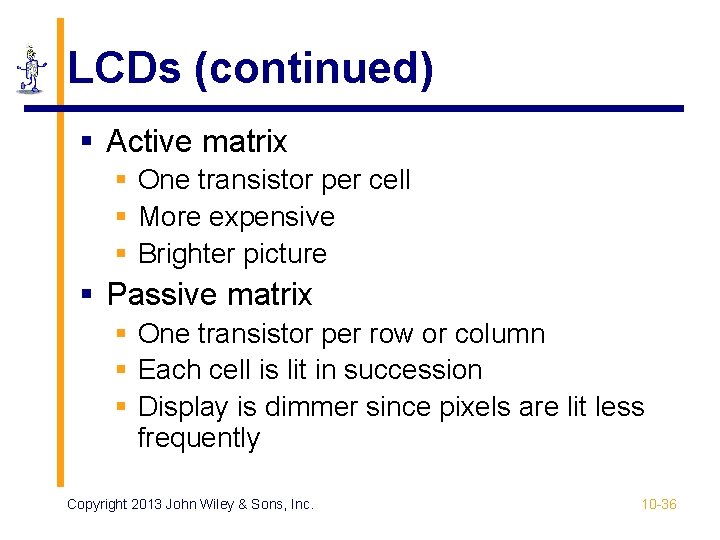
LCDs (continued) § Active matrix § One transistor per cell § More expensive § Brighter picture § Passive matrix § One transistor per row or column § Each cell is lit in succession § Display is dimmer since pixels are lit less frequently Copyright 2013 John Wiley & Sons, Inc. 10 -36
OLED Display Technology § § No backlight Consists of red, green, and blue LEDs Each LED lights up individually Used in mobile phones and tablets Copyright 2013 John Wiley & Sons, Inc. 10 -37
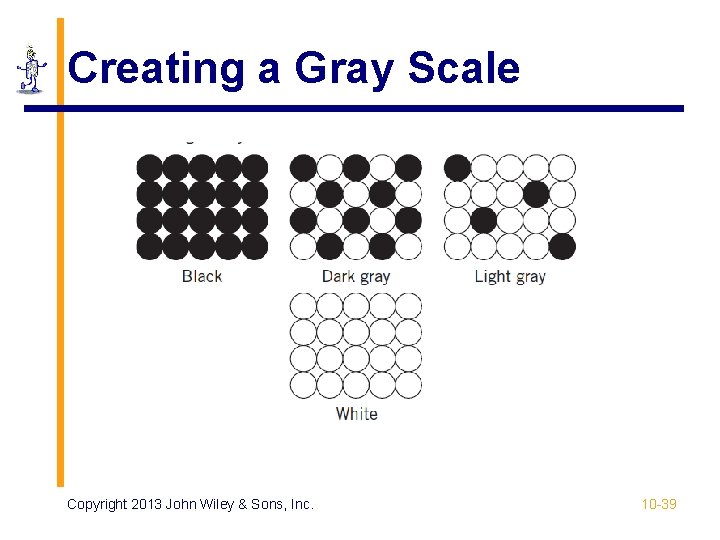
Printers § Dots vs. pixels § 600 - 2400 dpi vs. 100 - 250 pixels per inch § Dots are on or off; pixels have intensities § Types § § Typewriter / Daisy wheels – obsolete Impact printing – dot matrix – mostly obsolete Inkjet – squirts heated droplets of ink Laser printer Copyright 2013 John Wiley & Sons, Inc. 10 -38
Creating a Gray Scale Copyright 2013 John Wiley & Sons, Inc. 10 -39
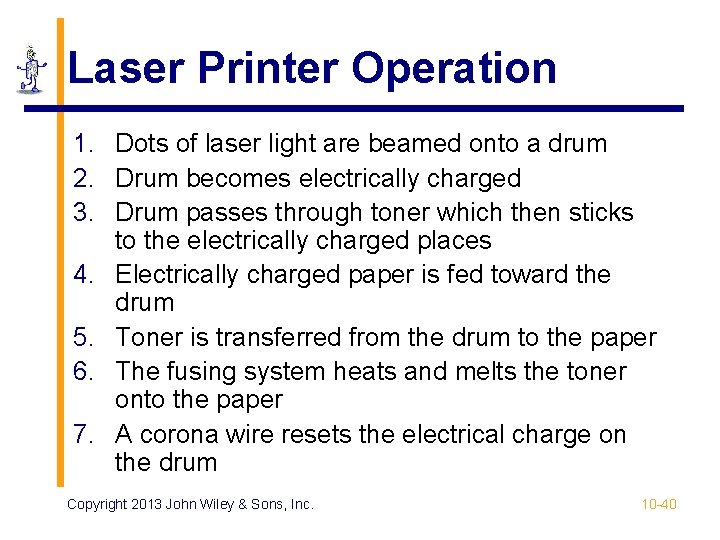
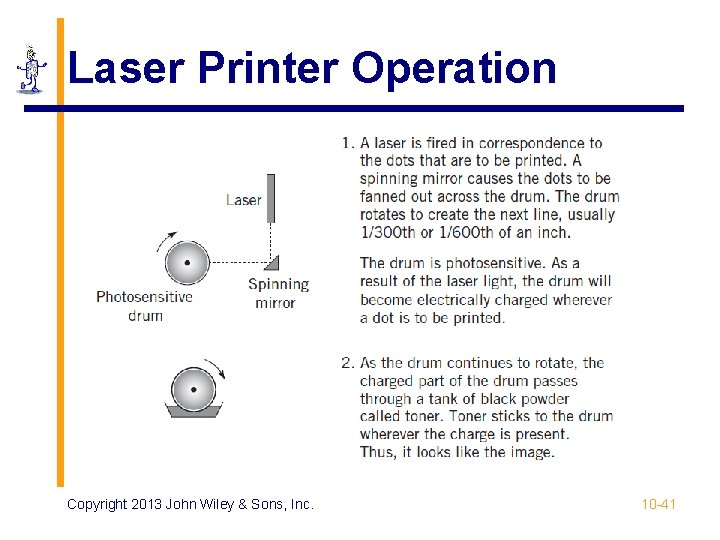
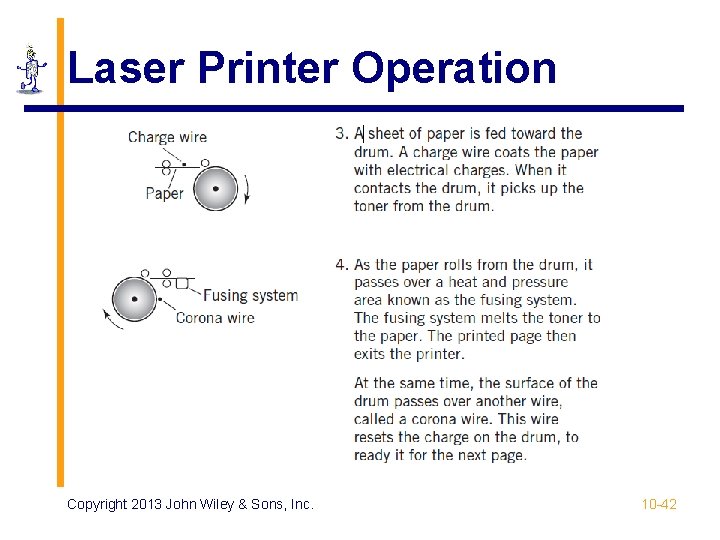
Laser Printer Operation 1. Dots of laser light are beamed onto a drum 2. Drum becomes electrically charged 3. Drum passes through toner which then sticks to the electrically charged places 4. Electrically charged paper is fed toward the drum 5. Toner is transferred from the drum to the paper 6. The fusing system heats and melts the toner onto the paper 7. A corona wire resets the electrical charge on the drum Copyright 2013 John Wiley & Sons, Inc. 10 -40
Laser Printer Operation Copyright 2013 John Wiley & Sons, Inc. 10 -41
Laser Printer Operation Copyright 2013 John Wiley & Sons, Inc. 10 -42
Inkjet Printers § Advantages: small size and economy § High-quality ink capable of photographic quality color output § Print cartridge moves across page to print rows of dots Copyright 2013 John Wiley & Sons, Inc. 10 -43
User Input Devices § Keyboard, mouse, touch screens, graphics tablets, game controllers § Bar code and QR code readers § Magnetic Stripe Readers § RFID Input and Smart Cards § Voice Input § Optical Character Recognition Copyright 2013 John Wiley & Sons, Inc. 10 -44
Other Computer Peripherals § Scanners § Flatbed, sheet-fed, hand-held § Light is reflected off the sheet of paper § Multimedia Input § Digital Cameras, Audio Input § Mobile Devices § Smartphones, tablets § Global Positioning Systems (GPS) § Linear accelerometers Copyright 2013 John Wiley & Sons, Inc. 10 -45
Network Communication Devices § Network is just another I/O device § Network I/O controller is the network interface card (NIC) § Medium access control (MAC) protocols § Define the specific rules of communication for the network Copyright 2013 John Wiley & Sons, Inc. 10 -46
Copyright 2013 John Wiley & Sons All rights reserved. Reproduction or translation of this work beyond that permitted in section 117 of the 1976 United States Copyright Act without express permission of the copyright owner is unlawful. Request for further information should be addressed to the Permissions Department, John Wiley & Sons, Inc. The purchaser may make back-up copies for his/her own use only and not for distribution or resale. The Publisher assumes no responsibility for errors, omissions, or damages caused by the use of these programs or from the use of the information contained herein. Copyright 2013 John Wiley & Sons, Inc. 10 -47