
Chapter 10 Advanced ObjectOriented Programming Everything in Visual
Chapter 10 – Advanced Object-Oriented Programming Everything in Visual Basic. NET is considered an object. When everything is an object, it allows you to create new objects from the existing objects. If the objects that come with Visual Basic. NET do not meet your needs, you do not have to start from scratch. Instead, you can start with an object that contains the majority of the functionality you require and create a new object that inherits the original object’s functionality but also contains the additional information. 1 The Visual Basic. NET Coach
Chapter 10 – Advanced Object-Oriented Programming 10. 1 Visual Inheritance As you develop applications you will find that your objects are required in more than one application. Often the object will require modifications in order for it to work properly in the new application. While you can just copy the code associated with the object to the new application and then modify it there, this would cause a number of potential problems. A minor problem is that you are wasting space on your hard drive. If you have the definition in numerous places, you will have to make the correction in numerous places. 2 The Visual Basic. NET Coach
Chapter 10 – Advanced Object-Oriented Programming Inheritance is the ability to create one object from another. With inheritance you will create a simple class to define an object that will be common to many other objects and then create other classes based on the original class, but with more features. The original class is known as the base class, The classes created from the base class are known as derived classes. Visual Basic. NET not only allows you to code classes with inheritance, but you can also inherit visually. Visual inheritance allows the developer to inherit forms and controls to create new forms and controls. 3 The Visual Basic. NET Coach
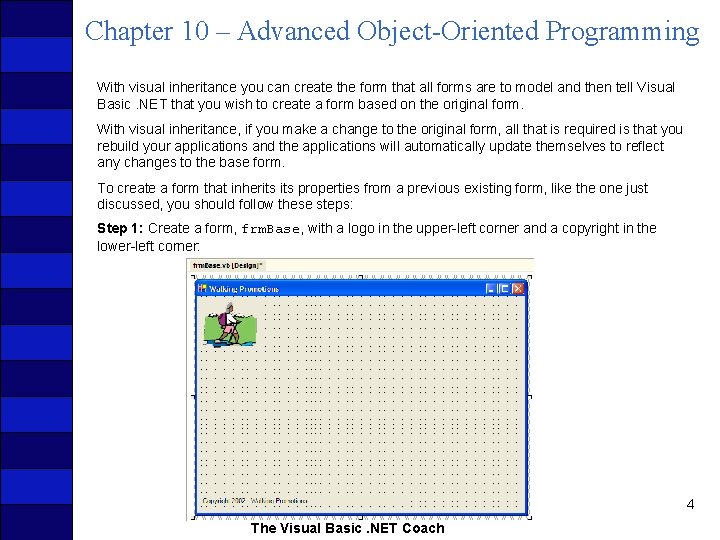
Chapter 10 – Advanced Object-Oriented Programming With visual inheritance you can create the form that all forms are to model and then tell Visual Basic. NET that you wish to create a form based on the original form. With visual inheritance, if you make a change to the original form, all that is required is that you rebuild your applications and the applications will automatically update themselves to reflect any changes to the base form. To create a form that inherits properties from a previous existing form, like the one just discussed, you should follow these steps: Step 1: Create a form, frm. Base, with a logo in the upper-left corner and a copyright in the lower-left corner: 4 The Visual Basic. NET Coach
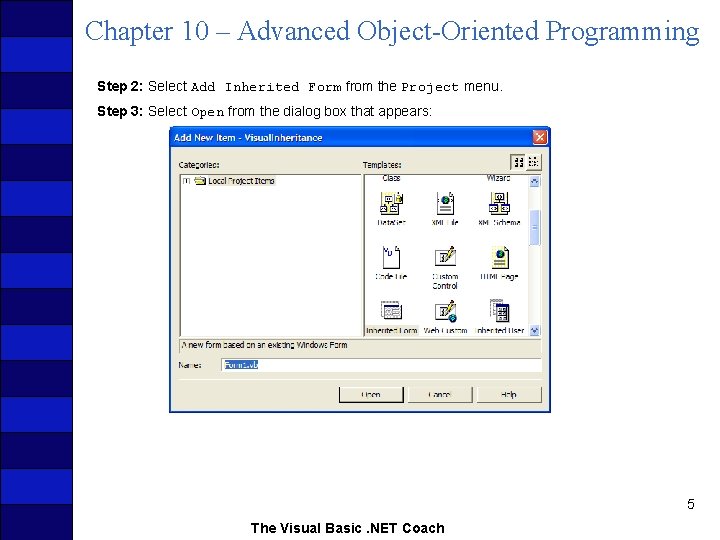
Chapter 10 – Advanced Object-Oriented Programming Step 2: Select Add Inherited Form from the Project menu. Step 3: Select Open from the dialog box that appears: 5 The Visual Basic. NET Coach
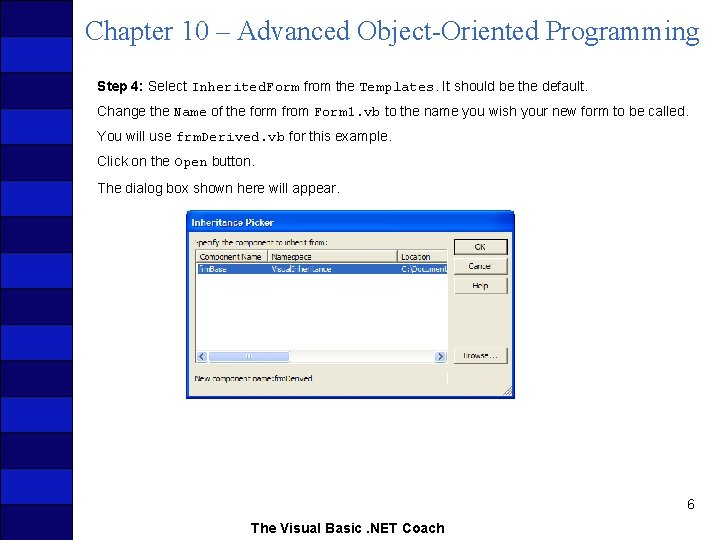
Chapter 10 – Advanced Object-Oriented Programming Step 4: Select Inherited. Form from the Templates. It should be the default. Change the Name of the form from Form 1. vb to the name you wish your new form to be called. You will use frm. Derived. vb for this example. Click on the Open button. The dialog box shown here will appear. 6 The Visual Basic. NET Coach
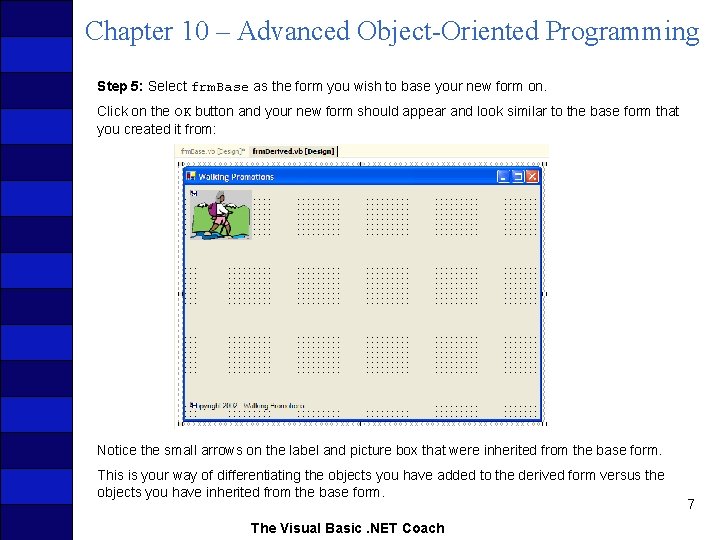
Chapter 10 – Advanced Object-Oriented Programming Step 5: Select frm. Base as the form you wish to base your new form on. Click on the OK button and your new form should appear and look similar to the base form that you created it from: Notice the small arrows on the label and picture box that were inherited from the base form. This is your way of differentiating the objects you have added to the derived form versus the objects you have inherited from the base form. The Visual Basic. NET Coach 7
Chapter 10 – Advanced Object-Oriented Programming Visual inheritance applies to any controls or code that you include in a base class or object. Imagine if you created a single form containing the common demographic data for people. You could create a form with controls to gather the person’s first name, middle initial, last name, street address, city, state, ZIP code, email address, and so on. Then additional forms could inherit from this form the basic information and add the information pertinent to the specific group they belonged to. The code associated with the basic information could also be contained in the base form and added to the derived forms. This allows you to modify the basic demographic information in one place and again have it propagate through all the company’s applications with a minimum of effort. Visual inheritance is an excellent way to enforce uniformity across a company. 8 The Visual Basic. NET Coach
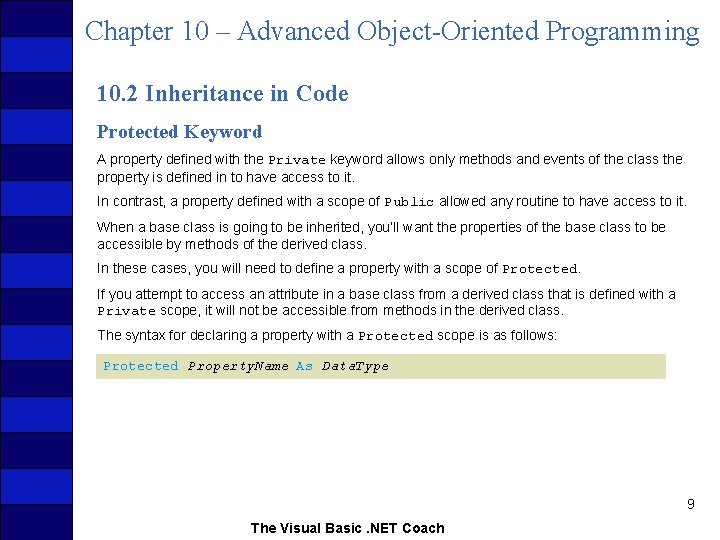
Chapter 10 – Advanced Object-Oriented Programming 10. 2 Inheritance in Code Protected Keyword A property defined with the Private keyword allows only methods and events of the class the property is defined in to have access to it. In contrast, a property defined with a scope of Public allowed any routine to have access to it. When a base class is going to be inherited, you’ll want the properties of the base class to be accessible by methods of the derived class. In these cases, you will need to define a property with a scope of Protected. If you attempt to access an attribute in a base class from a derived class that is defined with a Private scope, it will not be accessible from methods in the derived class. The syntax for declaring a property with a Protected scope is as follows: Protected Property. Name As Data. Type 9 The Visual Basic. NET Coach
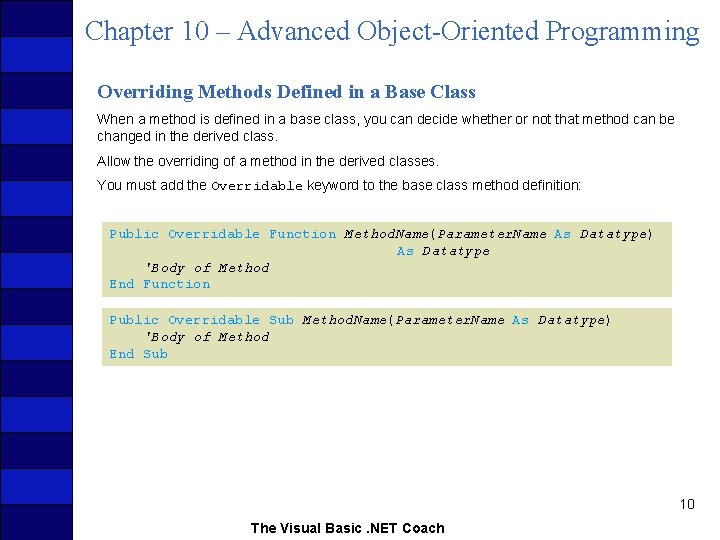
Chapter 10 – Advanced Object-Oriented Programming Overriding Methods Defined in a Base Class When a method is defined in a base class, you can decide whether or not that method can be changed in the derived class. Allow the overriding of a method in the derived classes. You must add the Overridable keyword to the base class method definition: Public Overridable Function Method. Name(Parameter. Name As Datatype) As Datatype 'Body of Method End Function Public Overridable Sub Method. Name(Parameter. Name As Datatype) 'Body of Method End Sub 10 The Visual Basic. NET Coach
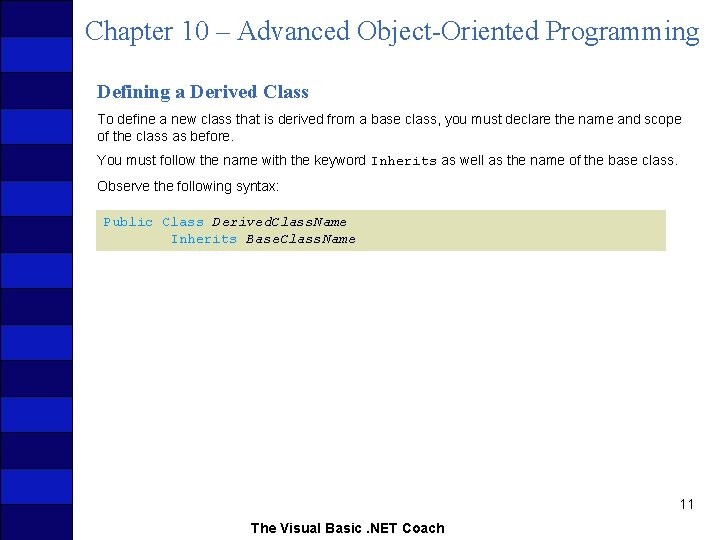
Chapter 10 – Advanced Object-Oriented Programming Defining a Derived Class To define a new class that is derived from a base class, you must declare the name and scope of the class as before. You must follow the name with the keyword Inherits as well as the name of the base class. Observe the following syntax: Public Class Derived. Class. Name Inherits Base. Class. Name 11 The Visual Basic. NET Coach
Chapter 10 – Advanced Object-Oriented Programming Clock/Alarm Clock Example Start with a class that you have already defined, the Clock class from one of the previous examples. Implement an Alarm. Clock class. The Alarm. Clock class will function in a similar manner to the Clock class, except that it will add the functionality of an alarm to the class. This will require storing the time the alarm could be set for and whether the alarm is set or not. It will also require allowing the user to set the alarm. Your clock will keep military time and should track hours, minutes, and seconds. Therefore, you will need three attributes, each of which will be stored as Integers. Each of these attributes will be Protected in scope because you wish to allow them to be accessible by derived classes. 12 The Visual Basic. NET Coach
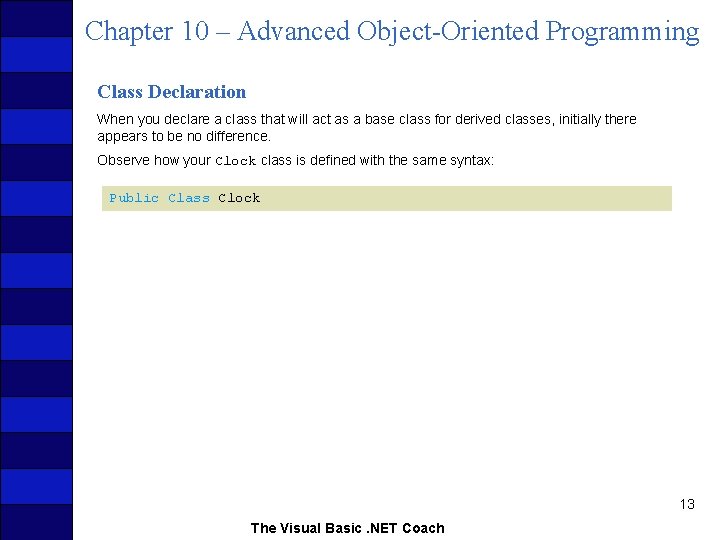
Chapter 10 – Advanced Object-Oriented Programming Class Declaration When you declare a class that will act as a base class for derived classes, initially there appears to be no difference. Observe how your Clock class is defined with the same syntax: Public Class Clock 13 The Visual Basic. NET Coach
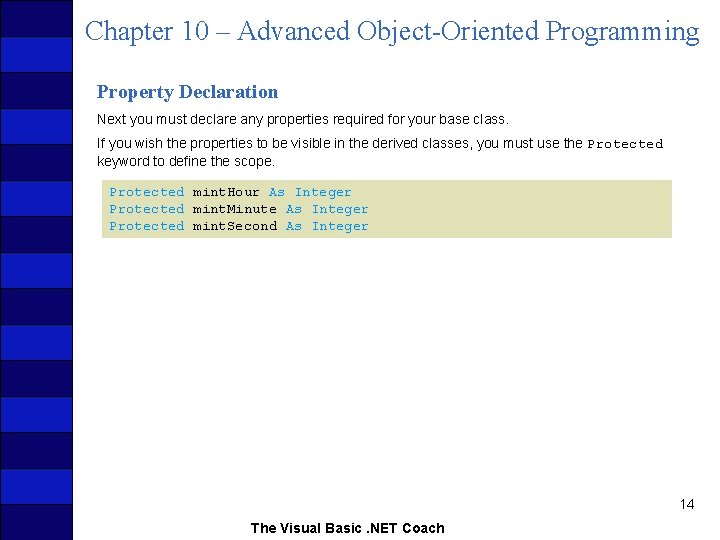
Chapter 10 – Advanced Object-Oriented Programming Property Declaration Next you must declare any properties required for your base class. If you wish the properties to be visible in the derived classes, you must use the Protected keyword to define the scope. Protected mint. Hour As Integer Protected mint. Minute As Integer Protected mint. Second As Integer 14 The Visual Basic. NET Coach
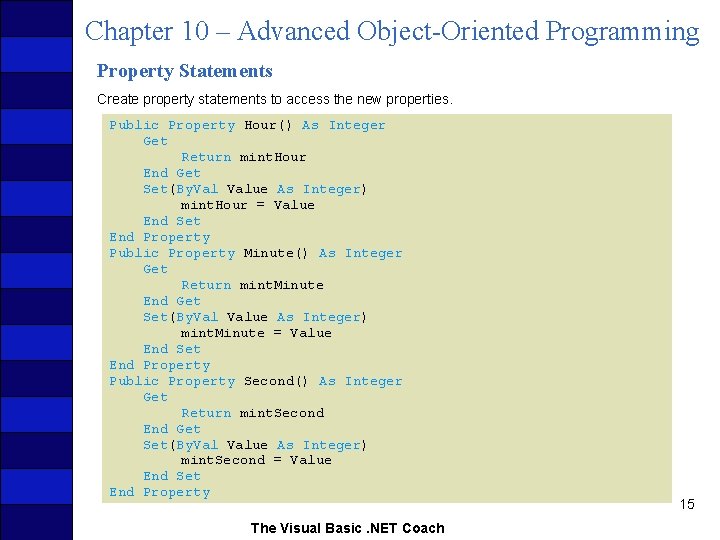
Chapter 10 – Advanced Object-Oriented Programming Property Statements Create property statements to access the new properties. Public Property Hour() As Integer Get Return mint. Hour End Get Set(By. Value As Integer) mint. Hour = Value End Set End Property Public Property Minute() As Integer Get Return mint. Minute End Get Set(By. Value As Integer) mint. Minute = Value End Set End Property Public Property Second() As Integer Get Return mint. Second End Get Set(By. Value As Integer) mint. Second = Value End Set End Property The Visual Basic. NET Coach 15
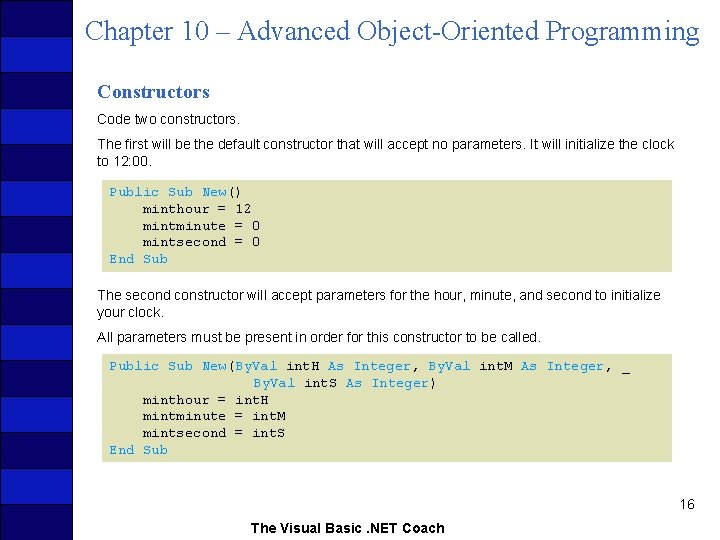
Chapter 10 – Advanced Object-Oriented Programming Constructors Code two constructors. The first will be the default constructor that will accept no parameters. It will initialize the clock to 12: 00. Public Sub New() minthour = 12 mintminute = 0 mintsecond = 0 End Sub The second constructor will accept parameters for the hour, minute, and second to initialize your clock. All parameters must be present in order for this constructor to be called. Public Sub New(By. Val int. H As Integer, By. Val int. M As Integer, _ By. Val int. S As Integer) minthour = int. H mintminute = int. M mintsecond = int. S End Sub 16 The Visual Basic. NET Coach
Chapter 10 – Advanced Object-Oriented Programming Methods The next method to implement is to display the time. Because this method will be overridden in the derived class, you add the keyword Overridable to the method definition. Public Overridable Function Time() As String Return mint. Hour. To. String & ": " & mint. Minute. To. String & _ ": " & mint. Second. To. String End Function 17 The Visual Basic. NET Coach
Chapter 10 – Advanced Object-Oriented Programming Methods Continued The Increment method must also be declared as Overridable, because you will need to change its implementation in the derived class. Public Overridable Sub Increment() mint. Second += 1 If (mint. Second = 60) Then mint. Second = 0 mint. Minute += 1 If (mint. Minute = 60) Then mint. Minute = 0 mint. Hour = mint. Hour + 1 If mint. Hour = 24 Then mint. Hour = 0 End If End Sub 18 The Visual Basic. NET Coach
Chapter 10 – Advanced Object-Oriented Programming Methods Continued The goal in creating the Alarm. Clock class is to rewrite the least amount of code possible from the Clock class. The properties for the Clock class are all required in the Alarm. Clock class. You need additional properties to store the alarm time and whether or not the alarm is set. You need to create a Set. Alarm method as well as a Shut. Alarm method to set and shut off the alarm. When the Time method is called, display an asterisk next to the time when the alarm is set. You can call the Time method in the base class and add the code you require in the derived class. 19 The Visual Basic. NET Coach
Chapter 10 – Advanced Object-Oriented Programming Methods Continued Declare the derived method using the keyword Overrides. The syntax for declaring a method that overrides a base class’s method is as follows: Public Overrides Function Method. Name(Parameter List) As Data. Type Public Overrides Sub Method. Name(Parameter List) To use the functionality of a base class’s method, use the following syntax of code to explicitly call the method wherever you wish it to be called in the new method. My. Base. Original. Method 20 The Visual Basic. NET Coach
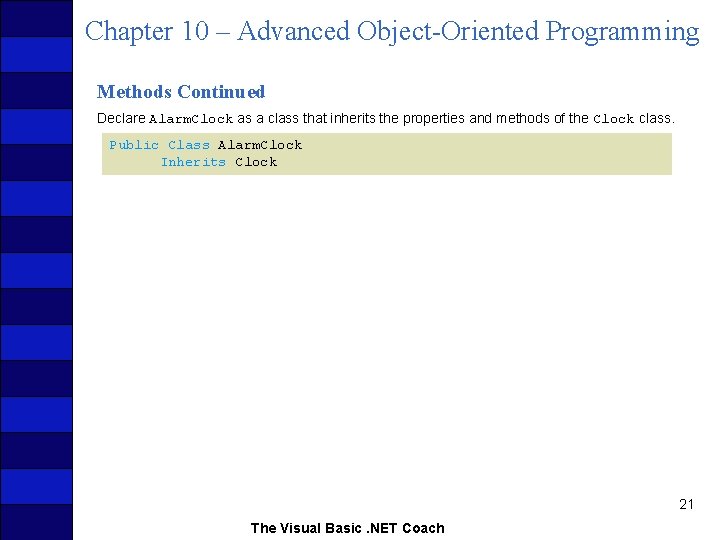
Chapter 10 – Advanced Object-Oriented Programming Methods Continued Declare Alarm. Clock as a class that inherits the properties and methods of the Clock class. Public Class Alarm. Clock Inherits Clock 21 The Visual Basic. NET Coach
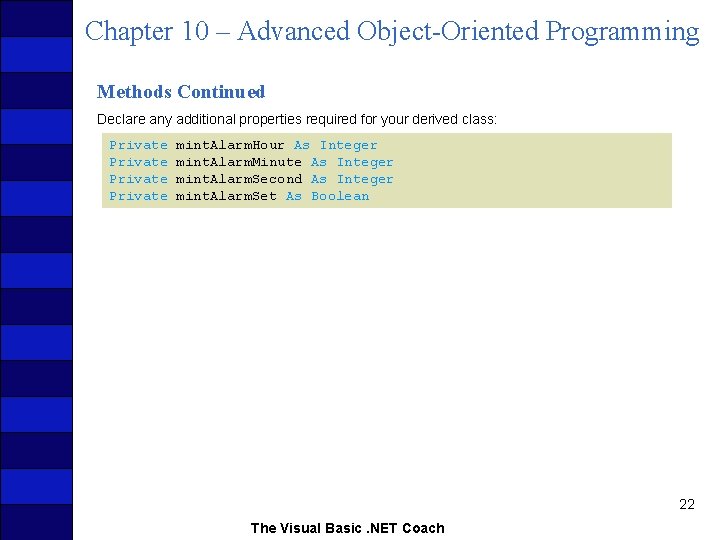
Chapter 10 – Advanced Object-Oriented Programming Methods Continued Declare any additional properties required for your derived class: Private mint. Alarm. Hour As Integer mint. Alarm. Minute As Integer mint. Alarm. Second As Integer mint. Alarm. Set As Boolean 22 The Visual Basic. NET Coach
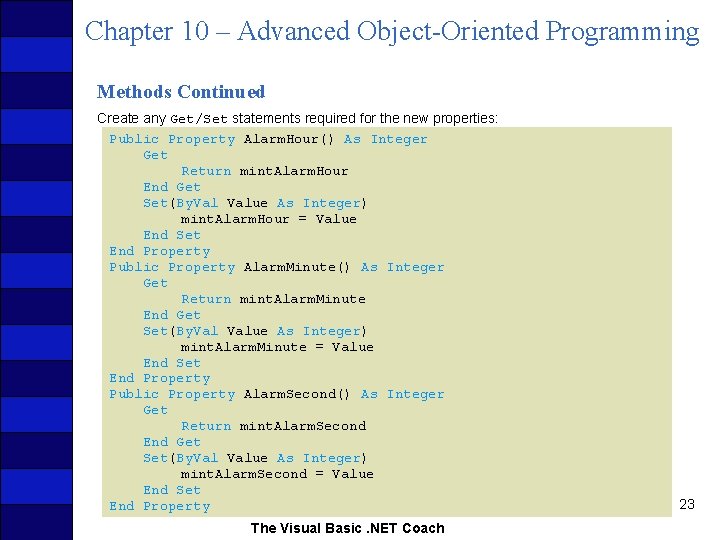
Chapter 10 – Advanced Object-Oriented Programming Methods Continued Create any Get/Set statements required for the new properties: Public Property Alarm. Hour() As Integer Get Return mint. Alarm. Hour End Get Set(By. Value As Integer) mint. Alarm. Hour = Value End Set End Property Public Property Alarm. Minute() As Integer Get Return mint. Alarm. Minute End Get Set(By. Value As Integer) mint. Alarm. Minute = Value End Set End Property Public Property Alarm. Second() As Integer Get Return mint. Alarm. Second End Get Set(By. Value As Integer) mint. Alarm. Second = Value End Set End Property The Visual Basic. NET Coach 23
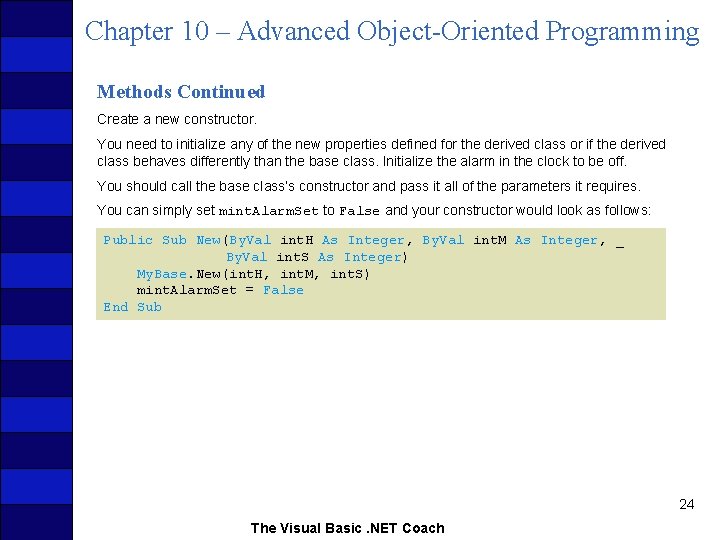
Chapter 10 – Advanced Object-Oriented Programming Methods Continued Create a new constructor. You need to initialize any of the new properties defined for the derived class or if the derived class behaves differently than the base class. Initialize the alarm in the clock to be off. You should call the base class’s constructor and pass it all of the parameters it requires. You can simply set mint. Alarm. Set to False and your constructor would look as follows: Public Sub New(By. Val int. H As Integer, By. Val int. M As Integer, _ By. Val int. S As Integer) My. Base. New(int. H, int. M, int. S) mint. Alarm. Set = False End Sub 24 The Visual Basic. NET Coach
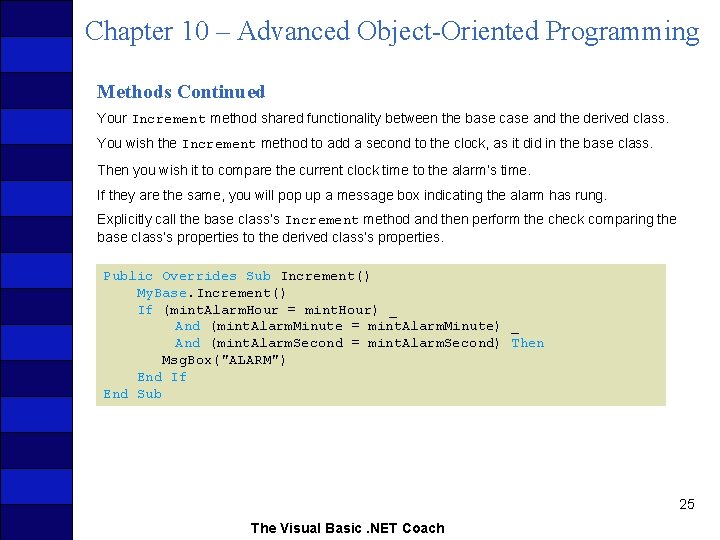
Chapter 10 – Advanced Object-Oriented Programming Methods Continued Your Increment method shared functionality between the base case and the derived class. You wish the Increment method to add a second to the clock, as it did in the base class. Then you wish it to compare the current clock time to the alarm’s time. If they are the same, you will pop up a message box indicating the alarm has rung. Explicitly call the base class’s Increment method and then perform the check comparing the base class’s properties to the derived class’s properties. Public Overrides Sub Increment() My. Base. Increment() If (mint. Alarm. Hour = mint. Hour) _ And (mint. Alarm. Minute = mint. Alarm. Minute) _ And (mint. Alarm. Second = mint. Alarm. Second) Then Msg. Box("ALARM") End If End Sub 25 The Visual Basic. NET Coach
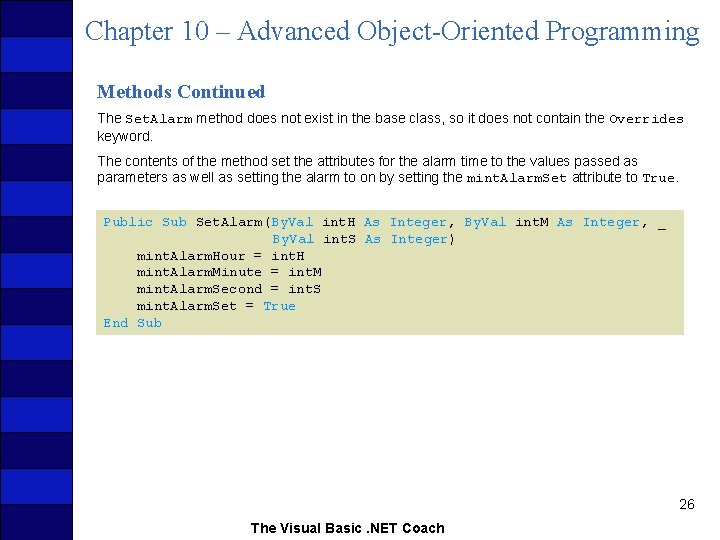
Chapter 10 – Advanced Object-Oriented Programming Methods Continued The Set. Alarm method does not exist in the base class, so it does not contain the Overrides keyword. The contents of the method set the attributes for the alarm time to the values passed as parameters as well as setting the alarm to on by setting the mint. Alarm. Set attribute to True. Public Sub Set. Alarm(By. Val int. H As Integer, By. Val int. M As Integer, _ By. Val int. S As Integer) mint. Alarm. Hour = int. H mint. Alarm. Minute = int. M mint. Alarm. Second = int. S mint. Alarm. Set = True End Sub 26 The Visual Basic. NET Coach
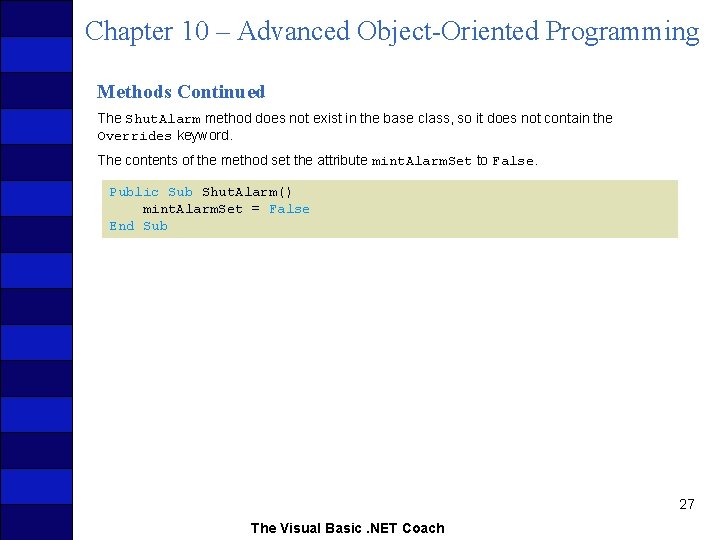
Chapter 10 – Advanced Object-Oriented Programming Methods Continued The Shut. Alarm method does not exist in the base class, so it does not contain the Overrides keyword. The contents of the method set the attribute mint. Alarm. Set to False. Public Sub Shut. Alarm() mint. Alarm. Set = False End Sub 27 The Visual Basic. NET Coach
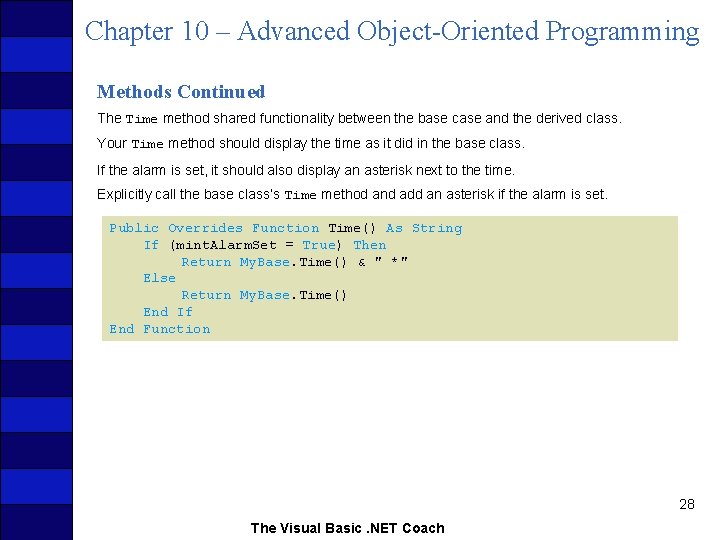
Chapter 10 – Advanced Object-Oriented Programming Methods Continued The Time method shared functionality between the base case and the derived class. Your Time method should display the time as it did in the base class. If the alarm is set, it should also display an asterisk next to the time. Explicitly call the base class’s Time method and add an asterisk if the alarm is set. Public Overrides Function Time() As String If (mint. Alarm. Set = True) Then Return My. Base. Time() & " *" Else Return My. Base. Time() End If End Function 28 The Visual Basic. NET Coach
Chapter 10 – Advanced Object-Oriented Programming 10. 3 Polymorphism allows you to develop your classes to contain methods with the same name but different parameter lists. Sometimes you will have a method that will behave differently if a different type of parameter is passed. We have already seen polymorphism at work when different objects use the same name to produce results. We have already seen operators accept different objects and perform the properation. You have created constructors that initialize a class with different numbers of parameters, but Visual Basic. NET’s polymorphic capabilities do not end there. 29 The Visual Basic. NET Coach
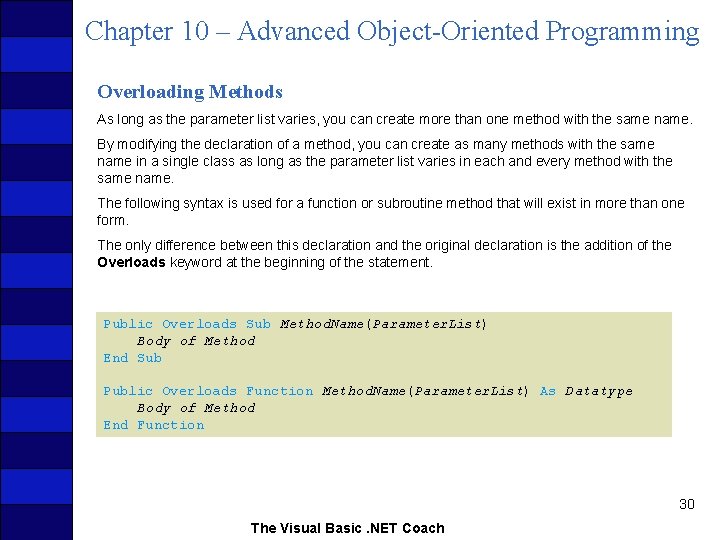
Chapter 10 – Advanced Object-Oriented Programming Overloading Methods As long as the parameter list varies, you can create more than one method with the same name. By modifying the declaration of a method, you can create as many methods with the same name in a single class as long as the parameter list varies in each and every method with the same name. The following syntax is used for a function or subroutine method that will exist in more than one form. The only difference between this declaration and the original declaration is the addition of the Overloads keyword at the beginning of the statement. Public Overloads Sub Method. Name(Parameter. List) Body of Method End Sub Public Overloads Function Method. Name(Parameter. List) As Datatype Body of Method End Function 30 The Visual Basic. NET Coach
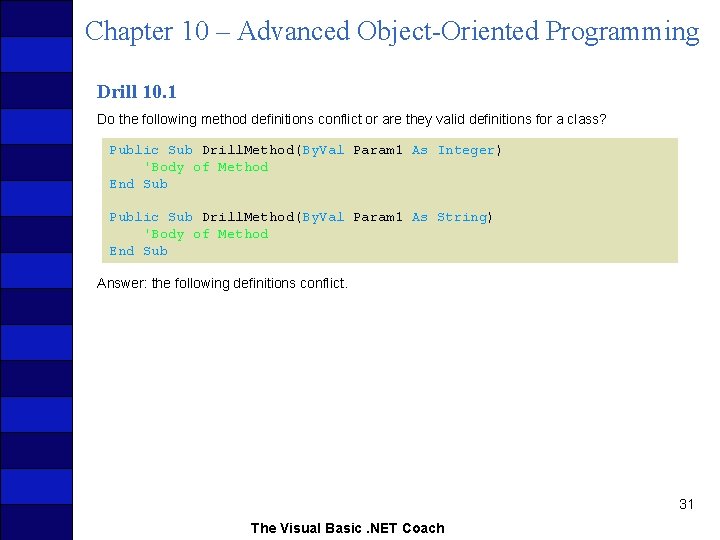
Chapter 10 – Advanced Object-Oriented Programming Drill 10. 1 Do the following method definitions conflict or are they valid definitions for a class? Public Sub Drill. Method(By. Val Param 1 As Integer) 'Body of Method End Sub Public Sub Drill. Method(By. Val Param 1 As String) 'Body of Method End Sub Answer: the following definitions conflict. 31 The Visual Basic. NET Coach
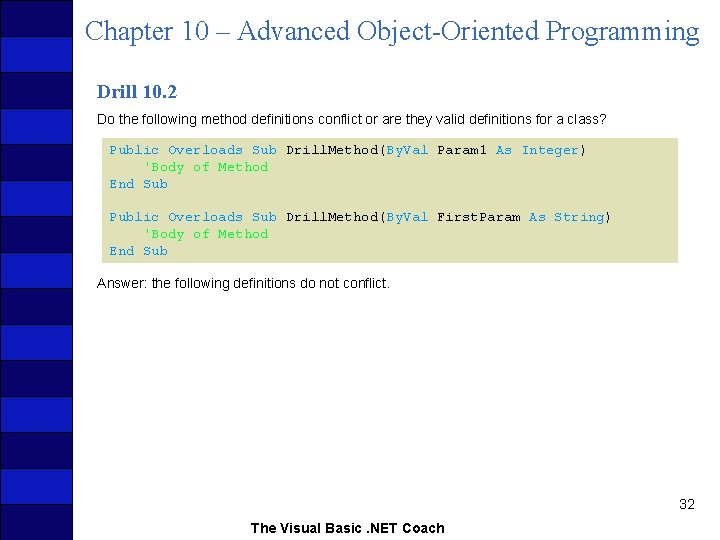
Chapter 10 – Advanced Object-Oriented Programming Drill 10. 2 Do the following method definitions conflict or are they valid definitions for a class? Public Overloads Sub Drill. Method(By. Val Param 1 As Integer) 'Body of Method End Sub Public Overloads Sub Drill. Method(By. Val First. Param As String) 'Body of Method End Sub Answer: the following definitions do not conflict. 32 The Visual Basic. NET Coach
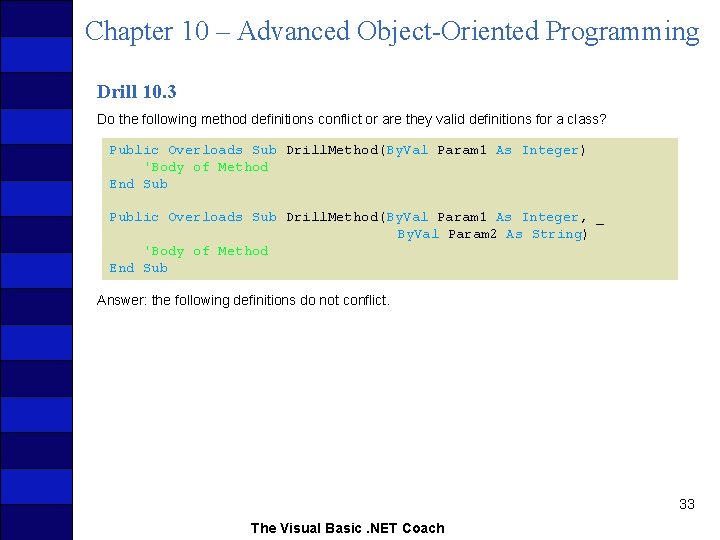
Chapter 10 – Advanced Object-Oriented Programming Drill 10. 3 Do the following method definitions conflict or are they valid definitions for a class? Public Overloads Sub Drill. Method(By. Val Param 1 As Integer) 'Body of Method End Sub Public Overloads Sub Drill. Method(By. Val Param 1 As Integer, _ By. Val Param 2 As String) 'Body of Method End Sub Answer: the following definitions do not conflict. 33 The Visual Basic. NET Coach
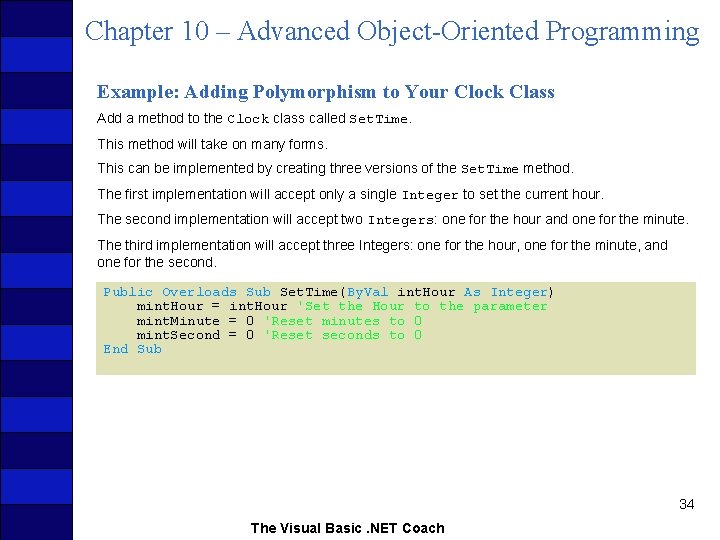
Chapter 10 – Advanced Object-Oriented Programming Example: Adding Polymorphism to Your Clock Class Add a method to the Clock class called Set. Time. This method will take on many forms. This can be implemented by creating three versions of the Set. Time method. The first implementation will accept only a single Integer to set the current hour. The second implementation will accept two Integers: one for the hour and one for the minute. The third implementation will accept three Integers: one for the hour, one for the minute, and one for the second. Public Overloads Sub Set. Time(By. Val int. Hour As Integer) mint. Hour = int. Hour 'Set the Hour to the parameter mint. Minute = 0 'Reset minutes to 0 mint. Second = 0 'Reset seconds to 0 End Sub 34 The Visual Basic. NET Coach
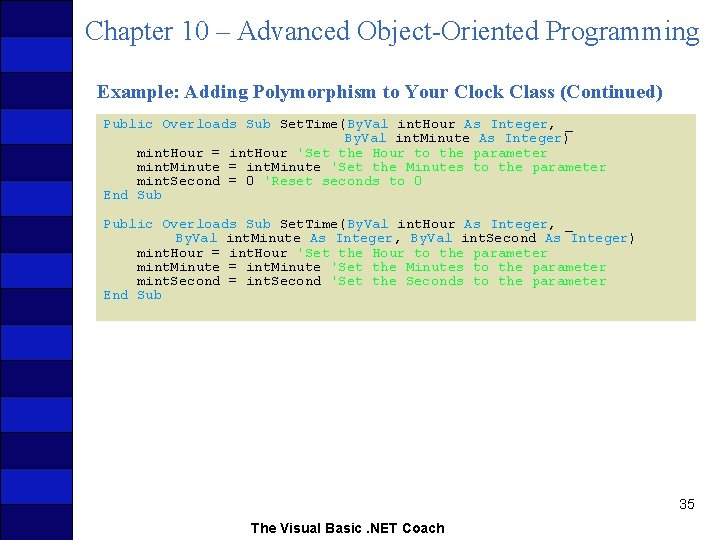
Chapter 10 – Advanced Object-Oriented Programming Example: Adding Polymorphism to Your Clock Class (Continued) Public Overloads Sub Set. Time(By. Val int. Hour As Integer, _ By. Val int. Minute As Integer) mint. Hour = int. Hour 'Set the Hour to the parameter mint. Minute = int. Minute 'Set the Minutes to the parameter mint. Second = 0 'Reset seconds to 0 End Sub Public Overloads Sub Set. Time(By. Val int. Hour As Integer, _ By. Val int. Minute As Integer, By. Val int. Second As Integer) mint. Hour = int. Hour 'Set the Hour to the parameter mint. Minute = int. Minute 'Set the Minutes to the parameter mint. Second = int. Second 'Set the Seconds to the parameter End Sub 35 The Visual Basic. NET Coach
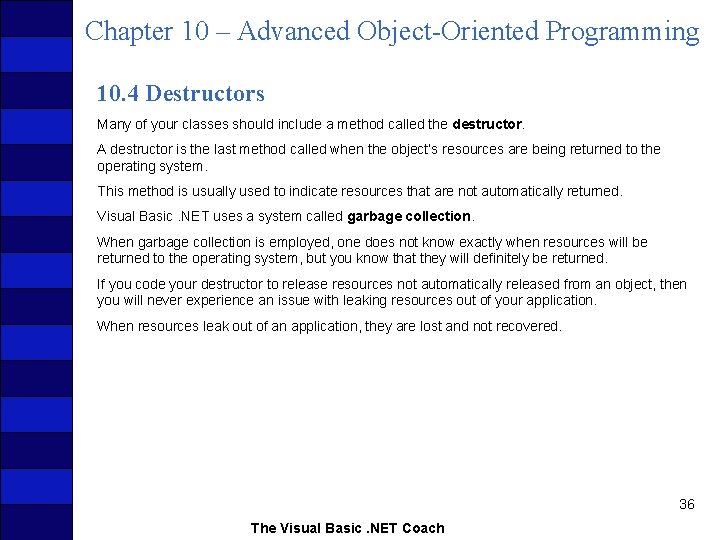
Chapter 10 – Advanced Object-Oriented Programming 10. 4 Destructors Many of your classes should include a method called the destructor. A destructor is the last method called when the object’s resources are being returned to the operating system. This method is usually used to indicate resources that are not automatically returned. Visual Basic. NET uses a system called garbage collection. When garbage collection is employed, one does not know exactly when resources will be returned to the operating system, but you know that they will definitely be returned. If you code your destructor to release resources not automatically released from an object, then you will never experience an issue with leaking resources out of your application. When resources leak out of an application, they are lost and not recovered. 36 The Visual Basic. NET Coach
Chapter 10 – Advanced Object-Oriented Programming Releasing Allocated Memory The developer must handle reference type objects. A developer decides when to create them, when and how to use them, and also when to release them. If these resources aren’t released, it can lead to problems ranging from sluggish performance to a system crash. Releasing memory can be accomplished in the code. When you no longer need to access the reference type object, you must manually return the memory to the heap. To deallocate or dereference an object, set the object name equal to the keyword Nothing, as in the following syntax: Object. Name = Nothing If you wanted to deallocate the text box txt. Name from the previous example, you would use the following code: txt. Name = Nothing 37 The Visual Basic. NET Coach
Chapter 10 – Advanced Object-Oriented Programming Coding a Destructor A destructor method is called Finalize. The Finalize method should never be called directly. The only routine that will call Finalize is the garbage collector itself. The Finalize method may not be the only Finalize method called for a specific object. When an object is created from another object using inheritance, a Finalize method may be called for each level of inheritance in the object. The Finalize method is declared as Protected in scope and it must override the base method. Protected Overrides Sub Finalize() 'Code to release resources goes here My. Object = Nothing 'Deallocate an object you created 'Close a file if you had opened it during the execution of the object Stream. Reader. Name. Close() File. Stream. Name. Close() End Sub 38 The Visual Basic. NET Coach
Chapter 10 – Advanced Object-Oriented Programming Coding a Destructor Continued If a separate Finalize method is coded for both the base and derived class, then when an object is created from the derived class, the Finalize method of the base class will be skipped. In order to ensure that the Finalize method of a base class is called, you should code your Finalize methods as follows: Protected Overrides Sub Finalize() 'Code to release resources goes here My. Base. Finalize() 'Calls the base class' Finalize method End Sub 39 The Visual Basic. NET Coach
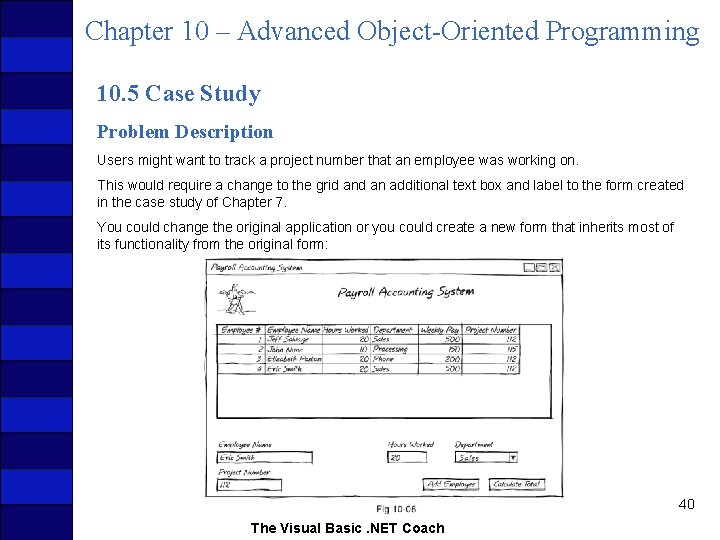
Chapter 10 – Advanced Object-Oriented Programming 10. 5 Case Study Problem Description Users might want to track a project number that an employee was working on. This would require a change to the grid an additional text box and label to the form created in the case study of Chapter 7. You could change the original application or you could create a new form that inherits most of its functionality from the original form: 40 The Visual Basic. NET Coach
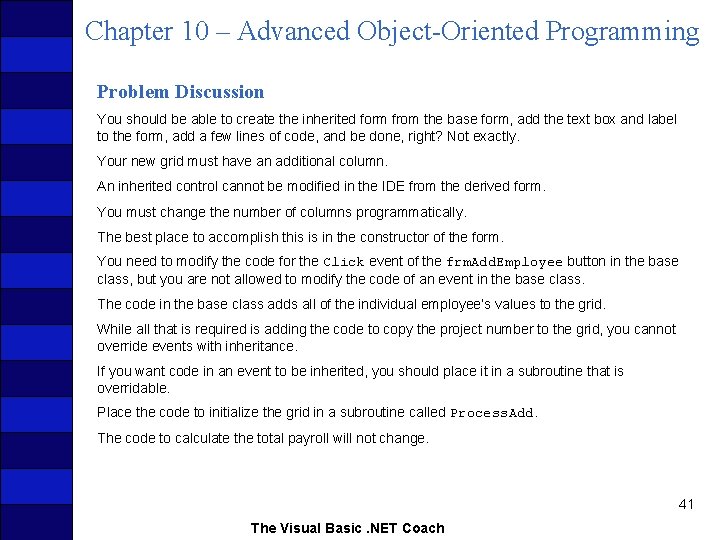
Chapter 10 – Advanced Object-Oriented Programming Problem Discussion You should be able to create the inherited form from the base form, add the text box and label to the form, add a few lines of code, and be done, right? Not exactly. Your new grid must have an additional column. An inherited control cannot be modified in the IDE from the derived form. You must change the number of columns programmatically. The best place to accomplish this is in the constructor of the form. You need to modify the code for the Click event of the frm. Add. Employee button in the base class, but you are not allowed to modify the code of an event in the base class. The code in the base class adds all of the individual employee’s values to the grid. While all that is required is adding the code to copy the project number to the grid, you cannot override events with inheritance. If you want code in an event to be inherited, you should place it in a subroutine that is overridable. Place the code to initialize the grid in a subroutine called Process. Add. The code to calculate the total payroll will not change. 41 The Visual Basic. NET Coach
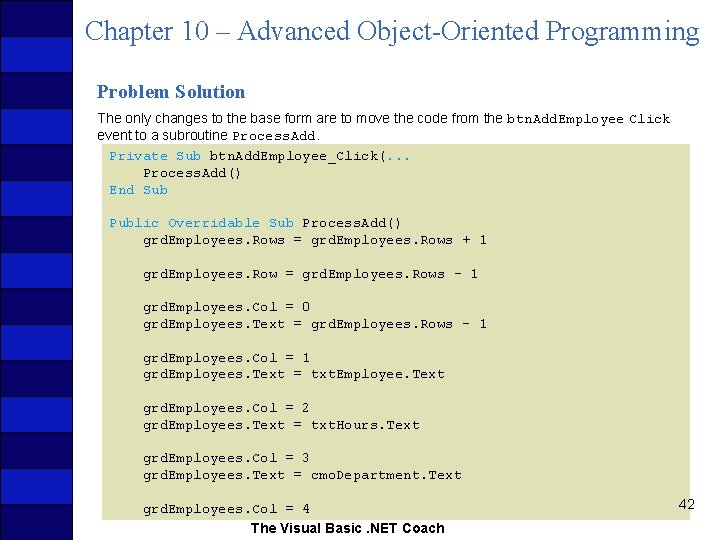
Chapter 10 – Advanced Object-Oriented Programming Problem Solution The only changes to the base form are to move the code from the btn. Add. Employee Click event to a subroutine Process. Add. Private Sub btn. Add. Employee_Click(. . . Process. Add() End Sub Public Overridable Sub Process. Add() grd. Employees. Rows = grd. Employees. Rows + 1 grd. Employees. Row = grd. Employees. Rows - 1 grd. Employees. Col = 0 grd. Employees. Text = grd. Employees. Rows - 1 grd. Employees. Col = 1 grd. Employees. Text = txt. Employee. Text grd. Employees. Col = 2 grd. Employees. Text = txt. Hours. Text grd. Employees. Col = 3 grd. Employees. Text = cmo. Department. Text grd. Employees. Col = 4 The Visual Basic. NET Coach 42
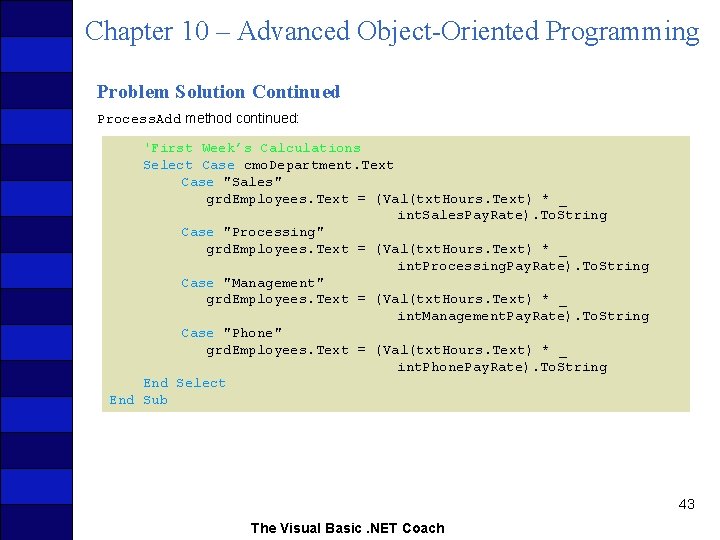
Chapter 10 – Advanced Object-Oriented Programming Problem Solution Continued Process. Add method continued: 'First Week’s Calculations Select Case cmo. Department. Text Case "Sales" grd. Employees. Text = (Val(txt. Hours. Text) * _ int. Sales. Pay. Rate). To. String Case "Processing" grd. Employees. Text = (Val(txt. Hours. Text) * _ int. Processing. Pay. Rate). To. String Case "Management" grd. Employees. Text = (Val(txt. Hours. Text) * _ int. Management. Pay. Rate). To. String Case "Phone" grd. Employees. Text = (Val(txt. Hours. Text) * _ int. Phone. Pay. Rate). To. String End Select End Sub 43 The Visual Basic. NET Coach
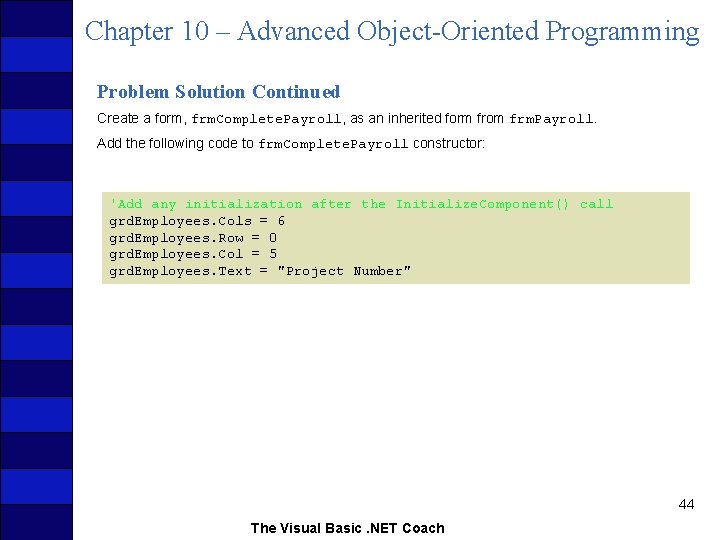
Chapter 10 – Advanced Object-Oriented Programming Problem Solution Continued Create a form, frm. Complete. Payroll, as an inherited form from frm. Payroll. Add the following code to frm. Complete. Payroll constructor: 'Add any initialization after the Initialize. Component() call grd. Employees. Cols = 6 grd. Employees. Row = 0 grd. Employees. Col = 5 grd. Employees. Text = "Project Number" 44 The Visual Basic. NET Coach
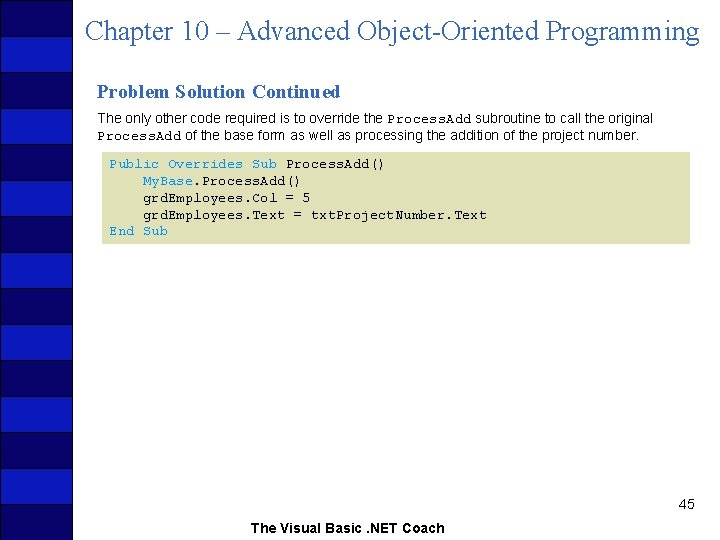
Chapter 10 – Advanced Object-Oriented Programming Problem Solution Continued The only other code required is to override the Process. Add subroutine to call the original Process. Add of the base form as well as processing the addition of the project number. Public Overrides Sub Process. Add() My. Base. Process. Add() grd. Employees. Col = 5 grd. Employees. Text = txt. Project. Number. Text End Sub 45 The Visual Basic. NET Coach
Chapter 10 – Advanced Object-Oriented Programming Coach’s Corner Additional Events Visual Basic. NET’s strength lies in the inherent ease of creating interactive applications. An interactive application must have the capability to respond to the user’s actions in a robust manner. Visual Basic. NET responds to a user’s actions by processing events. Visual Basic. NET has many predefined events that allow the programmer to attach code to be executed when an event occurs. A Click event occurs when the user clicks on the control. The code associated with the event is executed. The Click event is usually the most frequently used event; however, there are many more. Visual Basic. NET also allows you to create your own events. 46 The Visual Basic. NET Coach
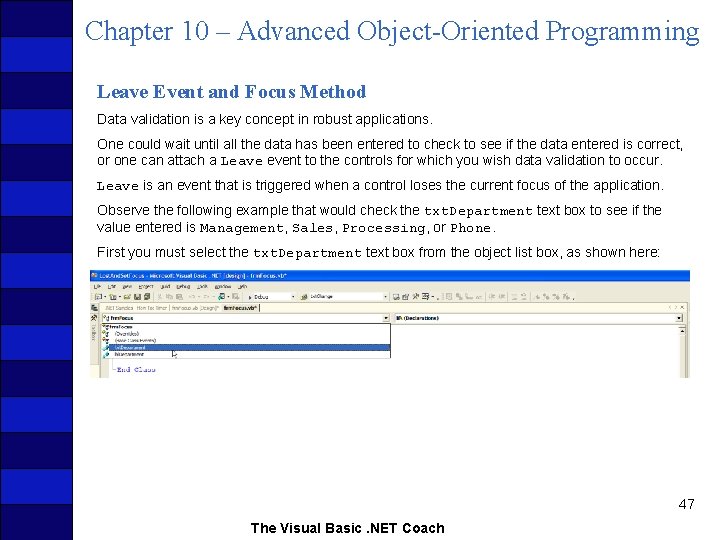
Chapter 10 – Advanced Object-Oriented Programming Leave Event and Focus Method Data validation is a key concept in robust applications. One could wait until all the data has been entered to check to see if the data entered is correct, or one can attach a Leave event to the controls for which you wish data validation to occur. Leave is an event that is triggered when a control loses the current focus of the application. Observe the following example that would check the txt. Department text box to see if the value entered is Management, Sales, Processing, or Phone. First you must select the txt. Department text box from the object list box, as shown here: 47 The Visual Basic. NET Coach
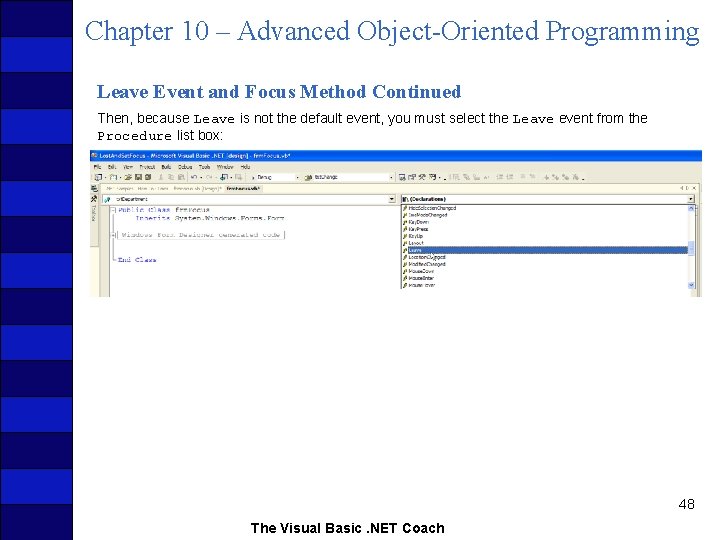
Chapter 10 – Advanced Object-Oriented Programming Leave Event and Focus Method Continued Then, because Leave is not the default event, you must select the Leave event from the Procedure list box: 48 The Visual Basic. NET Coach
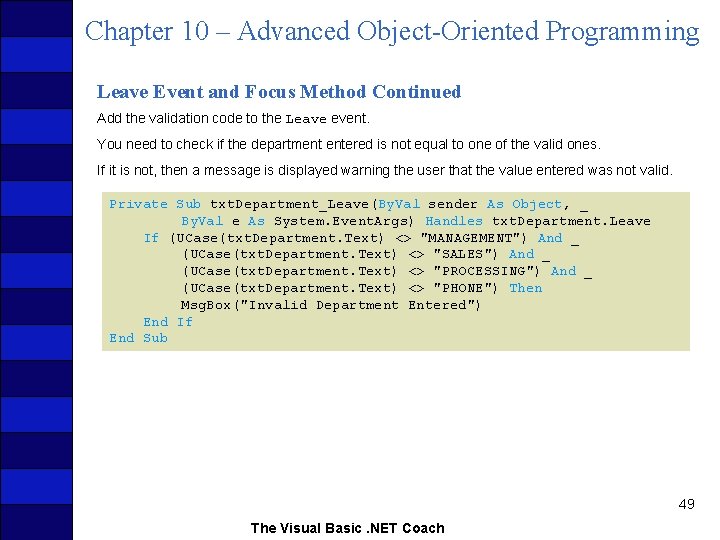
Chapter 10 – Advanced Object-Oriented Programming Leave Event and Focus Method Continued Add the validation code to the Leave event. You need to check if the department entered is not equal to one of the valid ones. If it is not, then a message is displayed warning the user that the value entered was not valid. Private Sub txt. Department_Leave(By. Val sender As Object, _ By. Val e As System. Event. Args) Handles txt. Department. Leave If (UCase(txt. Department. Text) <> "MANAGEMENT") And _ (UCase(txt. Department. Text) <> "SALES") And _ (UCase(txt. Department. Text) <> "PROCESSING") And _ (UCase(txt. Department. Text) <> "PHONE") Then Msg. Box("Invalid Department Entered") End If End Sub 49 The Visual Basic. NET Coach
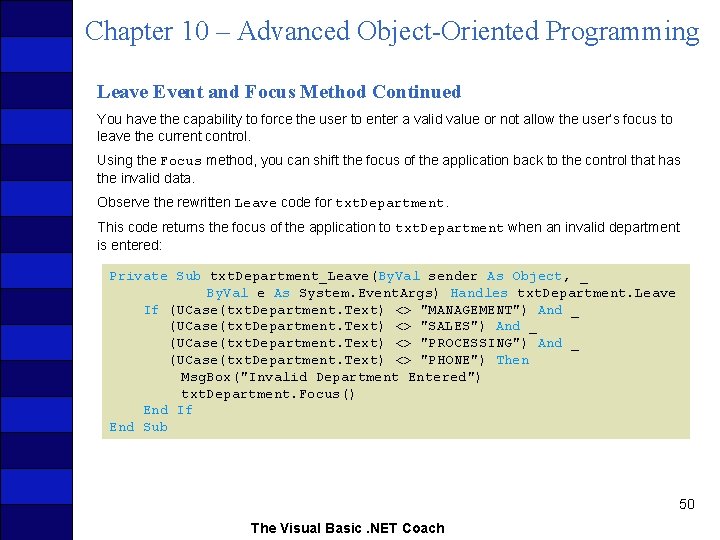
Chapter 10 – Advanced Object-Oriented Programming Leave Event and Focus Method Continued You have the capability to force the user to enter a valid value or not allow the user’s focus to leave the current control. Using the Focus method, you can shift the focus of the application back to the control that has the invalid data. Observe the rewritten Leave code for txt. Department. This code returns the focus of the application to txt. Department when an invalid department is entered: Private Sub txt. Department_Leave(By. Val sender As Object, _ By. Val e As System. Event. Args) Handles txt. Department. Leave If (UCase(txt. Department. Text) <> "MANAGEMENT") And _ (UCase(txt. Department. Text) <> "SALES") And _ (UCase(txt. Department. Text) <> "PROCESSING") And _ (UCase(txt. Department. Text) <> "PHONE") Then Msg. Box("Invalid Department Entered") txt. Department. Focus() End If End Sub 50 The Visual Basic. NET Coach
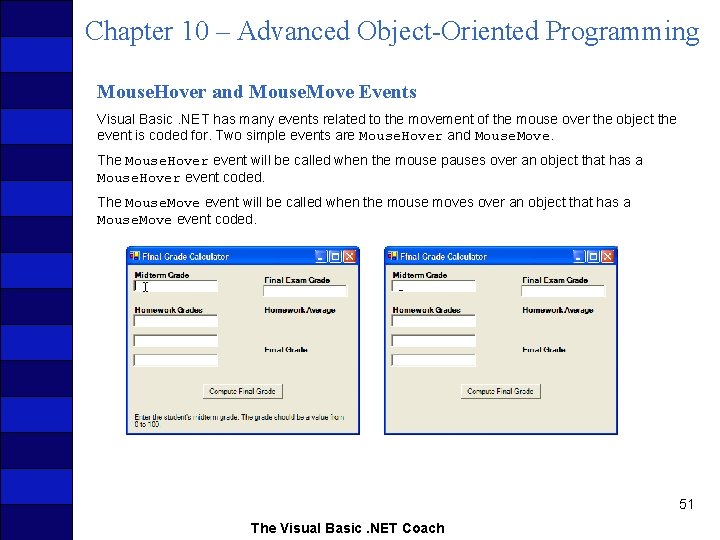
Chapter 10 – Advanced Object-Oriented Programming Mouse. Hover and Mouse. Move Events Visual Basic. NET has many events related to the movement of the mouse over the object the event is coded for. Two simple events are Mouse. Hover and Mouse. Move. The Mouse. Hover event will be called when the mouse pauses over an object that has a Mouse. Hover event coded. The Mouse. Move event will be called when the mouse moves over an object that has a Mouse. Move event coded. 51 The Visual Basic. NET Coach
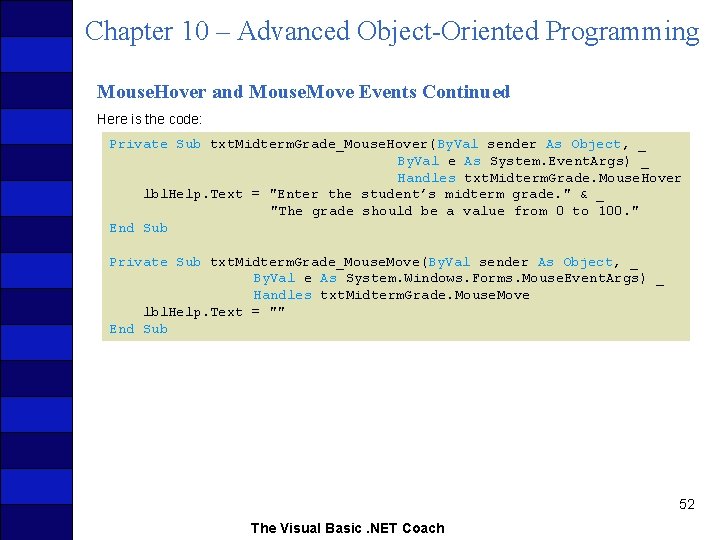
Chapter 10 – Advanced Object-Oriented Programming Mouse. Hover and Mouse. Move Events Continued Here is the code: Private Sub txt. Midterm. Grade_Mouse. Hover(By. Val sender As Object, _ By. Val e As System. Event. Args) _ Handles txt. Midterm. Grade. Mouse. Hover lbl. Help. Text = "Enter the student’s midterm grade. " & _ "The grade should be a value from 0 to 100. " End Sub Private Sub txt. Midterm. Grade_Mouse. Move(By. Val sender As Object, _ By. Val e As System. Windows. Forms. Mouse. Event. Args) _ Handles txt. Midterm. Grade. Mouse. Move lbl. Help. Text = "" End Sub 52 The Visual Basic. NET Coach
- Slides: 52