
Chapter 1 Security Management Practices 1 Overview of


- Slides: 77
Chapter 1: Security Management Practices
1. Overview of Security Management 2. Information Classification Process 3. Security Policy 4. Risk Management 5. Security Procedures and Guidelines 6. Business Continuity and Disaster Recovery 7. Ethics and Best Practices
Introduction • The cyber security policy serves several purposes. • The main purpose is to inform company users: employees, contractors and other authorized users of their compulsory requirements for protecting the technology and information assets of the company. • The cyber security policy also describes the user’s responsibilities and privileges
Why data should be Secure ? ? • Companies need to protect their information today more than ever • The increasing need for companies to protect their customer and financial information is obvious. • Signs are prevalent in the news, publications, and in the turn of recent business and world events. • For example: · Information technology has recently been selected as a weapon of choice for terrorists. • The Internet is being used more and more for critical business transactions. • It is common knowledge among business professionals that transacting business over the Internet without appropriate protection measures puts consumer and company information at considerable risk for fraud and theft
What are we protecting • It is the responsibility of all users of the company systems to protect the technology and information assets of the company. • This information must be protected from unauthorized access, theft and destruction.
What are we protecting The technology and information assets of the company are made up of the following components: • Computer hardware, CPU, disc, email, web, application servers, PC systems, application software, system software, etc. • System software including: operating systems, database management systems, and backup and restore software, communications protocols, and so forth.
What are we protecting • Application software: used by the various departments within the company. This includes custom written software applications, and commercial off the shelf software packages. • Communications network hardware and software including: routers, routing tables, hubs, modems, multiplexers, switches, firewalls, private lines, and associated network management software and tools.
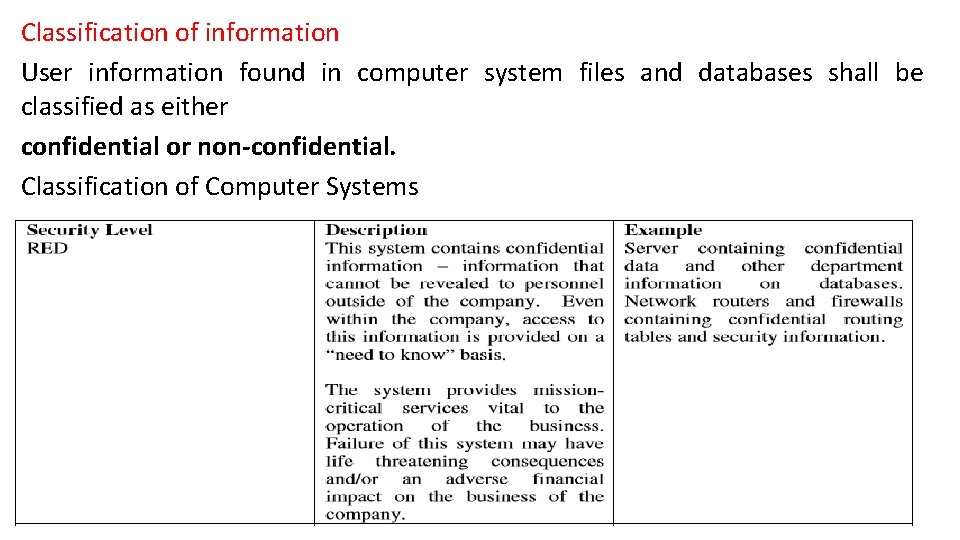
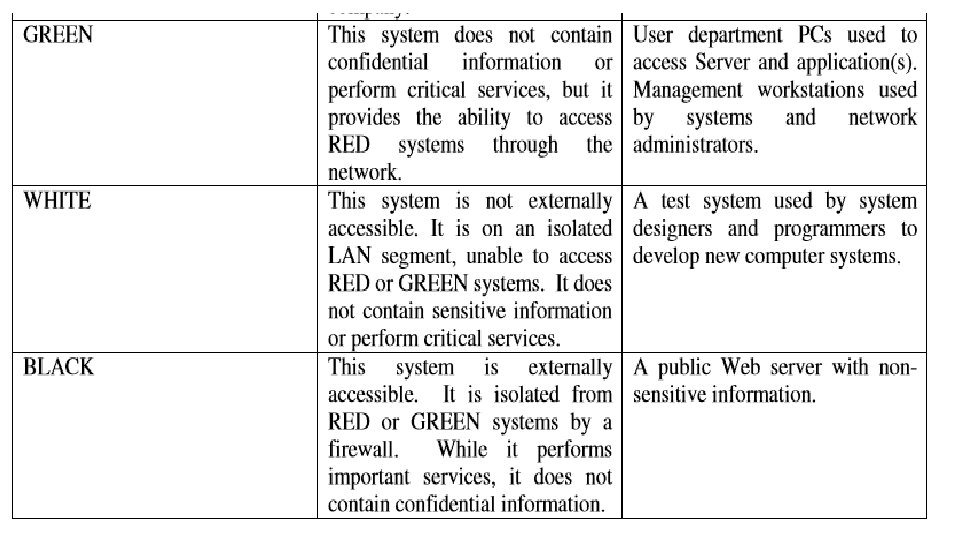
Classification of information User information found in computer system files and databases shall be classified as either confidential or non-confidential. Classification of Computer Systems
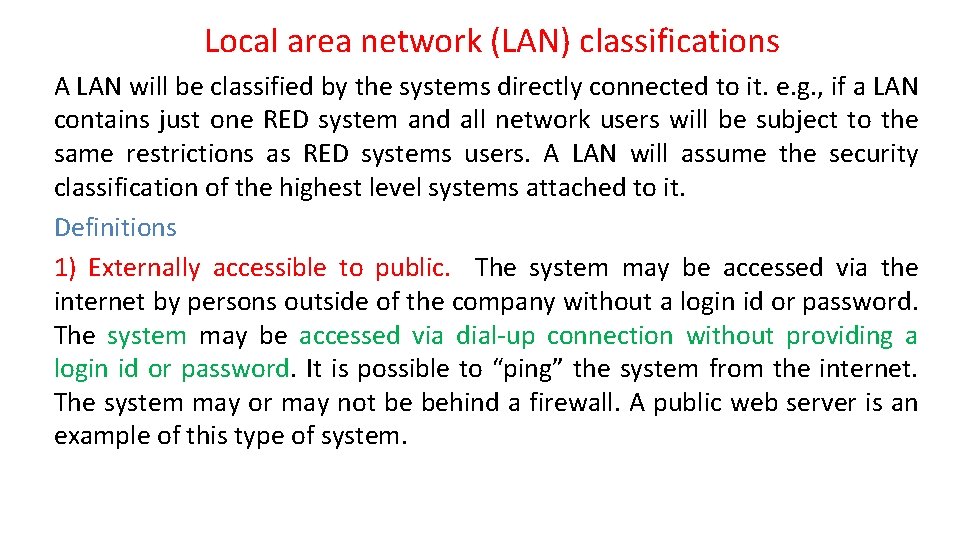
Local area network (LAN) classifications A LAN will be classified by the systems directly connected to it. e. g. , if a LAN contains just one RED system and all network users will be subject to the same restrictions as RED systems users. A LAN will assume the security classification of the highest level systems attached to it. Definitions 1) Externally accessible to public. The system may be accessed via the internet by persons outside of the company without a login id or password. The system may be accessed via dial-up connection without providing a login id or password. It is possible to “ping” the system from the internet. The system may or may not be behind a firewall. A public web server is an example of this type of system.
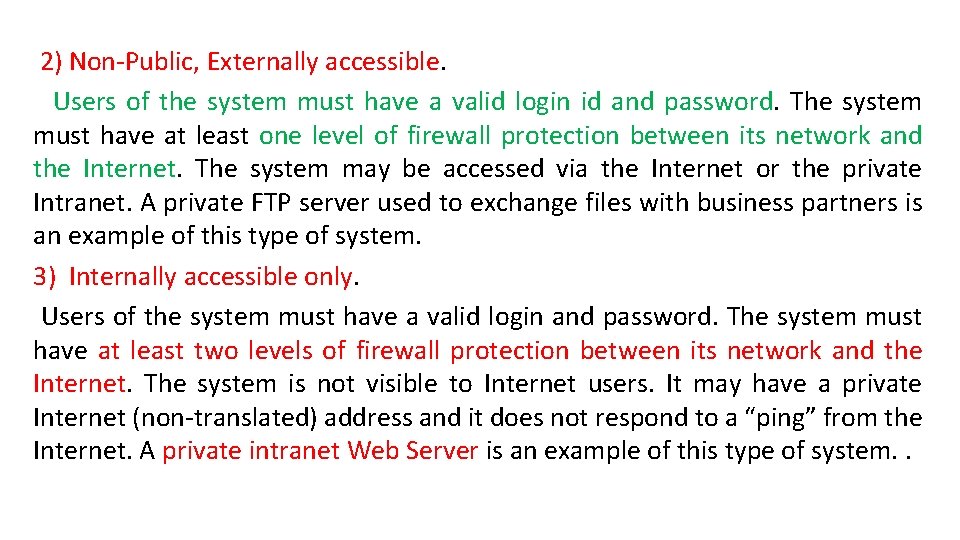
2) Non-Public, Externally accessible. Users of the system must have a valid login id and password. The system must have at least one level of firewall protection between its network and the Internet. The system may be accessed via the Internet or the private Intranet. A private FTP server used to exchange files with business partners is an example of this type of system. . 3) Internally accessible only. Users of the system must have a valid login and password. The system must have at least two levels of firewall protection between its network and the Internet. The system is not visible to Internet users. It may have a private Internet (non-translated) address and it does not respond to a “ping” from the Internet. A private intranet Web Server is an example of this type of system. .
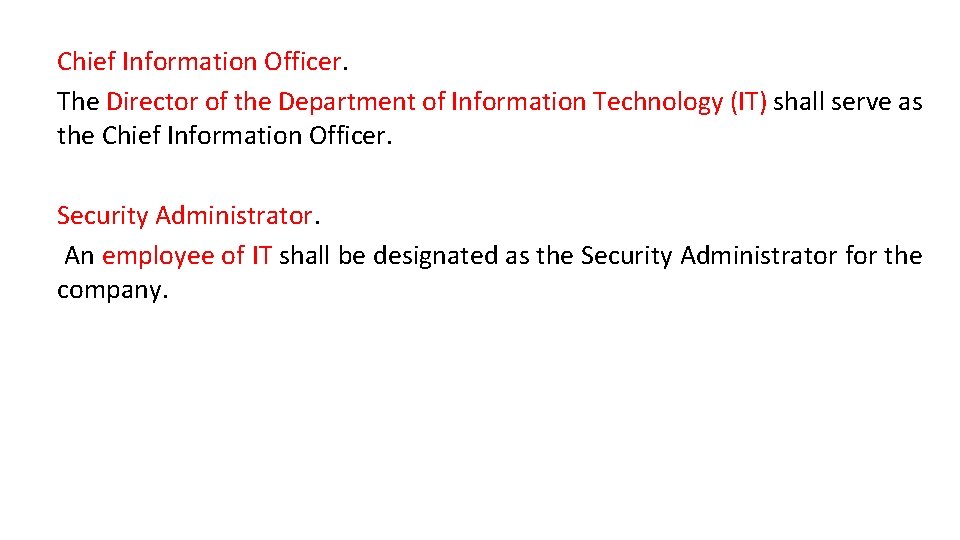
Chief Information Officer. The Director of the Department of Information Technology (IT) shall serve as the Chief Information Officer. Security Administrator. An employee of IT shall be designated as the Security Administrator for the company.
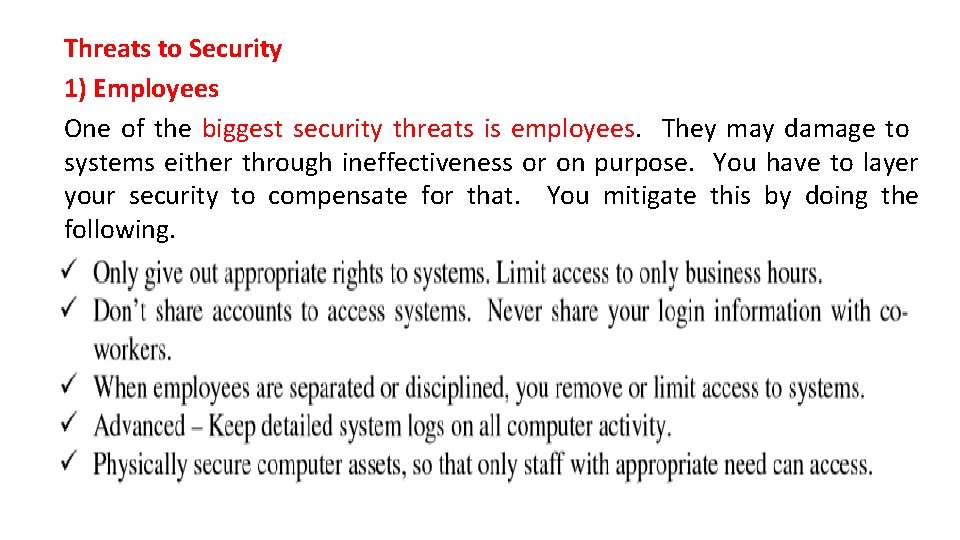
Threats to Security 1) Employees One of the biggest security threats is employees. They may damage to systems either through ineffectiveness or on purpose. You have to layer your security to compensate for that. You mitigate this by doing the following.
2) Amateur (Unprofessional) Hackers and Vandals. • These people are the most common type of attackers on the Internet. • The probability of attack is extremely high. • These amateur hackers are scanning the Internet and looking for well known security holes that have not been persevered. • Web servers and electronic mail are their favorite targets. • Once they find a weakness, they will exploit it to plant viruses, Trojan horses, or use the resources of your system for their own means. • If they do not find an obvious weakness they move on to an easier target.
3) Criminal Hackers and Saboteurs. • Probability of this type of attack is low. • Skill of these attackers is medium to high as they are trained in the use of the latest hacker tools. • Attacks are well planned and are based on any weaknesses discovered that will allow a foothold into the network. • User Responsibilities • This section establishes usage policy for the computer systems, n/w and information resources of the office. • It relates to all employees and contractors who use the computer systems, n/w, and information resources as business partners, and individuals who are granted access to the n/w for the business purposes of the company.
Acceptable Use • User accounts on company computer systems are to be used only for business of the company and not to be used for personal activities. • Unauthorized use of the system may be in violation of the law, founds theft and can be punishable by law. • Therefore, unauthorized use of the company computing system and facilities may constitute grounds for either civil or criminal prosecution. • Users are personally responsible for protecting all confidential information used and/or stored on their accounts. • This includes their logon IDs and passwords. • They are prohibited from making unauthorized copies of such confidential information and/or distributing it to unauthorized persons outside of the company.
Acceptable Use • Users shall not purposely engage in activity with the intent to: harass other users; degrade the performance of the system • Users shall not attach unauthorized devices on their PCs or workstations, unless they have received specific authorization from the employees’ manager and/or the company IT designee. • Users shall not download unauthorized s/w from the Internet onto their PCs or workstations. • Users are required to report any weaknesses in the company computer security, any incidents of misuse or violation of this policy to their immediate supervisor.
Use of the Internet • Company will provide Internet access to employees and contractors who are connected to the internal n/w and who has a business need for this access. • Employees and contractors must obtain permission from their supervisor and file a request with the Security Administrator. • The Internet is a business tool for the company. • It is to be used for business-related purposes such as communicating via electronic mail with suppliers and business partners, obtaining useful business information and relevant technical and business topics.
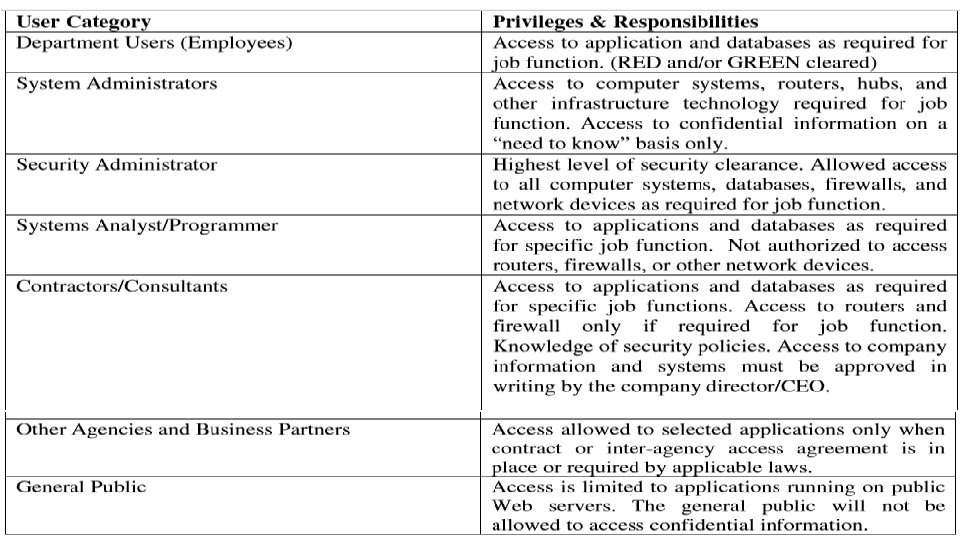
User Classification All users are expected to have knowledge of these security policies and are required to report abuses to the Security Administrator. All users must follow to the Acceptable Use Policy defined in this document. The company has established the following user groups and defined the access privileges and responsibilities:
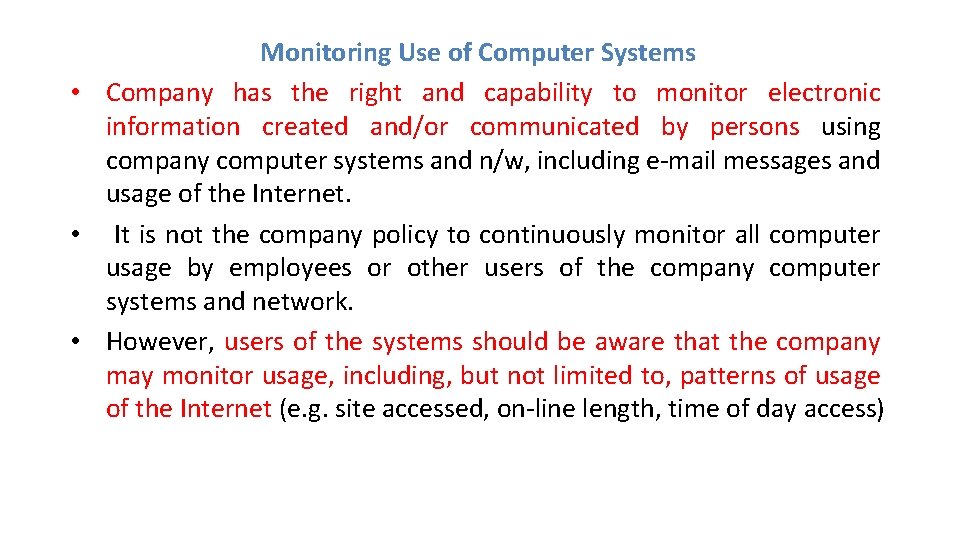
Monitoring Use of Computer Systems • Company has the right and capability to monitor electronic information created and/or communicated by persons using company computer systems and n/w, including e-mail messages and usage of the Internet. • It is not the company policy to continuously monitor all computer usage by employees or other users of the company computer systems and network. • However, users of the systems should be aware that the company may monitor usage, including, but not limited to, patterns of usage of the Internet (e. g. site accessed, on-line length, time of day access)
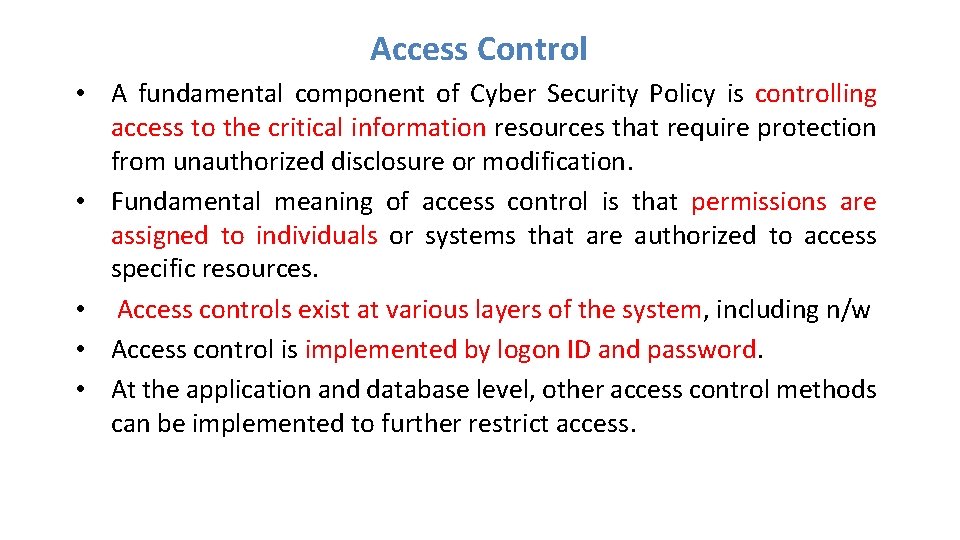
Access Control • A fundamental component of Cyber Security Policy is controlling access to the critical information resources that require protection from unauthorized disclosure or modification. • Fundamental meaning of access control is that permissions are assigned to individuals or systems that are authorized to access specific resources. • Access controls exist at various layers of the system, including n/w • Access control is implemented by logon ID and password. • At the application and database level, other access control methods can be implemented to further restrict access.
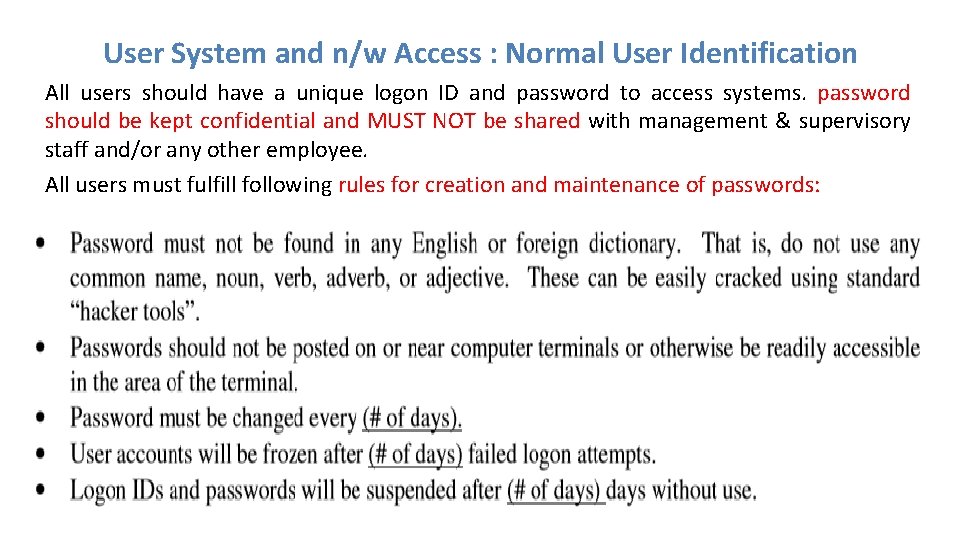
User System and n/w Access : Normal User Identification All users should have a unique logon ID and password to access systems. password should be kept confidential and MUST NOT be shared with management & supervisory staff and/or any other employee. All users must fulfill following rules for creation and maintenance of passwords:
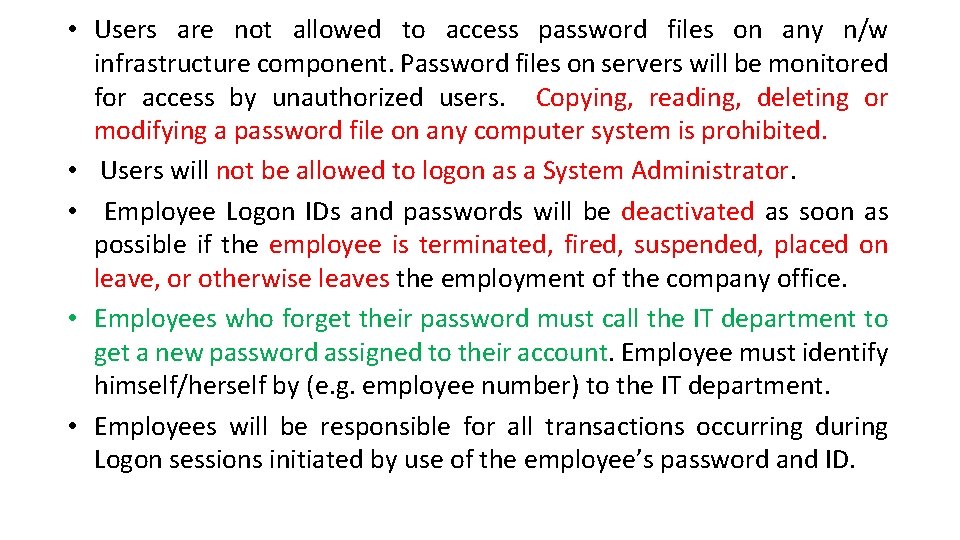
• Users are not allowed to access password files on any n/w infrastructure component. Password files on servers will be monitored for access by unauthorized users. Copying, reading, deleting or modifying a password file on any computer system is prohibited. • Users will not be allowed to logon as a System Administrator. • Employee Logon IDs and passwords will be deactivated as soon as possible if the employee is terminated, fired, suspended, placed on leave, or otherwise leaves the employment of the company office. • Employees who forget their password must call the IT department to get a new password assigned to their account. Employee must identify himself/herself by (e. g. employee number) to the IT department. • Employees will be responsible for all transactions occurring during Logon sessions initiated by use of the employee’s password and ID.
System Administrator Access • System Administrators, network administrators, and security administrators will have (type of access) access to host systems, routers, hubs, and firewalls as required to fulfill the duties of their job. • All system administrator passwords will be DELETED immediately after any employee who has access to such passwords is terminated, fired, or otherwise leaves the employment of the company.
Special Access • Special access accounts are provided to individuals, requiring temporary system administrator privileges in order to perform their job. • These accounts are monitored by the company and require the permission of the user’s company IT Manager. • Monitoring of the special access accounts is done by entering the users into a specific area and periodically generating reports to management.
Connecting to Third-Party Networks This policy is established to ensure a secure method of connectivity provided between the company and all third-part companies. • “Third-party” refers to vendors, consultants and business partners doing business with company, and other partners that have a need to exchange information with the company. • Third-party network connections are used only by the employees of the third-party, only for the business purposes of the company. • The third-party company will ensure that only authorized users will be allowed to access information.
Connecting Devices to the Network • Only authorized devices may be connected to company network(s). • Authorized devices include PCs & workstations owned by company. • Other authorized devices include network infrastructure devices used for network management and monitoring. Users shall not attach to the network: non-company computers that are not authorized, owned and/or controlled by company NOTE: Users are not authorized to attach any device that would alter the topology characteristics of the Network or any unauthorized storage devices, e. g. thumb drives and writable CD’s.
• • • Remote Access Only authorized persons may remotely access the company network. Remote access is provided to those employees, contractors, business partners of company that have a genuine business need to exchange information, copy files/programs, or access computer applications. Unauthorized Remote Access Attachment of (e. g. hubs) to a user’s PC or workstation that is connected to the company LAN is not allowed without the written permission of the company. Additionally, users may not install personal software designed to provide remote control of the PC or workstation. This type of remote access avoids the authorized highly secure methods of remote access and poses a threat to the security of n/w
Penalty for Security Violation • The company takes the issue of security seriously. • People who use the technology and information resources of company must be aware that they can be disciplined if they violate this policy. • Discipline which may be taken against an employee shall be administrated in accordance with any appropriate rules or policies and the company Policy Manual. • In a case where the blamed person is not an employee of company the matter shall be submitted to the (company designee). • The (company designee) may refer the information to law enforcement agencies and/or prosecutors for consideration as to whether criminal charges should be filed against the alleged violator(s).
Security Incident Handling Procedures This section provides some policy guidelines and procedures for handling security incidents. The term “security incident” is defined as any irregular or adverse event that threatens the security, integrity, or availability of the information resources on any part of the company network. Some examples of security incidents are: • Illegal access of a company computer system. For example, a hacker logs onto a production server and copies the password file. • Damage to a company computer system or network caused by illegal access. Releasing a virus or worm would be an example. • Denial of service attack against a company web server. For example, a hacker initiates a flood of packets against a Web server designed to cause the system to crash. • Malicious use of system resources to launch an attack against other computer outside of the company network. For example, the system administrator notices a connection to an unknown network and a strange process accumulating a lot of server time.
Overview of Security Management Security is concerned with ensuring legitimate use, maintaining confidentiality, data integrity, and auditing in the network. • Security Management involves identifying the assets, threats, vulnerabilities, and taking protective measures, which if not done may lead to unintended use of computing systems. • Network management applications are increasing in size and complexity to address a broad segment of heterogeneous computing environments. • The complexity of network infrastructure demands a highly scalable application providing end-to-end solution that goes beyond the basic network management needs. •
Overview of Security Management With these, the following are three important aspects of information security that are to be taken care from the security service point of view: • Security Attack - Any action that comprises the security information owned by an organization. • Security Mechanism - A mechanism that is designed to detect, prevent, or recover from a security attack. • Security Service - A service that enhances the security of the data processing systems and the information transfers in the network.
Security Policies This section provides a list of computer security policies that help organizations to define their enterprise security controls. It includes: 1. Password policy * - Defines minimum and maximum length of passwords, password complexity, how often it must be changed. 2. Network login policy - May be defined by the password policy. Defines how many bad login attempts over what specific amount of time will cause an account to be locked. 3. Remote access policy * - This will specify the anti-virus program remote users must use, how often it must be updated, what personal firewalls they are required to run, and other protection against spyware or other malware. 4. Internet connection policy * - Specifies how users are allowed to connect to the internet and provides for IT department approval of all connections to the internet or other private network. Also defines how the network will be protected to prevent users from going to malicious web sites. Defines whether a proxy server will be used for user internet access.
Security Policies 5. Approved Application policy * - Defines applications which are approved to operate on computer systems inside or connected to the organizational network. 6. Asset control policy * - This policy will allow the locations and users of all assets to be tracked. This policy will define a property move procedure. 7. Equipment and media disposal policy - May be incorporated into the asset control policy. Ensures that electronic equipment or media to be disposed of does not contain any kind of harmful data 8. Media use and re-use policy - May be incorporated into the asset control policy. Defines the types of data that may be stored on removable media and whether that media may be removed from a physically secure facility and under what conditions it would be permitted. 9. Mobile computer policy * - Defines the network security requirements for all mobile computers which will be used on the network, who is allowed to own them, what firewall they must run, what programs may be run on them, how the system will be protected that may be accessible by third parties.
Security Policies 10. Computer Training policy - This policy defines the minimum training for users on the network to make them aware of basic computer threats to protect both themselves and the network. This policy especially applies to employees with access to sensitive or regulated data. 11. IT Resource acceptable use policy - Defines how users may use IT computer resources. Available at: http: //www. sans. org/resources/policies/Acceptable_Use_Policy. pdf http: //www. sans. org/resources/policies/Acceptable_Use_Policy. doc 12. Wireless Use Policy * - Defines whether wireless will be used on the network, what protocols can be used, and how it will be kept secure from unauthorized access including allowing only specific computers to connect. 13. Information security policy available at http: //www. sans. org/resources/policies/Information_Sensitivity_Policy. pdf http: //www. sans. org/resources/policies/Information_Sensitivity_Policy. doc http: //www. sans. org/resources/policies/
Security Policies 14 Anti-virus and malware policy * (data protection plan) - Defines anti-virus policy on every computer including how often a virus scan is done, how often updates are done. Defines what programs will be used to detect, prevent, and remove malware programs. • The purpose of this policy is to describe requirements for preventing and addressing computer virus, worm, spyware, malware, and other types of malicious software. This policy applies to all [LEP] staff using [LEP] information resources. 15. System update policy * - How often systems and applications are checked for security updates and whose responsibility it is to do them. How the updates for client computers and servers will be done. Will an update service be used? 16. User privilege policy * - Defines what privileges various users are allowed to have, specifically defining what groups of users have privileges to install computer programs on their or other systems. Defines the users who have access to and control of sensitive or regulated data. Also may define internet access to specific sites for some users or other ways they may or may not use their computer systems. 17. Application implementation policy - Defines how major computer to computer
Security Policies 18. System lockdown policy (baseline host/device security) - Defines what kind of lockdown process will be used on what types of systems. May include: 1. Services not installed or run due to excessive vulnerability such as Windows messenger or Windows File and Print Sharing. 2. Recommendation to limit the number of services run on a server. 3. Recommendation to operate host intrusion detection on all servers or specific high risk or high impact servers. 4. Policy to make it difficult for an attacker to access password files on any system. 19. Server Monitoring Policy - Provides for monitoring servers for file space and performance issues to prevent system failure / loss of service.
Security Policies 20. IT Equipment Purchase and Failure Prevention Policy - Defines technologies to be used in specific areas of functionality to reduce the chance of any serious disruption of service. 21. Incident response plan * - Defines the response to a security incident such as a virus, network intrusion, abuse of a computer system or other situations. 22. Intrusion detection policy - Defines what devices will be used on the network to detect any suspicious activity or intrusion. Defines what should be logged and the details of the logs.
CPAG 2015 TSDikshit 40
Risk Management: Introduction Risk Management is simply to look at what could go wrong - and then decide on ways to prevent – or minimize - these potential problems. It encompasses three processes – 1. risk assessment 2. risk mitigation 3. risk evaluation. Following are important definitions for terms that are used in this Guide. Risk: The probability of suffering harm or loss. It refers to an action, event or a natural occurrence that could cause an undesirable outcome, resulting in a negative impact or consequence.
Risk Assessment: The process of identifying threats to information or information systems, determining the likelihood of occurrence of the threat, and identifying system vulnerabilities that could be exploited by the threat. Risk Management: The process of taking actions to assess risks and avoid or reduce risk to acceptable levels.
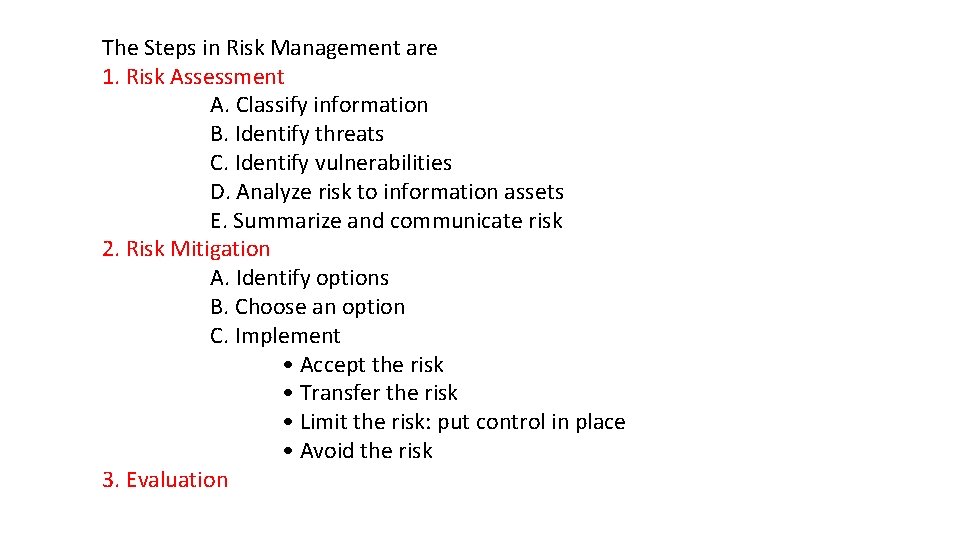
The Steps in Risk Management are 1. Risk Assessment A. Classify information B. Identify threats C. Identify vulnerabilities D. Analyze risk to information assets E. Summarize and communicate risk 2. Risk Mitigation A. Identify options B. Choose an option C. Implement • Accept the risk • Transfer the risk • Limit the risk: put control in place • Avoid the risk 3. Evaluation
• Small businesses and agencies maintain information that is confidential and integral to the operation of their organization. • Information is any representation of facts, concepts or instructions created, stored (in temporary or permanent form), filed, produced or reproduced, regardless of the form or media. • For example, a computer in a business office may contain client social security numbers, financial records, health records and other personal, private, or sensitive information (PPSI).
§ An employee’s decision to leave his computer unprotected for even a short time opens the risk to unauthorized physical access. § Or, the organization’s decision not to have a firewall or antivirus software installed to protect it leaves the computer at risk to someone who gains unauthorized access through Internet. The management of these risks may be as simple as requiring employees to lock the computer every time they step away, installing anti virus, or the installation of firewalls.
1. Risk Assessment Risk assessment is the first phase in the risk management process. Risk is assessed by identifying threats and vulnerabilities, and then determining the likelihood and impact for each risk. It is important to designate an individual or a team, who understands the organization’s mission, to periodically assess and manage information security risk. 1 a. Classify Information Before an organization can assess the risk it must first classify the information assets in the organization. Classification is the designation given to information from a defined category on the basis of its sensitivity. Information assets include all categories of information (automated and non-automated), including (but not limited to) data contained in records, files, and databases.
• Information assets usually include: public records mission-critical systems, customer interfaces, internal tools, source code, and confidential records. • The organization is responsible for protecting the confidentiality, integrity and availability of the information assets. • The value of an asset will be determined by the information owner. • An information asset can mean many different things depending on what the organization is trying to accomplish; therefore, it is important to identify each information asset. • Information may be stored onsite or offsite, on hard drives, CDs and tapes. • It is best to create a list of all information assets and classify each asset (e. g. , confidential, restricted, public information). • Policies and procedures regarding the classification of documents should be in place so all employees are aware and educated about them.
1 b. Identify Threats A threat is a force, organization or person, which seeks to gain access to, or compromise, information. By looking at the nature of the threat, its capability and resources, one can assess it, and then determine the probability of occurrence, as in risk assessment. A threat can be assessed in terms of the probability of an attack. There are many types of information security threats, some examples are listed below: • Internal (e. g. , malicious or unaware employees); • Mobile (e. g. , attackers who steal remote systems which, in turn, provide access to information); • Physical (e. g. , attackers who steal computers or enter server rooms, file cabinets, or offices); • Natural (e. g. , fire, floods, and earthquakes resulting in electrical outages, equipment and hardware failures);
• Network (e. g. , attackers who try to compromise systems exposed on a public network or try to spoof or imitate remote systems); • Social (e. g. , attackers who try to fool employees into revealing information through phishing); • Malicious (e. g. , viruses, worms, and Trojan horses, code that may damage, reveal, or capture information). It is important to be aware of threats to your organization’s information in order to prevent compromise to that information’s confidentiality, integrity and availability. Information security threats must be identified at as many levels as possible.
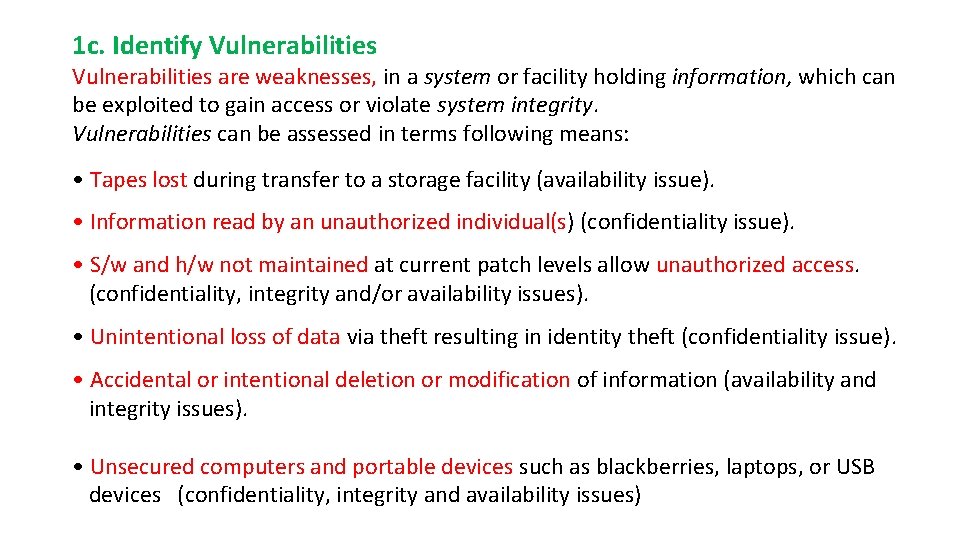
1 c. Identify Vulnerabilities are weaknesses, in a system or facility holding information, which can be exploited to gain access or violate system integrity. Vulnerabilities can be assessed in terms following means: • Tapes lost during transfer to a storage facility (availability issue). • Information read by an unauthorized individual(s) (confidentiality issue). • S/w and h/w not maintained at current patch levels allow unauthorized access. (confidentiality, integrity and/or availability issues). • Unintentional loss of data via theft resulting in identity theft (confidentiality issue). • Accidental or intentional deletion or modification of information (availability and integrity issues). • Unsecured computers and portable devices such as blackberries, laptops, or USB devices (confidentiality, integrity and availability issues)
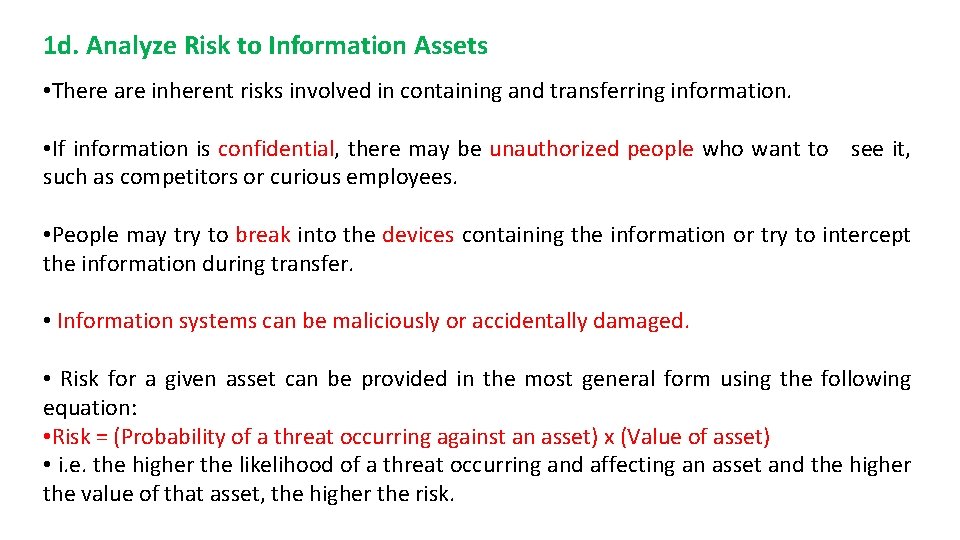
1 d. Analyze Risk to Information Assets • There are inherent risks involved in containing and transferring information. • If information is confidential, there may be unauthorized people who want to see it, such as competitors or curious employees. • People may try to break into the devices containing the information or try to intercept the information during transfer. • Information systems can be maliciously or accidentally damaged. • Risk for a given asset can be provided in the most general form using the following equation: • Risk = (Probability of a threat occurring against an asset) x (Value of asset) • i. e. the higher the likelihood of a threat occurring and affecting an asset and the higher the value of that asset, the higher the risk.
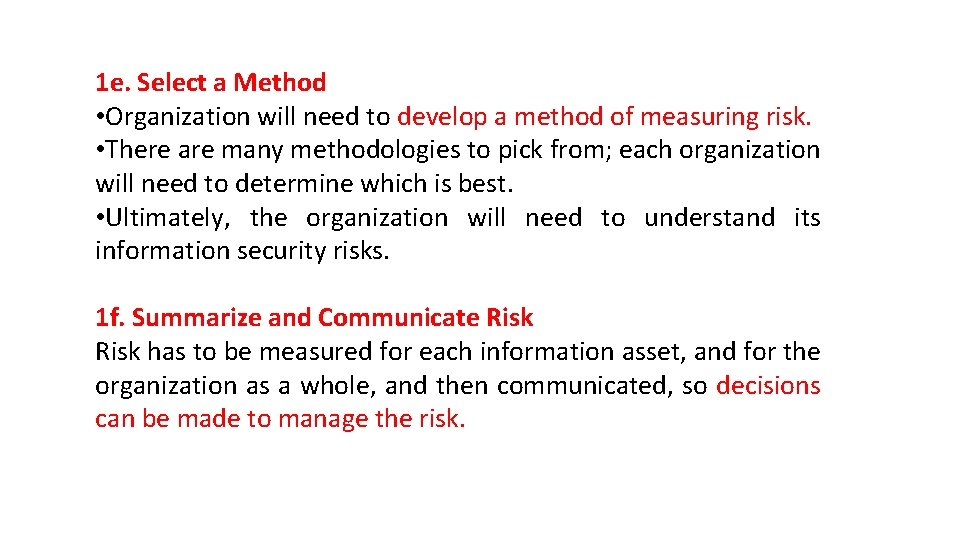
1 e. Select a Method • Organization will need to develop a method of measuring risk. • There are many methodologies to pick from; each organization will need to determine which is best. • Ultimately, the organization will need to understand its information security risks. 1 f. Summarize and Communicate Risk has to be measured for each information asset, and for the organization as a whole, and then communicated, so decisions can be made to manage the risk.
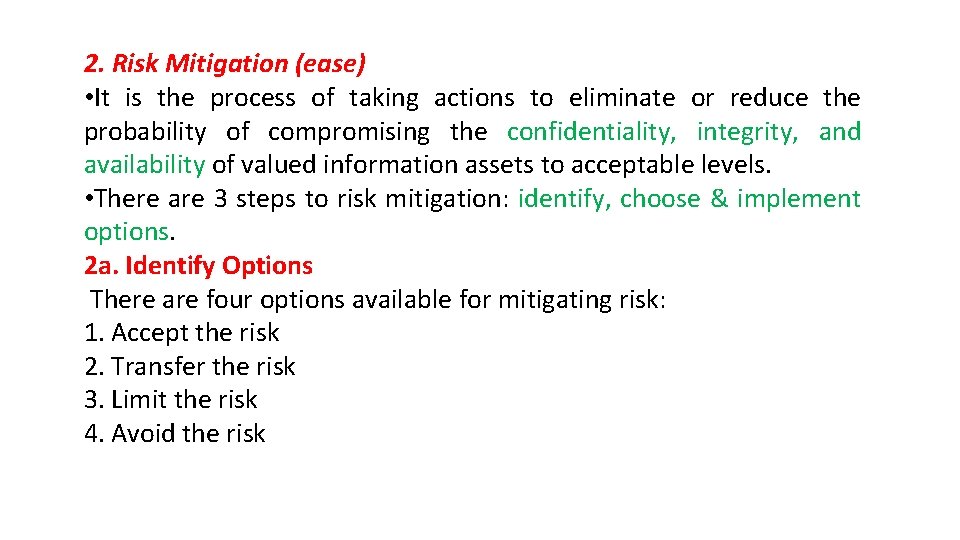
2. Risk Mitigation (ease) • It is the process of taking actions to eliminate or reduce the probability of compromising the confidentiality, integrity, and availability of valued information assets to acceptable levels. • There are 3 steps to risk mitigation: identify, choose & implement options. 2 a. Identify Options There are four options available for mitigating risk: 1. Accept the risk 2. Transfer the risk 3. Limit the risk 4. Avoid the risk
1. Accept the Risk • The risk is considered low (e. g. , the value of an asset is low ). • If the cost of accepting the risk is high than the cost of transfer or limiting it, then the organization should not accept the risk. The organization should then look at transferring or limiting the risk. 2. Transfer the Risk • Transfer. Risk transfer involves passing the risk to a third party. • This doesn't change or eliminate the risk, it simply gives another party the responsibility to manage the risk. • Examples of risk transfer include insurance, performance bonds, warranties, fixed price contracts, and guarantees.
3. Limit the Risk • When a risk is high and the risk cannot be transferred then the risk should be limited. • In the case of limiting risks such as a virus infection, spam and unauthorized Internet access, the organization may decide to order the purchase of software for all computer devices to reduce the impact of those risks. • Limiting risk will mean controlling access to the network, by installing antivirus, spam ware and a firewall where none exists. • Training employees, interns and contractors to be aware of information security will also help reduce the risks. • Keeping software updated is a critical defence to recently discovered vulnerabilities.
4. Avoid the Risk When it comes to your responsibility as a manager you have to know when it is appropriate to avoid the risk altogether. Risk avoidance may be used to protect those assets which are at high risk. Some examples of this option include: • Providing a facility outside a flood zone • Keep computer systems with confidential information separate from the Internet
2 b. Choose an Option • Once the organization has identified the various options for mitigating risk, one must be selected. • The team or individual designated to handle risk management should need to work with the appropriate individuals and make a recommendation to management.
2 c. Implement the Option • As previously defined, the possible actions are to accept the risk, transfer the risk, limit the risk, or avoid the risk. • Each information asset now has an assigned risk and the option for mitigating the risk has been chosen. • Limiting the risk by putting a control in place will be the most commonly chosen option to protect your information assets and systems. • Continual monitoring and regular updating is part of the implementation to keep the risk at an acceptable level.
3. Evaluation • A designated team or individual should follow through to ensure that the chosen option has been implemented. • An annual review must also be performed to ensure that the controls put in place are still functional and feasible to protect a given information asset procedure.
Evaluation step in the Risk Management process consists of 2 components : The review and recording of the review. 3 a. Review and Record It is time to record and document lessons learned. A group should be organized including the original team to discuss and evaluate the process and document any issues and lessons learned. 3 b. Tools to Help with the Process Also important is the use of tools, auditing, and policies. Tools such as dedicated risk management systems can be used to assess risk. Auditing allows the organization over time to identify the possible threats and risks and implement future risk assessment and management.
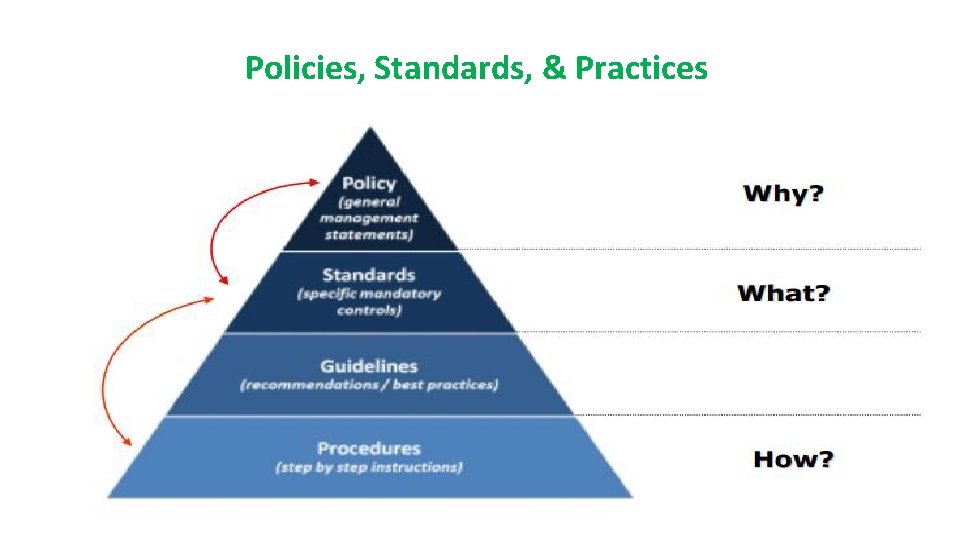
Policies, Standards, & Practices CPAG 2015 TSDikshit 61
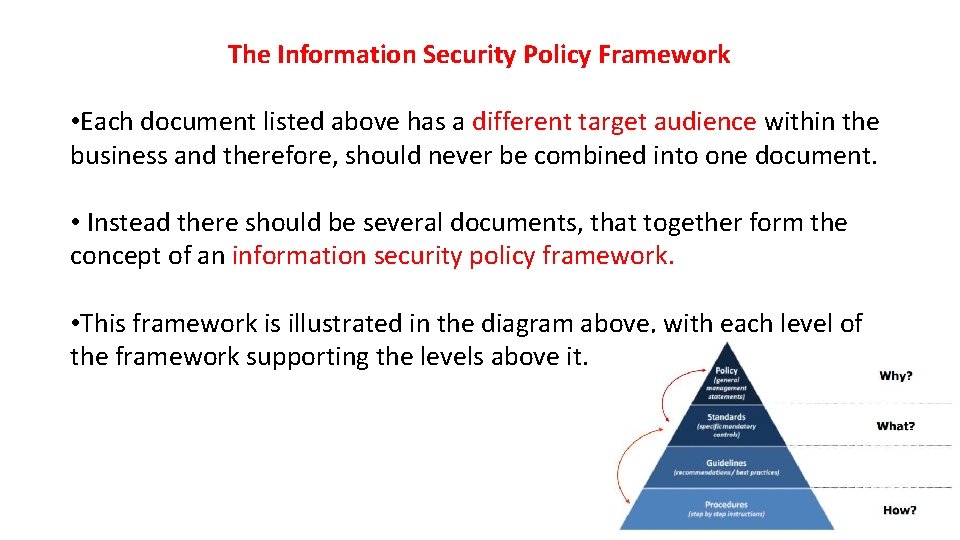
Policies • An information security policy consists of high level statements relating to the protection of information across the business and should be produced by senior management. • The policy outlines security roles and responsibilities, defines the scope of information to be protected, and provides a high level description of the controls that must be in place to protect information. • Business may have several specific policies that target different areas , such as email policy or acceptable use policy. • From legal and compliances perspective, an information security policy is often viewed by senior management. • A documented policy is frequently a requirement to satisfy regulations or laws, such as those relating to privacy and finance.
Standards • Standards consist of specific low level mandatory controls that help enforce and support the information security policy. • Standards help to ensure security consistency across the business and usually contain security controls relating to the implementation of specific technology, hardware or software. • For example : a password standard may set out rules for password complexity Windows standard may set out the rules for hardening Windows clients.
Guidelines • Guidelines consist of recommended, non-mandatory controls that help support standards. • Guidelines should be viewed as best practices that are not usually requirements, but are strongly recommended. • They could consist of additional recommended controls that support a standard, or help fill in the gaps where no specific standard applies. • For example, a standard may require passwords to be 8 characters or more and a supporting guideline may state that it is best practice to also ensure the password expires after 30 days. • In another example, a standard may require specific technical controls for accessing the internet securely and a separate guideline may outline the best practices for using the internet and managing your online presence.
Procedures consist of step by step instructions to assist workers in implementing the various policies, standards and guidelines. Whilst the policies, standards and guidelines consist of the controls that should be in place, a procedure gets down to specifics, explaining how to implement these controls in a step by step fashion. For example, a procedure could be written to explain how to install Windows securely, detailing each step that needs to be taken to harden/secure the operating system so that it satisfies the applicable policy, standards and guidelines.
The Information Security Policy Framework • Each document listed above has a different target audience within the business and therefore, should never be combined into one document. • Instead there should be several documents, that together form the concept of an information security policy framework. • This framework is illustrated in the diagram above, with each level of the framework supporting the levels above it.
In order to help cement this concept, let’s use an example to illustrate how all of these different framework pieces fit together. • A policy may state all business information must be adequately protected when being transferred. • A supporting data transfer standard builds upon this, requiring that all sensitive information be encrypted using a specific encryption type and that all transfers are logged. • A supporting guideline explains the best practices for recording sensitive data transfers and provides templates for the logging of these transfers. • A procedure provides step by step instructions for performing encrypted data transfers and ensures compliance with the associated policy, standards and guidelines.
BCP vs DRP • Business Continuity Plan versus Disaster Recovery Plan When people start on the journey to develop plans to deal with a major event they are deal with two different terms – • Business Continuity Plan and Disaster Recovery Plan. There is quite a difference between these two plans and it is important that an organisation clearly understands what sort of planning it requires. Business Continuity Plan (BCP) Business Continuity Planning is best described as the processes and procedures that are carried out by an organisation to ensure that essential business functions continue to operate during and after a disaster. • BCPs generally cover most or all of an organisation's critical business processes and operations.
Conceptually the thinking for the test of if it is a Business Continuity Plan is; "if we lost this building how would we recommence (begin again) our business? " Disaster Recovery Plan (DRP) As part of the business continuity process an organisation will normally develop a series of DRPs. These are more technical plans that are developed for specific groups within an organisation to allow them to recover a particular business application. The most well known example of a DRP is the Information Technology (IT) DRP. The typical test for a DR Plan for IT would be; "if we lost our IT services how would recover them? "
• IT DR plans only deliver technology services to the desk of employees. • It is then up to the business units to have plans for the subsequent functions. • A mistake often made by organisations is that 'we have an IT DR Plan, we are all ok". That is not the case. • You need to have a Business Continuity Plan in place for critical personnel, key business processes, recovery of vital records, critical suppliers identification, contacting of key vendors and clients etc.
Ethics and Best Practices • Practice cyber ethics • Ethics are principles or standards of human conduct. • Cyber ethics is a code of behavior on the Internet. • Based on common sense and good judgment, cyber ethics also includes obeying laws that apply to online behavior. • When you practice cyber ethics, you are more likely to have a safer and enjoyable Internet experience. • Here a few suggestions: DO use the Internet to communicate and interact with other people. • Email and instant messaging make it easy to stay in touch with friends and family members, communicate with work colleagues, and share ideas and information with people across town or halfway around the world. • Participating in Internet forums and social networking sites are also great ways to engage with people online.
• DON'T be a cyber bully. • Treat people online the way you would if you were talking to them face-toface. Be considerate and respectful. • Don't be rude or mean, don't use bad language, and don't make threats or attempt to humiliate other people. • When you type, make sure your Caps Lock key is off or people might think that you're screaming. DO report cyberbullying. • Keep a record of every comment you receive from a cyberbully • Contact the cyberbully one time only and tell him to stop bothering you. • If behavior doesn't change, then report the bully to the proper authorities.
DON'T encourage cyberbullies. • If someone you encounter online insults you or says something threatening, just ignore them. • Engaging or arguing with cyberbullies might encourage even worse behavior. • If you refuse to respond, there is a good chance they will move on and stop bothering you. • If a cyberbully harrasses you through email or instant messaging, you can also use the built-in filters to prevent further contact. • DO use the Internet for research and information. • The Internet is like the world's largest library, packed full of information on every conceivable subject, from ancient history to current events, from math and science to art and anthropology. • The information you find online can help you to manage your life, to improve your work, and to make important decisions with greater confidence.
• DON'T use copyrighted information as your own. • The Internet has such a wealth of information that it can be tempting to copy and reuse information you find online. • Presenting information from the Internet as your own work is not only dishonest, it could be illegal. • If the material is copyrighted, then by law it belongs to someone else. • If you use it without permission or appropriate credit, you might be violating copyright laws. • DO enjoy music, videos and games on the Internet. There are many websites where you can sample new music, watch movies and other videos, or play and learn about computer games. • DON'T download or share copyrighted information. If you download and distribute copyrighted music, videos, games or other materials over the Internet without proper payment or permission, you are stealing.
• DO shop, bank and pay bills online. The Internet makes it easy and convenient to manage many tasks online-which can save time and money. • DON'T share personal information too easily. • Be careful about the type and amount of information you share with people online. • Beware especially of people you don't know or questionable websites that might not be secure. • Revealing personal information can make you a target for online criminals or cyberbullies. • To help ensure you're on a secure site, check to see if the URL begins with https (the "s" stands for "secure"). • Also, look for a green address bar or a security certificate-represented by an icon such as an unopened lock-somewhere in the browser window. • Double-click the certificate to make sure the name on the web address matches the certificate.
• DO use the Internet to expand your social and business networks. Social and business networking sites can help you locate old friends and make new ones, create and maintain valuable professional contacts, and build your online reputation. • DON'T lie. When you're interacting with people online, be honest, and never pretend to be someone else. If someone asks you a question that makes you uncomfortable or asks you to reveal too much personal information, just don't answer.
Thank you