
Chapter 1 Picturing Distributions with Graphs 312021 Chapter
Chapter 1 Picturing Distributions with Graphs 3/1/2021 Chapter 1 1
What is Statistics? • Statistics is the science that extracts information from data • It involves logic, scientific reasoning, and careful analysis. • It is not merely mathematical computations! 3/1/2021 Chapter 1 2
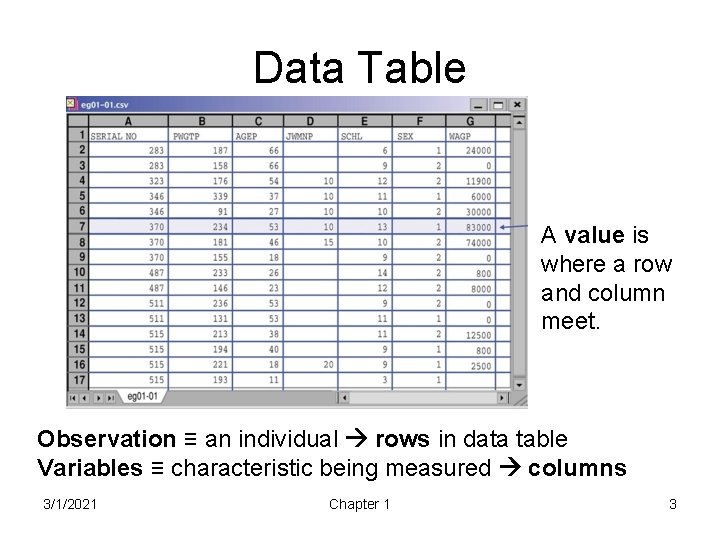
Data Table A value is where a row and column meet. Observation ≡ an individual rows in data table Variables ≡ characteristic being measured columns 3/1/2021 Chapter 1 3
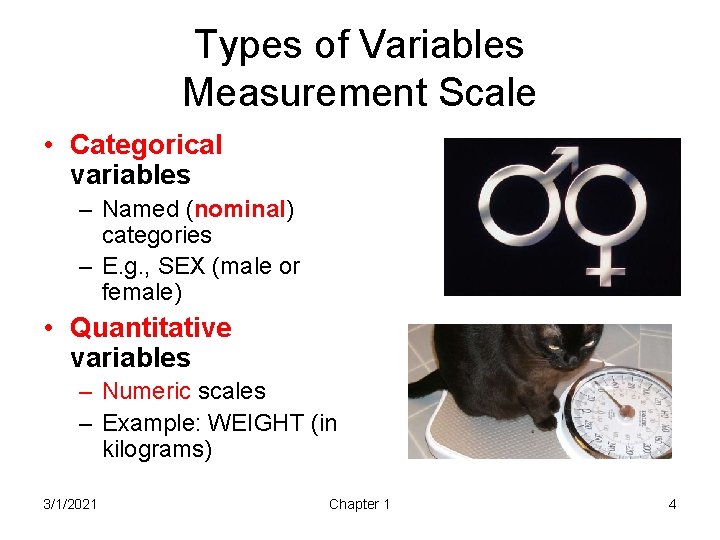
Types of Variables Measurement Scale • Categorical variables – Named (nominal) categories – E. g. , SEX (male or female) • Quantitative variables – Numeric scales – Example: WEIGHT (in kilograms) 3/1/2021 Chapter 1 4
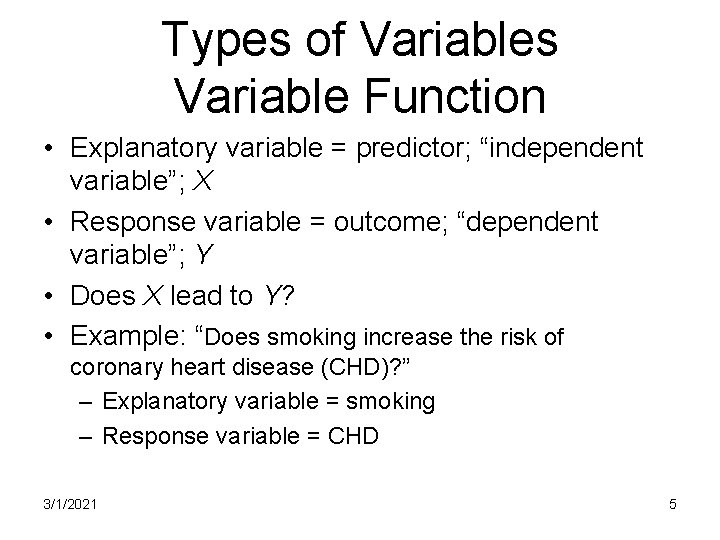
Types of Variables Variable Function • Explanatory variable = predictor; “independent variable”; X • Response variable = outcome; “dependent variable”; Y • Does X lead to Y? • Example: “Does smoking increase the risk of coronary heart disease (CHD)? ” – Explanatory variable = smoking – Response variable = CHD 3/1/2021 5
Illustration from • Willet et al. (1995). Weight, weight change, and coronary heart disease in women. JAMA, 273(6), 461 -5. • Does weight change influence the risk of coronary heart disease in women? • Unit of observation individual women • Women followed to see who develops coronary heart disease (observational study) 3/1/2021 Chapter 1 6
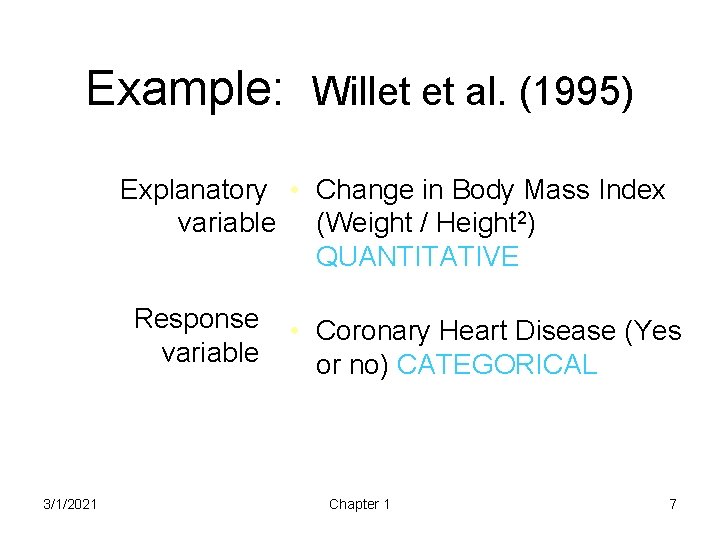
Example: Willet et al. (1995) Explanatory • Change in Body Mass Index variable (Weight / Height 2) QUANTITATIVE Response variable 3/1/2021 • Coronary Heart Disease (Yes or no) CATEGORICAL Chapter 1 7
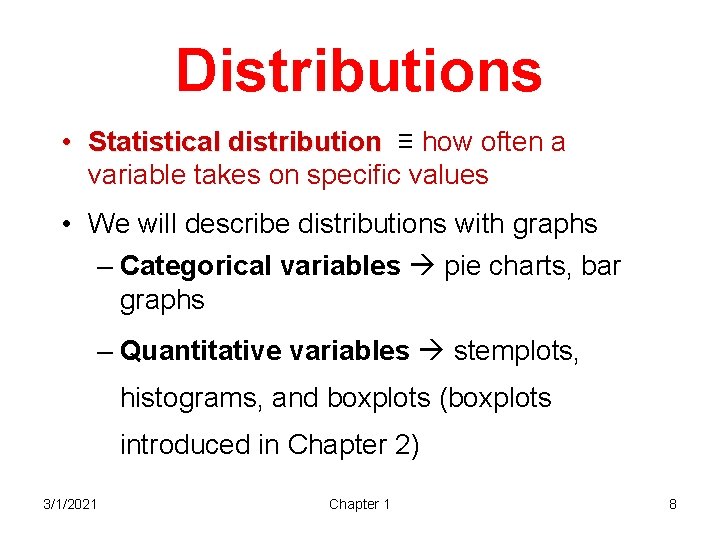
Distributions • Statistical distribution ≡ how often a variable takes on specific values • We will describe distributions with graphs – Categorical variables pie charts, bar graphs – Quantitative variables stemplots, histograms, and boxplots (boxplots introduced in Chapter 2) 3/1/2021 Chapter 1 8
Always look at the data • A few carefully drawn and interpreted graphs are often more instructive than a great pile of numbers! • Always start your analysis by exploring the distributional pattern of the data 3/1/2021 Chapter 1 9
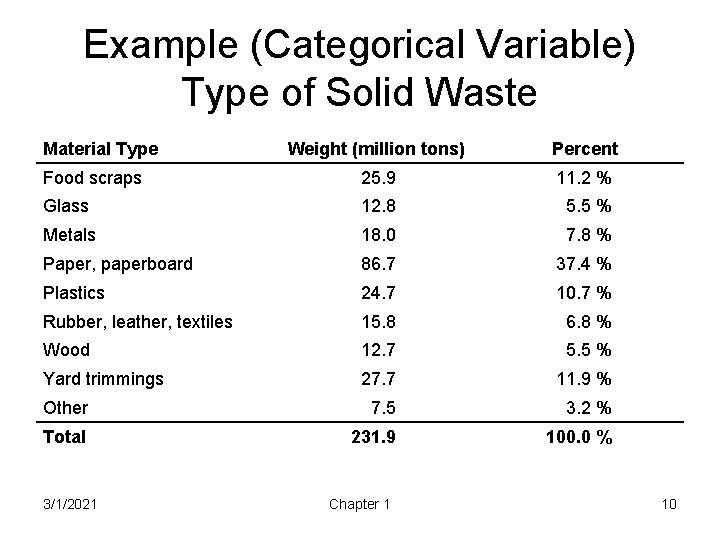
Example (Categorical Variable) Type of Solid Waste Material Type Weight (million tons) Percent Food scraps 25. 9 11. 2 % Glass 12. 8 5. 5 % Metals 18. 0 7. 8 % Paper, paperboard 86. 7 37. 4 % Plastics 24. 7 10. 7 % Rubber, leather, textiles 15. 8 6. 8 % Wood 12. 7 5. 5 % Yard trimmings 27. 7 11. 9 % Other 7. 5 3. 2 % Total 231. 9 100. 0 % 3/1/2021 Chapter 1 10
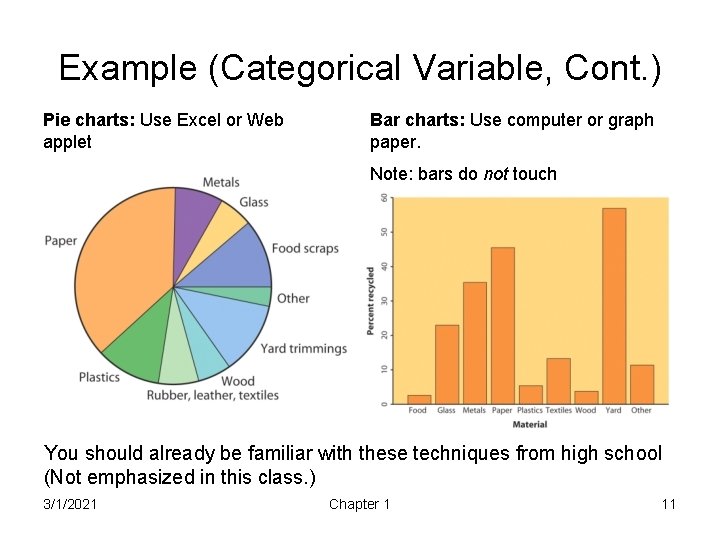
Example (Categorical Variable, Cont. ) Pie charts: Use Excel or Web applet Bar charts: Use computer or graph paper. Note: bars do not touch You should already be familiar with these techniques from high school (Not emphasized in this class. ) 3/1/2021 Chapter 1 11
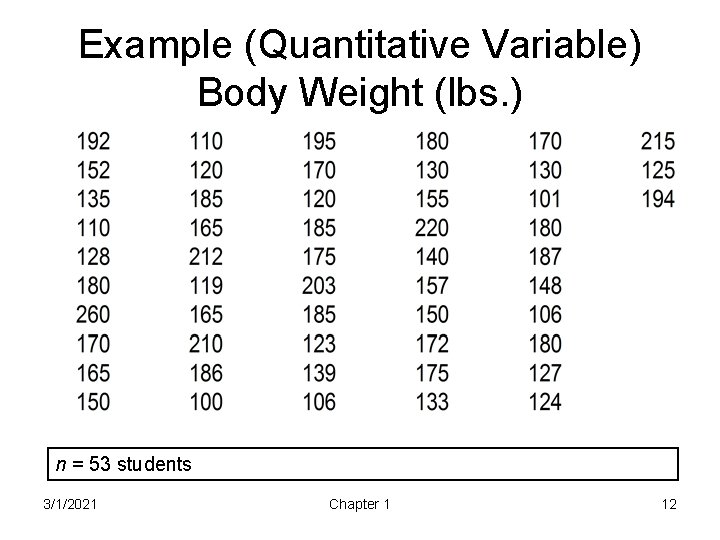
Example (Quantitative Variable) Body Weight (lbs. ) n = 53 students 3/1/2021 Chapter 1 12
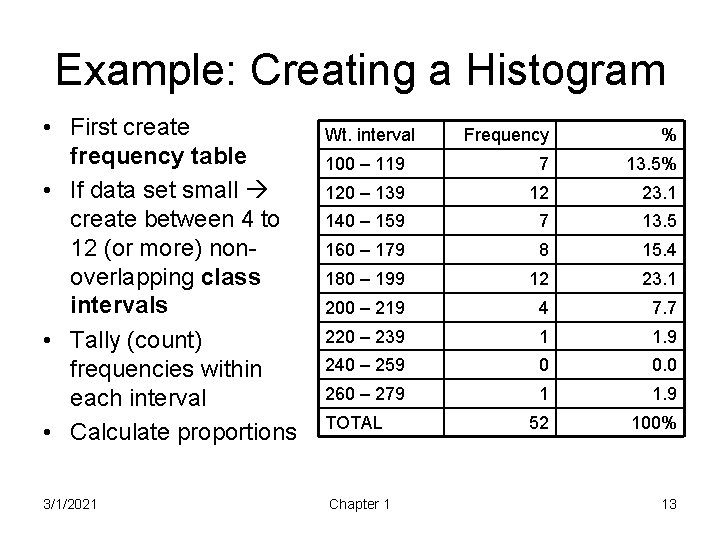
Example: Creating a Histogram • First create frequency table • If data set small create between 4 to 12 (or more) nonoverlapping class intervals • Tally (count) frequencies within each interval • Calculate proportions 3/1/2021 Wt. interval Frequency % 100 – 119 7 13. 5% 120 – 139 12 23. 1 140 – 159 7 13. 5 160 – 179 8 15. 4 180 – 199 12 23. 1 200 – 219 4 7. 7 220 – 239 1 1. 9 240 – 259 0 0. 0 260 – 279 1 1. 9 52 100% TOTAL Chapter 1 13
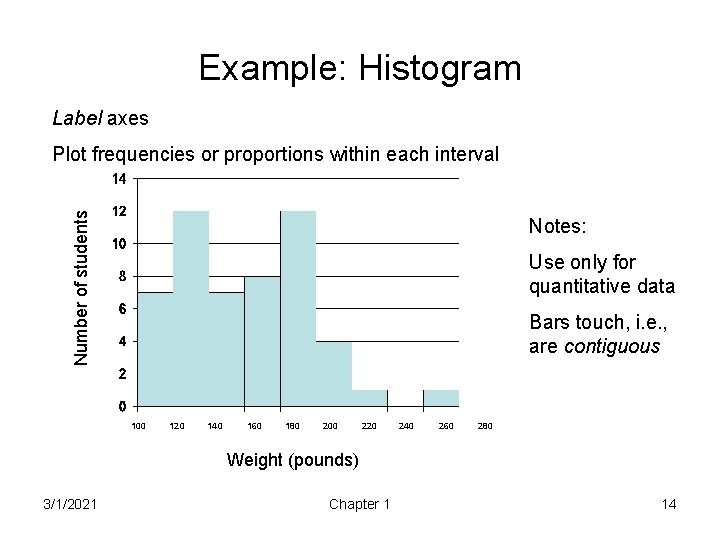
Example: Histogram Label axes Number of students Plot frequencies or proportions within each interval Notes: Use only for quantitative data Bars touch, i. e. , are contiguous 100 120 140 160 180 200 220 240 260 280 Weight (pounds) 3/1/2021 Chapter 1 14
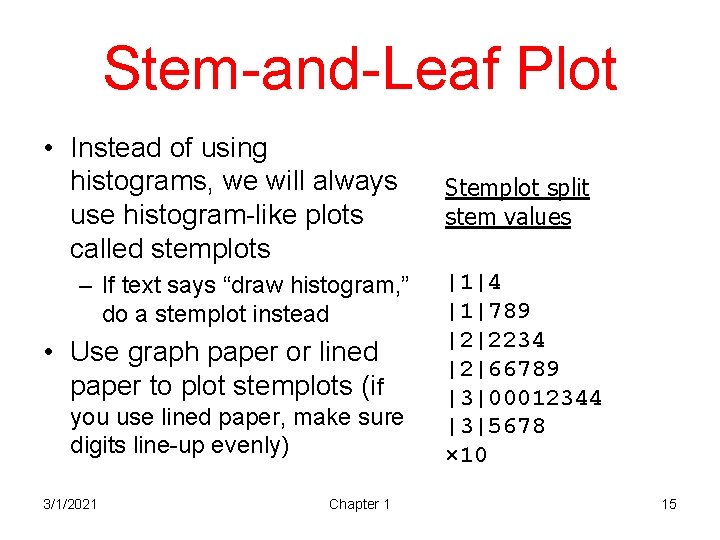
Stem-and-Leaf Plot • Instead of using histograms, we will always use histogram-like plots called stemplots – If text says “draw histogram, ” do a stemplot instead • Use graph paper or lined paper to plot stemplots (if you use lined paper, make sure digits line-up evenly) 3/1/2021 Chapter 1 Stemplot split stem values |1|4 |1|789 |2|2234 |2|66789 |3|00012344 |3|5678 × 10 15
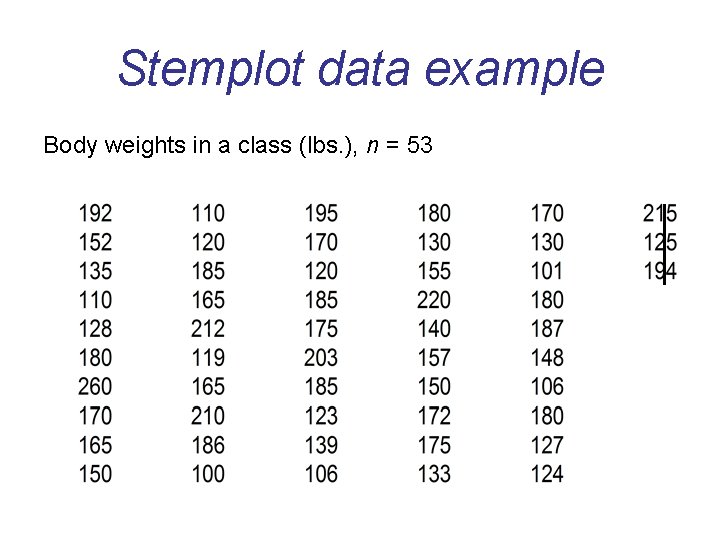
Stemplot data example Body weights in a class (lbs. ), n = 53 3/1/2021 Chapter 1 16
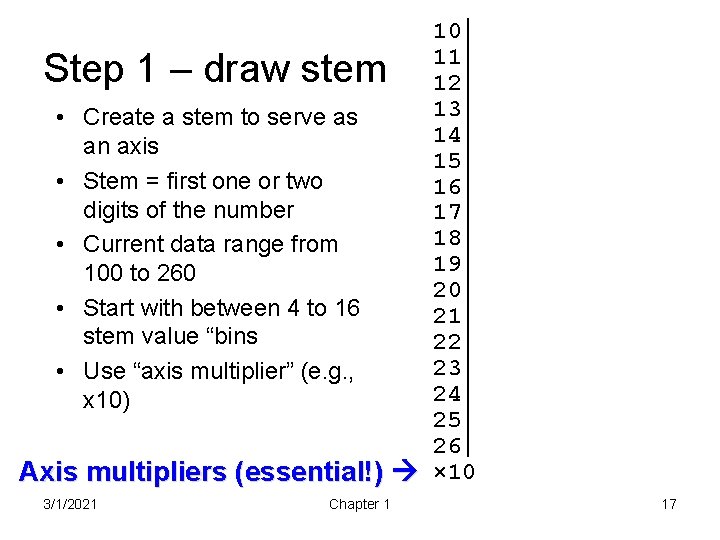
10 11 12 13 • Create a stem to serve as 14 an axis 15 • Stem = first one or two 16 digits of the number 17 18 • Current data range from 19 100 to 260 20 • Start with between 4 to 16 21 stem value “bins 22 23 • Use “axis multiplier” (e. g. , 24 x 10) 25 26 Axis multipliers (essential!) × 10 Step 1 – draw stem 3/1/2021 Chapter 1 17
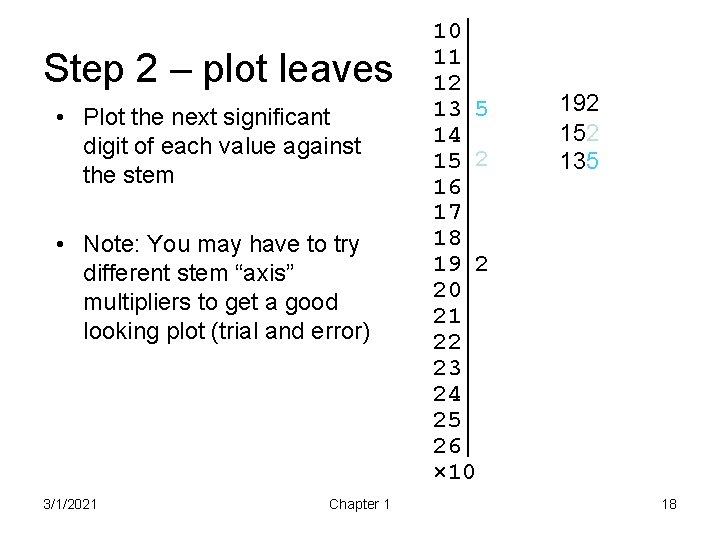
Step 2 – plot leaves • Plot the next significant digit of each value against the stem • Note: You may have to try different stem “axis” multipliers to get a good looking plot (trial and error) 3/1/2021 Chapter 1 10 11 12 13 5 14 15 2 16 17 18 19 2 20 21 22 23 24 25 26 × 10 192 152 135 18
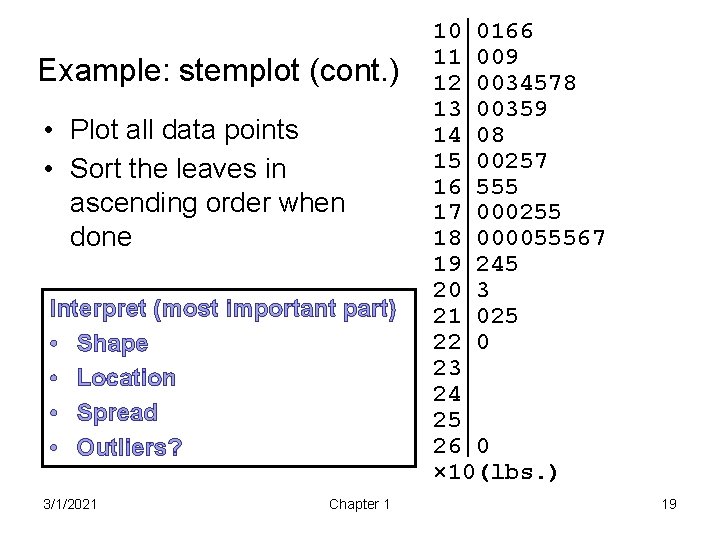
Example: stemplot (cont. ) • Plot all data points • Sort the leaves in ascending order when done Interpret (most important part) • Shape • Location • Spread • Outliers? 3/1/2021 Chapter 1 10 0166 11 009 12 0034578 13 00359 14 08 15 00257 16 555 17 000255 18 000055567 19 245 20 3 21 025 22 0 23 24 25 26 0 × 10(lbs. ) 19
Interpreting Stemplots & Histograms • Shape – Mound-shaped? , number of peaks (modes) – Symmetrical? If asymmetrical, direction of skew • Right tail Positive skew • Left tail Negative skew • Central location For now, identify median – Location of median: L(M) = (n+1)/2 – Count to depth of L(M) and read value off the plot • Spread for now, identify minimum and maximum value [better methods presented next chapter] • Outliers look for exceptions to the pattern 3/1/2021 Chapter 1 20
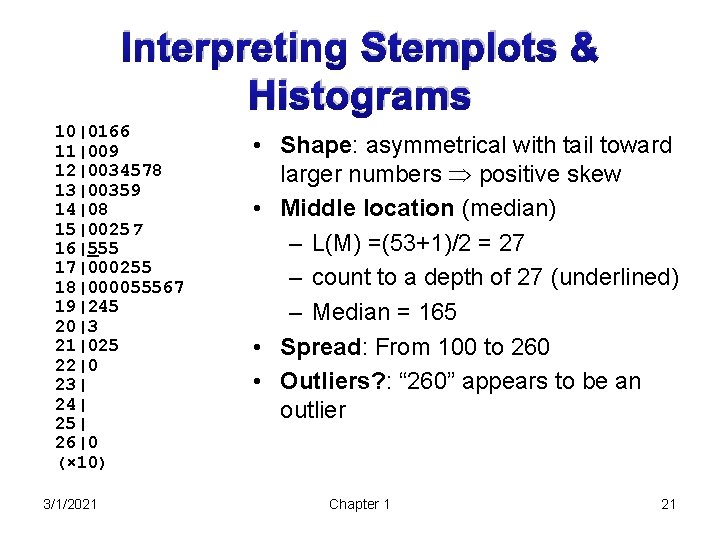
Interpreting Stemplots & Histograms 10|0166 11|009 12|0034578 13|00359 14|08 15|00257 16|555 17|000255 18|000055567 19|245 20|3 21|025 22|0 23| 24| 25| 26|0 (× 10) 3/1/2021 • Shape: asymmetrical with tail toward larger numbers positive skew • Middle location (median) – L(M) =(53+1)/2 = 27 – count to a depth of 27 (underlined) – Median = 165 • Spread: From 100 to 260 • Outliers? : “ 260” appears to be an outlier Chapter 1 21
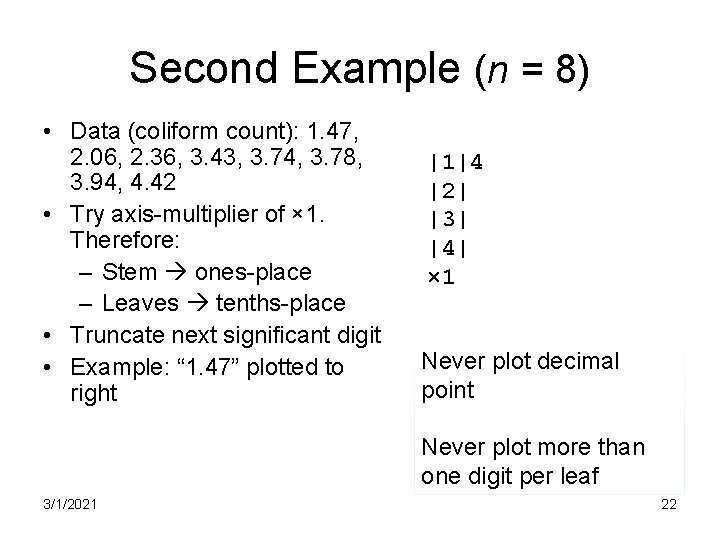
Second Example (n = 8) • Data (coliform count): 1. 47, 2. 06, 2. 36, 3. 43, 3. 74, 3. 78, 3. 94, 4. 42 • Try axis-multiplier of × 1. Therefore: – Stem ones-place – Leaves tenths-place • Truncate next significant digit • Example: “ 1. 47” plotted to right |1|4 |2| |3| |4| × 1 Never plot decimal point Never plot more than one digit per leaf 3/1/2021 22
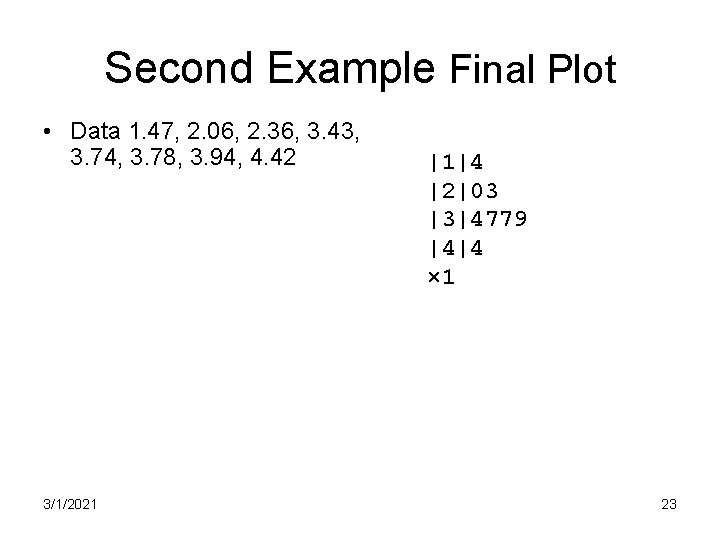
Second Example Final Plot • Data 1. 47, 2. 06, 2. 36, 3. 43, 3. 74, 3. 78, 3. 94, 4. 42 3/1/2021 |1|4 |2|03 |3|4779 |4|4 × 1 23
Truncate, don’t round! • The text rounds values before it plots leaves, but we do not in deference to the great John W. Tukey 3/1/2021 Chapter 1 24
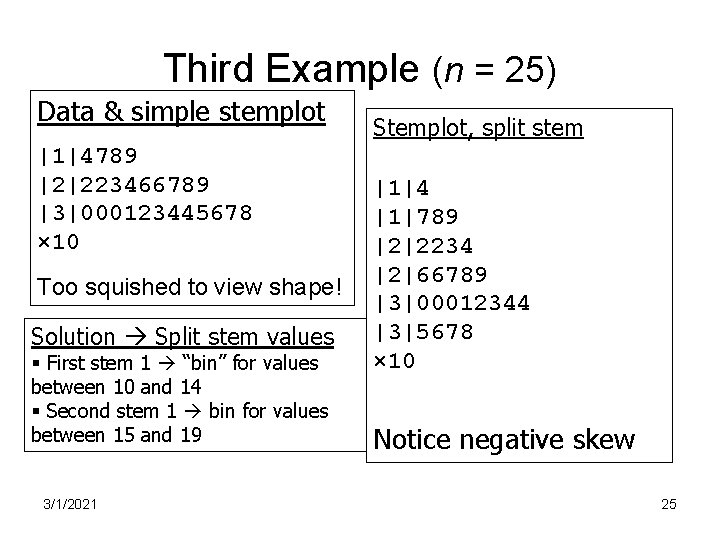
Third Example (n = 25) Data & simple stemplot |1|4789 |2|223466789 |3|000123445678 × 10 Too squished to view shape! Solution Split stem values § First stem 1 “bin” for values between 10 and 14 § Second stem 1 bin for values between 15 and 19 3/1/2021 Stemplot, split stem |1|4 |1|789 |2|2234 |2|66789 |3|00012344 |3|5678 × 10 Notice negative skew 25
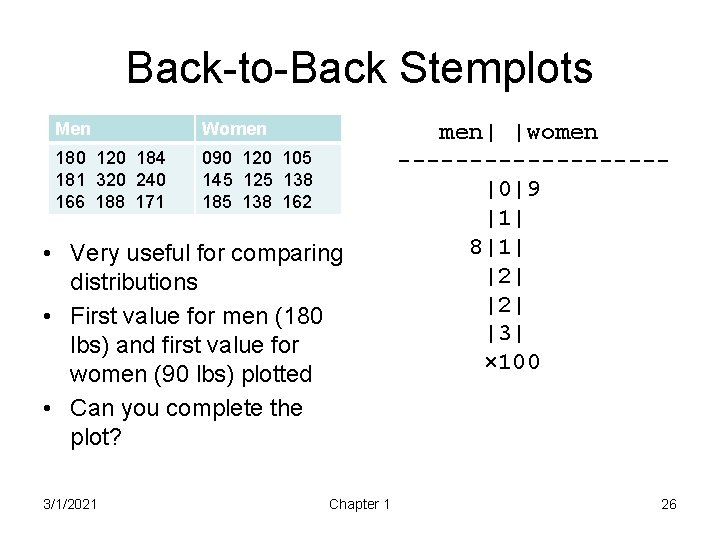
Back-to-Back Stemplots Men Women 180 120 184 181 320 240 166 188 171 090 120 105 145 125 138 185 138 162 • Very useful for comparing distributions • First value for men (180 lbs) and first value for women (90 lbs) plotted • Can you complete the plot? 3/1/2021 Chapter 1 men| |women ---------|0|9 |1| 8|1| |2| |3| × 100 26
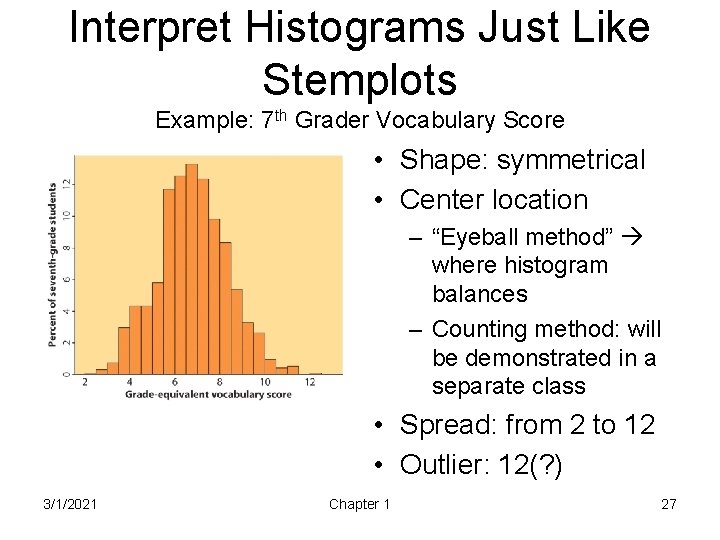
Interpret Histograms Just Like Stemplots Example: 7 th Grader Vocabulary Score • Shape: symmetrical • Center location – “Eyeball method” where histogram balances – Counting method: will be demonstrated in a separate class • Spread: from 2 to 12 • Outlier: 12(? ) 3/1/2021 Chapter 1 27
- Slides: 27