
Chapter 1 Overview of Programming and Problem Solving
Chapter 1 Overview of Programming and Problem Solving CS 185/09 - Introduction to Programming Caldwell College
Chapter 1 Topics • • Computer Programming Life. Cycle Phases Creating an Algorithm Machine Language vs. High Level Languages • • • Compilation and Execution Processes C++ History Computer Components Computing Profession Ethics Problem-Solving Techniques Scott Marino - Caldwell College 2
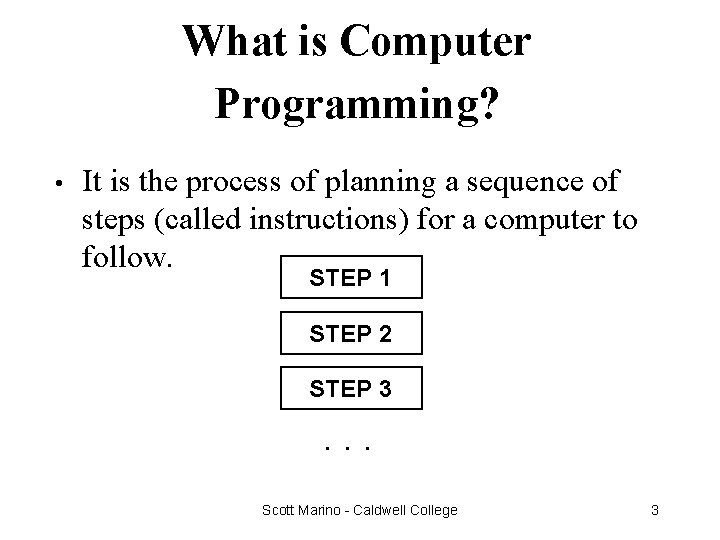
What is Computer Programming? • It is the process of planning a sequence of steps (called instructions) for a computer to follow. STEP 1 STEP 2 STEP 3. . . Scott Marino - Caldwell College 3
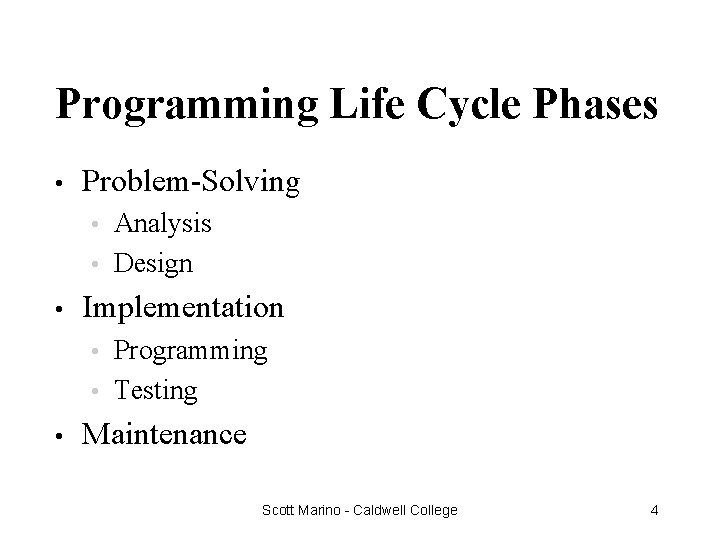
Programming Life Cycle Phases • Problem-Solving Analysis • Design • • Implementation Programming • Testing • • Maintenance Scott Marino - Caldwell College 4
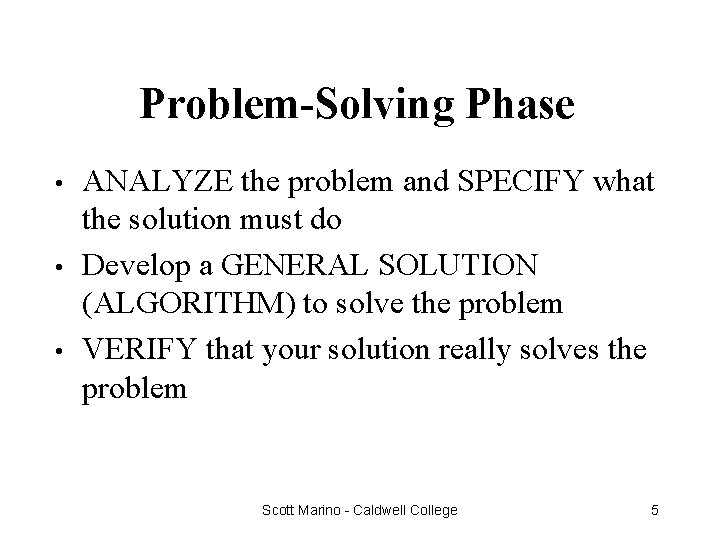
Problem-Solving Phase • • • ANALYZE the problem and SPECIFY what the solution must do Develop a GENERAL SOLUTION (ALGORITHM) to solve the problem VERIFY that your solution really solves the problem Scott Marino - Caldwell College 5

Sample Problem • A programmer needs an algorithm to determine an employee’s weekly wages. How would the calculations be done by hand? Scott Marino - Caldwell College 6
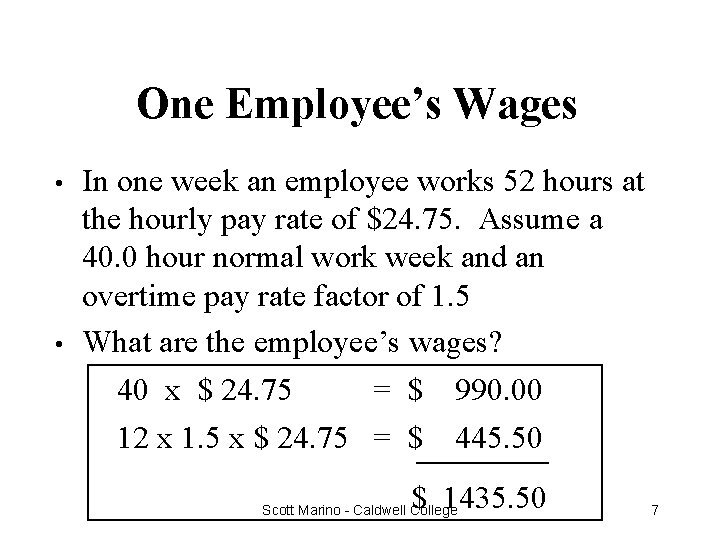
One Employee’s Wages • • In one week an employee works 52 hours at the hourly pay rate of $24. 75. Assume a 40. 0 hour normal work week and an overtime pay rate factor of 1. 5 What are the employee’s wages? 40 x $ 24. 75 = $ 990. 00 12 x 1. 5 x $ 24. 75 = $______ 445. 50 $ 1435. 50 Scott Marino - Caldwell College 7
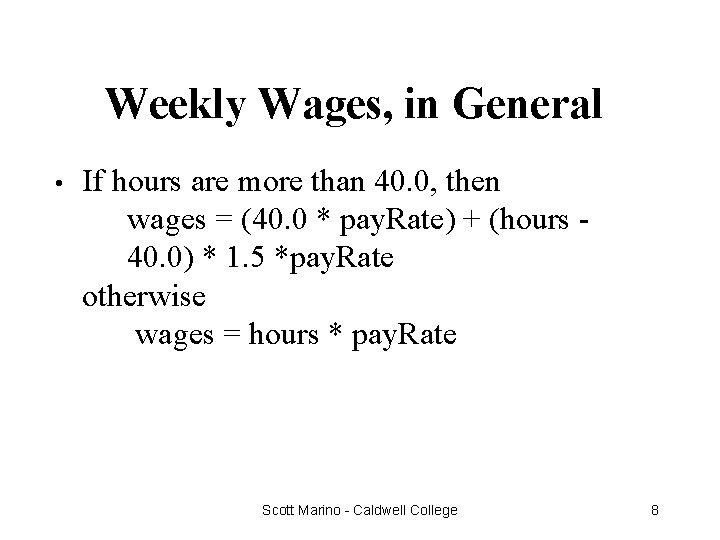
Weekly Wages, in General • If hours are more than 40. 0, then wages = (40. 0 * pay. Rate) + (hours 40. 0) * 1. 5 *pay. Rate otherwise wages = hours * pay. Rate Scott Marino - Caldwell College 8
An Algorithm is. . . • A step-by-step procedure for solving a problem in a finite amount of time Scott Marino - Caldwell College 9
Algorithm to Determine an Employee’s Weekly Wages • • • Get the employee’s hourly pay. Rate Get the hours worked this week Calculate this week’s regular wages Calculate this week’s overtime wages (if any) Add the regular wages to overtime wages (if any) to determine total wages for the week Scott Marino - Caldwell College 10
What is a Programming Language? • • It is a language with strict grammar rules, symbols, and special words used to construct a computer program There are many different programming languages used to solve different types of problems Scott Marino - Caldwell College 11
Implementation Phase: Program • • Translating your algorithm into a programming language is called coding With C++, you use Documentation -- your written comments • Compiler -- translates your program into machine language • Main Program -- may call sub-algorithms or sub -programs • Scott Marino - Caldwell College 12
Implementation Phase: Test • • • Testing your program means running (executing) your program on the computer, to see if it produces correct results If it does not, then you must find out what is wrong with your program or algorithm and fix it--this is called debugging Just because it compiled does not mean it is correct Scott Marino - Caldwell College 13
Maintenance Phase • • Use and modify the program to meet changing requirements or correct errors that show up in using it Maintenance begins when your program is put into “production” use and accounts for the majority of effort on most programs Scott Marino - Caldwell College 14
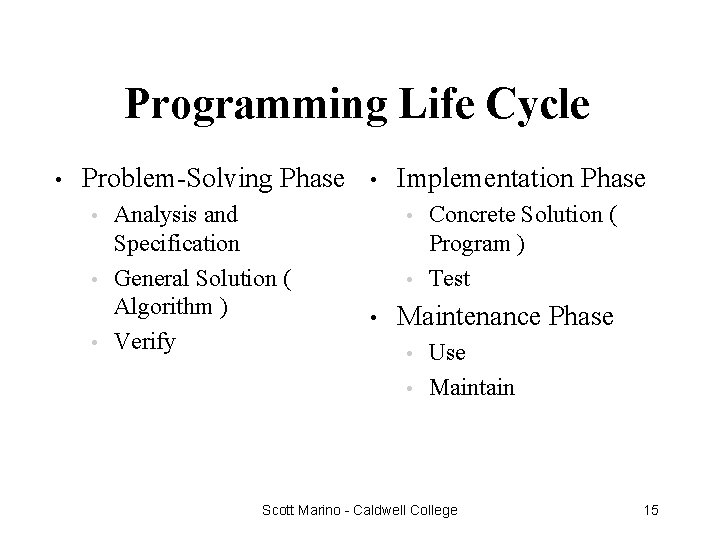
Programming Life Cycle • Problem-Solving Phase Analysis and Specification • General Solution ( Algorithm ) • Verify • Implementation Phase Concrete Solution ( Program ) • Test • • • Maintenance Phase Use • Maintain • Scott Marino - Caldwell College 15
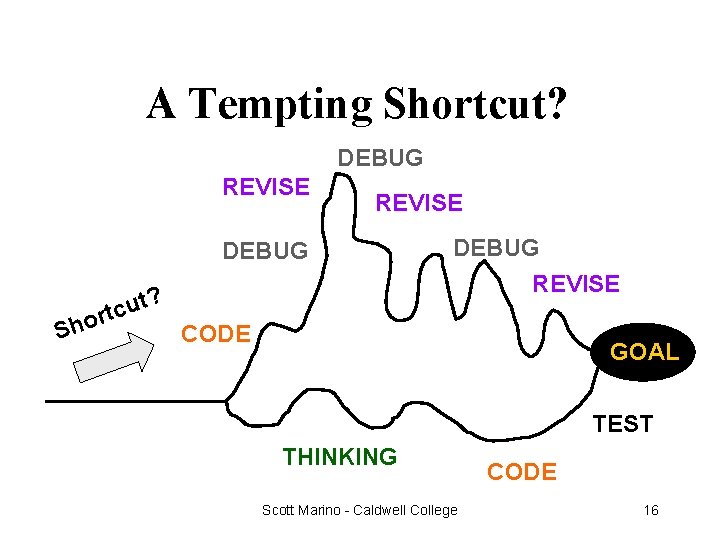
A Tempting Shortcut? DEBUG REVISE DEBUG ? Sh t u c t or DEBUG REVISE CODE GOAL TEST THINKING Scott Marino - Caldwell College CODE 16
Memory Organization • • • Two circuit states correspond to 0 and 1 Bit (short for binary digit) refers to a single 0 or 1. Bit patterns represent both the computer instructions and computer data 1 byte = 8 bits 1 KB = 1024 bytes = 2 to the 10 th power 1 MB = 1024 x 1024 = 1, 048, 576 bytes Scott Marino - Caldwell College 17
How Many Possible Digits? • Binary (base 2) numbers use 2 digits • • Octal (base 8) numbers use 8 digits • • 0 through 7 Decimal (base 10) numbers use 10 digits • • Only 0 and 1 0 through 9 Hexadecimal (base 16) numbers use 16 digits • 0 through 9 and A through F Scott Marino - Caldwell College 18
Machine Language • • • Is not portable Runs only on specific type of computer Is made up of binary-coded instructions (strings of 0’s and 1’s) Is the language that can be directly used by the computer Covered in more detail in Assembly Language Courses Scott Marino - Caldwell College 19
High Level Languages • • Are somewhat portable User writes program in language similar to natural language • • examples -- FORTRAN, COBOL, Pascal, Ada, Modula-2, C++, Java Most are standardized by ISO/ANSI to provide an official description of the language Scott Marino - Caldwell College 20
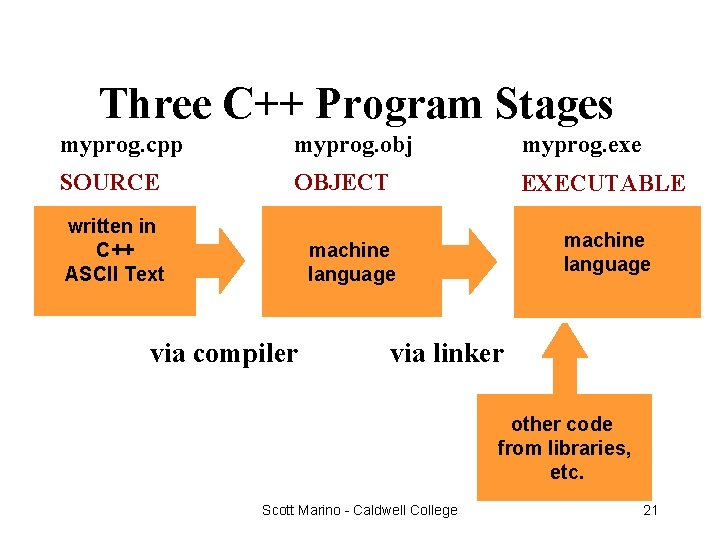
Three C++ Program Stages myprog. cpp myprog. obj myprog. exe SOURCE OBJECT EXECUTABLE written in C++ ASCII Text machine language via compiler via linker other code from libraries, etc. Scott Marino - Caldwell College 21
Basic Control Structures • • A sequence is a series of statements that execute one after another Selection (branch) is used to execute different statements depending on certain conditions Looping (repetition) is used to repeat statements while certain conditions are met. A subprogram and/or function is used to Scott Marino - Caldwell College 22 break the program into smaller units
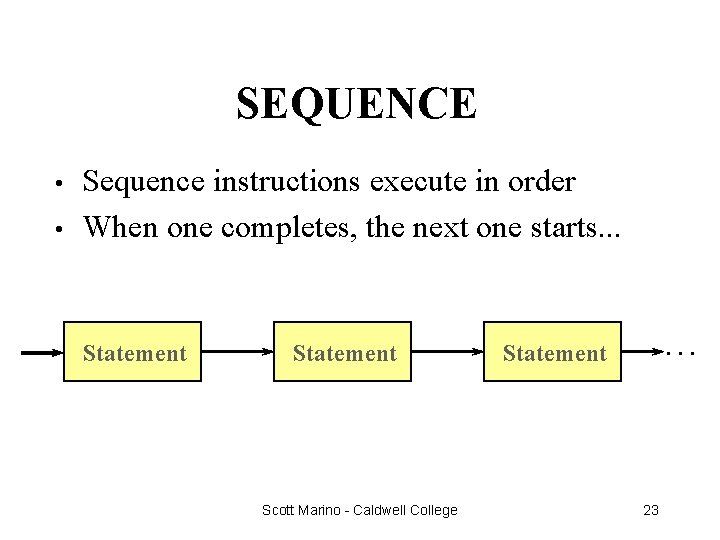
SEQUENCE • • Sequence instructions execute in order When one completes, the next one starts. . . Statement Scott Marino - Caldwell College . . . Statement 23
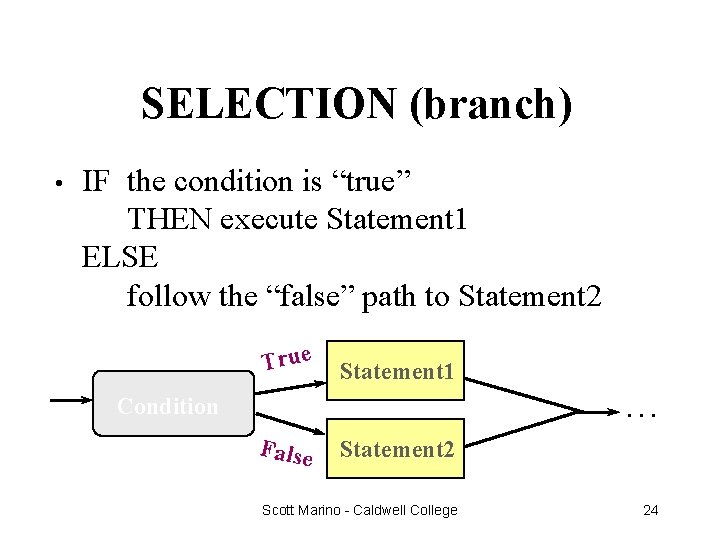
SELECTION (branch) • IF the condition is “true” THEN execute Statement 1 ELSE follow the “false” path to Statement 2 True Statement 1 Statement Condition . . . False Statement 2 Scott Marino - Caldwell College 24
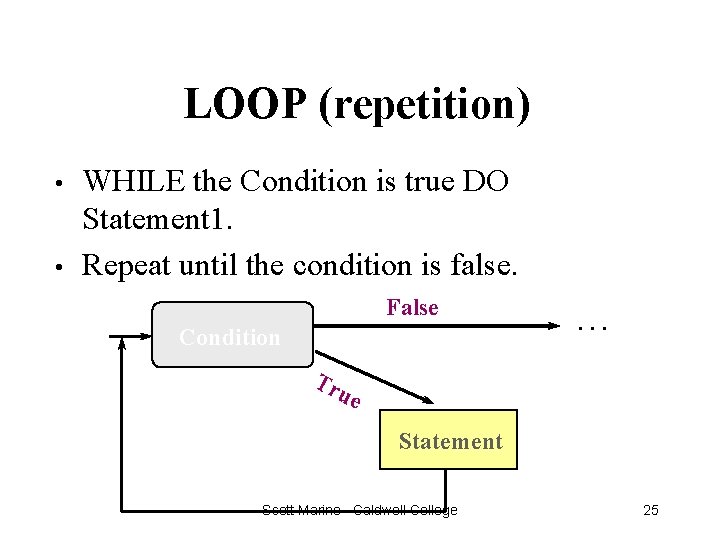
LOOP (repetition) • • WHILE the Condition is true DO Statement 1. Repeat until the condition is false. False Condition . . . Tr ue Statement Scott Marino - Caldwell College 25
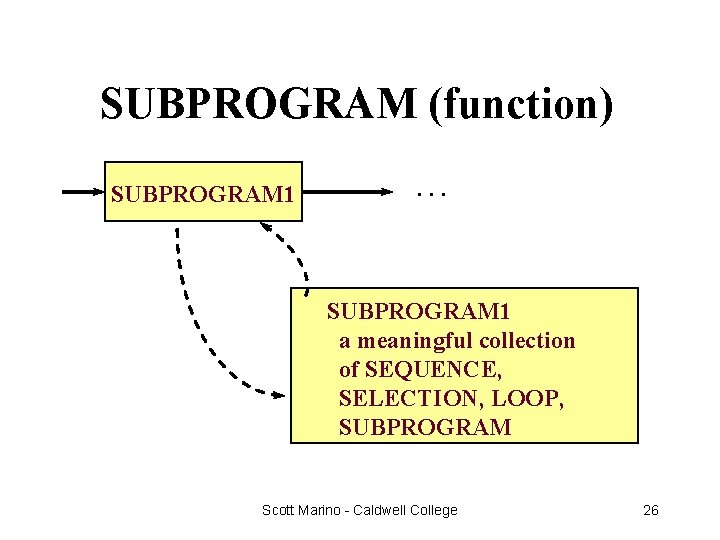
SUBPROGRAM (function) SUBPROGRAM 1 . . . SUBPROGRAM 1 a meaningful collection of SEQUENCE, SELECTION, LOOP, SUBPROGRAM Scott Marino - Caldwell College 26
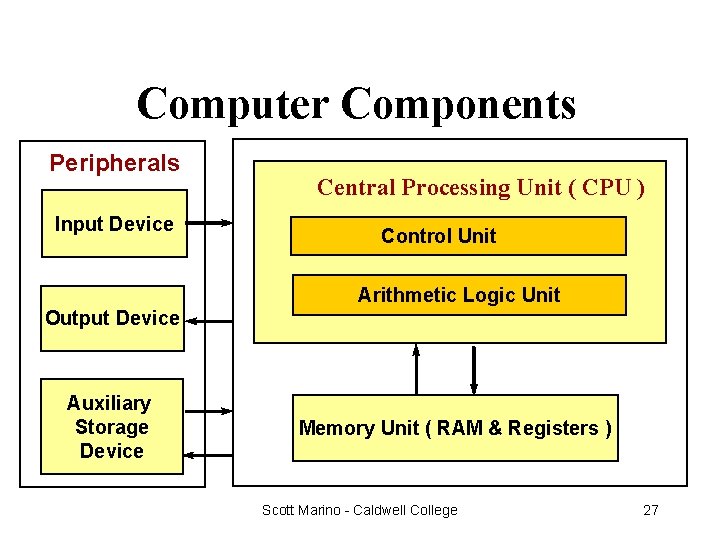
Computer Components Peripherals Input Device Central Processing Unit ( CPU ) Control Unit Arithmetic Logic Unit Output Device Auxiliary Storage Device Memory Unit ( RAM & Registers ) Scott Marino - Caldwell College 27
Memory Unit • • RAM - random access memory Is an ordered sequence of storage cells, each capable of holding a piece of information Each cell has its own unique address The information held can be input data, computed values, or your program instructions Scott Marino - Caldwell College 28
Central Processing Unit • Has 2 components to execute program instructions Arithmetic/Logic Unit performs arithmetic operations, and makes logical comparisons • Control Unit controls the order in which your program instructions are executed • Scott Marino - Caldwell College 29
Peripherals • Are input, output, or auxiliary storage devices attached to a computer Input Devices include keyboard and mouse. • Output Devices include printers, video display, LCD screens • Auxiliary Storage Devices include disk drives, scanners, CD-ROM and DVD-ROM drives, modems, sound cards, speakers, and digital cameras • Scott Marino - Caldwell College 30
Some C++ History • • 1972 : Dennis Ritchie at Bell Labs designs C and 90% of UNIX is then written in C Late 70’s : OOP (object oriented programming) becomes popular • • • Bjarne Stroustrup at Bell Labs adds features to C to form “C with Classes” 1983 : Name C++ first used 1998 : ISO/ANSI standardization of C++ Scott Marino - Caldwell College 31
Computing Profession Ethics • • • Copy software only with permission from the copyright holder Give credit to another programmer by name whenever using his/her code Use computer resources only with permission Guard the privacy of confidential data Use software engineering principles to develop software free from errors Scott Marino - Caldwell College 32

What is Computer Science? The Computing Curriculum • • • Algorithms and Data Structures Architecture Artificial Intelligence and Robotics Database and Information Retrieval Human-Computer Communication • • • Numerical and Symbolic Computation Operating Systems Programming Languages Software Engineering Social and Professional Context Scott Marino - Caldwell College 33
Problem Solving Techniques • • ASK QUESTIONS -- about the data, the process, the output, error conditions LOOK FOR FAMILIAR THINGS -- certain situations arise again and again SOLVE BY ANALOGY -- it may give you a place to start USE MEANS-ENDS ANALYSIS -Determine the I/O and then work out the Scott Marino - Caldwell College 34 details
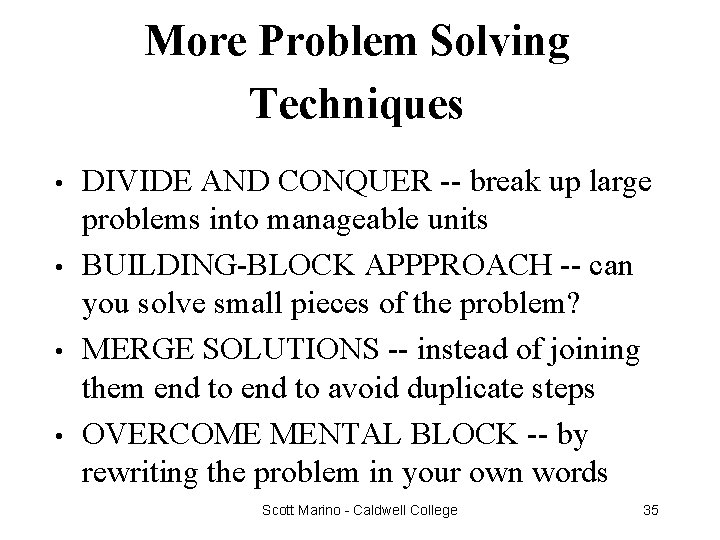
More Problem Solving Techniques • • DIVIDE AND CONQUER -- break up large problems into manageable units BUILDING-BLOCK APPPROACH -- can you solve small pieces of the problem? MERGE SOLUTIONS -- instead of joining them end to avoid duplicate steps OVERCOME MENTAL BLOCK -- by rewriting the problem in your own words Scott Marino - Caldwell College 35
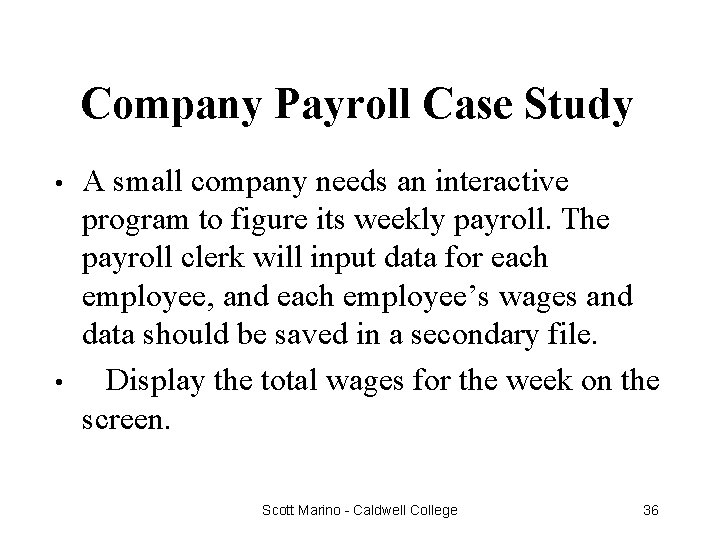
Company Payroll Case Study • • A small company needs an interactive program to figure its weekly payroll. The payroll clerk will input data for each employee, and each employee’s wages and data should be saved in a secondary file. Display the total wages for the week on the screen. Scott Marino - Caldwell College 36
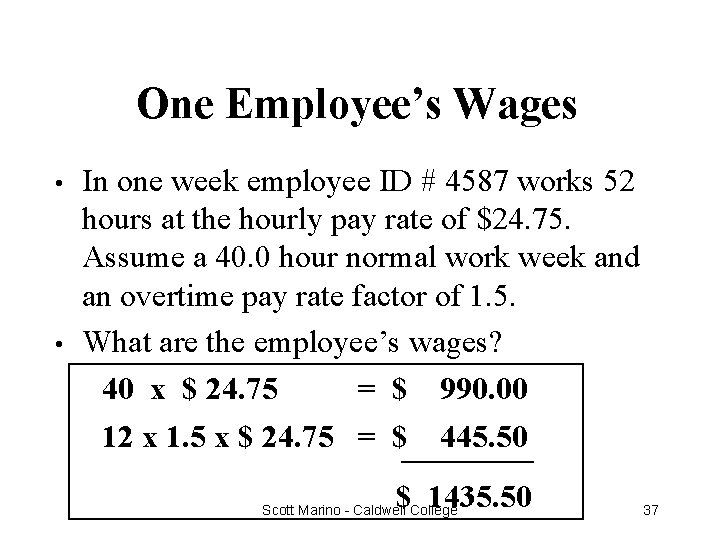
One Employee’s Wages • • In one week employee ID # 4587 works 52 hours at the hourly pay rate of $24. 75. Assume a 40. 0 hour normal work week and an overtime pay rate factor of 1. 5. What are the employee’s wages? 40 x $ 24. 75 = $ 990. 00 12 x 1. 5 x $ 24. 75 = $______ 445. 50 $ 1435. 50 Scott Marino - Caldwell College 37
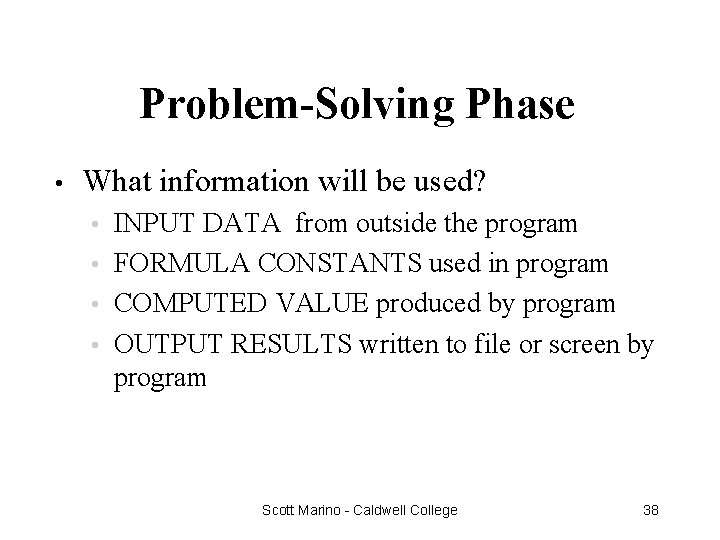
Problem-Solving Phase • What information will be used? INPUT DATA from outside the program • FORMULA CONSTANTS used in program • COMPUTED VALUE produced by program • OUTPUT RESULTS written to file or screen by program • Scott Marino - Caldwell College 38
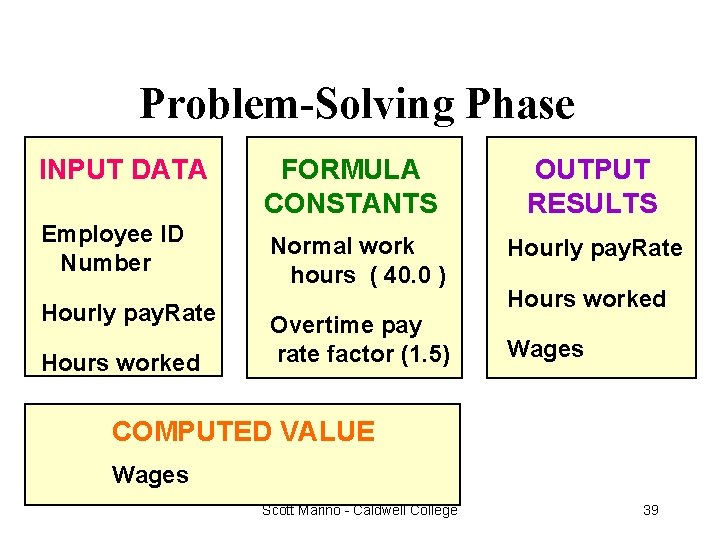
Problem-Solving Phase INPUT DATA FORMULA CONSTANTS OUTPUT RESULTS Employee ID Number Normal work hours ( 40. 0 ) Hourly pay. Rate Overtime pay rate factor (1. 5) Wages Hourly pay. Rate Hours worked COMPUTED VALUE Wages Scott Marino - Caldwell College 39
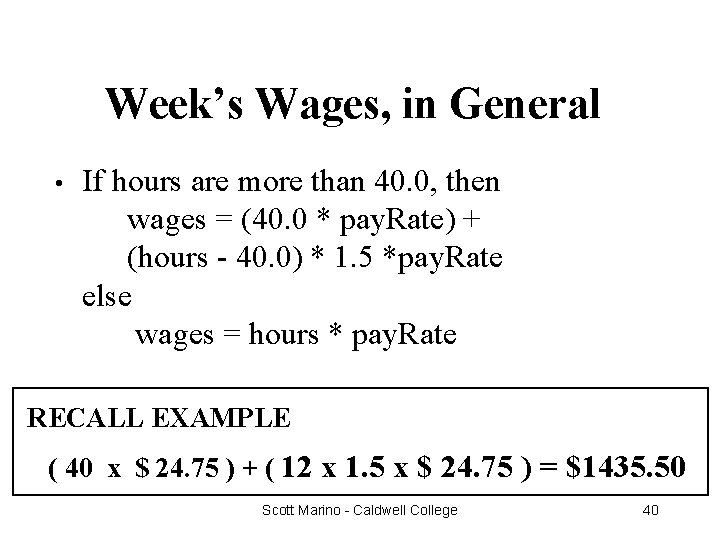
Week’s Wages, in General • If hours are more than 40. 0, then wages = (40. 0 * pay. Rate) + (hours - 40. 0) * 1. 5 *pay. Rate else wages = hours * pay. Rate RECALL EXAMPLE ( 40 x $ 24. 75 ) + ( 12 x 1. 5 x $ 24. 75 ) = $1435. 50 Scott Marino - Caldwell College 40
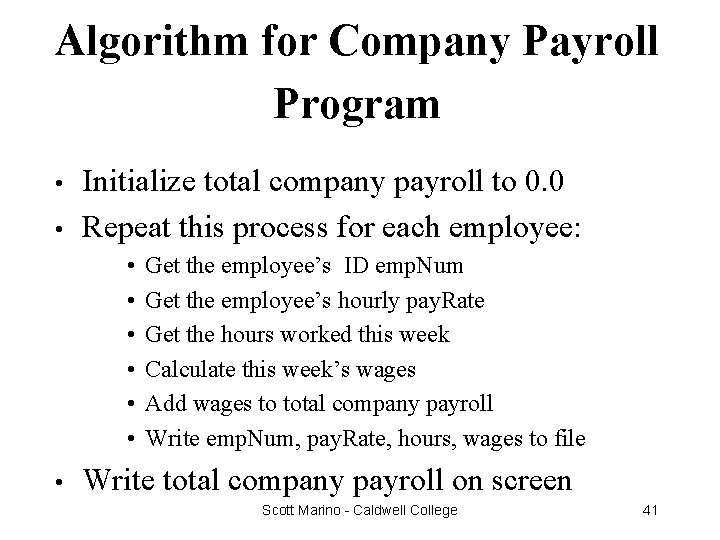
Algorithm for Company Payroll Program • • Initialize total company payroll to 0. 0 Repeat this process for each employee: • • Get the employee’s ID emp. Num Get the employee’s hourly pay. Rate Get the hours worked this week Calculate this week’s wages Add wages to total company payroll Write emp. Num, pay. Rate, hours, wages to file Write total company payroll on screen Scott Marino - Caldwell College 41
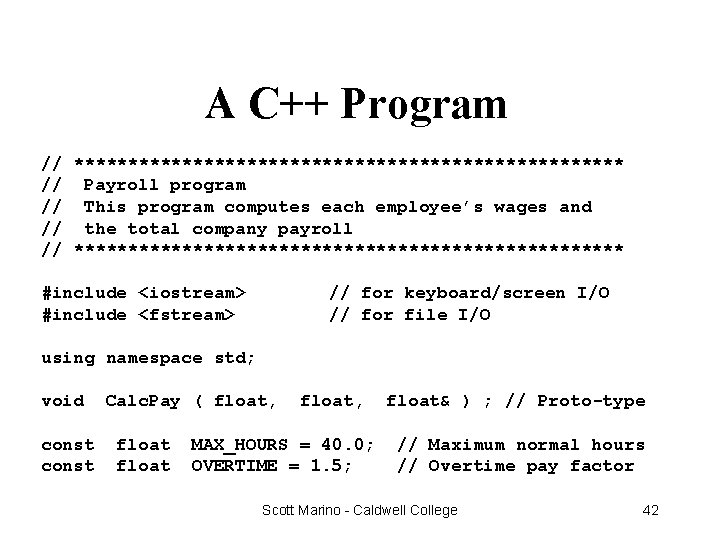
A C++ Program // ************************** // Payroll program // This program computes each employee’s wages and // the total company payroll // ************************** #include <iostream> #include <fstream> // for keyboard/screen I/O // for file I/O using namespace std; void const Calc. Pay ( float, float, MAX_HOURS = 40. 0; OVERTIME = 1. 5; float& ) ; // Proto-type // Maximum normal hours // Overtime pay factor Scott Marino - Caldwell College 42
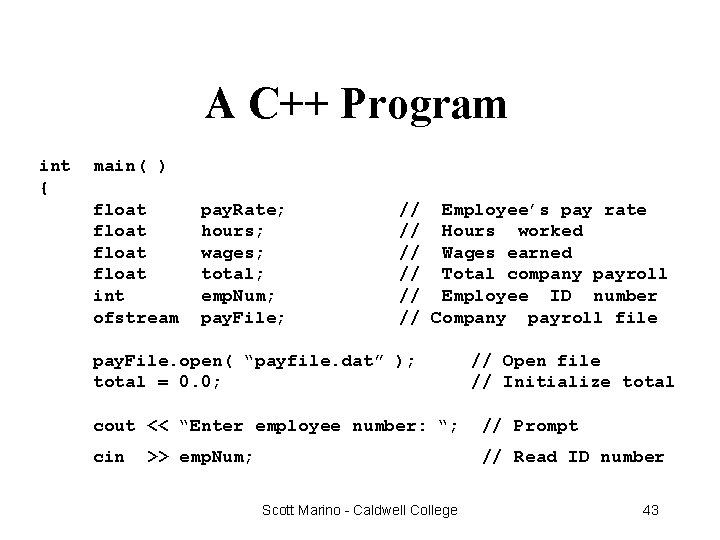
A C++ Program int { main( ) float int ofstream pay. Rate; hours; wages; total; emp. Num; pay. File; // Employee’s pay rate // Hours worked // Wages earned // Total company payroll // Employee ID number // Company payroll file pay. File. open( “payfile. dat” ); total = 0. 0; // Open file // Initialize total cout << “Enter employee number: “; // Prompt cin // Read ID number >> emp. Num; Scott Marino - Caldwell College 43
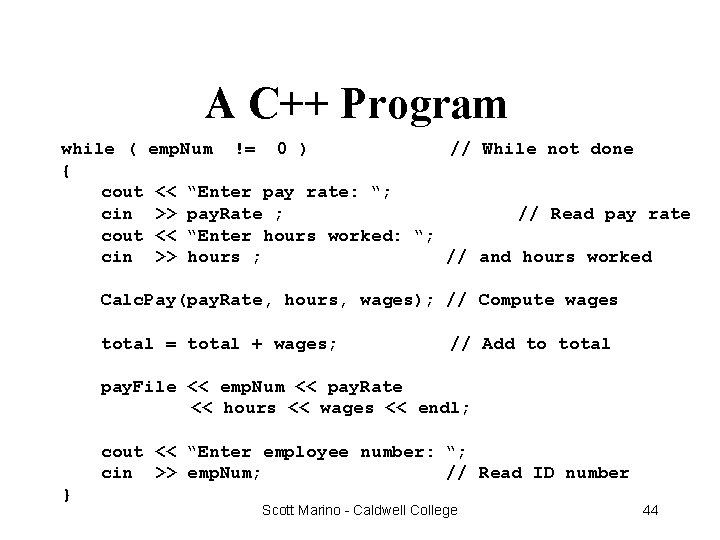
A C++ Program while ( emp. Num != 0 ) // While not done { cout << “Enter pay rate: “; cin >> pay. Rate ; // Read pay rate cout << “Enter hours worked: “; cin >> hours ; // and hours worked Calc. Pay(pay. Rate, hours, wages); // Compute wages total = total + wages; // Add to total pay. File << emp. Num << pay. Rate << hours << wages << endl; cout << “Enter employee number: “; cin >> emp. Num; // Read ID number } Scott Marino - Caldwell College 44
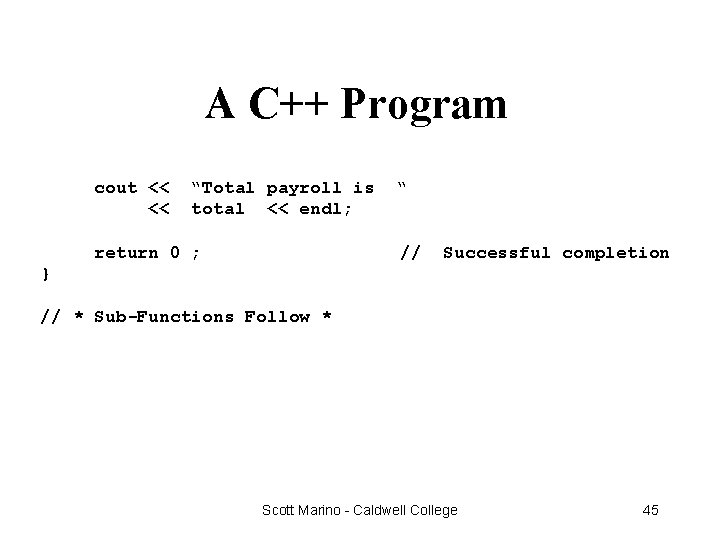
A C++ Program cout << << “Total payroll is total << endl; return 0 ; “ // Successful completion } // * Sub-Functions Follow * Scott Marino - Caldwell College 45
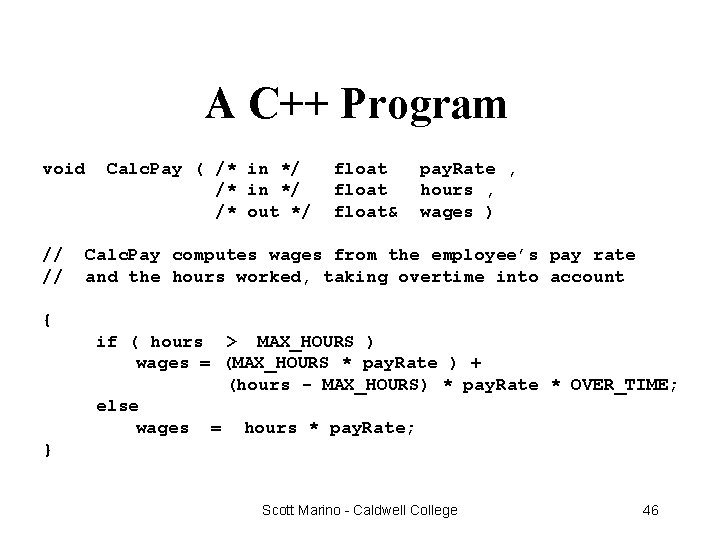
A C++ Program void // // Calc. Pay ( /* in */ /* out */ float& pay. Rate , hours , wages ) Calc. Pay computes wages from the employee’s pay rate and the hours worked, taking overtime into account { if ( hours > MAX_HOURS ) wages = (MAX_HOURS * pay. Rate ) + (hours - MAX_HOURS) * pay. Rate * OVER_TIME; else wages = hours * pay. Rate; } Scott Marino - Caldwell College 46
- Slides: 46