
Chapter 1 Multimedia Fundamentals Section 1 1 What

- Slides: 29
Chapter 1 Multimedia Fundamentals Section 1. 1 What is Multimedia? • Multimedia is a combination of digital elements. • The role of multimedia presentations is to convey information effectively. Glencoe Introduction to Multimedia 1
1 Chapter 1 Multimedia Fundamentals Chapter Multimedia Fundamentals Contents § Section 1. 1 What is Multimedia? § Section 1. 2 Types of Multimedia Projects § Section 1. 3 Multimedia Careers and Skills Glencoe Introduction to Multimedia 2
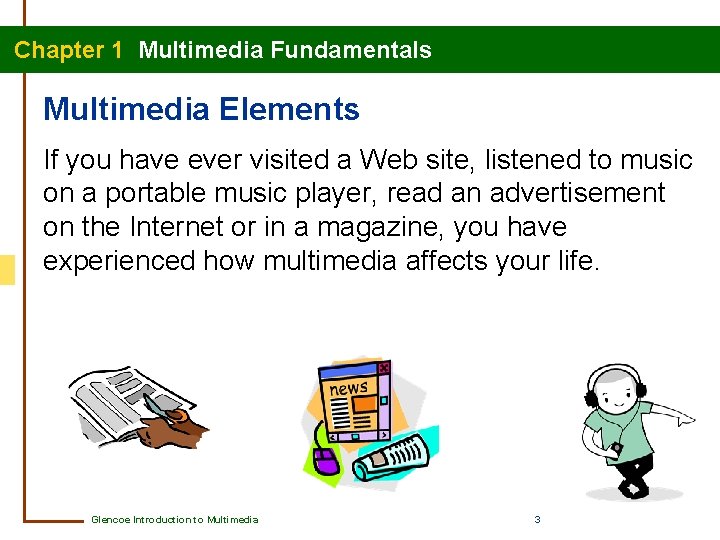
Chapter 1 Multimedia Fundamentals Multimedia Elements If you have ever visited a Web site, listened to music on a portable music player, read an advertisement on the Internet or in a magazine, you have experienced how multimedia affects your life. Glencoe Introduction to Multimedia 3
Chapter 1 Multimedia Fundamentals Multimedia Elements Multimedia integrates all of the following interactive elements using computer technology. • text • graphics • audio • video • animation Glencoe Introduction to Multimedia 4
Chapter 1 Multimedia Fundamentals Multimedia Elements: Text • While the text might be in different forms depending on the multimedia product, nearly all contain text. • Text is enhanced when other multimedia elements are used. • Careful consideration must be given to attributes such as font size and color to convey the necessary message to the audience of the multimedia production. Glencoe Introduction to Multimedia 5
Chapter 1 Multimedia Fundamentals Multimedia Elements: Graphics and Animation • Multimedia projects usually include a graphic, or an image, to provide visual interest, attract attention, or convey information. • Different types of graphics include drawings, charts, paintings, and photographs. • Multimedia projects often include representation of graphics or text in motion, animation, to attract attention. Glencoe Introduction to Multimedia 6
Chapter 1 Multimedia Fundamentals Multimedia Elements: Audio and Video • Using live or recorded sound, referred to as audio, can help engage users and provide information in multimedia projects. • Audio can include voice-over or narration, sound effects, and music. • Multimedia projects also often include video to convey information, teach new skills, provide direction, or entertain. Glencoe Introduction to Multimedia 7
Chapter 1 Multimedia Fundamentals Multimedia Elements What elements are used in multimedia production? The elements used in multimedia production are text, graphics, animation, audio, and video. Glencoe Introduction to Multimedia 8
Chapter 1 Multimedia Fundamentals Using Multimedia Elements Before you decide which multimedia elements to include, you should carefully consider your audience and your purpose. Some general questions to ask include: • What is the purpose of this presentation? Do I want to entertain or inform? Am I trying to teach or persuade my viewers? • What is the expected age of my audience? Glencoe Introduction to Multimedia 9
Chapter 1 Multimedia Fundamentals Using Multimedia Elements List two guidelines for deciding which multimedia elements will best help you convey information. Two guidelines for deciding which multimedia elements will best help you convey information are to ask what the purpose is and to determine the age of the audience. Glencoe Introduction to Multimedia 10
Chapter 1 Multimedia Fundamentals Section 1. 2 Types of Multimedia Projects • There are many different types of multimedia project formats. • Which kind of format you choose to create depends on the information being conveyed and the intended audience. Glencoe Introduction to Multimedia 11
Chapter 1 Multimedia Fundamentals Multimedia Project Formats • Project formats include print publications, presentations, tutorials, simulations, games, and Web sites. • Most multimedia projects can be delivered on a CD or DVD. • The Web is another popular delivery method for multimedia projects. Glencoe Introduction to Multimedia 12
Chapter 1 Multimedia Fundamentals Multimedia Project Formats • Print publications include flyers, brochures, magazines, cards, banners, posters, coupons, and invitations. • Computer software is usually used to combine text and graphics to create a print publication. • Digital slide shows are multimedia presentation formats. • Multimedia presentations can be delivered on the Internet or in an email, on a network, or on a CD or DVD. Glencoe Introduction to Multimedia 13
Chapter 1 Multimedia Fundamentals Multimedia Project Formats • Tutorials use a combination of multimedia elements to demonstrate a skill or process. • Simulations are interactive, computer-based models of real-life situations. • Video games generally combine all multimedia elements for the purpose of entertaining participants. • Web sites can be multimedia projects or used to host multimedia projects. Glencoe Introduction to Multimedia 14
Chapter 1 Multimedia Fundamentals Multimedia Project Formats What is a simulation? A simulation is a computer-based model of a real-life situation. Glencoe Introduction to Multimedia 15
Chapter 1 Multimedia Fundamentals Choosing Multimedia Project Formats Developers must consider what information is being conveyed and who the intended audience is when deciding format and delivery methods. Glencoe Introduction to Multimedia 16
Chapter 1 Multimedia Fundamentals Choosing Multimedia Project Formats Consider the following questions when deciding on a format and a delivery method. • What information do you want to convey? • How do you want users to interact with the project? • What multimedia elements do you plan to include? Glencoe Introduction to Multimedia 17
Chapter 1 Multimedia Fundamentals Multimedia Project Formats What guidelines should you consider when choosing a multimedia project format? You should consider what information you want to convey, how you want users to interact with the project, and what multimedia elements you would like to include. Glencoe Introduction to Multimedia 18
Chapter 1 Multimedia Fundamentals Section 1. 3 Multimedia Careers and Skills • Today’s multimedia-driven society offers many career opportunities. • Extended learning experiences can help you determine and prepare for a career pathway. Glencoe Introduction to Multimedia 19
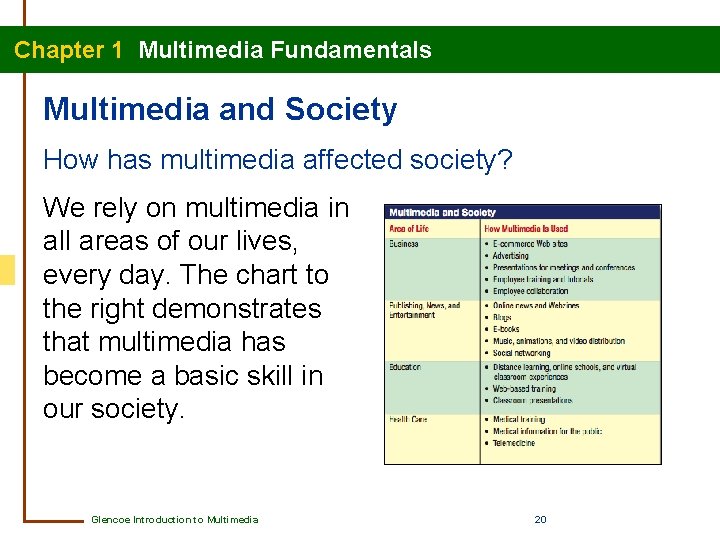
Chapter 1 Multimedia Fundamentals Multimedia and Society How has multimedia affected society? We rely on multimedia in all areas of our lives, every day. The chart to the right demonstrates that multimedia has become a basic skill in our society. Glencoe Introduction to Multimedia 20
Chapter 1 Multimedia Fundamentals Multimedia and Society What are four areas of life in which multimedia is used? Multimedia is used in the areas of business, publishing and entertainment, education and health care. Glencoe Introduction to Multimedia 21
Chapter 1 Multimedia Fundamentals Career Planning Starts Now What steps can you take now to explore careers? Ask yourself some basic questions. • What kinds of activities do you like to do? • What kind of work do you enjoy? If you enjoy multimedia projects, explore careers that use these skills. Take classes that will help you gain the skills you need to help your career prospects. Glencoe Introduction to Multimedia 22
Chapter 1 Multimedia Fundamentals Career Planning Starts Now What questions should you ask yourself to begin developing your career plan? Ask yourself what kinds of activities you like or what type of work you enjoy. Glencoe Introduction to Multimedia 23
Chapter 1 Multimedia Fundamentals Extended Learning Opportunities Why are extended learning opportunities an important part of career preparation? • They allow you to connect what you learn in school to a possible future career. • They teach skills beyond what you learn in textbooks, such as critical thinking. • Types of opportunities include curricular experience, career-based learning experience extracurricular experience, and service learning experience. Glencoe Introduction to Multimedia 24
Chapter 1 Multimedia Fundamentals Extended Learning Opportunities Curricular experiences teach real-world skills in the classroom. • Business classes, keyboarding classes, and art classes teach content and skills such as teamwork, leadership, and communication. Career-based learning experiences allow you to work while you explore career opportunities. • These experiences include job shadowing, internships, and work-school cooperatives. Glencoe Introduction to Multimedia 25
Chapter 1 Multimedia Fundamentals Extended Learning Opportunities Participating in school organizations or clubs outside the classroom are excellent extracurricular activities that can develop teamwork and leadership skills. Service learning opportunities involve doing volunteer work in your community. • In addition to learning about careers, participating in service learning opportunities can be personally rewarding. Glencoe Introduction to Multimedia 26
Chapter 1 Multimedia Fundamentals Extended Learning Opportunities What are the types of extended learning opportunities? The types of extended learning opportunities are curricular experiences, career-based learning experiences, extracurricular activities, and service learning experiences. Glencoe Introduction to Multimedia 27
Chapter 1 Multimedia Fundamentals Chapter Summary • Multimedia is the integration of elements such as text, graphics, animation, audio, and video using computer technology. • Multimedia projects can be used to teach, inform, train, entertain, and report. • The many different types of multimedia projects include print publications, presentations, tutorials, simulations, video games, and Web sites. • Extended learning opportunities can give you insight into choosing a multimedia career opportunity. Glencoe Introduction to Multimedia 28
Chapter 1 Multimedia Fundamentals End of Chapter 1 Multimedia Project Team Roles home glencoe. com Glencoe Introduction to Multimedia 29