
Chapter 1 Motherboard and its Component Visit for

Chapter 1: Motherboard and its Component Visit for more Learning Resources
CPU- Concept Like Address Lines, Data Lines, Internal Registers. The CPU or Processor based system is consisting of 3 Functional blocks interconnected over set of 3 buses. The three functional blocks are as follows 1. CPU or processor 2. Memory 3. Input and Output Device
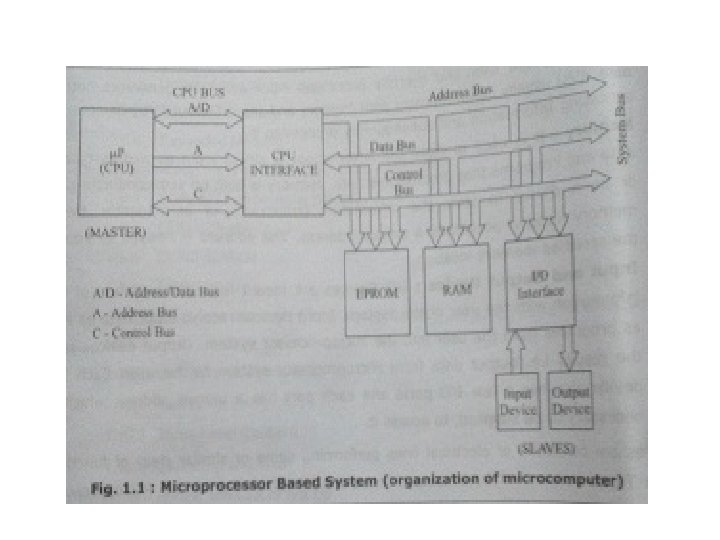
CPU- • It executes the programs supplied by the user and thereby processes input data and generates output data. • CPU usually communicates with Memory and Input/output devices for accessing Information and subsequently processing it. Memory- • It is used to store the information. • It store the information temporarily or permanently. • Every memory location possesses a unique address.
Input and Output Device- • Input-data from user to Microprocessor system • Output-data from Microprocessor system to user Buses- Buses are collection of electrical lines Three buses that interconnect these functional blocks of the Microprocessor system are • Address Lines or Address Bus • Data Lines or Data bus • Control Bus
Internal Registers – Are used to store data, instructions or addresses The size of these registers depends on the size of the CPU and addressing capacity of the CPU. Internal register can be classified as 1. General Purpose Registers- store data and address or any type of information. 2. Special Purpose Registers • used for special purpose. • They don’t store data. • Special Purpose Registers can be sub classified as follow Instruction Register- store instruction Status Register- store CPU status or flags Address Register- store memory address
Mode of operation of CPU • Real mode • IA-32 mode (Protected mode) • IA-32 virtual real mode
Processor Technologies. As the manufacturers of processors, Intel and other companies involve into continuous Research and Development (R&D) activity to improve the speed, performance of the processor chip their connectivity with the system components and bus speeds. Many Processor Technologies and Architecture were evolved • Simple Non-Pipelined Processors • Multi Stage Pipelined Processors • Superscalar Architecture Processors
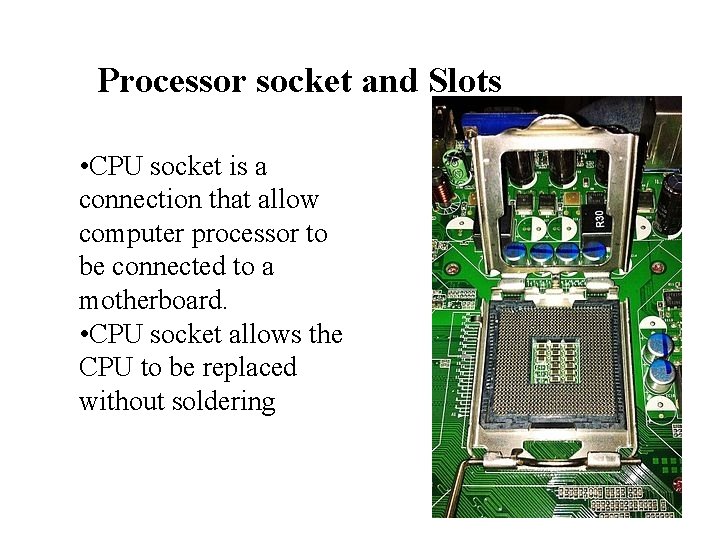
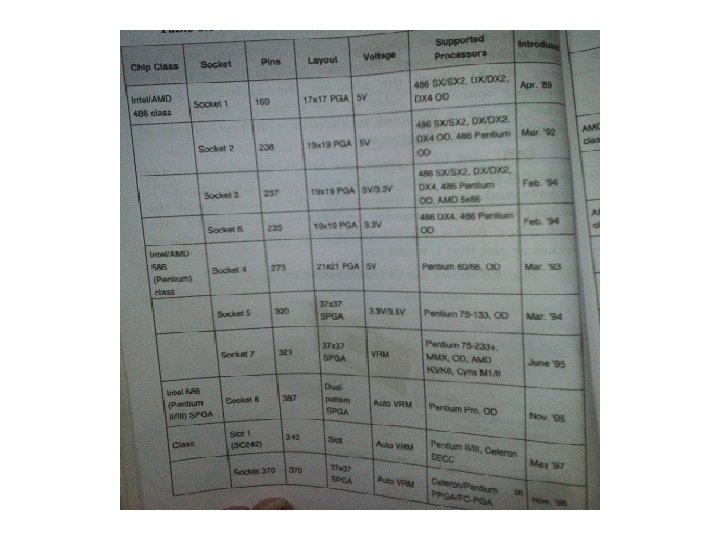
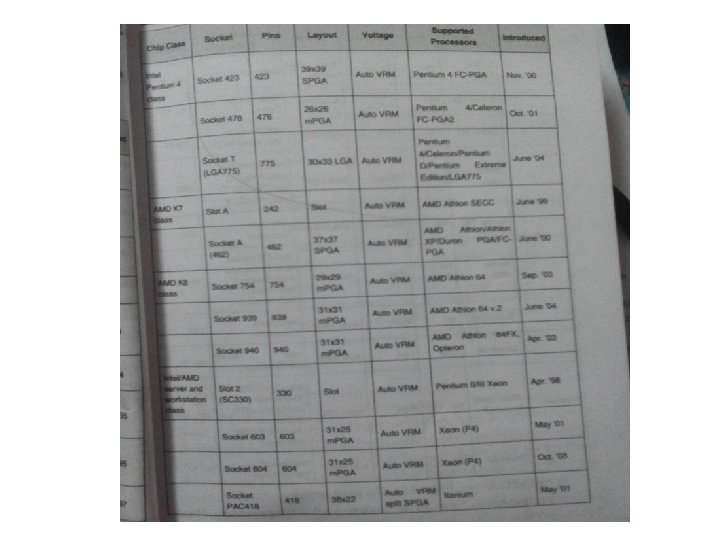
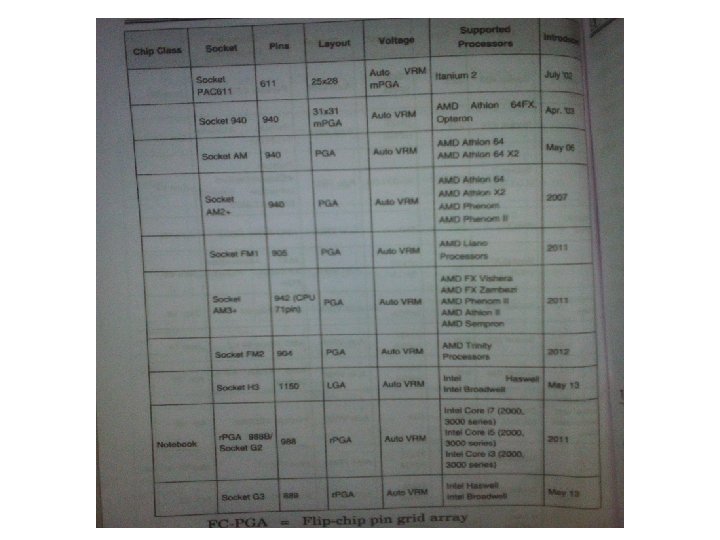
Processor socket and Slots • CPU socket is a connection that allow computer processor to be connected to a motherboard. • CPU socket allows the CPU to be replaced without soldering
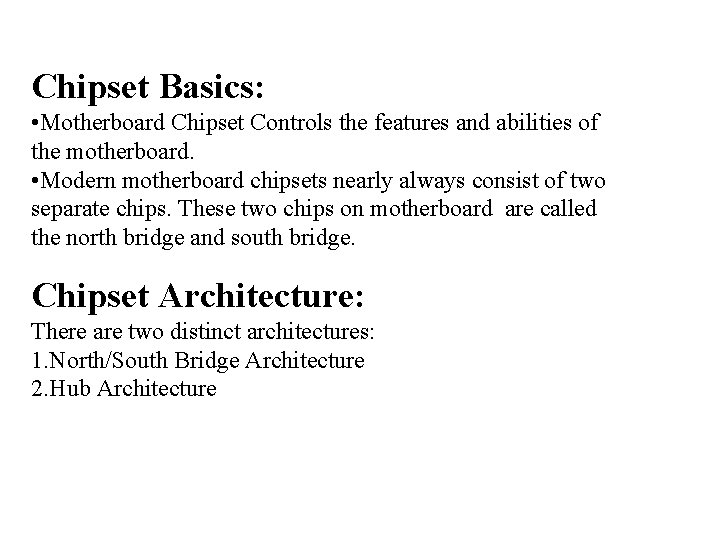
Chipset Basics: • Motherboard Chipset Controls the features and abilities of the motherboard. • Modern motherboard chipsets nearly always consist of two separate chips. These two chips on motherboard are called the north bridge and south bridge. Chipset Architecture: There are two distinct architectures: 1. North/South Bridge Architecture 2. Hub Architecture
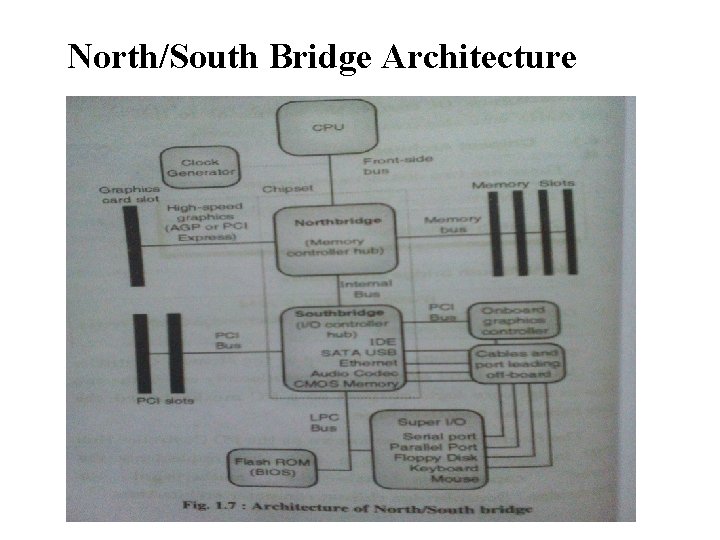
North/South Bridge Architecture
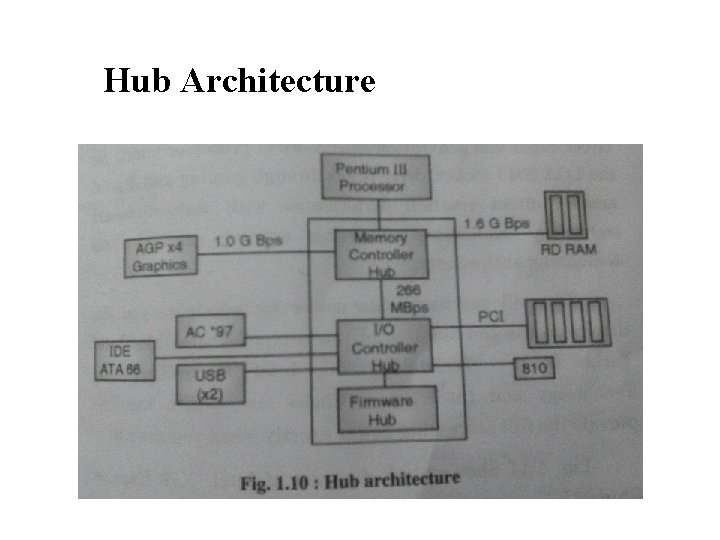
Hub Architecture
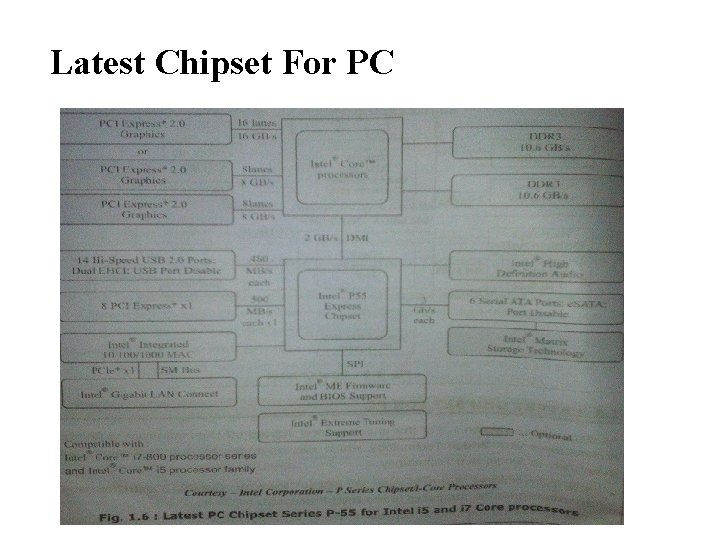
Latest Chipset For PC
Motherboard Buses: • A bus is a shared linear pathway that connects multiple devices to provide a communication channel between them. • The external bus is also referred as the expansion bus. • There are six major types of external buses found on the common motherboard. Only few of these of are actually found on the home PC such as ISA, PCI, AGP, USB and IDE.
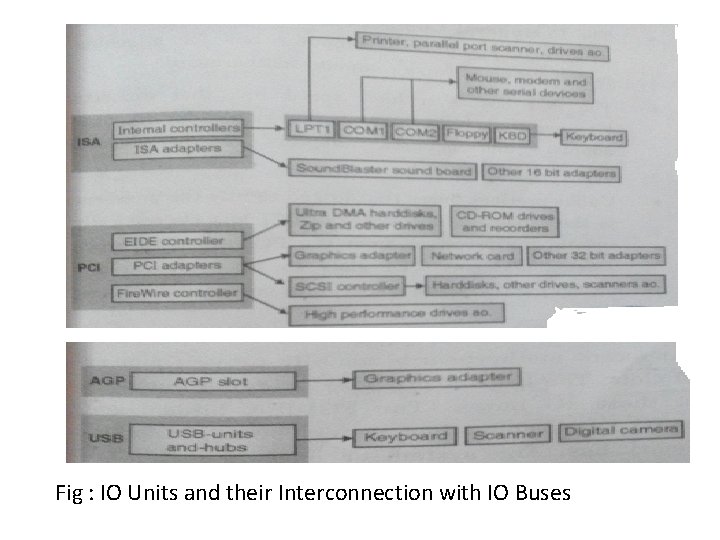
Fig : IO Units and their Interconnection with IO Buses
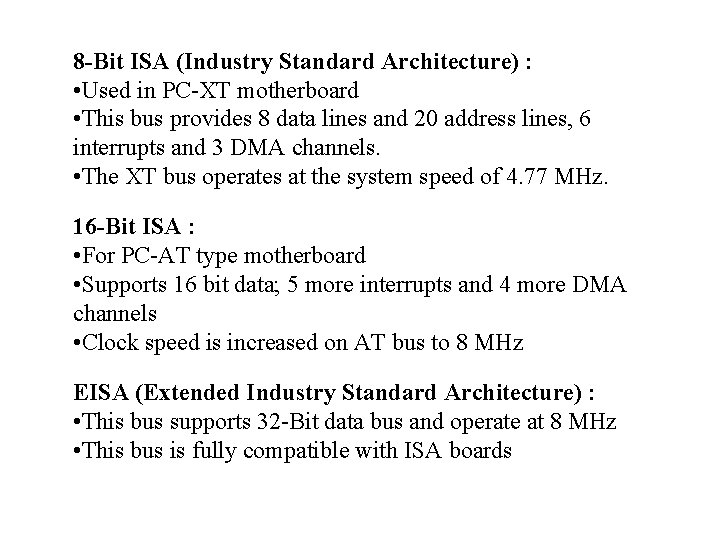
8 -Bit ISA (Industry Standard Architecture) : • Used in PC-XT motherboard • This bus provides 8 data lines and 20 address lines, 6 interrupts and 3 DMA channels. • The XT bus operates at the system speed of 4. 77 MHz. 16 -Bit ISA : • For PC-AT type motherboard • Supports 16 bit data; 5 more interrupts and 4 more DMA channels • Clock speed is increased on AT bus to 8 MHz EISA (Extended Industry Standard Architecture) : • This bus supports 32 -Bit data bus and operate at 8 MHz • This bus is fully compatible with ISA boards
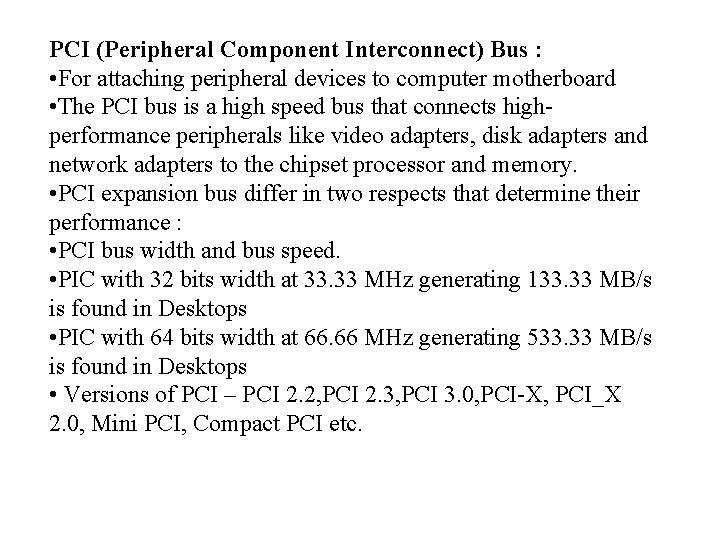
PCI (Peripheral Component Interconnect) Bus : • For attaching peripheral devices to computer motherboard • The PCI bus is a high speed bus that connects highperformance peripherals like video adapters, disk adapters and network adapters to the chipset processor and memory. • PCI expansion bus differ in two respects that determine their performance : • PCI bus width and bus speed. • PIC with 32 bits width at 33. 33 MHz generating 133. 33 MB/s is found in Desktops • PIC with 64 bits width at 66. 66 MHz generating 533. 33 MB/s is found in Desktops • Versions of PCI – PCI 2. 2, PCI 2. 3, PCI 3. 0, PCI-X, PCI_X 2. 0, Mini PCI, Compact PCI etc.
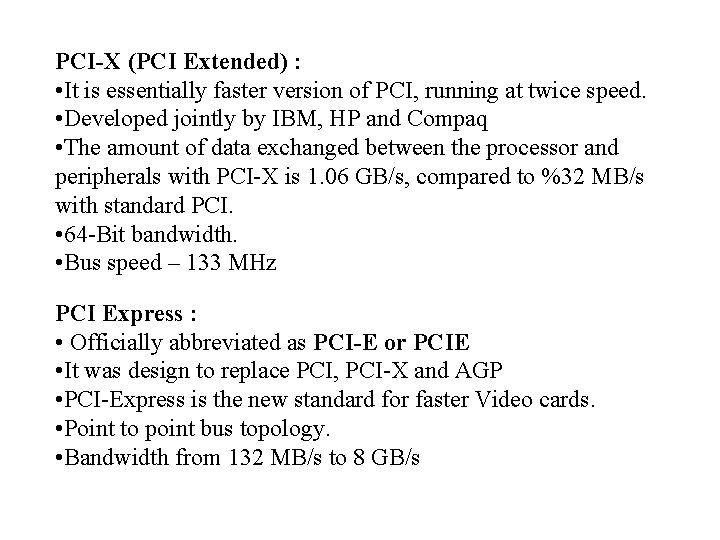
PCI-X (PCI Extended) : • It is essentially faster version of PCI, running at twice speed. • Developed jointly by IBM, HP and Compaq • The amount of data exchanged between the processor and peripherals with PCI-X is 1. 06 GB/s, compared to %32 MB/s with standard PCI. • 64 -Bit bandwidth. • Bus speed – 133 MHz PCI Express : • Officially abbreviated as PCI-E or PCIE • It was design to replace PCI, PCI-X and AGP • PCI-Express is the new standard for faster Video cards. • Point to point bus topology. • Bandwidth from 132 MB/s to 8 GB/s
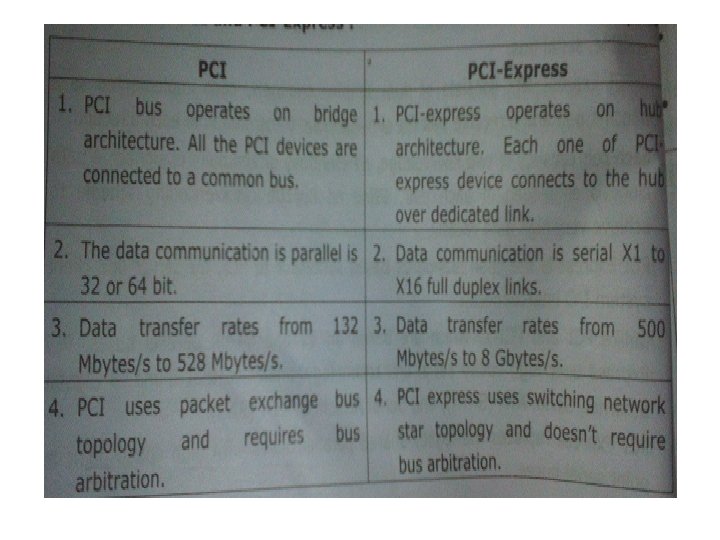
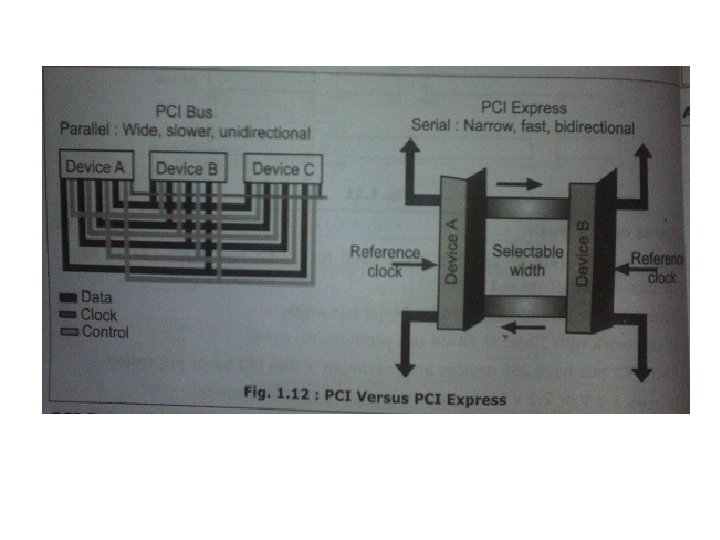
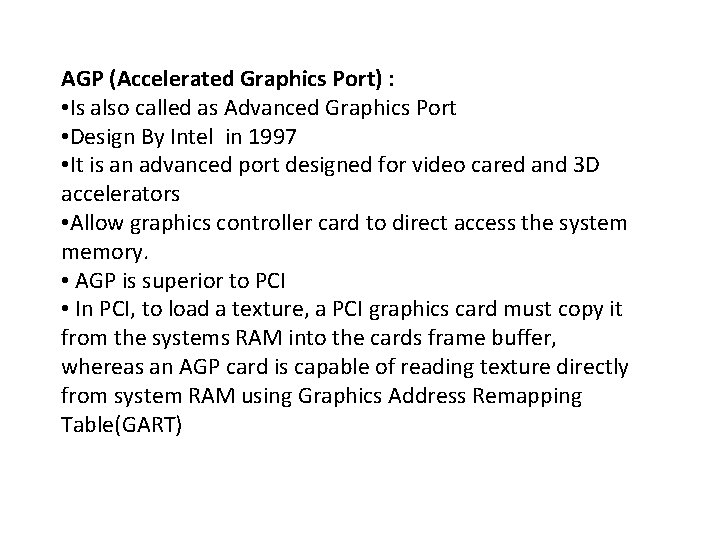
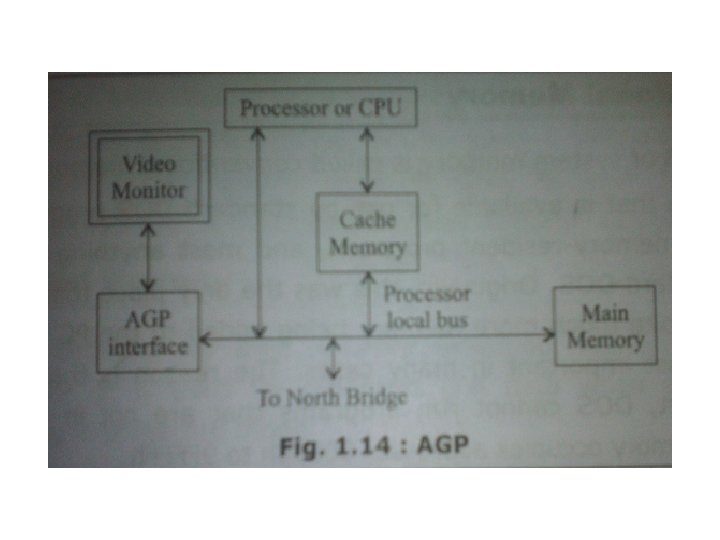
AGP (Accelerated Graphics Port) : • Is also called as Advanced Graphics Port • Design By Intel in 1997 • It is an advanced port designed for video cared and 3 D accelerators • Allow graphics controller card to direct access the system memory. • AGP is superior to PCI • In PCI, to load a texture, a PCI graphics card must copy it from the systems RAM into the cards frame buffer, whereas an AGP card is capable of reading texture directly from system RAM using Graphics Address Remapping Table(GART)
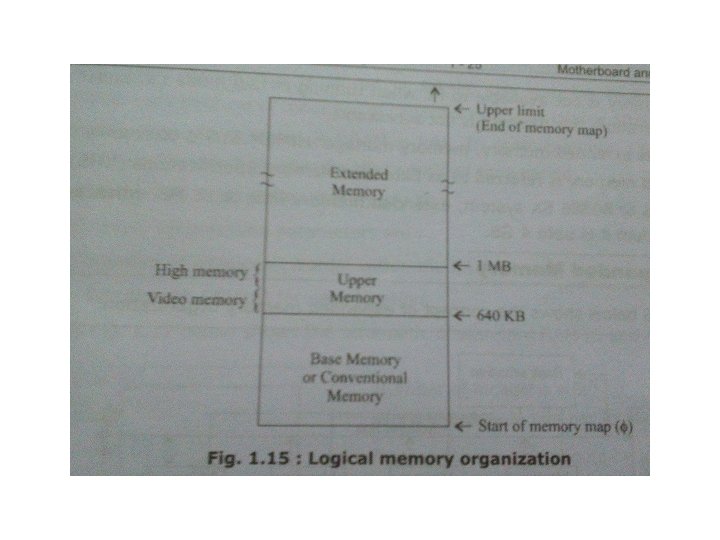
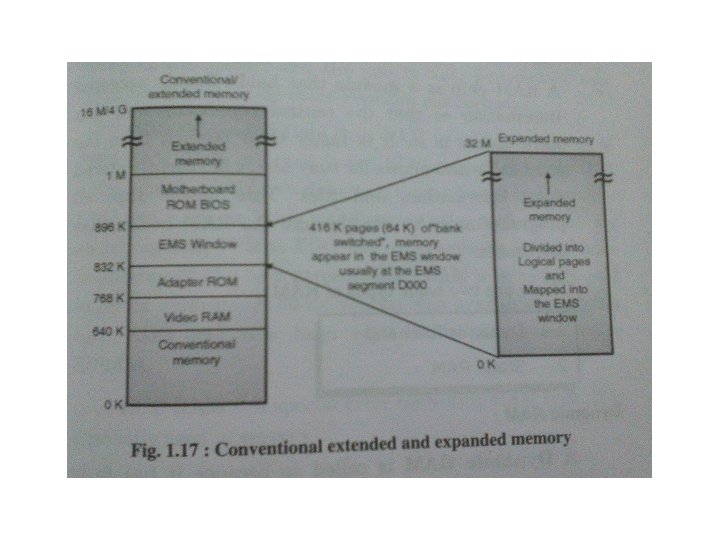
Logical Memory Organization : Memory layout in PC : • The system memory in PC, it is often referred to as a single number is in fact broken into several different areas. 1. Conventional memory 2. Extended memory 3. Expanded memory
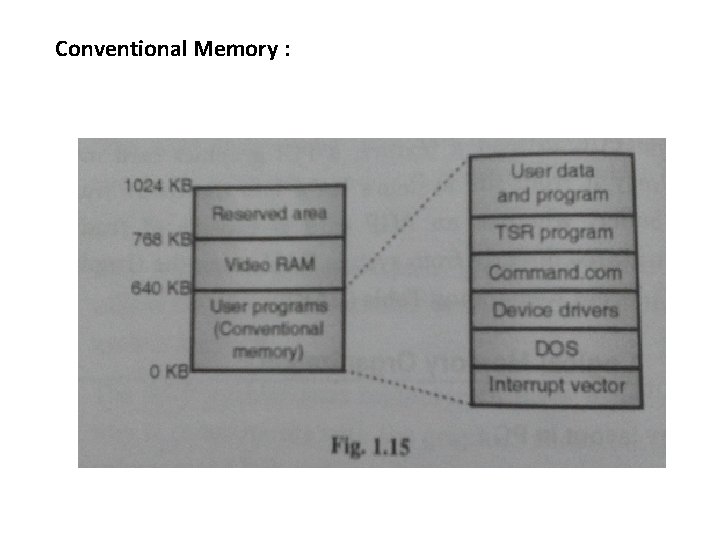
Conventional Memory :
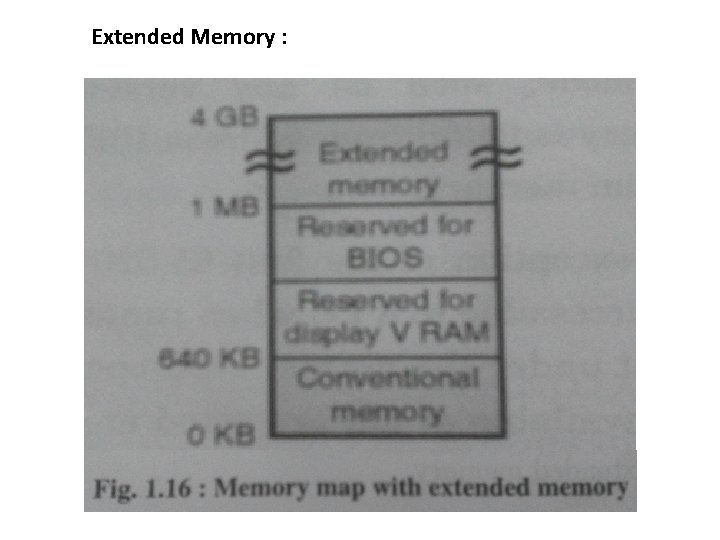
Extended Memory :
BIOS and CMOS Setup: BIOS (Basic Input Output System) : • It is a software program that tests the computer hardware components. • Now a day motherboard BIOS come with EEPROM chip. This type of BIOS is erased and rewritten by using a special program. This type of BIOS called a flash BIOS. • A main function of the BIOS is to give instructions for the power-on self test(POST). CMOS(complimentary Metal Oxide Semiconductor) : • The data on the CMOS chip can be accessed and updated via the CMOS setup program. • The CMOS setup can be accessed when the system boots.
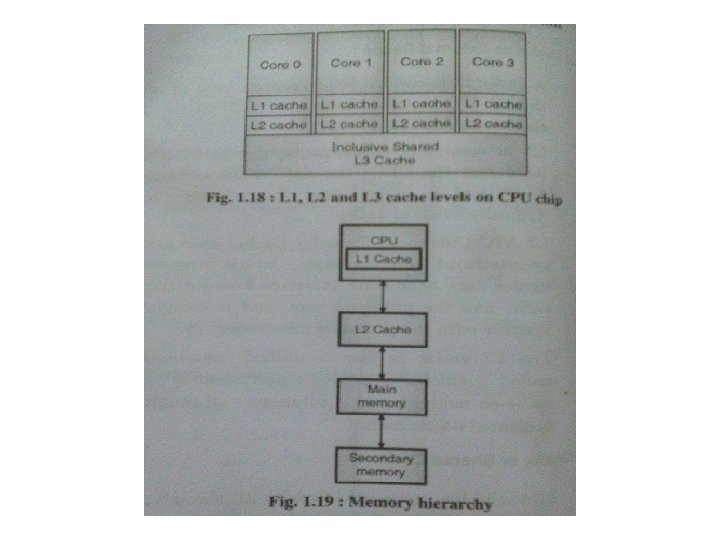
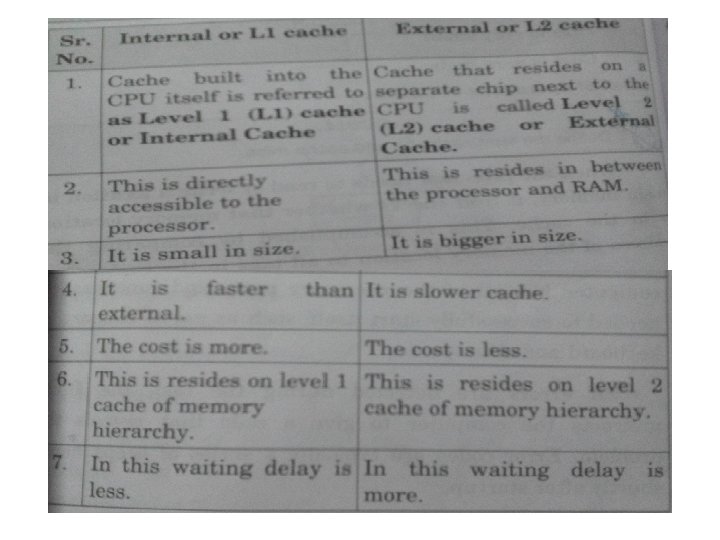
Cache Memory : • Cache memory is high speed memory kept in between the processor and RAM to increase the data execution speed. • It is smaller, faster memory, which stores copies of the data from the most frequently used main memory location. Level of Cache or Type of cache : There are different level of cache 1. L 1 Cache 2. L 2 Cache 3. L 3 Cache
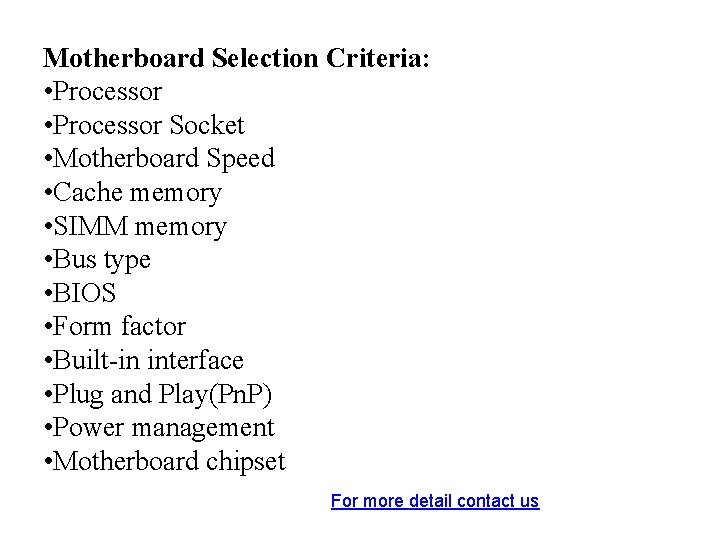
Motherboard Selection Criteria: • Processor Socket • Motherboard Speed • Cache memory • SIMM memory • Bus type • BIOS • Form factor • Built-in interface • Plug and Play(Pn. P) • Power management • Motherboard chipset For more detail contact us
- Slides: 35