
Chapter 1 Introduction We begin with a brief
Chapter 1: Introduction • We begin with a brief, introductory look at the components in a computer system • We will then consider the evolution of computer hardware • We end this chapter by considering the structure of the typical computer, known as a Von Neumann computer • Its noteworthy that anything that can be done in software can also be done in hardware and vice versa – This is known as the principle of equivalence of Hardware and Software • general-purpose computers allow the instructions to be stored in memory and executed through a decoding process • we could take any program and “hard-wire” it to be executed directly without the decoding – this is faster, but not flexible
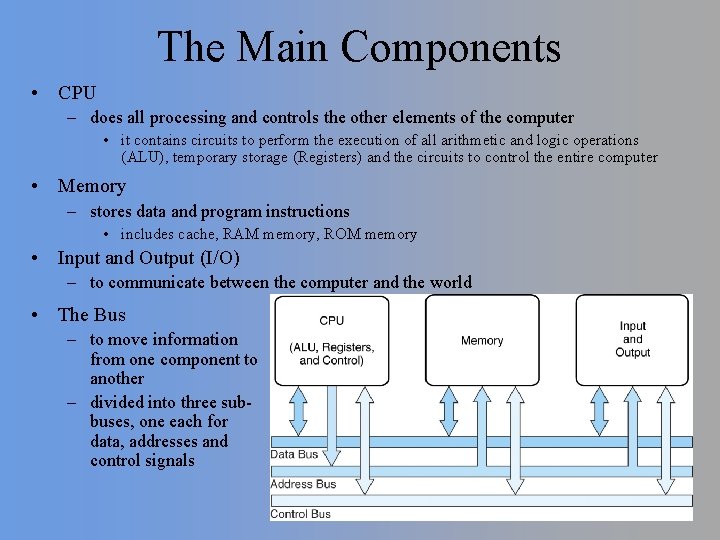
The Main Components • CPU – does all processing and controls the other elements of the computer • it contains circuits to perform the execution of all arithmetic and logic operations (ALU), temporary storage (Registers) and the circuits to control the entire computer • Memory – stores data and program instructions • includes cache, RAM memory, ROM memory • Input and Output (I/O) – to communicate between the computer and the world • The Bus – to move information from one component to another – divided into three subbuses, one each for data, addresses and control signals

A History Lesson Early mechanical computational devices Abacus Pascal’s Calculator (1600 s) Early programmable devices: Jacquard’s Loom (1800) Babbage’s Analytical Engine (1832) Tabulating machine for 1890 census
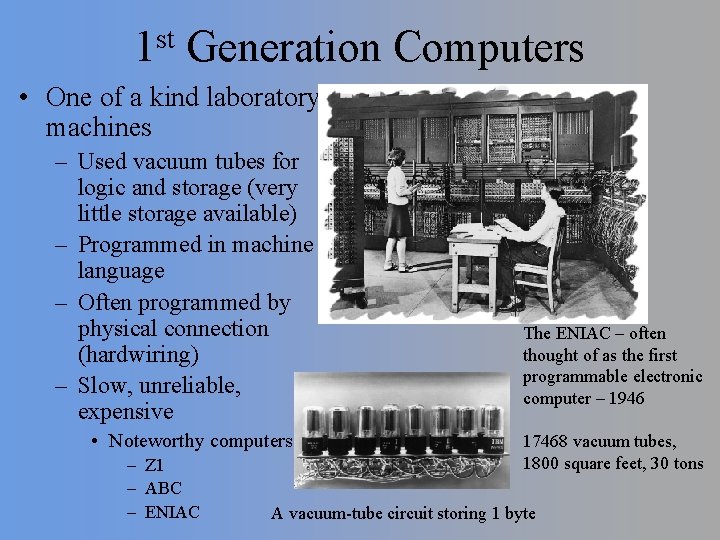
st 1 Generation Computers • One of a kind laboratory machines – Used vacuum tubes for logic and storage (very little storage available) – Programmed in machine language – Often programmed by physical connection (hardwiring) – Slow, unreliable, expensive • Noteworthy computers: – Z 1 – ABC – ENIAC The ENIAC – often thought of as the first programmable electronic computer – 1946 17468 vacuum tubes, 1800 square feet, 30 tons A vacuum-tube circuit storing 1 byte
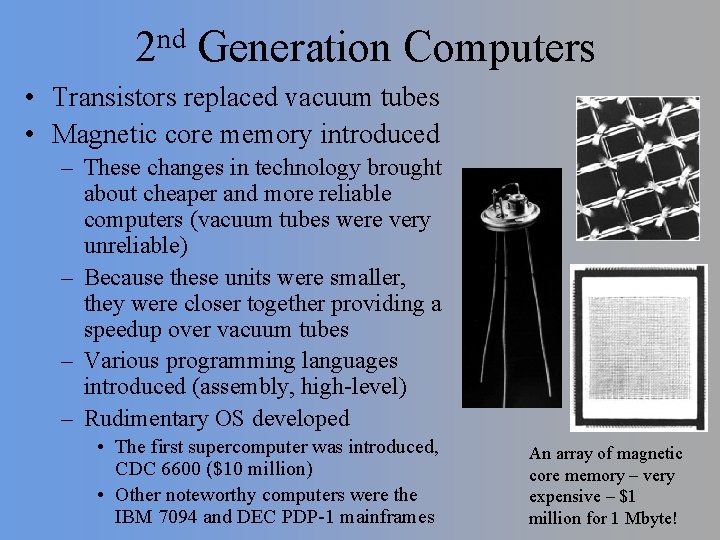
nd 2 Generation Computers • Transistors replaced vacuum tubes • Magnetic core memory introduced – These changes in technology brought about cheaper and more reliable computers (vacuum tubes were very unreliable) – Because these units were smaller, they were closer together providing a speedup over vacuum tubes – Various programming languages introduced (assembly, high-level) – Rudimentary OS developed • The first supercomputer was introduced, CDC 6600 ($10 million) • Other noteworthy computers were the IBM 7094 and DEC PDP-1 mainframes An array of magnetic core memory – very expensive – $1 million for 1 Mbyte!
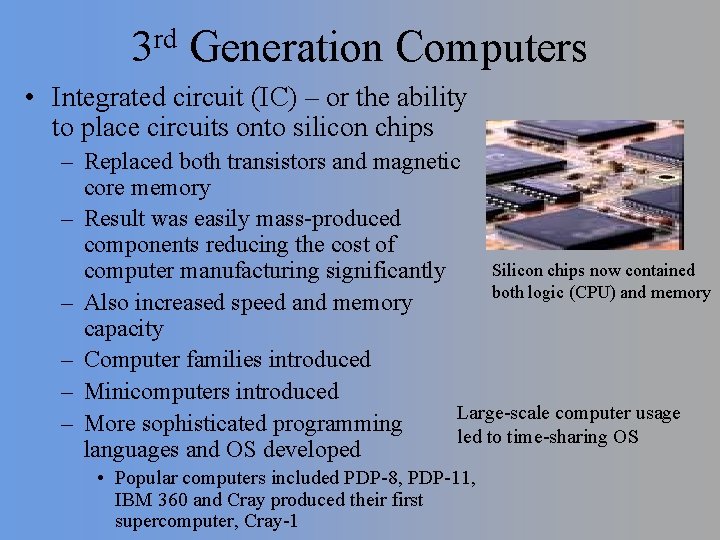
rd 3 Generation Computers • Integrated circuit (IC) – or the ability to place circuits onto silicon chips – Replaced both transistors and magnetic core memory – Result was easily mass-produced components reducing the cost of Silicon chips now contained computer manufacturing significantly both logic (CPU) and memory – Also increased speed and memory capacity – Computer families introduced – Minicomputers introduced Large-scale computer usage – More sophisticated programming led to time-sharing OS languages and OS developed • Popular computers included PDP-8, PDP-11, IBM 360 and Cray produced their first supercomputer, Cray-1
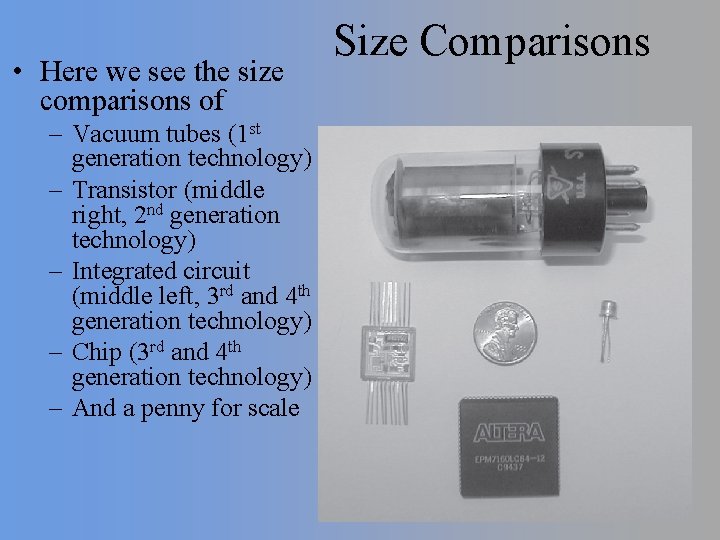
• Here we see the size comparisons of – Vacuum tubes (1 st generation technology) – Transistor (middle right, 2 nd generation technology) – Integrated circuit (middle left, 3 rd and 4 th generation technology) – Chip (3 rd and 4 th generation technology) – And a penny for scale Size Comparisons
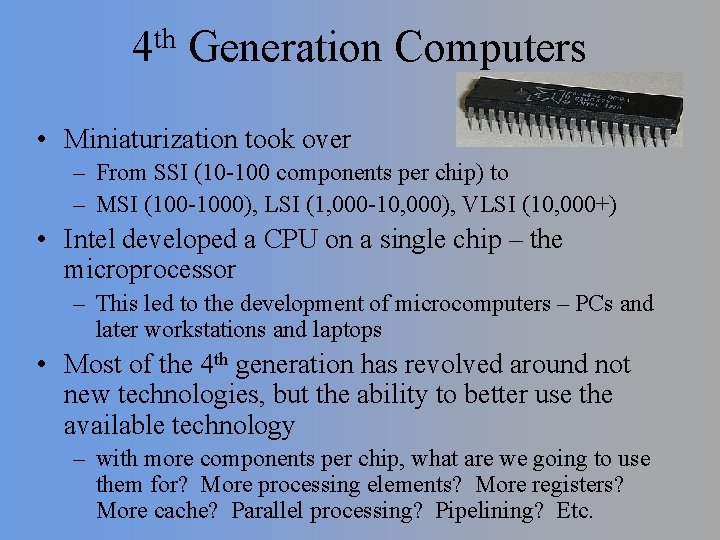
th 4 Generation Computers • Miniaturization took over – From SSI (10 -100 components per chip) to – MSI (100 -1000), LSI (1, 000 -10, 000), VLSI (10, 000+) • Intel developed a CPU on a single chip – the microprocessor – This led to the development of microcomputers – PCs and later workstations and laptops • Most of the 4 th generation has revolved around not new technologies, but the ability to better use the available technology – with more components per chip, what are we going to use them for? More processing elements? More registers? More cache? Parallel processing? Pipelining? Etc.
The PC Market • The impact on miniaturization was not predicted – Who would have thought that a personal computer would be of any interest? – Early PCs were hobbyist toys and included Radio Shack, Commodore, Apple, Texas Instruments, and Altair – In 1981, IBM introduced their first PC • they decided to publish their architecture which led to clones or compatible computers • Microsoft wrote business software for the IBM platform thus making the machine more appealing – These two situations allowed IBM to capture a large part of the PC marketplace – Over the years since 1981, PC development has been one of the biggest concerns of the computer industry • More memory, faster processors, better I/O devices and interfaces, more sophisticated OS and software
Other Computer Developments • During the 4 th generation, we have seen improvements to other platforms as well – Mainframe and minicomputers much faster with substantially larger main memories – Workstations introduced to provide multitasking for scientific applications – Supercomputers reaching 10 s or 100 s of trillions of instructions per second speed – Massive parallel processing machines – Servers for networking – Architectural innovations have included • Floating point and multimedia hardware, parallel processing, pipelining, superscalar pipelines, speculative hardware, cache, RISC
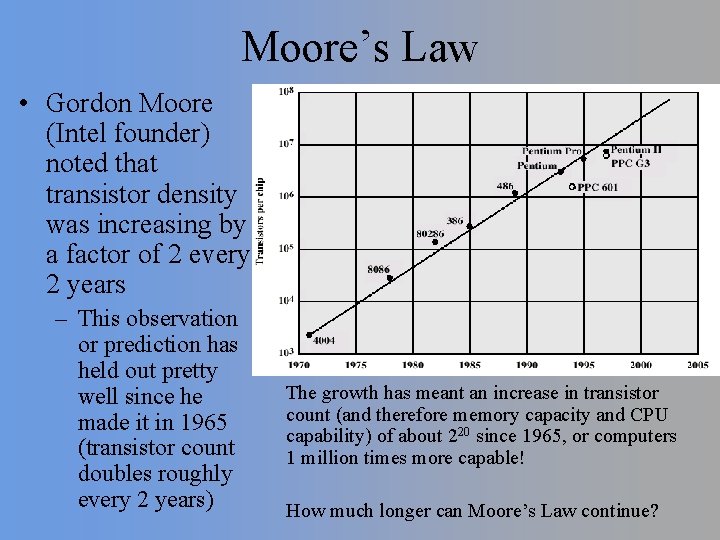
Moore’s Law • Gordon Moore (Intel founder) noted that transistor density was increasing by a factor of 2 every 2 years – This observation or prediction has held out pretty well since he made it in 1965 (transistor count doubles roughly every 2 years) The growth has meant an increase in transistor count (and therefore memory capacity and CPU capability) of about 220 since 1965, or computers 1 million times more capable! How much longer can Moore’s Law continue?
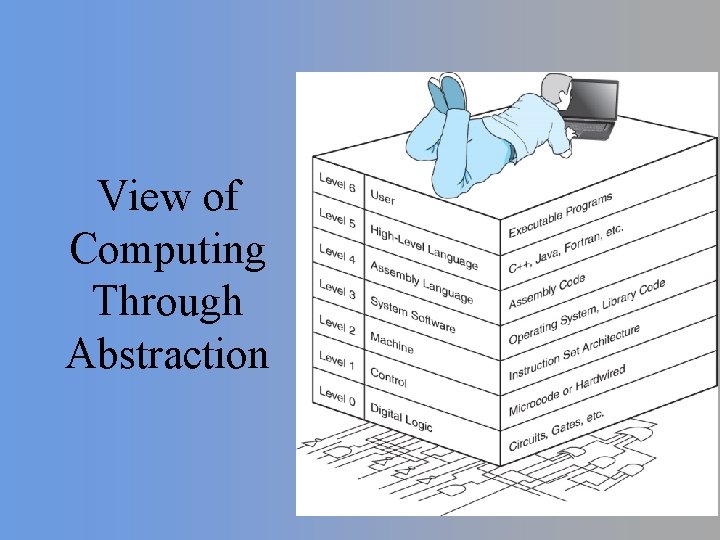
View of Computing Through Abstraction
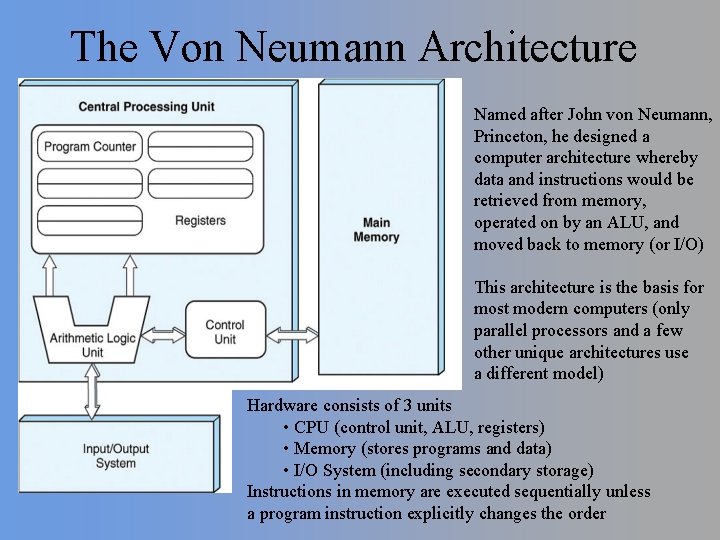
The Von Neumann Architecture Named after John von Neumann, Princeton, he designed a computer architecture whereby data and instructions would be retrieved from memory, operated on by an ALU, and moved back to memory (or I/O) This architecture is the basis for most modern computers (only parallel processors and a few other unique architectures use a different model) Hardware consists of 3 units • CPU (control unit, ALU, registers) • Memory (stores programs and data) • I/O System (including secondary storage) Instructions in memory are executed sequentially unless a program instruction explicitly changes the order
More on Von Neumann Architectures • There is a single pathway used to move both data and instructions between memory, I/O and CPU – the pathway is implemented as a bus – the single pathway creates a bottleneck • known as the von Neumann bottleneck – A variation of this architecture is the Harvard architecture which separates data and instructions into two pathways – Another variation, used in most computers, is the system bus version in which there are different buses between CPU and memory and I/O • The von Neumann architecture operates on the fetch-execute cycle – Fetch an instruction from memory as indicated by the Program Counter register – Decode the instruction in the control unit – Data operands needed for the instruction are fetched from memory – Execute the instruction in the ALU storing the result in a register – Move the result back to memory if needed
- Slides: 14