
Chapter 1 Introduction to Computers and Java Starting
![Programming Languages Sample Program public class Hello. World { public static void main(String[] args)](https://slidetodoc.com/presentation_image_h/0aef9e14e35320d8b9e6d9f3fc7ed656/image-32.jpg "Programming Languages Sample Program public class Hello. World { public static void main(String[] args)")
- Slides: 60
Chapter 1: Introduction to Computers and Java Starting Out with Java: From Control Structures through Objects Fifth Edition by Tony Gaddis
Chapter Topics Chapter 1 discusses the following main topics: – Introduction – Why Program? – Computer Systems: Hardware and Software – Programming Languages – What Is a Program Made Of? – The Programming Process – Object-Oriented Programming © 2013 Pearson Education, Inc. Upper Saddle River, NJ. All Rights Reserved. 1 -2
Java History • 1991 - Green Team started by Sun Microsystems. • *7 Handheld controller for multiple entertainment systems. • There was a need for a programming language that would run on various devices. • Java (first named Oak) was developed for this purpose. © 2013 Pearson Education, Inc. Upper Saddle River, NJ. All Rights Reserved. 1 -3
Introduction • Java enabled web browser (Hot. Java) demonstrated at 1995 Sun World conference. • Java incorporated into Netscape shortly after. • Java is “cross platform”, meaning that it can run on various computer operating systems. © 2013 Pearson Education, Inc. Upper Saddle River, NJ. All Rights Reserved. 1 -4
Java Applications and Applets • Java programs can be of two types: – Applications • Stand-alone programs that run without the aid of a web browser. • Relaxed security model since the user runs the program locally. – Applets • Small applications that require the use of a Java enabled web browser to run. • Enhanced security model since the user merely goes to a web page and the applet runs itself. © 2013 Pearson Education, Inc. Upper Saddle River, NJ. All Rights Reserved. 1 -5
Why Program? • Computers are tools that can be programmed to perform many functions, such as: • spreadsheets • games • databases • etc. • word processing • Computers are versatile because they can be programmed. • Computer Programmers implement programs that perform these functions. © 2013 Pearson Education, Inc. Upper Saddle River, NJ. All Rights Reserved. 1 -6
Why Program? Aspects of a computer program that must be designed: – The logical flow of the instructions – The mathematical procedures – The layout of the programming statements – The appearance of the screens – The way information is presented to the user – The program’s “user friendliness” – Manuals, help systems, and/or other forms of written documentation. © 2013 Pearson Education, Inc. Upper Saddle River, NJ. All Rights Reserved. 1 -7
Why Program? • Programs must be analytically correct as well. • Programs rarely work the first time they are programmed. • Programmers must perform the following on a continual basis: – – analyze, experiment, correct, and redesign. • Programming languages have strict rules, known as syntax, that must be carefully followed. © 2013 Pearson Education, Inc. Upper Saddle River, NJ. All Rights Reserved. 1 -8
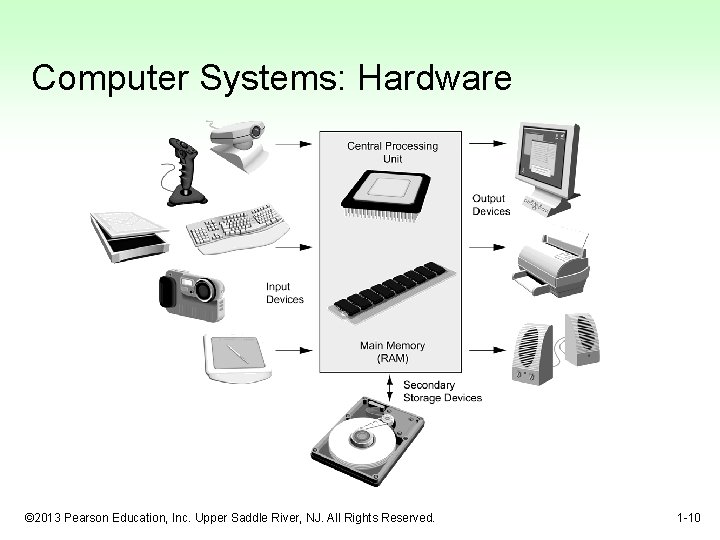
Computer Systems: Hardware • Computer hardware components are the physical pieces of the computer. • The major hardware components of a computer are: – The central processing unit (CPU) – Main memory – Secondary storage devices – Input and Output devices © 2013 Pearson Education, Inc. Upper Saddle River, NJ. All Rights Reserved. 1 -9
Computer Systems: Hardware © 2013 Pearson Education, Inc. Upper Saddle River, NJ. All Rights Reserved. 1 -10
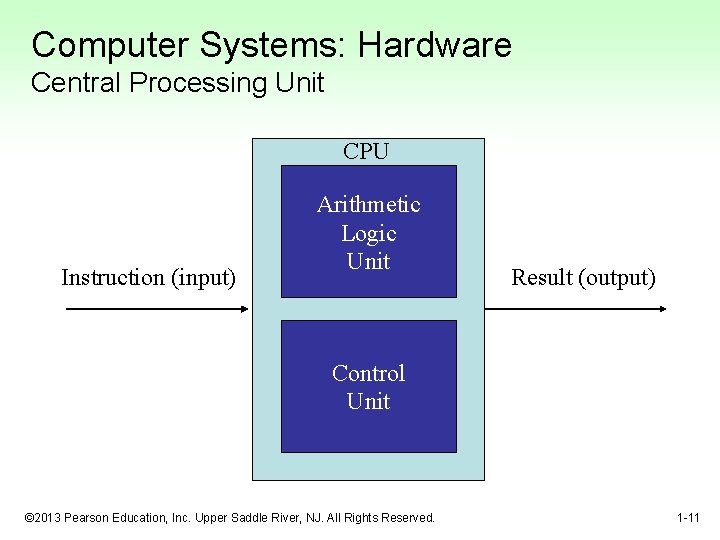
Computer Systems: Hardware Central Processing Unit CPU Instruction (input) Arithmetic Logic Unit Result (output) Control Unit © 2013 Pearson Education, Inc. Upper Saddle River, NJ. All Rights Reserved. 1 -11
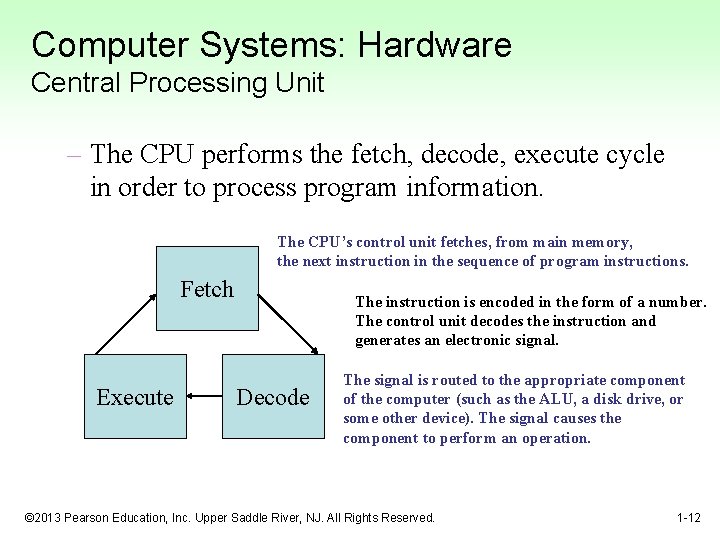
Computer Systems: Hardware Central Processing Unit – The CPU performs the fetch, decode, execute cycle in order to process program information. The CPU’s control unit fetches, from main memory, the next instruction in the sequence of program instructions. Fetch Execute The instruction is encoded in the form of a number. The control unit decodes the instruction and generates an electronic signal. Decode The signal is routed to the appropriate component of the computer (such as the ALU, a disk drive, or some other device). The signal causes the component to perform an operation. © 2013 Pearson Education, Inc. Upper Saddle River, NJ. All Rights Reserved. 1 -12
Computer Systems: Hardware Main Memory • Commonly known as random-access memory (RAM) • RAM contains: – currently running programs – data used by those programs. • RAM is divided into units called bytes. • A byte consists of eight bits that may be either on or off. © 2013 Pearson Education, Inc. Upper Saddle River, NJ. All Rights Reserved. 1 -13
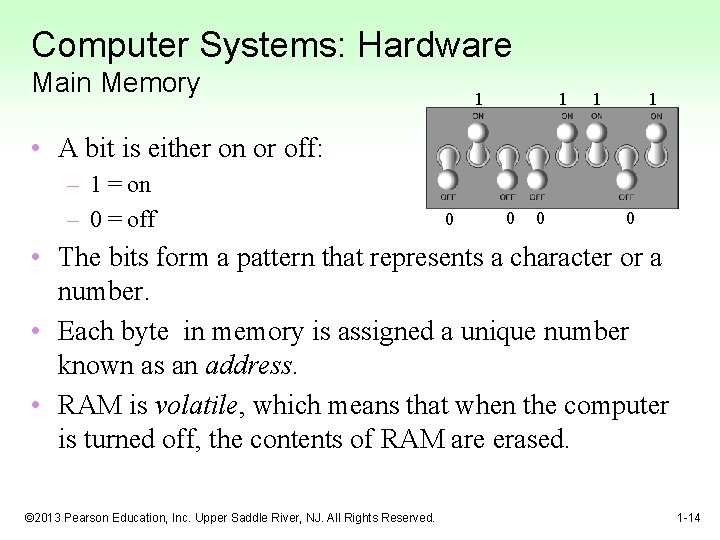
Computer Systems: Hardware Main Memory 1 1 • A bit is either on or off: – 1 = on – 0 = off 0 0 • The bits form a pattern that represents a character or a number. • Each byte in memory is assigned a unique number known as an address. • RAM is volatile, which means that when the computer is turned off, the contents of RAM are erased. © 2013 Pearson Education, Inc. Upper Saddle River, NJ. All Rights Reserved. 1 -14
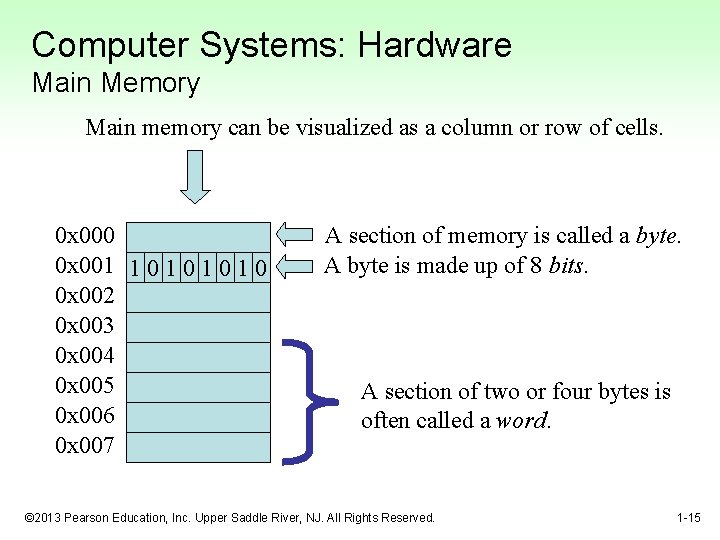
Computer Systems: Hardware Main Memory Main memory can be visualized as a column or row of cells. 0 x 000 0 x 001 1 0 1 0 0 x 002 0 x 003 0 x 004 0 x 005 0 x 006 0 x 007 A section of memory is called a byte. A byte is made up of 8 bits. A section of two or four bytes is often called a word. © 2013 Pearson Education, Inc. Upper Saddle River, NJ. All Rights Reserved. 1 -15
Computer Systems: Hardware Secondary Storage Devices • Secondary storage devices are capable of storing information for longer periods of time (non-volatile). • Common Secondary Storage devices: • Hard drive • CD ROM • Floppy drive • DVD RAM drive • CD RW drive • Compact Flash card © 2013 Pearson Education, Inc. Upper Saddle River, NJ. All Rights Reserved. 1 -16
Computer Systems: Hardware Input Devices • Input is any data the computer collects from the outside world. • That data comes from devices known as input devices. • Common input devices: – Keyboard – Mouse – Scanner – Digital camera © 2013 Pearson Education, Inc. Upper Saddle River, NJ. All Rights Reserved. 1 -17
Computer Systems: Hardware Output Devices • Output is any data the computer sends to the outside world. • That data is displayed on devices known as output devices. • Common output devices: – Monitors – Printers • Some devices such as disk drives perform input and output and are called I/O devices (input/output). © 2013 Pearson Education, Inc. Upper Saddle River, NJ. All Rights Reserved. 1 -18
Computer Systems: Software • Software refers to the programs that run on a computer. • There are two classifications of software: – Operating Systems – Application Software © 2013 Pearson Education, Inc. Upper Saddle River, NJ. All Rights Reserved. 1 -19
Computer Systems: Software Operating Systems • An operating system has two functions: – Control the system resources. – Provide the user with a means of interaction with the computer. • Operating systems can be either single tasking or multi-tasking. © 2013 Pearson Education, Inc. Upper Saddle River, NJ. All Rights Reserved. 1 -20
Computer Systems: Software Operating Systems • A single tasking operating system is capable of running only one program at a time. – DOS • A multitasking operating system is capable of running multiple programs at once. – Windows – Unix – Mac OS X © 2013 Pearson Education, Inc. Upper Saddle River, NJ. All Rights Reserved. 1 -21
Computer Systems: Software Operating Systems • Operating systems can also be categorized as single user or multi-user. – A single user operating system allows only one user to operate the computer at a time. – Multi-user systems allow several users to run programs and operate the computer at once. © 2013 Pearson Education, Inc. Upper Saddle River, NJ. All Rights Reserved. 1 -22
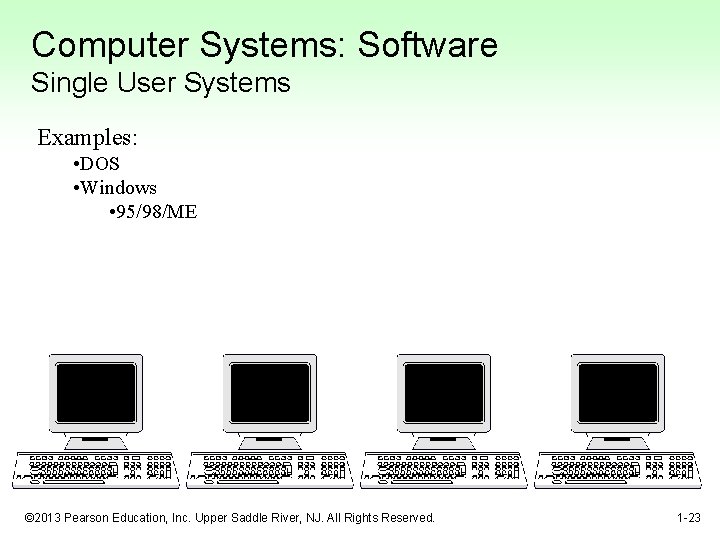
Computer Systems: Software Single User Systems Examples: • DOS • Windows • 95/98/ME © 2013 Pearson Education, Inc. Upper Saddle River, NJ. All Rights Reserved. 1 -23
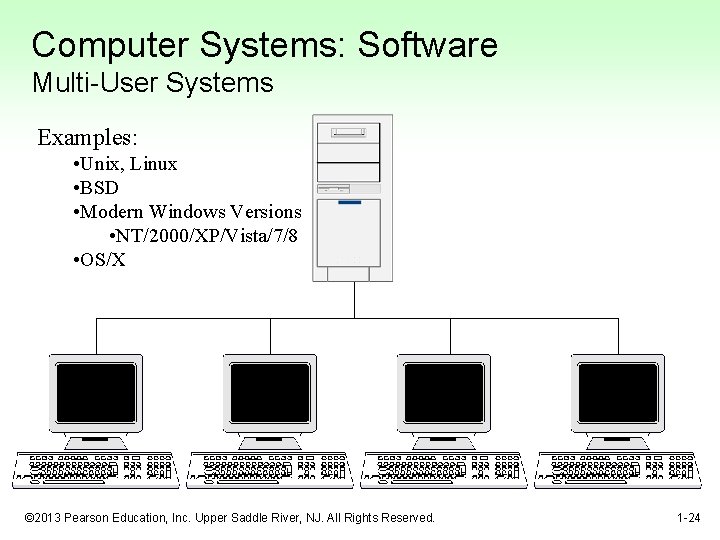
Computer Systems: Software Multi-User Systems Examples: • Unix, Linux • BSD • Modern Windows Versions • NT/2000/XP/Vista/7/8 • OS/X © 2013 Pearson Education, Inc. Upper Saddle River, NJ. All Rights Reserved. 1 -24
Computer Systems: Software Application Software • Application software refers to programs that make the computer useful to the user. • Application software provides a more specialized type of environment for the user to work in. • Common application software: – – – Spreadsheets Word processors Accounting software Tax software Games © 2013 Pearson Education, Inc. Upper Saddle River, NJ. All Rights Reserved. 1 -25
Programming Languages • A program is a set of instructions a computer follows in order to perform a task. • A programming language is a special language used to write computer programs. • A computer program is a set of instructions that enable the computer to solve a problem or perform a task. • Collectively, these instructions form an algorithm © 2013 Pearson Education, Inc. Upper Saddle River, NJ. All Rights Reserved. 1 -26
Programming Languages • An algorithm is a set of well defined steps to completing a task. • The steps in an algorithm are performed sequentially. • A computer needs the algorithm to be written in machine language. • Machine language is written using binary numbers. • The binary numbering system (base 2) only has two digits (0 and 1). © 2013 Pearson Education, Inc. Upper Saddle River, NJ. All Rights Reserved. 1 -27
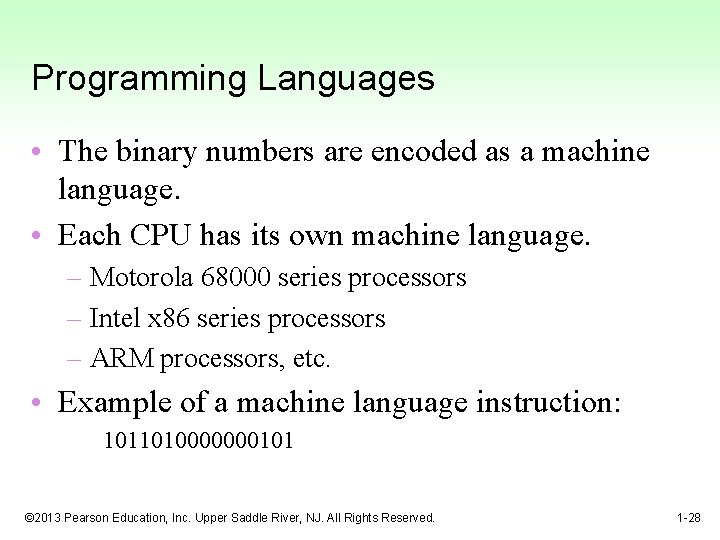
Programming Languages • The binary numbers are encoded as a machine language. • Each CPU has its own machine language. – Motorola 68000 series processors – Intel x 86 series processors – ARM processors, etc. • Example of a machine language instruction: 1011010000000101 © 2013 Pearson Education, Inc. Upper Saddle River, NJ. All Rights Reserved. 1 -28
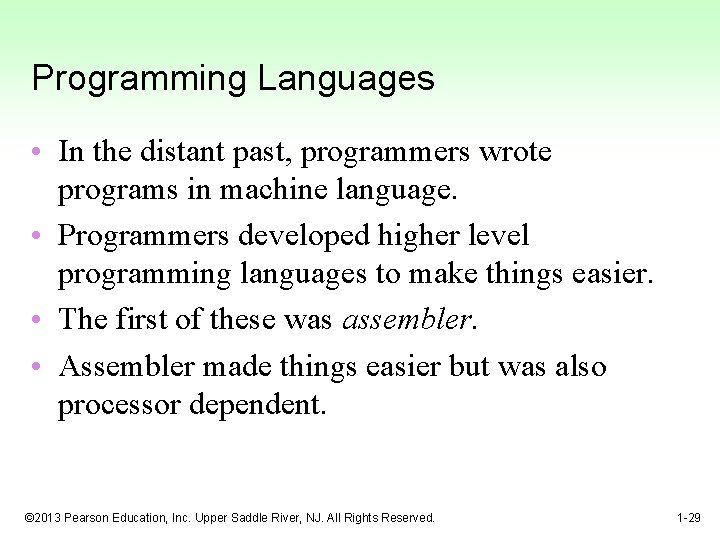
Programming Languages • In the distant past, programmers wrote programs in machine language. • Programmers developed higher level programming languages to make things easier. • The first of these was assembler. • Assembler made things easier but was also processor dependent. © 2013 Pearson Education, Inc. Upper Saddle River, NJ. All Rights Reserved. 1 -29
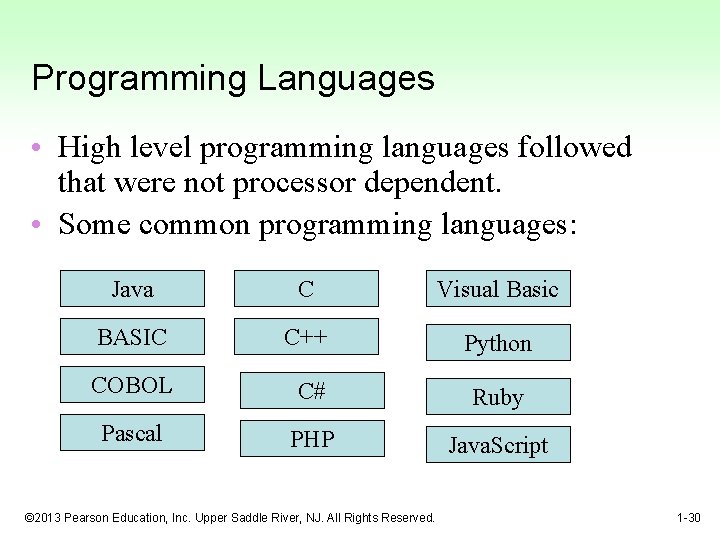
Programming Languages • High level programming languages followed that were not processor dependent. • Some common programming languages: Java C Visual Basic BASIC C++ Python COBOL C# Ruby Pascal PHP Java. Script © 2013 Pearson Education, Inc. Upper Saddle River, NJ. All Rights Reserved. 1 -30
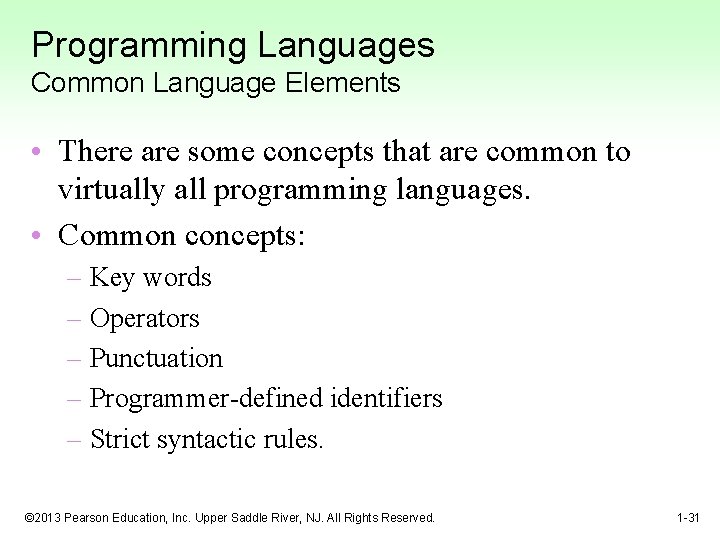
Programming Languages Common Language Elements • There are some concepts that are common to virtually all programming languages. • Common concepts: – Key words – Operators – Punctuation – Programmer-defined identifiers – Strict syntactic rules. © 2013 Pearson Education, Inc. Upper Saddle River, NJ. All Rights Reserved. 1 -31
Programming Languages Sample Program public class Hello. World { public static void main(String[] args) { String message = "Hello World"; System. out. println(message); } } © 2013 Pearson Education, Inc. Upper Saddle River, NJ. All Rights Reserved. 1 -32
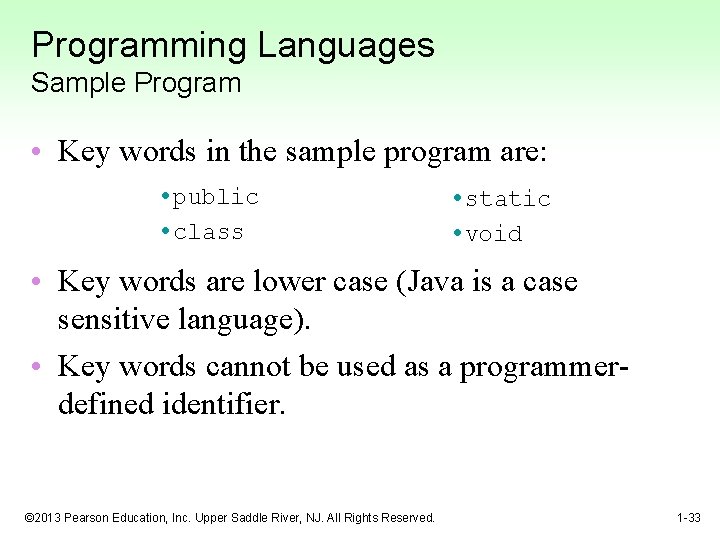
Programming Languages Sample Program • Key words in the sample program are: • public • class • static • void • Key words are lower case (Java is a case sensitive language). • Key words cannot be used as a programmerdefined identifier. © 2013 Pearson Education, Inc. Upper Saddle River, NJ. All Rights Reserved. 1 -33
Programming Languages • Semi-colons are used to end Java statements; however, not all lines of a Java program end a statement. • Part of learning Java is to learn where to properly use the punctuation. © 2013 Pearson Education, Inc. Upper Saddle River, NJ. All Rights Reserved. 1 -34
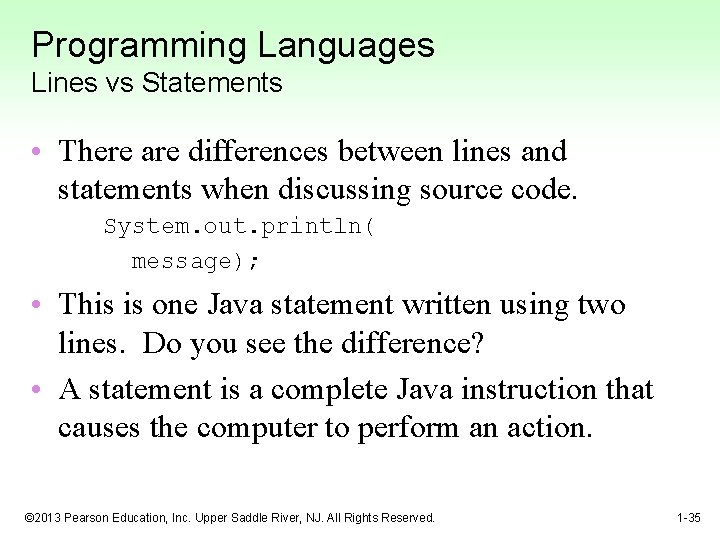
Programming Languages Lines vs Statements • There are differences between lines and statements when discussing source code. System. out. println( message); • This is one Java statement written using two lines. Do you see the difference? • A statement is a complete Java instruction that causes the computer to perform an action. © 2013 Pearson Education, Inc. Upper Saddle River, NJ. All Rights Reserved. 1 -35
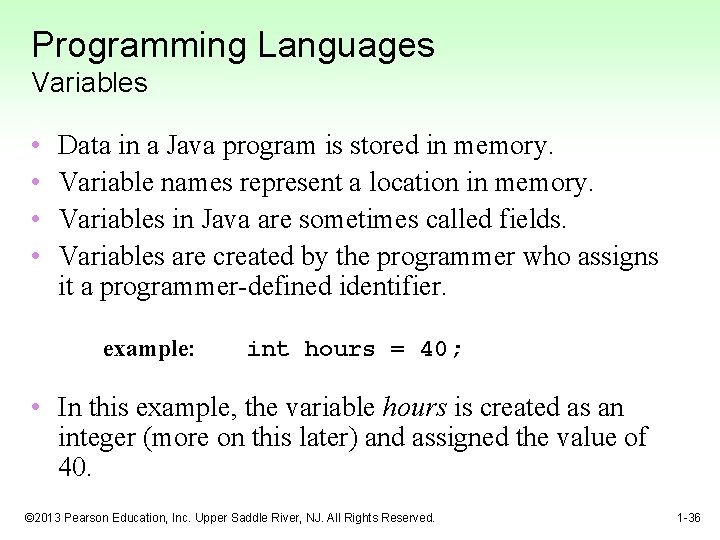
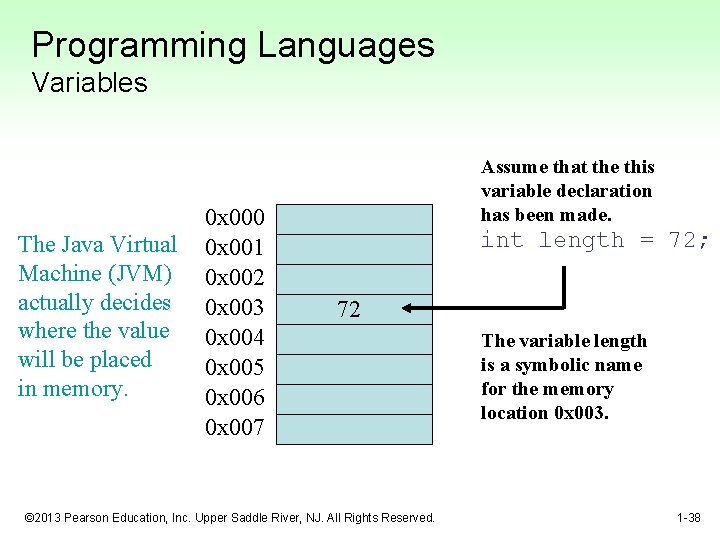
Programming Languages Variables • • Data in a Java program is stored in memory. Variable names represent a location in memory. Variables in Java are sometimes called fields. Variables are created by the programmer who assigns it a programmer-defined identifier. example: int hours = 40; • In this example, the variable hours is created as an integer (more on this later) and assigned the value of 40. © 2013 Pearson Education, Inc. Upper Saddle River, NJ. All Rights Reserved. 1 -36
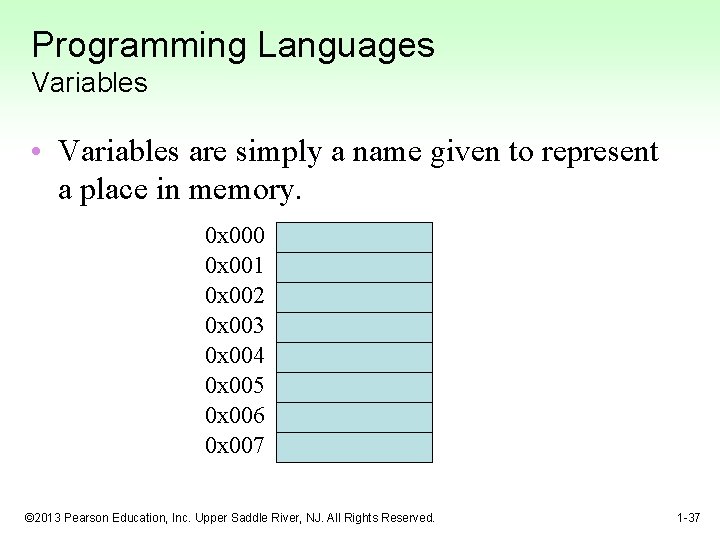
Programming Languages Variables • Variables are simply a name given to represent a place in memory. 0 x 000 0 x 001 0 x 002 0 x 003 0 x 004 0 x 005 0 x 006 0 x 007 © 2013 Pearson Education, Inc. Upper Saddle River, NJ. All Rights Reserved. 1 -37
Programming Languages Variables The Java Virtual Machine (JVM) actually decides where the value will be placed in memory. 0 x 000 0 x 001 0 x 002 0 x 003 0 x 004 0 x 005 0 x 006 0 x 007 Assume that the this variable declaration has been made. int length = 72; 72 © 2013 Pearson Education, Inc. Upper Saddle River, NJ. All Rights Reserved. The variable length is a symbolic name for the memory location 0 x 003. 1 -38
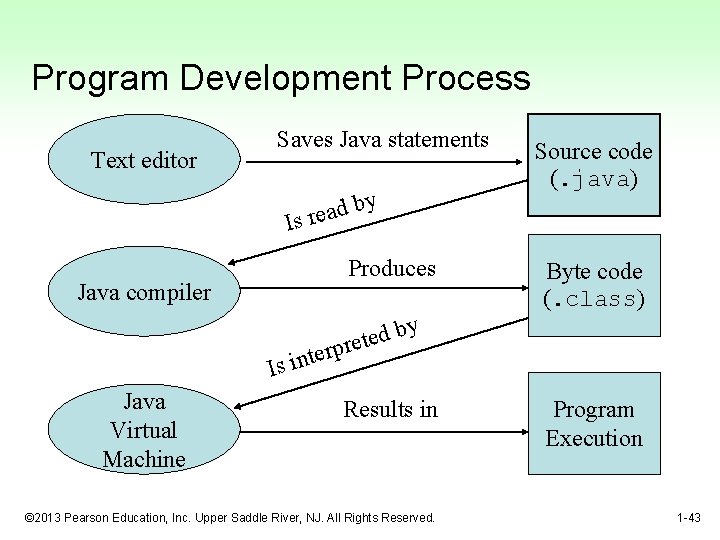
The Compiler and the Java Virtual Machine • A programmer writes Java programming statements for a program. • These statements are known as source code. • A text editor is used to edit and save a Java source code file. • Source code files have a. java file extension. • A compiler is a program that translates source code into an executable form. © 2013 Pearson Education, Inc. Upper Saddle River, NJ. All Rights Reserved. 1 -39
The Compiler and the Java Virtual Machine • A compiler is run using a source code file as input. • Syntax errors that may be in the program will be discovered during compilation. • Syntax errors are mistakes that the programmer has made that violate the rules of the programming language. • The compiler creates another file that holds the translated instructions. © 2013 Pearson Education, Inc. Upper Saddle River, NJ. All Rights Reserved. 1 -40
The Compiler and the Java Virtual Machine • Most compilers translate source code into executable files containing machine code. • The Java compiler translates a Java source file into a file that contains byte code instructions. • Byte code instructions are the machine language of the Java Virtual Machine (JVM) and cannot be directly executed directly by the CPU. © 2013 Pearson Education, Inc. Upper Saddle River, NJ. All Rights Reserved. 1 -41
The Compiler and the Java Virtual Machine • Byte code files end with the. class file extension. • The JVM is a program that emulates a microprocessor. • The JVM executes instructions as they are read. • JVM is often called an interpreter. • Java is often referred to as an interpreted language. © 2013 Pearson Education, Inc. Upper Saddle River, NJ. All Rights Reserved. 1 -42
Program Development Process Text editor Saves Java statements y b d a e r Is Produces Java compiler Is Java Virtual Machine Source code (. java) Byte code (. class) y b d e et r p r e int Results in © 2013 Pearson Education, Inc. Upper Saddle River, NJ. All Rights Reserved. Program Execution 1 -43
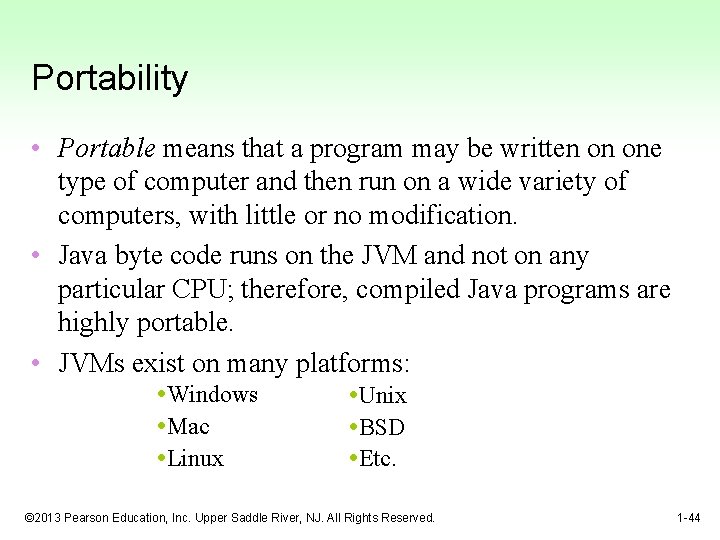
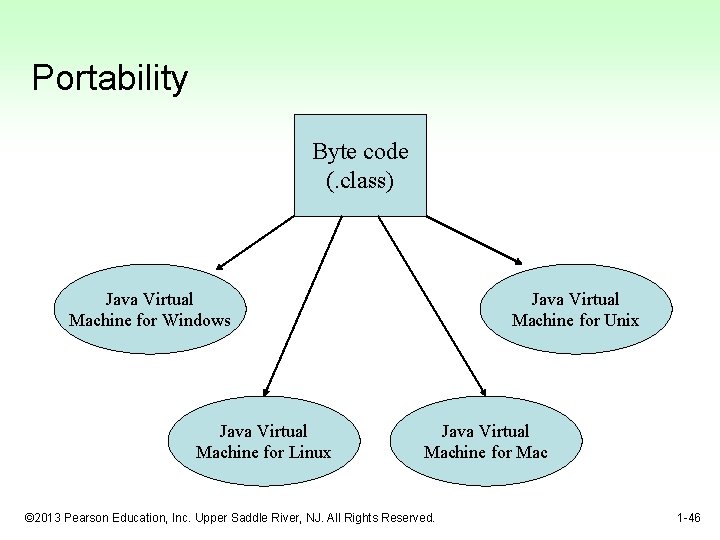
Portability • Portable means that a program may be written on one type of computer and then run on a wide variety of computers, with little or no modification. • Java byte code runs on the JVM and not on any particular CPU; therefore, compiled Java programs are highly portable. • JVMs exist on many platforms: • Windows • Mac • Linux • Unix • BSD • Etc. © 2013 Pearson Education, Inc. Upper Saddle River, NJ. All Rights Reserved. 1 -44
Portability • With most programming languages, portability is achieved by compiling a program for each CPU it will run on. • Java provides an JVM for each platform so that programmers do not have to recompile for different platforms. © 2013 Pearson Education, Inc. Upper Saddle River, NJ. All Rights Reserved. 1 -45
Portability Byte code (. class) Java Virtual Machine for Windows Java Virtual Machine for Linux Java Virtual Machine for Unix Java Virtual Machine for Mac © 2013 Pearson Education, Inc. Upper Saddle River, NJ. All Rights Reserved. 1 -46
Java Versions • The software you use to write Java programs is called the Java Development Kit, or JDK. • There are different editions of the JDK: – Java SE - Java 2 Standard Edition. – Java EE - Java 2 Enterprise Edition. – Java ME - Java 2 Micro Edition. • Available for download at http: //java. sun. com © 2013 Pearson Education, Inc. Upper Saddle River, NJ. All Rights Reserved. 1 -47
Compiling a Java Program • The Java compiler is a command line utility. • The command to compile a program is: java filename. java • javac is the Java compiler. • The. java file extension must be used. Example: To compile a java source code file named Payroll. java you would use the command: javac Payroll. java © 2013 Pearson Education, Inc. Upper Saddle River, NJ. All Rights Reserved. 1 -48
The Programming Process 1. 2. 3. 4. Clearly define what the program is to do. Visualize the program running on the computer. Use design tools to create a model of the program. Check the model for logical errors. © 2013 Pearson Education, Inc. Upper Saddle River, NJ. All Rights Reserved. 1 -49
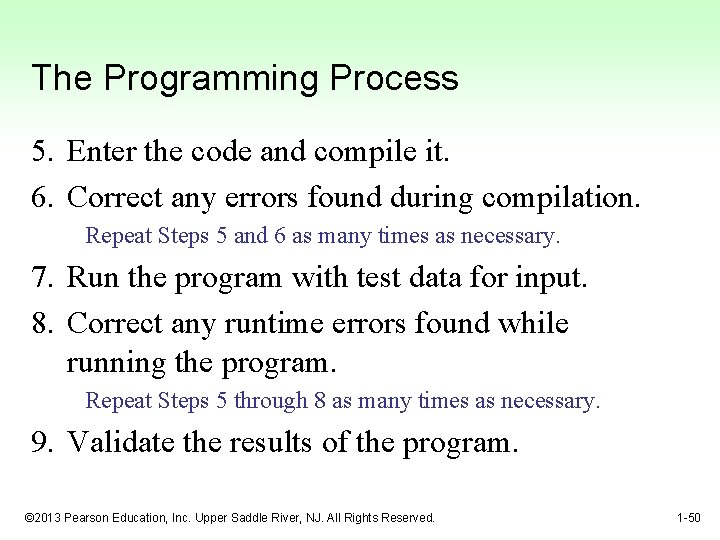
The Programming Process 5. Enter the code and compile it. 6. Correct any errors found during compilation. Repeat Steps 5 and 6 as many times as necessary. 7. Run the program with test data for input. 8. Correct any runtime errors found while running the program. Repeat Steps 5 through 8 as many times as necessary. 9. Validate the results of the program. © 2013 Pearson Education, Inc. Upper Saddle River, NJ. All Rights Reserved. 1 -50
Software Engineering • Encompasses the whole process of crafting computer software. • Software engineers perform several tasks in the development of complex software projects. – – – – designing, writing, testing, debugging, documenting, modifying, and maintaining. © 2013 Pearson Education, Inc. Upper Saddle River, NJ. All Rights Reserved. 1 -51
Software Engineering • Software engineers develop: – program specifications, – diagrams of screen output, – diagrams representing the program components and the flow of data, – pseudocode, – examples of expected input and desired output. © 2013 Pearson Education, Inc. Upper Saddle River, NJ. All Rights Reserved. 1 -52
Software Engineering • Software engineers also use special software designed for testing programs. • Most commercial software applications are large and complex. • Usually a team of programmers, not a single individual, develops them. • Program requirements are thoroughly analyzed and divided into subtasks that are handled by – individual teams – individuals within a team. © 2013 Pearson Education, Inc. Upper Saddle River, NJ. All Rights Reserved. 1 -53
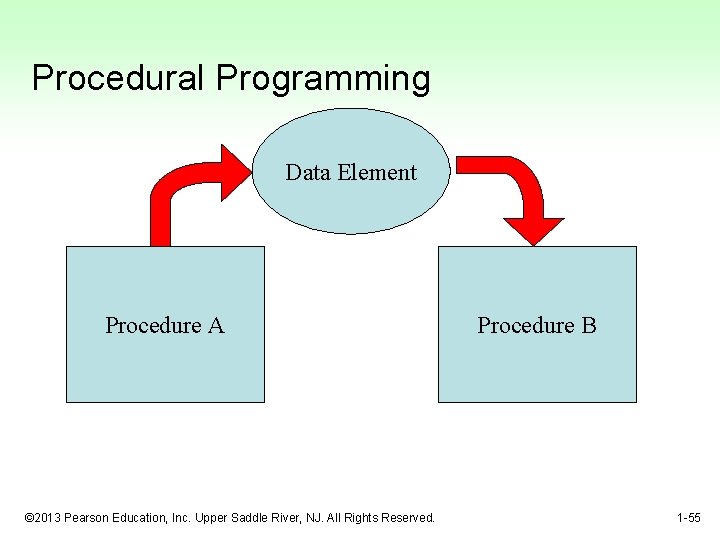
Procedural Programming • Older programming languages were procedural. • A procedure is a set of programming language statements that, together, perform a specific task. • Procedures typically operate on data items that are separate from the procedures. • In a procedural program, the data items are commonly passed from one procedure to another. © 2013 Pearson Education, Inc. Upper Saddle River, NJ. All Rights Reserved. 1 -54
Procedural Programming Data Element Procedure A © 2013 Pearson Education, Inc. Upper Saddle River, NJ. All Rights Reserved. Procedure B 1 -55
Procedural Programming • In procedural programming, procedures are developed to operate on the program’s data. • Data in the program tends to be global to the entire program. • Data formats might change and thus, the procedures that operate on that data must change. © 2013 Pearson Education, Inc. Upper Saddle River, NJ. All Rights Reserved. 1 -56
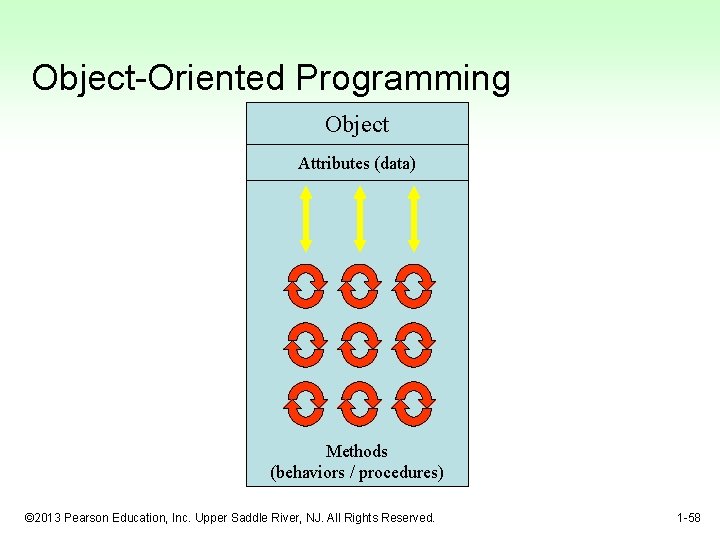
Object-Oriented Programming • Object-oriented programming is centered on creating objects rather than procedures. • Objects are a melding of data and procedures that manipulate that data. • Data in an object are known as attributes. • Procedures in an object are known as methods. © 2013 Pearson Education, Inc. Upper Saddle River, NJ. All Rights Reserved. 1 -57
Object-Oriented Programming Object Attributes (data) Methods (behaviors / procedures) © 2013 Pearson Education, Inc. Upper Saddle River, NJ. All Rights Reserved. 1 -58
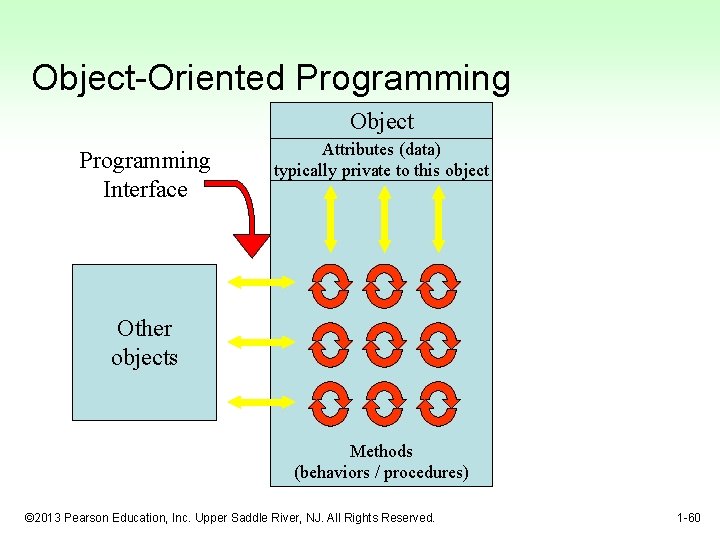
Object-Oriented Programming • Object-oriented programming combines data and behavior via encapsulation. • Data hiding is the ability of an object to hide data from other objects in the program. • Only an objects methods should be able to directly manipulate its attributes. • Other objects are allowed manipulate an object’s attributes via the object’s methods. • This indirect access is known as a programming interface. © 2013 Pearson Education, Inc. Upper Saddle River, NJ. All Rights Reserved. 1 -59
Object-Oriented Programming Object Programming Interface Attributes (data) typically private to this object Other objects Methods (behaviors / procedures) © 2013 Pearson Education, Inc. Upper Saddle River, NJ. All Rights Reserved. 1 -60