
Chapter 1 Introduction to Computers and Java Objects
Chapter 1 Introduction to Computers and Java Objects l Background information » important regardless of programming language l Chapter 1 Introduction to Java: an Introduction to Computer Science & Programming - Walter Savitch 1
Computer Basics l l l Chapter 1 Computer system: hardware + software Hardware: the physical components Software: the instructions that tell the hardware what to do Java: an Introduction to Computer Science & Programming - Walter Savitch 2
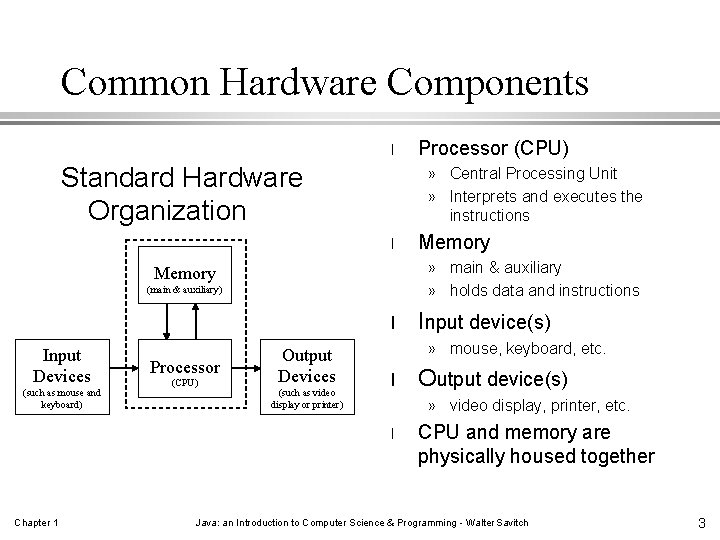
Common Hardware Components l Standard Hardware Organization » Central Processing Unit » Interprets and executes the instructions l (main & auxiliary) l (such as mouse and keyboard) Processor (CPU) Output Devices (such as video display or printer) Input device(s) » mouse, keyboard, etc. l Output device(s) » video display, printer, etc. l Chapter 1 Memory » main & auxiliary » holds data and instructions Memory Input Devices Processor (CPU) CPU and memory are physically housed together Java: an Introduction to Computer Science & Programming - Walter Savitch 3
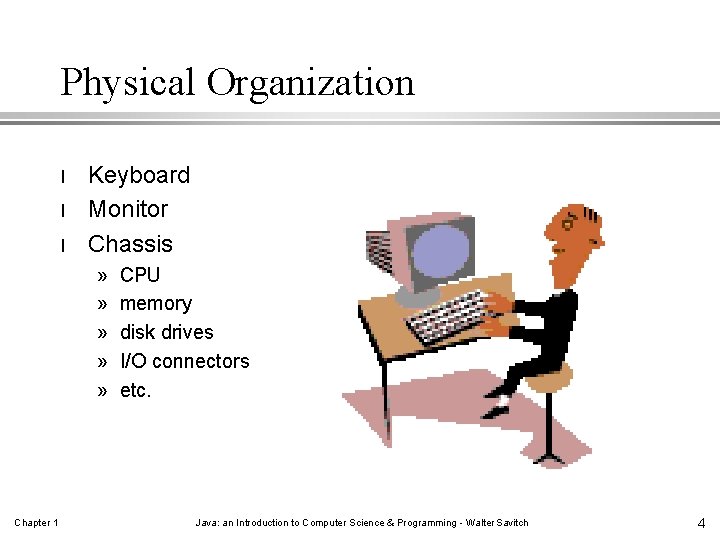
Physical Organization l l l Keyboard Monitor Chassis » » » Chapter 1 CPU memory disk drives I/O connectors etc. Java: an Introduction to Computer Science & Programming - Walter Savitch 4
Two Kinds of Memory l Main » working area » temporarily stores program and data (while program is executing) l Auxiliary » permanent (more or less) » saves program and results » includes floppy & hard disk drives, CDs, tape, etc. Chapter 1 Java: an Introduction to Computer Science & Programming - Walter Savitch 5
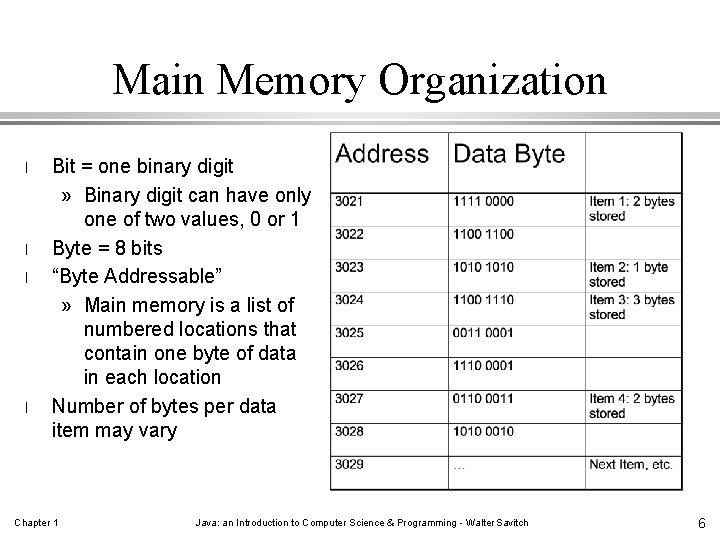
Main Memory Organization l l Bit = one binary digit » Binary digit can have only one of two values, 0 or 1 Byte = 8 bits “Byte Addressable” » Main memory is a list of numbered locations that contain one byte of data in each location Number of bytes per data item may vary Chapter 1 Java: an Introduction to Computer Science & Programming - Walter Savitch 6
![Auxiliary Memory Organization [file systems for users] Chapter 1 Java: an Introduction to Computer](http://slidetodoc.com/presentation_image_h2/7b7cce1d0d0adf03a79df4f7cfc21a13/image-7.jpg "Auxiliary Memory Organization [file systems for users] Chapter 1 Java: an Introduction to Computer")
Auxiliary Memory Organization [file systems for users] Chapter 1 Java: an Introduction to Computer Science & Programming - Walter Savitch 7
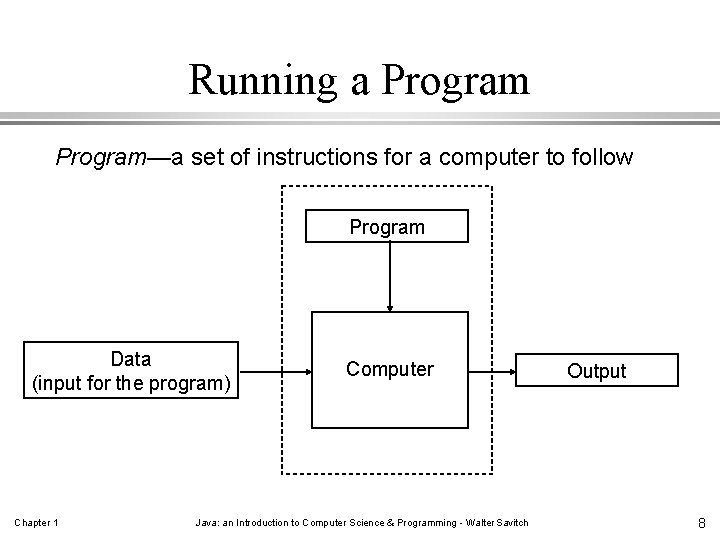
Running a Program—a set of instructions for a computer to follow Program Data (input for the program) Chapter 1 Computer Java: an Introduction to Computer Science & Programming - Walter Savitch Output 8
Many Types of Programs l l User-created applications Existing applications » » l word-processor/editor web browser compiler or assembler etc. Operating System » DOS, Microsoft Windows, Mac. OS, Linux, UNIX, etc. Chapter 1 Java: an Introduction to Computer Science & Programming - Walter Savitch 9
Various Types of User Interfaces l Command-line » type in key words and letters » DOS and UNIX l Menu » parts of DOS and Windows l GUI (Graphical User Interface) » click on icon » also called “event-driven” » Mac. OS, Windows Chapter 1 Java: an Introduction to Computer Science & Programming - Walter Savitch 10
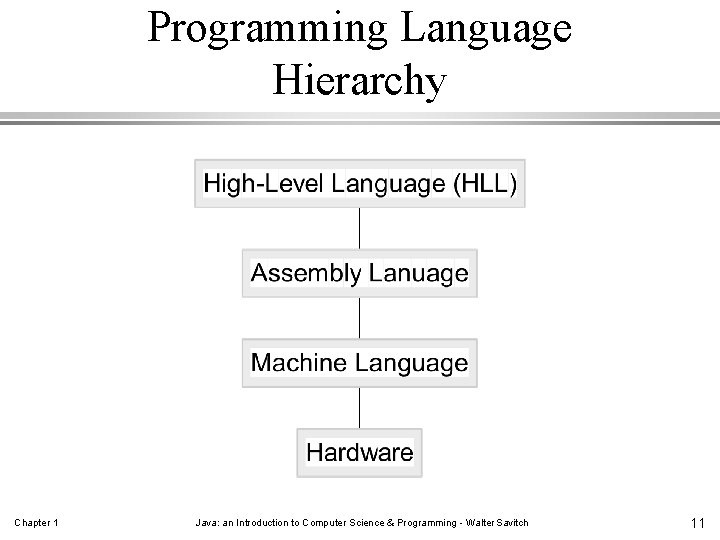
Programming Language Hierarchy Chapter 1 Java: an Introduction to Computer Science & Programming - Walter Savitch 11
The highs and lows of programming languages. . . High-Level Language (HLL) » closest to natural language » words, numbers, and math symbols » not directly understood by hardware » “portable” source code (hardware independent) » Java, C, C++, COBOL, FORTRAN, BASIC, Lisp, Ada, etc. Chapter 1 Machine Language (lowest level) » least natural language for humans, most natural language for hardware » just 0 s and 1 s » directly understood by hardware » not portable (hardware dependent) Java: an Introduction to Computer Science & Programming - Walter Savitch 12
Assembly Language (middle level) l l Chapter 1 a more or less human readable version of machine language words, abbreviations, letters and numbers replace 0 s and 1 s easily translated from human readable to machine executable code like machine code, not portable (hardware dependent) Java: an Introduction to Computer Science & Programming - Walter Savitch 13
Getting from Source to Machine Code l “Compiling a program” translating from a high-level language source code to machine (object, or executable) code. l “Compiler” a program that translates HLL source code to machine (object, or executable) code. l “Assembly” translating from assemble language source code to machine (object, or executable) code. l “Assembler” a program that translates assembly source code to machine (object, or executable) code. l Compilers need to know the specific target hardware Chapter 1 Java: an Introduction to Computer Science & Programming - Walter Savitch 14
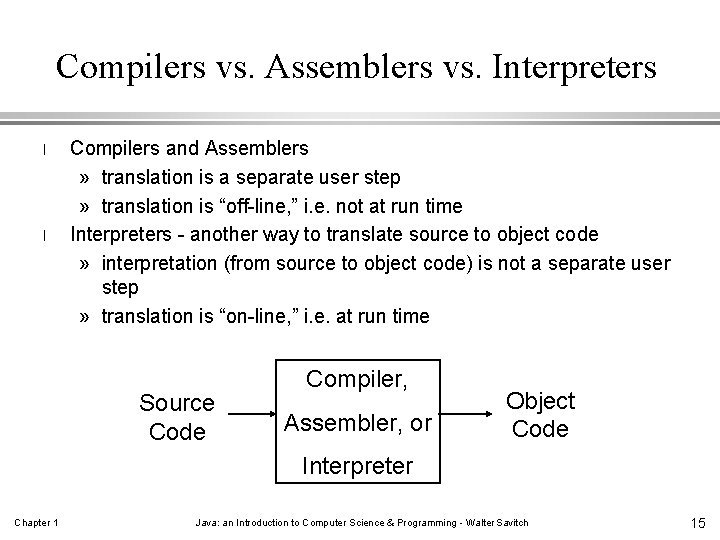
Compilers vs. Assemblers vs. Interpreters l l Compilers and Assemblers » translation is a separate user step » translation is “off-line, ” i. e. not at run time Interpreters - another way to translate source to object code » interpretation (from source to object code) is not a separate user step » translation is “on-line, ” i. e. at run time Source Code Compiler, Assembler, or Object Code Interpreter Chapter 1 Java: an Introduction to Computer Science & Programming - Walter Savitch 15
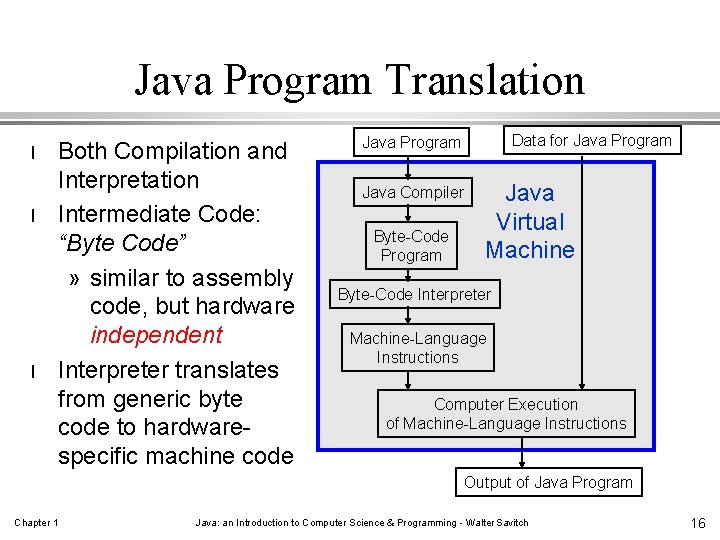
Java Program Translation l l l Both Compilation and Interpretation Intermediate Code: “Byte Code” » similar to assembly code, but hardware independent Interpreter translates from generic byte code to hardwarespecific machine code Data for Java Program Java Compiler Byte-Code Program Java Virtual Machine Byte-Code Interpreter Machine-Language Instructions Computer Execution of Machine-Language Instructions Output of Java Program Chapter 1 Java: an Introduction to Computer Science & Programming - Walter Savitch 16
Java Byte Code l generated by Java compiler » Instead of generating machine language as most compilers do, the Java compiler generates byte code. l l l translated to machine language of various kinds of computers executed by Java interpreter invisible to programmer » You don't have to know anything about how byte code works to write a Java program. Chapter 1 Java: an Introduction to Computer Science & Programming - Walter Savitch 17
Why Use Byte Code? Disadvantages: l requires both compiler and interpreter l slower program execution Advantages: l portability » very important » same program can run on computers of different types (useful with the Internet) » Java compiler for new types of computers can be made quickly Chapter 1 Java: an Introduction to Computer Science & Programming - Walter Savitch 18
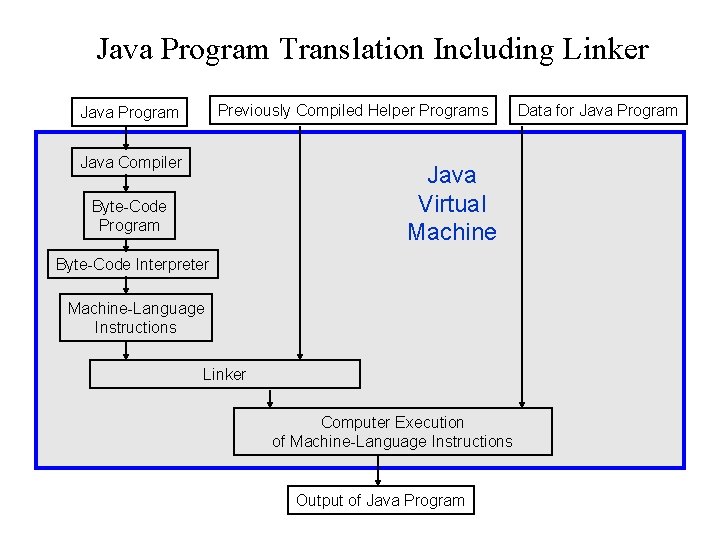
Java Program Translation Including Linker Previously Compiled Helper Programs Java Program Java Compiler Java Virtual Machine Byte-Code Program Byte-Code Interpreter Machine-Language Instructions Linker Computer Execution of Machine-Language Instructions Output of Java Program Data for Java Program
Object-Oriented Programming: OOP l l l A design and programming technique Some terminology: » object - usually a person, place or thing (a noun) » method - an action performed by an object (a verb) » type or class - a category of similar objects (such as automobiles) Objects have both data and methods Objects of the same class have the same data elements and methods Objects send and receive messages to invoke actions Chapter 1 Java: an Introduction to Computer Science & Programming - Walter Savitch 20
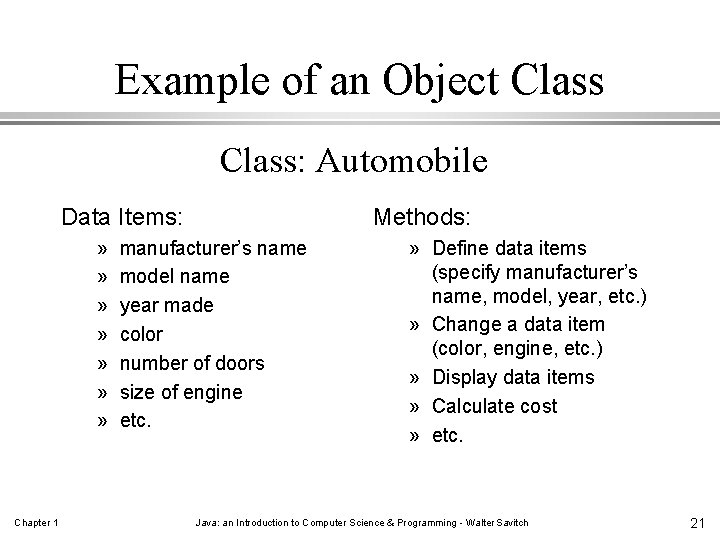
Example of an Object Class: Automobile Data Items: » » » » Chapter 1 Methods: manufacturer’s name model name year made color number of doors size of engine etc. » Define data items (specify manufacturer’s name, model, year, etc. ) » Change a data item (color, engine, etc. ) » Display data items » Calculate cost » etc. Java: an Introduction to Computer Science & Programming - Walter Savitch 21
Why OOP? l Save development time (and cost) by reusing code » once a class is created, it can be used in other applications l Easier debugging » classes can be tested independently » reused objects have already been tested Chapter 1 Java: an Introduction to Computer Science & Programming - Walter Savitch 22
Design Principles of OOP Three main design principles of Object. Oriented Programming (OOP): Chapter 1 l Encapsulation l Polymorphism l Inheritance Java: an Introduction to Computer Science & Programming - Walter Savitch 23
Encapsulation l Design software » can be easily used » without knowing the details of how it works. l Also known as information hiding An analogy: l When you drive a car, you don’t have know » the details of how many cylinders the engine has or » how the gasoline and air are mixed and ignited. l Chapter 1 only have to know how to use the controls. Java: an Introduction to Computer Science & Programming - Walter Savitch 24
Reusable Components Advantages of using reusable components: l saves time and money l components that have been used before » often better tested and more reliable than new software Make your classes reusable: l encapsulation l general classes have a better chance of being reused than ad hoc classes Chapter 1 Java: an Introduction to Computer Science & Programming - Walter Savitch 25
Polymorphism l l Polymorphism—the same word or phrase can be mean different things in different contexts Analogy: in English, bank can mean: » side of a river or » a place to put money l l In Java, two or more classes could each have a method called output Each output method would do the “right thing” for the class that it was in. E. g. » display a number (Integer class) » display an image (Photo class) Chapter 1 Java: an Introduction to Computer Science & Programming - Walter Savitch 26
Inheritance Chapter 1 l Inheritance—a way of organizing classes l Term comes from inheritance of traits like eye color, hair color, and so on. l Classes with attributes in common can be grouped so that their common attributes are only defined once. Java: an Introduction to Computer Science & Programming - Walter Savitch 27
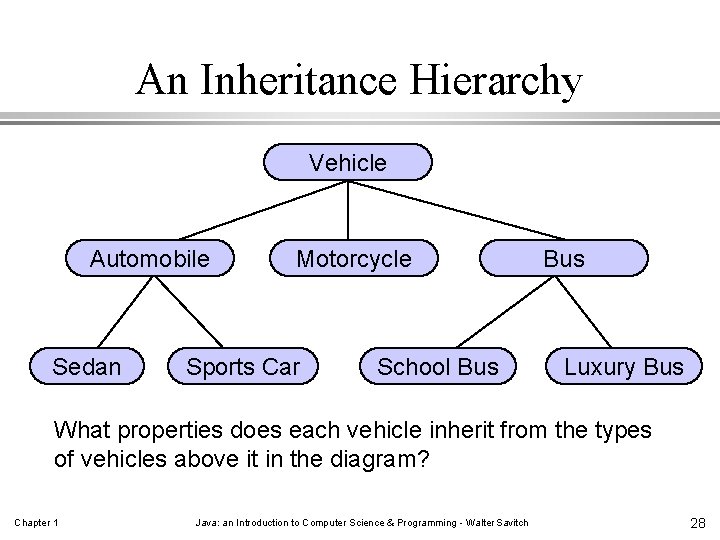
An Inheritance Hierarchy Vehicle Automobile Sedan Motorcycle Sports Car School Bus Luxury Bus What properties does each vehicle inherit from the types of vehicles above it in the diagram? Chapter 1 Java: an Introduction to Computer Science & Programming - Walter Savitch 28
Algorithms Chapter 1 l Algorithm - a set of instructions (steps) for solving a problem. » must be precise » must be complete l May be in a number of different formats » natural language (such as English) » a specific programming language » a diagram, such as a flow chart » pseudocode - a mix of natural and programming languages Java: an Introduction to Computer Science & Programming - Walter Savitch 29
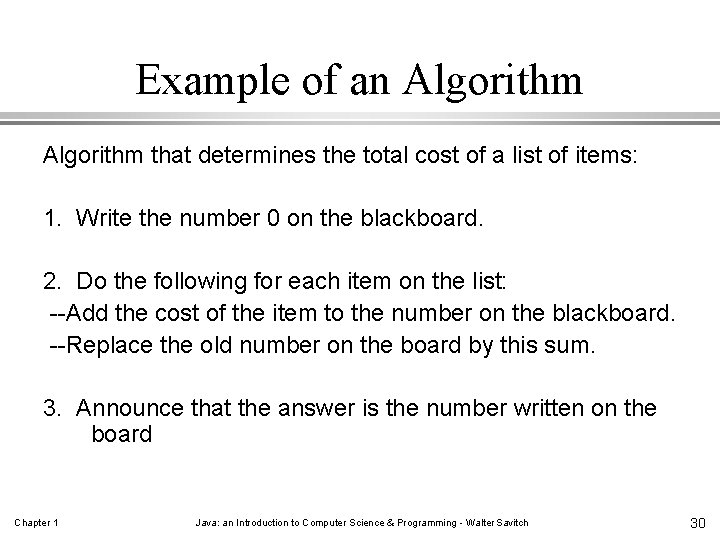
Example of an Algorithm that determines the total cost of a list of items: 1. Write the number 0 on the blackboard. 2. Do the following for each item on the list: --Add the cost of the item to the number on the blackboard. --Replace the old number on the board by this sum. 3. Announce that the answer is the number written on the board Chapter 1 Java: an Introduction to Computer Science & Programming - Walter Savitch 30
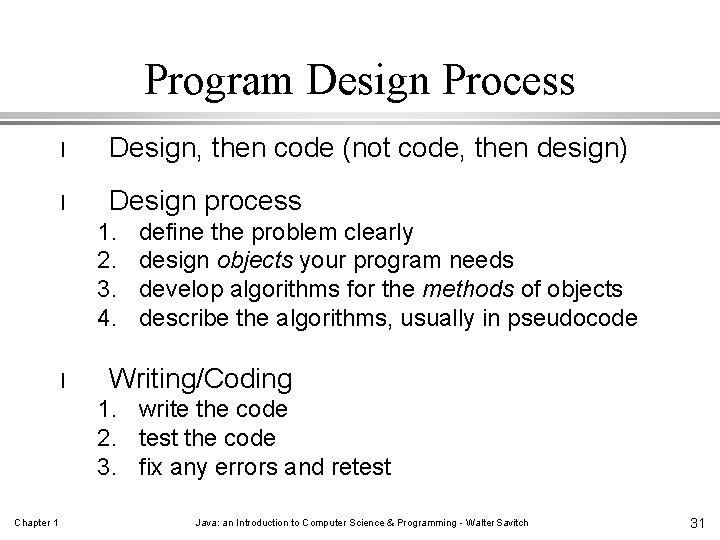
Program Design Process l Design, then code (not code, then design) l Design process 1. 2. 3. 4. l define the problem clearly design objects your program needs develop algorithms for the methods of objects describe the algorithms, usually in pseudocode Writing/Coding 1. write the code 2. test the code 3. fix any errors and retest Chapter 1 Java: an Introduction to Computer Science & Programming - Walter Savitch 31
Testing and Debugging Chapter 1 l Even with careful programming, your code could still contain errors and must be thoroughly tested. l Bug—a mistake in a program l Debugging—fixing mistakes in a program Java: an Introduction to Computer Science & Programming - Walter Savitch 32
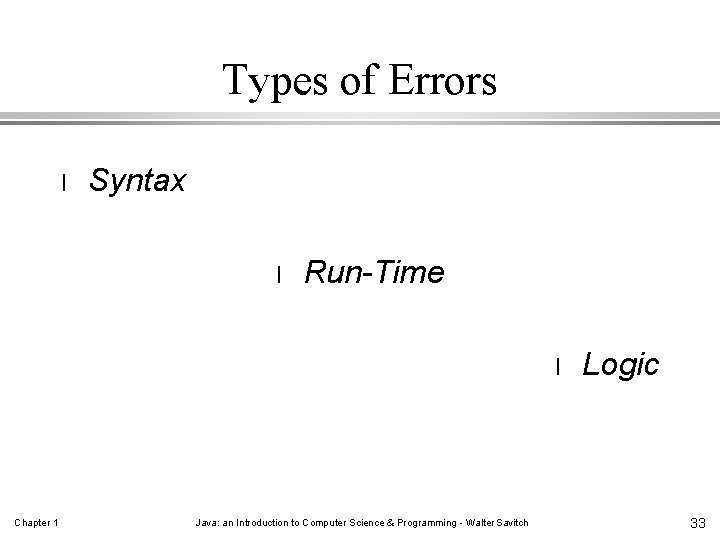
Types of Errors l Syntax l Run-Time l Chapter 1 Java: an Introduction to Computer Science & Programming - Walter Savitch Logic 33
Syntax Chapter 1 l Syntax: the set of grammar rules for a programming language. l The compiler checks your program to make sure it follows the grammar/syntax l Violating the syntax => error Java: an Introduction to Computer Science & Programming - Walter Savitch 34
Syntax Errors l l caught by compiler (“compiler-time error”) automatically found, usually the easiest to fix cannot run program until all syntax errors are fixed error message may be misleading Example: Misspelling a command, for example “rtrn” instead of “return” Chapter 1 Java: an Introduction to Computer Science & Programming - Walter Savitch 35
Run-Time Errors l l l An execution error (during run-time) The program cannot continue to run Not always so easy to fix Error message may or may not be helpful Not detected by the compiler. Example: Division by zero - if your program attempts to divide by zero it automatically terminates and prints an error message. Chapter 1 Java: an Introduction to Computer Science & Programming - Walter Savitch 36
Logic Errors Just because it compiles and runs without getting an error message does not mean the program is correct! l l l Chapter 1 An error in the design (the algorithm) or its implementation » Program compiles without errors » no run-time error messages » but incorrect action or data occurs during execution Generally the most difficult to find and fix Need to be alert and test thoroughly » think about test cases and predict results before executing the code Java: an Introduction to Computer Science & Programming - Walter Savitch 37
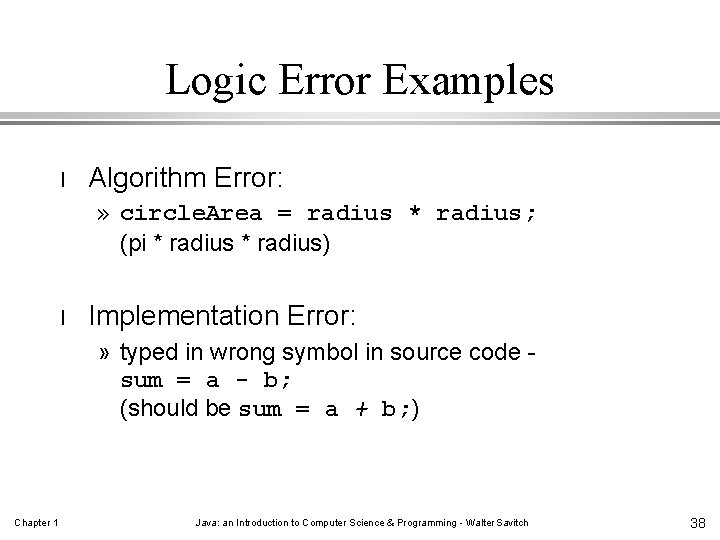
Logic Error Examples l Algorithm Error: » circle. Area = radius * radius; (pi * radius) l Implementation Error: » typed in wrong symbol in source code sum = a - b; (should be sum = a + b; ) Chapter 1 Java: an Introduction to Computer Science & Programming - Walter Savitch 38
Finally! Now, a taste of Java! History l 1991 - James Gosling, Sun Microsystems, Inc. l originally a language for programming home appliances l later (1994) used for World Wide Web applications » byte code can be downloaded and run without compiling it l l eventually used as a general-purpose programming language (it is object-oriented) Why the name “Java”? Not sure - it may just be a name that came during a coffee break and it had not been copyrighted, yet. Chapter 1 Java: an Introduction to Computer Science & Programming - Walter Savitch 39
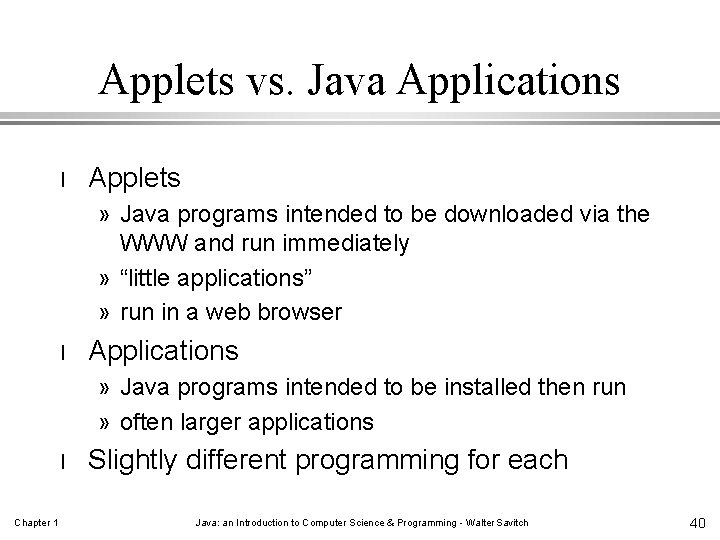
Applets vs. Java Applications l Applets » Java programs intended to be downloaded via the WWW and run immediately » “little applications” » run in a web browser l Applications » Java programs intended to be installed then run » often larger applications l Chapter 1 Slightly different programming for each Java: an Introduction to Computer Science & Programming - Walter Savitch 40
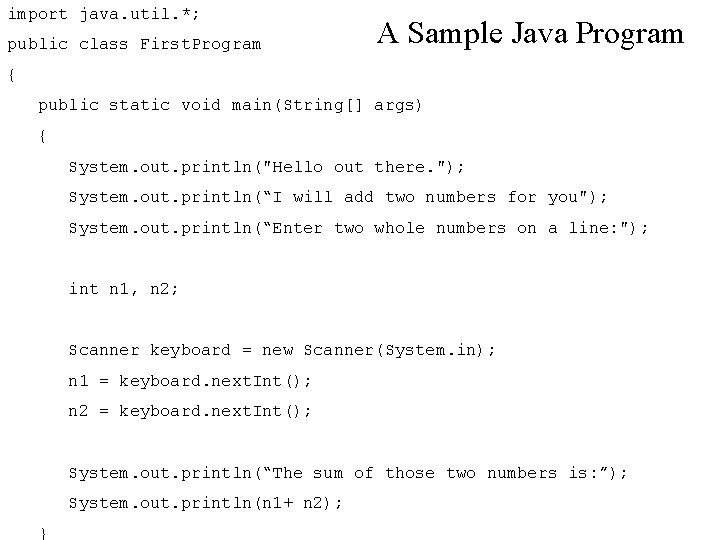
import java. util. *; public class First. Program A Sample Java Program { public static void main(String[] args) { System. out. println("Hello out there. "); System. out. println(“I will add two numbers for you"); System. out. println(“Enter two whole numbers on a line: "); int n 1, n 2; Scanner keyboard = new Scanner(System. in); n 1 = keyboard. next. Int(); n 2 = keyboard. next. Int(); System. out. println(“The sum of those two numbers is: ”); System. out. println(n 1+ n 2); Chapter 1 } Java: an Introduction to Computer Science & Programming - Walter Savitch 41
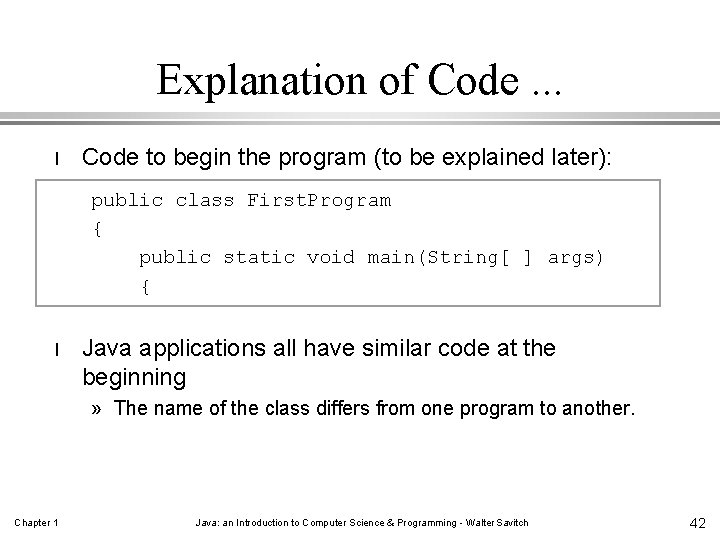
Explanation of Code. . . l Code to begin the program (to be explained later): public class First. Program { public static void main(String[ ] args) { l Java applications all have similar code at the beginning » The name of the class differs from one program to another. Chapter 1 Java: an Introduction to Computer Science & Programming - Walter Savitch 42
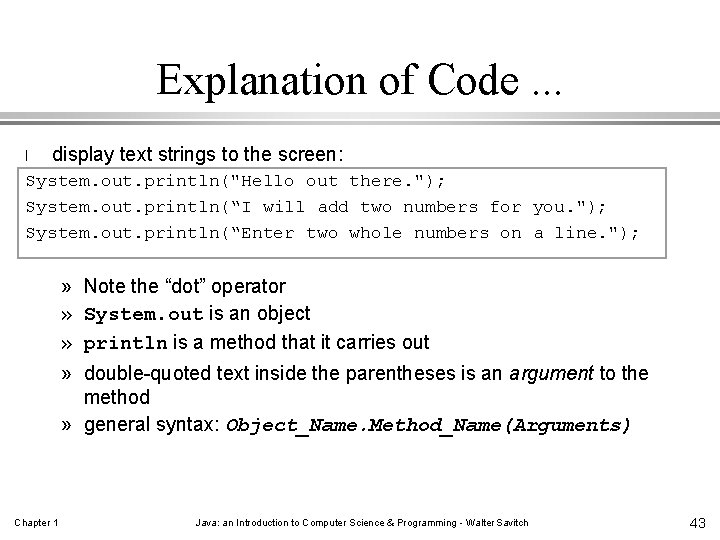
Explanation of Code. . . l display text strings to the screen: System. out. println("Hello out there. "); System. out. println(“I will add two numbers for you. "); System. out. println(“Enter two whole numbers on a line. "); » » Note the “dot” operator System. out is an object println is a method that it carries out double-quoted text inside the parentheses is an argument to the method » general syntax: Object_Name. Method_Name(Arguments) Chapter 1 Java: an Introduction to Computer Science & Programming - Walter Savitch 43
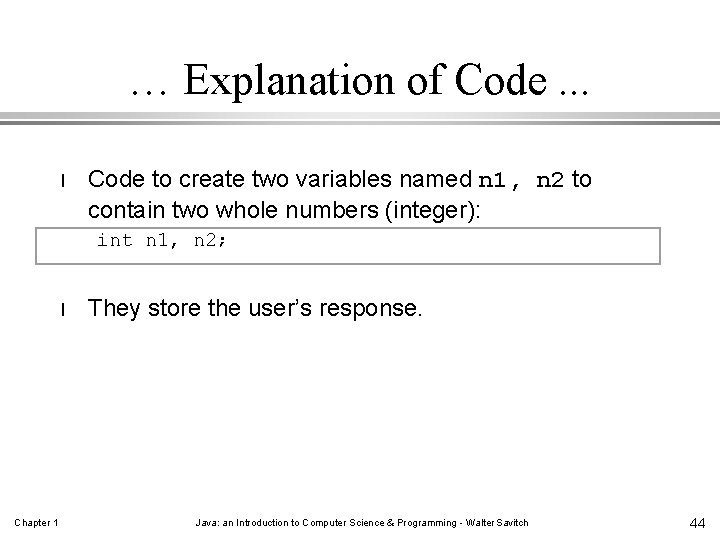
… Explanation of Code. . . l Code to create two variables named n 1, n 2 to contain two whole numbers (integer): int n 1, n 2; l Chapter 1 They store the user’s response. Java: an Introduction to Computer Science & Programming - Walter Savitch 44
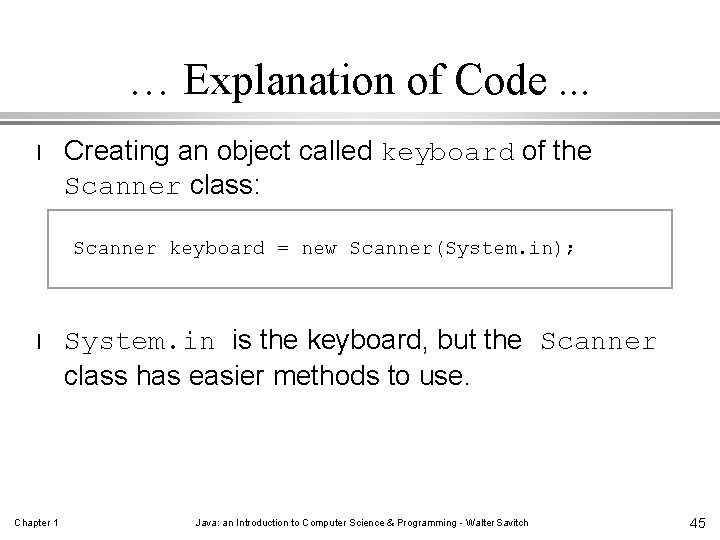
… Explanation of Code. . . l Creating an object called keyboard of the Scanner class: Scanner keyboard = new Scanner(System. in); l Chapter 1 System. in is the keyboard, but the Scanner class has easier methods to use. Java: an Introduction to Computer Science & Programming - Walter Savitch 45
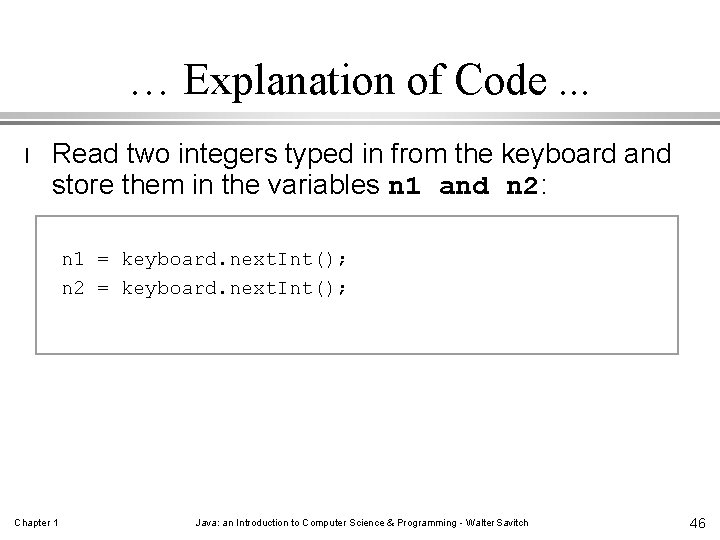
… Explanation of Code. . . l Read two integers typed in from the keyboard and store them in the variables n 1 and n 2: n 1 = keyboard. next. Int(); n 2 = keyboard. next. Int(); Chapter 1 Java: an Introduction to Computer Science & Programming - Walter Savitch 46
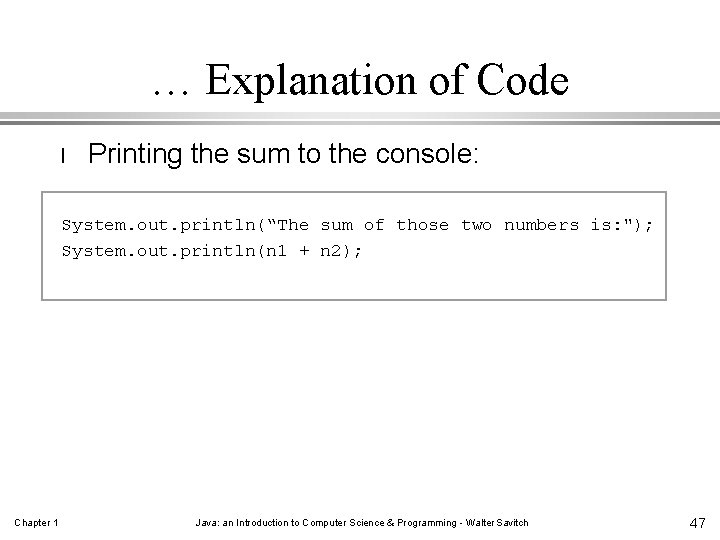
… Explanation of Code l Printing the sum to the console: System. out. println(“The sum of those two numbers is: "); System. out. println(n 1 + n 2); Chapter 1 Java: an Introduction to Computer Science & Programming - Walter Savitch 47
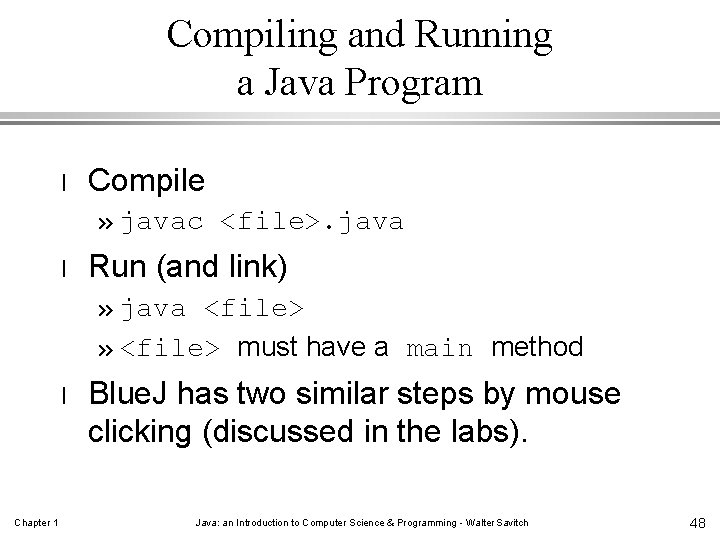
Compiling and Running a Java Program l Compile » javac <file>. java l Run (and link) » java <file> » <file> must have a main method l Chapter 1 Blue. J has two similar steps by mouse clicking (discussed in the labs). Java: an Introduction to Computer Science & Programming - Walter Savitch 48
Summary Part 1 l l l Chapter 1 A computer’s main memory holds both the program that is currently running and its data. Main memory is a series of numbered locations, each one containing a single byte. Auxiliary memory is for more or less permanent storage. A compiler is a program that translates a high-level language, like java, into a lower level format (“bytecode” for java). Actual translation of Java byte-code to the hardware’s specific machine code occurs at run time (it is interpreted). Java: an Introduction to Computer Science & Programming - Walter Savitch 49
Summary Part 2 l l l Chapter 1 An algorithm is a set of instructions for solving a problem (it must be complete and precise). An object is something that has both data and actions (methods) associated with it. A class defines a type of object; all objects of the same class have the same methods. Three OOP design principles are encapsulation, polymorphism, and inheritance. In a java program, a method invocation has the general form Object_Name. Method_Name(Arguments) Java: an Introduction to Computer Science & Programming - Walter Savitch 50
- Slides: 50