
CHAPTER 1 Introduction to Computers and Java Copyright
- Slides: 34
CHAPTER 1 Introduction to Computers and Java Copyright © 2016 Pearson Education, Ltd.
Chapter Topics Chapter 1 discusses the following main topics: – Computer Systems: Hardware and Software – Programming Languages – What Is a Program Made Of? – The Programming Process © 2016 Pearson Education, Ltd. 1 -2
Hardware and Software • Hardware – the physical, tangible parts of a computer – keyboard, monitor, disks, wires, chips, etc. • Software – programs and data – a program is a series of instructions • A computer requires both hardware and software • Each is essentially useless without the other © 2016 Pearson Education, Ltd. 1 -3
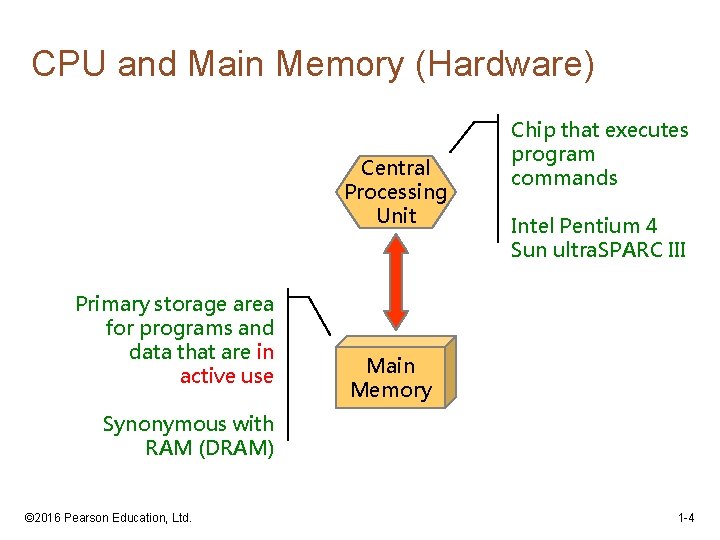
CPU and Main Memory (Hardware) Central Processing Unit Primary storage area for programs and data that are in active use Chip that executes program commands Intel Pentium 4 Sun ultra. SPARC III Main Memory Synonymous with RAM (DRAM) © 2016 Pearson Education, Ltd. 1 -4
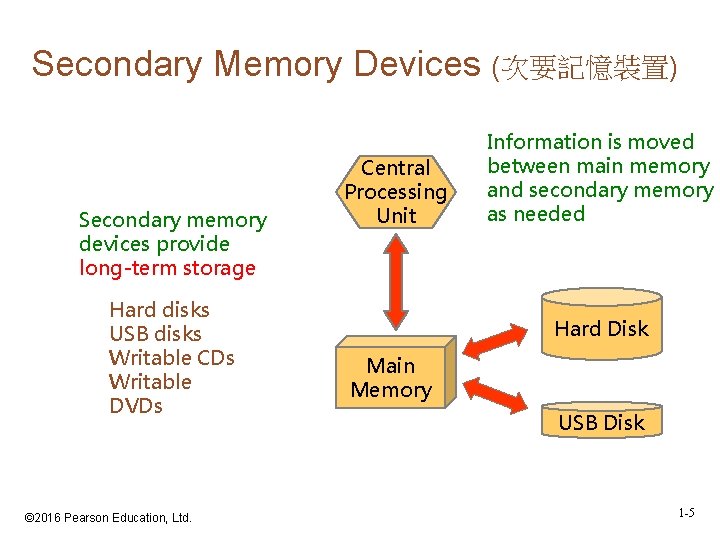
Secondary Memory Devices (次要記憶裝置) Secondary memory devices provide long-term storage Hard disks USB disks Writable CDs Writable DVDs © 2016 Pearson Education, Ltd. Central Processing Unit Information is moved between main memory and secondary memory as needed Hard Disk Main Memory USB Disk 1 -5
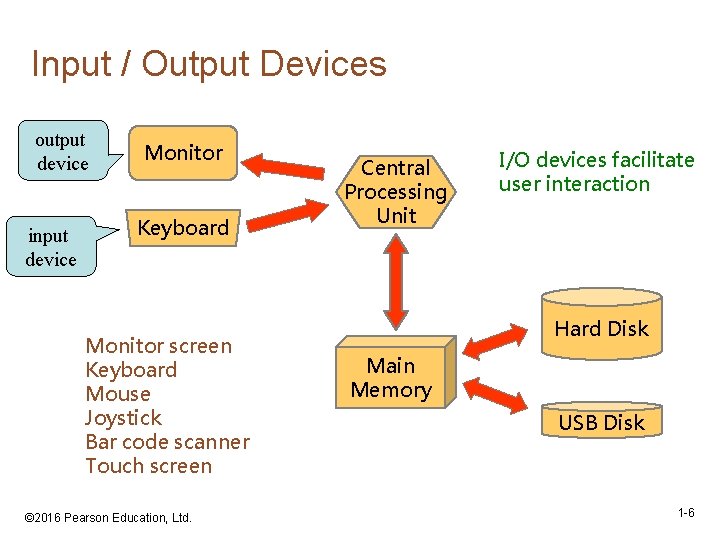
Input / Output Devices output device input device Monitor Keyboard Monitor screen Keyboard Mouse Joystick Bar code scanner Touch screen © 2016 Pearson Education, Ltd. Central Processing Unit I/O devices facilitate user interaction Hard Disk Main Memory USB Disk 1 -6
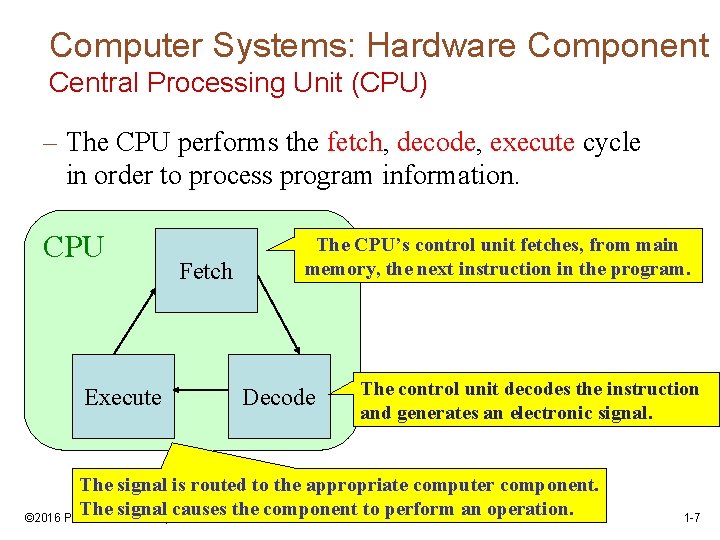
Computer Systems: Hardware Component Central Processing Unit (CPU) – The CPU performs the fetch, decode, execute cycle in order to process program information. CPU Execute Fetch The CPU’s control unit fetches, from main memory, the next instruction in the program. Decode The control unit decodes the instruction and generates an electronic signal. The signal is routed to the appropriate computer component. The signal causes the component to perform an operation. © 2016 Pearson Education, Ltd. 1 -7
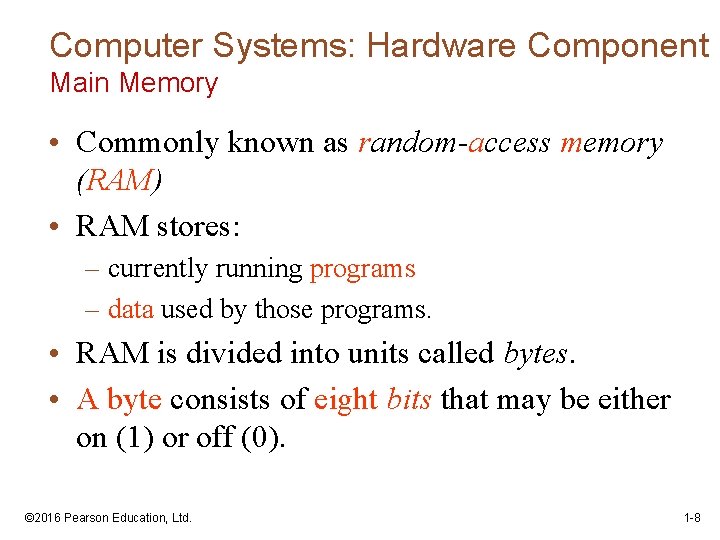
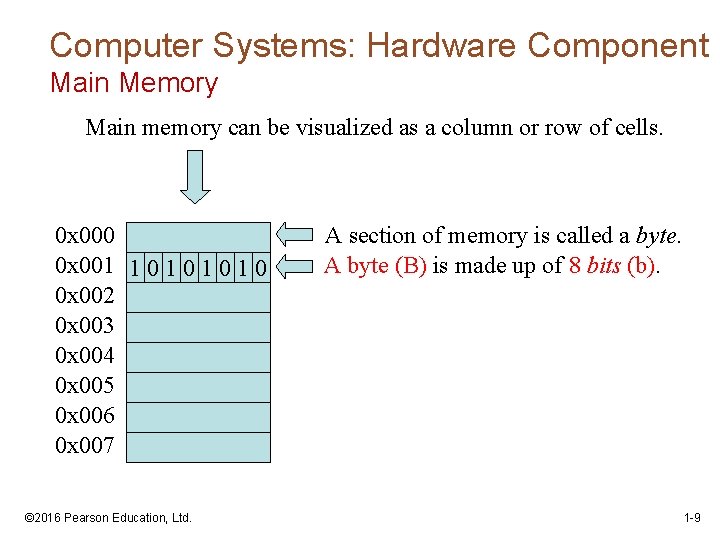
Computer Systems: Hardware Component Main Memory • Commonly known as random-access memory (RAM) • RAM stores: – currently running programs – data used by those programs. • RAM is divided into units called bytes. • A byte consists of eight bits that may be either on (1) or off (0). © 2016 Pearson Education, Ltd. 1 -8
Computer Systems: Hardware Component Main Memory Main memory can be visualized as a column or row of cells. 0 x 000 0 x 001 1 0 1 0 0 x 002 0 x 003 0 x 004 0 x 005 0 x 006 0 x 007 © 2016 Pearson Education, Ltd. A section of memory is called a byte. A byte (B) is made up of 8 bits (b). 1 -9
Software Categories • Operating System – controls all machine activities – provides the user interface to the computer – manages resources such as the CPU and memory – Examples : Windows 7, Unix, Linux, Mac OS • Application program – generic term for any other kind of software – word processors, missile control systems, games • Most operating systems and application programs have a graphical user interface (GUI) © 2016 Pearson Education, Ltd. 1 -10
Digital Information • Computers store all information digitally: – numbers – text – graphics and images – video – audio – program instructions • In some way, all information is digitized broken down into pieces and represented as numbers © 2016 Pearson Education, Ltd. 1 -11
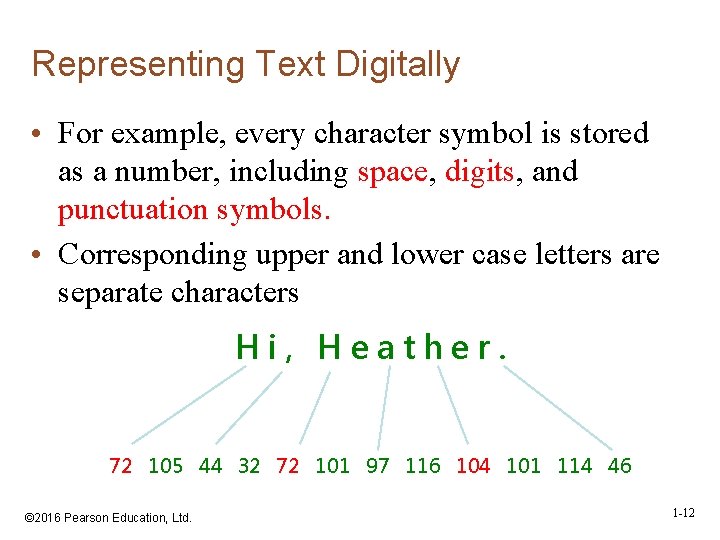
Representing Text Digitally • For example, every character symbol is stored as a number, including space, digits, and punctuation symbols. • Corresponding upper and lower case letters are separate characters Hi, Heather. 72 105 44 32 72 101 97 116 104 101 114 46 © 2016 Pearson Education, Ltd. 1 -12
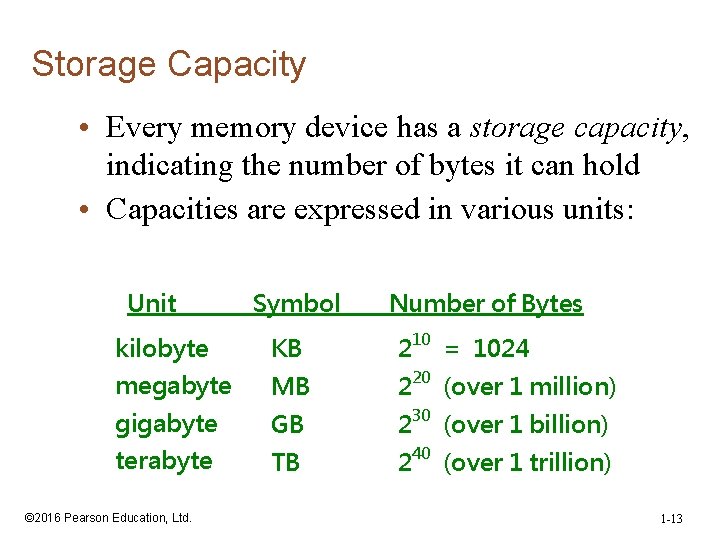
Storage Capacity • Every memory device has a storage capacity, indicating the number of bytes it can hold • Capacities are expressed in various units: Unit Symbol Number of Bytes kilobyte KB 210 = 1024 megabyte MB 220 (over 1 million) gigabyte GB 230 (over 1 billion) terabyte TB 240 (over 1 trillion) © 2016 Pearson Education, Ltd. 1 -13
Programming Languages • A program is a set of instructions a computer follows in order to perform a task. • A programming language is a special language used to write computer programs. • A computer program is a set of instructions that enable the computer to solve a problem or perform a task. © 2016 Pearson Education, Ltd. 1 -14
Programming Languages • In the distant past, programmers wrote programs in machine language. • Programmers developed higher level programming languages to make things easier. – The first of these was assembler. – Assembler made things easier but was processor dependent. © 2016 Pearson Education, Ltd. 1 -15
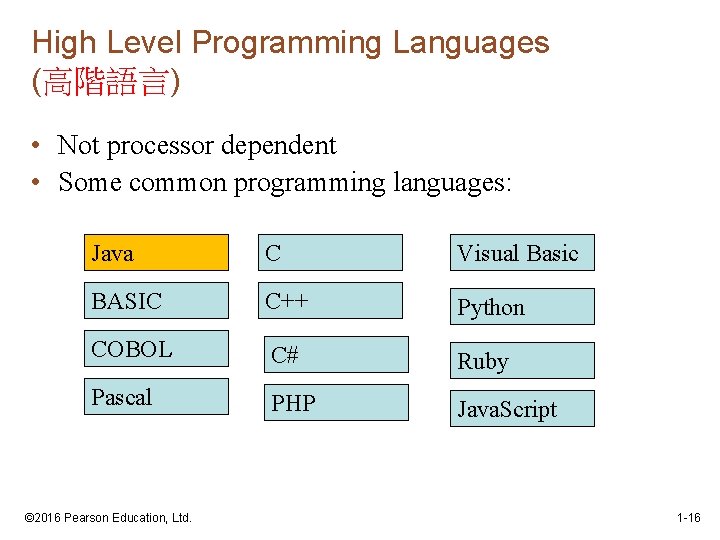
High Level Programming Languages (高階語言) • Not processor dependent • Some common programming languages: Java C Visual Basic BASIC C++ Python COBOL C# Ruby Pascal PHP Java. Script © 2016 Pearson Education, Ltd. 1 -16
Programming Languages Common Language Elements • There are some concepts that are common to virtually all programming languages. • Common concepts: – Key words – Operators – Punctuation – Programmer-defined identifiers – Strict syntactic rules. © 2016 Pearson Education, Ltd. 1 -17
Java History • There was a need for a programming language that would run on various devices. – 1991 - A team is started by Sun Microsystems (now owned by Oracle). – *7 (star seven) handheld controller is designed for multiple entertainment systems. • In Java programming language: – A program is made up of one or more classes – A class contains one or more methods – A method contains program statements © 2016 Pearson Education, Ltd. 1 -18
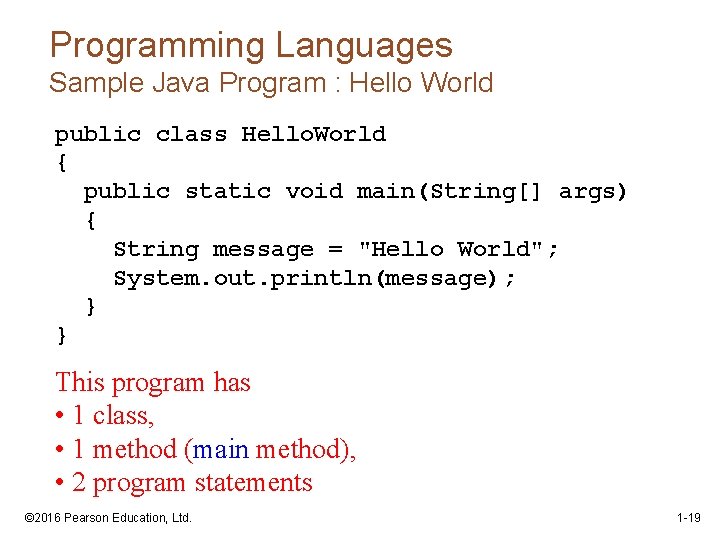
Programming Languages Sample Java Program : Hello World public class Hello. World { public static void main(String[] args) { String message = "Hello World"; System. out. println(message); } } This program has • 1 class, • 1 method (main method), • 2 program statements © 2016 Pearson Education, Ltd. 1 -19
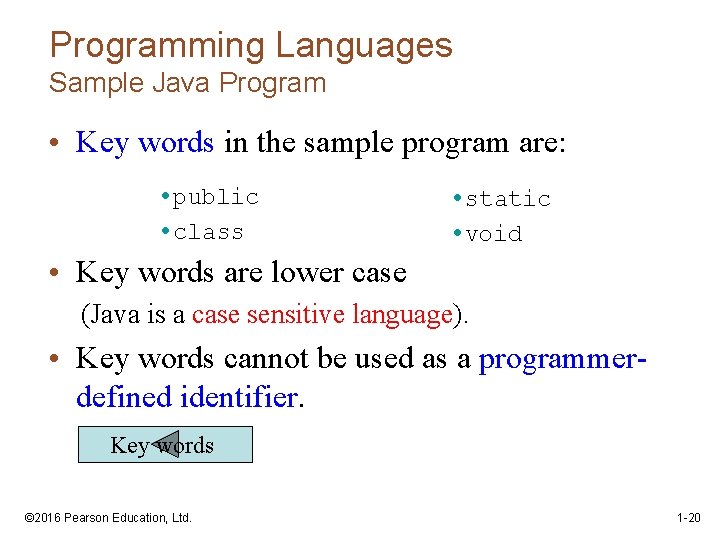
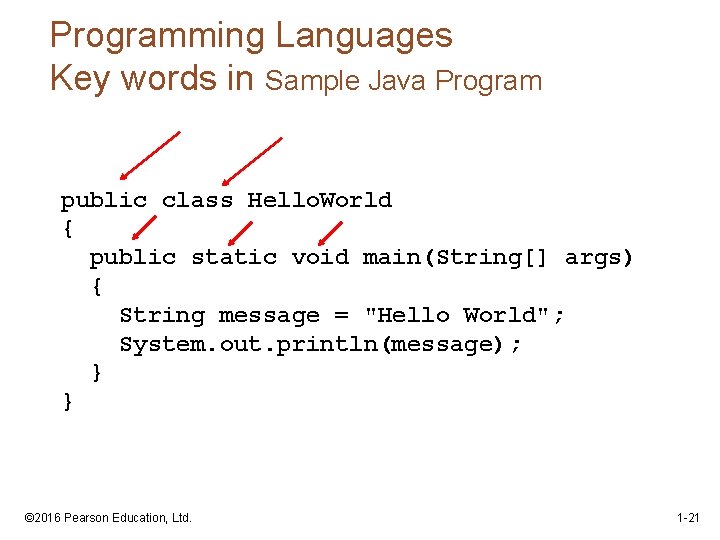
Programming Languages Sample Java Program • Key words in the sample program are: • public • class • static • void • Key words are lower case (Java is a case sensitive language). • Key words cannot be used as a programmerdefined identifier. Key words © 2016 Pearson Education, Ltd. 1 -20
Programming Languages Key words in Sample Java Program public class Hello. World { public static void main(String[] args) { String message = "Hello World"; System. out. println(message); } } © 2016 Pearson Education, Ltd. 1 -21
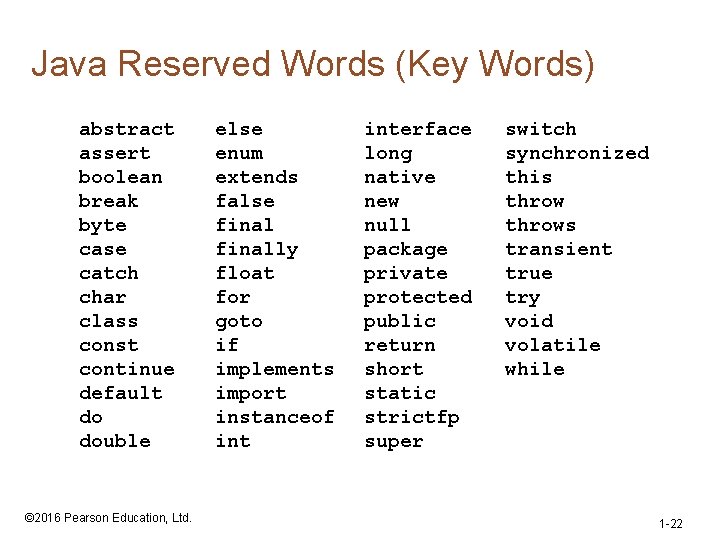
Java Reserved Words (Key Words) abstract assert boolean break byte case catch char class const continue default do double © 2016 Pearson Education, Ltd. else enum extends false finally float for goto if implements import instanceof interface long native new null package private protected public return short static strictfp super switch synchronized this throws transient true try void volatile while 1 -22
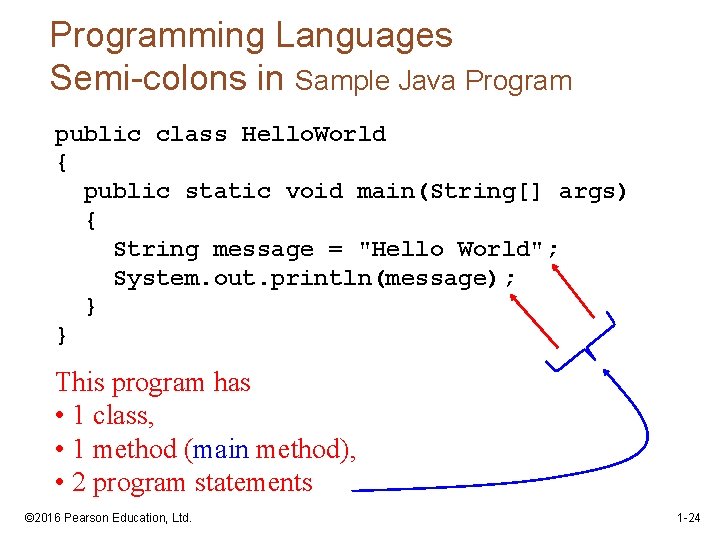
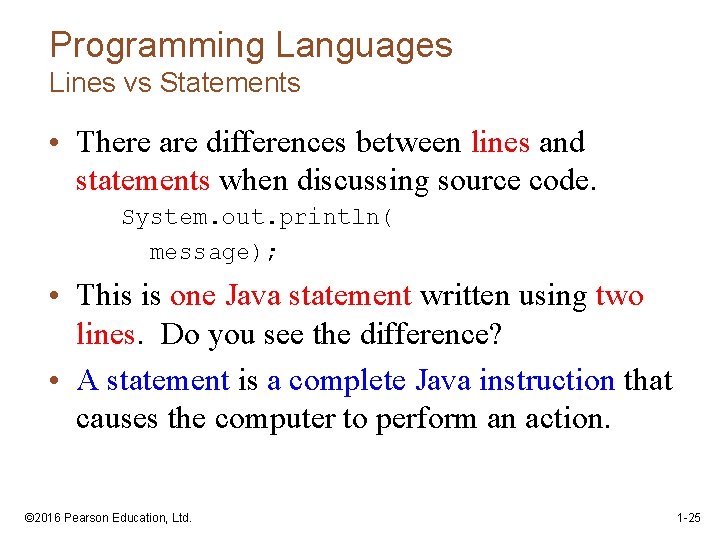
Programming Languages • Semi-colons are used to end Java statements; however, not all lines of a Java program end a statement. • Part of learning Java is to learn where to properly use the punctuation. © 2016 Pearson Education, Ltd. 1 -23
Programming Languages Semi-colons in Sample Java Program public class Hello. World { public static void main(String[] args) { String message = "Hello World"; System. out. println(message); } } This program has • 1 class, • 1 method (main method), • 2 program statements © 2016 Pearson Education, Ltd. 1 -24
Programming Languages Lines vs Statements • There are differences between lines and statements when discussing source code. System. out. println( message); • This is one Java statement written using two lines. Do you see the difference? • A statement is a complete Java instruction that causes the computer to perform an action. © 2016 Pearson Education, Ltd. 1 -25
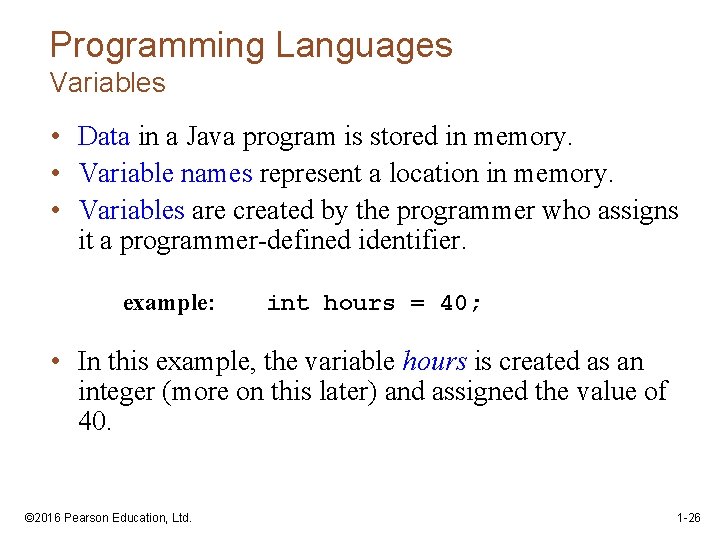
Programming Languages Variables • Data in a Java program is stored in memory. • Variable names represent a location in memory. • Variables are created by the programmer who assigns it a programmer-defined identifier. example: int hours = 40; • In this example, the variable hours is created as an integer (more on this later) and assigned the value of 40. © 2016 Pearson Education, Ltd. 1 -26
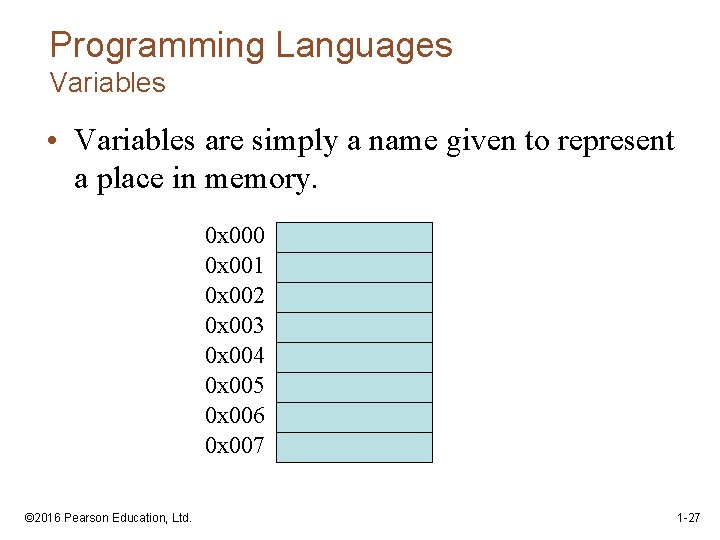
Programming Languages Variables • Variables are simply a name given to represent a place in memory. 0 x 000 0 x 001 0 x 002 0 x 003 0 x 004 0 x 005 0 x 006 0 x 007 © 2016 Pearson Education, Ltd. 1 -27
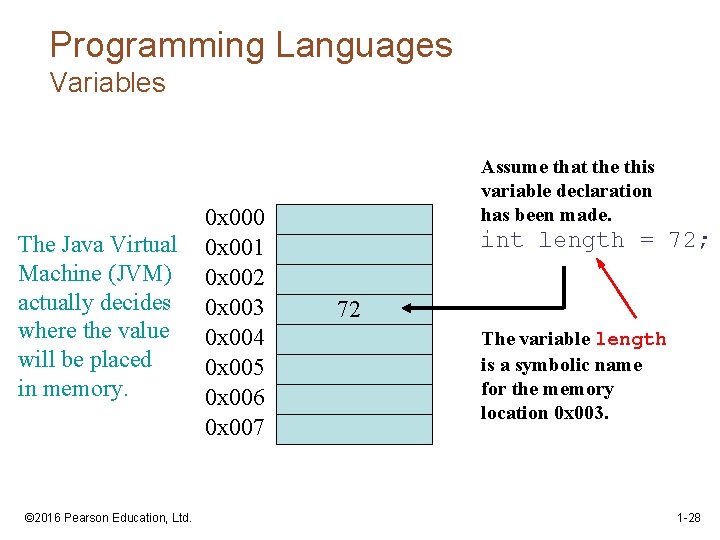
Programming Languages Variables The Java Virtual Machine (JVM) actually decides where the value will be placed in memory. © 2016 Pearson Education, Ltd. 0 x 000 0 x 001 0 x 002 0 x 003 0 x 004 0 x 005 0 x 006 0 x 007 Assume that the this variable declaration has been made. int length = 72; 72 The variable length is a symbolic name for the memory location 0 x 003. 1 -28
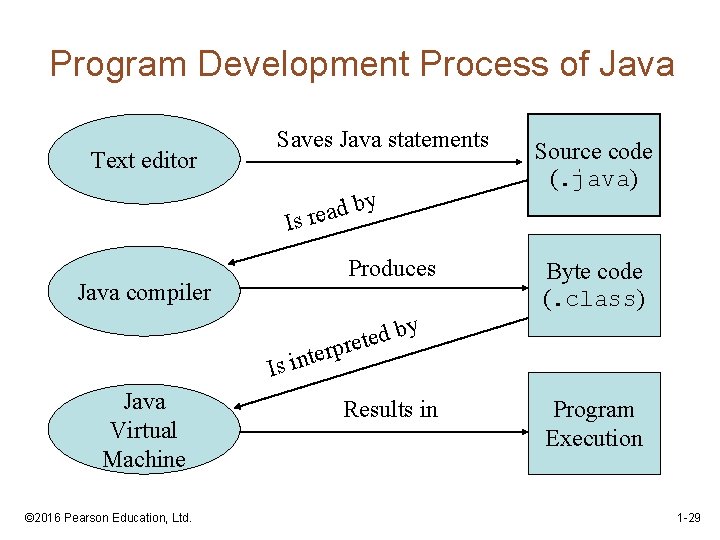
Program Development Process of Java Text editor Saves Java statements y b d a e r Is Produces Java compiler Is Java Virtual Machine © 2016 Pearson Education, Ltd. Source code (. java) Byte code (. class) y b d e et r p r e int Results in Program Execution 1 -29
The Compiler and Java Virtual Machine • A programmer writes Java programming statements for a program. • These statements are known as source code. • A text editor is used to edit and save a Java source code file. • Source code files have a. java file extension. • A compiler is a program that translates source code into an executable form. © 2016 Pearson Education, Ltd. 1 -30
The Compiler and Java Virtual Machine • A compiler is run by using a source code file as input. • The compiler creates another file that holds the translated instructions. • Syntax errors that may be in the program will be discovered during compilation. • Syntax errors are mistakes that the programmer has made that violate the rules of the programming language. © 2016 Pearson Education, Ltd. 1 -31
The Compiler and Java Virtual Machine • Most compilers translate source code into executable files containing machine code. • The Java compiler translates a Java source file into a file that contains byte code instructions. • Byte code instructions are the machine language of the Java Virtual Machine (JVM) and cannot be directly executed directly by the CPU. © 2016 Pearson Education, Ltd. 1 -32
The Compiler and Java Virtual Machine • Byte code files end with the. class file extension. • The JVM is a program that emulates a microprocessor. • The JVM executes instructions as they are read. • JVM is often called an interpreter. • Java is often referred to as an interpreted language. © 2016 Pearson Education, Ltd. 1 -33
Compiling a Java Program • The Java compiler is a command line utility. • The command to compile a program is: javac filename. java • javac is the Java compiler. • The. java file extension must be used. Example: To compile a java source code file named Payroll. java you would use the command: javac Payroll. java © 2016 Pearson Education, Ltd. 1 -34