
Chapter 1 Introduction to Computer Computer Definition Computer
- Slides: 21
Chapter 1 Introduction to Computer
Computer Definition Computer is an electronics device designed to accept data, perform prescribed mathematical and logical operations at high speed, and display the results of these operations. Computers are also used to store instructions and information.
Types of Computer Different types of computers are available for different types of purposes: 1. Embedded Computers – are computer systems with special functions found in cars, microwaves, TV, VCR and other home electronics.
Types of Computer (con’t. ) 2. Microcomputers – are also known as the Personal Computers. The first personal computer were produced by IBM. It comes in two types based on enclosure/chassis: (1) the tower type; (2) desktop.
Types of Computer (con’t. ) 2. 1 Laptop computers – is a portable microcomputer and is similar to desktop models in speed, performance and usage but are smaller in size. A smaller version is called a notebook.
Types of Computer (con’t. ) 2. 2 Tablets – are microcomputers similar to notebooks with an additional feature of swiveling or folding the screen to allow the user to write or select an item using a special pen capability installed for easy data entry.
Types of Computer (con’t. ) 2. 3 Personal Digital Assistants (PDA) and Smart Phones – are small palmsized microcomputers that are used as personal organizers. Newer cellular phones also include computer technology so you can access the internet (smart phones) and do other things like listen to music, take videos, create documents, etc.
Types of Computer (con’t. ) 2. 4 Workstations/Servers – these are high end microcomputers used for game development, scientific calculations, engineering or 3 D graphics.
Types of Computer (con’t. ) 3. Minicomputers – these types of computers can fill part of a room and often costs tens of thousands of dollars. Typically, they process large volume of data and are faster than PCs.
Types of Computer (con’t. ) 4. Mainframe Computers – these types of computers are large enough to fill an entire and require a large capital investment. These computers can simultaneously handle hundreds of different programs and users without sacrificing performance.
Types of Computer (con’t. ) 5. Supercomputers – these types of computers are the fastest computers currently available and can perform millions of instructions per second. These computers are employed to perform specialized applications such as weather forecasting, scientific simulations, nuclear energy research, etc. These computers are found in special offices like the Pentagon or NASA
Analog vs. Digital Systems - An analog signal is any continuous signal for which the time varying feature of the signal is a representation of some other time varying quantity (i. e. load speaker of a stereo system).
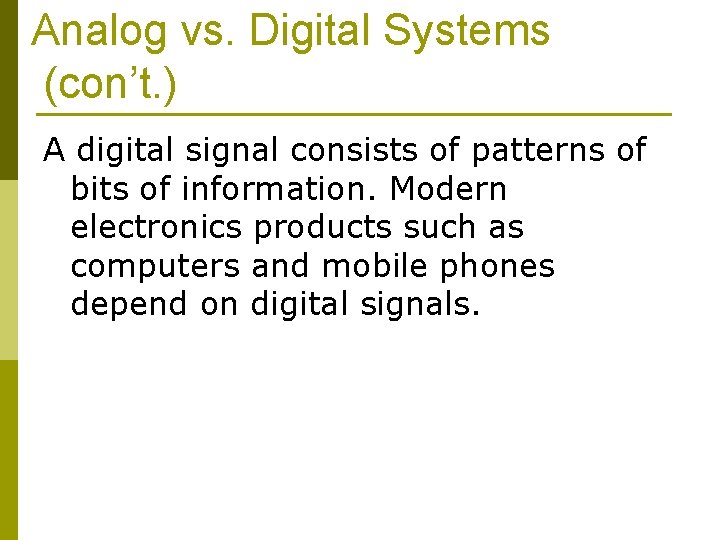
Analog vs. Digital Systems (con’t. ) A digital signal consists of patterns of bits of information. Modern electronics products such as computers and mobile phones depend on digital signals.
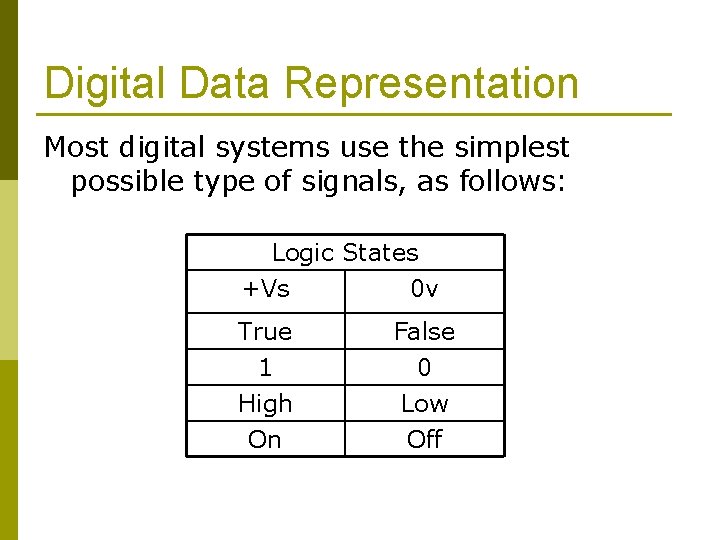
Digital Data Representation Most digital systems use the simplest possible type of signals, as follows: Logic States +Vs 0 v True 1 False 0 High On Low Off
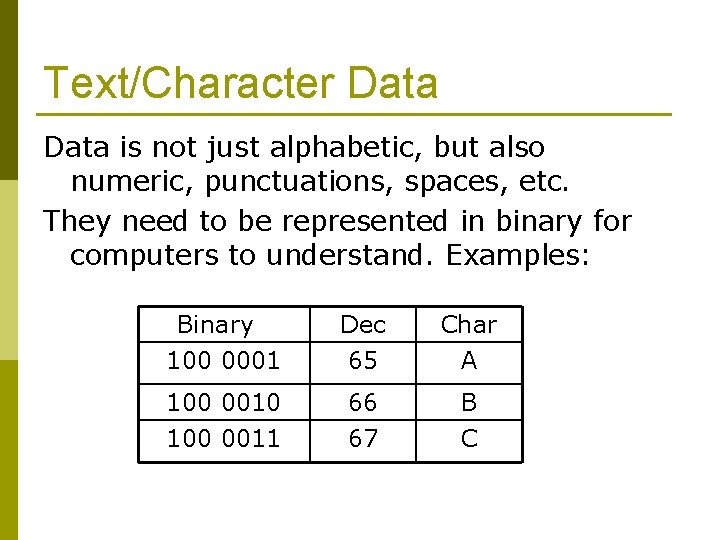
Text/Character Data is not just alphabetic, but also numeric, punctuations, spaces, etc. They need to be represented in binary for computers to understand. Examples: Binary 100 0001 Dec 65 Char A 100 0010 100 0011 66 67 B C
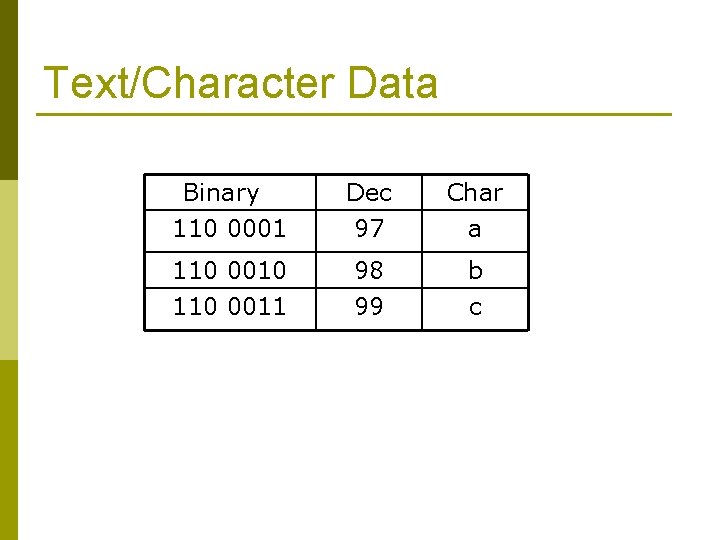
Text/Character Data Binary 110 0001 Dec 97 Char a 110 0010 110 0011 98 99 b c
Image Data p Digital images are electronic snapshots taken for a scene or scanned from documents such as photographs, manuscripts, printed texts, and artwork.
Pixel p A pixel (picture element) is represented in binary code zeros and ones. Each binary digits (bits) for each pixel are stored in a sequence by a computer and often reduced to a mathematical representation (compressed).
Pixel Values p Color is represented in a computer as an RGB (Red-Green-Blue) value, which are actually three numbers that indicate the relative contribution of each of these three primary colors. For example, the value of (255, 0) maximizes the red and green and minimizes the blue which results in a bright yellow.
Sound Data p Ø Ø Ø Ø Formats for sound data are WAV MP 3 AU AIFF VQF OGG WMA RM
Video/Animation Data p Ø Ø Ø Common code format used for digital video are: AVI MOV MPEG