
Chapter 1 Introduction to Algorithms and programmingII Control

- Slides: 50
Chapter 1 Introduction to Algorithms and programming-II Control Structures Department of Computer Science Academic Year: 2017 -2018 Semester: Two Dr. Maytham Mustafa Hammood Chapter 1 slide 1
Objectives In this chapter you will: • Learn about control structures • Examine relational and logical operators • Explore how to form and evaluate logical (Boolean) expressions • Discover how to use the selection control structures if, if. . . else, and switch in a program 2
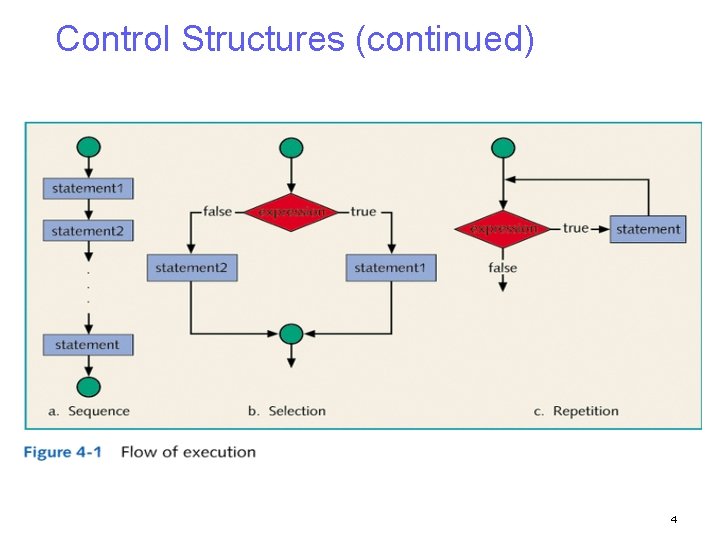
Control Structures • A computer can proceed: − In sequence − Selectively (branch) - making a choice − Repetitively (iteratively) - looping • Some statements are executed only if certain conditions are met • A condition is met if it evaluates to true 3
Control Structures (continued) 4
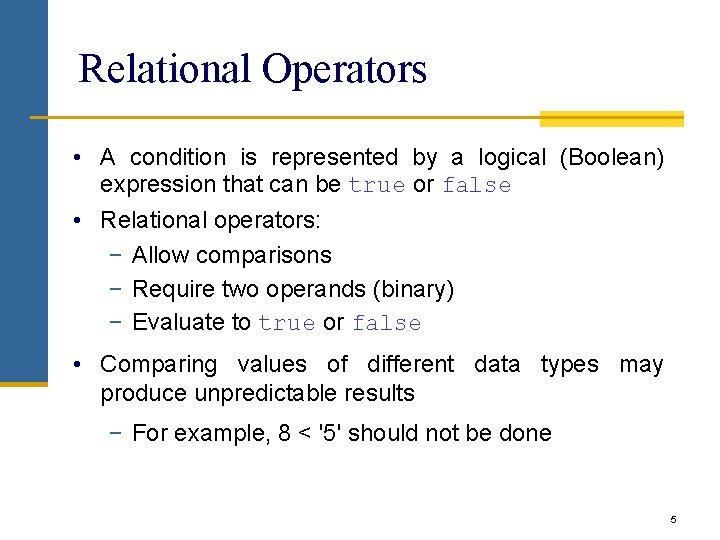
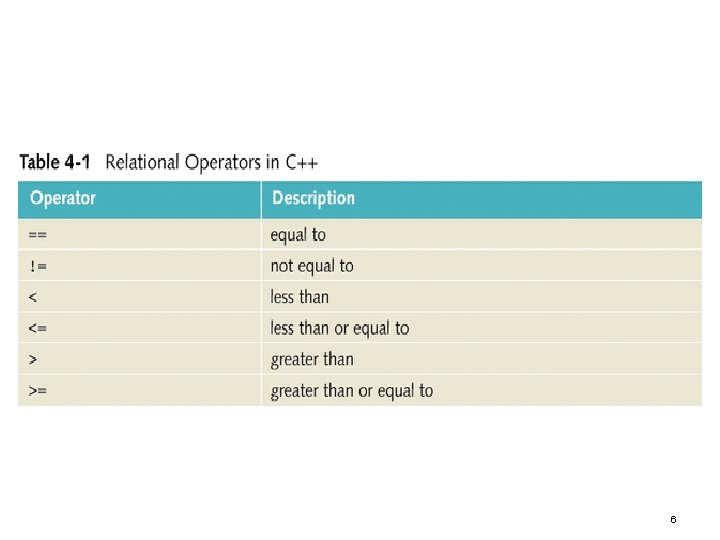
Relational Operators • A condition is represented by a logical (Boolean) expression that can be true or false • Relational operators: − Allow comparisons − Require two operands (binary) − Evaluate to true or false • Comparing values of different data types may produce unpredictable results − For example, 8 < '5' should not be done 5
6
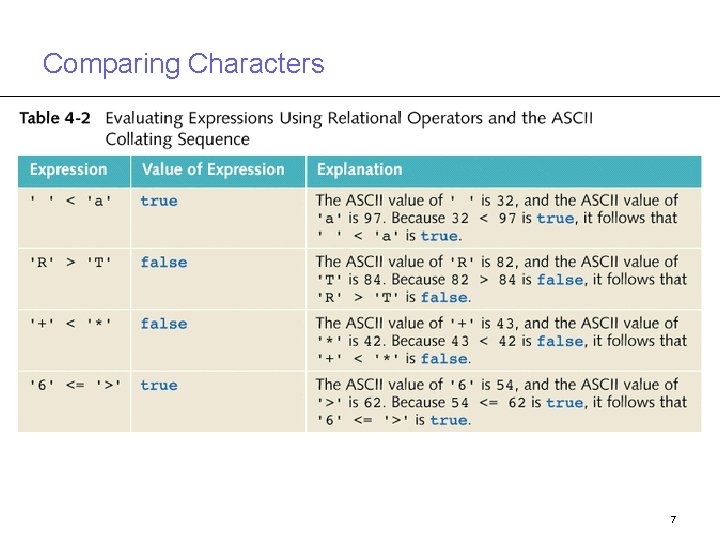
Comparing Characters 7
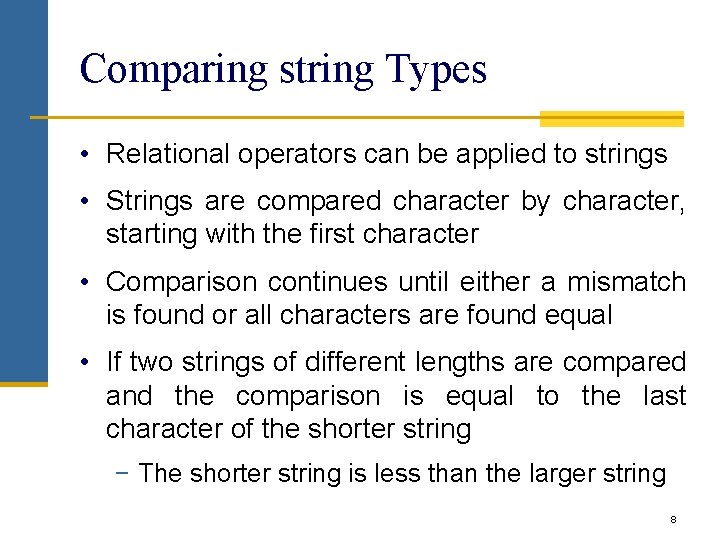
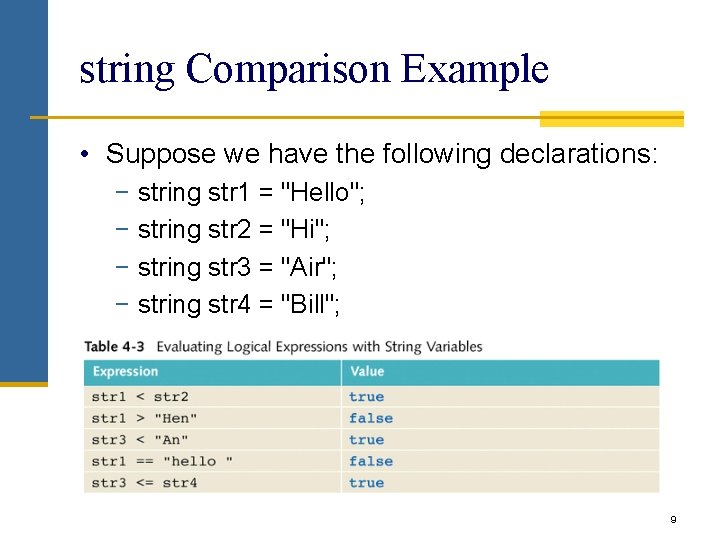
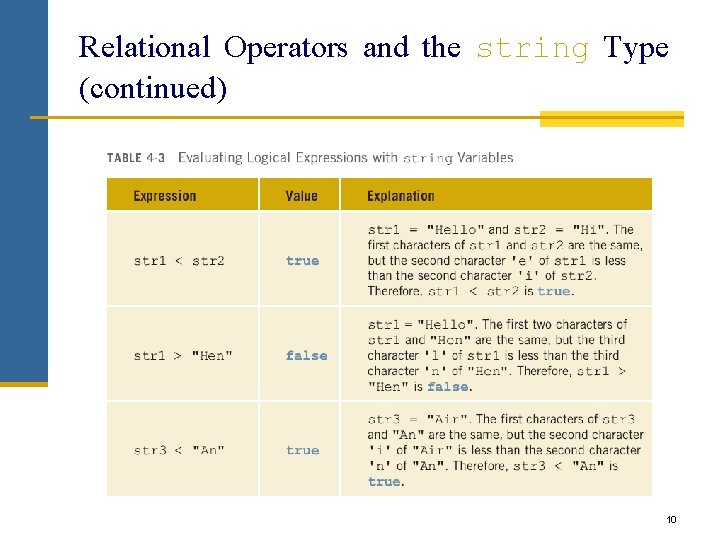
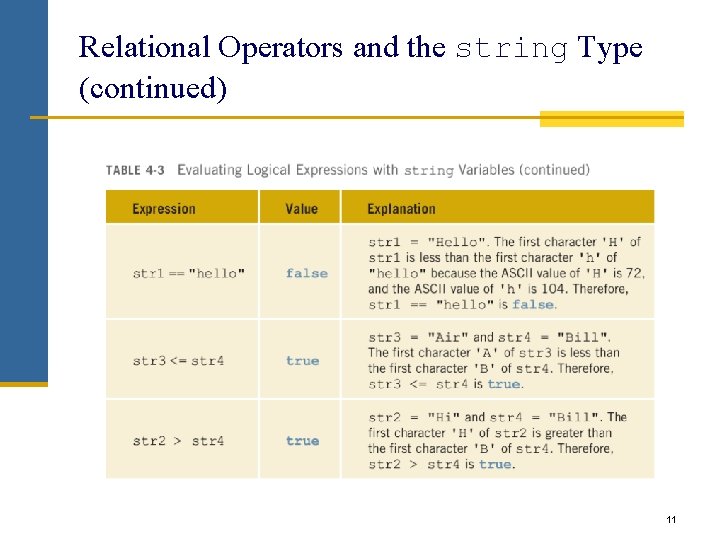
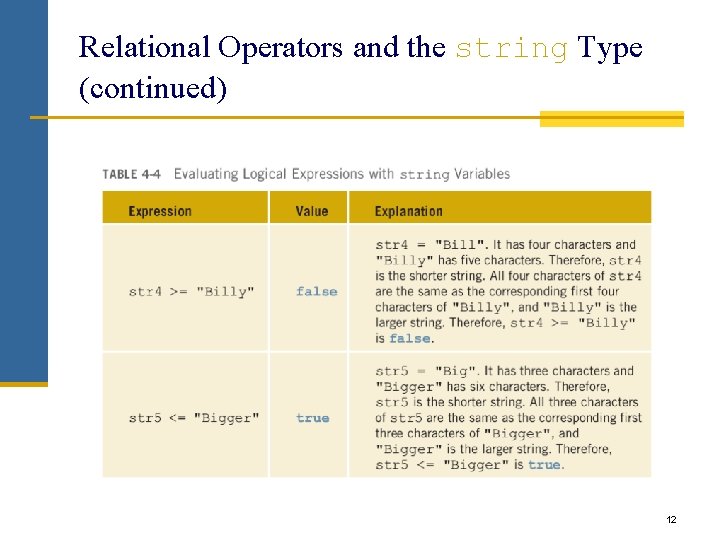
Comparing string Types • Relational operators can be applied to strings • Strings are compared character by character, starting with the first character • Comparison continues until either a mismatch is found or all characters are found equal • If two strings of different lengths are compared and the comparison is equal to the last character of the shorter string − The shorter string is less than the larger string 8
string Comparison Example • Suppose we have the following declarations: − string str 1 = "Hello"; − string str 2 = "Hi"; − string str 3 = "Air"; − string str 4 = "Bill"; 9
Relational Operators and the string Type (continued) 10
Relational Operators and the string Type (continued) 11
Relational Operators and the string Type (continued) 12
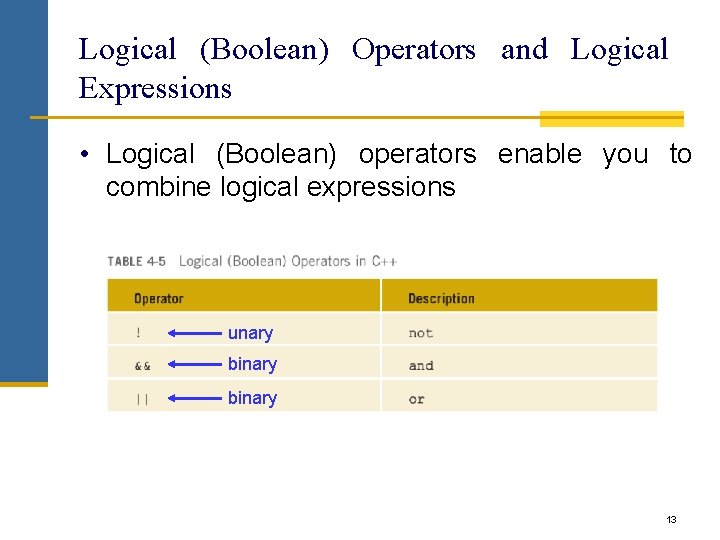
Logical (Boolean) Operators and Logical Expressions • Logical (Boolean) operators enable you to combine logical expressions unary binary 13
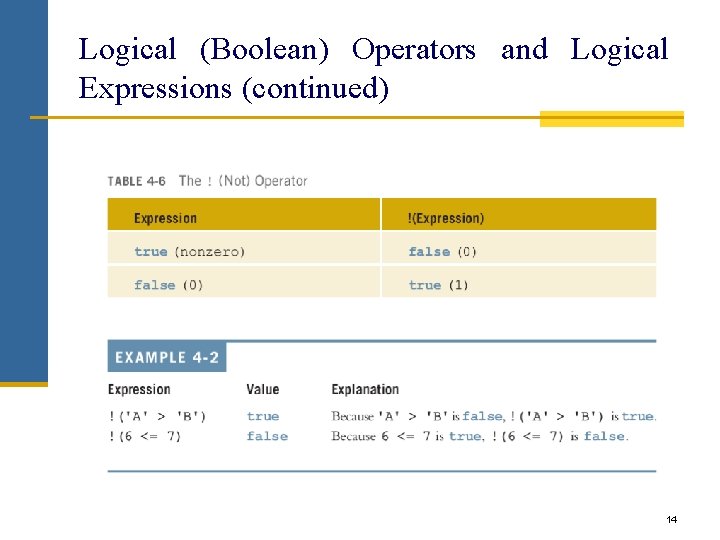
Logical (Boolean) Operators and Logical Expressions (continued) 14
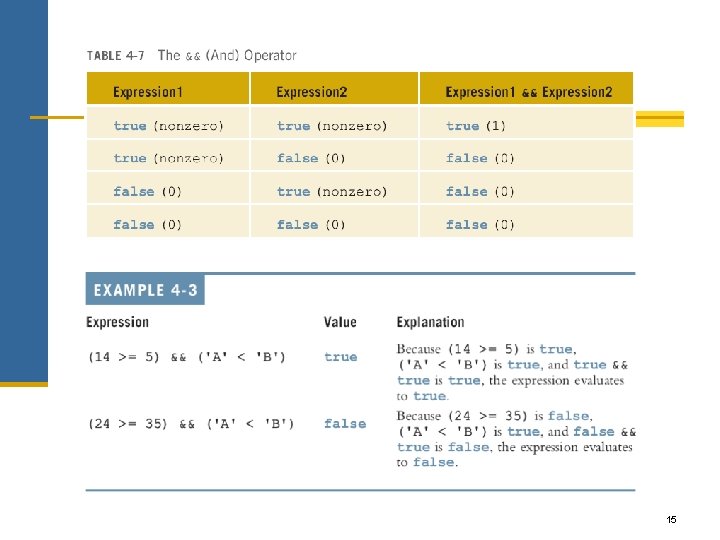
15
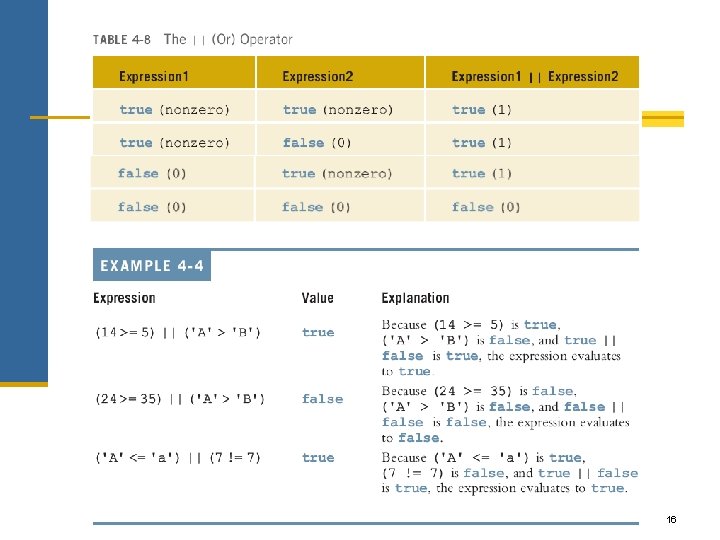
16
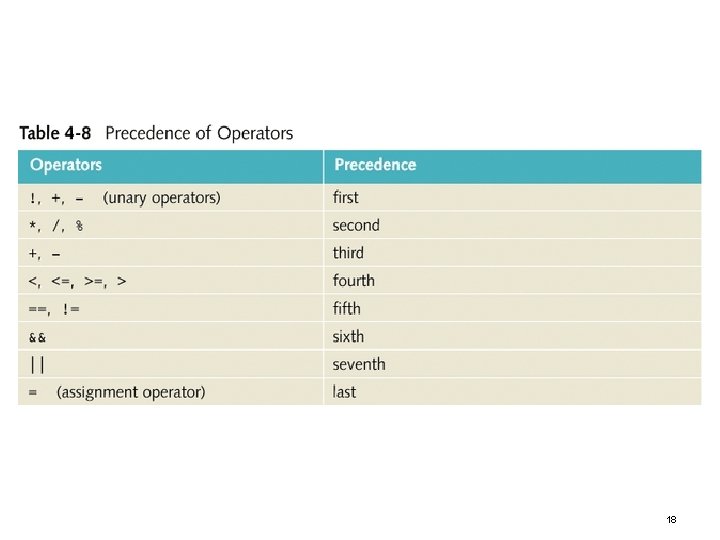
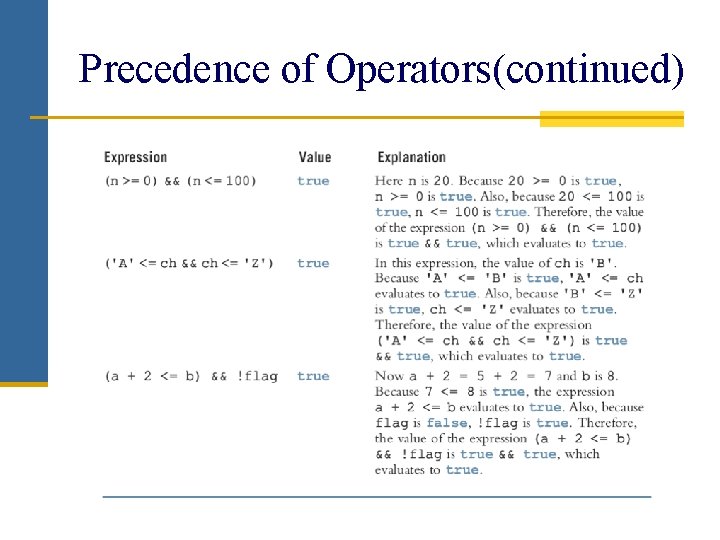
Precedence of Operators • Relational and logical operators are evaluated from left to right • The associatively is left to right • Parentheses can override precedence 17
18
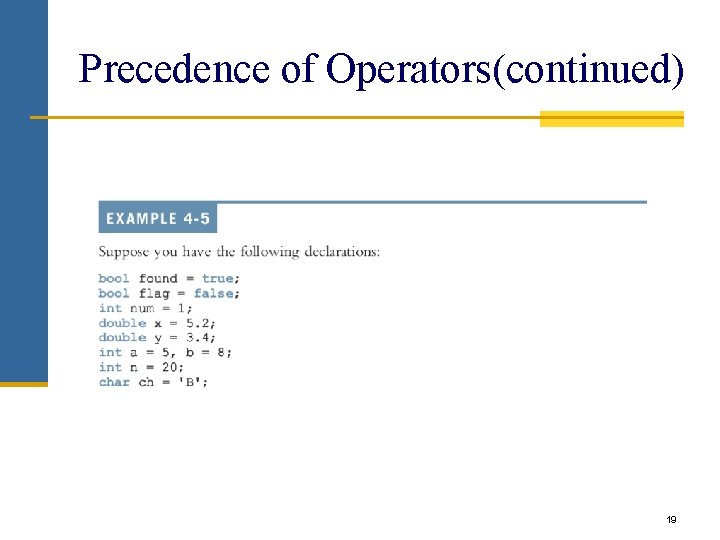
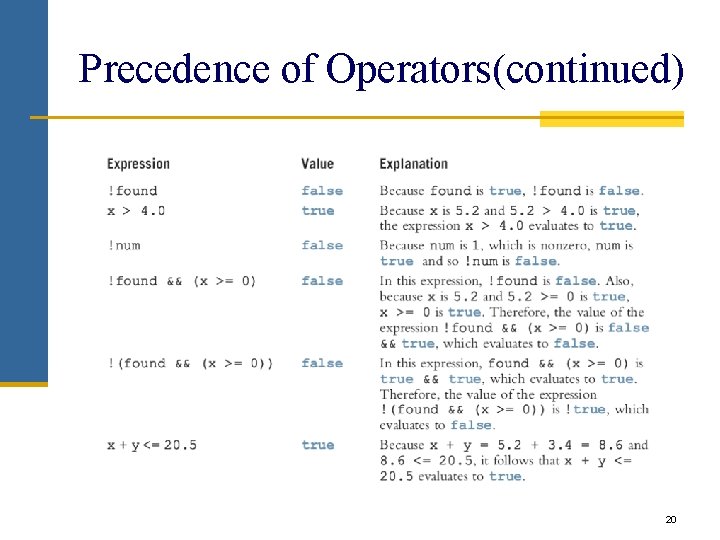
Precedence of Operators(continued) 19
Precedence of Operators(continued) 20
Precedence of Operators(continued)
Logical (Boolean) Expressions • The bool Data Type and Logical (Boolean) Expressions − The data type bool has logical (Boolean) values true and false − bool, true, and false are reserved words − The identifier true has the value 1 − The identifier false has the value 0 22
Logical (Boolean) (continued) Expressions • Logical expressions can be unpredictable • The following expression appears to represent a comparison of 0, num, and 10: 0 <= num <= 10 • It always evaluates true because 0 <= num evaluates to either 0 or 1, and 0 <= 10 is true and 1 <= 10 is true • The correct way to write this expression is: 0 <= num && num <= 10 23
Selection: if and if. . . else • • • One-Way Selection Two-Way Selection Compound (Block of) Statements Multiple Selections: Nested if Comparing if. . . else Statements with a Series of if Statements 24
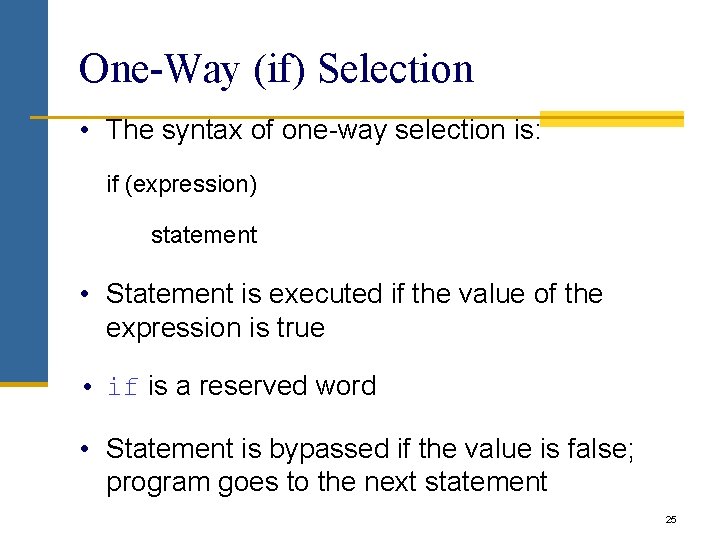
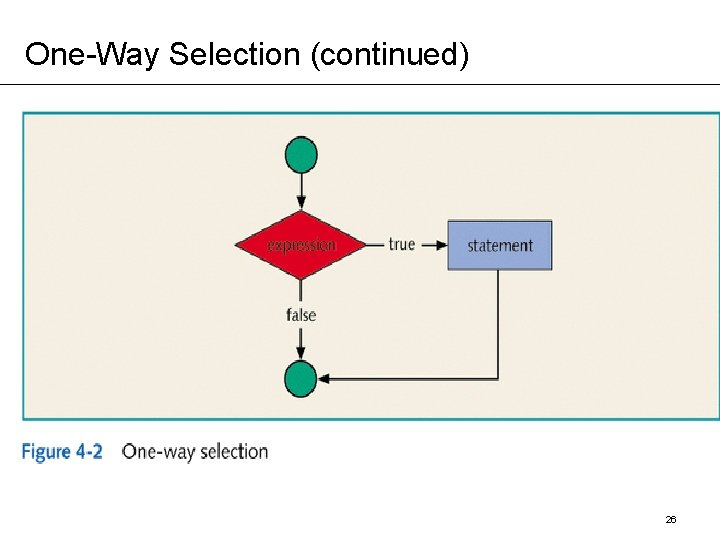
One-Way (if) Selection • The syntax of one-way selection is: if (expression) statement • Statement is executed if the value of the expression is true • if is a reserved word • Statement is bypassed if the value is false; program goes to the next statement 25
One-Way Selection (continued) 26
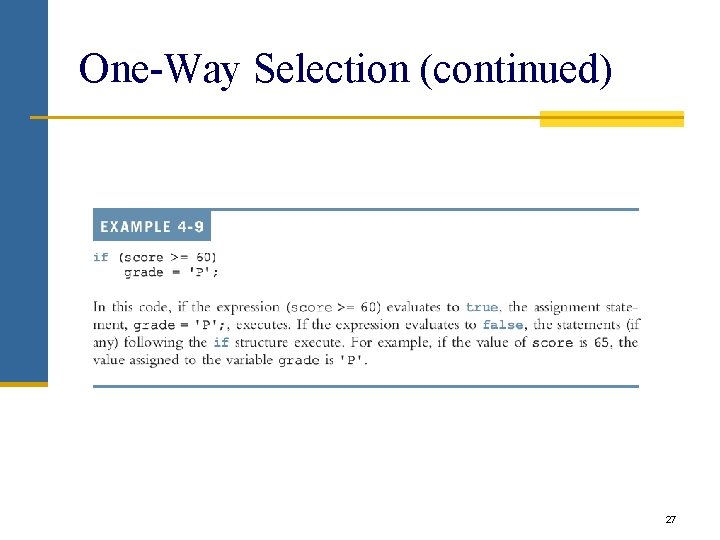
One-Way Selection (continued) 27
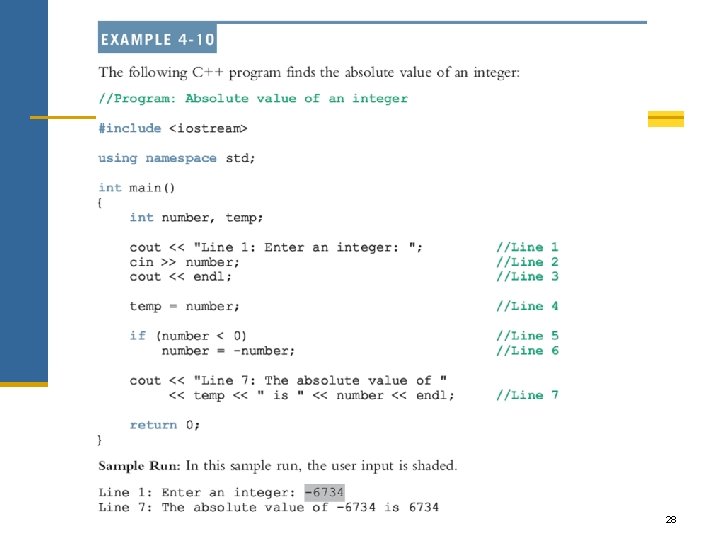
28
One-Way Selection (continued) 29
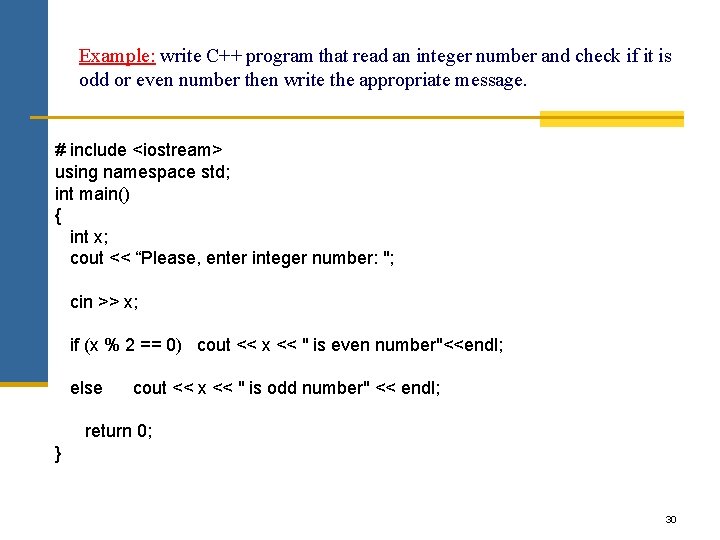
Example: write C++ program that read an integer number and check if it is odd or even number then write the appropriate message. # include <iostream> using namespace std; int main() { int x; cout << “Please, enter integer number: "; cin >> x; if (x % 2 == 0) cout << x << " is even number"<<endl; else cout << x << " is odd number" << endl; return 0; } 30
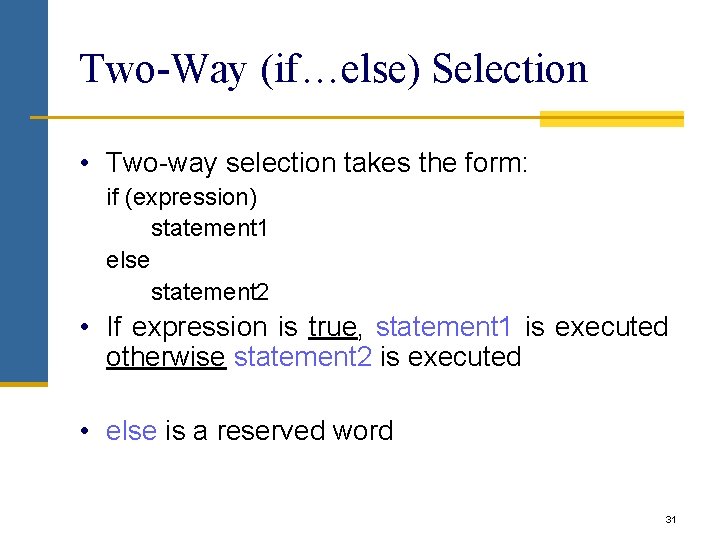
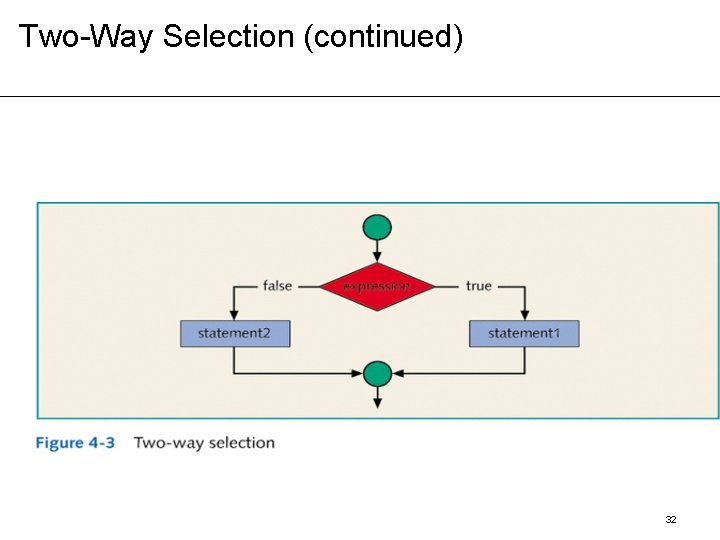
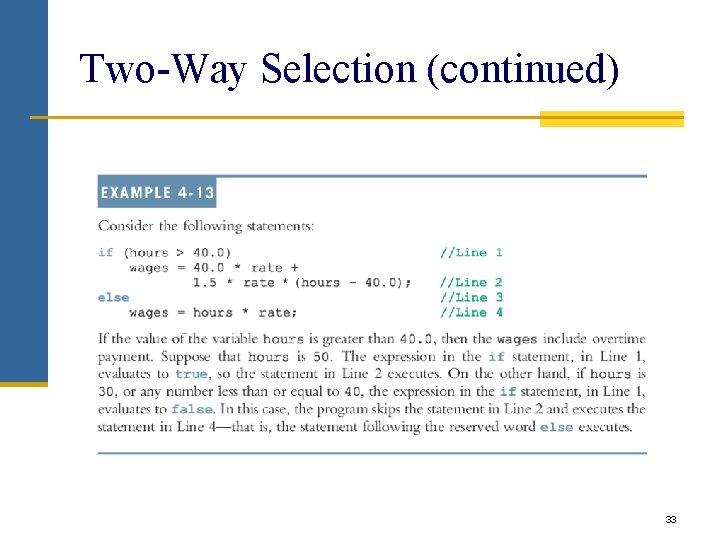
Two-Way (if…else) Selection • Two-way selection takes the form: if (expression) statement 1 else statement 2 • If expression is true, statement 1 is executed otherwise statement 2 is executed • else is a reserved word 31
Two-Way Selection (continued) 32
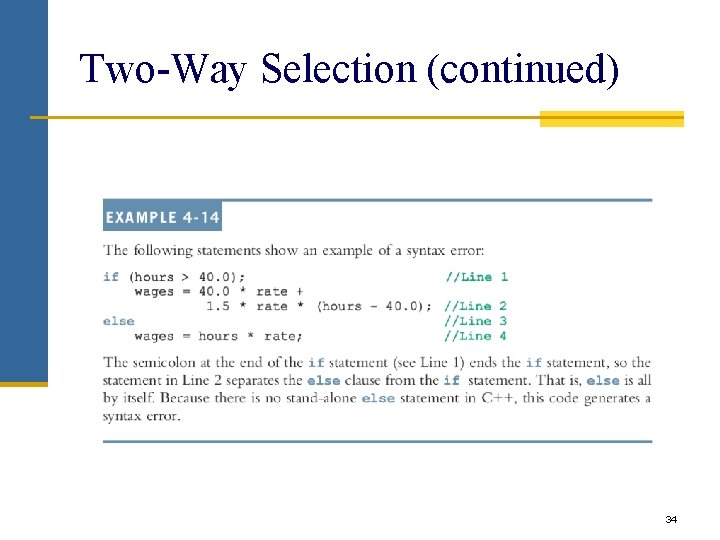
Two-Way Selection (continued) 33
Two-Way Selection (continued) 34
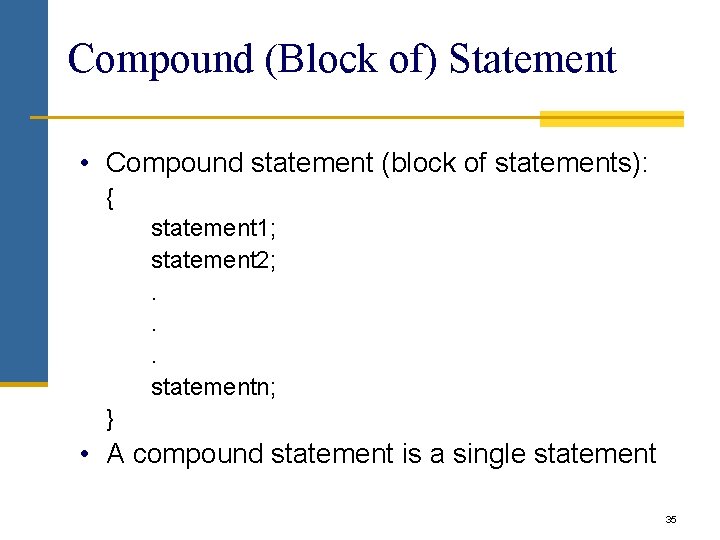
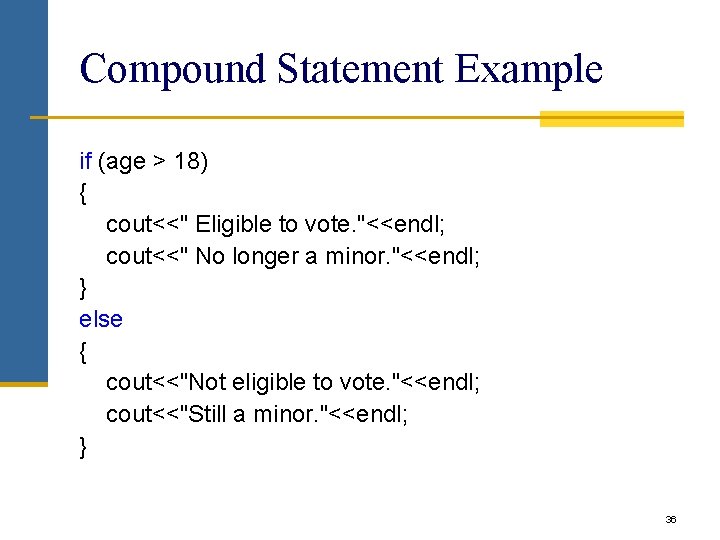
Compound (Block of) Statement • Compound statement (block of statements): { statement 1; statement 2; . . . statementn; } • A compound statement is a single statement 35
Compound Statement Example if (age > 18) { cout<<" Eligible to vote. "<<endl; cout<<" No longer a minor. "<<endl; } else { cout<<"Not eligible to vote. "<<endl; cout<<"Still a minor. "<<endl; } 36
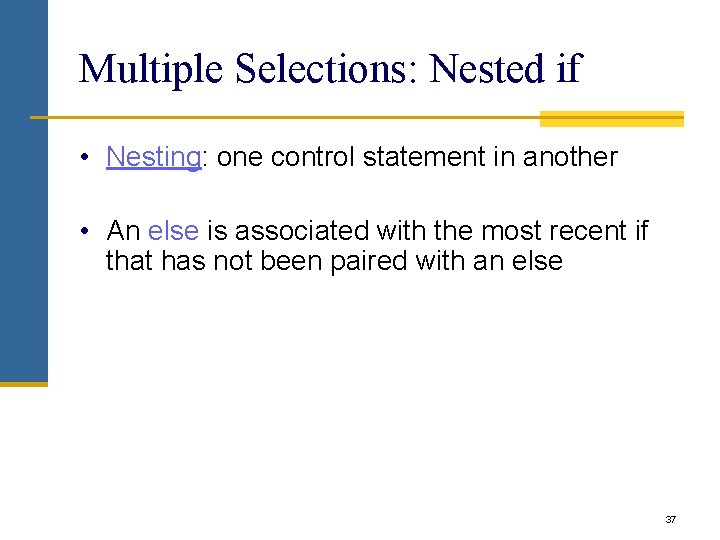
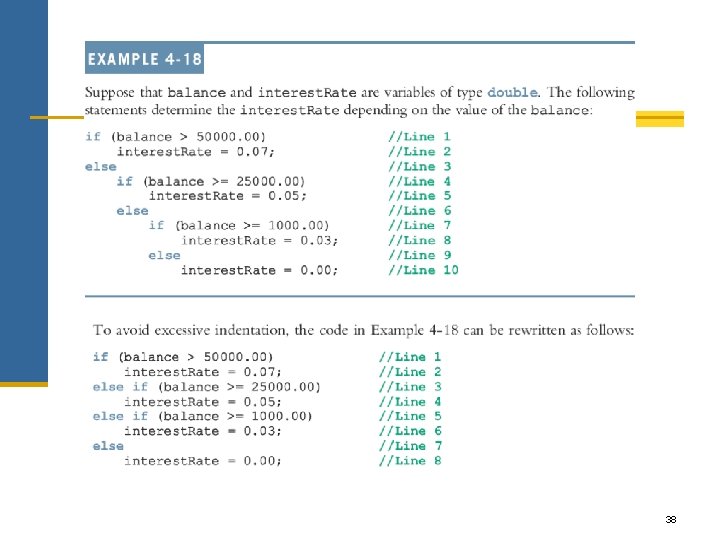
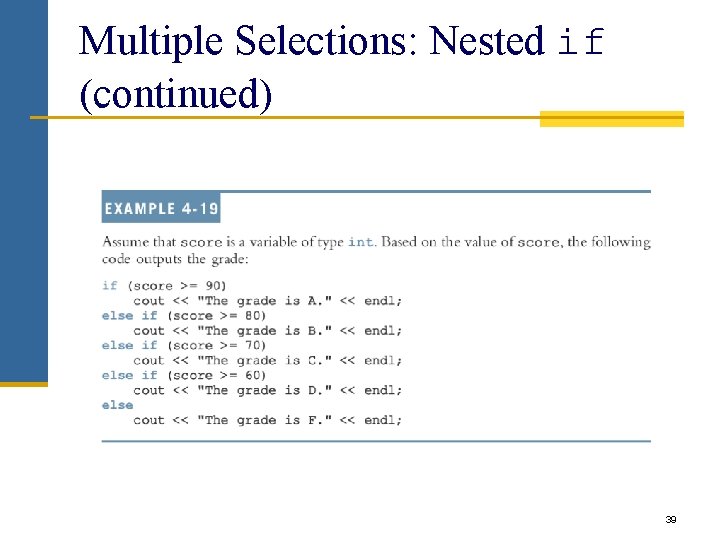
Multiple Selections: Nested if • Nesting: one control statement in another • An else is associated with the most recent if that has not been paired with an else 37
38
Multiple Selections: Nested if (continued) 39
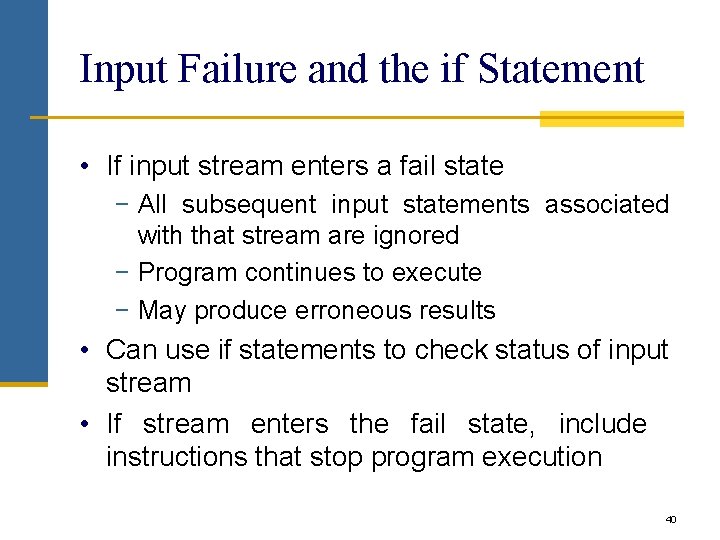
Input Failure and the if Statement • If input stream enters a fail state − All subsequent input statements associated with that stream are ignored − Program continues to execute − May produce erroneous results • Can use if statements to check status of input stream • If stream enters the fail state, include instructions that stop program execution 40
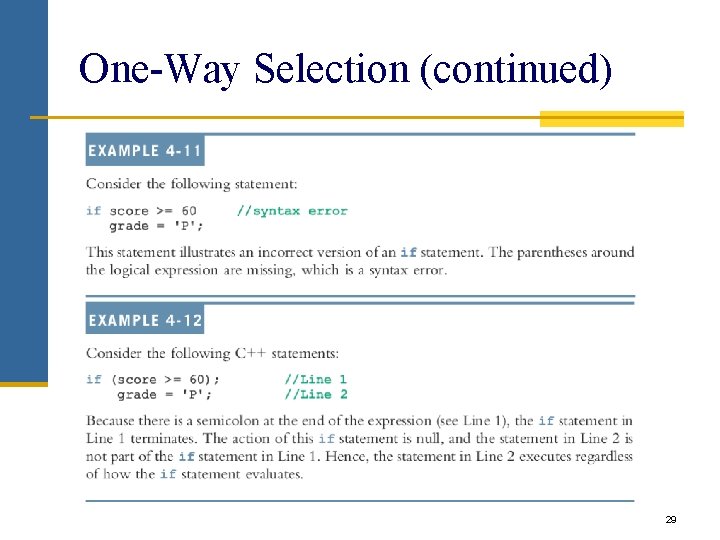
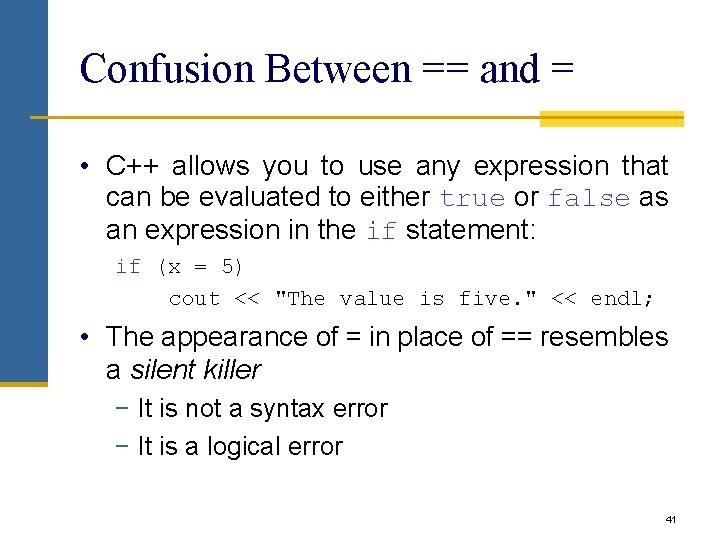
Confusion Between == and = • C++ allows you to use any expression that can be evaluated to either true or false as an expression in the if statement: if (x = 5) cout << "The value is five. " << endl; • The appearance of = in place of == resembles a silent killer − It is not a syntax error − It is a logical error 41
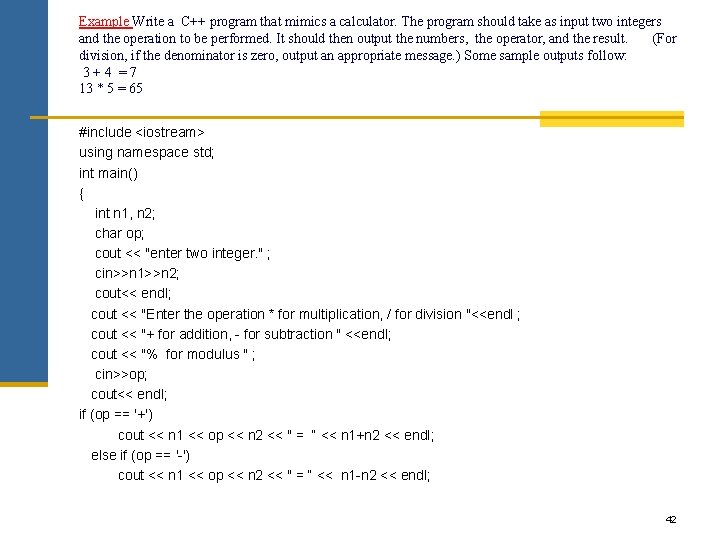
Example Write a C++ program that mimics a calculator. The program should take as input two integers and the operation to be performed. It should then output the numbers, the operator, and the result. (For division, if the denominator is zero, output an appropriate message. ) Some sample outputs follow: 3+4 =7 13 * 5 = 65 #include <iostream> using namespace std; int main() { int n 1, n 2; char op; cout << "enter two integer. " ; cin>>n 1>>n 2; cout<< endl; cout << "Enter the operation * for multiplication, / for division "<<endl ; cout << "+ for addition, - for subtraction " <<endl; cout << "% for modulus " ; cin>>op; cout<< endl; if (op == '+') cout << n 1 << op << n 2 << " = “ << n 1+n 2 << endl; else if (op == '-') cout << n 1 << op << n 2 << " = “ << n 1 -n 2 << endl; 42
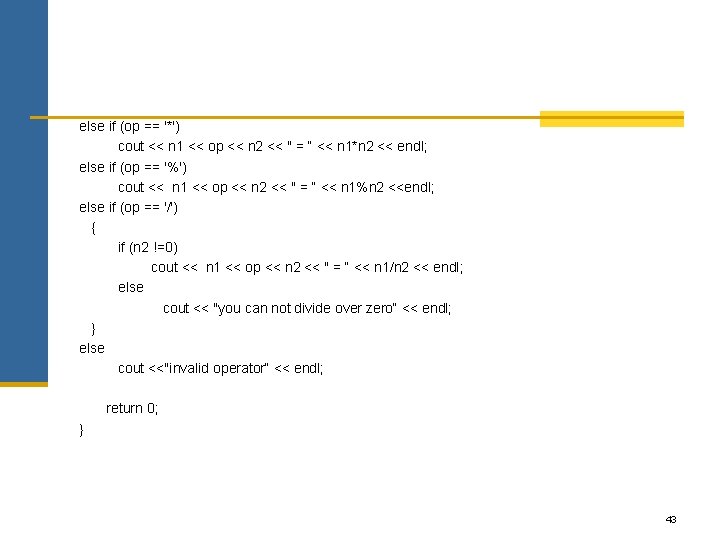
else if (op == '*') cout << n 1 << op << n 2 << " = “ << n 1*n 2 << endl; else if (op == '%') cout << n 1 << op << n 2 << " = “ << n 1%n 2 <<endl; else if (op == '/') { if (n 2 !=0) cout << n 1 << op << n 2 << " = “ << n 1/n 2 << endl; else cout << "you can not divide over zero“ << endl; } else cout <<"invalid operator“ << endl; return 0; } 43
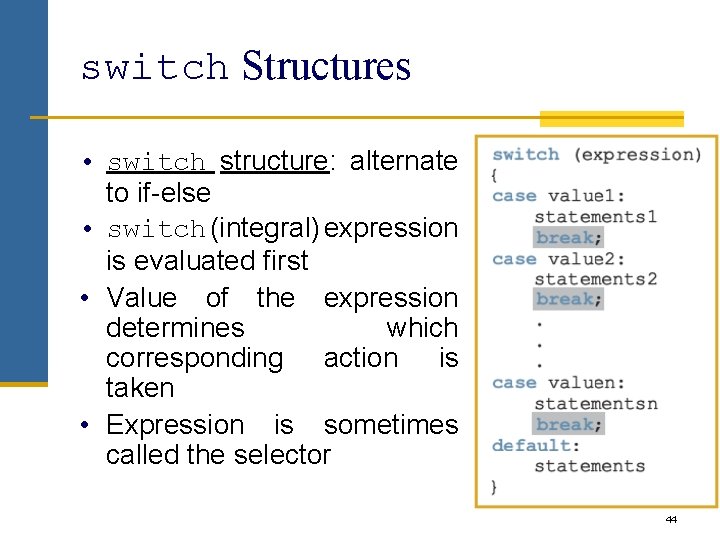
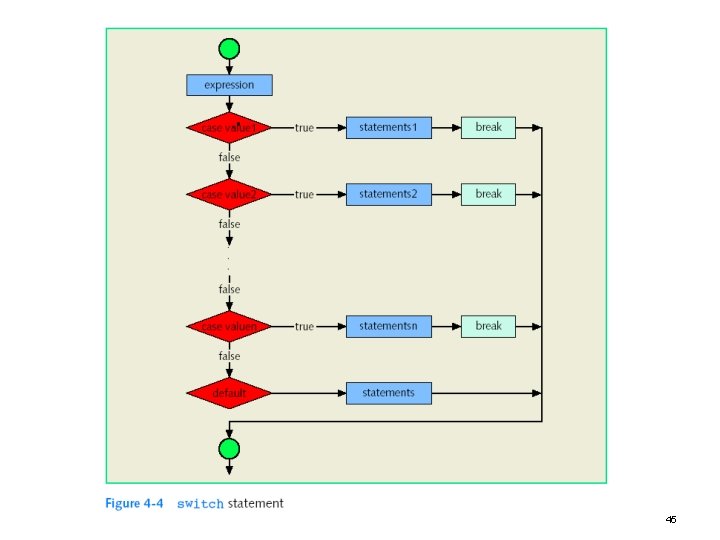
switch Structures • switch structure: alternate to if-else • switch (integral) expression is evaluated first • Value of the expression determines which corresponding action is taken • Expression is sometimes called the selector 44
45
switch Structures (continued) • One or more statements may follow a case label • Braces are not needed to turn multiple statements into a single compound statement • The break statement may or may not appear after each statement • switch, case, break, and default are reserved words 46
47
switch Statement Rules • When value of the expression is matched against a case value, − Statements execute until break statement is found or the end of switch structure is reached • If value of the expression does not match any of the case values − Statements following the default label execute If no default label and no match the entire switch statement is skipped • A break statement causes an immediate exit from the switch structure 48
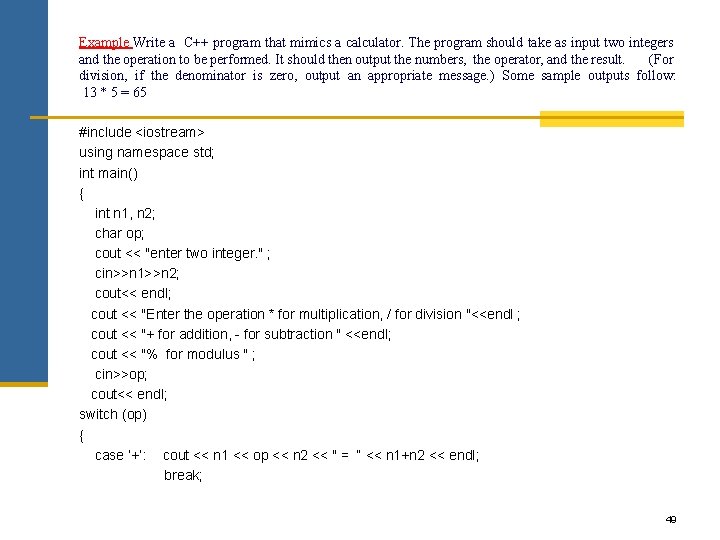
Example Write a C++ program that mimics a calculator. The program should take as input two integers and the operation to be performed. It should then output the numbers, the operator, and the result. (For division, if the denominator is zero, output an appropriate message. ) Some sample outputs follow: 13 * 5 = 65 #include <iostream> using namespace std; int main() { int n 1, n 2; char op; cout << "enter two integer. " ; cin>>n 1>>n 2; cout<< endl; cout << "Enter the operation * for multiplication, / for division "<<endl ; cout << "+ for addition, - for subtraction " <<endl; cout << "% for modulus " ; cin>>op; cout<< endl; switch (op) { case ‘+’: cout << n 1 << op << n 2 << " = “ << n 1+n 2 << endl; break; 49
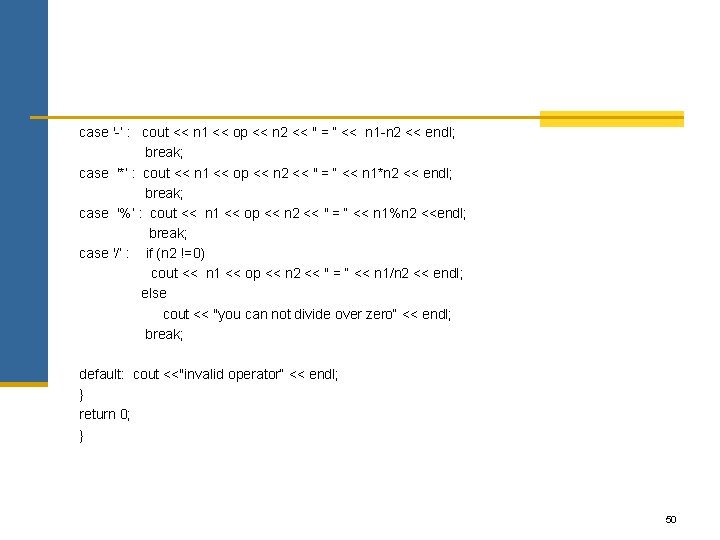
case '-’ : cout << n 1 << op << n 2 << " = “ << n 1 -n 2 << endl; break; case '*’ : cout << n 1 << op << n 2 << " = “ << n 1*n 2 << endl; break; case '%’ : cout << n 1 << op << n 2 << " = “ << n 1%n 2 <<endl; break; case '/’ : if (n 2 !=0) cout << n 1 << op << n 2 << " = “ << n 1/n 2 << endl; else cout << "you can not divide over zero“ << endl; break; default: cout <<"invalid operator“ << endl; } return 0; } 50