
Chapter 1 Introduction Some of slides are from
- Slides: 17
Chapter 1: Introduction Some of slides are from the OSCE text book. T. Yang 2012 Operating System Concepts – 8 th Edition Silberschatz, Galvin and Gagne © 2009
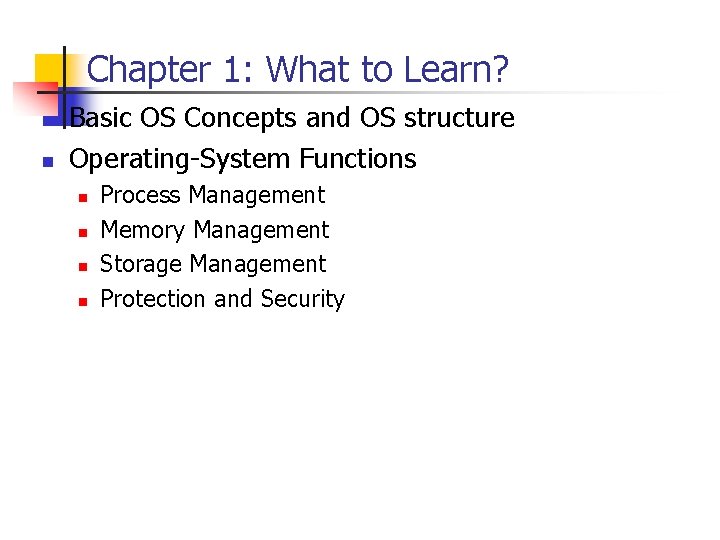
Chapter 1: What to Learn? n n Basic OS Concepts and OS structure Operating-System Functions n n Process Management Memory Management Storage Management Protection and Security
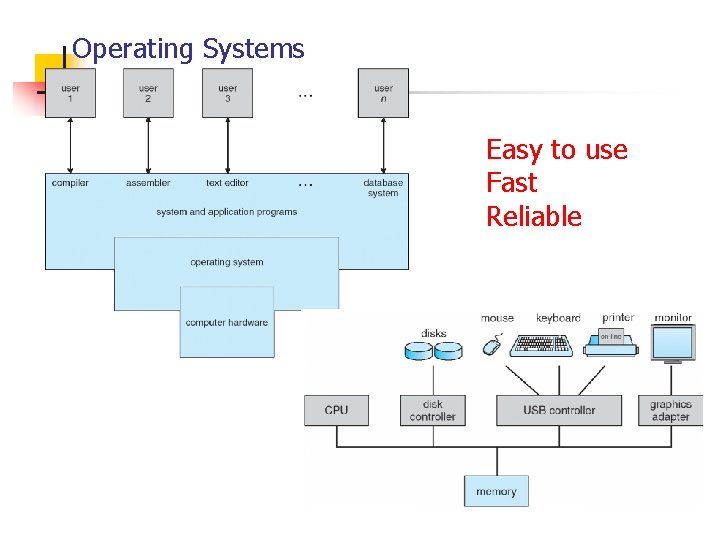
Operating Systems Easy to use Fast Reliable
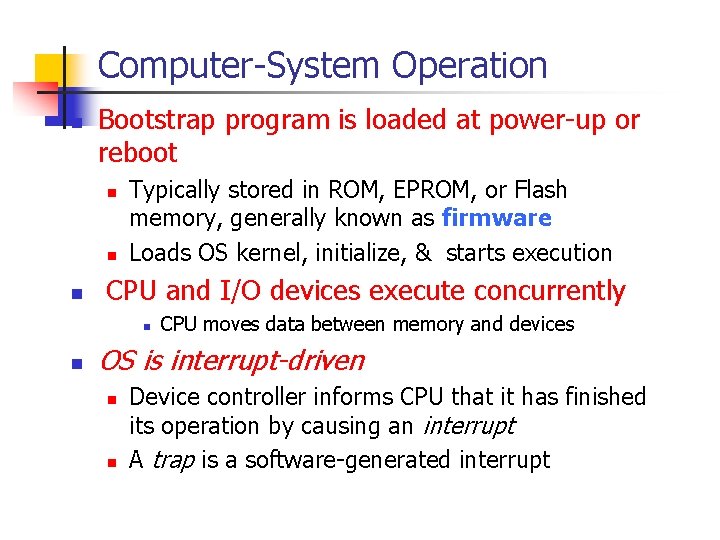
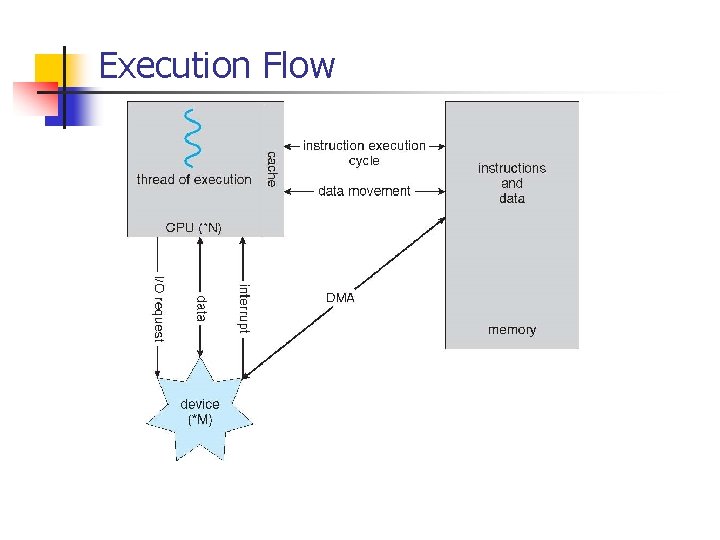
Computer-System Operation n Bootstrap program is loaded at power-up or reboot n n n Typically stored in ROM, EPROM, or Flash memory, generally known as firmware Loads OS kernel, initialize, & starts execution CPU and I/O devices execute concurrently n n CPU moves data between memory and devices OS is interrupt-driven n n Device controller informs CPU that it has finished its operation by causing an interrupt A trap is a software-generated interrupt
Execution Flow
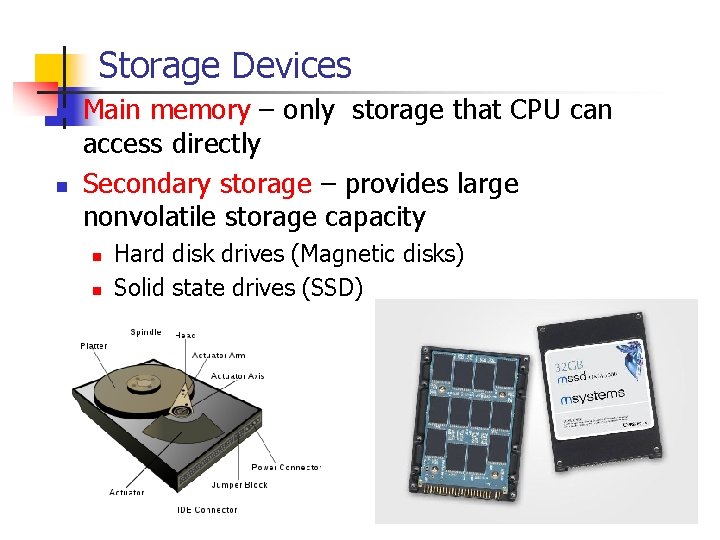
Storage Devices n n Main memory – only storage that CPU can access directly Secondary storage – provides large nonvolatile storage capacity n n Hard disk drives (Magnetic disks) Solid state drives (SSD)
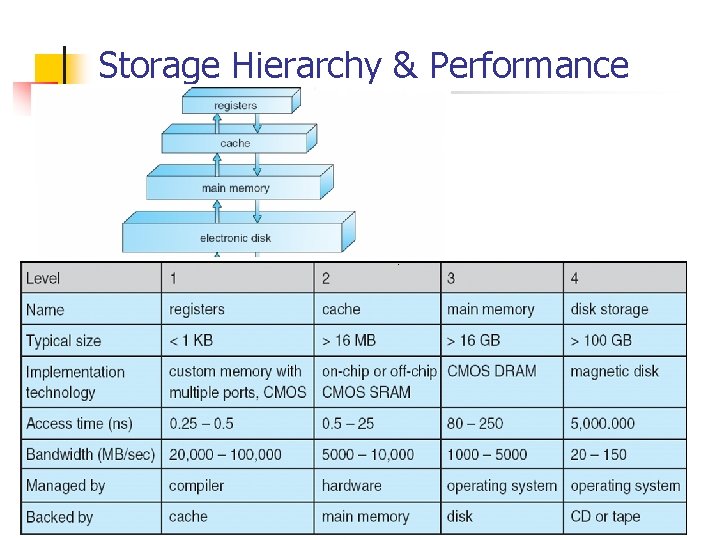
Storage Hierarchy & Performance
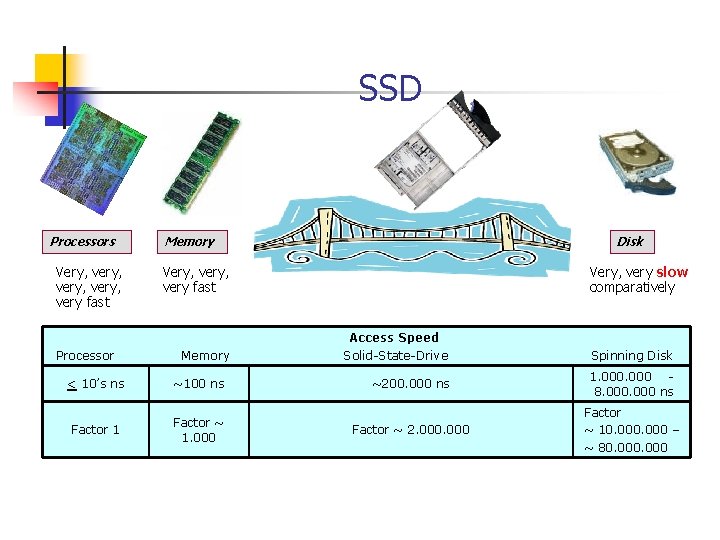
SSD Processors Very, very, very fast Processor Memory Disk Very, very fast Memory < 10’s ns ~100 ns Factor 1 Factor ~ 1. 000 Very, very slow comparatively Access Speed Solid-State-Drive Spinning Disk ~200. 000 ns 1. 000 8. 000 ns Factor ~ 2. 000 Factor ~ 10. 000 – ~ 80. 000
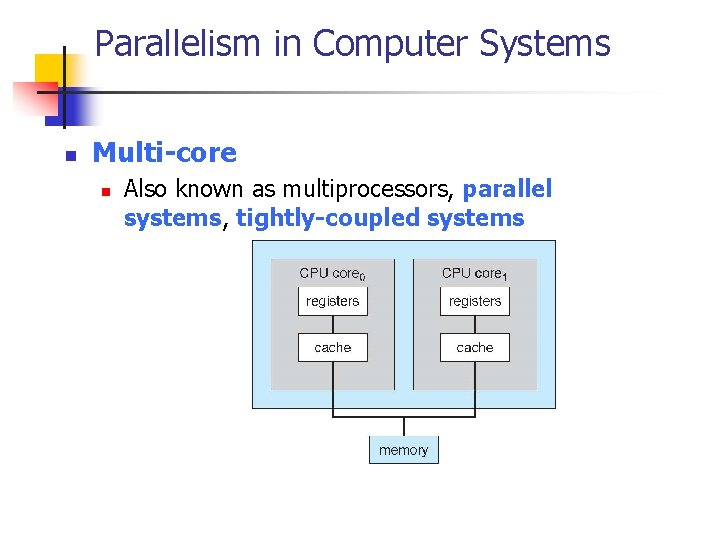
Parallelism in Computer Systems n Multi-core n Also known as multiprocessors, parallel systems, tightly-coupled systems
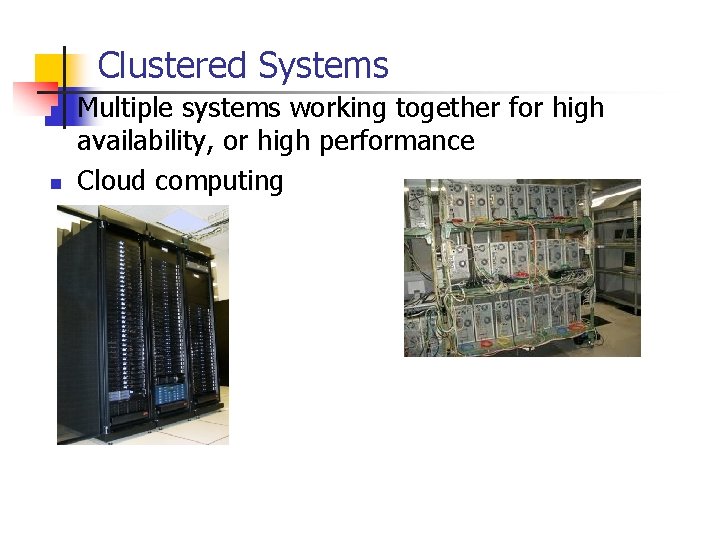
Clustered Systems n n Multiple systems working together for high availability, or high performance Cloud computing
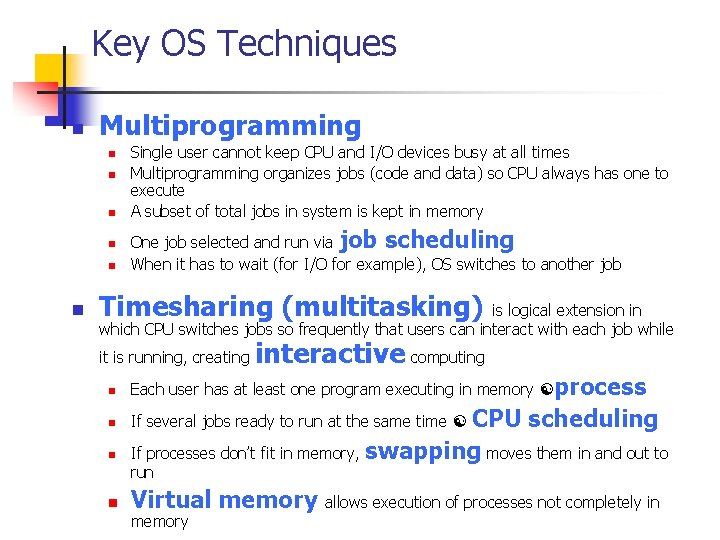
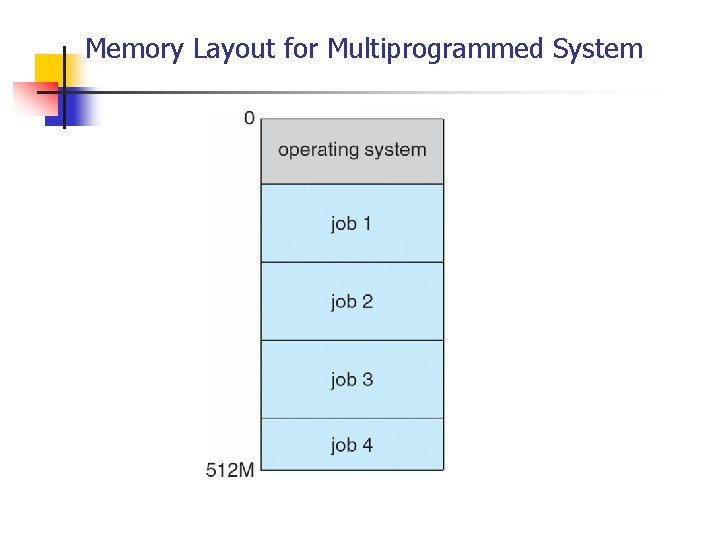
Key OS Techniques n Multiprogramming n n n Single user cannot keep CPU and I/O devices busy at all times Multiprogramming organizes jobs (code and data) so CPU always has one to execute A subset of total jobs in system is kept in memory One job selected and run via job scheduling When it has to wait (for I/O for example), OS switches to another job Timesharing (multitasking) is logical extension in which CPU switches jobs so frequently that users can interact with each job while it is running, creating interactive computing n Each user has at least one program executing in memory process n If several jobs ready to run at the same time n CPU scheduling If processes don’t fit in memory, swapping moves them in and out to run n Virtual memory allows execution of processes not completely in
Memory Layout for Multiprogrammed System
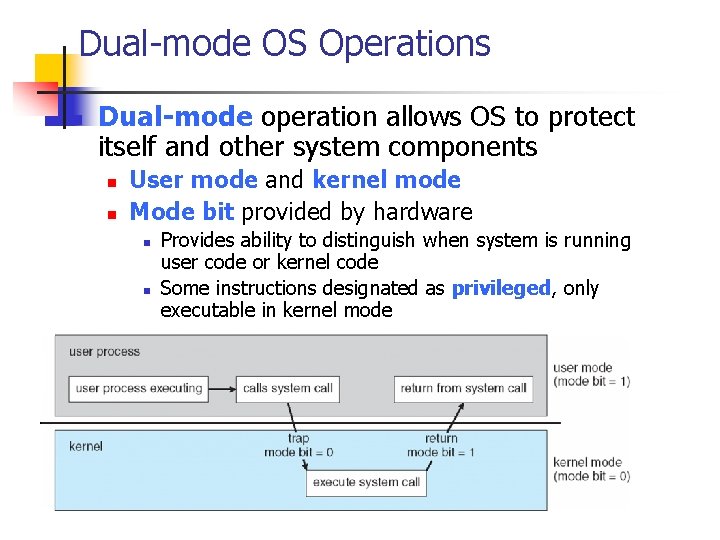
Dual-mode OS Operations n Dual-mode operation allows OS to protect itself and other system components n n User mode and kernel mode Mode bit provided by hardware n n Provides ability to distinguish when system is running user code or kernel code Some instructions designated as privileged, only executable in kernel mode
Process Management n n A process is a program in execution. Process needs resources to accomplish its task n n Single-threaded process has one program counter specifying location of next instruction to execute n n CPU, memory, I/O, files Process executes instructions sequentially, one at a time, until completion Multi-threaded process has one program counter per thread n Concurrency by multiplexing the CPUs among the processes / threads
Memory Management n Memory management activities n n Keeping track of which parts of memory are currently being used and by whom Deciding which processes (or parts thereof) and data to move into and out of memory Allocating and deallocating memory space as needed Virtual memory allows execution of processes not completely in memory
Storage Management n OS provides uniform, logical view of information storage n n Abstracts physical properties to logical storage unit - file Each medium is controlled by device (i. e. , disk drive, SSD) n n n Varying properties include access speed, capacity, datatransfer rate, access method (sequential or random) OS needs to schedule data access File-System management n n Files usually organized into directories Access control on most systems to determine who can access what
Protection and Security n n n Protection –controlling access of processes or users to resources defined by the OS Security – defense of the system against internal and external attacks Systems generally first distinguish among users, to determine who can do what n User identities (user IDs, security IDs) include name and associated number, one per user n User ID then associated with all files, processes of that user to determine access control n Group identifier (group ID) allows set of users to be defined and controls managed, then also associated with each process, file n Privilege escalation allows user to change to effective ID with more rights