
Chapter 1 Introduction Chapter 1 Introduction What Operating
- Slides: 41
Chapter 1: Introduction
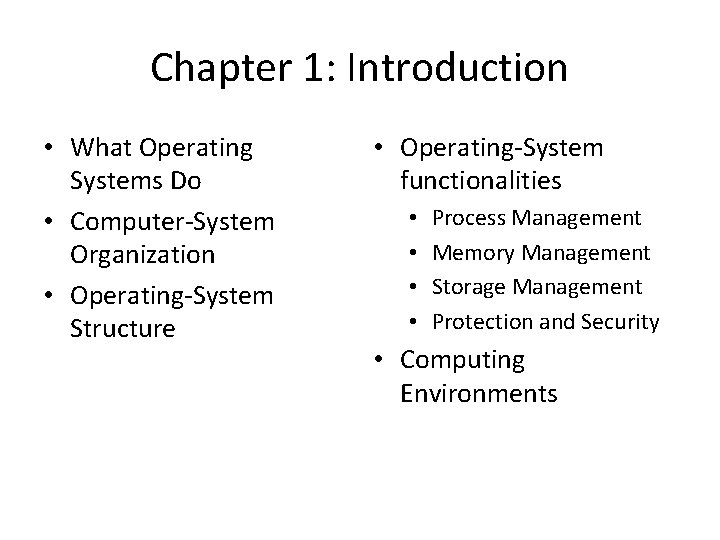
Chapter 1: Introduction • What Operating Systems Do • Computer-System Organization • Operating-System Structure • Operating-System functionalities • • Process Management Memory Management Storage Management Protection and Security • Computing Environments
Objectives • To understand the computer system organization • To understand the major operating system components
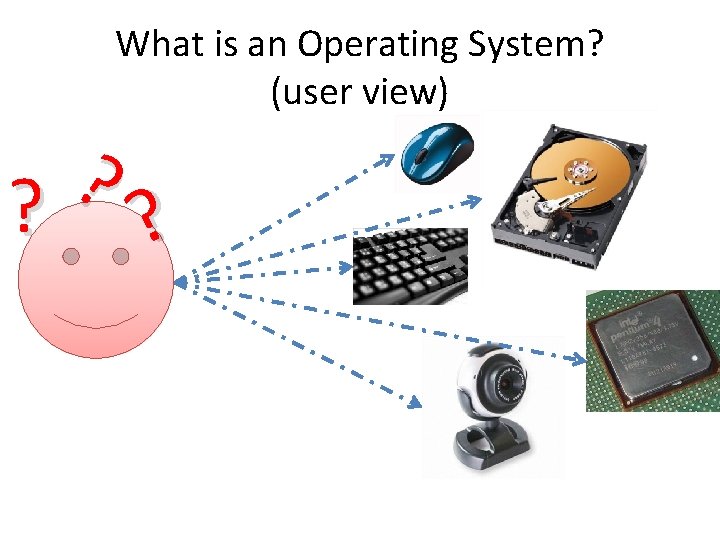
What is an Operating System? (user view) ? ? ?
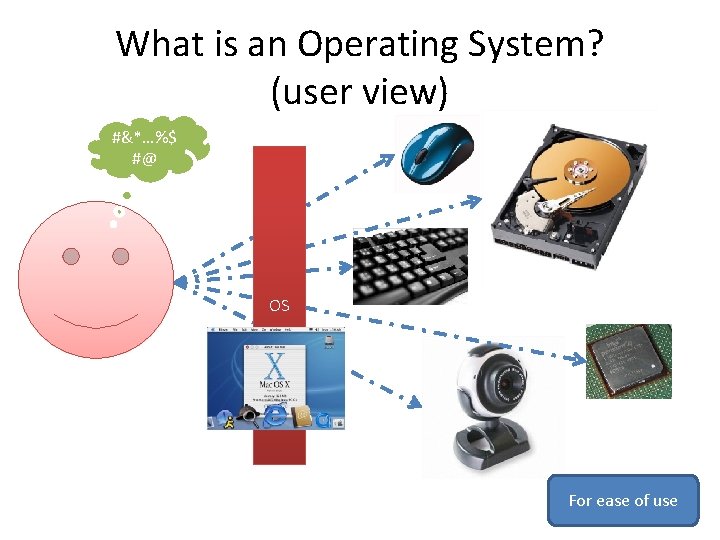
What is an Operating System? (user view) #&*…%$ #@ OS For ease of use
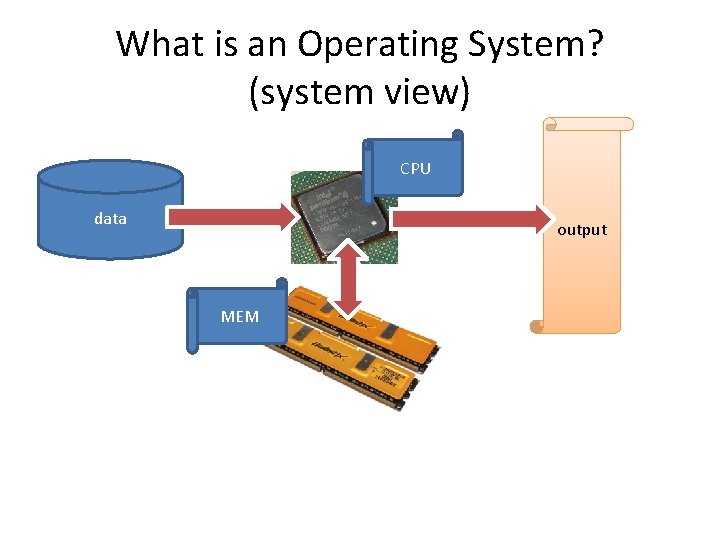
What is an Operating System? (system view) CPU data output MEM
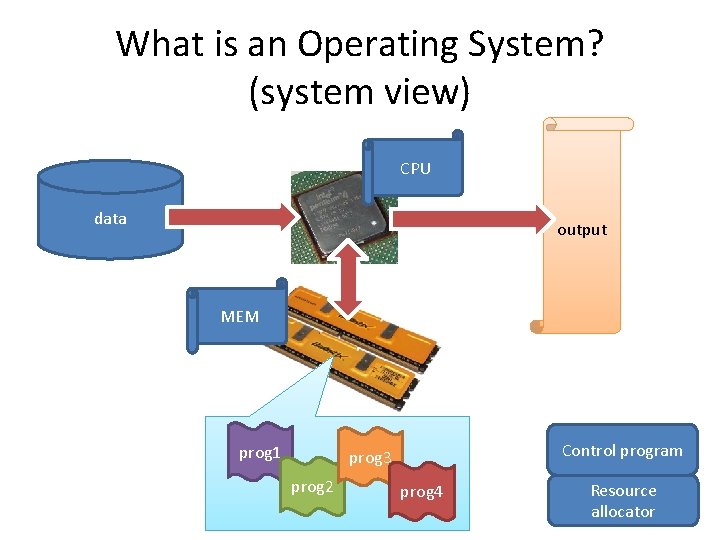
What is an Operating System? (system view) CPU data output MEM prog 1 Control program prog 3 prog 2 prog 4 Resource allocator
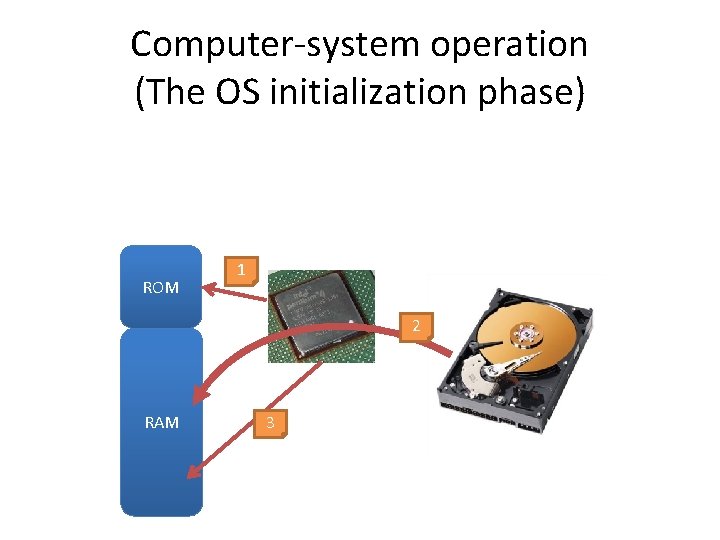
Computer-system operation (The OS initialization phase) ROM 1 2 RAM 3
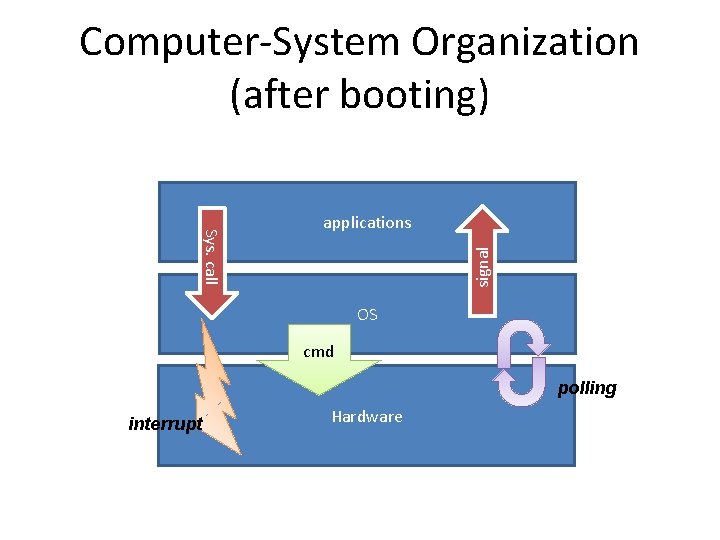
Computer-System Organization (after booting) signal Sys. call applications OS cmd polling interrupt Hardware
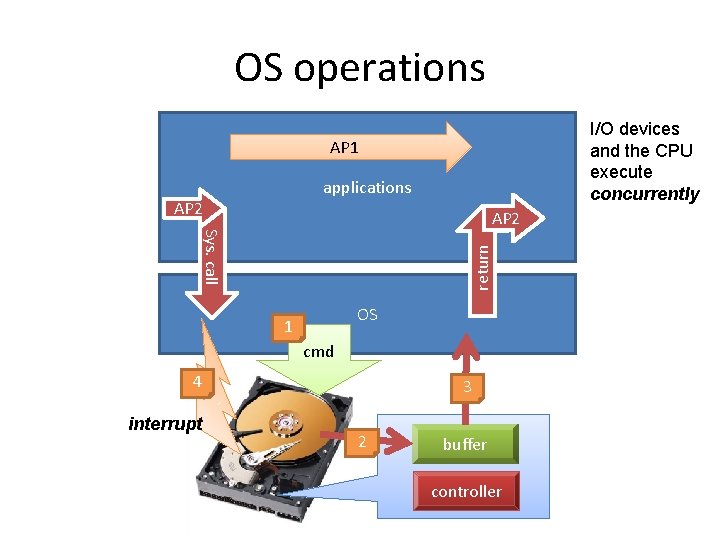
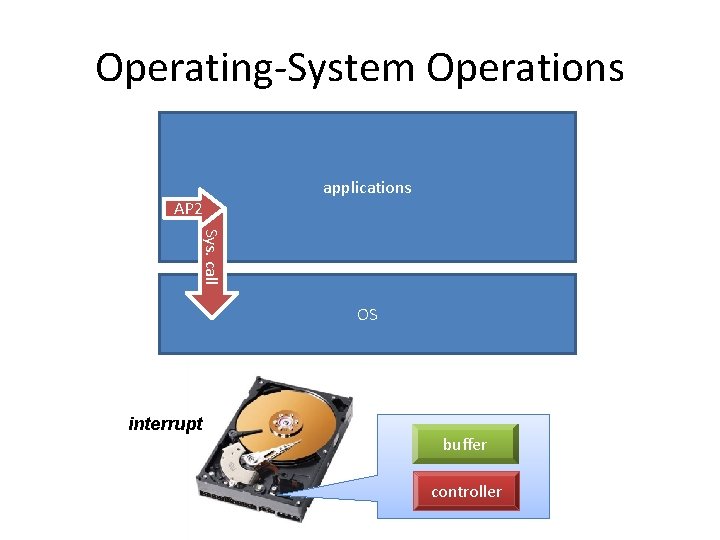
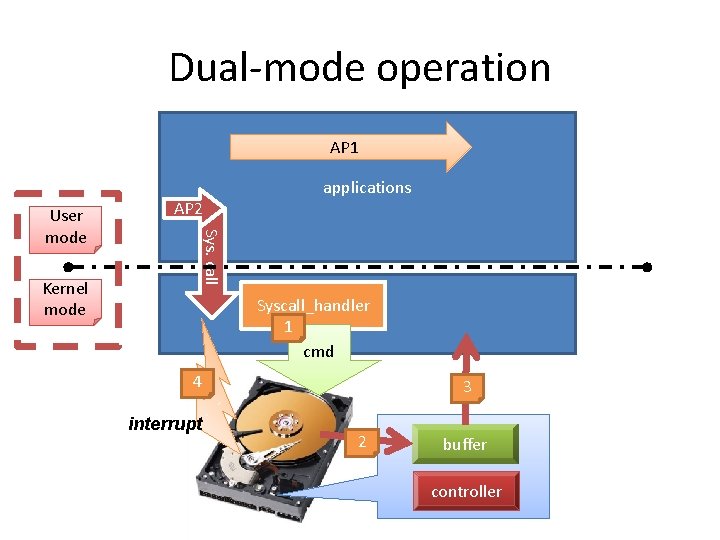
OS operations I/O devices and the CPU execute concurrently AP 1 applications AP 2 return Sys. call AP 2 OS 1 cmd 4 interrupt 3 2 buffer controller
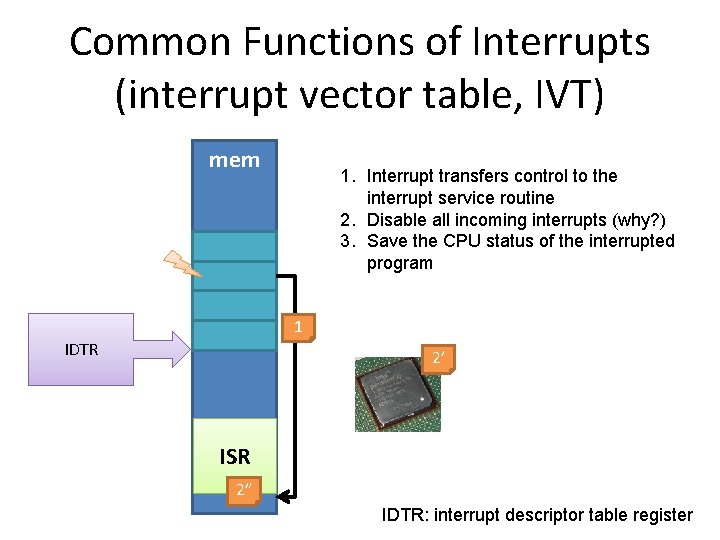
Common Functions of Interrupts (interrupt vector table, IVT) mem 1. Interrupt transfers control to the interrupt service routine 2. Disable all incoming interrupts (why? ) 3. Save the CPU status of the interrupted program 1 IDTR 2’ ISR 2” IDTR: interrupt descriptor table register
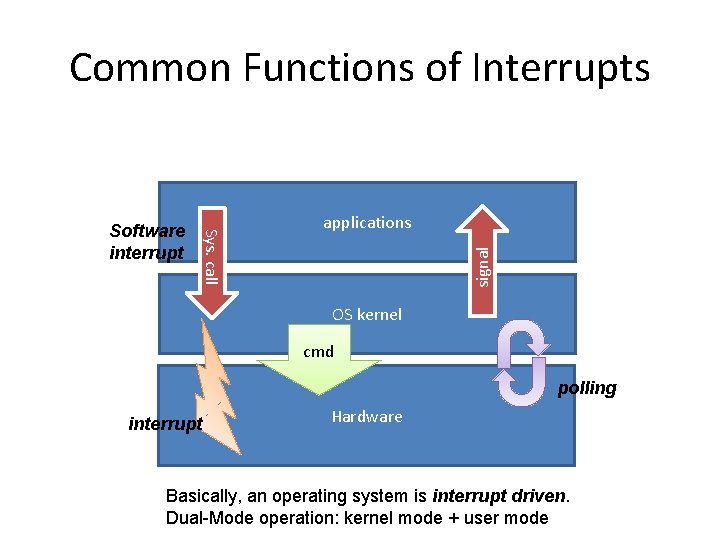
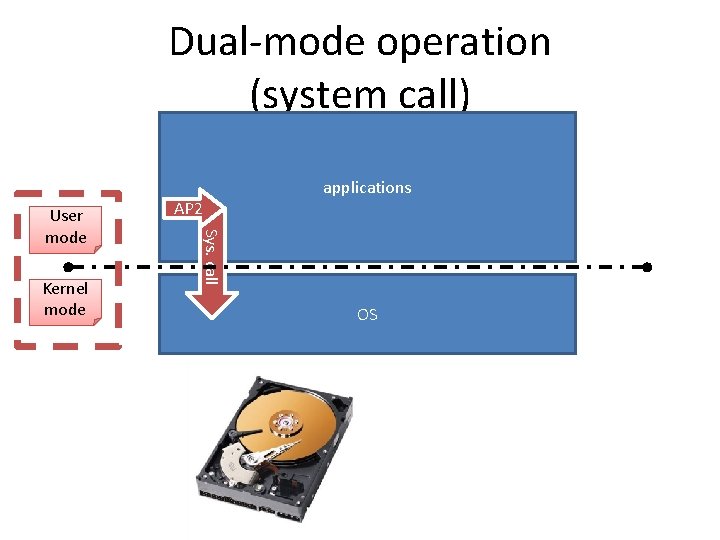
Common Functions of Interrupts applications signal Sys. call Software interrupt OS kernel cmd polling interrupt Hardware Basically, an operating system is interrupt driven. Dual-Mode operation: kernel mode + user mode
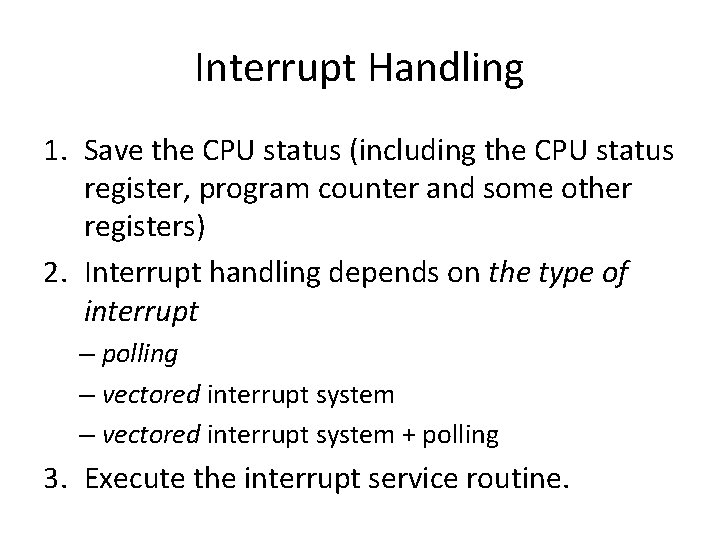
Interrupt Handling 1. Save the CPU status (including the CPU status register, program counter and some other registers) 2. Interrupt handling depends on the type of interrupt – polling – vectored interrupt system + polling 3. Execute the interrupt service routine.
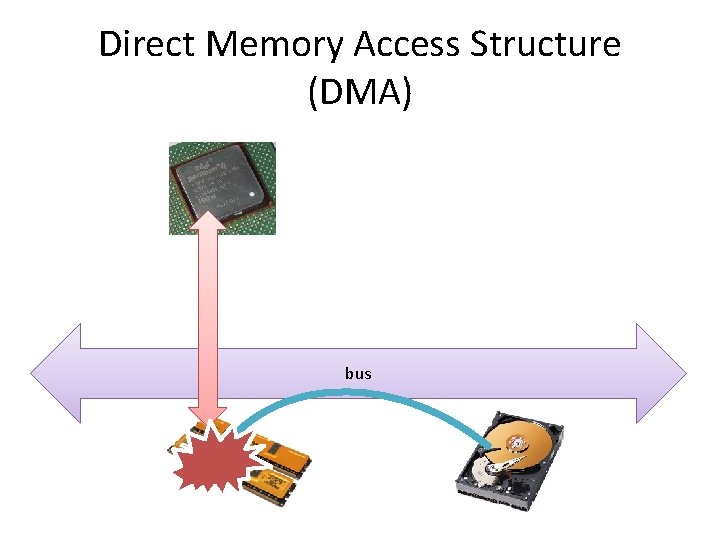
Direct Memory Access Structure (DMA) bus
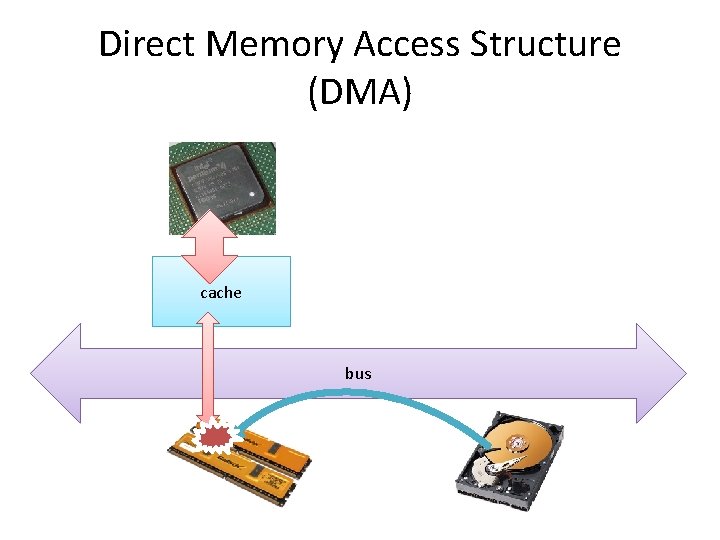
Direct Memory Access Structure (DMA) cache bus
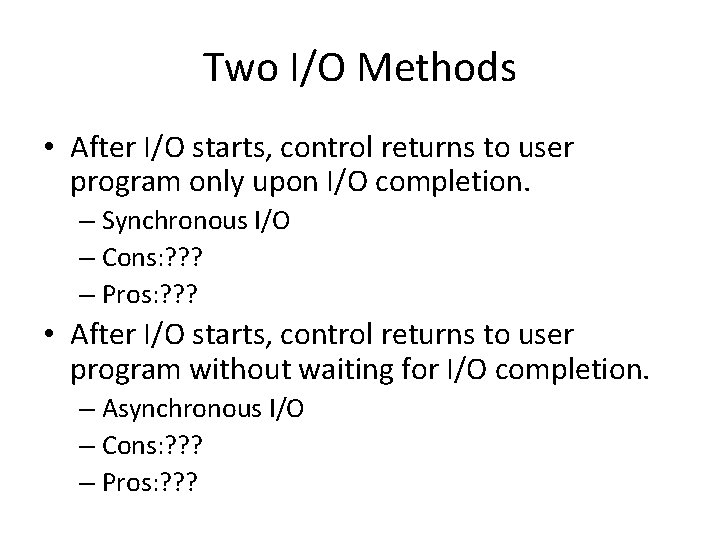
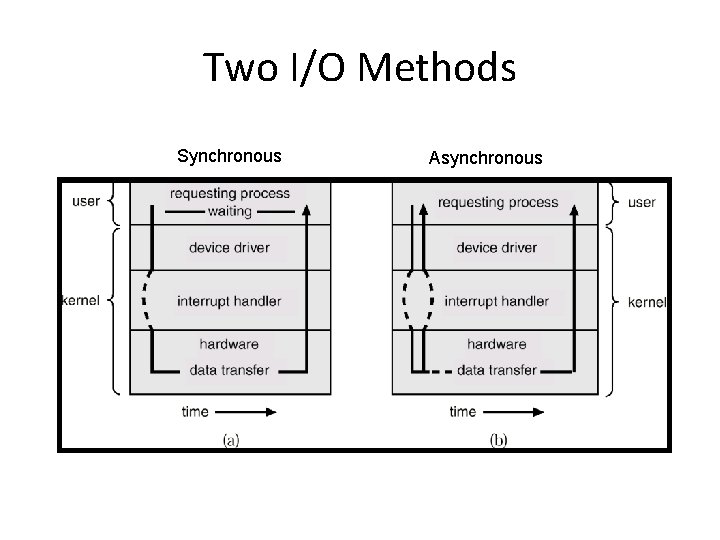
Two I/O Methods • After I/O starts, control returns to user program only upon I/O completion. – Synchronous I/O – Cons: ? ? ? – Pros: ? ? ? • After I/O starts, control returns to user program without waiting for I/O completion. – Asynchronous I/O – Cons: ? ? ? – Pros: ? ? ?
Two I/O Methods Synchronous Asynchronous
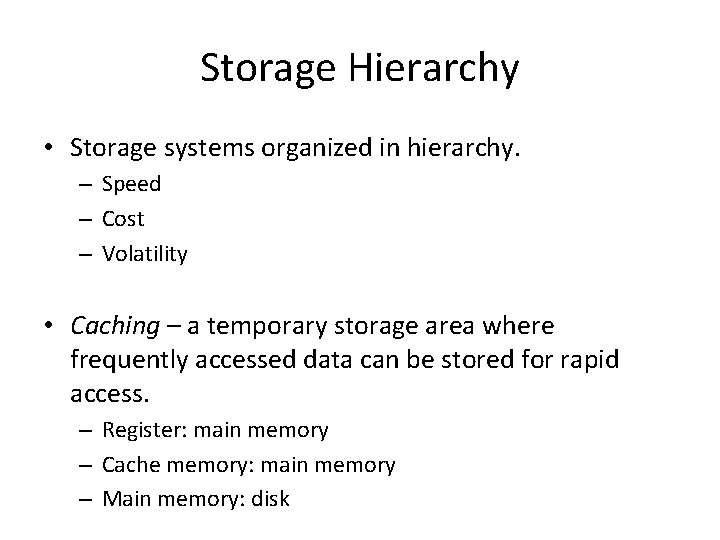
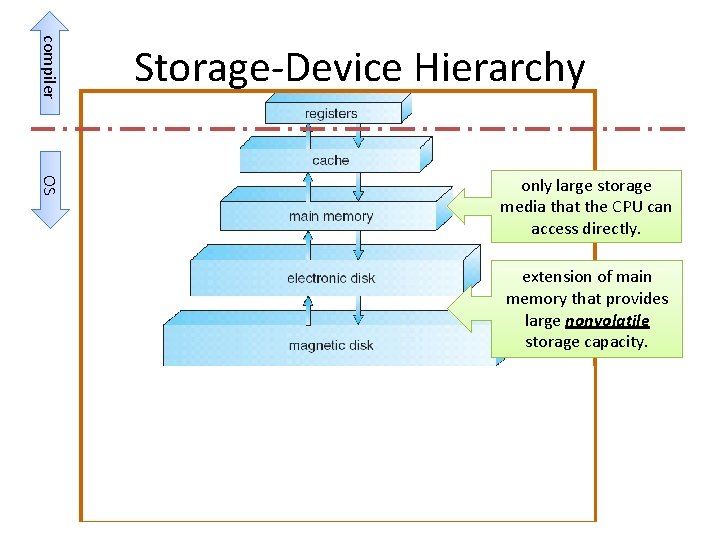
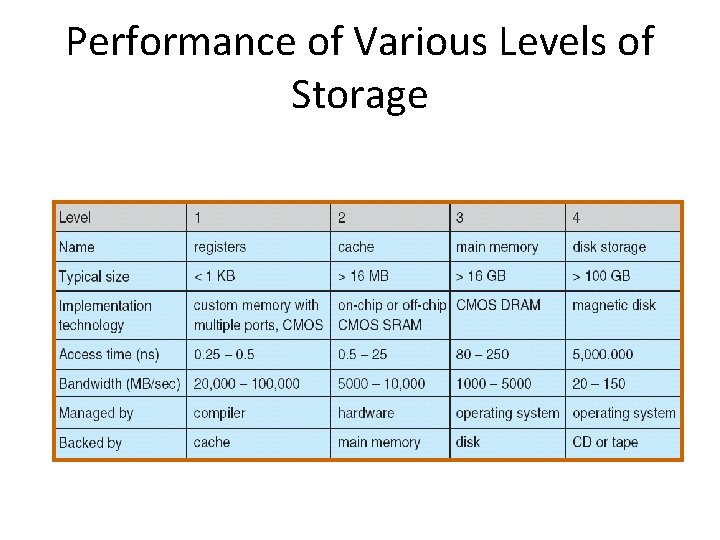
Storage Hierarchy • Storage systems organized in hierarchy. – Speed – Cost – Volatility • Caching – a temporary storage area where frequently accessed data can be stored for rapid access. – Register: main memory – Cache memory: main memory – Main memory: disk
compiler Storage-Device Hierarchy OS only large storage media that the CPU can access directly. extension of main memory that provides large nonvolatile storage capacity.
Performance of Various Levels of Storage
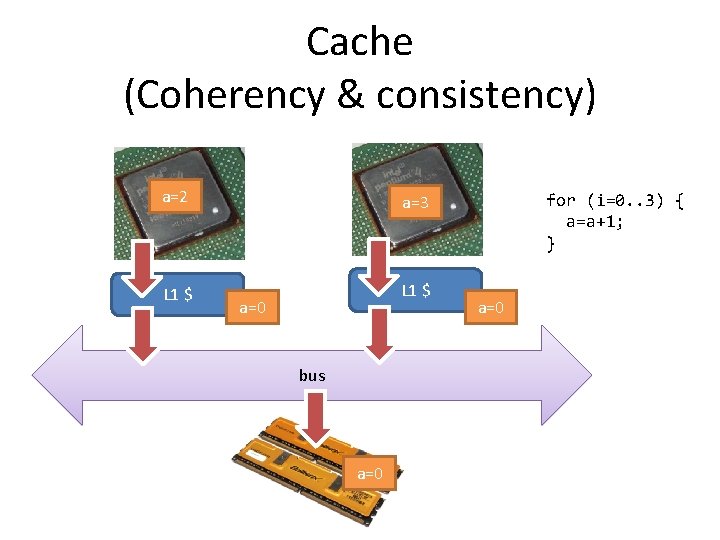
Cache (Coherency & consistency) a=2 a=3 L 1 $ a=0 bus a=0 for (i=0. . 3) { a=a+1; } a=0
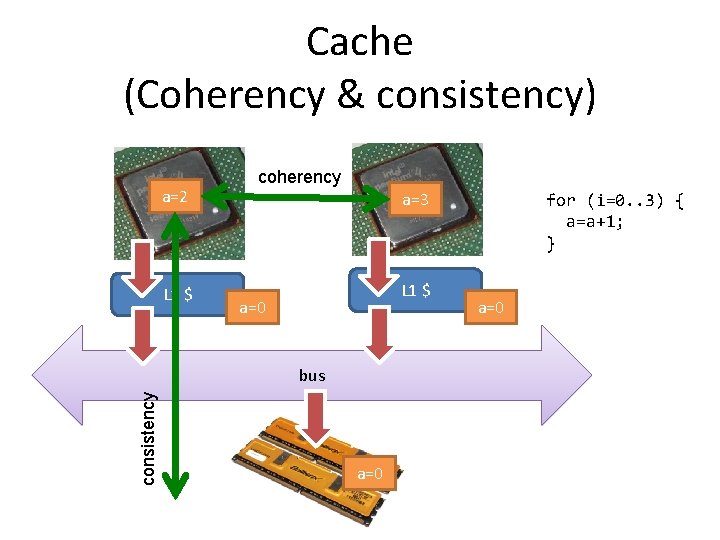
Cache (Coherency & consistency) a=2 L 1 $ coherency a=3 L 1 $ a=0 consistency bus a=0 for (i=0. . 3) { a=a+1; } a=0
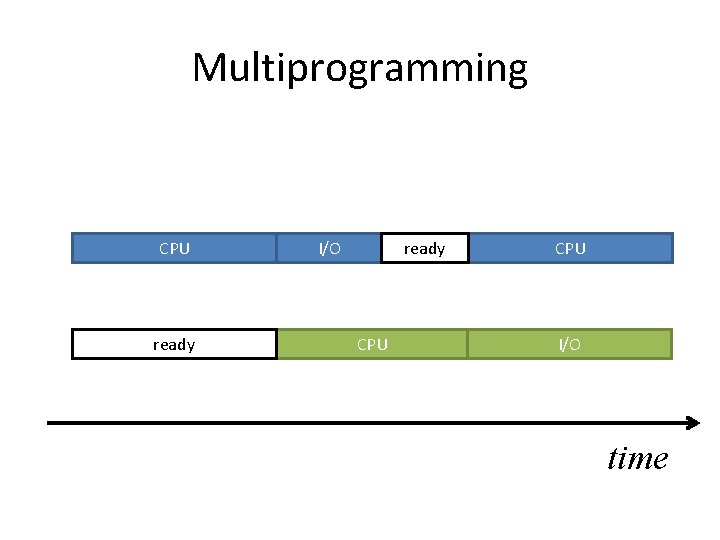
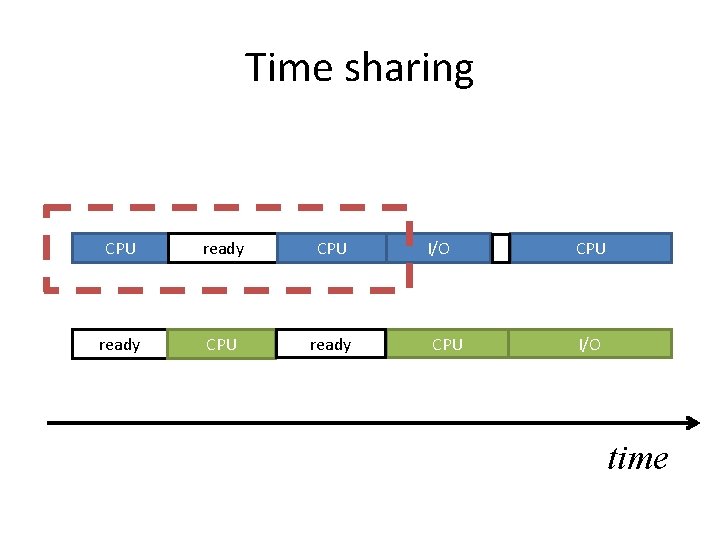
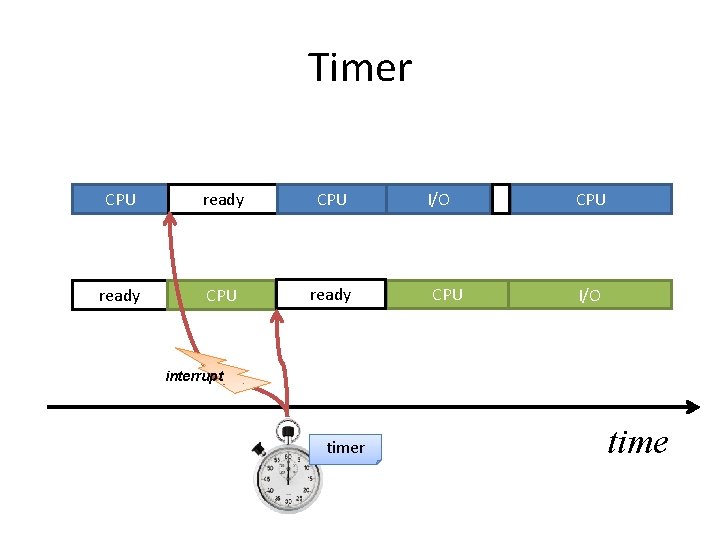
Operating System Structure • Multiprogramming needed for efficiency l Server l When CPU has to wait (for I/O for example), OS switches to another program • Timesharing (multitasking) creates interactive computing l Personal computer l + programs exhaust their time slice
Multiprogramming CPU ready I/O ready CPU I/O time
Time sharing CPU ready I/O CPU I/O time
Operating-System Operations AP 2 applications Sys. call OS interrupt buffer controller
Dual-mode operation (system call) Kernel mode AP 2 Sys. call User mode applications OS
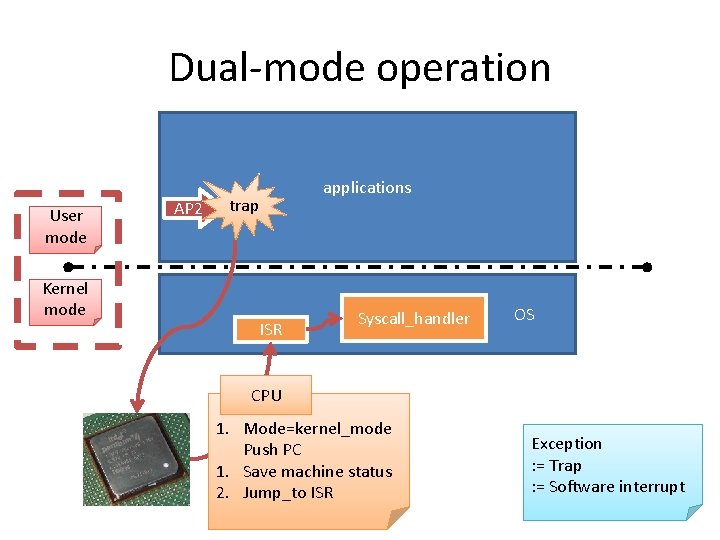
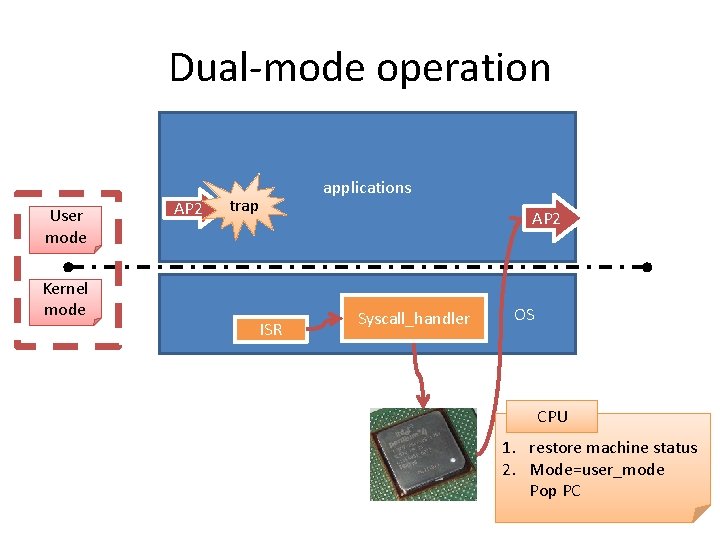
Dual-mode operation User mode Kernel mode AP 2 applications trap ISR Syscall_handler OS CPU 1. Mode=kernel_mode Push PC 1. Save machine status 2. Jump_to ISR Exception : = Trap : = Software interrupt
Dual-mode operation AP 1 Kernel mode AP 2 Sys. call User mode applications Syscall_handler OS 1 cmd 4 interrupt 3 2 buffer controller
Dual-mode operation User mode Kernel mode AP 2 applications trap AP 2 ISR Syscall_handler OS CPU 1. restore machine status 2. Mode=user_mode Pop PC
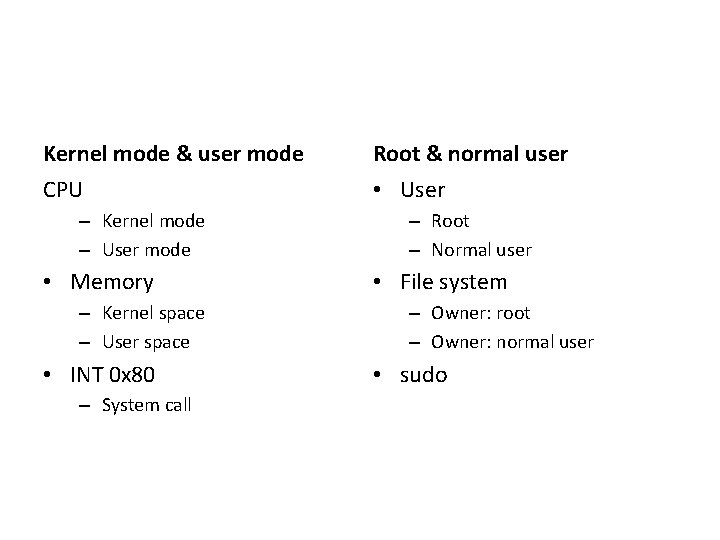
Kernel mode & user mode Root & normal user CPU • User – Kernel mode – User mode • Memory – Kernel space – User space • INT 0 x 80 – System call – Root – Normal user • File system – Owner: root – Owner: normal user • sudo
Timer CPU ready I/O CPU I/O interrupt timer time
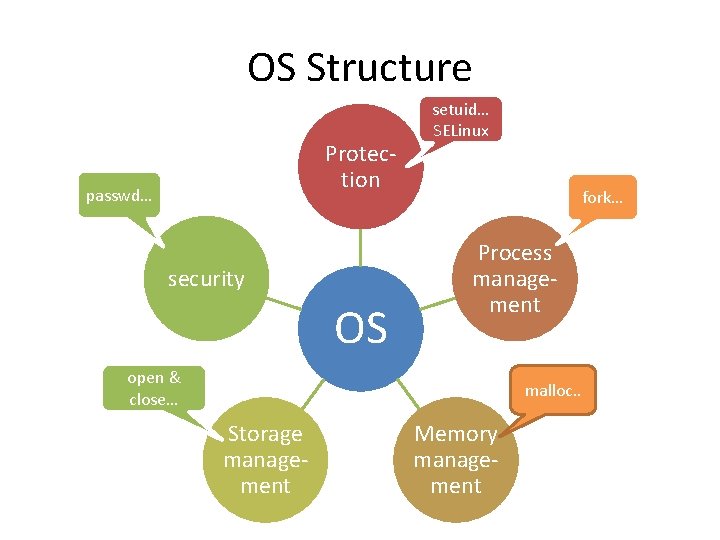
OS Structure Protection passwd… security OS setuid… SELinux fork… Process management open & close… malloc. . Storage management Memory management
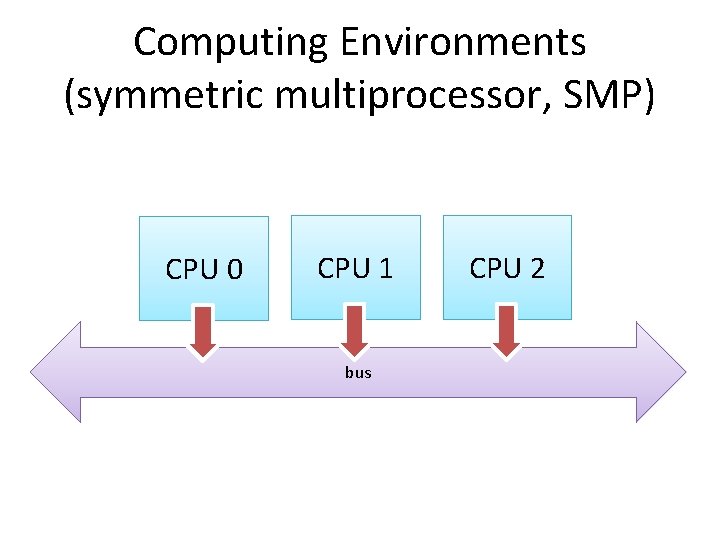
Computing Environments (symmetric multiprocessor, SMP) CPU 0 CPU 1 bus CPU 2
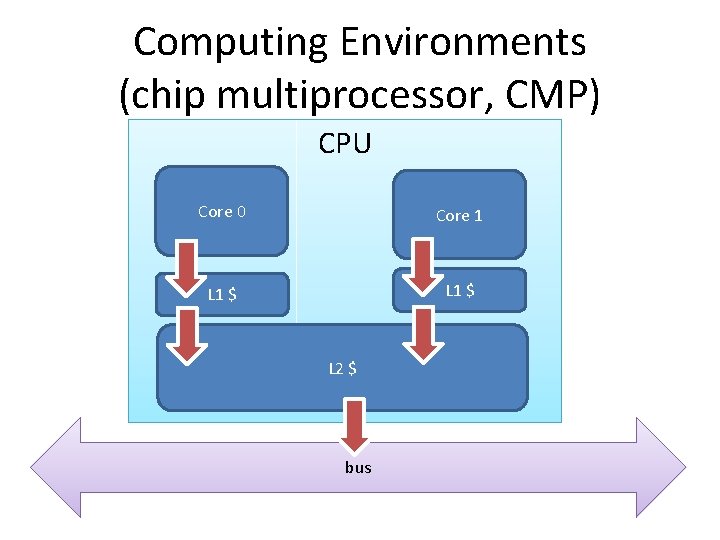
Computing Environments (chip multiprocessor, CMP) CPU Core 0 Core 1 L 1 $ L 2 $ bus
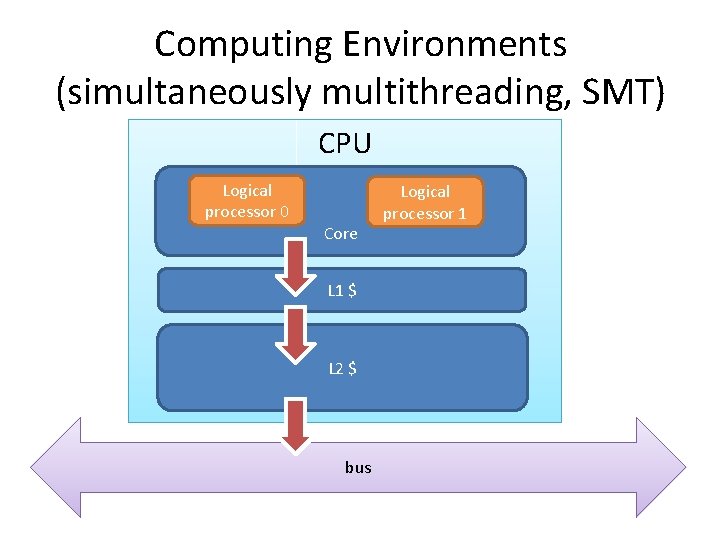
Computing Environments (simultaneously multithreading, SMT) CPU Logical processor 0 Core L 1 $ L 2 $ bus Logical processor 1
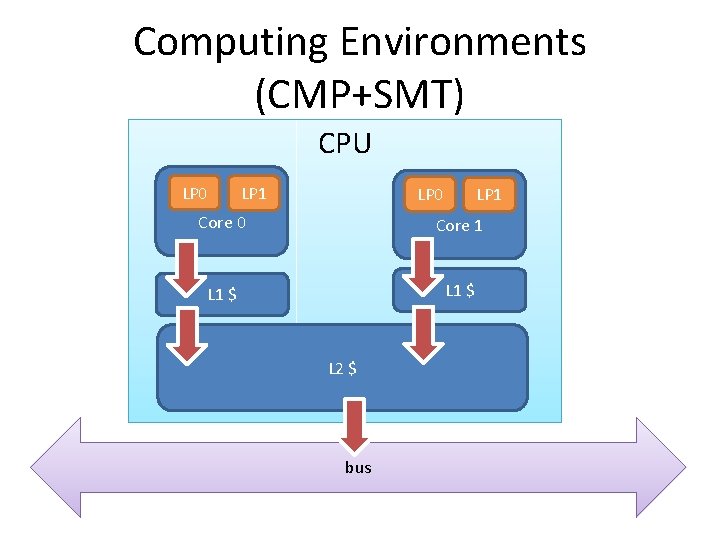
Computing Environments (CMP+SMT) CPU LP 0 LP 1 Core 0 Core 1 L 1 $ L 2 $ bus
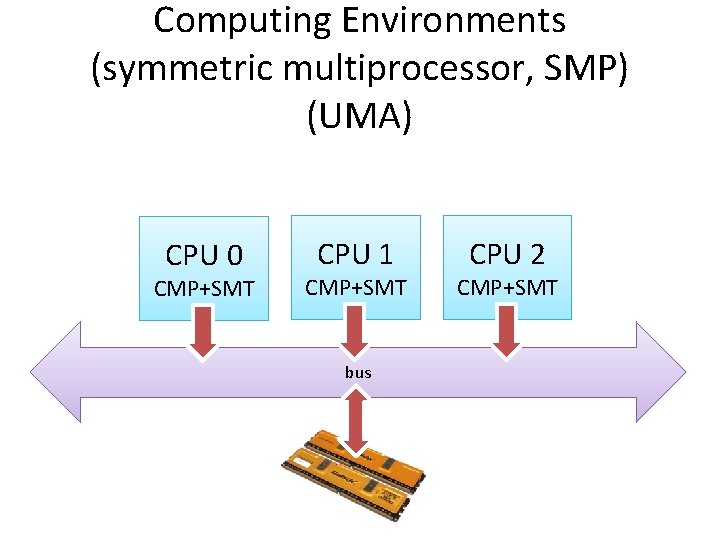
Computing Environments (symmetric multiprocessor, SMP) (UMA) CPU 0 CMP+SMT CPU 1 CMP+SMT bus CPU 2 CMP+SMT
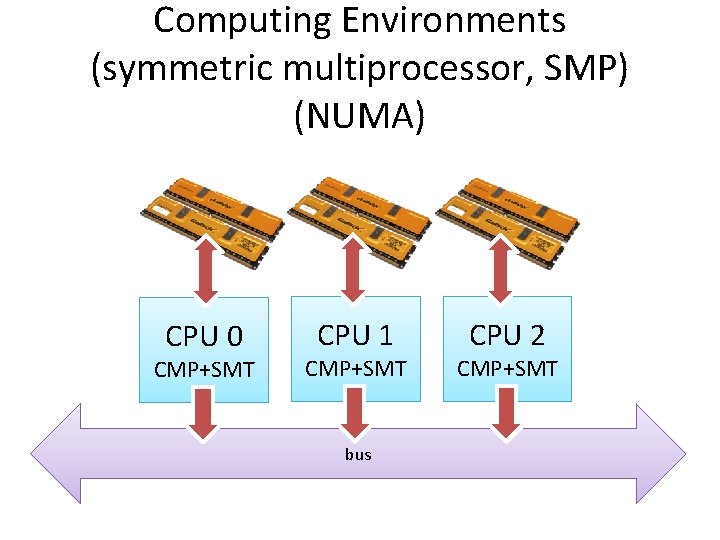
Computing Environments (symmetric multiprocessor, SMP) (NUMA) CPU 0 CMP+SMT CPU 1 CMP+SMT bus CPU 2 CMP+SMT
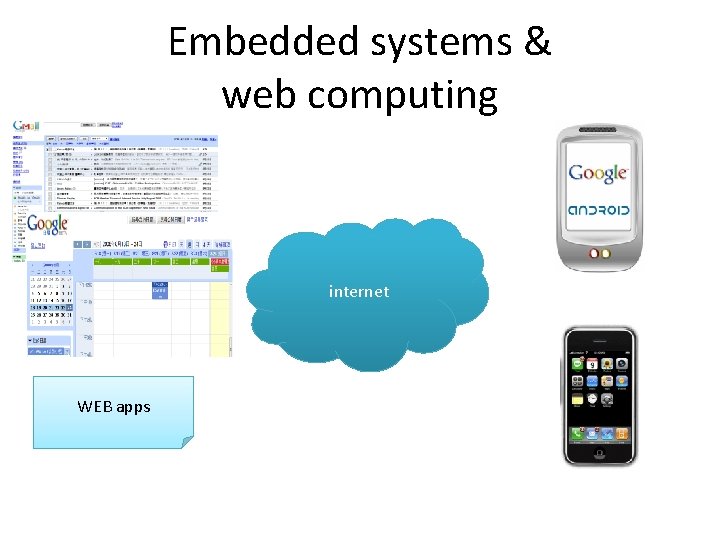
Embedded systems & web computing internet WEB apps
參考資料 • Silberschatz, Galvin and Gagne, “Operating system Principles, ” 8 th ed • Wikipedia, http: //www. wikipedia. org/