
Chapter 1 Into the Internet Discovering the Internet
- Slides: 35
• Chapter 1 • Into the Internet Discovering the Internet Fourth Edition
Objectives • Define the Internet • Describe how the Internet is used • Discuss the history of the Internet and the World Wide Web • Describe how individuals and businesses connect to the Internet Chapter 1: Into the Internet 2
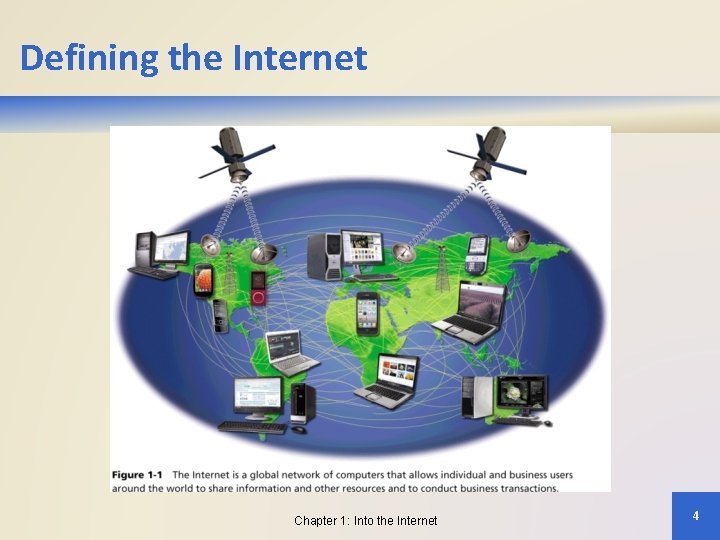
Defining the Internet • The Internet is a worldwide network of computers that allows individual and business computer users around the world to share information and other resources and to conduct business transactions • The Internet is an interconnected network of networks where each host has a number of other computers connected to it • Users who connect to the Internet to access information and services are online Chapter 1: Into the Internet 3
Defining the Internet Chapter 1: Into the Internet 4
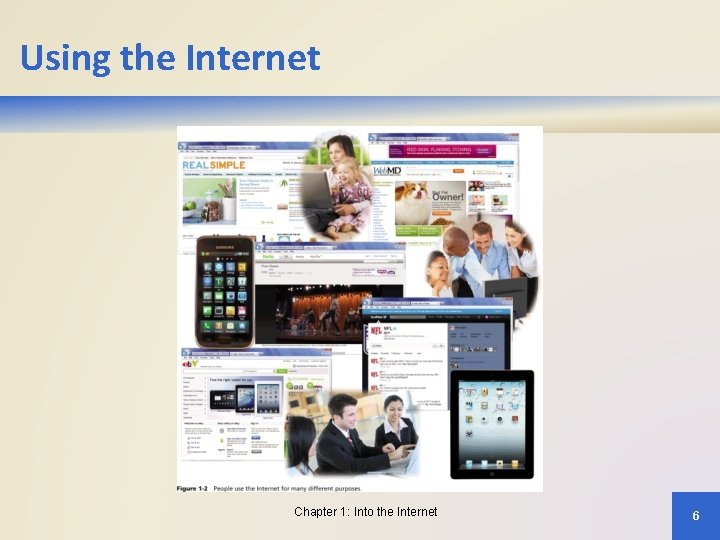
Using the Internet • The Internet has profoundly changed nearly every aspect of life by revolutionizing how: – People access information for personal and business use – Individual shoppers or commercial buyers purchase products and services – People enjoy entertainment offerings – Students do their school work – People communicate with friends, family, colleagues, and others – Businesses interact with their customers, vendors, and business partners Chapter 1: Into the Internet 5
Using the Internet Chapter 1: Into the Internet 6
Using the Internet • Who Uses the Internet? – Students – Teachers – Businesspeople – Professionals – Homemakers – Children – Retirees Chapter 1: Into the Internet 7
Using the Internet • People also use the Internet to publish online diaries, known as a blog (short for weblog) • Some members of the U. S. Congress and Senate keep their constituents updated by microblogging, sending brief text messages throughout the day to interested subscribers Chapter 1: Into the Internet 8
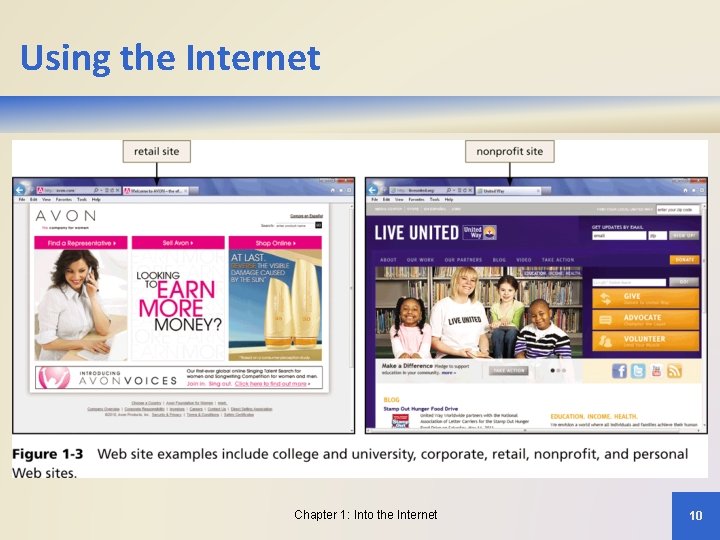
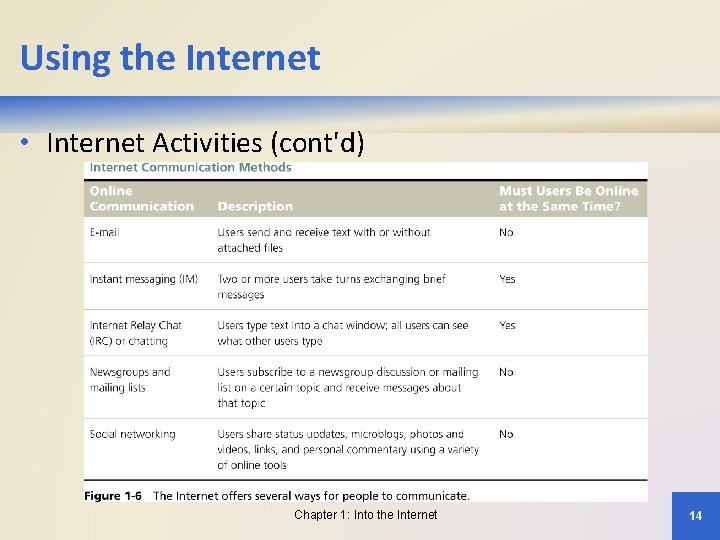
Using the Internet • Internet Activities – Browsing and searching for information on the World Wide Web – Communicating with others through e-mail, text or video chat, social networking, instant messaging, Web-based discussion groups, newsgroups, mailing lists, blogs and microblogs, and other media – Downloading and uploading files – Accessing remote computers or servers – Conducting business activities – Online shopping Chapter 1: Into the Internet 9
Using the Internet Chapter 1: Into the Internet 10
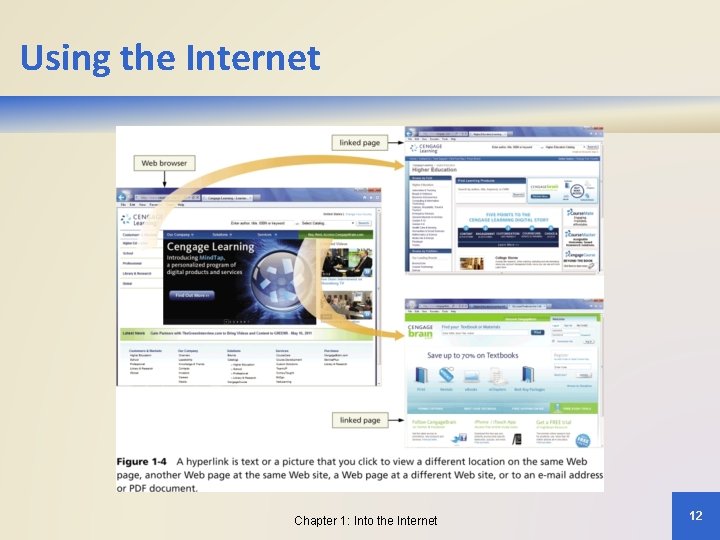
Using the Internet • Internet Activities – The World Wide Web – Web pages – created using HTML or Web authoring software and connected by hyperlinks – Web site – collection of related Web pages • College, university, corporate, retail, non-profit, personal – Web server – computer on which Web pages are stored – Web browser – software used to access and view Web pages Chapter 1: Into the Internet 11
Using the Internet Chapter 1: Into the Internet 12
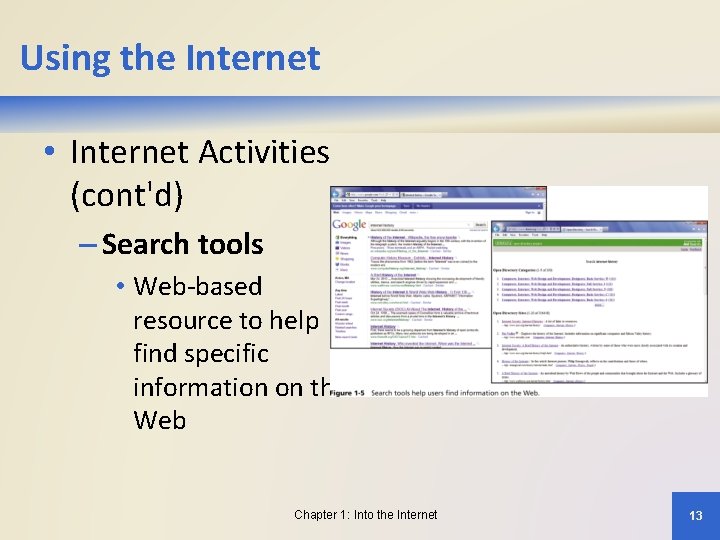
Using the Internet • Internet Activities (cont'd) – Search tools • Web-based resource to help find specific information on the Web Chapter 1: Into the Internet 13
Using the Internet • Internet Activities (cont'd) Chapter 1: Into the Internet 14
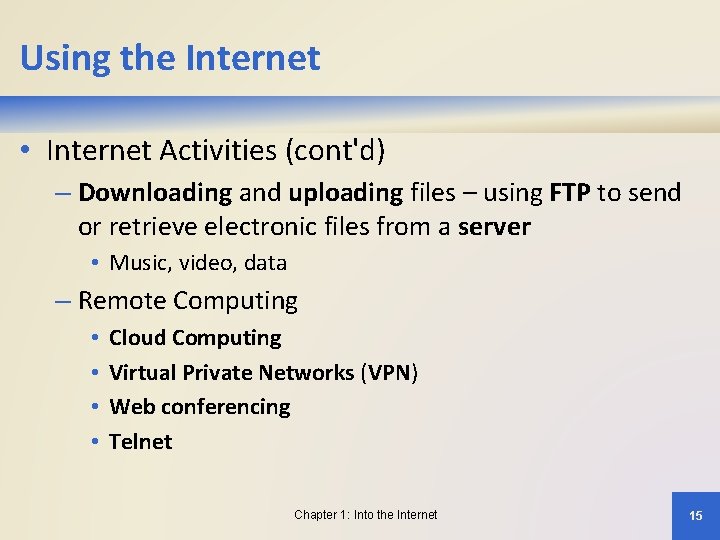
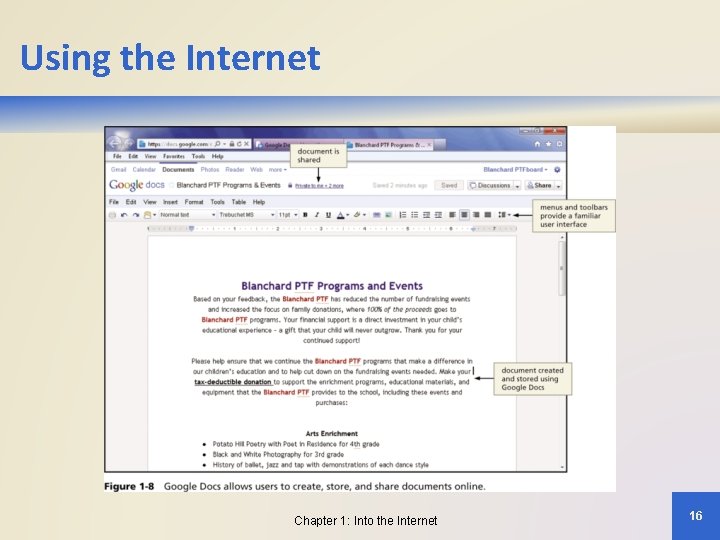
Using the Internet • Internet Activities (cont'd) – Downloading and uploading files – using FTP to send or retrieve electronic files from a server • Music, video, data – Remote Computing • • Cloud Computing Virtual Private Networks (VPN) Web conferencing Telnet Chapter 1: Into the Internet 15
Using the Internet Chapter 1: Into the Internet 16
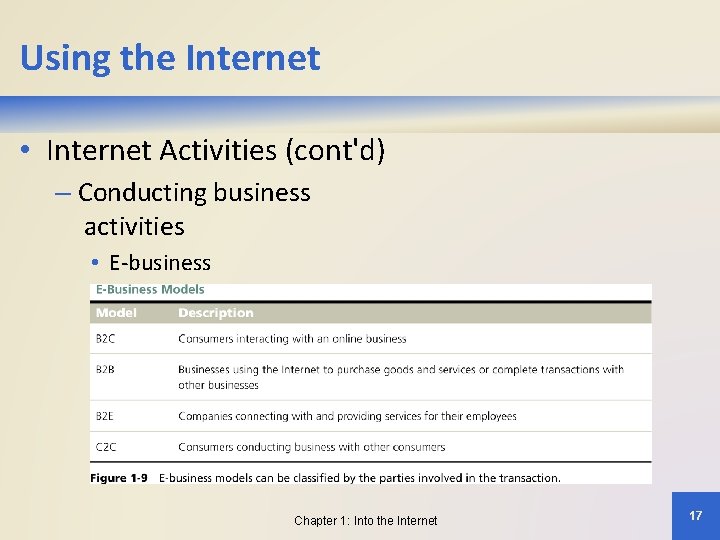
Using the Internet • Internet Activities (cont'd) – Conducting business activities • E-business Chapter 1: Into the Internet 17
History of the Internet • Origins in ARPANET – Department of Defense founded ARPA to promote scientific advances – J. C. R. Licklider headed computer and information processing research efforts – Leonard Kleinrock developed packet switching – ARPANET – prototype network connecting ARPA and university research centers Chapter 1: Into the Internet 18
History of the Internet • Growth and Development of ARPANET – Ray Tomlinson developed e-mail (1971) – Vinton Cerf and Robert Kahn developed standard or protocol for communications over a network TCP and IP (1972) • Beyond Research, to the Public – NSFnet replaced ARPANET (1985) – Congress authorized commercial activity on the NSFnet (1992) – NSFnet moved connections to commercial network providers (1995) Chapter 1: Into the Internet 19
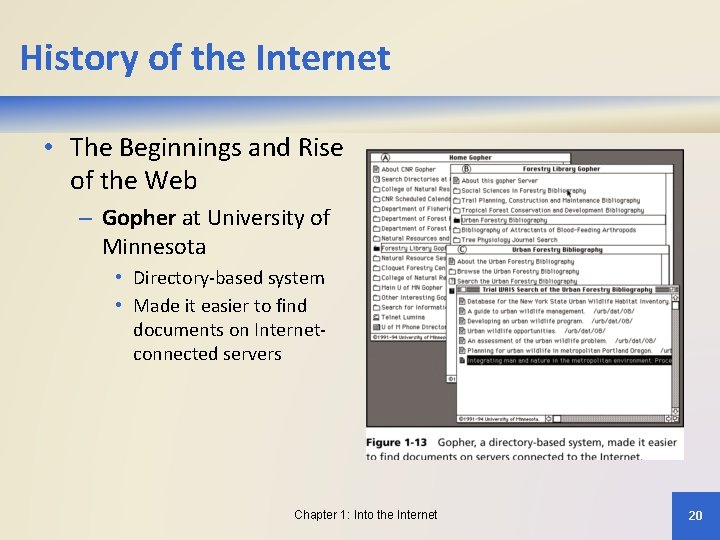
History of the Internet • The Beginnings and Rise of the Web – Gopher at University of Minnesota • Directory-based system • Made it easier to find documents on Internetconnected servers Chapter 1: Into the Internet 20
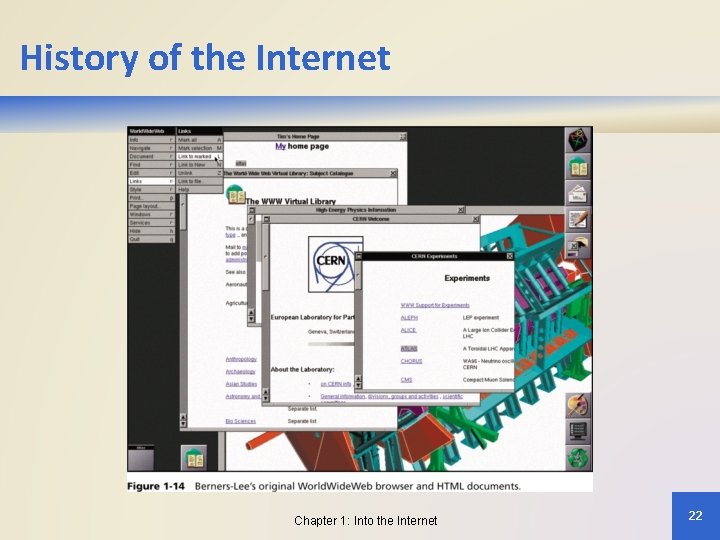
History of the Internet • The Beginnings and Rise of the Web (cont'd) – Tim Berners-Lee (1991) • Hypertext Markup Language (HTML) • Hypertext Transfer Protocol (HTTP) • First Web browser and Web server – Marc Andreessen and Eric Bina (1993) • Mosaic browser – Marc Andreessen and Jim Clark (1994) • Netscape Navigator browser Chapter 1: Into the Internet 21
History of the Internet Chapter 1: Into the Internet 22
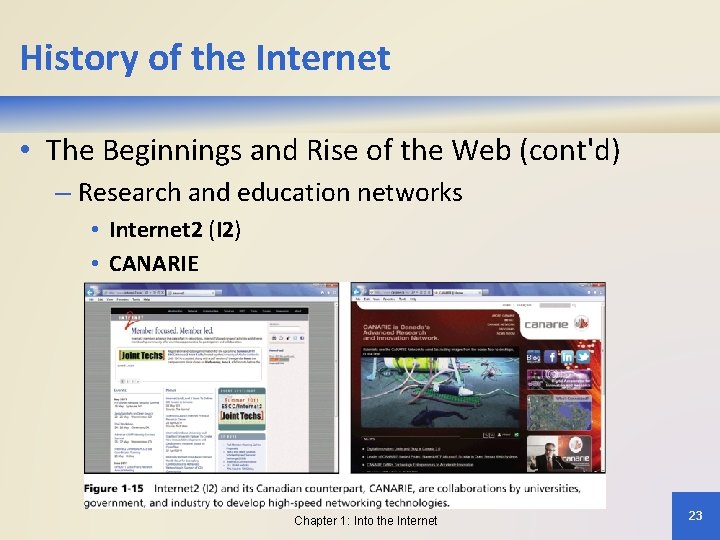
History of the Internet • The Beginnings and Rise of the Web (cont'd) – Research and education networks • Internet 2 (I 2) • CANARIE Chapter 1: Into the Internet 23
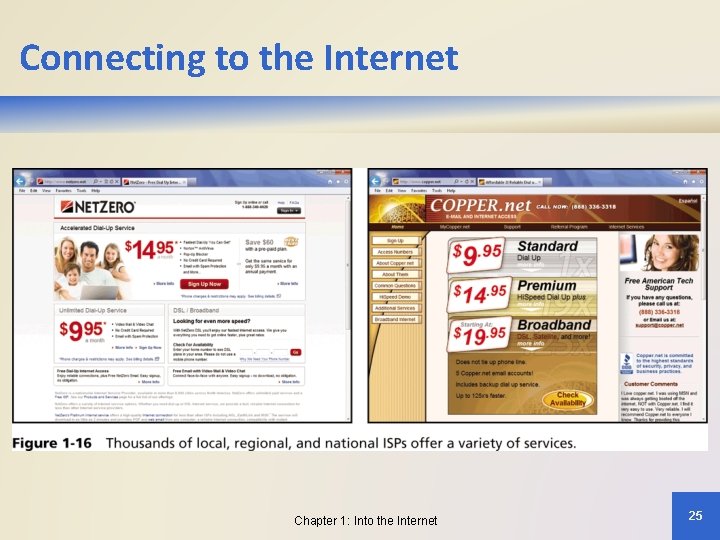
Connecting to the Internet • Internet Service Providers (ISPs) – Provide access to the Internet – Considerations for choosing an ISP • The speed or bandwidth of the connection • The type of connection and cost of service • Availability of customer service and technical support Chapter 1: Into the Internet 24
Connecting to the Internet Chapter 1: Into the Internet 25
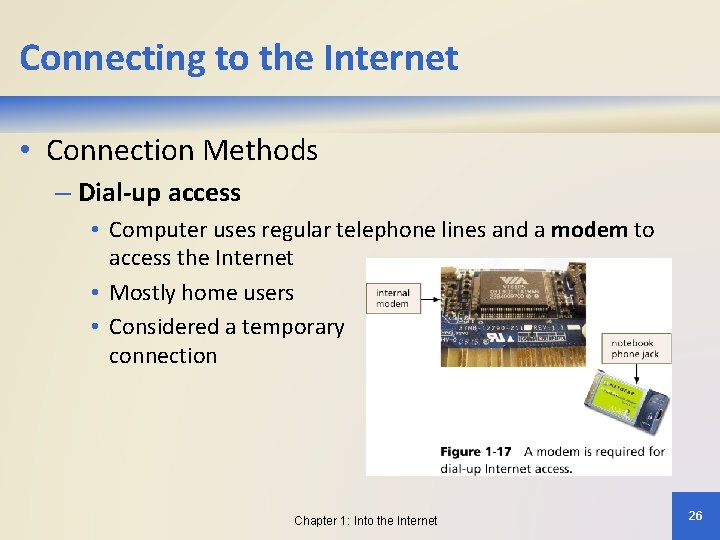
Connecting to the Internet • Connection Methods – Dial-up access • Computer uses regular telephone lines and a modem to access the Internet • Mostly home users • Considered a temporary connection Chapter 1: Into the Internet 26
Connecting to the Internet • Connection Methods (cont'd) – Digital Subscriber Line (DSL) • An “always on” high-speed Internet connection over standard telephone wires • Broadband transmission splitting telephone wire into data and voice • Requires firewall protection to prevent intrusion by online intruders Chapter 1: Into the Internet 27
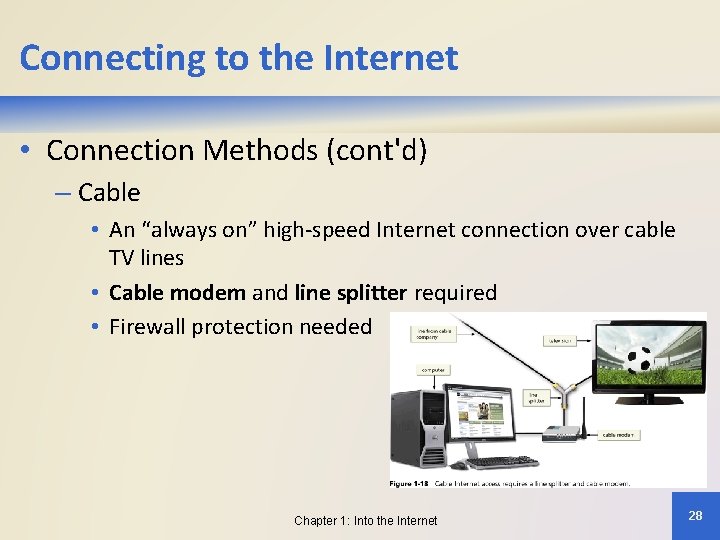
Connecting to the Internet • Connection Methods (cont'd) – Cable • An “always on” high-speed Internet connection over cable TV lines • Cable modem and line splitter required • Firewall protection needed Chapter 1: Into the Internet 28
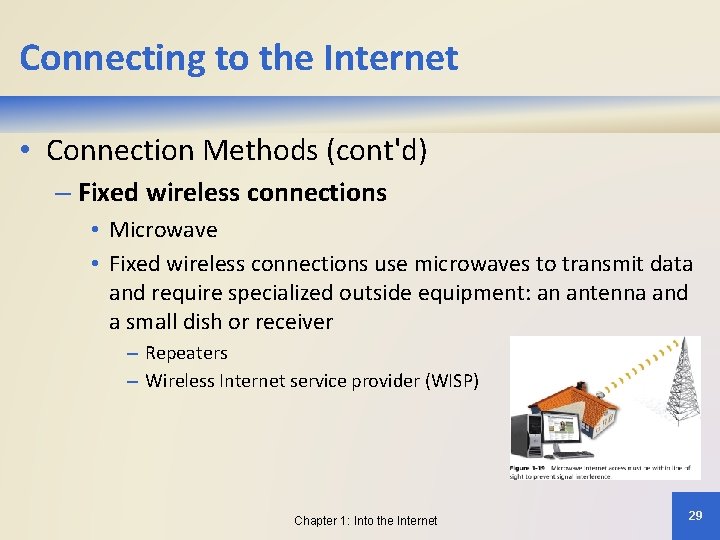
Connecting to the Internet • Connection Methods (cont'd) – Fixed wireless connections • Microwave • Fixed wireless connections use microwaves to transmit data and require specialized outside equipment: an antenna and a small dish or receiver – Repeaters – Wireless Internet service provider (WISP) Chapter 1: Into the Internet 29
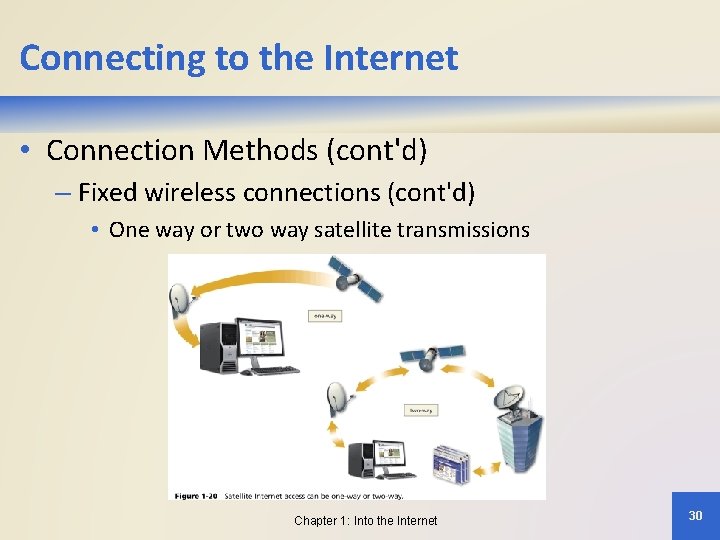
Connecting to the Internet • Connection Methods (cont'd) – Fixed wireless connections (cont'd) • One way or two way satellite transmissions Chapter 1: Into the Internet 30
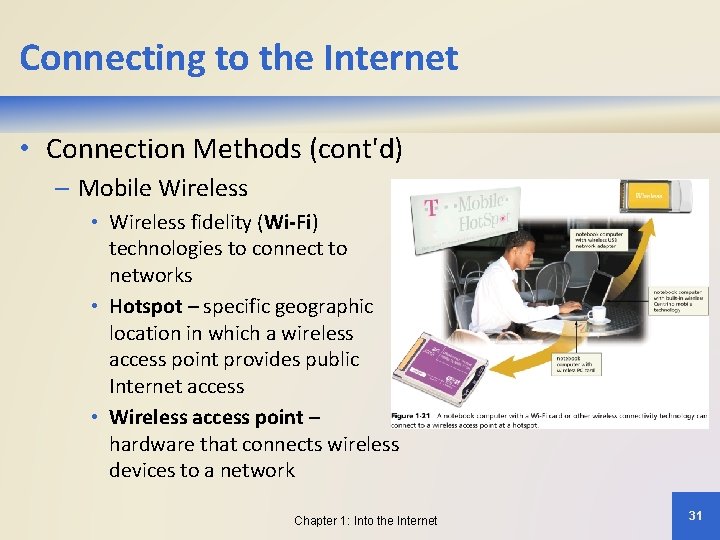
Connecting to the Internet • Connection Methods (cont'd) – Mobile Wireless • Wireless fidelity (Wi-Fi) technologies to connect to networks • Hotspot – specific geographic location in which a wireless access point provides public Internet access • Wireless access point – hardware that connects wireless devices to a network Chapter 1: Into the Internet 31
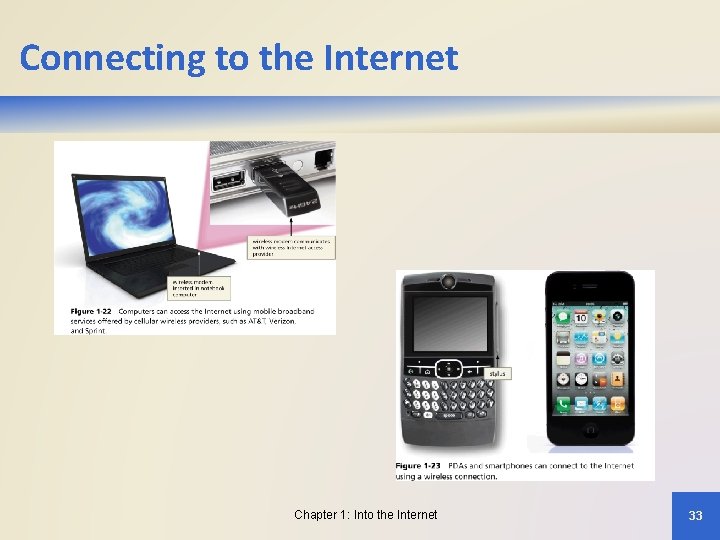
Connecting to the Internet • Connection Methods (cont'd) – Mobile Broadband • Mobile data card or modem installed in a computer to allow it to connect to a wireless network • Cell phones, smartphones, or PDAs can connect to the Internet – High-Speed Business Connections • Businesses typically use high-speed fiber-optic cable such as a T 1 line connected to their local area network to provide Internet access to employees Chapter 1: Into the Internet 32
Connecting to the Internet Chapter 1: Into the Internet 33
Chapter Summary • Define the Internet • Describe how the Internet is used • Discuss the history of the Internet and the World Wide Web • Describe how individuals and businesses connect to the Internet Chapter 1: Into the Internet 34
• Chapter 1 • Complete Discovering the Internet Fourth Edition