
Chapter 1 Interconnecting Cisco Network Devices Introduction 1999
- Slides: 11
Chapter 1 Interconnecting Cisco Network Devices Introduction © 1999, Cisco Systems, Inc. 1 -1
Course Objectives Upon completion of this course, you will be able to perform the following tasks: • Determine when to use a hub, Ethernet switch, or multiprotocol router • Use Cisco software to identify interfaces, protocols, addresses, and connectivity • Interconnect switches and routers according to a specification • Configure switches and routers to support LAN and WAN services © 1999, Cisco Systems, Inc. www. cisco. com ICND— 1 -2
Course Objectives (cont. ) • Set up IP subnet addressing and address utilities for effective network administration • Configure access lists to control access to devices or network segments • Verify that switches, routers, and their configured network services operate as intended • Recognize a network problem, identify the source of the problem, and resolve it © 1999, Cisco Systems, Inc. www. cisco. com ICND— 1 -3
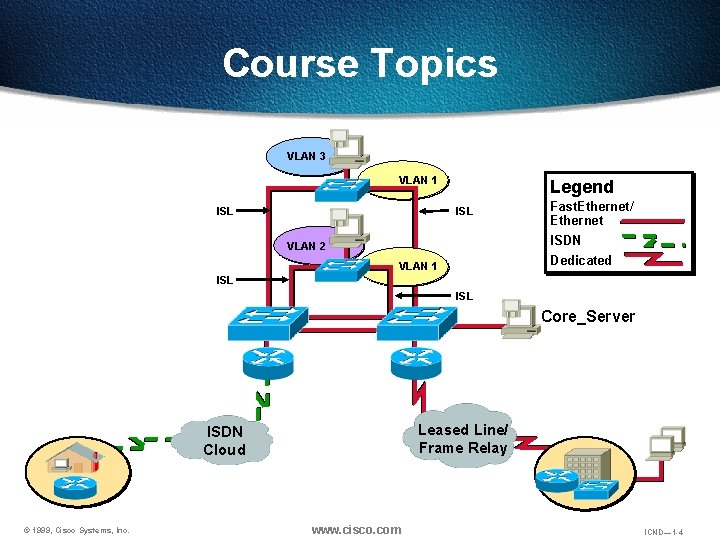
Course Topics VLAN 3 VLAN 1 ISL Legend ISL VLAN 2 Fast. Ethernet/ Ethernet ISDN Dedicated VLAN 1 ISL Core_Server Leased Line/ Frame Relay ISDN Cloud © 1999, Cisco Systems, Inc. www. cisco. com ICND— 1 -4
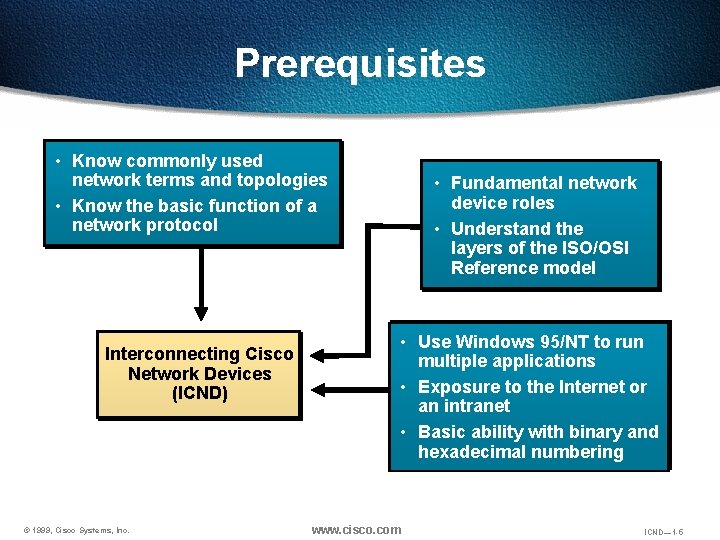
Prerequisites • Know commonly used network terms and topologies • Know the basic function of a network protocol Interconnecting Cisco Network Devices (ICND) © 1999, Cisco Systems, Inc. • Fundamental network device roles • Understand the layers of the ISO/OSI Reference model • Use Windows 95/NT to run multiple applications • Exposure to the Internet or an intranet • Basic ability with binary and hexadecimal numbering www. cisco. com ICND— 1 -5
Participant Role Student role • Meet prerequisites • Introduce yourself • Ask/answer questions © 1999, Cisco Systems, Inc. www. cisco. com ICND— 1 -6
Welcome: Please Introduce Yourself • Your name and work location • Your job responsibilities • Your internetworking experience • Your objectives for this week © 1999, Cisco Systems, Inc. www. cisco. com ICND— 1 -7
General Administration Class-related Facilities-related • Sign-in sheet • Rest rooms • Length and times • Site emergency procedures • Participant materials • Break and lunch room locations • Attire • Communications © 1999, Cisco Systems, Inc. www. cisco. com ICND— 1 -8
Sources of Information • Student kit • www. cisco. com • CD-ROM • Cisco Press © 1999, Cisco Systems, Inc. www. cisco. com ICND— 1 -9
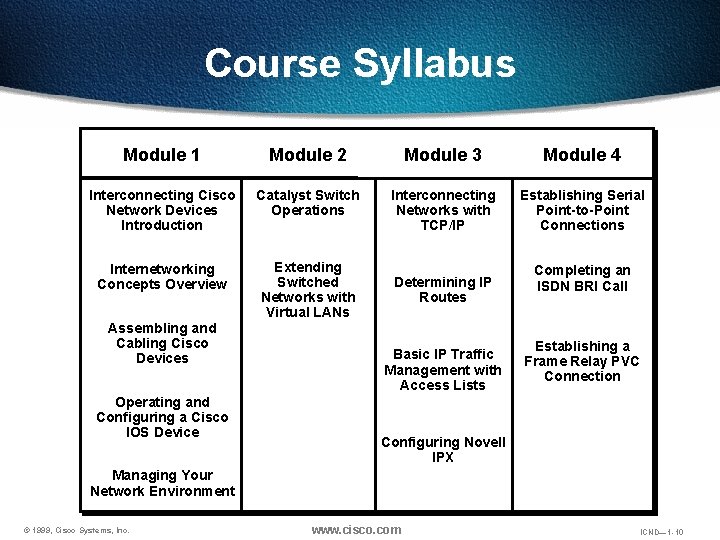
Course Syllabus Module 1 Module 2 Module 3 Module 4 Interconnecting Cisco Network Devices Introduction Catalyst Switch Operations Interconnecting Networks with TCP/IP Establishing Serial Point-to-Point Connections Internetworking Concepts Overview Extending Switched Networks with Virtual LANs Assembling and Cabling Cisco Devices Operating and Configuring a Cisco IOS Device Determining IP Routes Basic IP Traffic Management with Access Lists Completing an ISDN BRI Call Establishing a Frame Relay PVC Connection Configuring Novell IPX Managing Your Network Environment © 1999, Cisco Systems, Inc. www. cisco. com ICND— 1 -10
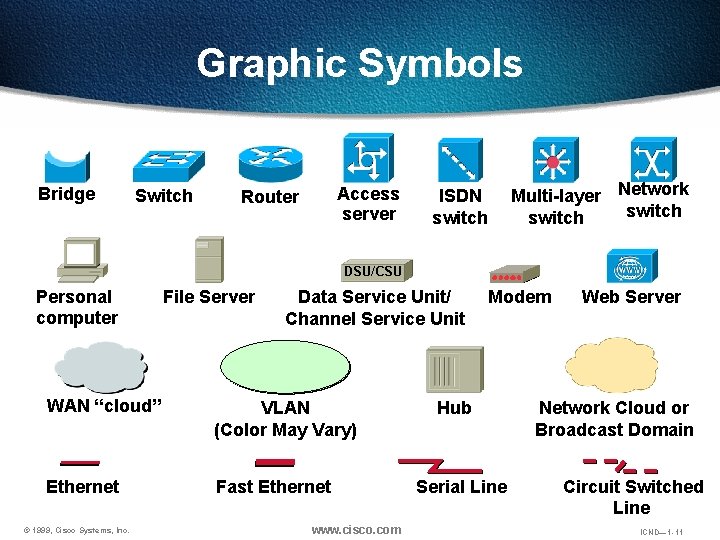
Graphic Symbols Bridge Switch Access server Router ISDN switch Multi-layer Network switch DSU/CSU Personal computer File Server Data Service Unit/ Channel Service Unit WAN “cloud” VLAN (Color May Vary) Ethernet Fast Ethernet © 1999, Cisco Systems, Inc. www. cisco. com Modem Hub Serial Line Web Server Network Cloud or Broadcast Domain Circuit Switched Line ICND— 1 -11