
Chapter 1 Computers and Digital Basics Computer Concepts
Chapter 1 Computers and Digital Basics Computer Concepts 2014
1 The Digital Revolution Ø The digital revolution is an ongoing process of social, political, and economic change brought about by digital technology, such as computers and the Internet Ø The technology driving the digital revolution is based on digital electronics and the idea that electrical signals can represent data, such as numbers, words, pictures, and music Chapter 1: Computers and Digital Basics 2
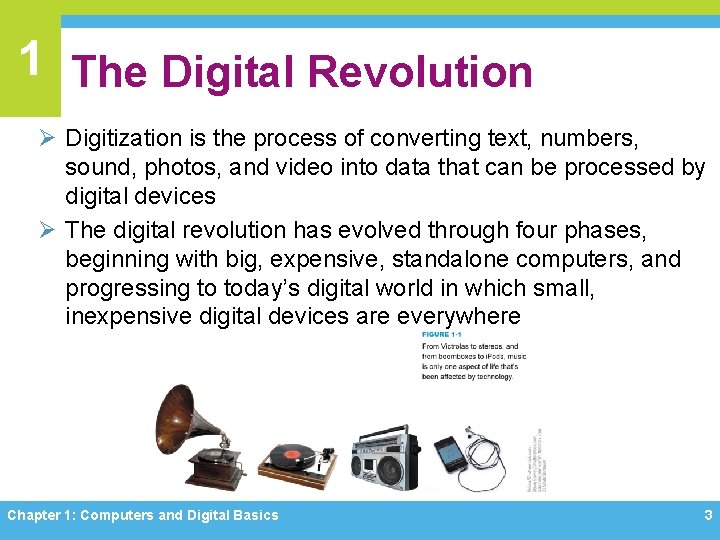
1 The Digital Revolution Ø Digitization is the process of converting text, numbers, sound, photos, and video into data that can be processed by digital devices Ø The digital revolution has evolved through four phases, beginning with big, expensive, standalone computers, and progressing to today’s digital world in which small, inexpensive digital devices are everywhere Chapter 1: Computers and Digital Basics 3
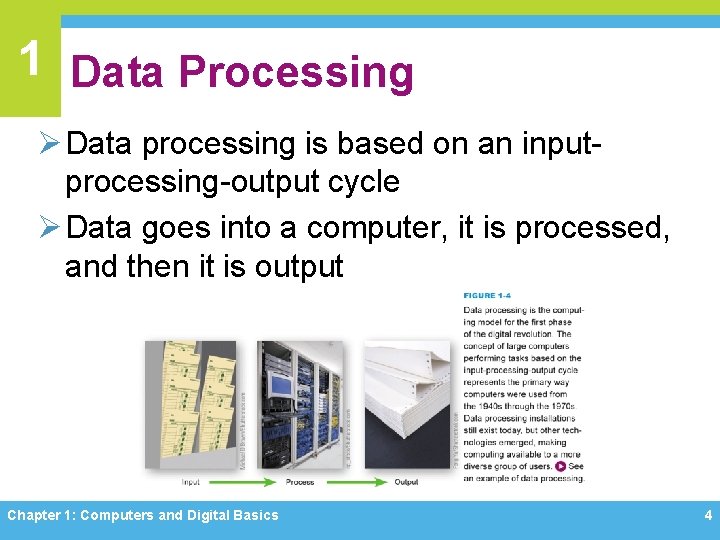
1 Data Processing Ø Data processing is based on an inputprocessing-output cycle Ø Data goes into a computer, it is processed, and then it is output Chapter 1: Computers and Digital Basics 4
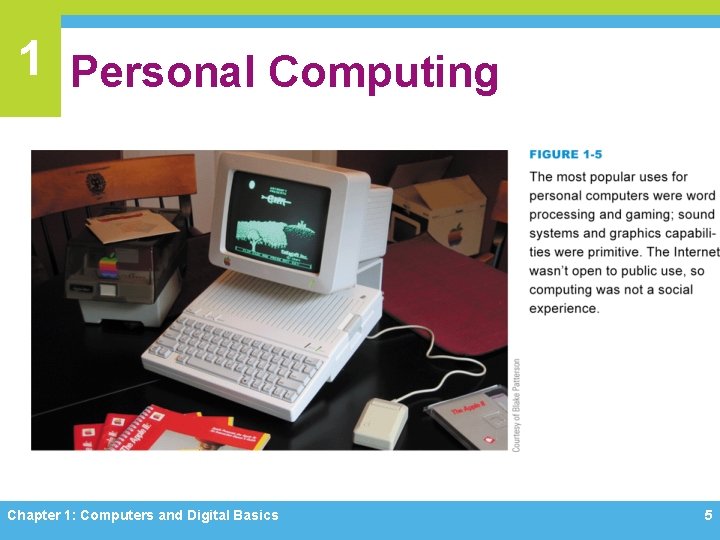
1 Personal Computing Chapter 1: Computers and Digital Basics 5
1 Network Computing Ø The third phase of the digital revolution materialized as computers became networked and when the Internet was opened to public use Ø A computer network is a group of computers linked together to share data and resources Ø The Internet is a global computer network originally developed as a military project, and was then handed over to the National Science Foundation for research and academic use Chapter 1: Computers and Digital Basics 6
1 Network Computing Ø The Web (short for World Wide Web) is a collection of linked documents, graphics, and sounds that can be accessed over the Internet Ø During the period from 1995– 2010, computing was characterized by the Web, e-mail, multiplayer games, music downloads, and enormous software applications, such as Microsoft Office, Norton’s Internet Security Suite, and Corel Digital Studio Chapter 1: Computers and Digital Basics 7
1 Cloud Computing Ø Local applications are being eclipsed by cloud computing, which characterizes the fourth phase of the digital revolution Ø Cloud computing provides access to information, applications, communications, and storage over the Internet Ø The expansion of cloud computing is due in part to convergence, a process by which several technologies with distinct functionalities evolve to form a single product Chapter 1: Computers and Digital Basics 8
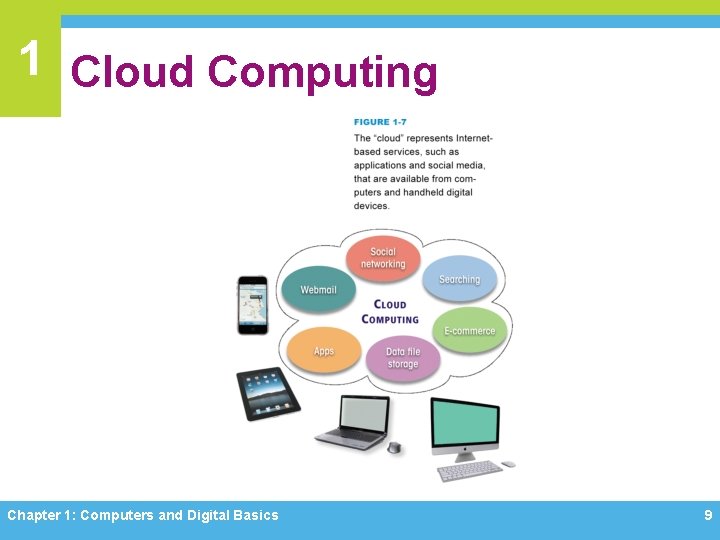
1 Cloud Computing Chapter 1: Computers and Digital Basics 9
1 Cloud Computing Ø Convergence is important to the digital revolution because it created sophisticated mobile devices whose owners demand access to the same services available from full-size computers on their desks Ø Social media are cloud-based applications designed for social interaction and consumer-generated content Chapter 1: Computers and Digital Basics 10
1 Digital Society Ø Digital technologies and communications networks make it easy to cross cultural and geographic boundaries Ø Anonymous Internet sites, such as Freenet, and anonymizer tools that cloak a person’s identity, even make it possible to exercise freedom of speech in situations where reprisals might repress it Ø Citizens of free societies have an expectation of privacy Ø Intellectual property refers to the ownership of certain types of information, ideas, or representations Chapter 1: Computers and Digital Basics 11
1 Digital Society Ø Digital technology is an important factor in global and national economies, in addition to affecting the economic status of individuals Ø Globalization can be defined as the worldwide economic interdependence of countries that occurs as cross-border commerce increases and as money flows more freely among countries Ø Some individuals are affected by the digital divide, a term that refers to the gap between people who have access to technology and those who do not Ø Digital technology permeates the very core of modern life Chapter 1: Computers and Digital Basics 12
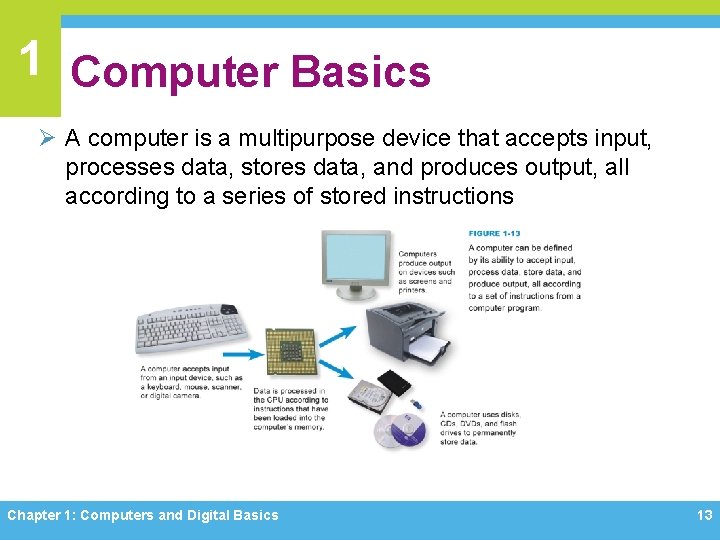
1 Computer Basics Ø A computer is a multipurpose device that accepts input, processes data, stores data, and produces output, all according to a series of stored instructions Chapter 1: Computers and Digital Basics 13
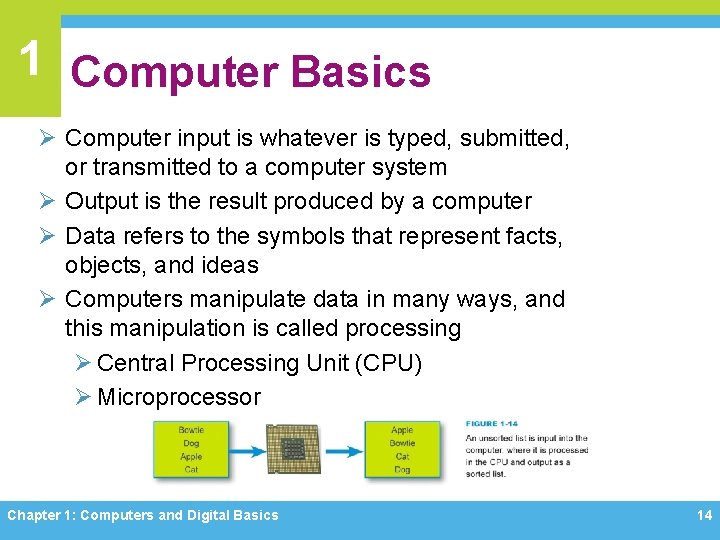
1 Computer Basics Ø Computer input is whatever is typed, submitted, or transmitted to a computer system Ø Output is the result produced by a computer Ø Data refers to the symbols that represent facts, objects, and ideas Ø Computers manipulate data in many ways, and this manipulation is called processing Ø Central Processing Unit (CPU) Ø Microprocessor Chapter 1: Computers and Digital Basics 14
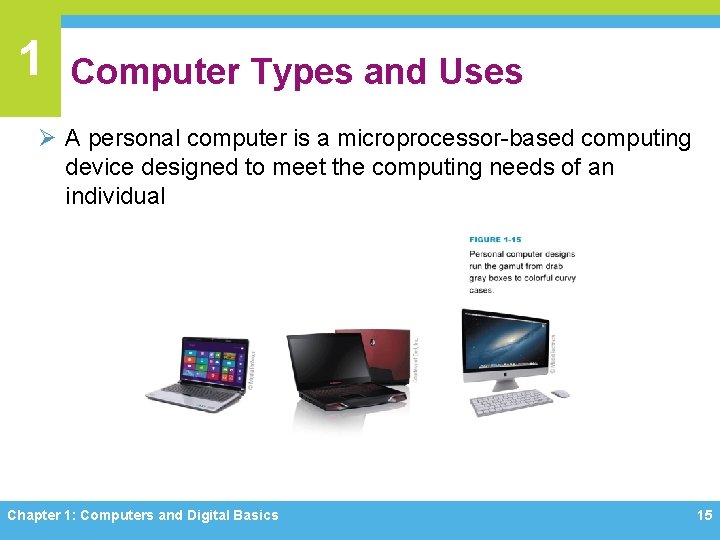
1 Computer Types and Uses Ø A personal computer is a microprocessor-based computing device designed to meet the computing needs of an individual Chapter 1: Computers and Digital Basics 15
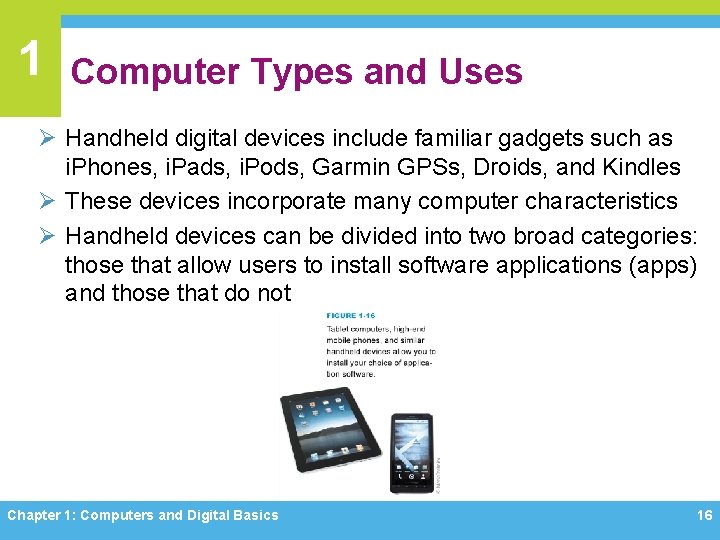
1 Computer Types and Uses Ø Handheld digital devices include familiar gadgets such as i. Phones, i. Pads, i. Pods, Garmin GPSs, Droids, and Kindles Ø These devices incorporate many computer characteristics Ø Handheld devices can be divided into two broad categories: those that allow users to install software applications (apps) and those that do not Chapter 1: Computers and Digital Basics 16
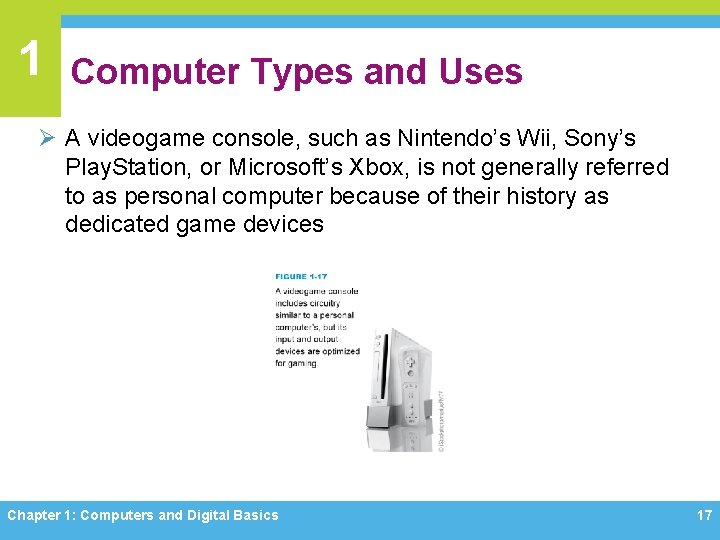
1 Computer Types and Uses Ø A videogame console, such as Nintendo’s Wii, Sony’s Play. Station, or Microsoft’s Xbox, is not generally referred to as personal computer because of their history as dedicated game devices Chapter 1: Computers and Digital Basics 17
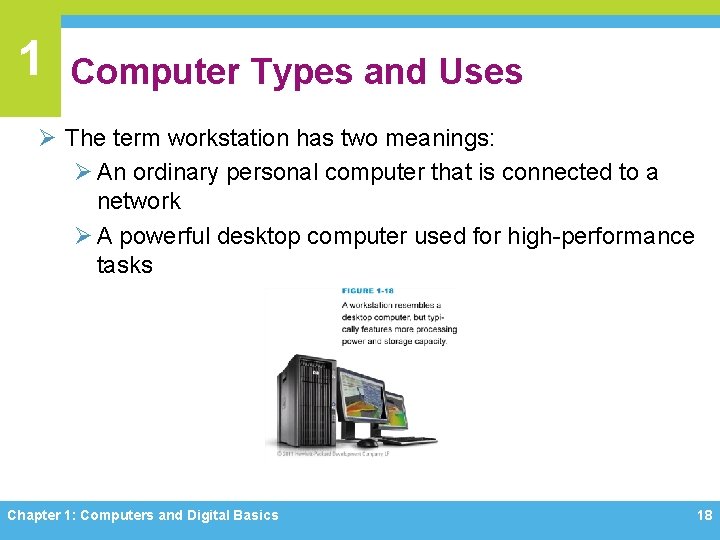
1 Computer Types and Uses Ø The term workstation has two meanings: Ø An ordinary personal computer that is connected to a network Ø A powerful desktop computer used for high-performance tasks Chapter 1: Computers and Digital Basics 18
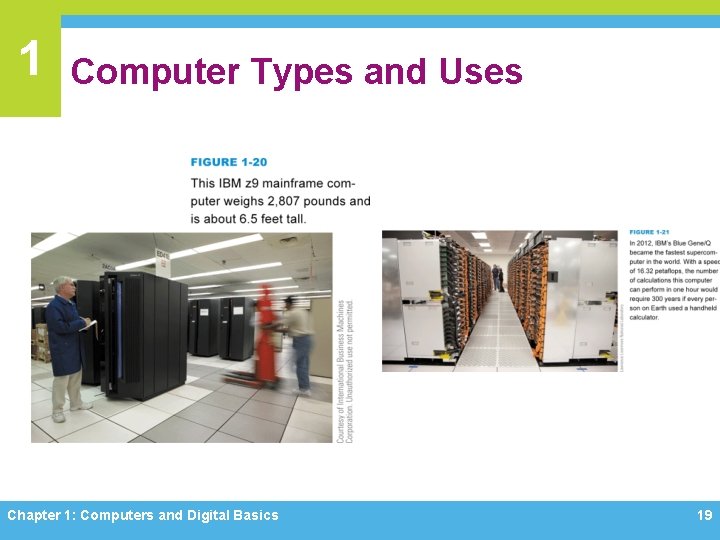
1 Computer Types and Uses Chapter 1: Computers and Digital Basics 19
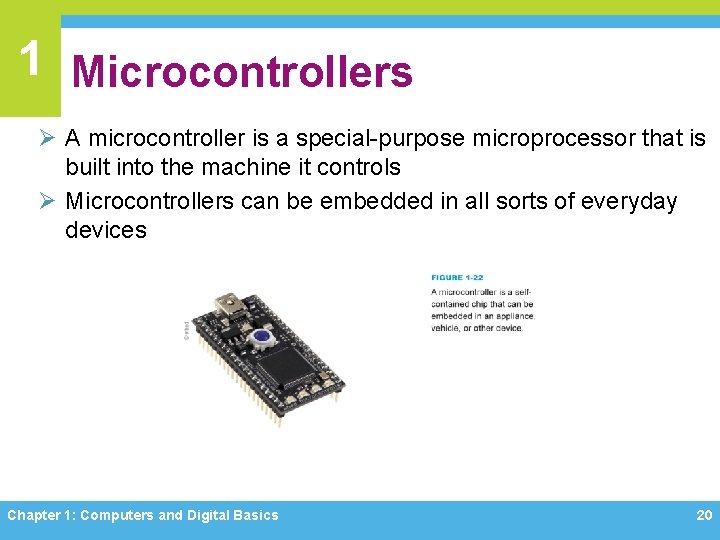
1 Microcontrollers Ø A microcontroller is a special-purpose microprocessor that is built into the machine it controls Ø Microcontrollers can be embedded in all sorts of everyday devices Chapter 1: Computers and Digital Basics 20
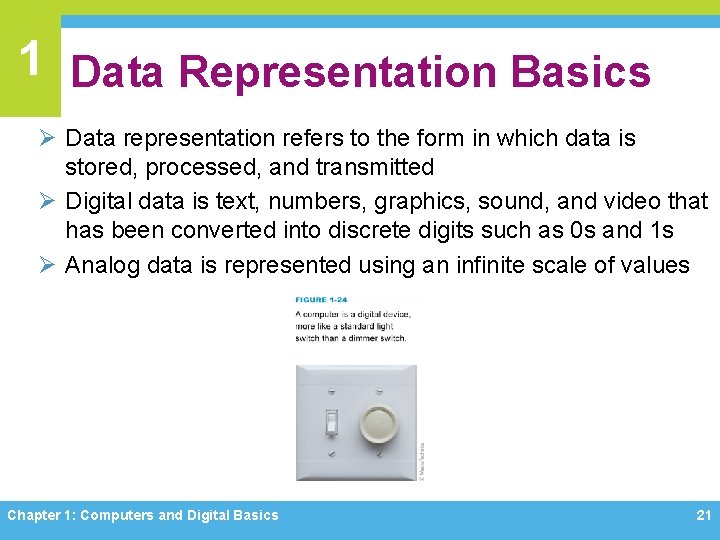
1 Data Representation Basics Ø Data representation refers to the form in which data is stored, processed, and transmitted Ø Digital data is text, numbers, graphics, sound, and video that has been converted into discrete digits such as 0 s and 1 s Ø Analog data is represented using an infinite scale of values Chapter 1: Computers and Digital Basics 21
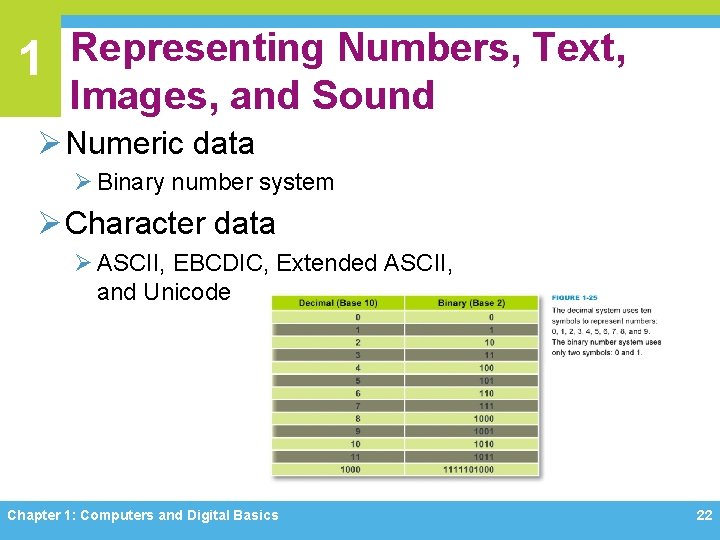
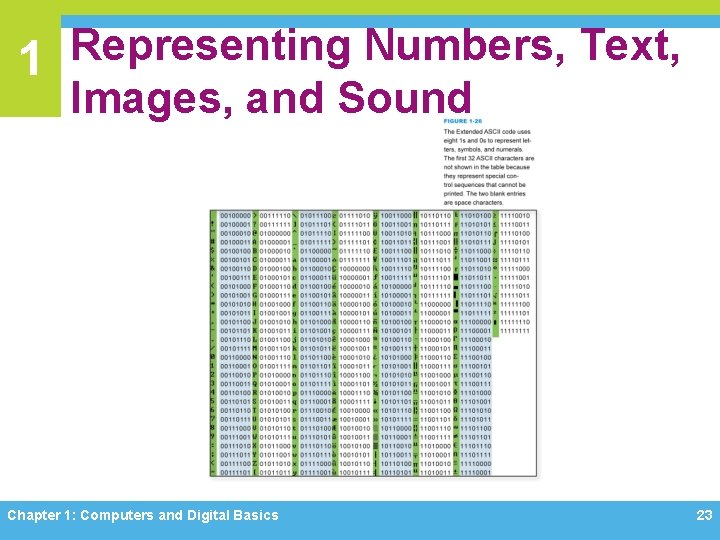
1 Representing Numbers, Text, Images, and Sound Ø Numeric data Ø Binary number system Ø Character data Ø ASCII, EBCDIC, Extended ASCII, and Unicode Chapter 1: Computers and Digital Basics 22
1 Representing Numbers, Text, Images, and Sound Chapter 1: Computers and Digital Basics 23
1 Quantifying Bits and Bytes Chapter 1: Computers and Digital Basics 24
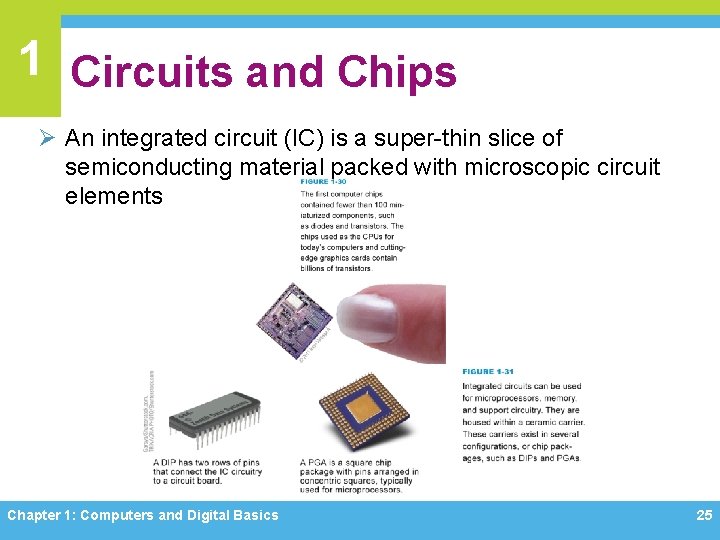
1 Circuits and Chips Ø An integrated circuit (IC) is a super-thin slice of semiconducting material packed with microscopic circuit elements Chapter 1: Computers and Digital Basics 25
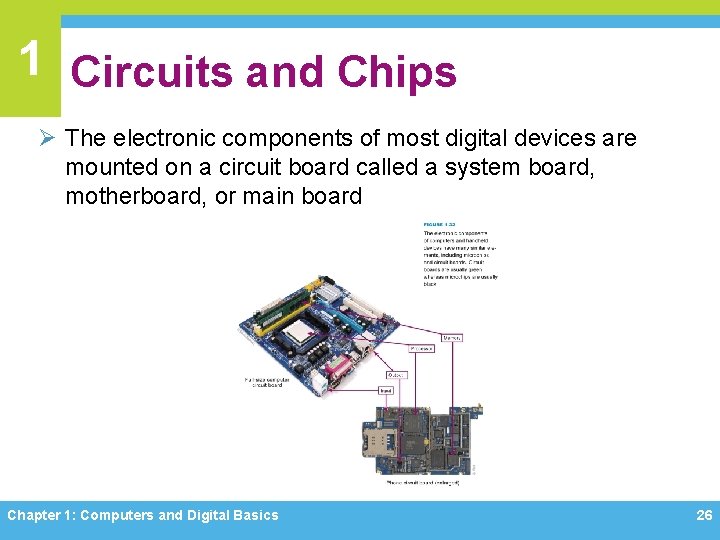
1 Circuits and Chips Ø The electronic components of most digital devices are mounted on a circuit board called a system board, motherboard, or main board Chapter 1: Computers and Digital Basics 26
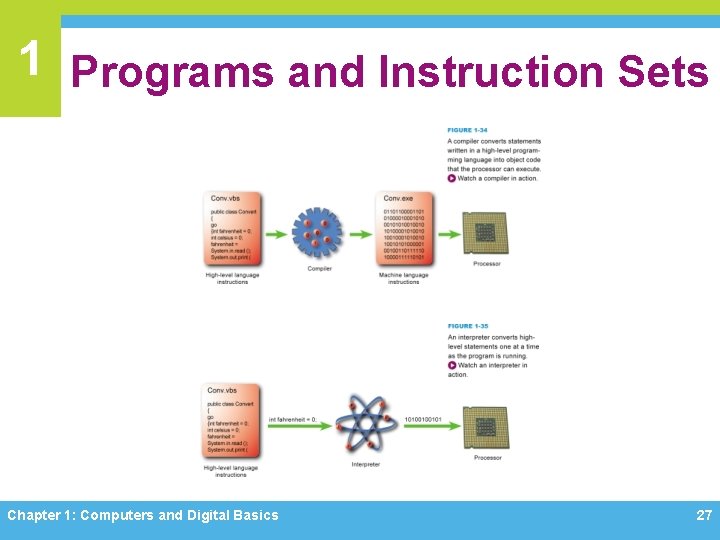
1 Programs and Instruction Sets Chapter 1: Computers and Digital Basics 27
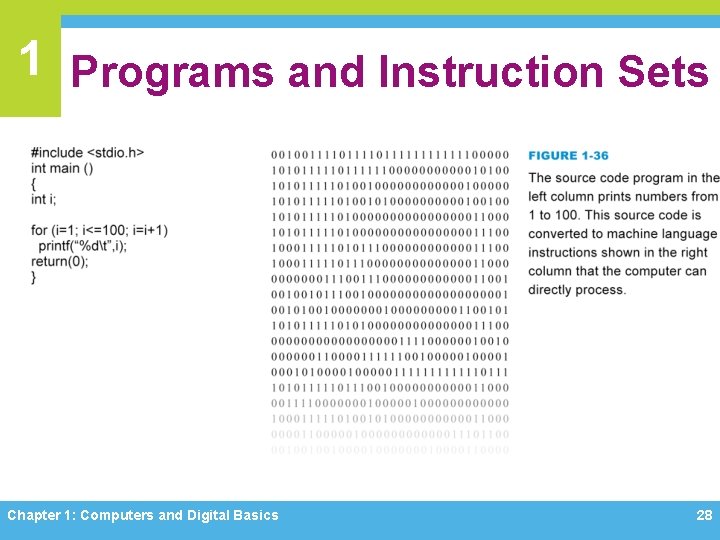
1 Programs and Instruction Sets Chapter 1: Computers and Digital Basics 28
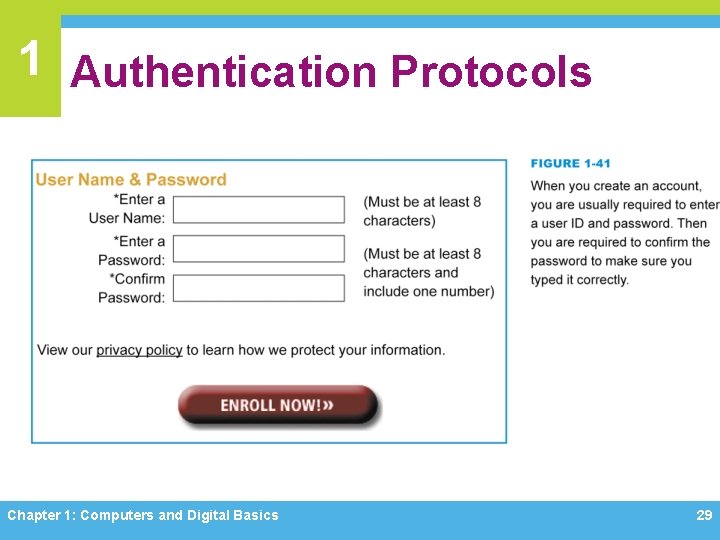
1 Authentication Protocols Chapter 1: Computers and Digital Basics 29
1 Password Hacks Ø When someone gains unauthorized access to your personal data and uses it illegally, it is called identity theft Ø Hackers employ a whole range of ways to steal passwords Ø A dictionary attack helps hackers guess your password by stepping through a dictionary containing thousands of the most commonly used passwords Ø The brute force attack uses password-cracking software, but its range is much more extensive than the dictionary attack Chapter 1: Computers and Digital Basics 30
1 Password Hacks Ø If hackers can’t guess a password, they can use another technique called sniffing, which intercepts information sent out over computer networks Ø An even more sophisticated approach to password theft is phishing Ø A keylogger is software that secretly records a user’s keystrokes and sends the information to a hacker Chapter 1: Computers and Digital Basics 31
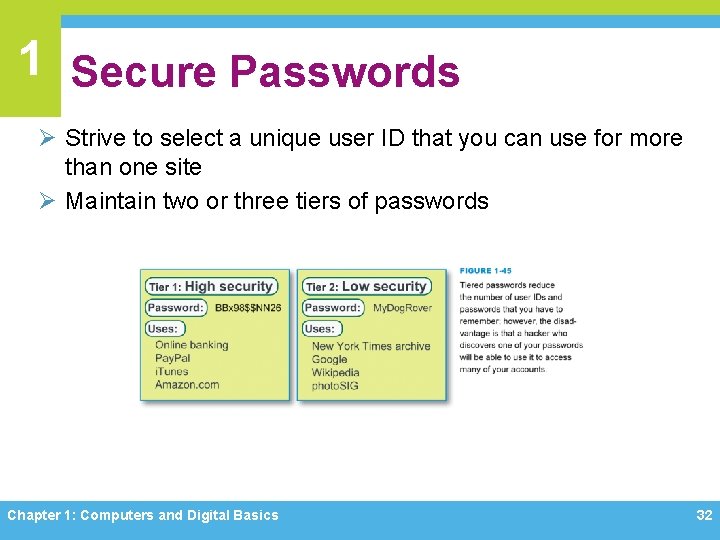
1 Secure Passwords Ø Strive to select a unique user ID that you can use for more than one site Ø Maintain two or three tiers of passwords Chapter 1: Computers and Digital Basics 32
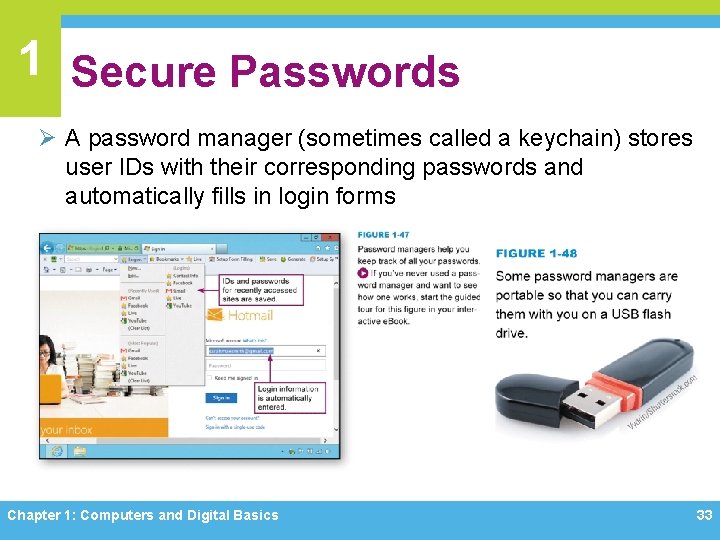
1 Secure Passwords Ø A password manager (sometimes called a keychain) stores user IDs with their corresponding passwords and automatically fills in login forms Chapter 1: Computers and Digital Basics 33
Chapter 1 Complete Computer Concepts 2014
- Slides: 34