
Chapter 1 Computers A First Look Berlin Chen
Chapter 1: Computers: A First Look Berlin Chen 2003 Textbooks: 1. Kurt F. Lauckner and Mildred D. Lintner, "The Computer Continuum, " Prentice Hall, Second Edition, 2001. 1
How do computers affect us in our daily lives? 2
Computers: A First Look • In this chapter: – – How do computers pervade our every day lives? What is considered a computer and what is not? Why do computers use the binary system? What are some characteristics of different types of computers? – How are computers commonly used today? 3
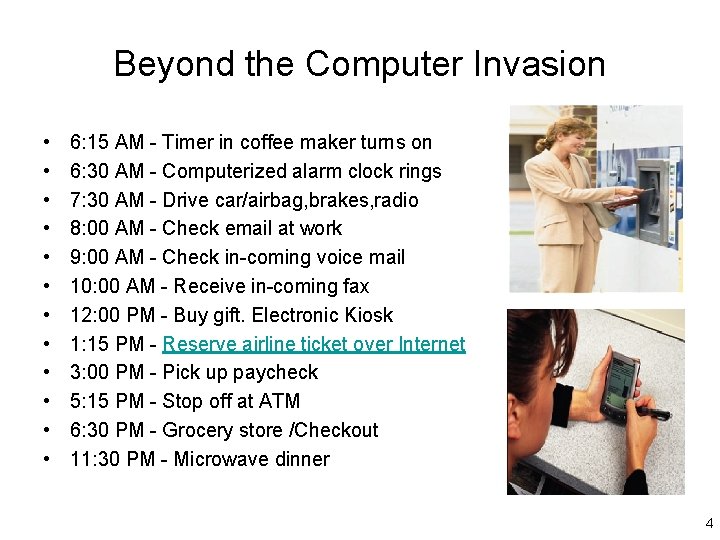
Beyond the Computer Invasion • • • 6: 15 AM - Timer in coffee maker turns on 6: 30 AM - Computerized alarm clock rings 7: 30 AM - Drive car/airbag, brakes, radio 8: 00 AM - Check email at work 9: 00 AM - Check in-coming voice mail 10: 00 AM - Receive in-coming fax 12: 00 PM - Buy gift. Electronic Kiosk 1: 15 PM - Reserve airline ticket over Internet 3: 00 PM - Pick up paycheck 5: 15 PM - Stop off at ATM 6: 30 PM - Grocery store /Checkout 11: 30 PM - Microwave dinner 4

Beyond the Computer Invasion • The reason why computers are pervasive is that they help us… – Perform tasks that are repetitive – Perform tasks that involve calculation or manipulation of numbers – Perform tasks that involve storage of large quantities of information 5

What Is (and Isn’t) a Computer • Definition: – A computer is a device that takes data in one form, uses it, and produces a different form of information which is related to (but not the same as) the original data 6
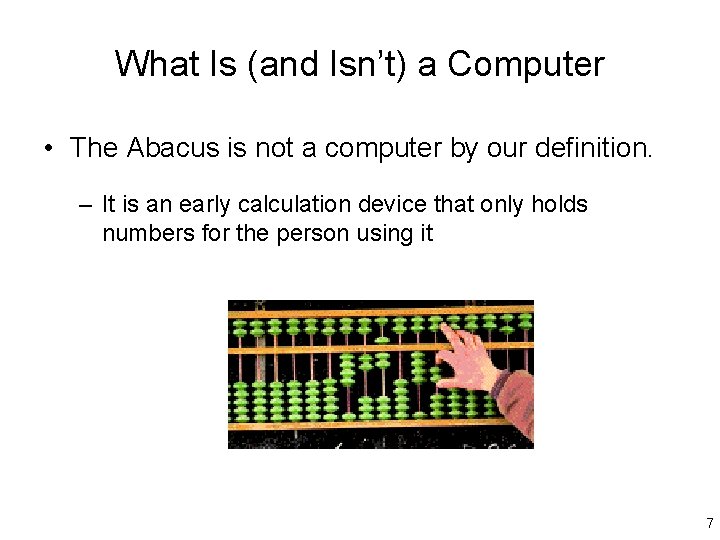
What Is (and Isn’t) a Computer • The Abacus is not a computer by our definition. – It is an early calculation device that only holds numbers for the person using it 7
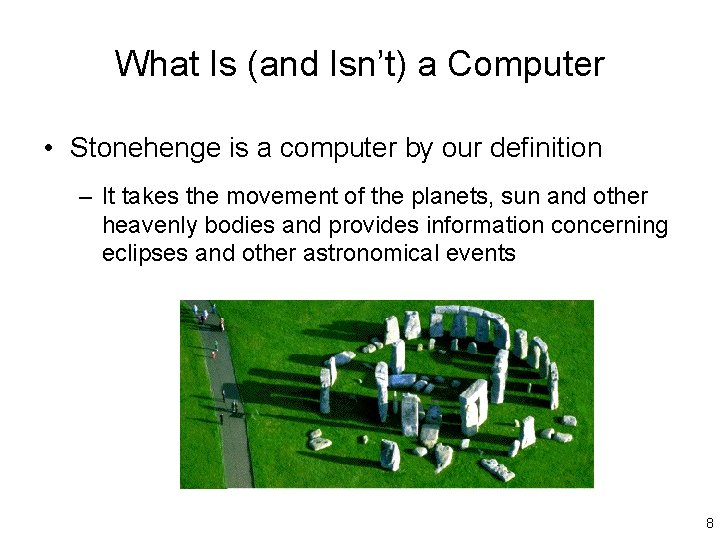
What Is (and Isn’t) a Computer • Stonehenge is a computer by our definition – It takes the movement of the planets, sun and other heavenly bodies and provides information concerning eclipses and other astronomical events 8
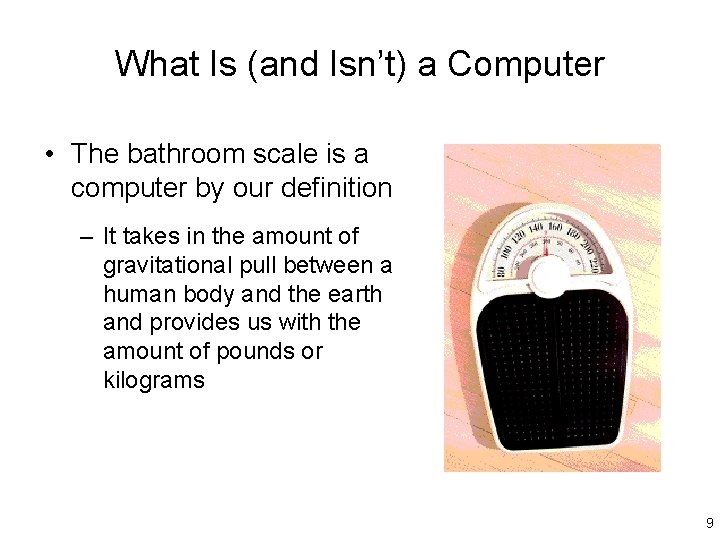
What Is (and Isn’t) a Computer • The bathroom scale is a computer by our definition – It takes in the amount of gravitational pull between a human body and the earth and provides us with the amount of pounds or kilograms 9
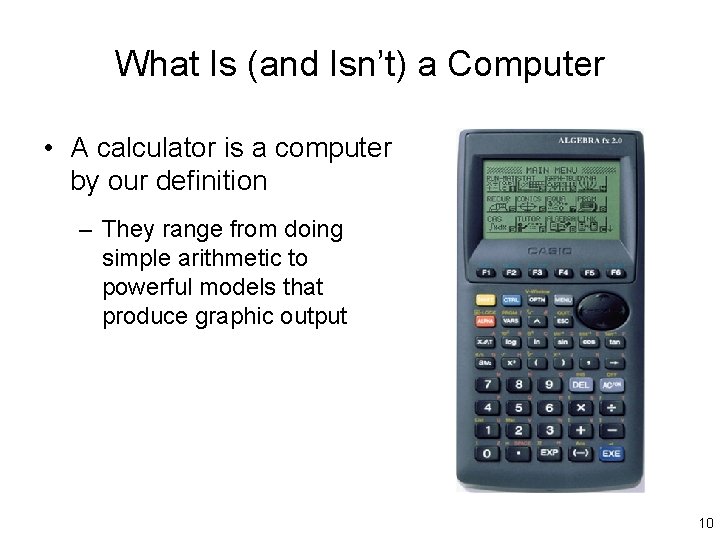
What Is (and Isn’t) a Computer • A calculator is a computer by our definition – They range from doing simple arithmetic to powerful models that produce graphic output 10
What Is (and Isn’t) a Computer • Digital pagers and cell phones are also computers – These wireless communication devices provide instant access to voice-mail, and fax transmission – Some provide built-in Internet access 11
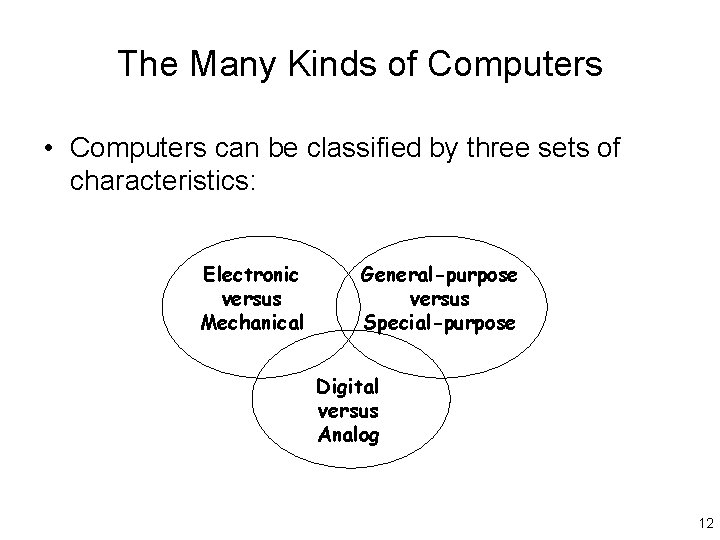
The Many Kinds of Computers • Computers can be classified by three sets of characteristics: Electronic versus Mechanical General-purpose versus Special-purpose Digital versus Analog 12
The Many Kinds of Computers • Electronic Computer – Constructed from transistors and electrical circuits. – Needs an electrical source to function. • Mechanical Computer – Constructed of a combination of gears, levers and/or springs – Produces its own intrinsic energy (Does not need electricity to function) 13
The Many Kinds of Computers • General-purpose Computer – Was not manufactured to do any one thing – Changeable to do any task – E. g. desktop or laptop computers, workstations • Special-purpose Computer – Manufactured to perform a predetermined task or set of tasks – E. g. a bathroom scale, a speedometer, or a CD player 14
The Many Kinds of Computers • Digital Computer – One that functions in discretely varying quantities – Produces or gives results that are also discretely varying • Analog Computer – One that functions in continuously varying quantities – Produces or gives results that are also continuously varying 15
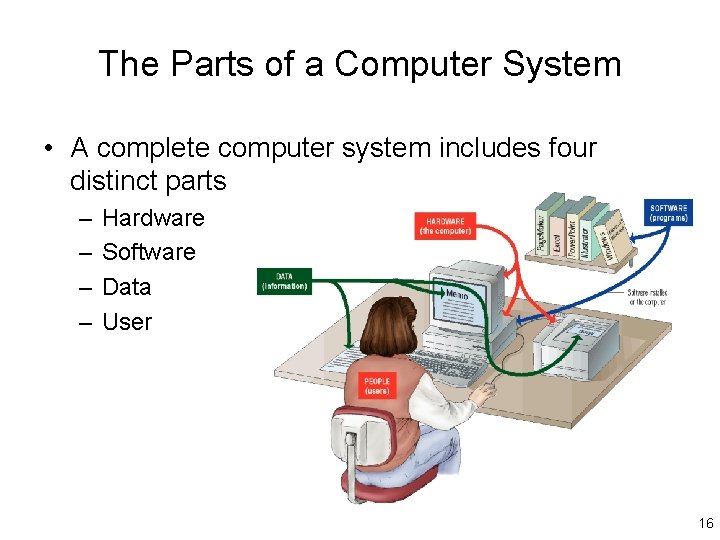
The Parts of a Computer System • A complete computer system includes four distinct parts – – Hardware Software Data User 16
The General-Purpose Electronic Digital Computer • The General-purpose electronic digital computer – General Purpose: Can be used in many different fields of work – Electronic: Requires a source of electricity to function – Digital: Made up of binary circuitry (Each can be set to one of one two possible conditions) – Controlled by humans; Presents results in a way usable by humans 17
The General-Purpose Electronic Digital Computer • Digital computers are made up of four major components: – Input units - Humans interface with the computer through devices like the mouse and keyboard – Memory - Stores programs and other data – Central Processing Unit - “Brain” controls all computer operations, processes information, computes results – Output Units - The computer displays results to the human through devices like the printer and monitor 18
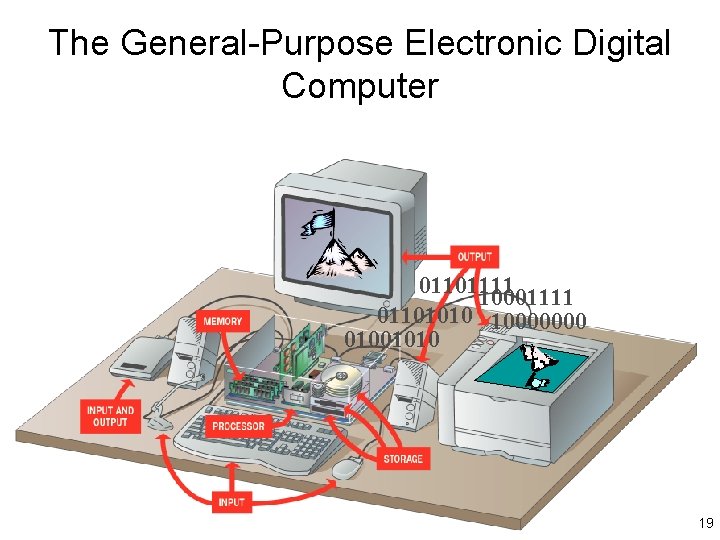
The General-Purpose Electronic Digital Computer 01101111 10001111 01101010 10000000 01001010 19
The Parts of a Computer System • Computer Hardware – The electronics and associated mechanical parts of the computer – The parts you can see and touch, e. g. , keyboard, monitor, modem, mouse, etc. • Computer Software – Consists of instructions that control the hardware and cause the desired process to happen – A Disk is considered hardware. A program ON the disk is considered software! 20
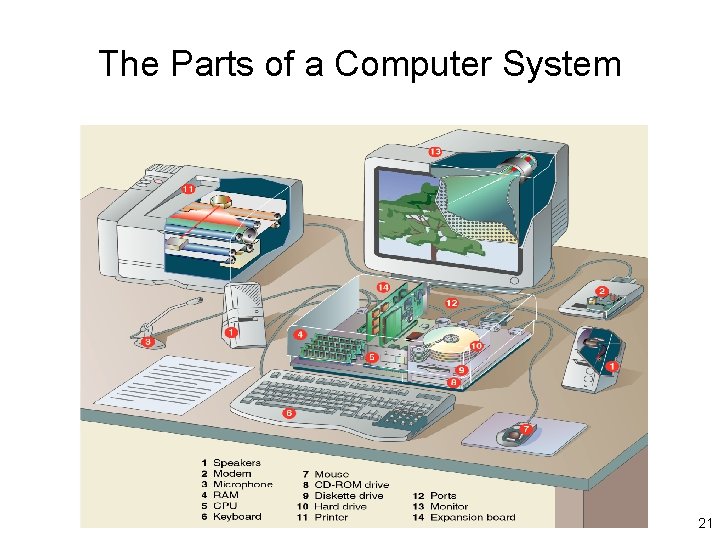
The Parts of a Computer System 21
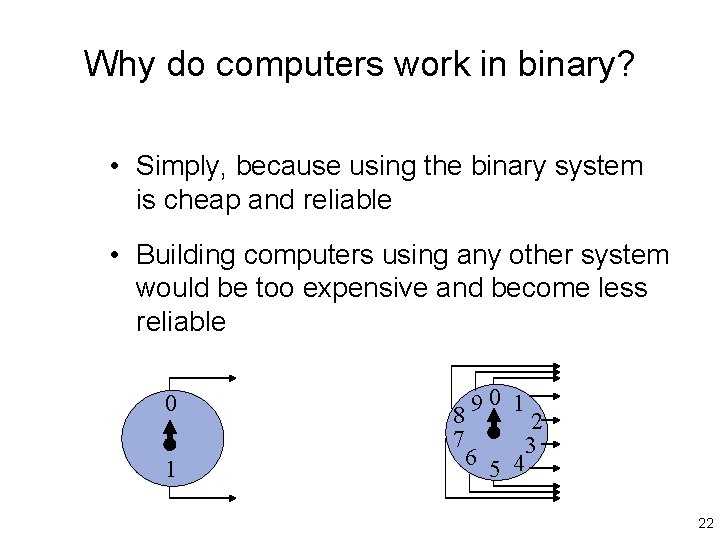
Why do computers work in binary? • Simply, because using the binary system is cheap and reliable • Building computers using any other system would be too expensive and become less reliable 0 1 9 8 2 7 6 43 5 22
Applications: Making the Computer Work for You • Applications (Application Programs) – Sets of computer instructions designed to perform a particular application or task • Examples of popular application programs: – Word or Word. Perfect for word processing – Excel for keeping a ledger – Norton’s Utilities for checking disks for damage 23
Applications: Making the Computer Work for You • Productivity Tools – First designed for the business setting – Targeted increased speed and accuracy for office workers – Now used in homes, schools, and in offices • Four types are included in this category: – Word Processing; Electronic Spreadsheets; Database Management Systems; Presentation Graphics 24
Applications: Making the Computer Work for You • Word Processors – Most commonly used computer application programs on the market today – Have replaced the typewriter in the creation of text documents – Can be used to create: (to name a few) • • • Letters Reports Essays Brochures Advertising copy Books 25
Applications: Making the Computer Work for You • Electronic Spreadsheets – Allows you to enter numeric information and formulas into the computer in rows and columns – Performs calculations and recalculations immediately – Can be used forecasting and what-if projections – Most have graphing capabilities 26
Applications: Making the Computer Work for You • Database Management Systems (DBMS) – DBMS are the computer programs that are used to organize small to large amounts of information in a meaningful way – Allows entry, updating, and retrieval of information in a meaningful format • • Can add information Modify information Delete information Print information in a variety of formats 27
Applications: Making the Computer Work for You • Presentation Graphics – A tool that combines the computer and a display system to present multiple types of visual and audible information • • Text Images and animation clips Charts Hyperlinks (text that can access pages on the WWW) – Can be viewed one-by-one or as a continuous slide show – Animation can be added for affect (fade, dissolve, flash). 28
Applications: Making the Computer Work for You • Computer Control – Tools used to make the computer run efficiently – Used to make the computer perform certain tasks • Three types are listed in this category: – Programming Languages, Operating Systems, and Utilities 29
Applications: Making the Computer Work for You • Programming Languages – Each programming language has its own vocabulary and structural rules. – Programmers use these languages to construct programs containing lists of instructions for the computer to perform. – Popular languages include: • • Ada Java Visual Basic C++ 30
Applications: Making the Computer Work for You • Operating Systems – A collection of programs that manage and control all operations and coordinate all hardware components of the computer. – Some functions include: • • Controlling the mouse pointer. Sending data to the printer and screen. Managing files. Formatting disks. – Popular Operating Systems include Windows, Unix, Mac. OS, VMS, Linux, OS/2. 31
Applications: Making the Computer Work for You • Utilities – Help to keep the computer running properly by: • Making adjustments in efficiency. – Faster operation. – More efficient memory and hard disk use. – Better communication connections. • Making repairs to damaged disks and files. • Identifying and eliminating viruses. 32
Applications: Making the Computer Work for You • Internet and Web Tools – Tools used to make easy access of the Internet possible. – Tools used to create a web presence. • Three tools are listed in this category: – Web Browsers, Search Services, Web Page Builders. 33
Applications: Making the Computer Work for You • Web Browsers – Most commonly used tool to access the World Wide Web. – These programs allow web pages to be displayed on the computer screen that may include: • • Text Graphic images, animation and streamed video Sound Three-dimensional virtual reality environments – The two most widely used web browsers today include Microsoft Explorer and Netscape Navigator. 34
Applications: Making the Computer Work for You • Search Services – Tools used to help search for specific information on the WWW. – Many free search services exist on the WWW. • Type in a search criteria (key words to look for). • The search service will then locate pages on the web that contain that search criteria. – A few popular web search services include Hot. Bot, Alta Vista, Excite, and Dog. Pile. 35
Applications: Making the Computer Work for You • Web Page Builders – Tools used to create web pages. – Some word processors and presentation programs include web page design capability. • Type in the document as you wish it to look on the WWW. • Have the word processing program save it in the HTML (special web document) format. – Stand-alone web page builders allow you to design more complex and sophisticated web sites. 36
- Slides: 36